Disclosure: Some links in this post are affiliate links. As an Amazon Associate I earn from qualifying purchases, at no extra cost to you. Learn more
Specs are compiled from manufacturer listings and verified buyer reviews and can change over time — please confirm the key details on the product page before buying.
If your NAS still spins mechanical drives, the bottleneck is no longer your network — it is the platter itself. Moving to flash means folders open the instant you click them, Plex artwork fills the grid without that stall, and a Docker container restarts in seconds instead of a coffee break. This guide covers both the enclosures and the SSD modules that fit them, so you buy a matched pair once.
This guide is built by comparing the manufacturers’ published specifications and the patterns across verified customer reviews, so you get each pick’s real strengths and trade-offs instead of marketing spin.
Some of these are complete boxes you plug into your router, others are the bare drive that goes inside the bay you already own. Either way, the deciding specs are the same: how many NVMe slots, how fast the network port, and how much heat the thing throws. Here is the shortlist of the nas for ssd setups that actually earn their bay space.
Top Picks


How To Choose The Best NAS for SSD
Two completely different purchases hide behind this keyword. One is the enclosure — the box with bays, a CPU and a network port. The other is the drive module that slides into it. Buy a slow module for a fast box and you have wasted the box; buy a great module for a two-bay enclosure with a single gigabit port and you will never see its speed.
Slot type decides everything downstream
An M.2 2280 slot (the long, thin connector on the board) takes NVMe drives that talk directly to the CPU, and those are the modules that hit multi-gigabit speeds. A 2.5-inch SATA bay takes the flat, rectangular drives that cap out far lower. If the enclosure lists four M.2 NVMe slots, you are buying into the fast lane; if it lists two SATA bays and four M.2 slots, it is a hybrid box built for mixing cheap bulk storage with fast cache.
Check the endurance rating before the speed rating
A NAS writes constantly — logs, thumbnails, snapshots, backups — so the headline sequential speed matters less than how many terabytes the drive is rated to write over its life. That figure is TBW. Cache duty is brutal on a consumer drive; a module rated for NAS workloads handles the same job with more headroom. This is the single spec most first-time buyers skip, and it is the one that decides whether the array is still healthy in a couple of years.
Match the network port to your actual workflow
A 2.5GbE port (2.5 gigabit Ethernet) is roughly two and a half times a standard gigabit link and suits photo libraries and home backups. A 10GbE port is the one video editors chase, because a single 4K timeline can pull more than a gigabit link can carry. Neither helps if your router and switch are stuck at gigabit — check that first, because the port on the NAS is only one link in the chain.
Side-by-Side Comparison
| Model | Best For | Drive Slots | Network | Form Factor | Amazon |
|---|---|---|---|---|---|
| WD Red SN700 500GB★ Best Overall | Cache and system volume | Single M.2 2280 | — | M.2 2280 NVMe | Amazon |
| Synology DS225+Easiest Setup | Two-bay home cloud | 2 bays | 282 MB/s rated | Desktop | Amazon |
| Ediloca ES580E 4TBBulk Storage Value | Bulk SATA storage | Single 2.5-inch | — | 2.5-inch SATA | Amazon |
| LincStation N2 | Cheap entry to 10GbE | 2 SATA + 4 M.2 | 10GbE | Compact desktop | Amazon |
| Asustor Flashstor 6 | All-flash on a budget | 6x M.2 NVMe | Dual 2.5GbE | Compact desktop | Amazon |
| Synology DS425+ | Small-team file hub | 4 bays | 278 MB/s rated | Desktop | Amazon |
| QNAP TS-464-8G | Hybrid SSD cache box | 4 bays + 2x M.2 | Dual 2.5GbE | Desktop | Amazon |
| TerraMaster F8 SSD Plus | Dense palm-sized flash | 8x M.2 NVMe | 10GbE | Palm-sized desktop | Amazon |
| UGREEN DXP480T Plus | Video editing rig | 4x M.2 NVMe | 10GbE + Wi-Fi 6 | Compact desktop | Amazon |
| Gigastone 2TB 4-Pack | Filling a RAID array | 4x 2.5-inch | — | 2.5-inch SATA | Amazon |
| Gigastone 4TB 4-Pack | Large RAID build-outs | 4x 2.5-inch | — | 2.5-inch SATA | Amazon |
Detailed Reviews
1. Western Digital 500GB WD Red SN700 NVMe Internal SSD
Our pick — 4.5+★ from 950+ verified ratings; the strongest balance of quality and price.
A 3,430 MB/s NVMe cache drive that makes NAS menus and app libraries open the instant you click.
Start with the one number that matters here: 3,430 MB/s sequential read. That is the WD Red SN700 talking to your system over a Gen3 PCIe lane (the third-generation slot on your NAS board), and it is what makes artwork thumbnails populate instantly instead of drawing in line by line. It arrives in the M.2 2280 size, the long thin stick that screws flat onto the board rather than sliding into a caddy. The 500GB capacity is the smart size for the job most people actually need — the system volume and the read/write cache, not the bulk media store.
What wins people over is reliability, and it is not an accident. This is a drive built specifically for NAS duty, which means it is rated for the constant read/write churn that kills ordinary consumer SSDs. Owners running these in RAID 1 on QNAP hardware describe the drives being recognized instantly and the whole system feeling markedly snappier than the spinning disks they replaced. Several note that with an M.2 heatsink fitted, sustained loads never triggered thermal slowdown. For Plex metadata, Docker containers and Synology read/write caching, this is the module to reach for.
The catch to know about is thermal honesty and endurance sizing. A bare M.2 stick under constant cache duty gets hot, so budget for a heatsink rather than hoping the bay airflow covers it. And there is a real endurance question at the wider capacity range — not every unit in a batch ages the same way, which is worth planning around by keeping backups current. A 500GB cache drive writes through its rated cycles faster than a 1TB one, so match the size to how hard you will push it.
Why it earns the top bay
- 3,430 MB/s read, so system menus and app libraries open without the HDD stall
- Built and rated for NAS duty rather than desktop use
- M.2 2280 fits the standard NVMe slot on QNAP and Synology boards
- Recognized instantly in RAID 1 setups with no driver fuss
Sizing it honestly
- Needs an M.2 heatsink to avoid throttling under sustained cache load
- 500GB fills its write budget sooner if you push heavy caching
- Long-term endurance varies across units in a production run
The smart buy: anyone adding a cache or system volume to an existing NAS with a free NVMe slot.
Hold off: if you need a multi-terabyte primary array — this is a cache-sized drive, not a storage-pool replacement.
2. Synology DS225+ Private Cloud Media Server
A two-bay diskless enclosure with a browser-guided DSM setup that gets a first-time buyer to a working private cloud in an evening.
For a first jump into network storage, the DS225+ is the one that removes the fear. It is a two-bay diskless enclosure with a 282 MB/s rated transfer figure, which is plenty for streaming 4K movies to a TV, backing up several phones, and hosting a photo library. The Intel CPU handles hardware transcoding, so a video file in the wrong format still plays without the NAS gasping. Storage volume tops out at 40 TB across the two bays — enough that most households never outgrow it.
The interface is the real reason it lands here. The DSM software runs in a browser and walks you through setup point by point; one owner described the whole thing as plug-and-play and had two 12TB drives in RAID 0 offering 12TB usable across phone, tablet and PC. Plex runs on it fine, and Docker containers work for the home-automation crowd. It is a genuinely clean hub for on-prem privacy instead of a monthly cloud bill.
Two things to plan for. Hardware transcoding here is limited — fine for one or two local streams, not a room full of remote viewers. And Synology’s official drive positions push you toward their own branded drives; third-party modules do work, but you may need to run a compatibility step first. Neither is a dealbreaker for a home setup, just a heads-up before you unbox.
What it nails: the setup experience. A browser-based guided interface means a first-time buyer gets a working private cloud in an evening, not a weekend of forum reading.
Where it stops short: at scale. Two bays and a capped transcode ceiling suit a home; a shared studio needs more drive slots and more raw muscle.
Ideal for: the household that wants its own cloud without learning Linux.
Not the one: if you plan to run multiple simultaneous remote streams or need four drive bays from day one.
3. Ediloca 4TB SSD Internal Solid State Drive
A 4TB 2.5-inch SATA III drive at 450 MB/s read for NAS caddies with no M.2 slot.
Not every NAS is flash-native, and the ones with 2.5-inch caddies need exactly this kind of drive. The Ediloca ES580E fits the standard 2.5-inch SATA III bay, reads at up to 450 MB/s and writes at 400 MB/s, and holds 4TB on 3D QLC NAND flash. For a home file server or a NAS array where you want speed over spinning disks without paying NVMe prices, that combination hits a sensible middle. Installing one is the same as any SATA drive — mount it, format it in Disk Management, move on.
What the owners keep coming back to is that it simply works. A buyer who lost a 4TB mechanical drive moved their data onto one of these and had no issues at all; another running RAID 1 on a NAS said it fit the bill perfectly. The drive has no moving parts, so it runs silent, and it carries shock resistance rated to 1500G and drop protection rated to 1.2m — a genuine consideration if it lives in a laptop before it lives in a NAS. Three-year limited warranty and a 72-hour stress test back each unit at the factory.
The honest limit is SATA. At 450 MB/s read it is quick for the interface, but it is not the multi-gigabit experience an NVMe slot gives you, so do not buy this expecting to flood a 10GbE pipe. Speed feedback also skews mixed — some buyers call it noticeably faster, others find it merely fine. For a home server or a RAID 1 backup of important files, it does the job quietly at a fair tier of price.
Fair read: 4TB in a 2.5-inch body for buyers who need quiet bulk capacity rather than headline speed. This is the drive for former HDD owners who want the noise gone.
Know before you buy: the SATA ceiling means it suits backups and media libraries, not high-bandwidth editing work.
Grab it if: your enclosure has empty 2.5-inch caddies and you want 4TB with no moving parts.
Look past it: if you want NVMe throughput or plan to saturate a fast network link.
4. LincStation N2 6-Bay NAS Server

Two SATA caddies and four NVMe slots in a box small enough to tuck under a monitor.
Six bays on a metal chassis that stands shorter than a paperback stack — that is the pitch here, and the numbers back it up. The LincStation N2 pairs an Intel N100 quad-core processor with 16GB of LPDDR5 memory across 2 SATA bays for 2.5-inch drives and 4 M.2 NVMe slots for 2280 SSDs. The 10GbE port on the back is the real draw, because it means file transfers that crawl on a gigabit box finish fast. It ships with an Unraid starter license, so you can build a mixed-size array without buying the OS separately.
Owners who strip out the bundled software and install their own have the best experience. Load TrueNAS or Proxmox onto it and it turns into a capable all-flash node — one described it fitting neatly in a 10-inch rack at under 1U. With SSDs and NVMe populated it runs quiet and cool, and the CPU has enough headroom for Docker containers and a backup service alongside the file shares. The HDMI 2.0 output and USB-C 10G port give you options for direct display or fast external drives.
Here is the honest trade. The bundled USB boot stick and the Unraid software generate the most friction — a buyer reported the no-name USB dying within days and the OS6-to-OS7 update path getting stuck, with a manual flash and a move to a rear USB port fixing the cooling problem. Threading the RAID configuration also takes patience. The hardware is sound; the included software is the part that rewards someone comfortable swapping it out.
Standout strengths
- 10GbE port at an entry-level tier — fast transfers without a premium price
- 6 bays total: 2 SATA plus 4 M.2 NVMe for a mixed array
- 16GB LPDDR5 memory and an N100 quad-core give Docker plenty of room
- Compact metal shell and includes an Unraid starter license
Where it fights you
- Bundled boot USB has a poor track record — plan to replace it
- Unraid update path can hang, and RAID setup takes real patience
- Best results come from swapping to TrueNAS or another OS
Built for: the tinkerer who wants a 10GbE all-flash node and does not mind picking their own OS.
Not for: anyone expecting a set-and-forget appliance — the included software is a starting point, not the finished job.
5. Asustor Flashstor 6 FS6706T

Six M.2 NVMe slots and no mechanical drives, so the Flashstor 6 runs silent enough for a studio desk.
The Flashstor 6 is what you buy when silence and slot count matter more than raw CPU muscle. Six M.2 NVMe slots let you build an all-flash array with no mechanical drives to hum, click or vibrate through your desk. An Intel Celeron N5105 quad-core runs the show, and the machine is built for continuous 24/7 media production rather than occasional backups. Dual 2.5GbE ports mean you can bond links or split traffic between a workstation and the rest of the network.
The performance reputation is earned. A configuration with six 4TB NVMe drives in RAID 5 pushed a 10GbE link in both read and write, and in a high-ambient rack the drives held at or under 42°C with a heatsink kit and the fan set high. Media serving to Plex and other players works without transcoding trouble, and the HDMI 2.0b port lets you output direct to a TV. It runs quiet and cool enough for a studio or a living room, and setup is a slide-and-screw affair most people finish without a monitor attached.
Balance that against two realities. The enclosure is largely plastic and feels a step below a metal chassis, and reaching the RAM means Phillips screws. The browser interface is less polished than the big-name competitors, and there is a known network-drop issue on large file copies that some owners fixed with more memory. Neither sinks the box, but this is a drive-filled system for someone comfortable with the occasional troubleshooting session.
Real-world strengths: an all-flash array that makes zero noise, holds temps in a cramped rack, and saturates a 10GbE link when fully populated.
Honest trade-off: the software and the plastic build are the weak points, and large file copies have dropped the network for some buyers.
Made for: creators and home labs that want a silent all-NVMe box with room to grow.
Think twice: if you expect polished software straight out of the gate or a metal-feeling chassis.
6. Synology DS425+ Private Cloud Media Server

Four bays, a 278 MB/s rated transfer speed, and enough headroom for a small office to share files all day.
This is the DS225+ stretched to four bays and pointed at a small team. The 278 MB/s rated transfer speed keeps up with concurrent access from a dozen users, and the enclosure supports up to 80 TB of storage when fully populated. It handles centralized documents with granular access controls and audit logs, and it can watch up to 30 IP cameras with motion detection on the surveillance side. RAID redundancy, automated backups and snapshots cover the data-safety half.
What people notice first is how much faster it feels than the machine it replaced. A buyer migrating from a 13-year-old DS213+ measured a 20GB folder copy dropping from 5:16 to 2:24, and a 12GB video from 2:30 to 1:12 — well over twice as fast, with writes around half the old time. Migration was a matter of moving drives across and letting RAID rebuild. Adding two 512GB SSDs as a read/write cache is the move most owners make, and the cache lifts responsiveness further still.
The friction points are worth naming. Third-party drives may need a software update before the box recognizes them, and the latest Synology OS can reject non-Synology drives unless you run a command-line script to bypass the check. Some Mac users hit occasional SMB mount failures. None of this is unusual for a NAS, but budget a little setup time rather than expecting a pure plug-and-play evening.
Why teams pick it: four bays, 80 TB of ceiling, cache support and a mature DSM ecosystem that handles backups, snapshots and camera surveillance in one place.
The follow-up question: can I use my own drives? Yes, but be ready for an update or a bypass step on newer OS versions.
Right for: a small business or busy household that needs shared files, backups and a media library on one box.
Skip the upgrade: if two bays already cover you — the DS225+ does the same job for a home.
7. QNAP TS-464-8G-US 4 Bay Desktop NAS
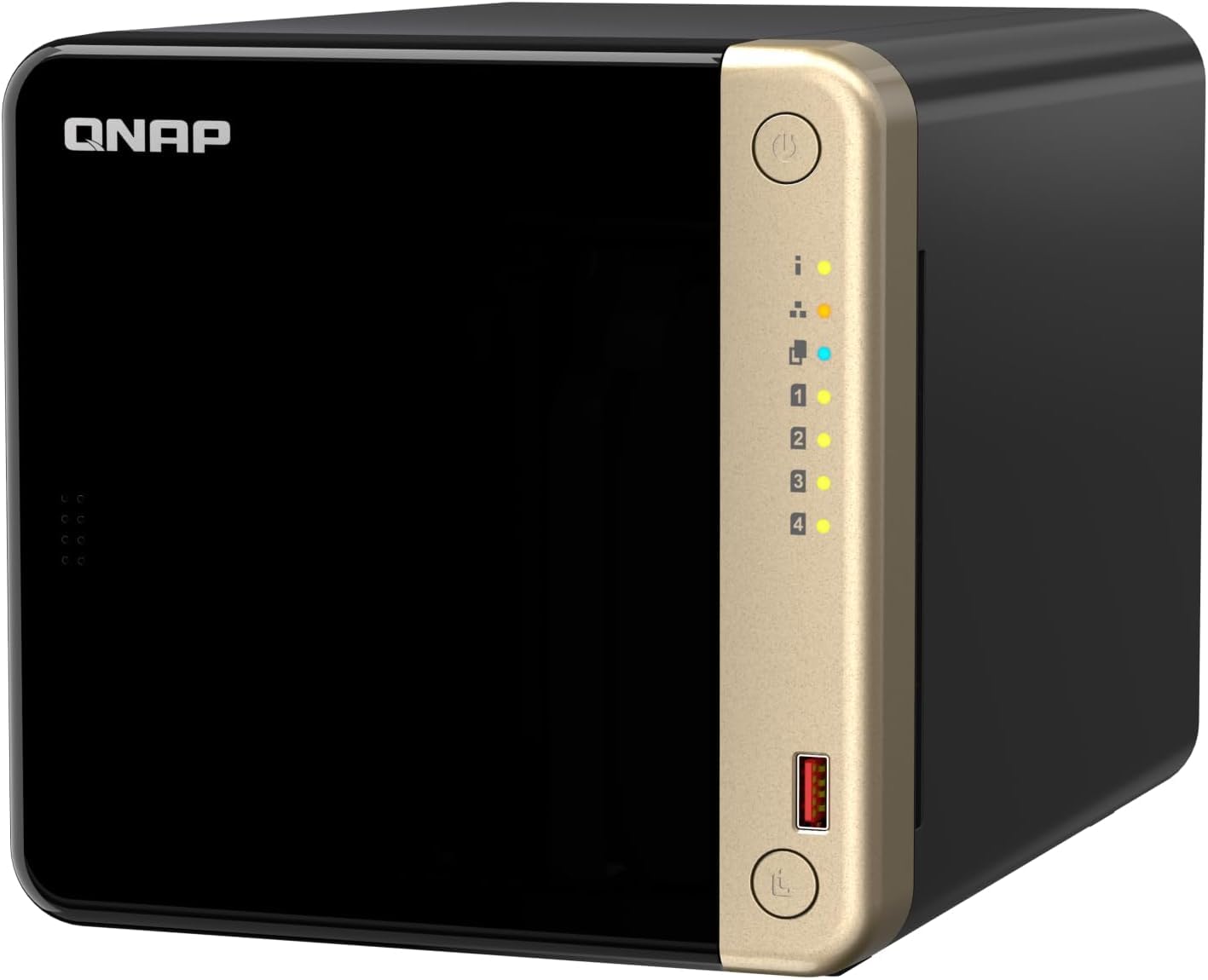
Four spinning bays for bulk, two NVMe slots for speed — the compromise most home labs actually want.
The TS-464 is the answer for people who want flash where it counts but cannot afford to go all-NVMe. Four 3.5-inch SATA bays hold your big media library; two M.2 PCIe Gen3x2 NVMe slots take the SSDs for cache acceleration or a dedicated fast storage pool. A quad-core Intel Celeron N5105 with 8GB DDR4 runs the show, and dual 2.5GbE ports move files roughly two and a half times faster than a standard gigabit link. There is even a PCIe slot for adding a 10GbE card later.
Owners upgrading from older QNAP boxes describe the leap as dramatic — 2.5GbE transfer gains, smoother QTS performance running Plex, HBS3 and virtual machines, and a solid, quiet build. The 8GB of RAM is upgradable to 16GB, which matters if you stack containers. It runs cool enough to sit in a home office or living room for most people, and one buyer called the setup quick and painless with the server feeling ridiculously fast and responsive once running.
The trade to understand is transcoding. The processor handles a single 1080p stream and light transcoding fine, and direct play works perfectly, but high-bitrate or multi-device streaming hits a ceiling. If your household streams to several devices in different formats, plan for a separate transcoding machine. A few also note it is slightly noisy, though that fades into the background once it has been running a while.
What makes it versatile
- Two M.2 NVMe slots for cache or a fast pool, plus four bulk bays
- Dual 2.5GbE ports and a PCIe slot for a future 10GbE card
- 8GB DDR4 upgradable to 16GB for heavier container loads
- Solid, quiet build that suits a home office or living room
What to plan around
- Transcoding tops out at one 1080p stream — multi-device high-bitrate playback hits limits
- Slightly noisy for some ears, though it fades once running
- M.2 slots are for cache or a pool, not a full all-flash conversion
Best for: the home lab that wants bulk HDD storage plus a fast SSD tier in one chassis.
Look elsewhere: if every stream needs live transcoding for a crowd — that is the one job this CPU does not love.
8. TERRAMASTER F8 SSD Plus NAS

Eight NVMe bays in a box the size of a paperback, quiet enough to forget it is running.
Eight M.2 2280 NVMe slots, each up to 8TB for a 64TB ceiling, in a chassis about the size of a paperback book. That is the headline, and it is a genuinely unusual amount of flash in that footprint. A Core i3-N305 eight-core, eight-thread processor running up to 3.4GHz pairs with 16GB of DDR5 4800MHz memory and a 10GbE port rated up to 1024 MB/s. The tool-free design means drive installation or a memory upgrade takes minutes rather than an afternoon.
The quiet operation is the part owners mention most. Standby noise levels sit below 19dB thanks to SSD storage and a convection cooling design with heat sinks on each drive. A buyer editing ProRes 4444 UHD footage described playback running lag-free near the 10Gbps maximum, with the network rather than the drives as the bottleneck — and very low power draw that makes a small UPS viable. Another running it as a Plex server had hardware transcoding working flawlessly after swapping the OS to TrueNAS.
The caveat is software philosophy. The bundled TerraMaster OS is the weak link — a buyer noted TOS7 broke Docker and container apps through permissions issues, and new users cannot post forum topics for help. Most happy owners run TrueNAS or another system instead, which means BIOS changes like disabling Secure Boot. The i3-N305 is also modest at transcoding even 1080p, so heavy media conversion is not its strength. Buy it for the hardware and bring your own operating system.
The draw: eight NVMe bays, sub-19dB operation, a 10GbE port and tool-free service in a genuinely tiny chassis — a lot of flash density for the footprint.
The condition: plan to install your own OS. TOS gets in the way, and the CPU is not a transcoding hero.
Choose it if: you want maximum NVMe density in minimum space and are happy flashing TrueNAS or similar.
Pass if: you need a box that just works with the software it ships with.
9. UGREEN NAS DXP480T Plus 4-Bay All-Flash SSD

A 12th-gen i5 with a 10GbE port and Wi-Fi 6 — this is the box that feels like a small editing workstation.
If video editing is the reason you want flash, this is the hardware to look at. A 12th-gen, 10-core, 12-thread Intel Core i5 sits at the center, with 8GB of DDR5 memory, a built-in 128G SSD for the OS, four M.2 NVMe slots for up to 32TB of storage, and a 10GbE port rated to 1250 MB/s. The dual Thunderbolt 4 ports and 8K HDMI output add connections most NAS boxes do not have. Wi-Fi 6 is built in, so this is the one on the list that does not strictly need a wired drop to join your network.
Speed is the whole story. Owners pulling large video files across the link describe it as blazing fast, with the i5 and NVMe combination doing work that previously meant a workstation. As pure storage in an air-conditioned room, the fan may never spin up at all — one reviewer noted it entirely silent at three feet with only the shell warm to the touch. The interface borrows familiar design cues from established NAS platforms, so first-time users get an intuitive climb rather than a wall.
The honest limits are heat and price tier. Four NVMe drives under sustained load make real heat, and the enclosure is compact enough that airflow matters — position it where it can breathe. It is a premium-tier purchase, which is the trade for the i5 processor and the 10GbE port. There is also the occasional cosmetic issue on arrival and an interface gripe about customisation, so check the unit over when it lands.
For editors: a 10-core i5, 10GbE, Thunderbolt 4 and Wi-Fi 6 turn this into an all-flash fast node that handles large video files without a separate workstation feeding it.
Keep in mind: premium-tier hardware cost, plus heat that needs airflow around the box in a full NVMe load-out.
The pick for: video editors and creators who move large files daily and want wired speed plus a wireless fallback.
Too much: for anyone whose work fits comfortably in a two-bay home box at a lower tier.
10. Gigastone 2TB High Endurance SSD (4-Pack)

Four 2TB SATA drives in one box — the fast way to fill a RAID array without buying modules one at a time.
Buying drives for a RAID array one at a time is slow and the batches can differ; this pack puts four matched 2TB drives on your bench at once. Each is a 2.5-inch SATA module rated up to 550 MB/s with SLC caching on 3D NAND, and the set carries a 5-year warranty with lifetime technical support. Gigastone verifies these against Synology, QNAP and Asustor models, so compatibility with the major NAS brands is accounted for. The full set gives you a matched quad for a RAID build.
Owners who have good luck with them tend to rave. One added four to a home NAS RAID 5 to replace discontinued Red drives and found them running a few degrees cooler, with the array reporting slightly more usable space. Another described the drive as “lightweight, it’s fast, and it’s discrete.” When something does go wrong, the support side has stepped up — one buyer whose drives threw bad clusters after five months had the issue resolved professionally.
The honest note sits on heat and endurance. In a densely packed eight-drive Synology bay, one buyer saw five of eight fail from overheating and eventually swapped back to spinning drives; the drives ran hot enough that the fans spun up from day one. That is a real pattern in tight, poorly ventilated enclosures.
Where it works: four matched 2TB drives for a RAID build at a budget-friendly tier, with 550 MB/s read and a 5-year warranty behind them.
Where it hurts: heat. Dense bays need real airflow, and drives that run hot in a sealed chassis are the pattern to guard against.
A fit for: buyers filling a RAID array at once who can give the drives proper airflow.
Not for: a packed eight-drive enclosure with weak ventilation — plan cooling first or pick a cooler-running module.
11. Gigastone High Endurance SSD 4TB (4-Pack)
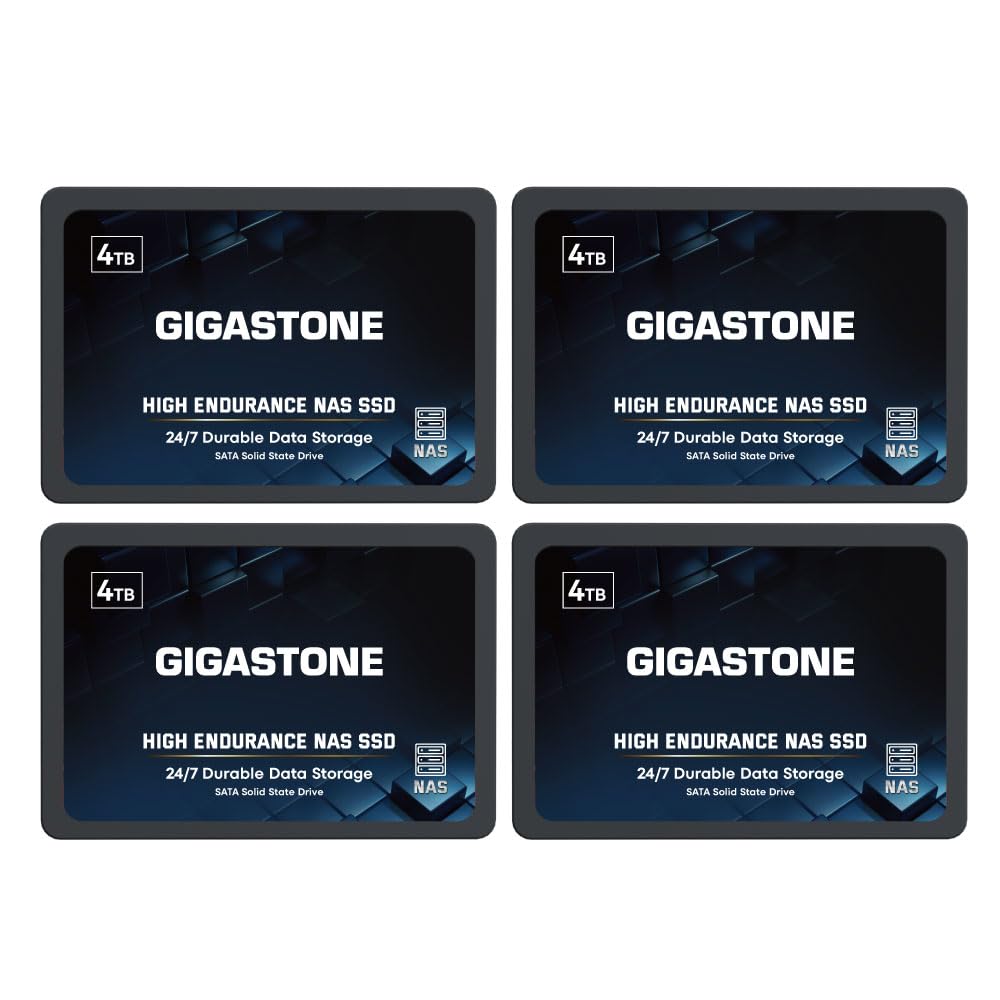
The same endurance drive as the 2TB set, doubled per module for array builders who need more room.
Where the 2TB pack fills a small array, this one fills a serious one. Four 4TB 2.5-inch SATA modules, each rated up to 530 MB/s with SLC caching and 3D NAND flash, give you a matched quad for RAID 5 or similar. Power-loss protection, ECC and silent operation come standard, and the pack carries the same 5-year replacement warranty and lifetime support. Gigastone lists compatibility with Synology, QNAP and Asustor, and these drives are specified for 24/7 NAS cache duty rather than desktop use.
The buyer stories here echo the 2TB set. A 4TB module dropped into a home NAS RAID 5 to replace discontinued Red drives ran a few degrees cooler and added usable capacity without issue, and the drive arrived working despite not appearing on the NAS vendor’s compatibility list. The packaging is minimal — one buyer joked that “wrapped in cheap paper and plastic is the greatest hard drive you can get” — but the drive itself is the substance and it does the job.
Same honest caveat, scaled up: heat. In an eight-drive array a buyer saw five of eight develop heat failures, recovering when removed and failing again once refitted, and switched back to spinning drives to calm the fans. Larger 4TB modules throw more heat than smaller ones, so a tightly packed enclosure with weak ventilation is the wrong home for these. Give them airflow and they are a cost-effective way to fill a large array at a budget-friendly tier.
Why array builders like it
- Four 4TB modules in one box for a large matched RAID build
- 530 MB/s read with SLC caching and 24/7 NAS-rated duty
- Power-loss protection and ECC on board
- 5-year warranty and lifetime technical support
What can trip you up
- Bigger modules run hot in a packed, low-airflow enclosure
- Heat failures have hit dense eight-drive arrays
- Not intended for server or SAN environments, per the maker
Suits: the builder filling a large RAID array who wants matched 4TB modules and will plan cooling.
Wrong fit: a sealed, densely packed chassis where heat has nowhere to go.
Know the Specs
TBW and endurance rating
TBW means terabytes written — the total volume of data a drive is rated to write before its flash cells wear out. A NAS never stops writing: logs, thumbnails, snapshots and backups pile on around the clock, so a drive rated for heavy write duty lasts far longer than a bargain desktop module doing the same job. Check TBW before you check the headline speed.
M.2 NVMe versus 2.5-inch SATA
An M.2 NVMe slot takes the thin stick-shaped drive that talks straight to the processor, and those are the modules that reach multi-gigabit speeds. A 2.5-inch SATA bay takes the flat rectangular drive and caps out far lower. Pick the enclosure by its slots first — the drive type follows from there.
Read/write cache versus storage pool
A cache uses one or two SSDs as a fast landing zone in front of slower drives, speeding up repeat reads and absorbing bursts of writes. A storage pool makes the SSDs the actual home for your files. Cache is cheaper per terabyte and lifts responsiveness; a pool gives you full flash speed for every file, every time.
Network ports and real transfer speed
A 2.5GbE port moves data at roughly two and a half times a standard gigabit link, which suits photo libraries and home backups. A 10GbE port is the one editors chase for large video files. Whichever the NAS lists, your router and switch must match it, or the port sits idle waiting on a slower link.
Common Questions
Can I put an SSD in any NAS, or does the enclosure have to support it?
Is an SSD cache worth it on a NAS that already has spinning drives?
How long does a NAS SSD actually last?
Do I need a heatsink on an M.2 NVMe drive inside a NAS?
Will my NAS accept third-party SSDs, or do I have to buy the brand’s own?
What is the difference between a 10GbE NAS and a 2.5GbE NAS in daily use?
Can I run Plex on an all-flash NAS?
Is a 4-pack of SATA SSDs a good way to fill a RAID array?
Do I need to buy drives separately when I buy a diskless NAS?
Should I use SSDs as the main storage or only as cache?
The Bottom Line
For most people building a nas for ssd, the fastest win is a cache module in the slot you already own — the WD Red SN700 is the one to start with, because it is rated for the constant write churn a NAS throws at it and its 3,430 MB/s read makes the whole interface feel quick. If you are buying the enclosure too, the Synology DS225+ gets a first-time buyer to a working private cloud in an evening. And for large video files over a fast link, the UGREEN DXP480T Plus is the one to reach for, with its 10-core i5 and 10GbE port.
One last nudge worth acting on: the WD Red SN700 is rated 4.5+ stars across 900+ reviews and costs less than a single large NVMe module, so there is little reason to keep waiting on a spinning cache.
How we choose
We do not accept paid placement. Every pick is matched to a real buyer and a real use-case; we do not hands-on test units.
Sources
Specifications: manufacturer listings and product documentation. Review insights: verified customer reviews, as of October 2026. Pricing: not shown on this page (it changes often); check the current price via the retailer link.
As an Amazon Associate, Aappliancez earns from qualifying purchases. This does not affect which products we feature.