Disclosure: Some links in this post are affiliate links. As an Amazon Associate I earn from qualifying purchases, at no extra cost to you. Learn more
Specs are compiled from manufacturer listings and verified buyer reviews and can change over time — please confirm the key details on the product page before buying.
If your Jellyfin server stutters the moment a second person hits play, the fix is almost never more hard drives — it is a chip that can transcode. Transcoding is the server re-encoding a video on the fly into a format your TV, phone, or tablet can actually play. Do that in software and your streams buffer; do it in hardware and four people can watch at once without a hiccup. Every pick below is judged on the same question: will it keep a 4K library playing smoothly on your couch.
This guide is built by comparing the manufacturers’ published specifications and the patterns across verified customer reviews, so you get each pick’s real strengths and trade-offs instead of marketing spin.
That is the whole filter for finding the nas for jellyfin that will not buckle under your library.
Top Picks


How To Choose The Best NAS for Jellyfin
Jellyfin is free, open-source, and runs on almost anything — which is exactly why people buy the wrong box. A NAS built only for backups will happily store 40TB of movies and then choke the second Jellyfin asks it to convert one of them.
The processor decides your stream count
Intel chips with QuickSync (a built-in video engine) handle Jellyfin transcoding in hardware, so the main processor stays free for everything else. An Intel N100 or N150 quad-core can keep a couple of 4K streams rolling. A beefier Intel Core i3-N305 handles heavier libraries and more simultaneous viewers. AMD and ARM boxes can work too, but you will spend an evening configuring instead of watching.
RAM and fast SSD slots keep it snappy
You want your Jellyfin library to open the moment you click it, and 8GB of RAM is the sensible floor for that. Step up to 16GB and your Docker containers (small packaged apps that run separately from the main system) get room to breathe. M.2 NVMe slots — tiny stick-shaped drives that are far faster than spinning disks — can serve as cache or as your app drive, so the library index loads instantly even when the media sits on slow hard drives.
The network port caps your playback
A single 2.5GbE port (2.5 gigabits per second over an Ethernet cable) pushes roughly 300 megabytes per second, which is plenty for multiple 4K streams. A 10GbE port raises that ceiling again for editors pulling huge files. If your movies live on the NAS and your players are on Wi-Fi, the NAS port is rarely the bottleneck — but it is the cheapest future-proofing you can buy.
Side-by-Side Comparison
| Model | Best For | CPU | Bays | Network | Amazon |
|---|---|---|---|---|---|
| UGREEN NAS DXP2800★ Best Overall | Balanced home media hub | Intel N100 Quad-Core | 2 HDD + 2 M.2 NVMe | 2.5GbE | Amazon |
| Asustor AS5402TTop Performer | Creators running heavy multitasking | Intel N5105 Quad-Core | 2 HDD + 4 M.2 NVMe | Dual 2.5GbE | Amazon |
| Synology DS225+Best Ease of Use | Plug-and-play Jellyfin and Plex | Intel CPU with hardware transcoding | 2-Bay | — | Amazon |
| Synology DS423 | Family backup plus light streaming | — | 4-Bay | Two Ethernet ports | Amazon |
| TERRAMASTER F2-425 | Cheapest hardware transcoding | Intel x86 Quad-Core | 2-Bay | 2.5GbE | Amazon |
| LincStation N2 | Fast 10GbE flash storage | Intel N100 Quad-Core | 2 SATA + 4 M.2 NVMe | 10GbE | Amazon |
| BUFFALO LinkStation SoHo 220 | Simple shared files, no set up | — | 2-Bay | Ethernet | Amazon |
| Beelink ME Pro | NAS and mini PC hybrid | Intel N150 | 2 HDD + 3 M.2 PCIe3.0 | 5GbE + 2.5GbE | Amazon |
| TERRAMASTER F8 SSD Plus | All-flash, near-silent streaming | Intel Core i3-N305 8-Core | 8 M.2 NVMe | 10GbE | Amazon |
Detailed Reviews
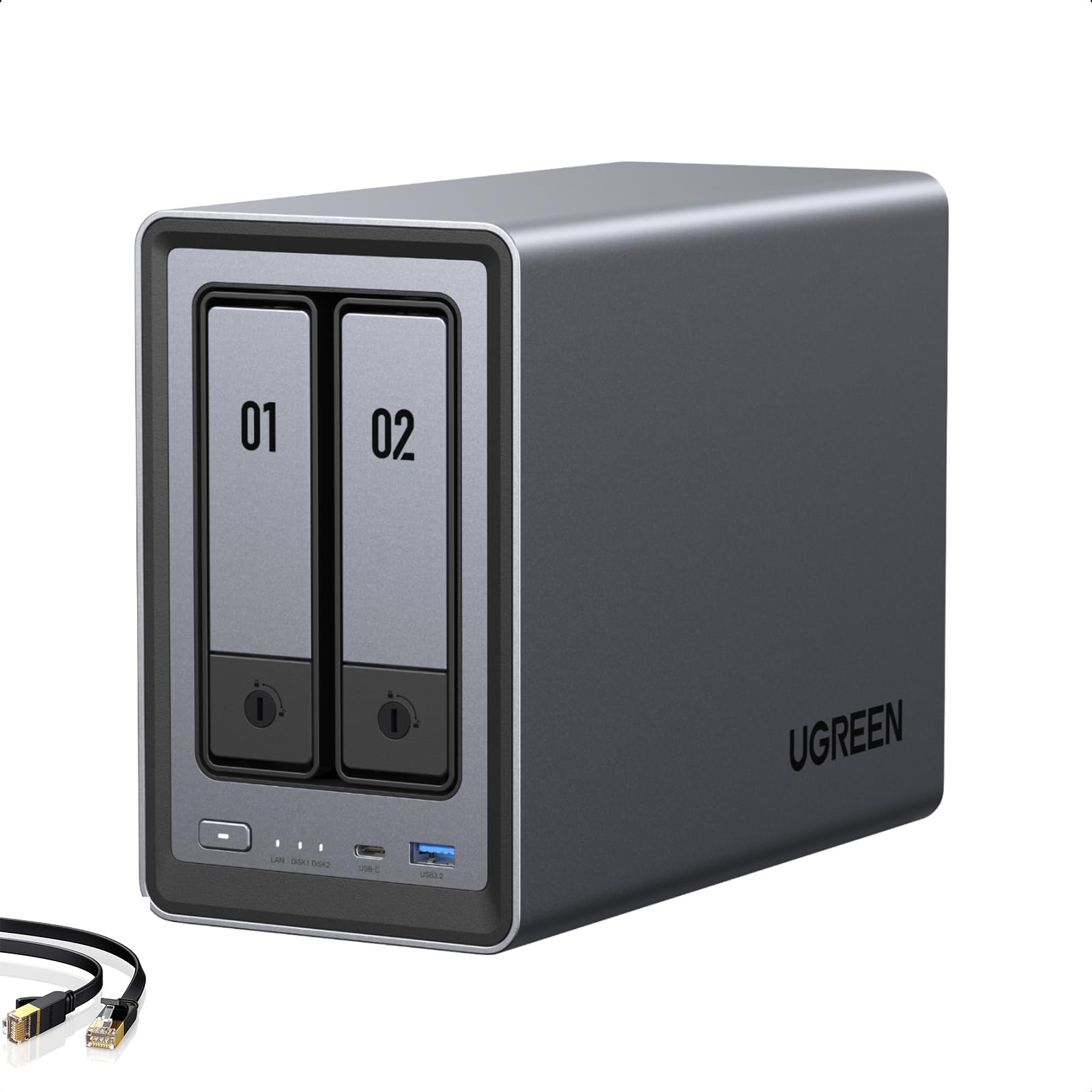
1. UGREEN NAS DXP2800 2-Bay
Our pick — 4.5+★ from 900+ verified ratings; the strongest balance of quality and price.
The box that quietly handles Docker, Jellyfin, and a family’s worth of backups at once.
The DXP2800 runs an Intel N100 quad-core processor with 8GB of DDR5 RAM, and that combination is what keeps Jellyfin smooth rather than merely running. DDR5 is simply the newer, faster generation of server memory, so the app index and thumbnail generation do not drag. A 2.5GbE port feeds your players at 2.5 gigabits per second — quick enough that the network stops being the thing you blame.
You get a box that feels well made the moment you handle it, and plenty of buyers agree — this is among the most-reviewed boxes in the category, at 4.5+ stars across 900+ ratings. Buyers report it saturates the 2.5GbE port (2.5 gigabits per second, about 2.5x a Gigabit line), with solid construction and quiet operation. Room to grow is real: two HDD bays and two M.2 NVMe slots reach 80TB total, versus the 4TB the BUFFALO LinkStation SoHo 220 ships with — a 20x ceiling gap.
The honest catch is that this is a diskless NAS — no drives included — so your total spend climbs once you add storage. And the enthusiasts who push networking hardest note that the 2.5GbE link is comfortable, not exotic; if you already run a 10GbE switch, the LincStation N2 below is the one built for that pipe.
What earns its place up top
- Intel N100 quad-core plus 8GB DDR5 RAM keeps Jellyfin, Docker, and backups running together
- Two M.2 NVMe slots let you keep the apps on fast flash and the movies on cheap spinning drives
- Runs Plex-compatible media server apps, with an app store mature enough that setup rarely fights you
- Up to 80TB ceiling across HDD bays plus SSD slots, so your library can triple without a new box
Worth weighing before you click
- Diskless — budget for drives on top of the enclosure
- The 2.5GbE port is a ceiling you cannot raise; 10GbE users should look further down this list
Built for: the household that wants one appliance for backups, family photos, and a Jellyfin library that plays without babysitting.
Think twice if: you already own drives and a 10GbE switch and refuse to re-buy networking twice.
2. Asustor AS5402T 2 Bay NAS
Four NVMe slots on a two-bay chassis — the oddball spec sheet that actually pays off.
If you rip discs at full quality and keep the files there, the AS5402T is built for you. The Intel N5105 quad-core runs at up to 2 GHz, and it ships with 4GB of DDR4 RAM that upgrades to 16GB. Four M.2 NVMe slots — four stick-shaped flash drives that can act as cache or as all-flash storage — do more than one thing: they cut the wait when Jellyfin builds thumbnails and scrub through a library. Dual 2.5GbE ports add link aggregation, which is just a fancy way of saying two cables working as one fatter pipe.
You get serious power for the money, and the spec that surprises most buyers is the memory ceiling: unlike the Synology DS225+, which pairs its Intel chip with soldered-in expectations, this one lets you slot your own 16GB and skip the drive-compatibility headaches entirely. Plex installs smoothly, media server apps behave, and HDMI 2.0b (a video port standard that carries 4K) plus USB 3.2 Gen2 ports (a fast USB standard) mean you can push a 4K signal straight out to a display or hang fast external storage off the back.
Naming the trade-off honestly: the software is functional rather than polished, and a handful of apps assume you are comfortable with Linux. Stability draws mixed notes, so the smart move is letting the array finish building before you pile on services.
Where it pulls ahead: four NVMe slots and dual 2.5GbE on a two-bay body is rare, and it leaves the door open for a genuinely fast Jellyfin metadata and cache drive.
Before you commit: the 4GB of RAM is a starting point, not a finish line — plan the 16GB upgrade if you intend to run Docker containers alongside your media server.
Reach for this if: you want the most expandable hardware in the mid tier and do not mind a little tinkering.
Look elsewhere if: you want a NAS that behaves like an appliance and never asks you to open a terminal.
3. Synology DS225+ Private Cloud Media Server
The one your non-technical housemate can also use without calling you at work.
Setup is where this one wins hearts, and it is a low-drama experience by design. An Intel CPU with hardware transcoding handles the video conversion internally, and transfer speeds reach 282 MB/s, which is enough that moving a season of a show over the wire feels quick. The online control panel is clean and guided, and owners praise how intuitive it is compared with juggling separate apps for each task.
Reliability is the other theme, and it is not accidental — RAID redundancy (two drives holding identical copies so one can fail without losing your library), automated backups, and snapshot tech are all native here. It also climbs to a 40TB ceiling and can manage up to 30 IP cameras if you later want surveillance folded into the same box.
The one real hesitation: only Synology-brand drives are officially supported for some features, which is a compatibility note rather than a defect — and plenty of owners mention third-party drives working fine in practice. If you are allergic to any brand lock-in, that is a genuine reason to look at the Asustor or TerraMaster boxes instead.
Reasons it keeps earning its spot
- Guided setup that turns a first-time NAS into a working Jellyfin or Plex box in an evening
- 282 MB/s transfers and an Intel chip with hardware transcoding for smooth 4K playback
- RAID redundancy, snapshots, and multi-destination backup built in from day one
- Scales to 40TB and up to 30 IP cameras if your needs grow
Reasons to pause
- Some features want Synology-brand drives, which narrows your shopping list
- Two bays is two bays — the four-bay DS423 down the list is the roomier sibling
The easy button: buy this if the phrase “I just want it to work” describes your weekend.
Keep walking if: you insist on filling every bay with the cheapest drives you can find and hate compatibility warnings.
4. Synology DS423 4-Bay Diskless NAS

When four bays is the whole point and streaming is the bonus feature.
This is the one for the family that keeps accumulating drives and wants them all in a single box. Four bays means you can start with two drives, add a third when the movie library balloons, and mirror the whole array so a single failure does not wipe your collection. Two Ethernet ports let you spread traffic, and owners praise how easily you can bolt on modules when a new job shows up — phone-app syncing, backups, and media sharing all handled in the same interface.
Storage capacity is the headline praise, and it is why this box outsells slimmer alternatives. Speed complaints are rare here — the people who buy it are mostly backing up documents and streaming a household’s worth of shows rather than transcoding a cinema-grade 4K library. If your Jellyfin load is moderate and your disk count is climbing, four bays buys you road you simply do not get on a two-bay enclosure.
The caveat is honest and worth stating: DSL-423 is not marketed as a transcoding monster. If your viewers mostly direct-play files their devices already understand, that is fine. If you are routinely forcing 4K conversions for remote viewers, put the hardware-transcoding chips above this one on your shortlist.
Four bays, one job: growing capacity without ripping out the box you already own every couple of years.
Know your workload: great for backups and direct-play streaming; not the tool for heavy on-the-fly transcoding duty.
For you if: your library grows faster than your wallet and you want bays to spare.
Nothing for you if: a two-bay unit with a stronger video engine covers your actual watching habits.
5. TERRAMASTER F2-425 2-Bay NAS
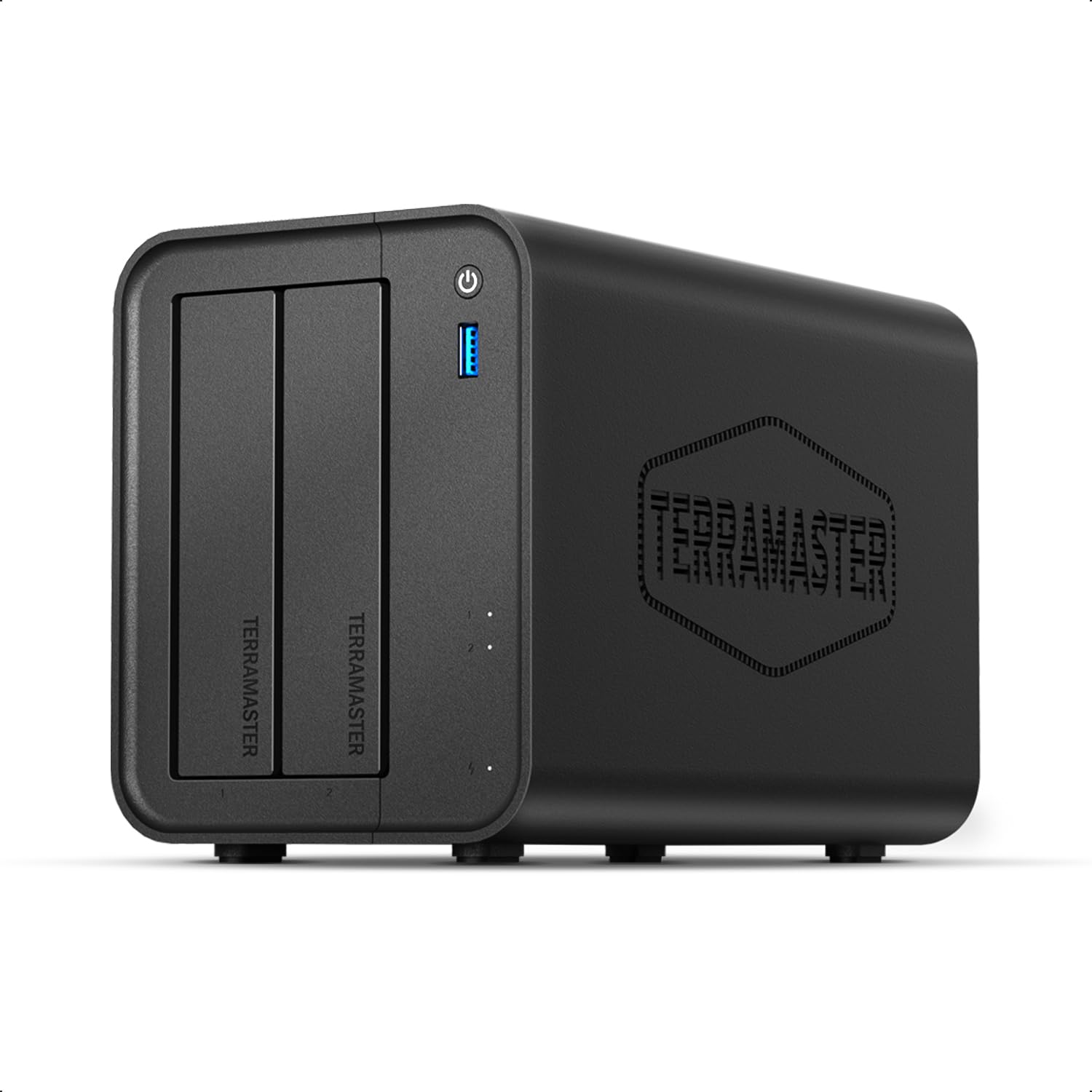
The entry ticket to hardware transcoding that punches well above its shelf price.
You get an Intel x86 quad-core (a four-core processor from Intel’s standard PC chip family) with 4GB of RAM for Jellyfin money — nothing else in this tier does that. The F2-425 does hardware-level 4K H.265 decoding (the server converting video without straining its processor) and supports Plex, Emby, and Jellyfin for smooth HD playback. The 2.5GbE port (2.5 gigabits per second of network speed) keeps transfers quick, it climbs to 60TB across two bays, and it runs at just 19dB(A) — close to the noise of a whisper, which matters if it lives in a bedroom or open-plan living room.
Docker is the quiet superpower here, and the reviews bear it out. Customers note easy installation and multiple video streams without glitches, at a strong value for the money. The tool-free Push-Lock drive trays let you fit drives without a screwdriver, and the mobile app handles the initial setup so you do not need a PC to get started.
The honest limit: a few owners note it runs a little slower than expected on internal file transfers and backups, and software translations can read oddly. Those are annoyances rather than showstoppers, and they fade the moment your first Jellyfin stream plays without stutter.
The value case: hardware transcoding for streaming, 19dB(A) quiet operation, and a 60TB ceiling you would not expect at this price point.
Set expectations: internal transfer speeds and backups won’t match premium models, so treat it as a streamer first and a heavy data-mover second.
Pick this if: you want a working Jellyfin box without the premium markup and can live with modest file-copy speeds.
Leave it if: your day job involves shuttling huge files in and out of the NAS all day long.
6. LincStation N2 6-Bay NAS Server

10GbE and 16GB of memory in a shell the size of a hardback book.
The networking is the headline, and it is a genuine leap. A 10GbE port moves data at 10 gigabits per second — four times the pace of the 2.5GbE ports on the UGREEN and Asustor boxes above. That matters to Jellyfin users with a large local library and multiple viewers pulling at once: the link stops being the bottleneck. An Intel N100 quad-core runs up to 3.4GHz, backed by 16GB of LPDDR5 memory, and there are four M.2 NVMe slots plus two SATA bays for 2.5-inch drives.
What makes setup easier than the average DIY rig is the included Unraid license, which lets you mix drives of different sizes in one array instead of matching them like-for-like. It also ships with a 30-day trial window, and the compact metal shell fits a 10-inch rack at less than 1U — a detail that genuinely pleased the rack owners in the reviews.
Two honest notes. Build quality and setup draw mixed feedback, and some buyers end up swapping the bundled USB boot drive for their own. And the software path is not fully plug-and-play: getting to the finish line often means you will spend real hours on RAID setup. Come for the hardware, budget the evening for the software.
Why the rack crowd likes it
- 10GbE networking that outpaces every 2.5GbE unit on this list
- Six bays total — four M.2 NVMe plus two SATA — with room to mix drive types
- Unraid Starter license included, so flexible drive sizing works from day one
- Compact metal chassis that fits a 10-inch rack
Where it asks for patience
- Setup and build reviews are split — this is a tinkerer’s box, not an appliance
- Budget real time for RAID configuration before your first stream
Best for: the hands-on user with 10GbE in place who enjoys the building as much as the watching.
Not for: the buyer who wants a box that springs to life out of the carton.
7. BUFFALO LinkStation SoHo 220 4TB

Drives already inside, no subscription, and a setup that asks very little of you.
This is the one to consider when you want shared files on the network without buying drives separately. The LinkStation SoHo 220 arrives with 4TB of storage split across two bays, pre-configured in RAID 1 (that is two copies of everything, so one disk failing does not cost you the library). You plug it into your router, and every computer in the house can reach the files. There is no monthly cloud charge, and the review evidence says the thing simply keeps working — owners who bought it seven months ago report no issues.
The performance theme is steady and unglamorous: it does the shared-storage job well, and buyers like the low-drama simplicity of copying photos, music, and files between every machine on the network.
The real warning is about age, not reliability. This NAS predates modern file-sharing standards like SMB 3 (the current protocol that current backup software expects), which means current versions of macOS and some backup tools may not play nicely with it. If your goal is a Jellyfin server, this is not the box — it has neither the transcoding hardware nor a modern media-server story. If your goal is a reliable, no-thought file bucket with drives included, it still earns its place.
Straightforward by design: drives included, RAID 1 protection from the start, and no subscription to keep files accessible.
The look-before-you-leap part: current Apple hardware and modern backup apps may not be compatible with its older file-sharing protocol, so check your devices first.
It fits: the household that wants a shared file shelf with the drives already paid for.
Steer clear if: Jellyfin is your actual goal — that needs newer, faster metal than this.
8. Beelink Me Pro Mini PC NAS
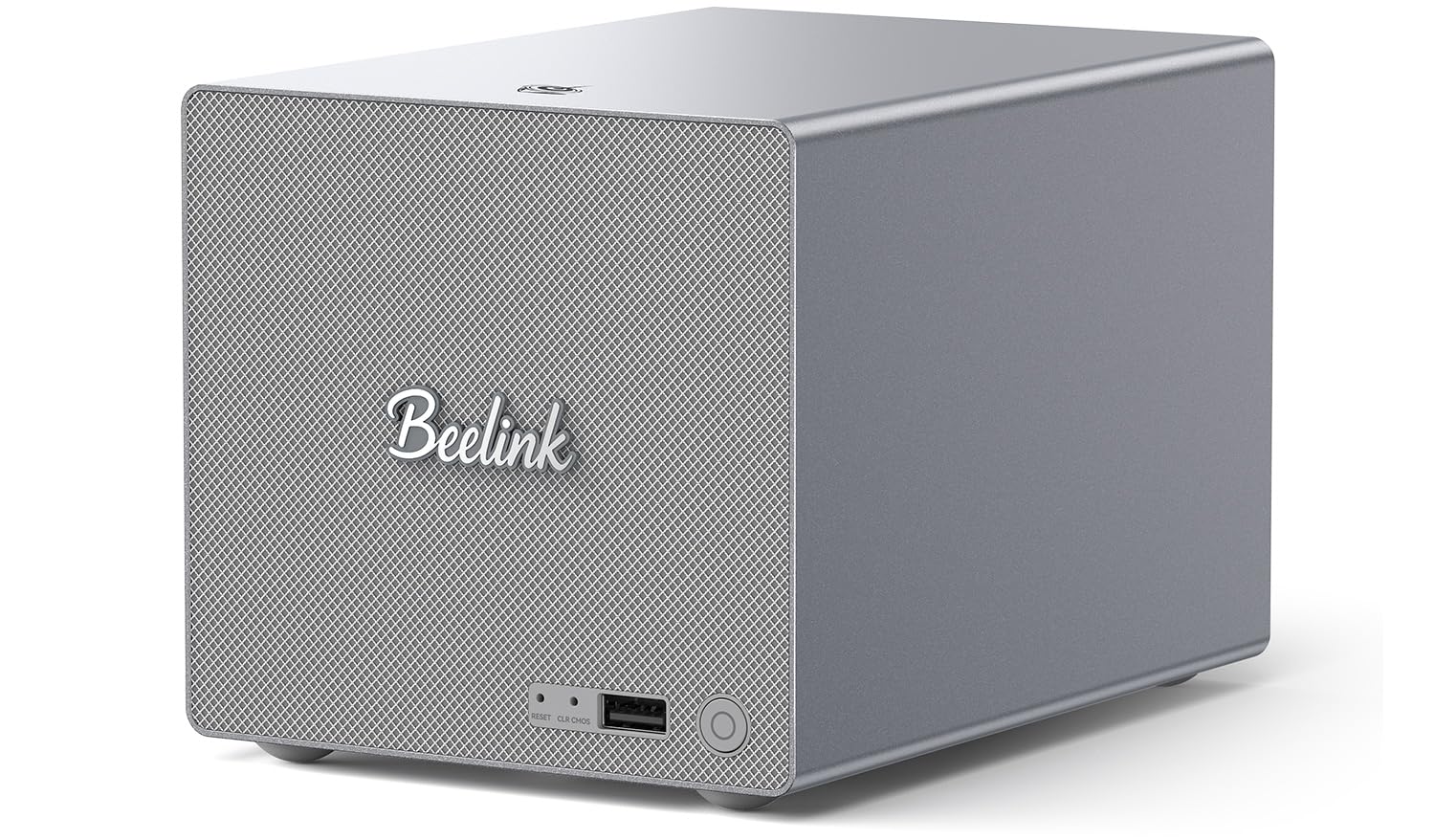
A mini PC and a NAS sharing the same small chassis, with storage and compute in one case.
Buy this when the Jellyfin server and the desktop you watch it on are the same machine. It carries an Intel N150 processor running up to 3.6GHz with 16GB of LPDDR5 memory, and two networking ports — 5GbE and 2.5GbE — so you can aggregate the link or split traffic between tasks. Two SATA bays take 3.5-inch or 2.5-inch hard drives, three M.2 PCIe3.0 slots take fast NVMe drives, and one of those is pre-installed with a 1TB system drive, so there is no scramble for a boot disk. The whole thing stretches to 72TB.
You can tuck this almost anywhere, and that is where it earns attention. At 6.5 by 4.8 by 4.4 inches it is a fraction of the footprint of a traditional two-bay tower, and the all-metal body with a swappable motherboard is unusual at this scale — buying a whole computer the size of a small speaker is a specific thrill for the home-lab crowd.
One recurring complaint is worth flagging: a buyer who returned theirs reported drive temperatures near 50C and tight trays causing metal-on-metal noise. With only a small handful of reviews so far, that is best read as “check the airflow around your shelf” rather than a verdict. Buy it if you want a compact workstation and a media hub in one box; skip it if you want a turnkey appliance.
Where it shines: mini PC power and NAS storage in one compact metal package, with a 5GbE plus 2.5GbE combo that most dedicated NAS units cannot match.
What to watch: drive temps and tray tolerances are a real consideration for tight builds — give the unit breathing room.
Made for: someone who wants a dock-and-done hybrid machine that doubles as a desktop.
Wrong choice if: your NAS is going in a cupboard and you want it to just hold files.
9. TERRAMASTER F8 SSD Plus 8-Bay

Eight NVMe drives in something the size of a paperback book, with no moving parts.
This is the top of the ladder for anyone who wants the fastest possible Jellyfin experience and cannot stand fan noise. A Core i3-N305 8-core, 8-thread processor with UHD Graphics drives a 10GbE Ethernet port capable of up to 1024 MB/s, and 16GB of DDR5 4800MHz memory keeps Docker containers and virtualization snappy. Because there are no spinning disks, it stays quiet — standby noise is below 19dB, and reviews consistently praise its performance, quiet operation, and price.
The clever part is the thermal design. Each SSD gets its own heatsink, and a convection design pulls heat out, so the unit holds its speed even fully populated. Media-server reviewers point out Jellyfin and Plex both run smoothly, and the drive setup is tool-free — TerraMaster claims drive installation takes two minutes.
The honest catch is twofold. First, an all-SSD NAS is a spendy storage strategy per terabyte, so this is for people who value silence and speed over cost-per-TB. Second, the bundled OS is the weakest link — a recurring note in the reviews is that TOS (TerraMaster’s own software) feels less polished than the hardware, and many buyers swap it for TrueNAS or another platform. Budget for the hardware, and expect the software to be the project.
The case for all-flash
- Eight M.2 NVMe bays with up to 64TB total capacity, all silent and fast
- 10GbE port supporting up to 1024 MB/s transfers — ideal for Jellyfin on a busy network
- Per-SSD heatsinks and convection cooling keep temperatures steady under load
- Standby noise below 19dB — effectively inaudible from across the room
What to know going in
- SSD storage costs more per terabyte than spinning drives — budget accordingly
- The included TOS software is the weak point; expect to consider TrueNAS or another OS
The upgrade path: if your Jellyfin library is SSD-speed already and noise is the enemy, this is your machine.
The honest caution: you are paying a premium for all-flash speed and silence — if raw capacity per dollar matters more, buy the UGREEN or TerraMaster 2-bay HDD units instead.
Know the Specs
Why hardware transcoding is the real spec
Transcoding means the server re-encodes a video in real time because your TV or phone cannot play the original file directly. A NAS can do this in software (slow, and it hogs the main processor) or in hardware (using a dedicated video engine, which leaves the CPU free). For Jellyfin, hardware transcoding is the difference between a smooth stream for two people and a buffering wheel for one. Look for Intel chips that support QuickSync or equivalent — that hardware engine is far more effective than more raw horsepower.
Network speed and storage tiers
2.5GbE means the network link moves 2.5 gigabits per second; 10GbE moves 10 gigabits per second. That headroom matters when several devices stream at once or you shuttle large files. Storage itself comes in two tiers: spinning hard drives for cost-effective bulk capacity, and M.2 NVMe flash drives for speed. The smart Jellyfin setup pairs them — apps and metadata on fast flash, the media library on cheap spinning disks.
Common Questions
Will Jellyfin run on any NAS, or does it need specific hardware?
How much RAM does a Jellyfin NAS actually need?
Do I need a NAS with 10GbE for streaming?
Is it better to run Jellyfin from diskless or pre-populated NAS drives?
Can a two-bay NAS handle Jellyfin for a whole family?
What is the difference between RAID 0 and RAID 1 on a Jellyfin NAS?
Can a NAS handle multiple Jellyfin streams at once?
Do I need to buy separate hard drives with a diskless NAS?
Which NAS is best for streaming 4K Jellyfin to multiple TVs at once?
Do all these NAS units support Plex, Jellyfin, and Emby?
The Bottom Line
For most people, the nas for jellyfin that gets the balance right is the UGREEN NAS DXP2800 — an Intel N100 quad-core, 8GB of DDR5 memory, M.2 caching, and a 2.5GbE port that together make a home media library feel easy. If you want the easiest setup, grab the Synology DS225+ with its guided interface. And for a budget-conscious first Jellyfin box, the TERRAMASTER F2-425 gets hardware transcoding in without the premium markup. Whichever way you go, matching the chip to your streaming habits matters more than adding another bay.
How we choose
We do not accept paid placement. Every pick is matched to a real buyer and a real use-case; we do not hands-on test units.
Sources
Specifications: manufacturer listings and product documentation. Review insights: verified customer reviews, as of October 2026. Pricing: not shown on this page (it changes often); check the current price via the retailer link.
As an Amazon Associate, Aappliancez earns from qualifying purchases. This does not affect which products we feature.