Disclosure: Some links in this post are affiliate links. As an Amazon Associate I earn from qualifying purchases, at no extra cost to you. Learn more
Specs are compiled from manufacturer listings and verified buyer reviews and can change over time — please confirm the key details on the product page before buying.
You are at your desk, working, but your chat app has already flipped your status to “Away.” That is the problem a mouse jiggler solves — a small physical device your mouse sits on that keeps the cursor moving, so your computer never decides you have walked off. Here is the short answer: the EAXBUX Ultra-Slim is the one most people should buy, the meatanty 3 in 1 is the pick if your laptop only has USB-C ports, and the Yonktoo is the one owners leave plugged in for months. After that, your choice depends on two things — how quiet the motor runs and whether the movement pattern looks human enough to keep monitoring software calm.
This guide is built by comparing the manufacturers’ published specifications and the patterns across verified customer reviews, so you get each pick’s real strengths and trade-offs instead of marketing spin.
One design choice separates these devices more than any other: whether the unit jiggles the cursor in place or actively slides it across your screen. That decides how closely each model imitates a human hand. Below are the quietest, most reliable options for keeping your computer awake — read on before you pick the wrong style of mouse jiggler.
Top Picks


How To Choose The Best Mouse Jiggler
A cheap unit can leave you with a louder desk and a cursor that stutters. The difference depends on how the movement is produced, how loud the mechanism is, and whether you can switch it off without yanking a cable out of your port.
Movement style: jiggle in place or travel across the screen
A jiggler shakes the cursor over a tiny distance, so the pointer looks like a hand resting on the mouse. A mover slides the cursor further, which is obvious to anyone watching the screen. Some units give you both and let you switch — the meatanty 3 in 1 lets you pick its fast wide-range “Move1” or its slower “Move2” setting, then drop into a separate high-frequency jiggle mode if the travel looks too broad.
Noise, because a desk mate will hear it
A rotating platform with an ultra-silent micro-motor (a small motor built to turn without a hum) runs without drawing attention. Cheaper gear-driven units can develop a plastic-on-plastic crunch over time. If you share an office or take calls at the same desk, treat motor noise as a buying decision, not a detail.
Timers and the on/off button
A built-in timer lets you set a run length — the meatanty offers 2, 4 or 8 hours plus a continuous “Nonstop” mode. A physical on/off button matters too: it pauses the device without you unplugging it, which protects your USB port from repeated wear.
Ports and mouse fit
Check the platform size against your mouse. A large turntable (a spinning disc your mouse rests on) handles bulky models like the Logitech G502, while a slim unit is built for a standard optical mouse — the kind that tracks movement with a light sensor instead of a rolling ball. Also confirm the connector: some computers now have only USB-C (the small oval port), so an included adapter (like the one in the meatanty box) saves you a separate purchase.
Side-by-Side Comparison
| Model | Best For | Timing Control | Noise Profile | Platform Size | Amazon |
|---|---|---|---|---|---|
| EAXBUX Ultra-Slim★ Best Overall | Slim travel-friendly desk setup | 10s, 15s, 20s and a random duration | Ultra-silent micro-motor | 16 mm thick, ultra-slim body | Amazon |
| meatanty 3 in 1Most Versatile | Mixed USB-A and USB-C computers | 2, 4 or 8 hours plus Nonstop | Multi-mode motor | 2.76″L x 1.18″W compact body | Amazon |
| MEKASS Mouse Mover | Oversized mice and trackball-style bodies | 10s, 30s, 3min intervals | Ultra-silent motor | 6.3″L x 6.1″W large turntable | Amazon |
| Yonktoo MJS1 | Long unattended work sessions | One-touch pause and resume | Low-noise motor, soundless claim | 5.12″L x 3.74″W, 2.4 ounces | Amazon |
| Jerryrun Silver | Anyone who wants a clean, light desk footprint | Cursor every 2-10 seconds | Silent motor, minimal noise | 5″L x 3″W platform | Amazon |
Detailed Reviews
1. EAXBUX Ultra-Slim Mouse Jiggler
Our pick — 4.5+★ from 950+ verified ratings; the strongest balance of quality and price.
The slim one you can slip into a laptop bag and forget about until you need it
At 16 mm thin, this unit slides into a computer bag next to your charger — so it commutes between a home desk and an office one instead of living under a single monitor. It works on a plain physical principle, not software: you set the mouse on top, the disc spins, the cursor moves. No driver or app ever touches your machine. It also gives you four rotation settings, including a random duration. A fixed loop is what monitoring tools watch for, so the random duration breaks the pattern while the ultra-silent micro-motor keeps it inaudible on a shared call.
Quietness is the reaction that repeats in the reviews — “absolutely no sound” comes up again and again. The little spinning disc also leaves your mouse physically still while the pointer drifts just enough to beat the sleep timer. It is picky about nothing: wireless, wired and essentially any optical mouse works on it, and EAXBUX backs it with a 2-year free replacement policy. There is no auto-off, though, so leave the room for hours and you come back to a disc that has been spinning the whole time. A small handful of owners also note the pointer can be almost constantly in motion, and the trade-off is a manual unplug when you want it to rest.
Why it leads the list
- Four rotation settings including a random duration that hides the pattern
- 16 mm ultra-slim body fits a computer bag for travel between desks
- Ultra-silent micro-motor with no software, driver or app required
- Works with wireless and wired optical mice
The honest trade-off
- No auto-off feature, so it keeps running until you unplug it
- Some owners want longer pauses between movements
- Random mode can leave the cursor almost always active
Reach for this if: you want the smallest, quietest do-everything mover and move between a home and office desk.
Think twice if: you need the device to shut itself down automatically after a set period.
2. meatanty 3 in 1 USB Mouse Mover with Timer
Three modes in one body, and a Type-C adapter that saves a modern laptop owner a headache
This is the pick for anyone whose laptop has ditched USB-A (the wide rectangular port). The box includes a Type-C adapter, so the same device plugs into a USB-C-only laptop and into an older tower with standard USB ports — one small accessory that removes an entire compatibility question. It is also tiny, at 2.76″L x 1.18″W, so it tucks under a keyboard tray without eating desk space. For scale, the MEKASS below spans 6.3″L x 6.1″W, which is a much bigger footprint on the desk.
Mode selection is where it jumps ahead of a plain jiggler. Choose “Move1” for fast, wide cursor travel, or “Move2” for slower, smaller movement. If either looks too obvious on screen, switch to jiggler mode, where the cursor only shivers in place at high frequency. Three buttons on the body run the whole show: a mode button, a timer button, and a dedicated on/off switch, so you never unplug it to stop it. The timer is just as flexible — pick 2, 4 or 8 hours and it stops on its own, or set “Nonstop” and it runs until you say otherwise. Functionality is what owners rave about most, with value and customizability close behind.
The one thing to weigh is longevity. It connects over USB or the included Type-C adapter, reads on the computer as an ordinary optical mouse, and works fine with Mac and Windows. But durability is the recurring gripe across the review pages, with some units giving out after roughly 6 to 7 months of steady use. Buyers report it still running fine after about a month, so early impressions are strong — it is the long-haul lifespan that some owners find weak. The on/off switch is the feature that helps you protect it, since it keeps the disc from spinning around the clock.
Software-free and flexible: plugs into USB-A or USB-C, needs no driver install, and is detected as a normal optical mouse on MacBook and Windows machines alike.
Battery spec worth noting: The listing rates the timed modes at a 2-month average battery life, which is why the timer and on/off switch matter.
The right buy if: your computer only has USB-C ports, or you want genuinely switchable movement styles from a compact unit.
Where it gives ground: some owners see it fail within the first year, so if you want a device to outlive a warranty cycle, weigh that plainly.
3. MEKASS Mouse Mover with Adjustable Interval Timer

Built for the desk with a big gaming mouse and the patience to oil a moving part
A 6.3″L x 6.1″W turntable is what earns the MEKASS its spot — roughly ten times the surface the meatanty offers. MEKASS claims the 6.3″ x 6.1″ platform fits about 99.9% of optical mice, and the listing names hefty bodies like the Logitech G502. So you drop a large mouse on and stop fussing over cursor position, because the platform is big enough that placement barely matters. If your mouse is heavy, wide, or corded, this is the one that makes room for it.
The interval timer gives you three stages — 10 seconds, 30 seconds, and 3 minutes — with the middle indicator light showing which is active. It powers off either a wall adapter or your computer’s USB port, and it works without any driver or software. The motor is the other headline: an ultra-silent design meant to keep a large turntable turning without broadcasting that anything sits under your mouse. A button powers it on, and it defaults to convenient interval spacing — so long work gaps stay covered while your chat status stays active.
Noise is where the design shows its seams. Owner feedback splits sharply — while many find it supremely quiet, plenty hear a plastic-gear crunch at some point, and the fix that reliably helps is a drop of 3-in-1 oil on the rotating part, after which it runs silent again. The size cuts both ways: forgiving for a big mouse, but bulky on a small desk. It also partners best with a corded or larger mouse, since a slim wireless mouse can slide or move unpredictably on the disc. With a bit of patience, owners mention it holds up for about a year.
what separates it on the desk: the 6.3″ x 6.1″ turntable is the largest platform in the bunch, so oversized or heavier mice sit solidly instead of tipping off the edge.
The maintenance reality: its gear-driven rotation may announce itself with a plastic crunch over time, and the fix — a little 3-in-1 oil on the rotating part — is what owners describe as the trick that makes it quiet again.
Suits you when: you use a large or corded mouse and want a platform big enough that placement is never a struggle.
One thing to accept: it takes up real desk space and may need an occasional dab of oil to stay whisper-quiet.
4. Yonktoo Mouse Jiggler Undetectable, Slim Mouse Mover
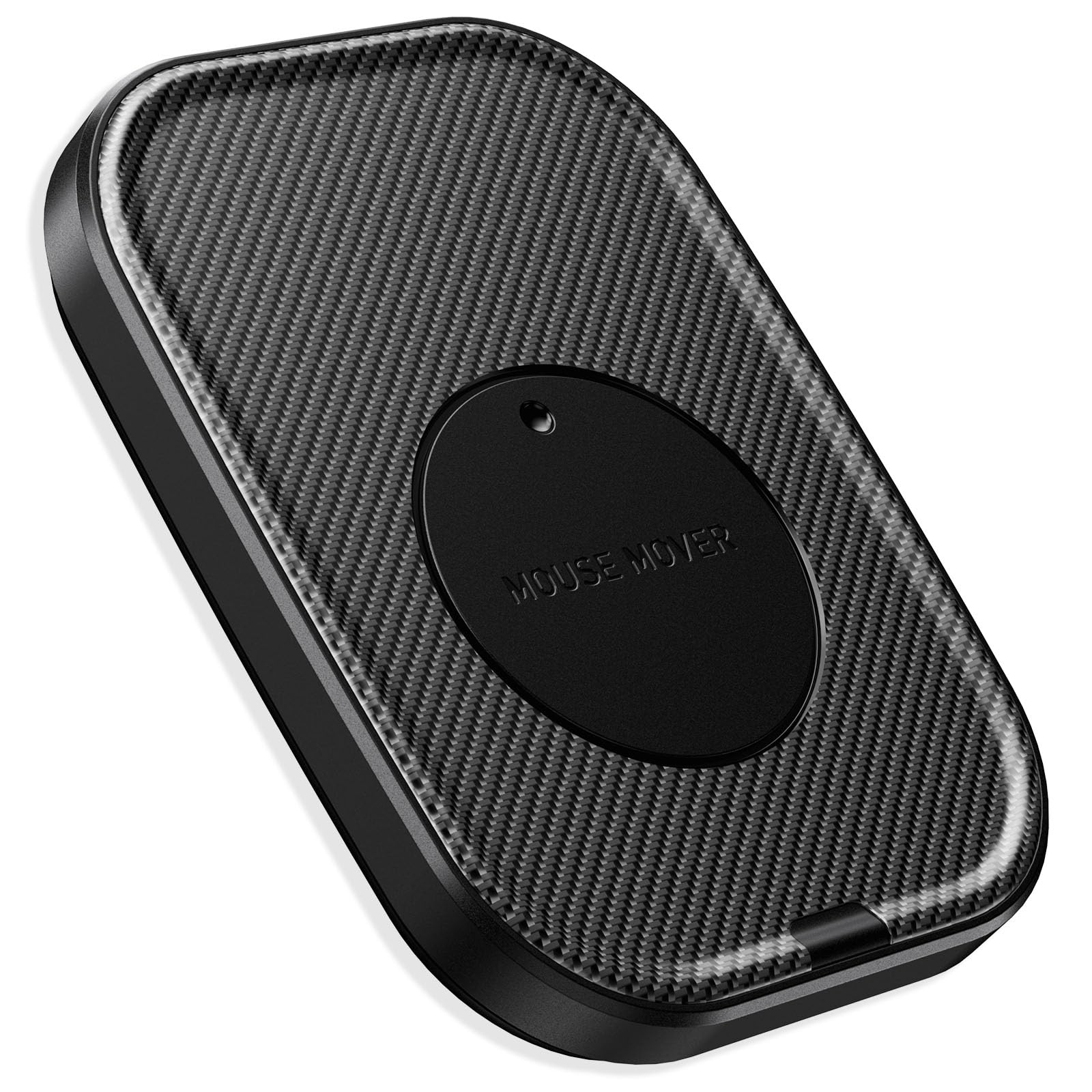
The one buyers leave running for months, with a cable long enough to reach past the monitor
Owners keep the Yonktoo plugged in for months, and that staying power is what wins it a place here. It is a mechanical mover: place your optical mouse on the rotating platform, it starts the moment power hits it, and the low-noise motor turns quietly under a desk setup. There is no software to install and no driver, so nothing shows up on your machine beyond a normal mouse. The included 4.9 ft USB-A to C cable is a longer run than most rivals ship — you route it cleanly behind a monitor instead of crowding your ports with a stubby connector.
One-touch control is what owners appreciate most. Press the built-in button to pause, press again to resume — no yanking the cable out to stop it, which protects the port over the long run. At just 2.4 ounces and 5.12″L x 3.74″W, it disappears into a desk corner when you are not thinking about it. It stays undetectable because it moves the mouse physically instead of transmitting a USB vendor identity, so management software sees only ordinary pointer movement.
The caveat worth knowing before you buy is movement consistency. While many machines see the cursor drift steadily, some owners find it stalls randomly or crawls across the screen very slowly. So if your setup runs dual monitors, plan on placing your pointer where you need activity to register. That quirk aside, customers note it earns its keep on value and durability, and reviewers point out it running perfectly to head off system timeouts.
The physical advantage: because it moves the mouse itself rather than impersonating a USB peripheral, it leaves no vendor footprint for monitoring tools to spot.
Where it can wobble: the pointer travel is not perfectly consistent for everyone, so it favors single-screen setups or a deliberately placed cursor.
Worth grabbing if: you want a set-and-forget changer you can leave plugged in for months without touching it.
Pair it with care: run it on a single monitor or park your cursor where activity needs to land, since travel is not always even.
5. Jerryrun Mouse Jiggler Undetectable, Silver

A random-timed disc that fires on its own schedule, and a light body you barely notice
This one builds its whole pitch around timing. Instead of a fixed loop, it moves the cursor every 2 to 10 seconds at varying distances and with non-linear movement — the randomness is baked in, so there is no repeating pattern to clock. It is a physical device through and through: a powerful motor drives a large disc, the mouse sits on the stand so it does not slip off the moving wheel, and it runs from your computer’s USB or Type-C port with no software, no programs, and no Bluetooth. The included USB-C adapter means a modern laptop works from the start.
The platform accommodates a standard mouse up to 3 inches wide and 5 inches long, which covers the overwhelming majority of everyday mice. Its stated compatibility is broad — most operating systems including Win7/8/10, Linux, and Mac — and it handles the usual round of remote work, presentations, meetings, and gaming. Owners describe it as a lifesaver for home-office setups where the screen would otherwise lock mid-task.
Two expectations are worth setting first. The furnished cable is on the short side, and owners say they swapped in their own longer cord, so keep a spare USB cable handy. Movement is the other spot where feedback splits — some find it perfect for stepping away, while others say it only works sometimes. Now and then a unit carries a faint clicking as it moves, which stands out in a silent room. Both are small considerations against a device shoppers say people run for years.
Fits you best if: you want randomized cursor timing and a clean, light disc that keeps a standard-size mouse moving hands-free.
Keep in mind: the bundled cable runs short and movement reliability can be inconsistent between units, so budget a longer cord.
Know the Specs
Movement Modes and Cursor Travel
A mover slides the cursor a visible distance across the screen — which is the whole point when you need the pointer to land somewhere. A jiggler shakes it in place over a tiny arc, so it stays roughly where you left it. Jigglers look more like a resting hand, while movers can be obvious to anyone glancing at your monitor. Some devices, like the meatanty, combine both and let you switch, so the same hardware can be discreet on a shared screen or vigorous when you need it.
Interval Timers and Stop-and-Go Behavior
Interval timing controls how often the cursor reacts — options here run from tight 10-second cycles up to 3-minute gaps, which matters because a pointer that never pauses looks like a machine. Some units go further and offer a set run time such as 2, 4 or 8 hours before they stop. A random or non-fixed interval is the more undetectable choice, since a perfectly regular pattern is the exact thing inactivity-tracking software watches for. If a device offers a continuous “Nonstop” mode, pair it with a physical on/off switch so you can stop it without touching the port.
Common Questions
Will a mouse jiggler work with my wireless or gaming mouse?
Do I need USB-A or USB-C to plug one of these in?
Is a physical mouse mover really undetectable to my IT department?
How long do these devices typically last before they stop working?
Which one is the quietest for a shared office?
Can I set a mouse jiggler to stop at a certain time?
Do these move the cursor in place or slide it across the screen?
Will these prevent my computer from going to sleep during a long download?
Can I pause one without unplugging the USB cable every time?
Does a mouse jiggler need any software or app installed?
The Bottom Line
For most desks, the mouse jiggler winner is the EAXBUX Ultra-Slim because it pairs an ultra-silent micro-motor with four rotation settings, including a random duration that hides the pattern, in a 16 mm body that travels between home and office. If you need a unit that handles both USB-A and USB-C and gives you genuinely switchable movement styles, the meatanty 3 in 1 is the one to grab — just factor in the durability dents on long-run use. And for keeping a big corded mouse moving on a large work desk, the MEKASS is the one to reach for.
How we choose
We do not accept paid placement. Every pick is matched to a real buyer and a real use-case; we do not hands-on test units.
Sources
Specifications: manufacturer listings and product documentation. Review insights: verified customer reviews, as of October 2026. Pricing: not shown on this page (it changes often); check the current price via the retailer link.
As an Amazon Associate, Aappliancez earns from qualifying purchases. This does not affect which products we feature.