Disclosure: Some links in this post are affiliate links. As an Amazon Associate I earn from qualifying purchases, at no extra cost to you. Learn more
Specs are compiled from manufacturer listings and verified buyer reviews and can change over time — please confirm the key details on the product page before buying.
If you want a huge picture without giving up a wall to a television, a mini projector gets you there. The short answer: for most people the Aurzen Roku TV D1R is the one to buy, because it streams everything by itself and throws a 60 to 150-inch image with almost no setup. The rest of this list covers smaller, cheaper, and brighter alternatives so you can match one to your room.
This guide is built by comparing the manufacturers’ published specifications and the patterns across verified customer reviews, so you get each pick’s real strengths and trade-offs instead of marketing spin.
Mini projectors have quietly become the easiest way to build a bedroom or backyard cinema, and the right one turns a blank wall into a screen in seconds. This breakdown of the best mini projector options focuses on what actually matters when you set one up.
Top Picks
How To Choose The Best Mini Projector
Almost every disappointment with a mini projector traces back to one of three things: too little light, a fuzzy picture because the focus is manual, or a streaming stick that will not fit. Get those right and the rest is preference.
Brightness and the light in your room
Lumens measure how much light the lamp pushes onto the wall. A projector rated around 200 lumens needs a dark room to look its best. One rated 600 lumens holds up better when a lamp is on. If your room has big windows and no curtains, brightness matters more than any other spec on the page.
Native resolution versus “4K support”
Native resolution is the real pixel grid inside the projector — 1920 x 1080 means full high definition. “4K support” only means the projector will accept a 4K signal and scale it down. Both are useful, but only native resolution tells you how sharp the picture actually is.
The stand, the angle, and where you put it
A rotatable stand is the quiet hero of this category: it aims the lens at a wall or ceiling without a mount. It lets you aim the lens at a wall or straight up at the ceiling without buying a mount. Combine that with auto keystone — which squares up the image electronically — and you can move the projector between rooms without a fifteen-minute re-setup.
Side-by-Side Comparison
| Model | Best For | Native Resolution | Brightness | Stand Rotation | Amazon |
|---|---|---|---|---|---|
| Aurzen Roku TV D1R★ Best Overall | Backyard and bedroom movie nights | 1920 x 1080 | — | — | Amazon |
| Magcubic HY320 NTVBest Value | Ceiling projection on a tight budget | 4096 x 2160 | 320 lm | 180° | Amazon |
| TMY 1080P Mini Projector | First-time buyers streaming Netflix | 1920 x 1080 | 200 lm | — | Amazon |
| YGSKK Wi-Fi Projector | Bedroom cinema with electric focus | 1080P (4K compatible) | 300 lm | 210° | Amazon |
| LYNCAST X3 | Small rooms and dorm setups | 1920 x 1080 | 600 lm | 270° | Amazon |
| Yaber T1 Pro2 | Big bass and simple bedroom setup | 1080 FHD | — | 180° | Amazon |
| TCL C1 | Dark-room film buffs who want quiet | 1920 x 1080 | 230 ISO lm | 285° | Amazon |
Detailed Reviews
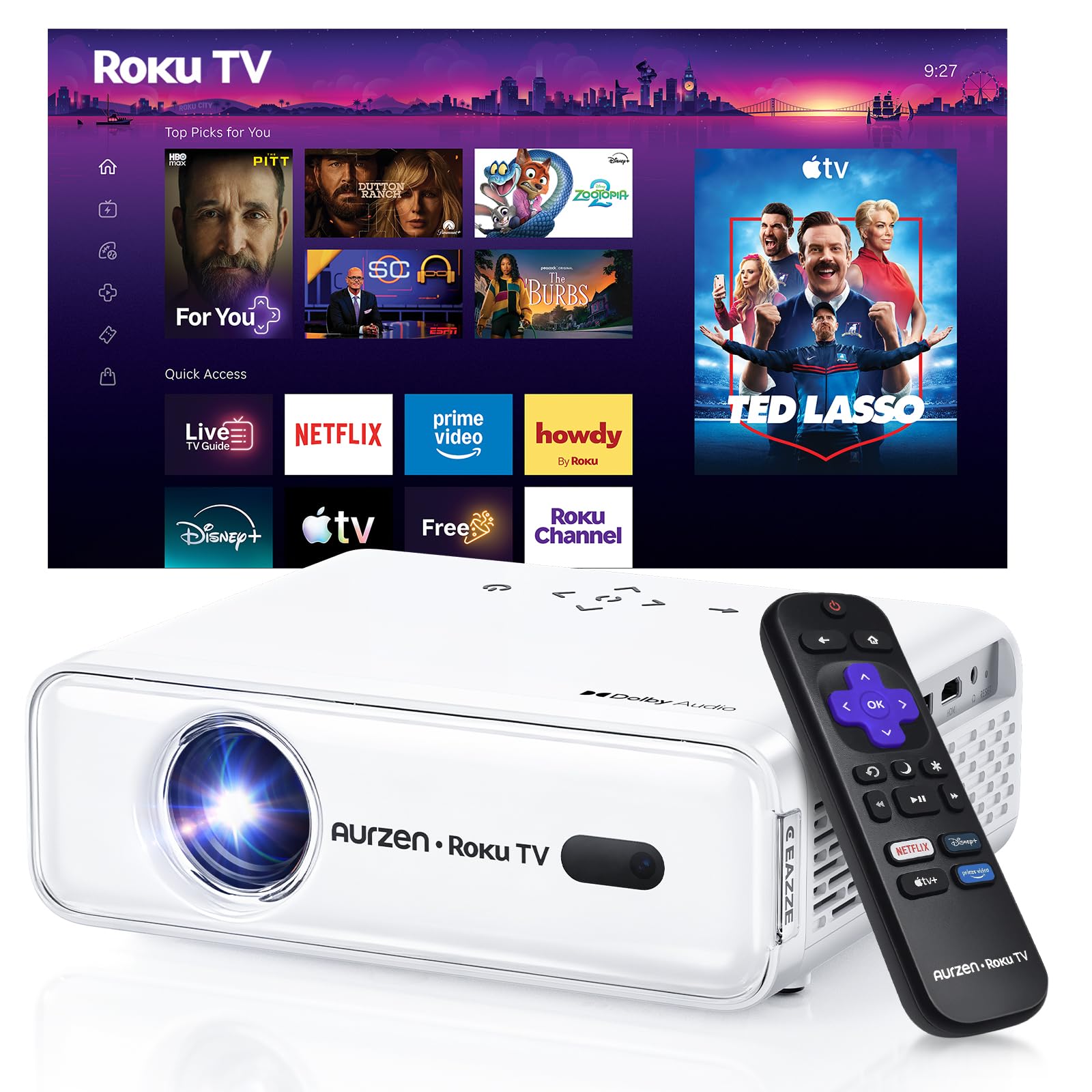
1. Aurzen Roku TV D1R Smart Portable Outdoor Projector
Our pick — 4.5+★ from 1,000+ verified ratings; the strongest balance of quality and price.
The one that streams everything itself and throws a 60 to 150-inch picture with no dongle in sight.
Movie night gets simpler with the Roku TV D1R because Roku is built right into the projector. That means Netflix, Prime Video, Hulu, YouTube and the Roku Channel are ready as soon as you connect to Wi-Fi. You do not need a Fire Stick, a second remote, or an HDMI cable, and none comes in the box because you will not need one. You do need a Roku account, and creating one is free.
The picture side is where it earns its place. The display maxes out at 1920 x 1080, and the maker states you can fill a 60 to 150-inch screen. That is a big jump over the Magcubic’s 4096 x 2160 ceiling in on-paper numbers, yet the Aurzen’s optical engine and dual 5W speakers with Dolby Audio are tuned for a living-room result rather than a spec-sheet win. Auto focus and auto keystone do the straightening for you — place it, power it on, and the rectangle snaps into shape.
Owners describe it as a genuine upgrade from a 32-inch TV, bright enough to watch with the lights on and easy to set up through the Roku app. The recurring gripe is brightness in bright daylight and a fan you can hear in a silent scene. The maker’s own noise test put fan output below 40 dB(A) at one meter, with a maximum of 38.9 dB(A), so treat the quiet-room hum as normal rather than a fault. It also tops out at 2.1 kg, light enough to carry from the living room to the patio in one hand.
What owners keep talking about
- Roku TV is built in, so there is no streaming stick to buy or lose
- Auto focus and auto keystone mean the picture squares itself up
- Dual 5W speakers with Dolby Audio handle a small party without extra gear
- Bluetooth 5.2 pairs with headphones for late-night watching
Where it asks for patience
- Daylight viewing washes the image out — this is a lamp-lit or dark-room projector
- No HDMI cable is included, so plan ahead if you want to plug in a console
- The cooling fan runs during use and is audible in a silent room
Reach for this if: you want a self-contained cinema for the backyard or bedroom and would rather not juggle a streaming stick.
Think twice if: you plan to watch daytime sports in a sunlit room — the low-light bias is the one trade-off buyers flag most.
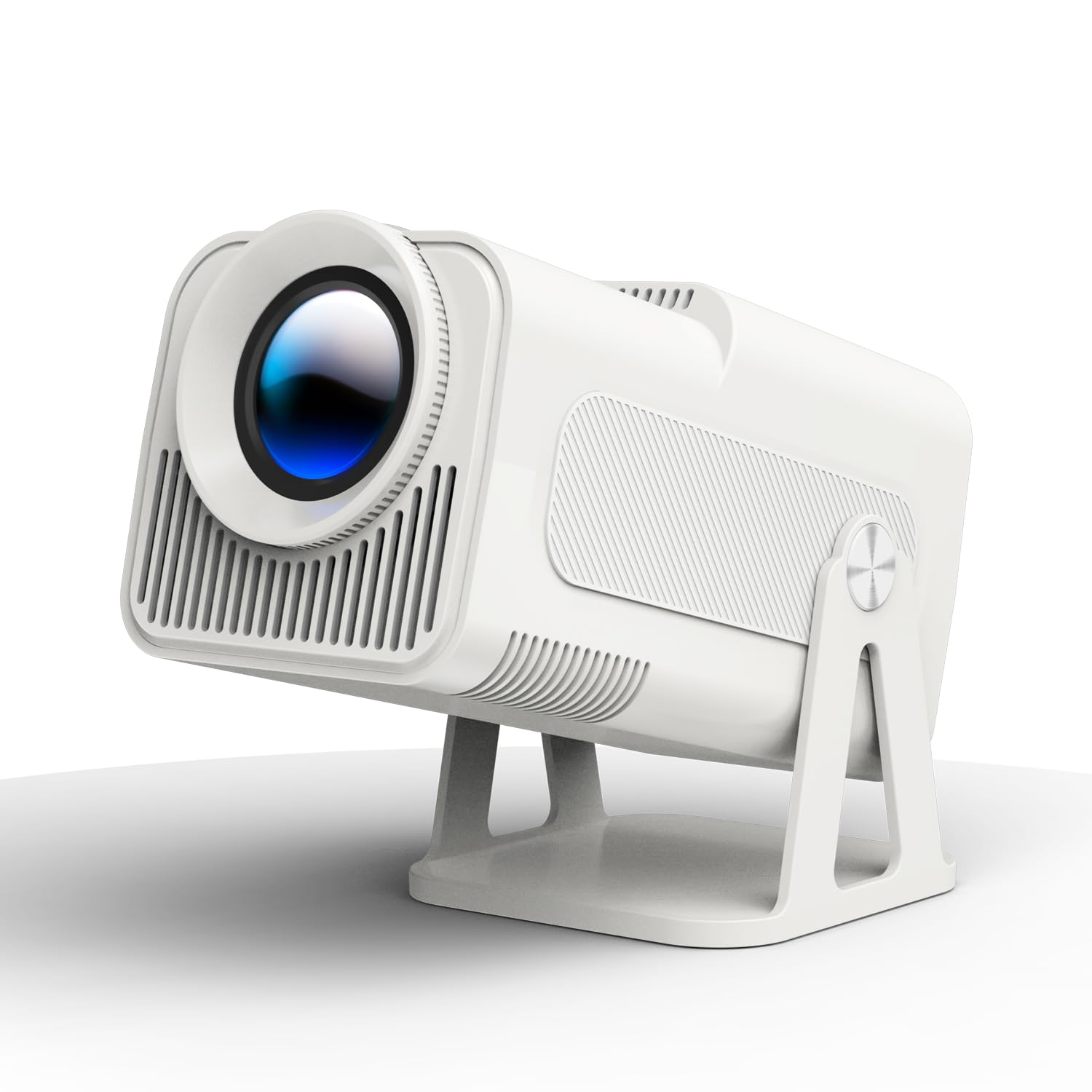
2. Magcubic Mini Projector HY320 NTV
The lightweight pick that swings 180° and puts movies on the ceiling.
If your idea of a good night is lying flat and watching the ceiling, the Magcubic HY320 was built for exactly that. The 180° rotating stand flips the lens upward without a mount, and the body stays small enough to disappear into a drawer between uses. Its published display ceiling of 4096 x 2160 is the highest on this list, well ahead of the Aurzen’s 1920 x 1080 and the Yaber’s 1980 x 1080.
Brightness lands at 320 lm, which puts it ahead of the TMY’s 200 lm but behind the LYNCAST X3’s 600 lm. A 10000:1 contrast ratio (the gap between the brightest white and the darkest black) is listed, and voice control handles the basics so you are not hunting for the remote in the dark. The maker advertises one-click access to a million videos without an external TV stick.
The compact size is the thing buyers mention most warmly — it travels easily and the auto keystone tidies the edges by itself. Where it shows its limits is reliability and connectivity: app downloads can be slow, and the Prime Video app in particular is described as sluggish and buggy. An occasional unit is slower to respond than expected, so give yourself a moment between taps rather than stabbing at the remote.
Where the money goes: into a rotating body and a strong on-paper resolution ceiling rather than a bright lamp. If you mostly watch at night with the lights off, that trade is a good one.
The honest catch: the built-in app experience can drag, and not every streaming service is available to download, so plan to sideload or cast from your phone for anything that is missing.
Best fit: renters and students who want ceiling projection and portable size without spending much.
Look elsewhere if: you need a snappy app interface or a bright daytime picture.
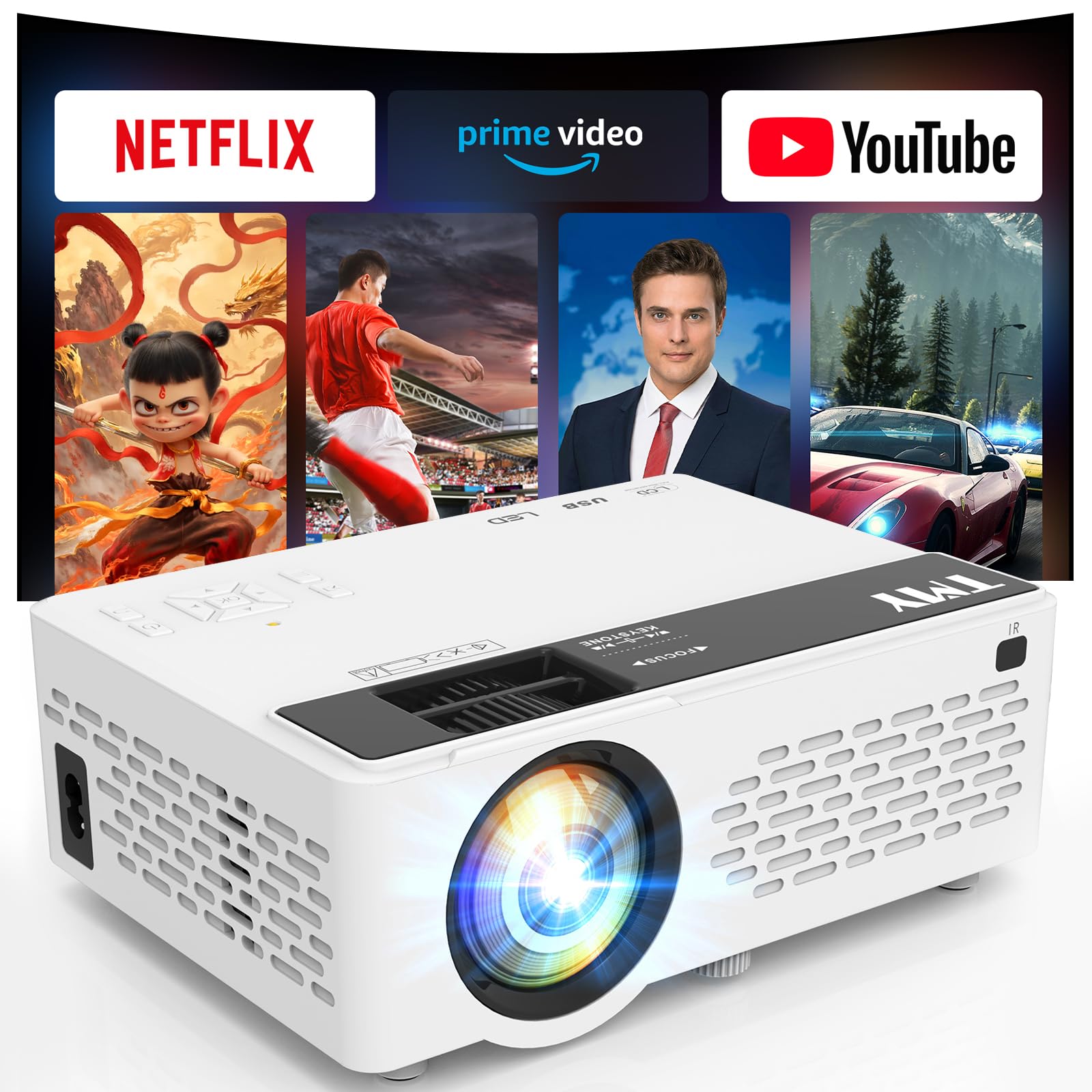
3. TMY 1080P Mini Projector
Netflix ready the second you connect to Wi-Fi — no sideloading, no workarounds.
If you want to hit play instead of configuring anything, the TMY is for you. Netflix, Prime Video and YouTube come pre-installed, so you skip the dodgy APK routine that plagues so many budget projectors. The native resolution is 1920 x 1080 (Full HD, which keeps details sharp), and the image stretches from a 32-inch minimum to a maximum 220-inch screen across a 1.5 to 6 meter throw (the distance from the projector to the wall). That makes it flexible for both a tight bedroom and a long backyard wall.
Connectivity is where the TMY leads its price class. WiFi 6 (a faster Wi-Fi standard) gives you smoother streaming and screen mirroring. Bluetooth 5.2 works both ways: pair a soundbar to the projector, or flip it into speaker mode and use the projector itself as a Bluetooth speaker for music. A 10000:1 contrast ratio (how well it separates dark and light scenes) and a stated lamp life of 10,000 hours round out the numbers. Brightness sits at 200 lm (lumens, a measure of light output), the lowest on this list, so dark-room viewing is the honest expectation.
What buyers like most is how quickly they go from unboxing to watching. It handles 11 feet of throw capably and the edge adjustment is forgiving. The trade-offs are app support and noise. Disney+ is not available and cannot be downloaded, so if that is your household’s main service, this is the wrong pick. The fan is described as loud enough to notice in a quiet scene, and one buyer needed a trick — switching Netflix’s audio from 5.1 Dolby to “English [Original]” — to get clean sound. The mounting hole is also off-center, so a small foam shim helps steady it on a stand.
The streaming-first case
- Netflix, Prime Video and YouTube are pre-installed and ready
- WiFi 6 keeps mirroring from your phone smooth
- Bluetooth 5.2 works in both directions, so it doubles as a speaker
Worth knowing before you buy
- No Disney+ app and no way to download one
- 200 lm is dim, so dim the room
- The fan is audible in a silent scene
The verdict: the smoothest first-projector experience here if your watchlist lives on Netflix, Prime Video and YouTube.
skip it if: Disney+ is non-negotiable in your house.
4. YGSKK Wi-Fi Projector

Electric focus from the couch and a 210° base that points anywhere, ceiling included.
Focus is the chore nobody warns you about with a mini projector, and the YGSKK solves it with a button. Press F+ or F- on the remote and the picture sharpens in about three seconds without you standing up. The maker calls it electric focusing, and it is the feature that separates this pick from the manual-focus crowd. A 210° rotating base underneath lets you throw the image onto a wall or straight up, adjusting the angle without a separate stand.
The picture is native 1080P and 4K-compatible over HDMI, at a stated 300 ANSI lumens (a brightness measurement you can compare across projectors). It scales from a 50 to 200-inch screen. Connectivity covers WiFi 6, Bluetooth 5.3, HDMI, USB and a 3.5mm audio jack, and an HDMI cable is included in the box. Prime Video, YouTube and Hulu are built in, and there is an app store for the rest.
What wins people over is the quiet operation and the speed of setup — bedroom cinema is what buyers set this up for, and the fan stays out of the way during dialogue. The apps you get are the ones you get, though: the app store fills some gaps but not all, so check that your must-have service is there before committing. Bluetooth is also audio-only here — it pairs with speakers and headphones but not with your phone for streaming, which is worth knowing if you assumed otherwise.
The reason to pick this one: electric focus is the single biggest quality-of-life upgrade in this price range. Adjusting sharpness with a remote beats walking up to the lens every time someone bumps the table.
What to plan around: the app library is not comprehensive, so bring your own streaming stick or cast from your phone for anything missing.
Buy it for: a bedroom setup where the projector gets nudged and refocused often.
Pass if: you need every major streaming app built in from day one.
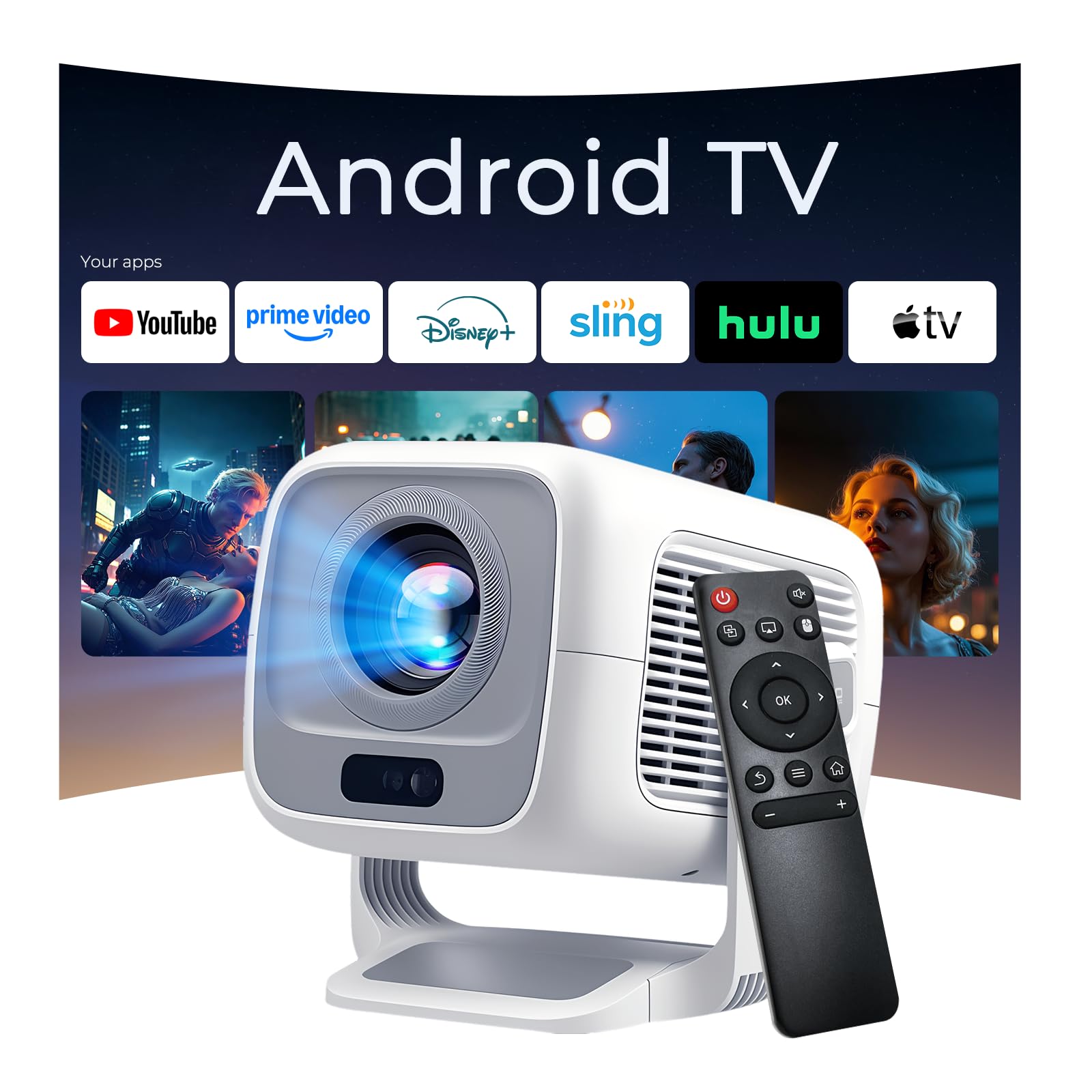
5. LYNCAST X3 4K Support Native 1080P Smart Projector
600 ANSI lumens in a dorm-sized body that sits close to the wall.
Brightness is the spec that decides whether you can watch with a lamp on, and the LYNCAST X3 leads this list at 600 ANSI lumens. For context, that is well above the TMY’s 200 lm and the Magcubic’s 320 lm — a real gap if your viewing room is not pitch black. Native resolution is 1920 x 1080, and the maker claims it outperforms 720P projectors on detail.
The short-throw 0.8:1 ratio is the sleeper feature: an 80-inch screen from 1.4 meters. You get an 80-inch screen from just 1.4 meters of distance, and the full range runs 40 to 130 inches — meaning a small apartment or dorm room can host a big picture. A 270° rotating design lets you aim at a wall, the ceiling, or an outdoor screen without a stand. Android TV OS handles streaming and mirroring, WiFi 6 keeps it stable, and Bluetooth 5.4 pairs with speakers and headphones.
Picture quality is what buyers praise most about this one, with the auto-focus and auto-keystone doing their job reliably every time. Sound quality and app compatibility are the mixed notes — some owners find the Disney and Netflix apps finicky, and a few find the built-in audio thin. One reviewer noted the fan sits slightly above silent but fades under a soundtrack. The included remote needs two AAA batteries that are not in the box, so grab a pair before setup night.
Why it stands out in a small room
- 600 ANSI lumens is the brightest here, with a clearer daytime picture than its rivals
- 0.8:1 short throw gives you an 80-inch screen from 1.4 meters
- 270° rotation covers walls, ceilings and outdoor screens
Where it gets mixed reviews
- App compatibility can be hit or miss for Disney and Netflix
- Built-in sound is serviceable but a few buyers want more
- The remote needs two AAA batteries that are not included
Pick this one if: your room is small and you want a big picture without moving the furniture back.
Consider a different pick if: you want every streaming app sorted from the start.
6. Yaber T1 Pro2 Mini Projector
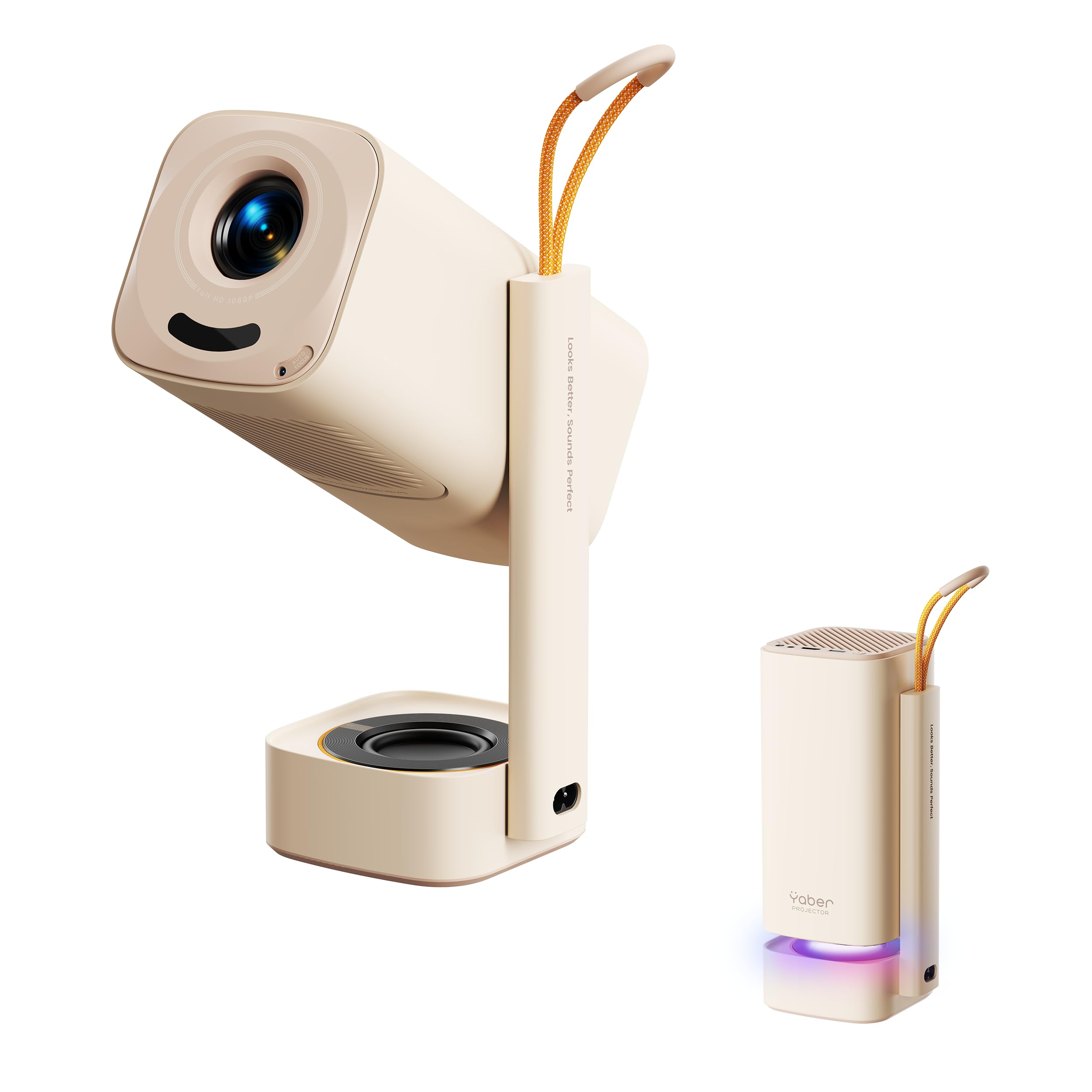
A projector that doubles as a boombox, with 8W Turbo Sonic Bass you can feel in the couch.
If you are tired of tinny projector sound, the Yaber T1 Pro2 is the one you choose. An 8W Turbo Sonic Bass speaker with Dolby Audio (a surround-sound format) handles the low end, and the maker pitches it as a theater-like audio experience without extra speakers. That is a meaningful upgrade over the smaller built-in drivers on the cheaper picks.
Picture is native 1080 FHD with HDR10 (a format that keeps bright and dark parts of a scene looking right), and Netflix, YouTube and Prime Video come pre-installed so you can start watching right away. The setup is nearly hands-off: autofocus, keystone correction, auto screen alignment and auto obstacle avoidance all run on their own. A 180° adjustable stand flips up to the ceiling for movie nights in bed. Connectivity runs WiFi 6 and Bluetooth 5.4, and the maker advises keeping the projection angle within 20° for the best auto-adjustment results.
The audio and the compact size are what buyers enjoy most — it is easy to move between rooms and the sound pulls you into the scene. App availability is the mixed note: the built-in web browser and media apps cover a lot, but the selection is not as complete as a dedicated TV stick, so check that your service is available. Adjustability also gets mixed feedback, and the physical footprint — 4 inches wide, 10 inches tall — is tall enough to matter on a crowded shelf.
The audio pitch: this is the pick where you skip the soundbar. Dolby Audio and the 8W Turbo Sonic Bass speaker are the standout reason to choose it over the cheaper options on this list.
Set expectations on apps: the built-in selection is decent but not exhaustive, so a streaming stick may still earn its place next to this projector.
Suits you if: you want convincing sound without another speaker to plug in.
Look past it if: you need an app for every niche streaming service.
7. TCL C1 Smart Google TV Projector
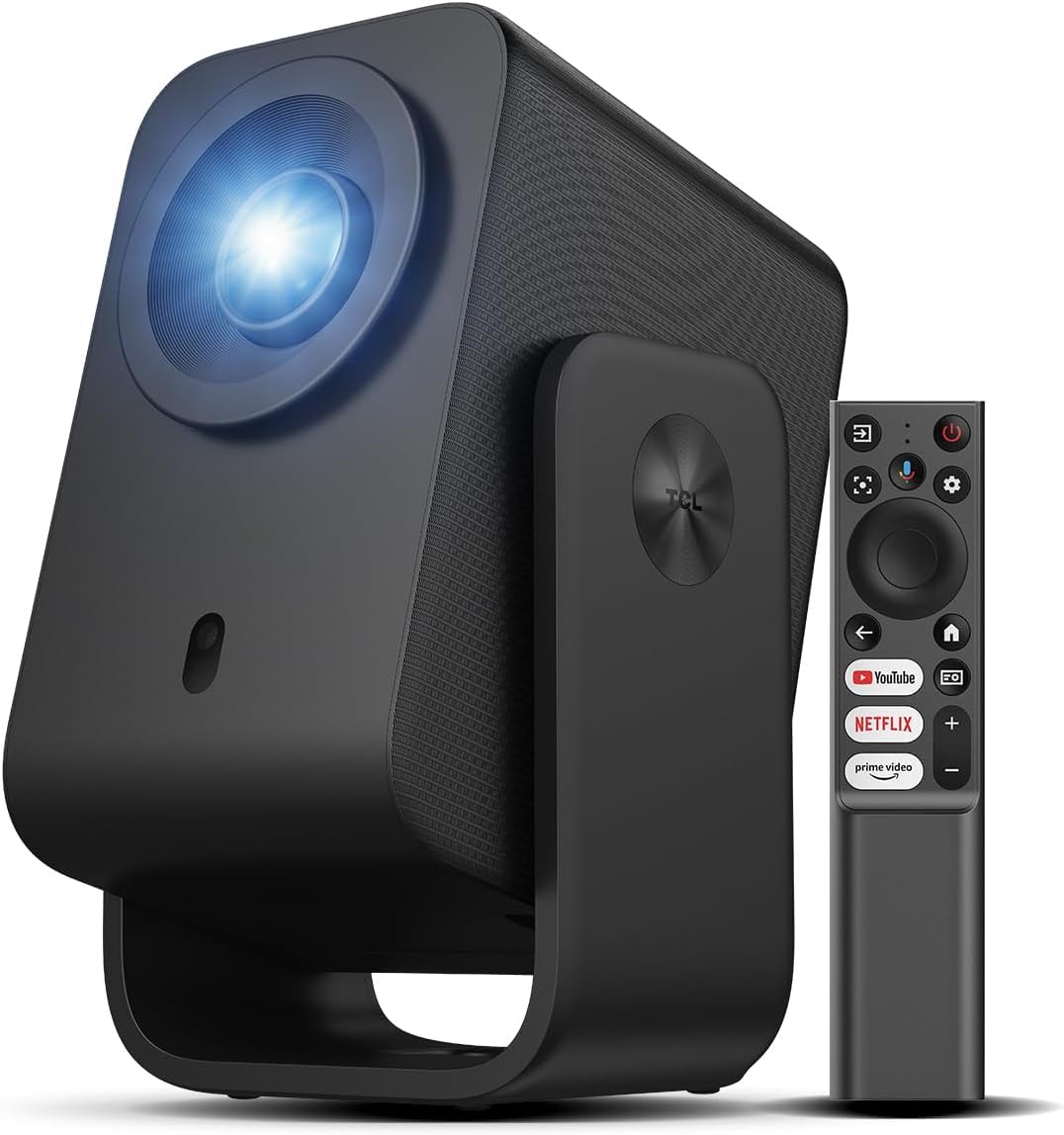
Google TV in a 1.77 kg body with a 285° gimbal and a fan below 30 dB.
Google TV lives inside the TCL C1, which means Netflix, Prime Video, YouTube, Hulu and HBO load straight onto the projector — no Firestick, no Roku, no dongle. You can pull more than 10,000 apps from the Google Play Store, and Google Assistant handles voice commands for the whole system. For anyone who already lives inside Google’s ecosystem, this is the most natural fit on the list.
The picture runs native 1080P with HDR10 and 4K video compatibility across four visual modes. TCL rates it at 230 ISO lumens (a published brightness standard, measured differently from the looser ANSI figure). A 285° rotatable handle-stand lets you project anywhere between 40° and 120°, and the whole unit weighs 1.77 kg with a built-in carrying handle — grab it, walk it to the garden, and set it down. Smart autofocus, auto keystone, obstacle avoidance and auto screen sizing handle the alignment. The one catch on brightness: this is a dark-room projector. The auto-adjust features get consistent praise and the fan stays below 30 dB — you will not hear it during a quiet scene, which is rarer than it should be in this category.
The sealed optical engine keeps dust out for a longer service life, and the stated 30,000-hour lamp life means minimal maintenance beyond a simple lens clean. A few users hit small annoyances: the HDMI port can arrive slightly misaligned and there is no lens cover. The missing buttons on the body are another quirk — without the remote, the projector cannot be controlled, so keep it close. All of this sits inside a device that owners describe as the best value in its price band, with excellent dark-room picture and near-silent running.
What quietly wins people over
- Google TV with 10,000+ apps and voice control through Google Assistant
- 285° gimbal stand and a 1.77 kg body with a carrying handle
- Below-30 dB fan and a sealed optical engine that resists dust
Read this before you buy
- Brightness is strictly for dark rooms — daylight washes it out
- No lens cover and no physical buttons on the body
- The HDMI port can be misaligned on some units
Choose it if: dark-room viewing and near-silent operation matter more than daytime brightness.
Choose a brighter option if: you need to watch with the lights on.
Know the Specs
Lumens and real-world brightness
Lumens rate how much light the lamp throws onto the wall. A mini projector rated near 200 lumens needs a dark room to look its best. One rated 600 lumens holds up better when a lamp is on. Compare lumens across picks in this list and think about the light in your room — a bright room pushes you toward the higher-wattage options.
Resolution versus “4K support”
Native resolution is the actual pixel grid the projector creates — 1920 x 1080 means true full HD. “4K support” only means the projector will accept a 4K signal and scale it down. Both are useful to know, but native resolution is what determines how sharp the picture looks on your wall.
Auto keystone and auto focus
Keystone correction squares up the image so the sides are straight, and auto focus keeps it sharp without you touching anything. Manual focus means getting up to adjust the lens every time the projector gets bumped. This is the difference between a five-second setup and a five-minute one, especially if you move the projector between rooms.
Throw ratio and stand rotation
Throw ratio is how far the projector sits from the wall to make a given screen size. Short-throw models like the LYNCAST X3 use a 0.8:1 ratio for a big image up close — useful in tight rooms. Stand rotation decides whether you can aim at a ceiling without a mount. Between them, these two specs decide whether your room can host a big picture at all.
Common Questions
Can a mini projector work with a Roku or Fire Stick?
Do mini projectors work in daylight?
How loud is the fan on these projectors?
Can I use a mini projector on the ceiling?
Do these projectors need a screen, or does any wall work?
What is the difference between 1080P and 4K support on a mini projector?
Can I connect wireless speakers or headphones to a mini projector?
How long does the lamp inside a mini projector last?
Will games like PS5 or Xbox play on a mini projector?
Can I power a mini projector overseas or from a battery pack?
The Bottom Line
For most people, the best mini projector is the Aurzen Roku TV D1R because it streams by itself and needs zero extra gear — no Fire Stick, no dongle, no HDMI cable. It holds the highest rating on this list at 4.5+ stars across 1,200+ owners, and that trust comes from a genuinely plug-and-play package. If you want a snappier app library, the YGSKK Wi-Fi Projector adds electric focus and a 210° base. For dark-room nights when silence matters most, the TCL C1 is the quiet one — a fan below 30 dB and a Google TV interface that feels like a smart TV without the screen.
How we choose
We do not accept paid placement. Every pick is matched to a real buyer and a real use-case; we do not hands-on test units.
Sources
Specifications: manufacturer listings and product documentation. Review insights: verified customer reviews, as of October 2026. Pricing: not shown on this page (it changes often); check the current price via the retailer link.
As an Amazon Associate, Aappliancez earns from qualifying purchases. This does not affect which products we feature.