Disclosure: Some links in this post are affiliate links. As an Amazon Associate I earn from qualifying purchases, at no extra cost to you. Learn more
Specs are compiled from manufacturer listings and verified buyer reviews and can change over time — please confirm the key details on the product page before buying.
You want deep, inky blacks and bright HDR highlights on a 1440p panel without paying OLED money — and mini LED can get you there. The trick is that not all mini LED monitors are built the same. The number of dimming zones (tiny individually lit patches behind the screen), the peak brightness in nits, and the refresh rate decide whether HDR looks cinematic or just washed out. This guide walks you through eleven real options so you can match one to your desk, your games, and your budget.
This guide is built by comparing the manufacturers’ published specifications and the patterns across verified customer reviews, so you get each pick’s real strengths and trade-offs instead of marketing spin.
Some panels here run 1152 dimming zones and 1000 nits of peak brightness, others push 240Hz or even 480Hz. The crowd favorite earning top billing is the Samsung Odyssey OLED G5, a 27-inch QD-OLED rated 4.5+ stars across 500+ ratings. Here is how to pick the right one among the best mini led monitor 1440p options for your setup.
Top Picks

How To Choose The Best Mini LED Monitor 1440p
Mini LED monitors light the screen with hundreds of tiny LED clusters behind the panel. Each cluster dims independently, so dark scenes stay dark while bright highlights pop. That is what gives HDR (high dynamic range, which makes bright and dark parts of a scene look more realistic) its punch without the burn-in risk that comes with OLED. Your real decision depends on four things: zone count (how many dimming clusters the screen has), peak brightness, refresh rate (how many times per second the screen updates), and how the stand actually fits your desk.
Dimming Zones and Halo Effect
A higher zone count means each lit patch is smaller, so bright objects against dark backgrounds get tighter edges. With 1152 zones, like the AOC Q27G4ZMN, the halo around a streetlamp in a night scene is subtle. On a lower-zone panel, you might see a faint glow bleeding around bright text. More zones generally means cleaner contrast in dark games and movies.
Peak Brightness in Nits and HDR Certification
Brightness is measured in nits (candela per square meter). A DisplayHDR 1000 rating means the panel can hit 1000 nits in short bursts, which is what makes sunlight and explosions look genuinely bright. If you game in a sunlit room, higher nits help enormously. In a dark room, even 400 to 500 nits can look punchy because your eyes adjust.
Refresh Rate and Response Time
Refresh rate is how many times per second the screen redraws, measured in hertz. A 144Hz panel redraws 144 times a second; 240Hz redraws 240 times. Response time, in milliseconds, measures how fast a pixel changes color. For competitive shooters, both numbers matter, and you want the lowest response time your budget allows. For work and single-player games, 144Hz to 165Hz is already very smooth.
Stand, Ports, and Desk Fit
A 27-inch monitor fits most desks comfortably, but the stand depth matters. Some V-shaped feet eat up desk space and push your keyboard forward. Check whether the stand tilts, swivels, and adjusts in height, or whether you will need a VESA monitor arm. Also confirm you get DisplayPort and HDMI inputs for your PC and console — a single USB-C port with power delivery can simplify a laptop setup.
Side-by-Side Comparison
| Model | Best For | Peak Brightness | Refresh Rate | Resolution | Amazon |
|---|---|---|---|---|---|
| Samsung Odyssey OLED G5★ Best Overall | Best Overall | 280 cd/㎡ | 180Hz | 2560 x 1440 | Amazon |
| AOC Q27G4ZMNHigh-Brightness HDR | High-Brightness HDR | 1000 cd/㎡ | 240Hz | 2560 x 1440 | Amazon |
| INNOCN GA27T1MBest Value Mini LED | Best Value Mini LED | 1000 cd/㎡ | 320Hz | 2560 x 1440 | Amazon |
| KTC M27T6S | Balanced Pick | 1000 cd/㎡ | 210Hz | 2560 x 1440 | Amazon |
Detailed Reviews
1. Samsung Odyssey OLED G5 (G50SF) 27″ QHD QD-OLED
Our pick — 4.5+★ from 500+ verified ratings; the strongest balance of quality and price.
The OLED that punches above its price with perfect blacks and 180Hz speed.
If you want true inky blacks without stepping into mini LED territory, this Samsung is the one to beat. Its QD-OLED panel (quantum dots layered over self-lit pixels) hits a 1,000,000:1 contrast ratio, so dark scenes stay properly dark and colors stay vivid without a backlight washing them out. The 180Hz refresh rate and 0.03ms gray-to-gray response time give you snappy motion for fast games. A 2560 x 1440 resolution across a 27-inch screen means text and details stay sharp at normal desk distance.
What wins people over here is the sheer picture quality — the deep blacks and color accuracy that define OLED. It carries Pantone Validated status with 2100+ colors, and HDR10 keeps highlights bright while shadows keep their depth. A matte, glare-free coating keeps reflections off the screen in a bright room. Auto Source Switch+ flips between connected devices without you hunting through menus. The adjustability is limited to tilt only, though, so a monitor arm helps if you need height or swivel.
The honest trade-off: a 280 cd/㎡ brightness rating means this panel is not built for a room flooded with sunlight, and the stand does not adjust in height. Several owners also found the refresh rate caps at 120Hz over HDMI, so you will want DisplayPort for the full 180Hz. If you work in a dim room or game at night, the 280 cd/㎡ rating and tilt-only stand matter much less. If you need maximum brightness for a sunlit desk, the AOC below is the brighter choice.
Where it shines
- QD-OLED panel delivers perfect blacks and vivid color.
- 180Hz refresh and 0.03ms response for smooth motion.
- Glare-free coating keeps reflections down.
- Pantone Validated with 2100+ colors.
What to weigh
- 280 cd/㎡ brightness is modest for bright rooms.
- Stand offers tilt only — no height adjustment.
- HDMI caps refresh at 120Hz; use DisplayPort for 180Hz.
Reach for this if: you want OLED contrast on a 27-inch 1440p desk and mostly game or watch in controlled lighting.
Look elsewhere if: you need a height-adjustable stand or maximum brightness in a sunlit room.
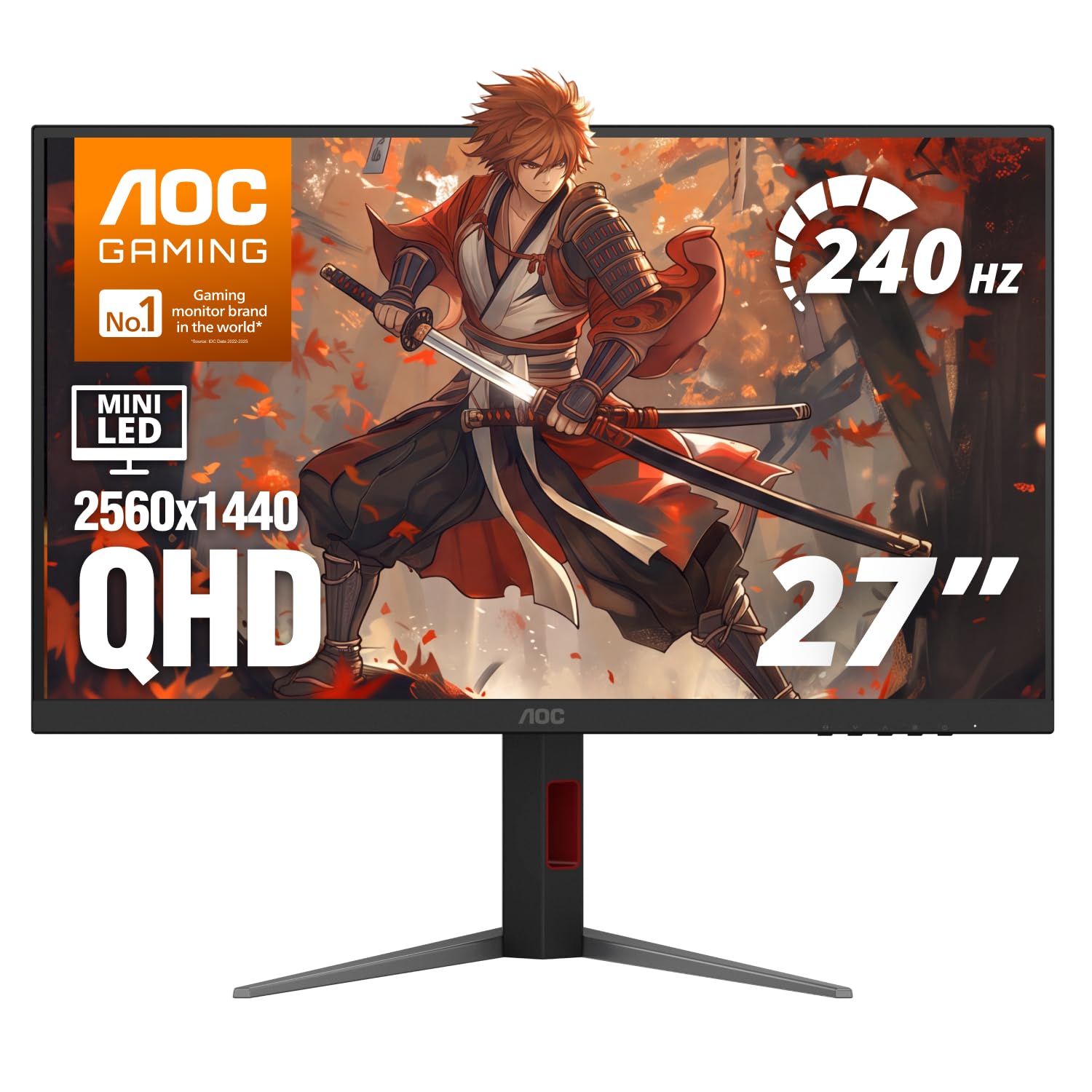
2. AOC Q27G4ZMN 27 Inch Gaming Monitor
1,152 dimming zones and 1,000 nits of HDR punch at 240Hz.
This is the mini LED that makes HDR feel like HDR. The 1152 local dimming zones let it hit a claimed 80,000,000:1 contrast ratio, which keeps dark scenes genuinely dark while bright highlights stay punchy. Its 1000 cd/㎡ peak brightness is certified for DisplayHDR 1000, so daylight scenes and explosions read bright even in a sunlit room. The 240Hz refresh rate and 1ms gray-to-gray response keep fast games crisp with minimal ghosting. A 2560 x 1440 resolution across 27 inches keeps text and detail sharp.
The vibrancy is the draw here — 1152 dimming zones push color and contrast well past standard IPS or LCD panels, landing in a middle ground before OLED. Blooming (that faint glow around bright objects on dark backgrounds) stays very low, and blacks read near-OLED deep. There is no burn-in risk, which matters if you leave a static work screen up for hours. The stand tilts, swivels, pivots, and adjusts in height, and it is VESA-compatible for a monitor arm.
Two things to plan for. First, colors come oversaturated from the start, so you will want to tune the picture mode before judging it. Second, there are no built-in speakers, though you get two HDMI and one DisplayPort input. Some owners notice black smearing in fast motion that overdrive settings do not fully clear up — worth a test in a shooter if you are sensitive to that. Otherwise, this packs DisplayHDR 1000 brightness and 1152 dimming zones into a mid-range build.
Bright-room king: 1000 nits and DisplayHDR 1000 certification mean you can game with the curtains open and still see detail in dark corners.
Pick this one: for a bright room where HDR brightness and 240Hz smoothness matter more than built-in audio.
Think twice if: you need speakers or are bothered by black smearing in fast competitive play.
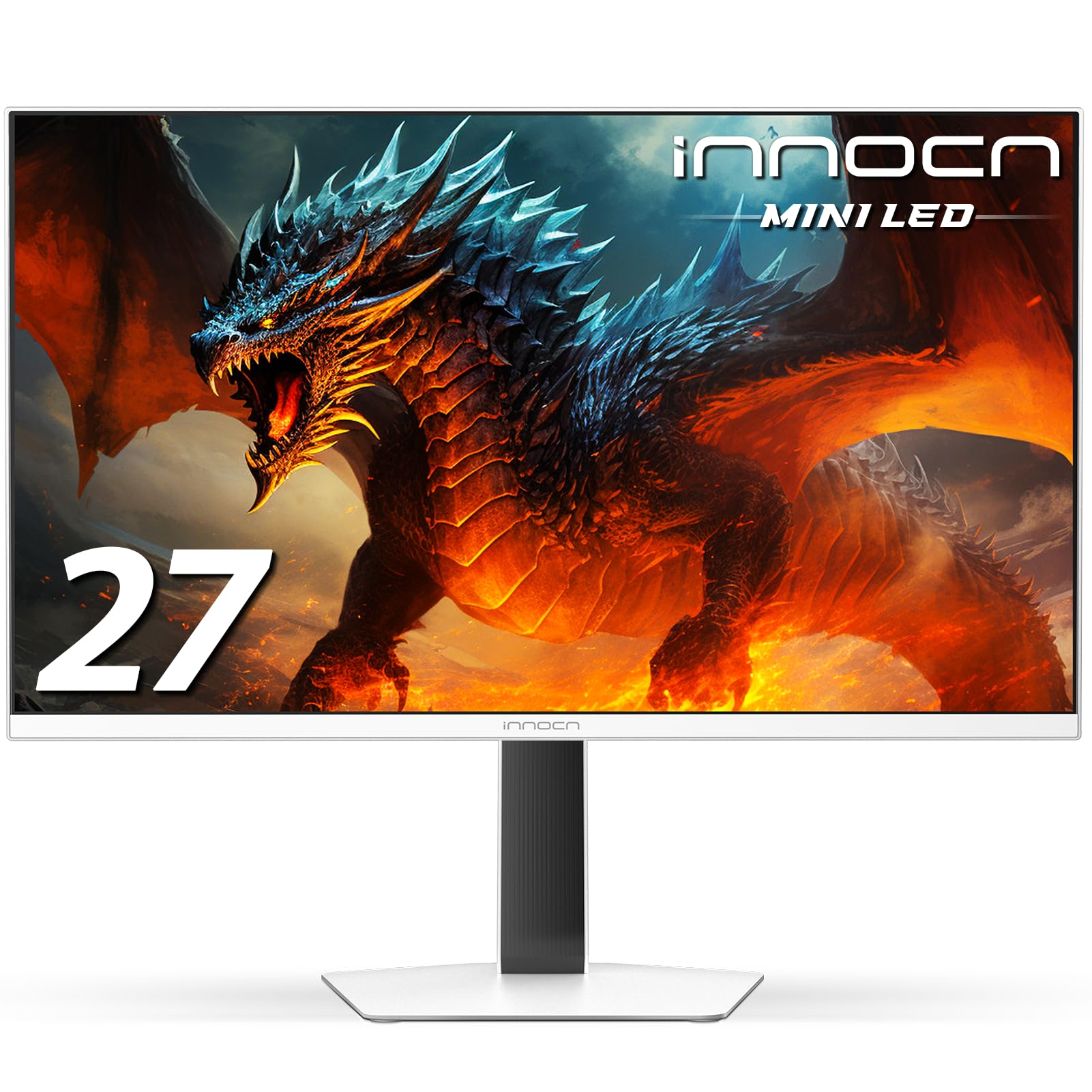
3. INNOCN 27″ 2K 1440P 320Hz Mini LED Gaming Monitor, GA27T1M
A 320Hz mini LED panel that walks the line between budget and performance.
Speed is the headline. This panel runs a 320Hz refresh rate (up to 330Hz in overclock) with a 0.5ms gray-to-gray response time, which means fast pans in shooters stay clean and blur is kept to a minimum. Its 1152-zone local dimming pushes peak brightness to 1000 nits, and HDR1000 certification means highlights really pop against deep blacks. A 2560 x 1440 resolution and 100% sRGB coverage keep colors wide and accurate for both gaming and work-from-home spreads.
What buyers praise most is the raw quality-to-price ratio, and that reputation holds up. The backlight stays uniform with no dead pixels on most units, near-OLED black levels, and no burn-in risk over time. Connectivity covers HDMI 2.1 and DisplayPort 1.4, so it works with a gaming laptop, a PS5, or an Xbox. Built-in speakers save you a separate set of desktop speakers. This is the pick for someone who wants 320Hz speed and 1000-nit HDR brightness without stepping into OLED money.
One setup quirk to know: the monitor often defaults to 60Hz (60 refreshes per second), so you will need to manually set your resolution and refresh rate before gaming. Some owners find the desktop local dimming only mediocre, which is a common mini LED limitation rather than a defect. The stand is basic with limited tilt, so a monitor arm is worth considering if you need height adjustment. If you can live with those, this 320Hz, 1152-zone panel is among the most aggressive 1440p mini LED deals going.
Why speed-seekers like it
- 320Hz refresh with 0.5ms response for fast games.
- 1152-zone dimming hitting 1000 nits peak.
- Built-in speakers and HDMI 2.1 plus DP 1.4.
- No burn-in risk and uniform backlight.
Where it asks patience
- Often defaults to 60Hz until you set it manually.
- Desktop local dimming only middling.
- Stand has limited tilt — plan for a monitor arm.
The speed-first buy: 320Hz plus near-OLED blacks for players who want every frame.
skip it if: you refuse to touch a settings menu — the manual refresh setup is a required step.
4. KTC M27T6S 27 Inch Gaming Monitor
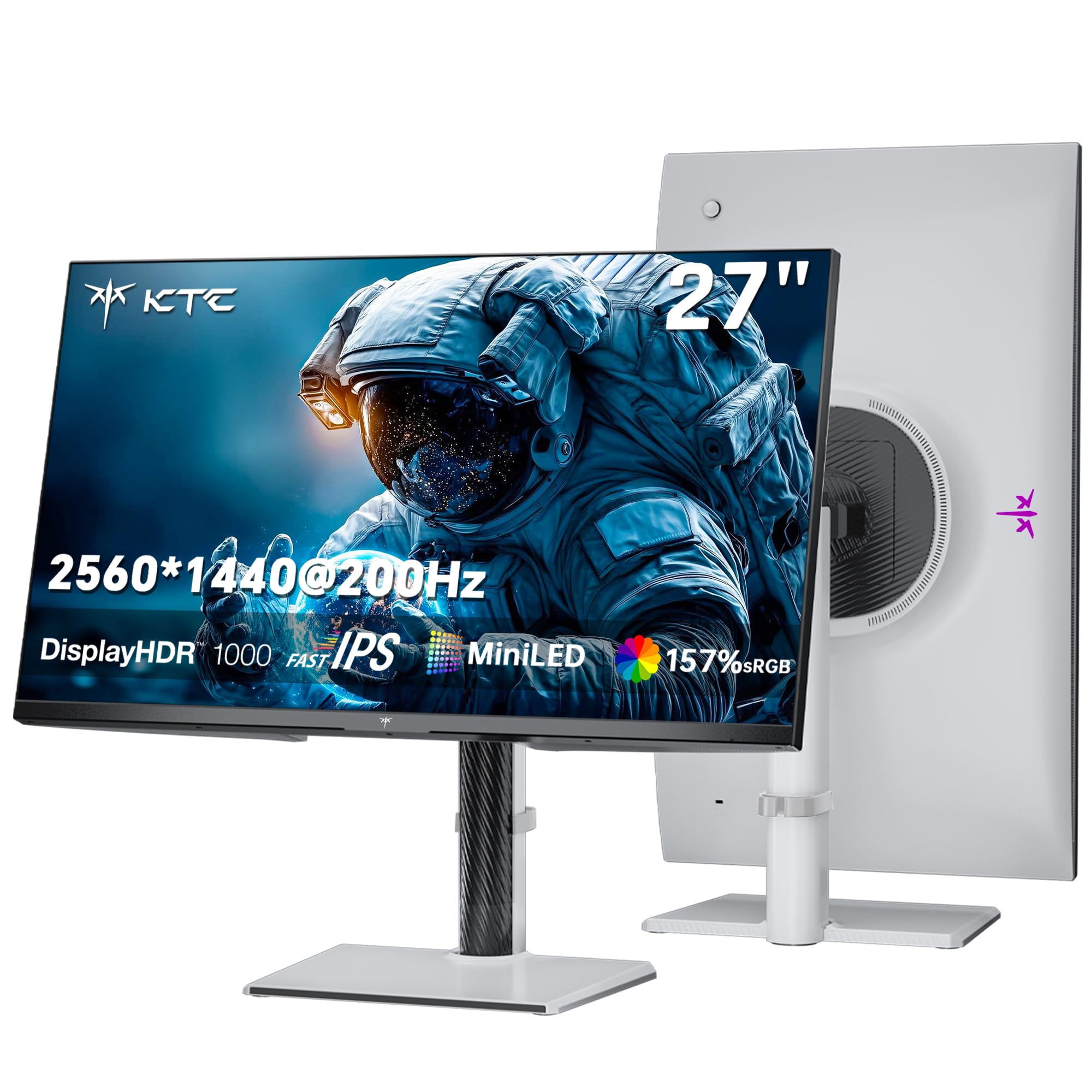
A 210Hz mini LED built for creators who also game after hours.
Here is a monitor that treats both work and play seriously. The 1152 dimming zones deliver deep inky blacks and 1000 nits of peak brightness, so HDR gaming looks vivid and photo editing stays true to the source. Its 157% sRGB coverage and 1.07 billion colors push color consistency high — useful for graphic design or video editing. The 2560 x 1440 resolution keeps detail crisp, and the 27-inch size is a comfortable desk fit.
Fast IPS panel technology keeps motion clean with a 1ms MPRT response (this measures moving-picture blur rather than raw pixel switching). The 200Hz refresh overclo
Know the Specs
Dimming Zones and Local Dimming
A dimming zone is a small cluster of LEDs behind the screen that can brighten or dim on its own. More zones means finer control, so a bright object on a dark background gets tighter edges and less halo bleed. A panel with 1152 zones, like the AOC Q27G4ZMN, keeps blooming subtle in night scenes. Fewer zones can leave a faint glow around bright text or streetlamps on a black backdrop.
Peak Brightness and DisplayHDR
Brightness is measured in nits, or candela per square meter. A DisplayHDR 1000 rating means the panel can reach 1000 nits in short bursts, which is what makes sunlight and fire effects look genuinely bright. If your desk sits near a window, higher nits keep the picture readable through glare. In a dark room, even a 275 cd/㎡ panel can look punchy because your eyes adjust to the low light.
Refresh Rate and Response Time
Refresh rate is how many times per second the screen redraws, in hertz. A 240Hz panel redraws 240 times a second, which makes fast pans feel smooth and keeps targets clear during a flick. Response time in milliseconds measures how quickly a pixel changes color, and a 1ms gray-to-gray figure keeps ghosting low. For shooters, push both numbers up; for work and slower games, 120Hz to 165Hz already feels fluid.
Contrast Ratio and Panel Type
Contrast ratio describes the gap between the brightest white and the darkest black. OLED panels reach 1,000,000:1 or higher because each pixel switches off entirely, while IPS mini LED panels rely on their dimming zones to approximate that depth. Higher contrast makes dark scenes look richer and text pop. You will see the difference most in night-time games and movies with lots of shadow detail.
Adaptive Sync (FreeSync and G-Sync)
Adaptive Sync matches the screen’s refresh rate to your graphics card’s frame rate, which stops tearing and stutter when frames vary. FreeSync and G-Sync Compatible are two names for the same idea, and most panels here support at least one. If your card and monitor both handle it, turn it on — motion feels smoother during frame dips. Check compatibility with your GPU brand before you buy.
Connectivity and Stand Adjustability
DisplayPort and HDMI are the standard video inputs; DisplayPort often open up the highest refresh rate, so use it for PC gaming. USB-C with power delivery lets a single cable charge a laptop and carry video, which keeps a desk clean. Stand adjustment matters too: tilt, swivel, height, and pivot let you set a comfortable viewing angle, and VESA compatibility lets you swap in a monitor arm when desk space is tight.
Common Questions
Is mini LED better than OLED for a 1440p gaming monitor?
How many dimming zones do I need for good HDR?
Does a 1440p monitor look blurry on a 27-inch screen?
Will a mini LED monitor work with my PS5 or Xbox?
Do I need to worry about burn-in on an OLED monitor?
What refresh rate should I pick for competitive shooters?
Can a single USB-C cable really power my laptop and send video?
Is a curved or flat 27-inch screen better for a 1440p desk?
How do I stop my mini LED monitor from showing halo glow?
Should I use DisplayPort or HDMI for the full refresh rate?
The Bottom Line
For most buyers, the best mini led monitor 1440p pick depends on what your room and your desk demand. The Samsung Odyssey OLED G5 takes the top spot for its QD-OLED blacks and 180Hz motion, and holds 4.5+ stars across 500+ ratings from verified buyers. If you game in a bright room and want 1000 nits of HDR punch with 1152 dimming zones, the AOC Q27G4ZMN is the brighter, no-burn-in choice. And for a 320Hz speed-first panel that still lands in value territory, the INNOCN GA27T1M earns its place. Whichever you pick, match the refresh rate and port to your graphics card so the panel actually runs at its rated 1440p speed.
How we choose
We do not accept paid placement. Every pick is matched to a real buyer and a real use-case; we do not hands-on test units.
Sources
Specifications: manufacturer listings and product documentation. Review insights: verified customer reviews, as of October 2026. Pricing: not shown on this page (it changes often); check the current price via the retailer link.
As an Amazon Associate, Aappliancez earns from qualifying purchases. This does not affect which products we feature.