Disclosure: Some links in this post are affiliate links. As an Amazon Associate I earn from qualifying purchases, at no extra cost to you. Learn more
Specs are compiled from manufacturer listings and verified buyer reviews and can change over time — please confirm the key details on the product page before buying.
Your voice is the only part of you that shows up in a meeting room, so a laptop’s built-in mic quietly costs you credibility on every call. A desktop microphone fixes that by sitting inches from your mouth, so your voice arrives clean and loud enough that nobody asks you to repeat yourself. Below you will find the eleven picks worth your attention, sorted by what each one actually does for a home office.
This guide is built by comparing the manufacturers’ published specifications and the patterns across verified customer reviews, so you get each pick’s real strengths and trade-offs instead of marketing spin.
A desk mic is a work tool, so this page explains each spec in plain words before you commit. Here is the honest shortlist of the best microphone for work from home setups that actually hold up on daily calls.
Top Picks


How To Choose The Best Microphone for Work From Home
A home office is not a studio. You have a fan humming, a neighbour mowing, a keyboard clacking through every reply you type, and a mic that is far too good at hearing all of it. The pick that works for you is the one whose strengths match your room, not the one with the biggest spec sheet.
Start with the capsule, not the brand
Condenser mics are sensitive and detailed, which is why they flatter a quiet voice in a quiet room. Dynamic mics are less sensitive by design, so they ignore more of the room around them. If your desk sits near a street or a shared kitchen, a dynamic capsule often saves you more trouble than a condenser ever will.
That said, a sensitive condenser can still be tamed. Elgato’s Wave Link app, for example, lets you pull down a noisy room without buying new hardware, and it is one of the reasons that mic sits at the top of this list.
Cardioid versus omnidirectional pickup
A cardioid pattern listens mostly in front of the capsule, so it favours one speaker at a desk. An omnidirectional pattern hears in a full circle, which is what you want when three people lean into one table for a call. Match the pattern to how many mouths need to be heard.
How the mic reaches your computer
USB plug-and-play means the mic appears as an input the moment you connect it, with no driver disc and no software install. That is the feature that keeps a work-from-home mic reliable across a work laptop, a personal Mac, and a spare PC. A 3.5mm headphone jack on the mic is a separate bonus: it lets you hear yourself in real time so you catch a bad level before your colleagues do.
What actually keeps your voice clean
Mute buttons with a visible light matter more than people expect, because a mute you cannot see is a mute you will doubt halfway through a sentence. Gain knobs let you raise your voice level without leaning into the capsule. Noise-cancelling or noise-reduction modes help in a busy room, though they work best on steady sounds like a fan or an air conditioner rather than sudden ones like a doorbell.
Side-by-Side Comparison
| Model | Best For | Pickup Pattern | Connectivity | Frequency Range | Amazon |
|---|---|---|---|---|---|
| Elgato Wave:3★ Best Overall | Solo calls and streaming | Cardioid condenser | USB Type-C | Up to 20000 hertz | Amazon |
| JOUNIVO USB Gooseneck MicBest Value | Dictation and everyday calls | Omnidirectional | USB (1.8/6ft cable) | 20Hz–20kHz | Amazon |
| BOYA CM40Monitoring Pick | Desk monitoring on USB-C | Condenser, 9.7mm capsule | USB Type-C | Up to 20 KHz | Amazon |
| TONOR G11 | Small group meetings | Omnidirectional | USB (1.8m cable) | — | Amazon |
| ZealSound K66 | Multi-platform recording | Cardioid condenser | USB and 3.5mm jack | 40–18000HZ | Amazon |
| FIFINE K669B | Value desk recording | Cardioid condenser | USB Type-A / Type-C | 20Hz-20kHz | Amazon |
| KAYSUDA USB Speakerphone | One-to-one call privacy | 360° omnidirectional | USB and 3.5mm jack | — | Amazon |
| FIFINE T669 | Podcast-ready desk kit | Cardioid condenser | USB Type-A / Type-C | 20Hz-20KHz | Amazon |
| MAONO PD200XS | Quiet rooms, USB or XLR | Cardioid dynamic | USB-C and XLR | 40Hz-16kHz | Amazon |
| Logitech Blue Yeti | Recording and group audio | Four patterns | USB | 20 hz – 20 khz | Amazon |
| Anker PowerConf S3 | Full-room meeting audio | 6-mic 360° array | Bluetooth and USB-C | — | Amazon |
Detailed Reviews
1. Elgato Wave:3 USB Condenser Microphone
Our pick — 4.5+★ from 10,000+ verified ratings; the strongest balance of quality and price.
A USB condenser with a built-in software mixer that keeps your voice clean and your room out of the call.
The Wave:3 earns the top slot because it solves the two things that ruin work calls: a thin, hollow voice and a room that leaks into every sentence. Its 24-bit/96kHz analog-to-digital converter (the chip that turns your voice into digital audio) captures far more detail than a standard call needs, which is exactly why it sounds so natural on the other end. The 115 db noise figure is the quietest floor of any single-voice mic on this list, and it lets the cardioid capsule stay focused on you.
The free Wave Link app is the real differentiator. It acts as a software mixer that controls the Wave:3 plus up to eight other audio sources, and it lets you build two independent mixes — one for what you hear, one for what your meeting hears. That means you can run a podcast mix and a call mix from the same desk without unplugging anything. Clipguard circuitry then steps in when you laugh too loud or lean in too far, so the audio never cracks.
What wins people over is the build and the long-run reliability — this is a mic that survives years of daily use, and owners who have run one for half a decade still describe it as flawless. The recurring gripe is the condenser capsule’s sensitivity: it hears the room, and a noisy space will show up in the recording until you tame it in the app. Treat that as a room-matching question, not a defect. It sits on a desktop stand and can be moved to a boom arm with the included adapter. As buyers put it: “i’ve had this mic for nearly 6 years. never had any issues, the quality is amazing.”
Where it pulls ahead
- 24-bit/96kHz converter captures detail a basic call mic simply misses
- Wave Link app manages nine audio sources with two separate mixes
- Clipguard keeps sudden loud moments from distorting
- USB Type-C connection with a desktop stand and boom arm adapter included
What to weigh first
- A sensitive capsule that will pick up an untreated room
- Tall body that can block a monitor if placed dead centre
- Sound-shaping lives in the app, so plan on installing it
Worth it for: anyone who wants their voice to sound broadcast-clean on calls and recordings without buying a mixer.
Think twice about: a very noisy shared room, where the capsule’s sensitivity works against you until you set up Wave Link.
2. JOUNIVO USB Microphone with 360° Gooseneck
A 360° gooseneck that bends the capsule to your mouth and takes up almost no desk space.
If your problem is not audio quality but the simple fact that you never sit in one place, this is the shape you want. The 360° gooseneck bends to any angle, and the omnidirectional capsule hears from every direction, so you can set it on the desk by the monitor and talk naturally. That is exactly how it gets used: one buyer reports using it to go from voice to text on a PC, and describes it as “so much faster than typing.”
The 76 db noise figure is measurably quieter than the Elgato’s 115 db, and it also takes up far less desk than the BOYA’s 11.42-inch height. Plug and play over a 1.8/6ft USB cable means no drivers on Windows or macOS, though it will not talk to Xbox, Raspberry Pi, or Android. The mute button with its built-in LED indicator answers the question every work-from-home caller asks before pressing it.
What it is not is a studio mic, and the honest limits are simple: there is no headphone jack for monitoring, so you cannot hear yourself in real time. For dictation, Discord, and video conferencing this is more than enough mic, and it is the one to reach for if you want your desk back.
The desk-space argument: a 3 x 3 x 9 inch footprint and a 7.06 ounce body make it easy to shove aside between calls.
Where it stops: no headphone monitoring and no support for Xbox, Raspberry Pi, or Android.
Reach for this if: you dictate email, hop between Discord and Zoom, and want a mic that stays out of the way.
Look elsewhere if: you need to hear your own voice while you speak or you work from an Android tablet.
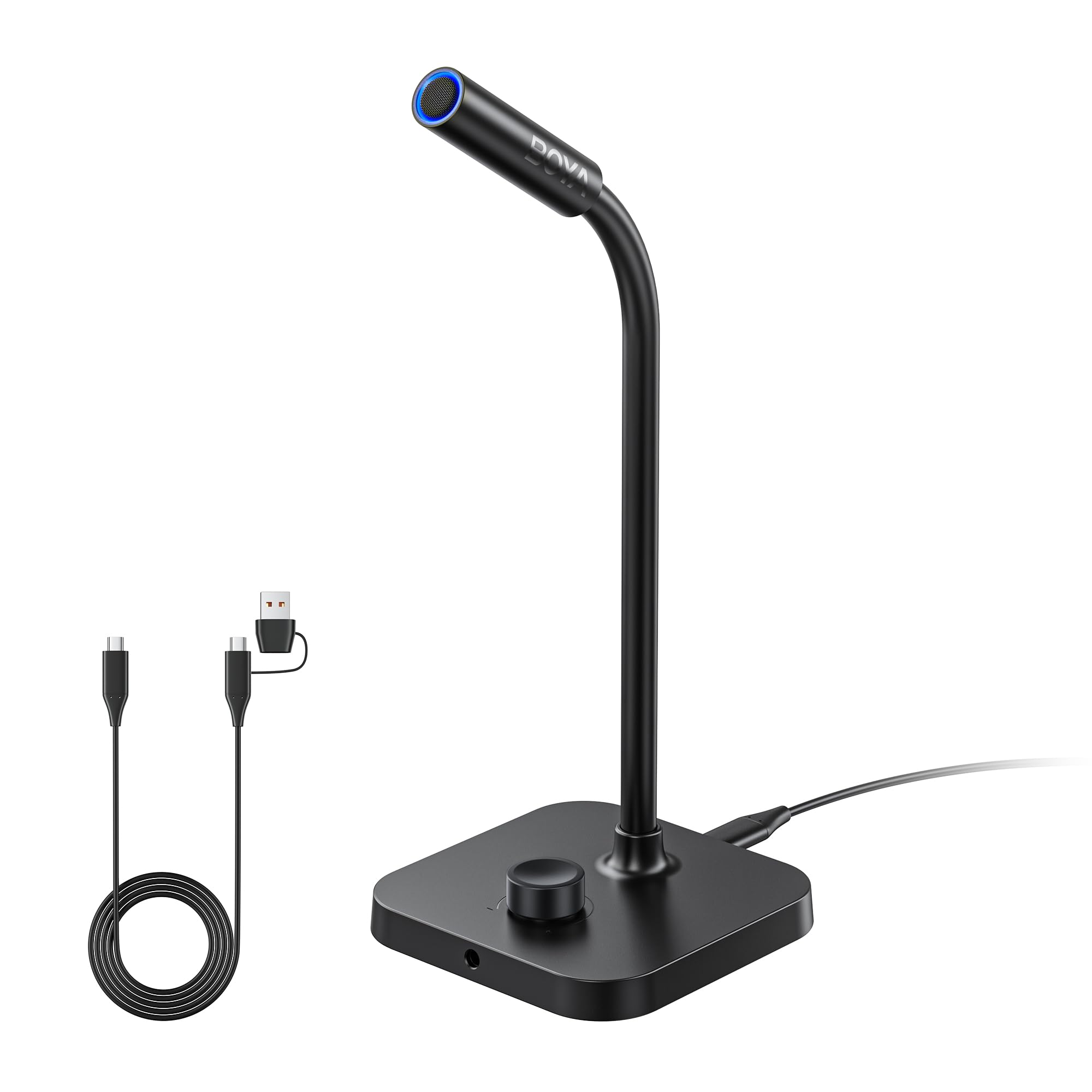
3. BOYA CM40 Computer USB Microphone
A USB-C gooseneck with a 3.5mm headphone jack and a 0–30 dB gain dial, so you set your level by ear.
BOYA’s play here is monitoring. A dedicated 3.5mm headphone jack (the standard round audio plug) lets you hear your own voice as it leaves the mic, with no delay — the fastest way to catch a level that is too hot or a room that is too loud. The stepless rotary knob gives you 0–30 dB of gain control (dB, or decibels, is how loud the mic’s signal is), so you can dial your voice in by ear. One touch mutes the mic entirely. That combination is rare at this price.
The capsule itself is a 9.7mm condenser that handles up to 130 dB SPL, which means it will not distort when you get animated on a call. Audio resolution runs up to 192kHz/24-bit, and the built-in ENC algorithm (an onboard processor that suppresses background sound) is there for the noisy-room days. It connects over USB-C to Windows, macOS, and USB-C phones or tablets.
The catch is Mac behaviour. Owners on Windows 11 describe a clean plug-and-play experience, but on a Mac Mini the 3.5mm jack can force the mic in as both input and headphone output, which means fiddling in settings every time. Wind the gain knob carefully, too — the review pages are split on reliability, so treat it as a good mic that rewards a careful setup rather than a plug-in-and-forget unit. It stands 11.42 inches tall in a 4.02 x 4.02 inch footprint, so check your monitor clearance.
The monitoring edge: 0–30 dB of gain on a stepless dial plus a headphone jack puts level control in your hands, not in software.
The Mac caveat: on some Macs the mic claims the headphone output as well as the input, which means a settings detour each session.
Best fit: Windows users who want to hear their own voice live and dial gain by hand.
Not the one: Mac-first setups, where the input/output hand-off becomes a daily chore.
4. TONOR G11 Conference Microphone

An omnidirectional condenser that picks up voices across 11.5 ft, so a whole table shares one USB mic.
Most mics on this list are built for one mouth. The G11 is built for a table. Its omnidirectional condenser listens in a full 360° circle up to 11.5 ft away, so voices from across the room arrive at the same level as the person nearest the mic. That is a real difference from the cardioid picks above, which deliberately ignore everything behind them.
It is worth being clear about what it is not: this is a microphone, not a speakerphone. It captures voices well but it does not play them back, so you still need a speaker or headphones for the other side of the call. It plugs straight into USB with no drivers on Windows or macOS, and the 1.8m nylon-shielded cable is there to keep signal interference down.
The recurring gripe is the permanently attached USB-A cable — if the strain relief ever gives out, the whole unit goes with it, and USB-C would be the modern choice. A smaller snag is that the mute button does not sync with Microsoft Teams, so the app still shows you live while the mic is off. Neither stops it being the right tool for a small in-person meeting.
Why it suits a shared table
- 360° omnidirectional pickup across 11.5 ft of room
- Blue indicator light shows at a glance that it is live
- Anti-slip base keeps it planted on the desk
- No drivers, no batteries, no setup ritual
Where it asks patience
- Permanently attached USB-A cable cannot be swapped
- Mute status does not carry over into Teams
- Captures audio only, so it is not a speakerphone
Choose it for: a small conference table where several people share one connection.
Pass if: you work solo and want the tighter focus of a cardioid pattern.
5. ZealSound K66 Podcast Microphone

A cardioid USB mic with USB-C and Lightning adapters, so it works on a laptop, an iPhone, and an iPad.
A wide 40Hz–18kHz frequency response is the headline here, and it matters because that spread is what gives your voice body in the low end and air at the top. A cardioid capsule keeps the focus on the speaker, and the 46kHz sampling rate carries the detail through. The 66 db noise figure makes it quieter than most desktop mics in this group.
The reason it wears the versatility label is the box contents. You get a 70.9-inch USB cable, a foam windscreen, a USB-C adapter, and a Lightning adapter for iPhone and iPad, so the same mic works on a work PC and a personal phone. A cardioid recording tone on a phone with no charging cable is a genuinely useful thing for anyone who records on the move. Press and hold the mute button and noise reduction kicks in to flatten keyboard clicks and fan hum.
Owners praise the everyday sound, and the one detail that keeps coming back is the onboard control set — mic gain, headphone volume, and echo, all on physical knobs. The trade-offs are honest ones: the mute button has been reported to drift after a couple of months, and iOS or Android connection can be fussy. Set it up expecting to check the mute before each call and you will get on fine.
The portability win: USB-C and Lightning adapters in the box mean one mic covers a Windows PC, a Mac, an iPhone, and an iPad.
The thing to watch: that same mute button, which a few long-term owners say lost reliability over time.
Suits you if: you record and take calls across several devices and want one mic to cover them all.
Skip if: your whole world is a single Windows desktop and you want the simplest possible setup.
6. FIFINE K669B USB Condenser Microphone

An all-metal body and a volume knob for the money most people spend on lunch.
There is a specific reason the K669B keeps earning a place on shortlists: it sounds far better than its price suggests. The cardioid capsule produces clear, smooth output, and the 16 db noise figure is one of the lowest here. An all-metal body and a stable tripod stand come in the box, so the thing feels solid the moment you pick it up — a rarity at the entry level.
What makes it a genuinely good work-from-home mic is the physical volume knob. You can trim your level without opening a settings panel, and turning it to zero is a privacy switch in its own right. Plug and play over USB-B to USB-A or USB-C, with a 5.9-foot cable included, means it connects to a desktop, laptop, or PS4/PS5 with no drivers. It is not compatible with Xbox or phones.
The honest trade-off is placement. Speak too close and the capsule (the part that picks up sound) adds noise, so give it a little distance and keep it angled. A few owners also report unit longevity as a mixed bag over the long run. Neither has stopped it from becoming among the most popular desk mics around. If you just want to test the waters without spending much, this is the obvious entry point — but if you need a mic you can trust for years of daily calls, look at the picks above.
The value read: a cardioid capsule, an all-metal body, a tripod stand, and a volume knob — none of which you usually find together at the entry level.
What to plan around: it wants distance from your mouth, and long-term reliability is a mixed report rather than a certainty.
The smart start: a first real desk mic for Zoom, Discord, and voice recording.
Not for: Xbox players or anyone who needs the mic to work straight off a phone.
7. KAYSUDA USB Speaker Phone

A speaker and a mic in one puck, with a headphone jack for the calls you keep to yourself.
This is the only pick in the group that does both halves of a call. It is a full-duplex USB speaker and microphone (full-duplex means you can talk and listen at the same time), so your colleagues’ voices come out of the unit instead of a laptop’s tinny speakers. The 360° omnidirectional mic (it hears from every direction) picks you up from any angle, so you can lean back on one-to-one calls and stop wearing a headset. That is the appeal: no clamp on your head for eight hours.
A 3.5mm earphone port gives you a private option for the calls that should not fill the room. The 7 db noise figure is the lowest of any product on this page, which is a meaningful advantage if your space is shared. It runs on built-in Windows drivers with no software needed, plugs in over USB with USB 3.0 recommended, and carries FCC, CE, and RoHS certification.
Two things to know going in. The Windows 10 driver does not pass mute status through to apps, so Zoom or Teams can double-mute you — check your app when the light says you are live. And at 4.76 x 4.76 x 1.38 inches and 200 g it is a small, portable unit, so it suits a desk or a small meeting rather than a large room. There is no battery, so it stays tethered to the computer.
The headset-free argument: a speaker and mic in one 200 g unit means no ear fatigue on long call days, and the earphone jack keeps private calls private.
The double-mute quirk: Windows does not tell your meeting app that the hardware mute is on, so confirm in-app before you speak.
Picks itself for: a home office where you want to drop the headset and still hear the call clearly.
Avoid if: you need a battery-powered unit you can carry between rooms untethered.
8. FIFINE T669 Studio Condenser USB Microphone Kit

The whole studio in one box: arm, shock mount, pop filter, and a mic that clears the desk entirely.
Buy the T669 and you are done shopping, because the box is a full kit. A steel scissor boom arm with 180° up and down rotation and 135° forward and backward extension gets the capsule off your desk and out of your face. The heavy-duty combo mount is a C-clamp and a detachable desktop mount, so you can clamp it to a desk edge or set it flat. A double pop filter, a studio-grade shock mount, a windscreen, and an 8.2ft USB-B to USB-A/C cable all come with it.
Under the hardware the cardioid capsule captures clear audio from the front and steers away from the room, and the wide frequency response keeps your voice natural rather than thin. Setup is a single USB cable into a PC, laptop, or PS4/PS5, with no drivers and no Xbox support. On the daily call test, the boom arm position and the included pop filter are what separate this from a desktop mic — your plosives stay soft and your desk stays clear.
The one part owners push back on is the arm itself. It works, but it feels like a desk lamp, and a few say it loosens over time and needs tightening, or simply swap in a third-party arm. Nothing else in the kit has that complaint, and the value of getting all of it in one purchase is hard to argue with.
What the box gives you
- Steel scissor boom arm with 180° tilt and 135° reach
- Double pop filter and shock mount included
- 8.2ft USB-B to USB-A/C cable for flexible desk layout
- Cardioid capsule built to ignore the rest of the room
The honest weak point
- The arm can loosen and needs retightening over time
- Boom reach is short if you clamp it off to one side
- No Xbox support, and no console beyond PS4/PS5
Made for: a permanent desk setup where you want the mic on an arm, off the desk, and ready in one order.
Consider another arm if: you plan to clamp it far to one side or want a heavier, stiffer boom.
9. MAONO PD200XS XLR/USB Dynamic Microphone Kit

A dynamic capsule that ignores the room, with a second life on XLR when you outgrow USB.
Every other single-voice mic on this page is a condenser. The PD200XS is dynamic, and that single choice changes how it behaves in a home office. A dynamic capsule is less sensitive by design, so it stays focused on your mouth and lets the room fall away. The 25 db noise figure and a cardioid polar pattern back that up. Its 40Hz–16kHz range is tuned warm and smooth rather than sparkly.
Dual outputs are the clever part. USB gives you plug-and-play into a desktop or laptop over the included 8.2ft USB-C cable, while XLR lets you plug into an audio interface or mixer later without buying a new mic. The MAONO Link software adds EQ, a limiter, a compressor, and RGB lighting in nine colours — though those software tools only work over USB. A 2-in-1 smart knob handles gain and headphone volume, and the 3.5mm jack gives you monitoring. The 2.5m cable, shock mount, boom arm, and 5/8” to 3/8” adapter come in the box.
One setup note that saves real time: run the firmware update in MAONO software before you judge it. A muffled, crackling first impression has been traced to old firmware, and the update turns it into a clean, detailed voice. The XLR cable is not included, so budget for one if you plan to use that side.
The dynamic advantage: a capsule built to hear less of the room is a real asset in an untreated space, and the dual USB/XLR path means the mic grows with your setup.
Do this first: update the firmware in MAONO software before you evaluate the sound — the difference is described as night and day.
Right for you if: your desk lives in a shared or echoey space and you want a mic with a future path to XLR.
Second-guess it if: you want to plug in and never open software, since the firmware step is worth doing.
10. Logitech Creators Blue Yeti USB Microphone

Four patterns in one body, so you can record a solo call today and a duet tomorrow.
The Yeti’s custom three-capsule array is what buys it a place here: four selectable pickup patterns — cardioid, omni, bidirectional, and stereo — cover situations that would normally need a second microphone. Cardioid for your own calls, omni for a group around the desk, bidirectional for an interview, stereo for music. On-board controls for headphone volume, pattern selection, instant mute, and mic gain keep you out of software for the basics, and the 120 db noise figure reflects a broadcast-class capture.
Compared with the single-purpose mics above, this is the one that also wants to be a recording tool. Blue VO!CE software adds broadcast-style vocal effects and modulation, and the adjustable desktop stand pitches the capsule toward your mouth. USB plug-and-play covers Mac and PC, and you can bolt it to a boom arm rather than keep the stand.
Here is the trade to understand: a condenser this sensitive picks up everything, including the room next door, so it rewards a treated space or some voice-isolation work. A few long-term owners note durability is not guaranteed forever, and the mini-USB port feels dated. For a wide range of jobs from one device, though, nothing else here matches its flexibility.
The flexibility case: four pickup patterns and four on-board controls mean one mic can cover solo calls, interviews, group audio, and music.
The room tax: it will hear the room, so plan on a quiet space or the voice-isolation software.
Buy it when: you want one mic for calls and for recording, and you can give it a reasonably quiet room.
Not the right fit: a live, echoey space or a desk that cannot fit its larger stand.
11. Anker PowerConf S3 Speakerphone

Six mics and a 5200 mAh battery, built to run a full workday of calls untethered.
If your calls are long and your desk is a whole room, the S3 is the shape you want. A 6-microphone array gives 360° pickup that covers the meeting space, so you can stand up and walk around mid-call and still be heard. A DSP algorithm (a chip that processes audio in real time) balances voice volume and pulls down background noise, and a Double Talk feature is there so simultaneous speakers do not clip each other.
The specification that matters most for a work-from-home routine is the battery: 5200 milliamp-hours rated for 24 hours of call time, which in practice means you are not hunting for a cable at 4pm. It connects to a computer over USB-C or to a phone over Bluetooth with a 10-meter range, and the app lets you switch modes and control volume. The carrying case makes it easy to move between rooms.
The honest catch is about what it is not built for. It suits a desk or a small conference, not a large room with people 20 feet away. A few owners note two connection quirks: when it is USB-plugged to a computer, phone audio over Bluetooth is effectively ignored, and dual Bluetooth links can be inconsistent. The hang-up button also sits close to the mute button, so a firm press can end a call by accident.
Built for long call days
- 6-mic array with 360° pickup across the meeting space
- 5200 mAh battery rated for 24 hours of call time
- USB-C to computer or Bluetooth to phone within 10 meters
- Carrying case included for moving between rooms
Keep these in mind
- USB and Bluetooth do not share the connection at the same time
- Hang-up button sits close to mute
- Better suited to a small room than a large one
Ideal when: you want to move around the room and take calls for a full workday without a headset.
skip it if: you need one mic for a single speaker at a desk, where a cardioid model is a better fit.
Know the Specs
Pickup Pattern
A pickup pattern is the shape of the area a mic listens to. A cardioid pattern hears mostly what is in front of the capsule, so it keeps the focus on your voice and pushes the room down. An omnidirectional pattern hears a full circle, which suits a shared table. The Yeti’s four patterns add bidirectional and stereo for interviews and music. Match the pattern to how many people need to be heard, and how much room noise you can live with.
Frequency Response
Frequency response is the spread of pitches a mic can capture, written in hertz. A range of 20Hz–20kHz covers the low rumble through the bright top of the human voice, which is why so many of these mics list it. The MAONO PD200XS runs 40Hz–16kHz instead, a narrower band that trims the extremes and keeps the voice warm. Neither is better in isolation — a wide range captures more detail, a narrower one can sound more controlled.
Noise Floor in Decibels
A lower decibel figure here means a quieter, cleaner signal path. The KAYSUDA USB speakerphone lists 7 db, the lowest on this page, while the Elgato Wave:3 lists 115 db. Read those numbers next to the capsule type: a condenser’s sensitivity and a dynamic’s resistance to the room are different design choices, not a simple scoreboard.
USB Versus XLR
USB plug-and-play means the mic appears as an input the moment you connect it — no driver disc, no software. XLR is the professional analog connection that runs into an interface or mixer. The MAONO PD200XS gives you both, so the same mic can plug into a laptop today and a studio interface later. If you never plan to use an audio interface, a USB-only mic is simpler and cheaper.
Common Questions
Will a USB microphone work with both my work laptop and my personal Mac?
Should Ipick a condenser or a dynamic microphone for a home office?
Will a desk microphone pick up my mechanical keyboard?
Do I need headphones with a microphone for work calls?
Why does my mute button not match what Zoom or Teams shows?
Can I use these microphones with an iPhone or Android phone?
Is a speakerphone better than a headset for long work-from-home calls?
How long should a work-from-home microphone last?
Does a microphone with a boom arm clear more desk space than a desktop stand?
Do I need to install software to get good sound from these mics?
The Bottom Line
For most home offices, the microphone for work from home that gets the job done best is the Elgato Wave:3. Its 24-bit/96kHz converter (a chip that turns your voice into digital audio at high detail) and the Wave Link mixer give you broadcast-clean voice today, with no hardware mixer on the desk. If your room is noisy or shared, reach for the MAONO PD200XS and its dynamic capsule (a mic type that ignores more background noise). And if the whole team gathers at one table, the Anker PowerConf S3 turns that table into a working conference room.
One last thought before you commit: the Wave:3 is the crowd favourite here, and it is easy to see why when you look at how consistent the praise is around its sound. Pick the one whose pickup pattern and connection match your desk, and the mic does the rest.
How we choose
We do not accept paid placement. Every pick is matched to a real buyer and a real use-case; we do not hands-on test units.
Sources
Specifications: manufacturer listings and product documentation. Review insights: verified customer reviews, as of October 2026. Pricing: not shown on this page (it changes often); check the current price via the retailer link.
As an Amazon Associate, Aappliancez earns from qualifying purchases. This does not affect which products we feature.