Disclosure: Some links in this post are affiliate links. As an Amazon Associate I earn from qualifying purchases, at no extra cost to you. Learn more
Specs are compiled from manufacturer listings and verified buyer reviews and can change over time — please confirm the key details on the product page before buying.
The holiday TV shelf rewards one kind of shopper: the one who knows that a big-looking screen and a good-looking screen are two different purchases. Most of what you will see stacked in these seasonal aisles is the same few panel types dressed in different badges, and the honest differences live in three places — the panel technology behind the glass, the refresh rate (how many times per second the picture redraws, measured in Hz), and whether the smart system built into the set is one you will actually enjoy living with. This guide walks you through nine real sets across that spread, tells you plainly what each one does well, and flags where the catch sits before you commit.
This guide is built by comparing the manufacturers’ published specifications and the patterns across verified customer reviews, so you get each pick’s real strengths and trade-offs instead of marketing spin.
You will finish knowing which panel suits your room, which specs actually change what you see, and where the fine print hides. Here is the honest read on the memorial day sales televisions worth your attention, from compact bedroom sets up to a 77-inch OLED.
Top Picks


How To Choose The Best Memorial Day Sales Televisions
Holiday TV promotions follow a predictable pattern: the deepest cuts cluster around last-season panel designs and around sizes the manufacturer wants to clear. That is not a warning — it is your advantage. A set that was a flagship a year ago is still a fundamentally better picture than a current budget model at the same sticker. The trick is knowing which specs survive the discount and which ones got quietly trimmed to make the number work.
Start with the panel, not the badge
A panel is the physical layer that produces light and color, and it sets the ceiling on everything you see. An OLED panel (organic light-emitting diodes, where each pixel makes its own light) can switch individual pixels fully off, so black areas go truly black. A Mini-LED backlight (hundreds of tiny LEDs behind the screen, grouped into zones that dim independently) chases depth from the opposite direction: huge brightness with local dimming. A standard LED set is the simplest and usually the least contrast-rich of the three.
Refresh rate: the number worth checking twice
Refresh rate is how many times per second the picture redraws, written in Hz. A native 144Hz panel redraws 144 times a second, which keeps a fast pan across a football field or a racing game from smearing. Watch the phrasing, though: some sets advertise a “motion rate” figure far higher than the native panel number. Motion Rate 480 on a 144Hz panel is processing, not the panel itself, and the panel number is the one that matters.
HDR formats decide what your streaming apps can send
HDR (high dynamic range) is the set of formats that carry brighter highlights and deeper shadows. Dolby Vision and HDR10+ are the two dynamic formats that adjust scene by scene; HDR10 and HLG are the baseline formats most content also ships in. A set that lists Dolby Vision, HDR10+, HDR10 and HLG together will handle essentially anything a streaming app throws at it without falling back to a flat picture.
The smart system is half the purchase
You will spend more hours inside the operating system than staring at a spec sheet. Fire TV pushes Amazon content and can feel ad-heavy; Google TV organizes recommendations across services; Roku TV keeps its home screen simple and app-first; webOS on LG groups apps into cards. None is wrong — but if you already live inside one ecosystem, matching it saves daily friction.
Check the connections before the size
Count your devices: console, soundbar, streaming stick, cable box. A set with three HDMI inputs fills up fast, and only some ports carry the full-speed HDMI 2.1 standard needed for 4K at high refresh rates. For a wall-mounted install, also confirm the VESA hole pattern (the standardized screw spacing on the back) and whether a stand is included at all — some premium panels ship wall-mount only.
Side-by-Side Comparison
| Model | Best For | Screen Size | Panel Technology | Refresh Rate | Amazon |
|---|---|---|---|---|---|
| Roku Smart TV 55″ Select Series★ Best Overall | Simple streaming on a budget | 55 inches | 4K HDR LED | 60Hz | Amazon |
| Hisense U6 Series 55U65QFTop Performer | Bright room, gamers and sports | 55 inches | QLED Mini-LED | Native 144Hz | Amazon |
| Samsung Q8F 43″ QLEDSlim Fit Pick | Slim wall-friendly color | 43 inches | QLED | Up to 4K 144Hz VRR | Amazon |
| TCL S5 55S551F | Big-screen value with Fire TV | 55 inches | 4K LED | Motion Rate 240 | Amazon |
| Panasonic W70 65W70BP | Living-room size, four HDMI ports | 65 inches | 4K LED HDR Bright Panel | MEMC motion processing | Amazon |
| Amazon Ember 40″ 2-Series | Bedroom or small-room set | 40 inches | Full HD 1080p LED | — | Amazon |
| Sony BRAVIA 2 II K-43S20M2 | PS5 owners and upscaling | 43 inches | 4K HDR LED | Motionflow XR | Amazon |
| TCL T7 65T7 | Large-screen gaming and sports | 65 inches | QLED | 144Hz | Amazon |
| LG G3 OLED evo OLED77G3PUA | Cinema-dark rooms | 77 inches | OLED evo | — | Amazon |
Detailed Reviews
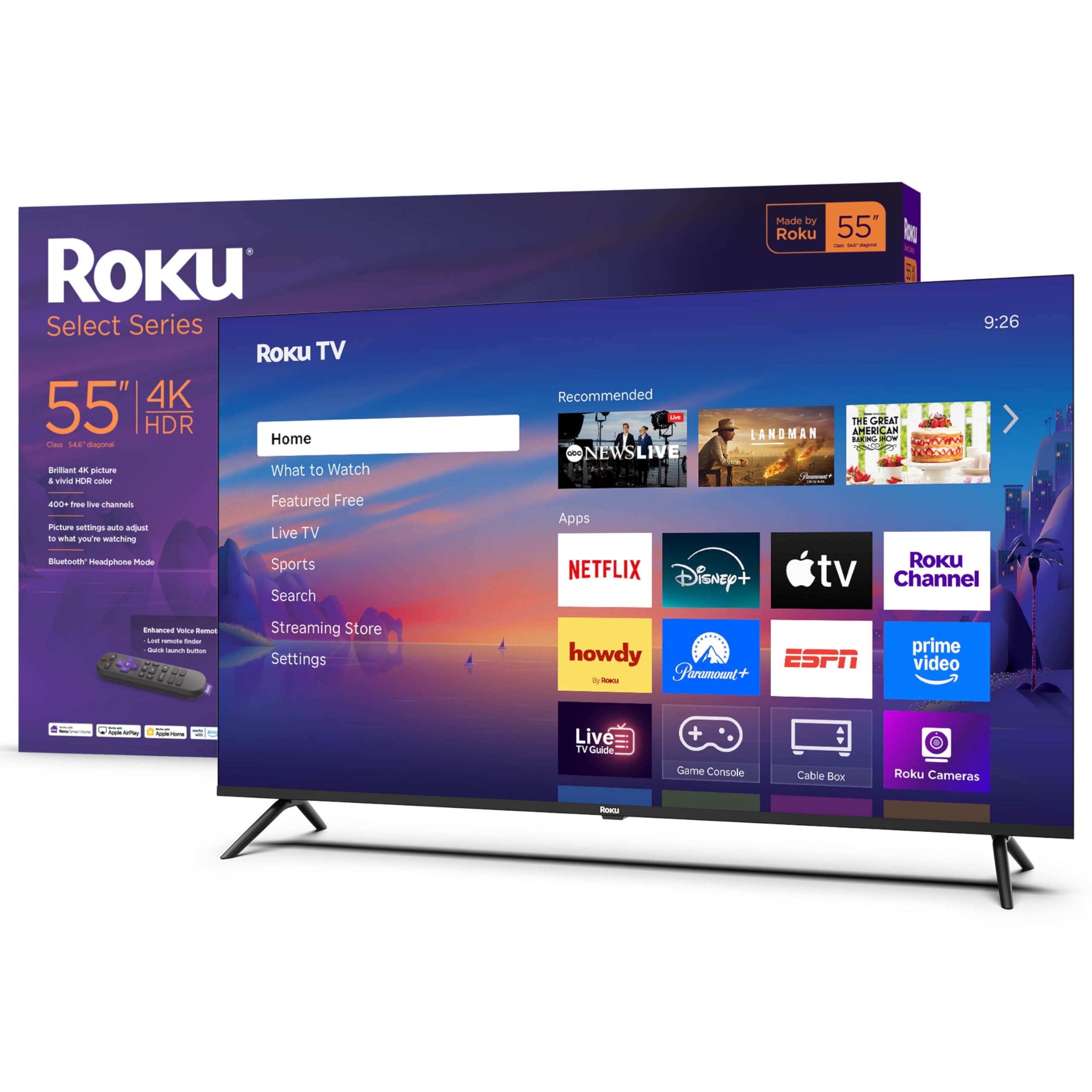
1. Roku Smart TV – 55-Inch Select Series
Our pick — 4.5+★ from 1,000+ verified ratings; the strongest balance of quality and price.
The set that proves a 55-inch 4K screen does not need a flagship badge to look right.
What makes this the top pick is not one dramatic number — it is the combination of a sharp 4K picture, HDR10 support so highlights and shadows keep their shape, and a 55-inch panel that lands in the size most living rooms and bedrooms actually want. Roku Smart Picture does the unglamorous work behind the scenes: it reads the incoming signal, cleans it up, and picks a picture mode for you. That matters if you are the kind of person who does not want to spend an evening in a settings menu.
The quiet strength here is the Roku home screen. Owners consistently point to how little friction sits between powering on and watching something, and this set pairs that with an enhanced voice remote that searches across apps by voice and includes a lost-remote finder for the couch-cushion problem everyone has. Bluetooth Headphone Mode pipes the audio to a paired headset so late-night viewing does not carry through the house, which is a small feature that changes how often you actually use the TV after dark. It holds 4.5+ stars across 1,300+ ratings, making it the model to beat for straightforward streaming.
Honest limits exist. The set runs a 60Hz panel, so a fast sports pan can show blocky edges around moving players — owners notice it in soccer and hockey more than in film. There is no 3.5mm headphone jack, so wired headphones need the Bluetooth route instead. And the panel gives you three HDMI inputs, which fills quickly once a console and a soundbar both want a slot. None of these undercut the value case; they simply tell you where this set belongs.
What earns the top spot
- 55-inch 4K panel with HDR10 handling for lifelike color
- Roku’s app-first home screen keeps streaming fast and simple
- Enhanced voice remote with a lost-remote finder
- Bluetooth Headphone Mode for quiet late-night watching
Where it asks you to compromise
- 60Hz panel shows motion edges on fast sports
- Three HDMI inputs only
- No 3.5mm audio jack
Reach for this if: you want a 55-inch 4K set that boots into your apps without a learning curve.
Look elsewhere if: a 144Hz-native panel for live sports is non-negotiable for you.
2. Hisense 55U65QF
Brightness and a native 144Hz panel crammed into a 55-inch frame that punches above its shelf.
If the Roku above is the easygoing choice, this Hisense is the one built for someone who cares about motion. A native 144Hz panel redraws 144 times a second, which is the difference between a quarterback’s throw looking clean and looking smeared. Add a Motion Rate 480 processing figure and AMD FreeSync Premium with a Variable Refresh Rate range of 48Hz to 144Hz, and you have a set where gaming lag and screen tearing are actively engineered out rather than hoped away.
The backlight does the heavy lifting on picture. Mini-LED means a dense array of tiny LEDs, and this panel runs up to 600 local dimming zones with up to 1000 nits of peak brightness — nits being a measure of how hard the light pushes out. In a room with a window behind the couch, that brightness is what keeps the image readable instead of washed. QLED color, Dolby Vision IQ and HDR10+Adaptive round out the format list, and a built-in subwoofer gives the set real low end without a soundbar box on the floor. Up to 600 local dimming zones keep blacks deep next to bright highlights, where cheaper LEDs look flat.
Two catches worth knowing before you cut the box open. First, not all four HDMI ports run the full HDMI 2.1 standard — only two do — so a 144Hz console belongs on the right port or you will never see the benefit. Second, this panel is a magnet for reflections; lights or a bright window directly behind your seat will show on screen and want a curtain. There is also the service question: extended coverage varies by retailer, and it is worth confirming what your specific purchase includes before you rely on it.
Why gamers lean here: 144Hz native, VRR from 48Hz to 144Hz, and FreeSync Premium are the exact trio that makes fast gameplay feel locked-in.
Set it up right: confirm which two HDMI ports support 2.1 before mounting a console, and plan for light control behind your seating.
Built for: a bright living room where sports and console gaming share the screen.
Costs you: port-hunting for the fast HDMI inputs and a glare-management habit.
3. Samsung 43-Inch Class QLED Q8F 4K UHD Smart TV
A 43-inch QLED that sits nearly flush to the wall and keeps its color in a bright room.
Color is the headline, and the number behind it is 100% Color Volume with Quantum Dot — nano-sized particles that reproduce the full spectrum, so shades stay saturated even as brightness climbs. The practical version: a sunlit kitchen does not turn the picture pale. The AirSlim design keeps the chassis thin and low-profile, so a wall-mounted 43-inch here reads as part of the room rather than a black rectangle bolted to it.
Motion gets real attention too. The Q4 AI Processor handles AI-tune color and sound, and VRR gaming runs at up to 4K 144Hz, which is a rarity on a 43-inch set. There is a deep free-content bench — 2,700+ channels including 400+ Samsung TV Plus premium channels — so the set is useful from the start before you add a single subscription. The Q8F holds its sharpness and color across scene changes instead of drifting.
The quirks are worth flagging honestly. The minimalist solar remote divides opinion hard — some love the reduced button count, others find the tiny print and the missing previous-channel button annoying. Menus are layered and take a few evenings to learn, and some settings only come via on-screen AI-chat help rather than a printed manual. Wall-mount holes sit high above center, which complicates mounting onto an existing bracket. The picture is the reason to buy; the interface is what you learn to live with.
This one earns its place when: the wall is your mounting plan and color accuracy in daylight is what you notice first.
Worth knowing: budget an evening for the menus and check your bracket against those high-set VESA holes.
4. TCL 55-Inch Class S5 UHD 4K LED Smart TV (55S551F)

A 55-inch Fire TV that hands you Dolby Vision and Atmos without asking for flagship money.
Start with the format list, because it is unusually complete for the tier: HDR PRO+ with Dolby Vision, HDR10+, HDR10 and HLG. That spread means the set accepts whatever HDR flavor an app sends and renders it rather than forcing a fallback. Dolby Atmos spatial audio and DTS Virtual:X fill in the sound side, and an Enhanced Dialogue Mode lifts speech clarity for movies where the music tries to bury the conversation — a small thing that makes a real difference on a set with rear-firing speakers.
Motion is handled by Motion Rate 240 with MEMC frame insertion, which adds interpolated frames between real ones to smooth panning. Auto Game Mode (ALLM) switches the set into low-latency mode the moment it detects a console. Fire TV lives inside the set, so live TV, games, music and the full app library all sit on one home screen with Alexa voice control and Apple AirPlay 2 for casting from an iPhone. Where this set wins its case is breadth of formats and size for the money.
The trade-offs are firmware-shaped. Fire TV here can feel slow — switching inputs or launching apps sometimes takes a beat — and the home screen carries visible promotional rows. Picture settings apply per-app and per-HDMI, which is more granularity than most people want to manage. Reliability readings split: plenty run daily for years without complaint, and a slice report freezing or needing a restart. Budget sound is the other honest note; a soundbar upgrade is the obvious next step if you care about bass.
The format advantage
- Dolby Vision plus HDR10+, HDR10 and HLG coverage
- Dolby Atmos and DTS Virtual:X audio processing
- Auto Game Mode switches to low latency on its own
- Fire TV and AirPlay 2 built in
What you will notice daily
- Fire TV interface can lag on input changes
- Picture settings saved per-app and per-port
- Rear-firing speakers want a soundbar for films
Go here if: you want the widest HDR format coverage at a mid-tier role.
Pause if: a snappy interface from the start matters more to you than format support.
5. Panasonic 65W70BP

A 65-inch panel with four HDMI ports, which is more connections than most sets this role offer.
Port count is the unglamorous thing that decides whether a TV fits your life, and this Panasonic gives you four HDMI inputs including one HDMI 2.1, so a console, a soundbar, a streaming stick and a cable box can all live plugged in at once. The HDR Bright Panel, powered by a 4K Studio Color Engine, handles HDR10+, HDR10 and HLG, and MEMC motion processing smooths panning so a wide stadium shot does not judder. Bluetooth support pairs both wireless speakers and headphones, which is more flexible than the single-purpose headphone mode on cheaper sets.
Setup is a documented strong point — QR-code pairing for Fire TV users gets most people running quickly, and the set pulls in prior viewing preferences if you already use the platform. Fire TV with Alexa voice control means one remote handles apps, channels and smart-home devices like lights and a thermostat via live camera feeds. What buyers consistently call out is how the picture reads: clear, bright and strong on color from the first evening.
The honest caveat here is support and software stability. A portion of units arrive dead or develop flickering or half-screen failures, and a few report the Fire TV layer running slowly with buffering despite fast internet. Warranty registration has caused headaches for some owners. The panel itself is praised; the electronics around it are the reason to keep the box and confirm your return window early. If your unit is healthy, this is a genuinely good 65-inch living-room set.
Takes the living room if: you need a 65-inch screen and four HDMI ports without a switcher box.
Keep in mind: other Fire TV sets here start faster and glitch less, so check the return window early.
6. Amazon Ember 40″ 2-Series with Fire TV

The 40-inch set that fits a media cabinet and boots into your apps in five minutes.
Full HD 1080p is the honest starting point — this is not a 4K panel, and it does not pretend to be. What it does deliver is a crisp, bright image at a size that suits a bedroom, kitchen or hobby room where a 55-inch would overwhelm the wall. A new quad-core processor and Wi-Fi 6 support keep apps launching quickly, and the newest Fire TV experience organizes content into dedicated categories so you spend less time scrolling and more time watching. Omnisense sensors wake the display when you walk in, which turns the set into a piece of ambient art when it is idle.
The Alexa+ remote is the operational center: press the voice button and you can search across apps in natural speech, manage smart-home devices, or ask a question. Two HDMI inputs cover a console plus one accessory, and AirPlay casts from compatible Apple devices. Owners consistently describe the setup as short and painless, and the interface as intuitive even for people who describe themselves as low on tech skill.
There are real limits to know about. The onboard speakers are weak, so a soundbar is close to mandatory for film nights. Ambient Mode shuts itself off after a short time, which undercuts the picture-frame idea if that was part of your plan. App stability draws a mixed read, and some report the interface growing sluggish over months. At 1080p, this is the right set for a room where a smaller, simpler screen is the point.
The size plays it straight: a 40-inch 1080p panel that fits standard media cabinets and pairs quickly with Fire TV.
Room to improve: weak built-in audio and an Ambient Mode that times out make the soundbar and the app setup the real finishing touches.
Suits: a bedroom or hobby room where 40 inches is the ceiling and simplicity wins.
Not for: anyone who wants 4K detail or built-in bass without a separate speaker.
7. Sony K-43S20M2

A 43-inch Sony that upscales ordinary content and talks to a PS5 in ways other brands cannot.
The processor is the story: the 4K Processor X1 drives a lifelike picture with rich color and sharp detail, and 4K XR-Reality PRO upscales lower-resolution content toward near-4K. Motionflow XR smooths fast sports and action scenes, and Google TV pulls every streaming app onto one screen with Apple AirPlay 2 and Google Cast support.
For PlayStation 5 owners there is a specific advantage almost nobody else offers: Auto HDR Tone Mapping and Auto Genre Picture Mode tune the picture automatically when a PS5 is detected, and the Game Menu groups every gaming setting in one place. Sony Pictures CORE adds a movie library to the package. The Bravia holds sharpness and natural color, and it upscales older black-and-white content cleanly. Build quality is consistently noted as a reason people come back.
Two honest notes. First, this is a 43-inch panel — great for a normal living room or a kitchen, cramped for a wide viewing group. Second, readings on reliability split: many run for years without a hitch, and a smaller group report freezing and Wi-Fi drops that need a restart. That is not a reason to avoid the brand, but it is a reason to keep the return window open and note the unit’s behavior in the first weeks.
The clear fit: a PS5 owner who wants the console’s HDR auto-tuned without touching a menu.
Think twice if: the room is large enough that a 43-inch picture will feel small from the couch.
8. TCL 65 Inch T7 Series 4K 144Hz QLED Smart Google TV (65T7)
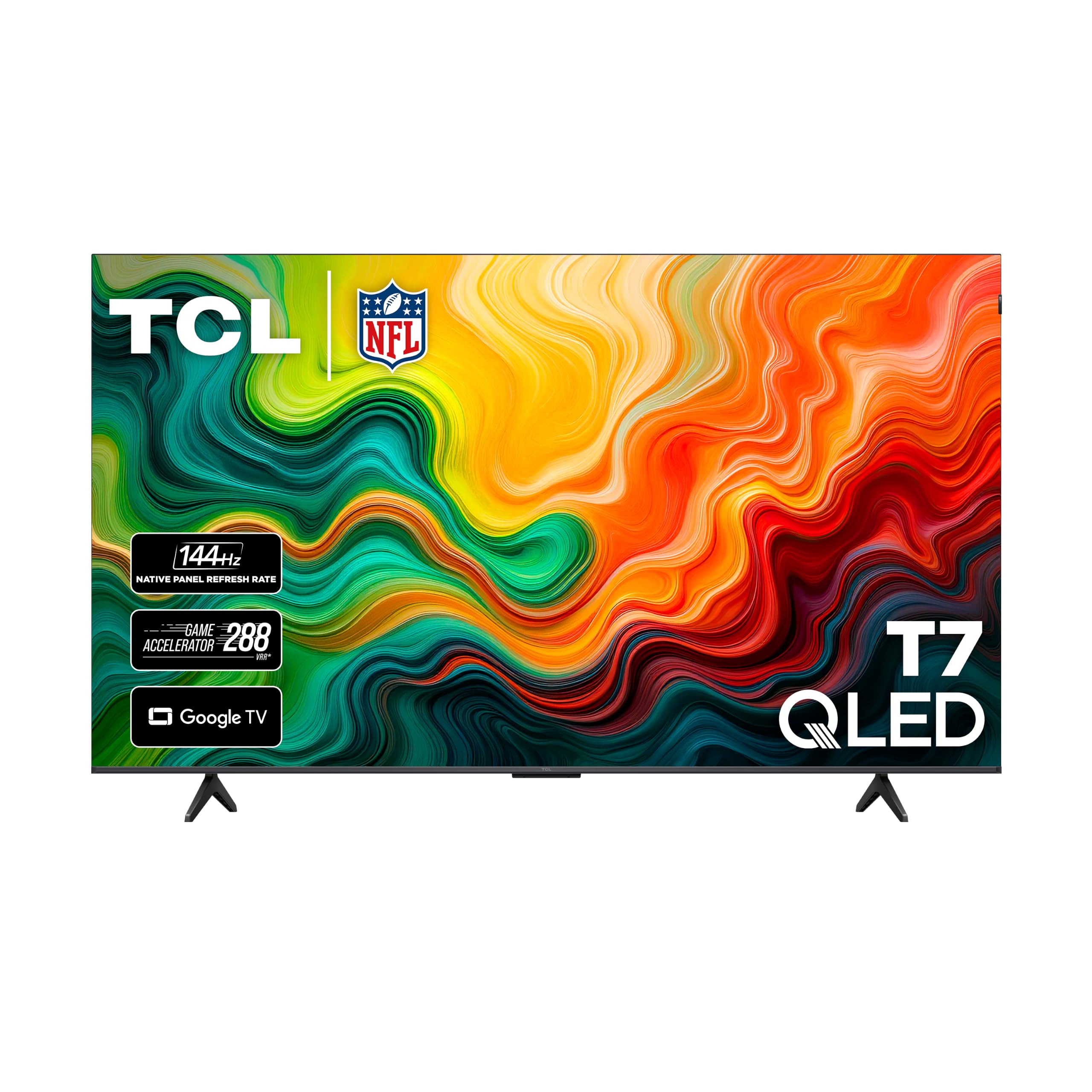
A 65-inch QLED running a 144Hz panel and four HDMI ports, with one carrying eARC.
This is the set where the panel spec and the size land together. The 144Hz panel refresh rate (144 redraws a second) makes fast sports and action games look smooth, and the TCL AIPQ Pro processor continuously tunes color, contrast and clarity. QLED Quantum Dot color reaches nearly the entire DCI-P3 color space — the color range cinema content is mastered in — so the palette looks rich rather than stretched. HDR PRO+ with Dolby Vision, HDR10+, HDR10 and HLG covers every major format, and Dolby Atmos audio adds a sense of height to the sound.
Layout and usability are where owners get enthusiastic. The FullView 360 bezel-less metal design with height-adjustable feet lets you slide a soundbar underneath without raising the screen. Four HDMI inputs with eARC mean a console and a receiver can share the panel cleanly. Google TV responds fast and moves between apps without lag, and the motion-sensing backlit remote glows in the dark. At 65 inches it delivers deep contrast and vibrant highlights that read as a premium set rather than a budget one.
The fine print: not every HDMI port runs 144Hz — some are 60Hz at 4K — so plug your high-refresh device into the right one. A minor glare shows up in very bright rooms. Reliability draws a mixed read, with an occasional unit shutting off on its own. And the picture is very good rather than reference-grade — those who put Samsung and LG panels side by side describe it as close but not quite there. At this size and refresh rate, that is a fair trade.
Where it shines brightest
- 144Hz QLED panel at 65 inches
- Four HDMI inputs, one with eARC
- Adjustable feet make room for a soundbar
- Google TV interface runs fast and smooth
Before you commit
- Only some HDMI ports are 144Hz-capable
- Picture trails Samsung and LG at the margins
- Reflections need managing in bright rooms
The buy signal: a big 65-inch screen that handles sports and console gaming without a motion smear.
The catch: confirm which port does 144Hz before you wire the console in.
9. LG OLED77G3PUA

A 77-inch OLED built to hang nearly flush to the wall and then vanish into it.
At 77 inches with OLED evo’s per-pixel light control, this is the set you build a room around, not the other way round. The a9 AI Processor Gen6 — made specifically for LG OLED — drives the picture, and Brightness Booster Max adjusts it for up to 70% brighter images, which is the figure that answers the old OLED complaint about dim rooms. Dolby Vision and Dolby Atmos bring the cinema formats home, and FILMMAKER MODE turns off the processing so a film looks the way the director cut it.
One Wall Design means the included wall bracket leaves virtually no gap between the TV and the wall, and when the set is idle it can display paintings and photos so it blends into the room. webOS 23 groups apps into Quick Cards, the Magic Remote handles navigation, and over 300 free channels come via LG Channels. A 5-year panel warranty backs the premium tier. It pairs near-cinematic detail and depth with true blacks that make other panels look flat. This is the set for someone chasing the best picture in the house.
The catch is logistics. No stand is included — this panel assumes a wall — so a swivel or universal stand is an extra purchase if you are not mounting. The Magic Remote’s scroll wheel doubling as an enter button frustrates some, and a small number of units arrive with panel defects that need a return. Those are real, but they sit inside an overwhelmingly positive picture. Just plan your mount and your remote patience before the box arrives.
The picture case: OLED evo blacks, up to 70% brighter images via Brightness Booster Max, and Dolby Vision with FILMMAKER MODE for a true-to-source look.
The setup case: One Wall Design gives a near-flush hang, but with no stand included you will buy one if you are not mounting.
For the home-cinema builder: a dark room and a wall that deserves a 77-inch OLED.
Factor in: a stand and a wall mount are separate purchases, and the Magic Remote has a learning curve.
Know the Specs
Panel technology: LED, QLED, Mini-LED, OLED
An LED panel lights the whole screen from behind with a backlight, which is the simplest and usually cheapest way to build a TV. QLED adds a quantum dot layer over that backlight — tiny particles that sharpen color, so a green field and a red jersey look distinct rather than muddied together. Mini-LED shrinks the backlight LEDs and groups them into dimming zones, which lets part of the screen go dark while another stays bright. OLED flips the whole idea: each pixel makes its own light and can switch fully off, so blacks go truly black and viewing angles stay wide. In practice, Mini-LED tends to win on raw brightness, OLED on contrast — and the right answer depends on whether your room gets a lot of daylight.
Refresh rate vs. motion rate
Refresh rate is how many times per second the picture redraws, in Hz. A native 144Hz panel genuinely redraws 144 times a second, which is what keeps a fast camera pan from smearing, and it is the number a gamer or a sports fan should hunt for. Motion rate is a different figure: it describes how much processing the set applies to smooth motion, and it is always higher than the panel number. A set advertising “Motion Rate 480” on a 144Hz panel is combining frame insertion and de-blurring, not redrawing 480 times. When two sets are otherwise close, compare the native panel number — never the motion rate — before you decide.
Common Questions
Will a 55-inch TV be too big for a bedroom?
Is 144Hz worth it over 60Hz for a TV?
Do I need all four HDMI ports active at once?
What is the difference between Dolby Vision and HDR10?
Can I mount a TV without buying a separate stand?
Will my soundbar fit under the TV feet?
Do Fire TV sets need an Amazon account?
How much brighter is a Mini-LED set than a standard LED?
Is an OLED TV worth it for a bright room?
The Bottom Line
For most rooms, the memorial day sales televisions winner is the Roku 55-Inch Select Series because it delivers a sharp 4K HDR10 picture, a friction-free Roku home screen and Bluetooth headphone mode at the size most living rooms want — and it holds a 4.5+ star read that earns it the top slot. If live sports and console gaming are your priority, the Hisense 55U65QF brings a native 144Hz panel, up to 1000 nits and FreeSync Premium. And for a cinema-dark room where picture quality is the whole point, the LG G3 77-inch OLED evo is the one to build around — just plan your wall mount and stand before it arrives.
The Roku Select Series at the top of this list is the clearest example of that pattern. Match the panel to your room and your habits, and confirm the ports and mount before you buy.
How we choose
We do not accept paid placement. Every pick is matched to a real buyer and a real use-case; we do not hands-on test units.
Sources
Specifications: manufacturer listings and product documentation. Review insights: verified customer reviews, as of October 2026. Pricing: not shown on this page (it changes often); check the current price via the retailer link.
As an Amazon Associate, Aappliancez earns from qualifying purchases. This does not affect which products we feature.