Disclosure: Some links in this post are affiliate links. As an Amazon Associate I earn from qualifying purchases, at no extra cost to you. Learn more
Specs are compiled from manufacturer listings and verified buyer reviews and can change over time — please confirm the key details on the product page before buying.
If your Plex library stutters, buffers, or forces your server to transcode every file you own, the problem is usually the streaming box, not your server. The right box direct-plays your 4K HDR files, passes Dolby Atmos and DTS audio through to your receiver untouched, and holds a stable connection to your server over Wi-Fi or Ethernet. This guide separates the boxes that genuinely handle a local Plex library from the sticks that choke on it.
This guide is built by comparing the manufacturers’ published specifications and the patterns across verified customer reviews, so you get each pick’s real strengths and trade-offs instead of marketing spin.
Plex is picky about hardware, so the box you choose decides whether your library plays cleanly or fights you every night. Below you will find the strongest picks for a media streaming device for plex, sorted by what each one actually does well.
Top Picks

How To Choose The Best Media Streaming Device for Plex
Plex rewards a very specific set of hardware traits, and most streaming sticks are built for subscription apps, not for the heavy lifting a personal library demands. When you hit play on a 60 GB remux file, the box has to decode the video, pass the audio through cleanly, and keep the connection to your server steady. Get any of those three wrong and you get the spinning wheel, the audio dropout, or the forced transcode that pins your server at full load. The sections below cover the specs that decide Plex playback, so you can match a device to your library’s codecs and audio formats.
Why Direct Play And Direct Stream Beat Transcoding
Direct play means the box plays your file exactly as it sits on the server, with no conversion on either end. Transcoding means Plex has to convert the file in real time, which eats your server’s processor and can soften the picture. A box that supports the codecs your library uses, like H.264, HEVC (also called H.265), and the newer AV1, will direct-play far more of your collection. The fewer files your server has to transcode, the smoother each stream plays and the more simultaneous viewers it can handle.
Audio Passthrough Is Where Cheap Sticks Fall Apart
Plex libraries are full of high-definition audio: Dolby Atmos, DTS, and Dolby Digital Plus. Passthrough sends that audio untouched to your soundbar or AV receiver so the receiver does the decoding, which sounds better and keeps stress off the box. If a stick cannot pass the format through, Plex either converts the audio or drops it down to a simpler track. If you run a surround setup, check that the device supports the audio formats your files carry before you buy.
Wired Ethernet Beats Wi-Fi For Big Local Files
A single 4K HDR movie can run far larger than anything you stream from Netflix, and that size punishes a weak connection. Gigabit Ethernet (a wired connection that moves data at up to one gigabit per second) is the steadiest path for a home server, because it does not compete with the rest of your household’s Wi-Fi traffic. If you cannot run a cable, Wi-Fi 6 and Wi-Fi 6E help by using wider channels and better scheduling, but a wire is still the most stable choice for large local files.
Storage And RAM Matter If The Box Runs The Server
Some boxes can host the Plex Media Server themselves, and that changes what you should look for. Metadata, artwork, and thumbnails take up room, and a small internal drive fills up faster than you expect once your library grows. More RAM and expandable storage through a USB port give the server room to breathe, which keeps menus and library browsing snappy. If you plan to run the server on the box, prioritize RAM, storage, and USB expansion over raw streaming app count.
Side-by-Side Comparison
| Model | Best For | Connectivity | Storage / RAM | Form Factor | Amazon |
|---|---|---|---|---|---|
| Roku Streaming Stick 4K with Voice Remote★ Best Overall | Everyday 4K Plex over Wi-Fi | Wi-Fi, HDMI | — | TV Stick | Amazon |
| NVIDIA Shield Android TV ProTop Performer | Running the Plex Media Server | Ethernet, Wi-Fi, Bluetooth 5.0 | 16 GB / 3 GB RAM | TV Box | Amazon |
| Dune HD Pro Vision 4K | Local-file purists and high-def audio | 1Gbit Ethernet, Dual Band Wi-Fi, USB 3.0 | 64 GB / 4 GB RAM | TV Box | Amazon |
| Amazon Fire TV Stick 4K Plus | Budget 4K streaming with voice search | Wi-Fi 6, HDMI | — | TV Stick | Amazon |
| Amazon Fire TV Stick 4K Max | Fast app starts on a budget | Wi-Fi 6E, HDMI | 16 GB | TV Stick | Amazon |
| Xiaomi Android Google TV Box S (3rd Gen) | Google TV fans wanting more storage | Wi-Fi 6, Bluetooth, USB, HDMI | 32 GB / 2 GB RAM | TV Box | Amazon |
| Google TV Streamer 4K | Smart home control plus 4K HDR | Ethernet, Wi-Fi | 32 GB | TV Box | Amazon |
Detailed Reviews
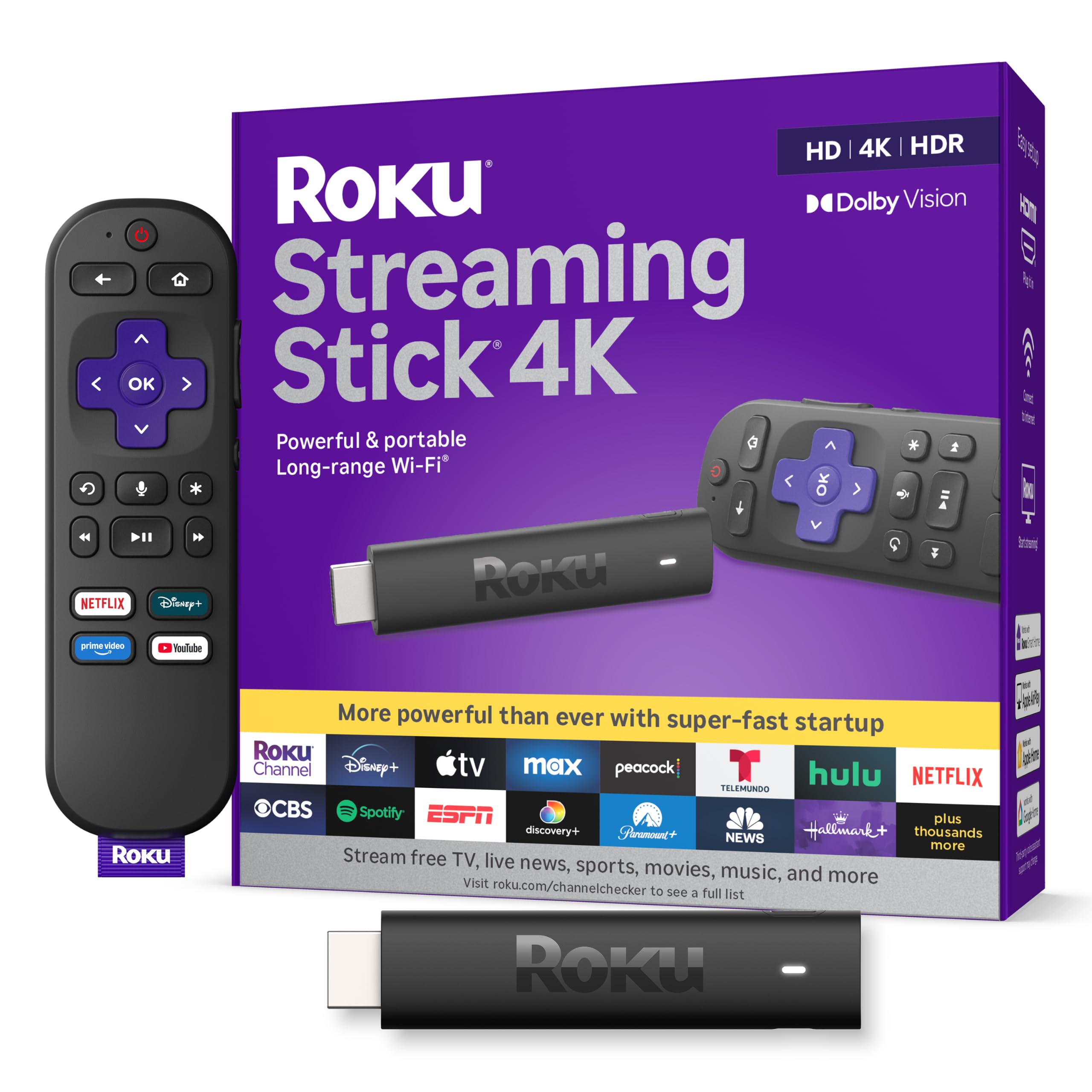
1. Roku Streaming Stick 4K
Our pick — over 4.5★ from 99,000+ verified ratings; the strongest balance of quality and price.
The do-it-all stick that treats your Plex server like just another app.
The Roku Streaming Stick 4K earns the top spot because it does the one thing Plex users need most: it streams your library steadily without fuss. A direct Wi-Fi connection to your server handles 4K without drama, and the long-range Wi-Fi receiver means a stick in a back bedroom can still pull from a router across the house. The 4K picture with Dolby Vision and HDR10+ brings out the detail your files already carry, and the voice remote handles search across your apps in plain speech.
What wins people over is the sheer breadth of free and live content, plus an interface simple enough that anyone in the house can work it. Owners describe a home screen that stays uncluttered and apps that respond without lag, and the 4K stick builds on that reputation with a faster processor than the cheaper Roku models. As the review pages put it, the connection “handles 4K streaming from server fine,” which is exactly the bar a Plex box has to clear.
The honest trade-off is the remote. The buttons are not backlit, so hunting for a key in a dark room takes some finger memory, and the placement of the volume rocker leads to the occasional accidental mute. There is also no input or source button, so switching your TV back to cable means reaching for the TV remote. Treat the unlit buttons and missing input key as small gripes, not reasons to skip the Roku.
What Carries It
- Long-range Wi-Fi receiver holds a steady 4K connection to a Plex server across the house
- 4K with Dolby Vision and HDR10+ for the resolution your library files already offer
- Compact 3.7″L x 0.8″W x 0.45″H body hides behind the TV and won’t block neighboring HDMI ports
- Voice remote with TV power, volume, and mute buttons, plus a simple uncluttered home screen
Where It Asks Patience
- No input or source button, so you still need the TV remote to switch inputs
- Buttons are not backlit, which slows down dark-room use
- Occasional mid-show stops on some apps have been noted
Settle On This If: you want the simplest 4K Plex box that works on any TV, in any room, with the least setup friction.
Signal Check: if your server is in a far corner with weak signal, plan on a wired connection or a mesh node before blaming the stick.
2. NVIDIA Shield Android TV Pro
The box that skips the server entirely and just runs Plex itself.
If you want one device to hold your library and play it, the Shield Android TV Pro is built for exactly that. It runs the Plex Media Server internally, driven by the NVIDIA Tegra X1+ chip (NVIDIA’s streaming and gaming processor), 3 GB of RAM, and 16 GB of storage. Two USB 3.0 ports let you hang external drives straight off the box, and Gigabit Ethernet gives the server a wire to pull from when you plug in a NAS (a box on your network that stores files). The picture work is strong too, with Dolby Vision HDR and an AI upscaling feature that sharpens low-resolution sources into a cleaner image.
The thing everyone raves about is raw power. Reviews describe the box feeling snappier than Fire TV and Roku units, with Dolby Atmos music passing cleanly to an AV receiver, and it runs verified Android rather than the stripped-down operating systems cheap boxes use. One owner who had run Roku for years summed up the switch simply: Plex and Jellyfin finally played without fights.
Here is the catch a Plex server owner has to plan around. The 16 GB of internal storage fills up fast once Plex builds its metadata and artwork, and one long-term Shield owner reports the server bogging down after a couple of years until an external drive was added for the Plex metadata cache. Budget for a USB drive from day one if you plan to host the server here. For pure streaming only, many buyers feel a cheaper stick does the job fine.
The Plex Server Angle: built-in Plex Media Server support, 3 GB of RAM, two USB 3.0 ports, and Gigabit Ethernet make it the only pick here ready to host and play from one box.
Pick It If: you want to consolidate your server onto the streaming box and skip running a separate computer.
Plan Around: that 16 GB of built-in storage will need a USB drive once Plex artwork and metadata pile up.
3. Dune HD Pro Vision 4K

A file-format glutton that treats every codec as a personal challenge.
For the Plex user whose library is a graveyard of odd formats, the Dune HD Pro Vision 4K is the least forgiving box to throw files at, because nothing gets refused. It runs the Amlogic S905X4-J chip with 4 GB of RAM and 64 GB of built-in storage, drives a full range of HD audio formats through HDMI in bitstream passthrough, and can decode those same formats down to multichannel PCM. The AV1 codec support matters more every year, since AV1 is a newer video format that delivers the same picture quality at lower bit rates, and services keep adopting it.
Dune’s VS10 video processor (a dedicated image engine that converts between SDR and HDR signals) plays a role here, especially if you are feeding a projector rather than a modern TV. The metal housing works as a heat sink for silent, fanless cooling, so the box does not buzz during quiet scenes, and the Dune Control app turns a phone into a full remote that mirrors what is on the TV screen. Automatic frame-rate switching keeps motion looking smooth.
Two things to weigh. This model drops support for older BD3D technology and for playing PCM music at its original sampling rate, so if those are dealbreakers, Dune points you to a higher 8K model. The included R3 remote also lacks a backlight. The stronger reason to pause is price relative to a stick, but the trade is a box that handles anything without complaint.
Format Freedom: AV1 decoding, HD audio passthrough and PCM conversion, 1Gbit Ethernet, and USB 3.0 make this the pick for the file hoarder with exotic sources.
Quiet Running: the fanless metal enclosure doubles as a heat sink, so the box works without any moving parts to make noise.
Reach For It When: your library is full of formats other players choke on, or you drive a projector that needs clean video and audio conversion.
One Thing To Know First: it drops BD3D support and original PCM sampling rate music playback, so heavy 3D or high-resolution music users need Dune’s higher-tier model.
4. Amazon Fire TV Stick 4K Plus

A wallet-friendly 4K stick that revives any TV without breaking a sweat.
If Plex is only part of your viewing and you want the cheapest path to 4K on an old TV, the Fire TV Stick 4K Plus is the obvious starting point. It brings Wi-Fi 6 (a wireless standard that keeps its speed steadier when the whole house is online), support for Dolby Vision, HDR10+, and Dolby Atmos, and a voice remote that powers your TV on and off while running the volume. Hundreds of thousands of movies and shows across your subscriptions sit in one searchable hub, with a healthy pile of free ad-supported channels on top.
The feature that stands out most is how little setup it takes. Owners describe reviving older TVs in minutes, with a quick connection and clear picture that feels like an upgrade without buying new hardware. The remote carries handy preset buttons and a volume rocker you can find in the dark.
Now the honest part for Plex, because it matters. This stick streams your library fine in typical formats, but if your collection leans heavily on lossless FLAC audio, it struggles. Buyers report the Fire Stick 4K Plus powering down after 20 to 40 minutes of FLAC playback with audio distortion, while other platforms stream the same files without issue. For that specific high-def audio niche, the Fire TV Cube is the direction the data points toward, not this stick. For everything else, it is a straightforward, dependable pick.
Where It Wins: Wi-Fi 6 plus Dolby Vision, HDR10+, and Dolby Atmos at an entry-level price, with the fastest setup in the group.
For Plex Specifically: a pick for standard-format libraries; lossless FLAC streaming is where owners mention it stumbles.
Ideal For: budget-minded viewers who stream mostly standard formats and want an instant 4K upgrade for an older TV.
Skip If You: keep a Plex library built on lossless FLAC audio, where this stick has a documented weak spot.
5. Amazon Fire TV Stick 4K Max

The budget stick that acts like it cost twice as much.
The Fire TV Stick 4K Max answers one complaint about cheap sticks: launch speed. A faster processor keeps app starts snappy and navigation fluid, and 16 GB of internal storage — double what Fire TV Stick 4K Plus and other Amazon sticks carry — means more room for the apps and games you want around. Wi-Fi 6E pushes into a newer band that keeps your Plex stream steadier when the rest of your network is busy, and the upgraded remote adds voice control, a recents button, and dedicated channel buttons for live TV.
The picture supports 4K Ultra HD with Dolby Vision, HDR10+, and Dolby Atmos, and the Fire TV Ambient Experience adds a rotating gallery of over 2,000 pieces of art and photography for when the screen is idle. Cloud gaming through Xbox Game Pass and Luna lets the stick double as a game streamer, no console in sight.
The clever budget choice, but it does not solve the Plex audio issue. This stick is not the one to buy for lossless audio playback — the same high-def FLAC weakness that dogs the cheaper Fire TV model applies to Amazon’s Fire TV line generally, so treat it as a library player for standard formats, not a hi-fi box. And the home screen stays ad-heavy, which owners consistently flag. Neither flaw is a dealbreaker at this tier, but know them before you buy.
Speed Is The Story: a faster processor with 16 GB of storage — double the Fire TV Stick 4K Plus — delivers quick app loads and fluid navigation at a budget-tier position.
Also Worth Knowing: Wi-Fi 6E connectivity, Dolby Vision, HDR10+, Dolby Atmos, and over 2,000 pieces of ambient art round out a feature list that punches well above the tier.
Best Value Here If: you want fast, feature-rich 4K streaming for a small spend and use your Plex library in standard audio formats.
Keep Looking If: lossless Plex audio is your priority, since Amazon’s Fire TV sticks show the same high-def FLAC weak spot.
6. Xiaomi Android Google TV Box S
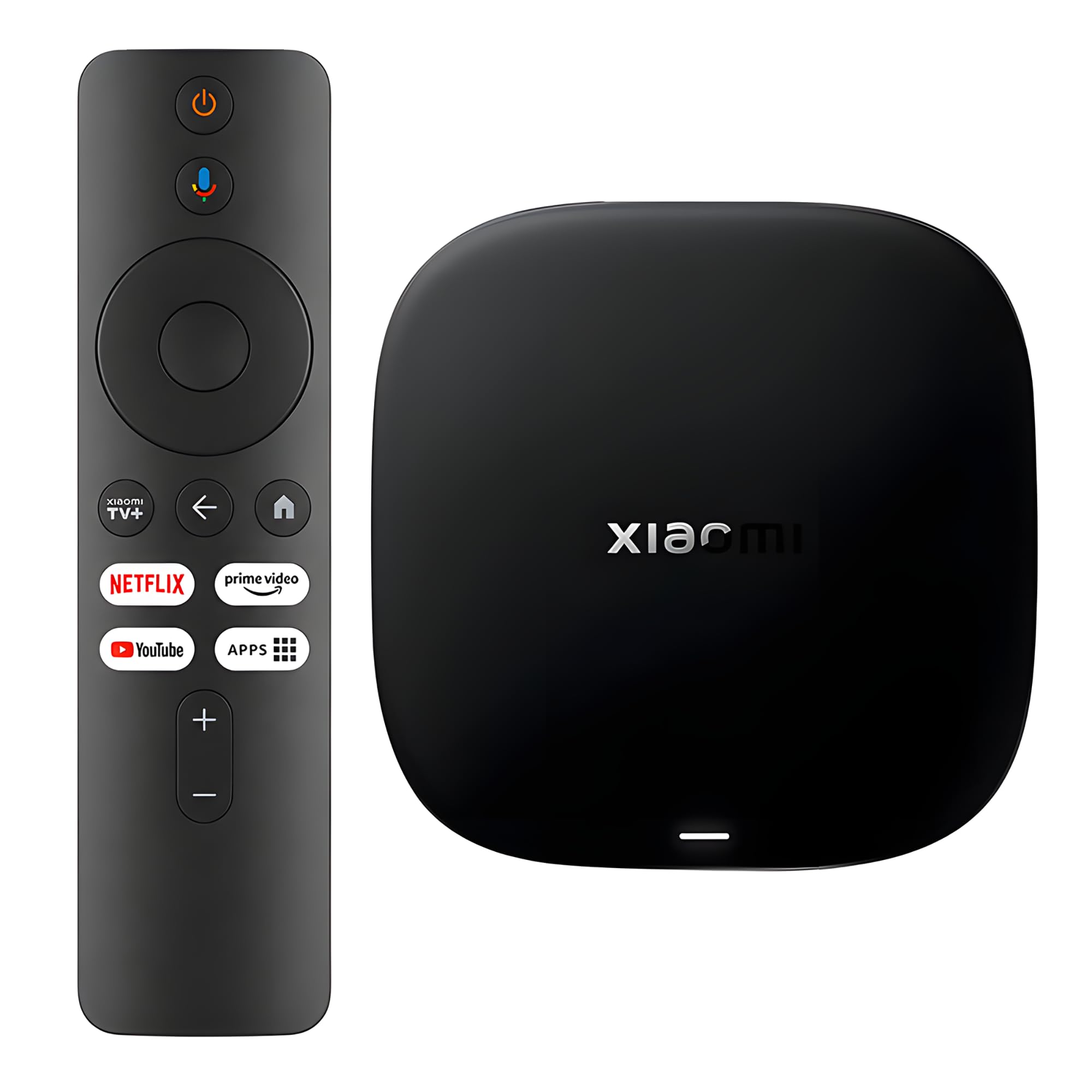
A tidy little box that brings Google TV and 32 GB of room to any screen.
The Xiaomi TV Box S (3rd Gen) is the pick for anyone who prefers the Google TV interface over Amazon’s. It runs 4K UHD with HDR10+ and Dolby Vision for picture, and Dolby Atmos plus DTS:X for audio, so it handles the two main high-def surround formats your library might carry. Under the hood sits a 64-bit 6nm platform with a quad-core A55 CPU running up to 2.5GHz, backed by 2 GB of RAM and 32 GB of storage. Wi-Fi 6 keeps the connection quick with wider bandwidth and better handling of many devices at once.
Storage is the quiet highlight. Buyers who install a lot of apps describe the 32 GB of room as breathing space, the kind of headroom that stops you constantly deleting things to make space. The 360° Bluetooth remote handles voice search through Google Assistant, and Google Cast lets you throw content from a phone or tablet straight to the TV.
Two points to weigh honestly. The remote earns some criticism, and one unsatisfied owner described the whole interface as clumsy — but that is very much an outlier against a stream of satisfied owners, so weigh it against your own preference for Google TV. More practically, this is a mid-tier box competing with cheaper and pricier options, so you are buying it for the interface and the storage, not for the lowest entry point. If you want the Google TV interface and 32 GB of app storage, it delivers both.
The Case For It: Google TV interface, 4K UHD with Dolby Vision, HDR10+, Dolby Atmos and DTS:X audio, and a Wi-Fi 6 connection with a 64-bit 6nm quad-core A55 CPU up to 2.5GHz.
Room To Breathe: 2 GB of RAM and 32 GB of storage mean you can load up on apps without constantly managing space.
The Right Fit: Google TV loyalists who want a clean setup with real storage room and full support for Dolby Vision, Atmos, and DTS:X audio.
Fair Warning: the included remote draws mixed feelings, and this sits in mid-tier territory rather than the budget basement.
7. Google TV Streamer 4K

Google’s own box, built to run your TV and your smart home from one remote.
The Google TV Streamer 4K is the pick for the household that wants one device to gather every service and control the house. It pulls movies and shows from all your apps onto a single home screen, watches up to 4K HDR with Dolby Vision, and can pass audio to Dolby Atmos speakers. It supports live TV with over 800 free channels from services like Pluto TV and Tubi, and if you spot something worth watching on your phone or in a Google search, you can add it to your watchlist so it is waiting on the TV.
The feature owners rave about is how much of the smart home it absorbs. It controls compatible lights, cameras, and other devices from the same remote, and the included voice remote and Ethernet port give you a stable wired option for streaming. Reviewers describe easy plug-and-play setup that revives an old TV in under ten minutes, one noting it is even simple enough for older family members to operate.
Two honest limits stand out. Unlike the Roku Streaming Stick 4K, this box does not come with an HDMI cable, so you supply your own. And there is no USB port for external storage, which matters if you had planned to hang a drive off it for a Plex library. It is also a premium-tier pick, so the appeal is convenience and smart home control, not budget value. If smart home control and 32 GB of storage fit your setup, it stays comfortable for years.
Why It Ranks High: 32 GB of storage, up to 4K HDR with Dolby Vision, Dolby Atmos audio, over 800 free channels, and Ethernet included for a stable wired stream.
The Smart Home Angle: built-in control of compatible lights, cameras, and devices from the same voice remote makes it a hub, not just a streamer.
Choose It If: you want one premium box to gather your services, run your smart home, and stream 4K HDR over a wired connection.
Know Before Buying: it ships without an HDMI cable and has no USB port, so a direct-attached Plex library is off the table.
Know the Specs
Video Codecs And Plex Direct Play
A codec is the format a video file is compressed in, and Plex plays nicest when the box can read your file’s codec without converting it. Support for H.264, HEVC (H.265), and AV1 covers the broadest range, since AV1 is a newer format that delivers the same picture quality at lower bit rates. When a box supports your codecs, Plex direct-plays the file, which keeps your server cool and the picture sharp. When it does not, Plex transcodes, and the server pays the price in heat and dropped frames.
Audio Passthrough And Surround Sound
Passthrough sends the audio track untouched to your receiver or soundbar so it does the decoding, and that is the cleanest path for high-def formats like Dolby Atmos and DTS:X. Some boxes can also decode those formats internally down to multichannel PCM, which helps if your soundbar cannot handle the original format. For a Plex library full of high-def audio, passthrough support is the spec that decides whether you hear the real track or a simplified version.
RAM And Storage For A Hosted Server
If a box runs the Plex Media Server itself, RAM and storage become everyday concerns rather than trivia. Metadata, artwork, and thumbnails accumulate quickly, so a small internal drive can fill up within a couple of years of heavy watching. More RAM keeps library browsing responsive once the server holds a large catalog, and a USB port for external storage is the safety valve that keeps the server running smoothly for the long haul. Look for both if you plan to host.
Wi-Fi Standards Vs A Wired Connection
Wi-Fi 6 and Wi-Fi 6E use wider channels and better scheduling to keep speeds steadier when your whole household is online, which helps a 4K Plex stream compete for bandwidth. Wi-Fi 6E reaches a newer band that is often less crowded. Even so, a wired Gigabit Ethernet connection remains the most stable path for pulling large local files, because it sidesteps Wi-Fi traffic entirely. If your server sits close enough for a cable, the wire is the surer choice for smooth playback.
Common Questions
Why does my Plex library stutter when Netflix streams fine?
Do I need a streaming box with Ethernet for Plex?
What do I need for lossless FLAC audio in Plex?
Can a streaming box run the Plex Media Server itself?
Is Wi-Fi 6E better than Wi-Fi 6 for a Plex server?
Will HDR and Dolby Vision work through Plex on these devices?
How much storage does a Plex streaming box need?
Which Plex device supports AV1 and the newest codecs?
Does the Dune HD Pro Vision 4K support 8K video?
Can I use a Plex streaming box for free channels and live TV too?
The Bottom Line
For most people building a Plex setup, the winner among these media streaming device for plex picks is the Roku Streaming Stick 4K with Voice Remote, because it streams your 4K library steadily over Wi-Fi without fuss and works on any TV in the house. If you want to run the Plex Media Server on the box itself, grab the NVIDIA Shield Android TV Pro and add a USB drive for its Plex metadata. And if your library is a pile of odd formats and high-def audio, the Dune HD Pro Vision 4K is the one to reach for.
How we choose
We do not accept paid placement. Every pick is matched to a real buyer and a real use-case; we do not hands-on test units.
Sources
Specifications: manufacturer listings and product documentation. Review insights: verified customer reviews, as of October 2026. Pricing: not shown on this page (it changes often); check the current price via the retailer link.
As an Amazon Associate, Aappliancez earns from qualifying purchases. This does not affect which products we feature.