Disclosure: Some links in this post are affiliate links. As an Amazon Associate I earn from qualifying purchases, at no extra cost to you. Learn more
Specs are compiled from manufacturer listings and verified buyer reviews and can change over time — please confirm the key details on the product page before buying.
A clip-on hardshell takes the scuffs, dents and corner hits of backpacks, café tables and tray tables instead of your Air. Here is the short answer: the SUPCASE Unicorn Beetle is the one most people should buy, because it pairs a shock-absorbing wraparound bumper with a clear lid that still shows your Apple logo. If you want a built-in stand, the MOSISO does that job. And if all you want is a sleeve to slide your Air into, the tomtoc has reinforced corners for exactly that.
This guide is built by comparing the manufacturers’ published specifications and the patterns across verified customer reviews, so you get each pick’s real strengths and trade-offs instead of marketing spin.
The thing almost nobody checks before buying is the model number printed on the underside of their laptop, and getting it wrong is the single most common reason a case goes straight back. This guide sorts the genuine fits from the near-misses so you can pick the right macbook air protective case the first time.
Top Picks
How To Choose The Best MacBook Air Protective Case
Before you buy any MacBook Air case, answer one question: which Air do you actually own? Apple has shipped several 13-inch and 13.6-inch Airs since 2022, and each one uses a slightly different body. A case built for one will not clip onto another. Once you have confirmed the fit, then you can decide on the material, the bumpers, the stand, and the extras in the box.
Find your model number before anything else
Flip your MacBook Air over and look for a small line of text near the hinge. It reads something like A2681 or A3113. That is your model number, and it is the only reliable way to match a case to your machine — screen size alone is not enough, because the 13-inch and 13.6-inch Airs get confused constantly. Write it down, then compare it against the compatibility list on any case you are considering. If your number is not on that list, move on.
Polycarbonate, TPU, or both?
Polycarbonate is a hard, rigid plastic — the same family of material used in impact-resistant eyewear. On its own it shrugs off scratches and scuffs well but can crack under a sharp hit. TPU is a rubbery, flexible plastic that bends and springs back, which is why it is used for bumpers and corner guards. The best cases mix the two: a rigid polycarbonate shell for the flat panels and soft TPU at the edges and corners where drops actually land. If a listing mentions both materials, that is the combination doing real work.
The features that change your daily use
Beyond protection, a few practical details matter. Ventilation cutouts on the bottom let heat escape, which matters because the MacBook Air has no fan inside. Raised rubber feet lift the base off the desk and stop the whole thing sliding around. A keyboard cover keeps crumbs and coffee out of the gaps between keys. And if you type or take video calls for hours, a fold-out kickstand changes the angle of the whole laptop. Decide which of those you will genuinely use, because each one adds weight.
Side-by-Side Comparison
| Model | Best For | Material | Compatible Size | Weight | Amazon |
|---|---|---|---|---|---|
| SUPCASE Unicorn Beetle★ Best Overall | Everyday all-round protection | Polycarbonate + TPU | 13.6 inches | — | Amazon |
| MOSISO 2-in-1 with KickstandMost Versatile | Typing and video calls | Polycarbonate + TPU | 13 inches | 0.53 kg | Amazon |
| IBENZER Hexpact | Rugged drop protection | TPU + Polycarbonate | 13 inches | 368.54 g | Amazon |
| Batianda AstroGrid | Style with a full accessory kit | Polycarbonate | 13.6 inches | 9.6 ounces | Amazon |
| tomtoc Essence-A35 Sleeve | Carrying it in a bag | Polyester | 13.6 inches | 243 g | Amazon |
| Incase Edge Hardshell | Keeping the original silhouette | Makrolon polycarbonate | 13 inches | 13.28 ounces | Amazon |
| STM Dux | Maximum drop protection | Polycarbonate + rubber | 13 inches | 0.5 kg | Amazon |
Detailed Reviews
1. SUPCASE MacBook Air 13 Inch Case
Our pick — 4.5+★ from 750+ verified ratings; the strongest balance of quality and price.
The hard-shell case that treats your Air like a phone — bumper first, looks second.
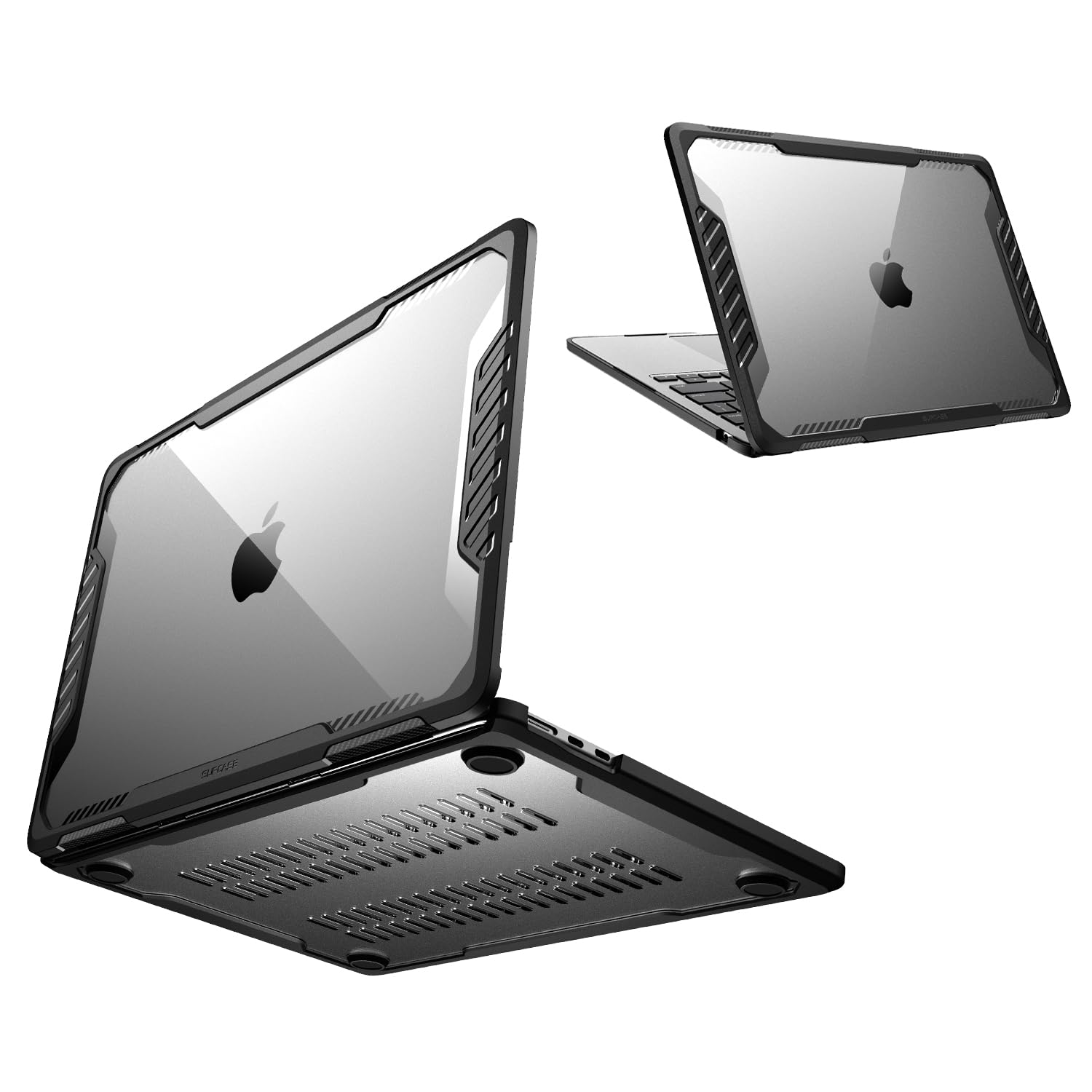
If you carry your Air in a backpack every day and want one case that does everything without looking like a tank, this is the pick. The SUPCASE Unicorn Beetle wraps the whole machine in a shock-absorbing bumper — a soft, springy rim that soaks up impact at the exact points where a drop lands. The flat panels are a transparent hard shell, so the case shrugs off scuffs while your Apple logo still shows through. That clear lid is why it holds 4.5+ stars from 700+ owners who wanted protection without hiding the laptop they paid for.
It fits the 13.6-inch Air with a maximum compatible size of 13.6 inches — a hair more generous than the MOSISO below, which tops out at 13 inches. Every cutout lines up with the ports, sensors, speakers and camera, so nothing is blocked. Down at the base, the corners sit on raised rubber feet. Those feet lift the underside off your desk so heat can escape instead of baking into the aluminum, and they stop the whole laptop sliding when you knock it. It also ships with a screen protector in the box, so the lid and the display are both covered out of the gate.
Buyers call it built like a tank, and one long-term owner reported no scratches or dents after a year of use. The one honest note is installation: it takes a little effort to clip on, and that snugness is exactly why it stays put. This is not designed to survive a fall down a stairwell, so treat it as excellent daily defense rather than indestructible armor.
What It Gets Right
- Wraparound TPU bumper soaks up the corner hits that damage laptops
- Clear polycarbonate lid keeps the Apple logo visible while blocking scratches
- Raised rubber feet lift the base for airflow and stop it sliding on a desk
- Ships with a screen protector included
Where It Asks Patience
- Clipping it on takes a little effort the first time
- Clear panels show fingerprints and dust more than a matte finish would
Buy this if: you want one case that handles dents, scuffs, sliding and heat, and you do not mind spending two minutes snapping it on.
Move on if: you want a case that pops off in seconds for cleaning, since the tight fit is the trade-off for it staying put.
2. MOSISO MacBook Air 13 inch Case
A case with a built-in stand, so your Air stops living flat on the desk.
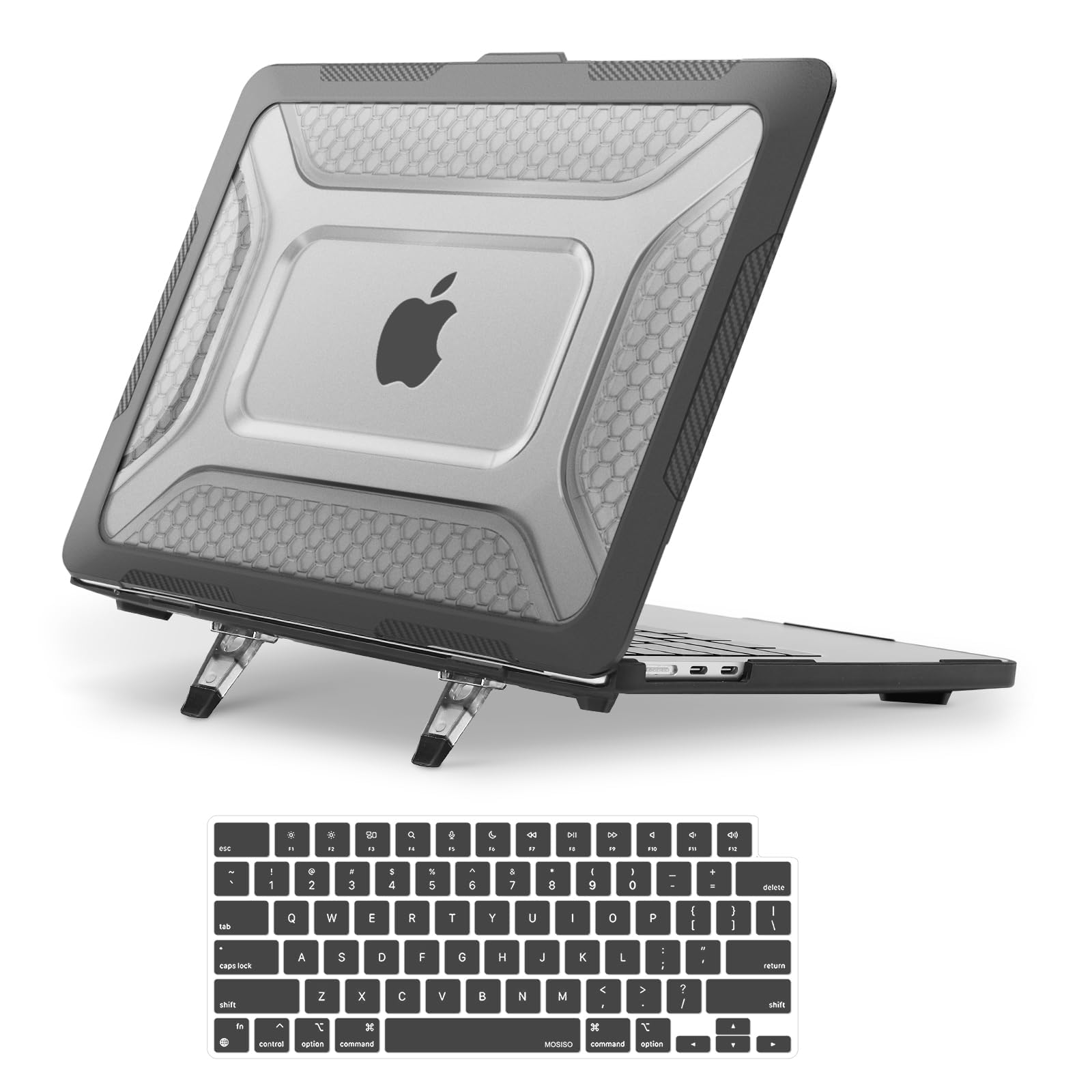
Two things separate this from every other shell here: a fold-out kickstand and a spill-proof keyboard cover in the box. The kickstand snaps into position in seconds and gives you two things at once — a more comfortable typing position and a raised screen for video calls. If you spend long stretches at a coffee table or on your lap, that angle change is the difference between a sore wrist and a comfortable afternoon. It is a genuine two-in-one kit rather than a plain shell.
Protection is layered rather than monolithic. A shock-absorbing TPU exterior — the soft, rubbery plastic that flexes on impact — wraps the body, while a rigid polycarbonate inner frame resists cracking and holds its shape. The surface carries a honeycomb texture that breaks up the plain black look. Snap-on clips hold the case firmly but release when you want them to, and every port, including the Thunderbolt connection and the headphone jack, stays clear. It is heavier than the pure-shell competition at 0.53 kg, and if you are counting grams in a shoulder bag you will feel it.
The honest catch is the closure. Some owners find the case keeps the laptop from closing all the way, and the bundled keyboard covers are the weak link — as one buyer summed it up: they come with two keyboard covers but neither sits well on the keyboard, even though the case itself is great. Owners praise the design most, with durability close behind. Just know that if a perfectly flush lid matters to you, this is the one to think twice about. It also lists a maximum compatible size of 13 inches against the SUPCASE’s 13.6 inches, so check your model code carefully.
The stand earns its place: a fold-out kickstand and a spill-proof keyboard cover turn a plain shell into a small workstation kit for desks, laps and calls.
But plan around the extras: the two bundled keyboard covers sit loose on the keys, so count the kickstand as the real bonus and the keyboard cover as optional.
Reach for it if: you type or take video calls for hours and want the laptop tilted up without buying a separate stand.
Look elsewhere if: you want a lid that seals perfectly flush every single time.
3. IBENZER Hexpact MacBook Air 13 Inch Case
Built for the clumsy — dual-layer armor with a latch that keeps the lid shut.
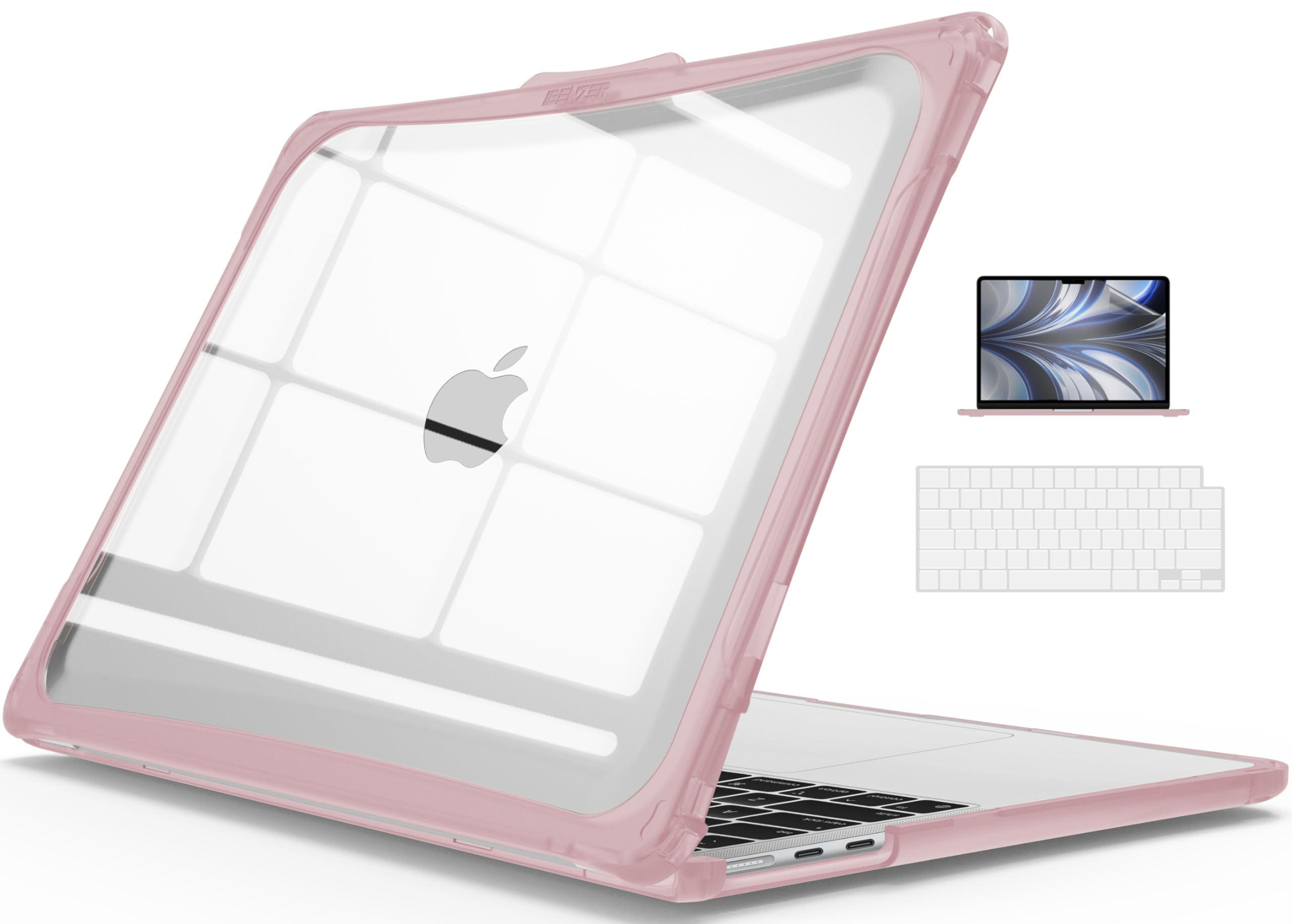
If you drop things, this is the case for you. The Hexpact is a dual-layer, full-body shell made from TPU and polycarbonate — the soft rubbery plastic for the corners, the rigid plastic for the panels — designed to spread the force of an impact away from your laptop. The edges get soft rubber bumpers, the base gets skid pads, and a screen lock keeps the lid from flipping open if the whole thing tumbles out of a bag. That last part is unusual and genuinely useful if you commute with a laptop loose in a tote.
Heat management is thought through. The bottom has cut-out vents for better heat dispersal, and rubberized corner stands lift the base off whatever surface you are working on. That gap lets air move underneath the aluminum, which matters because a fanless Air can only shed heat through its body. Weighing 368.54 g, it is the sort of case you notice in hand — this is protection you feel rather than a skin you forget about. The box includes a keyboard cover and a screen film.
Buyers consistently call it durable and good at stopping scratches, and many add that it looks the part. Some do describe it as bulky, and a few struggle slightly with the latch when opening — one owner found it a touch tight at first, expecting it to loosen with wear. The fit and security draw mixed feedback overall, which is the classic hallmark of a case that runs snug: brilliant on the right model, maddening on the wrong one. Check your model number against the A3449/A3240/A3113/A2681 list before you commit, and note this case is not built for pre-2021 Airs.
Drop protection you can see: soft rubber bumpers, skid pads, a bottom screen lock and vented base cover drops, knocks and heat in one shell.
Expect presence: at 368.54 g it is a protective case first and a slim case second, and the latch takes a little getting used to.
This suits: commuters and students who want the lid locked shut and the corners cushioned against real knocks.
Not the one for: anyone chasing a nearly invisible case, because the extra armor adds noticeable heft.
4. Batianda AstroGrid Case for MacBook Air 13.6″

The case built for people who want their Air to look like nobody else’s.
No plain black shell here — this one is the design statement of the group. The AstroGrid wears a circuit-board pattern under a high-gloss, semi-transparent finish that lets the Apple logo shine through the graphic, which is why people stop and ask about it. The look wins people over first, with build quality close behind, and the bundle backs it up: hard case, matching silicone keyboard cover, HD screen protector and a USB-C to USB 3.0 OTG adapter for plugging a standard flash drive or mouse into your Air. That adapter is a small thing that solves a real problem on a laptop with only USB-C ports.
Despite the full-body protection, this thing is remarkably thin. At just 1.2mm deep and 270g on the scales, it barely changes the shape of your laptop. The bottom panel has precision-cut vents to promote airflow and four raised anti-slip rubber feet that increase desk grip and lift the base to create an air gap — useful during a long work session on a fanless machine. The polycarbonate shell uses non-invasive micro clips to snap on without scraping the bezel, and it protects against fingerprints, scrapes and drops while keeping every port reachable.
The trade-off to know about is the gloss. A high-gloss top shows every fingerprint and smudge, and the surface scratches more easily than a matte finish — several buyers report exactly that if you are hard on your gear. It is a fair price to pay for a case that actually turns heads rather than disappearing into the crowd, and the fit and accessories land exactly as pictured. Just budget for a quick wipe-down if visible smudges bother you.
Why It Stands Out
- Circuit-board graphic under a glossy finish that shows off the Apple logo
- Four-piece bundle including keyboard cover, screen protector and a USB-C OTG adapter
- Thin at 1.2mm and light at 270g, so your Air still feels like an Air
- Vented bottom and four raised anti-slip rubber feet for airflow
Worth Knowing
- Glossy surface shows fingerprints and smudges easily
- The finish scratches more readily than a matte shell
Made for: students, engineers and anyone who wants their Air to look distinctive and comes with the screen protector and keyboard cover already handled.
Pass on it if: a spotless, scratch-free surface matters more to you than the pattern.
5. tomtoc Laptop Sleeve for 13-inch MacBook Air

Not a shell — the padded slot you slide the whole laptop into before it hits your bag.
Here is the thing to understand before buying: this is a sleeve, not a clip-on case. You take the Air out to use it and put it back to carry it, and for a lot of people that is actually the better system. A sleeve shields the machine from bag pressure, keys, cables and the inside of a backpack, which is where most real damage happens. Inside, this one measures 11.97″ x 8.46″ x 0.61″, so your 13-inch Air sits snug with no wasted space and no rattling around.
The headline feature is at the corners. Reinforced CornerArmor pads sit at each corner — the spots that take the hit when a bag is dropped — backed by soft padding on both sides and a tear-resistant outer fabric. The front pocket, at 9.06″ x 9.65″, takes a charger, cables or a notebook so you are not digging around for them at the bottom of your bag, and there is a carry handle for grabbing it straight out. Weighing 243 g with a recycled-material build, it stays slim enough to slide into a tote or briefcase without turning it into a suitcase.
Owners are clear about what it does well: quality and protection come up constantly, and it handles daily bag abuse without complaint. The one honest limitation is space. The front pocket is sized for a low-profile charging cord and small accessories, not a full-size power adapter brick — a buyer looking for a proper power-brick pocket will find it a squeeze. It also fits 13-inch Airs back to the 2018 models as well as some 13-inch MacBook Pros and Surface machines, so if you juggle devices this sleeve earns its keep either way.
Where it shines: CornerArmor pads at all four corners, dual-side padding and tear-resistant fabric protect the Air inside a backpack, and the 9.06″ x 9.65″ front pocket keeps cables and a notebook handy.
The honest limit: the front pocket suits a low-profile cord and small accessories, not a bulky power adapter.
Do not skip this if: your Air lives in a backpack, tote or briefcase and you want a snug, padded home for it plus a place for cables.
skip it if: you want permanent drop protection around the chassis while the laptop is open and in use.
6. Incase Edge Hardshell Case for MacBook Air 13 inch

The minimalist’s shell — it protects the Air without changing how the Air looks.
This is the case for someone who bought a MacBook Air partly for how thin it is and refuses to bury it. The Edge is precision-molded from 100% Makrolon polycarbonate — a specific, tough grade of the plastic, molded to sit exactly against the laptop’s contours. Matte edges frame an inset center window, so the shell reads as a considered part of the design rather than a cheap add-on. After quality, fit is what owners mention most: it stays put and does not fall off. If a secure, smooth-feeling fit is your priority, this delivers it.
Details support the fit-first approach. Rubberized feet give it traction on desks and tables, raised edge bumpers add perimeter protection for when you shift between workspace and workspace, and intelligent air-flow ventilation is built into the shell to support cooling. Every cutout keeps ports, buttons, lights and features reachable. The micro clips attach and release cleanly, so your MacBook shuts fully — a small point that a lot of thicker cases get wrong. It does all this without adding bulk and stays compatible with privacy screens, which the thicker shells can interfere with.
The compromise is the finish. A matte black case is a magnet for fingerprints and smudges, and it is a genuine recurring grumble rather than a one-off. The plastic is on the thin side too — some love how slim the profile stays, others wish it felt denser in the hand. Worth knowing: this shell protects against scratches and scuffs well but is not aimed at surviving a serious drop. If you want that insurance, the STM Dux below is the one built for it.
Fit and finish: a Makrolon polycarbonate shell molded to the Air’s exact contours, with a secure fit, raised edge bumpers and micro clips that let the lid close fully.
What to expect: fingerprints show easily on the matte surface, and the shell is thin so it is a scratch-guard first and a drop-guard second.
Choose it if: you want a secure, slim-fitting shell that keeps your Air looking like the Air and still closes all the way.
Think twice if: you want armor against drops instead of scratch and scuff defense.
7. STM Dux for MacBook Air (13-inch)

The clear-shell case where a full rubber perimeter does the heavy lifting.
If you want the toughest protection here and are willing to pay for it, this is the one. The Dux pairs a durable polycarbonate shell with a rubberized TPU bracket, meaning the hard plastic handles the flat panels while the springy rubber takes the drops. Around the screen there is a raised bezel — a lip of material that stands proud of the glass, so when the lid is closed and face-down in a bag, the frame touches down before the screen does. Textured rubber feet underneath grip the desk and stop the whole laptop skidding.
Two design choices set it apart from the other shells. First, the open hinge: the case leaves the hinge area clear so the Air can breathe while keeping the screen fully adjustable, which matters on a machine that cools itself through its body. Second, the transparent lid, which lets you customize or simply keep your Air visible instead of hiding it under black plastic. It fits the 13-inch Retina models including the A2681, A1932, A2179 and A2337, and weighs 0.5 kg — you feel it, but that mass is the protection.
Owners describe a fit that goes on easily and stays put. The recurring note is the coverage: a perfect rubber perimeter bumper around the edge is what people keep pointing to as the reason the case feels protective, and the thin profile means it adds no bulk to your bag. This is a premium case and the number here is small, so the price-per-ounce of protection is the honest trade-off — you are paying for a name with a long record of sturdy builds. For someone who carries an expensive laptop between offices every day, that is worth it.
The armor argument: a rubberized TPU bracket, a raised bezel around the screen, an open hinge for airflow and textured non-slip feet make this the most drop-focused shell in the lineup.
What you accept: at 0.5 kg it is the heaviest approach here, and the premium construction means you pay for the protection rather than getting it cheaply.
The pick for: anyone who wants drop protection above all and does not want their Air hidden under opaque plastic.
Not worth it for: a desk-bound laptop that never leaves the house, where a lighter shell does the same daily job.
Know the Specs
Material: polycarbonate versus TPU
Polycarbonate is a hard, rigid plastic that resists scratching and holds its shape — great for the flat lid and base. TPU is a rubbery, flexible plastic that bends and springs back, which is why it turns up on the corners and edges where impacts land. A case that names both is usually giving you the rigid panels and the shock-absorbing rim in one package. Pure-polycarbonate cases can crack under a sharp hit; pure-TPU cases feel floppy and grip your bag.
Raised bezel and screen lock
A raised bezel is a lip of material that stands above the screen surface. When the lid is closed and something presses down, that lip meets the surface first, so the glass and the frame around it stay clear. A screen lock is a latch that keeps the lid shut while the laptop is inside a bag. Both features matter most if you carry your Air loose in a tote rather than in a sleeve, and both add a small amount of thickness to the closed lid.
Compatible size and your model code
The maximum compatible size tells you the largest laptop the case is built for — a 13.6-inch rating covers the newest Airs, while a 13-inch rating is aimed at the earlier ones. That is a strong hint, not a guarantee. The only certain check is the model number stamped on the underside of your laptop: something like A2681, A3113 or A3240 paired with the Air. Match that code to the case’s compatibility list before you buy, because the 13-inch and 13.6-inch bodies are not interchangeable.
Weight and heat
Weight is the price you pay for protection, and the numbers here range from a 243 g sleeve to heavier full-armor shells. The MacBook Air has no fan, so it sheds heat through its body — which is why every serious case in this guide has either ventilated bottom panels or raised feet that lift the base and let air move underneath. If a case blocks the underside entirely, your long work sessions will run hotter. Raised rubber feet solve both airflow and sliding in one move.
Common Questions
How do I know which MacBook Air case fits my laptop?
Is a hardshell case or a sleeve better for a MacBook Air?
Will a case stop my MacBook Air from closing all the way?
Do these cases block the MacBook Air’s ports or its cooling?
Will a screen protector or privacy screen still fit with a case on?
Does a MacBook Air case add much weight?
Can I use these cases on the 13-inch and 13.6-inch Air together?
How should I clean a clear or glossy MacBook Air case?
Do I need a heavy-duty case for a MacBook Air?
The Bottom Line
For most people, the best macbook air protective case is the SUPCASE Unicorn Beetle, because it gets the balance right — a shock-absorbing bumper for the drops, a clear lid that keeps your Apple logo on show, raised rubber feet for airflow and a screen protector in the box. If you want your laptop tilted up while you type or take calls, reach for the MOSISO with its fold-out kickstand. For anyone who carries a bag every day, the tomtoc sleeve is the quiet workhorse that keeps your Air safe between meetings. Whichever you pick, confirm your model number first — an excellent case on the wrong Air is still the wrong case.
How we choose
We do not accept paid placement. Every pick is matched to a real buyer and a real use-case; we do not hands-on test units.
Sources
Specifications: manufacturer listings and product documentation. Review insights: verified customer reviews, as of October 2026. Pricing: not shown on this page (it changes often); check the current price via the retailer link.
As an Amazon Associate, Aappliancez earns from qualifying purchases. This does not affect which products we feature.