Disclosure: Some links in this post are affiliate links. As an Amazon Associate I earn from qualifying purchases, at no extra cost to you. Learn more
Specs are compiled from manufacturer listings and verified buyer reviews and can change over time — please confirm the key details on the product page before buying.
Your Mac Mini M4 has a fast internal drive, but a base-model machine fills up quickly and there is no way to add space inside. The fix is an external SSD plugged into one of the rear USB-C ports — and the right one can match or beat the speed of the internal drive. The wrong one halves your transfer speed and leaves you watching a progress bar. This guide ranks nine drives by real transfer speed, cooling and port fit for a Mac Mini M4.
This guide is built by comparing the manufacturers’ published specifications and the patterns across verified customer reviews, so you get each pick’s real strengths and trade-offs instead of marketing spin.
A 3,800MB/s label means nothing if the cable or port caps the link or the drive throttles under heat. This article breaks down each drive for a mac mini m4 external ssd so you buy the one that fits your desk.
Top Picks



How To Choose The Best Mac Mini M4 External SSD
Your Mac Mini M4 only hits a drive’s rated speed when the port, cable and drive all support the same standard. A drive can claim 3,800MB/s on the label, but if the port or cable it connects through tops out lower, you never see that number. Check the port and cable standard before you compare capacity or price.
Port and cable matching comes first
The rear USB-C ports on the Mac Mini M4 run at high speed, but not every cable carries full bandwidth. A drive rated at 2,000MB/s or higher needs a proper USB4 or Thunderbolt-rated cable to hit its ceiling. Many owners find the cable in the box is fine, but a cheap spare cable can quietly halve performance. If the drive ships with both a USB-C to C and a USB-C to A cable, use the C-to-C one for your Mac.
Heat decides whether a fast drive stays fast
A fast SSD pushes a lot of data and gets warm doing it. Enclosures with metal fins or graphite sheets shed that heat and keep the drive at full speed through a long file copy. Sealed plastic shells trap heat, and once the drive hits its thermal limit it slows down. For a desktop setup, a slightly larger body that stays cool is more useful than a tiny one that throttles.
Do you want a sealed drive or an enclosure?
A sealed drive needs one format and no assembly. An enclosure lets you pick your own NVMe M.2 stick and swap it later if you outgrow the capacity. Enclosures tend to run cooler at sustained load because you can pair them with a drive that suits your work. The trade-off is assembly plus thermal tape and a bulkier body.
Side-by-Side Comparison
| Model | Best For | Capacity | Rated Read Speed | Interface | Amazon |
|---|---|---|---|---|---|
| Samsung T9 Portable SSD 1TB★ Best Overall | Everyday speed champion | 1 TB | Up to 2,000 MB/s | USB 3.2 Gen 2×2 | Amazon |
| SanDisk Extreme PRO USB4 2TBPremium Pick | Fastest sealed pocket drive | 2 TB | Up to 3,800 MB/s | USB4 | Amazon |
| Amazon Basics Portable External SSD 1TBBest Value | Budget-friendly all-rounder | 1 TB | Up to 2,000 MB/s | USB 3.2 Gen 2×2 | Amazon |
| SanDisk Extreme Portable SSD 1TB (New Model) | Pocket-sized rugged pick | 1 TB | Up to 2,000 MB/s | USB-C | Amazon |
| Corsair EX400U Survivor 1TB | Rugged USB4 performer | 1 TB | Up to 4,000 MB/s | USB4 | Amazon |
| Lexar ES3 2TB | Big capacity, cool running | 2 TB | Up to 1,050 MB/s | USB-C/USB-A | Amazon |
| OWC Express 1M2 1TB | Desk-bound Mac workflow | 1 TB | Up to 3,836 MB/s | USB4 / Thunderbolt | Amazon |
| SanDisk Desk Drive SSD 8TB | Large photo and video library | 8 TB | Up to 1,000 MB/s | USB (own power supply) | Amazon |
| SanDisk Extreme PRO USB4 4TB | High-capacity USB4 pro work | 4 TB | Up to 3,800 MB/s | USB4 | Amazon |
Detailed Reviews
1. Samsung T9 Portable SSD 1TB
Our pick — 4.5+★ from 2,500+ verified ratings; the strongest balance of quality and price.
The everyday speed king that turns a base Mac Mini M4 into a working machine.
If you want the simplest path to more storage on your Mac Mini M4, the Samsung T9 is the pick that gets out of your way. It connects through USB 3.2 Gen 2×2 (a fast USB-C link that carries data at high bandwidth) with sustained read and write speeds of up to 2,000MB/s. That means a big video file or a folder of RAW photos copies across in seconds rather than minutes. It is the drive the crowd trusts most — 4.5+ stars across 2,900+ owners.
The T9 stays cool enough to hold its speed through long jobs. Its Dynamic Thermal Guard (a built-in heat control system) manages temperature during heavy use so the drive does not slow down halfway through a transfer. The compact body is about the size of a thick credit card, which means it sits neatly behind your Mac Mini M4 without cluttering the desk. It handles 4K video, high-resolution photos and large project files without complaint.
What wins people over is raw performance, and it is the thing buyers bring up more than anything else. The drive also supports iPhone 15 Pro Res 4K at 60fps video, AES 256-bit hardware encryption for private files, and rugged durability rated to survive drops of up to 9.8 ft. One honest note: some owners find the pricing frustrating over time, and a couple mention a drive that disconnected and reconnected while plugged in. It is still a strong, reliable drive for most users — just format it once on your Mac and test it before your first big project.
What Makes It Worth It
- Sustained read and write speeds of up to 2,000MB/s keep up with Mac Mini M4 work
- AES 256-bit hardware encryption keeps private files locked
- Rated to survive drops of up to 9.8 ft for travel
The Honest Trade-Off
- Value for money splits opinion, especially when prices climb
- A few units have shown disconnect-and-reconnect issues
Reach for this if: you want a fast, compact, plug-and-play drive for your Mac Mini M4 with encryption and no setup fuss.
Look elsewhere if: you need the absolute highest USB4 transfer rates, which this drive cannot match.
2. SanDisk Extreme PRO Portable SSD with USB4, 2TB
USB4 speed in a pocket-sized shell, for creators who move big files all day.
Here is where the numbers separate sharply. The SanDisk Extreme PRO with USB4 reaches read speeds of up to 3,800MB/s and write speeds of up to 3,700MB/s, while the Samsung T9 tops out at 2,000MB/s. That is a wide gulf for anyone regularly moving ProRes footage, large RAW libraries or multi-gigabyte project files on a Mac Mini M4. If a copy used to take ten minutes on a slower drive, this one finishes the same job at a fraction of that time.
The build is meant for a working desk and a traveling bag. A rugged silicone shell wraps a forged aluminum chassis, so the drive shrugs off knocks and spills. It is also backward compatible with older USB 3.2 and USB 2.0 devices and supports Thunderbolt 4, which means it drops into your Mac Mini M4 setup without an adapter. A 5-year limited warranty backs the internals. Owners frequently single out how fast large file copies finish — a full folder lands almost the moment you look away.
The one point to weigh carefully is heat. This drive warms up during heavy sustained use, and some owners notice it. It cools again quickly when the drive idles, so a break between jobs settles it. If you plan to run all-day renders or back-to-back transfers, keep it in open air rather than tucked under a stack of papers. For pure speed on a Mac Mini M4, few sealed drives get close.
The speed case: read up to 3,800MB/s and write up to 3,700MB/s over USB4 give the fastest sealed transfers on this list, a big step up from the Samsung T9’s 2,000MB/s.
What to expect: the silicone-and-aluminum body survives the road, but it does run warm under sustained load — give it airflow.
Pick this one if: you move large creative files on a Mac Mini M4 and want the fastest sealed drive you can plug in.
Think twice if: your work is all-day sustained and you cannot give the drive breathing room.
3. Amazon Basics Portable External SSD, 1TB
Serious transfer speed for small money, with a case thrown in.
The Amazon Basics 1TB drive delivers read and write speeds up to 2,000MB/s over USB 3.2 Gen 2×2, which is the same headline speed as the Samsung T9 above. For a Mac Mini M4 that means quick copies and a drive that feels responsive when you open files straight from it. The metal casing gives it a solid, weighty feel, and the scratch-resistant polymer base helps it survive a bag or a desk. It also ships with both a USB-C to C and a USB-C to A cable, plus a storage case.
You can carry this drive anywhere without worrying about dust or splashes, thanks to its IP65 rating (a standard meaning it resists dust and water spray). Its thermal solution keeps it below 50°C/122°F during heavy use, so it stays cool through long backups and keeps your school projects, photo libraries and program storage reliable. It arrives in exFAT (a file format both Macs and PCs read), so your Mac Mini M4 can read it immediately. Buyers report the transfer speed as the main reason it earns its place.
One detail to know: setting it up for certain uses may require formatting, and it does not reach its ceiling unless your port and cable support the full standard. If you plug it into a slower USB-C port, you get slower results. That is true of every drive here, but it is worth checking before you blame the drive. For the capacity and speed you get, it is an easy recommendation.
Where it earns its keep: 2,000MB/s over USB 3.2 Gen 2×2 matches the Samsung T9 headline speed for a fraction of the fuss, and the included case is a nice touch for travel.
Setup caveat: it arrives in exFAT and some owners had to format for certain workflows, so budget a few minutes on your Mac Mini M4 before your first backup.
Go here if: you want big transfer speed and a rugged body without paying for features you will not use.
skip it if: you need the absolute peak USB4 speeds or a built-in encryption suite.
4. SanDisk Extreme Portable SSD 1TB (New Model)
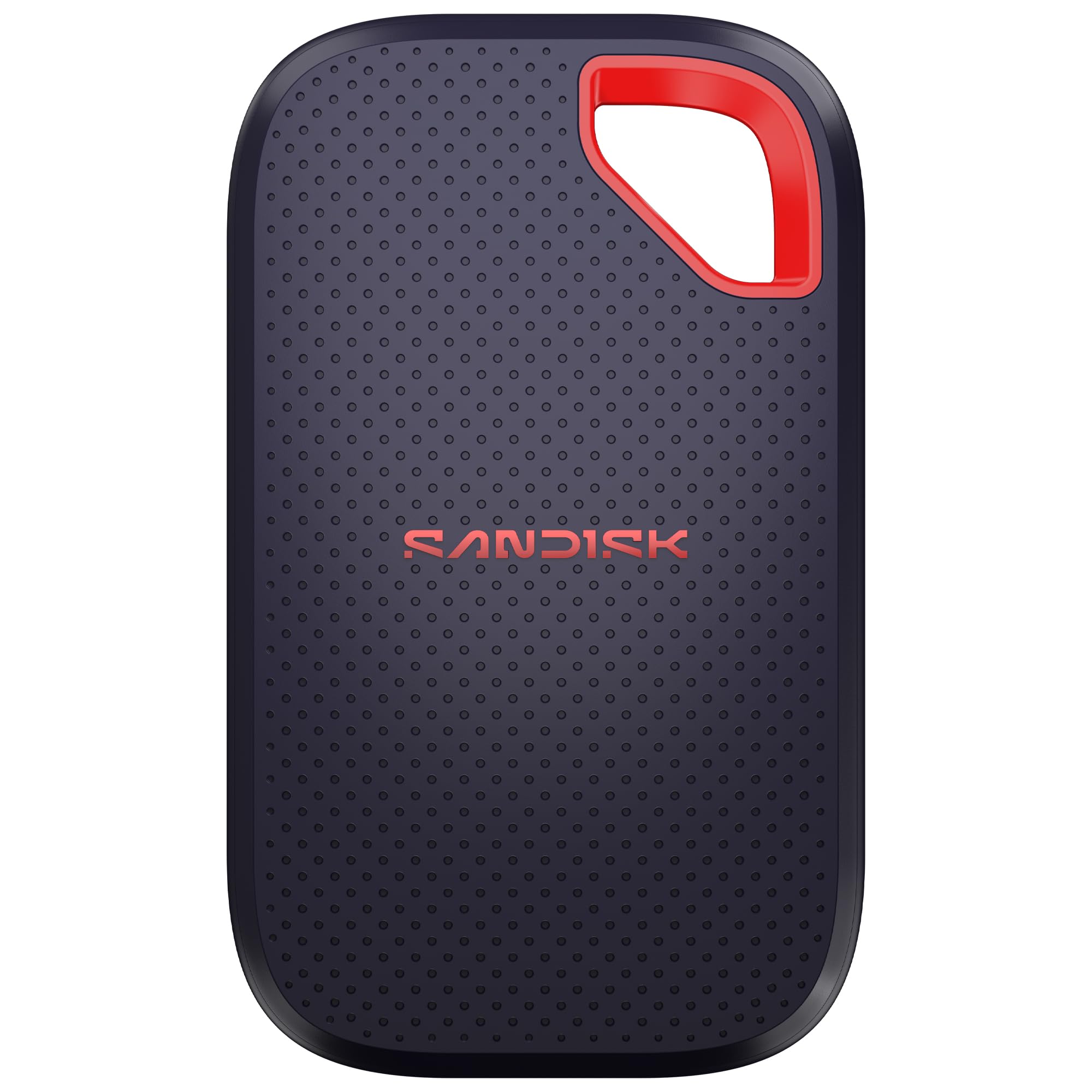
Slot it in a pocket or a keychain loop and forget it is there.
Some drives live on your desk; this one is small enough to live on your keys. The SanDisk Extreme Portable SSD in its new model is pocket-sized and lightweight, and owners describe it as small enough to carry everywhere. It still offers up to 2,000MB/s transfer speeds, so it is no slouch when you plug it into your Mac Mini M4. A rugged IP65 rating (dust-tight and resistant to water spray) and up to 3M drop protection mean a knock or a splash does not end the day.
The drive ships with 256-bit AES encryption for password-protected files, so sensitive work stays locked. It moves a folder of high-res photos fast enough that you barely notice the wait. Owners repeatedly talk about reliability and speed, and the compact size comes up again and again. You can format it for your Mac and use it for backups, photo edits or pro project files without a second drive.
One trade-off the long-time users point out: the new model moved the front cover to plastic from the metal and rubber of past versions. Some notice the change; most do not care once it is on the desk. If you keep a drive attached to a Mac Mini M4 and rarely move it, that detail is irrelevant. If you want the most rugged-feeling build, look at the Corsair or the bigger Extreme PRO instead.
The Reasons Owners Keep It
- Genuinely pocket-sized and light for carrying on the go
- IP65 rating and up to 3M drop protection handle real-world knocks
- AES 256-bit encryption keeps private files secure
What Changes From Older Models
- Front cover is plastic instead of prior metal and rubber
- Value for money draws mixed feelings from buyers
Best match for: a Mac Mini M4 owner who wants a drive that vanishes into a pocket or bag.
Not the pick for: anyone who wants the metal-and-rubber build of the previous generation.
5. Corsair EX400U Survivor 1TB USB4 External SSD
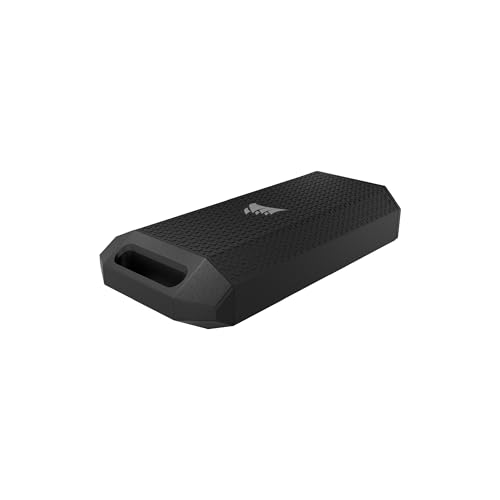
The USB4 drive that refuses to quit, even after a drop in the bag.
Corsair aimed this one at the field bag, not the desk. The EX400U Survivor hits read speeds of up to 4,000MB/s and write speeds of up to 3,600MB/s over USB4, making it one of the fastest drives here. That edge over the SanDisk Extreme PRO’s 3,800MB/s read is small, but for a Mac Mini M4 moving enormous video files, every bit helps. The speed comes with a heavy-duty housing sealed to IP55, which means it tolerates dust and water spray.
Setup is as simple as it gets: one USB Type-C cable carries both power and data, with no drivers or software to install. Plug it into your Mac Mini M4 and it shows up. It is backward compatible with USB Type-C 3.2 for older devices and works with iPadOS 13 and later over USB Type-C. Buyers bring up the speed more than any other trait. The drive backs up a whole machine in short order, and a few owners use it to move phone footage without a laptop.
The catch: to reach that 4,000MB/s ceiling you need a USB4 or Thunderbolt 4 host, which the Mac Mini M4 has — but a slower port or a generic cable drops the speed. The drive is small, but not quite as tiny as the SanDisk pocket model. And it is a single-drive solution; there is no way to swap the internals later if you want more space.
What the numbers say: 4,000MB/s read and 3,600MB/s write over USB4 put it at the top of this list, though the gap over the SanDisk Extreme PRO’s 3,800MB/s is narrow.
The setup reminder: those speeds need a USB4 or Thunderbolt 4 port and the right cable on your Mac Mini M4.
The one to grab if: you want a fast USB4 drive that survives a hard life in a bag or on location.
Consider another if: you want the smallest possible carry or a drive you can upgrade internally.
6. Lexar ES3 2TB External SSD

Two terabytes that run cool and take a drop without a fuss.
If your Mac Mini M4 is filling up with media and you want space first, the Lexar ES3 packs 2TB into a sleek silver body. It reads at up to 1,050MB/s and writes at up to 1,000MB/s, so it is slower than the USB4 drives above but still fast enough for backups and everyday file moves. Built-in double-layer graphite sheets conduct heat away so the drive stays cool even during long transfers. It is drop-resistant up to 2 meters, which is a nice cushion against a clumsy hand.
The 2-in-1 USB-C/USB-A cable means it works with your Mac Mini M4 and older machines without hunting for an adapter. Owners who use it for big photo libraries and PS5 or PC game clips call it reliable and quiet. It handles a 252GB backup in roughly five minutes according to one buyer’s experience, which is plenty quick for routine work. The design is sleek enough to leave on a desk.
The thing to weigh is the speed ceiling. At 1,050MB/s it will not match the 2,000MB/s floor of the drives above, so if you edit 4K footage straight from the drive you may notice the difference. For backups, archives and photo storage it is more than adequate. A few buyers mention the cable length as a minor gripe, so plan where the drive sits relative to your Mac Mini M4.
Why it stands out: 2TB of storage with a 1,050MB/s read speed and graphite cooling make it a solid archive drive that stays quiet under load.
The honest limit: at 1,050MB/s it sits well below the 2,000MB/s and USB4 drives here — fine for backups, less ideal for direct 4K editing.
Go for it if: capacity matters more than peak speed and you want a cool, reliable drive for your Mac Mini M4 archive.
Pass if: you need the fastest possible read speed for direct video editing.
7. OWC Express 1M2 1TB USB4 Portable NVMe SSD

An enclosure that stays cool under a full-day render — and lets you swap the drive.
This is the pick for the Mac Mini M4 owner who lives in Final Cut Pro or Lightroom. The OWC Express 1M2 runs on USB4 or Thunderbolt with real-world performance up to 3,836MB/s, and its patented finned, fanless metal design keeps the drive cool without a whirring fan. Creatives who moved from hotter enclosures say it runs warm rather than hot under load, which means no cooldown waits in the middle of a project. Owners bring up speed and build quality more than anything else.
The flexible-DIY angle is what separates it from the sealed drives. You choose your own NVMe M.2 stick in the 2280, 2242 or 2230 size, so you can start with a modest capacity and swap in a larger drive later. It is plug-and-play on Mac with no drivers, which means your Mac Mini M4 sees it immediately. The aluminum body is sturdy enough for a backpack, and the kit includes a 40Gb/s USB-C cable and screwdriver.
Two things to know. Second, you must apply the included thermal tape to keep full SSD-to-enclosure contact; skip that step and you lose some of the cooling advantage. Some owners also want a bigger multi-bay version for serious storage loads, which OWC does not offer in this form. For a Mac Mini M4 desktop workflow, it is a smart choice.
Why Creatives Choose It
- Real-world performance up to 3,836MB/s on USB4 and Thunderbolt
- Patented finned metal heatsink keeps it cool without a fan
- Swap in your own NVMe M.2 drive in 2280, 2242 or 2230 size
The Setup Notes
- Larger and meant to sit upright, so not the most portable
- You must apply the thermal tape for proper SSD contact
The right fit for: a desk-bound Mac Mini M4 workflow where you want sustained speed and upgradeable storage.
The wrong fit for: anyone who needs a drive they can toss in a pocket and carry daily.
8. SanDisk Desk Drive SSD 8TB

Eight terabytes for the photo archive that outgrew every other drive.
If your Mac Mini M4 is choking on a photo and video library, 8TB of space changes the math. This SanDisk Desk Drive reads at up to 1,000MB/s, which is four times faster than a desktop hard drive. It works with Apple Time Machine for backups and with Acronis True Image for automatic Windows backups. It arrives in exFAT, so it works on your Mac immediately. The compact body sits neatly on a desk without stealing much room.
Owners who work with large image libraries say it makes Lightroom and Photoshop projects feel fast and responsive. Files flash past with no progress bar during big transfers. It is also the drive for anyone who wants one big archive rather than three smaller drives. The build feels premium, and setup is genuinely plug-and-play.
Two real caveats. First, it runs on its own power supply — it is not powered by the USB cable — so you need a free wall outlet near your Mac Mini M4. Second, it is not pocketable and it can get warm during very long sustained backups. Some owners mention failure during heavy high-volume work, so treat it as a reliable library drive rather than a drive to hammer all day. Use it for archives and backups, not as a scratch disk for constant rendering.
The capacity argument: 8TB at 1,000MB/s read gives you a big, responsive library drive that is four times faster than a desktop hard drive.
The power catch: it needs its own power supply and can warm up during sustained backups, so place it with airflow.
Worth it for: photographers and video hoarders who need one big Mac Mini M4 archive drive and can spare a wall outlet.
Not for: people who want a bus-powered drive they can carry, or who plan to hammer it with constant heavy writes.
9. SanDisk Extreme PRO Portable SSD with USB4, 4TB
Double the room of its 2TB sibling, at the same USB4 speed.
This is the drive for the Mac Mini M4 owner who wants both speed and room to breathe. It holds 4TB and reaches read speeds of up to 3,800MB/s with write speeds of up to 3,700MB/s over USB4. That matches the 2TB version’s performance exactly, but doubles your capacity for ProRes footage, photo libraries or a whole archive. If you are tired of deleting old projects to make space, this is the answer.
The rugged silicone shell and forged aluminum chassis protect your data in transit, and the backward compatibility means it still works with older USB 3.2 and USB 2.0 devices and with Thunderbolt 4. Owners who use it with Macs report near-instant large file copies and no compatibility headaches. A 5-year limited warranty backs it. The drive ships ready to format on your Mac Mini M4 and works equally well as a scratch disk for editing.
The honest trade-off is heat. This drive warms up during heavy sustained use, and some owners notice the warmth. It cools when it idles, so a short pause resets it. If your workflow involves hours of continuous writes, keep it on an open surface rather than under a stack of paper. Otherwise it is a powerful, trusted choice with plenty of space.
The capacity edge: 4TB at up to 3,800MB/s read and 3,700MB/s write means you get twice the room of the 2TB version with the same speed.
What to watch: it runs warm under long sustained use, so leave it out in open air.
The choice for: Mac Mini M4 owners who want maximum capacity without giving up USB4 speed.
Look at the 2TB version if: you do not need the extra room and prefer to keep your budget focused on speed alone.
Know the Specs
Read and write speed
Read speed is how fast the drive hands data to your Mac Mini M4; write speed is how fast it takes data in. A drive rated at 3,800MB/s read grabs a large file almost instantly, while a drive at 1,000MB/s takes noticeably longer. Write speed matters most if you are offloading footage from a camera or dumping a big backup. Match the rating to your work: heavy video editing needs the top numbers, routine backups do not.
Interface and port matching
The interface is the connection standard the drive uses. USB4 is the newest and fastest, followed by USB 3.2 Gen 2×2, then standard USB-C. Your Mac Mini M4 has fast USB-C ports, but hitting a drive’s top speed needs the right cable and port. A USB4 drive on a slower port drops to that port’s ceiling. Check the specification label before you buy so the speed you pay for is the speed you get.
Thermal management and cooling
Every fast SSD produces heat, and once it hits its limit it slows down to protect itself. Drives with metal fins, graphite sheets or aluminum chassis shed heat and hold speed longer. A passive design without a fan stays silent, which suits a Mac Mini M4 desk. If you plan long sustained transfers, prioritise a drive that runs cool and sits in open air rather than one crammed into a tight spot.
Capacity and form factor
Capacity runs from 1TB to 8TB in this lineup. More capacity means fewer archiving headaches, but it also costs more and often means a larger body. Pocket-sized drives fit a bag; desk drives are bigger but hold far more. Decide first how much space your projects need, then pick the form factor that suits where the drive will live. An enclosure lets you upgrade capacity later without replacing the whole drive.
Common Questions
Will any external SSD work with the Mac Mini M4 from the start?
Does the Mac Mini M4 reach full USB4 speed on every rear port?
Can I use a slower 1,000MB/s drive for video editing on the Mac Mini M4?
Why does my external SSD get warm during long transfers?
Is a DIY enclosure better than a sealed drive for a Mac Mini M4?
Does the Samsung T9 work with iPhone video files as well as a Mac?
Do I need a separate power supply for the bigger drives?
How long will an external SSD last as a Mac Mini M4 drive?
Can I back up with Time Machine to an external SSD on the Mac Mini M4?
Should I format the drive for my Mac before first use?
The Bottom Line
For most Mac Mini M4 setups, the mac mini m4 external ssd winner is the Samsung T9 because it delivers 2,000MB/s speed, encryption and a compact, rugged body that just works. If you move huge creative files and want the fastest sealed drive, grab the SanDisk Extreme PRO USB4 2TB. And for an always-on desk workflow where cooling and upgradeability matter, the OWC Express 1M2 is the one to reach for.
How we choose
We do not accept paid placement. Every pick is matched to a real buyer and a real use-case; we do not hands-on test units.
Sources
Specifications: manufacturer listings and product documentation. Review insights: verified customer reviews, as of October 2026. Pricing: not shown on this page (it changes often); check the current price via the retailer link.
As an Amazon Associate, Aappliancez earns from qualifying purchases. This does not affect which products we feature.