Disclosure: Some links in this post are affiliate links. As an Amazon Associate I earn from qualifying purchases, at no extra cost to you. Learn more
Specs are compiled from manufacturer listings and verified buyer reviews and can change over time — please confirm the key details on the product page before buying.
You want better graphics without buying a new power supply. That is the whole point of a low power GPU — it draws its electricity from the PCIe slot on your motherboard instead of a separate cable straight from the power supply. If your desktop is a slim office tower, a small-form-factor (SFF) build in a tight case, or a media server tucked in a cupboard, this guide tells you which card actually fits, which one stays quiet, and which one is worth the money for the games and video work you do.
This guide is built by comparing the manufacturers’ published specifications and the patterns across verified customer reviews, so you get each pick’s real strengths and trade-offs instead of marketing spin.
Some of these cards are built for silent home-theater PCs, some for 1080p gaming, and some for video transcoding on a home server. Below you will find the honest trade-offs behind every pick on this list of the low power gpu options that fit a standard PCIe slot.
Top Picks


How To Choose The Best Low Power GPU
A low power GPU is judged on three things before raw speed even enters the conversation: does it fit your case, does your power supply have the headroom, and does it run quietly enough for the room it lives in. Get those wrong and the fastest chip on the shelf is useless to you. Get them right and even a modest card transforms an old desktop.
Start with the slot, not the spec sheet
Measure the space inside your case before anything else. A low-profile card is a short card that ships with a shorter metal bracket for slim towers, while a full-height card needs a standard-width case. Some cards here are two slots tall even with the short bracket fitted, so check how many slot covers you can spare. Single-slot cards are the rarest and the most useful in ultra-tight builds.
Understand power draw and the PCIe slot
Slot-powered cards take their electricity through the PCIe x16 connector on the motherboard, which caps what they can pull. That is why these cards skip the 6-pin or 8-pin power cable entirely — you just seat the card and go. A card rated around 30W or 50W TBP (total board power, the card’s full electricity draw) leaves plenty of room on a modest power supply. That matters most in pre-built office PCs where the power supply is small and there are no spare cables.
Match the card to the job
For a silent home-theater PC or an office desktop, a fanless card with modest video memory is ideal. For 1080p gaming, you want more video memory and a newer architecture. For a media server that transcodes video streams, an Intel Arc card with modern codec support earns its place. Buying more card than your job needs just adds heat and cost.
Check the outputs before you buy
Count your monitors and check the ports. Some cards give you HDMI plus DisplayPort, some give you mini DisplayPort only, and some older cards top out at a lower maximum resolution. If you run two or three screens, confirm the card has enough ports and that the resolution you need is supported.
Side-by-Side Comparison
| Model | Best For | Video Memory | Max Resolution | Power & Cooling | Amazon |
|---|---|---|---|---|---|
| ASUS GeForce GT 1030 2GB GDDR5★ Best Overall | Silent office & HTPC upgrades | 2 GB GDDR5 | 1920×1200 | ~30W, passive (fanless) | Amazon |
| GIGABYTE GeForce RTX 5060 OC Low Profile 8GTop Performer | SFF 4K gaming & AI work | 8 GB GDDR7 | 7680×4320 | Low-profile, active dual-slot | Amazon |
| Sparkle Intel Arc A310 ECOMedia Server Pick | Media server transcoding | 4 GB GDDR6 | 1920×1080 | 50W TBP, single fan / single slot | Amazon |
| ZER-LON Radeon RX 550 4GB | Multi-monitor budget desktops | 4 GB GDDR5 | 3840×2160 | ~50W, single fan | Amazon |
| msi GeForce GT 1030 4GB DDR4 | Reviving older desktops | 4 GB DDR4 | 3840×2160 | Low draw, single fan OC | Amazon |
| 51RISC Radeon RX 550 LP | Fixing slim desktops | 4 GB GDDR5 | 3840×2160 | 35W TDP, single fan | Amazon |
| msi Gaming RTX 3050 LP 6G OC | Low-profile 1080p gaming | 6 GB GDDR6 | 3840×2160 | Low-profile, zero-RPM idle | Amazon |
| NVIDIA RTX A2000 6GB (PNY) | Professional SFF workstations | 6 GB GDDR6 | 7680×4320 | Half-height, rear-vented | Amazon |
| PNY GeForce RTX 5070 Slim OC | High-end slim gaming rigs | 12 GB GDDR7 | 7680×4320 | Dual-slot, 100mm dual fans | Amazon |
Detailed Reviews
1. ASUS GeForce GT 1030 2GB GDDR5 Graphics Card
Our pick — 4.5+★ from 800+ verified ratings; the strongest balance of quality and price.
The card with no fan at all — silence for an office tower that used to whine.
The GT 1030 replaces a dying graphics chip in an older desktop and asks nothing from your power supply in return. It draws roughly 30W, and that figure comes straight from owner testing reported on the listing. Because it takes all its electricity from the PCIe slot, there is no 6-pin cable to route and no need to swap the stock power supply in a slim office machine. It runs off NVIDIA’s Pascal architecture with 2GB of GDDR5 memory and a boost clock of 1506MHz in OC mode.
The defining feature is a passive heatsink — a block of finned metal that cools the chip with no moving parts. That means zero fan noise, which is exactly why so many of these land in home-theater PCs and living-room desktops. Dell Optiplex towers are the recurring home for this card among owners, and Buyers report 24–45 FPS in first-person games over an older PCIe 2.0 slot, with no 6-pin connector needed. The 4K H.264 video decoding holds up on high-bitrate files, so it earns its keep as a media player even if gaming is not on the menu.
Here is the honest limit: the maximum display resolution is 1920×1200 pixels, so this is not a 4K gaming or 4K desktop card. The passive heatsink also needs decent case airflow, and a cramped or poorly ventilated case lets it run warm under long load. Owners who keep expectations at office, media, and light gaming level tend to be delighted; the ones who expect modern AAA performance are asking the wrong card to do the job.
What earns it the top spot
- Completely fanless, so it adds no noise at all to a quiet room
- Roughly 30W draw with no 6-pin cable — a drop-in for small stock power supplies
- Handles high-bitrate 4K H.264 video smoothly as a media center card
- Long record of reliable boots, including legacy MBR and UEFI systems
- Ships with a low-profile bracket for slim desktops
Where it runs out of road
- 1920×1200 maximum resolution rules out 4K output
- Passive cooling needs case airflow; a tight, stuffy case lets it run hot
- 2GB of video memory is thin for modern games at higher settings
Made for: desktop owners replacing a failed or noisy graphics chip who want silence and a plug-and-play install.
Look elsewhere if: you need 4K output or modern game frame rates — the 1920×1200 ceiling and 2GB memory will stop you.
2. GIGABYTE GeForce RTX 5060 OC Low Profile 8G Graphics Card
A low-profile card that reaches 7680×4320 output — the biggest jump on this list.
Compare it directly to the GT 1030 above and the gap is stark: 8GB of GDDR7 memory versus 2GB of GDDR5, and a maximum resolution of 7680×4320 pixels versus 1920×1200. That is an enormous difference in both the textures it can hold and the screens it can drive. The 2512MHz GPU clock also towers over the Sparkle Arc A310’s 1000MHz. For a compact card, this is what raw capability looks like.
Built on NVIDIA’s Blackwell architecture with DLSS 4, it is aimed squarely at small-form-factor builds where a full-size card simply will not go. The 182mm card length and a bundled low-profile bracket make it a fit for tight cases. Owners mention real results in real builds: Customers note 60 FPS at 4K paired with a Ryzen 5 7600X3D, and the card undervolts well to keep heat down. Two brackets come in the box, so swapping between full-height and low-profile setups is a quick job.
The trade-off is physics. A low-profile card runs hotter and louder than a full-size one, because there is less metal and less fan room to work with. Coil whine — a buzzing sound from the electrical components under load — shows up for some builds. If your case has room for a full-size card, a full-size card will cool itself better. This is the pick for the build where nothing bigger physically fits.
The SFF verdict: If the case is the constraint, this is close to the best you can do at this size class, and it turns a tiny rig into a genuine 4K-capable machine.
The honest catch: 8GB of video memory is the ceiling here, and owners doing AI work feel that limit. It is also the priciest kind of compromise — you pay for the small footprint.
Reach for this if: your case will not take a full-size card but you still want to game and edit video at high resolution.
Think twice if: you have the room for a normal-size card — it will run cooler and quieter for the same money.
3. Sparkle Intel Arc A310 ECO 4GB GDDR6
Fifty watts of transcoding muscle built for a home server, not a game rig.
If you run Plex, Jellyfin, or any media server that has to convert video streams on the fly, this is the card built for that exact job. Its 50W TBP design (total board power) means it asks far less of your power supply than a gaming card, and the single-slot, single-fan layout slots into places almost nothing else will. The 6.14-inch length is also shorter than the GIGABYTE RTX 5060’s 7.17 inches, so cramped NAS and mini-PC cases are fair game.
The Arc A310’s real strength is modern codec support — AV1, HEVC, and Quick Sync for fast hardware encoding. That lets a media server offload transcoding from the CPU and keep up with several 4K streams at once. The 4GB of GDDR6 memory is plenty for that job, and TrueNAS and Linux setups tend to recognize the card without a fight. Light gaming at low settings is possible, but it is not the reason to buy this one.
Here is the part to go in with your eyes open: noise. The fan controller on this card ramps up and down on its own, and that droning cycle is the most common complaint. Reviewers point out: “Major con: fan controller ramps up/down every 3 seconds endlessly.” A firmware update through Windows helps a little. Keep it in a server closet and the sound vanishes; put it next to you at a desk and you will hear it.
For the server crowd: For transcoding horsepower per watt in a tiny footprint, this card is hard to argue with, and the included short bracket covers slim cases from the box.
For gamers: The 4GB of memory and 1920×1080 maximum output make it a light-gaming card at best. The fan cycling is the one thing to plan around.
Best fit: a home media server or NAS that needs to transcode several streams without a big power draw.
Skip if: the machine sits on your desk — the fan’s constant ramping will wear on you.
4. ZER-LON Radeon RX 550 4GB Graphics Card
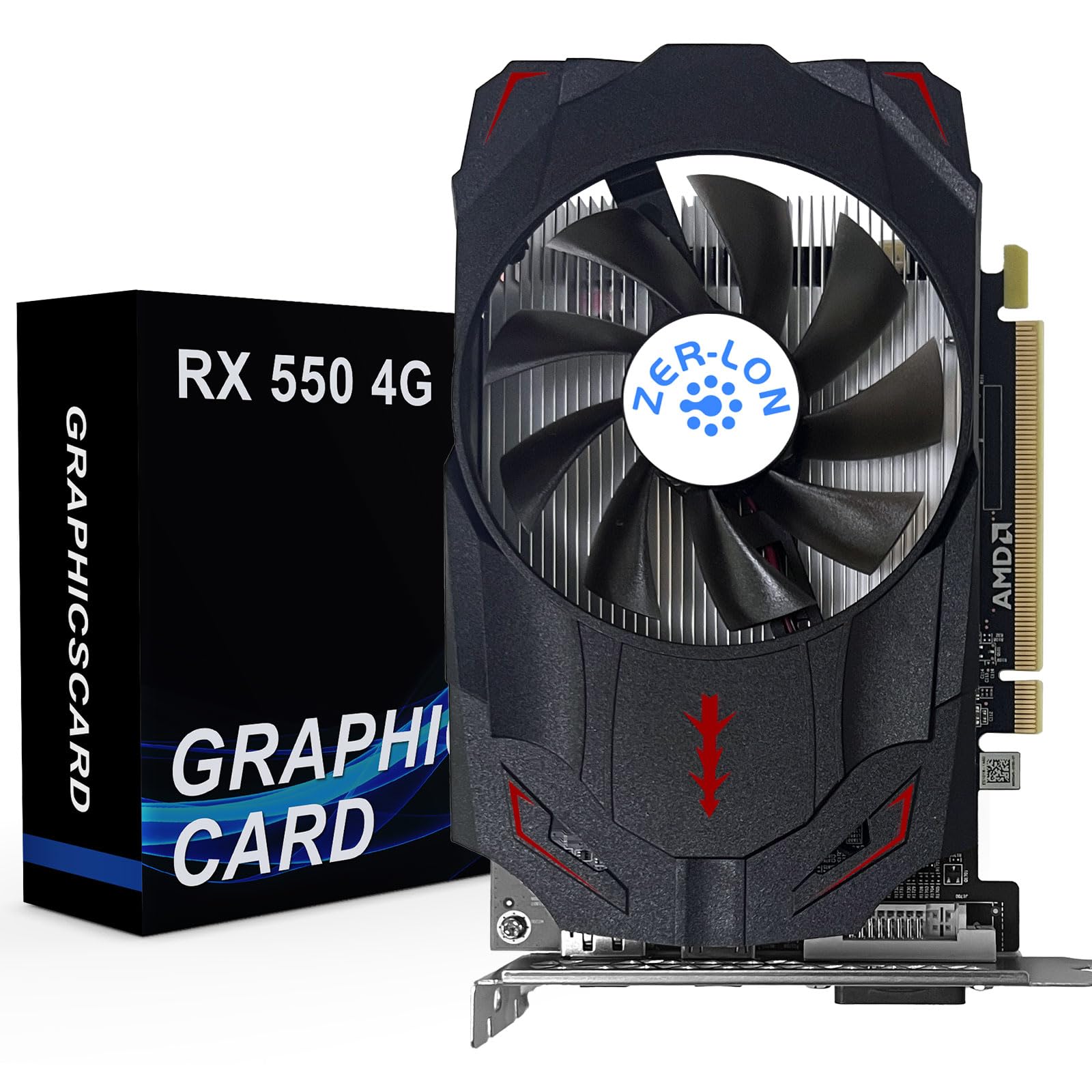
Three monitors, no power cable, and a card that revives older towers without drama.
The selling point is the port spread: HDMI, DisplayPort, and DVI on one card, with a maximum resolution of 3840×2160 pixels. That trio of outputs is what makes a multi-monitor office setup painless, and owners confirm it runs all three screens without a hitch. The 4GB of GDDR5 memory and 1183MHz base clock keep everyday desktop work, video playback, and light games moving smoothly.
It needs no external power supply — just seat it in the PCIe slot and it works, drawing about 50W at full load. The cooling system uses grooved copper heat pipes in direct contact with the chip, so a single fan keeps it manageable in a standard-width case. All solid capacitors and a thickened heat-dissipation module round out the build. For a desktop that just needs a working, quiet graphics card with room for extra screens, it is a sensible, low-drama choice.
Be realistic about what 4GB and a 1183MHz clock deliver for games. Owners describe it as good enough for high-end titles at standard definition and for mid-range games at high definition — not a modern AAA card at max settings. Also, the first boot can take a try or two if the driver isn’t already in place; it is the kind of install where a little patience pays off.
Why it earns its place: Three display outputs plus a low draw makes it a flexible fit for offices, home servers, and older desktops that need to drive extra screens.
The fair caveat: This is a standard-height card, not a low-profile one, so check your case width before buying. Gaming stays at the light end.
Right for you if: you run two or three monitors on an older desktop and want a slot-powered card with no fuss.
Not for you if: your case is a slim low-profile tower — this one needs full-height room.
5. msi Gaming GeForce GT 1030 4GB DDR4 OC Graphics Card

The old-desktop rescue card — one install and a struggling office tower feels new again.
This is the pick for the desktop sitting in the corner that can barely push a modern monitor. It brings 4GB of DDR4 video memory, a 1430MHz boost clock, and support for 4K UHD output at 3840×2160. Where the ASUS GT 1030 above caps at 1920×1200, this card’s higher resolution ceiling means sharper text and cleaner images on a big screen. Shoppers say noticeably crisper text and smooth frame rates in games that used to stutter.
It installs in minutes — seat it in the PCIe x16 slot, and Windows generally picks up the driver on its own. The low power draw means it slots comfortably into small pre-built PCs with modest power supplies, and the single-fan OC design keeps temperatures in check. It handles entry-level gaming, video playback, and everyday office work with stability, which is exactly the job it was built for.
Two things to know before you buy. First, the chipset is an older architecture that NVIDIA no longer issues new driver support for, so this is a card for today’s needs, not a long upgrade path. Second, this is a DDR4 version of the GT 1030 — it is a productivity and light-gaming card, not a serious gaming one. Keep that in mind and it is a genuinely smart buy.
What buyers like you get
- Turns an aging office PC into a smooth, sharp display machine
- 4K UHD output at 3840×2160 for crisp text on large monitors
- Installs easily and the drivers usually load automatically
- Low power draw suits small pre-built power supplies
The honest limits
- Older architecture that NVIDIA no longer supports with new drivers
- DDR4 memory version — fine for office and light gaming, not modern AAA titles
Smart buy when: an older desktop needs a cheap, low-power upgrade to run a big monitor and light games well.
Wrong pick when: you want a card that will keep getting driver updates for years to come.
6. 51RISC Radeon RX 550 LP Low Profile 4GB Graphics Card
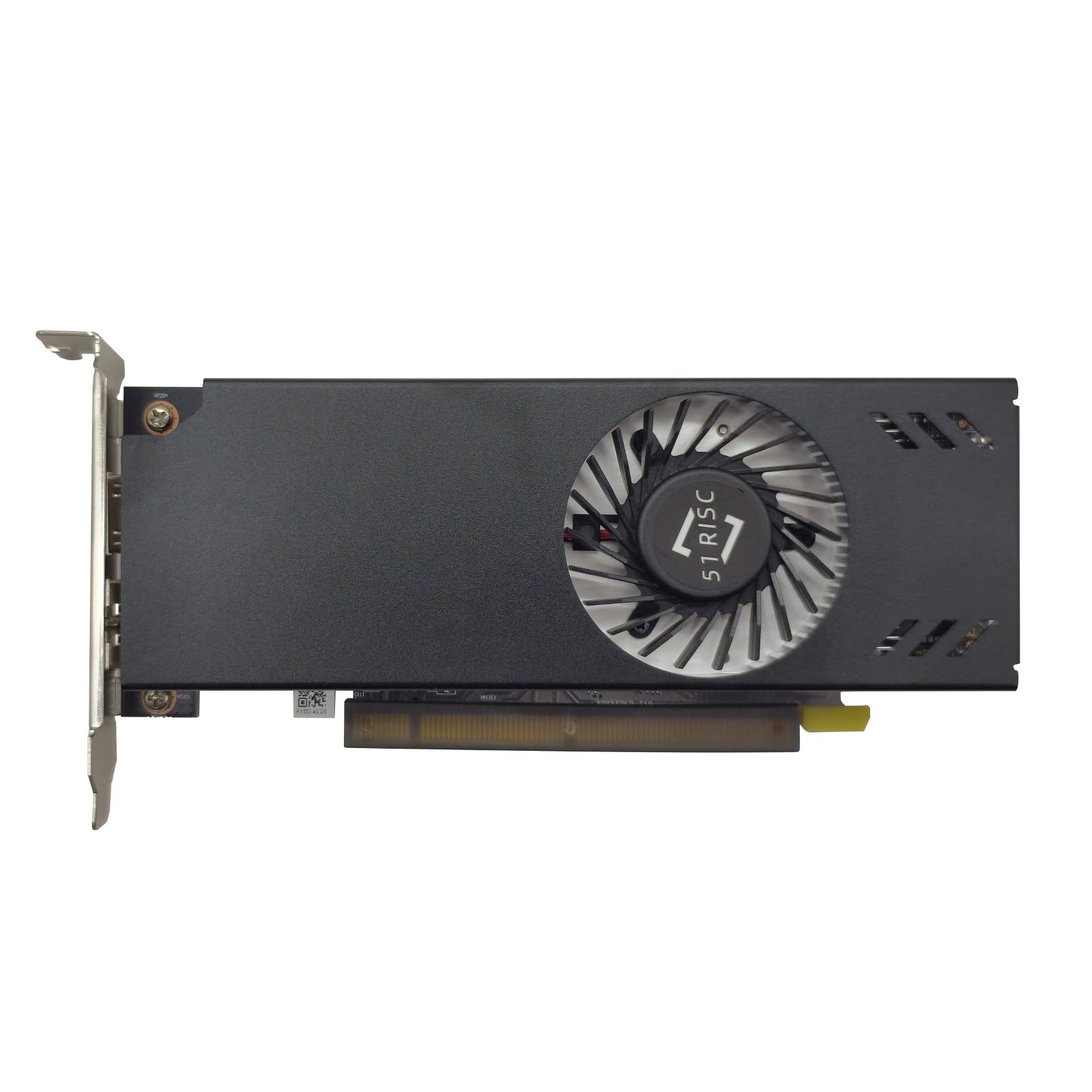
Thirty-five watts in a short card — the quiet fix for a slim desktop with a dead video port.
This is a purpose-built low-profile card. The 35W TDP (a low draw) plus a 6.61-inch length mean it slips into slim desktops and small-form-factor cases that reject almost everything else. It draws all its power from the PCIe x16 slot, so there is no external connector and no need to upgrade the power supply. Owners confirm it fits an Optiplex 3050 SFF and similar slim towers without trouble, and often installs and reboots within a couple of minutes on Linux with no driver work.
The 4GB of GDDR5 memory and 3840×2160 maximum output cover everyday desktop work, multi-monitor setups, and 4K video streaming in a browser. The single cooling fan with a heatsink keeps noise down for basic tasks, and it is nearly silent when it is not working hard. For a machine whose built-in HDMI just died, it is a clean, affordable repair.
The catch comes under load. Owners who run heavier games report the fan gets noisy and the GPU can climb toward 80C in a tight case. Some also needed to grab the AMD driver manually rather than rely on the Windows update version. It is a light-use card; treat it as a fix for a slim desktop rather than a gaming upgrade and it delivers.
Where it shines: A near plug-and-play repair for a slim tower with a broken display output, at a low power draw and a slim-fit size.
Where it strains: Heavy gaming pushes the single fan to audible levels and sends temperatures up. Plan on a manual driver install.
Ideal for: a slim office PC or mini-ITX build that lost its video output and needs a quiet, easy fix.
Not the one for: anyone planning to game seriously — the fan noise and heat climb fast under real load.
7. msi Gaming RTX 3050 LP 6G OC Graphics Card

The compact gaming card that stays silent at idle and still pulls real frame rates.
For a low-profile card, this one punches well above its size in games. It carries 6GB of GDDR6 memory, a 1492MHz boost clock, and two HDMI 2.1a ports plus DisplayPort, with output up to 3840×2160. Buyers report over 400 FPS in League of Legends at very high settings and smooth 1080p60 OBS streams. It fits a Dell Inspiron 3471 SFF and similar tight towers without modification.
The zero-RPM idle mode is the quiet-lover’s feature here: the fans stop completely when the card is cool, so a desktop sits in silence for web, email, and video. Under load it runs at a manageable temperature and its DLSS, ray tracing, and Reflex features all work as intended. Owners also report it running happily in a 500W power supply, and it needs no extra power adapter — a real benefit in a pre-built with limited cables.
The honest trade-off is that this is a 1080p gaming card. At 1080p it is confident, but 4K gaming is beyond it. It also runs warmer than a full-size card of the same chip, and one caveat from owners is that the fan can clatter briefly on the occasional startup. In practice it settles into near-silent operation, so it is a minor note rather than a deal-breaker.
Why gamers pick this one
- Real 1080p frame rates plus working DLSS and ray tracing
- Zero-RPM idle keeps a small desktop silent when not gaming
- Fits SFF cases like a Dell Inspiron 3471 without modification
- No extra power connector needed — runs on a 500W supply with ease
Keep in mind
- Built for 1080p gaming; 4K is out of reach
- A low-profile card runs warmer and louder under load than a full-size one
Built for: a small-form-factor gaming build where 1080p at high settings is the target.
Pass on it if: your aim is 4K gaming — this card tops out well before that.
8. NVIDIA RTX A2000 6GB GDDR6 (PNY)
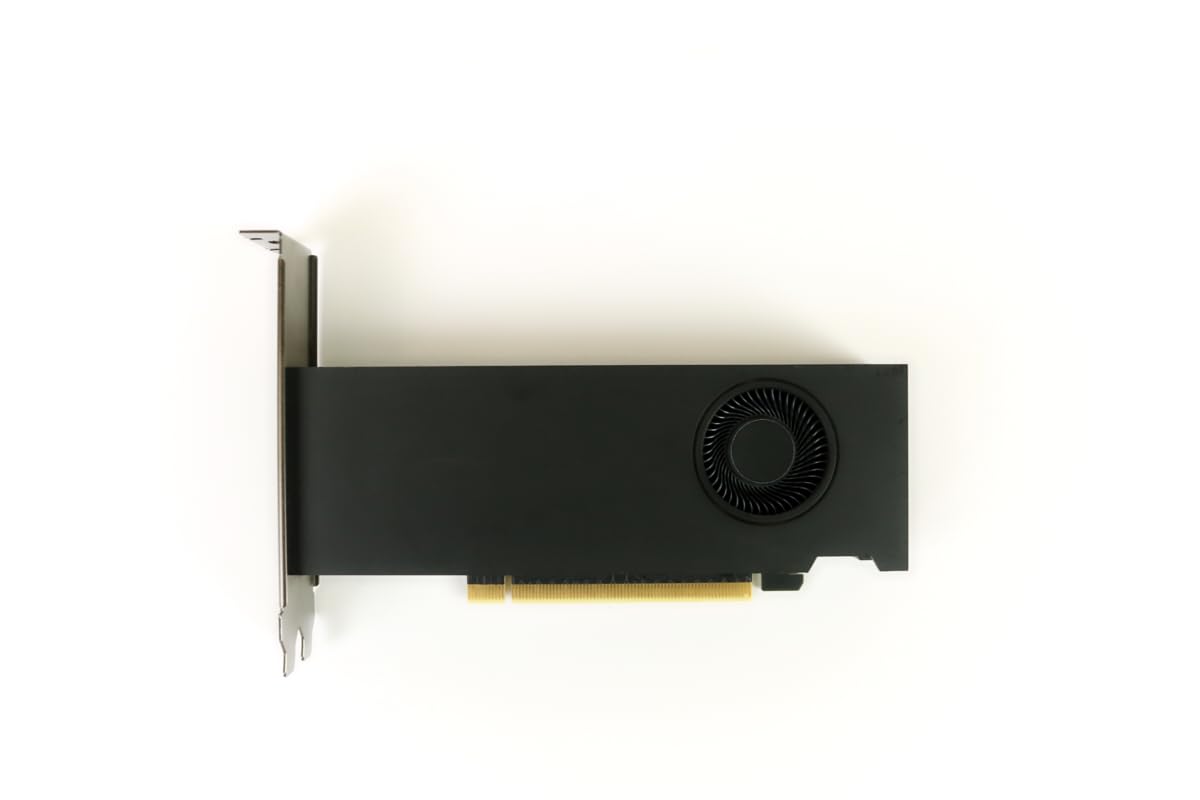
A professional card built for tight office PCs that were never meant to hold one.
This is not a gaming card, and that is the point. The RTX A2000 is a workstation GPU from NVIDIA’s Ampere line, aimed at creative work — Photoshop, DaVinci Resolve, CAD, and rendering — where reliability matters more than frame rates. It packs 6GB of GDDR6 memory, a 2GHz clock, and output up to 7680×4320. The half-height design fits small workstations where a taller card would simply not close.
Its standout trait is how it manages heat in a cramped case: the fan vents air out the back of the machine instead of recirculating it inside, which keeps a small chassis cooler. Owners mention stable runs in a Dell Precision 3460 with a 12th-gen i7 and 64GB of RAM, 60 FPS in Liftoff at maximum rendering, and heavy Photoshop and video work without issue. The pro drivers add stability that consumer cards do not always match, and its low power draw suits office desktops.
The real-world snag is the fit. In some older Dell office PCs you may need a better power supply and a riser cable to give it the 16x slot it wants, and a stock power supply may not deliver the bus power the card expects. A rare few units show brief red lines at boot that clear on their own. Go in expecting a workstation upgrade, not a plug-and-play gaming swap.
For the professional build: A dependable professional card that fits where full-size workstations can’t, with rear venting that keeps a tiny chassis cool.
The setup reality: Older office PCs may need a power-supply and riser upgrade before it will run. Check your hardware first.
Chosen by: creative pros and workstation owners who need a compact, stable card for editing, 3D, and rendering.
Look past it if: you want plug-and-play gaming value — a consumer card does that job more affordably.
9. PNY NVIDIA GeForce RTX 5070 Slim OC Dual-Fan Graphics Card
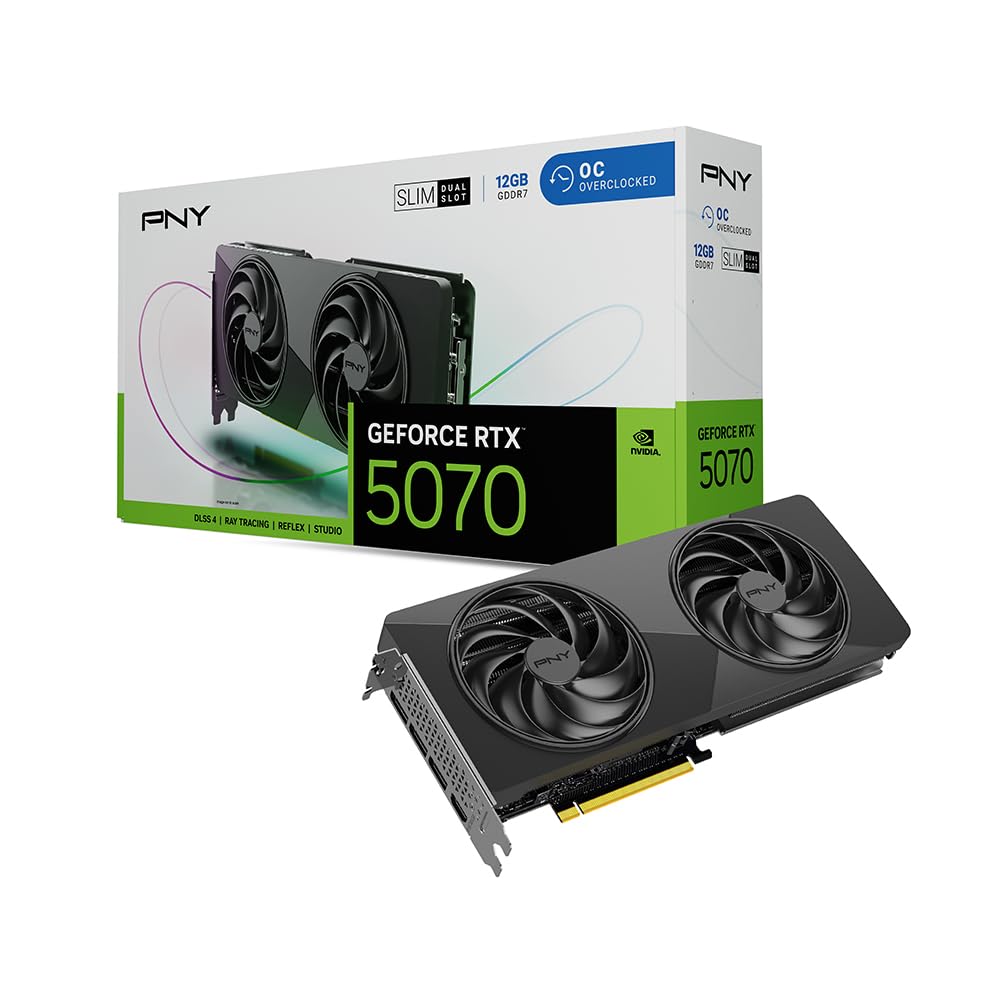
Twelve gigabytes of GDDR7 in a dual-slot body — big performance that still fits.
This is the most powerful card on the list, and the one you consider when your case is slim but your ambitions are not. It carries 12GB of GDDR7 memory on NVIDIA’s Blackwell architecture, a 2325MHz clock, and output up to 7680×4320. The dual-slot design and 11.4-inch length make it a fit for compact chassis and mid-towers alike, and it brings serious capacity to demanding games and creative work.
Owners put it through real workloads: Customers note Cyberpunk at 3440×1440 on a 144Hz screen at max settings, peaking at 70C with fans idling at 0RPM and topping out at 1600RPM. Topaz Video AI renders run fast across multiple jobs. The 100mm dual fans, copper heatsink, and aluminum backplate keep temperatures controlled, and its design matches NVIDIA’s reference board for broad compatibility.
The one caution is the power cable. A failed unit turned out to have a 12-pin connector wire that frayed and melted from poor insulation, which points to the adapter rather than the card itself. That is a rare occurrence, and PNY honors a 3-year warranty. Check your power supply and use a good-quality cable, and this card rewards you with high-end performance in a slim footprint.
What stands out
- 12GB GDDR7 memory and Blackwell architecture — the most capable card here
- Dual-slot slim design fits compact chassis and mid-towers
- Runs cool under load with 100mm dual fans and a copper heatsink
- Zero-RPM idle fans keep it silent when not gaming
The watch-outs
- A rare connector failure from a poor-quality 12-pin cable — use a good one
- It is the largest and most demanding card on this list; not a casual drop-in
Go for it if: you want high-end 1440p and 4K gaming or heavy creative work in a slim, small-form-factor build.
Steer clear if: your goal is a cheap, low-power drop-in — this is the top-shelf option, not the budget one.
Know the Specs
Slot Power and TBP
TBP stands for total board power — the full amount of electricity a card pulls when it is working hard. Slot-powered cards take all their electricity through the motherboard’s PCIe connector, which is why they skip the 6-pin cable. A card listed around 30W or 50W TBP leaves headroom on a small power supply, which is what makes these cards safe for pre-built office PCs. Always check your power supply’s capacity before fitting a bigger card like the RTX 5070.
Video Memory (VRAM)
VRAM is the card’s own storage for textures and images, and it caps how much detail it can hold at once. For office work and video playback, 2GB to 4GB is plenty. For modern 1080p games, 6GB is a comfortable floor. For high-resolution gaming and creative apps, 8GB and up is where you want to be. More memory lets a card handle heavier scenes without stuttering, but it does not make an old chip run new games faster on its own.
Low-Profile and Single-Slot
Low-profile means the card is short and ships with a shorter metal bracket for slim towers. Single-slot means it takes up just one expansion slot cover, which is rare and valuable in tiny builds. Two-slot cards use two covers even with the short bracket fitted. Check both the height and the slot count of your case before buying, since a card that does not physically fit is no bargain.
Maximum Display Resolution
This is the highest resolution the card can drive on a screen. A 1920×1200 ceiling suits a standard office monitor, while 3840×2160 (4K) and up are for big screens and high-resolution gaming. Match this to your monitor, not to a number on a spec sheet — if your display tops out at 1080p, a card rated for 4K gives you no extra detail there.
Common Questions
Will a low power GPU work in a slim office PC without a new power supply?
Do I need a 6-pin or 8-pin power cable for these cards?
What is the difference between low-profile and single-slot?
Can a fanless GPU overheat in a small case?
Is 4GB of video memory enough for gaming?
Which card is best for a Plex or Jellyfin media server?
Will a low power GPU fit a Dell Optiplex or similar office tower?
Can I run multiple monitors on a low power GPU?
Do I need a high-wattage power supply for the RTX 5070 Slim?
Is a fanless card quieter than one with a single fan?
The Bottom Line
For most people chasing a low power gpu that fits a slim case and asks nothing of the power supply, the ASUS GeForce GT 1030 2GB GDDR5 is the one to pick — it runs at roughly 30W with no power cable, stays completely silent thanks to its fanless heatsink, and drops straight into old office towers. If you need a card that actually games in a small-form-factor build, the msi RTX 3050 LP 6G OC brings 6GB of GDDR6, zero-RPM idle, and real 1080p frame rates without an extra power connector. And for a home media server that has to transcode several streams at once, the Sparkle Intel Arc A310 ECO does that job at a 50W TBP in a single slot.
One honest nudge before you decide: these low power cards are a narrow category, so the right pick depends on your case and your job, not on the biggest number on a spec sheet. If your goal is silence and a working desktop, the fanless ASUS ends the search. If your goal is gaming, pay for the msi card’s extra memory. And if your goal is a server, the Arc’s codec support earns its place.
How we choose
We do not accept paid placement. Every pick is matched to a real buyer and a real use-case; we do not hands-on test units.
Sources
Specifications: manufacturer listings and product documentation. Review insights: verified customer reviews, as of October 2026. Pricing: not shown on this page (it changes often); check the current price via the retailer link.
As an Amazon Associate, Aappliancez earns from qualifying purchases. This does not affect which products we feature.