Disclosure: Some links in this post are affiliate links. As an Amazon Associate I earn from qualifying purchases, at no extra cost to you. Learn more
Specs are compiled from manufacturer listings and verified buyer reviews and can change over time — please confirm the key details on the product page before buying.
You want frame rates, not a fight with your operating system. That is the whole point of picking a gaming laptop that plays nicely with Linux — you get the hardware punch without the driver roulette. Below are thirteen machines worth your time, sorted by what each one actually does better than the rest, from the cool-running Strix G16 to the monster Area-51.
This guide is built by comparing the manufacturers’ published specifications and the patterns across verified customer reviews, so you get each pick’s real strengths and trade-offs instead of marketing spin.
Some of these ship with Windows, so the first job is knowing which ones boot cleanly into your favorite distribution. That is why each linux gaming laptop entry below notes its driver path and dual-boot setup before you spend a dollar.
Top Picks


How To Choose The Best Linux Gaming Laptop
Linux gaming has changed a lot, and most of the heavy lifting now comes from Proton, a compatibility layer that translates Windows game calls into Linux ones. Your laptop just needs to stay out of its way with solid driver support. Here is what to check before you commit.
The GPU and its driver story
NVIDIA GeForce cards dominate these listings, and they work well with the proprietary driver most distributions offer. The RTX 5060 and 5070 chips appear repeatedly here, and each is a dedicated graphics processor that handles the frame rendering on its own. A stronger GPU means more headroom for high settings at your screen’s native resolution.
CPU cores and memory
The processor (CPU) does the logic, physics, and background tasks, so more cores help when you are running a game plus a browser and chat. These machines range from an 8-core AMD Ryzen 7 to an Intel Core i9-14900HX. Memory matters just as much — 16GB is the common starting point, but some picks give you 32GB straight away so you are not shopping for sticks a month in.
Storage and expansion slots
Games are large, and a 1TB drive fills faster than you expect. Look for at least one free M.2 slot (the small slot for a gum-stick-shaped SSD) so you can add capacity later. A few of these laptops list two slots, which makes a future upgrade painless.
Side-by-Side Comparison
All three spec columns below are the same dimensions across every row, so you can scan the trade-offs at a glance.
| Model | Best For | GPU | Memory | Display | Amazon |
|---|---|---|---|---|---|
| ASUS ROG Strix G16 (2025) G615JMR-AS74★ Best Overall | Overall pick | RTX 5060 | 16GB DDR5 | 16″ FHD+ 165Hz | Amazon |
| NIMO 15.6″ Light-GamingBattery Champion | Battery and light games | Radeon 680M | 32GB LPDDR5 | 15.6″ FHD | Amazon |
| acer Nitro V 15 ANV15-51-51H9Budget Entry | Budget gateway | RTX 4050 | 8GB DDR5 | 15.6″ FHD 144Hz | Amazon |
| Lenovo LOQ | G-Sync smoothness | RTX 5050 | 16GB | 15.6″ FHD 144Hz | Amazon |
| Acer Nitro V 16S ANV16S-41-R2AJ | AI workloads | RTX 5060 | 32GB DDR5 | 16″ WUXGA 180Hz | Amazon |
| Alienware 16 Aurora | Hot hardware, bright panel | RTX 5060 | 16GB | 16″ WQXGA 300 nits | Amazon |
| GIGABYTE Gaming A16 | RTX 5070 on a mid budget | RTX 5070 | 32GB | 16″ 165Hz IPS | Amazon |
| ASUS ROG Strix G16 (2025) G615LP | Premium fit and finish | RTX 5070 | 32GB DDR5 | 16″ 2.5K 240Hz | Amazon |
| MSI Katana 15 HX | Raw CPU horsepower | RTX 5070 | 32GB DDR5 | 15.6″ QHD+ 165Hz | Amazon |
| Acer Predator Helios Neo 16 | Desktop replacement | RTX 5070 Ti | 16GB DDR5 | 16″ WQXGA 240Hz | Amazon |
| Lenovo Legion 5i | OLED color accuracy | RTX 5070 | 16GB | 15″ 2.5K OLED 165Hz | Amazon |
| Alienware M18 R2 | Big-screen solo gaming | RTX 4080 12GB | 32GB DDR5 | 18″ QHD+ 165Hz | Amazon |
| Dell Alienware 18 Area-51 | No-compromise flagship | RTX 5090 | 64GB DDR5 | 18″ 2.5K 300Hz | Amazon |
Detailed Reviews
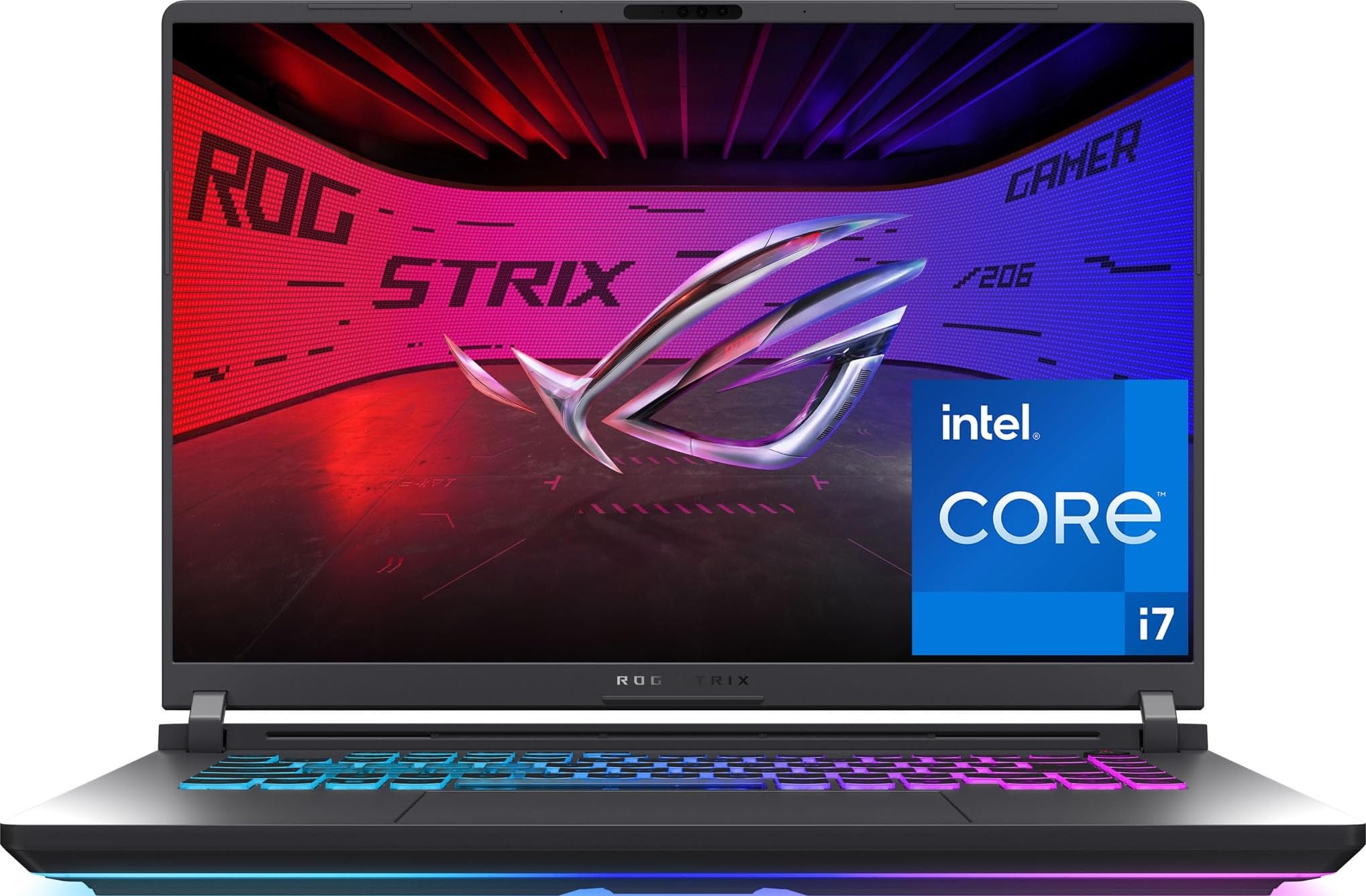
1. ASUS ROG Strix G16 (2025) G615JMR-AS74
Our pick — 4.0+★ from 600+ verified ratings; the strongest balance of quality and price.
The one that pairs a 165Hz panel with cooling that actually holds up.
The Strix G16 is the all-rounder that holds its temperatures under long load. The Strix G16 runs an Intel Core i7-14650HX processor that boosts to 5.2 GHz, paired with an NVIDIA GeForce RTX 5060 graphics card. For Linux, that is a clean combo — the GPU uses the standard NVIDIA driver, and the 16GB of DDR5 memory gives you enough headroom to run a game alongside a chat app and browser tabs.
The 16-inch screen pushes 1920 x 1200 pixels at a 165Hz refresh rate, which means it redraws the image 165 times per second. Fast shooters look smooth, and motion blur is kept to a minimum. A new anti-glare film helps keep contrast high in bright rooms. Storage is a 1TB PCIe Gen 4 SSD, so your game library loads fast and you have room for a dozen big titles.
Cooling is where this one earns its spot. The system uses an end-to-end vapor chamber (a sealed plate that spreads heat across a wide area) plus three fans and liquid metal applied to the chipset. Owners regularly note the machine runs cool under load, which matters if you plan long Linux gaming sessions. The 360-degree RGB lightbar syncs with the keyboard, and a Stealth Mode turns all lighting off for a clean look when you are working.
What earns it the top spot
- Vapor chamber plus tri-fan cooling keeps temps in check during long sessions
- 165Hz FHD+ panel with anti-glare film for smooth, readable motion
- 16GB DDR5 and a 1TB Gen 4 SSD give you a solid starting base
- Stealth Mode kills the RGB for a work-ready look
Where it asks you to compromise
- Battery life is rated at 2 hours, so plan on staying near an outlet
- The IPS panel is good but not the brightest or most colorful on this list
- 16GB of memory can feel tight if you run heavy multi-tasking
Best for: anyone who wants a cool-running all-rounder and does not mind staying plugged in.
Skip if: you need all-day battery for classes or travel — the 2-hour rating will not carry you.
2. NIMO 15.6″ Light-Gaming-Laptop
A rare bird: a laptop that runs AMD parts Linux loves and still lasts nine hours.
The NIMO is the exception to the usual gaming-laptop trade-offs. The NIMO weighs under 1.7kg, yet it carries an 8-core AMD Ryzen 7 PRO 6850U processor that boosts to 4.7 GHz, plus integrated Radeon 680M graphics. That is a big deal for Linux because AMD’s open-source drivers are baked into most distributions, so you get strong performance without a fuss. One owner who switched over noted that the AMD parts work well with Linux, and that is the kind of quiet confidence this machine brings.
Battery life is the headline. The 53.58Wh battery is rated at 9 hours of real use and 12.75 hours on standby. Compare that to the ASUS Strix G16 above, which is rated at 2 hours — this is a 4.5-hour gap that changes how you use the machine. You can leave the charger at home for a full day of classes or work, and the 100W USB-C fast charger tops it up when you do need a hit.
The 15.6-inch 1920 x 1080 screen is crisp for text and video editing, and the backlit keyboard has a 175-degree lay-flat hinge so you can angle it for long typing sessions. You get 32GB of LPDDR5 memory and a 1TB PCIe 4.0 SSD from the start, which is generous at this tier. One caveat: the keypad layout is not a standard ten-key arrangement — the period sits above the 9 — and a couple of buyers found that annoying for serious data entry. If number-crunching is your day job, test the keyboard first.
Where it shines: The 9-hour battery and AMD driver support are a rare combo for a machine that weighs under 1.7kg.
The honest catch: The integrated Radeon 680M is fine for light and medium games, but heavy titles will want more graphics muscle than this chip offers.
Reach for this if: you need real battery life and a Linux-friendly AMD chip without spending a fortune.
Look elsewhere if: you plan to run the latest AAA titles at high settings — this one is built for lighter gaming and productivity.
3. acer Nitro V 15 ANV15-51-51H9
The cheapest door into dedicated graphics, if you can live with its quirks.
This is your entry point into a real gaming GPU without a premium sticker. The Nitro V 15 pairs an Intel Core i5-13420H that boosts to 4.6 GHz with an NVIDIA GeForce RTX 4050 graphics card. Games like Red Dead Redemption 2 and The Last of Us Part II run at high settings, and the 15.6-inch screen does 1920 x 1080 at 144Hz so fast motion stays readable. For Linux users, the RTX 4050 is well-covered by the standard NVIDIA driver, and the Thunderbolt 4 port gives you fast external storage and a display output in one connector.
Two things will shape your daily experience. First, the 8GB of DDR5 memory is thin for modern gaming, and owners who upgraded to 24GB or 32GB report a noticeable jump in how smoothly things run. Second, the battery is rated at 3 hours, so this is a plug-in machine for any real gaming session. On the plus side, RAM and SSD upgrades are easy to perform, and there are two M.2 slots so you can add a second drive without removing the first.
Fans get loud under heavy load, but a laptop stand that lifts the rear helps airflow and keeps the noise tolerable. One thing to know: the rear exhaust can blow warm air against the bottom of the screen, so angle the lid back a little. If you are comfortable opening the case and adding memory, this is a solid starting point for a Linux dual-boot setup.
The budget math: You get an RTX 4050 and a 144Hz panel at the entry tier, which is the core value here.
The trade-off: 8GB of memory and a 3-hour battery mean you should budget for a RAM upgrade and plan around wall power.
The right owner: a first-time gaming laptop buyer who will plug in, upgrade the RAM, and stick to AC power.
Not your machine if: you want to open the box and game for hours on battery with zero setup — this one rewards tinkering.
4. Lenovo LOQ
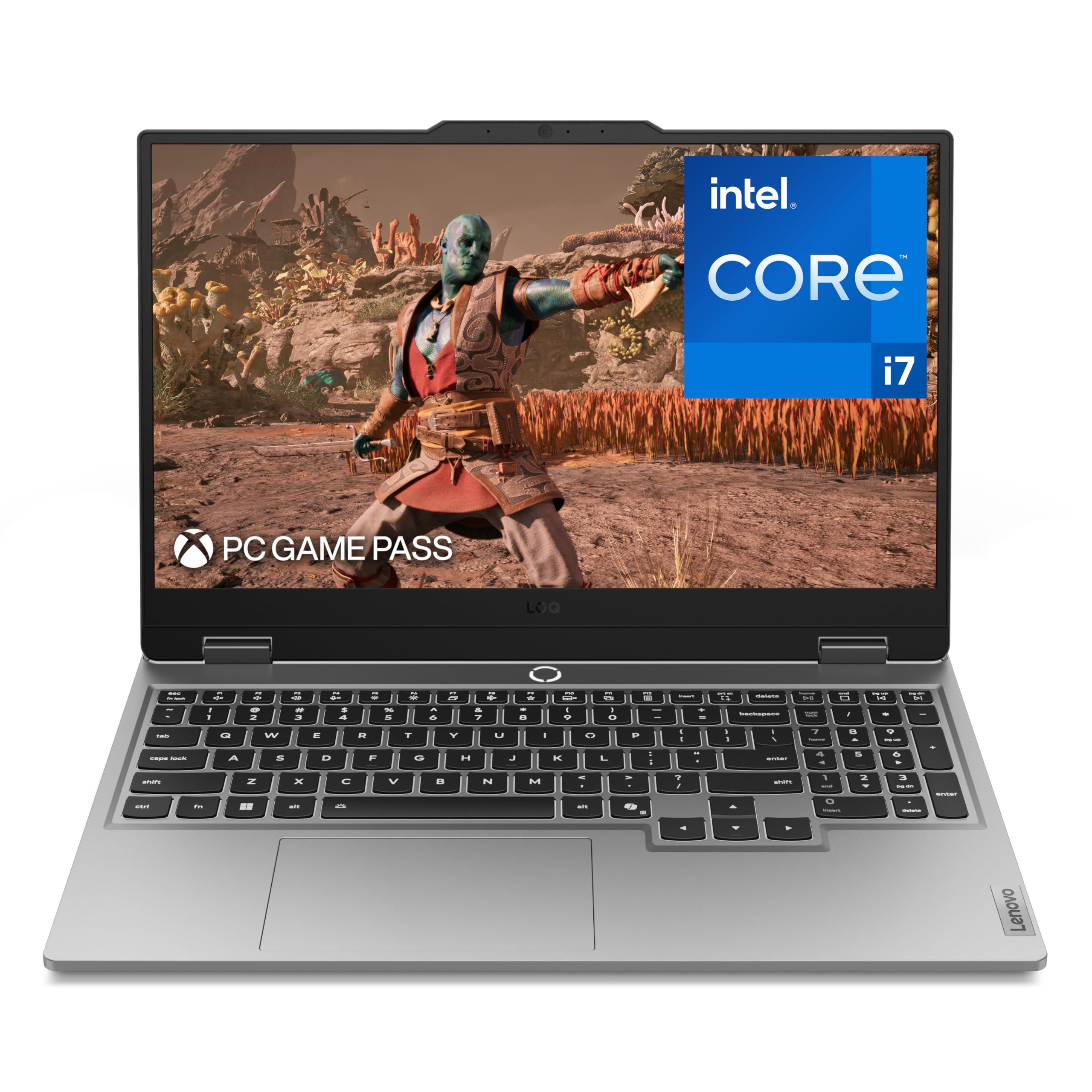
G-Sync on a mid-tier machine is the detail most buyers miss.
Screen tearing is the enemy of fast shooters, and this laptop takes it seriously. The LOQ pairs a 15.6-inch 1920 x 1080 IPS panel running at 144Hz with NVIDIA G-Sync, which syncs the display refresh to the graphics card’s frame output so you do not get a torn image when frames dip. The Intel Core i7-13650HX boosts to 5.1 GHz, and the GeForce RTX 5050 handles the rendering. Boot-time is quick, and owners find it fast enough for both gaming and everyday work.
Lenovo’s AI Engine+ automatically tunes CPU and GPU settings, so you do not have to fiddle with profiles. The keyboard has a clean white backlight and soft-landing switches that feel smooth for long sessions. Storage is 1TB, and the aluminum cover gives the chassis a sturdy feel without much extra weight. Rapid Charge Pro tops the battery to 70% in under 30 minutes.
Here is the honest part. Buyers report the battery runs roughly 1.5 hours during high-performance work, which means you should plan to stay near an outlet. It also runs warm under load, and one buyer found the sound output low. Give the vents clear space — desk or cooling pad — and it stays manageable. For Linux, the RTX 5050 uses the standard NVIDIA driver path.
Why it earns a place
- G-Sync removes tearing and stutter on a 144Hz panel
- AI Engine+ tunes performance automatically
- Rapid Charge Pro gets to 70% in under 30 minutes
- Solid aluminum cover feels sturdier than the price suggests
What to plan around
- Battery life is short under high-performance profiles
- It runs warm under load, so ventilation matters
- Sound output is on the quiet side
Pick this if: you want tear-free frames and automatic performance tuning at the mid tier.
Double-check if: you need long battery life — this one wants a nearby outlet.
5. Acer Nitro V 16S ANV16S-41-R2AJ

Thirty-two gigabytes of memory and 180Hz — the Linux dev box that also games.
Running local AI models or compiling large projects stalls on memory first, and this Nitro V 16S gives you 32GB of DDR5-5600MHz (fast system memory) across two slots. That is enough to fine-tune a 7B to 13B parameter model (a mid-size AI model) without swapping to disk, so training runs don’t crawl. The AMD Ryzen 7 260 processor boosts to 5.1 GHz, and the NVIDIA GeForce RTX 5060 carries 572 AI TOPS — a measure of how many trillions of operations per second the chip can handle for machine learning tasks. If you code and game on the same Linux machine, that pairing covers both jobs.
The 16-inch display does 1920 x 1200 at 180Hz with 100% sRGB coverage, so colors are accurate for photo and video work. The four-zone RGB keyboard has a large trackpad and stays readable in the dark. Storage is a 1TB PCIe Gen 4 SSD, and there is a second M.2 slot open for later expansion. The 135W power brick is compact enough to carry, and battery life runs four to five hours for browsing and work.
Owners mention the CPU holds steady through long AI and development sessions without throttling. In long AI and development sessions the CPU holds steady without throttling, though the factory software load is heavy and worth cleaning up. For Linux specifically, the RTX 5060 works with the standard driver, and the beefy memory means you have room for a full development environment before you need to think about upgrades.
Who it is built for: developers and creators who want 32GB of memory and genuine AI compute on the same machine that plays their games.
One real niggle: the screen is not the brightest, so outdoor or direct-sun sessions will wash out more than a premium panel would.
Made for: the Linux user who wants a single machine for coding, AI work, and gaming without adding memory on day one.
Think twice if: you mostly game in bright rooms — the dim display is the weak link here.
6. Alienware 16 Aurora

A 16:10 WQXGA panel with 300 nits, for people who actually look at detail.
The 16-inch 2560 x 1600 panel at 300 nits is the sharpest display at this tier. The Aurora runs a 16-inch 16:10 panel at 2560 x 1600 resolution with 300 nits of brightness — a sharp, pixel-dense image that makes menu text and textures pop. The Intel Core 7 240H boosts to 5.2 GHz, and the NVIDIA GeForce RTX 5060 handles the rendering. A redesigned Cryo-Chamber cooling structure focuses airflow at the core components, and the design skips the rear thermal shelf so the chassis stays streamlined.
Owners find the machine powerful for high-settings gaming, digital art, and video work, with excellent picture quality. Setup takes minutes, and the machine stays usable through long workdays. On the hardware front, 16GB of memory and the RTX 5060 keep games at high settings with good frame rates. The 180W adapter is sized for the load, and there is a numeric keypad plus a backlit keyboard.
The caution here is the running temperature. Some buyers find it warm and loud under heavy load, which is expected for a slim chassis pushing this hardware. There are also reports of occasional early failures, so buy from a seller with a return window you trust. For Linux, the RTX 5060 is the known quantity — the standard driver path applies, and the rest is a matter of patching. Given the mixed reliability signals, run a long stress test in your first week.
The display argument: 2560 x 1600 at 300 nits and a 16:10 shape is the most detailed screen in this group at the mid tier.
The real caution: it runs warm, and a handful of units have failed early — so buy where returns are simple.
Great match for: gamers and creators who put screen quality first and can live with a warm chassis.
Less ideal for: anyone who needs a silent machine or has no tolerance for early-return roulette.
7. GIGABYTE Gaming A16

An RTX 5070 and 32GB of RAM at a price the big brands struggle to match.
You get a next-gen GPU here without paying flagship money. The A16 pairs an Intel Core i7-13620H that boosts to 4.9 GHz with an NVIDIA GeForce RTX 5070 Laptop GPU and 32GB of memory. That hardware runs Battlefield 6 maxed at 90 frames per second, and Star Citizen hits 70 maxed with minimal stutter, so fast shooters stay smooth. The machine stays under 71 degrees Celsius, which matters when you play for hours. Linux users get the standard NVIDIA driver path, plus a 180-degree hinge and a thin 19.45mm chassis that slips into a backpack.
The 16-inch 165Hz IPS screen handles fast games well, and the 32GB of memory means you can run a game plus a browser and a media player without sweating. There is an empty vertical M.2 slot, so adding a second drive is a five-minute job. The speakers are 2x 2W, which is fine for casual listening but not for serious audio work.
The honest friction points: GIGABYTE’s GiMATE AI software consumes about 2.5GB of RAM and has limited fans and overclocking controls. Some owners ended up uninstalling it after it interfered with the GPU. Battery drains fast even on power saver, so gaming needs the AC adapter. Fans get loud under load. If you plan a Linux install, removing that software layer is likely the first thing you will do anyway.
Why it punches above its price
- RTX 5070 and 32GB of memory together at a mid-tier price
- Stays under 71 degrees under heavy gaming load
- Empty vertical M.2 slot makes storage upgrades easy
- 180-degree hinge and 19.45mm chassis travel well
Where it frustrates
- GiMATE software eats memory and limits tuning
- Fast battery drain, so gaming needs wall power
- Fans get loud during heavy loads
The right buyer: someone who wants RTX 5070-level performance and 32GB of memory without flagship pricing.
Avoid if: you expect polished built-in software — the bundled utility is the weak link.
8. ASUS ROG Strix G16 (2025) G615LP-XS97

A 240Hz 2.5K screen paired with a Core Ultra 9 and 2TB of storage.
This is the step up from the top pick, and the biggest single difference is the display and storage. The Nebula panel runs 2560 x 1600 at 240Hz with Dolby Vision HDR and an anti-glare film, so fast games look fluid and dark scenes keep their detail. The Intel Core Ultra 9 275HX boosts to 5.4 GHz, and the NVIDIA GeForce RTX 5070 handles the rendering. The 32GB of DDR5 and 2TB Gen 4 SSD mean you can install a large library and keep a second slot free for later. Wi-Fi 7 gives you the fastest current wireless standard.
Cooling uses an end-to-end vapor chamber and three fans, and owners describe long workdays with no noticeable fan noise or heat issues. The full-surround RGB lightbar syncs with the keyboard and ROG peripherals, and Stealth Mode turns it all off. The trackpad has a built-in backlit numpad, so you get a number pad without a wider chassis. For Linux, the RTX 5070 follows the standard driver route, and the two SSD slots give you room to dual-boot on separate drives.
Two things to keep in mind. The machine is heavy, and a couple of buyers found the included software confusing. One owner also found the second drive bay missing a thermal pad that ASUS’s own guide shows, which is a small detail if you plan to add a drive. Set aside a few minutes to save your disk encryption recovery key before any firmware update, because a BIOS flash can trigger a lock screen on the Windows side.
The upgrade that matters: 2.5K at 240Hz with 2TB of storage is a real step above the base model, not a cosmetic one.
What you accept: it is a heavy machine, and the bundled software needs a patient setup session.
Built for: buyers who want the sharper, faster, roomier version of the top pick and will trade portability for it.
Not for you if: you carry your laptop daily — the weight is the price of the bigger screen and cooling.
9. MSI Katana 15 HX

Twenty-four cores in a laptop, aimed at compile times and heavy game loads.
The Intel Core i9-14900HX brings 24 cores boosting to 5.8 GHz, the heaviest CPU loadout in this group. That is the most raw CPU grunt in this group, and it matters if you build large projects, run virtual machines, or play simulation-heavy titles. With an NVIDIA GeForce RTX 5070 and 32GB of DDR5, the Katana 15 HX handles Cyberpunk, Hogwarts Legacy, and Modern Warfare 3 above 100 frames per second at high or ultra settings. The QHD 165Hz panel covers 100% DCI-P3 color, so games look rich and accurate.
Cooler Boost 5 uses dual fans and a five-heat-pipe design to keep frame rates stable on long sessions, and the 4-zone RGB keyboard highlights the WASD keys so your movement cluster stands out in the dark. There is a single M.2 slot, and the 1TB Gen 4 NVMe drive hits roughly 7000 MB/s — fast enough that load screens are gone before you notice. Ports include USB-C Gen 2, HDMI, multiple USB-A, and RJ45. Wi-Fi 6E and Bluetooth 5.4 round it out.
The catches are weight and heat. This is a heavy, bulky machine with a large power brick, and the battery runs about two to three hours of gaming, so plan on AC power. Some units arrived with an AI performance mode that behaved erratically and a machine that did not always sleep when asked — worth watching in the first weeks. For Linux, disabling that mode in favor of a custom power profile is often the first fix anyway.
The core argument: 24 cores at up to 5.8 GHz is the heaviest CPU loadout here, and it shows in multitasking and compile times.
The thing to watch: the bundled AI mode can misbehave, and the machine wants a cooling pad and wall power for serious sessions.
Choose it if: your workload leans on raw CPU horsepower and you game at 1440p on a big panel.
Pass if: you want a light, quiet, all-day laptop — this is a desk-side powerhouse, not a commuter.
10. Acer Predator Helios Neo 16

The RTX 5070 Ti here makes it a genuine desktop replacement.
If you want to stop owning a tower, this is the machine that can replace it. The Helios Neo 16 runs an Intel Core Ultra 9 275HX that boosts to 5.4 GHz with an NVIDIA GeForce RTX 5070 Ti carrying 992 AI TOPS. In real benchmarks it scores around 17,600 in Time Spy, ahead of similarly specced rivals. Games like Battlefield 6 and Modern Warfare 3 run High settings with DLSS pushing over 100 frames per second, and it drives a 3440 x 1440 ultrawide on a cooling pad without complaint. The 12GB of VRAM (video memory) gives you headroom for texture-heavy titles going forward.
The 16-inch WQXGA screen runs 2560 x 1600 at 240Hz with 500 nits of brightness, a 3ms response time, and up to 100% DCI-P3 color, plus both G-Sync and NVIDIA Advanced Optimus. That is the brightest and most color-capable panel here. Killer Wi-Fi 6E keeps latency low for online play. The chassis is thinner than some rivals, with a sturdy plastic body and metal lid, and rear USB-C, power, and HDMI ports that make cable routing tidy.
Two practical notes. First, 16GB of memory is the tight spot — owners who run music, chat, and game overlays at once report it fills up fast, and adding a second stick is a smart day-one move. Second, the machine runs loud and hot on high performance modes, so balance mode and a cooling pad are your friends. For Linux, disabling RST in the BIOS and switching the storage controller to AHCI is the known step to run PopOS or similar distributions cleanly.
Why it competes with desktops
- RTX 5070 Ti with 12GB VRAM and 992 AI TOPS
- 500-nit 240Hz WQXGA panel with G-Sync and Advanced Optimus
- Time Spy around 17,600 — ahead of similar-spec laptops
- Rear port layout keeps desk cables controlled
What you manage
- 16GB of memory is thin for heavy multitasking
- Loud and warm on the highest performance modes
- Heavy, with a large power brick
Ideal for: anyone replacing a desktop tower with a laptop that drives a big external monitor.
Go elsewhere if: you travel weekly — the bulk and the power brick make it a stay-at-home machine.
11. Lenovo Legion 5i
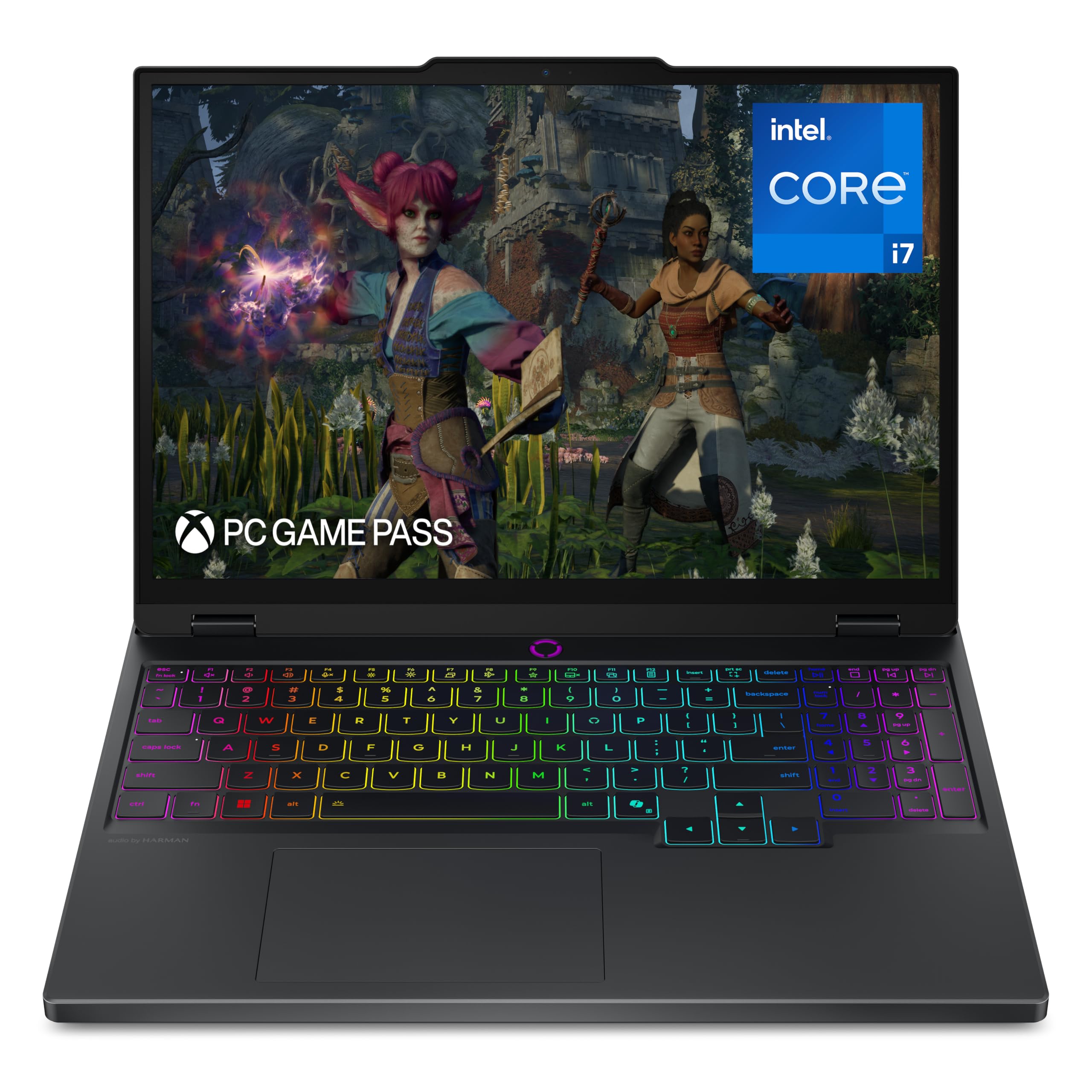
An OLED panel that turns games and films into something you stare at.
If color and contrast matter as much as frame rates, this is the one to beat. The Legion 5i runs a 15-inch 2.5K WQXGA OLED panel at 165Hz with per-pixel lighting, so blacks go genuinely black and colors stay accurate. The Intel Core i7-14700HX boosts to 5.4 GHz, and the NVIDIA GeForce RTX 5070 handles the rendering. Owners describe gaming performance that exceeds expectations, with sharp visuals and smooth frame rates on high-end titles. The 1TB of storage and 16GB of memory keep everyday work snappy.
Battery life is a surprising strength for a gaming machine — rated at 9 hours, and customers note good endurance for work away from the charger. Lenovo’s fast-charge tech tops the battery to 70% in under 30 minutes through USB Type-C, so a coffee-shop stop gives you hours of schoolwork. The keyboard uses 1.5mm key travel with a numpad, and the hinge opens with one hand. There is a microSD reader for quick file transfers and an extra storage slot, though the included 1TB covers most needs.
The honest limits: the fans get loud under load, and light-colored plastic can pick up fingerprints. A few owners added a second 16GB stick to smooth out heavy multitasking, so adding memory later is worthwhile. For Linux, the RTX 5070 and the Intel platform use standard drivers, and the OLED panel is a genuine pleasure for any long session.
The screen case: a 2.5K OLED panel at 165Hz is the most color-accurate display in this group, full stop.
What you trade: fan noise under load and a memory slot that you may want to fill on day one.
Right fit: gamers and creators who value contrast and color over raw pixel count.
Less fit: anyone who needs a whisper-quiet machine at full load.
12. Alienware M18 R2

Eighteen inches of screen for people who want a desk they never leave.
The 18-inch 2560 x 1600 panel at 165Hz is the largest screen in this group. An 18-inch 16:10 QHD+ panel (a sharp 2560×1600-class screen) at 165Hz and 3ms response time with 100% DCI-P3 coverage (the full colour range used in film) gives you a screen big enough to feel like a monitor. The RTX 4080 with 12GB of GDDR6 video memory (dedicated graphics memory) pushes demanding games at max settings without throttling. The Intel Core i9-14900HX boosts to 5.8 GHz. Four M.2 slots (drive bays for stick-shaped SSDs) support up to 9TB of total storage, the largest expansion path in this group. Add the recessed keyboard with a full NumPad and a large touchpad, and this is a machine built to sit on a desk and stay there.
Owners who love it describe running everything at max settings with no overheating or shutdowns, and they praise the display as sharp enough to rival dedicated monitors. The cooling uses an exclusive thermal interface material on both the CPU and GPU. A performance mode spins up extra fans when things get hot. For Linux, the RTX 4080 uses the standard NVIDIA driver, and the four storage slots give you room to triple-boot if you want to.
What you give up is portability and battery life. This is a loud, chunky machine that wants a cooling pad and a wall outlet. Build quality is the recurring concern — a keyboard that needed replacing after four months and one report of a failure after 20 hours of use stand out. Buy where returns are painless, and run a full stress test in the first week. If you want a big-screen desktop replacement and can accept the bulk, the M18 R2 delivers the experience.
The case for the big panel
- 18-inch QHD+ 165Hz screen with 100% DCI-P3 color
- RTX 4080 with 12GB of GDDR6 for max-settings gaming
- Four M.2 slots supporting up to 9TB of storage
- Full NumPad and large touchpad for desk work
What you accept
- Heavy and loud; it wants a cooling pad and wall power
- Build quality reports include a keyboard that failed early
- Not a laptop you carry anywhere
Best suited to: the gamer who wants a desktop-sized screen and top-tier graphics in one box.
Think again if: you need to move it daily, or you are not prepared to use the return window as a safety net.
13. Dell Alienware 18 Area-51

RTX 5090, 64GB of RAM, and a 300Hz panel — the no-compromise end of the list.
If budget is not the deciding factor, this is the machine that ends the search. The Area-51 pairs an Intel Core Ultra 9 275HX that boosts to 5.4 GHz with an NVIDIA GeForce RTX 5090 and 64GB of DDR5 memory. That is double the memory of almost everything else here, which means you can host virtual machines, run local AI models, and keep a game in the background without a hitch. The 18-inch 2560 x 1600 panel runs at 300Hz — the fastest refresh rate in this group — so motion stays fluid even in the most frantic shooters. Wi-Fi 7 and Bluetooth 5.4 keep the wireless side current.
Owners describe it as a desktop replacement that runs demanding games flawlessly while staying cool and quiet. The Stealth Mode keeps the chassis subdued for work, and the RGB and touchpad get praise. One buyer replaced an older flagship from another brand and found this one quieter and faster. The build feels solid, and 2TB of PCIe storage covers a large library. For Linux, the RTX 5090 is a known quantity with the standard NVIDIA driver, and 64GB of memory gives you breathing room for a full development environment plus a game running simultaneously.
The honest caveats are size and heat. This is a very big, heavy machine that needs its own carrying case, and it is not built for portability. A few owners noticed some screen bleeding, and M.2 drives with built-in heat shields may not fit unless you remove the shield. If you want the absolute ceiling of laptop gaming and can make space for it on your desk, this is the one.
Why it tops the ceiling
- RTX 5090 paired with 64GB of DDR5 memory
- 300Hz 2560 x 1600 panel — the fastest refresh here
- Runs demanding games cool and quiet, with a Stealth Mode
- Wi-Fi 7, Bluetooth 5.4, and 2TB of PCIe storage
The weight of the crown
- Very big and heavy; it needs a separate case to travel
- Some units show slight screen bleeding
- Heat-shielded M.2 drives may need their shield removed to fit
The right call for: buyers who want the absolute top of laptop gaming and treat it as a desk machine.
Look away if: you need to carry your laptop between rooms or desks — this one stays put.
Know the Specs
What GPU memory (VRAM) actually does
VRAM is the dedicated memory on the graphics card, and it holds the textures and geometry a game needs to draw each frame. More VRAM (measured in GB) means a game can keep higher-resolution textures in memory instead of streaming them in, which reduces stutter. The RTX 5090 here carries the most, and 12GB or more is a comfortable floor for modern titles at high settings. For Linux, VRAM does not change how drivers work, but it does change how well a game runs when you push texture quality up.
Why refresh rate (Hz) matters for Linux gamers
Refresh rate counts how many times per second the screen redraws, so a 240Hz panel updates 240 times in a second. Higher rates make fast motion look smoother and reduce the gap between when you move and when you see it. On Linux, you often need to set the refresh rate manually in your display settings because the system may default to 60Hz. The Strix G16 premium model, the Predator Helios Neo 16, and the Area-51 all sit in the fast end of this group.
Storage slots and dual-booting Linux
An M.2 slot is the small connector where the gum-stick-shaped SSD lives. Having a second slot means you can install a separate drive for your Linux distribution and leave the Windows install untouched, which is the safest dual-boot setup. Several picks here list two slots, and the M18 R2 lists four. A free slot also means you can add capacity later without removing your existing games.
Memory (RAM) and what 16GB versus 32GB means
RAM is your system’s working space for active programs. A game, a browser with a dozen tabs, and a chat client can push past 16GB together, which is why several picks here come with 32GB or offer an easy upgrade path. For Linux users who run virtual machines or compile large codebases, 32GB gives you room to breathe. If you buy a 16GB machine, check whether the memory is soldered or upgradeable before you commit.
Common Questions
Will these gaming laptops actually run Linux well?
Can I dual-boot Windows and Linux on the same laptop?
Do NVIDIA GeForce graphics cards work with Linux drivers?
How much battery life can I expect from a gaming laptop?
Is a 165Hz screen worth it for Linux gaming?
How much RAM do I need for gaming and development?
What is the difference between G-Sync and a high refresh rate?
Can I upgrade the storage on these laptops?
Do these laptops run hot enough to need a cooling pad?
Will the Wi-Fi and Bluetooth work on Linux from the start?
The Bottom Line
For most people, the linux gaming laptop to buy is the ASUS ROG Strix G16 because its vapor chamber and tri-fan cooling keep it running cool while the RTX 5060 and 165Hz panel deliver smooth frames. If you want a sharper, faster, roomier screen, the premium Strix G16 steps up to 2.5K at 240Hz with 2TB of storage. And for a laptop that can genuinely replace a desktop tower, the Predator Helios Neo 16 leads on graphics with its RTX 5070 Ti.
One last nudge: the AMD-based NIMO is the gentle way into Linux gaming if battery life and driver simplicity matter more to you than raw graphics power. It gives you 9 hours away from the charger, and its Radeon 680M graphics handle light and medium games without fuss. Match the pick to your workload: the NIMO for battery and AMD drivers, the Strix G16 for cool all-round gaming, the Helios Neo 16 for desktop-class graphics.
How we choose
We do not accept paid placement. Every pick is matched to a real buyer and a real use-case; we do not hands-on test units.
Sources
Specifications: manufacturer listings and product documentation. Review insights: verified customer reviews, as of October 2026. Pricing: not shown on this page (it changes often); check the current price via the retailer link.
As an Amazon Associate, Aappliancez earns from qualifying purchases. This does not affect which products we feature.