Disclosure: Some links in this post are affiliate links. As an Amazon Associate I earn from qualifying purchases, at no extra cost to you. Learn more
Specs are compiled from manufacturer listings and verified buyer reviews and can change over time — please confirm the key details on the product page before buying.
You want to plug your wired headphones into a modern iPhone, and the tiny adapter in between keeps deciding when to work. That is the real problem with this accessory: the connector is a fraction of an inch of metal, and it either holds a clean signal or drops it mid-song. The picks below are the ones that hold it, sorted by what each is built to do — music listening, microphone work, car stereos, or bridging USB-C phones to Lightning earphones.
This guide is built by comparing the manufacturers’ published specifications and the patterns across verified customer reviews, so you get each pick’s real strengths and trade-offs instead of marketing spin.
Start with what you plug in and what you plug it into, because a Lightning dongle built for headphones behaves very differently from one built for a microphone input. The short version: knowing the socket at each end — Lightning or USB-C on the phone, TRS or TRRS on the gear — settles most of the choice. This breakdown of the lightning to 3.5mm adapter covers the wiring, the sound chips, and the connector that keeps failing.
Top Picks


How To Choose The Best Lightning to 3.5mm Adapter
The connector at each end decides almost everything. A Lightning to 3.5mm adapter takes the flat Lightning plug on your iPhone and turns it into the round 3.5mm hole your wired headphones need. Inside that tiny body sits a converter chip that turns the phone’s digital audio into an analog signal your headphones can play.
Check the audio chip before the price tag
That converter is called a DAC, short for digital-to-analog converter, and it sets the ceiling on sound quality. Look for a stated figure like 48kHz, 24-bit — that is the sample rate and bit depth, and higher numbers mean more of the original recording survives the trip. A dongle with no stated chip is a dongle you are trusting blindly.
MFi certification matters more than you think
MFi stands for Made for iPhone, an Apple licensing program. A certified adapter carries an Apple-approved chip, so it connects without the “accessory not supported” warning that pops up on uncertified dongles. If you plug in daily, this is the single most useful label to look for.
Match the plug shape to where the phone sits
A straight plug sticks straight out of the bottom of the phone, which is fine on a table but awkward in a car mount or on a gimbal. A right-angle plug turns the cable sideways, so the weight of the cord rests on the plug body instead of levering against the phone’s port. If your phone lives in a holder, that shape matters.
Headphones and microphones need different sockets
Most headphone adapters use a TRS socket (tip-ring-sleeve), which carries left and right audio only. A microphone needs TRRS (tip-ring-ring-sleeve), which adds a fourth contact for the mic signal. Plug a TRRS mic into a TRS adapter and the phone simply will not hear it — the socket, not the adapter’s quality, is the limit.
Side-by-Side Comparison
| Model | Best For | Connector | Cable / Plug Style | Item Weight | Amazon |
|---|---|---|---|---|---|
| UGREEN MFi Lightning to 3.5mm★ Best Overall | Everyday headphone listening | Lightning | Short braided dongle, straight | 21 g | Amazon |
| Movo IMA-3 TRRS AdapterBest for Microphones | Microphones and gimbals | Lightning | Right-angle plug, short cord | 0.01 kg | Amazon |
| SAMPOP 2-Pack Lightning Adapter | Spare dongles and backups | Lightning | Short dongle, straight, two units | 4 g | Amazon |
| GetsISKON USB C to Lightning Adapter | Lightning earphones on USB-C phones | USB-C to Lightning | Short adapter, straight | 0.02 kg | Amazon |
| JSAUX MFi Lightning to 3.5mm Cable | Car stereos and long reach | Lightning | 6 ft braided, male-to-male | — | Amazon |
Detailed Reviews
1. UGREEN Headphone Adapter Lightning to 3.5mm
Our pick — 4.5+★ from 11,500+ verified ratings; the strongest balance of quality and price.
The dongle that carries an Apple chip and a braided jacket in the same 21-gram body.
The UGREEN adapter is the pick here because it does the two jobs that decide whether you keep the thing in your pocket: it carries Apple MFi certification and it plays up to 48kHz, 24-bit audio. Put plainly, that sample rate and bit depth combo means your headphones receive a faithful copy of the recording instead of a compressed hint of it. Music sounds like music rather than a phone call, and the in-line controls on your headset keep working for volume and pause.
You get a connector that stays put in your iPhone’s Lightning port instead of wiggling loose mid-song. That steadiness comes from the 21 g build — the heaviest pick here, nearly five times the 4 g SAMPOP dongle beside it. The weight is aluminum alloy housing and a nylon-braided cable wrapped over enameled copper. It also holds a studio pair of headphones tightly, and the noise-reduction circuitry (a chip that filters background hiss) keeps quiet passages clean.
The honest catch is the price of that chunkier plug. Buyers report the loose-fit problem is not fully solved on every unit, with one noting that walking around can drop the connection to the device. The braided cable is also stiffer than a bare dongle, so it holds a bend instead of draping flat in a tight pocket. Compatibility covers iPhone 14 down through iPhone 7, plus the older Lightning iPads — but not an iPad mini 6 or any USB-C iPad or iPhone 15 and later.
What earns it first place
- Apple MFi certification so the “accessory not supported” warning does not appear
- 48kHz, 24-bit audio output with noise-reduction circuitry inside
- Aluminum housing and braided over enameled copper for a stable connection
- In-line control support for volume and pause on wired headsets
Where it asks patience
- At 21 g it is a noticeably chunkier plug than featherweight alternatives
- Movement can still jostle the connection loose
- No support for USB-C iPads, iPad mini 6, or iPhone 15 and newer
Go for it if: you plug wired headphones into a Lightning iPhone daily and want the chip inside the dongle handled by Apple’s own licensing program.
Pause if: your phone is USB-C, or you want the thinnest plug that will vanish into a pocket seam.
2. Movo IMA-3 3.5mm TRRS to Lightning Dongle
A sideways plug built for a lav mic, a wireless receiver, and a phone wedged in a gimbal.
If you record video on an iPhone with a wireless mic or a lapel mic, the ordinary headphone dongle is the wrong tool — it has no fourth contact for a microphone signal. The Movo fixes that with a TRRS socket, and the plug itself is bent to a 90-degree angle so it sits sideways against the phone rather than hanging straight down. In a gimbal or a horizontal phone holder, that shape turns the cable’s pull into a sideways nudge instead of a lever against the Lightning port.
This adapter earns its spot on sound: reviewers call it the best-sounding adapter they have tried on an iPhone 14 Plus. Its impedance-matched connectors (designed to carry audio with zero signal noise or interference) help keep the signal clean. It is a different animal from the UGREEN — a mic-and-headphone adapter with a right-angle cord, not a straight music dongle. And a one-year warranty with US-based support is your safety net if the connection gives out.
Know the plug’s lifespan before you buy. Buyer experiences split sharply: many units run for months of daily use without a hiccup, while others report the right-angle Lightning head stopped working after about 4 months — and the warranty replacement was sent immediately. Watch for a connector that detaches from the housing. Treat this as a working tool rather than a permanent fixture; the warranty is the reason not to write it off.
The mic-specific win: a female 3.5mm TRRS socket and a male right-angle Lightning plug in one short cable — the combination a phone-based recording rig actually needs.
The reliability note: the connection itself is the fragile part over time, so this is one to buy, use, and lean on the one-year warranty rather than expect to outlive the phone.
Built for: podcasters, vloggers, and anyone running a TRRS mic or wireless receiver into a Lightning iPhone or iPad.
Not your pick if: you only ever listen to music — the TRRS mic contact you are paying for will go unused.
3. Lightning to 3.5mm Headphone Adapter 2 Pack

Two 4-gram dongles for the price of one habit — one for the car, one for the bag.
You get two adapters instead of one here, and the pair weighs in at 4 g each — the lightest on this list by a wide margin, since the UGREEN tips the scale at 21 g. For anyone who loses dongles the way socks vanish, having a spare in the glove box is the whole pitch. The audio chip is stated as 48kHz, 24-bit, the same headline figure as the pricier picks, and it claims to have survived 15,000 plug/unplug and bend tests in the lab. The maker’s stated math: at five uses a day, that test count stretches to over 5 years.
Buyers notice the controls most, and here it goes both ways. With an iPhone 11, plenty of people report it plugs in and simply works — play/pause, skip, volume, calls, and Siri all act as they should. Others hit a real ceiling: on newer phones it can be recognized for listening but not for every audio connection, and one buyer found the microphone dead during calls, so the person on the other end could not hear them. That is a fit issue between the adapter and how you plan to use it, not a universal verdict.
The price of the two-pack deal shows up in the sound, though. Reports of fuzzy crackling, static noise, and thin volume do surface across the listings, which tells you this is the backup-dongle play rather than the critical-listening play. If your headphones are good and your ears are fussy, the UGREEN’s tighter build is the better spend. If you want a couple of cheap spares that do the basic job on an older iPhone, this covers that with a 3-year replacement or refund support pledge behind it.
Worth grabbing when: you want a spare tucked in the car and another in your bag without paying twice over.
Look elsewhere if: microphone calls or the cleanest possible sound are the reason you are buying.
4. GetsISKON USB C to Lightning Headphone Audio Adapter
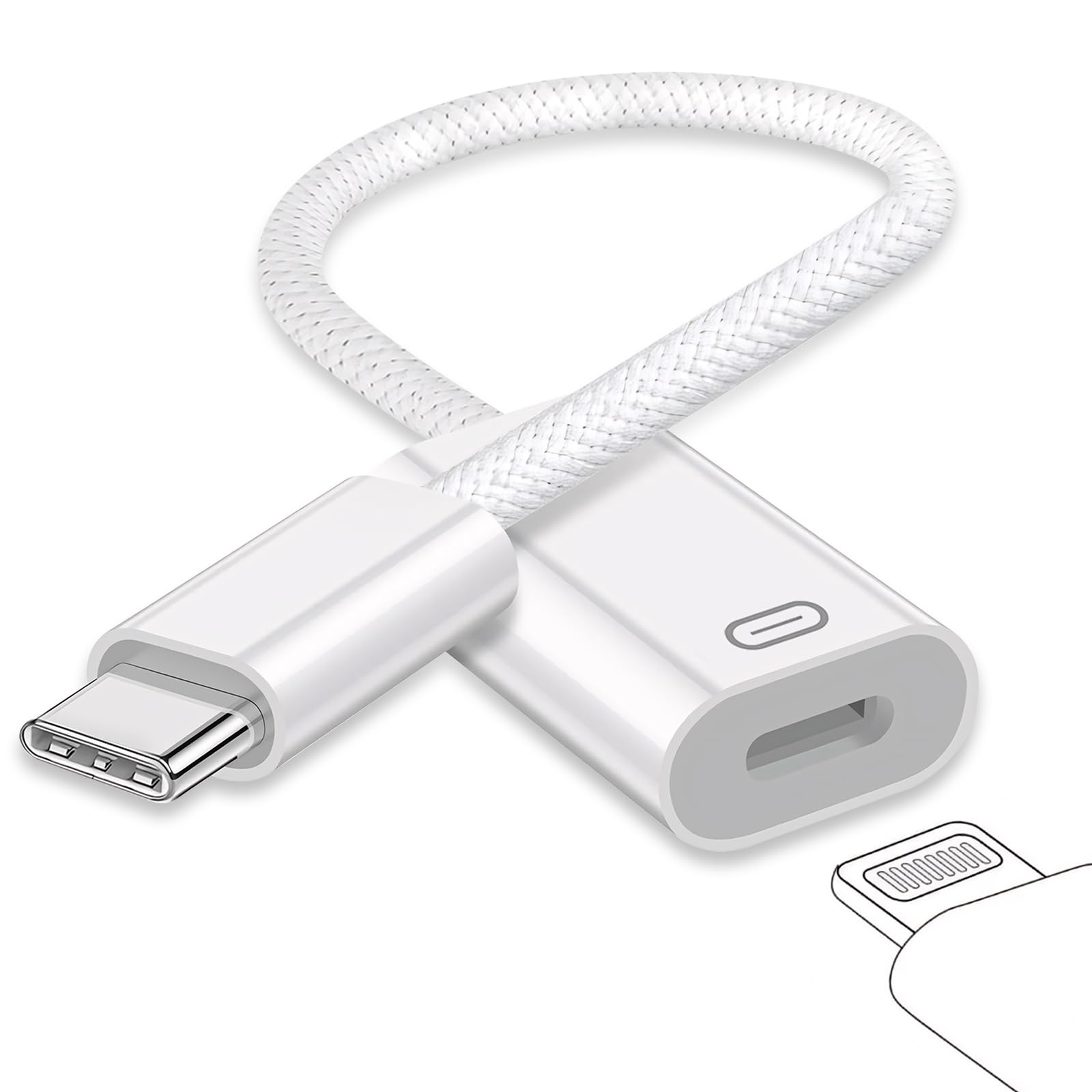
The reverse adapter — for turning Lightning earphones loose on a USB-C phone or laptop.
This one runs the opposite direction from everything else here. It puts a Lightning socket onto a USB-C device, so your Lightning earphones can play from an iPhone 15 or 16, a USB-C iPad, or a MacBook. The chip handles 24-bit/96kHz decoding (high-resolution audio), and the aluminum shell doubles as a heat spreader so the adapter runs cool during a long session. You can also charge and move data through it with a Lightning cable — a three-job gadget rather than a one-trick dongle.
Where it shines is the small stuff. Volume up and down, play, and pause all pass through from the earphone’s own remote, and the audio comes out clean when you hook the Lightning end to a pair of Lightning headphones. On a Windows laptop, one reviewer noted the audio arrived loud and clear. The metal housing is the other difference — this is a chunky piece of aluminum next to the sliver-thin Apple original, so it feels like something you could drop without killing it.
The fine print is the same trap this whole category shares: the listing says audio, charging, and data, but buyer reports of the reverse direction failing are the ones to know. A Lightning microphone on a USB-C phone did not connect for one buyer despite trying every plug orientation, so this is an earphone adapter first and a microphone adapter not at all. Also expect one setup step — several people found it did not play straight from the box and needed a trip into the sound settings first.
What it solves: the phone has USB-C, the good earphones have Lightning, and this 24-bit/96kHz bridge lets the two meet without buying new earphones.
The mic caveat: treat the audio path as earphone-only — the reverse-direction microphone claims are where the connection tends to fall down.
Reach for this if: you are holding on to good Lightning earphones and just moved to a USB-C phone, tablet, or laptop.
skip it if: you need a Lightning microphone or an audio interface to talk to a USB-C phone — get a dedicated adapter instead.
5. JSAUX MFi Lightning to 3.5mm Audio Cable 6FT
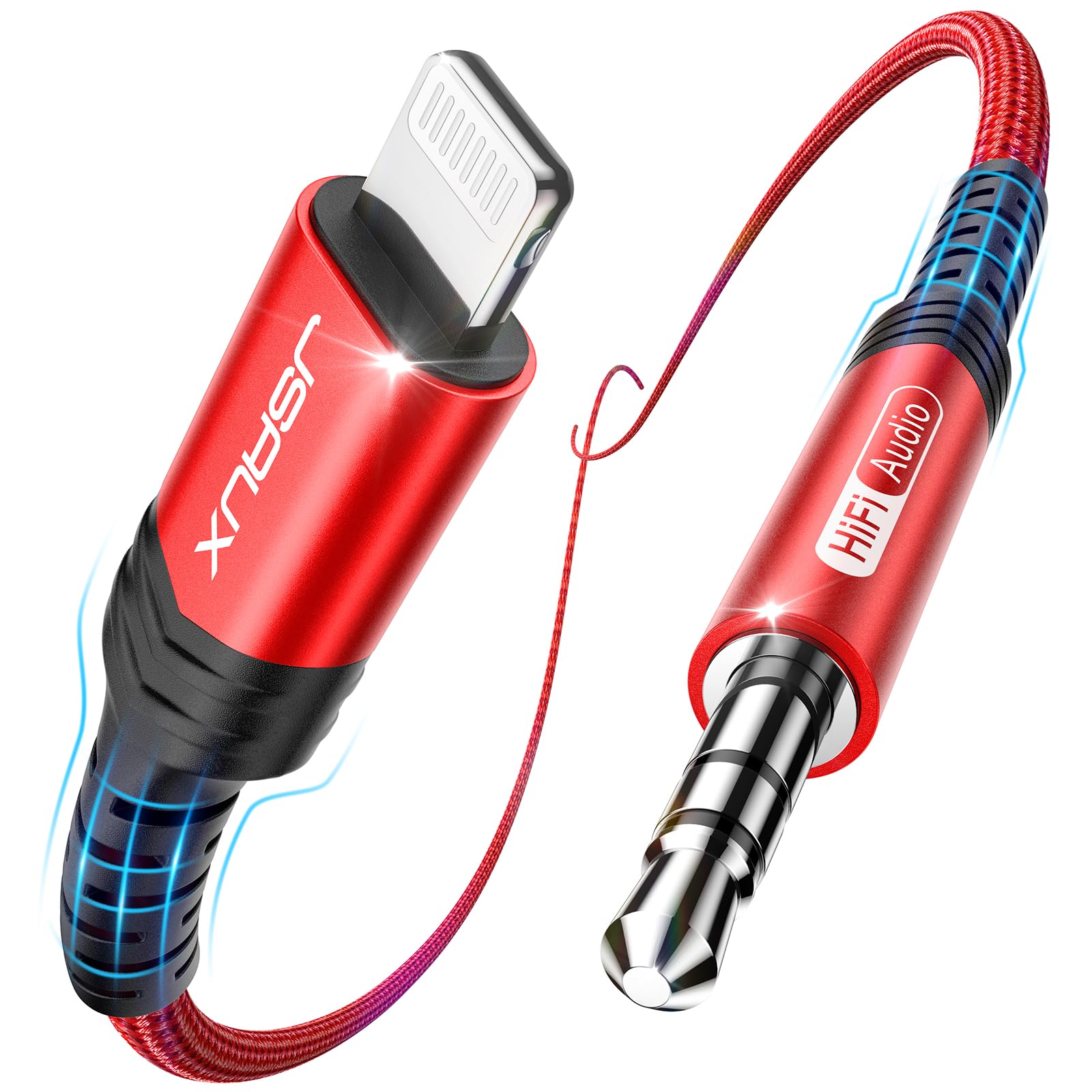
Six feet of braided cable so the phone can sit up front and the AUX jack can hide in the console.
This is not a dongle at all — it is a full cable with a Lightning plug on one end and a 3.5mm plug on the other, six feet long. That length is the feature that sells it: your phone goes in a dash mount, the cable drops through the gap in the center console, and the far end reaches the AUX jack at the back of the cabin. The build earns the longest list of praise, with the woven jacket and aluminum housing rated for 15,000+ bends in lab testing. It also clears Apple’s MFi licensing program for Lightning accessories, so no “accessory not supported” warning interrupts your music.
The audio chip inside decodes up to 24-bit/96kHz, and the noise-reduction circuitry keeps the signal clean over that longer run — a detail that matters in a car, where an ordinary cable can pick up a whine from the electrical system. Owners of older cars specifically reach for this to get voice calls back on the factory speakers, and the six-foot reach makes that work from a dash mount or a passenger seat. If you want a permanent install instead of a pocket dongle, this is the shape to buy.
The honest limit is the sound itself. Most people report crisp, clear audio, but a steady stream of buyers hit scrambled audio or a loud screeching noise instead, which points at the phone-to-cable handshake rather than the cable wearing out. If your stereo is fussy, this may not be the cable that settles it. The other thing to check is fit: it does not work with AirPods Max or newer USB-C iPads, so confirm your gear before you commit to the run.
The reach you get: a genuine six-foot run with a 24-bit/96kHz chip and MFi certification — a permanent car install rather than a keychain stub.
The gamble on audio: when it plays it plays clean, but the scrambled-output cases mean this is not the cable to buy blind for every head unit.
Best for: a car stereo, a home hi-fi, or any setup where the phone and the 3.5mm jack sit a few feet apart.
Hold off if: your phone or tablet is USB-C, or you need a pocket-sized dongle rather than a full-length cord.
Know the Specs
MFi Certification
MFi is Apple’s Made-for-iPhone licensing program, and a certified adapter carries an approved chip. The practical payoff is a clean handshake: no “accessory not supported” message popping up mid-song. It also tends to mean the adapter is built to Apple’s own pin and power specs rather than reverse-engineered. If you plug in daily, this is the first line to check on the box.
Sample Rate and Bit Depth
These two figures describe the audio conversion inside the dongle. The sample rate, in kHz, is how many times per second the chip captures the sound wave. The bit depth describes how much detail is stored at each of those moments. Higher numbers mean more of the original recording survives the trip, which shows up as cleaner highs and firmer bass rather than a thin, tinny tone.
TRS vs TRRS Sockets
The letters describe the metal contacts on a 3.5mm plug: tip, ring, sleeve. A TRS plug carries left and right audio and nothing else. A TRRS plug adds a fourth contact, which is what a microphone or headset remote uses. Plug a TRRS mic into a TRS adapter and the phone simply will not pick up the mic — the socket type, not the adapter’s build quality, is doing the deciding.
Plug Angle and Cable Length
A straight plug points down out of the phone; a 90-degree plug turns sideways. Straight is easier in a pocket. Right-angle is better in a gimbal or a horizontal car holder, because the cord’s weight presses on the plug body instead of levering the port. Length runs the same logic: a short dongle suits pocket listening, while a long cable lets the phone stay in a mount and the AUX jack stay hidden in the console.
Common Questions
Will a Lightning to 3.5mm adapter work with my iPhone 15 or 16?
Why does my adapter show an “accessory not supported” message?
Can I use one of these adapters with a microphone instead of headphones?
Does a Lightning to 3.5mm adapter hurt sound quality?
Can I charge my phone while using the adapter?
How long should a Lightning adapter actually last?
Will an adapter let me use my wired headphones with a car stereo?
Do I need the adapter for Bluetooth headphones?
What makes a right-angle plug better in a car holder?
Is a two-pack of cheap adapters a bad idea?
The Bottom Line
For most people plugging wired headphones into a Lightning iPhone, the UGREEN MFi adapter is the one to buy: an Apple-certified chip, a 48kHz, 24-bit converter, and a braided build that takes daily pocket abuse. If you record video with a microphone, the Movo IMA-3 is the one with the right socket and the sideways plug for a gimbal. And when the phone and the AUX jack sit at opposite ends of a car, reach for the JSAUX six-foot cable — the length is the whole point.
The UGREEN is the crowd favorite, holding a 4.5+ star rating across 11,000+ buyers — a strong signal that the certified-chip approach pays off over the long run. Match the adapter to the socket you need — TRS for headphones, TRRS for a mic — and this tiny piece of metal stops being the thing you fight with every morning.
How we choose
We do not accept paid placement. Every pick is matched to a real buyer and a real use-case; we do not hands-on test units.
Sources
Specifications: manufacturer listings and product documentation. Review insights: verified customer reviews, as of October 2026. Pricing: not shown on this page (it changes often); check the current price via the retailer link.
As an Amazon Associate, Aappliancez earns from qualifying purchases. This does not affect which products we feature.