Disclosure: Some links in this post are affiliate links. As an Amazon Associate I earn from qualifying purchases, at no extra cost to you. Learn more
Specs are compiled from manufacturer listings and verified buyer reviews and can change over time — please confirm the key details on the product page before buying.
Buying an LED TV backlight is really one decision: do you want the light to copy what is on your screen, or do you just want a nice colour behind the TV? Screen-matching kits cost more and ask more of your setup, while plain colour strips are simple and cheap. This guide separates the two, then lines up ten real kits so you can pick the right one for your living room, your PC desk, or your game room.
This guide is built by comparing the manufacturers’ published specifications and the patterns across verified customer reviews, so you get each pick’s real strengths and trade-offs instead of marketing spin.
Every pick below is sized against a real TV, a real source device, and a real budget — here is the honest shortlist of LED TV backlight kits worth your money.
Top Picks


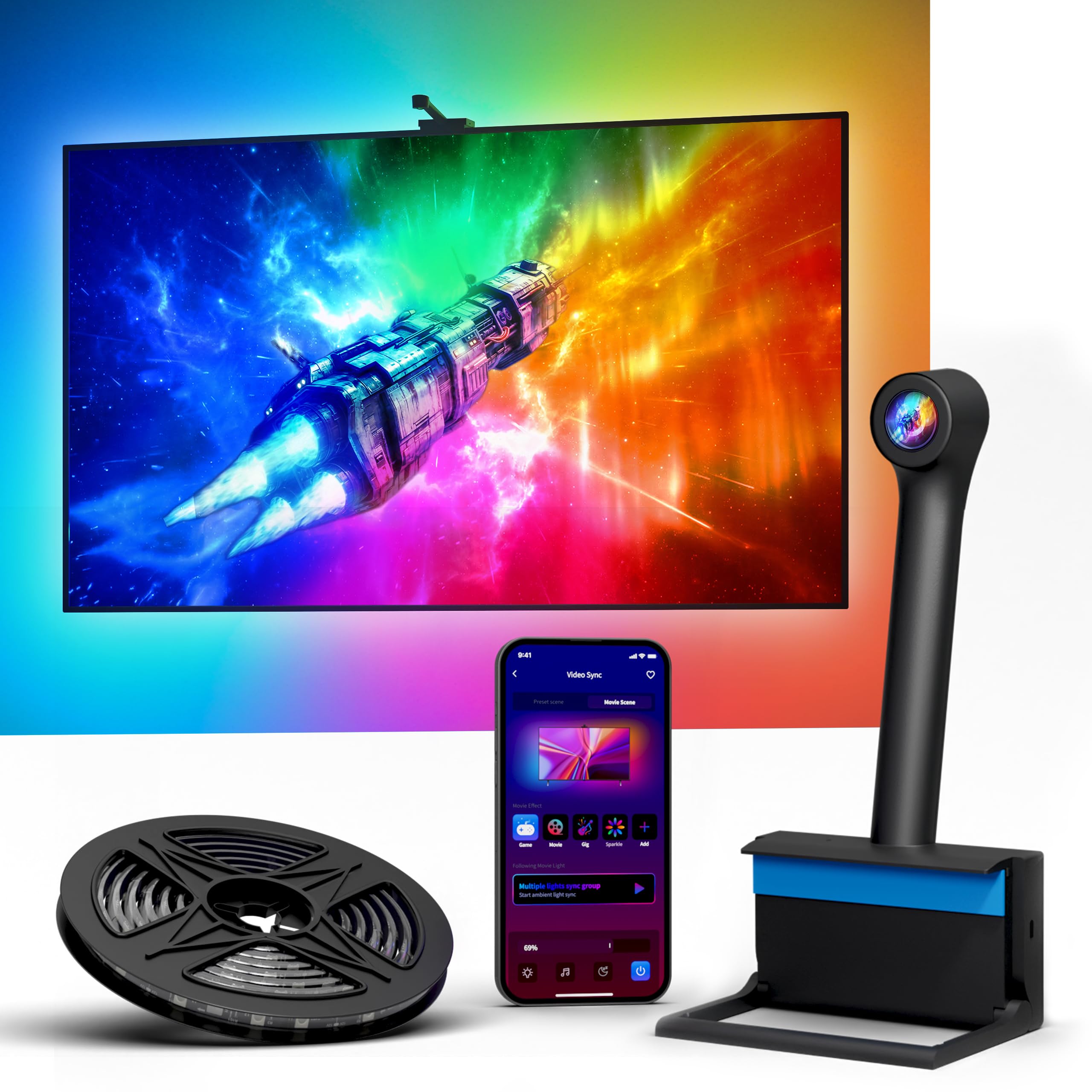
How To Choose The Best LED TV Backlight
Ask yourself one thing first: what should the light follow? If you just want a warm glow or a colour wash behind the screen, any decent colour strip does the job. If you want the wall to change colour with the picture, you need a screen-sync kit. There are only two ways to do that — a camera that watches your TV, or an HDMI sync box (a box that reads the video signal before it reaches the screen).
Camera sync versus HDMI sync
A camera kit points a small camera at your screen and copies what it sees. That means it works with absolutely anything on screen, including the built-in apps on a smart TV. The trade-off is calibration: you usually need to set it up through a phone app, and the colour match can drift on tricky content.
An HDMI sync box sits between your source device and the TV and reads the video signal directly. It reacts faster and never gets confused by reflections or room light. The catch is compatibility — it can only sync content that passes through it, so Netflix built into your TV will not match the lights unless you connect a streaming stick or console through the box.
Match the strip to your screen size
Strip length has to cover the perimeter of your TV, not the diagonal. A kit sold for 40-50 inch TVs is built for that perimeter, and a kit for 75-85 inch sets carries far more strip. Buy the size bracket for your TV and you avoid both the too-short gap in a corner and the tangled excess when a strip is oversized.
Lamp density and colour mixing
Density is measured in LEDs per meter, and it decides whether you see a smooth wash of light or a row of distinct dots on the wall. Colour type matters too. Plain RGB shows one colour across the whole strip, while RGBIC — red, green, blue with an integrated circuit — lets different zones show different colours at the same time. RGBICW adds a dedicated white chip, which keeps white scenes looking actually white instead of tinted.
Side-by-Side Comparison
| Model | Best For | Sync Type | Stated TV Size | Listed Strip Length | Amazon |
|---|---|---|---|---|---|
| Govee TV Backlight 3 Lite★ Best Overall | Overall screen-matching for most living rooms | Camera (fish-eye corrected) | 40-50 inch | 7.8ft | Amazon |
| Lytmi TV LED BacklightBest for Gamers | Console gaming on a 55 inch set | HDMI 2.0 sync stick | 25-55 inch | — | Amazon |
| Ailofy TV LED Backlight with CameraBest Value | Adding a fun, cheap colour wash | Camera (panoramic wide-angle) | 55-65 inch | 12.48ft | Amazon |
| Govee TV LED Backlight 2 | Big-screen coverage with zero camera | None (app and voice only) | 32-70 inch | 14.4ft | Amazon |
| TV LED Backlight 12.5ft Cuttable | No-app, no-Wi-Fi privacy setup | Camera (self-calibrating) | 55-65 inch | 12.5ft | Amazon |
| Smart TV LED String Backlight | Budget HDMI sync with voice control | HDMI 2.0 sync box | 55-65 inch | — | Amazon |
| WiZ Connected HDMI Sync Box | Growing a smart-home lighting setup | HDMI 2.0 sync box | 55-65 inch | 102.38 inches | Amazon |
| LightingWill 16.4Ft HDMI Kit | Big 75-85 inch sets with multiple devices | HDMI 2.0 sync box | 75-85 inch | 16.4ft | Amazon |
| LightingWill 9.8ft HDMI Kit | Hidden installs on 40-50 inch TVs | HDMI 2.0 sync box | 40-50 inch | 9.8ft | Amazon |
| PAUTIX CCT COB Strip | Calm white bias light, not colour chasing | None (app, remote and voice) | — | 16.4ft | Amazon |
Detailed Reviews
1. Govee TV Backlight 3 Lite
Our pick — 4.5+★ from 10,500+ verified ratings; the strongest balance of quality and price.
A camera-based kit that reads the whole screen, not just a patch of it.
This one wins for most people because of the correction work behind the camera. Govee’s fish-eye correction (software that straightens the warped view from a wide lens) lets the camera read the edges of your panel accurately. So the colour on the wall follows the action, not a blurred average of the scene. On a 40-50 inch TV the glow tracks the full frame — a red title card washes the wall red, a blue ocean scene goes blue.
The 7.8 ft strip is built for that size bracket, and it is the shortest here by a wide margin. The Ailofy camera kit runs 12.48 ft and the LightingWill HDMI kit runs 16.4 ft; this Govee ships 7.8 ft because it is sized to a smaller perimeter. Buy it for a 40-50 inch set and it fits; buy it for a 65 inch and you will come up short around the frame.
What makes the picture look natural is the 4-in-1 lamp bead, labelled RGBICW — red, green, blue, plus a dedicated warm white chip built into each bead. That extra white chip gives you a purer white behind the screen instead of the milky tint plain RGB strips produce, so black-and-white films and news broadcasts stay neutral. The camera also handles black bar elimination, blank screen detection and scene modes, and you can add up to 7 sub-devices through Govee DreamView if you want the rest of the room to join in.
The honest caveat: this is a mature, hugely popular product with genuinely mixed notes on long-term reliability and colour consistency. The colour-matching trick is impressive but not flawless on every scene, and some units do stop working over time. Calibration also takes patience, so budget a quiet half hour with the app rather than expecting a plug-in-and-go job. If those two things are deal-breakers for you, an HDMI box kit further down this list sidesteps both.
Where the money goes
- Fish-eye correction keeps edge colour matching accurate across the whole panel
- RGBICW beads add a real white chip, so white scenes stay white
- 7.8 ft cut is a clean fit for 40-50 inch screens
- Handles black bars and blank screens so the wall does not glow during ads
What to go in knowing
- Colour match is strong but not perfect on every scene
- Reliability draws mixed feedback over the long haul
- Length will not stretch to a large panel
- Calibration is a proper setup job, not a two-minute one
Go for it if: you have a 40-50 inch TV and want the wall to genuinely follow the picture.
Look at the HDMI boxes instead if: you want fast, camera-free sync and a console is your main source.
2. Lytmi TV LED Backlight with HDMI 2.0 Sync Stick
A plug-in sync stick that reads the signal, so the lag you feel with cameras disappears.
For a console setup this is the shape that makes sense. The sync stick plugs straight into an HDMI port and reads the video signal itself, which means no camera perched over your screen and no app calibration routine. It passes 4K at 60Hz and 1080p at 120Hz, so a console keeps its resolution and frame rate while the strip lights the wall.
It is also light — 14.4 ounces against the Ailofy camera kit’s 15.36 ounces — and the tiny stick form factor tucks away rather than hanging over the bezel. RGBIC control opens up 16 million colour combinations, and the strip can be shaped and cut to follow your screen for games, films and music.
Here is the catch, and it is a specific one. This kit is at its best on exactly the size it is cut for — buyers report “Good value and bright, but only accurate for exactly 55″ (or 75″) TVs; cutting LEDs to fit desyncs HDMI sync box, causing mismatched colors—noticeable except on full-color screens.” If you trim the strip to a different size, the sync box misreads how many LEDs it is driving and the colours fall out of step. Measure first, and if your set lands outside the bracket, choose a kit built for it.
Setup is genuinely simple once that is settled — buyers describe clipping it correctly and setting it to track mode, then leaving it alone. There is also the usual small-run risk with a relatively young product: a few units arrive dead or previously used, so test it the day it lands.
The size question: this kit rewards buying the right length in one go. Its accuracy depends on the strip matching the screen, and that is a bigger deal than any colour setting in the app.
The trade-off: anything you watch will sync — but only when it comes through the HDMI stick. Your TV’s own apps bypass it entirely.
The right buyer: a console gamer on a 55 inch set who wants fast, camera-free colour sync.
The wrong buyer: anyone planning to cut the strip down to a size it was not built for.
3. Ailofy TV LED Backlight with Camera
Twelve feet of multi-zone colour for a 55-65 inch screen, set up before the film starts.
If you want the biggest visual change for the smallest outlay, this is the one to look at. The 12.48 ft strip covers a 55-65 inch frame, and the RGBIC build means separate zones on the strip can show separate colours at once rather than one flat wash. Paired with the panoramic wide-angle camera on top of the screen, the wall picks up the dominant colours from the edges of the picture.
Owners land on two things. The setup is quick and the app is genuinely easy to use — owners mention “Easy 15-min setup, works as advertised, adds fun dimension; app intuitive with presets/customization/brightness/sync.” The other is the effect itself: it turns a plain wall into part of the movie, and it is a popular pick for watch parties and family film nights.
Colour matching is where it earns its mixed reputation. Some scenes match beautifully; others drift into red or blue hues that do not belong on screen. Calibration needs a watchful eye and a stable Wi-Fi band, so it pays to do the app routine carefully rather than rush it. There is a little extra material in the strip too — if you buy the oversized version for a 77 inch panel you will have slack to deal with.
The strip itself is bright and saturated, the adhesive on the strip and camera holds well, and footage never leaves your room because the camera is there only to read screen colour. It is a reasonable entry point into screen-matching for anyone who does not want to run an HDMI box.
Why it sells well: a wide-angle camera plus 12.48 ft of RGBIC strip is a lot of effect for an entry-level kit, and the app does not fight you.
Where it stumbles: colour accuracy is patchy on scenes with mixed tones, and some customers note the camera tape can be stubborn to remove later.
Worth grabbing for: a 55-65 inch TV in a room where movie nights matter more than perfect colour science.
Temper your expectations on: matching every frame exactly — the app calibration is a starting point, not a guarantee.
4. TV LED Backlight 12.5ft
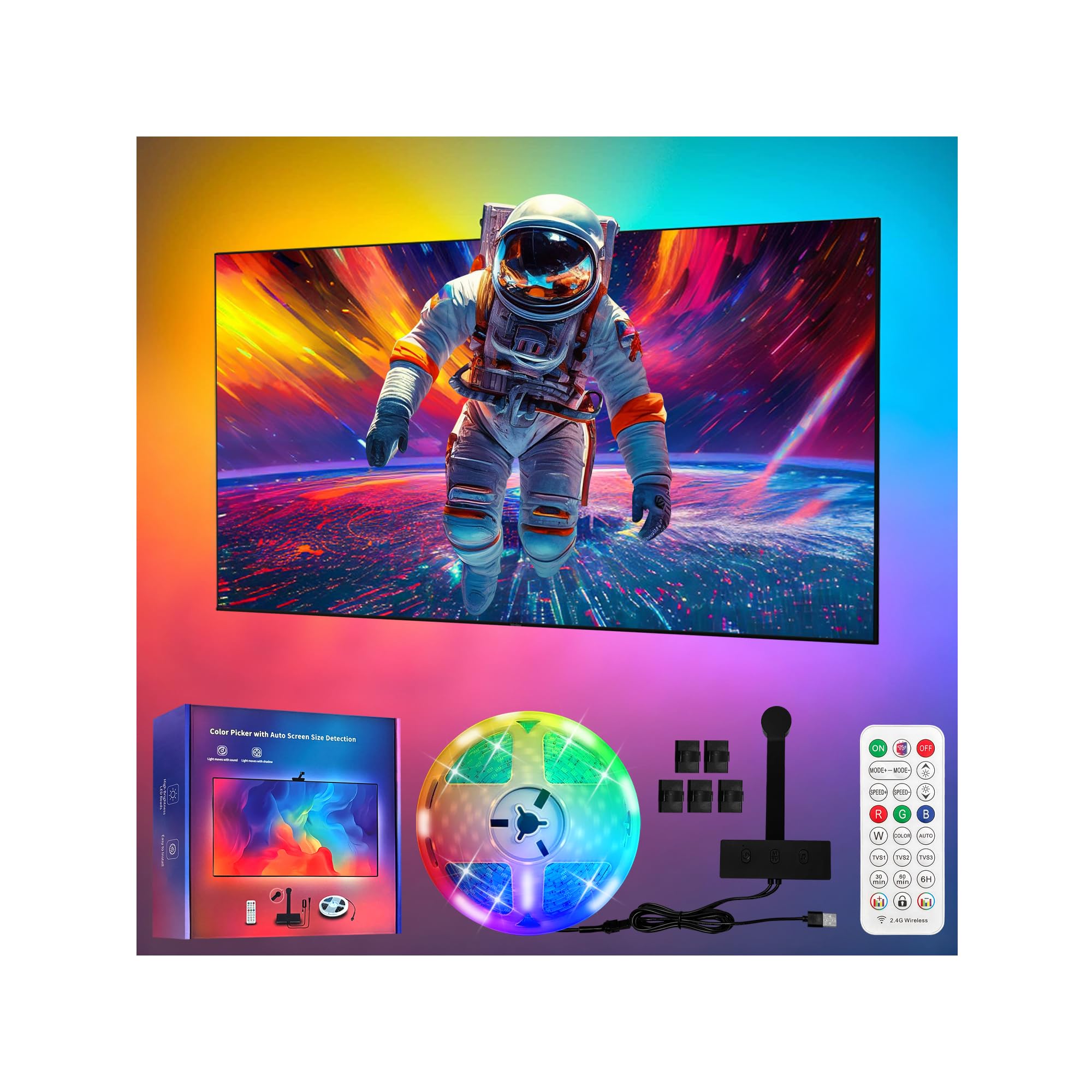
A TV backlight that runs its own calibration and never touches the internet.
Two things separate this Virellia strip from every camera kit above it. The first is the setup: an AI calibration routine identifies your screen and matches colours automatically, so you are not mapping zones by hand in an app. The second is privacy — there is no app, no Wi-Fi and no external connection at all. The system reads your screen locally and your video content never leaves the room, which is a real consideration if the TV sits where a camera makes you uneasy.
It also sidesteps the biggest limitation of HDMI boxes. Because it watches the screen rather than the signal, it follows everything displayed — streaming apps built into the TV, games, live TV, Blu-rays. The 12.5 ft cuttable run uses 90 high-brightness LEDs per meter, and you get a remote for control rather than relying on a phone.
The reviews are split, and the split is honest. The effect wins people over — buyers describe the glow as “cozy but still makes everything pop” and say binge-watching feels like a proper cinema. The adhesive, though, is the weak point: one buyer reports following directions exactly and still finding the strip would not stay on the back of the TV. Add your own mounting clips or clean the panel thoroughly before you commit. Measure carefully too, because an oversized strip on a smaller set is a return waiting to happen.
What earns it a spot
- Automatic calibration with no app sizing routine
- Works with built-in smart TV apps, not just HDMI inputs
- No Wi-Fi and no cloud connection
- 90 high-brightness LEDs per meter for dense coverage
Where it asks patience
- Adhesion is the recurring weak spot
- Size has to be measured before ordering
- Fewer reviews than the big-name kits, so less of a track record
This is your kit if: you want screen-matching with zero apps and zero cloud.
Grab extra tape if: you know your TV back panel is textured or dusty.
5. PAUTIX CCT COB LED Strip Light
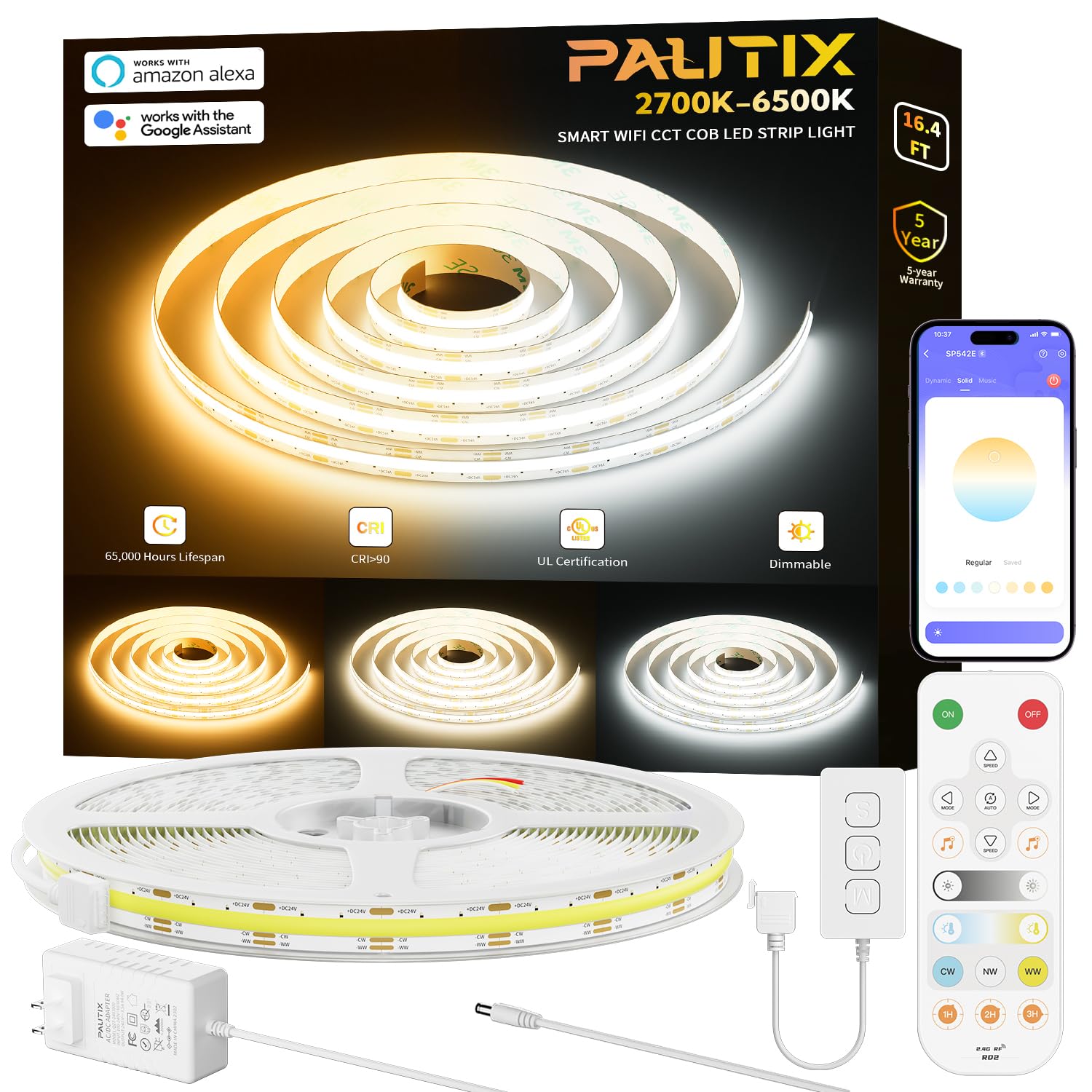
The white-light choice for people who want a calm glow, not a disco behind the screen.
Not everyone wants the wall to change colour with the film. Some viewers just want a soft bias light to soften the contrast between a bright screen and a dark room, and that is where this PAUTIX strip makes far more sense than any of the colour-sync kits. It tunes from 2700K (warm, cosy amber) to 6500K (cool, daylight white), so you can set a gentle evening glow for films and a crisper white for daytime work.
The COB construction — chip-on-board, meaning the LEDs sit as a continuous line rather than distinct points — delivers an even band of light with no dark spots. At 3200 LEDs across 16.4 ft with a CRI above 90, colours on screen stay natural because the light itself renders them faithfully. It is dimmable, and control runs through the app, a 360-degree RF remote, or Alexa and Google Assistant.
Owner feedback centres on how clean the output looks — bright, evenly diffused, no flicker, and a strong adhesive backing that holds. The app is well-regarded for group control, so several strips in one kit can run together. There is one serious report of overheating and fire while the strip was plugged in but switched off. So treat the power supply with care, keep the strip away from combustible surfaces, and unplug it when you are away. A single account is not a pattern, but it is a reason to install it properly and respect the electronics.
The spec that matters: 2700K to 6500K tunable white with CRI90+ — one strip covers both evening films and daytime tasks, and skin tones on screen look right.
The awkward fit: no colour chasing and no screen sync, so if that is what you came for, keep looking.
Best for: a bias-light setup behind a TV, under a cabinet, or around a desk where calm white beats rainbow colour.
Skip if: you want the wall to follow the movie’s colours.
6. Govee TV LED Backlight 2
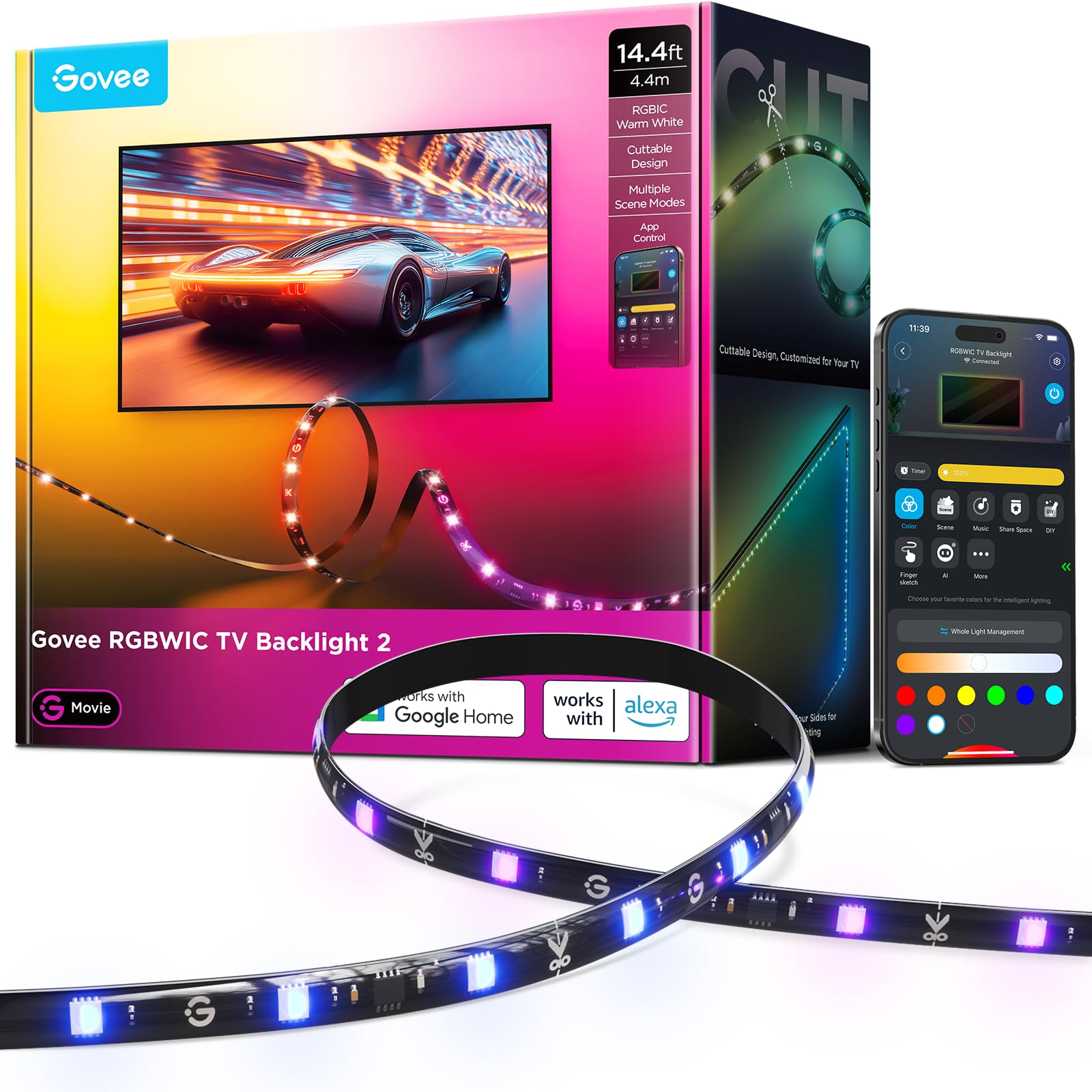
Fourteen feet of colour for a big screen, with no camera and no sync box in sight.
This one is for the buyer who wants the glow, not the sync. There is no camera and no HDMI box — it is a colour strip in the classic sense, and it covers the widest size range here at 32-70 inches. Cuttable at the scissor marks, it lets you trim the run to your exact perimeter, and the four-side coverage is designed to reach the corners that simpler strips leave dark.
Colour comes from 4-in-1 RGBWIC beads at 30 LEDs per meter, which mix red, green, blue and white for a purer white than plain RGB strips. That extra white chip is why white text and black-and-white footage do not look tinted. The app carries 210+ preset scenes and 11 music modes, and voice control runs through Alexa and Google Assistant — the app is smooth according to buyers, with a nicely laid out library.
Two things to weigh before you buy. First, this does not sync with your TV picture — the app and voice commands change colour, but the wall will not follow the film. Second, length: buyers describe the 14.4 ft run as slightly short for a 65 inch set and clearly short for an 85 inch panel. So measure the perimeter and buy a size up if you are on the edge. Adhesion is the other recurring note, and the thick glossy cable needs corner guards to sit neatly around bends.
Where it shines is the colour itself — vibrant and fully saturated, with a full wheel that includes cool and warm white, and it is trimmable if you go too long. Expect 20-30 minutes of installation rather than a two-minute job.
Reach for this if: you want rich colour behind a big screen and do not need picture sync at all.
Not the one if: the wall following the movie is the whole point for you.
7. Smart TV LED String Backlight
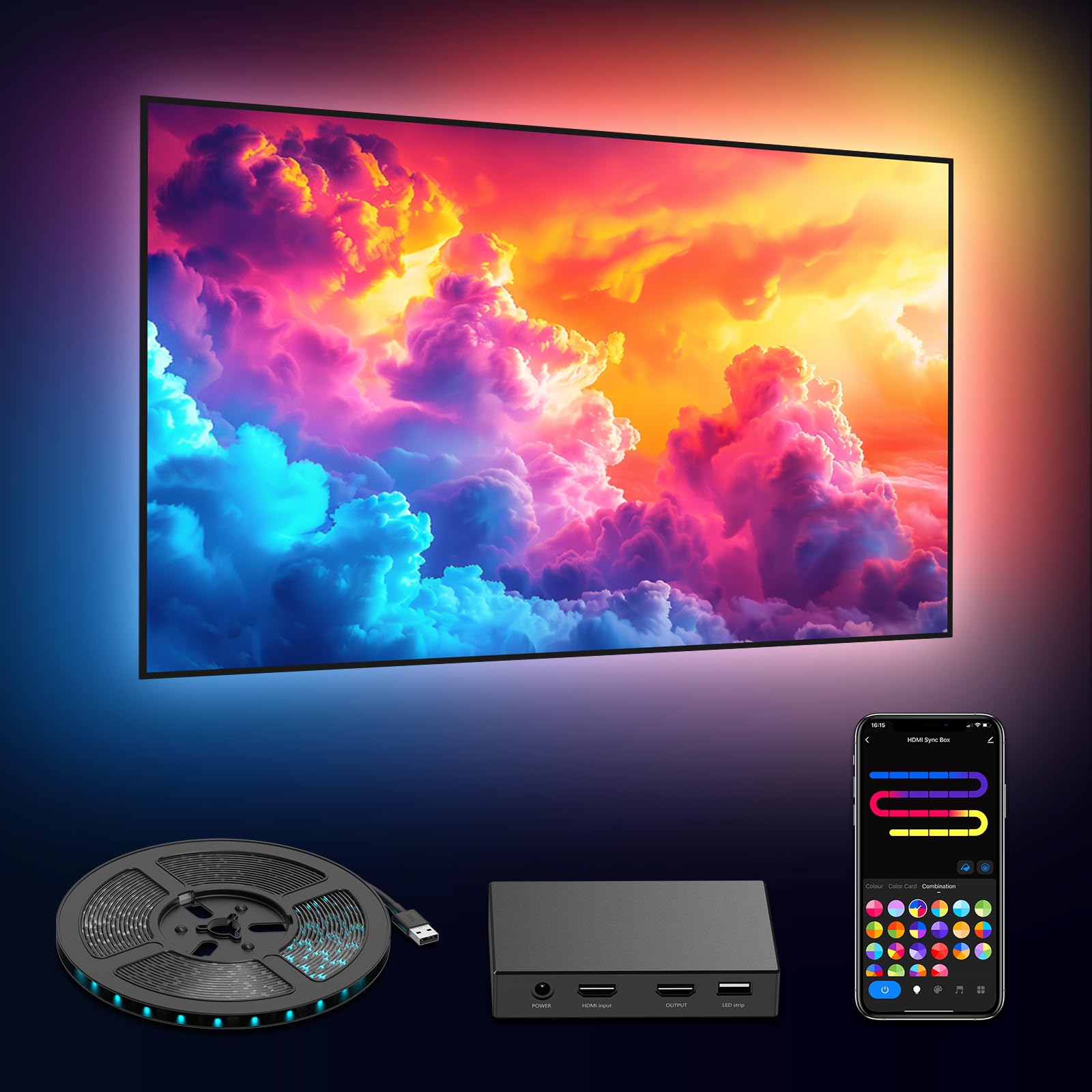
A DEERDANCE sync box for anyone who wants HDMI colour matching without a big-brand tag.
The headline here is the sync box itself. It reads the HDMI signal in real time and passes 4K at 60Hz with Dolby Vision and HDR10+, so the strip reacts to your source device’s output instead of guessing from a camera. The 5050RGB&IC beads use oversized chips and denser bead spacing to deliver segmented colour along the strip — one line showing several colours at once rather than a single flat hue.
For a budget sync box the spec list is generous. Voice control runs through Alexa and Google Assistant, and the Tuya Smart or Smart Life app gives you 16 million colours, scenes, brightness, timers and DIY effects, plus the ability to control segments of the strip separately. On a good day the effect is convincing — buyers describe bright lights that sync well and make the screen feel larger.
The day it goes wrong, it goes wrong in ways you will notice. The sync box can interfere with some source devices: reviewers point out cut-out audio, jumping UI navigation, and in one case a Chromecast rendered inoperable across HDMI ports. The decoder box runs very hot after an hour, and the colour refresh can lag behind 60+ FPS media with visible stutter. There is no fine brightness slider either — just low, medium and high, and the lowest setting is still noticeable at night.
Wi-Fi is mandatory for the app, which catches people out when the box has physical ports and looks like it should work offline. If you are buying on a tight budget and your source is a console or set-top box, it can work well. If you need dependable, silent behaviour from a premium streaming stick, spend a little more on the WiZ or LightingWill boxes.
The honest read: an HDMI sync box for the least money here, with real HDR10+ support and segmented colour — but the electronics around it are the cheap part.
Who it punishes: Chromecast and streaming-stick owners who want plug-and-play reliability.
Pick it for: a console or set-top box feeding a 55-65 inch set on a lean budget.
Leave it alone if: your main source is a Chromecast or a smart stick you depend on daily.
8. WiZ Connected HDMI Sync Box with TV Backlight

The sync box that plays nicely with the rest of a WiZ smart home.
If you already run WiZ bulbs or strip lights, this box is the piece that ties the room together. It reads the video signal directly through HDMI 2.0 and matches colour in real time at 4K 60Hz with HDR10+ and Dolby Vision. Then the useful part: you can link any colour-changing Wi-Fi and Bluetooth WiZ light to the same sync box, so the lamps around the room react to the film alongside the strip behind the TV.
The install story is clean. No camera sits above the screen and no calibration routine is required, so there is nothing hanging over the bezel and nothing to line up. One HDMI input accepts a streaming device, cable box or console, and a built-in microphone lets the lights pulse to music from any source. Reviewers who like it cite the real-time colour accuracy, the nightlight setting, and the lack of a camera — with setups running in about 20 minutes.
The honest limitations are specific. There is one HDMI input, so if you want to swap between a console and a streaming stick you will need an HDMI switcher, which is not included. Because it reads the signal, built-in smart TV apps do not sync — you need an external source. Cabling grows behind the TV too, and buyers describe occasional resyncs after switching apps. There is also no crop-zone control, so non-fullscreen content can throw the colour mapping off at the edges.
The reason to choose it: one box that syncs the strip and every other WiZ light you own, with no camera anywhere near your screen.
The follow-up question: how many devices do you actually feed your TV? With one HDMI input, a switcher is the likely extra purchase.
Right for you if: you have a WiZ setup and want the whole room to shift colour with the movie.
Think twice if: your TV’s own apps are your main viewing source — this box will not see them.
9. LightingWill HDMI 2.0 Sync Box LED TV Backlight Strip Kit
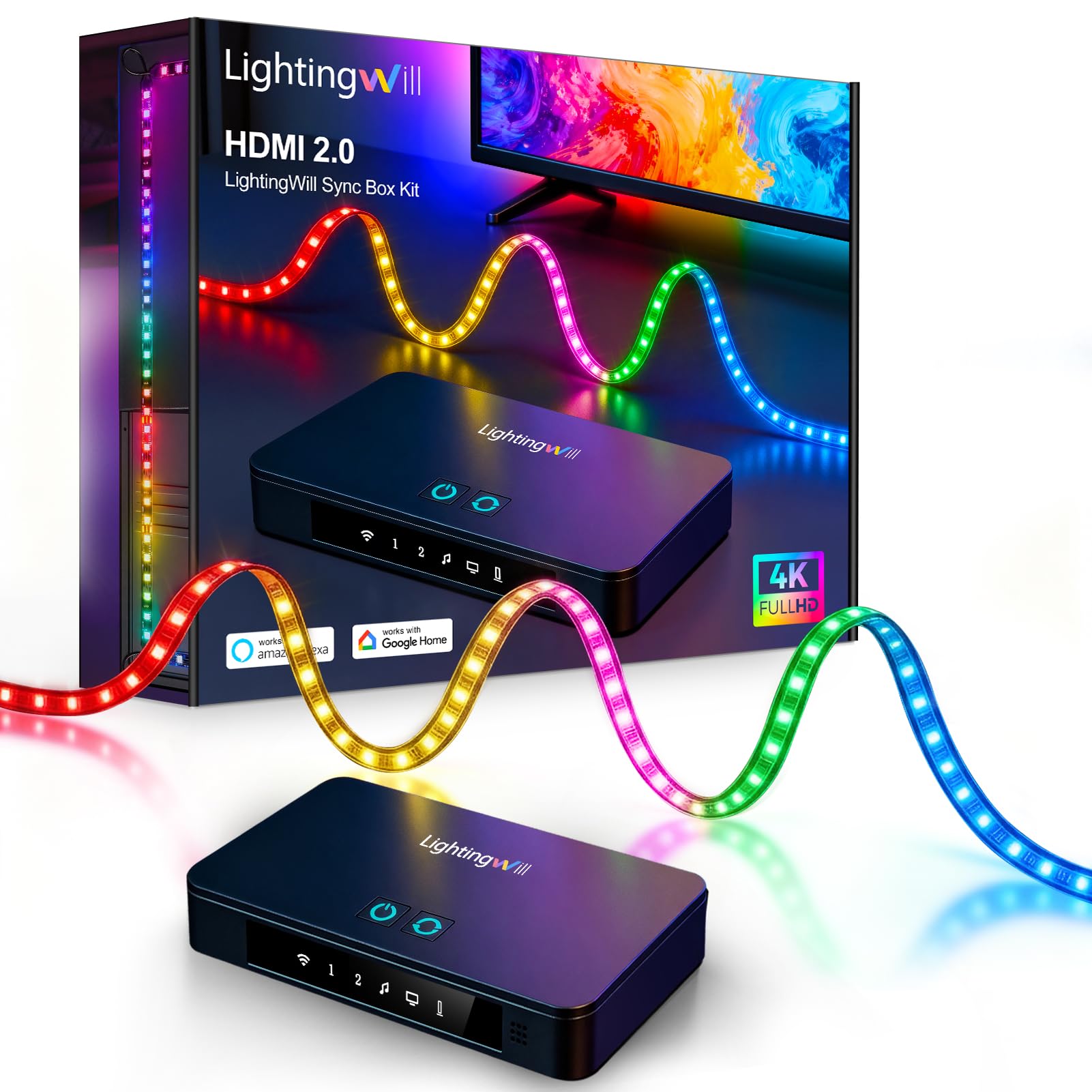
Seventy-two LEDs per meter and two switchable HDMI inputs for a very large TV.
Big panels need more light, and this 16.4 ft kit for 75-85 inch TVs is built for exactly that. The density figure is the one to watch — 72 LEDs per meter against, for scale, the 30 LEDs per meter in the Govee Backlight 2. It pushes up to 1700 lumens, enough to wash a 75-85 inch perimeter evenly with fewer dark spots between beads. When the wall is that large, density is what separates a smooth gradient from a string of separated dots.
The HDMI 2.0 sync box reads 4K HDR at 60Hz and has two HDMI inputs and one output, so a console and a streaming player can stay connected and switch without re-plugging. That is a step beyond the single-input boxes here, and it matters most in a setup with a games machine plus a media player.
Read the compatibility note carefully before ordering: screen sync requires an external HDMI source connected through the included box — a PS5, Xbox, PC, Apple TV, Fire TV or Roku. Built-in smart TV apps such as Netflix or Disney+ do not sync, because the box never sees them.
Plan an afternoon. Buyers describe a comprehensive kit with numerous strips, adapters and connectors that requires careful corner mapping and cable tucking — it is not plug-and-play, and installing it well takes patience. The payoff is generous coverage, pleasing colours, and fast screen reactions on a very large set.
Why it suits a big panel
- 72 LEDs per meter and up to 1700 lumens fills a 75-85 inch perimeter evenly
- Two HDMI inputs with a shared output for switching sources
- RGBIC control for 16 million colours and multi-zone effects
- App, Alexa and Google Assistant control
The installer’s reality
- Long, fiddly install with lots of parts to route
- No sync from built-in smart TV apps
- Sync box adds cables behind the TV
Made for: a 75-85 inch set with a console and a media player both fighting for port access.
Not for: anyone hoping for a ten-minute setup with built-in TV apps.
10. LightingWill 9.8ft LED TV Backlight Strip for 40-50 Inch TVs

A silicone-sleeved strip for a 40-50 inch set where you want no visible hardware.
This kit solves a problem the bare-strip designs leave alone: visible hardware. The LED strip sits inside a flexible silicone sleeve designed to keep it hidden behind the screen, and at 30 LEDs per meter it produces a uniform glow rather than a row of bright points. For a clean-looking install on a smaller panel, that matters more than any app feature.
Specs are sensible for the size. The 9.8 ft run is cut for 40-50 inch TVs, brightness is rated at 500LM, spread over a 160-degree angle so the glow reaches the wall instead of firing straight out. The HDMI 2.0 sync box carries three ports and matches 4K at 60Hz content in real time, and control runs through the LightingWill app, Alexa or Google Assistant.
Two practical notes from owners. Adhesive guides can let go even after cleaning the TV back — duct tape is the blunt but effective fix. And the HDMI passthrough (a port that passes the video signal through to your TV) only works with external devices, so Fire TV and other built-in streaming apps will not sync. One buyer needed about 40 minutes to install and reported the corner marks on the strip made alignment easy, with strong adhesive holding for months.
The setup does not always cooperate on the first try. App and Wi-Fi pairing can be inconsistent, and the box sometimes needs a manual power-on before it talks to the remote. Once it settles, it behaves like a set-and-forget installation with a good refresh speed and brightness that lifts the picture without overpowering it.
The standout detail: the silicone sleeve is the reason to pick this one — it turns an otherwise visible strip into part of the TV.
Budget for: a slightly fussy first setup and a spare roll of mounting tape.
Choose it when: a neat, hidden install on a 40-50 inch TV matters more than a quick one.
Think twice when: everything you watch lives inside the TV’s own streaming apps.
Know the Specs
Sync method: camera or HDMI
A camera kit points a lens at the screen and copies colour from what it sees, so it follows anything displayed, including the TV’s own apps. An HDMI sync box reads the video signal from an external device instead — faster and steadier, but blind to built-in apps. Your main viewing source should decide which type you buy, not the strip itself.
RGBIC, RGBICW and plain RGB
Plain RGB shows one colour along the whole strip. RGBIC adds circuit control per zone, so one strip can show several colours at once. RGBICW adds a dedicated white chip so white scenes stay white instead of tinted. For films with mixed colour, the zones matter; for black-and-white or news content, the white chip does.
LEDs per meter
Density decides how smooth the glow looks. Higher counts, such as the 72 LEDs per meter on the large LightingWill kit, close the gaps between beads and stop the wall reading as a string of dots. Lower counts still look good on smaller screens where the strip is closer to the wall.
Strip length and TV size bracket
Kits are sold by the diagonal size they are built for, because the strip has to wrap the perimeter. Buying the right bracket avoids both a shortfall at one corner and slack you have to hide. Cutting a synced strip to a different size can knock colour timing out of step on HDMI kits.
Common Questions
Will an HDMI sync box work with Netflix built into my TV?
Is a camera kit or an HDMI box better for gaming?
Can I cut the strip to fit a smaller TV?
What does RGBIC actually mean compared to normal RGB?
Why does my backlight look a row of dots instead of a smooth glow?
How long does an LED TV backlight strip last?
Do I need Wi-Fi for a sync box to work?
Will the lights sync to my TV if I only use a games console?
Can I connect more than one device to an HDMI sync box?
Why does the white on my screen look tinted behind the TV?
How long does installation usually take?
The Bottom Line
For most living rooms the answer is the Govee TV Backlight 3 Lite, because its corrected camera reads the whole panel and its RGBICW beads (LEDs that add a dedicated white chip) keep white scenes honest — a 4.5+ star rating across 10,000+ owners. If a console feeds your screen and you want camera-free speed, the Lytmi HDMI sync stick is the one to reach for. For a very large set with several devices, the LightingWill 16.4 ft kit carries the density and the two HDMI inputs to match. And if you simply want a calm, even white glow rather than colour chasing, the PAUTIX CCT strip is the sensible pick. Whichever you land on, buy the right size bracket first — every one of these kits lives or dies on fitting your screen properly.
How we choose
We do not accept paid placement. Every pick is matched to a real buyer and a real use-case; we do not hands-on test units.
Sources
Specifications: manufacturer listings and product documentation. Review insights: verified customer reviews, as of October 2026. Pricing: not shown on this page (it changes often); check the current price via the retailer link.
As an Amazon Associate, Aappliancez earns from qualifying purchases. This does not affect which products we feature.