Disclosure: Some links in this post are affiliate links. As an Amazon Associate I earn from qualifying purchases, at no extra cost to you. Learn more
Specs are compiled from manufacturer listings and verified buyer reviews and can change over time — please confirm the key details on the product page before buying.
Bad audio ruins an otherwise good video, and the fastest fix is a lav mic whose receiver matches your phone’s port. If you shoot on an iPhone 15 or newer, an Android phone, or a USB-C tablet, the receiver has to plug straight in with no adapter dangling off your pocket. That single compatibility question decides most of your shortlist before sound quality even enters the room.
This guide is built by comparing the manufacturers’ published specifications and the patterns across verified customer reviews, so you get each pick’s real strengths and trade-offs instead of marketing spin.
Three practical specs decide whether a lav mic gets used: a connector that fits your phone, a clip that holds on clothing, and enough battery to finish the shoot. Below you will find the strongest options for every phone type and budget tier in this Best Lav Mic roundup.
Top Picks
How To Choose The Best Lav Mic
Buying a lav mic (a small clip-on microphone for recording speech) is mostly about ruling things out. Three questions cut a long list down to two or three real contenders: what port is on your phone, how you plan to mount the mic, and if you need one transmitter or two.
Start with your phone’s connector, not the mic
A lav mic’s receiver has to talk to your recording device. A Lightning receiver only fits older iPhones and iPads. A USB-C receiver fits iPhone 15 and later, most modern Android phones, and tablets. A 3.5mm TRS plug is the analog standard that fits cameras, recorders, and mixers. A receiver that doesn’t match your phone’s port makes the mic unusable, no matter how good it sounds.
Wireless systems sidestep the cable entirely, but check the fine print. Some USB-C kits list the specific phones they support, and a few note their receiver works only with certain camera models. Checking that compatibility line before checkout prevents a return.
Clip versus magnet versus pendant
The mount determines whether the mic stays clipped in place through a shoot. A traditional alligator clip bites into a collar and can pop off a smooth shirt. A magnet sandwich grabs fabric from both sides, which holds firm on a thick jacket but can be fiddly on thin synthetics. A pendant hangs from a silicone cord, which suits interview settings where you want the mic visible and centered.
Many kits include more than one option so you can adapt on set. A clip that rotates through a full turn helps you angle the capsule toward your mouth instead of sideways.
One transmitter or two, and what “range” really means
A single-transmitter kit covers one speaker — a solo vlog, a narration, a tutorial. A dual-transmitter kit records two people at once, which is what you want for interviews or a two-host show. Dual-transmitter kits cost more than single ones, so buy the count your shoots actually need.
Wireless range figures are measured line of sight, with nothing between the transmitter and receiver. Walls, bodies, and Wi-Fi traffic cut into that figure, so treat a big range spec as headroom, not a guarantee. For a phone-in-hand shoot you rarely need more than a few dozen feet.
Side-by-Side Comparison
| Model | Best For | Connector | Wireless Range | Battery / Power | Amazon |
|---|---|---|---|---|---|
| Hollyland Lark M2★ Best Overall | All-round creators on mixed gear | Lightning, USB-C, and 3.5mm TRS receivers | 1000ft line of sight | 40H with charging case | Amazon |
| RØDE Wireless MicroBest for Two Speakers | Two-person shoots on USB-C phones | USB-C receiver | — | Up to 21 hours combined with case | Amazon |
| DJI Lavalier Microphone | DJI Mic owners who want a discreet wired lav | 3.5mm TRS | — | Plug-in power, no battery | Amazon |
| Sony ECM-LV1 | Budget stereo pickup for cameras and recorders | 3.5mm jack | — | Plug-in power, no battery | Amazon |
| PIXEL Lavalier for iPhone | Older iPhone and iPad shooters | Lightning | — | Battery-free, plug-in power | Amazon |
| Insta360 Mic Air | Compact USB-C wireless for vlogs and streaming | USB-C receiver | 300m stable range | 10-hour battery life | Amazon |
| EZColoris M6 2-in-1 | Beginners who want two mics on a tight budget | USB Type-C with Lightning cable included | 65ft in open areas | Transmitter needs no charging | Amazon |
Detailed Reviews
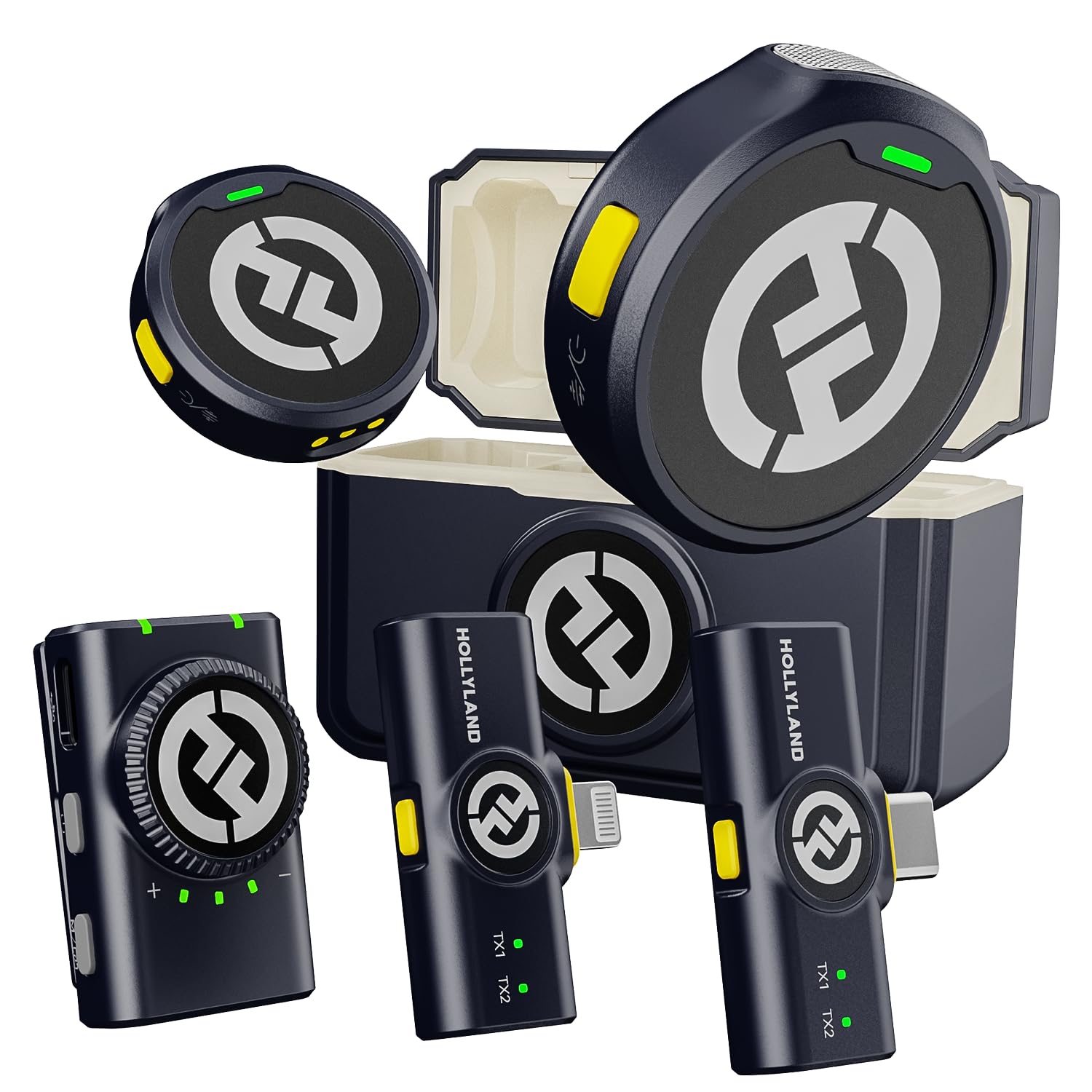
1. Hollyland Lark M2 Wireless Lavalier Microphone Combo
Our pick — 4.5+★ from 700+ verified ratings; the strongest balance of quality and price.
Three receivers in one box, so it works no matter what camera or phone you bring.
If you shoot across a phone, a laptop, and a camera in the same week, this is the kit that stops you buying the same mic three times. The box includes a Lightning receiver, a USB-C receiver, and a camera receiver, so switching gear is a matter of swapping the little plug-in block rather than re-buying the whole system.
The transmitters weigh just 9g each, which is light enough that a collar won’t sag under them. Sound is captured at 48kHz/24bit with a 70dB signal-to-noise ratio, meaning the gap between your voice and the background hiss stays wide. Hollyland rates the transmission at 1000ft line of sight, and that number holds up against the field: the EZColoris M6 kit reaches just 65ft in open areas, so the Hollyland leads on range by a wide margin. Sensitivity lands at 42 db versus the EZColoris’s 28 db.
The battery story is the practical part — the charging case carries the system to a claimed 40H, which covers a multi-day trip without hunting for a wall outlet. A one-touch yellow button flips noise cancellation on and off right on the transmitter. Owners describe the magnet as strong enough to hold on a heavy tweed jacket, and the recurring theme in the feedback is simply how little setup stands between unboxing and recording.
What earns its keep
- Three receivers included — Lightning, USB-C, and 3.5mm TRS — covers phones, tablets, and cameras from one purchase
- 9g transmitters stay put on a collar without dragging it down
- 1000ft line-of-sight range gives you room to walk and talk
- Pre-paired at the factory, so you dock and record with no menu-diving
- Noise cancellation toggles with one button press on the transmitter
Where it asks patience
- Mono and stereo switching only works when the receiver is connected to a camera through the 3.5mm jack
- The camera receiver is a separate block, so it is one more thing to keep track of on a shoot
Grab this one if: you record on more than one kind of device and want a single kit that follows you between them.
Think twice if: you only ever shoot on one phone and want the smallest possible setup.
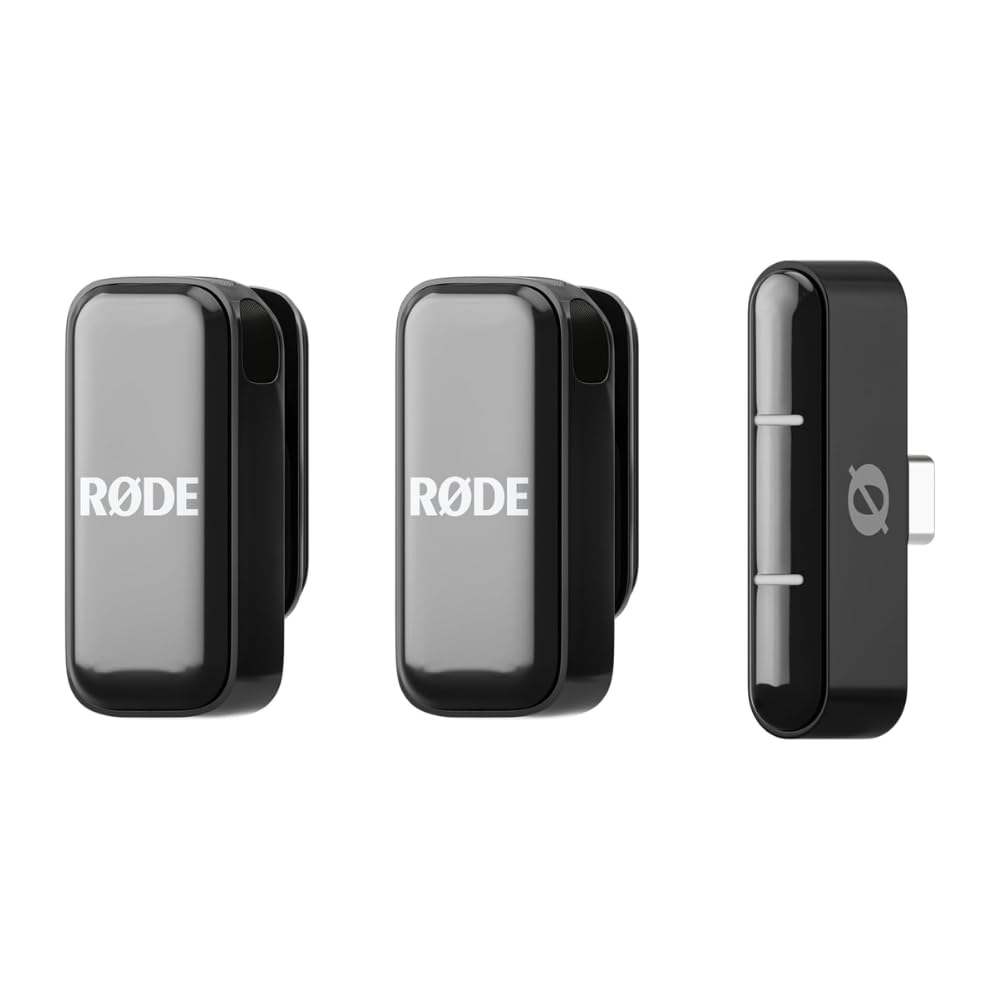
2. RØDE Wireless Micro (2 Mics + Charging Case)
Two transmitters, one charging case, and a gain system that keeps levels steady without you watching a meter.
Interviews and two-host shows live or die on whether both voices land at the same level. These capsules are paired with GainAssist, which rides the input automatically so a louder speaker doesn’t blow out the quieter one sitting next to them. The microphones connect the moment you dock the receiver — no app, no pairing sequence, no ceremony.
The charging case is rated for up to 21 hours of combined use, which covers a full shooting day with two people and then some. Real-world reports back this up: the batteries carry from early morning into the afternoon, and the second unit is there when the first runs down. The furry windshields sit over the capsules and cut wind noise without smothering the voice underneath.
One thing to be honest about — this is the USB-C-only version. It connects to iPhone 15 and later and to Android USB-C phones, and it will not work with a Lightning iPhone. There is a separate Lightning version for that. Noise cancellation is the part of the package that draws the most mixed feelings; it helps in moderate settings but was never the headline feature here. The clip-on mics beat handheld recording for clarity on TikTok-length shorts, and the receiver has to be light enough that a phone can hold its weight in the port without sagging.
The strongest signal: the sound quality and the ease of use are the two things this kit gets most consistently right, and the 20Hz–20kHz frequency range puts it on par with the wired competition on paper.
The honest caveat: check your phone’s port before you order. USB-C only is not a preference — it is a hard requirement here.
Reach for this if: you shoot with a second person on a USB-C phone and want levels handled for you.
Look elsewhere if: your iPhone still uses a Lightning port.
3. Insta360 Mic Air (1 TX + 1 RX)

A coin-sized transmitter that disappears on camera and still fires commands from across the street.
At 7.9g the transmitter is small enough that it vanishes under a shirt collar, which is the whole point of a lav. You can wear it three ways — magnetic, clip-on, or as a pendant — so the same unit covers a street interview and a sit-down conversation without changing gear.
The audio is sampled at 48kHz and the noise cancellation is backed by an included windshield for outdoor work. The receiver plugs into USB-C smartphones, computers, and Macs, and the transmitter doubles as a remote for starting and stopping the recording.
The battery is rated at 10 hours, and the transmission is claimed stable at 300m with the receiver attached and noise cancellation switched off — the maker’s own test conditions, so treat the figure with that caveat. The recurring friction point in owner feedback is pairing: it is generally smooth, but it has given some buyers trouble linking the receiver to an Insta360 X5. Note that this system records in mono only, so audio from two transmitters arrives on one channel.
Where it shines: the small footprint and the remote-control functions are the two things buyers single out most — starting a take from far away while your hands stay on the camera is genuinely useful.
Worth knowing: mono-only recording means two speakers share one channel, so you cannot separate their audio later in editing.
Made for: short-form shooters who want the mic off the frame and the camera controls on their chest.
Not the fit if: you need each speaker on a separate audio channel for editing.
4. DJI Lavalier Microphone

The wired lav that makes a chunky transmitter disappear behind a lapel.
Plug this into a DJI Mic 2 or DJI Mic system and something useful happens: the visible transmitter goes in your pocket while only the small capsule stays clipped to the speaker. For on-camera interviews and corporate work, that changes how the shot looks. The rotating clip lets you turn the capsule toward the mouth instead of fighting a fixed angle, and the cable routing is designed so a yank doesn’t pull the plug out of the receiver.
The electronics punch above the size. Audible noise sits at 26 db, which is lower than the EZColoris M6’s 30 db, and the frequency range covers 20Hz to 20kHz. Audio sensitivity is rated at 30 db. The capsule runs on plug-in power, so there is no battery to charge and no battery to die mid-interview.
The standard 3.5mm TRS connector means this isn’t locked to DJI gear — it will work with other recorders and wireless transmitters that accept the same plug. The honest trade-off is cable length. It runs short, and taller speakers will find themselves threading the wire creatively to get the capsule up to the collar. Coverage on the wedding and helmet-mount side of the review pool shows it holds up in demanding conditions, and the audio has been described as excellent from a seated interview position.
Why it earns the clip
- 26 db audible noise — lower than the EZColoris M6’s 30 db — keeps the floor quieter
- Rotating mount lets you aim the capsule rather than accept a fixed angle
- Cable routing holds the plug in place even when someone tugs the wire
- No battery means nothing to charge and nothing to fail at hour three
- Standard 3.5mm TRS works with DJI systems and other compatible transmitters
The trade you accept
- Cable length runs short for tall speakers, so plan the routing before the shoot
- Buy it because you record — the price is steep for a single wired capsule if you have no receiver to pair it with
Buy it when: you already run a DJI Mic system and want the capsule off the frame while keeping the audio quality up.
Hold off if: you have no DJI receiver or compatible transmitter to plug this into.
5. PIXEL Lavalier Microphone for iPhone

A ten-foot cable and an MFi chip for iPhones that still use Lightning.
If your phone still has a Lightning port, your wireless options shrink fast. This is the wired answer, and it comes with the MFi certification that means the connector is built to Apple’s own hardware specification. If you shoot around a desk or in front of a teleprompter, ten feet of cable gives you room to move without pulling the phone off a stand.
The body weighs just 0.32oz and measures 0.43 inch across at its widest, so it sits on a shirt without pulling the fabric. There is a noise filter and cancellation chip inside, plus a windscreen for gusts and plosives, and the housing is aluminum alloy. No battery is involved — the phone supplies power through the plug, so you clip and go.
The user reports that highlight this one are mostly about the cable and the low-noise pickup, with background fan noise largely denied entry to the recording. The less-consistent topic is compatibility — some Lightning devices work smoothly, others have needed a bit more back and forth. If you are on an older iPhone or an iPad with a Lightning port, this is a sensible wired pick; if you are on iPhone 15 or newer, you want the USB-C approach instead.
Why photographers keep one in the bag: the ten-foot run plus the aluminum body make it a durable working tool, and it does not need charging before a shoot.
Before you buy: this is Lightning only. On a USB-C phone it simply will not connect, so verify your port first.
Best for: older iPhone and Lightning iPad shooters who want a cable long enough to work around a desk.
Skip if: your phone charges over USB-C — you need a different connector entirely.
6. Sony Compact Stereo Lavalier Microphone ECMLV1

Stereo capture from a single capsule, with a clip that turns a full 360 degrees.
Most lavs give you one channel of audio. This one is omni-directional and records in stereo, which is unusual at its price and useful if you want a sense of space around a two-person conversation. The capsule is small, runs on plug-in power with no battery, and drops into anything with a standard 3.5mm jack — cameras, recorders, smartphones, and PCs.
The 360-degree rotating clip is the quiet hero of the design. You can hang the mic from a collar, a lapel, or a shirt front and then swivel the capsule to point where you want it, which is far less fussy than repositioning the mic itself. A windscreen is included for outdoor takes and plosive-heavy speech.
The honest side is what this isn’t. It picks up ambient sound well, which is great in a quiet room and less great in a busy café, and a wired 3.5mm connection means you are tethered to your recording device. If you shoot handheld and move around, the cable becomes a limitation quickly. For sit-down recordings and voiceover work, though, it does the job without fuss and the stereo pickup gives you an option most lavs in this bracket don’t.
The underrated detail: omni-directional stereo from one clip is genuinely rare at this level, and it gives a natural sense of room to recordings.
Also worth noting: this is a wired mic. It works beautifully in a controlled space and less well when you are moving around.
Choose this for: sit-down interviews, tutorials, and voice recording where a cable is not a problem.
Look past it if: you need a completely wireless setup for handheld shooting.
7. EZColoris M6 2-in-1 Wireless Lavalier Microphone
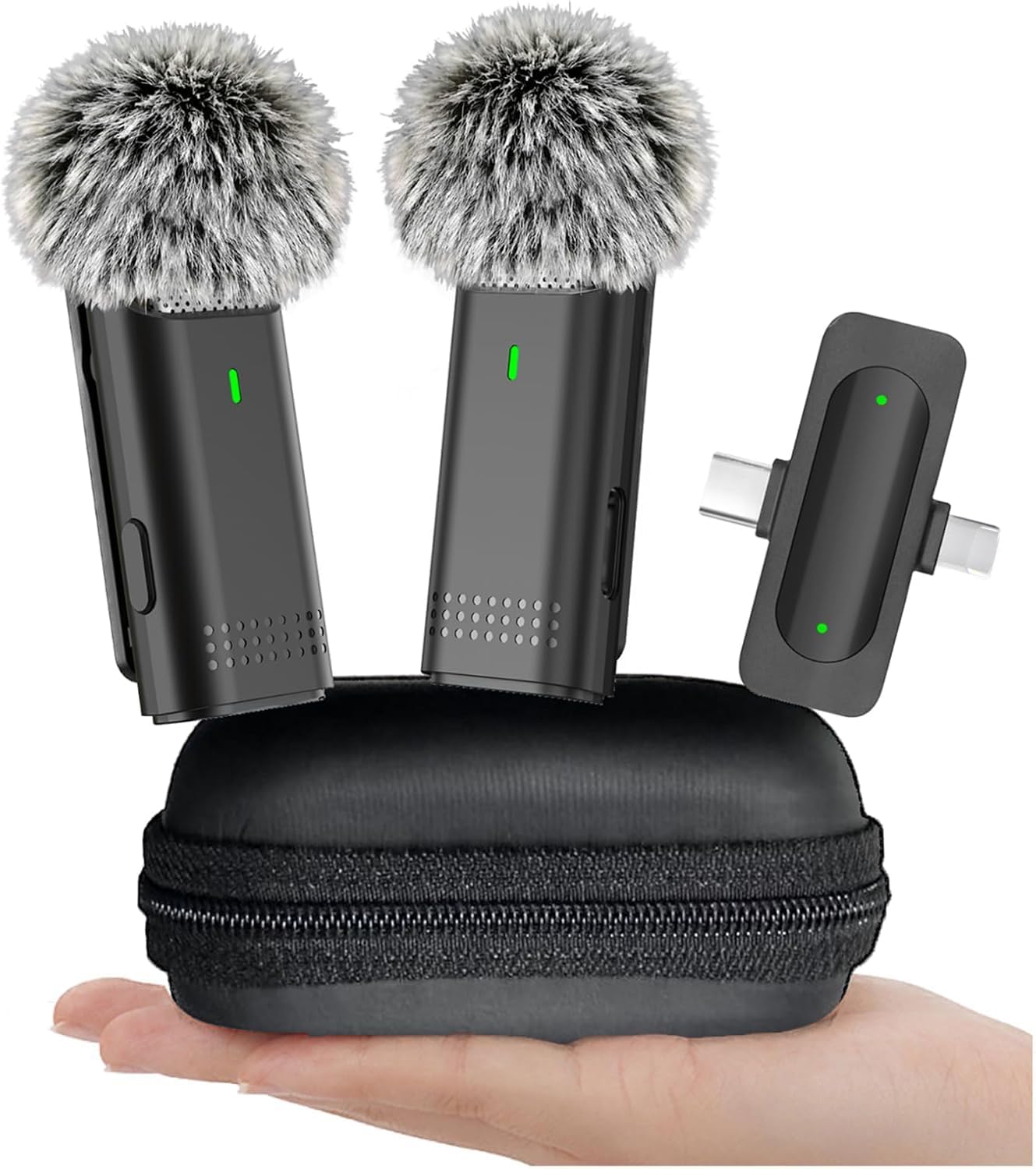
Two transmitters and a furry windscreen for the price of a single mic elsewhere.
Budget kits usually force a choice between two mics or decent wind protection. This one includes both. The kit ships with one receiver and two transmitters, plus a furry windscreen that is a step up from the foam covers most budget kits include. For a beginner setting up a two-host show or a first interview series, that is a lot of the essentials covered in the box.
Audio is 16-bit/48kHz through an omnidirectional condenser, with a one-tap noise cancellation control. The mute button silences or resumes in about a second and lights a red LED so you can see the state from across the room. Range is rated at 65ft in open areas over 2.4GHz, and the field reports include one buyer who ran a hundred-foot vlog test flawlessly in ideal conditions. It is a big step behind the Hollyland Lark M2’s 1000ft line-of-sight rating, which is the clearest reminder that you pay for range.
Buyers report the EZColoris M6 delivers good value and sound quality for the money. The honest caveats land in the middle-distance: the same noise floor as the DJI Lavalier at 30 db (a measure of background hiss), some users find cordless connectivity a little inconsistent across different phones, and one reviewer’s note sums up the limits regardless of brand: at around fifty feet there’s distortion and choppiness, and the mic’s best position is clipped to a lapel rather than buried under a helmet. For a beginner whose priority is getting recording with two presenters at a low cost, this is a reasonable place to start.
What it gives a beginner
- Two transmitters included, so two people can record without buying a second kit
- One-tap mute with a visible red LED indicator
- Furry windscreen across the capsule cuts wind noise better than a bare foam cover
- USB-C receiver with Lightning cable also supplied, covering most modern phones
- Compact storage pouch keeps the kit together in a bag
What to accept upfront
- 65ft open-area range is the shortest in this line-up — fine for indoor shoots, not for distance work
- Connection is not universally smooth — some phones need a second attempt to link
- 30 db audible noise matches the DJI Lavalier but does not beat it
The right pick when: you are starting out, shooting indoors with a second person, and want two mics without spending like a pro.
Not the one if: your shoots involve distance or tricky wireless environments.
Know the Specs
Audio format: what 48kHz/24-bit gets you
The numbers describe how finely the mic samples sound and how much headroom it keeps. 48kHz means the audio is sampled 48,000 times a second, which is the standard for video work. 24-bit means each sample is stored with more precision, so quiet moments are not lost to noise and loud moments have room before they clip. The Hollyland Lark M2 records at 48kHz/24bit; the EZColoris M6 records at 16-bit/48kHz. Both will capture voice well — the difference shows up when you push levels hard or record very quiet sources.
Signal-to-noise ratio and audible noise
Signal-to-noise ratio (the gap between the sound you want and the hiss behind it) tells you how clean your recording will sound. A higher number means less background hiss sits underneath your voice. The Hollyland Lark M2 is rated at a 70dB signal-to-noise ratio — the largest margin in this line-up. Audible noise is the mirror figure: a lower number means a quieter floor, so the DJI Lavalier at 26 db and the Insta360 Mic Air at 20 db sit at the quieter end, while the EZColoris M6 and Sony ECM-LV1 both land at 30 db.
Common Questions
Will a USB-C lav mic work with an older iPhone that charges over Lightning?
How far can a wireless lav mic actually transmit indoors?
Do I need one transmitter or two for a two-person interview?
Is a magnetic clip better than a traditional alligator clip?
Will a lav mic work with a DSLR or mirrorless camera?
Do I need to charge the transmitter before the first use?
Does noise cancellation ruin voice quality on a lav mic?
What is the difference between a lav mic and a shotgun mic?
Should I buy a plug-in wired lav or a wireless system?
Can I use a lav mic on a helmet or under clothing?
The Bottom Line
For most creators, the best lav mic package in this lineup is the Hollyland Lark M2 because it ships with three receivers — Lightning (Apple’s older connector), USB-C (the oval connector on most newer phones), and 3.5mm TRS (the round audio jack) — so it covers a phone, a laptop, and a camera without changing kit, and its 1000ft line-of-sight range and 40H case battery mean fewer interruptions across a shoot. If you need two speakers on a USB-C phone and want the levels handled for you, the RØDE Wireless Micro is the one to grab. And for a beginner setting up a first two-person recording with a small budget, the EZColoris M6 covers the essentials. Whichever you choose, verify the connector on your phone first — that one check prevents most returns.
How we choose
We do not accept paid placement. Every pick is matched to a real buyer and a real use-case; we do not hands-on test units.
Sources
Specifications: manufacturer listings and product documentation. Review insights: verified customer reviews, as of October 2026. Pricing: not shown on this page (it changes often); check the current price via the retailer link.
As an Amazon Associate, Aappliancez earns from qualifying purchases. This does not affect which products we feature.