Disclosure: Some links in this post are affiliate links. As an Amazon Associate I earn from qualifying purchases, at no extra cost to you. Learn more
Specs are compiled from manufacturer listings and verified buyer reviews and can change over time — please confirm the key details on the product page before buying.
Figuring out which laser etching machine to buy is mostly a lesson in one number: the wattage of the laser module at the head of the gantry, measured in watts or milliwatts. That spec decides what you can cut instead of merely scorch, how many passes a job takes, and whether your first order of wood signs finishes before the evening news. Everything else — bed size, enclosure, software, camera — is a filter around that core. And the truth most listings bury is that a 40W module and a 5W module are not the same hobby at different speeds; they are different machines with different ceilings.
This guide is built by comparing the manufacturers’ published specifications and the patterns across verified customer reviews, so you get each pick’s real strengths and trade-offs instead of marketing spin.
Below you will meet the heavy hitters and the gentle starters, sorted by what they can actually cut, how much bench you must clear for them, and who ends up happiest after month two.
Top Picks



How To Choose The Best Laser Etching Machine
You are picking a machine that will either live in a spare room or take over half a garage, so settle the physics first and the features second. Four things decide whether you end up cutting wood or just staring at burnt plywood.
Power is a cutting number, not a bragging number
A 5W module engraves and scorches light materials; a 20W module cuts real depth; a 40W module powers through thick stock in one pass. That last jump — from the AlgoLaser Pixi’s 5W to the xTool S1’s 40W — is an 8.0x leap in rated laser power. Budget machines at the low end often cannot cut through a quarter-inch board without multiple passes and heavy charring. Serious buyers read wattage before anything else because it sets the entire ceiling of what you can sell.
Enclosure or open frame decides where the machine can live
An enclosed diode laser with a filter or exhaust keeps smoke, noise, and stray light contained so you can run it indoors; an open-frame laser demands a dedicated, ventilated space. If you plan to work at night in a shared house, the enclosure matters more than the extra watt. Watch for lid-open auto-stop and flame sensors on the enclosed units, and check the exhaust path before you build any expectations around a spare bedroom.
Speed and focus spot set how fine the detail gets
Speed in millimeters per minute tells you throughput; a tighter focus spot in millimeters decides how fine the lines look. A machine rated 30,000mm/min will chew through a batch of dog tags far faster than a hobby unit, but if its focus spot is coarse, tiny lettering on a wedding gift will still look soft. Match speed to your workload and spot size to the smallest logo or font you care about printing.
Side-by-Side Comparison
| Model | Best For | Laser Power | Work Area | Max Speed | Amazon |
|---|---|---|---|---|---|
| xTool S1 40W Rotary Bundle★ Best Overall | Big production runs | 40W | 23.93″ x 15.16″ | 600mm/s | Amazon |
| Algolaser 20W Alpha MK2Best Touchscreen | Touchscreen simplicity | 20,000mW | 15.7″ x 16″ | 20,000mm/min | Amazon |
| Ortur Laser Master 2 Pro S2Best Starter | Light etching on a bench | 10000mW | 390 x 410mm | 15,000mm/min | Amazon |
| ATOMSTACK A20 Pro V2 | Gifts and business cards | 20000mW | — | 400mm/s | Amazon |
| Woxcker 10W L2 MAX | Home workshop starter | 10000mW | 300 x 300mm | 20,000mm/min | Amazon |
| AlgoLaser Pixi 5W | Absolute beginners | 5W | — | — | Amazon |
| LONGER RAY5 40W | Raw cutting power | 40W | 385 x 385mm | 24,000mm/min | Amazon |
| xTool M1 10W with RA2 | Vinyl and mixed material | 10W | 17.6″ x 21.9″ | 250mm/s | Amazon |
| OMTech K40+ 45W CO2 | Acrylic and commercial work | 45W CO2 | 12″ x 8″ | 300mm/s | Amazon |
| Mecpow X4 Pro 40W/20W | Camera-led layouts | 40W / 20W switch | — | 30000mm/min | Amazon |
Detailed Reviews
1. xTool S1 40W Laser Cutter
Our pick — 4.5+★ from 250+ verified ratings; the strongest balance of quality and price.
Forty watts of focused patience, wrapped in an enclosure that lets you work indoors.
The headline here is raw cutting force: a 40W (40,000mW) module that slices through 18mm cherry wood in a single pass. Set that against the AlgoLaser Pixi’s 5W rating and you are looking at an 8.0x gap in rated laser power. In practice, that gap is the difference between a machine you feed thin plywood and one you feed door-sign blanks. The 23.93″ x 15.16″ bed carries large stock without tiling, and the rated 600mm/s engraving speed keeps a run of small items moving. One production run can handle up to 119 dog tags at once, so batch work stops being an all-day affair.
The practical value of the enclosure is bigger than the spec sheet suggests. A protective cover filters 99% of laser light, so you work without goggles, and the closed frame blocks smoke and noise while five built-in flame sensors cut power the moment a flame appears. Add the emergency stop and the lid-open stop and you have a machine you can justify in a home studio rather than a shed. Auto-focus plus xTool Creative Space handles the setup, and the software ships with parameter presets pre-tested on over 400 materials — so you preview, click, and engrave instead of guessing power settings all evening.
Buyers report the setup is genuinely approachable: “40W S1 setup far easier than prior different-brand laser; first test piece in under an hour, 97% perfect (remaining 3% user error).” The honest catch is floor space. Owners describe a unit of roughly 100 lbs that wants a dedicated bench and a vented hose, and the open frame design has no motor braking, so a bumped head can drift out of alignment. Budget for the space and the exhaust run, not just the machine.
What wins the bench
- 40W module cuts 18mm cherry wood in a single pass
- 99% laser-light filtering cover means no goggles needed
- Five flame sensors plus emergency stop and lid-open halt
- AutoPassthrough handles projects up to 118 inches
- Presets for over 400 tested materials inside XCS
Where it will test you
- Roughly 100 lbs — needs a dedicated, vented bench
- No motor braking, so a knocked head loses alignment
- Spring-loaded Z probe can misread height on soft stock
- Creates noticeable smell; the exhaust hose is not optional
Built for: makers selling finished work who want one machine and no excuses about material thickness.
Measure first: if your bench cannot spare the footprint and a vent path, this is more machine than your room can host.
2. Algolaser 20W Laser Engraver Machine
The one you can run straight from a glass panel, no laptop tethered in sight.
Skip the PC entirely. A 3.5″ smart touchscreen running the AlgoOS system is the whole control story here — power it on, design on the panel, and engrave. That is a meaningful convenience for anyone whose workshop laptop is also the family computer. The 20,000mW module handles wood, metal, acrylic, leather, and glass, and the cut depth reaches 15mm in wood. Speed lands at 20,000 mm/min courtesy of a dual-core CPU. Built-in 32GB memory means files live on the machine and offline batch cutting works without a connection.
Where this earns its keep is the air system. A smart air pump plus internal smoke exhaust forms a dual air path that pulls smoke away from the beam, which keeps the lens clean and the cut edges free of residue. Owners get genuinely clean finishes on awkward stock — one careful project involved detailed photo engraving on polished black stone, with the air assist and enclosed design leaving it residue-free. The work area measures 15.7″ x 16″ and expands to 15.7″ x 33.35″ with the optional extension kit, so long signs are within reach. LightBurn, LaserGRBL, and the AlgoLaser App are all supported.
The caveat is the learning curve on power settings. Some buyers find “really hard to use unable to figure out the strength of the laser and instructions are very limited” — the machine is capable, but nothing spoon-feeds you the right power and speed for an unfamiliar material. A few units have arrived with a damaged air pump connector. Approach it as a capable tool that rewards patience with test grids, and it delivers; expect the same immediate hand-holding you would get from a plug-and-play unit and you may feel let down.
The screen is the sell: if your ideal workflow is design on the machine itself, this is the shortest path from idea to burnt edge on the list.
Budget your patience: power settings for new materials are on you, so keep scrap stock for calibration before you commit a paid order.
Reach for this if: you want computer-free operation with real 20W cutting depth in a compact footprint.
Look elsewhere if: you would rather a machine with deep canned presets and no calibration homework.
3. Ortur Laser Master 2 Pro S2 10000mW Laser Engraver
A metal-frame workhorse for light etching that asks you to earn the good results.
Ten watts of true laser output, a full metal structure, and an assembly that typically finishes in 10-15 minutes. That combination is the whole appeal: a modular industrial-grade frame you can repair and update part by part instead of replacing wholesale. The 10000mW module carries dual fan cooling for heat dissipation and a compressed point of 0.05mm x 0.1mm, which is fine enough for crisp lettering. Engraving speed reaches 15,000mm/min across a 390 x 410mm area. It cuts 30mm acrylic and 20mm wood, and the module has a built-in air-assist interface for cutting jobs.
Software support is unusually broad for the tier. LaserGRBL and LightBurn both work, on Windows 7, 8, XP, 10, 11 and macOS through LightBurn, and the file list covers SVG, DXF, JPG, JPEG, PNG, BMP, TIF, and CR2. The laser protective cover filters out 98% of UV light. Four safety layers are built in: active position protection, a stop when the USB cable disconnects, an emergency stop switch with flame alarm, and exposure time detection. That is a serious safety roster for an open-frame design.
Be honest about the setup. Assembly and the software handshake are the mixed part of the experience — the function and build quality hold up, but wrangling LightBurn the first time is fiddly. It rewards the stubborn: get past the initial configuration and it does the job for light cutting and etching. If you want a machine that greets you finished, this is not it; if you enjoy understanding your tools, this metal frame will serve you for years.
The real charm: an industrial metal frame that comes apart for repairs and upgrades, so a worn part is a swap, not a write-off.
Come ready to tinker: the initial LightBurn setup and software configuration are where newcomers stall out.
Best fit: hands-on hobbyists who want a repairable open-frame unit and do not mind a slow first evening of configuration.
Think twice if: you need indoor-friendly containment — this is an open Class 4 frame that wants dedicated ventilation.
4. ATOMSTACK A20 PRO V2 Laser Cutter
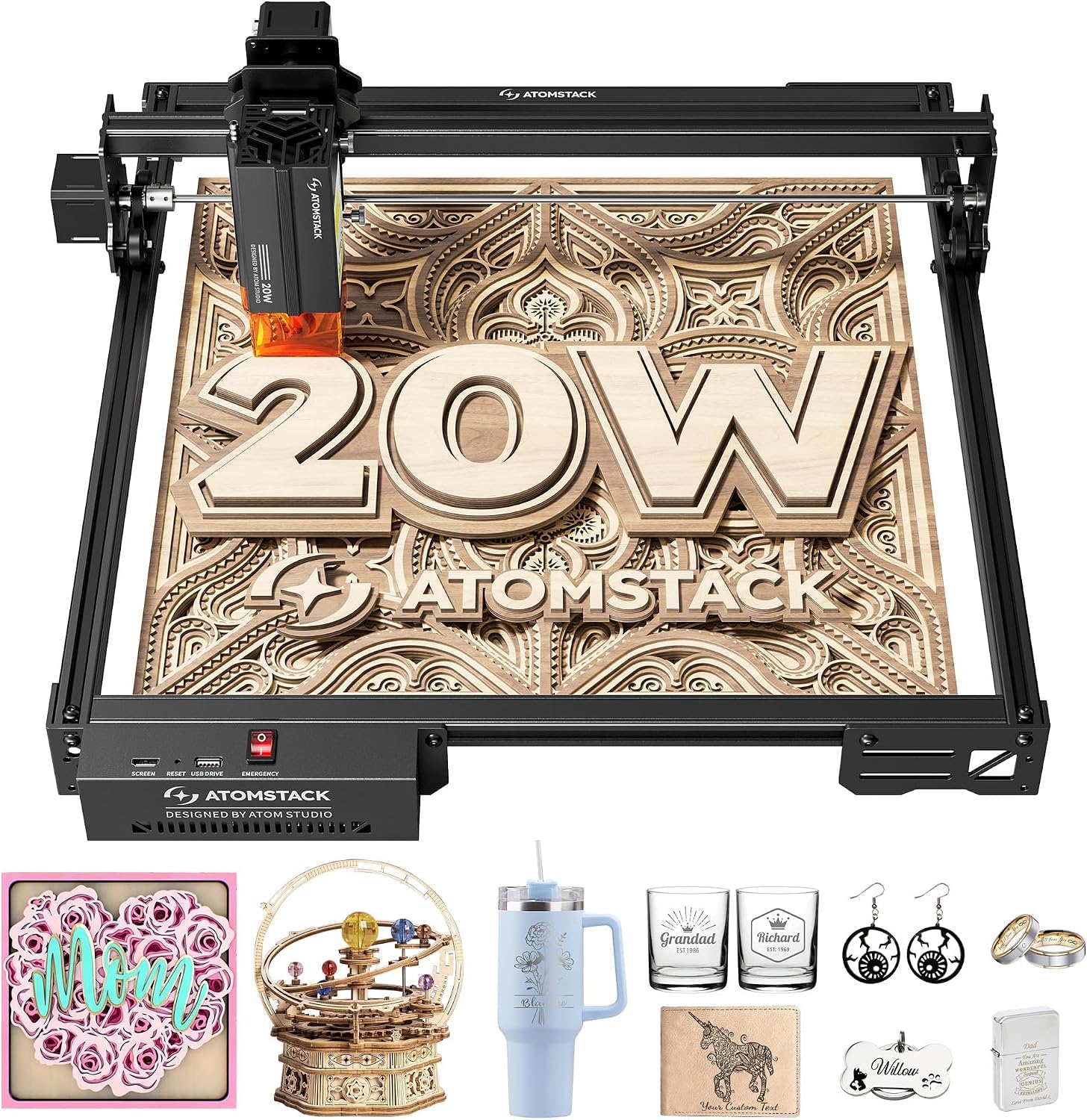
Precision for small paid jobs, from business cards to custom gift runs.
The number that matters for cardstock-thin detail is 0.01mm engraving accuracy, held steady by an integrated linear guide motion structure and a cross-line light for alignment. A 20000mW module handles high-energy cutting and precise engraving, with 400mm/s engraving speeds across wood, acrylic, and metal. The aluminum alloy frame and modular build keep the motion smooth over long sessions, and the integrated linear guides are meant to extend the machine’s lifespan rather than wear into wobble.
Safety is thoughtful without a full enclosure. A removable magnetic protective cover and included safety glasses handle the eyes, and a tilt-angle safety beep triggers past 15°. A declared lifespan of up to 10,000 hours points at low-maintenance ownership, and connections run over Type-C or a USB stick, with the ATOMSTACK App, PC software, LightBurn, and LaserGRBL all supported. For gifts, business cards, and small personalized runs, that is a flexible toolset at a sensible size.
Two things to weigh. First, the beginner learning curve is real — expect to test speed and power until you find the setting that stops excessive burning on wood. Second, customer support has been the weak link for some buyers, with slow email responses and replacement parts shipping from overseas. One buyer’s defective second unit took roughly two weeks and self-repair to get working. Buy from a source with a clean return window and treat support as a backup rather than a lifeline.
Why it gets bought twice: the kind of owner who runs several of these side by side does it for throughput, not novelty — a second unit doubles output off one computer.
The one honest caution: if a unit arrives faulty, return it immediately instead of waiting on a slow replacement path.
Pick this when: you want fine 0.01mm detail for cards, gifts, and small paid batches at a moderate footprint.
Not your machine if: you want a fully sealed unit with easy indoor ventilation from the start.
5. Laser Engraver 10W 300×300mm
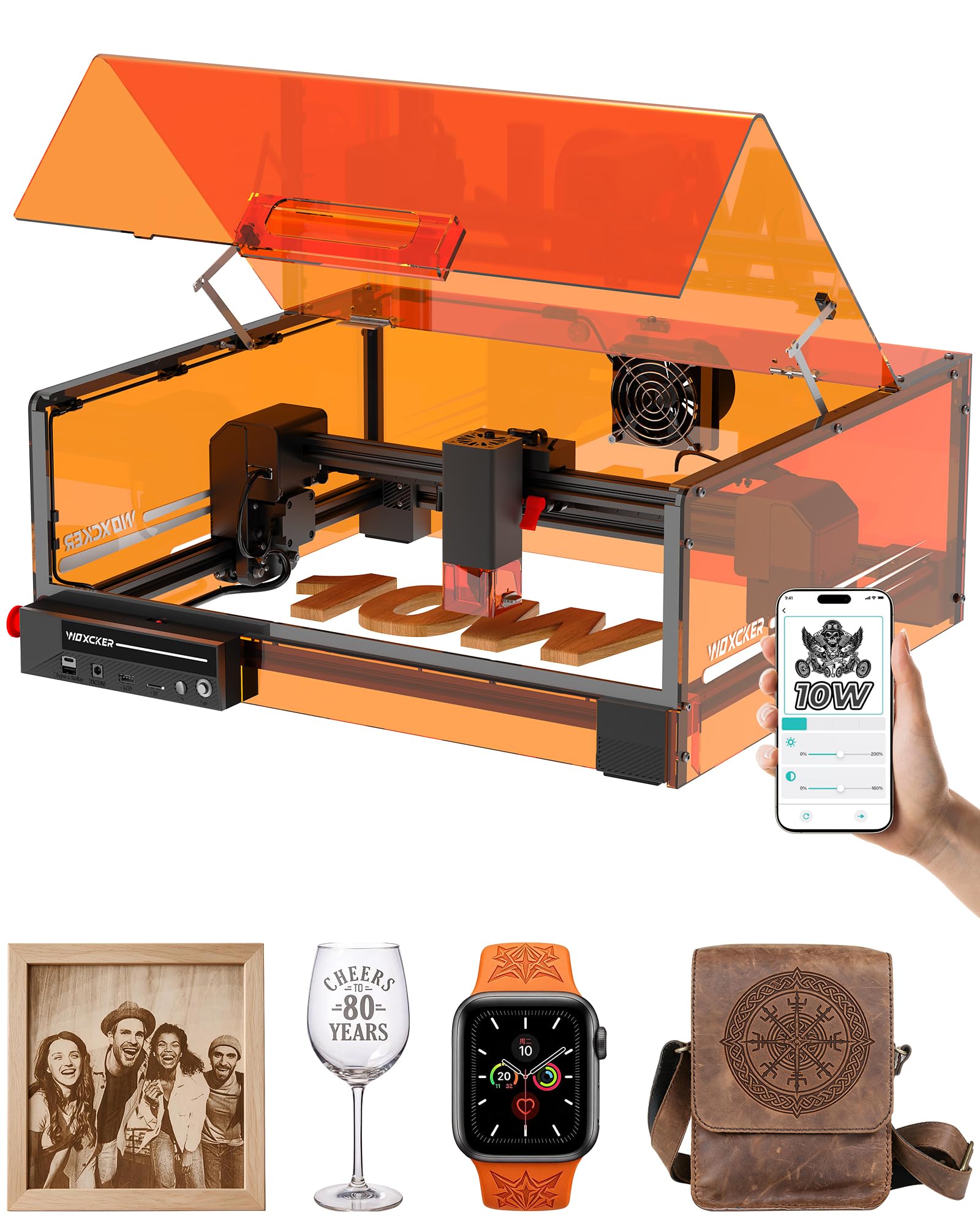
A sealed orange box that lets a beginner work indoors without a full workshop.
If the machine has to live in the house, the 360° fully enclosed design is the reason to read this one first. It contains fumes, dust, and operating noise, and it carries a Class 1 rating. A five-part modular assembly simplifies setup and is claimed to save roughly 30-40 minutes by skipping complicated belt adjustments. The 10W (10000mW) module with 0.01mm square focus handles wood, coated metal, glass, leather, stone, and other compatible stock. Speed reaches 20,000mm/min across a 300×300mm work area, which is enough for larger designs or several small pieces at once.
Control options are unusually generous for the tier: LightBurn, LaserGRBL, and CutLabX are all supported, and connections run over Wi-Fi, USB, an app, and TF-card offline operation. Safety layers include lid-open auto-stop, flame detection, an emergency stop, a safety lock, and 15° tilt-stop protection. An aluminum frame keeps the structure solid across continuous use. For a newcomer testing whether this hobby sticks, that is a balanced package with an indoor-friendly footprint.
Assembly is where expectations split. It does not arrive fully built, and the door can need adjusting — one owner had to add weight from another source to keep it closing. Get the frame square and the door tight, and the sharp, consistent engraving quality is exactly what a first machine should deliver. If you would rather not fiddle with hardware at all, this one asks for an hour of patience before it gives you anything back. If you can handle a screwdriver, the value is squarely there.
Standout strengths
- 360° enclosure contains fumes, dust, and noise
- Class 1 rating for safer indoor use
- 0.01mm square focus for crisp small detail
- Wi-Fi, USB, app, and TF-card offline control
- Five-part assembly shortens setup time
Parts you will want to check
- Arrives unassembled with hardware to align
- Door alignment can be fussy from the start
- 10W limits thick stock to multiple passes
- Paid companion apps can add ongoing cost
The fit: first-time makers who want containment, Class 1 safety, and a sub-1-footprint bench unit.
The honest limit: 10W will not power through thick hardwood in one pass, so plan on multiple passes for anything deep.
6. AlgoLaser Pixi Laser Engraver Machine
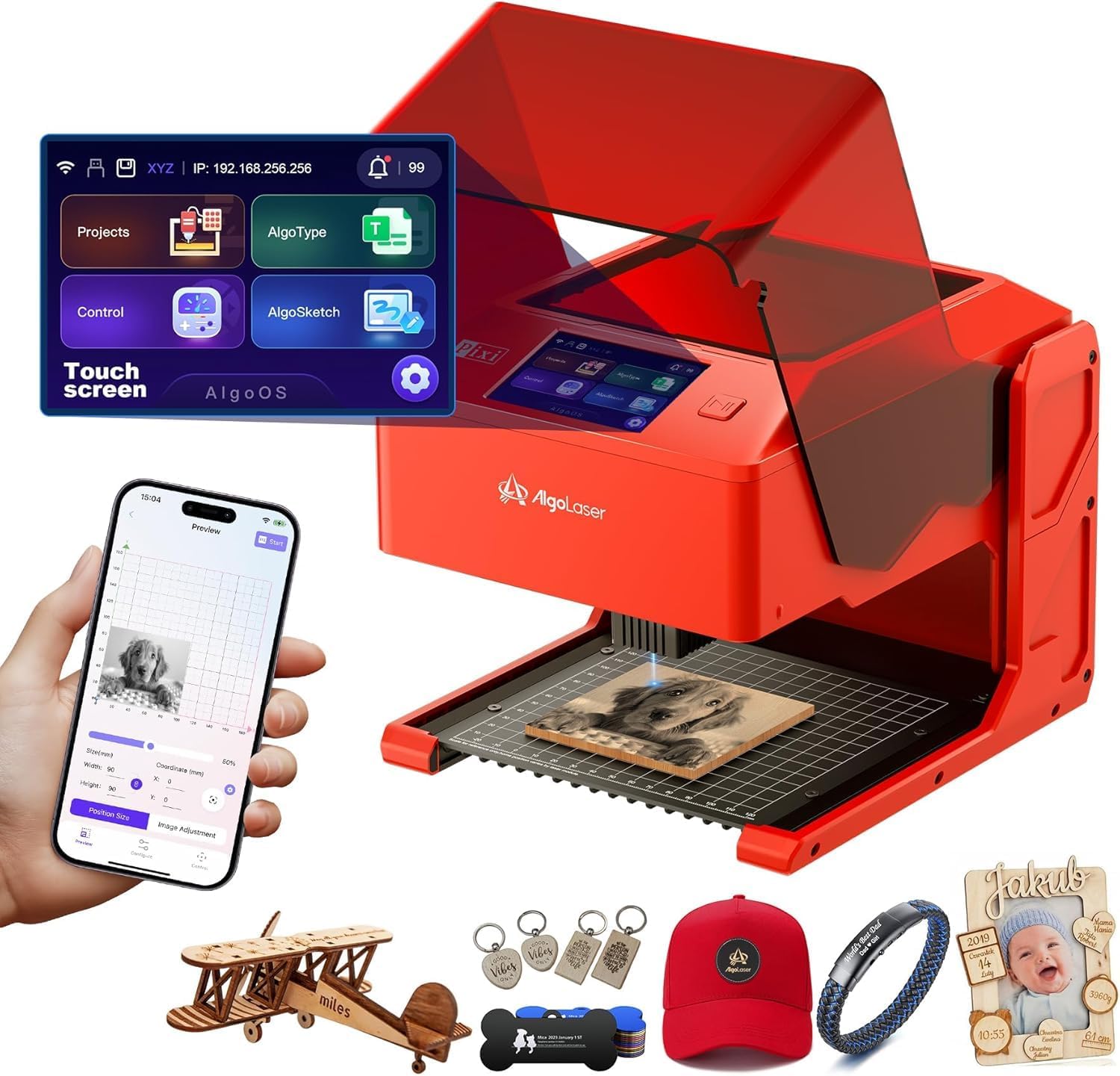
Five watts and a touchscreen — a friendly first encounter with the hobby.
The easiest point of entry here is the 5W module paired with a 3.5″ smart touchscreen running AlgoOS, so you can draw, write, or upload a design and start engraving without a computer or any setup ritual. AlgoSketch captures hand-drawn artwork and AlgoType produces clean text, with reverse engraving giving high-contrast results on acrylic, glass, wood, and leather when colored backers are used. A three-step drag-place-engrave flow keeps the process beginner-safe. It connects over USB-C, Wi-Fi, or accessory ports, and there are 160 preloaded templates to get a first project out the door.
Safety is where the Pixi earns trust. An auto-pause safety door stops the laser the instant the lid lifts, and the machine will not resume until the lid is closed again. A password-protected lock screen and real-time fault alerts add layers. The build quality is a clear focus — a solid, scratch-resistant frame around a compact body. Connectivity earns its own nods too, with simple first-try LightBurn pairing and Wi-Fi or USB-C transfers. For DIY makers, educators, and anyone testing whether etching is their thing, that is a fair amount of machine.
Keep the ceiling in view: 5W is a hobby rating, not a cutting rating, and it will not match the 40W power of the S1 on thick stock. Two practical cautions from the review pages. An occasional unit has shown a failed safety interlock — treat any unusual laser behavior as a deal to inspect immediately and contact support. And smoke and odor are real, so ventilation is required. Also note the app connects via IP address only.
What it is genuinely good at: portable, contained engraving on leather, wood, and coated metal where a laptop was never part of your plan.
Where it stops: no thick-stock cutting, finicky safety door switch, and a 5-10 minute base swap when you change setup.
Ideal owner: a beginner or educator who wants contained, computer-free engraving on leather and small wood pieces.
Step up instead if: you already know you need to cut thick boards — that job belongs to the higher-wattage picks.
7. LONGER RAY5 40W Laser Engraver
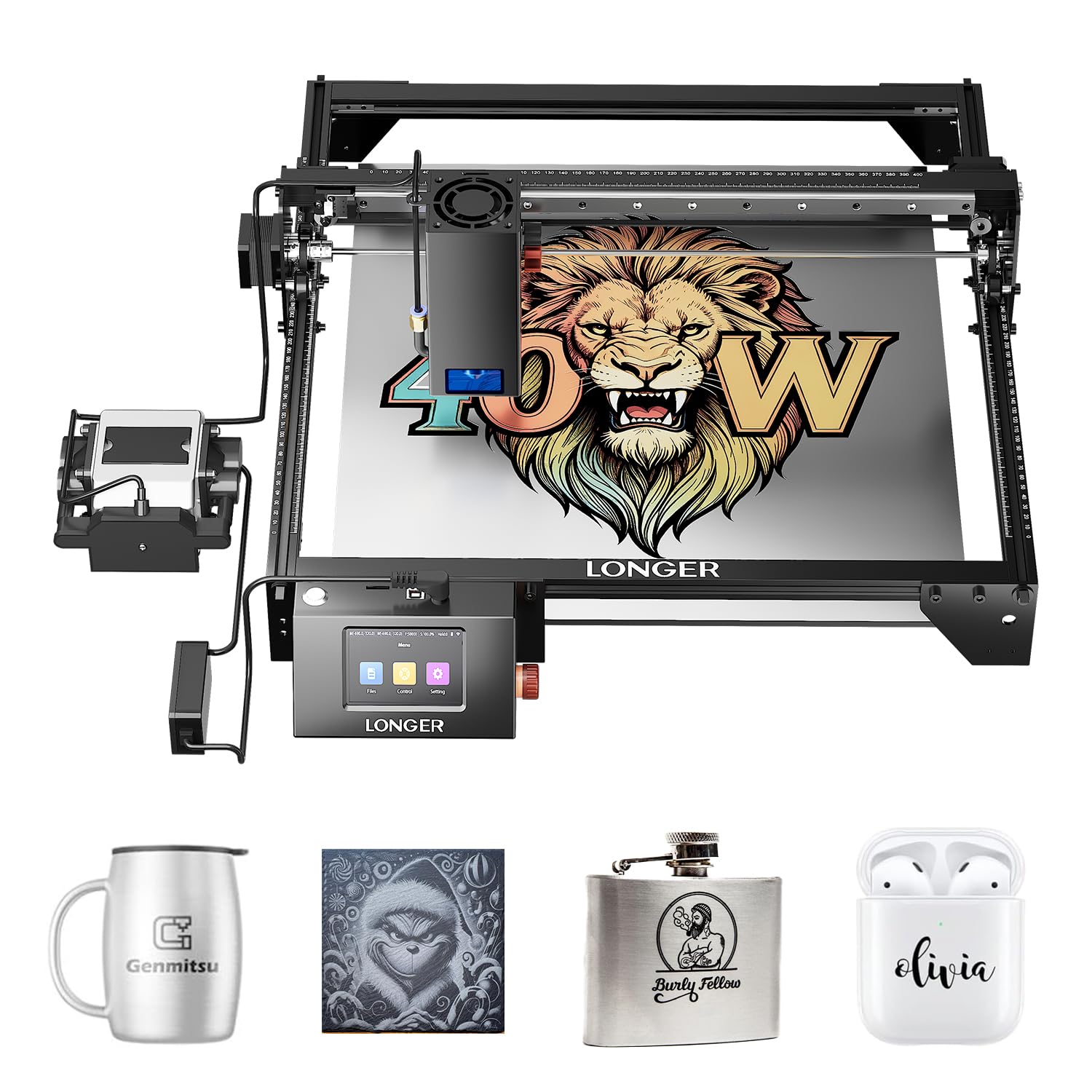
Forty watts of dual-beam cutting muscle for the maker who runs orders every day.
For raw output, a 40W high-power module with dual-beam technology cuts up to 30mm black acrylic and 20mm wood in a single pass, plus engraving precision on 0.15mm stainless steel. Speed reaches 24,000 mm/min, so a stack of pieces that would take an evening on a starter unit moves in a fraction of the time. The ultra-fine 0.08×0.1mm focus keeps lines sharp, and a built-in air assist kit clears smoke and debris for clean surfaces. The 385x385mm footprint gives you room without dominating a bench.
The control system is the quiet upgrade story. A 32-bit motherboard smooths processing over long runs, and the machine supports 24/7 continuous operation — multiple machines can be driven from a single device for higher output. A built-in 256-color palette brings more visual depth to engraved images, which is a real edge when your product is decorative rather than merely functional. Safety features include protective glasses, motion protection, temperature control, and an emergency stop that shuts the machine down on abnormal movement or overheating.
The honest catch: this is an open machine, and it punishes setup sloppiness. With air assist running and no cut mat under your work, fires can start fast — one owner lost a machine within a couple of weeks that way. Get a proper honeycomb mat before you cut anything, and treat air assist as mandatory rather than optional for cleaner edges. Durability experience is mixed in the review pages, with temperature control doing important work on long sessions. Run it responsibly and it is a formidable cutter.
The value read: per watt of cutting power, this is one of the better buys here, and it shows in single-pass depth on acrylic and wood.
Do this on day one: pair it with a honeycomb cut mat and keep air assist on — cutting without both is where things go wrong.
Buy it for: heavy single-pass cutting and 24/7 high-throughput work where 40W and 24,000 mm/min matter every day.
Know yourself: this rewards disciplined operation and punishes shortcuts, so keep the mat and the safety habits in place.
8. xTool M1 10W Laser Engraver

Laser, blade, and camera in one sealed box, so vinyl never meets the beam.
Three tools share one body here: laser engraving, laser cutting, and blade cutting. The 10W true laser power cuts 10mm wood in a single pass, with FAC lens compression giving engraving accuracy up to 0.01mm and engraving speeds of 250mm/s. A built-in high-resolution camera handles automatic focusing, material detection, and batch processing of identical items by recognizing shapes on the bed. A removable bottom plate lets you work on materials of unlimited height.
The experience is friendly for newcomers. The included XCS software is simple to learn and works on mobile devices, and the enclosed design with a visible cover blocks blue light and powers off automatically when opened. A fan and exhaust pipe handle smoke and debris. The RA2 rotary attachment lets you engrave tumblers and glasses, and the material package supports a range of DIY projects. One important compatibility note: this machine does not support Laserbox Basic or LightBurn — XCS is the path.
Two limitations to size honestly. At 10W, this is not a high-power cutter — heavy production cutting belongs to the 40W units. And reliability is the mixed part of the picture, with an occasional unit failing early. That said, for gift personalization, vinyl work, and small business runs where material variety beats raw depth, few machines do as much at once.
Why crafters commit: the blade finishes vinyl jobs a beam cannot touch, and second passes land accurately instead of wasting stock.
The trade-off to accept: stick to XCS software and keep the laser head clean, because clogging causes malfunctions and LightBurn will not connect.
Perfect for: small businesses doing vinyl, gift personalization, and mixed-material runs on one sealed machine.
Skip if: you need industrial cutting depth — 10W holds detail, not thick stock.
9. OMTech K40+ 45W Desktop CO2 Laser Engraver & Cutter

A true CO2 tube in a desktop box, tuned for acrylic cutting that beats any diode.
This is the only CO2 machine here, and that changes the physics. A 45W CO2 tube slices through 0.4″ (10mm) acrylic and 0.31″ (8mm) wood with ease — cutting speed lifted 1.5-2× and depth increased 15-20% over its prior version, per the maker. Engraving reaches 300mm/s for complex designs and bulk orders. The 12″×8″ work area is compact and handles standard and irregular stock through a honeycomb bed, with a detachable base and optional rotary axis for cylindrical or taller objects. An integrated 45° air assist auto-adjusts airflow to clear debris and reduce wood carbonization.
Software is the expected pair: LightBurn and LaserGRBL, both fully supported. Safety features include door and water protection, an emergency stop, and a flame-retardant acrylic panel, backed by a high-powered exhaust fan to pull smoke out. The maker backs it with 24/7 global support, local demos by appointment, and 2 years of comprehensive service. For personalized gifts, small-business acrylic work, and pro-grade cutting, a CO2 tube is simply in a different league from a diode on clear plastics.
The catch is that CO2 machines demand more care than diode units. Water cooling and alignment are part of ownership, and novice users often find the initial setup challenging. One buyer received a faulty water pump and endured a slow, frustrating service path, so inspect the cooling system the moment it arrives. Take delivery carefully and test the water circuit before your first job, and this becomes a long-serving commercial tool.
Where it shines: clean acrylic cutting and engraving, plus the sort of depth and speed a diode simply cannot produce on clear plastics.
First-day checklist: verify the water pump and laser alignment before running any paid work, since cooling and setup are the usual trouble spots.
Choose it for: acrylic-focused and commercial work where a genuine CO2 tube is worth more than a diode’s convenience.
Heads up: water cooling, alignment, and heavier bench requirements mean more setup effort than any diode here.
10. Mecpow X4 Pro Laser Engraver

Two power ratings in one module, plus a camera that frames your stock for you.
The defining trick is a module that switches between 40W and 20W on the fly — no swapping heads to go from cutting to fine engraving. The 20W spot (0.08*0.1mm) suits engraving, while the 40W spot (0.1*0.15mm) is built for cutting that reaches 25mm wood plate, 30mm black acrylic, and 0.15mm black stainless steel plate. Speed tops out at 30,000mm/min in high-speed mode, and a precision mode takes over for accurate cutting. That 30,000mm/min ceiling puts it ahead of the LONGER RAY5’s 24,000mm/min for raw feed rate.
Camera positioning is what separates this from an ordinary 40W cutter. Visual-assisted alignment enables full-frame function, engraving position control, image tracking, batch engraving, and even HD video recording. A 30L air pump with software-controlled automatic switching handles air assist, while the enclosure runs a high-efficiency exhaust to filter smoke and dust. Safety is comprehensive: lid-open auto-stop, a flame sensor, hidden X/Y 4-way limit switches, a tilt sensor, a safety child lock, and an emergency stop, all wrapped in a Class 1 rating. Wi-Fi, USB, and control-panel offline operation over TF card are all supported.
The honest limit is documentation. Early buyers found the manual thin and leaned hard on outside help to debug camera alignment and setup, so bring some DIY patience and internet research to the first week. The camera’s alignment accuracy has not matched some expectations on the first try. Get the camera dialed in and the dual-power convenience is excellent; expect plug-and-play with no learning curve and you will be disappointed.
The dual-power edge: switching between the fine 0.08*0.1mm engraving spot and the deeper 40W cutting spot without changing the module saves real time on mixed jobs.
The caveat: thin documentation means the camera setup and first calibration are largely on you.
Best for: makers who value switchable power and camera-guided batch layout, and can spare a weekend for calibration.
Weigh the gamble: with limited owner experience behind this model, lean on the return window while you dial it in.
Know the Specs
Laser Power in Watts and Milliwatts
The power rating at the head of the gantry — written as “40W” or “20,000mW” — is the deciding factor for what the machine can cut. A 5W unit like the AlgoLaser Pixi suits engraving and thin stock; a 40W unit like the xTool S1 cuts thick material in a single pass. Higher wattage gives deeper cuts and faster passes, but demands more containment and ventilation. Read power first, then check everything else around it.
Enclosure and Laser Class
An enclosed machine with a Class 1 rating contains the beam behind a cover, letting you work without goggles and with smoke pulled away. An open-frame laser is Class 4 and needs a dedicated, ventilated space. For a home studio, the enclosure and safety interlocks — lid-open auto-stop, flame sensors, tilt protection — matter as much as the wattage for safe daily use.
Focus Spot Size
The focus spot is the tiny burning point of the laser, measured in millimeters. A 0.01mm square focus produces fine lettering and sharp small logos; a coarser spot loses detail on fine work. When you compare machines, tighter spot size means crisper patterns on small items like cards and jewelry.
Speed in mm/min or mm/s
Speed tells you throughput — how fast the head moves across the bed. Faster feed means more finished pieces per hour in batch work, but speed must be balanced against power and focus to keep cuts clean. A unit rated for high-speed mode can finish runs quicker, while a precision mode keeps accuracy on detailed designs.
Common Questions
What laser wattage do I need to cut wood rather than just engrave it?
Can I run a laser engraver safely inside my house?
What is the difference between a diode laser and a CO2 laser?
How large a work area do I need for signs and tumblers?
Is a laser engraver hard to learn for a complete beginner?
Do I need air assist to cut cleanly?
Will LightBurn work with these machines?
How long does a laser module last before it dies?
Can these machines engrave metal?
How much space and power does a laser engraver need?
Is it better to buy a 40W diode or a 45W CO2 laser?
The Bottom Line
For most buyers, the laser etching machine that balances power, containment, and everyday usability is the xTool S1 40W. Its 40W module cuts 18mm cherry wood in a single pass, the enclosure filters 99% of laser light so you work without goggles, and five flame sensors keep indoor runs sensible. If your priority is raw cutting depth over everything else, the LONGER RAY5 40W reaches that 40W mark with dual-beam speed. And for a first machine where containment and a no-computer workflow matter most, the AlgoLaser Pixi gets a beginner engraving on leather and wood without a laptop in sight.
One honest nudge before you commit: the right purchase is the one whose wattage matches your thickest material and whose enclosure matches your workspace, not the one with the longest feature list. Match those two specs to your bench, and any pick here will serve you well.
How we choose
We do not accept paid placement. Every pick is matched to a real buyer and a real use-case; we do not hands-on test units.
Sources
Specifications: manufacturer listings and product documentation. Review insights: verified customer reviews, as of October 2026. Pricing: not shown on this page (it changes often); check the current price via the retailer link.
As an Amazon Associate, Aappliancez earns from qualifying purchases. This does not affect which products we feature.