Disclosure: Some links in this post are affiliate links. As an Amazon Associate I earn from qualifying purchases, at no extra cost to you. Learn more
Specs are compiled from manufacturer listings and verified buyer reviews and can change over time — please confirm the key details on the product page before buying.
If you want a laser cutter you can actually use on day one without burning your first board or your fingers, start with the enclosed xTool S1 40W. It has a lid that filters 99% of laser light, a 40W beam that cuts through 18mm cherry wood in a single pass, and a 23.93″ x 15.16″ bed (a large working area that handles big signs) so you are not squeezing projects into a tiny square. The open-frame machines lower down the list are cheaper and lighter — but they throw smoke, glare, and loose material around your room, and none of them cut as deep.
This guide is built by comparing the manufacturers’ published specifications and the patterns across verified customer reviews, so you get each pick’s real strengths and trade-offs instead of marketing spin.
I sorted these into enclosed, gantry, and portable types so you can match one to your space. The right laser cutter for beginners is the one that fits your desk, your materials, and your tolerance for setup.
Top Picks


How To Choose The Best Laser Cutter for Beginners
A laser cutter for home use is really two decisions in a coat: how safe the frame is, and how much power you need to cut through your material. Get the safety part wrong and every session is a fuss. Get the power part wrong and you will be doing three passes on a piece of plywood.
Enclosed versus open frame
An enclosed machine keeps the beam, the smoke, and the stray glare inside a box. The xTool S1 is the clearest example here — a protective cover that filters 99% of laser light means no goggles and no smoke in your kitchen. Open gantry machines like the LE400PRO and the Longer RAY5 are lighter and usually easier to assemble, but they need their own room or garage and a vent hose.
Matching watt count to your material
Laser power in watts is the number that decides whether you cut 18mm cherry wood in one pass or need multiple passes on 8mm black acrylic. Higher wattage also means faster engraving and deeper burn on dark wood. A 40W diode module like the S1’s is a different class from a 5W unit, and the difference shows up immediately when you try to slice instead of shade.
Software a beginner can actually learn
You will spend more time in the software than at the machine. Beginners do best with a bundled app that has pre-loaded material settings — xTool Creative Space ships with parameters for over 400 tested materials. If you get a machine whose bundle app crashes or whose firmware is custom, budget time for LightBurn or LaserGRBL instead.
Making sure your room can handle the smoke
Every diode laser that burns wood makes a smell and fine ash. Even the enclosed units need a vent hose pointing out a window. If you are in a studio with no window, a fully enclosed design with a built-in exhaust fan — like the ACMER K1 — keeps the smoke manageable enough to work indoors.
Side-by-Side Comparison
| Model | Best For | Laser Power | Work Area | Enclosed | Amazon |
|---|---|---|---|---|---|
| xTool S1 40W★ Best Overall | First serious cutter | 40W | 23.93″ x 15.16″ | Yes (Class 1) | Amazon |
| Mecpow X1Pocket-Size Metal Marks | Metal marking on the go | 2W infrared + 10W diode | 105 x 105mm | Yes | Amazon |
| xTool F1 UltraFastest Production Bed | Fast batch production | 20W fiber + 20W diode | 220 x 220mm | Yes | Amazon |
| ACMER K1 7W | Tiny desk footprint | 7W | 150 x 150mm | Yes (Class 1) | Amazon |
| WIZMAKER Wand 12W | Fast 10-minute setup | 12W | 300 x 300mm | No | Amazon |
| K15 Pro 10W | A4-size craft desk | 10W | 11.8″ x 7.9″ | No | Amazon |
| Longer RAY5 | Best value big bed | 10W class | 400 x 400mm | No | Amazon |
| LE400PRO 5.5W | True beginner kit | 5.5W | 400 x 400mm | No | Amazon |
| Creality Falcon 5W | Lowest-cost entry | 5W | 400 x 415mm | No | Amazon |
| ACMER S2 7W | Cheap small-batch gifts | 7000mW | 300 x 300mm | No | Amazon |
Detailed Reviews
1. xTool S1 40W Laser Cutter and Engraver — Rotary Bundle
Our pick — 4.5+★ from 250+ verified ratings; the strongest balance of quality and price.
A closed box, a 40W beam, and a bed wide enough for a full door sign.
Forty watts is the single spec that decides everything here. A 40W (40,000mW) laser module slices 18mm cherry wood in one pass — the same cut that takes four or five passes on a 5W machine like the Creality Falcon. If you have any intention of cutting rather than only shading, that is the number to check. The bed is 23.93″ x 15.16″, which is large enough to engrave up to 119 dog tags in a single run, and the head moves at up to 600mm/s on engraving jobs.
The enclosure is what makes the S1 usable in a house. A protective cover filters 99% of the laser light, so you do not need goggles, and the closed frame holds the smoke and the noise in. Five flame sensors cut the beam the moment a spark shows, plus an emergency stop button and a lid-open stop. Setup is genuinely short — buyers report a first test piece within an hour, with the setup called “a breeze vs prior different-brand laser.” xTool Creative Space (the free companion software) comes pre-loaded with parameter settings for over 400 tested materials, so you do not have to guess your speed and power from scratch.
What wins people over most is build quality, and the aluminum frame is 3mm aerospace-grade — thick enough that the whole machine weighs around 100 lbs and needs a dedicated table, not a shelf. One trade-off you will meet fast: the head has no motor braking, so a bump can knock it out of alignment, and the Z probe is a spring-loaded metal spear that can leave a small dent in soft work and give a false focus reading if it rests off-flush. Vent the hose out a window — the odor is noticeable. The xTool software is fine for canned projects, but LightBurn gives you more control for originals, and the included in-box guides stop at machine assembly, so plan on online tutorials for the software. At 4.5+ stars across 250+ ratings, it is the crowd’s favorite on this list and it earns the top slot on merit.
What the 40W actually buys you
- 18mm cherry wood in a single pass — no other pick here cuts that thick in one go
- 600mm/s engraving speed on a bed sized for door signs and batch dog tags
- Class 1 enclosure filters 99% of laser light, so no goggles and no smoke in your room
- AutoPassthrough handles projects up to 118 inches (3000mm) without re-positioning
- Over 400 pre-tested material settings inside the free xTool software
Where it asks more of you
- Around 100 lbs and needs dedicated table space — not a shelf machine
- No motor braking — a bump knocks the head out of alignment
- The spring-loaded Z probe can dent soft wood and misread focus
- Software learning is on you via online videos, not the paper manual
Reach for this if: you have a real table, a window, and a plan to cut thick wood rather than just engrave coasters.
Measure first: the footprint is genuinely large and the bed needs clearance for the pass-through.
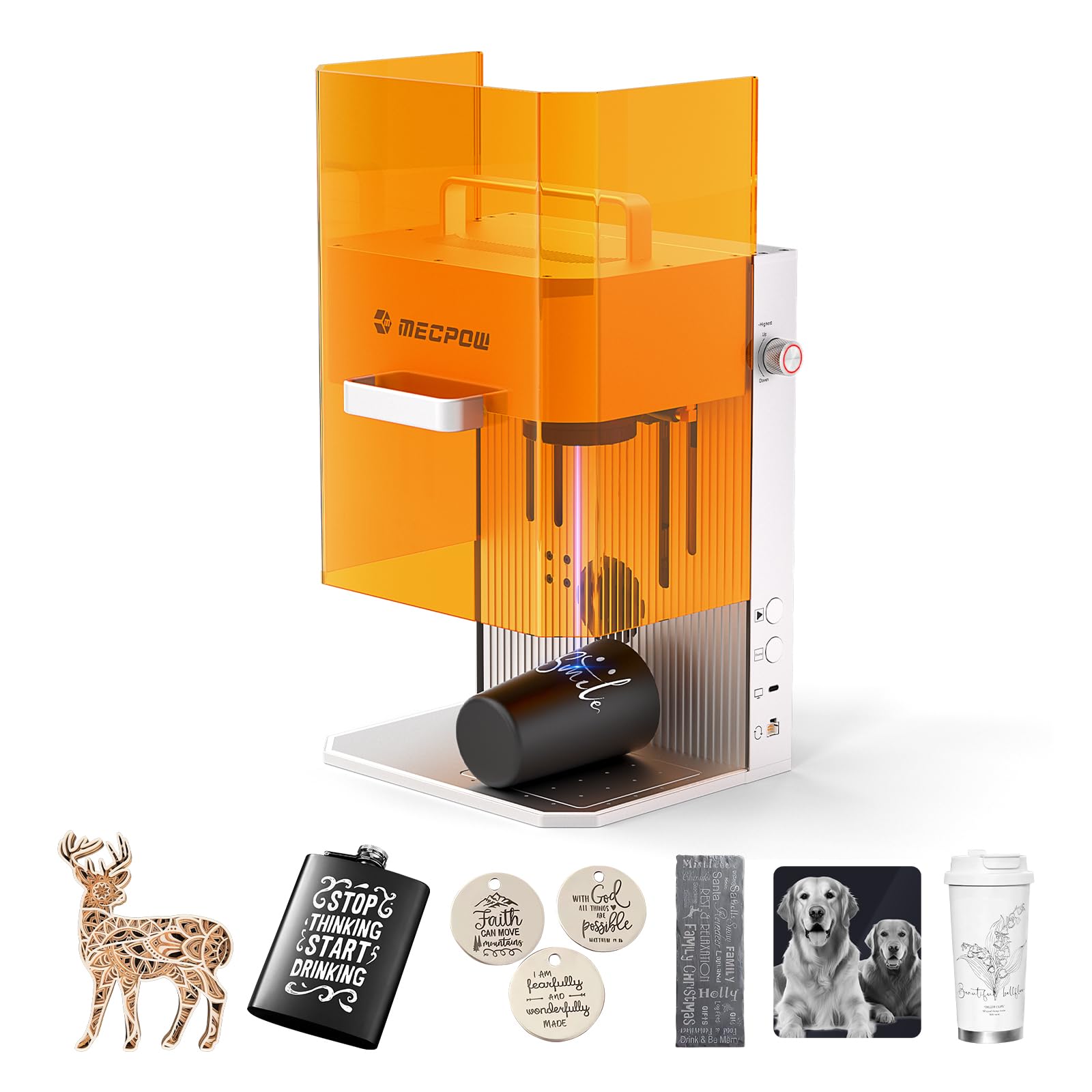
2. Mecpow X1 2-in-1 Dual Laser Engraver
The only pick here with a second laser for bare metal — and it fits in a bag.
Two laser heads sit inside this box. A 2W 1064nm infrared laser handles metal engraving, plastic, and rust removal; a 10W 455nm diode laser does wood, acrylic, and other non-metals. A diode-only machine can only mark coated metal. This one engraves the bare stuff, and it cuts 8mm wood and 5mm black acrylic when you are not etching. That dual setup is why the X1 stands apart from the diode-only machines on this list — none of the others can touch raw stainless without an upgrade head.
Speed is the other headline: an industrial-grade galvo (the spinning mirror module that steers the beam) reaches 5000mm/s with 0.0001mm repeat positioning and a 0.01mm spot. In plain words, complex patterns shape in seconds rather than minutes. You pay for that reach in bed size — 105 x 105mm is a small working envelope, so think jewelry, pet tags, business cards, and tumbler faces, not door signs. At 6.5kg with a built-in handle it is a genuinely carry-it-to-the-fair machine, and the whole thing is factory-calibrated to run from the start, with buyers getting it running in roughly five minutes on Mecpow’s own app. Mecpow Laser and LightBurn both work, on Windows, macOS, Android, or iOS.
The catch to size down your expectations for: a small footprint is a small footprint, and 105 x 105mm will frustrate anyone who wants to cut sheet goods. There is only one rating against this model right now, so treat the verdict as thin and lean on the published spec sheet. The galvo’s 99% energy reflection coating and low power draw are what let it run long hours stably — that is the spec to trust.
Where it wins outright: the 2W infrared laser marks bare metal that the diode units here simply cannot, and the 5000mm/s galvo beats every gantry machine on this page for raw speed.
Suits you when: your projects are small, precious, and often metal — jewelry, tags, souvenir stock you want to sell on site.
Think twice if: you have designs bigger than 105 x 105mm already drawn.
3. xTool F1 Ultra 20W Fiber & Diode Dual Laser Engraver
Fiber and diode in one frame, and a camera that does the lining up for you.
This is the machine for the buyer who wants to turn out product, not learn a hobby. Both lasers run at 20W — a fiber laser for gold, silver, copper, stainless, brass, and titanium, plus a diode for wood, acrylic, leather, glass, and fabric. Speed reaches 10,000mm/s. A 16MP SMART CAMERA reads the shapes on the bed and an optional Auto Conveyor feeds piece after piece so a batch completes without you re-framing each one. If you are standing at a craft fair engraving mugs in front of customers while they wait, that camera and speed combo is the whole point — the fully enclosed cover filters the strong light and the fire alarm plus emergency stop keep it presentable for a crowd. The 220 x 220mm bed is the largest desktop fiber space xTool lists here, and it extends to 220 x 500mm with that conveyor.
It cuts deep, too. The 20W diode handles 15mm wood and 12mm black acrylic; the fiber handles 0.3mm stainless, 0.4mm brass, and 0.2mm aluminum. Buyers deep-engrave multi-level 3D work on metal and rock with it — this is not a shade-the-surface tool. The trade-off is honestly heavier. This is a 43.8 lb desktop machine, and the working area is smaller than the gantry units that cost a fraction of it. There is a real learning curve on the advanced functions, though the free 6,000-project design library and Artimind AI inside xTool’s software ease it. Note the Auto Conveyor is sold separately and the whole unit is Class 4 — you must respect the manual.
The value read: this earns its place only if you use its camera, fiber laser, and batch throughput daily. For a weekend hobbyist, a gantry diode machine delivers most of the craft for far less.
The honest limit: 43.8 lb and a 220 x 220mm bed means it lives on a dedicated bench — do not plan to pack it away.
Built for: small-batch sellers who engrave metal and wood side by side and need the camera to keep a queue moving.
Look elsewhere if: you want big flat panels handled — the fiber’s compact bed is the wrong shape for sheet work.
4. ACMER K1 7000mW Desktop Laser Engraver
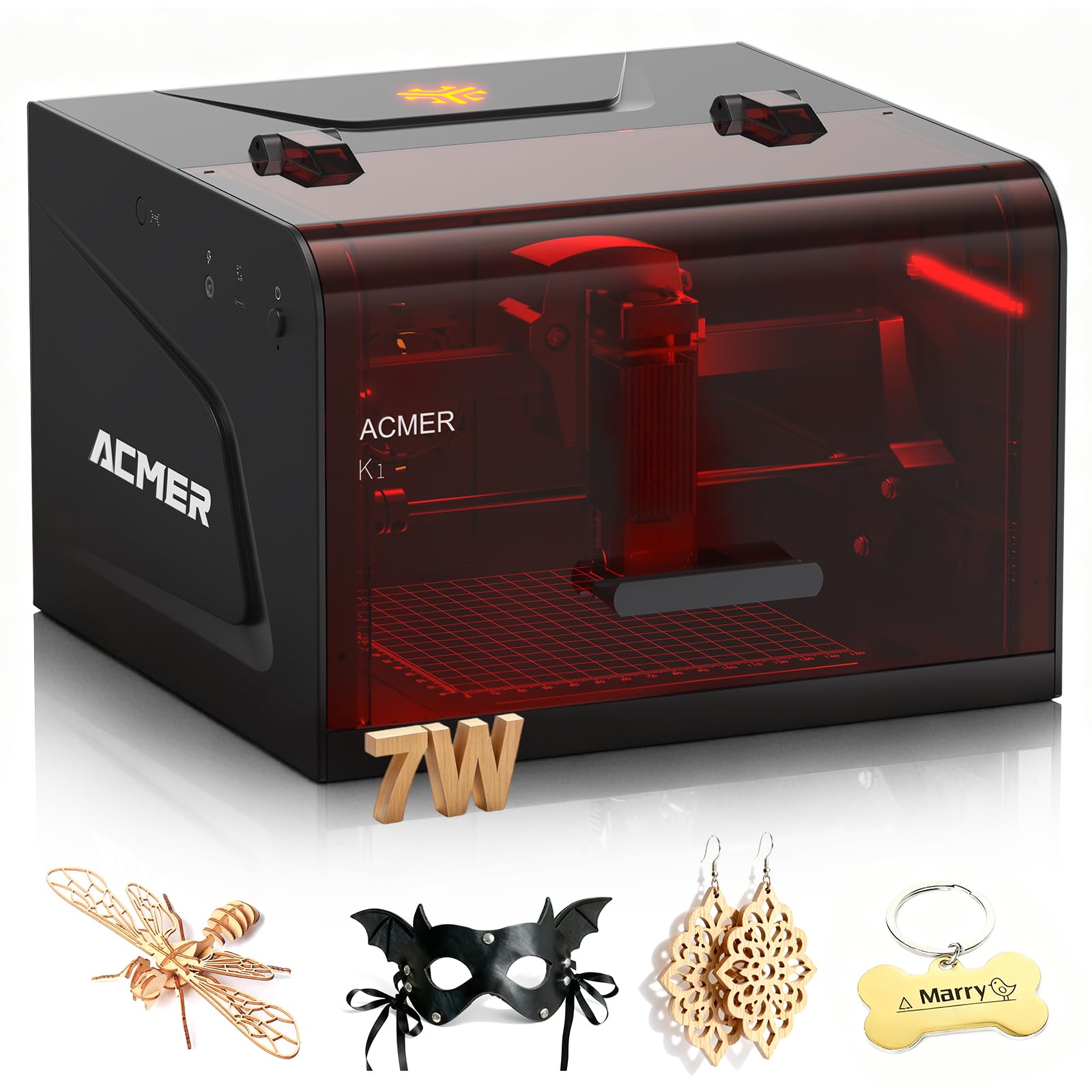
A sealed 7W box that weighs 2.4kg — it goes wherever your projects do.
Portability leads here. The K1 weighs only 2.4kg with a 150 x 150mm work area, so it lives on a desk, moves to a craft fair, or sits on a market stall without complaint. Unlike the gantry machines that need a whole table and venting, this one is a Class 1 enclosed body with an internal exhaust fan pulling smoke and odor down inside the chamber — the practical upside is you can run it in a home studio or a small shop rather than a garage. ACMER’s AcmerStudio software takes text prompts or photos and turns them into designs with built-in AI, and you can switch to LightBurn or LaserGRBL if you already know them.
Power comes in three options — 3.5W, 7W, or 12W — and this is the 7W. It uses a 455±5nm blue diode laser with a 0.08 x 0.08mm spot, 0.01mm repeat positioning, and motion speed up to 10,000mm/min. The 150 x 150mm bed fits small craft projects, not full signs. Reviewers do report the removable bottom plate and adjustable head let you engrave objects up to around 6 x 6 inches that were taller than the frame, which turns a small box into a flexible one. A beginner who picked it up found setup easy and the function simple to use.
The real caveat is reliability at the margins. The most-discussed concern is the power button and axis behavior — a couple of units arrived with a stuck button or an inverted Y axis during framing. ACMER’s instruction booklet is thin. The 0.08mm spot delivers fine lines, and this is the smallest and most portable enclosed unit on the list, so use it for tags, keychains, and personalized gifts rather than cutting thick stock.
The small-machine upside
- 2.4kg and a 150 x 150mm bed — desk-friendly and truly portable
- Class 1 sealed chamber with internal exhaust fan for indoor craft rooms
- AI design built into free AcmerStudio, plus LightBurn and LaserGRBL support
- 0.08 x 0.08mm spot and 0.01mm repeat positioning for crisp small detail
What to expect going in
- 150 x 150mm area caps you at tags and small gifts
- The manual is sparse — plan on learning by trial and error
- A few units show up-field with a stuck power button or framing axis issue
Suits you if: you want a sealed, carryable engraver for tags and gifts and you have a small bench.
Cross it off if: you need to cut plywood sheets or large signs.
5. WIZMAKER Wand 12W Laser Engraver
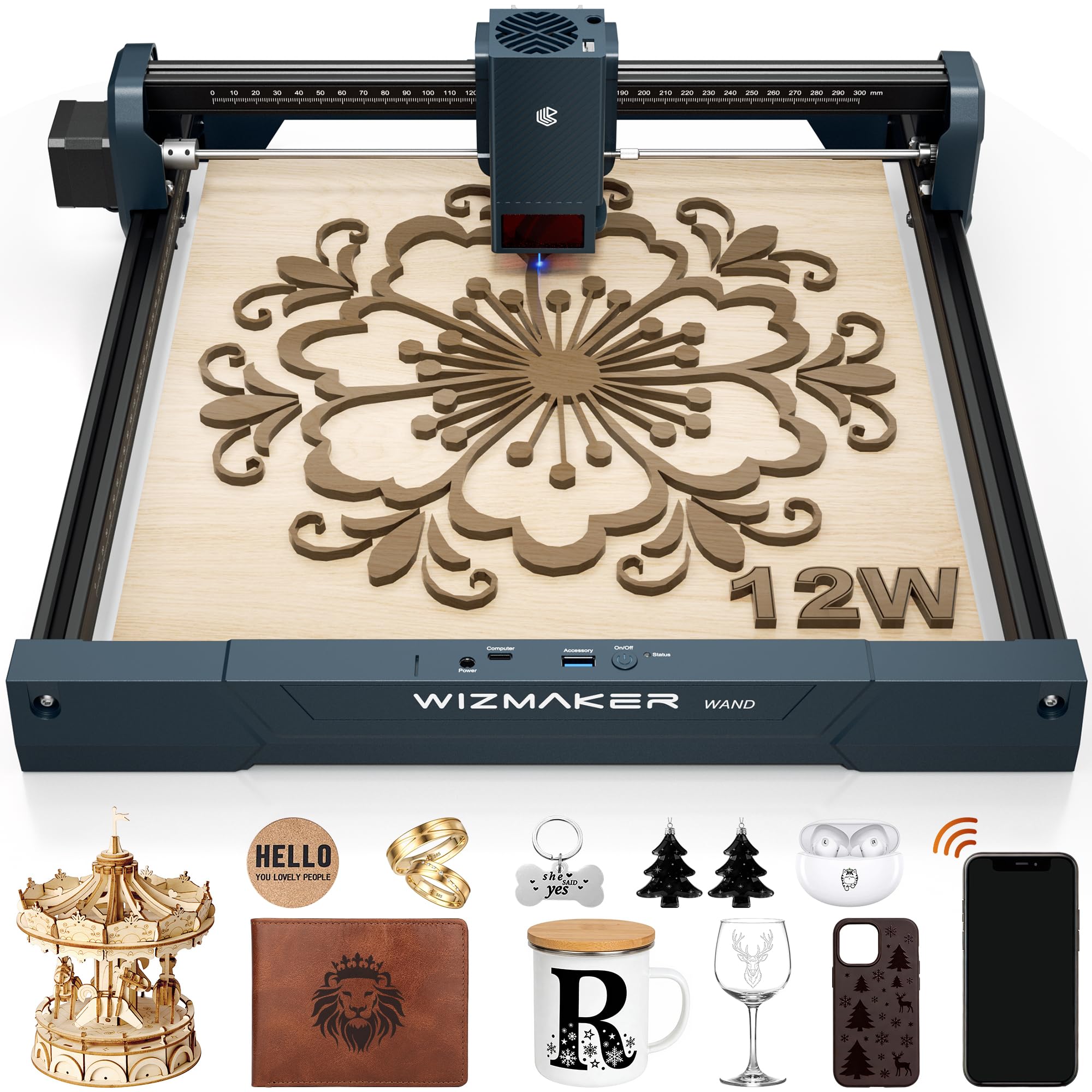
Assembles in about ten minutes and talks to your phone over Wi-Fi.
For a beginner, the 10-minute modular assembly is the reason to pick this one over a heavier frame. The 12W diode laser runs a 300 x 300mm work area with 0.1mm repeat positioning and engraving speeds up to 10,000mm/min — plain words: crisp text and fine detail at hobby speed, and a square big enough for monuments, signs, and home décor that smaller beds cannot take. It engraves wood, bamboo, leather, MDF, fabric, coated metals, and select dark opaque acrylics, and it cuts wood up to 8mm under the right settings. If you run a small business selling personalized items, that mixture covers most of what customers ask for.
Connectivity is where the Wand leads. It works with Windows, macOS, Android, and iOS, connects over Wi-Fi, hotspot, or USB, and runs AtomStack, LightBurn, or free LaserGRBL. That means you can start a job from your phone at a market stall and still use LightBurn on your laptop when you are at home. Tilt detection and flame monitoring add safety, and the Class 4 body comes with a 12-month warranty and support with tutorials and firmware updates.
The part to know before you buy is the documentation. A buyer who engraved a hibiscus vector on padauk on the very first try still found the hardware and software docs sparse, got Wi-Fi working through the BurnLab app on an iPhone but not on a Windows 11 laptop, and had email support brush off that question. The firmware lives on the WIZMAKER site without flashing instructions. So the machine engraves well — that hibiscus came out clean on the first try — but expect to self-support the network setup.
Why beginners lean here: 10-minute assembly, a 300 x 300mm bed, and phone control are a friendly combination for a first machine.
Pick it if: you want to run jobs from your phone and get engraving the same afternoon.
Know going in: Wi-Fi setup can be platform-specific, and the docs are thin enough to make you rely on forums.
6. K15 Pro 10W Laser Engraver
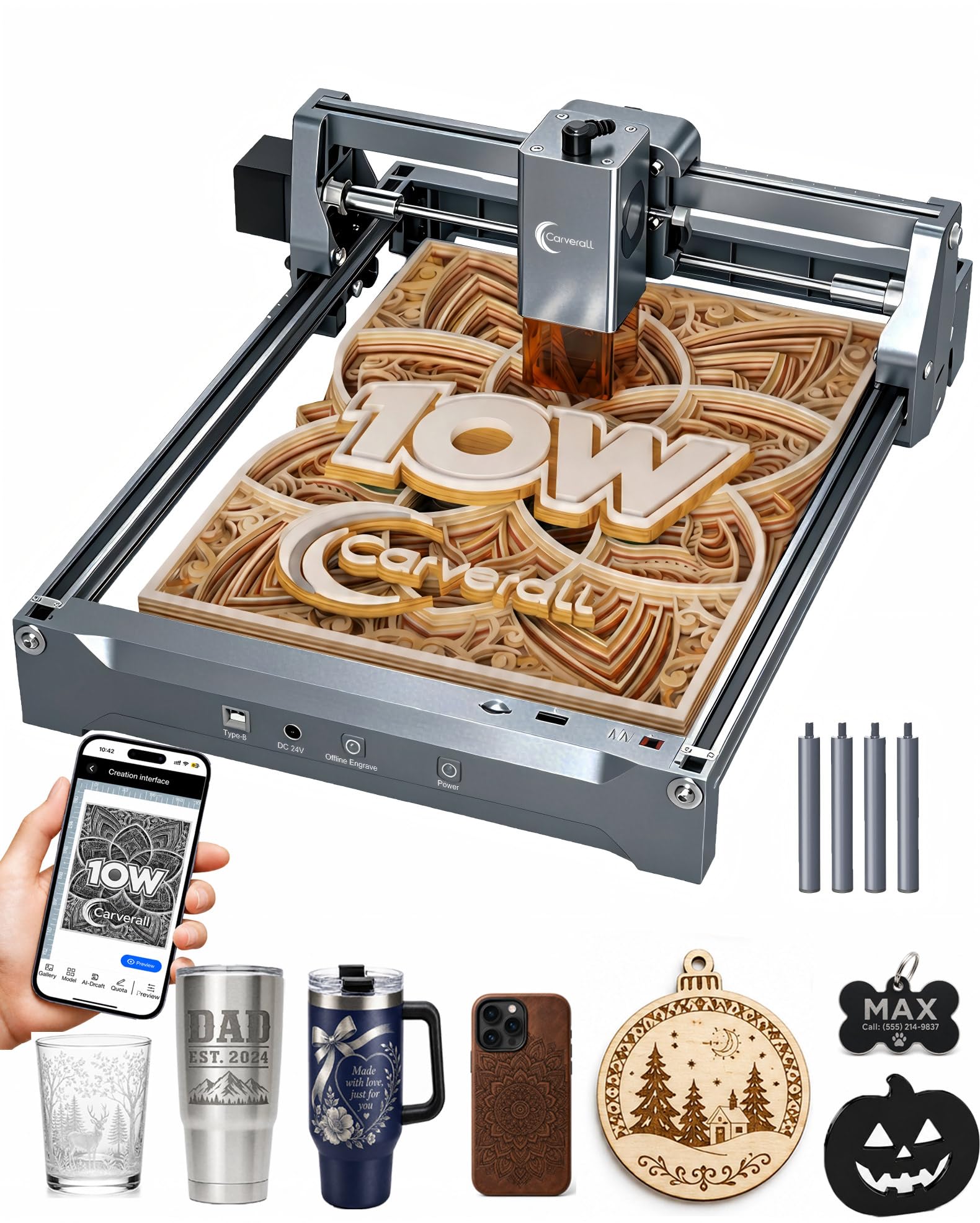
Six screws, three minutes, and an A4 bed that covers most craft projects.
Carverall’s K15 Pro puts a 10W diode in an 11.8 x 7.9-inch A4 workbed and assembles with 6 screws in about 3 minutes — that is faster to put together than any gantry machine here. The A4 bed is a smart size for a home crafter: it fits wood signs, coasters, leather keychains, and pet tags, and the body is small enough to slide under a desk when idle. Four heightening columns let you engrave tall items like gift boxes without extra parts. Speed hits 15,000mm/min at 0.01mm precision, and one-touch focus takes the guesswork out of the first burn.
Offline control is the feature most beginners undervalue. You can load a file onto a TF card and press a button — no laptop, no cable, no app running in the background. The dual-fan diode module is designed for heat control across batch orders, so holiday gifts do not stall midway. It works 300+ materials with multi-pass cuts on 12mm plywood and 8mm acrylic. The bundled CutLabX software is free and takes a photo or a text prompt for instant AI designs, and it will talk to LightBurn and LaserGRBL. A 1-year warranty and a Facebook users’ community fill the support gap.
The trade-off is the software. The bundled CutLabX crashed often on a Surface Pro — a first-time owner switched to LightBurn and it ran flawlessly. Add the real costs you will meet fast: an enclosure, an air pump, a honeycomb bed, and a window or fan for ventilation. The 10W laser needs trial-and-error to tune speed and power for clean cuts, and the 15,000-hour module life is what backs the long-term running.
What makes it beginner-easy
- Three-minute assembly with 6 screws — the fastest build on this list
- A4 bed handles most craft projects without hogging desk space
- Offline TF card jobs mean you do not need a computer next to the machine
- 4 heightening columns for engraving tall boxes without add-ons
- 1-year warranty and an active users’ community for help
What the price does not include
- CutLabX crashes on some laptops — LightBurn is a common swap
- Enclosure, air pump, honeycomb bed, and venting are extra
- Clean cuts need your own trial-and-error on speed and power
The fit: a crafter who wants a fast build, a phone-free workflow, and a small bench footprint.
Worth knowing: budget for the peripheral costs and a software switch before you start your first paid order.
7. Longer RAY5 Laser Engraver Cutter

24,000mm/min and a 400 x 400mm bed — the fastest gantry machine here.
The specific number to memorize is 24,000mm/min. That dual-beam speed sits far ahead of the 10,000mm/min machines and the 6,000mm/min budget units on this page, and it matters the moment you have a stack of projects. The 400 x 400mm work area handles a full card or a sign without tiling, and the extendable kit takes it to 33.46″ x 15.75″ for longer stock. A 32-bit core motherboard keeps the motion smooth, and the 3.5-inch touch screen means you can load files and jog the head without a laptop open. Four transfer routes — Wi-Fi, USB cable, the phone APP, and TF card — cover however you work, and offline operation means the machine runs standalone.
Build quality is what earns this the top positive attention, and it shows at 8.2 lb assembled with a clean gantry built from the included hardware. Buyers point to easy assembly with minor bolt differences from the paper guides. Beyond the bed, the machine is backed up with protective cover and safety glasses, and a built-in shake-and-suspension program cuts the beam if the frame moves. Cutting goes through 0.8″ (20mm) wood boards and 1.2″ (30mm) acrylic sheets when you set it right — that is a serious cutting ambition beside the 5W machines here.
The honest limit: it is an open gantry, so no enclosure — you need a vented room. Instructions get mixed feedback; some of the written steps are vague enough that a video walkthrough helps. The laser head sometimes travels out of bounds until it is manually framed in your software, and burn settings need tuning for an even result. For a beginner, expect a couple of evenings of setup and calibration before your first paid job.
Best in class: the fastest dual-beam gantry speed and the biggest usable bed at its tier.
Go for it if: you want the largest flat bed and the fastest engraving at a value tier and you have a vented spot.
Size it right: plan on external ventilation and a few calibration passes before clean production.
8. LE400PRO 5.5W Laser Engraver

Built for the first-timer who wants a big bed and a real focus knob.
Kentoktool’s LE400PRO is aimed straight at beginners, and two design choices prove it. First, the knob focus — you adjust the head with a twist of your fingers, no tools, no fixed-focus guesswork. Second, the 0.08mm square ultra-fine focus point compresses the beam tighter than a standard round spot, which shows up in cleaner lines on small text. The 5.5W laser runs at up to 6,000mm/min across a 400 x 400mm bed, a large work area that lets you burn a full sign without repositioning the material. It engraves wood, acrylic, glass, stainless steel, ceramics, stone, bamboo, plastic, leather, cardboard, and round objects with an optional roller, and it cuts up to 8mm wood and 5mm black acrylic.
The magnetic protective cover is a small feature that pays off every day. It filters 97% of UV rays and snaps on and off in a second — quick enough to remove for an awkward object without digging for a tool. The all-metal frame is built for a stable gantry, and assembly lands in 10 to 20 minutes. Compatibility is the reason this pick even exists for a nervous beginner: it runs GRBL and LightBurn on Windows across versions and on Mac, and accepts files in NC, BMP, JPG, PNG, and DXF. The power switch gives you an emergency cutoff at the frame.
Two realities before you start. The lasers here are Class 1 output, but the frame is open, so plan on a vent line and eye protection for extended sessions. The instructions are close to nonexistent — a beginner will be learning almost entirely through external videos. Assembly also means tightening the slide rollers; skip that and accuracy drops. What you are buying in exchange is real simplicity on a large bed.
Why it earns its spot: knob focus, a magnetic UV shield, and a 400 x 400mm bed at the entry tier make it the least intimidating way onto big-bed work.
Choose it if: you want to learn on big material and you can follow video tutorials without a printed manual.
Plan for: tightening the slide rollers before your first run, or accuracy goes soft.
9. Creality Falcon 5W Laser Engraver
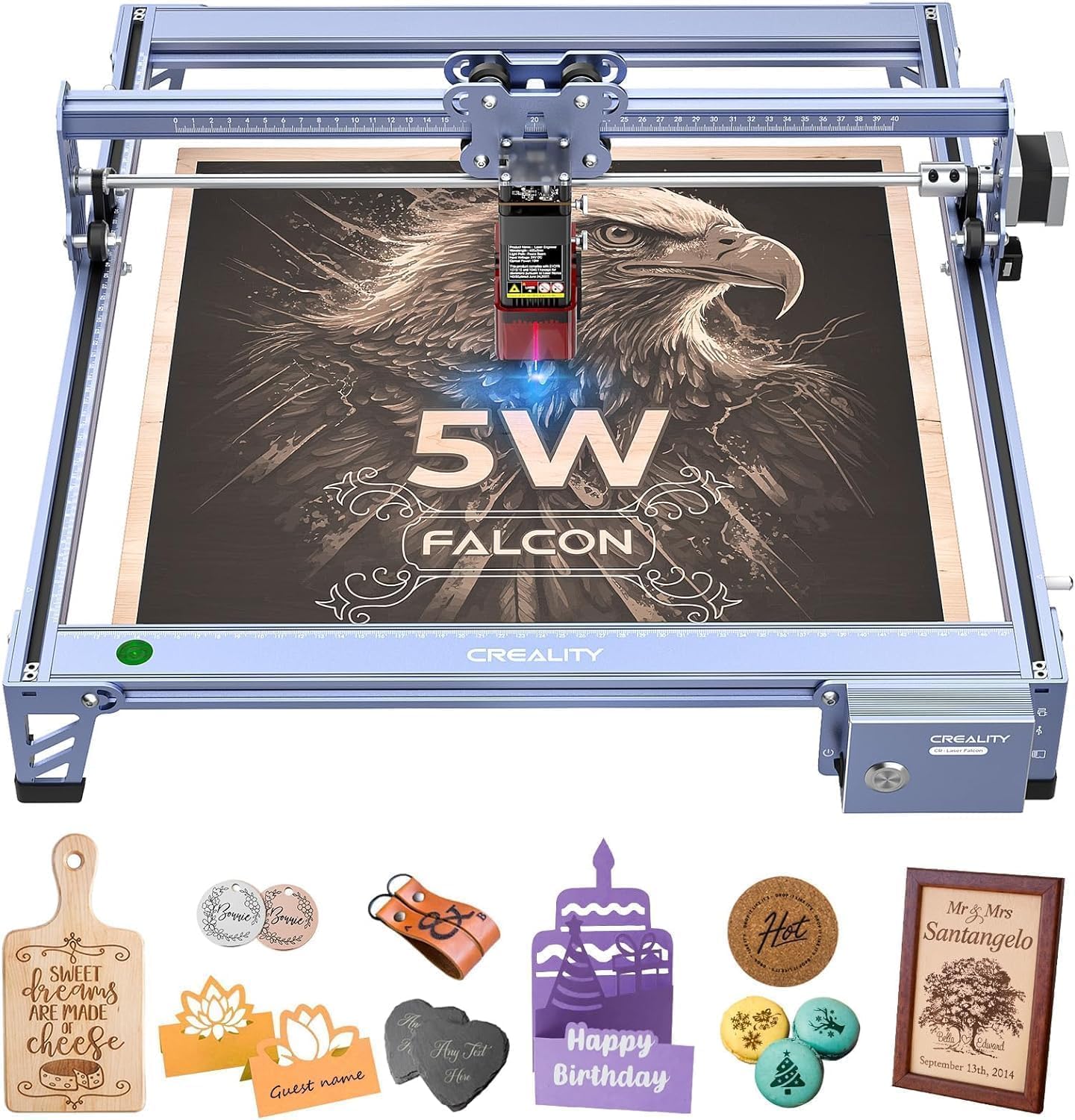
The finest spot on the list at 0.06mm — and the least cutting power.
The 0.06 x 0.06mm ultra-fine compression spot is the finest here, and it shows. Creality’s Falcon holds engraving accuracy within 0.004 inches and repositioning under 0.007 inches, so intricate designs repeat cleanly. The 32-bit chip pushes engraving speed to 10,000mm/min — quick, but you will want it, because a 5W laser is a shading tool before it is a cutting one. If engraving detail is your whole goal, the fine spot lets you hit fine typography and photo work that coarser machines miss. The 400 x 415mm bed is generous for the tier, and a rotary roller and raisers (sold separately) let you add cylindrical and taller items later.
A cover filters 97% of UV rays, and an active-stop function cuts the beam if it detects movement mid-job. Over 200 materials are supported — wood, leather, acrylic, glass among them. Using it is straightforward once you get there: a first-time buyer had it running within an hour, and detail was excellent. A Chromebook owner found a workaround and got projects out.
The reality check with a 5W diode is what you cannot do, not what you can. You cannot cut through thick stock, and glossy or clear surfaces will only mark, not engrave cleanly. The manual is a known weak spot — vague diagrams and no troubleshooting section — and setup runs roughly an hour. Connectivity gets spotty on some units, and you will need to verify focal height each job. A buyer who tried to frame the 5W as too weak for real work sent it back; that is a fit call, not a defect. Expect to bring prior mechanical or 3D-printing patience to the build.
What you get at entry price: the sharpest spot and a large bed, at the trade-off of a 5W beam that is a shade-first cutter.
What you give up: thick cuts and an easy manual — this is a tinkerer’s first machine.
For you if: fine engraving on flat material is the whole goal and the lowest entry cost matters most.
skip it if: you plan to cut anything thick or glossy, or if you want a machine to guide you by the hand.
10. ACMER S2 7000mW Laser Engraver
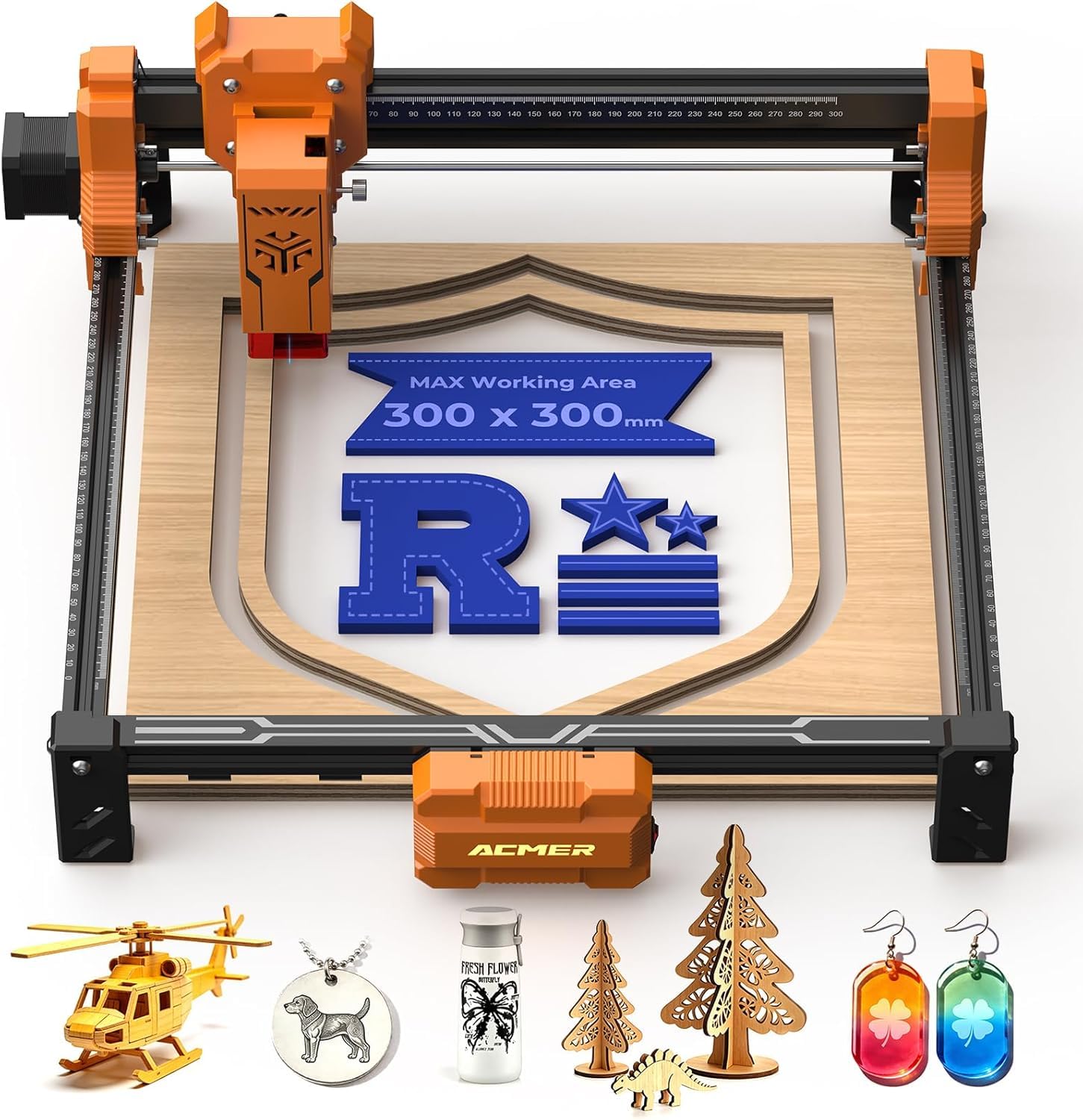
The least expensive way into laser engraving on this list.
For a hobbyist on the tightest budget, the S2 gets you a working 7W diode. A 0.08 x 0.08mm laser spot achieves engraving accuracy up to 0.01mm, so small text and fine logos come out with clean edges. The 300 x 300mm working area is roomy enough for signs and gifts, and a fixed-focus design means you set height once and repeat it quickly without guesswork. Engraving speeds reach 10,000mm/min, and the anti-UV shield, included safety goggles, and motion-detection auto-pause cover the core safety needs.
Material support is the main draw at this tier: the 7W diode engraves wood, acrylic, leather, and coated metal, and with multiple passes cuts up to 13mm paulownia wood or 6mm black acrylic. It is a good fit for a craft-classroom or a small-batch gift setup. A first project — a wood etching of a family member for a funeral — came out well enough that the family loved it. The machine works best on wood and leather, with anodized aluminum giving crisp high-contrast marks.
The honest limit is surface versatility. Glossy and clear surfaces will not engrave reliably here, and this is a marking machine at heart, not a strong cutter. A buyer who needed maximum power and broad materials found it “not so powerful” and “not versatile” — that is a match problem for a low-power unit, not a broken one. Buy the 7W for engraving wood and leather and it delivers; buy it to slice thick stock and you will be disappointed.
Pick this up if: you want to test the laser-craft hobby on the smallest possible budget and you mostly burn wood and leather.
Not the pick if: you expect to cut thick wood or mark glass and clear gloss.
Know the Specs
Laser Power (Watts and Milliwatts)
Power is measured in watts (W) or milliwatts (mW), and it decides how deep and how fast the beam cuts. A 40W laser slices 18mm cherry wood in a single pass; a 5W unit needs multiple passes on thinner stock. Milliwatt figures like 7000mW equal 7W — the same number, just written small. Higher power also speeds up engraving on dark wood and lets the beam run at up to 24,000mm/min on the fastest units. If you plan to cut 18mm wood in one pass rather than shade coasters, buy on wattage before any other spec.
Spot Size and Accuracy
Spot size is the tiny dot the laser burns at, written in millimeters. A 0.06mm spot is finer than a 0.08mm spot, and a finer spot means sharper edges, crisper text, and cleaner photo work. Repeat positioning accuracy — how precisely the head returns to the same point — is another key measure, often 0.01mm on starter machines. The lower that number, the more your copied designs match the original.
Work Area and Bed Size
The bed is the square your material must fit inside. 150 x 150mm is small — tags, keychains, pet tags. 400 x 400mm lets you burn a full sign and cut material without tiling. 23.93 x 15.16 inches is wide enough for door signs and batch runs. Choose a bed at least as big as your largest planned project — a 400 x 400mm bed takes a full sign, while 150 x 150mm caps you at tags and keychains.
Enclosure and Class Ratings
An enclosed Class 1 machine keeps the beam and smoke inside a chamber that filters most laser light, so you can work without goggles and reduce smoke indoors. Open gantry machines are usually Class 4 — you need goggles, a vented room, and respect for the beam. The filter percentage (99% on the S1, 97% on an open unit’s shield) tells you how much light the cover blocks. If family or pets share the room, buy an enclosed Class 1 unit so the beam and smoke stay inside the chamber.
Common Questions
Do I need a special room for a laser cutter?
Can a beginner laser cutter engrave metal?
How thick can a beginner laser cutter cut through wood?
Is an enclosed laser cutter safer for home use?
What software do beginner laser cutters use?
Can I use a laser cutter in an apartment?
Do I need goggles with an enclosed laser cutter?
How long does a laser cutter take to recycle materials?
Is a diode laser or CO2 laser better for a beginner?
What materials should a beginner avoid on a laser cutter?
Can a beginner laser cutter run without a computer?
The Bottom Line
For most beginners the pick that pays back in a single weekend is the xTool S1 40W. It has the only 18mm single-pass cut on this page, a Class 1 enclosure that filters 99% of laser light, and a 23.93 x 15.16-inch bed that will not frustrate a first real project. If you are drawn to metal and want something you can carry, the Mecpow X1 adds a 2W infrared laser for bare-metal work in a 6.5kg body. For a small desk and a sealed chamber, the ACMER K1 is the tightest fit, and if you need the largest flat bed on the smallest budget, the Longer RAY5 is the value leader at 24,000mm/min. Any of these ten rewards the hours you put into its software — pick one, learn its speed and power settings, and upgrade only when a project demands it.
How we choose
We do not accept paid placement. Every pick is matched to a real buyer and a real use-case; we do not hands-on test units.
Sources
Specifications: manufacturer listings and product documentation. Review insights: verified customer reviews, as of October 2026. Pricing: not shown on this page (it changes often); check the current price via the retailer link.
As an Amazon Associate, Aappliancez earns from qualifying purchases. This does not affect which products we feature.