Disclosure: Some links in this post are affiliate links. As an Amazon Associate I earn from qualifying purchases, at no extra cost to you. Learn more
Specs are compiled from manufacturer listings and verified buyer reviews and can change over time — please confirm the key details on the product page before buying.
Most laser cutters sold as “acrylic ready” cannot cut clear acrylic at all. Diode lasers (the affordable open-frame machines) pass straight through transparent plastic, because the blue light has nothing to absorb into. A CO2 laser cuts acrylic in any colour, clear included. So answer one question first: do you need clear stock or coloured stock? Pick that answer, and the right machine narrows itself down fast.
This guide is built by comparing the manufacturers’ published specifications and the patterns across verified customer reviews, so you get each pick’s real strengths and trade-offs instead of marketing spin.
You will see bed sizes in inches and millimetres, wattage in numbers, and cutting depths measured in millimetres, all translated into what they actually mean for your workshop. Below is a straight, spec-led look at the laser cutter for acrylic.
Top Picks


How To Choose The Best Laser Cutter for Acrylic
Acrylic is an odd material for a laser. It melts rather than burns, it fumes hard, and clear sheets are invisible to the cheap blue-light diodes most people start with. Every decision below flows from those three facts. Get them right and your cut edges come out clean and glassy. Get them wrong and you get scorched edges, a cloudy finish, and a machine that “won’t cut” the sheet sitting on its bed.
Diode or CO2: settle this before anything else
A diode laser (a blue-light semiconductor module) cuts opaque acrylic well and clear acrylic poorly or not at all, because the beam passes through transparent plastic without being absorbed. A CO2 laser (a sealed gas tube emitting infrared light) is absorbed by acrylic in every colour, clear included. That single difference decides whether you can take clear-sheet jobs. Most home crafters start on diode because the machines are smaller and cheaper to enter; production shops and sign makers gravitate to CO2 for exactly this transparency reason.
Wattage and pass count: read the depth claims carefully
Higher optical wattage means more material removed per pass, so 20W-class modules cut thicker stock in one go than 10W-class ones. But a “20W” or “40W” number in a listing sometimes describes the electrical draw of the whole module rather than the light output hitting the sheet. Always look for the phrase optical output or output power, and look for a stated single-pass depth on acrylic. If the listing only promises depth “with multiple passes”, plan on two or three slow passes per sheet.
Bed size and material handling
Bed measurements describe the flat area you can work on, so an 300 x 300 mm bed handles small signs and coasters while a wider bed takes bigger panel work. If you plan to cut tumblers or curved objects, look for a rotary attachment rather than a bigger bed. And if you intend to run sheets longer than the bed, a passthrough feature is what lets the material slide through in sections.
Air assist, exhaust, and the acrylic smell
Cutting acrylic produces sticky vapour that settles on your lens and fogs your finish. An air assist pump blows a jet of air at the cut point to clear debris and reduce scorching, and an exhaust fan or enclosure pulls the fumes away from the room. A machine with both will give you cleaner edges and a lens that survives longer. A machine with neither will have you opening windows and cleaning optics every session.
Side-by-Side Comparison
| Model | Best For | Laser Power | Work Area | Enclosure | Amazon |
|---|---|---|---|---|---|
| xTool S1 40W★ Best Overall | Big-batch projects and tumbler work | 40W (40,000mW) | 23.93″ x 15.16″ | Fully enclosed, Class 1 | Amazon |
| Woxcker L2 MAXBudget Champion | Small workshop, first machine | 10W (10000mW) | 300×300mm | 360° enclosed | Amazon |
| CREALITY FALCON 10WMost Versatile | Tumblers and cylindrical objects | 10W (10000mW) | Not stated | Open frame, Class 4 | Amazon |
| ATOMSTACK A20 Pro V2 | Gift and card production | 20W (20000mW) | Not stated | Removable magnetic cover | Amazon |
| LONGER RAY5 20W | Camera-guided placement | 20W optical | 15.75 × 14.37 in | Open frame | Amazon |
| Twotrees TTC450 Pro | Routing wood, not acrylic cutting | 80W spindle (not a laser) | 460 × 460 × 80 mm | None | Amazon |
| OMTech K40+ 45W | Clear acrylic and small signs | 45W CO2 | 12″ × 8″ | Flame-retardant panel | Amazon |
| Longer Laser B1 40W | High-volume diode production | 48W output | 17.72 × 17.32 in | Open frame | Amazon |
| xTool P2S 55W | Clear acrylic at production scale | 55W CO2 | 26″ × 14″ | Fully enclosed, Class 4 | Amazon |
Detailed Reviews
1. xTool S1 40W Laser Cutter and Laser Engraver
Our pick — 4.5+★ from 250+ verified ratings; the strongest balance of quality and price.
Forty watts inside a closed box, on the widest bed in this line-up.
The S1 turns acrylic work into a production job rather than a weekend experiment, because its 40W (40,000mW) diode module puts out the most optical punch of any enclosed diode here. It spreads that power across a 23.93″ x 15.16″ bed — comfortably the biggest working surface in this group. On that bed you can lay out a full door sign in one pass or batch up to 119 dog tags on a single sheet, so a small shop keeps orders moving.
The enclosure is the part that matters most for acrylic specifically. Its Class 1 enclosure filters 99% of laser light so you can run it without goggles, and it keeps acrylic smoke and noise inside the cabinet instead of in your kitchen. Five flame sensors cut power the instant they detect a flame, and a lid-open stop kills the beam if you lift the cover mid-cut. Cutting speeds reach 600mm/s, and AutoPassthrough handles material up to 118 inches (3000mm) long — so a six-foot acrylic panel is a real option here, not a theoretical one. Compare that to the CREALITY FALCON 10w at the same task: the S1 states 40W against that machine’s 10w, which is the difference between thick stock in one pass and repeated slow runs.
Setup is genuinely forgiving for a machine of this size. Auto-focus takes the guesswork out, xTool Creative Space ships with parameter presets tested on over 400 materials, backed by more than 1,000 step-by-step tutorials. Owners describe the software as simple enough for a non-technical first-timer to get a first test burn done in under an hour. The intellectual honesty part: this is a roughly 100 lb machine that wants its own bench and its own window or vent hose — the acrylic smell has to go somewhere. And on clear acrylic, remember this is still a diode; opaque and coloured sheet is home turf, transparent sheet is where you would want a CO2 tube instead. The one thing to watch is the Z probe, which can give a false reading on some material heights; owners have worked around it with a flush foot.
What earns it the top slot
- 40W module over the widest bed in this group at 23.93″ x 15.16″
- Class 1 enclosed build filters 99% of laser light, no goggles needed
- Five flame sensors plus lid-open stop and emergency button
- 600mm/s engraving speed and AutoPassthrough up to 118 inches
- Pre-tested settings across 400+ materials in the bundled software
What to plan around
- Around 100 lb and needs its own dedicated bench space
- Still a diode — clear transparent acrylic is not its strength
- Venting a hose is mandatory because of the smell
- Z probe can read false heights on some stock without a seating fix
Go for it if: you want one enclosed machine that handles coloured acrylic, wood, tumblers and bulk batches without babysitting.
Hold off if: clear transparent sheet is your main product — a CO2 tube handles that better.
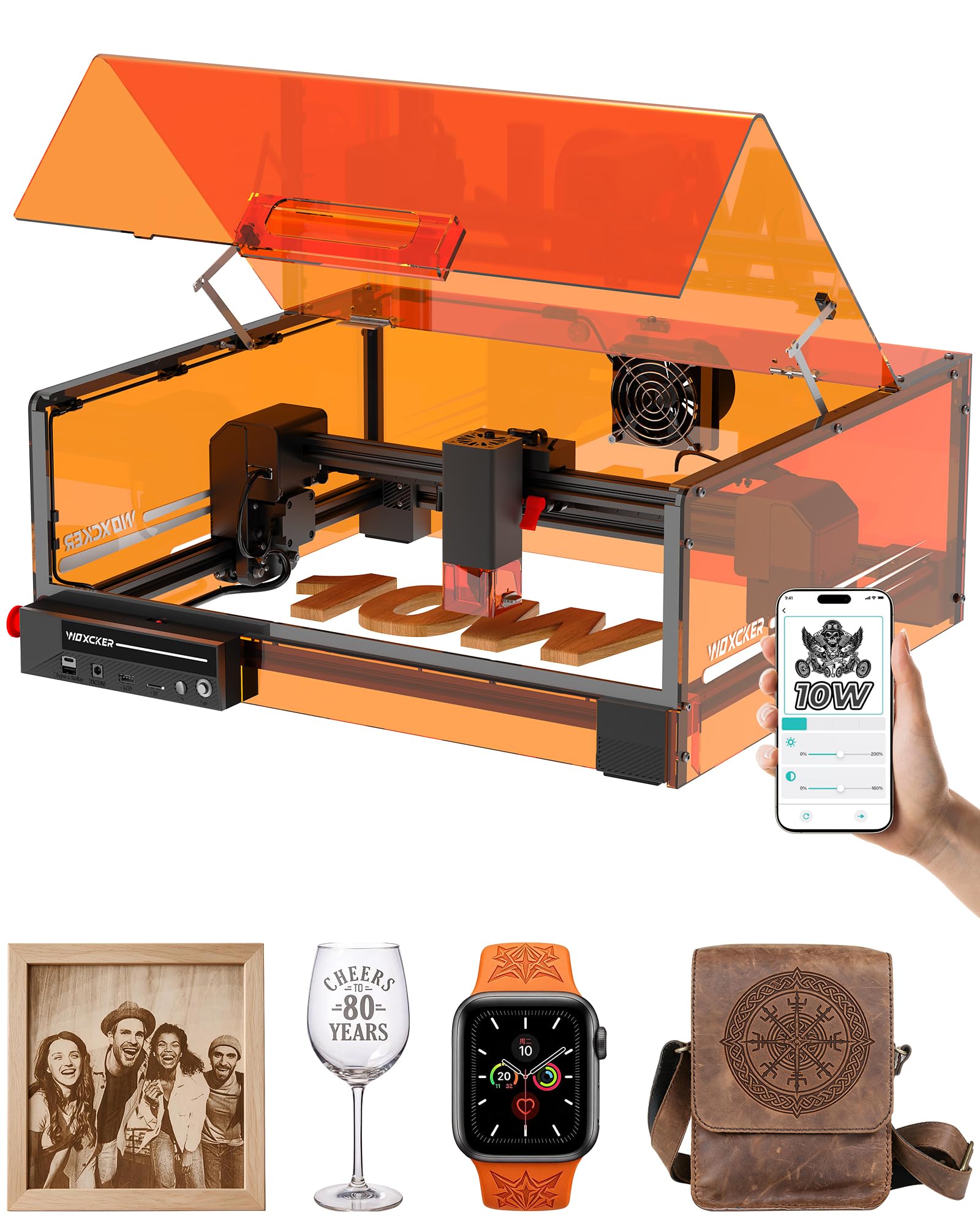
2. Woxcker L2 MAX 10W Laser Engraver
A 0.01mm spot, a closed lid, and the lowest entry into acrylic work here.
The L2 MAX is the least intimidating way into personalised gifts on a kitchen table. It is a 10W (10000mW) diode with a 0.01mm square focus, achieved through what Woxcker calls point-compression technology — in plain terms, the dot of light is tiny and square, so names, logos and fine text come out with sharp edges instead of a fuzzy line. Speed tops out at 20,000mm/min, and the 300×300mm work area suits coasters, keyrings, small signs and several small pieces laid out at once.
The 360° fully enclosed design is the standout for indoor use. It contains fumes, dust and operating noise, and Woxcker claims its five-part modular assembly cuts roughly 30 to 40 minutes off a traditional belt-and-frame build. Safety layers stack up: lid-open auto-stop, flame detection, emergency stop, a safety lock, and 15° tilt-stop protection. It runs LightBurn, LaserGRBL and CutLabX, with Wi-Fi, USB, app and TF-card offline control, and it accepts an optional air assist and rotary roller down the line.
What this machine is not is a production cutter. A 10W diode cuts opaque acrylic, but it works through it rather than slicing it, and clear sheet is out of reach entirely — which is exactly where the 45W CO2 OMTech below takes over. Buyers report real cutting ability too: as one buyer puts it, it will “Cuts 1/4″ wood in decent time, 1/8″ wood easily.” Note that diode on acrylic cuts opaque stock only. It weighs 9.1 kg, which is portable enough to move between rooms, and a spare set of nuts and bolts ships in the box.
Where it fits: a first laser, a small-batch gift business, or a maker who wants an enclosed machine without clearing a whole room for it.
What to expect: some units arrive needing a door adjustment, and a couple of the control apps are paid — worth budgeting for LightBurn if you want full flexibility.
Reach for this if: you are starting out with opaque acrylic crafts and want safety built in from day one.
Look elsewhere if: your product line depends on clear or thick sheet stock.
3. CREALITY FALCON 10W Laser Engraver with Air Assist
The one that grips a tumbler, a sphere, or a ring and turns it while it cuts.
Tumblers are the reason most people buy this machine. The 10000mW module outputs a 0.06mm spot and holds engraving accuracy within 0.004 inches with repositioning accuracy under 0.007 inches, but the real story is the 4-in-1 Rotary Kit Pro. It clamps cylindrical objects from the outside across a 1-110mm diameter range, props items up from the inside at 25-75mm, and uses a hex stud for spheres at 10-130mm or ring-shaped items at 15-100mm. That covers insulated cups, mugs and rings in one kit — flexibility the flat-bed Woxcker above simply does not offer.
It states it will cut a 12mm wood board or 3mm black acrylic in one pass at up to 10,000mm/min. Note the word black: this is a 10W diode, so coloured acrylic is its lane and clear acrylic is not. The adjustable-airflow air pump is a genuine upgrade over a fixed blower — it clears smoke and dust during the cut, keeps laser energy stable, limits excess burning, and gives you a cleaner, smoother edge. Assembly runs 10-20 minutes, and an anti-UV filter sits on the module for eye protection alongside an emergency stop and an active tilt/flip/drop stop with a buzzer alert.
The honest caveat sits with build consistency rather than design. This is a machine that rewards a careful first session: tighten the emergency stop button and check the rotary kit cable, which can hide deep in the foam packaging. Experienced upgraders get along fine; total beginners should expect to solve a few small things themselves before the first clean cut. A 20.4 lb open frame also means fumes go into the room — plan on a window, a vent hose, or an enclosure.
Pick this one if: curved acrylic and tumbler engraving are on your job list and you want the rotary hardware included.
Think twice if: you want a sealed box and hands-off setup from the first minute.
4. ATOMSTACK A20 PRO V2 20W Laser Cutter
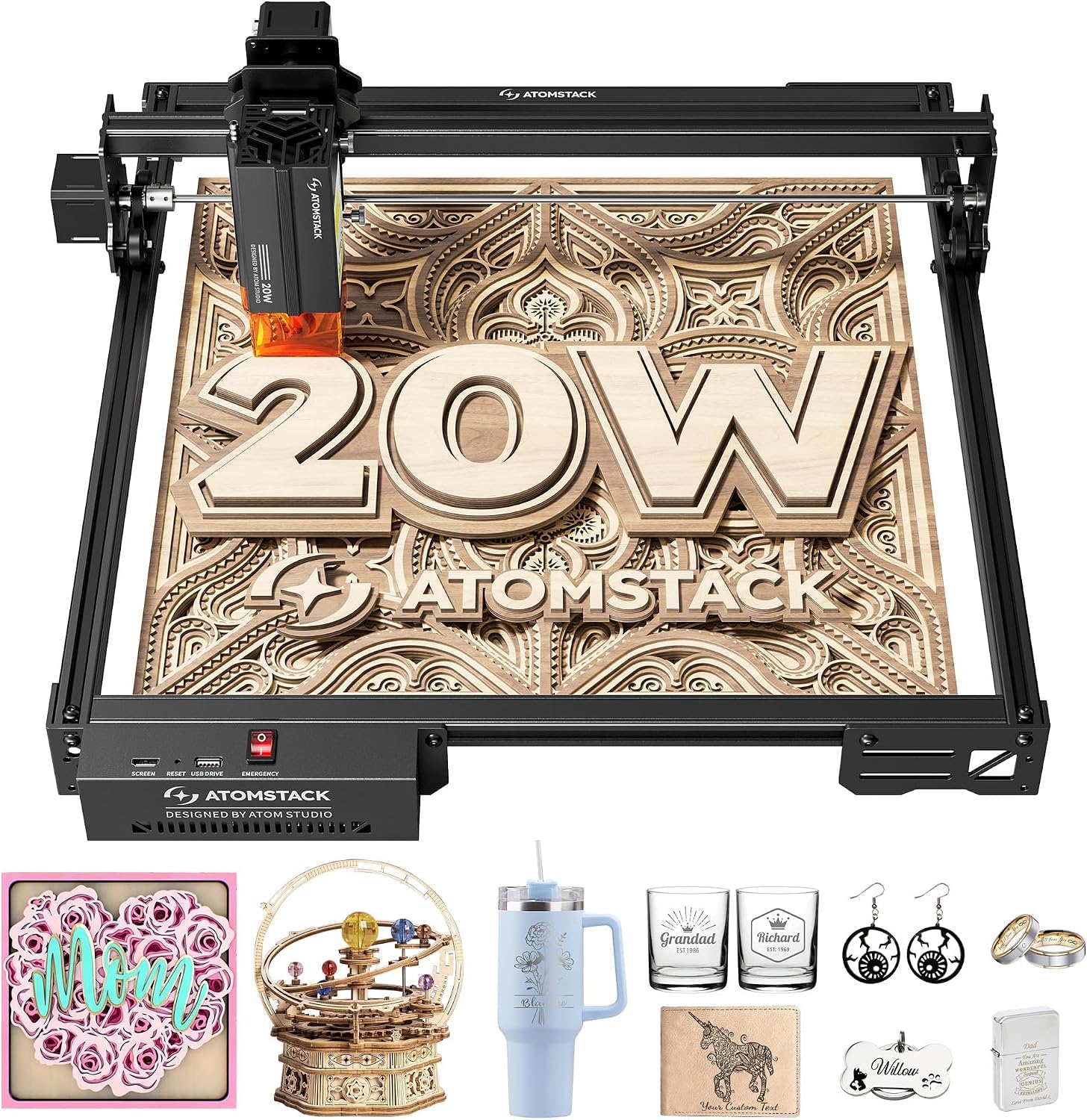
Double the optical wattage of the 10W machines, at 400mm/s across the sheet.
Step up from 10W to 20W and acrylic cutting stops being a negotiation. The A20 Pro V2 pushes 20000mW of output at engraving speeds up to 400mm/s, which is the kind of power that turns a stack of business cards or personalised gift tags into an afternoon rather than a weekend. An integrated linear guide motion structure keeps the head travelling true, and the aluminium alloy frame with modular design means the machine holds precision as it ages instead of drifting.
Accuracy sits at 0.01mm with built-in limit switches and a cross-line light for lining up your workpiece. The removable magnetic protective cover is a nice touch for acrylic: lift it off for a clear view of the cut, snap it back for safety glasses-free watching. There is also a tilt-angle safety beep that sounds past 15°. Control is flexible — Type-C, USB stick, the ATOMSTACK app, PC software, LightBurn and LaserGRBL all work, so you can drive it from a phone on the bench or a laptop across the room.
This one beats the L2 MAX above on headroom: 20W means thicker opaque acrylic and faster throughput, and a stated laser lifespan of up to 10,000 hours, with free replacement on faulty parts, backs the long game. The trade-off is a real learning curve. Owners flag that you need to run material tests to dial in settings before results look sharp, and a few have needed to chase missing hardware through support. At 13.67 pounds it is still movable, but this is a bench machine rather than a table ornament.
Best use case: small-business batch work on opaque acrylic, wood and leather where speed pays for itself.
Worth knowing: budget an evening for material testing and keep a note of your best settings per sheet thickness.
Fits you if: you are past the hobby stage and want 20W throughput without jumping to a CO2 tube.
Not for you if: clear acrylic is the job — you need a gas laser.
5. LONGER RAY5 20W Laser Engraver with Camera
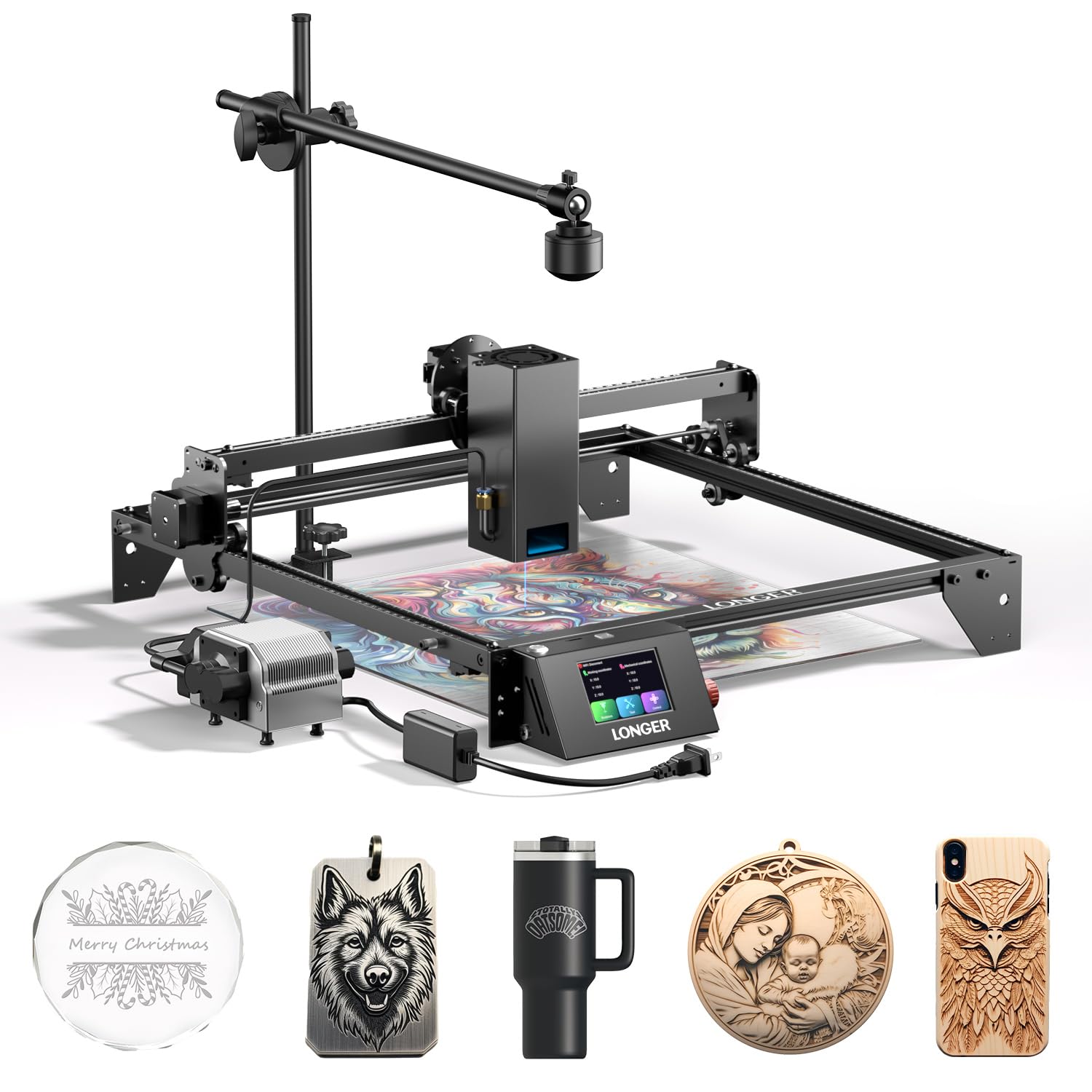
A camera that shows you exactly where the cut lands before the beam fires.
Positioning is the quiet frustration of laser work: you line up a sheet by eye, cut it, and find the design sits two millimetres off centre. The Ray5’s 500W-resolution LightBurn camera with a wide-angle lens solves that. It previews your design over the actual material in LightBurn, so you place artwork on a scrap of acrylic or a pre-cut blank by dragging it, not measuring it. On reclaimed or irregular stock, that saves real material.
Thick stock is the other reason to look here. This is a 20W optical output module with laser enhancement technology, and Large states it cuts 0.59″ (15mm) pine wood and 0.31″ (8mm) acrylic in a single pass, with up to 25mm wood and 35mm acrylic across multiple passes. It will even cut 0.002″ (0.05mm) stainless steel. A 32-bit chipset motherboard (the control board that keeps the motors moving smoothly) keeps motion smooth, and the 0.08 x 0.1mm ultra-fine focus area gives finer detail and higher contrast — good news for engraved acrylic signage.
The included air pump is a proper one, adjustable from 10 to 30 L/min at around 60dB, which is about the noise of a household fan. It clears smoke, cools the cut and limits over-burning on acrylic edges. Safety includes protective glasses, a move-protection cutoff, thermal protection and an emergency stop. Treat the single-pass claim on acrylic as a starting point: 20W diode work on 8mm sheet can need a second pass in practice, as owners have found. Assembly takes about 30 minutes and LightBurn detects the laser quickly.
Best for: makers who cut on irregular or pre-printed acrylic and cannot afford to guess placement.
The catch: this stays a diode, so clear sheet and thick stock still need patience or a second pass.
6. Twotrees TTC450 Pro All-Metal CNC Router

A router that spins a bit, not a laser — but the port on the back changes that.
Read the listing carefully on this one: the TTC450 Pro is a desktop CNC router with an 80W (775 brushed) spindle motor and a 3.5-inch IPS capacitive touch screen. It cuts acrylic the way a mill cuts acrylic — by physically removing material with a rotating bit. That gives you a matte, machined edge and no melted kerf, plus it handles wood, acrylic, carbon fibre, aluminium, copper and stainless steel. An extra-large 460 x 460 x 80 mm working area takes furniture panels and batch signage, and the 57-stepper Z-axis holds positioning accuracy up to 0.0025mm for relief work and multi-layer engraving.
Here is why it earns a slot in an acrylic article: its control box carries a dedicated laser module port alongside a 4th-axis rotation port and a 500W spindle speed control port. Add a laser module and this becomes a combined CNC and laser cutting machine. That makes it a smart pick for a workshop that wants to route wood one day and engrave tumblers the next, without buying two desks. GRBL open-source control means it plays nicely with ArtCam, Fusion 360, Easel and Carveco Maker, on Windows, macOS or Linux.
If clean flat-sheet acrylic is all you need, a laser is still the simpler tool. This machine is about versatility at a router’s pace, and routering plastic takes more setup than firing a beam. It weighs 20.5 kg, and Windows 11 users need the CH341 driver from the WCH site rather than the CH340 to connect it.
Why it is here: the laser port turns a router into a two-tool workshop, and the 460 x 460 x 80 mm envelope is the biggest here.
Honest limit: it removes material with a bit — acrylic edges come out machined, not glassy, and setup takes longer than a laser.
Worth it when: you want routing and laser work from one control box and have the bench for it.
Not the tool when: you need fast, clean laser edges on flat acrylic all day.
7. OMTech K40+ 45W Desktop CO2 Laser Cutter

The first machine here that cuts clear acrylic without arguing about it.
A CO2 tube changes the acrylic conversation entirely. The K40+ is a 45W CO2 cutter, and that wavelength is absorbed by clear, coloured and mirrored acrylic alike — so the see-through sheet that stops every diode above simply cuts. OMTech states it slices through 0.4″ (10mm) acrylic and 0.31″ (8mm) wood, with the 45W upgrade pushes cutting speed up by 1.5 to 2 times and depth by 15 to 20% over the stock version. Engraving runs at up to 300mm/s for complex designs and bulk orders.
The 12″ x 8″ workspace is compact, but it is flexible: a honeycomb bed for flat items, a detachable base, and an optional rotary axis for cylindrical or taller objects. The integrated 45° air assist auto-adjusts airflow to laser power, clearing smoke, protecting the lens, reducing wood carbonisation and lowering fire risk on high-power cuts. LightBurn and LaserGRBL both work, and safety covers door and water protection, an emergency stop, and a flame-retardant acrylic panel with a high-powered exhaust fan.
Plan for the realities of a glass-tube machine. Setup is more involved than a diode, and water cooling has to be right before the tube runs. OMTech provides support with video tech consultations to help with alignment, and a couple of owners have needed a stronger exhaust blower than the stock one. At 81.8 pounds it has a permanent home. It is also note that the compact footprint means you cut in sections on larger acrylic panels rather than laying a full sheet flat.
Why acrylic makers pick this
- 45W CO2 tube cuts 0.4″ (10mm) acrylic in one pass
- Integrates the 45° air assist at the laser head
- LightBurn and LaserGRBL both supported
- Honeycomb bed plus optional rotary for cylinder work
Setup realities
- Water cooling and alignment take real setup time
- 12″ x 8″ bed means sectioning larger sheets
- Owners have upgraded the stock exhaust blower
- 81.8 lb glass-tube machine stays put
Choose it if: clear acrylic signs and panels are your core product and you want CO2 capability without a full shop build.
skip it if: you want plug-in-and-cut simplicity from a sealed diode box.
8. Longer Laser B1 40W Laser Engraver Cutter

Forty-eight watts of diode power chasing a CO2 machine’s work through open air.
If you need diode throughput at its ceiling, the B1 is the machine to study. Longer rates its output at up to 48W, and claims it will cut 40mm basswood and 50mm acrylic — the deepest acrylic figure on this list from any diode. Cutting speed reaches 36,000 mm/min, which is fast enough to turn a stack of acrylic blanks into finished parts in an afternoon. According to Longer, the 450 x 440 mm work area gives you 23.75% more space than its competitors, which matters when you are laying out a batch of acrylic blanks.
The B1 also engraves colour directly onto mirrored stainless steel, and its air-assist pump is controlled from LightBurn rather than a manual dial — set the airflow in software and forget it. Eight safety features cover move, flame, offline, motionless and security-lock protection plus eye protection, emergency stop and zero reset. It weighs 21 pounds.
Two honest points. First, it is an open-frame laser — a 40W-class beam cutting thick acrylic needs an enclosure and a vented outside exhaust, which owners have built themselves with dryer duct and a backyard structure. Second, reliability is a mixed bag in the owner record: many run these machines daily at small-business volume, and a few have received units with a dead axis or a used head, which Longer support has resolved. The beam is also hard to see from the home position when framing, so line up irregular pieces carefully. Cutting thin plywood and acrylic near the power limit is its balance; thick wood tends to burn edges, which is where a router like the Twotrees above does better.
Made for: a maker running daily batch jobs who will build a proper vented enclosure.
Better elsewhere: if you want an enclosed machine straight out of the carton.
9. xTool P2S 55W CO2 Laser Cutter

Fifty-five watts of CO2 in a sealed box, cutting clear acrylic up to 20mm.
This is the machine for a shop that sells acrylic work rather than dabbling in it. The 55W custom CO2 tube cuts through all colours of acrylic up to 20mm thick and black walnut up to 18mm in a single pass — thickness that makes every diode above look like a hobby tool. Engraving runs at up to 600mm/s, and smart fill batch processing lets it churn through serial numbers, names and custom designs in one go. Dual 16MP cameras give a real-time preview and a LiDAR Ranging System sets autofocus to 0.001″ precision.
The enclosed 26″ x 14″ bed handles real signage panels, with Auto-Passthrough taking material up to 118″ long and a Riser Base freeing 8.4″ of height for engraving objects. A 233.3 CFM exhaust fan and adjustable air assist pull the acrylic fumes out and away, and AI fire detection, an automatic lock and an emergency stop sit on top. It is a Class 4 laser at 55000mW output. Compared with the OMTech K40+ above, the P2S brings 55W against 45W, and its 26″ x 14″ bed far outstrips that machine’s 12″ x 8″ — the difference between sectioning a sheet and laying it flat.
Setup lands in under an hour, and xTool’s XCS software gets you cutting fast, though serious designers tend toward LightBurn for bitmap tracing at the cost of rotary functionality. There are gripes worth knowing: it is a 130.7 lb machine with a large footprint that needs its own space, coolant access means removing a rear panel, and a piece of plastic trim has cracked on some units. Reliability shows up as uneven in the owner record too — most units run as a daily workhorse, and a minority have needed support to clear an error from the start. Add a vented setup or an air purifier and it is a professional tool.
What it does that others cannot: clear acrylic at 20mm in one pass, sealed, with camera placement accurate to 0.001″.
The cost of entry: a large, heavy footprint, a vented workspace, and XCS versus LightBurn trade-offs on rotary control.
Buy it when: clear acrylic production is paying the bills and you need depth, speed and a sealed cabinet in one machine.
Not yet if: you are testing whether acrylic crafting sticks — start on a diode and upgrade later.
Know the Specs
Laser type and wavelength
Diode lasers emit blue light that opaque acrylic absorbs and clear acrylic lets pass through, so a diode struggles on see-through sheet. CO2 lasers emit infrared light that acrylic absorbs in every colour, which is why a CO2 tube cuts clear stock that a diode cannot touch. Match the type to the sheet colour before you compare any wattage number.
Optical output power
Look for the optical or output wattage rather than overall electrical draw — that number tells you how much cutting energy lands on the acrylic. A 10W module engraves fine detail and cuts thin opaque sheet; a 20W module takes thicker stock and speeds up batches; a 40W-class diode or a 45-55W CO2 tube handles production depth and clear material.
Spot size and accuracy
Spot size is the diameter of the focused beam. A smaller spot (0.01mm, 0.06mm, 0.08 x 0.1mm) produces sharp text and clean engraving on acrylic, while accuracy figures in thousandths of an inch describe how reliably the head returns to the same point. Tighter numbers mean more detailed signage and fewer wasted blanks.
Air assist and fume control
Air assist is a pump that blows air at the cut to clear smoke and debris, keep the edge clean and protect the lens — critical with acrylic, whose vapour fogs optics. Pair it with an exhaust fan or an enclosure running outside, since acrylic fume is both unpleasant and best kept out of the room.
Work area and material handling
Bed dimensions set the largest flat sheet you can cut in one position, so a 300 x 300mm bed handles coasters and small signs while a 26″ x 14″ bed takes signage panels. For longer stock, look for a passthrough feature. For tumblers and curved objects, a rotary attachment is what converts a flat-bed machine into a cylinder engraver.
Enclosure and safety class
An enclosed laser keeps smoke, noise and stray light in the cabinet so you can work without goggles, and a Class 1 label on an enclosed machine means it is safe to run with family nearby. Open-frame machines demand protective glasses, a vented setup and extra care, especially at higher wattages.
Common Questions
Can a diode laser cut clear acrylic?
How thick an acrylic sheet can each laser cut in one pass?
Do I need an air assist to cut acrylic cleanly?
Is a diode or a CO2 laser better for professional acrylic work?
How do I vent acrylic fumes safely indoors?
Can I engrave a tumbler or curved acrylic with these machines?
What software do I need to run an acrylic laser cutter?
Do acrylic cuts come out polished or frosted?
Can I cut much larger panels than the bed size?
How much bench space and weight should I plan for?
The Bottom Line
For most acrylic makers, the laser cutter for acrylic that gets the balance right is the xTool S1 40W — a 40W module inside a Class 1 enclosure (a sealed cabinet rated to filter 99% of laser light) over the widest 23.93″ x 15.16″ bed here. If clear transparent sheet is the product, go straight to the OMTech K40+ 45W, whose CO2 tube cuts 0.4″ (10mm) acrylic in one pass. And for a shop scaling to full production, the xTool P2S 55W cuts all acrylic colours up to 20mm in a sealed 26″ x 14″ cabinet. Start with the material you cut most, and the right machine picks itself.
How we choose
We do not accept paid placement. Every pick is matched to a real buyer and a real use-case; we do not hands-on test units.
Sources
Specifications: manufacturer listings and product documentation. Review insights: verified customer reviews, as of October 2026. Pricing: not shown on this page (it changes often); check the current price via the retailer link.
As an Amazon Associate, Aappliancez earns from qualifying purchases. This does not affect which products we feature.