Disclosure: Some links in this post are affiliate links. As an Amazon Associate I earn from qualifying purchases, at no extra cost to you. Learn more
Specs are compiled from manufacturer listings and verified buyer reviews and can change over time — please confirm the key details on the product page before buying.
If you draw buildings for a living, the printer that sits in your studio decides how fast a set of plans leaves your desk. The right plotter turns a finished CAD file into a full-size Arch D sheet you can mark up, roll, and hand over without babysitting a feed tray. The wrong one jams 36-inch rolls, smears hairline walls, and turns every revision into a half-hour wrestling match. This guide walks through nine large-format machines that real buyers use for plans, line drawings, posters, and fine art prints — and it tells you straight which one fits your desk, your paper, and your workflow.
This guide is built by comparing the manufacturers’ published specifications and the patterns across verified customer reviews, so you get each pick’s real strengths and trade-offs instead of marketing spin.
Below you get nine picks, their honest trade-offs, and a plain-English spec decoder for buying a large format printer for architects.
Top Picks


How To Choose The Best Large Format Printer for Architects
Before you compare any two printers, answer one question: what size sheet does your finished work actually leave the office as? Get that wrong and no printhead spec or speed rating saves the purchase. Architects run a narrow range of paper sizes — Arch C (18 x 24 inches), Arch D (24 x 36 inches), Arch E1 (30 x 42 inches), plus the odd 11×17 detail sheet — so size the machine around your standard submission, not around a spec sheet’s biggest number.
Start With Roll Width, Not Print Quality
Roll width is the hard ceiling on what you can output. A 24-inch machine handles rolls up to 24 inches wide, which covers Arch C and most plan sets. A 36-inch machine takes rolls up to 36 inches wide, so it can run the bigger Arch D and E1 drawings that large commercial projects still require. If your clients ever ask for a full-size sheet wider than 24 inches, a 24-inch plotter simply cannot do it — no driver setting fixes that. Choose the roll width first, then compare printhead, ink, and speed.
Line Quality Comes From The Printhead, Not The Marketing
Fine line drawings expose every printhead weakness. A printhead with more nozzles and smaller ink droplets holds thin lines and small text together better. Canon’s own published figure for one 24-inch model here is a 6-channel printhead with 15,360 nozzles laying down 5 picoliter droplets — that combination is what keeps hairline walls and dimension text readable at full size. A plotter with fewer nozzles softens hairline walls and dimension text, the detail an architect cannot afford to lose.
Pigment Ink For Job Sites, Dye Ink For Studio Posters
Ink chemistry decides whether a plan survives a damp site visit. Pigment inks sit on the surface of the paper and resist water and UV light, so a drawing left in a truck overnight still reads the next morning. Canon’s LUCIA TD pigment inks and Epson’s UltraChrome XD2 pigment inks are both built for that kind of handling. If your output never leaves the studio, the difference matters less — but for anything that goes outside, it matters a lot.
Side-by-Side Comparison
| Model | Best For | Roll Width | B&W Speed | Color Depth | Amazon |
|---|---|---|---|---|---|
| Epson WorkForce WF-7710★ Best Overall | Studio all-in-one with scan and copy | 13″ x 19″ sheets | 18 pages per minute | 24 bpp | Amazon |
| Epson SureColor T2170Desktop Plotter | Small-studio desktop plotter | Rolls up to 24″ | 6 pages per minute | 48 bpp | Amazon |
| Canon imagePROGRAF TM-300Wide-Sheet Workhorse | 36-inch plan sets and posters | 36″ | 3 pages per minute | 1 bpp | Amazon |
| Epson SureColor T3170 | Desk-side detail drawings | 24″ | 6 pages per minute | 24 bpp | Amazon |
| Epson EcoTank Pro ET-16600 | High-volume tabloid office work | 11″ x 17″ sheets | 25 pages per minute | 24 bpp | Amazon |
| Canon imagePROGRAF TM-240 | Outdoor-grade job site plans | 24″ | 2.4 pages per minute | 24 bpp | Amazon |
| HP DesignJet T630 | CAD teams printing multi-size projects | 24″ rolls | 1.9 pages per minute | 24 bpp | Amazon |
| HP DesignJet T650 | 36-inch studio with onsite support | 36″ rolls | 2.4 pages per minute | 30 bpp | Amazon |
| Canon imagePROGRAF PRO-2100 | Fine art and presentation rendering | 24″ | 30 pages per minute | 48 bpp | Amazon |
Detailed Reviews
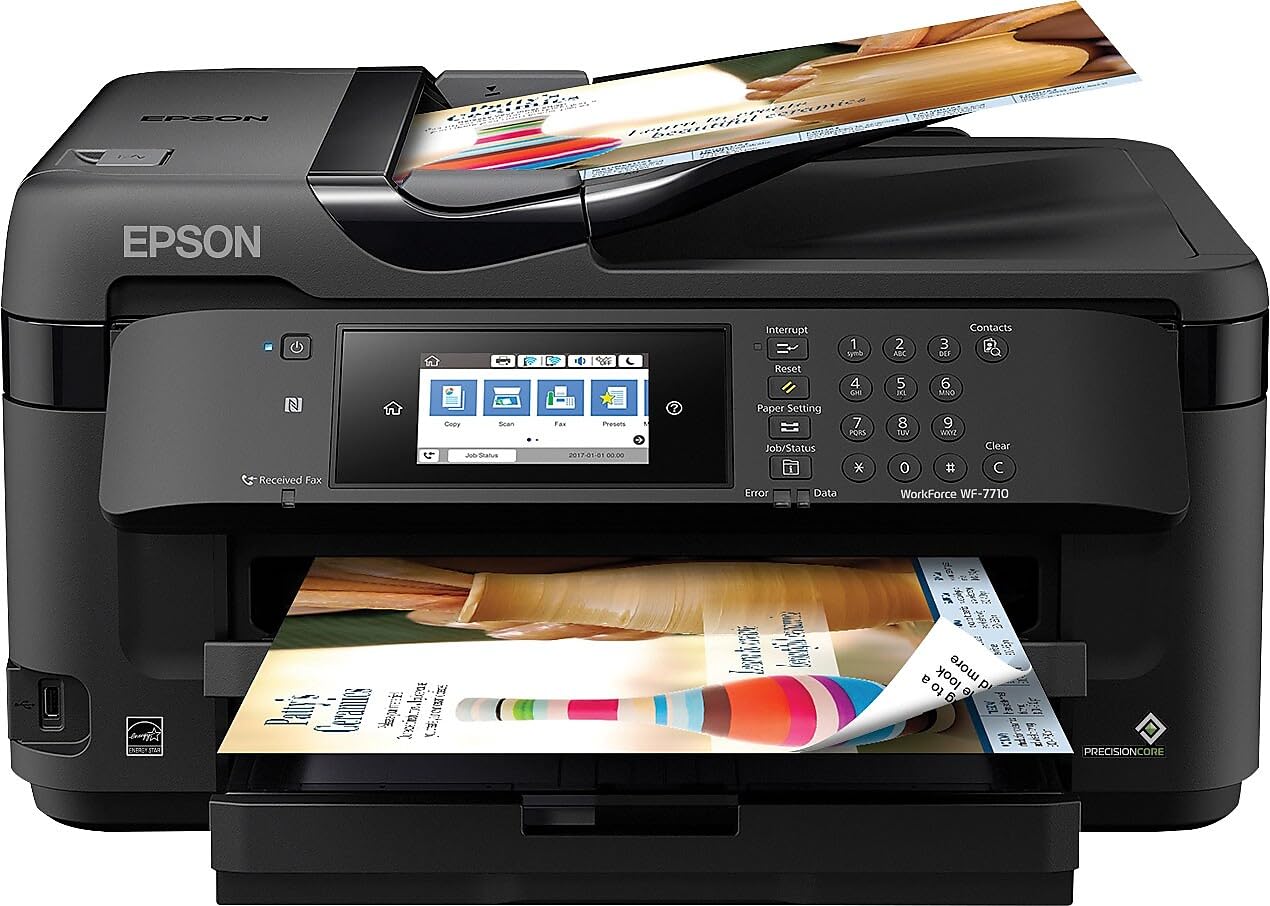
1. Epson WorkForce WF-7710 Printer
Our pick — over 4★ from 2,500+ verified ratings; the strongest balance of quality and price.
The one machine that prints your 11×17 details and scans the marked-up set right after.
Most studios end up buying two devices — a plotter for the big sheets and a flatbed for everything else. This one collapses that into a single unit on your desk, because it prints borderless up to 13″ x 19″ through Epson’s PrecisionCore printhead while also scanning, copying, and faxing. The 250-sheet paper tray also holds up to 20 sheets of photo paper or 10 envelopes, so the same machine that runs your detail sheets can run your presentation boards. Compared with the plotter picks below, it falls short on width — it tops out at wide-format sheets, not 24-inch rolls — so if your submission standard is Arch D, this is not the machine for that job.
Speed is where this printer earns its place in a working studio. Epson publishes 18 pages per minute in black and 10 pages per minute in color, which is noticeably ahead of the Canon imagePROGRAF TM-300 at 3 pages per minute black and 3 pages per minute color. That gap is the difference between a plan set that clears while you finish a phone call and one you wait on. The 8.7 ppm duplex black figure for a double-sided standard sheet matters too — revision logs, specs, and schedules all print two-sided without you hand-flipping pages.
In daily use, the wide-format capability holds up. Owners print 11×17 artwork and large sheets without trouble, and many run hundreds of standard pages on the original ink set before a cartridge needs replacing — as buyers report, one ran “500 8.5×11 pages on original ink (black ran out but prints black without it).” That same buyer’s note about the price climbing to and still being worth it captures the general tone. The recurring caveat is physical: this is a big, heavy unit, and the wiring is plain about it being awkward for a single person to lift into place.
What A Studio Actually Gets
- Prints borderless up to 13″ x 19″ so detail sheets and boards come off one machine
- 18 ppm black and 10 ppm color, far quicker on paper than the 3 ppm Canon plotter
- Scan, copy, and fax built in — no second flatbed on the desk
- Wireless printing plus Ethernet for a wired studio network
Where It Stops Short
- Cannot run roll media or print Arch D at full size — 13″ x 19″ is the ceiling
- Heavy and bulky to position, awkward for one person to move
- Wants Epson DURABrite Ultra cartridges; third-party ink voids the warranty
Pick this when: your studio runs detail sheets and boards at tabloid size and you want one machine that also scans and copies.
Step up if: your client standard calls for full Arch D or wider sheets on roll — you need one of the roll-fed plotters below.
2. Epson SureColor T2170 Printer
A full-size plotter that fits on a desktop and runs A1 in about three-quarters of a minute.
For architects who work from a home office or a small studio, this is the machine that makes full-size printing possible without a floor-standing unit. It produces A1 and D-size prints in 43 seconds, handles rolls up to 24 inches wide, and takes sheets up to 11″ x 17″ through the auto sheet feeder. It prints up to 2400 dpi for blueprints and line drawings, and runs on Epson’s UltraChrome XD2 pigment ink — the same instant-dry chemistry that lets a drawing survive contact with a damp job-site folder. The PrecisionCore MicroTFP printhead adds Nozzle Verification Technology, which self-checks the nozzles so a clogged one doesn’t quietly ruin a whole run.
Color depth is where this machine separates itself from the Canon TM-300 at the top of the price range. This Epson’s 48 bpp against the Canon’s 1 bpp is a 48.0x gap, and it shows up in smooth gradients on rendered views and material boards that the lower-bit-depth machine renders flat. It is also faster than the T3170 in color terms — the WorkForce above lists 10 pages per minute color against this unit’s 6 pages per minute, so the quicker machine is the wide-format all-in-one, not this plotter.
For archival work, owners come back to the same point: it prints iPhone photos onto matte canvas at 300dpi (300 dots per inch, a measure of print resolution) without resampling, and it holds up on 100% poly and poly-cotton canvas. The one long-term owner report worth reading carefully covers the ink economics — as owners mention, the owner ran it “since June 2020” and found the ink expensive at roughly for four cartridges, most of which went to nozzle maintenance, yet the original cartridges still lasted four years and it never clogged despite six-month gaps between jobs. That is the honest picture: infrequent users pay for upkeep, but neglect doesn’t kill the head.
The compact case: a 24-inch roll plotter that sits on a desk, hits 2400 dpi on line drawings, and uses pigment ink that resists water and UV. For a solo architect or a two-person studio, that’s a complete plotting setup without a dedicated machine room.
The honest catch: the highest-count feedback in the review pages circles print quality and day-to-day functionality, and both come back mixed — some units arrive with crooked feed or a loose box, and a rare defective unit never prints at all. Order from a seller with a clean return path.
Best for: the architect or designer who needs true 24-inch output from a small footprint and prints often enough to keep the nozzles exercised.
Think twice if: you only plot a few sheets a year — the ink upkeep cost on a machine used this rarely is a real consideration.
3. Canon imagePROGRAF TM-300 Printer
Thirty-six inches of roll width with pigment ink built for drawings that leave the office.
When a project demands sheets wider than 24 inches, this is the class of machine you are shopping in. It takes 36-inch rolls, runs Canon’s LUCIA TD pigment inks, and keeps a small footprint for a plotter of this size. The five-color ink set is aimed straight at line work — sharp text, clean edges, drawings that read at full size. USB 2.0, Gigabit Ethernet, and Wi-Fi 802.11 b/g/n are all on board, and despite an advertising listing that claims otherwise, wireless works well in practice.
Compare it honestly with the Epson T2170 above and the trade-off is stark in both directions. This Canon prints just 3 pages per minute in black against the Epson’s 6 pages per minute, so it is the slower machine on plain output. But it carries the extra 12 inches of roll width, which the Epson cannot touch. Buyers who have run both describe the gap in quality as real too — one buyer’s report puts it plainly: this plotter’s “print quality far exceeds HP T210,” with easy paper and ink loading and two years of reliable service.
The risk profile here is worth stating plainly. The listed feedback is thin, and among it the machine draws both glowing praise and a hard failure story — a dead-on-arrival unit that went through an uncertified service call and came back worse. That kind of report is rare, not the norm, but it is the reason to buy from a seller who honors returns rather than deflects to a manufacturer warranty in the first two minutes.
What it solves: 36-inch roll printing with pigment ink for job-site durability and a compact footprint for a plotter this wide. If your contract set requires wide sheets, this covers it.
What to accept: 3 pages per minute puts it at the slower end of this list, and the review base here is small — check the seller’s return policy before you commit a project timeline to it.
Worth it for: practices that regularly output 36-inch drawings and want pigment ink durability in a machine that doesn’t dominate the room.
Look elsewhere if: your work never exceeds 24 inches — the Epson T2170 is the faster machine at that width.
4. Epson SureColor T3170 Printer
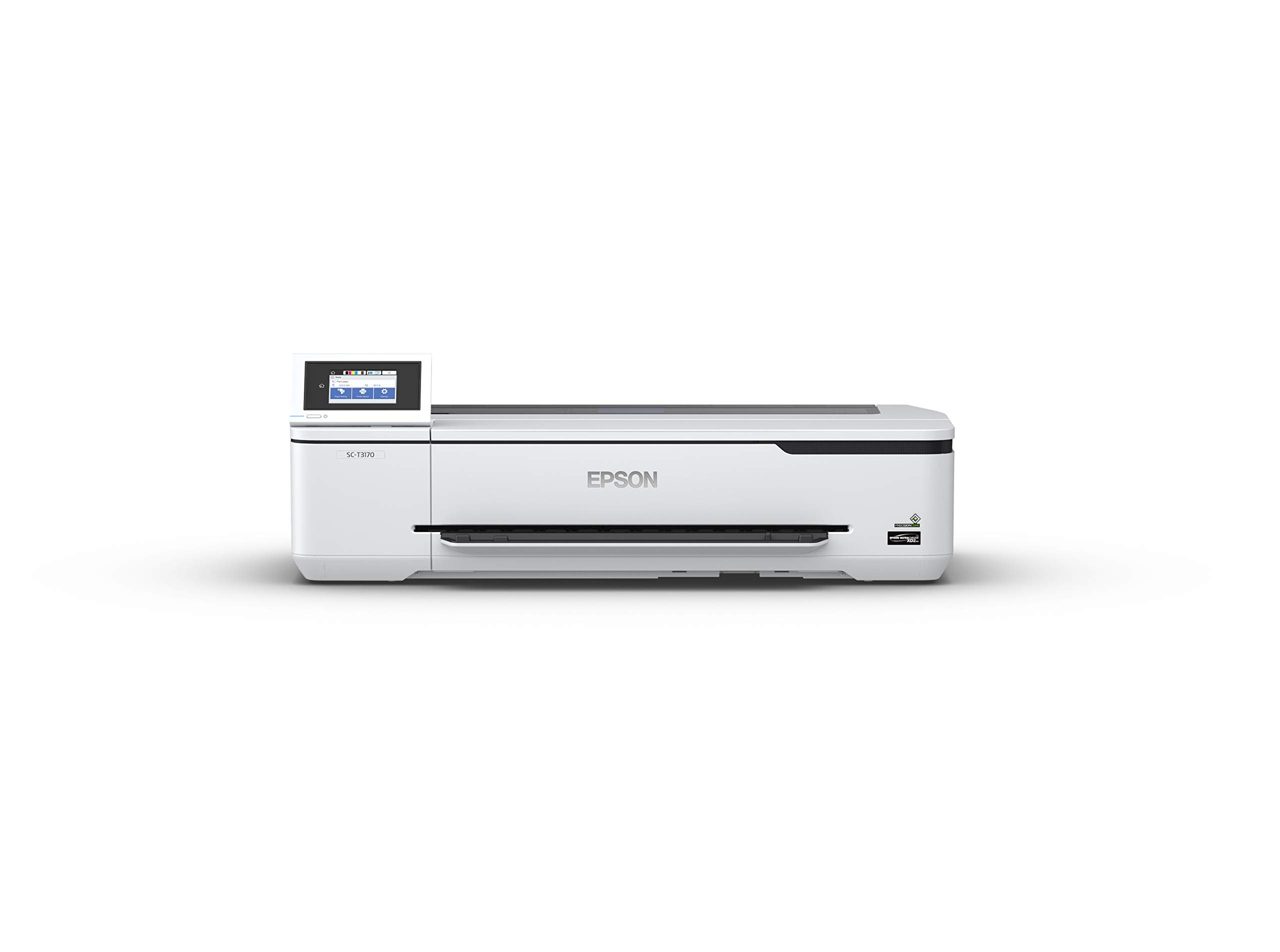
The quickest A1 in this group — 34 seconds a sheet — on a footprint small enough for a desk.
Speed is the headline here. This plotter turns out an A1 or D-size sheet in 34 seconds, faster than the 43-second figure on the T2170 above it, and it shares that machine’s compact desktop design, router-free Wi-Fi Direct printing, and 4.3″ color touchscreen. It runs the same high-capacity cartridge strategy too — up to 50 mL for color and 80 mL for black — so you are not swapping ink every few rolls.
Setting it up is the part owners agree on. It goes together quickly on a table, packs well for shipping, and the Wi-Fi connection holds reliably once configured. Long-run users report light use with no ink drying and no printhead trouble, which is the whole reason to buy a plotter with a sealed cartridge system in the first place. Fine-art and design users push it toward transferring sketches onto hot press paper, cutting file prep time in a working studio.
The catch here is ink cost and a real learning curve. One studio user running sketches onto Epson hot press paper found the ink runs out fast and replacements are pricey, and a stranger to large-format printing admitted it isn’t “beginner friendly” without some research first. A 30-year HP DesignJet veteran who switched over found speed and resolution no better than their old machine and fine detail slightly fuzzier — a fair signal that this is a competent plotter, not a leap forward.
Where it wins: 34-second A1 output, wireless printing straight from a phone or tablet, and a set-and-forget setup that most owners get working in a single sitting.
Where it stumbles: the dominant thread in the review pages is print quality, and it comes back genuinely split — strong results for most, banding for a few. Fine detail work is where the complaints land.
Reach for this if: you want the fastest compact plotter here and your output is sketches, renders, and moderate-detail drawings.
Consider the T2170 instead if: hairline CAD precision is your priority — it edges this model on fine line rendering.
5. Epson EcoTank Pro ET-16600 Printer

Pour ink from a bottle and print for months — the cartridges are gone entirely.
This is the machine for a practice that runs a lot of tabloid-size paperwork and is tired of buying cartridges. It is tank-fed: you fill the reservoir from bottles, and the box includes a 127 mL black bottle plus 70 mL bottles of cyan, magenta, and yellow. It prints up to 4800 x 2400 dpi, runs 25 pages per minute in black and 12 pages per minute in color, and handles up to a 66,000-page monthly duty cycle. The 50-sheet auto feeder, automatic two-sided duplexing, and 4.3″ touchscreen round it out for day-to-day office work — specs, schedules, and revision logs all move without hand-feeding.
Print quality is the thing owners keep coming back to, and it’s the strongest signal in the review data. Output reads clean and sharp on plain paper and holds up across glossy photo paper, cardstock, matte paper, and canvas. Ink capacity is the second point everyone agrees on: filling the reservoir and then running hundreds of pages with half the ink still left is the typical experience. Compared with a cartridge-fed machine like the WorkForce WF-7710 above, the tank approach trades higher upfront cost for dramatically fewer ink purchases.
Two honest caveats sit in the review pages. First, reliability comes back mixed — most units run without issue, but some arrive with false “out of paper” errors, spew blank sheets, and get flagged for constant head cleaning. Second, the “free ink for two years” rebate is a paperwork ordeal: customers note paying to ship bottles, waiting four to ten weeks, and getting rebates rejected. If you buy for the rebate, read those terms before you commit. And this is a desk-hogging machine — it needs working-room dimensions closer to a drafting surface than a desktop.
The real draw: bottle-fed ink, 25/12 ppm print speeds, and print quality that holds up across every media type a practice throws at it. For a busy office, the ink math is the whole argument.
The counterweight: reliability is genuinely mixed in the feedback — plan for the occasional out-of-paper fault or a return and replacement cycle.
Right for you if: you print tabloid-size office volumes daily and want to stop thinking about cartridges.
Wrong fit if: you need Arch D roll output or a machine that fits a compact corner — this is neither.
6. Canon imagePROGRAF TM-240 24″ Large Format Printer
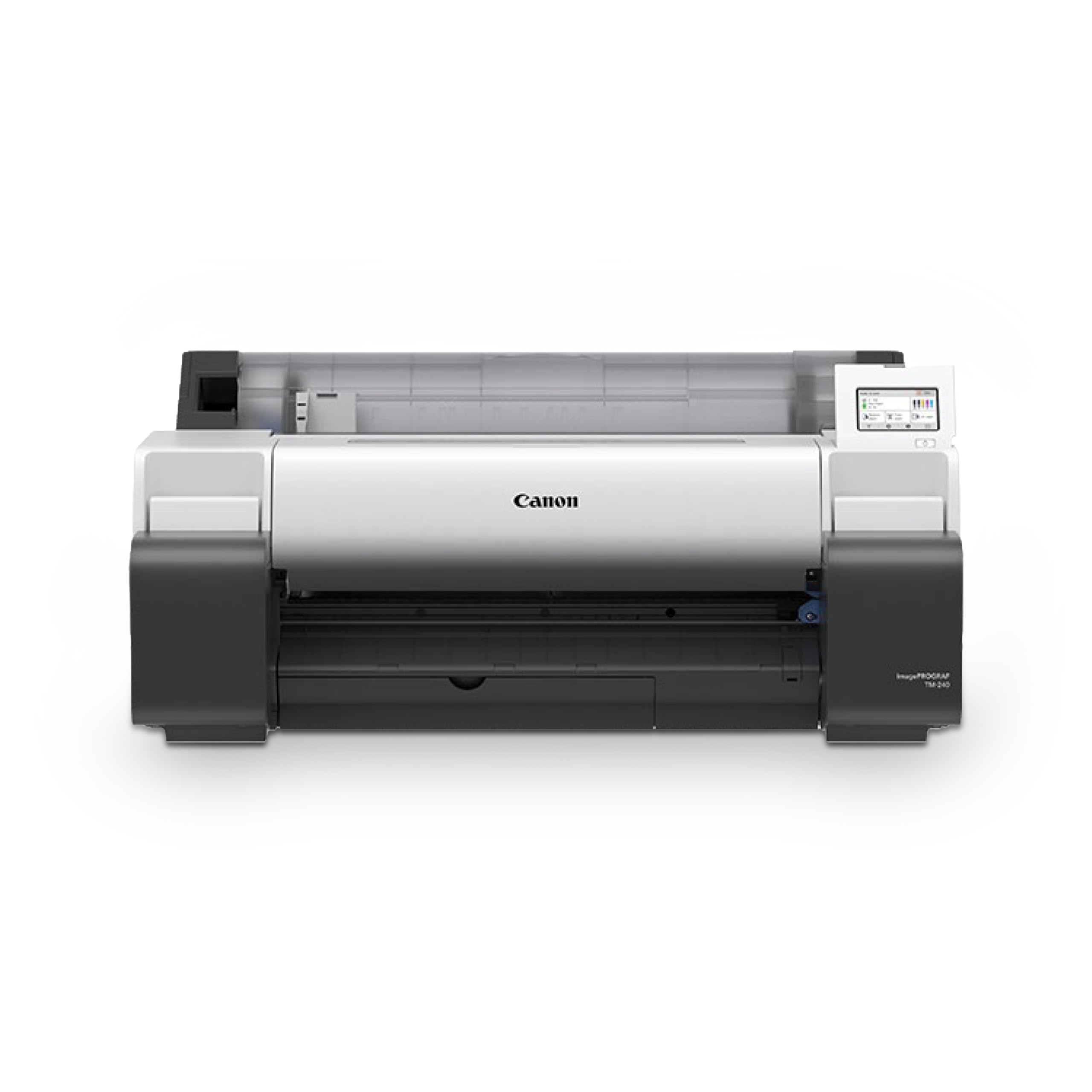
Built for drawings that get rained on, folded into a truck, and read at the site.
If your plans leave the office and go somewhere wet and dusty, this is the plotter shaped around that reality. Canon formulates its five-color ink set — including a newly formulated magenta — to be UV and water resistant, which means a drawing printed here holds up against outdoor conditions when paired with water-resistant media. That makes it a natural fit for construction site sets, outdoor poster displays, and store signage, not just interior review drawings.
The print engine is what delivers that. The 6-channel PF-06 printhead runs at 2400 x 1200 dpi with 15,360 nozzles laying down 5 picoliter ink droplets — small enough, dense enough, to keep hairlines and fine text sharp. Canon’s L-COA PRO II processor pushes the machine to roughly 30 percent faster than previous models in the series, at up to 3.2 ppm for a 24 x 36″ sheet. A built-in color calibration feature keeps output consistent over time and across multiple TM-series machines, which matters if your office runs more than one plotter.
Owners who print large-format drawings exclusively describe it as hitting the mark — Arch D output at the quality they expected, printed as fast as they anticipated, at a cost well under the alternative machines. Roll printing runs efficiently and the media detection reads type, length, and width automatically. The honest limit is sheet feeding: it takes one sheet at a time, prompts for paper type on every sheet, and won’t handle anything smaller than A4, Letter, or Legal. That is a real constraint for anyone who prints mixed-size sets on loose paper all day.
Built for the field: 2400 x 1200 dpi, 15,360 nozzles, 5 picoliter droplets, and UV/water-resistant ink — the combination that keeps a plan set legible after a day on site.
Know before you buy: sheet feeding is slow and one-at-a-time with a paper-type prompt per sheet, so roll printing is really where this machine shines.
Perfect for: practices that print drawings meant to survive outdoor job sites or produce signage and posters that have to hold their color.
skip it if: you mainly print single loose sheets in mixed sizes — the one-at-a-time feeder will slow you down.
7. HP DesignJet T630 24-inch Printer

Drag a PDF onto the window at 5pm and walk out with a plan set at 5:02.
The software is the reason to shortlist this machine. HP Click is built around drag-and-drop printing of PDF, JPEG, TIFF, DWF, HP-GL/2, and PNG files, with PDF error checking, alerts, and auto-nesting to cut paper and ink waste before a job even starts. It plugs straight into design and CAD workflows, and you can predefine print settings so the whole office prints to the same standard. The HP Smart app pushes jobs from a phone, tablet, or desktop. For a firm that prints multi-size projects, that pipeline saves more time than any single hardware spec.
Hardware-wise, it handles up to 24-inch rolls and up to 13″ x 19″ sheets through the included automatic sheet feeder, with automatic switch between sheet and roll, a media bin, and an automatic horizontal cutter. It carries Gigabit Ethernet (a wired network connection), Hi-Speed USB 2.0, and Wi-Fi 802.11 b/g/n (standard wireless networking), and it runs on HP 712 and HP 713 original cartridges. First-page-out time is 30 seconds. Print speed lands at 1.9 pages per minute black and 1.9 pages per minute color, which is the slowest sheet throughput on this list — compare that to the WorkForce WF-7710’s 18 pages per minute black, and you see the trade-off: this machine is built for full-size drawings, not fast small-format output.
Buyers printing plan sets report the savings clearly, with one noting they’d printed “over a dozen set of plans” and it saved a substantial amount versus outsourcing to a print shop. The machine also prints 24″ x 36″ blueprints and 13″ x 19″ sheets cleanly for CAD-heavy work. The one caveat worth knowing is jam behavior: sheets that don’t feed perfectly flat can jam, and unlike the Canon TM-240’s automatic detection, you’ll want to watch the first few sheets of a new media type to confirm they seat correctly.
what separates it: drag-and-drop HP Click software with PDF error checking and auto-nesting means fewer wasted sheets and a faster workflow than plot-and-pray printing.
One thing to accept: 1.9 pages per minute is a genuinely slow feed, and the auto sheet feeder can jam on media that doesn’t sit flat — watch the first sheets with any new paper.
Choose this one if: your team’s bottleneck is job submission and paper waste, not raw speed, and you want CAD files printing directly from your design software.
Look at the T650 instead if: you need 36-inch roll width — this machine tops out at 24-inch rolls.
8. HP DesignJet T650 36-inch Printer

A 36-inch plotter with onsite service already in the box — the support is the differentiator.
Two things separate this machine from everything else on the list. First, it takes 36-inch rolls, matching the Canon TM-300 at the top of the roll-width range. Second, it ships with a 2-year HP Care Pack that includes onsite support — someone comes to you if the plotter fails, rather than you shipping it off. For a working studio where a dead plotter means missing a submission, that onsite coverage matters more than most spec lines.
Print performance lines up with the wider class. It turns out A1 and D-size pages in about 25 seconds, putting it at roughly 82 A1/D-size prints per hour. The 30 bpp color depth is the highest in this group after the 48 bpp Canon PRO-2100, and that extra bit depth means smoother gradients. It also carries a claimed 95% less ink use for routine maintenance versus other plotter printers — that’s HP’s own figure, but if it holds, it stretches the ink budget considerably. The memory is 1GB, which supports the auto-switching multi-size print workflows that keep a roll-fed machine efficient.
The honest caveats are real. Assembly is a point of friction — the machine sits on a stand, and at least one report describes a plastic bracket giving way and the printer taking a fall. Do the assembly with a helper and on a flat surface.
Why It Earns Its Price
- 36-inch roll width — the widest capability short of the top-tier Canon PRO-2100
- 2-year onsite warranty means a technician comes to you, no shipping a plotter back
- About 25 seconds per A1/D page and 82 prints per hour
- 30 bpp color depth for smooth gradient rendering on presentation views
Where It Asks For Care
- Assembly goes together onto the stand — a plastic bracket failure is a documented risk, so use assistance
- Some units arrive or fail quickly; onsite support is the answer but it is not instant
- Only HP 712 and HP 713 original cartridges are supported
Right for this buyer: a studio that needs 36-inch output, prints daily, and needs an onsite service contract as insurance against downtime.
Not the pick for: a solo architect printing occasionally who’d rather have the lower price and smaller footprint of a 24-inch machine.
9. Canon imagePROGRAF PRO-2100 Printer

When the render has to look like a gallery print, this is the machine at the top of the list.
For an architect who presents competition boards or renderings as finished work, this plotter is the highest-quality print engine here — and that is why it sits at the top of the price range. Its 48 bpp color depth (bits per pixel, a measure of color detail) matches the T2170 as the deepest on this list (against 1 bpp on the Canon TM-300), and it ships with the hardware to support that output: a Multifunction Roll System, a roll holder set, a PF-10 print head, a maintenance cartridge, and a rotary cutter. Twenty-four inches of width handles gallery-scale work, and the color accuracy sits among the strongest in the class.
Owners describe flawless color accuracy straight from the start and rich, deep blacks from the newer ink technology, with fine-art paper handling that holds detail. A buyer who switched over from Epson found setup simple and the output quick, sharp, and vivid, though they noted that color calibration is not a five-minute task — it takes real time to dial in when you want consistent, repeatable results. That’s the honest cost of a machine built for color precision: it demands a calibration habit, not just a power button.
The trade-offs are the ones you’d expect at this tier. It’s the most expensive machine on the list, it uses a manual duplex (you flip the sheet yourself for two-sided printing), and it ships with only small starter ink cartridges — you’ll need to buy the full complement of large color cartridges separately to run production work. Buyers print from laptops, PCs, and even smartphones via the companion app, so the software side stays simple even when the color side demands attention. If you’re not selling prints or presenting competition boards, this is more machine than most practices need.
The quality ceiling: 48 bpp color depth, gallery-grade blacks, and a multifunction roll system built for fine art media — this delivers the most refined output of any plotter here.
The realistic fit: it’s a premium machine with a calibration learning curve and a need for separate large cartridges. For a design practice that isn’t selling prints, the T2170 gets you most of the way at a fraction of the tier.
For the presentation drawer: an architect or design studio producing competition boards, presentation renderings, or print work that’s judged on color accuracy.
Save the tier if: your output is plans, sections, and working drawings — the T2170 delivers those at the same 48 bpp for far less standing investment.
Know the Specs
Pages Per Minute On A Plotter
Pages-per-minute figures are what a plotter’s speed claims are built on, and they vary widely across this category. The EcoTank Pro ET-16600 runs 25 pages per minute black and 12 pages per minute color — the fast end of the list. The HP DesignJet T650 runs 2.4 pages per minute black and 2.4 pages per minute color — the slower end. The speed differences are structural: a machine that only needs to print borderless 13″ x 19″ sheets can run much faster than one pulling 36-inch media off a roll. Read the numbers as a guide to how much throughput you’ll have in a working day, and check the specific product’s pages-per-minute figure for the machine you’re comparing, since they range from under 2 to 25.
Roll Width And Why It Defines Your Yields
Roll width is the maximum paper width the machine can feed from a roll. This category splits roughly into two groups: 24-inch and 36-inch. The practical consequence is what size drawing you can produce in one piece. A 24-inch machine prints Arch C and most plan sets in one shot. A 36-inch machine can print the larger sheets the trade calls for on the biggest projects. If your clients ever require wider-than-24-inch output, that requirement alone rules out most of this list and pushes you into the 36-inch machines here.
Common Questions
Can a 24-inch plotter print Arch D drawings full size?
Is pigment ink better than dye ink for construction drawings?
Do I need a plotter that also scans and copies?
Which plotters here use pigment ink versus dye ink?
How often do I replace ink on a large format printer?
Will my CAD software print directly to these plotters?
How much space does an architect’s plotter actually need?
Is a 24-inch or 36-inch plotter the better investment?
Do I have to use the manufacturer’s own ink cartridges?
Can a large format plotter sit on a desk rather than a floor stand?
How long does a plotter take to print a full-size plan set?
The Bottom Line
For most architects and design studios, the best large format printer for architects is the Epson WorkForce WF-7710, because it handles your 11×17 detail sheets and presentation boards at borderless quality while also scanning, copying, and faxing — one machine instead of two on the desk. It is the crowd-backed pick here, running 18 ppm (pages per minute) black against the 3 ppm Canon TM-300, and that speed gap is what keeps a busy studio moving.
If your work requires 24-inch roll output and you want the fastest compact plotter here, grab the Epson SureColor T3170 — 34 seconds per A1 sheet and wireless printing straight from your phone. And for job-site drawings that need to survive rain and UV, the Canon imagePROGRAF TM-240 is the one to reach for, with its UV and water resistant five-color ink set and 2400 x 1200 dpi resolution.
One honest nudge before you decide: measure your submission standard first, then match the machine to it. A 24-inch plotter that covers your Arch C sheets at the fastest speed and lowest upkeep will beat a 36-inch machine you rarely push past 24 inches.
How we choose
We do not accept paid placement. Every pick is matched to a real buyer and a real use-case; we do not hands-on test units.
Sources
Specifications: manufacturer listings and product documentation. Review insights: verified customer reviews, as of October 2026. Pricing: not shown on this page (it changes often); check the current price via the retailer link.
As an Amazon Associate, Aappliancez earns from qualifying purchases. This does not affect which products we feature.