Disclosure: Some links in this post are affiliate links. As an Amazon Associate I earn from qualifying purchases, at no extra cost to you. Learn more
Specs are compiled from manufacturer listings and verified buyer reviews and can change over time — please confirm the key details on the product page before buying.
You can spend a couple of hundred dollars on a laptop and still browse, email, write in Google Docs, take video calls and do schoolwork — if you pick one whose limits match your day. The wrong pick here is not a slow pick — it is a pick with the wrong storage, battery or screen. It is a pick with a 32GB drive, or a battery that gives out, or a screen too dim to read in a bright room. Below are nine real options, each with the trade-off it makes spelled out.
This guide is built by comparing the manufacturers’ published specifications and the patterns across verified customer reviews, so you get each pick’s real strengths and trade-offs instead of marketing spin.
Below, you’ll see how processor, storage and screen type decide what a cheap laptop can actually do — plus which of these nine is the crowd favorite, holding 4.5+ stars across 900+ owners. Every pick here sits comfortably in the budget bracket for laptops under $200.
Top Picks


How To Choose The Best Laptops Under $200
The money here is tight, so every spec you accept is a spec you are stuck with. There is no upgrading a soldered processor or a glued-in battery later. That makes the shopping order simple: decide what the laptop must do, then check the four specs that actually decide it — processor, storage, screen resolution and battery.
Start with the processor, not the screen size
A bigger screen looks like more laptop. It usually is not. The chip inside decides whether a page loads without stutter. An Intel Celeron N4500 is a two-core processor (two lanes of work at once) built for light browsing and documents — it is fine for one task at a time and struggles once you pile on tabs. A Core i3-1215U is a six-core processor (six lanes), so it holds up under a dozen tabs and a video call at the same time. Cheap machines live and die on this one part.
Watch storage type before storage size
You will see two kinds of drive in this bracket. eMMC (a chip soldered to the board, like a phone’s memory) boots fast but fills up quickly and cannot be swapped out. An SSD (a proper solid-state drive) is faster on big file transfers and is what you want if you plan to install software. A 32GB eMMC drive is genuinely tight once the operating system takes its share. A 128GB or 288GB setup leaves room to actually use the machine.
Decide ChromeOS or Windows before you fall in love with a price
ChromeOS runs web apps and Android apps, boots in seconds and keeps itself updated. Windows 11 runs desktop programs — Office installed locally, older Windows software, most games. If your work lives in a browser, ChromeOS on a cheap machine feels faster than Windows on the same hardware. If you need a specific Windows program, no amount of good hardware fixes a Chromebook.
Treat renewed units as a condition lottery
A renewed laptop is a used machine that has been checked over. The savings are real and so is the variation. Some arrive looking untouched; others show scratches, a loose hinge cover or a tired battery. Buy from a seller with a clear return window, and check the battery and the hinge in the first week while you can still send it back.
Side-by-Side Comparison
| Model | Best For | Processor | RAM / Storage | Screen | Amazon |
|---|---|---|---|---|---|
| HP Stream 14″ N150★ Best Overall | Everyday Windows with room to spare | Intel Processor N150 | 8GB / 288GB | 14″ HD (1366 x 768) | Amazon |
| OTVOC 15.6″ Core i5 LaptopBig Screen Pick | A big full-HD screen for study | Intel Core 8100Y | 4GB / 128GB SSD | 15.6″ FHD IPS (1920 x 1080) | Amazon |
| ASUS Chromebook CX1400Travel Light | Light travel and cloud work | Intel Celeron N3350 | 4GB / 32GB eMMC | 14″ HD (1366 x 768) | Amazon |
| Dell Latitude 3190 2-in-1 | Touchscreen on a tight budget | Intel Celeron N5030 | 4GB / 128GB SSD | 11.6″ HD touch (1366 x 768) | Amazon |
| HP Stream 14″ N4120 | Home and classroom basics | Intel Celeron N4120 | 4GB / 64GB eMMC | 14″ HD (1366 x 768) | Amazon |
| Lenovo IdeaPad 3 Chromebook | A full-HD screen without Windows | Intel Celeron N4500 | 4GB / 64GB eMMC | 15.6″ FHD (1920 x 1080) | Amazon |
| Acer Chromebook 315 | The all-round budget pick | Intel Celeron N4500 | 4GB / 64GB eMMC | 15.6″ FHD (1920 x 1080) | Amazon |
| Samsung Galaxy Chromebook Go | Students who need all-day battery | Intel Celeron N4500 | 4GB / 64GB eMMC | 14″ (1920 x 1080) | Amazon |
| NIMO 17.3″ i3-1215U | The biggest screen and most power here | Intel i3-1215U (6-core) | 8GB / 256GB SSD | 17.3″ FHD IPS | Amazon |
Detailed Reviews
1. HP Stream 14″ HD Laptop, Intel Processor N150
The storage math here is the reason to buy — 288GB on a machine this cheap.
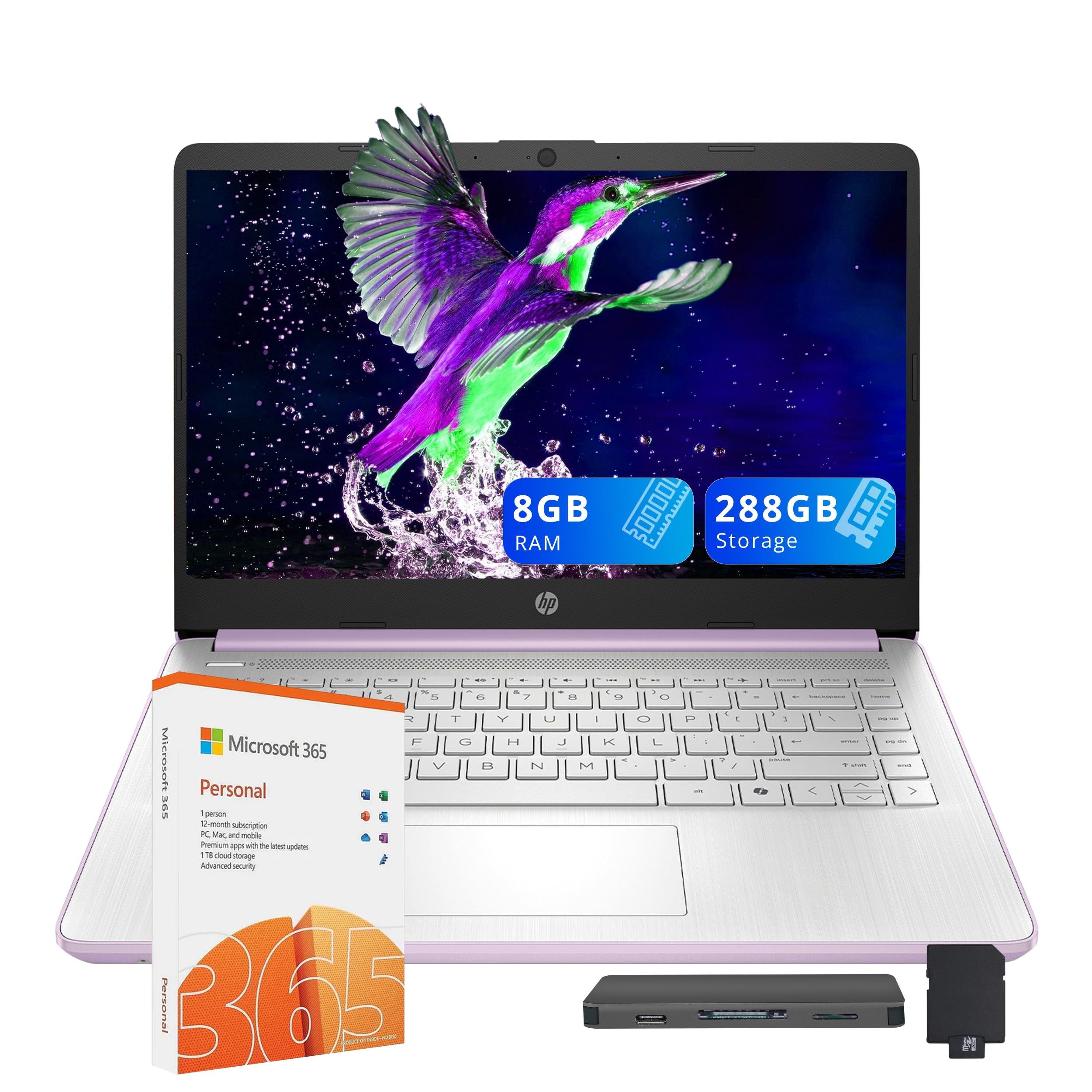
Here is the number that decides this pick. You get 288GB of storage in a three-part setup: a 128GB UFS drive inside the laptop, a 128GB docking station that plugs in, and a 32GB microSD card with an adapter. Put that beside the ASUS Chromebook CX1400 at 32GB and the gap is huge — this machine gives you 288GB against 32GB. That is the difference between a laptop with room for a school year of files and one that fills up by Christmas.
Memory is where this one pulls ahead. 8GB of RAM (the short-term working space the laptop uses for open apps and tabs) is double the 4GB in the OTVOC 15.6″ model. In practice, that lets you keep a dozen tabs open while a video call runs in the background without the whole thing crawling. The Intel Processor N150 inside is a low-power chip built for office work, browsing and light apps — not gaming, not video editing. With Windows 11 and a year of Microsoft 365 included, it is a complete school or home-office setup from the start. The docking station set also turns a cheap machine into a small desk setup with an external monitor and a spare drive.
Parents seem to be the happiest buyers here. As buyers put it: “Bought it for my kids 11th birthday. She loves it, has used it everyday since. Purple is her favorite color so thats a plus!
Where it earns the top spot
- 288GB total storage across the drive, dock and microSD card — the most room in this guide
- 8GB of RAM doubles what the OTVOC offers, so more tabs stay open without stutter
- A year of Microsoft 365 and a 7-in-1 docking station come in the box
- Wi-Fi 6 keeps the connection steady on a busy home network
What to weigh before you commit
- The display tops out at 1366 x 768, so text is not as crisp as the full-HD panels further down this list
- Budget-tier Windows machines of this class ask you to keep expectations to browsing and documents
- Casual use is what this machine is built for — heavy photo or video work will feel slow
Best fit: a student or home user who wants Windows, real storage and a long battery-friendly chip in one box.
Think twice if: you need crisp full-HD text for long reading sessions — the 1366 x 768 panel is the trade-off.
2. OTVOC Laptop Computer 15.6 inch, Core i5 Processor
A full-HD 15.6″ panel is the headline — the sharpest big screen in the budget tier.
Most cheap laptops give you a 1366 x 768 screen. This one steps up to 1920 x 1080 on a 15.6″ IPS panel (IPS is a screen type that keeps colors consistent when you look from an angle). Documents, spreadsheets and video all look sharper and stay readable when you tilt the lid. If your day is a spreadsheet and a Zoom window side by side, that extra screen space is the practical difference between squinting and reading.
Under the hood it runs an Intel Core 8100Y processor with 4GB of RAM and a 128GB SSD. The SSD is the part that matters most here — it boots quickly and opens files without the lag of cheap eMMC storage. Windows 11 Home is pre-installed, so it is a working machine the minute it arrives. Do bear in mind the RAM is 4GB, half of what the HP Stream above carries, so holding many tabs open will ask more of this machine.
The honest catch with this pick is the battery. Buyers report it “takes days to recharge,” and the spec sheet lists 4 hours of battery life with 6 hours on standby. It is best treated as a plug-in-everywhere desk laptop rather than a true travel machine. The build quality and the screen are what earn the space here — the value for money is real, but plan around the charger.
The screen is the sell: a 1920 x 1080 IPS panel on a 15.6″ laptop in this bracket is rare, and it is what makes long reading sessions comfortable.
Plan around the plug: 4 hours of listed battery life and slow recharge mean this belongs on a desk, not in a backpack for a full day out.
Reach for this if: you want the sharpest big screen for study or a home desk and you work near an outlet.
Look elsewhere if: you need all-day untethered use — the 4-hour battery is the real limit.
3. ASUS Chromebook CX1400 14″ HD NanoEdge (Renewed)
At 2.7 lbs and 0.6″ thin, this is the one that disappears into a bag.
Chrome OS (Google’s lightweight operating system that runs web and Android apps) is why this machine feels quicker than its spec sheet suggests. An Intel Celeron N3350 with 4GB of RAM does not look like much, but without Windows running in the background it boots fast and handles browsing, email and video calls without drama. If your work lives in a browser, you will not feel the chip holding you back. If it lives in a desktop program, this is the wrong machine for you.
The 32GB eMMC drive is the one real constraint. That is enough for the system and apps because Chrome OS stores your files in the cloud, but it leaves very little room for downloads and local media. This is a cloud-first laptop by design, not a filing cabinet.
As a renewed unit, condition is the wildcard. Some arrive looking untouched, some show wear on the edges, and the occasional unit runs slow on upload and download. Buy it from a seller with a clear return window and test it in the first week. For light travel and classroom use where everything lives online, it does the job at a genuinely low weight.
The weight is the point: 2.7 lbs and 0.6″ thick makes this the lightest machine in this list, and the 14″ NanoEdge screen keeps a slim bezel around the display.
Small drive, cloud storage: 32GB of eMMC means you store almost everything in Google’s cloud rather than on the laptop itself.
Renewed means check it early: condition varies from like-new to visibly used, so open it and test it inside the return window.
Buy it for: a second laptop that lives in a bag and syncs everything to the cloud.
Not for you if: you need local files, installed software, or Windows programs — 32GB of eMMC will not carry them.
4. Dell Latitude 3190 11.6″ HD 2-in-1 Touchscreen (Renewed)

A folding touchscreen laptop with Windows 11 Pro, for people who read and take notes more than they type.
The screen is what decides this pick. An 11.6″ HD touchscreen at 1366 x 768 folds back into tablet mode, and the keyboard disables itself once you pass 90° — so you can hold it like a tablet to read, sketch or take notes without accidental key presses. The Intel Celeron N5030 is a quad-core chip (four lanes, up from two) and it handles browsing and email comfortably. Windows 11 Pro comes pre-installed, and 128GB of SSD storage leaves room for real files.
The standout spec is the battery: 11 hours listed, comfortably the longest of the Windows machines here. It makes the Latitude a sensible pick for a full day at school or a long shift in a coffee shop. The small 11.6″ size is also a strength if you are carrying it constantly — and a weakness if you want a big canvas for spreadsheets.
The renewed caveat is about condition, not design. The build is solid, but refurbished units arrive in a range of states — most looking used but working, some with a weak battery that needs replacing, and the rare one that arrives scratched or will not power on. Test the charging and the hinge on day one.
Why it earns its spot
- Folding touchscreen turns the laptop into a tablet for reading and note-taking
- 11 hours of listed battery life outlasts every other Windows machine here
- Windows 11 Pro and a 128GB SSD give you a real working machine
- Compact 11.6″ frame is easy to carry all day
The renewed reality check
- Refurbished units vary widely in condition — some need a new battery
- The 11.6″ screen is small for spreadsheet work
- 1366 x 768 resolution shows its age next to the full-HD panels here
Pick this one if: you want touch, tablet mode and long battery for reading and note-taking on the move.
Look past it if: you need a big screen for detailed spreadsheets, or you would rather not deal with refurbished condition risk.
5. HP Stream 14″ HD BrightView, Intel Celeron N4120 (Renewed)
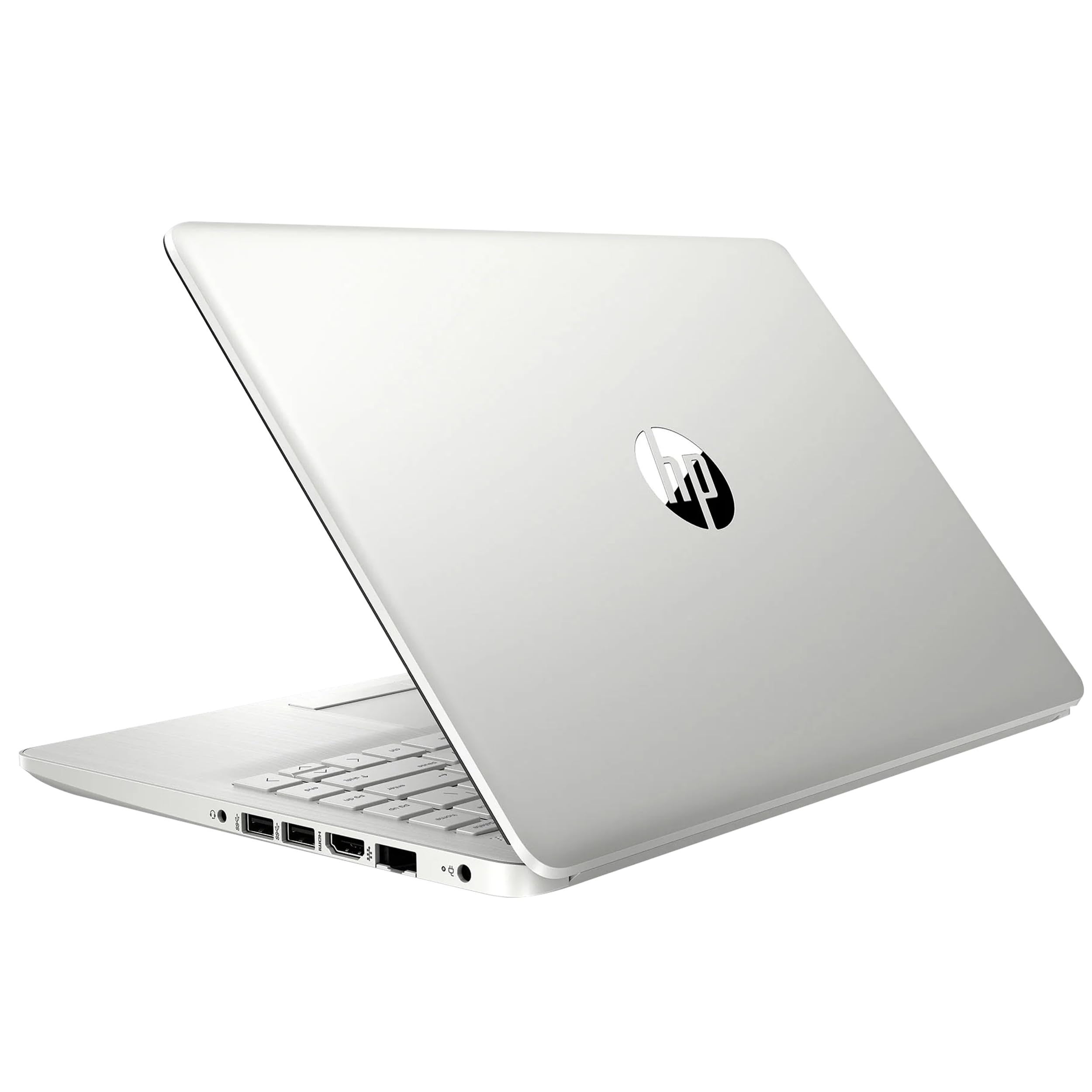
A four-core Celeron and a slim 14″ frame for the family desk and the classroom.
The chip here is the Intel Celeron N4120 — four cores running at up to 2.6 GHz, a step up from the two-core chips in some of the Chromebooks here for Windows tasks. It handles browsing, email, homework and a video call at once, which is exactly the workload a home or school laptop lives on. Windows 11 S comes pre-installed, a locked-down version of Windows that runs only apps from the Microsoft Store — safer for a child or a shared machine, but you will want to know that before you buy.
The 14″ BrightView screen has a glossy finish and a slim bezel, which makes it a pleasant screen for video. The 4GB of RAM and 64GB of eMMC storage keep this a light-duty machine — think documents and streaming, not heavy multitasking or local file hoarding. Ports include two USB-A, one USB-C, an HDMI and a headphone jack, so plugging in a monitor or a headset is straightforward.
The catch is the speed under load. On heavier pages this machine can feel slow, and a couple of buyers ran into a sign-in cut-out and a loose hinge cover on arrival. Those are the kind of issues that a return window takes care of — but this is a basics laptop, so judge it on whether it meets that bar rather than asking it to be a fast machine.
The core count helps: four Celeron cores at up to 2.6 GHz keep daily browsing and document work moving without much stutter.
Windows 11 S is a fair trade: the locked-down version of Windows adds safety for shared family use, at the cost of running only Store apps.
Built for light duty: 4GB of RAM and 64GB of eMMC storage set the ceiling for how far you can push it.
Good for: a family or student machine for browsing, docs and video — especially if safety is a priority.
Skip the S version if: you need desktop programs outside the Microsoft Store, or you want a snappy feel on heavy websites.
6. Lenovo IdeaPad 3 15.6″ FHD Chromebook

A full-HD 15.6″ Chromebook with an anti-glare finish and a large, comfortable canvas.
The display is the reason to look here. A 15.6″ 1920 x 1080 panel with an anti-glare finish and a rated 220 nits of brightness (how much light the screen throws out) gives you a big, readable work area. Combined with the Intel Celeron N4500 and 4GB of LPDDR4x memory, this Chromebook opens pages quickly and keeps a browser session smooth. Chrome OS boots fast, updates itself and runs Android apps through the Play Store, which covers Google Docs, Gmail and most school software.
What you give up is Windows. If your course or job needs a specific desktop program, this machine will not run it. What you get in return is a well-packaged, responsive machine that handles light use without fuss. Bluetooth 5.2 keeps wireless peripherals stable.
One quirk worth knowing about: the privacy slider above the camera has to be switched manually, so don’t assume the camera is broken when it shows black. And this is a light-duty machine by design — the review pages are split on whether it holds up to many apps at once, so keep it to a browser-and-docs workload and it stays comfortable.
The screen is worth the upgrade: 15.6″ at 1920 x 1080 with an anti-glare coat reads well in bright rooms.
Chrome OS keeps it light: booting fast and updating itself without effort is the payoff of Google’s lighter operating system.
Browser-and-docs only: push it to heavy multitasking and the 4GB of memory and Celeron chip run short.
Choose this if: your work is browser-based and you want the biggest sharp screen for the money.
Pass if: you need Windows software or a machine that handles many apps at once — the 4GB of RAM caps it.
7. Acer Chromebook 315 Laptop (Renewed)

The best-reviewed pick here — a big full-HD screen, 10 hours of battery and a Chromebook that just runs.
This is the crowd favorite — 4.5+ stars across 900+ owners — and the reason is simple: a 15.6″ 1920 x 1080 screen, fast Chrome OS boots and 10 hours of battery, with no fuss. The 15.6″ 1920 x 1080 screen is bright and easy to read, the Intel Celeron N4500 boots it fast, and Chrome OS means it stays quick with almost no maintenance. The 4GB of RAM and 64GB of flash storage are the standard Chromebook recipe, but the polish here is the point.
Battery life is listed at 10 hours, which is more than enough for a school day or a long flight. The 0.79″ thin Pure Silver body sits easily on a desk or in a bag. And if you already use an Android phone, the sync makes the switch easy — messages, files and photos line up.
The photos and scratches of a renewed unit are the one thing to check on delivery. Most arrive looking close to new, and the odd one has a scuff on the lid or a scratch on the base. Open it, power it on and give the screen a pass before the return window closes. For a first laptop or a desk machine for a senior, this is the low-fuss pick that does not feel like a compromise.
What people love about it
- 10 hours of listed battery life carries a full day away from a socket
- A 1920 x 1080 panel at 15.6″ is sharp and bright
- Chrome OS boots fast, updates itself and syncs with an Android phone
- Arrives in like-new condition more often than not
What to expect as a downside
- Renewed units can carry a scuff or scratch here and there
- Chrome OS will not run desktop Windows programs
- 4GB of RAM handles a browser fine, but not heavy multitasking
Best for: someone who wants a reliable, low-maintenance Chromebook with a big sharp screen and no Windows learning curve.
Check first if: you need desktop software or a brand-new unit with a full factory warranty.
8. Samsung 14″ Galaxy Chromebook Go

Twelve hours of battery and a 14″ screen built for the school run.
The battery is the headline: a listed 12 hours of use, the longest in this guide, on a slim 14″ Chromebook built for the school run. For a student who leaves the charger at home, that is the difference between a laptop that lasts the school day and one that does not. The Intel Celeron N4500 and 4GB of RAM are the same recipe as the other Chromebooks here — enough for browsing, email, streaming and Google Docs without lag.
The 14″ screen sits at 1920 x 1080, so documents and video stay crisp, and the whole thing is built to be carried around. Samsung rates the Wi-Fi 6 connection at three times the speed of the previous Wi-Fi generation, which helps when the whole class is on the same network. Phone-to-Chromebook file transfer ties in neatly if you already own a Samsung phone.
The one thing to know is that reliability is mixed in the review pages — most units work well, but a small share stop working entirely, and speed divides opinion, with some finding it quick and others slow. If you are buying for a student, keep the purchase inside a return window and test it on arrival. For most buyers, that caveat is background noise; the machine is still a strong pick for a 14″ screen with real all-day battery.
All-day battery changes the routine: 12 hours of listed use means the charger can stay at home.
A crisp 14″ display: 1920 x 1080 keeps text sharp in Docs, Gmail and streaming.
Worth flagging: reliability is mixed and speed divides opinion, so test it early inside the return window.
Buy for: a student who needs a light 14″ laptop that lasts a full school day and syncs with an Android phone.
Think twice if: you need guaranteed reliability out of a brand-new unit or heavy desktop multitasking.
9. NIMO 17.3″ IPS FHD Laptop, Intel 6-Core i3-1215U

A 17.3″ desktop-sized laptop with a six-core chip — the most powerful machine in this guide.
If you want the biggest screen and the most headroom, start here. A 17.3″ 1920 x 1080 IPS anti-glare panel gives you a desktop-sized canvas, and the six-core Intel i3-1215U is a tier above the Celerons that dominate this bracket — it handles many browser tabs, spreadsheets and video calls at once. With 8GB of RAM and a 256GB SSD behind it, this is a genuine all-rounder for school and business, not just a browser machine.
The extras stack up. Wi-Fi 6 keeps the connection stable, a backlit keyboard helps late at night, a fingerprint sensor built into the touchpad gets you in with one touch, and a 65W USB-C charger also powers your phone and tablet. A 2-year warranty and 90-day return policy are on the table too, which matters when you are spending more.
The trade-off is weight and price position: this is the premium machine in the group and the heaviest, built to live on a desk. The gaming caveat is clear — the review pages say it is not for gamers, and for a desktop-style machine with a big screen, that is fair. For a home office or a student who wants a full-size screen, it earns its place.
The chip is the differentiator: a six-core i3-1215U with 8GB of RAM and a 256GB SSD beats the Celerons on any heavier task.
A desk machine, not a backpack machine: 17.3″ of screen and the heaviest frame here mean it belongs to a desk.
Extras worth noting: backlit keyboard, fingerprint login, a 65W USB-C charger and a 2-year warranty.
Best for: a home office or student who wants a full-size screen and real power and will leave it on a desk.
Not the one if: you need portability or plan to game — the size and the gaming caveat point elsewhere.
Know the Specs
Processor (the chip that decides speed)
The processor is the part that runs every app and tab you open. In this bracket you will meet Celeron chips like the N4120 and N4500 (usually two to four cores, built for light work) and up to a Core i3-1215U with six cores. More cores means more things at once, so a six-core chip handles spreadsheets plus a video call better than a two-core one. Match the chip to the work: browsing and Google Docs on a Celeron is fine, heavy multitasking wants the i3.
Storage (eMMC vs SSD)
Storage is where your files live. eMMC is a chip soldered to the board — fast to boot, cheap to build, and impossible to upgrade. An SSD is a proper drive that transfers large files faster and is what you want if you plan to install software. In this bracket 32GB of eMMC is tight once the system takes its share; 128GB or more leaves room to breathe. Look for the number of gigabytes and the type, not just the model name.
RAM (the working space)
RAM is the short-term memory that holds whatever you have open right now. 4GB is the standard budget figure and it is enough for a browser with a handful of tabs and a document. 8GB lets you keep many tabs in the background plus a video call without the machine choking. If you see 8GB on a cheap laptop, that is one of the strongest specs it can carry.
Resolution and panel type
Resolution is the number of dots on the screen. 1366 x 768 is the budget standard and fine at small sizes; 1920 x 1080 is noticeable sharper, especially on a 15.6″ or 17.3″ screen. IPS is a panel type that keeps colors and brightness steady from an angle. Anti-glare is a matte finish that cuts reflections in a bright room. All three of these decide how comfortable a cheap screen is to read on for hours.
Common Questions
What can a laptop in this bracket realistically do?
Is a Chromebook or a Windows laptop better for school?
How much storage do I really need?
Can I upgrade the RAM or storage later?
Is a renewed laptop safe to buy?
Will a Celeron chip feel slow?
Do these laptops have a full-HD screen?
Can I run Microsoft Office on a cheap laptop?
How long will the battery last day to day?
Should I buy the biggest screen or the best chip?
The Bottom Line
For most people buying in this price bracket, the winner is the HP Stream 14″ with the Intel Processor N150 — 8GB of RAM and 288GB of storage across three parts, plus a year of Microsoft 365 and a docking station in the box. It has the most storage and memory of any pick here, and that is the “why this one” reason.
If a big full-HD screen is what you covet, the Acer Chromebook 315 is the crowd favorite of this group, holding 4.5+ stars across 900+ owners and pairing a 15.6″ 1920 x 1080 panel with 10 hours of listed battery. And for a student who needs the longest day away from the charger, the Samsung Galaxy Chromebook Go carries a listed 12 hours of battery in a 14″ frame at 1920 x 1080.
If you want the most power and the biggest screen and will keep the laptop on a desk, the NIMO 17.3″ with its six-core i3-1215U, 8GB of RAM and 256GB SSD is the one to reach for. Pick by the specs you cannot upgrade later — RAM and storage — and you will get years out of any of these.
How we choose
We do not accept paid placement. Every pick is matched to a real buyer and a real use-case; we do not hands-on test units.
Sources
Specifications: manufacturer listings and product documentation. Review insights: verified customer reviews, as of October 2026. Pricing: not shown on this page (it changes often); check the current price via the retailer link.
As an Amazon Associate, Aappliancez earns from qualifying purchases. This does not affect which products we feature.