Disclosure: Some links in this post are affiliate links. As an Amazon Associate I earn from qualifying purchases, at no extra cost to you. Learn more
Specs are compiled from manufacturer listings and verified buyer reviews and can change over time — please confirm the key details on the product page before buying.
You want a laptop that starts fast and stays fast — not one that greets you with a dozen trial apps and pop-ups from the moment you open it. The machines on this list are the ones you can actually clean up or that arrive already clean, so your first hour goes to real work instead of uninstalling junk. Below you’ll find twelve picks sorted by what they actually demand of you on day one.
This guide is built by comparing the manufacturers’ published specifications and the patterns across verified customer reviews, so you get each pick’s real strengths and trade-offs instead of marketing spin.
You’ll see which machines give you a fresh install you control and which bury you in trials — plus the specs that actually matter for a clean daily driver. These picks focus squarely on what makes a strong laptop without bloatware for everyday work, school, and creative use.
Top Picks


How To Choose The Best Laptop Without Bloatware
The cleanest machine on paper can still arrive stuffed with trials and tools you never asked for. Bloatware — the extra software your manufacturer or retailer preinstalls — is what slows a fresh boot, eats your drive space, and pushes pop-ups in your face. Your job is to know before you buy how easy it is to strip that out or whether the machine ships clean to begin with.
Start with the operating system, not the sticker
A macOS machine has no third-party trials layered on by a retailer, and a MacBook hands you a tidy setup from the first boot. Windows 11 Pro gives you more control over what runs at startup than the Home edition does, so business-class machines on Pro often feel cleaner after a short cleanup. Some retailers also sell a “Signature Edition” that arrives without extra software — that label is worth hunting for if you want to skip the purge entirely.
Check how much RAM and SSD you get — it decides how long you stay clean
Memory, measured in gigabytes (GB), is the workspace your apps share. With only a handful of GB, one stray background program can make everything crawl, so 16GB or more leaves room for whatever the manufacturer left installed and whatever you open next. Storage, measured in gigabytes or terabytes (TB), matters the same way: a 512GB solid-state drive (SSD — a fast, chip-based drive with no spinning parts) gives you breathing room to remove trials and still keep your files.
Weigh the price against the cleanup chore
A big discount sometimes means a pile of preinstalled software you’ll spend an afternoon deleting. A machine with a clean install and a strong processor saves you that afternoon. Decide which cost you’d rather pay — a little more up front, or a little time on setup — before you click buy.
Side-by-Side Comparison
| Model | Best For | OS | Memory | Storage | Amazon |
|---|---|---|---|---|---|
| Apple 2026 MacBook Neo 13-inch★ Best Overall | Clean macOS setup | macOS | 8GB unified memory | 512GB SSD | Amazon |
| GEEKOM GeekBook X16 ProTop Performer | Big screen, all-metal build | Windows 11 | 32GB LPDDR5x | 2TB PCIe Gen4 NVMe SSD | Amazon |
| LG 2025 Gram 17Best Display | Large touchscreen on the go | Windows 11 Pro | 32GB LPDDR5X | 2TB SSD | Amazon |
| HP 17.3″ Touch Laptop | Big screen on a budget | Windows 11 Home | 16GB | 512GB PCIe SSD | Amazon |
| Lenovo V15 Gen 4 | Business basics, clean Pro | Windows 11 Pro | 16GB | 512GB SSD | Amazon |
| Dell XPS9350-5340SLV | Signature Edition, no extras | Windows 10 | 8GB LPDDR3 | 256GB SSD | Amazon |
| HP 17.3″ Business Laptop | Huge storage and RAM | Windows 11 Pro | 64GB DDR4 | 2TB PCIe SSD | Amazon |
| Lenovo ThinkBook 16 Gen 8 | Security-minded professionals | Windows 11 Pro | 32GB DDR5 | 1TB PCIe SSD | Amazon |
| Microsoft Surface Laptop (2024) | Copilot+ AI on ARM | Windows 11 | 16GB | 1TB SSD | Amazon |
| Dell Pro 15 | Maximum memory and storage | Windows 11 Pro | 64GB DDR5 | 4TB PCIe NVMe SSD | Amazon |
| msi Katana 15 HX | Gaming power | Windows 11 Home | 32GB DDR5 | 1TB NVMe SSD | Amazon |
| LG gram Pro 17 | Premium creative on the go | Windows 11 Home | 32GB DDR5 | 2TB SSD | Amazon |
Detailed Reviews
1. Apple 2026 MacBook Neo 13-inch Laptop with A18 Pro chip
Our pick — 4.5+★ from 1,500+ verified ratings; the strongest balance of quality and price.
The macOS pick that skips the trial-app parade and boots straight to work.
If you want the least fuss on day one, this is it. macOS itself doesn’t come loaded with the third-party trial software retailers pile onto Windows machines, so the first boot is the cleanest of the twelve. Apple’s own 8GB unified memory (one pool shared between processor and graphics) and 512GB SSD keep everyday performance smooth. That combination earns it 4.5+ stars across 1,500+ ratings, the most-reviewed pick in this guide.
The parts that matter for daily use: the A18 Pro chip powers the everyday apps in macOS, and the 13-inch Liquid Retina display supports 1 billion colors so text stays crisp for long reading sessions. At 2.71 pounds, it slips into a backpack without a second thought. Up to 16 hours of battery life covers a full day of classes or work before you reach for a charger. The 1080p FaceTime HD camera and dual-mic array keep video calls clear.
The catch is partly about what’s missing. There’s no keyboard backlight, so typing in a dark room is a chore. The speakers are flat with little bass. And with 8GB of memory, heavy multitasking will feel tighter than it does on the 32GB GEEKOM — a real difference you’ll notice only if you keep dozens of browser tabs open.
What earns it top spot
- macOS arrives without the retailer trial software Windows machines often carry
- Up to 16 hours of battery life — a full work or school day
- 2.71 pounds and a 13-inch Liquid Retina display that handles 1 billion colors
- The A18 Pro chip and macOS speed keep everyday apps responsive
Where it asks you to adjust
- No keyboard backlight, so typing in a dark room is harder
- Speakers are flat with no bass
- 8GB unified memory leaves less headroom for heavy multitasking than the 32GB GEEKOM
The clean-start favorite: Best for students and everyday users who want a tidy setup and all-day battery without touching an uninstall list.
Worth a pause if: You keep dozens of browser tabs open at once or need to type in the dark — the 8GB memory and missing backlight will remind you.
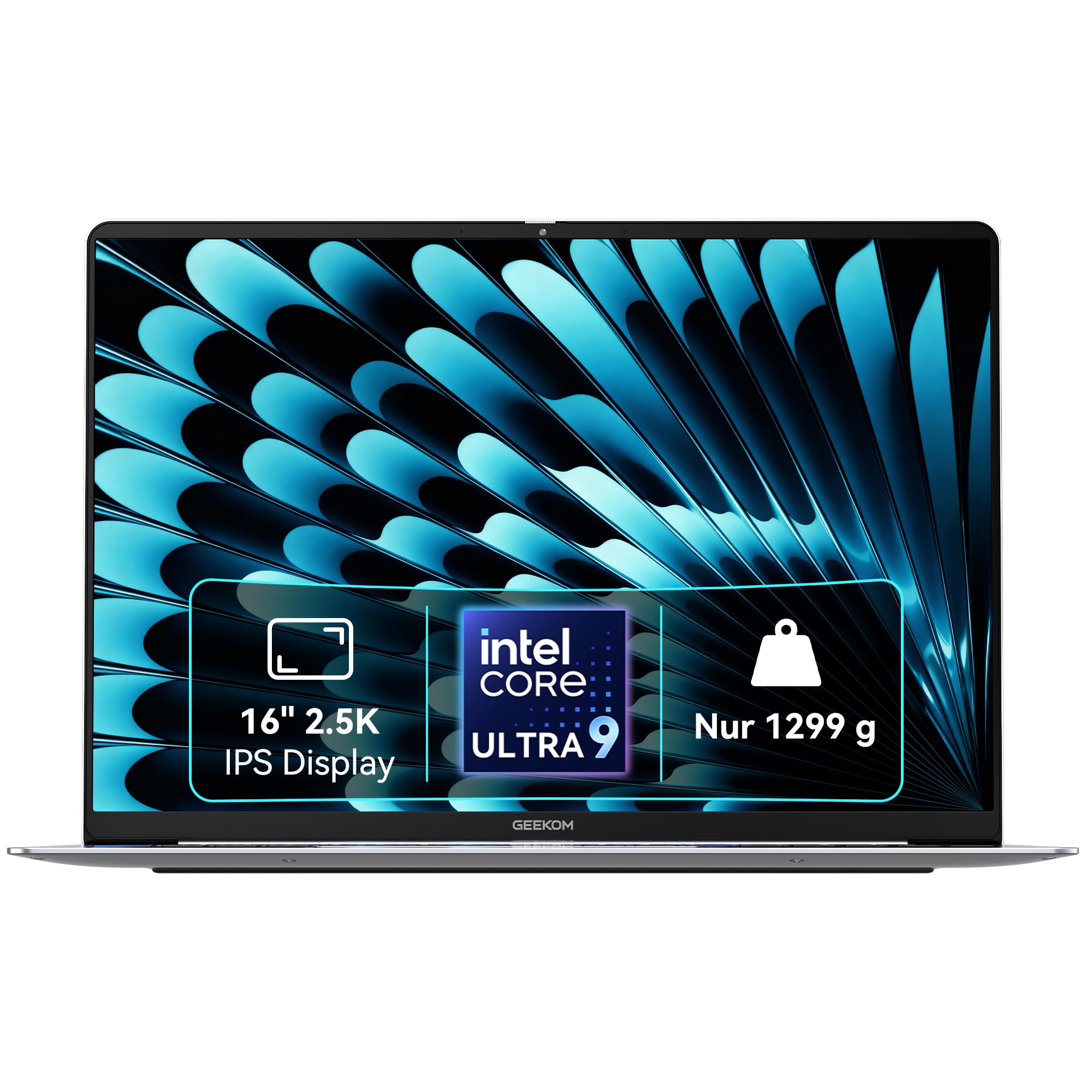
2. GEEKOM GeekBook X16 Pro Laptop
A 16-inch workhorse with the memory and screen to swallow anything you throw at it.
This is the pick for someone who needs to run serious software — CAD, video editing, big spreadsheets — and doesn’t want to clean house first. The 32GB of LPDDR5x memory at 7500MHz is four times the 8GB in the MacBook Neo, so heavy apps and stacks of browser tabs stay smooth. A 2TB PCIe Gen4 NVMe SSD gives you space to install what you want and leave the rest.
The 16-inch 2.5K (2560 × 1600) IPS display is the other headline. It covers 100% of the sRGB color range and reaches 400 nits of brightness, so your work stays readable near a window. The 120Hz refresh rate makes scrolling feel fluid. Under the hood, the Intel Core Ultra 9 185H chip runs 16 cores and 22 threads up to 5.1 GHz, kept steady by the IceBlade 2.0 dual-fan cooling system. A 77Wh battery is rated for up to 17 hours, and the machine weighs just 2.8 pounds in a magnesium-alloy chassis.
The honest trade-off is setup fan noise: during a long update run, the fans can spin up and the chassis can warm before it settles. Bluetooth 5.4 and Wi-Fi 6E handle the pairing and network side, so once it’s configured, it behaves. 32GB of memory and a 16-inch 2.5K 120Hz screen at this price is a strong value.
Memory vs the Mac: The 32GB here against the MacBook Neo’s 8GB is the biggest gap in the round — four times the working room for heavy apps, which shows in how CAD and editing jobs stay fluid.
Screen and weight together: A 16-inch 2.5K panel with 120Hz in a 2.8-pound body is rare — you get the bigger canvas without the usual heft.
Reach for this if: You run demanding software and want a big, sharp screen without a desktop-sized machine.
Look elsewhere if: You want a silent first hour — the setup process can spin the fans loud before things cool down.
3. LG 2025 Gram 17 Ultra-Light Business Laptop
A 17-inch touchscreen you can carry one-handed — Windows 11 Pro, zero bloat.
Windows 11 Pro is the draw here for anyone who wants control. It gives you more say over startup apps and background processes than Home, so a short cleanup keeps it lean. Pair that with 32GB of LPDDR5X memory and a 2TB SSD, and you have a machine that stays responsive long after you’ve stripped out whatever you don’t want.
The 17-inch 2560×1600 touchscreen with a 320-nit anti-glare coating is the feature that wins people over. It’s a big canvas for spreadsheets and design work, and the touch layer makes quick taps natural. At 3.2 pounds, it’s the lightest 17-inch machine on this list. The Intel Ultra 7 258V chip with a built-in NPU (a dedicated chip for AI tasks) sits at the center, backed by Intel Arc graphics. Thunderbolt 4, USB4, HDMI 2.1, and Wi-Fi 7 cover the connection side.
The honest note is that a big touchscreen doesn’t suit everyone — if you mostly type, the touch layer is a feature you’ll rarely use. And the 320-nit panel is bright enough for most rooms but not a match for full outdoor glare. A 17-inch 2560×1600 touchscreen in a 3.2-pound body is a rare pairing.
What makes it distinct: The 17-inch 2560×1600 touch display at 3.2 pounds — you carry a big-screen workspace like a standard 13-inch laptop. The 320-nit anti-glare coating keeps it readable in a bright room.
One thing to weigh: Windows 11 Pro and the 32GB/2TB combo give you a clean, capable platform, but the touchscreen adds little for pure keyboard work.
Suits you if: You want a big touchscreen for creative or spreadsheet work and refuse to carry a heavy 17-inch brick.
Think twice if: You never touch the screen — that feature adds weight and cost you’d rather put elsewhere.
4. HP 17.3″ Touch Laptop Computer PC

The big-screen budget pick for families and students who want simple.
This is the machine for someone who wants a large touchscreen without a large bill. The 17.3-inch HD+ (1600 x 900) BrightView touchscreen at 250 nits is roomy enough for streaming and browsing, with tap-and-swipe control that makes it easy to use. The Intel Core i3 processor with 8 cores and 8 threads runs everyday tasks, backed by 16GB of RAM and a 512GB PCIe SSD so it starts fast and keeps tabs open.
What buyers appreciate most is how it handles the basics. It boots quickly and stays responsive for mail, chat, and streaming. Setup is straightforward, and the 4.6-pound body moves easily between rooms. Wi-Fi 6 and Bluetooth 5.4 keep the wireless connection stable, and the full-size keyboard with a numeric keypad makes data entry faster.
The catch is speed expectations. The processor handles everyday work well, but it’s not built for heavy editing or gaming — a few find it slow when pushed, which is a fit note rather than a fault. If your day is browsing, video calls, and documents, it keeps up. For heavier workloads, look higher up this list.
Where it shines: A 17.3-inch touchscreen and 16GB of RAM for simple, everyday use — it boots fast and keeps the basics smooth.
What to expect: The Intel i3 is tuned for light tasks; heavy editing and gaming will feel the limit.
Built for: Students and families who want a big touchscreen for browsing, streaming, and schoolwork without a fuss.
Skip if: You plan to edit video or run demanding software — the i3 processor is tuned for everyday tasks, not heavy lifting.
5. Lenovo V15 Gen 4 Business Laptop

The dependable office workhorse that shows up on time and stays out of the way.
Reliability is the story here, and it’s the thing buyers praise most about this Lenovo. The Intel Core i5-13420H processor runs 8 cores and 12 threads up to 4.6 GHz, which is more than enough for spreadsheets, email, and business apps. Windows 11 Pro keeps the startup cleaner and gives you control over what runs in the background. The 15.6-inch FHD (1920 x 1080) display makes text easy to read through a long workday.
What you get for the money is a sturdy chassis, a satisfying keyboard, and a full numeric keypad for fast number entry. There’s an RJ45 Ethernet port for a wired connection when Wi-Fi isn’t reliable, plus HDMI and USB-C. Storage is a 512GB SSD paired with 16GB of RAM, so it handles multitasking without lag.
The honest trade-off is battery life, which is the most-discussed concern — it’s not an all-day machine, so keep the charger nearby on travel days. The power supply also draws mixed feedback on connecting certain USB-C cords. If you work mostly at a desk, neither will slow you down much.
Why professionals like it
- Windows 11 Pro gives you a cleaner startup to manage
- 8 cores and 12 threads up to 4.6 GHz handle business apps
- RJ45 Ethernet and a full numeric keypad for office work
- Sturdy build with a satisfying keyboard
What to plan around
- Battery life is short — no all-day unplugged work
- Some USB-C power cords don’t play nicely with the supply
Made for: Office workers and students who want a rock-solid laptop with a wired port and Pro control, mostly desk-bound.
Not for: Long unplugged days — battery life is the weak spot, so pack the charger.
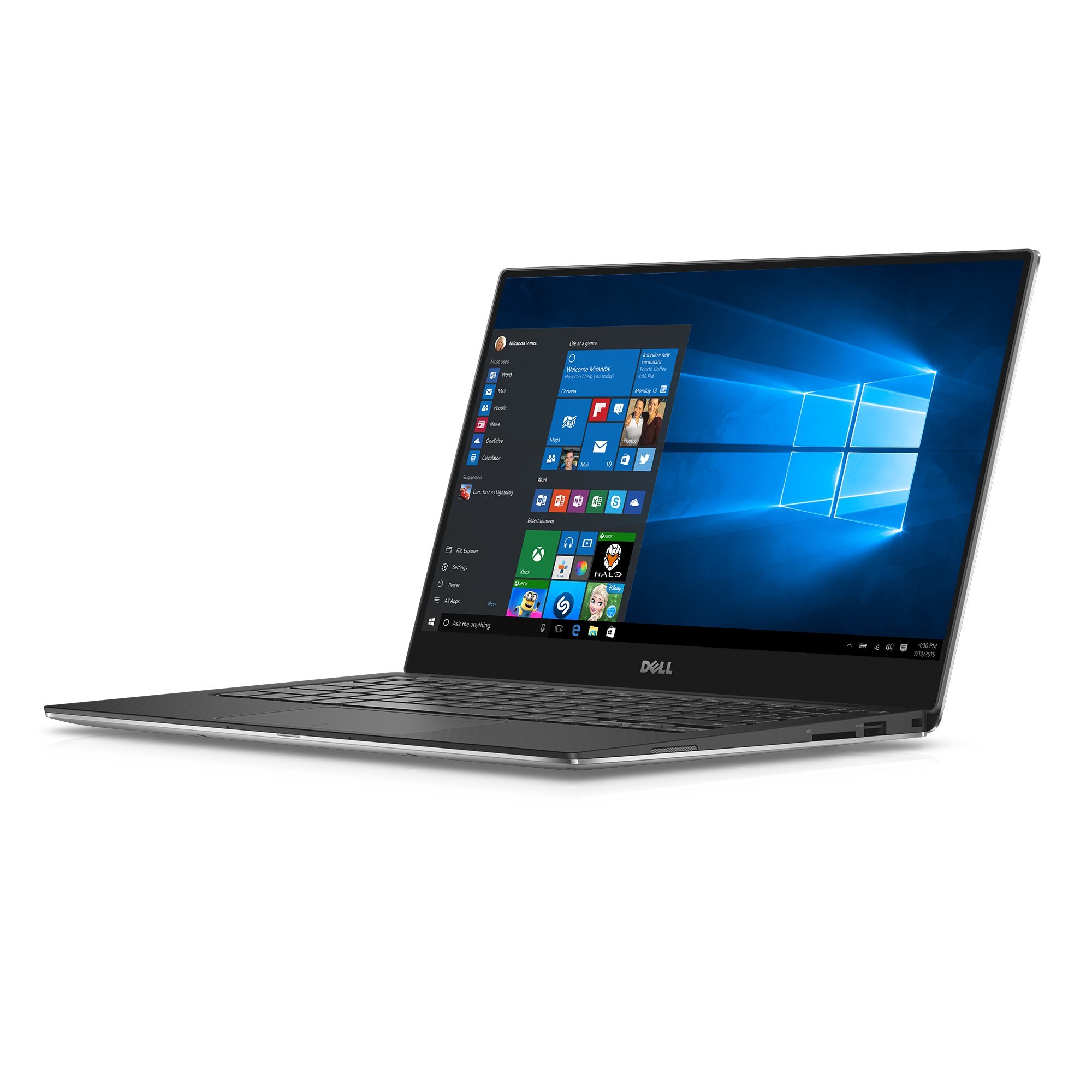
6. Dell XPS9350-5340SLV 13.3 Inch QHD+ Touchscreen Laptop
The one that literally says no bloatware on the box — Signature Edition.
If the purest clean install is your goal, this Dell is the textbook case. It’s a Microsoft Signature Edition machine, which means it ships without the extra software a typical retailer adds. That alone makes it the most literal fit for anyone hunting a laptop without bloatware. The 13.3-inch QHD+ (3200 x 1800) touchscreen is crisp and colorful, and the machined aluminum chassis feels solid at a light weight.
The spec set is a package deal: an Intel Core i7-6500U, 8GB of LPDDR3 memory, and a 256GB SSD. That’s enough for browsing, documents, and light creative work. The high-resolution display is the showpiece — text and photos look sharp. You get USB-C plus USB-A and an SD card slot, so older accessories still connect.
The catch is that this is older hardware. A newer machine will feel faster for demanding apps. Buyers also note the Wi-Fi card can hiccup on setup, and the battery life varies depending on the high-res screen you’re driving. If a clean install matters most and your workload is light, it’s a sound pick.
Cleanest install on the list: The Signature Edition label means it arrives without retailer software — the most literal answer to a no-bloatware search.
The age caveat: The i7-6500U and 8GB memory are older-generation, so heavy apps and newer software will run slower than the newer picks.
Worth it for: Buyers who value a clean, bloat-free install above all and keep to browsing and documents.
Might disappoint if: You need speed for heavy apps — this is older hardware under a beautiful screen.
7. HP 17.3″ Business Laptop Computer

A massive-memory desktop replacement with room for everything you edit.
This is the pick for someone whose workload is storage and memory heavy — video editing, big photo archives, spreadsheets with tens of thousands of rows. The 64GB of DDR4 RAM and 2TB PCIe SSD give you enormous headroom to install what you want and leave the rest. The 10-core Intel Core i5 runs up to 4.6 GHz with Intel Iris Xe graphics, and Windows 11 Pro plus a Microsoft Office license means you get straight to work.
The 17.3-inch 1600 x 900 LED screen at 250 nits is roomy for browsing and documents. It stays portable at a light weight for its size, and the port selection covers USB-C, two USB-A, and HDMI. The bundle includes a mini docking station with additional ports, so connecting a monitor and peripherals stays simple.
The thing to weigh is consistency. Reports on reliability run mixed — some machines run well, while a few have booted into trouble. The keyboard also isn’t backlit, which is a common omission. If you want maximum memory and storage from the start and can check the machine carefully on arrival, it’s a capable pick.
The raw numbers: 64GB of RAM and 2TB of SSD storage — the largest memory count on the list — put this in a different class for big files and heavy multitasking.
Check it on arrival: Reliability reports are mixed, so test it thoroughly during the return window. No keyboard backlight is the other common gripe.
Right choice when: You edit large files and want huge memory and storage wired in from day one.
Be careful if: You need guaranteed uptime — reliability reports are mixed, so verify the unit right away.
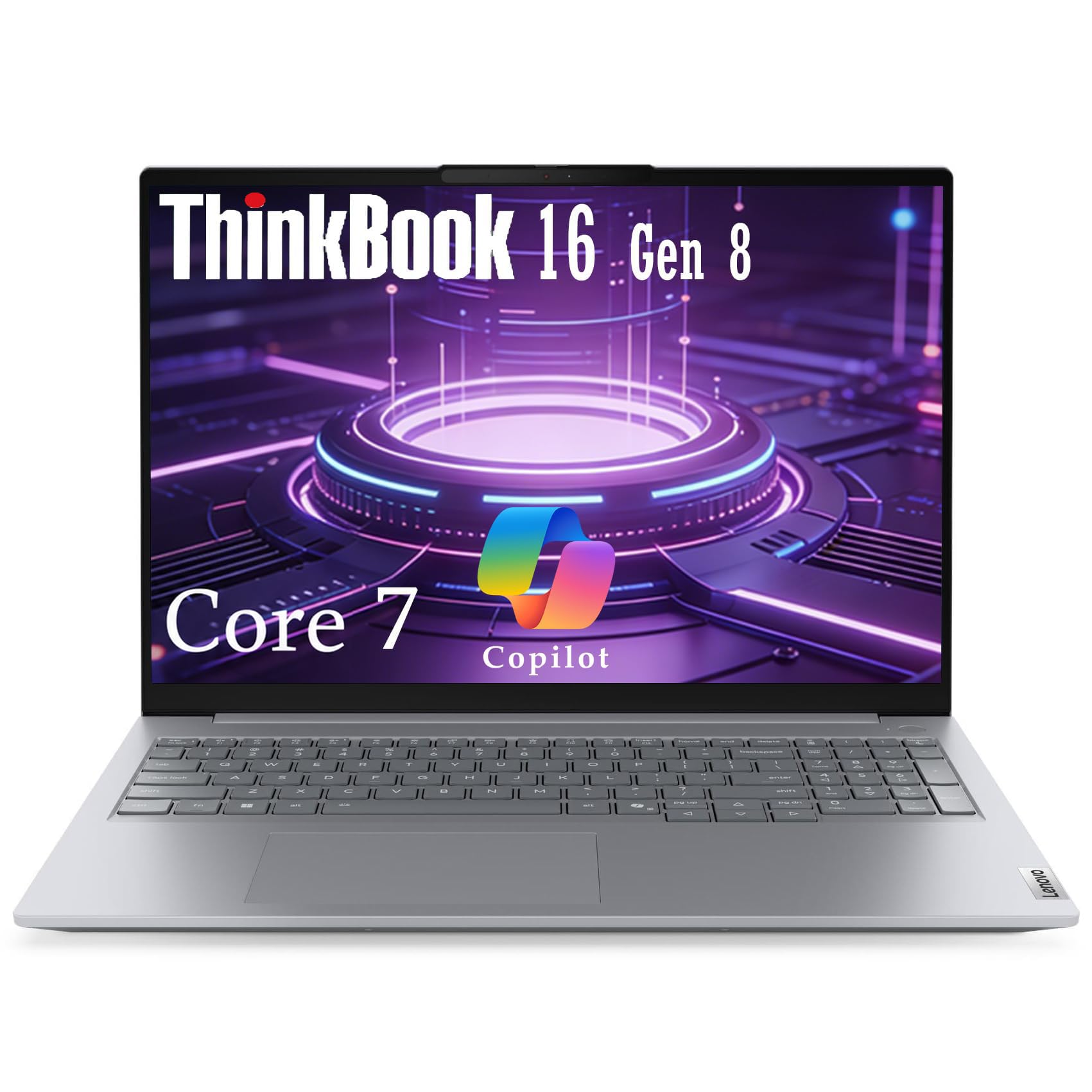
8. Lenovo ThinkBook 16 Gen 8 Business Laptop
A business laptop with the security hardware and ports to match its clean Windows 11 Pro install.
Built for professionals handling sensitive files, this ThinkBook pairs Windows 11 Pro with serious security hardware: a fingerprint reader in the power button, a Firmware TPM 2.0 chip (a security processor that stores encryption keys), and a privacy shutter on the 1080p camera. It’s also tested to MIL-STD-810H military-grade standards, so it can take the bumps of daily travel. The 32GB of DDR5 memory and 1TB PCIe SSD keep it fast under a full workload.
The 16-inch WUXGA (1920×1200) IPS anti-glare display at 300 nits is comfortable for long sessions, and the 90% screen-to-body ratio puts more screen in less space. The Intel Core 7 240H runs 10 cores and 16 threads up to 5.2 GHz. Connectivity is generous: Thunderbolt 4/USB4, two USB-A, HDMI 2.1, an SD card reader, Gigabit Ethernet, Wi-Fi 6E, and Bluetooth 5.3 — enough to dock to external displays without an adapter.
Where it asks you to compromise is the keyboard. Despite the spec sheet mentioning a backlit keyboard, some units appear to arrive without working backlighting, so typing in the dark isn’t guaranteed. Otherwise, the machine builds on a solid security foundation and a roomy screen. For business users who want control over their install and their data, it makes a strong case.
Security you can point to: TPM 2.0, a fingerprint reader, and a camera privacy shutter make it a genuine business machine, not just a laptop with Pro on the box.
The keyboard question: Backlighting is inconsistent — some buyers find no working light behind the keys, so check before you rely on it after dark.
For the security-minded: Professionals who handle confidential files and want Ethernet, Thunderbolt 4, and a 16-inch anti-glare screen in one machine.
One gamble: Don’t count on the backlit keyboard — check yours, because reports are inconsistent.
9. Microsoft Surface Laptop (2024)

An ARM-powered Copilot+ machine built to run Windows lean and cool.
This is the pick for someone who wants a modern, AI-ready Windows laptop with a clean-feeling setup. It’s a Copilot+ PC running on the Snapdragon X Elite chip with 16GB of RAM and a 1TB SSD, so it handles everyday tasks and AI features without breaking a sweat. The 15-inch touchscreen is big and bright, and Microsoft rates the battery at up to 20 hours.
What people notice first is how the whole thing feels. Owners describe a premium, MacBook-level build and keyboard, quiet running with no fan noise under light load, and a responsive touchpad. Face recognition signs you in hands-free. The 15-inch size is a comfortable middle ground for both desk work and travel.
The real catch is software compatibility. Because the Snapdragon chip runs on an ARM architecture (a different chip design than the Intel and AMD chips most Windows apps are written for), some older apps and virtualization tools may not work. Check anything mission-critical runs on ARM before you commit. If your apps are mainstream, the Snapdragon X Elite runs them fast and fanless.
Why it stands out: The Snapdragon X Elite and 16GB of RAM keep it cool and quick, with a 20-hour battery rating and a bright 15-inch touchscreen.
The compatibility check: ARM architecture means some older and virtualization apps may not run — confirm yours before buying.
Ideal for: Users who want a quiet, all-day Windows laptop with modern AI features and premium build.
Verify first if: You depend on older or virtualization software — the ARM chip won’t run all of it.
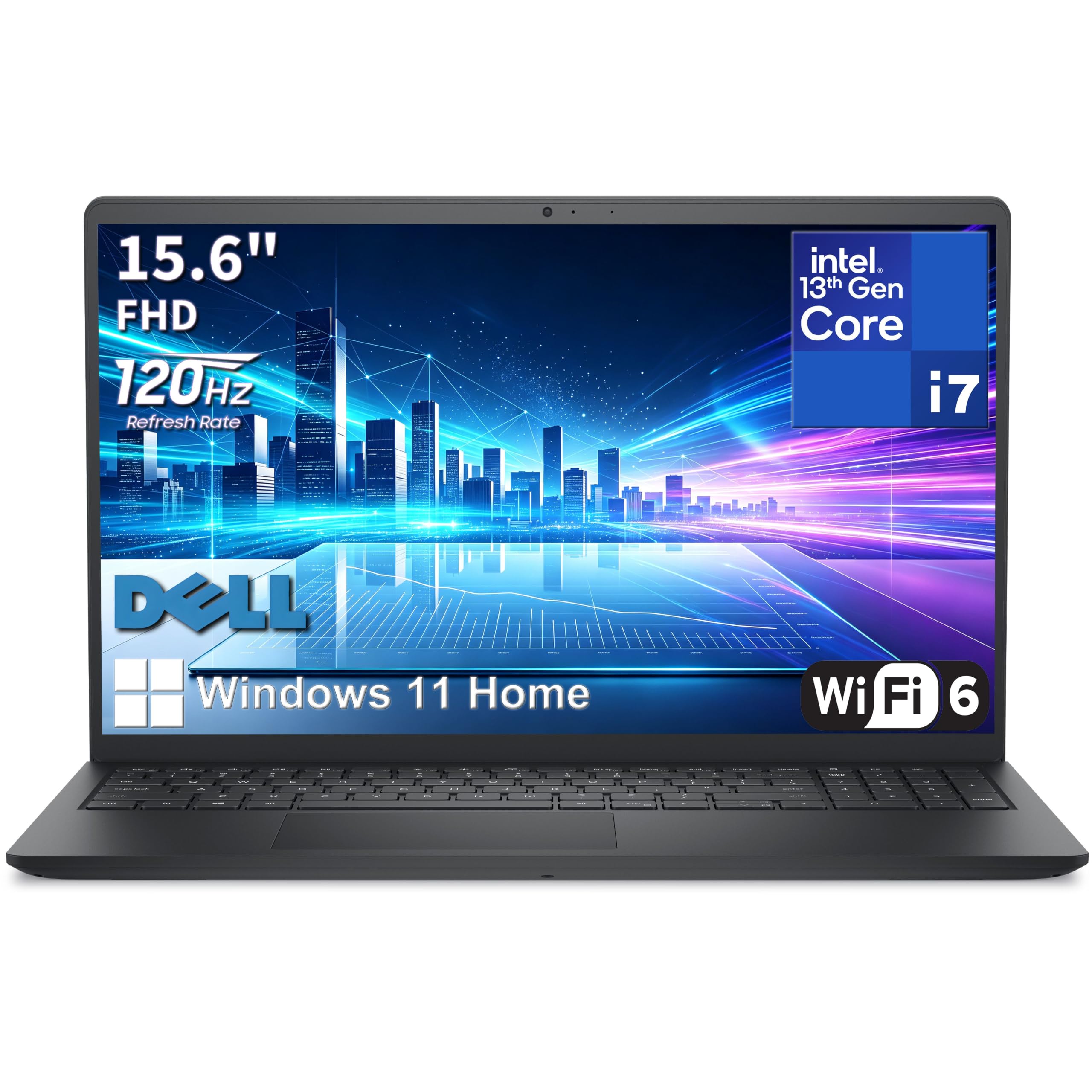
10. Dell Pro 15 Business Laptop
The storage king — 4TB and 64GB for data-heavy professionals who never want to offload.
If your problem is space, this is the answer. The Dell Pro 15 pairs 64GB of DDR5 memory with a 4TB PCIe NVMe SSD — the largest storage figure on the list — so you can hold huge media libraries and datasets without an external drive. The Intel Core i7-1355U processor runs 10 cores and 12 threads up to 5.0 GHz, which is plenty for business apps, analysis, and presentations.
The 15.6-inch FHD (1920 x 1080) IPS display reaches a 120Hz refresh rate, so scrolling and motion feel smooth and the anti-glare coating cuts eye strain over long sessions. Wi-Fi 6 with MU-MIMO keeps the wireless stable, and you get USB-C, two USB-A, HDMI, and an SD card reader. A 65W adapter and a multi-gesture touchpad round out a machine built for the road.
Here’s the honest framing: this is a new listing, so real-world reliability data isn’t in yet — you’re buying on the spec sheet and the Dell business lineage. The 4.19-pound carbon-black chassis and plastic body balance portability and screen size. If you work with large media libraries, 4TB of SSD and 64GB of DDR5 keep everything on the machine.
The volume advantage: 4TB of SSD storage and 64GB of DDR5 memory — the top figures for both on this list — mean you can keep everything local.
The new-listing caveat: No track record yet on reliability, so treat the specs as the promise and test within the return window.
For data hoarders: Professionals with massive media or dataset needs who want everything stored on the machine itself.
Wait if you want proof: It’s a fresh listing with no reliability history — confirm performance during the return period.
11. msi Katana 15 HX 15.6″ 165Hz QHD+ Gaming Laptop

A gaming brute that runs Cyberpunk at high settings — and warms your desk doing it.
Gamers who want high frame rates without paying flagship prices should start here. The Intel Core i9-14900HX runs 24 cores, and the NVIDIA GeForce RTX 5070 with ray tracing and DLSS 4 handles demanding titles at 1440p. The 15.6-inch QHD 165Hz display with 100% DCI-P3 coverage shows more detail and richer color, while 32GB of DDR5 and a 1TB NVMe SSD keep load times short.
The four-zone RGB keyboard with highlighted WASD keys suits late-night sessions, and the port line covers USB-C Gen 2, HDMI, USB-A, and RJ45 for a wired connection. Cooler Boost 5 with dual fans and a five-heat-pipe design keeps the frame rates steady through a long match. The screen is bright and anti-glare.
What you accept in exchange is heft and heat. This is a heavy laptop that warms up under load, so a cooling pad helps. Battery life is short by design — plan to game plugged in. An i9-14900HX and RTX 5070 at this price is the best frame rate per dollar on the list.
What gamers get
- i9-14900HX and RTX 5070 with DLSS 4 for high frame rates
- 15.6″ QHD 165Hz display with 100% DCI-P3 color
- 32GB DDR5 and 1TB NVMe SSD for fast loads
- 4-zone RGB keyboard with highlighted WASD keys
The cost of all that power
- Heavy, and it runs hot under load — a cooling pad helps
- Short battery life, so it’s a plugged-in machine
Pick it if: You want serious gaming performance and a bright 165Hz screen, and you’ll game at a desk with power nearby.
Pass if: You need portability — it’s heavy and runs hot, so it isn’t a couch-and-battery machine.
12. LG gram Pro 17-inch Lightweight Laptop Computer

A 17-inch powerhouse that weighs about as much as a jacket and edits video all day.
The top of this premium tier pairs a 17-inch screen with genuine creative horsepower in a 3.3-pound frame. The Intel Core Ultra 9 285H (Series 2) processor with 32GB of DDR5 memory handles video editing and heavy multitasking without lag, and the NVIDIA RTX 5050 handles light gaming and fast rendering. A 90Wh battery is rated for up to 25 hours of video playback, backed by an AI Smart Assistant that tunes power use.
The 0.6-inch-thin body has passed seven military-grade standards for durability, so light weight doesn’t mean fragile. Variable Refresh Rate adapts from 31Hz to 144Hz for smooth visuals, and grams Link connects to up to 10 devices across Android and iOS for file sharing and screen mirroring. The dual cooling system keeps it efficient under load.
The trade-offs are clear enough. Windows 11 Home means more startup apps to manage than the Pro picks, and the setup can be annoying because of the extra software and antivirus the machine carries. There’s also no Ethernet port. A 17-inch screen, RTX 5050, and a 90Wh battery in a 3.3-pound body is hard to match for portable creative work.
The big-screen feats: A 17-inch 3.3-pound body with a 90Wh battery rated for up to 25 hours of video playback — you get desktop-scale endurance on the road.
Cleanup required: Windows 11 Home plus the preinstalled apps and antivirus mean a longer setup than the Pro-equipped picks. No Ethernet port either.
Built for creatives: Video editors and designers who want a large screen and real rendering power in a 3.3-pound frame.
Settle in for setup: Expect to remove preinstalled software first, and plan around no Ethernet port.
Know the Specs
Operating system and bloatware
The operating system decides how much extra software arrives with your machine. macOS ships without the third-party trials retailers often add to Windows. Windows 11 Pro gives you more control over startup apps than Home. A Microsoft Signature Edition goes further and arrives without retailer software at all, so you can start with a clean slate.
Memory and storage
Memory in gigabytes (GB) is your working space, and the drive in gigabytes or terabytes (TB) is your permanent room. Higher memory lets background programs and open tabs coexist without slowing you. A larger solid-state drive givesyou space to remove bloatware and keep your files. A strong processor plus ample SSD keeps the machine responsive after cleanup rather than choking on the leftovers you haven’t deleted yet.
Processor cores and clock speed
A processor’s core count is how many jobs it can handle at once, and its clock speed in gigahertz (GHz) is how fast each job runs. More cores and threads help with multitasking and heavy software like video editing. Everyday browsing and documents need far less. Match the chip to your real workload instead of chasing the biggest number.
Display resolution and brightness
Resolution, written like 1920 x 1080 or 2560 x 1600, is how many pixels fill the screen — more pixels mean sharper text and finer detail. Brightness in nits is how readable the panel stays near a window or outdoors. Higher nits and a matte or anti-glare finish make a real difference for long work sessions.
Common Questions
What actually counts as bloatware on a new laptop?
Is the Microsoft Signature Edition really free of extra software?
Does Windows 11 Pro come with less bloatware than Home?
Can I just reinstall a clean copy of Windows myself?
Will 8GB of memory be enough after I remove the extras?
Why do some laptops run their fans loudly right after setup?
Does an ARM laptop like the Surface Laptop run all my Windows programs?
How much storage do I need if I keep large files?
Is a business laptop a better clean pick than a consumer one?
Does removing bloatware affect my warranty?
The Bottom Line
Across the board, the laptop without bloatware winner is the Apple 2026 MacBook Neo 13-inch because macOS boots you straight into a clean setup with no retailer trial software, and the A18 Pro chip with up to 16 hours of battery life keeps a full day moving. If you need maximum working room for heavy apps, grab the GEEKOM GeekBook X16 Pro with its 32GB of memory and 16-inch 2.5K screen. And for the most literal clean install on Windows, the Dell XPS9350-5340SLV Signature Edition is the one to reach for — just go in knowing it’s older hardware.
Start with the MacBook Neo if a clean first boot and all-day battery matter most — it holds 4.5+ stars across 1,500+ ratings, the most-reviewed pick here.
How we choose
We do not accept paid placement. Every pick is matched to a real buyer and a real use-case; we do not hands-on test units.
Sources
Specifications: manufacturer listings and product documentation. Review insights: verified customer reviews, as of October 2026. Pricing: not shown on this page (it changes often); check the current price via the retailer link.
As an Amazon Associate, Aappliancez earns from qualifying purchases. This does not affect which products we feature.