Disclosure: Some links in this post are affiliate links. As an Amazon Associate I earn from qualifying purchases, at no extra cost to you. Learn more
Specs are compiled from manufacturer listings and verified buyer reviews and can change over time — please confirm the key details on the product page before buying.
If you have ever reached for a flash drive and found nothing to plug it into, you already know the problem. Thin laptops keep losing their USB-A sockets — the rectangular ones your mouse, printer cable, and old thumb drive still use. The eleven laptops below all keep real USB ports on board, and they range from budget-friendly workhorses to premium machines. The one most people should buy is the HP 255 G10, because it pairs a 15.6″ Full HD screen and a 1TB SSD with USB-C and HDMI at an entry-level price.
This guide is built by comparing the manufacturers’ published specifications and the patterns across verified customer reviews, so you get each pick’s real strengths and trade-offs instead of marketing spin.
Ports are only half the story, so this breakdown also covers processing power, memory, and screen quality. Read on for a plain-English walkthrough of the best laptop with usb port options.
Top Picks



How To Choose The Best Laptop With USB Port
Before you compare machines, get clear on which sockets you actually use every day. A laptop can have a dozen ports and still be wrong for you if the one you need is missing.
Count your USB-A sockets first
USB-A is the wide, rectangular port. It is what your wired mouse, external keyboard, and older flash drives plug into. If you regularly use two accessories at once — say a mouse and a printer cable — look for at least two USB-A sockets so you are not rotating devices in and out. Machines like the HP 255 G10 and the HP 17 both list multiple USB-A ports in their spec sheets.
Then look at USB-C and what it can carry
USB-C is the small oval connector that fits either way up. Its real value is versatility: on many units it carries power in, pushes video out to a monitor, and moves data, all through one cable. Thunderbolt 4 and USB4 are faster versions of that same oval shape. The LG gram 17 lists Thunderbolt 4 and USB4, while the GeekBook X16 Pro lists a 40Gbps USB4 Type-C port.
Match memory and storage to your workload
RAM (short-term memory) decides how many browser tabs and apps stay open without stalling. Storage (the SSD) decides how many files you keep and how fast the machine wakes. For everyday office work and school, 16GB of RAM and a 512GB SSD is comfortable. If you edit video or run heavy spreadsheets, 32GB and 1TB gives you more headroom.
Check the display before you commit
Screen resolution is measured in pixels, and more pixels means sharper text and photos. A 1920×1080 panel is the everyday standard. Panels listed as 2560×1600 or 2.5K show noticeably finer detail, which matters if you read documents or edit images for hours. Brightness, listed in nits, decides whether the screen stays readable near a window.
Side-by-Side Comparison
| Model | Best For | USB-A Ports | RAM | Storage | Amazon |
|---|---|---|---|---|---|
| HP 255 G10★ Best Overall | Everyday work and school on a budget | 2 | 16GB | 1TB SSD | Amazon |
| LG gram 17 (2025)Best Display | Big-screen travel with Thunderbolt 4 | — | 32GB | 2TB SSD | Amazon |
| Lenovo V15 Gen 4Wired-Ready Pick | Business use with wired Ethernet | 2 | 16GB | 512GB SSD | Amazon |
| ASUS Vivobook 14 | Students who want a small footprint | 3 | 16GB | 1TB SSD | Amazon |
| NIMO N153 | Upgrade-friendly all-rounder | 3 | 16GB | 1TB SSD | Amazon |
| Microsoft Surface Pro (2024) | Tablet-first flexibility | — | 16GB | 256GB SSD | Amazon |
| Lenovo ThinkBook 16 Gen 8 | Docking-station productivity | — | 32GB | 1TB SSD | Amazon |
| HP 17 | Big screen and huge storage | 2 | 64GB | 2TB SSD | Amazon |
| GEEKOM GeekBook X16 Pro | Thin, light, and fast | 2 | 32GB | 2TB SSD | Amazon |
| Microsoft Surface Laptop 4 | Refurb hunters after big specs | — | 32GB | 1TB SSD | Amazon |
| LG gram Pro 17 | Gaming and creative work on the move | — | 32GB | 2TB SSD | Amazon |
Detailed Reviews
1. HP 255 G10 Laptop for Home or Work
Our pick — 4.0+★ from 950+ verified ratings; the strongest balance of quality and price.
The do-everything everyday machine that still has room for your old USB drive.
You get USB-C, HDMI, and USB-A sockets on one machine, so you can plug in a wired mouse, an external monitor, and a flash drive without any adapter. That port lineup is why the HP 255 G10 earns the top spot here. The processor is an AMD Ryzen 3 7330U, a 4-core chip that reaches 4.3 GHz at its fastest — fast enough for spreadsheets, video calls, and dozens of browser tabs, but not for demanding creative software or heavy gaming. The screen is 15.6″ Full HD at 1920×1080, so documents and videos look sharp. The body is thin and light with a big screen-to-body ratio, so it slides into a backpack without weighing you down.
Everyday speed is genuinely strong for the tier. A Ryzen 3 7330U with 16GB of high-bandwidth RAM and a 1TB SSD handles a dozen open tabs, a video call, and a pile of school files without stalling. That 1TB SSD is the headline number for storage — buyers report it is “ample for school/work files,” and 1TB genuinely means you will not be deleting photos to make room. If you ever want more, the RAM is upgradeable up to 64GB and the drive up to 2TB. Boot times are quick because it is an NVMe SSD rather than an older spinning drive.
Two honest caveats. It handles one external monitor plus the built-in 15″ screen, but it cannot drive two auxiliary displays at the same time — a genuine limit if you run a dual-monitor desk setup. And the battery is listed at 10 hours, which realistically means keeping the charger nearby for a long day. Neither is a defect; they are simply the trade-offs that come with the price tier.
What you get for the money
- USB-C, HDMI and USB-A sockets all on board — no dongle needed for everyday gear
- 1TB SSD plus upgrade room to 64GB RAM and 2TB storage
- 15.6″ Full HD 1920×1080 panel and a thin, light chassis
- Ryzen 3 7330U running up to 4.3 GHz
Where it asks you to compromise
- Only one external monitor plus the built-in screen
- 10-hour battery rating, so plan on carrying the charger
Reach for this if: you want a dependable 15.6″ work and school laptop with full-size USB, HDMI, and USB-C for the least outlay here.
Look elsewhere if: you need a two-monitor desk setup or genuinely all-day battery away from a plug.
2. LG gram 17 Ultra-Light Business Laptop (2025)
A 17-inch workspace you can carry one-handed, with every modern port built in.
A 17″ 2560×1600 touchscreen at only 3.2 pounds is the whole pitch here. That resolution — 2560×1600, which LG markets as WQXGA — is sharper than the 1920×1080 panel on the HP 255 G10, and that finer detail shows up in small text and photo editing. The screen has a 320-nit rating and an anti-glare coating, so window glare is cut down rather than mirrored back at you. Processing comes from an Intel Core Ultra 7 258V that peaks at 4.8 GHz, paired with 32GB of LPDDR5X RAM and a 2TB SSD. Compared with the HP 255 G10’s 4.3 GHz ceiling, the LG tops out 0.5 GHz higher.
The port lineup is where a travel laptop usually falls short, and this one does not. You get Thunderbolt 4, USB4, and HDMI 2.1, plus Wi-Fi 7, so a single Thunderbolt dock can run your monitors on a desk and come out of the bag on the road. The two front fans are the honest trade-off: they spin up noticeably during heavy bursts at 4.6 GHz boost. The battery story is realistic rather than romantic — owners mention “6-8hrs high-perf, 8-10hrs moderate.” What wins people over, though, is the weight-to-screen ratio, with owners calling it a lighter Windows take on a MacBook.
A desk that travels: Thunderbolt 4, USB4, HDMI 2.1 and Wi-Fi 7 in one 3.2-lb body make it the pick for anyone docking in two places.
Know the noise curve: the front fans get audible under sustained load, and the display is 320 nits rather than the brightest panel on this list.
Who it beats and who it does not: it leads the HP 255 G10 on resolution (2560×1600 vs 1920×1080) and processor ceiling (4.8 GHz vs 4.3 GHz). Pick it to travel light with a big, sharp screen; step down if the fan noise would bother you on calls.
3. Lenovo V15 Gen 4 Business Laptop
The office laptop that still expects a cable in the wall.
An RJ45 socket is a rare sight on a modern laptop, and the Lenovo V15 Gen 4 keeps it. RJ45 is the standard wired-internet jack, and having one means you can plug straight into a router or office wall port instead of trusting the Wi-Fi. That is the defining feature for anyone whose job happens in a fixed office or whose building has crowded wireless. The other sockets are just as practical: one USB 3.0 Type-A, one USB 2.0 Type-A, one USB Type-C, HDMI, and a headphone/microphone combo.
Inside sits an Intel Core i5-13420H with 8 cores and 12 threads, running up to 4.6 GHz, paired with 16GB of RAM and a 512GB PCIe NVMe SSD. Lenovo positions that chip against the i7-1355U, which matters less than whether it works for you: smooth multitasking on a 15.6″ FHD 1920×1080 screen, a numeric keypad for spreadsheets, and enough headroom to run light games without stutter. What earns the most confidence here is reliability — owners describe it as a sturdy, business-ready machine, and it holds a 4.0+ rating after 200+ reviews.
Charger etiquette: the battery here is not a long-distance runner — owners keep the power supply within reach, and one noted that only certain Type-C power cords work with it.
Suits you best: if your day happens at a fixed desk with a network wall port and a wired mouse, the V15 answers both without adapters.
4. ASUS Vivobook 14″ FHD Business & Student Laptop
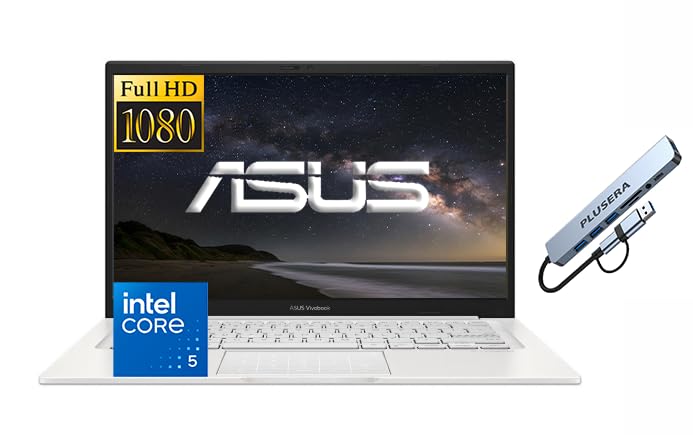
Three full-size USB sockets in a 14-inch bag-friendly shell.
The ASUS Vivobook 14 carries more USB-A sockets than almost anything else here: two USB-A 3.2 ports and one USB-A 2.0 port, plus USB-C 3.2, HDMI, and a headphone/microphone combo jack. USB 3.2 is the faster flavor of the same rectangular plug, so your external drive transfers files quicker than it would through the older 2.0 socket. Wi-Fi 6 handles the wireless side, and a camera privacy shutter means you can physically cover the webcam. For a student juggling a mouse, a memory stick, and a printer cable, that socket count alone is the reason to look here.
The 14″ FHD IPS panel runs 1920×1080 with a 250-nit rating and an anti-glare finish, and IPS means colors stay steady when you view it from an angle rather than washing out. Processing comes from an Intel Core 5 120U with 10 cores and 12 threads, boosting to 3.8 GHz, backed by 16GB of DDR4 RAM and a 1TB SSD. That is a step below the NIMO’s 4.7 GHz ceiling and the Lenovo’s 4.6 GHz, but at 14 inches it is built to slip into a backpack, not to lead a spec sheet.
Before you click buy: third-party sellers on this listing have shipped the wrong config in the past — one buyer ordered a machine advertised as 17.3″ and received a 15.6″ — so confirm the exact screen size and that the seller is an authorized ASUS reseller before your order ships.
The honest read: a genuinely good buy for study, with three USB-A sockets a bigger laptop would envy — as long as you buy from a seller you trust.
5. NIMO 15.6″ AI-Creator-Laptop
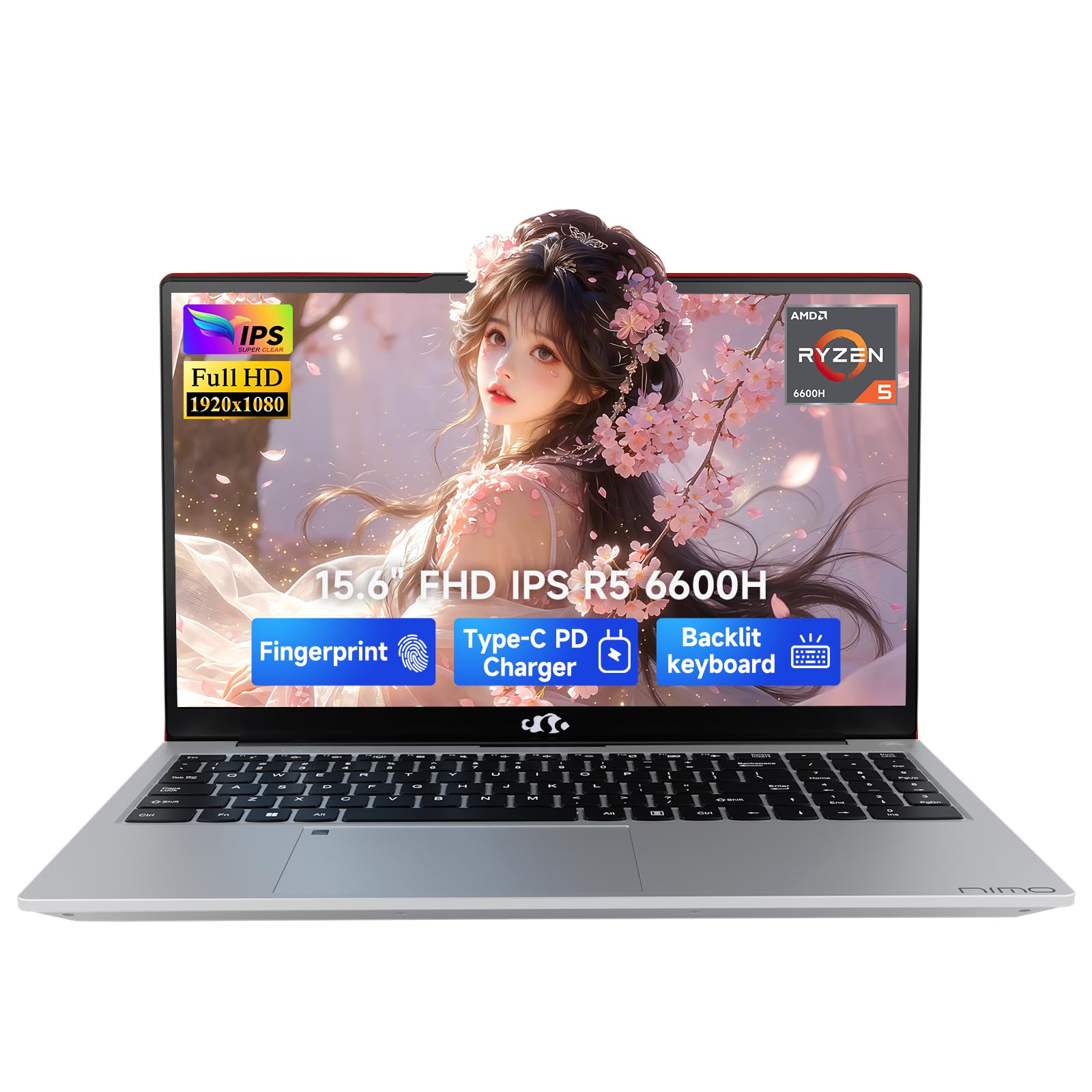
Six cores, dual memory slots, and a fingerprint reader under the touchpad.
You can upgrade this laptop long after you buy it, which is rare. The NIMO ships with 16GB of DDR5 RAM — the newer, faster memory standard — and a 1TB PCIe SSD, but it keeps dual SO-DIMM slots (the slots that hold memory sticks) and an M.2 2280 drive bay (a slot for a stick-shaped storage drive), so you can push it to 64GB of RAM and 4TB of storage later. That upgrade path is why it lasts longer than a sealed laptop. Inside, a Ryzen 5 6600H with 6 cores and 12 threads boosts to 4.7 GHz, and the Radeon 660M graphics (RDNA 2 architecture, the design generation behind the visuals) can handle casual games like LoL or CS2 at 1080p settings.
The port list is generous: two full-function USB-C ports, HDMI 2.0, three USB-A ports, a Micro SD card reader, and a 3.5 mm audio jack. That is the socket spread to look for if you shoot photos, run a monitor, and use a wired mouse without swapping cables all day. The 15.6″ 1920×1080 screen covers the everyday work, and a backlit US keyboard helps in dim rooms. A 53.58Wh smart battery pairs with a separate 100W PD charger — PD meaning Power Delivery, the standard that lets a USB-C cable carry real charging current — for flexible topping-up between classes or rooms.
Two things to know. The speakers are the trade-off: owners call the sound mediocre and several suggest plugging in an external speaker, so headphones are the better call for serious listening. And the fingerprint reader sits in the touchpad’s upper-left corner, which takes a few days to find by feel. Neither changes what the machine can do.
Why this ages well: dual SO-DIMM slots and an M.2 bay mean you can grow the RAM and storage without replacing the laptop.
Made for tinkerers: students and home users who want to add RAM and storage in a year or two will get more life out of the NIMO than almost anything at this tier. skip it if built-in speakers are your main way to listen.
6. Microsoft Surface Pro 2-in-1 Laptop/Tablet (2024)

Tablet, sketchbook, laptop — with two USB-C ports doing all the heavy lifting.
This is the pick for anyone who wants one device instead of two. The Surface Pro 13″ OLED touchscreen has a 1M:1 contrast ratio, which means deep blacks and punchy colors rather than the washed-out grey an ordinary LCD can show. A 14-hour battery rating and 65W charging through either Surface Connect or USB-C keep it topped up on the road. The processor is a Snapdragon X Elite with 12 cores and a dedicated NPU — a neural processing unit, the chip that speeds up AI features at the device rather than in the cloud.
Here is the port reality you need to weigh. This is a tablet-first design: you get two USB-C ports and no classic USB-A socket at all, plus no headset jack on this model. USB-C is genuinely capable — it carries power, video, and data — but your old rectangular flash drive needs an adapter or a USB-C drive. If you own a lot of USB-A accessories, budget for a small hub alongside the purchase.
Performance is smooth and cool thanks to the ARM-based Snapdragon chip, and owners note it runs cooler with better battery than the earlier Surface Pro 8. The honest catch is software compatibility: this machine wants ARM64 apps, and some older x86/x64 programs will not run. Major developers are covered, but a niche legacy tool you depend on might not be. Check your critical apps before committing.
Why owners keep it
- 13″ OLED touchscreen with a 1M:1 contrast ratio
- 14-hour battery rating and 65W fast charging
- Snapdragon X Elite with a dedicated NPU for on-device AI
- Kickstand flips it from tablet to sketchbook to laptop
The fine print
- Two USB-C ports only — no USB-A socket and no headset jack
- Some older x86/x64 apps will not run on ARM
- The detachable Surface Pro Flex Keyboard is sold separately
Think of it as the travel extreme: if you want a tablet you can sketch on that also runs Windows all day, this is the one — just expect an adapter for your legacy USB-A gear.
7. Lenovo ThinkBook 16 Gen 8 Business Laptop

Thunderbolt 4, HDMI 2.1, Ethernet and an SD reader on one slim machine.
If you keep your laptop on a dock, the port list on the ThinkBook 16 Gen 8 pays off. It carries Thunderbolt 4 (a fast connector for data, video, and power), USB-C, HDMI 2.1, Ethernet (a wired-internet jack), and an SD card reader, plus Wi-Fi and Bluetooth. HDMI 2.1 handles a modern external display. Add a firmware-level TPM 2.0 chip — the security hardware that stores your encryption keys — alongside an optional fingerprint reader and an IR camera with a physical privacy shutter, and you have a machine built for offices where IT asks about data security first.
The 16″ WUXGA IPS anti-glare screen runs 1920×1200, which is a little taller than the standard 1920×1080 on most machines here — that extra height means more rows of spreadsheet or an extra line or two of document without scrolling. Inside, an Intel Core Ultra 7 255H with a dedicated NPU (a chip for AI tasks) peaks at 5.1 GHz, backed by 32GB of DDR5 RAM and a 1TB PCIe NVMe SSD. That processor ceiling is effectively level with the GeekBook’s 5.1 GHz and a step above the Lenovo V15’s 4.6 GHz.
Two fair warnings before you buy. The keyboard is not back-lit, and owners describe the machine as a bit heavy for its class. It also has no USB-A socket listed, so your rectangular accessories will need a hub or a USB-C adapter. None of that undercuts what it is — a well-connected desk machine — but travel-first buyers should look at the lighter picks above.
Built for the desk: Ethernet, Thunderbolt 4, HDMI 2.1 and an SD reader cover almost every docking scenario in one chassis.
Pick it or pass: choose it if you want one cable to a dock and a taller 1920×1200 screen for documents. Pass if you need a backlit keyboard or full-size USB-A.
8. HP 17 Laptop

A huge 17.3-inch touchscreen paired with 64GB of RAM and a 2TB drive.
Two numbers define this machine: 64GB of RAM and a 2TB SSD. Most laptops in this group carry 16GB, so this is the pick for anyone running virtual machines, giant media libraries, or pro audio sessions. The processor is an Intel Core i7-1355U with 10 cores and 12 threads, boosting to 4.7 GHz, paired with Intel Iris Xe graphics. Around the edges you get one SuperSpeed USB Type-C, two SuperSpeed USB Type-A ports, HDMI 1.4b, and a headphone/microphone combo, along with a backlit keyboard and a 17.3″ HD+ touchscreen at 1600×900.
That screen size is the draw, and it is worth being precise about what you get. 1600×900 on a 17.3″ panel puts fewer pixels per inch than the 1920×1080 screens elsewhere in this group, so fine text will look softer next to the LG gram 17’s 2560×1600. What the big panel gives you is sheer physical area — a roomy space for timelines, footage, and long documents. Owners lean on it for exactly that, using it for home recording rigs and media editing where screen real estate matters more than pixel density.
The honest caveat is battery and charging. There is no USB-C charging here, so you are tied to the bundled adapter, and the battery lands in the shorter bracket. This is a machine that wants a desk, an outlet, and a lot of files. If you work at a station rather than on the move, that trade is a reasonable one.
Built for heavy files
- 64GB RAM and a 2TB PCIe NVMe SSD — the largest pair here
- 17.3″ touchscreen with narrow bezels and a backlit keyboard
- Core i7-1355U running up to 4.7 GHz
- Two USB-A sockets plus USB-C and HDMI
Where it gives ground
- 1600×900 resolution on a big panel is easier on size than on sharpness
- No USB-C charging and a shorter battery runtime
Built for one desk: audio engineers, video editors, and data-heavy users who want 64GB and 2TB in a single purchase will find the HP 17 does the job.
9. GEEKOM GeekBook X16 Pro
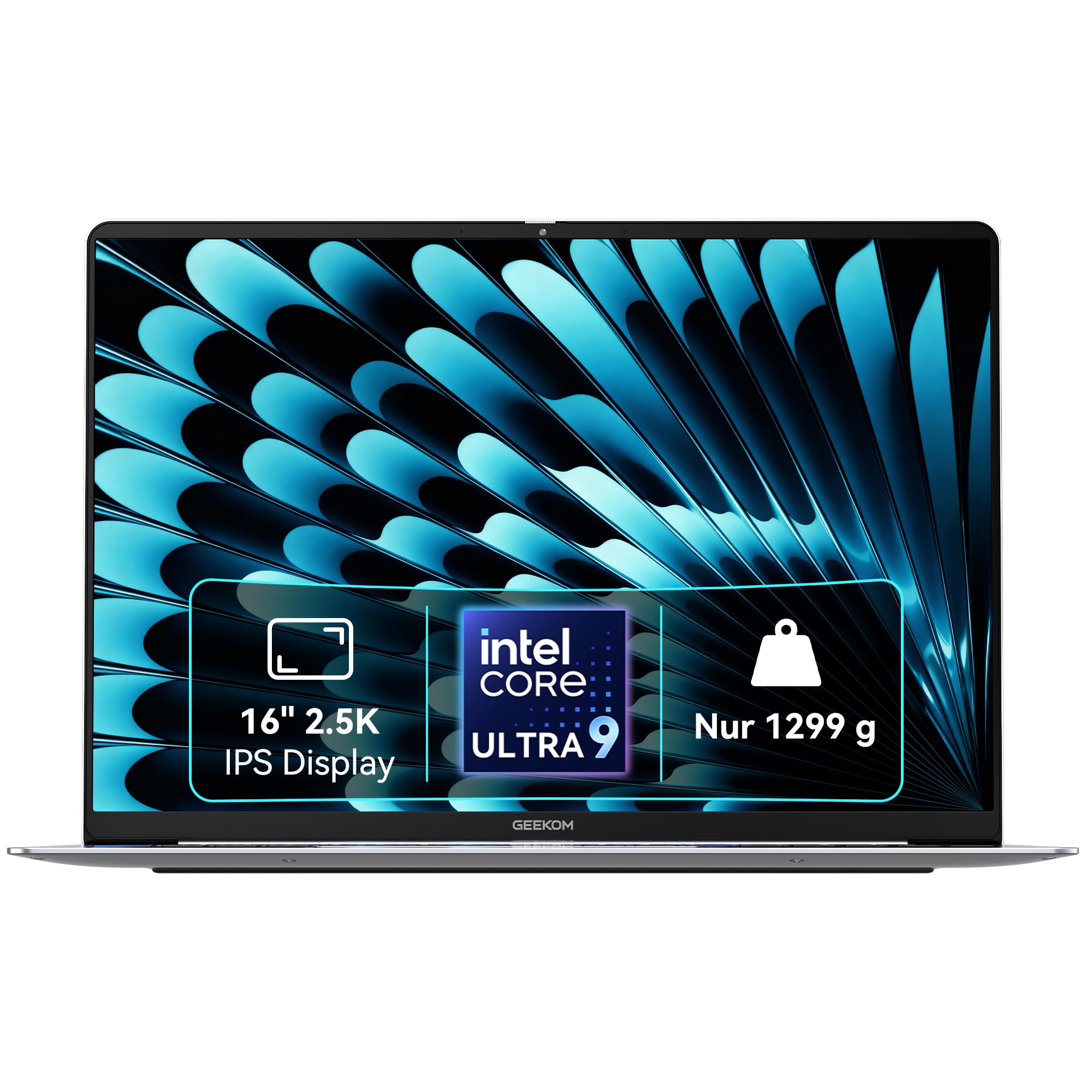
A 16-inch 2.5K screen on a magnesium frame that weighs under three pounds.
At 2.8 pounds and 0.27 inches thick, the GeekBook X16 Pro is one of the lightest 16-inch machines you can buy. The chassis is aerospace-grade magnesium alloy built as a single CNC-milled body (cut from one piece of metal), which is why it feels solid rather than flexy. The screen is a 16:10 IPS panel at 2.5K (2560×1600), covering 100% of the sRGB color gamut — the standard color range for web and print work — with up to 400 nits of brightness and a 120Hz refresh rate. That 120Hz means scrolling and animation look smoother than on a standard 60Hz panel, and the brightness figure sits above the LG gram 17’s 320-nit rating.
Performance is serious for the weight. A Core Ultra 9 185H with 16 cores and 22 threads boosts to 5.1 GHz, backed by 32GB of LPDDR5x memory at 7500MHz and a 2TB PCIe Gen4 SSD. Intel Arc graphics add ray tracing and AV1 encoding — the efficient video format used by streaming platforms — so creators get hardware help on exports. The port set covers two USB-A and two USB-C sockets, HDMI 2.1, a microSD slot, and a 3.5mm jack, with a 40Gbps USB4 Type-C that can drive up to two 4K displays. Its 77Wh battery is rated for up to 17 hours.
Two real notes. Customers note the backlit keyboard is finicky, and a couple of buyers have flagged the street price versus a direct-from-manufacturer discount, so it pays to compare before you order. Neither touches the hardware itself, which draws praise for running CAD workloads with quiet, cool fans.
Weight-to-watts ratio: 2.8 pounds carrying a 16-core chip and a 2.5K 120Hz display is the standout combination on this list.
For the mobile power user: designers and engineers who need real compute in a bag-light shell will get the most out of this one. pass on it if you prefer a keyboard with a firmer backlight feel.
10. Microsoft Surface Laptop 4 13.5″

Big specs at a refurb price — with the patience refurb buying asks of you.
You get high specs in a small, thin frame: an 11th Gen Intel Core i7-1185G7 boosting to 4.8 GHz, 32GB of RAM, and a 1TB solid state drive, all in a 13.5″ touchscreen laptop with a matte black finish. Video calls get a front-facing 720p HD camera, and Omnisonic speakers with Dolby Atmos handle the audio side. Bluetooth 5 covers your accessories, and the battery is rated at 11.5 hours. For a lightweight travel machine with this much memory and storage, that combination is hard to match on paper.
The price tier here is where the value story comes from. These units move through refurbished listings, and that is the key thing to understand: the specs are the same, but the unit you receive has been used and reconditioned. Buyers who got a clean one describe it as arriving well-packed and working like new, with IT staff calling it an amazing deal. Buyers who got a rough one describe corner damage, scratches on the bottom, and one unit that ran hot enough to worry them. Refurb hunting is about the individual listing, not the model.
The real fit note is the price tier combined with the refurb channel: if you want brand-new and boxed with a clean warranty path, look at the sealed picks instead. If you want 32GB and 1TB in a small, light, thin chassis and you are comfortable with a reconditioned unit, this is where the value concentrates.
The refurb math: 32GB of RAM and a 1TB SSD in a 13.5″ chassis, at a refurb-tier price, is the reason this pick exists.
For the patient buyer: you get high-end memory and storage in a thin 13.5″ shell if you are comfortable with a reconditioned laptop.
11. LG gram Pro 17-inch Lightweight Laptop

A 3.3-pound 17-inch machine with a dedicated RTX 5050 and a 25-hour rating.
This is the only laptop here with a dedicated graphics chip, and that changes what it can do. The NVIDIA RTX 5050 handles rendering, gaming, and acceleration workloads that integrated graphics simply will not touch, and it sits alongside an Intel Core Ultra 9 285H processor with 32GB of DDR5 memory and a 2TB SSD. The 17″ panel carries a Variable Refresh Rate that adapts from 31Hz to 144Hz, so it stays smooth while gaming and drops low to save power when you are just typing. HDMI, USB-C, and USB-A sockets keep your external gear connected, so you do not lose the port flexibility that this whole guide is about.
A 90Wh cell rated for up to 25 hours of video playback is the largest battery in this group. The body is 0.6 inches thin and 3.3 pounds, and LG rates the chassis against seven military-grade durability standards. An internal dual cooling system helps keep the RTX 5050 and the Ultra 9 from overheating during long sessions.
The trade-off is simply the tier. As a premium machine, this is the largest outlay in the guide, and it carries a 4.5+ rating across a smaller pool of reviews than the value picks below. For a buyer who wants one machine that covers creative work, light gaming, and travel in a single package, that is the point. For anyone whose day is email and documents, the money is better spent further up this list.
Where the money goes: a dedicated RTX 5050 and a 90Wh battery in a 3.3-lb 17-inch frame is the combination no other pick here offers.
For the creator who travels: pick it if you render, game, or edit video and want that power in a thin, light 17-inch shell. It is more machine than casual browsing needs.
Know the Specs
USB-A vs USB-C vs Thunderbolt
USB-A is the wide rectangular socket you already own cables for. USB-C is the small oval connector that fits either way up and can carry power, video, and data at once. Thunderbolt 4 and USB4 are faster versions of that same oval shape, typically able to drive external monitors and high-speed drives. If your daily gear is USB-A, make sure at least one rectangular socket is on the machine, or plan to carry a hub.
RAM and SSD capacity
RAM is active workspace — the more you have, the more apps and browser tabs stay open without slowing down. SSD is permanent storage for files and programs, and an NVMe SSD wakes the machine far quicker than an old spinning drive. For school and office work, 16GB of RAM and a 512GB SSD is comfortable. Editing video or running virtual machines wants 32GB or 64GB and a 1TB drive or larger. Some picks here let you upgrade both later, which keeps the laptop useful for longer.
Common Questions
Do I still need a USB-A port on a new laptop?
What is the difference between USB-C and Thunderbolt 4?
How much RAM do I need for school and office work?
Is a 512GB SSD enough or should I get 1TB?
Can I charge these laptops over USB-C?
How many external monitors can I run from these laptops?
Are the OLED and high-resolution screens worth paying more for?
Do any of these laptops let me upgrade the RAM and storage later?
How long should the battery last on a laptop with a big screen?
What is the difference between an Intel Core and an AMD Ryzen processor here?
Is a 2-in-1 better than a traditional clamshell laptop?
The Bottom Line
For most people, the laptop with usb port winner is the HP 255 G10 because it puts USB-C, HDMI, and USB-A sockets on the same machine as a 15.6″ Full HD screen, a 1TB SSD, and 16GB of RAM — and it lets you upgrade both memory and storage later. If you want a big sharp screen you can carry in one hand, the LG gram 17 leads on resolution. And for creative work or gaming on the move, the LG gram Pro 17 adds a dedicated RTX 5050 to the mix.
One last thought on timing: the value picks here hold higher review counts and strong scores, so if the exact configuration you want is in stock at the tier you can afford, that is the moment to move.
How we choose
We do not accept paid placement. Every pick is matched to a real buyer and a real use-case; we do not hands-on test units.
Sources
Specifications: manufacturer listings and product documentation. Review insights: verified customer reviews, as of October 2026. Pricing: not shown on this page (it changes often); check the current price via the retailer link.
As an Amazon Associate, Aappliancez earns from qualifying purchases. This does not affect which products we feature.