Disclosure: Some links in this post are affiliate links. As an Amazon Associate I earn from qualifying purchases, at no extra cost to you. Learn more
Specs are compiled from manufacturer listings and verified buyer reviews and can change over time — please confirm the key details on the product page before buying.
If your laptop screen is the bottleneck of your workday, a screen extender slides a second panel right onto your existing display. The trick is matching the connector on your laptop to the extender’s input before you buy, because a screen with the wrong cable protocol becomes a very thin paperweight. This guide covers nine extenders that use USB-C, HDMI, and Mini HDMI, with the exact resolutions and weights that decide whether one earns a spot in your bag.
This guide is built by comparing the manufacturers’ published specifications and the patterns across verified customer reviews, so you get each pick’s real strengths and trade-offs instead of marketing spin.
You will see which models drive a full second display over one USB-C cable, which need an extra power line, and which fold down to fit a laptop compartment. Every pick below earns its place on a real spec, so you can pick the right laptop screen extenders for the way you actually work.
Top Picks


How To Choose The Best Laptop Screen Extenders
A screen extender is a second screen that either clips onto your laptop lid or sits beside it on a stand. The right one for you depends on three things: the ports on your laptop, how big a second screen you can actually carry, and if you want the panel to ride along on the lid or stand on its own.
Start With Your Ports, Not The Screen
The single most common reason a screen extender fails on day one is a port mismatch. A full-function USB-C port, sometimes labeled USB-C with DisplayPort, carries both video and power over one cable. If your laptop only has HDMI, you will need an extender that draws power from a separate USB-A line. Some models also need a driver before the screen wakes up, which can be a wall on a locked-down work laptop.
Then Match Screen Size To Your Laptop
Most clip-on extenders are sized for a laptop range, and the listing will name that range. A panel too wide will hang off the edge of a small laptop, while one too narrow leaves a step between screens. If you carry a 14-inch machine, a 14-inch extender lines up nearly flush.
Weigh The Carry Cost
Every extender adds grams to your bag, and the lightest ones here are around a pound while the heaviest triple-screen unit runs several times that. If you commute daily, weight matters more than a fraction more brightness. If the extender mostly lives on a desk, a heavier build buys you a sturdier stand.
Side-by-Side Comparison
| Model | Best For | Resolution | Brightness | Weight | Amazon |
|---|---|---|---|---|---|
| ASUS ZenScreen MB16ACV★ Best Overall | Single-screen travel and hybrid-signal laptops | 1920 x 1080 | — | — | Amazon |
| Topmonitor 4K 15.6″ UHD ExtenderSharpest Panel | Colour-accurate 4K work on USB-C machines | 3240 x 2160 | 500 nits | 1.28 lbs | Amazon |
| DZVW 14″ Dual ExtenderTop Performer | Fastest no-driver setup on a 13-17″ laptop | 1920 x 1080 | 300 nits | 2.34 lbs | Amazon |
| Acer PM161Q | Dependable name-brand 15.6″ panel for desk and bag | 1920 x 1080 | — | — | Amazon |
| APILDELLA 14″ Extender | Mac-first buyers who want a zero-scratch frame | 1920 x 1080 | 250 nits | — | Amazon |
| Blackview SCM6 | Lightest carry with TÜV SÜD low blue light | 1920 x 1080 | 300 nits | 1.3 lbs | Amazon |
| SMISEACOW 15.6″ 1200P Extender | Triple-screen productivity on slim laptops | 1920 x 1200 | 300 nits | 2.77 lbs | Amazon |
| Rizpak One Cable Triple Extender | Single-cable triple screen (driver installed first) | 1920 x 1080 | — | 4 lbs | Amazon |
| InnoView 15.6″ 4K Dual Extender | 4K photo and video work with a foldable frame | 3840 x 2160 | 300 nits | — | Amazon |
Detailed Reviews
1. ASUS ZenScreen MB16ACV Portable Monitor
Our pick — 4.5+★ from 950+ verified ratings; the strongest balance of quality and price.
The panel that leans on a kickstand and runs off a single cable, anywhere.
Here is the pick for anyone whose laptop has a USB-C port and who wants one extra screen without carrying a stand, a second brick, or a bag full of adapters. The ZenScreen MB16ACV is a 15.6-inch panel with 1920 x 1080 resolution on an IPS screen, so the image stays readable when you look at it from an angle. The hybrid-signal connection is the real story though — the same monitor accepts video and power through either a USB Type-C port or an older USB Type A port.
That matters because a lot of travel laptops still lack a full-function USB-C video output. With USB-C Power Delivery support, one cable carries both the picture and the power, so you are not hunting for a wall outlet between meetings. The kickstand design lets you prop the screen in portrait or landscape, and the anti-glare coating keeps reflections down under office lighting. TÜV Rheinland-certified Flicker-free and Low Blue Light handling is there for the long spreadsheet days.
Owners keep praising how well it handles travel. One review puts it plainly: “the clarity and compact size make it ideal for business trips.” If you usually work on a dual-monitor desk setup, buyers describe this as their portable stand-in, and the included sleeve makes it easy to slip into a laptop bag. It works with laptops, PCs, phones, and consoles, and it comes with a USB-C cable plus a USB-C to A cable in the box.
Why Buyers Keep It In The Bag
- One cable carries power and video through USB-C Power Delivery
- Hybrid-signal design also accepts a plain USB Type A connection
- Adjustable kickstand props it in portrait or landscape
- 3 Year Warranty with Advanced Replacement and Repair service
Where It Shows Its Limits
- Colours are respectable but not colour-critical, so photo and video editors will want a wide-gamut panel instead
- It is a single extra screen, not the triple-display setups further down this list
- No built-in battery, so it always needs the laptop or a wall outlet to run
The natural fit: the travelling professional who wants one dependable second screen and refuses to pack a power brick for it.
Hold off if: your work lives or dies on colour accuracy, because this panel is built for documents and video calls rather than print-matched editing.
2. 4K Portable Monitor 15.6 Inch
A 15.6-inch UHD panel that is barely wider than a paperback and lighter than a hardback.
This is the pick for the designer, video editor, or pixel-peeper who treats a second screen as a colour reference rather than just extra real estate. The Topmonitor unit runs a 3240 x 2160 UHD IPS panel with 100% sRGB coverage and up to 500 nits of brightness, so it holds up in a bright room where dimmer panels wash out. The 2000:1 contrast ratio puts it well ahead of the DZVW 14″ dual extender at 1000:1, so dark scenes keep their depth instead of turning grey.
The physical build is the other half of the story. The whole panel weighs just 1.28 lbs, which is 2.34 lbs lighter than the DZVW, and cuts a 0.3 inch profile you can slide into a backpack sleeve. An anti-glare matte finish with low blue light keeps the reflections off, and the included 0° to 45° adjustable stand lets you set your own tilt. On the back you get dual USB-C 3.1/3.2 ports, HDMI 2.0, and a 3.5mm audio jack, so MacBook, iPad, iPhone, PS4, PS5, Xbox, and Switch all have a path in.
The honest catch: this is a listing that needs a careful read. The vendor advertises 4K (3840 x 2160, a very sharp resolution), but owners have reported the real panel output landing as low as 1920 x 1080 FHD (Full HD, a lower resolution), with one buyer noting the “Advertised as 4K (3840×2160) but the actual resolution is only 1920×1080 (Full HD).” Other buyers report actual figures of 3840 x 2400 and 3840 x 2560, which sit above the 3240 x 2160 in the listing title.
Verify before you commit: check the resolution your computer reports once the screen is connected, and make sure your laptop’s USB-C port supports DisplayPort alt mode (a feature that lets USB-C carry video), because USB-C video without HDMI can be the sticking point for some setups. Heat build-up at the power port has also been reported on the rear chassis.
What Lands Well
- 100% sRGB coverage and 500 nits brightness on a UHD panel
- Only 1.28 lbs, so it disappears into a bag
- Dual USB-C, HDMI 2.0, and 3.5mm audio in one frame
- Includes built-in speakers, a protective bag, and VESA mounting holes
What To Watch
- Reported resolution mismatch between the listing and what some units actually output
- USB-C video routing can be fussy and may demand an HDMI line instead
- Rear chassis heat-up has been flagged by more than one buyer
Reach for this if: you need a genuinely colour-accurate UHD second screen and you are willing to confirm resolution settings on arrival.
Look elsewhere if: your laptop only has HDMI and you want the simplest possible plug-in, because the SMISEACOW handles that route with fewer moving parts.
3. DZVW Laptop Screen Extender 14″
The clip-on dual screen that you unfold, plug in, and forget about.
Anyone who lives in email, chat, and a spreadsheet at once should start here. This is the fastest-working dual extender on the list — you connect one full-featured USB-C cable and the DZVW wakes up without a driver download. That no-driver promise matters most for locked-down work laptops where IT blocks new software installs, and it is the exact reason buyers call it “fuss-free” across the review pages.
The two 14-inch panels sit at 1920 x 1080 with a 60Hz refresh rate, a 1000:1 contrast ratio, and 300 nits of brightness, which is clean for document work and video calls indoors. The whole folded package is 0.9 inches thick and 2.34 lbs, and the stand fits 13.3-inch to 17-inch laptops. If your laptop has HDMI but no free USB-C for video, you can still run it — connect HDMI for the picture and add the USB-A to USB-C cable to power the panel.
What owners mention most about this pick is setup, and it sits at the top of the list by a wide margin. The screen itself then holds up to that first impression — clean 1080P colour that matches a MacBook panel well enough that you stop noticing which screen you are on. Some buyers have found the built-in speaker thin and the kickstand area less sturdy than the rest, so treat the enclosure gently and rely on your laptop’s own audio.
The winning combination: no drivers, one cable, a 14-inch screen size that lines up with most modern laptops, and a 365-day warranty in the box.
skip it if: you work on a Surface Pro or another device without a full-function USB-C port — that combination is not supported here, and you will end up on the far more limited HDMI-only path.
The everyday productivity pick: two extra 1080P panels that just work, for anyone whose laptop has a proper USB-C port.
The caveat: small touches like the rear toggle button and single plastic kickstand are the weak spots to watch, since the whole rig leans on that one support.
4. Acer PM161Q Bbmiuux Portable Monitor

The safe name-brand panel that slips into a laptop bag and does not fuss.
The PM161Q is the pick for the buyer who wants a single extra screen from a brand they already know. It is a 15.6-inch 1920 x 1080 IPS panel (a screen type with wide viewing angles) with AMD FreeSync (a feature that reduces screen tearing in games) and a 4ms G-to-G response time (how fast pixels change colour, so fast motion looks smoother), which makes it a reasonable fit for lighter gaming sessions on a Raspberry Pi or a laptop that handles 1080p titles. The 45° to 60° ergonomic tilt lets you angle the stand for a comfortable eyeline. It is 15.6 inches of extra workspace for the desk and the bag.
The physical package is what most owners highlight. It is slim, it fits in a backpack, and it slips into a laptop bag securely, which is why it comes up so often among people who move between offices and classrooms. Setup is quick and the panel is lightweight enough that you stop thinking about it once it is in the sleeve. The VESA mounting compliance means you can also bolt it to an arm if you want it off the desk entirely.
The one thing to plan for is the cable. Some buyers have found that USB-C video only works through a Thunderbolt port on their machine, and that a plain USB 3 to USB-C cable will not carry the signal. Others have used the Mini HDMI route as a workaround and reported no lag or flicker once the connection was right. It also does not include an external power adapter, so your laptop needs to hand it enough juice through the port.
The brand advantage: a well-known panel builder, a 15.6-inch FHD IPS display, and a build that travels well without drama.
The gotcha to know: connectivity is the messy part — check that your laptop’s USB-C port carries video, because a data-only USB-C port will not drive this panel no matter how many cables you swap.
Best fit: the buyer who wants a familiar brand and a straightforward 15.6-inch work screen, and who is happy to check their port situation once.
Not ideal if: your laptop lacks Thunderbolt and you want zero-cable simplicity, since HM
5. APILDELLA 14” Dual Laptop Screen Extender with Speaker
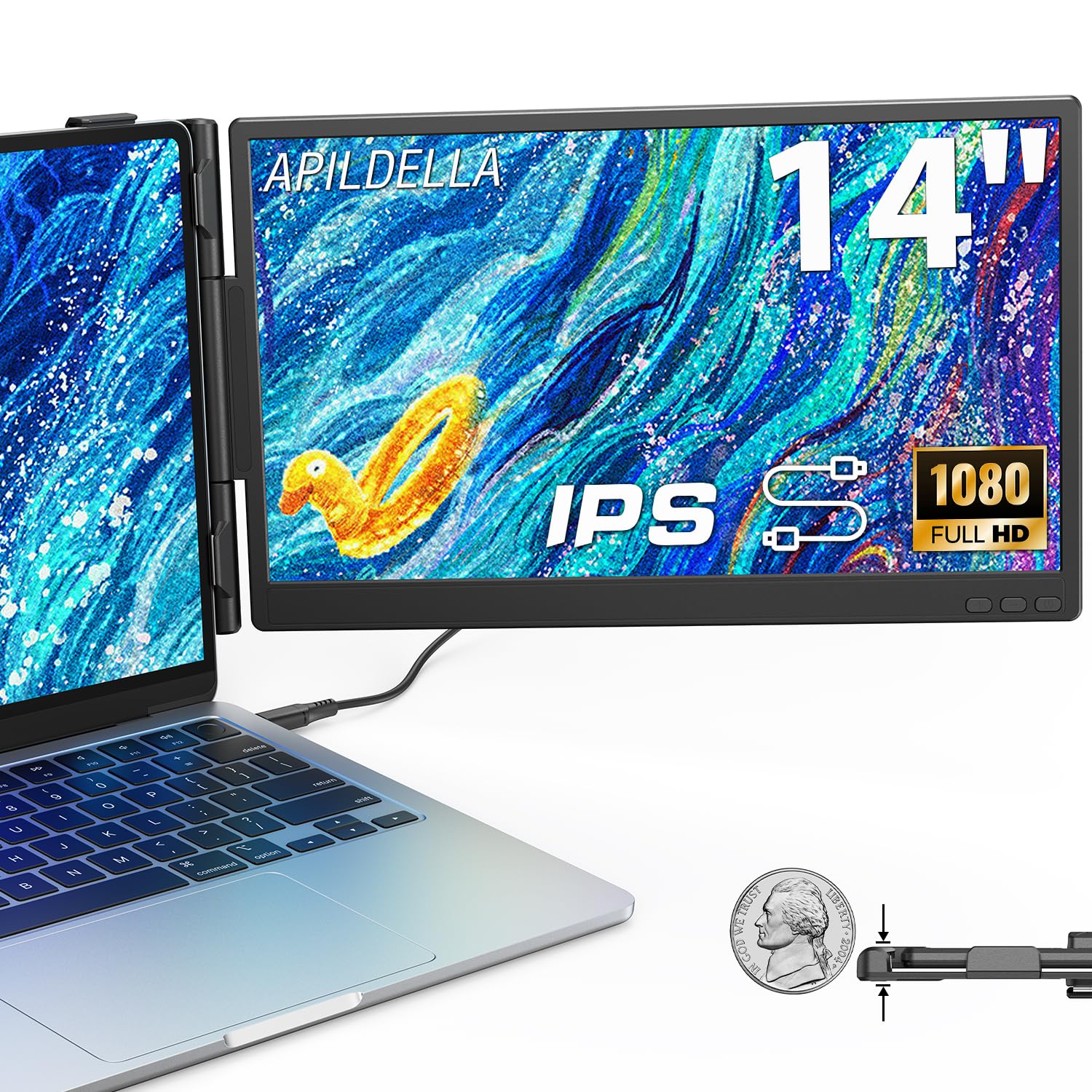
A Mac-friendly 14-inch extender built to clamp without scratching your lid.
MacBook owners have one extra worry that Windows users do not — a plastic clamp that bites down on an aluminium lid. APILDELLA’s answer is a zero-contact frame design, which puts the support on a sliding arm rather than the laptop screen itself. The screen runs 1920 x 1080 with HDR mode, adjustable brightness, contrast, and backlight, plus anti-vertigo and low blue light handling. Brightness sits at 250 nits, which is on the modest side, so plan for indoor working rather than outdoor café tables.
The multi-mode design lets you switch between extend and mirror, so you can park your coding window on the laptop screen and keep email on the extender, or the other way around. The screen folds from 0° to 225° and the bracket stabilises it against the laptop body. Connection is plug and play through the included USB-C+A and HDMI cables, and the frame slides to fit laptops from 13 to 16 inches. If the screen shows no signal or is not bright enough, the fix is a specific one: plug the external power into the first Type-C port on the monitor and the brightness comes back up.
Compatibility is the headline: this model supports Mac, Windows, Android, and most 13 to 16 inch laptops, and owners mention it plays nicely with MacBooks first and foremost.
Sizing caution: the sliding support arm holds the screen on the laptop side, but there is no matching support on the other side, so it leans on a single point of contact. A small number of buyers have found the screen spine fragile during installation — the honest read is to install with the laptop on a flat surface and use the manual before clipping it on.
Made for: MacBook and other 13 to 16 inch laptop users who want a low-fuss dual screen with HDR colour and a support arm that leaves the lid alone.
Think twice if: you want a rugged travel companion and you tend to toss things into a bag, because the frame is the one piece that needs a gentle hand.
6. Blackview SCM6 Laptop Screen Extender
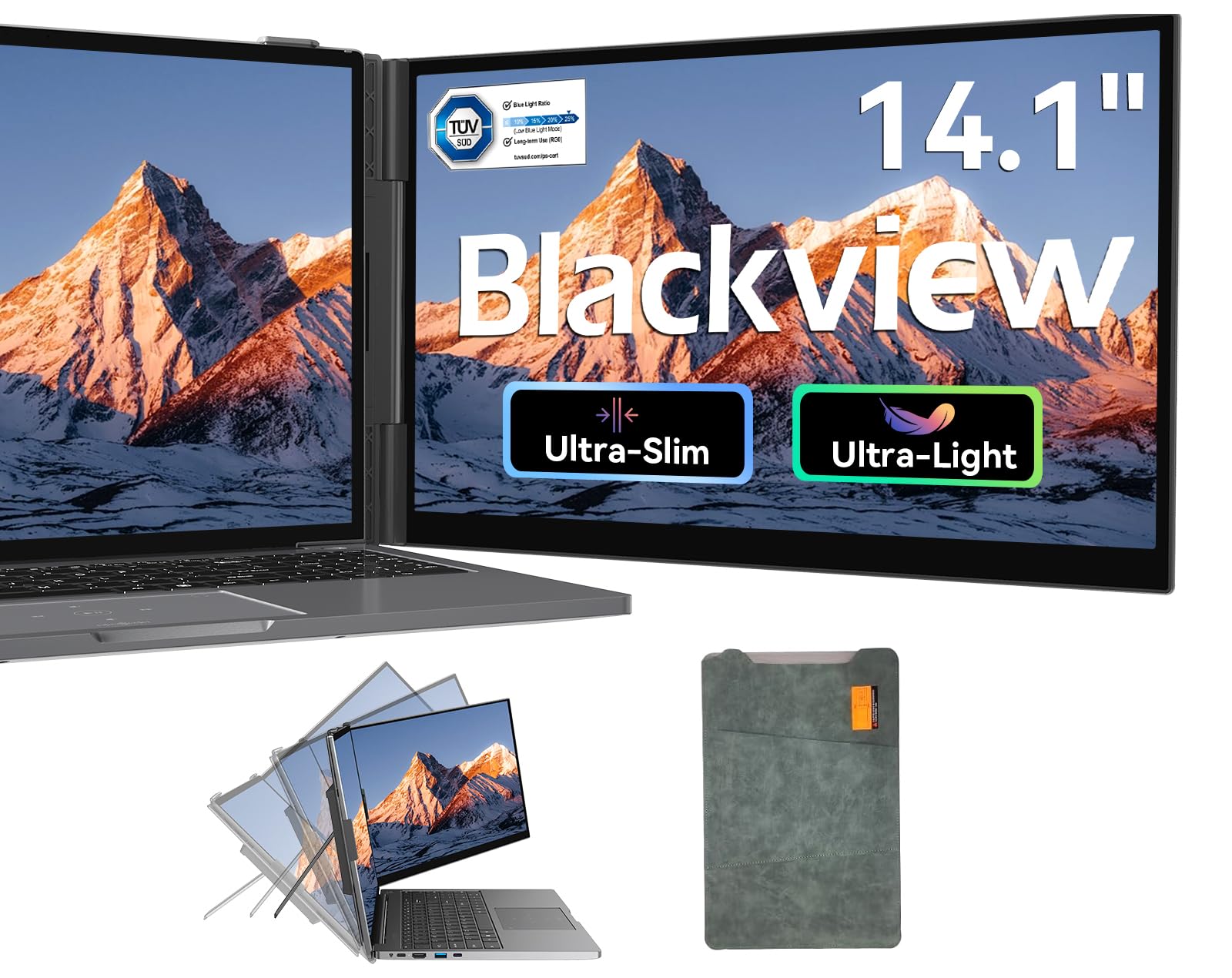
The ultra-light 14-inch extender that tips the scales at barely a pound.
If your rule is that any gadget heavier than a paperback does not leave the house, this one clears the bar comfortably. The Blackview SCM6 weighs 1.3 lbs and rolls down to 0.17 inches thick, which puts it well below the heavier 2.34 lb DZVW and 2.77 lb SMISEACOW further along this list. It is a 14.1-inch Full HD panel at 1920 x 1080 with a 16:9 ratio, a 60Hz refresh rate, 300 nits of brightness, and 100% sRGB colour coverage. Adjustable brightness, contrast, and backlight let you dial in a comfortable viewing level.
What separates it from the pack is the eye-care paperwork. Blackview qualifies for TÜV SÜD certification on low blue light with flicker-free handling, and the screen rotates 180° so you can swing it to portrait for reading long documents. Multiple display modes cover mirror, extension, and both landscape and portrait, and the reinforced springs and non-slip pads hold laptops from 13 to 17 inches. The whole kit — extender, USB-C to USB-C cable, USB-A to USB-C cable, and HDMI cable — fits inside the included protective case.
Owners describe it as an upgrade that transforms the whole laptop. People report plugging in without drivers, using the built-in stand to keep it stable, and treating the carry pouch as a screen protector in transit. A small number of road warriors have run into an intermittent blank or flashing screen during their first trips, and that same concern tends to resolve once the replacement unit is in hand. The 24-month warranty and replacement-only policy cover the rest.
Where It Wins
- 1.3 lbs and 0.17 inches — the lightest carry here
- TÜV SÜD certified low blue light with flicker-free handling
- 100% sRGB colour gamut on a 1920 x 1080 IPS panel
- Rotates 180° and supports portrait, landscape, extend, and mirror
What To Know
- Screen reliability has been flagged as mixed by buyers on a small share of units
- Brightness tops out at 300 nits, so direct sunlight will wash it out
- No built-in battery — it always draws power through your laptop or an outlet
Made for: the business traveller who refuses to add more than a pound to the carry-on and wants certified eye care on top of it.
pass on it if: you work outdoors or in bright windows all day, because that 300-nit ceiling is the limiting factor rather than the panel quality.
7. SMISEACOW Laptop Screen Extender 15.6″
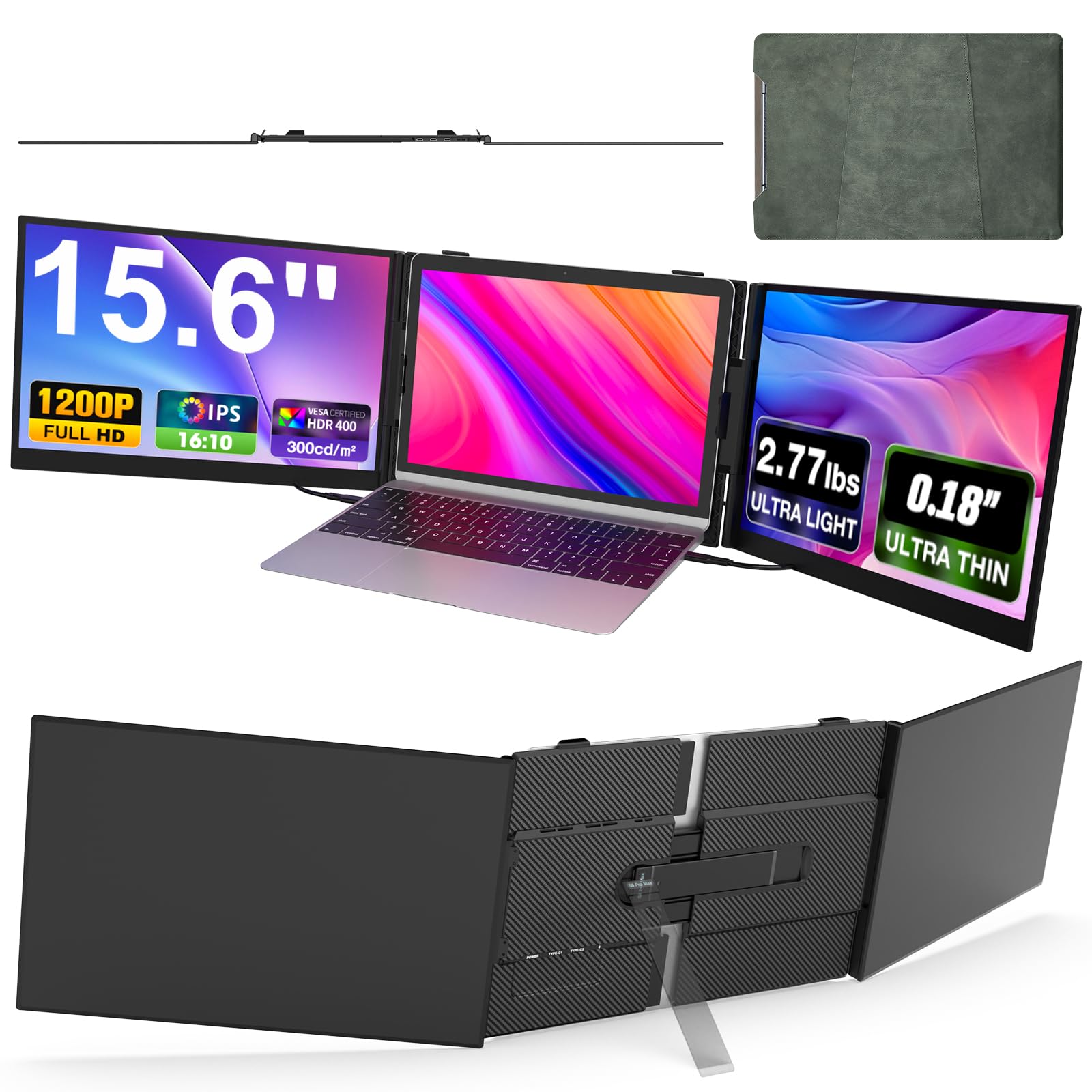
Triple screen space on a slim laptop, with a 16:10 ratio that fits more rows of data.
Spreadsheet-heavy work is where this extender earns its keep. The 15.6-inch panels run 1920 x 1200 in a 16:10 aspect ratio, which is taller than the standard 1920 x 1080 panels on the DZVW and Blackview. That extra vertical space shows more rows of a financial model or more lines of code before you scroll. Brightness sits at 300 nits with 100% sRGB coverage and a 178-degree viewing angle, and each side screen adjusts 180 degrees horizontally so you can angle them for comfort.
The physical build is the part that makes it travel-friendly. The screen back cover uses aviation-grade aluminium alloy, which helps with heat dissipation and scratch resistance, and the laptop-side bracket uses a uniform retractable design to avoid pressing on your lid. The whole thing comes in at 2.77 lbs and 0.18 inches per screen, and the stand is aluminium for a more secure base. The ribbon of modes — extend, mirror, duplicate, portrait, and landscape — lets you shape the workspace to the task. There are also built-in speakers and a 5V/3A external power note in case the panels flicker under a lazy USB port.
Reviewers report this one sets up in under a minute, works right from the start, and fits in a laptop backpack with the case included. Photo and video workers have called it an excellent addition to a production workflow with a 15″ MacBook Air, and MacBook Pro customers note the dual screens reading bright and sharp. The recurring note is on compatibility — some laptops with limited ports cannot feed both video signals, and a small number of buyers have found the clips too loose for very thick laptops such as a 15-inch Dell or Lenovo. On those thicker machines, the screen can slide behind the laptop and lose visibility.
Where the value sits: 1920 x 1200 resolution, 100% sRGB, an aluminium back cover, and a 0.18 inch thickness, all in a package that folds into a laptop sleeve.
What to check first: your laptop’s port layout. You need either two full-function Type-C ports, one Type-C plus one HDMI, or one HDMI plus one standard USB port. MacBooks on M1, M2, or M3 chips will need the H5-T video expansion cable that is included in the box.
The right choice for: the coder, analyst, or remote worker on a slim modern laptop who wants triple-screen productivity and a clean aluminium build.
Not for: chunky older 15-inch business laptops, where the clamps may not grip the lid tightly enough to keep the screens flat.
8. Rizpak One Cable Laptop Screen Extender
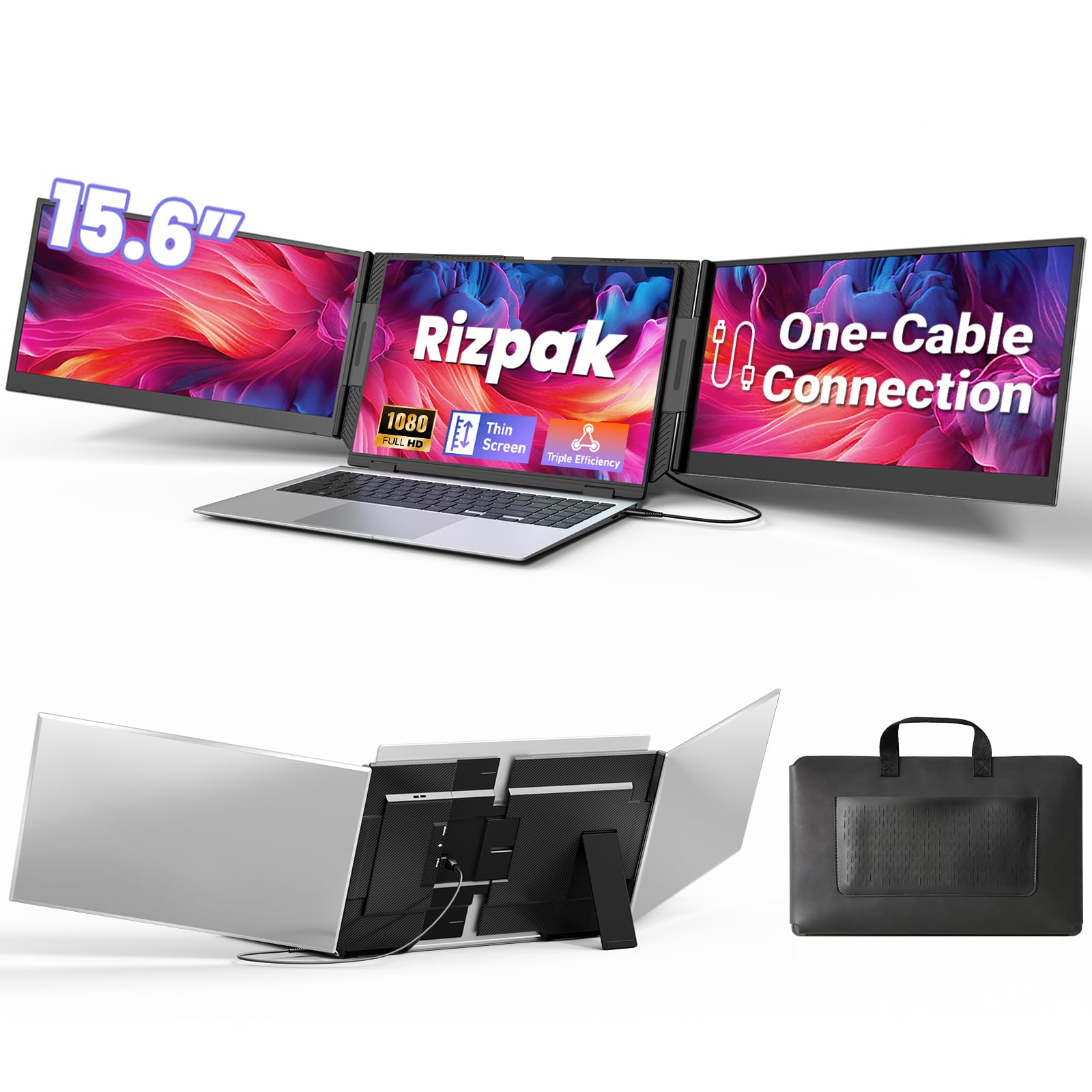
Three screens, one cable, driver installed — the cleanest desk in the bag.
For the trader, developer, or analyst who drags a three-screen workflow between cafés and hotel rooms, this is the pick that replaces the docking station. Two 15.6-inch 1080P FHD IPS panels sit either side of your laptop, giving you a triple-display setup over a single USB-C or USB-A cable once the driver is installed. That single-cable design is the real win — the cable clutter in a hotel workspace disappears, and setup takes minutes instead of a docking rig.
The build is aluminium, aerospace-grade per the maker, with a reinforced metal stand that sits beside the laptop rather than hanging off the lid. That matters because it takes the weight off your laptop hinge. Screen thickness is 0.2 inches, the panels run 100% sRGB with a 178-degree viewing angle, and the aluminium body helps dissipate heat. The 15.6-inch size is 24% more screen area than a standard 14-inch, according to the maker, and it fits laptops from 13 to 17.3 inches. The kit ships with all cables, a power adapter, and a carrying bag.
What owners come back to is the productivity jump on the road. Multiple travellers have called it the best purchase for their work setup and praised it for enabling multiple screens in a hotel or café. The review pages also flag a genuine friction point — the driver. On a personal laptop the install is straightforward, but a locked-down work machine can block it entirely, and one buyer had to send the unit back for that reason alone. If your work laptop does not allow new software, this extender is the wrong tool regardless of everything else it does well.
What Earns The Premium
- Triple 15.6-inch 1080P FHD IPS display over one USB-C or USB-A cable
- Aluminium housing with a reinforced metal stand that reduces laptop hinge stress
- 100% sRGB and a 178° viewing angle across both side screens
- Includes a power adapter and carrying bag for immediate travel
The Parts To Plan For
- Driver installation is required for first-time use and can be a blocker on managed laptops
- Not compatible with gaming consoles or non-computer devices
- 4 lbs of kit in the bag is the heaviest carry on this list
The right call for: freelancers and independent professionals who control their own laptop and want the smallest possible cable footprint for a triple screen.
Look elsewhere if: you rely on an IT-locked work laptop, because the required driver install is the one thing that can stop this setup cold.
9. InnoView 4K Portable Dual Monitor
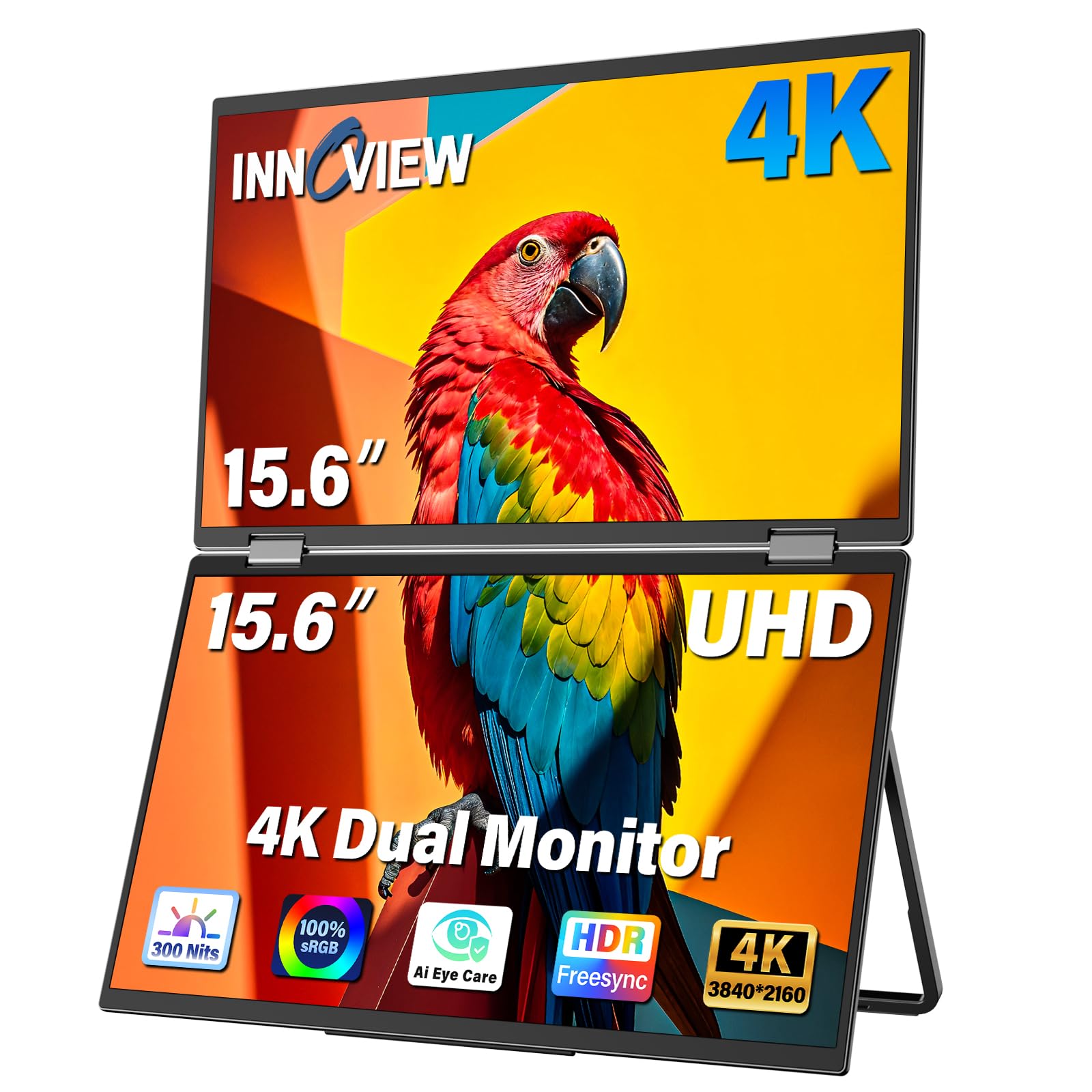
The 4K dual-screen rig for editors, photographers, and anyone who lives in colour detail.
The InnoView stack is the pick for the buyer whose second screen is a colour reference rather than a document tray. Two 15.6-inch 4K UHD panels run the full 3840 x 2160 resolution at 100% sRGB with 1.07 billion colours, which means print and video work can be colour-matched against a laptop display without visible shifts. Brightness sits at 300 nits, and a 178-degree viewing angle keeps the image consistent wherever you sit. The 315° foldable design lets you close one screen into a sleeping position or open both out to full size.
The feature I keep coming back to is Owl Eye Vision, an AI enhancement that sharpens details and contrast in real time for both bright and dark scenes. That feature is useful when you are reviewing shadow detail in a video clip on the road. An AI blue light filter is there for long editing sessions. The whole kit includes a full-featured Type-C cable, HDMI cable, DP cable, a 30W PD charging adapter, and a power cable, so you can run it through whichever port your laptop has spare. The stand covers 0° to 180° tilt.
The review pages are more mixed here than anywhere else on this list, and buyers should know that. Some report crisp, bright screens with easy connection; others describe dead space on the panel edges that undermines the thin-bezel claim, colour lag on vertical scroll, and a flickering unit on day two. A few buyers also note the foldable design adds bulk that makes a thinner cover worth adding. Support responsiveness has been flagged as slow on the slowest cases. That is a real spread — this panel rewards a careful buyer who is happy to test the unit during the return window.
The colour argument: 3840 x 2160 on a 100% sRGB 1.07 billion colour panel with Owl Eye Vision sharpening is a legitimate creative-tool pitch at this size.
The honest caveat: mixed buyer feedback across panel consistency and flicker means you should test this one immediately on arrival, and the 18-month warranty is worth remembering if anything shows up late.
Built for: travelling photographers, editors, and colour-conscious creatives who want a genuine 4K second screen with a foldable frame.
Better options exist if: you want a plug-and-play screen with the fewest possible variables, because this one asks you to verify quality on day one rather than trust it blindly.
Know the Specs
Resolution And Aspect Ratio
Resolution is the number of pixels painted on the panel — 1920 x 1080 is the standard Full HD laptop panel, and 1920 x 1200 adds extra vertical rows useful for spreadsheets and code. A higher 3240 x 2160 or 3840 x 2160 4K panel gives you more pixels to play with for photo and video work. Aspect ratio matters just as much — a 16:10 screen shows more vertical space than a 16:9 panel at the same size, so you scroll less on long documents.
Brightness, Contrast, And Colour Gamut
Brightness is measured in nits — the raw luminance of the panel. Around 300 nits holds up for indoor work, while a 500 nit panel is noticeably brighter in a sunlit room. Contrast ratio, like 1000:1, describes how deep the blacks go against the whites. Colour gamut, expressed in percentage sRGB (a standard colour range), tells you how much of that range the screen covers — 100% sRGB is what most panel makers aim for, and a lower figure such as 45% sRGB means the colour range is narrower.
Connection Types And What They Carry
A full-function USB-C port carries both video and power over a single cable, which is how the cleanest extenders on this list run. An HDMI or Mini HDMI connection carries video only, so you need a second USB-A or USB-C line to power the panel. Some models also want a driver installed before the display wakes up. Checking your laptop’s port list first saves the return shipping.
Weight, Thickness, And Carry Cost
The carry cost of an extender is real. A 1.3 lb panel folds into a laptop sleeve without complaint; a 4 lb triple-screen rig is a deliberate choice to swap light travel for extra screens. Panel thickness in inches matters when you fold two screens together — a 0.17 or 0.18 inch panel stacks flat, while thicker panels push out in the bag. Match the number to how often you actually move the thing.
Common Questions
Will a laptop screen extender work with my MacBook?
Do I need a driver to use a screen extender?
How do I connect a screen extender if my laptop only has HDMI?
How much weight does a laptop screen extender add to my bag?
Does a screen extender need its own power supply?
What is the difference between panel resolution 1920×1080 and 1920×1200?
Can I mount a laptop screen extender on a VESA arm?
Why does the screen show no signal or cable on my extender?
How do I attach a screen extender without scratching my laptop lid?
Is a triple-screen extender better than a single extra screen?
What laptop size range does a clip-on extender fit?
The Bottom Line
If you want one dependable pick, the laptop screen extenders winner is the ASUS ZenScreen MB16ACV because it runs off a single USB-C cable, accepts a plain USB Type A connection as a fallback, and ships with a 3 Year Warranty with Advanced Replacement and Repair service. If you want the widest colour coverage on a portable panel, the Topmonitor 4K 15.6″ UHD Extender at 100% sRGB and a 2000:1 contrast ratio earns that spot — just verify the resolution on arrival. For Mac-first users who want a screen that clamps on without touching the lid, the APILDELLA 14″ Extender is the one to reach for, and it is note its review base is smaller than the ASUS panel’s — the crowd favorite here has the deeper track record — but the compatibility-first design speaks for itself.
The honest speed bump is the driver question. Reviewers point out that the Rizpak One Cable is genuinely excellent on a personal laptop but becomes a return candidate on a managed work machine where installs are blocked, so plan around that before you add it to the bag. For everyone else, the practical rule is simple: full-function USB-C port, 300 nits or better, and a 1.3 lb panel that folds flat will serve you better than any spec-sheet headline.
How we choose
We do not accept paid placement. Every pick is matched to a real buyer and a real use-case; we do not hands-on test units.
Sources
Specifications: manufacturer listings and product documentation. Review insights: verified customer reviews, as of October 2026. Pricing: not shown on this page (it changes often); check the current price via the retailer link.
As an Amazon Associate, Aappliancez earns from qualifying purchases. This does not affect which products we feature.