Disclosure: Some links in this post are affiliate links. As an Amazon Associate I earn from qualifying purchases, at no extra cost to you. Learn more
Specs are compiled from manufacturer listings and verified buyer reviews and can change over time — please confirm the key details on the product page before buying.
If your laptop freezes the moment you open a second window, you need more memory and cores. Multitasking depends on how many browser tabs, spreadsheet rows and video calls can run at once before the machine hitches. The short answer: aim for at least 16GB of RAM (short-term memory for open apps) and a modern multi-core processor (a chip with several brains working in parallel). One pick below clears that bar for a crowd of owners, with a 4.0+ star rating across 500+ ratings. The rest of this guide covers ten real models, what each does well, and where it gives something up.
This guide is built by comparing the manufacturers’ published specifications and the patterns across verified customer reviews, so you get each pick’s real strengths and trade-offs instead of marketing spin.
Some machines here carry 64GB of memory while others lean on a long battery and a light chassis. You will see exactly which trade-off suits your desk, your commute and your software, so the right laptop for multitasking stops being a guess and becomes an obvious pick for how you actually work.
Top Picks

How To Choose The Best Laptop for Multitasking
Multitasking load is not one problem, it is three at once: memory for holding everything open, cores for splitting the work, and storage speed for opening files without a wait. Get those three right and the machine stays calm even when you are juggling a video call, a spreadsheet and twenty browser tabs. Get them wrong and you will feel the stutter every afternoon.
Memory is the tab ceiling
RAM is the short-term workspace where open programs live. When it fills, the laptop moves data to the slower drive and everything drags. 16GB is a comfortable floor for heavy browser use and office software. 32GB and 64GB give you headroom that stops the machine from choking when you add virtual machines or large media files on top.
Cores divide the job
A core is an independent processing unit inside the chip. A 10-core or 14-core processor can run background indexing, a spreadsheet recalculation and a video call at the same time without one stalling the others. More cores help multitasking more than a slightly higher top speed does.
Storage speed beats raw size
An SSD (solid-state drive, which stores files on memory chips instead of spinning disks) is what makes a laptop feel instant. A PCIe NVMe SSD opens a big project file in seconds rather than minutes. Capacity decides how much you can carry offline; speed decides how quick each click feels.
The screen and the keyboard you live with
On a multitasking machine you often run two windows side by side. A 16:10 or larger 16-inch panel gives more vertical space for documents and code. A backlit keyboard with a separate numeric keypad helps when numbers are part of your day, and anti-glare coatings keep the screen readable under office lighting.
Side-by-Side Comparison
| Model | Best For | RAM | CPU Cores / Top Speed | Storage | Amazon |
|---|---|---|---|---|---|
| Lenovo ThinkPad E16 Gen 3★ Best Overall | All-round business multitasker | 16GB DDR5 | 14 cores / 4.9 GHz | 1TB NVMe SSD | Amazon |
| Dell 16 TouchscreenMost Memory | Heavy-app students and creators | 64GB DDR5 | 10 cores / 5.4 GHz | 2TB PCIe NVMe SSD | Amazon |
| HP 17.3-inch BusinessBiggest Screen | Big-screen office work | 12GB DDR4 | 10 cores / 4.6 GHz | 512GB PCIe SSD | Amazon |
| Acer Aspire 16 AI | Copilot+ AI features on a budget | 16GB LPDDR5X | Snapdragon X X1-26-100 / 3 GHz | 512GB PCIe Gen 4 SSD | Amazon |
| Dell 15.6″ DC15250 | Everyday home and office tasks | — | Intel Core i5 1334U / 4.6 GHz | — | Amazon |
| GEEKOM GeekBook X14 Pro | Travel with a vivid OLED screen | 16GB LPDDR5 | 12 cores / 4.3 GHz | 512GB PCIe Gen4 NVMe SSD | Amazon |
| HP 15.6″ Business & Student | Big memory on a mid-range budget | 32GB DDR4 | 10-core Intel Core i5 / 4400 MHz | 1TB SSD | Amazon |
| HP 17 Laptop Touchscreen | Running several virtual machines | 64GB DDR5 | Intel Core i7 1355U / 4.7 GHz | 2TB PCIe NVMe SSD | Amazon |
| LG gram 17 Touchscreen | Long-battery big-screen premium work | 32GB DDR5 | Intel Ultra 7-258V / 4.8 GHz | 2TB PCIe SSD | Amazon |
| Microsoft Surface Laptop 15″ | All-day office work on ARM | 32GB | Snapdragon X Elite (12 core) | 1TB SSD | Amazon |
Detailed Reviews
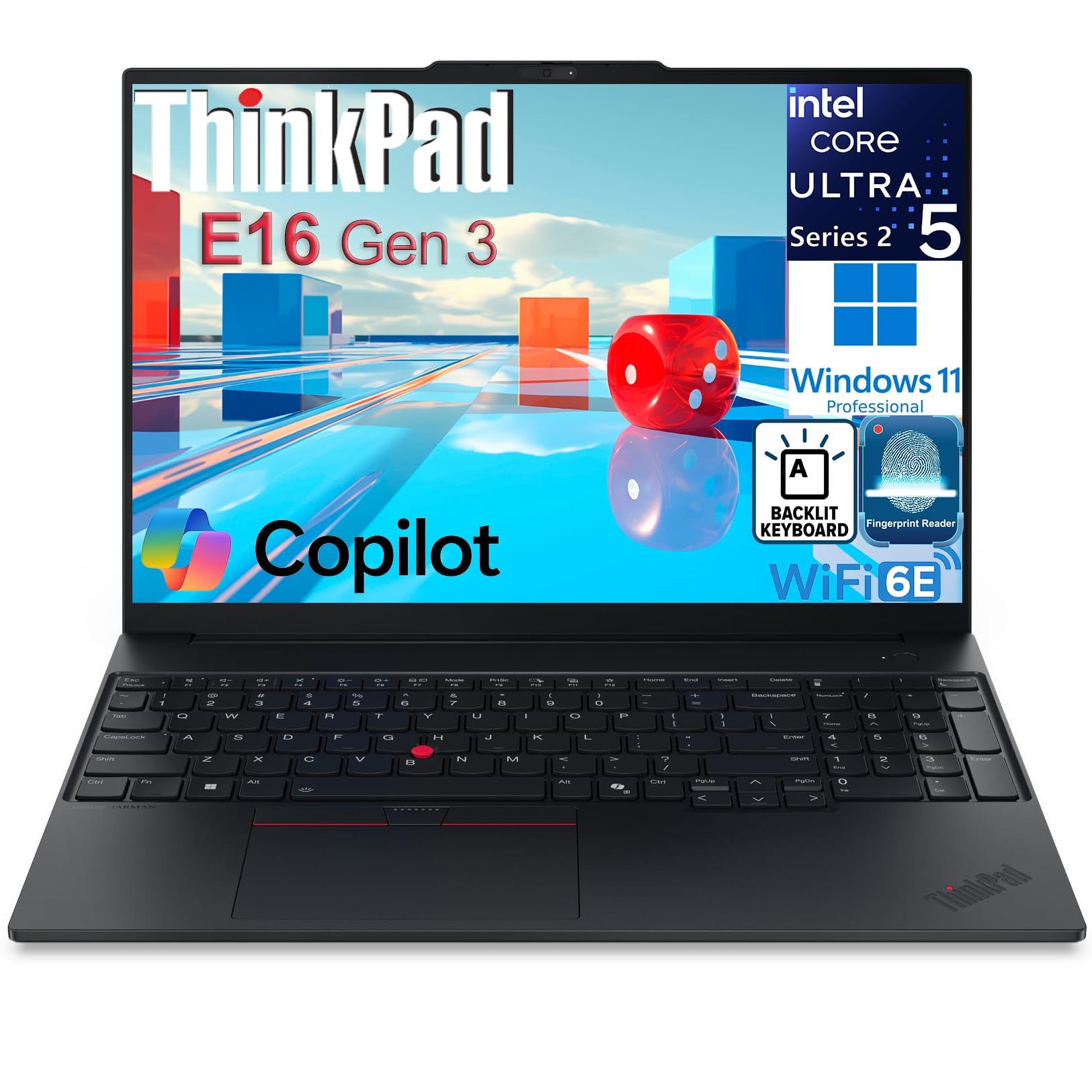
1. Lenovo ThinkPad E16 Gen 3 Business Laptop
Our pick — 4.0+★ from 550+ verified ratings; the strongest balance of quality and price.
The workhorse that treats fourteen simultaneous tasks as a normal Tuesday.
Fourteen cores on the Intel Core Ultra 5 225H is the number that wins this category. Each core is an independent processing unit, so fourteen of them can chew through a spreadsheet recalculation, a video call and background search at the same time without one thing waiting on another. Next to the Dell 16 Touchscreen’s 10 cores, that is a 14-core vs 10-core gap in the ThinkPad’s favour — real headroom when your day is nothing but overlap.
The memory story holds up too. 16GB of DDR5 RAM (the newer, faster generation of working memory) keeps a heavy browser and office suite open together, and 16GB here against the HP 17.3-inch’s 12GB DDR4 is 16GB vs 12GB in the ThinkPad’s favour. A 1TB NVMe SSD — storage on memory chips rather than a spinning disk — boots and opens projects fast, with owners timing roughly 15 seconds to a usable desktop. As one owner put it on the review pages: “Fast (~15s boot vs 3+ min old HP), compact, huge storage, easy setup.”
The screen is a 16-inch WUXGA panel (1920×1200), which gives you a taller workspace than a standard widescreen for side-by-side windows, and the 300 nits brightness keeps it legible in ordinary office light. Enterprise extras are genuinely there: a fingerprint reader in the power button, a TPM 2.0 chip (hardware that stores security keys), a privacy shutter, Thunderbolt 4, HDMI 2.1, WiFi 6E and Ethernet. What wins people over is performance above all — it is the most-praised trait by a wide margin. The honest catch is power delivery: the bundled charger has a rough reputation, and a couple of owners have gone through replacements in under a year. Buy a quality spare if you travel hard.
Where it earns its keep
- 14 cores on the Intel Core Ultra 5 225H for genuinely parallel work
- 16GB DDR5 RAM and a 1TB NVMe SSD from the start
- 16-inch 1920×1200 anti-glare panel at 300 nits for side-by-side windows
- Windows 11 Pro, fingerprint reader, TPM 2.0 and a privacy shutter
What to plan around
- The included charger is the weak link — plan a spare
- Setup experience splits both ways; a few find the first run rough
- Speakers are modest; most owners reach for earbuds
Reach for this if: you want the most cores and the most balanced spec sheet in this list for office, analysis or trading work that never runs one app at a time.
Think twice if: you need discrete graphics for gaming or heavy 3D — this is a business machine first.
2. Dell 16 Touchscreen Laptop for Business & Home Student
Sixty-four gigabytes of memory and a two-terabyte drive for people who never close a window.
If your version of multitasking means a design file, a browser with dozens of tabs and a video render all running at once, 64GB of DDR5 5200MHz RAM is the headline. That is the most working memory on this list, and it pairs with a 2TB PCIe NVMe SSD so project files and media libraries open without a wait. The chip is the Intel Core 7-150U: 10 cores, 12 threads, up to 5.4 GHz. Its 5.4 GHz top speed edges the HP 17.3-inch’s 4.6 GHz, so single heavy tasks finish quicker even though the ThinkPad above brings more cores to the party.
The 16-inch touchscreen runs at 1920×1200 in a 16:10 shape, which means more vertical rows for code or spreadsheets before you scroll. You get a backlit keyboard with a numeric keypad, a 1080p FHD webcam, Wi-Fi 6E, Bluetooth 5.3 and USB-C with Power Delivery and DisplayPort. Students and home-office workers are the target here, and the touchscreen earns its keep for quick annotation and scrolling.
The catch worth knowing: quality control has not been spotless. A small number of units have arrived with faults — one machine threw a blue screen and a lost Windows install a couple of weeks in, which is a nasty surprise if it happens. A few also find the touchscreen response soft. For most buyers the 4.0+ star record and the sheer memory headroom carry the day, and this is the pick when RAM is the bottleneck you are trying to kill.
What actually matters here: 64GB DDR5 and a 2TB drive mean you stop thinking about open windows entirely — the ceiling that slows most laptops simply is not there.
The honest caveat: a handful of units arrive faulty, so keep your return window close and test the machine thoroughly in the first two weeks.
Best for: creators and students whose workload would choke a 16GB machine — lots of large files open simultaneously.
Look elsewhere if: you want the most cores for pure parallel throughput; the ThinkPad’s 14 beats this 10-core chip on that front.
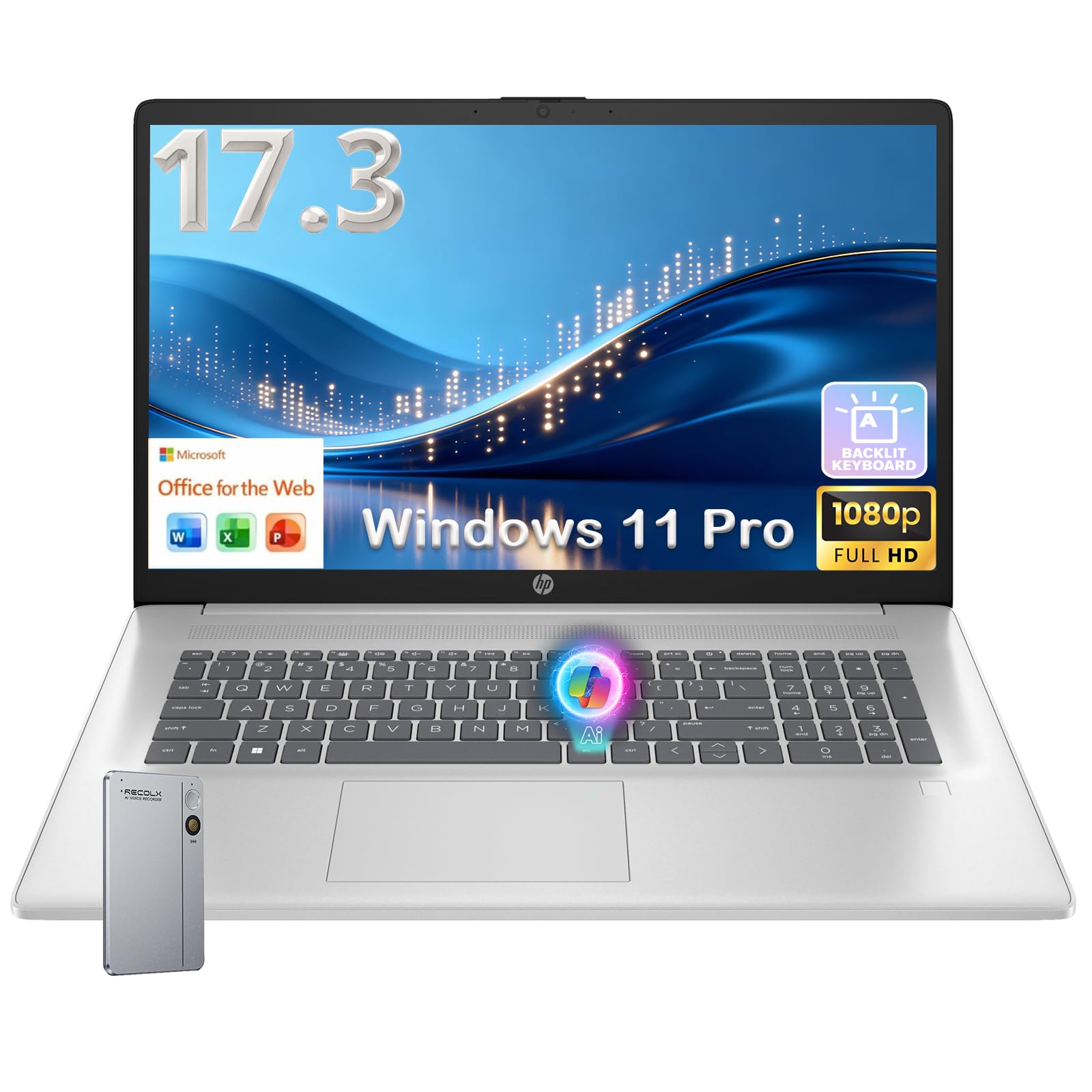
3. HP 17.3-inch Business Laptop
A 17.3-inch desk-topper for spreadsheets that never seem to fit.
You get the widest canvas in this guide for two windows side by side. A 17.3-inch Full HD screen at 1920×1080 (1920 pixels wide, 1080 tall) with an anti-glare finish and thin bezels makes split-screen work feel roomy on a desk. The chip is the Intel Core i5-1334U with 10 cores up to 4.6 GHz (4.6 billion cycles per second). Its 4.6 GHz top speed sits below the Dell 16’s 5.4 GHz, so a single heavy task finishes a touch behind — but for browsing, Zoom and document work you will not feel that gap.
Memory is 12GB of DDR4, the smallest amount of RAM in this lineup, and 12GB here against the ThinkPad’s 16GB DDR5 is 12GB vs 16GB — the one place this HP gives ground. It is enough for a normal office day of tabs and documents, but if you routinely keep twenty-plus tabs and a virtual machine open, look up the list. Storage is a 512GB PCIe SSD, which boots and opens files fast. You also get a full backlit keyboard with a numeric keypad, a fingerprint reader and Windows 11 Pro.
What owners tend to notice first is how easy the setup runs and how comfortable the big keyboard is for data entry. The recurring worry is a rare hardware failure — one machine lost a RAM stick around the six-month mark and fell into a warranty argument, so register the device the day it arrives. For a desk-bound worker who wants screen real estate over portability, the trade is a fair one.
The case for the big panel
- 17.3-inch Full HD anti-glare display for true side-by-side windows
- Full backlit keyboard with a dedicated numeric keypad
- Fingerprint reader and Windows 11 Pro preinstalled
The honest trade-offs
- 12GB DDR4 is the lowest memory here — a ceiling for very heavy tab counts
- 17.3-inch size is a desk machine, not a lap or commuting one
- Rare hardware faults make registering the warranty early worthwhile
Pick it when: your work lives in wide spreadsheets and you want the biggest screen for the money.
Skip it when: you carry the laptop daily and want more memory headroom for heavy tabs.
4. Acer Aspire 16 AI Copilot+ PC

A 120Hz touchscreen and an 18-hour battery for the student who never plugs in.
You can get through a full day of classes, notes and streaming off one charge in the best case. Acer rates the battery at 18 hours, but owners say it leans on eco power mode to get near that — expect six to eight hours of heavy multitasking. The 16-inch WUXGA touchscreen (1920×1200 resolution) runs at 120Hz (refreshes 120 times per second), so scrolling feels smooth rather than stepped. It also covers 100% sRGB colour (a standard colour range) for accurate photos and video.
The engine is the Qualcomm Snapdragon X X1-26-100, an ARM-based chip — a different processor family from Intel, which is why app compatibility is the point to check before you buy. It carries an NPU rated 45 TOPS (a dedicated chip for AI tasks) and a GPU up to 1.7 TFLOPs. Owners find Photoshop and everyday programs running well, but a work VPN client has tripped compatibility for at least one buyer, so confirm your critical software before committing. It comes with 16GB LPDDR5X RAM and a 512GB PCIe Gen 4 SSD.
What wins people over is raw performance and the vivid screen — this is a 4.0+ star machine with a strong home-use reputation. The mixed part is reliability: a few units have hit camera failures around the month mark and one died outright. Buy from a seller with a clear return path, and this becomes a very affordable door into a Copilot+ AI laptop with a genuinely nice display.
The standout spec: 18-hour battery and a 120Hz 16-inch touch display in one mid-range package — rare at this tier.
Check before you buy: ARM compatibility is the one thing that can bite — verify your work VPN and specialist apps run on Snapdragon first.
Suits: students and home users who want a long battery, a smooth touchscreen and AI features without paying premium prices.
Not ideal if: your job depends on corporate VPN or legacy Windows software with no ARM version.
5. Dell 15.6″ Laptop DC15250

The practical daily driver that handles the browser, the office suite and little drama.
The Intel Core i5-1334U runs at up to 4.6 GHz in this 15.6-inch Dell, and the picture owners paint is of a machine that simply keeps up with a normal working day. Presentations, letters, video and browsing run smoothly together. What most buyers highlight is performance — it is the top praise in the review pages, and it earns a 4.0+ star record across a large pool of ratings.
This is the machine with the most to prove on the honest downsides, so read carefully. Battery drain is the top negative theme: owners say it runs down faster than they would like. Heat also comes up, with the vents sitting under the bottom-centre near the hinge, so it is not a lap machine under load. And the fan is loud compared with quieter rivals. A few units have died after a few months of use. The keyboard and noise level split opinion — some find the typing feel and sound fine, others do not.
On the practical side, you get a 15.6-inch FHD screen with Dell ComfortView software to trim blue light, a separate numeric keypad, lifted hinges for a more comfortable typing angle, and a 1-year onsite service plan. The screen size is the quiet strength here — big enough for two windows, small enough to carry. If your multitasking is a browser, email and Office rather than virtual machines, the balance still works.
The straight read: smooth, polished everyday performance at 4.0+ stars — the day-to-day work most people actually do, done well.
The genuine catch: battery life and heat are the weak spots, so this is a desk-and-outlet machine rather than a long-haul travel one.
Worth it for: home and office users who want a comfortable everyday machine with onsite support and a keyboard that takes the pain out of data entry.
Not the one if: all-day untethered battery or a cool quiet lap is non-negotiable.
6. GEEKOM GeekBook X14 Pro Laptop
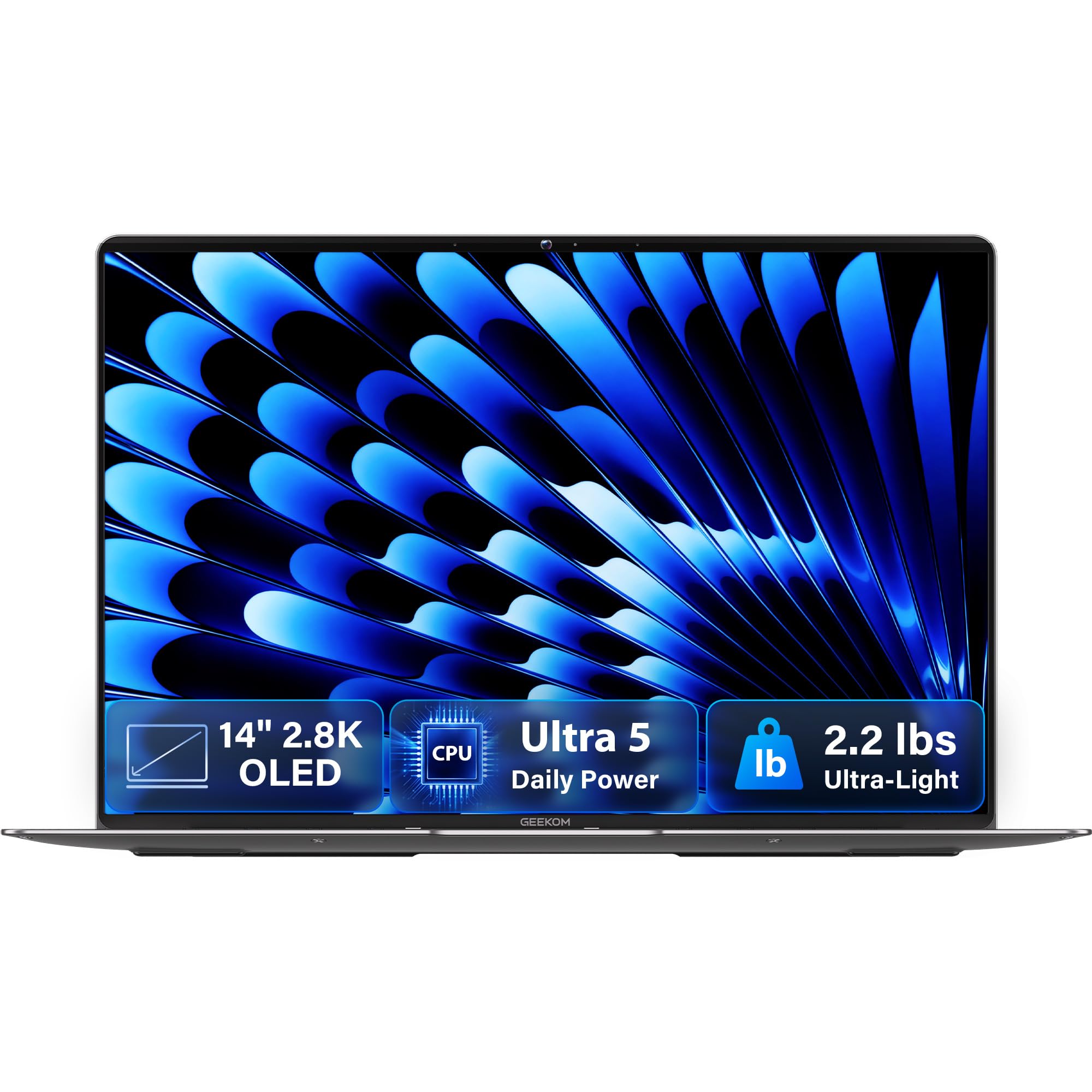
A 2.2-pound 14-inch OLED notebook that keeps up without weighing your bag down.
The defining feature is the 14-inch 2.8K OLED panel. OLED means each pixel lights itself, so blacks are truly dark and colours look rich — paired with 100% DCI-P3 coverage and a 120Hz refresh that keeps scrolling fluid. Owners call the display one of the best parts of the machine. At 2.2 pounds and 0.23 inches thick in a magnesium alloy body, it is the lightest laptop here by a clear margin, and that is what makes it a travel pick rather than a desk machine.
Under the hood sits the Intel Core Ultra 5 125U: 12 cores, 14 threads, up to 4.3 GHz, backed by a dedicated NPU for tasks like background blur and noise reduction in calls. It runs cool and quiet thanks to the IceBlade 2.0 thermal setup, and 16GB of LPDDR5 memory at 6400MHz holds a healthy stack of browser tabs. The 72Wh battery is rated up to 16 hours, and one buyer reports 80% charge left after three days asleep. A 512GB PCIe Gen4 SSD handles storage, and two 40Gbps USB4 ports plus an included docking station mean no dongle scramble.
The honest side: the touchpad is the recurring gripe and can feel finicky, and a couple of units arrive with cosmetic marks in the packaging. What wins people over is how much power and how good a screen come in a chassis this light — it is a favourite of commuters for exactly that reason. If you want the most portable way to run a dozen tabs and a creative app, this is the shape of the answer.
Why commuters like it
- 2.2 pounds and 0.23 inches thick in a magnesium alloy body
- 14-inch 2.8K OLED with 120Hz and 100% DCI-P3
- 72Wh battery rated up to 16 hours, cooled and quiet
- Two 40Gbps USB4 ports plus an included docking station
Plan around these
- The touchpad is finicky — many owners pair a mouse
- A few units arrive with minor cosmetic marks
- No IR camera, so face-login is out — the fingerprint reader covers it
The one to carry: frequent travellers who want an OLED screen and real power in a bag you barely notice.
Look elsewhere if: you do most of your work at one desk and would rather have more cores and memory than a light body.
7. HP 15.6″ FHD Business & Student Laptop

Thirty-two gigabytes and a terabyte of storage in a plain, capable work shell.
You get multitasking headroom spent on memory rather than a fancy chip. 32GB of DDR4 RAM (fast short-term memory) and a 1TB SSD (solid-state drive for storage) let you hold many tabs and demanding apps open without the machine grinding. Owners on the review pages say exactly that — the 32GB/1TB pairing keeps work and study apps flowing. The processor is a 10-core Intel Core i5 with Iris Xe graphics, topping out at 4400 MHz (4.4 billion cycles per second). Its 4400 MHz top speed sits below the Dell 16’s 5.4 GHz, so single-threaded tasks finish behind — but the memory is what keeps a browser-heavy day smooth.
The 15.6-inch FHD IPS screen runs at 300 nits with anti-glare and a micro-edge bezel, so it stays usable under office lighting and reads fine at an angle. There is a backlit keyboard despite the listing not always saying so, and owners find the typing comfortable once adjusted to the plastic keys. It is a moderately heavy machine by the standards of the class, lighter than an older 17-inch, which tells you the build leans solid over featherweight.
The trade-offs are worth naming. The processor is a generation or two behind the newest names, so it leans on the RAM to feel fast, and the battery drains quickly on first use — a few full charge-and-discharge cycles help. A rare wireless card failure and a warranty fight has been reported, so keep the return window close. For a student or office user who wants a big memory pool without chasing the latest chip, the value still lands.
Where the money went: 32GB DDR4 and a 1TB SSD — memory you would otherwise pay a premium for, in a plain work laptop.
What you accept: an older-generation processor and modest battery, so it is at its best near an outlet with a browser full of tabs.
Good match if: you want maximum open windows for the money and mostly work at a desk or in class.
Pass if: you need the newest chip for heavy creative work or expect long unplugged days.
8. HP 17 Laptop Touchscreen

Sixty-four gigabytes built to run four virtual machines without blinking.
For the buyer whose multitasking means several operating systems at once, the 64GB of DDR5 RAM is the reason to read on. Owners running four concurrent virtual machines on the Intel Core i7-1355U — 10 cores, 12 threads, 12MB cache, up to 5.00 GHz in the listing, with a 4.7 GHz spec figure — report plenty of headroom left over. The 2TB PCIe NVMe SSD boots fast and stores large project libraries, and the 17.3-inch touchscreen gives you a wide canvas that tilts for annotation.
The screen is the honest compromise. It is HD+ at 1600×900 rather than Full HD, so text is not as sharp as a 1080p panel — owners who came from a 1080p machine notice the softer edges. Battery is on the short side, roughly two and a half to three hours by owner accounts, so plan on the charger. The USB-C port does not charge the machine or drive a second display, and a barrel-to-USB-C adapter is needed if you want to charge over USB-C. The 17-inch frame is desk-sized rather than lap-sized.
What it does well is the heavy parallel load. Touchpad sensitivity and the chunky size are quirks to adjust to, but for a workstation-in-a-laptop running virtualised systems, the memory and storage make the case. Think of it as a portable desk for power users, not a lap companion.
What it does well
- 64GB DDR5 RAM and a 2TB PCIe NVMe SSD for concurrent virtual machines
- 10-core Intel Core i7-1355U up to 4.7 GHz
- 17.3-inch touchscreen and backlit keyboard
The realities to know
- HD+ 1600×900 resolution is softer than Full HD
- Roughly 2.5–3 hours of battery per owner reports
- USB-C does not charge or drive a display without an adapter
The fit: power users running virtual machines who value memory and storage over a sharp battery-friendly screen.
The mis-fit: anyone who wants a light, all-day unplugged laptop for the commute.
9. LG gram 17 Touchscreen Laptop
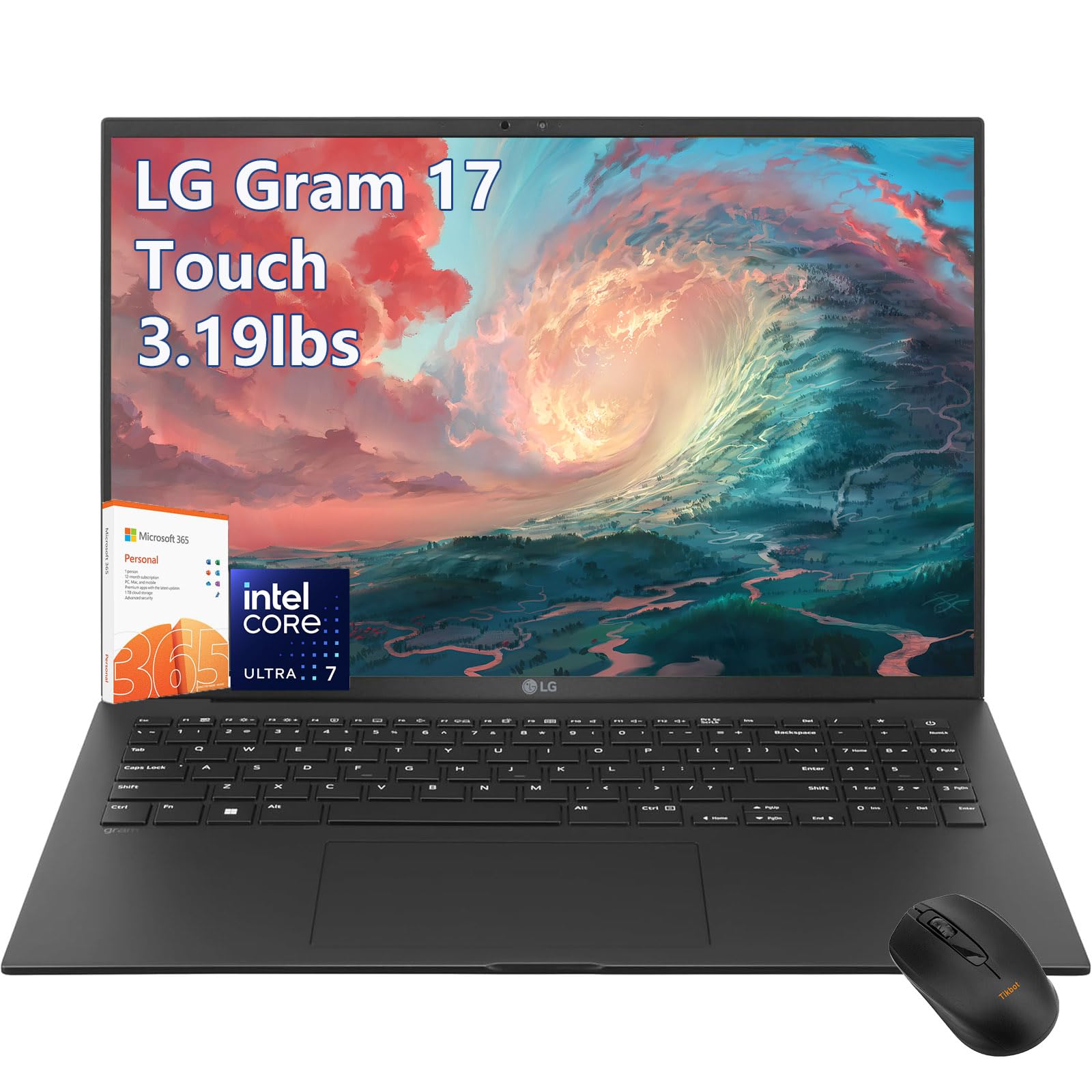
A 17-inch 2.5K touchscreen paired with a battery rated at 23.5 hours.
Two numbers define this one: a 23.5-hour battery rating and a 17-inch WQXGA (2560×1600) touchscreen covering 99% DCI-P3 colour. That resolution is the sharpest big-screen panel in this list, and it is the kind of space where you can pin two documents and a browser side by side and still read both. The engine is the Intel Core Ultra 7-258V on Intel Evo, with a 47 NPU TOPS figure for AI-assisted tasks, paired with 32GB of DDR5 RAM and a 2TB PCIe SSD.
Connectivity is thorough: Wi-Fi 7, two Thunderbolt 4 USB-C ports, HDMI 2.1, a backlit keyboard and an FHD camera. It runs Windows 11 Pro and ships with Office365 for a year, which matters if you want the full office suite from day one. The ultra-thin lightweight build is real, and for a 17-inch machine it is built to be carried rather than parked.
Be careful: this model has a very thin track record on Amazon — a tiny handful of ratings and an average that sits low — so weigh the spec sheet against the lack of long user history. The spec sheet itself is premium across the board: huge battery, sharp screen, big memory and storage. If you want a big touchscreen that lasts the working day on paper, the numbers here are impressive; just buy from a seller with a clear return path given how few owners have logged experience.
Strongest numbers: 23.5-hour battery, 2560×1600 display at 99% DCI-P3, 32GB DDR5 and a 2TB SSD — a premium spec line across the board.
The honest limit: almost no verified owner history to lean on, so let the return policy do the diligence a track record usually does.
Reach for it if: you want the biggest, sharpest touchscreen here with a battery claim that covers a full day.
Hold off if: you need a long, proven reliability record before you commit.
10. Microsoft Surface Laptop (15″)

A 15-inch Snapdragon X Elite machine rated for up to 20 hours away from the wall.
The chip is the story: a 12-core Snapdragon X Elite (ARM-based, like the Acer above but a step up in power) with a dedicated NPU for on-device AI tasks. It pairs with 32GB of RAM and a 1TB SSD, which is the kind of memory pool that keeps a dozen apps and a stack of tabs open comfortably. The 15-inch touchscreen is bright HDR tech and owners find the size and resolution just right for work and travel. The battery is rated up to 20 hours, and buyers report it lasting days between charges on email-and-browsing work.
Where it truly wins is quiet endurance. It runs cool, stays light in a bag, and the true-laptop build feels solid compared with a detachable tablet. It has Bluetooth 5.3 and Dolby Atmos stereo speakers. For a day that is email, documents, browsing and video calls, it is a calm, long-lasting companion.
The catch is software, not hardware. Everything runs through an ARM processor, so older Windows programs and some virtualisation tools may not have an ARM version — Docker and WSL 2 work, but a few niche development libraries and VPN tools do not. One unit also arrived showing another user’s account at setup, though that is rare. It is a 4.0+ star machine that shines brightest for plain productivity, not for gaming or heavy video work.
Why it feels easy
- 12-core Snapdragon X Elite with 32GB RAM and 1TB SSD
- Up to 20 hours of battery, cool and light in the bag
- Bright 15-inch touchscreen and Dolby Atmos stereo speakers
Where it needs checking
- ARM compatibility gaps for older apps and some dev tools
- Not built for gaming or heavy video creation
- Rare setup account glitches have been reported
The verdict: a premium all-day office machine for buyers whose software is modern and ARM-ready.
The caution: verify your specialist apps and virtualisation tools run on Snapdragon before you commit.
Know the Specs
RAM and how much you need
RAM is the working space where open windows live. 16GB is a comfortable floor for heavy browser and office use. 32GB and 64GB give you room for virtual machines, large files and dozens of tabs without slowdown. If your day is browsers, email and Office, 16GB is plenty; if you run virtual systems, aim for 32GB or more.
Cores and top speed
A core is an independent processing unit. More cores let the laptop run several tasks in parallel, which is what multitasking is. Top speed (in GHz) matters most for a single heavy task finishing faster. For running many apps at once, cores and memory matter more than the last bit of GHz.
SSD speed and capacity
An SSD stores files on memory chips, so programs launch and files open in seconds. A PCIe NVMe SSD is the fast modern type. Capacity is how much you carry offline — 512GB suits cloud-first users, while 1TB and 2TB suit people holding large media and project files on the machine itself.
Intel versus ARM chips
Intel chips run the widest range of Windows software straight from the start. ARM chips like Snapdragon are efficient and long-lasting but may not run older or specialist programs without an ARM version. Check your critical apps — especially work VPNs and virtualisation tools — before choosing an ARM machine.
Common Questions
How much RAM do I need for heavy browser multitasking?
Can a Snapdragon laptop run all my Windows programs?
Is more cores better than higher GHz for multitasking?
How long does a laptop battery last for a full work day?
Will a 16-inch screen make multitasking easier than a 15.6-inch one?
Does a touchscreen help or hurt when running many apps?
Can I upgrade the RAM or SSD on these laptops later?
How long does a multitasking laptop usually last?
Do I need a dedicated graphics card for multitasking?
Is Wi-Fi 6E or Wi-Fi 7 worth having on a work laptop?
The Bottom Line
For most people, the strongest all-round laptop for multitasking here is the Lenovo ThinkPad E16 Gen 3. Its 14 cores and 16GB DDR5 give you genuine parallel headroom, the 1TB NVMe SSD keeps everything quick, and the 16-inch 1920×1200 screen is shaped for two windows at once. It also carries the highest rating of the picks at 4.0+ stars — the crowd favourite — even though some rivals have logged more reviews. If memory is your bottleneck, grab the Dell 16 Touchscreen with its 64GB DDR5 and 2TB drive. And if you need a big, sharp screen that lasts a full unplugged day, the LG gram 17 is the one to reach for — provided you buy it somewhere with a clear return path.
How we choose
We do not accept paid placement. Every pick is matched to a real buyer and a real use-case; we do not hands-on test units.
Sources
Specifications: manufacturer listings and product documentation. Review insights: verified customer reviews, as of October 2026. Pricing: not shown on this page (it changes often); check the current price via the retailer link.
As an Amazon Associate, Aappliancez earns from qualifying purchases. This does not affect which products we feature.