Disclosure: Some links in this post are affiliate links. As an Amazon Associate I earn from qualifying purchases, at no extra cost to you. Learn more
Specs are compiled from manufacturer listings and verified buyer reviews and can change over time — please confirm the key details on the product page before buying.
A laptop for a mechanic has to survive things an office notebook never meets: dropped wrenches, oily fingers, brake dust, and a screen you have to read in direct sunlight. The picks below are chosen for tough builds, readable displays, and the ports a real shop needs. The first one is the Diesel Laptops Nexiq USB Link 3 package, which is the diagnostic companion most techs pair with a tough laptop. The rest cover the rugged notebooks themselves, from an ultra-light 14-incher to a fully sealed industrial machine.
This guide is built by comparing the manufacturers’ published specifications and the patterns across verified customer reviews, so you get each pick’s real strengths and trade-offs instead of marketing spin.
You will see how screen brightness, chassis sealing, and port selection decide whether a machine holds up in a service bay. Each pick below solves a specific shop problem: glare, dust, drops, or a port your scan tool needs.
The right laptop for mechanics trades a little weight and money for a screen you can read in sunlight and a body that shrugs off shop abuse.
Top Picks

How To Choose The Best Laptop for Mechanics
Shop life punishes the wrong laptop quickly. Grease gets into fan vents, a dropped pry bar lands on a lid, and the bay doors stay open so sun hits the screen all afternoon. Buying for a mechanic means buying for that reality, not for a desk.
Screen brightness is the first thing to check
A screen you cannot read in daylight is dead weight. Look for a brightness figure in nits — a nit is one unit of screen brightness, and higher numbers push back against glare. The MUNBYN IRX16 lists a 1000-nit sunlight-readable display, which is the kind of number that keeps text visible with the bay door open.
Rugged ratings tell you how sealed the body is
IP65 means the chassis is rated against dust ingress and against water jets, while MIL-STD-810H is a military test standard for shock, vibration, and temperature swings. A laptop carrying both is built for spills and drops, not just a padded bag.
Ports decide what you can plug in
Diagnostic work still leans on cables. A serial port, a few USB 3.0 Type-A ports, and a gigabit Ethernet jack cover most shop tools. If your scan tool runs on USB, count how many free ports you have after the dongle is plugged in.
Side-by-Side Comparison
| Model | Best For | RAM | Storage | Display | Amazon |
|---|---|---|---|---|---|
| Diesel Laptops Nexiq USB Link 3★ Best Overall | Diagnostic hookup | — | — | — | Amazon |
| MUCAR 892BT Scan ToolBest for Scanning | Full-system scanning | 4GB | 64GB | 8-inch 1280×720 | Amazon |
| Panasonic Toughbook CF-53 | Budget shop workhorse | 16GB | 1TB SSD | Touchscreen | Amazon |
| GEEKOM GeekBook X14 Pro | Light travel | 16GB | 512GB | 14″ 2.8K OLED | Amazon |
| Dell Latitude 5420 Rugged | Touchscreen diagnostics | 32GB | 1TB SSD | 14″ FHD Touch | Amazon |
| MUNBYN Rugged IRX16 | Harsh industrial sites | 16GB DDR5 | 512GB SSD | 15.6″ 1000-nit | Amazon |
| Dell Latitude 5430 Rugged | All-day field use | 16GB | 512GB SSD | 14″ 1920 x 1080 | Amazon |
Detailed Reviews
1. Nexiq USB Link 3
Our pick — 4.5+★ from 300+ verified ratings; the strongest balance of quality and price.
The diagnostic brain that turns a tough laptop into a full shop scanner.
If you already own a rugged notebook and just need the cable-and-software side of diagnostics, this is the package to start with. It ships with 9-pin, OBDII, and 6-pin connectors, which is the triple that covers heavy trucks, standard OBD ports, and the older round plugs. The wired build (no Bluetooth, no Wi-Fi) is the point here: a shop is an interference-heavy place, and a physical cable removes one more thing that can drop out mid-scan.
The included Diesel Explorer software lets you view and clear fault codes, watch live data, and download ECM reports. You also get 90 days of the Diesel Repair Professional subscription, which adds troubleshooting trees for fault codes, wiring diagrams, and labor time guides. For a technician, those wiring diagrams are worth as much as the tool itself when a harness fault sends you chasing a short.
The recurring gripe is cost: the hardware plus subscription can feel steep next to a generic clone cable. But the thing that wins people over is build quality — this is the aspect owners praise most, and the consensus is clear that the genuine unit holds up where cheap copies fail. As buyers put it, “Works great. 100% OEM and not a ‘clone’.” The 12-month warranty backs that up.
Why techs keep it on the cart
- Three connector types (9-pin, OBDII, 6-pin) cover heavy truck and standard ports.
- 90 days of Diesel Repair Professional adds wiring diagrams and troubleshooting trees.
- Wired connection avoids the interference and dropouts of a wireless link.
- Genuine OEM hardware instead of a clone cable that fights you on older trucks.
Where it asks you to commit
- The subscription is short — 90 days only, so plan your use around it.
- No Bluetooth means you are physically tethered to the truck while scanning.
- The upfront cost is the honest hurdle for a solo tech.
Buy it if: you are a working diesel or heavy-truck tech who needs reliable codes and real wiring diagrams on the shop floor.
Think twice if: you only scan your own car once a year — the subscription window and cost suit someone in the bays daily.
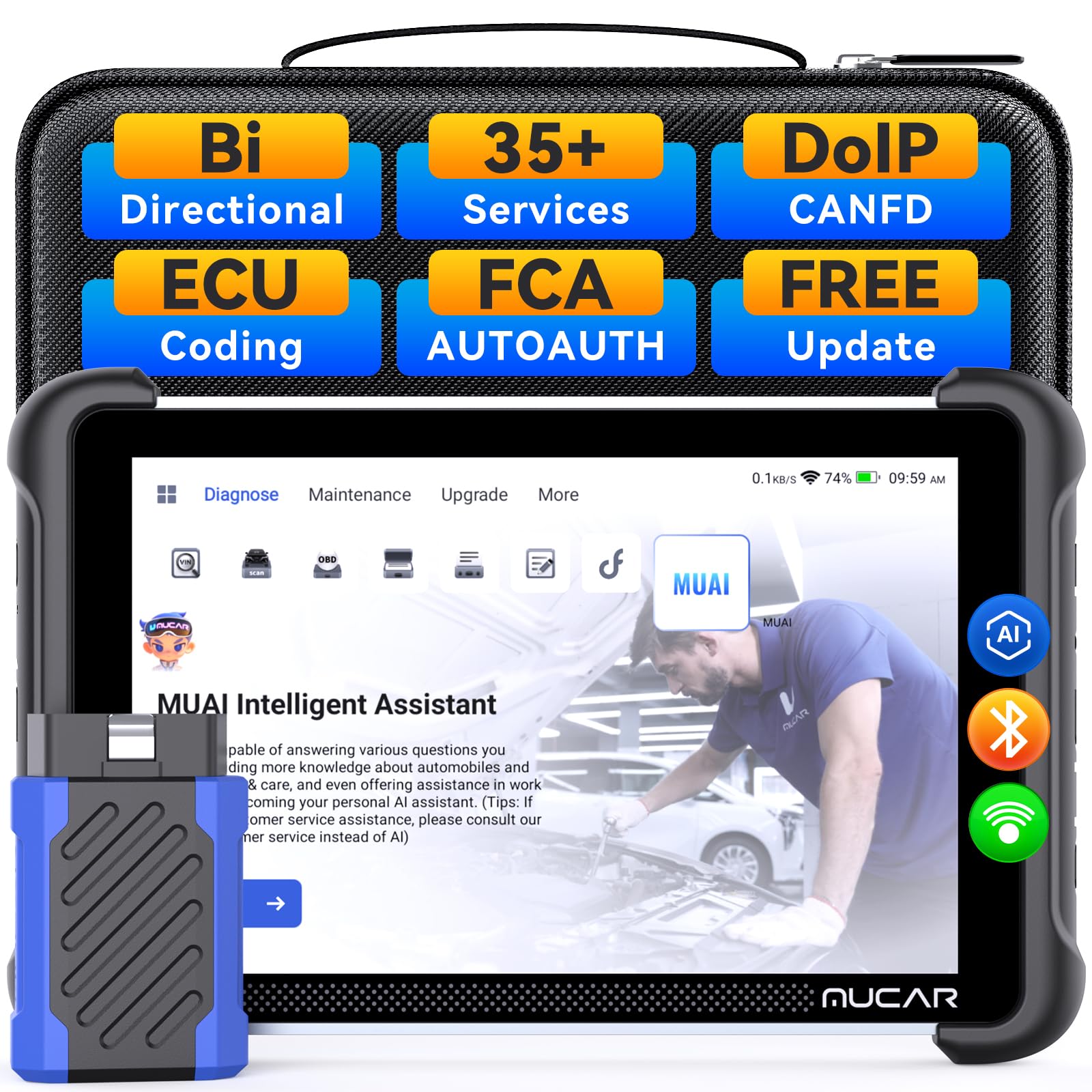
2. MUCAR 892BT Scan Tool
A full-size Android diagnostic tablet that reads codes on almost anything that rolls in.
This is the piece of gear that pairs with a rugged laptop when you need to walk around the vehicle instead of sitting at a bench. It runs on Android 10 with a 4-core processor, 4GB RAM, and 64GB storage, on an 8-inch 1280×720 display. That is the largest screen in this group, and it matters because a full-system scan throws a lot of data at once — more screen means less pinching and scrolling while a customer waits.
Coverage is the other big draw: the spec sheet lists full system diagnostics for over 140+ car brands and 10,000+ models, with bi-directional controls for headlights, oil pressure, wheel speed sensors, brakes, and mirror folding. A shop that services mixed makes will feel that breadth right away. Wireless Bluetooth lets you leave the unit on a magnet mount while you test an actuator. The comparison note sits in memory: this tool runs 4GB while the Panasonic Toughbook CF-53 in this list carries 16GB, so a laptop remains the better home for heavy software.
The honest caveat is that the feature sheet outruns the real-world experience on some vehicles. A few buyers report that key programming and certain advanced functions fall short of the promise, and the recurring note is that not every advertised menu appears on this model. The interface itself draws little complaint — it reads like a Launch or Autel layout, so a tech already familiar with those tools settles in fast.
The value read: for a shop that needs wide make coverage and bi-directional testing without a premium scanner budget, the spec list here is hard to match.
The part to know: treat it as a strong diagnostic and service tool, not a full key programmer — plan around that and it does its job well.
Reach for this if: you work on many makes and want a big screen plus bi-directional control for actuator testing.
skip it if: key programming is central to your day — that side is limited here.
3. Panasonic Toughbook CF-53

The refurbished shop laptop that already survived a fleet — and still works.
Here is the low-cost route into a genuinely tough machine. The CF-53 pairs an Intel i5-2520M 2.5GHz processor with 16GB of DDR3 memory and a 1TB SATA III SSD rated at 540MB/s read and 520MB/s write. That is a lot of storage for the money, and it means your repair manuals and diagnostic software share space without you uninstalling anything. A laptop bag comes in the box.
For a bay, the port layout is the real story. You get a serial port, USB 3.0, HDMI, VGA, an SD card reader, a DVD-RW drive, and a 1Gb network jack. The serial port is the one many modern laptops dropped, and it still talks to plenty of older shop equipment. The touchscreen works with gloved or greasy hands when a mouse is impractical.
Life as a renewed unit is straightforward: these arrive with Windows 10, cleaned, and ready. What wins people over is how they hold up in a real shop — the durability earns steady praise, and buyers who run them daily find them reliable. The trade-off is cosmetic and worth naming: the listing promises a bag and one owner noted theirs arrived without it, plus some scuffs on the bottom of the chassis. What you get is a workhorse, not a showpiece, which is exactly the fit for a service counter.
Best fit for: a shop owner or solo tech who wants maximum storage and a serial port at the lowest entry.
One caution: expect wear marks on a renewed body — clean it, run it, and let the 1TB drive do the talking.
4. GEEKOM GeekBook X14 Pro
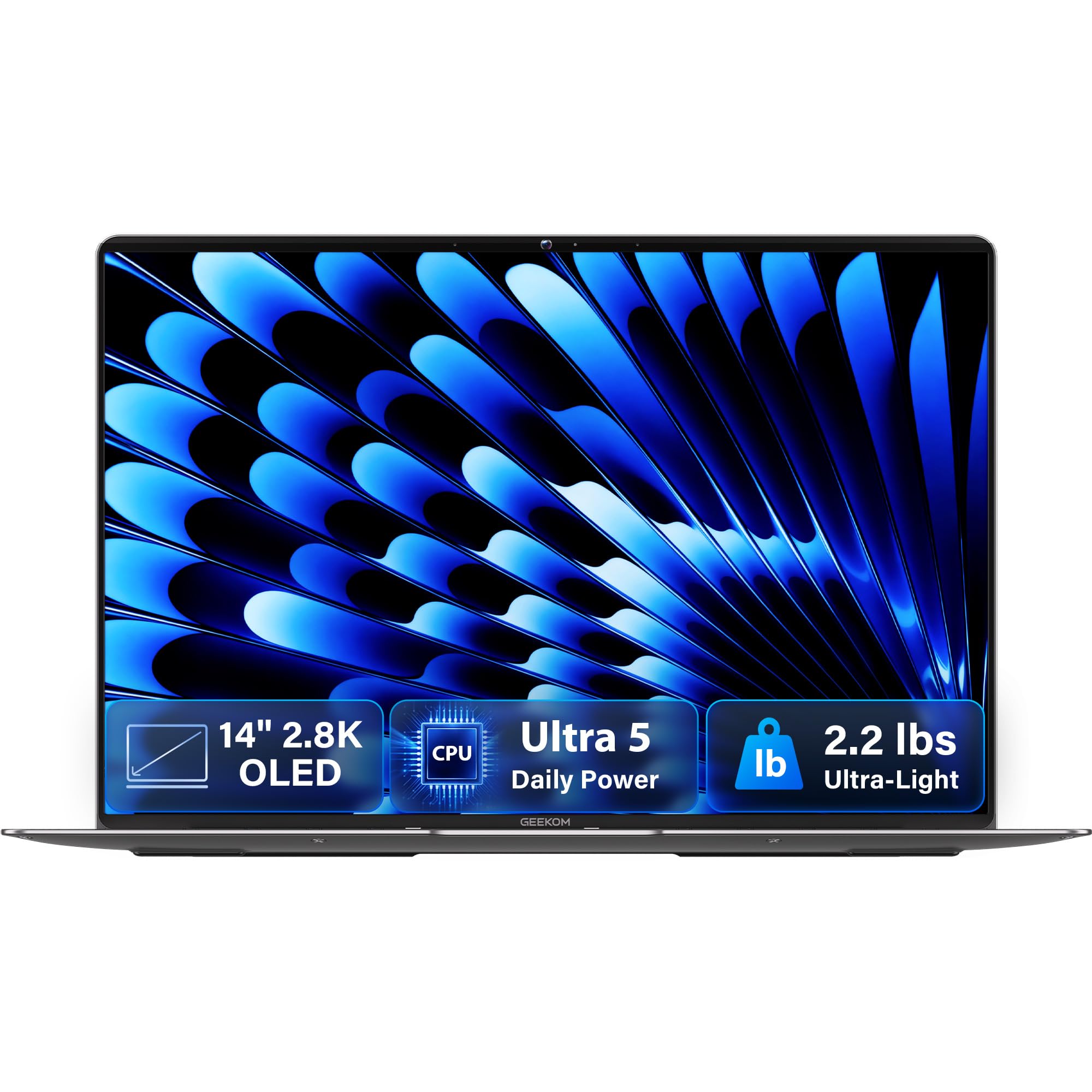
The featherweight for the tech who drives between jobs and carries the laptop inside a tool bag.
If you spend as much time on the road as in one bay, weight becomes the deciding spec. This GeekBook is 2.2 lb with a 14-inch 2.8K OLED panel — OLED means self-lit pixels that produce true blacks and rich contrast, which reads far better than a standard panel in softer light. The display runs at 120Hz, so scrolling a wiring diagram is smooth, and 100% DCI-P3 color coverage keeps any image-on-screen faithful to the source.
Power comes from an Intel Core Ultra 5 125U with 12 cores, 14 threads, up to 4.3 GHz, and 12MB Smart Cache. It carries 16GB of LPDDR5 memory at 6400MHz and a 512GB PCIe Gen4 NVMe SSD. Ports are generous for a thin machine: two 40Gbps USB4 ports, HDMI 2.1, a USB 3.2 Type-A, and a docking station in the box. A 72Wh battery is rated for up to 16 hours, and the 65W GaN charger reaches up to 80% in about an hour.
What owners celebrate most is raw performance across everyday work — browser tabs, virtual machines, even games — and it stays cool and quiet under load. The catch that keeps it off the shop floor rather than in this list’s top slot is toughness: this is a sleek consumer notebook, not a sealed chassis. Battery life also splits opinion, and the touchpad is a matter of taste. To be clear, this is the laptop for the truck, not the one you drop onto a concrete bay floor.
For the mobile tech: a 2.2 lb body with a 14-inch 2.8K OLED screen and a 16-hour battery rating is a genuinely light travel kit.
The honest limit: no rugged rating here — treat it as a road companion, not a drop-tested workhorse.
Pick this if: portability and a brilliant screen matter more to you than drop resistance.
Look elsewhere if: the laptop will live on a shop bench under tool trays.
5. Dell Latitude 5420 Rugged
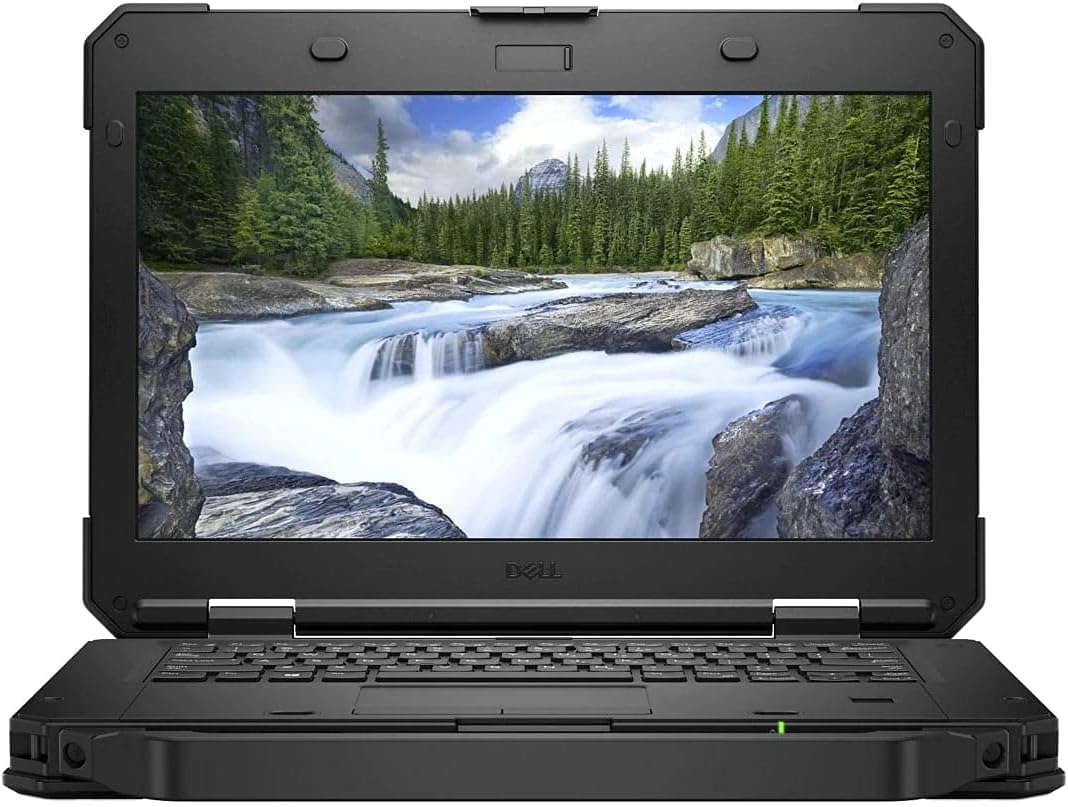
Thirty-two gigs of memory, a glove-friendly touchscreen, and a removable drive bay.
The standout here is memory: 32GB of SDRAM paired with a 1TB SSD is the deepest buffer in this lineup. That matters when you run multiple diagnostic suites plus a browser full of parts diagrams and a PDF service manual at once. The processor is an 8th-gen Intel Core i7-8650U (quad core, up to 4.20GHz, 8MB cache, 15W), with AMD Radeon RX 540 graphics. Windows 11 Pro comes preinstalled.
The display is a 14-inch Full HD 1920 x 1080 touchscreen with an outdoor-readable finish — a screen tuned to stay legible when daylight hits it. For a mechanic, that touch layer is practical: you can tap through a scan tool menu without pulling off a glove. On the port side, this is the most complete set in the group: a removable primary SATA storage bay, an SD card slot, a SIM card slot, a serial port, RJ-45 gigabit Ethernet, HDMI, USB 3.0 Type-C, three USB 3.0 Type-A ports, and a universal audio jack. It weighs from 4.9 lbs, which is the price of that kind of build.
This is a renewed unit, so condition varies by machine, and that is the honest variable to weigh. The full kit of legacy ports — serial and Ethernet included — is the reason a shop picks it, since most current laptops no longer carry them. Think of it as a bench machine: heavy, laden with ports, and built to sit still while you work.
The configuration argument: 32GB RAM, a 1TB SSD, and a touchscreen outdoors justify its place among the premium options.
The weight reality: from 4.9 lbs means you carry it with intent, but the removable storage bay and serial port repay you at the bench.
Right for: a bay-based tech who needs heavy multitasking and a glove-friendly touchscreen.
Not for: anyone who wants a light laptop to tote around all day.
6. MUNBYN IRX16 Rugged Laptop

A sealed industrial notebook that shrugs off rain, dust, and direct sun.
This is the pick for the field tech whose “office” is a muddy jobsite or an open-air equipment yard. Its 15.6-inch 1920 x 1080 screen is rated at 1000 nits — a nit is one unit of brightness, and 1000 is a genuinely sunlit-readable figure. The chassis carries an IP65 rating, meaning it is built to resist dust and water jets, plus MIL-STD-810H certification for shock and temperature extremes. Rain on the windshield does not end the workday.
Under the hood it runs an Intel Core i5-1235U up to 4.4 GHz (a 12th-gen chip) with 16GB of DDR5 memory clocked up to 4800MHz and a 512GB replaceable SSD that can be upgraded to 4TB. Wi-Fi 6 is on board for faster wireless links, and a built-in physical camera switch gives a privacy shutter. A built-in 4G modem is part of the hardware — useful when the shop Wi-Fi does not reach the yard.
Here is the honest trade-off, and it is a specific one: swappable batteries are not available to buy separately, so the hot-swap idea is off the table in practice. A couple of buyers flag exactly that, and one notes the hot-swap claim did not hold up in their testing. Beyond that, the reception is warm — a year and more of field service use in electrical work came back strong, with praise for speed and sun-readable screen.
Where it earns its keep: the IP65 and MIL-STD-810H build plus that 1000-nit screen is the combination a wet, dusty jobsite demands.
The catch: if you planned to carry a spare battery, budget for the reality that separate batteries are hard to source.
Choose it for: outdoor and industrial field work where rain, dust, and glare are daily facts.
Rethink it if: a swappable battery was your main reason — that feature is not currently purchasable.
7. Dell Latitude 5430 Rugged

A field notebook rated for a 25-hour battery — enough to outlast a double shift without a charger.
Its claimed 25-hour battery runtime is the longest figure in this group. For a tech who works remote sites and cannot hunt for an outlet, that is the deal-closer. The 11th-gen Intel Core i5-1145G7 (quad core, 2.60 GHz base, 6MB cache) pairs with 16GB RAM and a 512GB SSD, so it runs diagnostic suites and CAD-style tools without stuttering. A 14-inch 1920 x 1080 screen rounds out the working setup, and Windows 11 Pro is preinstalled.
It carries a fingerprint reader for quick secure logins, and the tough casing is the reason it belongs here: owners describe it as durable and reliable, and it suits jobsite work where the machine rides in a truck bed. The field reports also point to a real supporting structure — a motherboard issue was handled under warranty by Dell, which is the kind of backup you want when a laptop is your income.
Two caveats are worth naming up front. The seller listing was open-box for some buyers, and one owner had ordered a cellular model only to find the modem and IMEI missing despite the nano SIM slot. Speaker failures and small parts like the rubber feet also show up in a few accounts. Match the exact configuration to what you order, and this becomes a long-runtime workhorse.
The headline spec: a 25-hour battery rating is why this machine earns the longest-runtime label.
The configuration warning: verify the cellular modem and IMEI are present if you need mobile data — some units ship without it.
For the remote tech: a rugged 14-inch with 16GB RAM and a 25-hour battery rating is built for all-day field calls.
Before you buy: confirm the exact model includes the modem if cellular data is on your checklist.
Know the Specs
Screen Brightness in Nits
A nit is a unit of screen brightness, and higher numbers cut glare. In a service bay with the door open, an ordinary laptop screen washes out; a display rated at 1000 nits stays readable. Look for that figure before you shop.
IP and MIL-STD Ratings
IP65 rates the chassis against dust and water jets; MIL-STD-810H covers shock, vibration, and temperature extremes. A laptop with both is built to take drops and spills, not just a padded commute.
RAM and Storage
RAM (memory) is where open programs live; more means more suites and browser tabs at once. Storage is your SSD, where manual libraries and diagnostic databases sit. A 32GB RAM and 1TB SSD setup suits heavy shop multitasking best.
Battery and Swappable Cells
A 25-hour rating keeps a field tech off the charger, but confirm spare batteries are sold before you rely on a swap. If a hot-swap battery is on your wish list, confirm spares are actually for sale.
Common Questions
Do I need a rugged laptop or can a normal one survive a shop?
What does a 1000-nit screen actually change at the bay door?
How much RAM do I need to run diagnostic software and a repair manual at the same time?
Is a serial port still useful on a laptop for mechanics?
Can a scan tool tablet replace a laptop entirely?
Will a 14-inch screen be big enough to read wiring diagrams?
How long should I expect a laptop battery to last on a field call?
Do renewed and open-box laptops make sense for a mechanics shop?
What ports should I check before buying a shop laptop?
Does an OLED screen hold up in a garage environment?
The Bottom Line
For a working mechanic, the strongest pairing is the Diesel Laptops Nexiq USB Link 3 for real fault-code and wiring-diagram work, with a rugged host to drive it. Among the laptops themselves, the MUNBYN IRX16 is the one for harsh outdoor sites, thanks to its 1000-nit screen and IP65 build. If battery runtime on the road is your priority, the Dell Latitude 5430 Rugged and its 25-hour rating is built for long field calls. And for the tightest budget into a tough shop machine, the refurbished Panasonic Toughbook CF-53 delivers 16GB RAM and a 1TB SSD at the lowest entry. Match the pick to your daily work: bay diagnostics, outdoor field calls, or tight-budget shop duty.
How we choose
We do not accept paid placement. Every pick is matched to a real buyer and a real use-case; we do not hands-on test units.
Sources
Specifications: manufacturer listings and product documentation. Review insights: verified customer reviews, as of October 2026. Pricing: not shown on this page (it changes often); check the current price via the retailer link.
As an Amazon Associate, Aappliancez earns from qualifying purchases. This does not affect which products we feature.