Disclosure: Some links in this post are affiliate links. As an Amazon Associate I earn from qualifying purchases, at no extra cost to you. Learn more
Specs are compiled from manufacturer listings and verified buyer reviews and can change over time — please confirm the key details on the product page before buying.
If your thumbs keep sliding off a glass screen mid-match, the fix is a iPad controller that clamps on and puts real sticks and triggers under your fingers. The short answer: the 8BitDo SN30 Pro is the safest all-round buy for iPad players who want Hall Effect (magnetic, drift-resistant) joysticks at a mid-range price. Everything below explains who each of the seven picks actually suits.
This guide is built by comparing the manufacturers’ published specifications and the patterns across verified customer reviews, so you get each pick’s real strengths and trade-offs instead of marketing spin.
Some controllers here clamp your tablet into one rigid unit, while others sit in your hands and link over Bluetooth. Matching the shape to your iPad size, your case, and the games you actually play is the whole decision — and that is what this breakdown of the joystick for ipad covers from the first pick to the last.
Top Picks

How To Choose The Best Joystick for iPad
Settle the shape before the brand: clamp-style or free-standing. A clamp-style controller locks your iPad into the middle of the unit like a handheld console. A free-standing gamepad leaves the tablet on a stand or in your lap and talks to it over Bluetooth. Each suits a different kind of player.
Check the maximum device length before anything else
Every clamp controller lists how long a device it can hold, and that number decides whether your iPad fits. The GameSir X5 Lite stretches to 213mm, and the abxylute S8 holds tablets up to 216mm. The ELO Vagabond tops out at 208mm (8.2 in). Measure your tablet’s long edge with the case still on, then compare — a millimeter or two over the limit means it simply will not clamp.
Hall Effect sticks versus standard sticks
Hall Effect joysticks use a magnetic sensor instead of physical contact, so the stick resists the wear that causes drifting, self-moving aim in shooters. Most picks here use them. A standard stick can develop drift over months of play, which is why the Hall Effect label shows up so often on this shelf.
Wired or wireless — pick by how you play
A wired USB-C controller draws power straight from your iPad, so there is no battery to charge and no pairing step. The trade-off is that it only fits devices with a USB-C port. Bluetooth models free you from the cable but add a battery and a pairing routine — and on some phones they can interfere with Bluetooth headphones.
Side-by-Side Comparison
| Model | Best For | Connection | Buttons | Battery | Amazon |
|---|---|---|---|---|---|
| 8Bitdo SN30 Pro★ Best Overall | All-round iPad play | Bluetooth / USB-C | 16 | 480 mAh | Amazon |
| arVin Mobile Gaming ControllerBest For Phone Clamping | Budget phone-and-tablet play | Bluetooth | 12 | 400 mAh | Amazon |
| GameSir X5 Lite | Clamping onto iPad mini | USB-C | 12 | — | Amazon |
| abxylute S8 | Switch and iPad crossover | Bluetooth | 16 | — | Amazon |
| KICKDOT Wireless Controller | Long sessions with RGB | Bluetooth | 10 | — | Amazon |
| GameSir G8 Plus | Tablet gaming at console feel | Bluetooth / wired PC | 14 | 500 mAh per side | Amazon |
| ELO Vagabond | Zero-lag wired play | USB-C (wired) | 14 | No battery | Amazon |
Detailed Reviews
1. 8Bitdo SN30 Pro Bluetooth Gamepad
Our pick — 4.5+★ from 400+ verified ratings; the strongest balance of quality and price.
The retro-shaped pad with modern guts — 16 buttons and a battery that outlasts a long ride.
The one number that decides this pick is 18: that is the hours of play you get from the rechargeable 480mAh battery, refilled in 1-2 hours over USB-C. For iPad play that means you charge it overnight and forget about it for days of tablet sessions. It pairs over Bluetooth and is officially supported on iPhone, iPad, macOS and Apple TV, so you are not relying on a workaround.
Those 16 buttons include a proper d-pad (the cross-shaped directional pad) and clickable joysticks with Hall Effect sensors — magnetic sticks that resist the wear that causes drift. There is also rumble vibration from dual motors and 6-Axis motion controls, a pair of features that mostly matter on Switch games. The body measures 144*63.5*32.5mm and weighs 0.25 kg, so it slips into a bag next to your tablet without eating much room.
What wins people over is the overall controller feel — the d-pad, the triggers and the stick response all come together in one compact frame. The honest catch is grip size: the compact body suits small-to-medium hands, and larger hands will feel a bit cramped. There is also a reported quirk when you use it for in-car games, where the button mapping does not match the on-screen prompts (A reads as B, Y as X). One more live detail from the review pages: on iPhone the controller can block Bluetooth headphones from connecting at the same time.
What earns it top spot
- Hall Effect joysticks give you precision that resists drift over time
- 18 hours of play from a 480mAh battery, charged in 1-2 hours
- 16 buttons with a real d-pad and clickable sticks
- Officially supported on iPad and iPhone, not a hacked-together connection
Where it asks a little patience
- Compact body feels tight in larger hands
- Button mapping can differ from on-screen prompts in some games
- Bluetooth headphones may not connect at the same time on iPhone
My call: the best-balanced pick if you want drift-resistant sticks, a real d-pad and a battery that lasts through a long session.
Frame it as a known limit: if you have big hands or need simultaneous Bluetooth headphones, look further down the list.
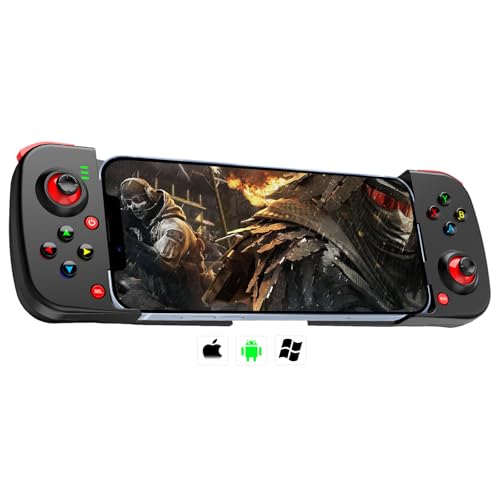
2. arVin Mobile Gaming Controller for Android iPhone iOS PC
A phone-first clamp that grips tightly and adds two buttons under your fingers for macros.
The arVin is built to clamp a phone, not a big tablet. Its telescopic body pushes to 9.25 inches wide, and it carries a 400mAh battery good for up to 18 hours of play — topped up in 2-3 hours. Against the 8Bitdo above, that is a shorter charge wait but a smaller battery, and it runs 12 buttons to the 8Bitdo’s 16. For iPad gamers with a smaller tablet, the fit is the main question mark; the listing is phone-forward in its wording.
The two programmable back buttons (M1 and M2) are the real differentiator here. You can map them to A/B/X/Y/LB/RB or the d-pad for quicker combos in games like Call of Duty Mobile and Genshin Impact. The Hall-free standard sticks feel surprisingly good according to the owner side of the review pages, and the clamp holds a phone with a case on firmly. A fun extra: the right stick combined with Home toggles the backlight.
Buyers report the main drawback is Bluetooth interference on iPhone: “Main drawback: interferes with other Bluetooth devices—can’t use Bluetooth headphones simultaneously (iPhone 12 Pro).” The build reads as budget-plastic rather than premium, and some games need a specific boot combo (Home+X for Android, Home+A for iOS) before they recognize the controller. It is not a PC controller that also does iPad — it is a phone controller that reaches the iPad.
What stands out: the back-button macro mapping puts extra function where your fingers can reach it without leaving the sticks.
One fairness note: the 12-button layout is simpler than the 16 on the 8Bitdo, so players who want every face and shoulder input mapped should weigh that.
Reach for this if… you mainly game on a phone and want programmable back buttons without spending much.
Look elsewhere if… you need a secure clamp for a full-size iPad, or you must run Bluetooth headphones at the same time.
3. GameSir X5 Lite Mobile Gaming Controller

Clamps an iPad mini into a handheld console and weighs just 135.4g while doing it.
This one is a USB-C clamp built for smaller tablets and phones, stretching to fit devices from 105mm to 213mm long with no width restriction. The iPad mini falls inside that range, which is why this is the pick for mini owners. There is no battery to charge: the USB-C connector powers the controller straight from your device, so it is plug and play every time.
GameSir’s Hall Effect sticks deliver 360° pinpoint control, and the magnetic sensors resist the wear that causes drift. At 135.4g the whole unit stays light in your hands for a long session, and the laser-engraved textured grips help it stay put. A Turbo function lets you set rapid-fire on A/B/X/Y/LB/RB/LT/RT for faster input in games like Call of Duty and Genshin Impact.
The recurring frustration is pass-through charging, or the ability to top up the phone while you play. Some owners find it works, others say the charging through the USB-C port is slow or absent. GameSir’s own app for remapping is Android-only, so iPhone users skip that extra layer rather than gain it. And some apps do not recognize the controller cleanly and map the controls oddly — an issue any non-brand gamepad can hit.
Why it suits a mini: the 213mm maximum length and 135.4g weight make it one of the lightest ways to turn an iPad mini into a handheld.
The catch to know: GameSir’s customization app is Android-only, so iPad players get the out-of-box layout and no software remapping.
Best matched to: iPad mini and phone players who want drift-resistant Hall sticks and a cable that never needs charging.
Bear in mind: pass-through charging feedback is split, so do not buy it purely to keep your device topped up mid-game.
4. abxylute S8 Bluetooth Mobile Gaming Controller
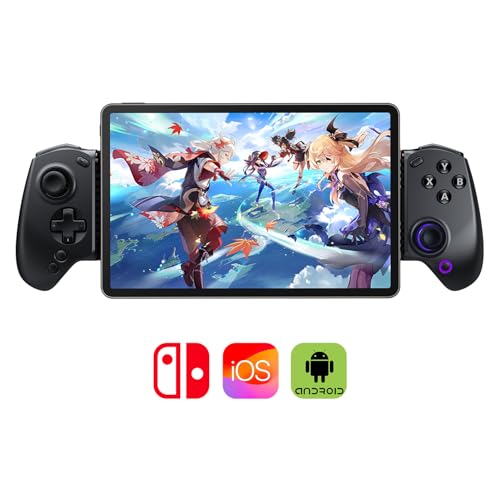
The tablet-stretching clamp that also works free-standing as a pro-style controller.
Two modes in one shell is the angle here. The S8 clamps onto a tablet up to 216mm wide for handheld play, or you flip it to Bluetooth and use it like a console pad. It is also built for Nintendo Switch 1 and 2 in both clamp and standalone modes, which makes it a crossover pick for players who split time between iPad and Switch. The one-tap screenshot button is a small touch that Switch owners will appreciate.
Inside are Hall Effect joysticks and Hall triggers, both built for precision and durability, so stick drift stays out of the picture. There are 16 buttons in total, plus customizable back buttons for combos. The extended grip design and thicker handles with anti-slip texture are aimed squarely at long sessions, and the foldable form keeps it travel-ready. The abxy app adds cloud gaming, local games and emulator access in one hub.
The honest limitation is build feel: it is solid rather than premium, and the power button takes a sure press to turn off — some owners just switch off their tablet’s Bluetooth instead. The S8 is slightly larger and more ergonomic than the S9, so it will not fit an S9 case. Pairing is quick across iPhone 16 Pro Max, Switch 2 and Android, and the Hall sticks are smooth with no drift.
The crossover appeal: one controller covers an iPad clamped in, a Switch in tablet mode, and a free-standing Bluetooth pad on a stand.
Size note: the extended grip accommodates larger hands better than compact pads, but that bulk means it wants its own space in a bag.
Pick this one if you play across an iPad and a Switch and want one controller that does both jobs.
Second thoughts if you want a pocketable pad — the extended grips trade compactness for comfort.
5. KICKDOT Wireless Phone Controller
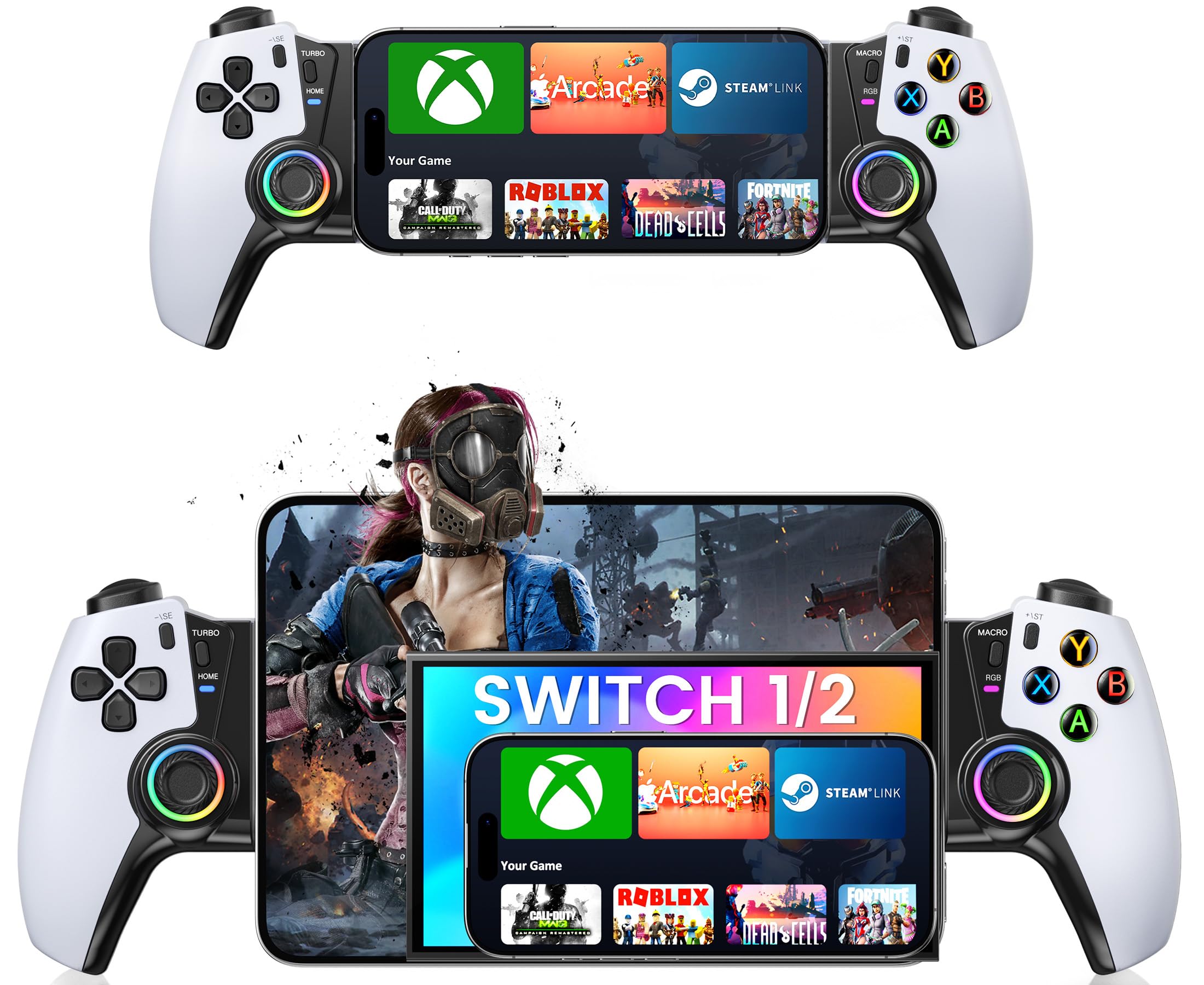
RGB lights, textured grips, and magnetic Hall sticks — a pad that looks as lively as it plays.
Battery life is the lead spec: up to 15 hours on a single charge, which covers several tablet sessions before you reach for a cable. The telescopic body stretches from 4.13 to 7.87 inches, so it fits most phones and an iPad mini rather than a full-size tablet. Textured, non-slip grips and a wider handle are aimed at reducing hand fatigue during long sessions, and the clamp holds a phone securely even with a basic case on.
Magnetic Hall sensor joysticks are the core of the pitch here: they resist the wear that causes drift, so aim and movement stay smooth over months of play. On the buttons, you get programmable M1/M2 back buttons for custom macros, a turbo function, 6-axis gyro and vibration feedback. The RGB lighting is a nice extra, though it works against the battery — a realistic note is that leaving the lights on drains charge quickly.
The turbo and macro side needs a caution flag. The macro binding is fiddly, and layering turbo on top of a macro can cause random button presses and joystick malfunction, so it pays to keep those two features separate. Connectivity works well with both Switch and phone, but some games are not universally compatible and only respond when they support controllers natively.
Where it shines
- Up to 15 hours of play per charge
- Magnetic Hall joysticks built to resist drift
- M1/M2 back buttons plus turbo and 6-axis gyro
- Fits a phone or iPad mini with a basic case on
Where it needs care
- RGB lighting drains the battery quickly if left on
- Turbo and macro combined can misfire
- Not every controller-supported game recognizes it
The right buyer: someone gaming on a phone or iPad mini who wants hall sticks, back buttons and visible flair in one unit.
Forget the fancy stuff if: you plan to lean on heavy macro play — keep turbo off macros and it behaves.
6. GameSir G8 Plus Bluetooth Mobile Game Controller

Console-sized sticks and a tablet-stretching body — the closest thing to holding an Xbox pad around your iPad.
The G8 Plus is the biggest-feeling option here. Its extendable design fits phones, Switch and tablets, and the console-sized sticks and buttons bring the layout you already know from a home console. Each side has its own 500mAh battery, so the two halves run independently. Hall Effect sticks and triggers keep the aim precise and the presses smooth over the long haul.
Comfort is where this pick earns its place. The curved grips and ergonomic shape mean a long iPad session does not wear your hands out the way flat pads do, and the motion-sensing 6-axis gyro adds Switch-style tilt controls. Interchangeable magnetic components let you swap the look and the feel. Against the abxylute S8 above, this one is heavier and more console-like, while the S8 is leaner and more travel-focused.
Two quirks to weigh. It cannot stay paired to an iPhone and an iPad at the same time — you re-sync when you switch. There is no headphone jack, and the companion app is basic. Some owners also note it runs heavy, which is the price of that console build. Pairing an iPad works through the Switch pairing mode, which shows up as a Pro Controller.
What you feel first: full console-sized sticks and curved grips that stay comfortable across a long tablet session.
The trade-off: that size and weight come with a re-sync step when you hop between an iPhone and an iPad.
Go here if you want the most console-like feel for tablet play and do not mind a heavier unit.
Think twice if you switch between an iPhone and an iPad constantly — you will re-pair each time.
7. ELO Vagabond Mobile Gaming Controller
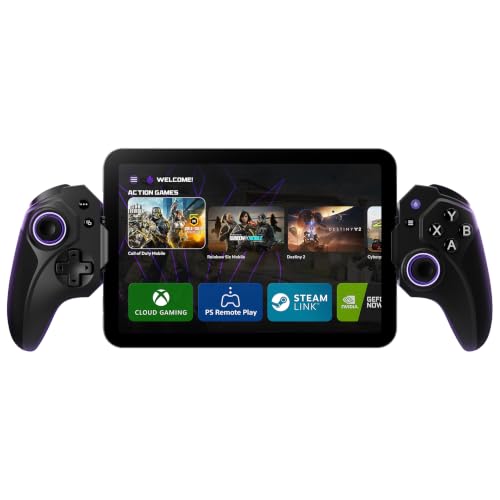
A wired USB-C pad with no battery, no pairing, and a jack for lag-free game chat.
This is the wired answer to drift and charging worries in one package. The direct USB-C connection means no battery to charge and no Bluetooth pairing step — you plug in and play. It fits iPhone 15/16/17, iPad mini and Android phones up to 8.2 inches (208mm), and swappable inserts let it fit most cases, including an Otterbox, with nothing to remove. It is also Apple MFi Certified, so the connection is a supported one.
Hall Effect joysticks and triggers resist the wear that causes drift, and the microswitch buttons give a quiet, precise press with no rattle. Two programmable back buttons cover advanced commands. The 15W pass-through charging keeps your phone topped up while you play, and a 3.5mm jack gives lag-free game chat and audio. The ELO Unleashed app handles remapping, library management and firmware updates.
Reliability is the honest caveat: opinion on the review pages is mixed, and there are reports of controllers bricking after the pass-through charging port is used. The size works in its favor — it fits a phone with the case on and feels like a premium console controller in the hand — but the wired-only design means it will not suit a device without USB-C. Sized for phones and an iPad mini rather than a full-size slab.
The wired advantage: no battery and no pairing means one fewer thing to fail, and the 3.5mm jack keeps voice chat off Bluetooth.
Sized honestly: with a 208mm maximum, this is a phone-and-mini fit, not a full-size tablet clamp.
The pick for: players who want zero lag, no charging, and a headphone jack, on a phone or iPad mini with USB-C.
Keep the cable in mind: because it is wired only, it cannot serve a device without a USB-C port.
Know the Specs
Hall Effect joysticks
A Hall Effect stick reads position with a magnetic sensor instead of parts that physically rub together. That is why it resists the creeping stick drift that makes your crosshair wander on its own over months of play. It is a durability feature as much as an accuracy one, and it is the single spec worth paying attention to for a long-lived iPad controller.
Maximum device length
Clamp controllers list a maximum length in millimeters or inches for the device they hold. The GameSir X5 Lite reaches 213mm, the abxylute S8 216mm, and the ELO Vagabond 208mm. Measure your tablet’s long edge with its case on and compare — a device a little over the limit will not seat in the clamp at all.
Battery capacity and play time
A Bluetooth controller carries its own battery, often measured in mAh. The 8Bitdo uses a 480mAh battery good for 18 hours of play, and the arVin uses a 400mAh cell rated for 18 hours. Bigger is not always longer — chip efficiency matters too — but both of these cover multiple sessions between charges. A wired USB-C controller like the ELO has no battery to worry about.
Pass-through charging
Pass-through charging lets the controller feed power into your phone or tablet while you play, so a long session does not end in a dead battery. The ELO handles this at 15W. On some controllers the feedback on pass-through is mixed, so treat it as a bonus rather than the main reason to buy.
Common Questions
Will a phone controller clamp onto a full-size iPad?
Do I need a wired or a Bluetooth controller for iPad gaming?
What is stick drift and why do Hall Effect sticks prevent it?
Will a controller work with a case on my iPad?
Which games support a controller on iPad?
How long does a wireless iPad controller battery last?
Can I use Bluetooth headphones while a controller is connected?
Is a tampered-phone Jailbreak required for a controller to work on iPhone or iPad?
How do I know which clamp size fits my tablet?
Should I buy a controller with programmable back buttons?
The Bottom Line
For most iPad players, the joystick for ipad winner is the 8Bitdo SN30 Pro because Hall Effect sticks, a 480mAh battery rated for 18 hours, and official iPad support come together in one compact pad. If you mainly game on a phone and want programmable back buttons, grab the arVin Mobile Gaming Controller. And for a wired setup with no battery and no pairing, the ELO Vagabond is the one to reach for.
How we choose
We do not accept paid placement. Every pick is matched to a real buyer and a real use-case; we do not hands-on test units.
Sources
Specifications: manufacturer listings and product documentation. Review insights: verified customer reviews, as of October 2026. Pricing: not shown on this page (it changes often); check the current price via the retailer link.
As an Amazon Associate, Aappliancez earns from qualifying purchases. This does not affect which products we feature.