Disclosure: Some links in this post are affiliate links. As an Amazon Associate I earn from qualifying purchases, at no extra cost to you. Learn more
Specs are compiled from manufacturer listings and verified buyer reviews and can change over time — please confirm the key details on the product page before buying.
If your Japan trip hinges on being understood in real time, the short answer is this: buy a dedicated handheld translator, not a phone app. The pocket units below handle spoken Japanese both online and offline, and the camera models can read a menu or a train sign for you. The key differences come down to how many languages each device covers, whether offline Japanese actually works when you have no signal, and how fast the reply comes back.
This guide is built by comparing the manufacturers’ published specifications and the patterns across verified customer reviews, so you get each pick’s real strengths and trade-offs instead of marketing spin.
A dedicated handheld beats a crowded phone screen when you need hands-free two-way talk in a hurry. That is why a dedicated Japanese translator device earns its place in your carry-on.
Top Picks

How To Choose The Best Japanese Translator Device
A translator only helps if it keeps up with the conversation. Before you compare models, know the four things that actually decide whether a device works in a Japanese restaurant, a train station, or a business meeting.
Online versus offline language coverage
Almost every device covers a wide spread of languages when it has Wi-Fi or mobile data. The number that matters for Japan is the offline count, because that is what still works in a subway tunnel or a mountain ryokan. Some units list only a handful of offline languages while others list dozens, so check that Japanese sits inside the offline list of the model you pick.
Voice latency and accuracy
Latency is the delay between you finishing a sentence and hearing the translation. A device that responds in under half a second feels like a natural exchange, while a slow one forces awkward pauses. Accuracy claims vary wildly, so treat the published percentage as a starting point and read what owners say about real conversations.
Camera and OCR quality
Photo translation reads menus, road signs, and handwritten notes through a camera. A higher camera resolution in megapixels (MP) captures finer text, which matters when the sign is small or the lighting is dim. If you plan to eat out a lot, this feature alone can justify the upgrade.
Battery life in the real world
Battery capacity is measured in mAh (milliamp-hours, a measure of stored charge). A larger number plus a longer quoted runtime means fewer charging stops. Look for a device that survives a full day of sightseeing on one charge, and note that heavy camera or Wi-Fi use drains faster than plain voice translation.
Side-by-Side Comparison
| Model | Best For | Translation Languages | Battery | Display | Amazon |
|---|---|---|---|---|---|
| TINRIEF S85 Translator★ Best Overall | Everyday travel and business | 138 online / 19 offline | 2000 mAh, 6-8 hrs | 3.97″ touch screen | Amazon |
| SVANTTO Translator Pen S7Smart Study Pick | Students and readers | 102 (offline: English, Spanish, Japanese, Chinese, French) | — | — | Amazon |
| Anfier W09 PRO | Offline-first travel | 144 online / 16 offline | 1500 mAh, 8 hrs | — | Amazon |
| FancyDove AI Translator | Long trips with patchy signal | 149 online / 21 offline | — | HD touchscreen | Amazon |
| Anfier W12S | Conferences and learning | 144 online / 16 offline | 1500 mAh, 8 hrs | 3.7″ HD screen | Amazon |
| iFLYTEK AI Translator | Mandarin-English business use | 60 online / 18 offline | 6 hrs translate, 10-day standby | 5″ HD touch screen | Amazon |
Detailed Reviews
1. TINRIEF Language Translator Device (S85)
The 3.97-inch touchscreen translator that finally feels like a real gadget, not a plastic novelty.
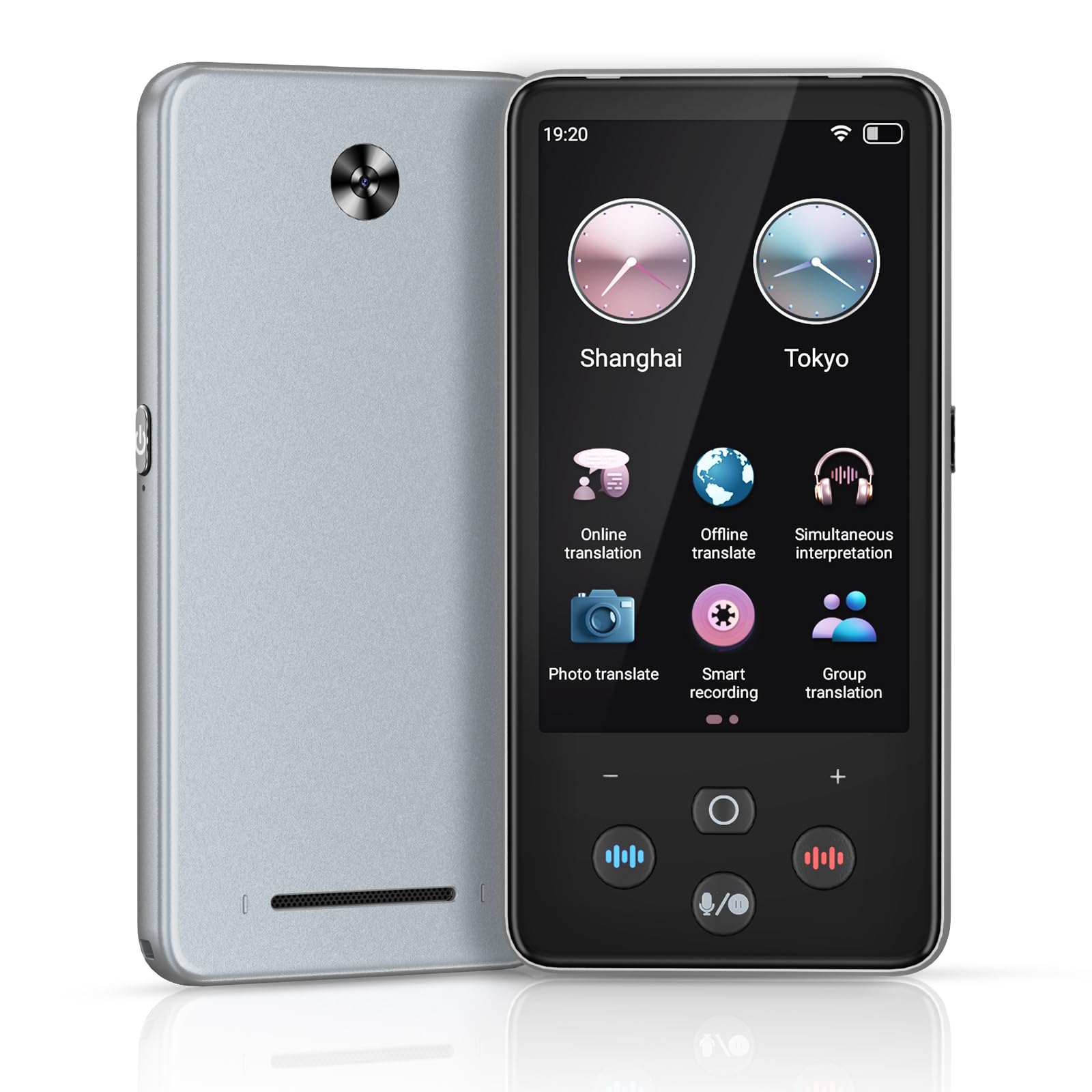
The TINRIEF S85 is the pick most people should start with because it balances a large screen, a big battery, and a genuinely broad language list in one pocket-sized body. Its 138 online languages cover anything you will need in Japan, and the 19 offline languages include Japanese, which is the part that saves you when you wander past signal range. The screen measures 3.97 inches, so translated text is large enough to read without squinting in a busy station.
The 5MP rear camera is where it quietly outperforms the cheaper pens. Point it at a menu and the built-in image recognition reads Japanese text in 74 online languages and 40 offline languages. That means you can order without asking staff to switch to English. There is also a 2000 mAh battery giving 6-8 hours of continuous use, and a full recharge in about 2 hours, so a morning top-up covers the rest of the day.
Real-time translation runs at 0.1s with a claimed 98% accuracy rate, and it comes loaded with ChatGPT for the odd extra question. Buyers report that audio translation tracks at about 98-99% accurate on Wi-Fi or data, nearing real time, but drops to roughly 70% offline where a quality check is often needed. That gap is normal for the whole category, and it means offline Japanese is best kept for short, simple phrases rather than long speeches.
What Earns It The Top Slot
- 138 online languages with Japanese included in the 19 offline options
- 3.97″ touch screen makes translated text easy to read in bright daylight
- 5MP rear camera handles menus and road signs in 74 online languages
- 2000 mAh battery delivers 6-8 hours of continuous translation
- Six translation modes including group translation and language learning
The Honest Trade-Offs
- Offline accuracy settles around 70% while online runs near 98-99%
- Instructions and touch keyboard are not friendly for older users
- The keyboard sometimes registers the wrong letter
Reach for this if: you want one device that handles speech, menu photos, and recording without swapping apps.
Look elsewhere if: you are buying for a senior who needs a large-print interface, since the on-screen typing takes practice.
2. SVANTTO Translator Pen (S7)
A scanning pen that turns textbooks and handwritten notes into audio and editable text.
This is the pick for anyone studying Japanese rather than just touring with it. The SVANTTO S7 scans printed text at 3600 dpi (dots per inch, which measures how finely the sensor captures detail), then reads it aloud and drops it into editable notes. Its four tools — OCR translation, text-to-speech playback, voice recording, and digital note-taking — live in one 0.21 kg pen body, so a language learner can scan a kanji, hear the pronunciation, and save it as a vocabulary card in one pass.
Language support runs to 102 online languages, and offline translation covers English, Spanish, Japanese, Chinese, and French, so a Japanese word still translates on a plane or a hostel with no Wi-Fi. The audio reading works through Bluetooth earbuds, which lets a learner scan silently in a library or a shared classroom without disrupting anyone around them.
Scanning on paper works well, and owners mention it handles books, text, and handwriting at roughly 80-90% accuracy, but at least one user found it reads poorly off a computer screen. If your use is reading a physical page aloud, this is the tool; if your goal is holding a two-way conversation in a Tokyo café, a voice translator serves you better.
Built for readers and learners: 102 languages, five offline options including Japanese, and 3600 dpi scanning for capturing fine text.
Where it stumbles: the interface is not intuitive, and some units have arrived faulty, so buy from a seller with easy returns.
Best fit: students, teachers, and anyone converting printed Japanese into audio or notes.
Probably not for you if: you need real-time spoken translation for travel conversations.
3. Anfier Offline Language Voice Translator Device W09 PRO

Built around one promise: translate Japanese when there is no Wi-Fi in sight.
The Anfier W09 PRO leads the group on raw reach, covering 144 languages and accents with a sub-0.5-second response time and a 97% test accuracy figure. Its offline engine handles 16 major languages, including Japanese alongside Arabic, Russian, French, German, and Korean. That offline Japanese support is the whole reason to consider this one over a cheaper gadget, because it targets the traveler who ends up somewhere with no data signal at all.
Here is the head-to-head worth noting: the Anfier W09 PRO covers 144 languages, while the SVANTTO pen covers 102 languages. That is a forty-one percent wider spread on paper, so if you want maximum coverage this is the broader device. Photo translation also reads printed and handwritten text across 42 languages, and the 1500 mAh battery runs up to 8 hours of continuous use with up to a week on standby.
The catch is in the reliability. Setup is straightforward and the offline mode does work, but some units have arrived needing Wi-Fi to power up and getting stuck in a date and time error loop before reaching the start screen, so a quick test on arrival is smart. Owners who got a good unit call it effective for short, real-world exchanges such as restaurants, hotels, and shops. Long, meandering conversations are where it struggles, because speakers who ramble break the rhythm of any turn-based translator.
The offline argument: 16 offline languages with Japanese included, plus a 97% test accuracy claim and a sub-0.5-second response.
Test it early: a small number of units have failed from the start on setup, so verify yours within the return window.
Choose this one: for rural Japan trips where signal coverage is unpredictable.
Think twice if: you mainly need long back-and-forth talks, which this device handles less smoothly than short exchanges.
4. FancyDove AI Translator
A pocket interpreter for flights, cruises, and remote stops where the network gives up.
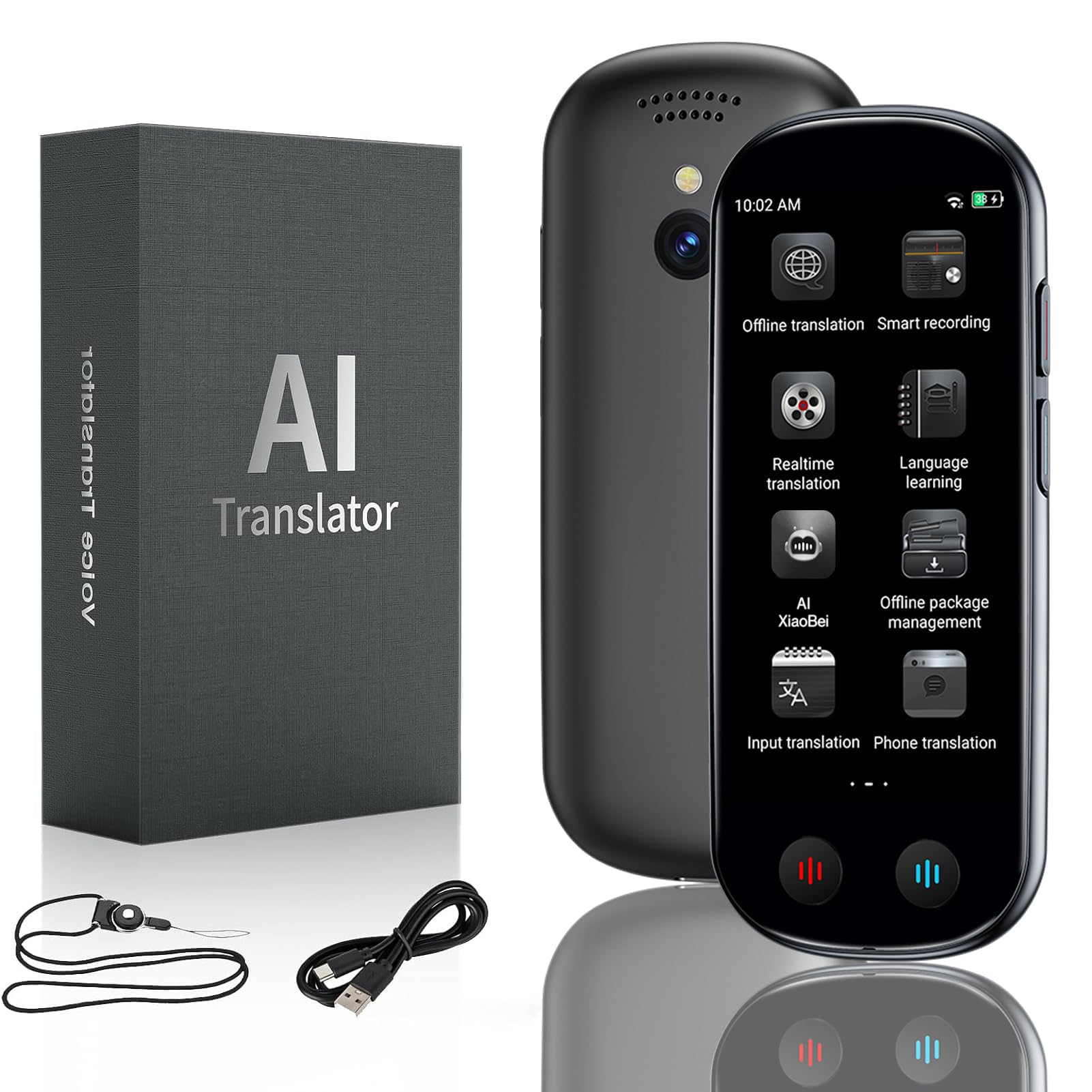
The FancyDove device covers 149 online languages, the broadest online count in this lineup, and keeps 21 essential languages working offline for both voice and photo translation. That offline photo mode is the standout: you can photograph a Japanese label on a plane or a remote ferry dock and still get a reading without any connection. It runs without a smartphone app, using a responsive HD touchscreen, physical shortcut buttons, and a clear speaker, which keeps the experience self-contained for travelers and older users alike.
Beyond straight voice translation it adds recording, transcription, and a camera that uses OCR to read menus, road signs, documents, and labels. There is also a learning side with daily conversation practice, pronunciation help, and multilingual AI chatbot conversations. That chatbot function is where one owner drew the line, noting the answers felt basic and could not display anything complex like a table, though that user did not test it for actual language translation.
Owners who put it to real use found the payoff. One traveler reports talking with people from China, France, and Germany on this device, adding that it “takes a little while to get used to” but then flows once you settle in. Another found it works well while noting it lacks a little precision. If you want the widest online language spread and offline photo reading for a long, multi-stop trip, this is the pick.
The coverage case: 149 online languages and 21 offline for both voice and photo, with no phone app required.
The catch: it takes practice to get comfortable, and the AI chatbot answers are shallow rather than deep.
Ideal for: cruises, long-haul flights, and trips through several countries in one go.
skip it if: you want an AI assistant that can handle complex questions, since this one keeps answers simple.
5. Anfier Translator Device W12S

A large-screen unit that adds offline Japanese, a case, and a lanyard to the conversation.
The Anfier W12S targets the traveler who wants a bigger reading surface and something to protect the device. It carries a 3.7-inch ultra-large HD screen, which makes two-way translated text comfortable to follow in a meeting or a class. Online coverage reaches 144 languages at a claimed 98% accuracy with responses in under 0.5 seconds, while offline translation covers 16 major languages with Japanese among them. The 1500 mAh battery runs up to 8 hours of continuous use on a charge.
It ships with a protective case and a lanyard, so the unit is guarded against drops and scratches and can hang around your neck when both hands are full. The device weighs in at roughly 100g in hand, light enough to wear for a long conference day without strain. For learners, the pronunciation practice is a real draw, with one owner using it to sharpen Spanish word sounds.
Two honest notes belong here. Photo translation needs an online connection, and offline it simply shows that it is not connected, so offline coverage applies to voice rather than images. The offline language packs are a shorter list than heavy travelers might want, and the microphone has struggled for some users with speech it cannot sense clearly. The published 98% accuracy figure is best read as a target rather than a guarantee across every language and accent.
Big screen, hands-free carry: a 3.7″ HD display plus an included case and lanyard for conferences and classes.
The limitations: photo translation requires a connection, and offline packs cover a shorter list than some rivals.
Suits you if: readability on a larger display matters more to you than the longest language list.
Reconsider if: you want offline photo translation, which this model does not provide.
6. iFLYTEK AI Language Translator Device
The screen-first translator for Mandarin-English work that arrives with built-in global data.
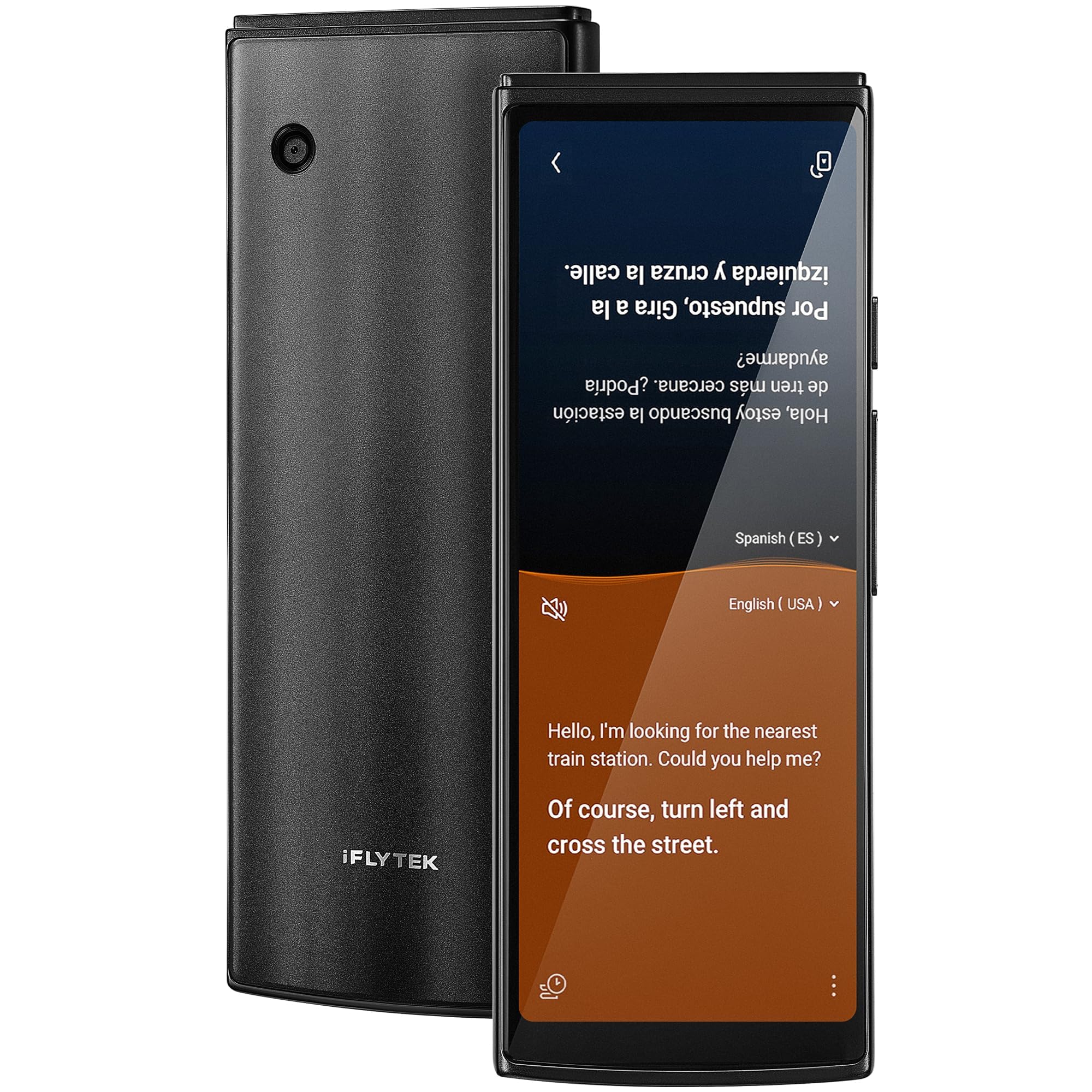
If your Japanese conversations often pair with Chinese ones, the iFLYTEK is the one built for that lane. It carries a 5-inch high-definition touch screen, the largest here, which makes reading translated text easy at a glance. Coverage runs to 60 online languages and 18 offline language packages, and a split-screen mode lets two people read a conversation at once without the back-and-forth of editing a phone app. It pairs touch buttons with physical buttons, a combination that helps older users operate it.
Two extras stand out on longer trips. The device includes built-in 2-year mobile data covering nearly 200 countries and regions, so you do not buy a separate SIM or hunt for data on arrival. And it holds 16GB of storage for automatically saving and exporting up to 1000 translation records, which keeps a record of everything you have translated. Photo translation works across 50 languages, useful for menus and road signs.
The honest split sits in language support. Owner feedback is mixed here, with some buyers calling it excellent for Mandarin-English work and others hitting translation accuracy snags. The battery gives 6 hours of nonstop translating with a 10-day standby, so heavy travel days may call for a midday charge. If your travel centers on Mandarin and English, this device is tuned for exactly that; for the widest offline Japanese coverage, the Anfier W09 PRO goes further.
The standout: a 5″ HD screen, split-screen conversation mode, and 2-year built-in data across nearly 200 countries.
Read the specs closely: offline support is 18 language packages, and accuracy results vary depending on the language pair.
Pick this for: Mandarin-English meetings, classes, and travel where built-in data saves hassle.
Not the first choice for: buyers who need the deepest offline Japanese coverage, which other picks here handle better.
Know the Specs
Online versus offline language counts
Online languages need a Wi-Fi or data connection, while offline languages work with no signal at all. A device can list a very high online number yet cover only a small set offline, so always confirm that Japanese appears in the offline list if you plan to travel beyond city coverage. Offline translation tends to be less nuanced than the online version.
Battery capacity and runtime
Capacity is quoted in mAh (milliamp-hours, a measure of stored charge), and runtime tells you how long that charge lasts. Voice translation uses far less power than camera or Wi-Fi use, so a quoted number of continuous hours reflects light use. Standby time, quoted in days, shows how long the device holds a charge when switched off between trips.
Screen size and touch input
A larger touch screen shows more translated text at once and makes reading in bright light easier. The trade-off is a slightly bigger, heavier body. Touch buttons suit quick taps, while physical buttons help people who find a touchscreen fiddly, which is note if you are buying for an older traveler.
Camera resolution and OCR
Camera resolution is measured in MP (megapixels, which sets how much fine detail the sensor captures), and OCR is the technology that reads text from an image. A higher-resolution camera captures smaller or handwritten text more clearly, which matters for menus, signs, and product labels. Photo translation sometimes needs a connection to work.
Common Questions
Do these devices translate Japanese offline without Wi-Fi?
How accurate are handheld translator devices for Japanese?
Is a translator pen better than a voice translator for learning Japanese?
Can I use these translators for two-way Japanese conversation?
How long does the battery last on a Japanese translator device?
Do I need a SIM card or a phone app to use these devices?
Can these translator devices read Japanese menus and signs?
What is the difference between online and offline translation modes?
Will these devices work for seniors who are not tech-savvy?
Can I record and save translations for later study?
The Bottom Line
For most people heading to Japan, the japanese translator device winner is the TINRIEF S85 because it pairs a 3.97-inch touch screen and a 5MP camera with 138 online languages and 19 offline, so it handles both spoken and photographed Japanese. If your trip runs through spots with no signal, the Anfier W09 PRO leans hardest into 16 offline languages with Japanese included. And if your work mixes Mandarin with English, the iFLYTEK stands out with its split-screen mode and 2-year built-in data across nearly 200 countries. Before you buy, confirm Japanese appears in your chosen model’s offline language list — that single check is what separates a smooth trip from a frustrating one.
How we choose
We do not accept paid placement. Every pick is matched to a real buyer and a real use-case; we do not hands-on test units.
Sources
Specifications: manufacturer listings and product documentation. Review insights: verified customer reviews, as of October 2026. Pricing: not shown on this page (it changes often); check the current price via the retailer link.
As an Amazon Associate, Aappliancez earns from qualifying purchases. This does not affect which products we feature.