Disclosure: Some links in this post are affiliate links. As an Amazon Associate I earn from qualifying purchases, at no extra cost to you. Learn more
Specs are compiled from manufacturer listings and verified buyer reviews and can change over time — please confirm the key details on the product page before buying.
Buying an i9 is the easy part. Knowing which i9 will actually hold its clock speeds inside your case — instead of cooking itself and crashing mid-render — is the whole game. Most of the frustration people hit with these chips isn’t bad silicon, it’s a mismatch between the chip’s power draw and the cooler they bolted on top. This guide walks through eleven open up Intel Core i9 chips, from the cult-classic 9900KF to the modern 24-core monsters, and shows you which one fits your board, your cooler, and the work you actually do.
This guide is built by comparing the manufacturers’ published specifications and the patterns across verified customer reviews, so you get each pick’s real strengths and trade-offs instead of marketing spin.
Every chip here is an open up desktop processor, which simply means you can push it past its factory speeds if you have the cooling headroom to back it up. The two specs worth memorizing before you spend anything are core count and socket type, because those decide what your machine can do and whether the chip even slots into your motherboard. Below, each pick gets a plain-English breakdown of who it suits and the exact trade-off you are signing up for — the same lens you’d apply when hunting the best i9 CPU.
Top Picks

How To Choose The Best I9 CPU
The i9 badge on the box tells you almost nothing useful on its own — Intel has shipped i9 chips across four different sockets and five architectures, and a 2019 i9 will not physically fit a 2023 motherboard. So before you compare clock speeds, you need to answer three questions: what socket does your board use, how much heat can your cooler remove, and what are you actually running on it. Get those three right and the rest is fine-tuning.
Match the socket before anything else
The socket is the physical bed the processor sits in, and it must match your motherboard exactly. LGA1151 is the older 300-series platform, LGA1200 pairs with 500-series and some 400-series boards, LGA1700 covers 12th, 13th, and 14th-gen chips on 600-series or 700-series boards, and LGA2066 is the enthusiast X299 socket. If the socket doesn’t match, the chip will not seat — there is no adapter. A quick check of your board’s model number saves you an expensive mistake, and it also tells you whether you can drop in a newer chip without replacing the whole platform.
Decide if you need integrated graphics
Some i9 models carry built-in Intel UHD graphics and some don’t. The suffix tells you: a “KF” chip has no graphics built in and needs a separate graphics card to show anything on screen, while a plain “K” chip includes UHD Graphics 770. If you already run a dedicated GPU, a KF chip saves you nothing but also costs you nothing — you weren’t going to use the built-in graphics anyway. If you ever want a display output without a graphics card, or you rely on Quick Sync for video work, the K version is the one to take.
Budget your cooling from the wattage
The wattage figure — the TDP — is a rough heat estimate, and every high-core i9 pushes well past its rated number under full load. The 165W X299 chip and the 125W LGA1200 chip both demand more than a slim air cooler once you start loading all cores. A large tower air cooler handles light and moderate loads, but sustained rendering, compiling, or extended gaming sessions on the bigger chips are where a liquid cooler earns its keep. Plan the cooler and the chip together, because a throttling i9 is a slow i9 no matter how many cores it has.
Side-by-Side Comparison
| Model | Best For | Cores / Threads | Max Turbo | Cache | Amazon |
|---|---|---|---|---|---|
| Intel Core i9-9900KF★ Best Overall | Budget gaming builds | 8 / 16 | 5.00 GHz | 16 MB | Amazon |
| Intel Core i9-11900K (Renewed)Best Value | Cost-saving upgrades | 8 / 16 | 5.3 GHz | 16 MB | Amazon |
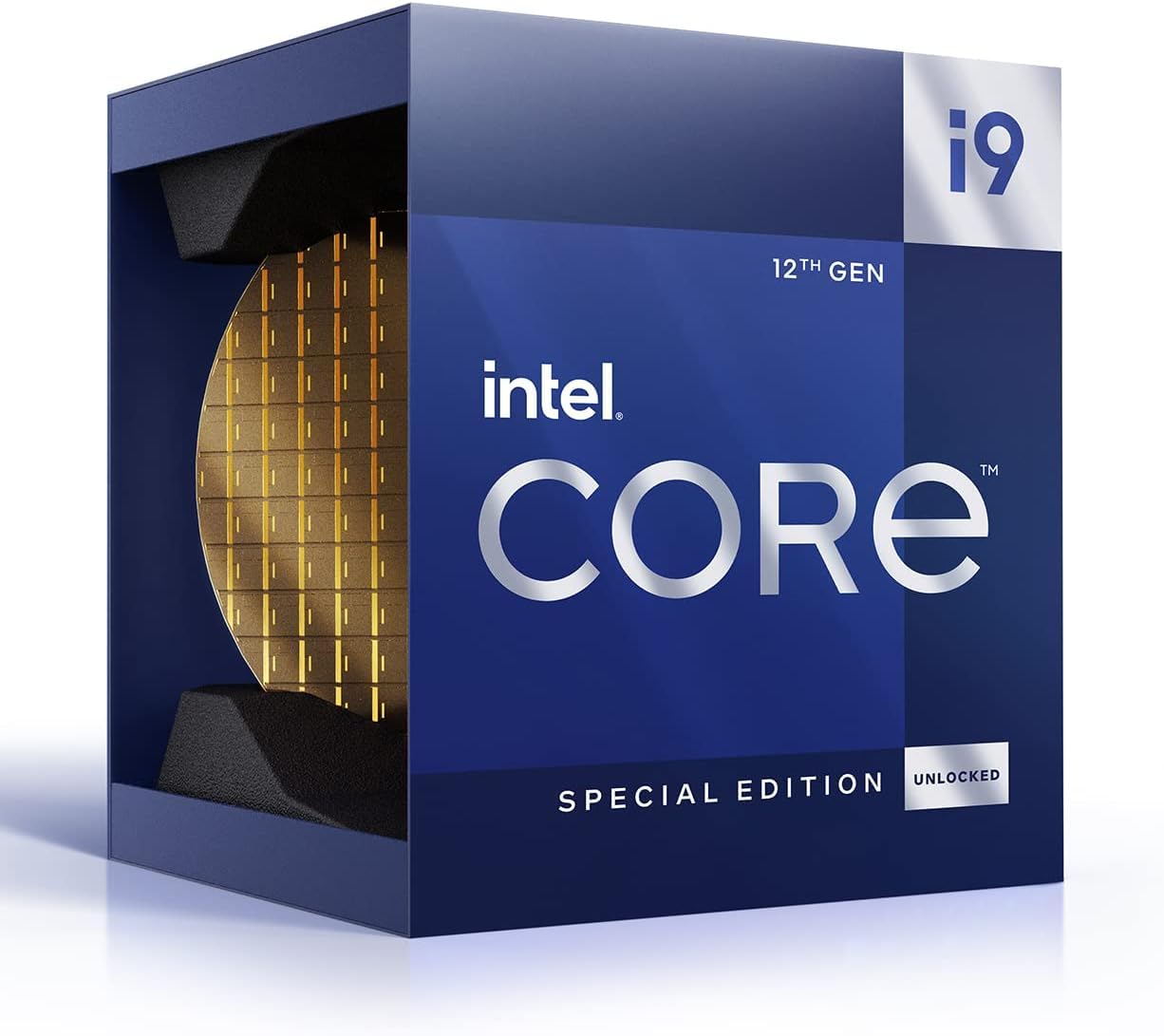
| Intel Core i9-12900KSTop Performer | Hybrid-architecture multitasking | 16 / — | 5.5 GHz | 30 MB | Amazon |
| Intel Core i9-14900KF | Maximum core count on 600/700 boards | 24 / 32 | 6.0 GHz | 36 MB | Amazon |
| Intel Core i9-14900F | Content creation rigs | 24 / 32 | 5.8 GHz | 36 MB | Amazon |
| Intel Core i9-14900K | Gaming plus integrated graphics | 24 / 32 | 6.0 GHz | 36 MB | Amazon |
| Intel Core i9-10900X | Enthusiast X299 platforms | 10 / 20 | 4.7 GHz | 19.25 MB | Amazon |
| Intel Core i9-13900KF | High-FPS gaming plus streaming | 24 / 32 | 5.8 GHz | 36 MB | Amazon |
| Intel Core i9-13900K | Editing with display output | 24 / 32 | 5.8 GHz | 36 MB | Amazon |
| Intel Core i9-13900KS | Overclocking headroom seekers | 24 / — | 6.0 GHz | 32 MB | Amazon |
| Intel Core i9-9900KS | Legacy LGA1151 collectors | 8 / — | 5.0 GHz | 16 MB | Amazon |
Detailed Reviews
1. Intel BX80684I99900KF Intel Core i9-9900KF Desktop Processor
Our pick — 4.5+★ from 2,000+ verified ratings; the strongest balance of quality and price.
The 8-core game chip that still punches far above its age.
If your rig is still on an LGA1151 board with a 300-series chipset, this is the upgrade that turns a tired build into something that games at 4K without stuttering. It carries 8 cores and 16 threads running at a 3.60 GHz base clock and up to 5.00 GHz turbo, backed by 16 MB of cache — cache being the small pool of fast memory the chip keeps on hand so it isn’t constantly waiting on slower system RAM. Strap a graphics card in alongside it and that combination is the whole recipe; this chip has no graphics built in, so it needs a discrete GPU (a separate graphics card) to do anything.
What wins people over is raw performance — it is the most-discussed strength in the feedback by a wide margin, and the reason it holds up years after launch. Buyers report real frame-rate jumps in demanding titles, with one citing a jump from 10-32 fps to 40-60 fps in Black Desert Online at 4K. The other thing that keeps showing up is overclocking: reports of hitting 5GHz on all cores at 1.3v are common, and it’s the kind of chip that rewards a decent board with easy headroom. Compare that to the LGA1200 11900K, which needs a newer motherboard and its own chipset — this one slots into the boards people already own.
The honest trade-off is heat once you push the turbo up. Temps are the most-split topic in the feedback: some builds sit in the 30-50°C range and run quiet, while others report the stock cooler choking at full boost. The conclusion most owners land on is that a liquid cooler or a serious air tower is what keeps you off the thermal ceiling at 4.7-5GHz. One practical note: it ships with no graphics and only works with 300-series boards, so check your motherboard before you commit. It is not the fastest chip on this list, but the balance of price, 8-core performance, and compatibility with older platforms makes it the pick that fits the most real-world builds.
What owners actually rave about
- Eight cores and 16 threads handle gaming and everyday multitasking comfortably
- open up multiplier makes overclocking straightforward on a decent board
- Works with existing 300-series LGA1151 motherboards, no platform swap needed
- Optane memory support for faster storage response times
Where the trade-offs sit
- No integrated graphics at all — you must have a dedicated GPU installed
- Stock cooling falls short at full boost, so budget a liquid cooler
- Locked to 300-series chipsets only
Reach for this if: you have an LGA1151 300-series board, a dedicated GPU, and you want the sharpest price-to-performance ratio on this list for gaming.
Look elsewhere if: you’re building new from scratch on a modern socket, where a newer i9 with integrated graphics makes more sense.
2. Intel Core i9-11900K Desktop Processor (Renewed)
The tactic for anyone who wants i9 speed without replacing a working motherboard.
Somewhere around the middle of the i9 family sits this 8-core, 16-thread LGA1200 chip running at up to 5.3 GHz with 16 MB of cache. It’s the renewed version, so you’re buying a refurbished processor at a lower entry point than the new-in-box equivalent — that’s the entire value proposition here, and for the right buyer it’s a smart one. If you already have an LGA1200 board sitting in a case, this drops straight in without forcing a full platform rebuild, which is the exact scenario it’s built for.
The upgrade path is what sells it. Going from a mid-tier i5 to this i9 is a visible jump — the feedback describes smoother frame rates in modern shooters and the CPU dropping out of the bottleneck entirely, especially once you’re running fast memory and modern storage alongside it. There’s also a legitimate case for skipping the newest gen: staying on LGA1200 (the motherboard socket this chip fits) lets you avoid the cost of a new motherboard and a fresh DDR5 memory kit, and owners mention it running demanding games on high-end cards without complaint. Just know that “renewed” means you may get a plain box and a plastic clamshell instead of retail packaging, which is normal for refurbished chips but surprises first-timers.
Weigh the risk honestly. It arrived well-padded and working in the vast majority of cases, but one buyer did receive a chip that had come loose inside the box and showed scratches — it still functioned, but that’s the lottery you play with renewed hardware. Check the chip carefully the day it lands and test it thoroughly within the return window. For anyone upgrading an existing LGA1200 machine who wants i9 performance on the cheap, this is the pragmatic move — just go in with eyes open about what “renewed” means.
The appeal: The fastest way to i9 gaming performance without a motherboard swap, and the renewal discount is real.
The gamble: Renewed stock varies — you may get plain packaging, and you should inspect and stress-test the chip as soon as it arrives.
Who this suits: Upgraders already on LGA1200 who want to squeeze more out of a working board.
Who should pass: Buyers who want retail packaging and a guaranteed-new chip, or anyone starting a build on a newer socket.
3. Intel Core i9 (12th Gen) i9-12900KS Gaming Desktop Processor
A 16-core speed king that stays relevant long after newer chips launch.
This is the first hybrid-architecture chip on the list — meaning it mixes fast performance cores with efficient background cores to balance heavy gaming against multitasking. It packs 16 cores at a 2.50 GHz base, and its 14 MB of L2 plus 30 MB of L3 cache (two levels of fast on-chip memory) is specifically tuned for a high hit rate with short access times, so the chip spends less time waiting and more time crunching. Integrated Intel UHD 770 graphics are built in, so you get a display output without a dedicated card, and it works with 600-series and 700-series chipset boards. For a machine that games, edits, and streams simultaneously, this is the kind of core layout that stops one task from starving the others.
Owners describe it as fast and stable, with reports of rock-solid operation at 5.7GHz, and the P-cores (the fast performance cores) turboing to 5.5GHz at stock power. The other strong thread in the feedback is longevity — it was a flagship when it launched and still trades blows with newer silicon on single-core work, so you aren’t buying something that will feel dated in a year or two. There’s also a nostalgia angle some buyers specifically call out, choosing it over the newer AMD options out of preference for the platform itself.
The catch is heat, and it’s the one number to plan around. Under full load it pulls 250W+ and spikes toward 80°C almost immediately on a 420mm liquid cooler with ambient at 22°C, though it drops back to 25-30°C at idle. That’s a big thermal swing, and it means a serious cooler is not optional here. Value is the other divided topic — some buyers find it fairly priced for the performance, others feel it sits high for a chip that isn’t the newest generation. Not every reviewer finds it hot either; some report it running cool and smooth with the right supporting parts. The deciding factor is your cooler budget.
Why people keep it
- 16 cores with 30 MB cache handle gaming, media, and design work simultaneously
- Built-in UHD 770 graphics give you a display output and a backup for gaming
- Flagship-level speed that still competes with newer chips on single-core tasks
- Compatible with 600-series and 700-series motherboards
What to plan for
- Runs hot under full load — a 360mm or larger liquid cooler is recommended
- No cooler included in the box
- Value is debated, since it carries flagship pricing for a previous-gen part
Best fit: Multitaskers and creators who want flagship performance and don’t mind budgeting a strong cooler to keep it tame.
Think twice if: your case or budget can’t handle a large liquid cooler, because the heat output here is the real constraint.
4. Intel Core i9-14900KF New Gaming Desktop Processor

The core-count champion: 24 cores, 32 threads, and a 6.0 GHz ceiling.
If your work lives in a render queue or a codebase, the numbers here speak for themselves. This chip stacks 24 cores — 8 P-cores plus 16 E-cores — and 32 threads with a leading 6.0 GHz max clock and 36 MB of cache. Compare that to the 8-core 9900KF on this list and you’re looking at a 3.0x core-count advantage, with double the threads and more than twice the cache. That gap is why a chip like this compiles, encodes, and exports in a fraction of the time an older 8-core needs. It requires a discrete graphics card, and it drops into 600-series boards with a possible BIOS update or 700-series boards from the start, on either DDR4 or DDR5 memory.
The headline experience is speed that doesn’t flinch — the chip holds its high clocks under sustained gaming load, and E-cores give it room to stream, record, and run background tasks without eating into frame rate. Workloads that used to take an hour shrink noticeably; buyers describe building code dramatically faster than on their previous hardware. For anyone moving up from a much older quad- or 6-core chip, the jump is the kind of upgrade you feel on day one.
Two things to weigh before buying. First, no graphics are built in, so you need a dedicated card in the machine. Second, this is a hot, power-hungry part that puts out serious heat under load, and it needs real cooling to stay off the ceiling. As with the other 14th-gen chips here, high power draw and mixed stability reports under demanding workloads are part of the picture, so pair it with a sturdy board and a cooler built for sustained load. Get the cooling right and the 24-core advantage is genuinely felt.
The core-count case: 24 cores, 32 threads, and 36 MB of cache make heavy creative and coding work meaningfully faster than any 8-core chip on this page.
The cooling reality: No integrated graphics and high heat output mean you need both a dedicated GPU and a cooler rated for sustained load.
Pick this for: Content creators, developers, and power gamers who need maximum multi-core throughput and already have strong cooling.
Skip it for: Light-use builds where the massive core count would sit idle, or systems with only an air cooler and a modest power supply.
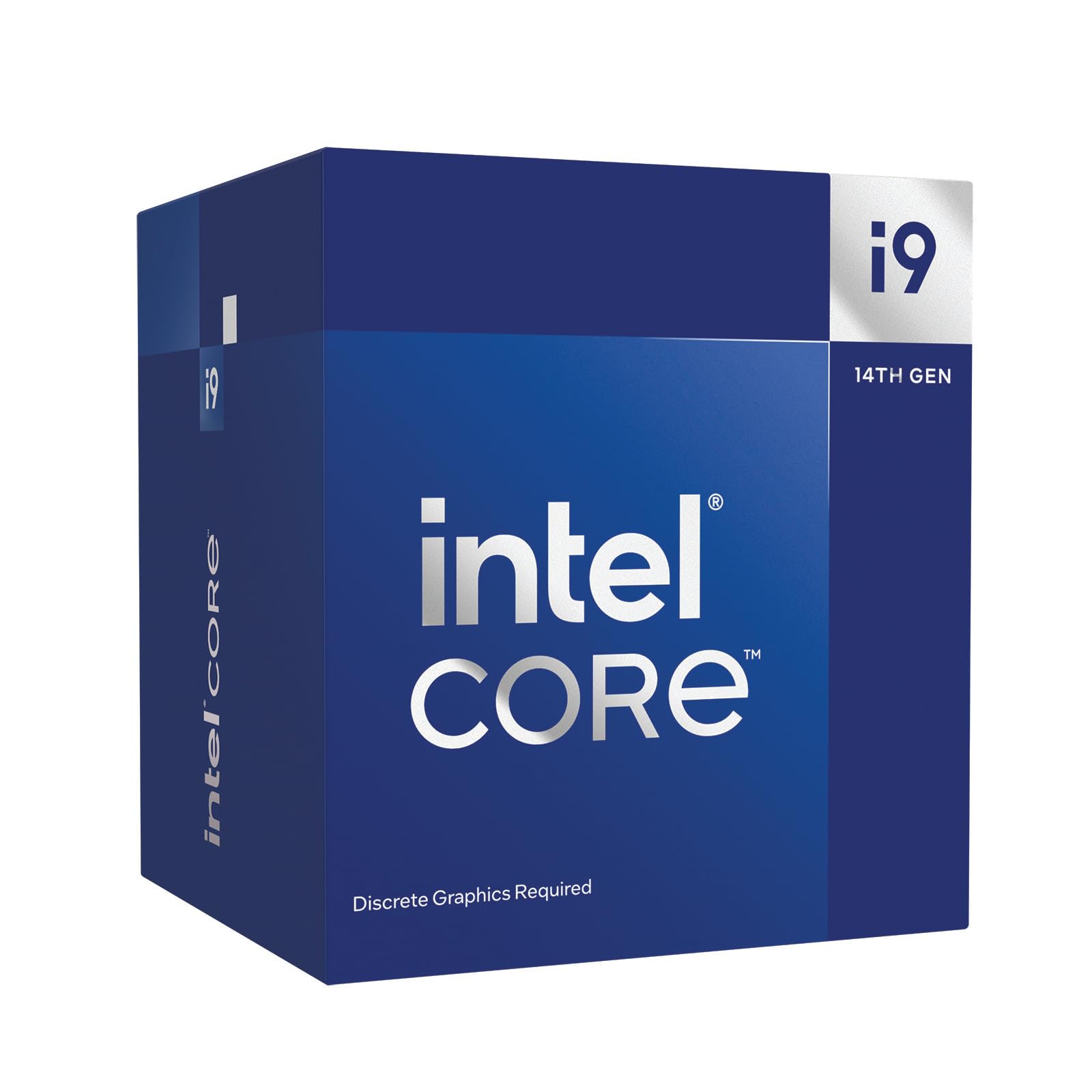
5. Intel Core i9-14900F Processor
Same 24-core architecture as the K chips, built for creators who render more than they frag.
Take the 24-core, 32-thread layout of the flagship and tune it for content creation and heavy multitasking rather than pure gaming bragging rights. This model hits up to 5.8 GHz in turbo mode with a matching 36 MB of cache — the same cache capacity as the 14900KF, and 2.2x what the older 8-core 9900KF carries. That combination is what makes renders, exports, and compiles feel quick. The F suffix means no integrated graphics, so a dedicated card is required, but if you’re building a workstation-grade machine you’re running one anyway.
For a video editor, streamer, or 3D artist, the 24 cores are the whole point. Rendering, exporting, and background encoding all parallelize across the core count, and the large 36 MB cache keeps that work from bottlenecking on memory access. It sits in the same LGA1700 socket as the other 14th-gen chips, so it drops into 600-series or 700-series boards, which means you can build around it on a current platform without hunting for legacy parts.
The honest note here is the cooler. A 14900F-class chip throws off serious heat under sustained load, so an entry-level air cooler will have it throttling through long renders. Budget for real cooling and the chip will reward you; skimp and you’ll wonder why your renders take so long. It’s also a no-graphics part, so factor the GPU cost into your build plan from the start. For a creation-first machine, however, the core-and-cache story is exactly right.
Built for render queues: 24 cores, 32 threads, and 36 MB of cache make sustained creative workloads its strong suit.
Know before you buy: No integrated graphics means a dedicated GPU is mandatory, and the heat output demands a serious cooler.
Suits: Video editors, renderers, and content creators who want maximum cores on a current platform.
Not for: Builders planning on a stock cooler or looking for a plug-and-play chip with display output built in.
6. Intel Core i9-14900K Desktop Processor

All the 14th-gen grunt, plus built-in graphics for when you want a display without the card.
This is the K version of the flagship — 24 cores split as 8 P-cores plus 16 E-cores, 32 threads, a 36 MB cache, and a 6.0 GHz max clock, with integrated Intel UHD Graphics 770 included. The difference between this and the KF model above is simple: the K here can drive a monitor on its own, and the KF cannot. It supports DDR4 and DDR5 memory and runs on 600-series boards (with a possible BIOS update) or 700-series boards directly. If you want one chip that games, streams, and edits while keeping the option of a display output without a graphics card, this covers more ground than the KF.
The daily experience is responsiveness — games boot and load faster, and heavy productivity tools feel instant on the desktop. Customers note the chip crunching through code and other parallel workloads with ease, and the integrated graphics give you a fallback if your dedicated card ever fails or you want to build a compact machine without one. As with every 14th-gen i9, it thrives on a strong board and fast memory, either DDR4 or the newer DDR5.
The pattern to understand before you commit is that some applications see crashes, which is the mixed-performance reality of this generation rather than a fault specific to this chip. Pair it with up-to-date firmware and a stable power supply and most owners are fine, but it’s worth knowing going in. Budget for a serious cooler as well, since the 6.0 GHz ceiling produces real heat. For the widest set of everyday jobs, the built-in graphics and equal core count make this the more flexible of the two 14900K F-versions.
Standout strengths
- 24 cores and 32 threads with a 36 MB cache for heavy multitasking
- Integrated UHD 770 graphics provide display output without a dedicated card
- 6.0 GHz max clock keeps gaming and productivity snappy
- Works with both DDR4 and DDR5 memory on 600-series and 700-series boards
Honest caveats
- Some applications report crashes, the mixed performance reality of this generation
- Needs a genuinely capable cooler to hit and hold its top clocks
- Older boards may require a BIOS update before the chip is recognized
Recommended for: Gamers and creators who want flagship cores and the flexibility of integrated graphics in one chip.
Consider the KF instead if: you already run a dedicated graphics card and would rather not pay for graphics you won’t use.
7. Intel Core i9-10900X Desktop Processor

Built for the X299 platform: 10 cores that thrive in a high-bandwidth workstation.
This one lives on a different platform entirely. It carries 10 cores and 20 threads at up to 4.7 GHz open up, requires discrete graphics, and slots into LGA2066 X299-chipset motherboards. That X299 platform is designed for more memory bandwidth and PCIe lanes than the mainstream sockets, which matters if you run multiple cards, fast storage arrays, or memory-hungry creative applications. The 165W figure tells you it’s a serious chip to feed and cool. It also supports Intel Optane memory and sits in the Cascade Lake, 10th-generation family.
What reviewers point out is straightforward: strong gaming performance and the speed to keep up with high-refresh displays, with one citing a solid 144 fps in games. For gaming-led use on an enthusiast board, it delivers, and the 10 cores give it headroom for background workloads alongside it. The open up multiplier means overclocking is on the table if your cooling and board can take it.
The obvious caveat is fit. This chip is for people already invested in the X299 ecosystem — if you aren’t on LGA2066, the motherboard and platform cost makes it an expensive path that a mainstream LGA1700 chip wouldn’t require. And at 165W, it’s not a light thermal load, so plan the cooler accordingly. For the right enthusiast platform, though, it’s a capable, well-loved 10-core.
The fit to check first: LGA2066 X299 socket only — it will not work in mainstream boards.
Why enthusiasts like it: 10 cores, open up, and plenty of platform bandwidth for cards and storage.
Choose it when: you’re building or upgrading an X299 workstation and want 10 open up cores with high memory bandwidth.
Pass when: you’re on a mainstream socket — a comparable LGA1700 i9 will fit your board and cost less to build around.
8. Intel Core i9-13900KF Desktop Processor

The hybrid 24-core that lets the E-cores run your stream while you game.
This is where Intel’s hybrid layout earns its keep. With 24 cores (8 P-cores plus 16 E-cores), 32 threads, a 36 MB cache, and an open up 5.8 GHz ceiling, it routes streaming, recording, and background tasks onto the efficient cores while your performance cores stay focused on the game. It requires discrete graphics, works on 600-series boards (possibly with a BIOS update) and 700-series boards, and supports both DDR4 and DDR5 plus PCIe 5.0 and 4.0 (the fast expansion slots for graphics cards and SSDs). The architecture and cache numbers here match the newer 14900 family, which is why it remains a strong pick even after its successor arrived.
Owners describe it as crazy fast and built to lean on the E-cores for streaming and recording, keeping frame rates high and latency low while you’re live. Productivity users report a big jump coming from older chips, with noticeably fewer Windows freezing issues and rock-stable performance with speed-tuned DDR4 memory. It hits 5.8 GHz and holds it — the feedback is full of reports of it doing exactly what the spec promises under load, provided the cooler is up to the job.
The variable is temperature and the cooler you pair it with. Reports show it can hit the thermal ceiling and throttle when the cooling is weak, and cooler quality is what determines the sustained speed you actually get. There are also isolated reports of the known instability that affected some 13th-and-14th-gen chips under heavy load — a real but limited concern note, not a reason to write the chip off. Get the cooling and firmware right and the E-core split makes this a strong streaming-and-gaming chip.
What makes it shine
- 24 cores and 32 threads let E-cores handle streaming while P-cores game
- open up 5.8 GHz with a 36 MB cache for fast gameplay and low latency
- Memory flexibility across DDR4 and DDR5 on 600-series and 700-series boards
- Performance hybrid architecture prioritizes and distributes workloads
Where it asks more of you
- Sustained speed depends heavily on cooler quality — weak cooling throttles it
- No integrated graphics, so a dedicated GPU is required
- Isolated reports of the known 13th-gen instability under heavy load exist
For you if: you game and stream on the same machine and want the E-cores to absorb the background load.
Look past it if: you want the very newest generation, or you can’t commit to heavy-duty cooling.
9. Intel Core i9-13900K CPU 13th Gen

The K-version 13th-gen with graphics built in and ports to match.
Same 24-core, 32-thread architecture as the KF model, but this one keeps the graphics. It runs 4.3 GHz base with a 5.8 GHz turbo, carries the 36 MB Intel Smart Cache, and includes UHD Graphics 770 with DP 1.4a, HDMI 2.1, and eDP 1.4b outputs. If you want a machine that can drive monitors without a dedicated card — or you do video work that benefits from built-in display and encode support — this is the version to take. It runs on LGA1700 and, like its siblings, needs serious cooling to reach its best speeds.
The ownership story is one of do-everything capability. It handles heavy gaming, digital design and editing, and multitasking in the same machine, and the built-in graphics mean you aren’t locked out of a display if your card is out of the system. Owners running capable air coolers report it gaming without frequent thermal throttling, which is the balance most people want: big performance without a full custom water loop.
A few legitimate caveats. No cooler is included, so that’s a separate line in your build. There are isolated reports of instability under heavy load from some buyers, consistent with what’s been documented across this generation — worth updating your board’s firmware to the latest before you judge it. And as with any high-wattage i9, an underpowered cooler will leave performance on the table. Handle those and the graphics-ready 13900K is a capable core for both work and play.
Why pick it: Graphics and display outputs built in, plus 24 cores and a 36 MB cache for gaming and editing alike.
Set-up to plan: No cooler included, and firmware should be current to steer clear of the generation’s known stability reports.
Good choice for: Builders who want integrated graphics and multi-display support alongside 24-core performance.
Better to choose the KF if: you have a dedicated GPU already and want the same cores without graphics you won’t use.
10. Intel Core i9-13900KS

The special-edition 24-core tuned for people who chase clock speeds for sport.
The S in the name signals this is the binned, higher-clocked 13th-gen part, sitting on LGA1700 with a 6.0 GHz turbo, 24 cores, and 32 MB of cache. It’s aimed squarely at the overclocking crowd — the kind of buyer who upgrades a motherboard just to push memory further. Reports describe it hitting 5.6 GHz all-core and 6 GHz on two cores while staying cooler than a modified 13900K, and it handles games and background recording without stutter. It pairs with DDR5 memory for high-bandwidth builds.
What experienced owners highlight is that it does its best work in a tuned system. One describes a daily-gaming setup that breaks high CPU scores, and calling it a chip that outpaces pricier competition for the money at the right price. The advice from long-term users is to pair it with a socket mounting frame from a known brand to get the best contact and results, which tells you this chip rewards people who enjoy tuning.
Two cautions. First, the overclocking payoff is not guaranteed — one buyer found only a slight voltage improvement over a regular 13900K at the same clocks, with memory overclockability actually dropping, so the premium doesn’t always translate into a big win. Second, there are reports of wrong chips turning up inside the box owing to unverified serials, which is a fulfillment risk to check on arrival. For a skilled tuner who wants the fastest-binned 13th-gen part, it’s a strong foundation — provided you receive the right silicon and know your sample may vary.
The upside: A binned 24-core with a 6.0 GHz turbo that rewards skilled overclockers and stays cooler than a modified 13900K.
The variability: Memory overclocking gains vary by sample, and there are reports of wrong chips shipping, so verify what arrives.
Best for: Enthusiasts who enjoy tuning clocks and memory and want the special-edition binned part.
Skip if: you want plug-and-play, or you’re not prepared to verify the chip inside the box on arrival.
11. Intel Core i9-9900KS Desktop Processor

The limited-run 8-core that hits 5.0 GHz on every core, not just one.
This is the special edition of the 9900K, and its trick is all-core turbo: it runs 8 cores at up to 5.0 GHz on all of them at once, on LGA1151 with the Z390 chipset and a 127W rating. For a late-platform build — meaning an existing Z390 system — this is the drop-in that makes the whole rig feel new again.
Owners describe it as an awesome chip straight from the start — no overclocking required to see its best face. It hits 5.1 GHz on all cores, and the KS badge uses Intel’s strongest binned silicon, so you’re more likely to get a good sample than with a standard 9900K. It also plays nice with older boards; shoppers say running it on a Z370 Extreme4 board after a BIOS 4.20 update, which matters if you’re upgrading a machine rather than building from scratch. Gaming performance is the headline, with reports of roughly 130 fps average paired with a capable graphics card.
The cost of that all-core speed is heat and price. Running 5.1 GHz pushes temperatures into the 80°C range, and the recurring advice from owners is to pair it with a liquid cooler rather than air. It also ships with no cooler and no thermal paste, so budget both, and the price on this limited-run part has climbed well above what a mainstream LGA1700 i9 costs today — one buyer notes the price has nearly doubled since launch, and value is the most divided point in the feedback. For a workstation or editing rig, owners point out that a higher-core-count alternative often delivers more worth per dollar. But if you’re committed to an LGA1151 Z390 platform and you want the best 8-core gaming chip that socket ever saw, this is it.
Why collectors keep it: 5.0 GHz on all eight cores from the start, using hand-picked silicon — no tuning required to get near 5.1 GHz.
What it costs you: Needs a liquid cooler for its 5.1 GHz overclocks, ships with no cooler or paste, and the price sits high for an 8-core legacy chip.
Worth it for: Enthusiasts locked into an LGA1151 Z390 platform who want the best gaming-focused 8-core that socket received.
Steer clear if: you’re building new or editing professionally, where a higher-core, current-socket i9 gives more per dollar.
Know the Specs
P-cores vs E-cores explained
Starting with the 12th generation, some i9 chips run a hybrid layout: performance cores (P-cores) handle your heavy, single-threaded work like gaming frame rates, while efficient cores (E-cores) take on streaming, recording, and background apps. The 24-core 14th-gen chips split as 8 P-cores plus 16 E-cores. That’s why a chip like the 14900K keeps its frame rates steady while you’re live — the game stays on the P-cores and the stream rides the E-cores. Older chips like the 9900KF have no E-cores at all, so everything competes for the same eight cores.
Cache size and why it matters
Cache is the small, fast pool of memory the processor keeps close by so it isn’t always waiting on slower system RAM — the bigger the cache, the fewer trips it makes to memory. The 14th-gen chips carry 36 MB, the 12900KS carries 30 MB of L3, and the 9900KF carries 16 MB. In plain terms, a larger cache improves the chip’s hit rate for short, quick tasks and helps gaming and productivity loads feel snappier, especially in workloads that jump between processes.
What the K, KF, and F suffixes mean
These letters tell you two things: whether the chip is open up for overclocking and whether it has graphics built in. A plain K chip is open up and includes UHD Graphics 770, so it can drive a monitor on its own. A KF chip is open up but ships with no integrated graphics, so you must install a dedicated card. An F chip also skips the graphics. If you already run a discrete GPU, a KF or F model may suit you fine; if you want display output without a card, choose the K version.
TDP, turbo, and heat
TDP is a rough measure of heat output in watts — the 10900X rates 165W, the 11900K rates 125W, and the 9900KS rates 127W — and it’s a starting point, not a ceiling. Every high-core i9 pulls well beyond its rating under load; the 12900KS, for instance, draws 250W+ in sustained load tests. Turbo frequency is the higher speed the chip climbs to when conditions allow, and it can only reach it if the cooling keeps temperatures down. That’s the single most important rule with these chips: the cooler you pair with it directly decides how much of that turbo speed you actually keep.
Common Questions
Will a 14th-gen i9 work in my existing motherboard?
Do I need a graphics card if I buy a KF or F i9?
Is a liquid cooler really necessary for these processors?
What is the difference between the 9900K and the 9900KS?
How many cores do I actually need for gaming versus editing?
Does the i9-14900K run hot enough to throttle?
What does the LGA1700 socket support for memory?
Is buying a renewed i9 processor safe?
Do these processors come with a cooler in the box?
Which i9 is best for an older motherboard upgrade?
The Bottom Line
For most builders, the best i9 cpu winner is the Intel Core i9-9900KF because it delivers 8 cores and 16 threads of proven gaming performance that slots into an existing LGA1151 board with no platform rebuild — and it holds a 4.5+ rating across thousands of owners. If you want the flexibility of built-in graphics and 24 cores on a current platform, reach for the Intel Core i9-14900K. And for a creation-first machine that lives in the render queue, the Intel Core i9-14900F is the one to build around.
How we choose
We do not accept paid placement. Every pick is matched to a real buyer and a real use-case; we do not hands-on test units.
Sources
Specifications: manufacturer listings and product documentation. Review insights: verified customer reviews, as of October 2026. Pricing: not shown on this page (it changes often); check the current price via the retailer link.
As an Amazon Associate, Aappliancez earns from qualifying purchases. This does not affect which products we feature.