Disclosure: Some links in this post are affiliate links. As an Amazon Associate I earn from qualifying purchases, at no extra cost to you. Learn more
Specs are compiled from manufacturer listings and verified buyer reviews and can change over time — please confirm the key details on the product page before buying.
Your phone already runs your lights and your thermostat, so the alarm should live in the same place. That is the whole appeal here: one app, one automation, sensors that trip a light and a siren at the same time. The catch most buyers hit is that plenty of alarm kits advertise smart-home support but never appear inside Apple’s Home app at all. This list separates the ones that genuinely belong to that ecosystem from the ones that only talk to their own app.
This guide is built by comparing the manufacturers’ published specifications and the patterns across verified customer reviews, so you get each pick’s real strengths and trade-offs instead of marketing spin.
Some kits need a hub you already own, some act as the bridge themselves, and one survives a dead Wi-Fi line on cellular. Below you get every sensor count, siren volume and backup window spelled out in plain words, so picking a homekit security alarm stops being a guess and becomes a five-minute decision you can make with confidence.
Top Picks

How To Choose The Best HomeKit Security Alarm
The first thing to settle is not the siren or the sensor count. It is whether the kit will appear in the Apple Home app when you are standing in your hallway with the box open. Get that wrong and you own a fine alarm that lives in somebody else’s app.
Check what the kit actually needs to join HomeKit
Some systems ship as a HomeKit bridge themselves, which means the hub is the thing that speaks to Apple and every sensor reports through it. Others are Matter-over-Thread devices, which join Home through a Thread border router you probably already own — an Apple TV 4K box or a HomePod. A third group only works with Alexa, Google or its own app, and no update will change that. Read the compatibility line before anything else.
Match the sensor count to your doors, not to your square footage
Count your exterior doors and ground-floor windows first. Contact sensors handle each opening; motion sensors cover the hallway or landing that an intruder has to cross. An 8-piece kit with four contacts and one motion detector suits a one or two bedroom place. An 11-piece kit with six entry sensors covers a house with a garage and a shed. Buying short and adding sensors later usually costs more per sensor than a bigger kit.
Decide if you want a siren or a subscription
Local sirens run from 93 dB up to 120 dB depending on the kit, and every one on this list sounds loud enough to move you off the sofa. A monitoring plan is a separate question: it buys you a dispatch call when the alarm fires, plus cellular backup on some systems so the panel stays online if your internet dies. Several kits here run entirely free, and their reminders and arm/disarm controls still work without a cent.
Plan for the moment the Wi-Fi dies
Most wireless panels carry a backup battery measured in hours, so a short outage changes nothing. The bigger gap is the network: if your router is down, a Wi-Fi-only system stops reporting. Kits with cellular backup keep the connection. If you skip cellular, a keypad that still arms locally plus a loud siren is the honest minimum.
Side-by-Side Comparison
| Model | Best For | Siren Volume | Kit Contents | Backup Power | Amazon |
|---|---|---|---|---|---|
| Ring Alarm 8-piece kit (2nd Gen)★ Best Overall | Renters and small homes | — | 8 pieces | — | Amazon |
| OSI Alarm System Gen 2 (4G)Most Expandable | Growing setups, no-contract monitoring | — | 11 pieces | 24 hours | Amazon |
| eufy Security eufyCam S330 4-Cam KitBest for Yards | Big yards, no monthly fee | — | 4 cameras | — | Amazon |
| Eve Door & Window (Matter) 3 Pack | Automations in Apple Home | 44 dB | 3 sensors | — | Amazon |
| Aqara Camera Protect Kit Y100 | Apple Home users who want video | — | 4 pieces | — | Amazon |
| tolviviov 15-Piece WiFi System | Large homes on a budget | 120 dB | 15 pieces | — | Amazon |
| Abode 4 Piece Smart Security System | HomeKit-certified whole-home hub | 93 dB | 4 pieces | — | Amazon |
| Arlo Home Security System SS1501 | One-tap emergency response | — | 5 sensors + keypad hub | — | Amazon |
| SimpliSafe 11 Piece System Gen 3 | Whole-house coverage with camera | 95 dB | 11 pieces | 24 hours | Amazon |
Detailed Reviews
1. Ring Alarm 8-piece kit (2nd Gen)
Our pick — 4.5+★ from 18,000+ verified ratings; the strongest balance of quality and price.
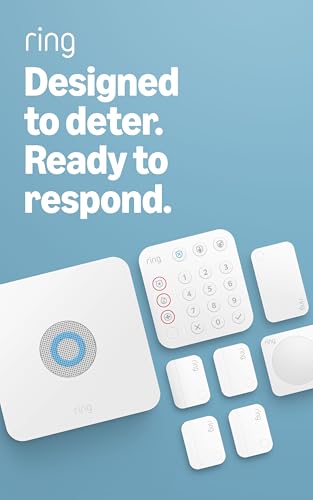
Four door sensors, one motion eye and a keypad that talks to Alexa — the starter kit most homes actually need.
What you unbox is deliberately modest: one base station, one keypad, four contact sensors, one motion detector and a range extender. That four-contact count maps cleanly onto a front door, a back door and a couple of ground-floor windows, which is why this kit suits a one or two bedroom home rather than a full house. The range extender is the quiet hero of the box — it relays the signal into the far corner where a lone base station would otherwise drop a sensor.
You can set up each sensor in about five minutes using the Ring app, which guides you through pairing and names each device as you go. Owners say no professional installer is needed: pairing took about five minutes per sensor, the app guided setup, and nothing dropped offline over twelve months of daily use. The modes are customizable, so arming at night and disarming at breakfast becomes one tap on the keypad or a spoken command if you have Alexa and a Protect plan.
The honest trade-off is the glass. There is no glass-break sensor in this kit, and the workaround owners settle on is mounting a contact sensor on the window pane itself — which has the side benefit of fewer false alarms when children are running through the hall. The other thing to know is that cellular backup and 24/7 police, fire and medical dispatch live behind a Ring Protect plan, so the kit is complete but the safety net is optional.
What earns its place
- Four contact sensors plus a motion detector cover a small home without extras
- Pairing takes roughly five minutes per sensor in the app
- Range extender keeps far-corner sensors connected
- Customizable modes for home, away and night
Where it asks for more
- No glass-break sensor in the box
- Cellular backup and professional dispatch need a Protect plan
- Motion detection calls for careful placement
Made for: a renter or first-time buyer with two or three exterior doors who wants a name-brand alarm running in an afternoon.
Think again if: you need a pane of glass covered by its own dedicated sensor — mount a contact sensor on the glass instead.
2. OSI Alarm System Gen 2 (4G), 11pc
A seven-inch touchscreen panel that swallows up to 160 sensors and still runs free if you never pay a cent.
Start with the screen, because it is the first thing anyone notices. The 1024 x 600 panel is anti-fingerprint and responds without lag — owners compare it to a consumer tablet rather than an alarm panel. That matters practically: every sensor can be given its own name, so the panel and the app tell you exactly which door opened instead of flashing a generic zone number.
The brain underneath is the real story for anyone with a growing home. The kit arrives with two motion sensors, five contact sensors, a wireless strobe siren and two remote controls, and the panel will accept up to 160 sensors, 6 controllers, 6 doorbells and 6 keypads. In a real installation, the 433MHz sensors reported back immediately through cement and rebar walls — the test many cheap radio systems fail. A 24-hour backup battery carries the panel through an outage, and the 4G connection means the system keeps reporting when the Wi-Fi does not.
Set expectations on two fronts. This one is not certified for Apple Home, so treat it as an app-plus-Alexa system rather than a HomeKit native. And the door sensors chime without announcing a renamed door by voice, a small thing you notice only after you have labeled everything. Motion sensor reliability draws split opinions, so test each unit in its final spot before you trust it overnight.
Best room to grow: a business or a large house that will keep adding openings — 160 sensors is headroom most kits never offer, and the on-screen setup wizard walks each device into place.
The monthly math: self-monitoring is free with no SIM card needed, and professional monitoring with dispatch and call confirmation sits at a low monthly rate with no long-term contract to sign.
Worth it when: you plan to keep adding doors, windows or a shop outbuilding and want one panel to hold them all.
Look elsewhere for: native Apple Home support — this panel works through its own app and Alexa instead.
3. eufy Security eufyCam S330 (eufyCam 3), 4-Cam Kit
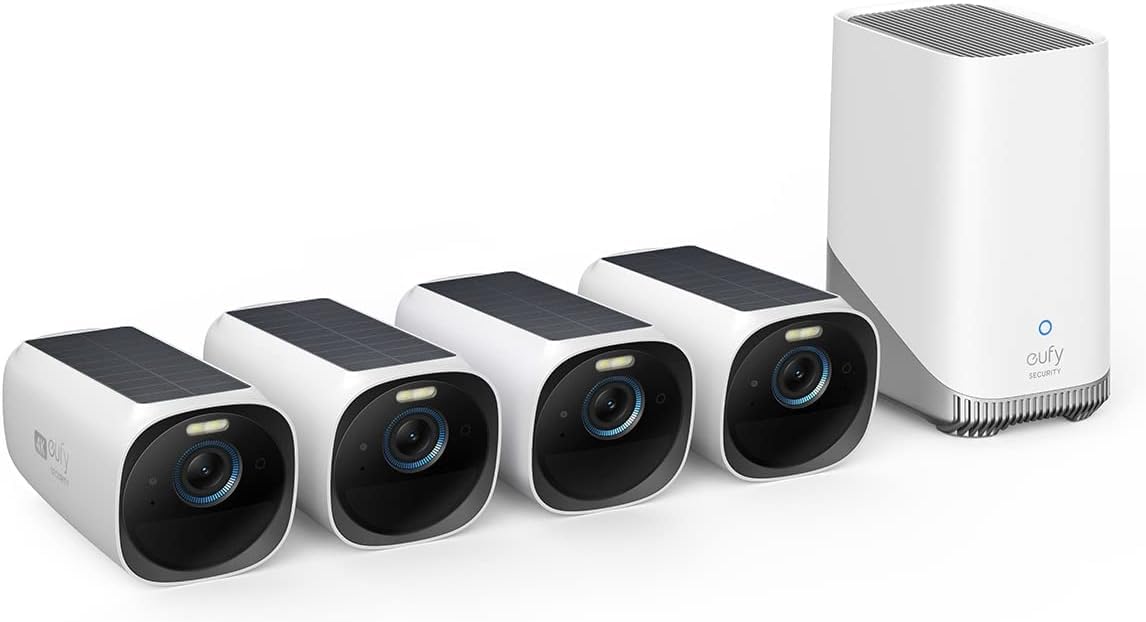
Four cameras that feed off their own solar panels and record 4K detail without a monthly bill attached.
This is the pick for the driveway, the back gate and the side path rather than the living room. Each camera carries an integrated solar panel that needs roughly two hours of daily sunlight to keep running, and the Starlight photosensitive system pulls colour out of dim scenes instead of falling back to grainy black and white. Mounting one in deep shade means an annual manual recharge, which is the realistic limit of the solar setup.
Storage is where this system separates itself from subscription cameras. Video lives on a drive you install yourself, expandable up to 16 TB, secured with military-grade encryption and free of any monthly fee. The BionicMind AI sorts faces so the system can tell family from a stranger at the gate. Activity zones cut down the alerts, and two-way audio plus Alexa and Google Assistant control let you answer the doorbell from the kitchen.
Buyers praise the picture most — it holds up day and night — and the kit set up simply, linked cleanly and kept running through a northern winter on solar alone. The trade-off is weather honesty: a camera that gets soaked and stops charging after a year is a real report, so mount under an eave where you can. Battery life also draws mixed notes once cameras trigger often, because constant recording drains faster than the sun replenishes.
Ownership without a bill: the drive is yours, the footage is yours, and no plan stands between you and last night’s recording.
One honest caveat: a shaded mounting spot turns “forever power” into an annual climb up a ladder with a charging cable.
Pick this for: a property with sun exposure on the camera walls and a dislike of subscriptions.
Not for: a covered porch or a north-facing fence line where sunlight never lands.
4. Eve Door & Window (Matter) 3 Pack

Three tiny contact sensors that trip a light, a siren or a scene inside Apple Home within a second of the door moving.
These are not an alarm panel. They are the triggers, and they are very good triggers. Each sensor reports open and closed state and fires automations on selected platforms, and the Eve app on iOS logs how long a window stayed open — the sort of data you use to decide whether the spare room really needs heating. At 0.91 by 2.05 by 0.94 inches and 4.96 ounces each, they sit flush against a frame and vanish from view.
Matter over Thread is the whole reason to buy these. A Thread sensor relays through a border router you likely already own — an Apple TV 4K or a HomePod — and triggers within one second instead of the five or ten seconds a Bluetooth-only sensor takes. Firmware matters here: sensors on old firmware drained their battery inside two months and lagged badly, while updated ones still showed 96% after three months. Download the Eve app first and update firmware before you mount anything.
Privacy is real, not a label. There is no Eve cloud, no registration and no tracking, and the sensors talk locally. The recurring setup friction is the mounting hardware and the battery cover, which several owners found fiddly enough to glue in place instead. Setup itself can stall on one iPhone model and then sail through on an iPad — an Apple-side quirk rather than a sensor fault. At 44 dB the built-in noise is a gentle chirp, so pair these with a separate siren if you want an audible alarm.
Where the value sits: three sensors for the price of one brand-name contact sensor, each one a genuine HomeKit citizen rather than an app that merely tolerates Apple.
Assume nothing: you need a Thread border router and a platform hub already in the house, or these have nothing to talk to.
Build this if: your Apple Home setup already exists and you want doors and windows feeding it.
Skip if: you expect a siren loud enough to scare someone — 44 dB is a chime, not an alarm.
5. Aqara Camera Protect Kit Y100
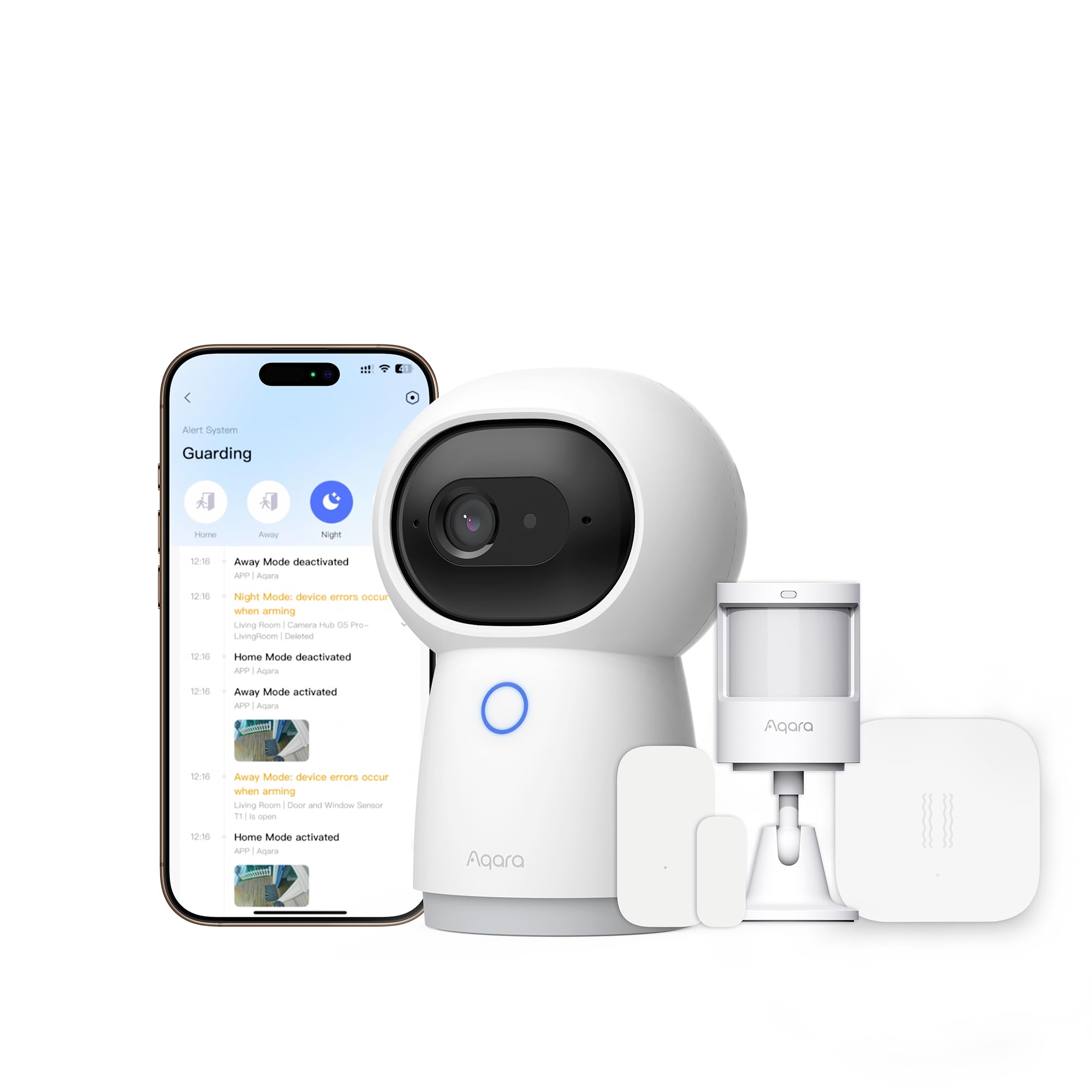
The camera is also the hub — one 2K lens, three sensors and a Matter bridge that ties the lot into Apple Home.
Here is the arrangement: a G3 camera hub with AI facial, pet and gesture recognition, plus a door and window sensor, a motion sensor and a vibration sensor. Everything ships pre-paired, so you are not hunting for a pairing button behind a curtain. The camera works as a Zigbee hub for up to 128 Aqara child devices and doubles as a Matter bridge, which is how it reaches Apple Home, Alexa and Google Home at once. That bridge role is what makes this a legitimate HomeKit answer rather than an also-ran.
Installation is drill-free. You place the sensors on damage-free adhesive and plug the camera in over USB-C, and the app suggests positions based on your floor plan. The sensors run on batteries rated for five years. Cloud storage includes up to 7 days with no subscription, AI tagging sorts clips into categories like motion detected or door opened, and HomeGuardian adds SMS and email alerts plus extended backups if you activate it.
The friction points to plan for are real. Full functionality lives in the Aqara Home app, so some clever features do not surface inside Apple Home. Third-party dongles and Zigbee2MQTT are not supported. And the bundle’s reliability record is patchier than the top pick here, so buy from somewhere with a generous return window in case a device arrives behaving oddly.
Reasons it suits Apple homes
- Matter bridge built into the camera, so sensors reach Apple Home
- Sensors arrive already paired to the hub
- Free 7-day cloud storage without a subscription
- Adhesive mounting, no drilling
What you give up
- Some advanced features stay inside the Aqara app
- Third-party dongles and Zigbee2MQTT unsupported
- Setup draws mixed reports from buyers
Strong fit: an Apple Home household that wants a camera and sensors under one bridge.
Weigh carefully: if you insist everything appear inside the Home app, some of this kit stays in Aqara’s own software.
6. tolviviov 15-Piece WiFi Home Security System

Ten door sensors, a motion eye, a keypad and a 120 dB siren for less than most single-brand kits charge for half of it.
Count the openings in your house before dismissing this. Ten contact sensors cover every window and door you own, plus a motion sensor for the landing, a keypad for the hallway and two remote controls for the car visor. The base station will take expansion up to 20 sensors and 5 remotes or keypads, so a garage door or a shed can join later. None of that requires a monthly fee.
The 120 dB siren is the number to hold onto. That is louder than several kits on this list, and it is the one thing an intruder actually hears. Buyers report setup finishing inside an hour with clear instructions, and a backup battery keeps the station live through an outage. Alerts land on your phone the moment a sensor trips, and Alexa handles arm and disarm by voice.
One compatibility rule catches people: this connects on 2.4GHz Wi-Fi and will not join a 5GHz network. A plug-in extender solves it, which is how owners with modern routers got going. Notifications are the other split — some arrive instantly, others trail a little — so treat the siren as the primary alarm and the phone as the second signal. It also is not a HomeKit system; Apple Home is not in its compatibility list.
Sensor-per-dollar: ten contacts and a motion sensor in one box is the cheapest route to whole-house coverage on this list, expansion room included.
Read the router first: 2.4GHz only is a hard wall, and a dual-band router that prefers 5GHz needs a little configuration.
Go here if: you have a big house, many openings, and a strict ceiling on what you will spend.
Not the answer for: Apple Home users — this one speaks Alexa and its own app only.
7. Abode 4 Piece Wireless Smart Security System

The only system here that was tested and certified for Apple HomeKit — and it runs Z-Wave and Zigbee on the side.
Certification is different from compatibility, and this is where abode earns its place on a HomeKit shortlist. The system has been tested and certified for Works with Apple HomeKit, so it monitors and controls through the iOS Home app rather than a manufacturer’s private interface. Add Siri alongside Alexa and Google Assistant, and the alarm answers to whichever voice assistant lives in your house.
The 4-piece kit starts with a central hub carrying a built-in 93 dB siren, a backup battery and wired ethernet, then adds a motion sensor, a key fob and a mini door and window sensor. Ethernet is worth noting: the hub stays on the network without depending on Wi-Fi, and a router outage does not take the panel down with it. From there the hub controls Z-Wave and Zigbee accessories such as locks and lights, which turns the alarm into the center of a broader smart home.
Owners find the stack quick to stand up: a self-described non-technical user had door sensors, outlets, bulbs and a camera running in about 20 minutes. The reliable routine is what people keep. Pairing is easy, a Z-Wave lock can auto-lock the moment the alarm arms, and self-monitoring costs nothing while on-demand professional monitoring covers a holiday. Two honest gripes: geofencing has been unreliable for some, and the motion sensor with camera is low-resolution.
Why HomeKit households land here
- Tested and certified for Apple HomeKit control
- Built-in 93 dB siren with backup battery and ethernet
- Z-Wave and Zigbee hub for locks, lights and sensors
- Expands with abode sensors, cameras and water leak detection
Small frictions to expect
- Geofencing has been unreliable for some owners
- The camera motion sensor is low-resolution
- Door-frame mounting can need chiselling on metal doors
Your pick if: the alarm must live inside the iOS Home app and double as a smart-home hub for locks and lights.
Be ready for: a slightly higher equipment cost than the budget kits — the certification and the radio hub are what you are buying.
8. Arlo Home Security System SS1501

A keypad that is also the hub, the siren, the motion detector and a one-tap line to the emergency services.
Five all-in-one sensors plus a keypad hub that carries its own integrated siren, motion detection and smoke and carbon monoxide listening. That last feature is unusual: the hub hears your existing smoke alarm and folds it into the system, so a beeping hallway detector triggers the same alert path as a door. Each of the five sensors handles eight sensing functions, so one unit can serve as a door alarm today and a motion detector tomorrow.
The emergency buttons are the standout. Arming away, arming home or standby is one tap, and separate fire, police and medical buttons send responders with a single press. SecureLink technology stretches the range between hub and sensors while keeping the connection encrypted. Battery life runs to months so long as sensors are not triggering constantly.
Setup is the honest split on this kit. When you follow the app in order, installation is quick and everything pairs cleanly. When you skip a step to save time, it becomes a painful afternoon — one set of buyers put it bluntly about needing to follow instructions without thinking they know better. Wi-Fi connectivity is the second weak point, with devices failing to stay connected in some homes. And the premium features, including 30-day video cloud storage and professional monitoring, ride on a paid plan after the trial ends.
The standout detail: fire, police and medical on dedicated buttons from the keypad is the closest thing here to a panic button you can teach a babysitter to use.
Be realistic: the app is the installer, so slow down and do it in order — and put the hub near a strong Wi-Fi signal.
Reach for this if: you want a panic-button style emergency path plus sensors that adapt to any room.
Look elsewhere if: your household fights with app setup or you sit far from the router.
9. SimpliSafe 11 Piece Wireless Home Security System Gen 3

Six entry sensors, two motion detectors and a camera that lets a monitoring agent speak to whoever just walked in.
The 11-piece count is what a whole house actually needs. Six entry sensors cover the front door, back door, garage and both sheds, while two motion sensors watch the hallways. The base station is rated at 95 dB, plenty loud indoors, and a support battery carries it for 24 hours. The 11-piece kit adds a wireless indoor camera: when the alarm fires, a monitoring agent can see and speak through two-way audio — the difference between a siren and a response.
Range matters in a house this size, so the motion sensors are rated for detection within 35 feet across a 90 degree field of view and are designed to work with pets under 60 lbs. Putting one in a corner covers a full room. The keypad is backlit and goes dark when you do not need it, and the base station slides onto a mounting bracket rather than relying on adhesive stickers.
Owners install this in a few hours and then keep adding: glass break, water leak, smoke and temperature sensors all join later. Real-world reports put the weak spots on the wireless side — motion sensors occasionally go offline and need an on-site reset, and the camera sometimes drops and reconnects on its own. Entry sensors have limited range to the base, so weak batteries are worth watching. The always-on blue light on the base station is bright enough to double as a nightlight, so avoid the bedroom.
The full-house case
- Six entry sensors and two motion sensors cover a whole house
- 95 dB base station with a 24-hour backup battery
- Camera supports two-way audio for live guard response
- Expands with glass break, water leak, smoke and temperature sensors
Live with this
- Motion sensors can occasionally go offline
- Weak entry-sensor batteries can cause missed contacts
- The base station’s blue light is bright at night
Settle on this: when you want a house-wide kit with a camera that lets a responder talk to an intruder.
Check first: how far your doors sit from the base station — entry sensors have a limited range.
Know the Specs
Siren Decibels (dB)
Decibels measure loudness, and a jump of 10 dB roughly doubles the perceived volume. A 93 dB siren is a strong indoor alarm; 95 dB sits slightly above it; 120 dB is loud enough to be uncomfortable up close. The number matters most for the moment someone is inside — a siren that moves an intruder out matters more than one that alerts a neighbour three doors away.
Matter & Thread
Matter is a shared language that lets a device work across Apple Home, Alexa and Google Home at once. Thread is the radio it often rides on — a low-power mesh that relays sensor signals through a border router such as an Apple TV 4K or HomePod. A Thread sensor typically reports in about a second; an older Bluetooth sensor can take five to ten seconds and drains its battery faster.
Backup Battery Hours
A backup battery keeps the panel running when the power cuts out. Some kits list 24 hours, which covers a full overnight outage plus a morning. Sensors usually run on their own smaller batteries measured in months or years, so the two things to track are the panel’s backup window and how often each sensor needs a fresh cell.
Contact vs Motion Sensors
A contact sensor sits on a door or window and reports open and closed state — it is your first line at the perimeter. A motion sensor watches a room and catches movement after someone is already inside. Most kits pair the two: contacts on openings, motion in hallways. A kit with ten contacts but one motion sensor covers openings well and interior space thinly.
Common Questions
Will any of these alarm systems appear in the Apple Home app?
Do I need a hub to use Eve’s contact sensors with HomeKit?
How many sensors do I need for a two-bedroom house?
Can I use these systems without paying a monthly fee?
What happens to an alarm system when the Wi-Fi goes down?
Is a contact sensor or a motion sensor more important?
How long do the sensor batteries actually last?
Can I add sensors to these kits later?
Will a HomeKit alarm work alongside Alexa and Google?
Why does location matter for motion sensors inside a house?
The Bottom Line
If you want the most likely pleasing purchase on this list, the Ring Alarm 8-piece kit is the obvious one — the four contact sensors and one motion detector cover a small home, the app walks you through setup sensor by sensor, and the range extender keeps far corners connected. Buy it and you get a complete, name-brand alarm you can arm tonight. If the whole point is Apple Home, the abode 4 Piece Smart Security System is the only one here certified for HomeKit, with Z-Wave and Zigbee built into the hub for locks and lights. And for a house full of doors and windows with strict spending habits, the tolviviov 15-Piece WiFi System adds ten contact sensors and a 120 dB siren with no subscription attached.
How we choose
We do not accept paid placement. Every pick is matched to a real buyer and a real use-case; we do not hands-on test units.
Sources
Specifications: manufacturer listings and product documentation. Review insights: verified customer reviews, as of October 2026. Pricing: not shown on this page (it changes often); check the current price via the retailer link.
As an Amazon Associate, Aappliancez earns from qualifying purchases. This does not affect which products we feature.