Disclosure: Some links in this post are affiliate links. As an Amazon Associate I earn from qualifying purchases, at no extra cost to you. Learn more
Specs are compiled from manufacturer listings and verified buyer reviews and can change over time — please confirm the key details on the product page before buying.
The short answer: if you want one box that holds your photos, backs up every laptop and streams movies to the TV, buy a two- or four-bay NAS and put your own drives in it. You keep the files, you stop paying monthly storage fees, and nothing leaves your house unless you tell it to. The trick is picking the right box for how much tinkering you actually enjoy — some of these run a friendly app store, and one of them expects you to install the operating system yourself.
This guide is built by comparing the manufacturers’ published specifications and the patterns across verified customer reviews, so you get each pick’s real strengths and trade-offs instead of marketing spin.
Below you will find nine machines sorted by what they are genuinely good at, from a drive you plug straight into your phone to a four-bay unit that never breaks a sweat. Every pick is diskless or drive-included exactly as the maker sells it, so read carefully before you assume storage is in the box. Our home cloud server shortlist starts with the one most families should buy.
Top Picks

How To Choose The Best Home Cloud Server
The wrong assumption most first-time buyers carry is that a home cloud server arrives ready to store files. Almost every proper NAS on this list is diskless — the enclosure, the processor and the software are in the box, but the hard drives that actually hold your photos are sold separately. Budget for drives as part of the purchase or you will unbox a very capable machine that cannot save a single file.
Bays, and what redundancy costs you
A two-bay unit gives you room for two drives. Run them as a mirror (RAID 1) and one copy of your data lives on each drive, so a single drive failure does not wipe your library — but your usable space equals one drive, not two. A four-bay enclosure spreads that protection more efficiently and leaves room to grow, which matters if your photo library is already large.
The processor decides what the box can really do
A basic NAS chip handles file storage and scheduled backups happily. If you want to run Plex, transcode 4K video for a phone on the road, or host small apps in Docker, look for an Intel x86 quad-core chip and more RAM. Those two specs separate a simple file vault from a genuine home server.
Network speed is often the real bottleneck
A 2.5GbE port moves data noticeably faster than the older Gigabit standard, so big video files copy in less time. Your router and cables have to match, though — plug a 2.5GbE NAS into a Gigabit switch and you get Gigabit speeds.
Side-by-Side Comparison
| Model | Best For | Bays | Max Raw Capacity | Network | Amazon |
|---|---|---|---|---|---|
| UGREEN NAS DXP2800★ Best Overall | All-round home hub | 2 HDD + 2 M.2 | 80 TB | 2.5GbE | Amazon |
| TERRAMASTER F2-425Media Powerhouse | Quiet bedroom media box | 2 | 60 TB | 2.5GbE | Amazon |
| Synology DS223Friendliest Setup | Friendly first NAS | 2 | — | — | Amazon |
| QNAP TS-453E-8G-US | Serious multi-user work | 4 + 2 M.2 | — | Dual 2.5GbE | Amazon |
| Asustor Drivestor 4 Pro Gen2 | Growing photo library | 4 | — | 2.5GbE | Amazon |
| 2 Bay DIY NAS Kit (ZimaBlade) | Build-it-yourself homelab | 2 | — | — | Amazon |
| Synology DiskStation DS223j | Budget file vault | 2 | — | — | Amazon |
| Lexar ES3 1TB Portable SSD | Pocket-speed transfers | None (portable) | 1 TB | USB 3.2 Gen 2 | Amazon |
| iDiskk MFi 2TB External Drive | iPhone photo offload | None (portable) | 2 TB | USB 3.0 | Amazon |
Detailed Reviews
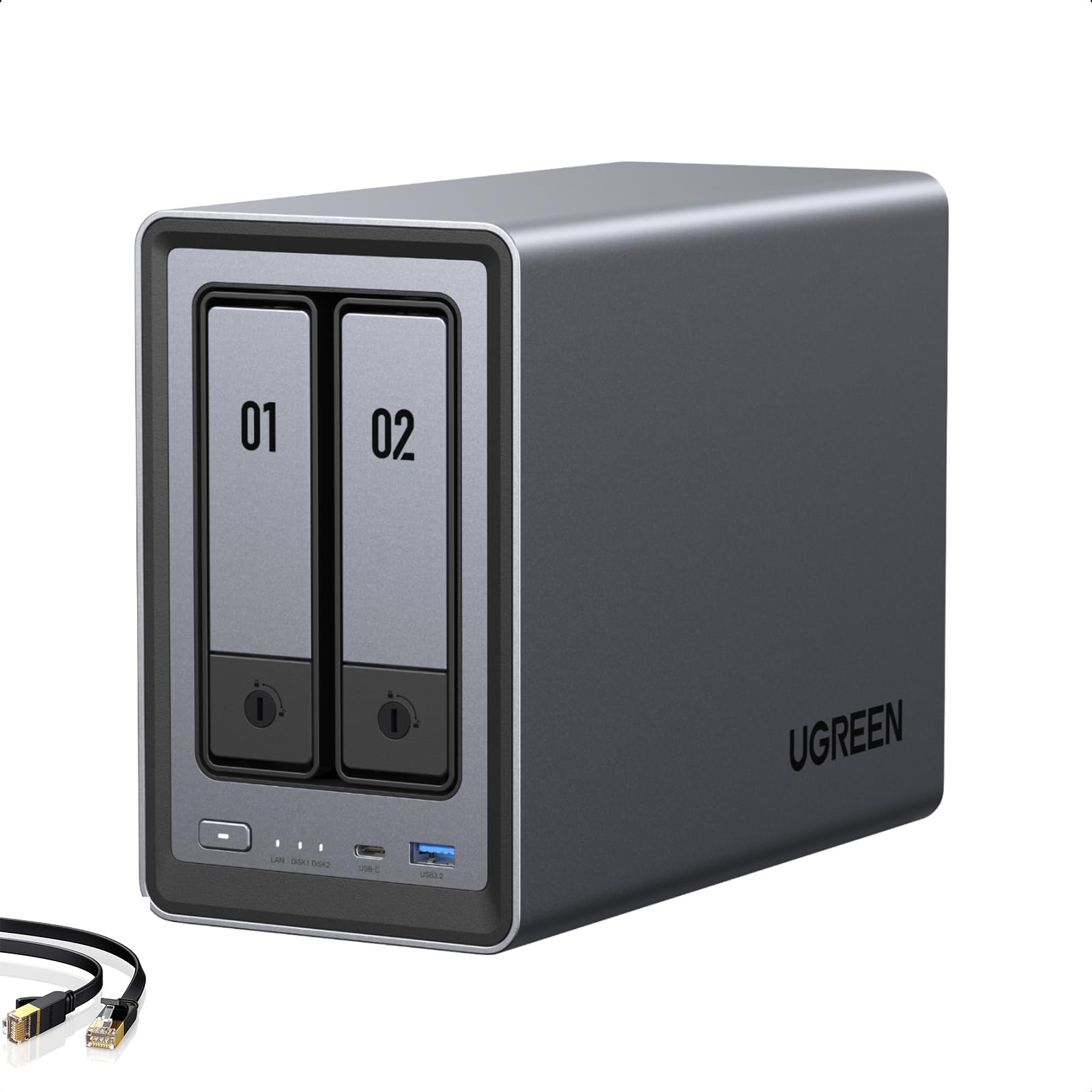
1. UGREEN NAS DXP2800 2-Bay
Our pick — 4.5+★ from 900+ verified ratings; the strongest balance of quality and price.
An 80TB two-bay vault with an Intel N100 that also runs your Plex library.
Here is the machine that turns a folder of scattered phone photos into a real private cloud. It is built around an Intel N100 quad-core processor (a small, efficient chip) paired with 8GB of DDR5 RAM, which is why it can transcode 4K video for a phone on hotel Wi-Fi while Docker containers quietly run in the background. That is a workload a plain file box simply cannot touch.
Storage is the headline. Two 3.5-inch drive bays plus two M.2 NVMe slots (the slim stick-shaped SSDs) give it a combined ceiling of 80 TB — and that is 80 TB versus the 2 TB of the iDiskk portable drive further down, a 40.0x gap in raw capacity. Dropping the SSDs into the M.2 slots to host the operating system and app databases is what keeps the interface snappy, while the spinning drives do the bulk storage. As buyers report, you get “Two SATA bays (up to 30TB each) plus two M.2 NVMe slots for app metadata/databases.”
Everyday ownership is the part that wins people over. The aluminium chassis runs cool and stays quiet in normal use, and the UGOS software bundles Photos with AI face and location recognition plus a Theater app for movies. Jellyfin through Docker is the path most owners take for a fuller media server, and automatic power recovery means it boots itself back up after an outage. The one recurring gripe is vibration: large drives during heavy writes can hum through the chassis, and a silicone mat or felt pads under it settles the noise.
What earns it the top spot
- 80 TB ceiling across two drives and two NVMe slots
- Intel N100 chip handles 4K Plex transcoding and AI photo sorting
- 2.5GbE port saturates fast home networks
- Quiet, cool aluminium build with automatic power recovery
Where it asks for care
- Diskless — drives are not in the box
- Heavy writes on big drives can resonate through the chassis
Worth it for: anyone replacing paid cloud storage who also wants a media server that can grow.
Plan around: buying two drives and picking the silicone pad if you go for large-capacity models.
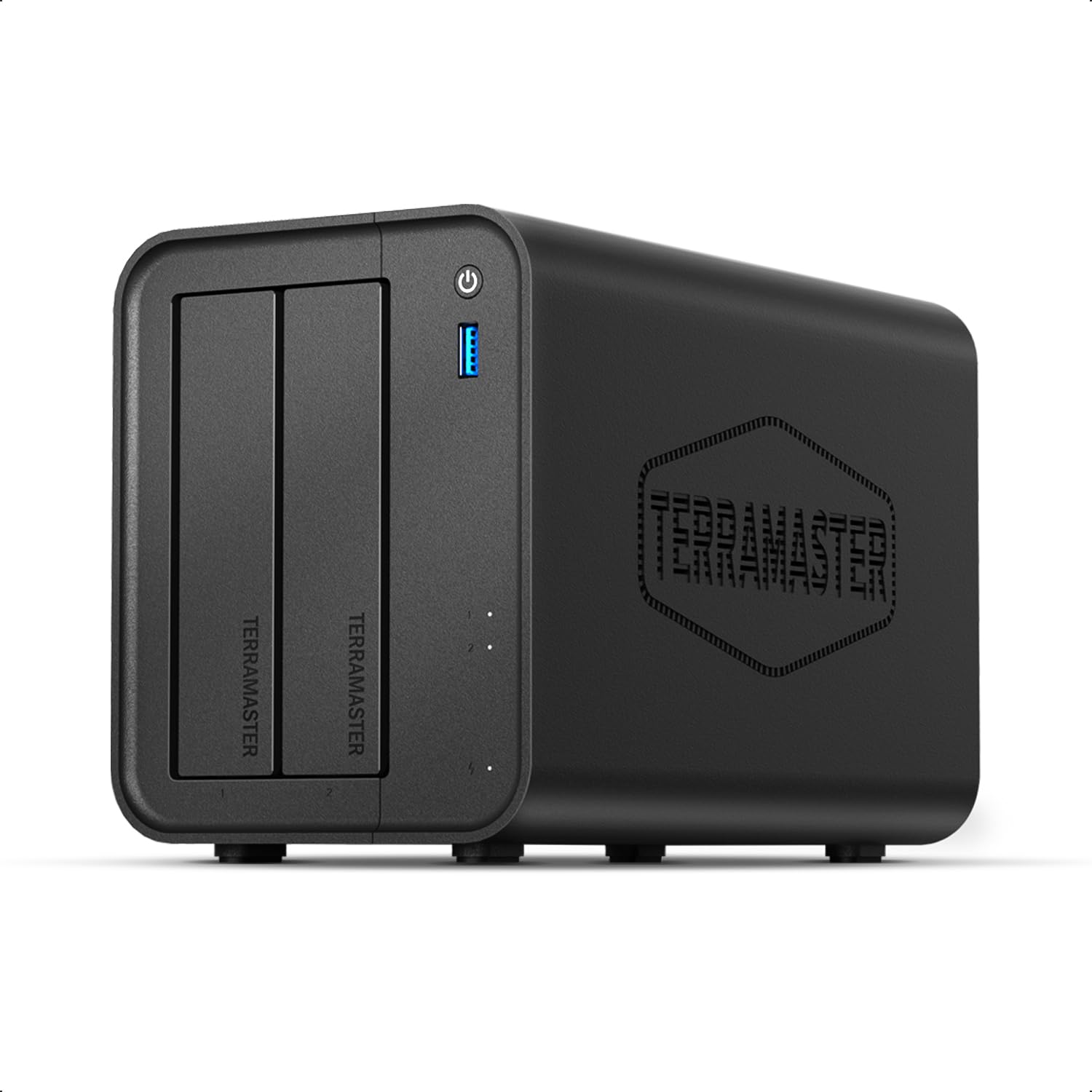
2. TERRAMASTER F2-425 2-Bay NAS
A bedroom-friendly two-bay server rated at just 19dB(A) for near-silent overnight running.
If the NAS lives next to your bed or in a living room, this is the number to care about: 19dB(A), a sound level close to rustling leaves, so it fades into the background overnight. The tool-free Push-Lock drive trays are the second big convenience. You seat a drive in about 10 seconds, no screwdriver, no swearing at tiny screws.
Under the hood it is an Intel x86 quad-core chip with 4GB RAM and a 2.5GbE port, and it supports up to 60TB across two bays (2 x 30TB). Hardware-level 4K H.265 decoding is the reason it can push HD video through Plex, Emby or Jellyfin to several screens at once — the functionality is exactly what earns this box its fans. Setup is handled through the TNAS Mobile app, so you can initialize it without touching a PC, and the Photos app uses AI albums to sort large libraries.
The honest part: this is a capable box that is a little slower than the price leaders, and the plastic build draws a mixed reaction. RAM does come out and go back in — upgrading from 4GB to 16GB is a known, workable path. The operating system is less beginner-friendly than Synology’s, so expect to read a guide or two before it feels natural.
Best fit: a media-first household that wants quiet operation and a 60TB ceiling without paying premium-brand money.
Go in knowing: the software has a learning curve and internal transfers can feel sluggish compared with a faster processor.
Reach for this if: you want a near-silent Plex box and don’t mind learning the interface.
Better to skip if: you want a hand-holding setup — look at the DS223 instead.
3. Synology DS223 Home & Office Backup Hub
A two-bay NAS whose DSM wizard builds the storage pool for you, no networking knowledge required.
Synology’s whole pitch is the software, and the DS223 is where that pays off for a first-timer. You open a browser, the wizard finds your drives, and the storage pool builds itself — no networking knowledge required. The DSM interface is organized well enough that managing files, apps and user accounts feels like using a normal web app rather than a server admin panel.
Everyday jobs are covered cleanly. Scheduled backups for Macs and PCs run on their own, phone photos land in the server automatically, and you can point an IP camera at it and get motion alerts on your phone within minutes. It runs Plex for streaming and doubles as a photo backup target. The metal enclosure keeps it near-silent, which is why owners describe forgetting it is even in the room.
Where it gets honest: this is a two-bay machine, so running a mirror for safety halves your usable space, and the drives cost extra because the unit ships diskless. The app catalog is Synology’s own, which is a strength for reliability and a limit if you like side-loading third-party packages. Remote access through QuickConnect is the one area where experiences split — most find it reliable, some hit connection trouble.
Why families keep choosing it: the setup genuinely finishes, and the app suite covers photos, backups and streaming without a manual.
The trade-off to accept: two bays and a walled-garden app store in exchange for that smoothness.
The easy answer for: a household that wants backups running this weekend, not this month.
Look past it if: you need four drives of room to grow right now.
4. QNAP TS-453E-8G-US 4 Bay Desktop NAS
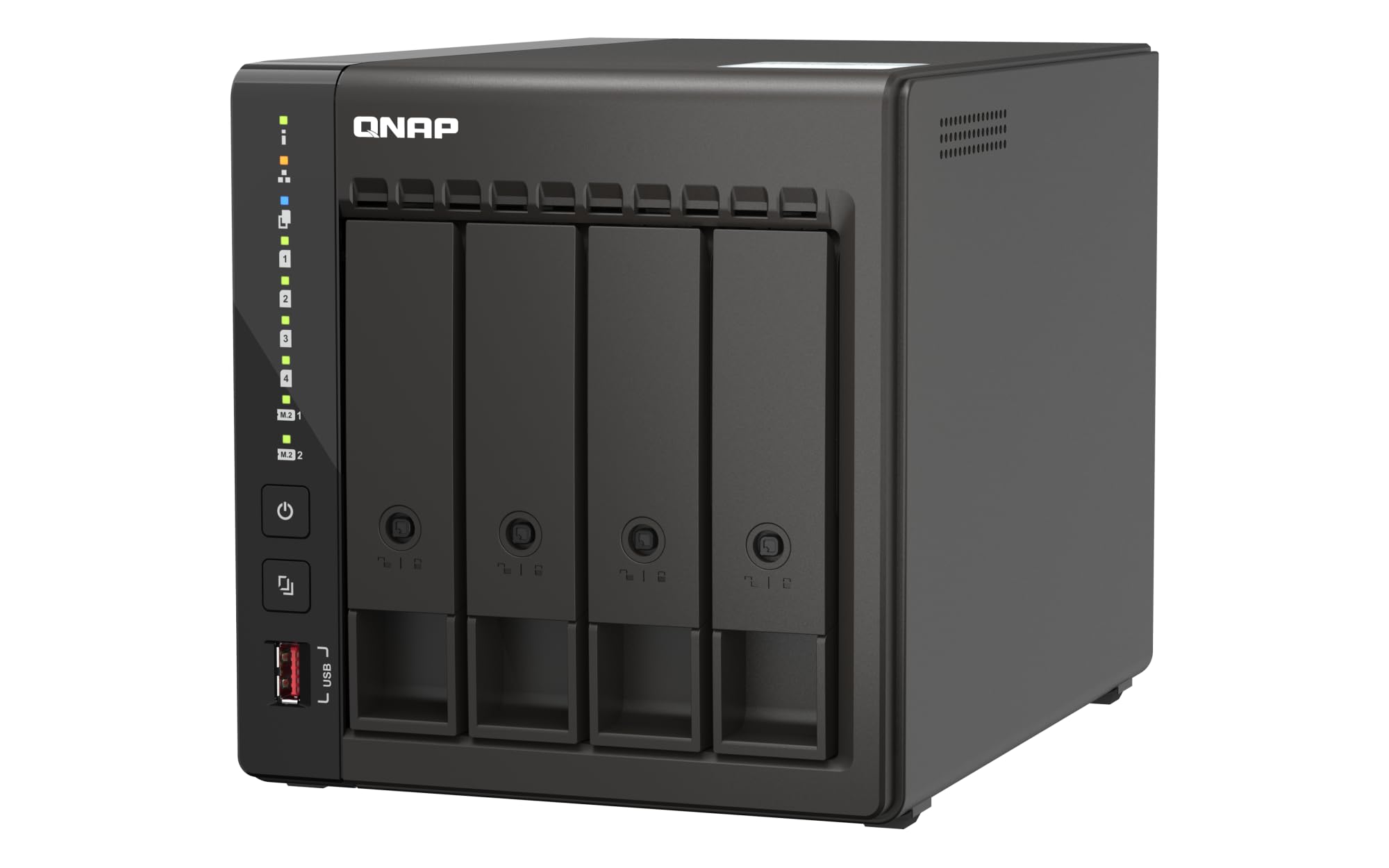
Four bays, dual 2.5GbE ports and an Intel quad-core that bursts to 2.9 GHz with 8GB RAM.
This is the pick for the household where several people hit the server at once and nobody wants to wait. An Intel quad-core CPU bursting up to 2.9 GHz with 8GB RAM drives it, and the dual 2.5GbE ports let you team them for faster shared transfers — the reliability is what buyers consistently lean on, and it shows in a machine that runs as a media server and file vault without drama.
The four bays are the real advantage over the two-bay boxes above: run RAID 5 or 6 and you keep redundancy while still using most of your combined capacity, then add drives as the library grows. Two M.2 PCIe Gen3x2 NVMe slots let you add a fast SSD cache or a dedicated SSD pool, which is how you speed up small-file access without buying bigger spinning drives. Multiple USB 3.2 Gen 2 ports at up to 10Gb/s handle external drives and expansion enclosures for moving large media in fast.
The frustration is the ceiling. RAM maxes out at 8GB here, the M.2 slots run at Gen3/2 speeds, and there is no PCIe card for a 10GbE upgrade — so this is a box that performs well at what it does but cannot be pushed far beyond its design. The QTS interface can also feel slow to respond, and drive support is picky enough that one buyer had a storage pool go read-only. Stick to drives on the compatibility list.
What it does well: four-bay redundancy, dual 2.5GbE and NVMe cache for a busy home or small office.
What it will not do: grow much past 8GB of RAM or add a 10GbE card later.
Choose this for: a family of heavy users who need four bays and fast shared access.
Think twice if: you expect to upgrade networking or memory far down the road.
5. Asustor Drivestor 4 Pro Gen2 AS3304T v2

Four tool-free bays with RAID 0/1/5/6 so your photo library has room to grow.
Here is the upgrade path for someone whose phone camera output is filling drives faster than expected. Four bays support RAID 0, 1, 5, 6 and JBOD, so you pick how much protection you want against how much usable space. A Realtek quad-core processor with 2GB DDR4 RAM keeps file sharing, backups and media streaming running together, and the 2.5GbE port moves data faster than a traditional Gigabit NAS.
The little feature that quietly earns its keep is MyArchive, a hot-swap mode that turns one bay into a swappable archive disk — load a library, pull the tray, store it. Adding trays means you can carry entire archives off-site without buying a whole second server. Setup is tool-free, documentation is solid, and the ADM interface will feel familiar to anyone who has used a Synology.
Where it asks for patience: the app pool is growing but smaller than Synology’s, and NAS-to-NAS sync work often needs lower-level protocols like RSYNC, CIFS or NFS rather than a friendly app. Expect a learning curve on day one before fine-tuning makes it feel natural. Plan for the drives to be bought separately too, since this ships diskless.
The case for four bays
- RAID 0/1/5/6 plus JBOD gives real flexibility
- MyArchive hot-swap for off-site archive disks
- 2.5GbE networking and tool-free trays
Set your expectations
- Smaller app catalog than the big-name platforms
- Some sync jobs need manual protocol setup
Good match for: a growing photo library that needs four bays and swappable archives.
Not the one if: you want the largest app store and zero protocol tinkering.
6. 2 Bay DIY NAS Kit (ZimaBlade, 16GB RAM)
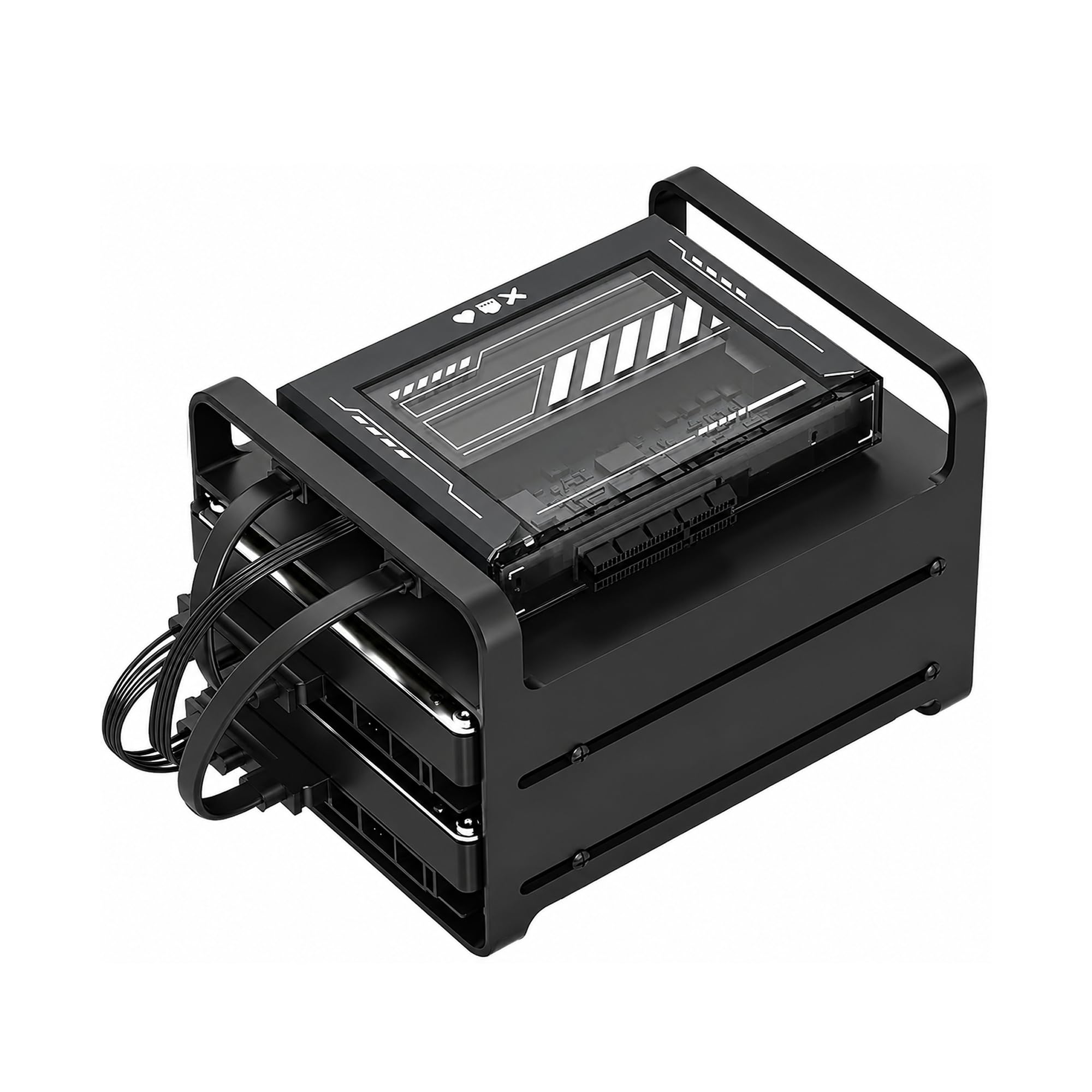
A bare x86 board, 16GB RAM and a two-drive cage for people who install their own OS.
This is not a plug-in appliance — it is a kit, and that is the whole point. You get an Intel quad-core x86 board, 16GB of RAM, a metal cage for two HDDs or SSDs, dual SATA cables and a power supply. From there you install Linux, CasaOS, ZimaOS or whatever you prefer, which is the freedom an ARM-based NAS will not give you. Docker, a personal cloud, a retro emulator — it will host what you throw at it.
The 16GB RAM is unusually generous for this class and lets you run file sharing, media streaming and several small services at once on low, always-on power. A PCIe x4 slot opens the door to a network card, NVMe storage or even a GPU. Plex direct play handles 4K on compatible devices without heavy transcoding, so a modest build still streams nicely to the living room.
Two honest notes before you commit. First, the included power supply has arrived dead for at least one buyer, who swapped in a spare 36W laptop supply and powered up fine — worth testing yours before you blame the board. Second, you supply the drives and the operating-system knowledge, so if pointing a terminal feels like a chore, this is the wrong pick.
Why builders like it: genuine x86 flexibility, 16GB RAM and a PCIe x4 slot for a fraction of a big-brand four-bay.
What you sign up for: installing your own OS and troubleshooting hardware — this rewards tinkerers, not first-timers.
Built for: the homelab hobbyist who wants Docker, VMs and total software control.
Wrong turn if: you want to plug in drives and be done by dinner.
7. Synology DiskStation DS223j

The cheapest two-bay way into Synology’s DSM software for file storage and backups.
If the DS223 above is a little more machine than you need, this is the entry rung: the same friendly ecosystem, aimed straight at file storage and backups. Two bays, a rear USB port for pulling photos off an old drive, and scheduled power on/off. It runs without a PC attached, and setting it up in mirror mode with an external USB backup is a well-trodden path.
The processor is the entry-level part, and you feel it on big video transfers — those crawl, and the admin panel can lag when the box is busy. Two bays also cap your expansion. Everything else it does with grace: scheduled automatic backups of multiple laptops, phone photo backup over Wi-Fi, remote access from a phone, RAID redundancy, and a quiet plastic chassis. For consolidating family photos and running a light app server, it holds up over a year of steady use.
Go in expecting the DSM interface to be deep — one buyer needed a few support calls to get fully configured, and the dashboard instructions are thinner than the feature list. That is the price of the rich software, and it is a reasonable one. If you just want a reliable private cloud and don’t plan to transcode 4K, this delivers.
The value read: the same DSM software and app ecosystem as pricier Synology boxes, aimed at straightforward storage and backup.
The honest limit: a modest processor that slows large transfers and a two-bay ceiling.
Reach for this if: you want Synology’s software on the smallest budget for pure storage.
skip it if: you plan to stream and transcode 4K video regularly.
8. Lexar ES3 1TB Portable SSD
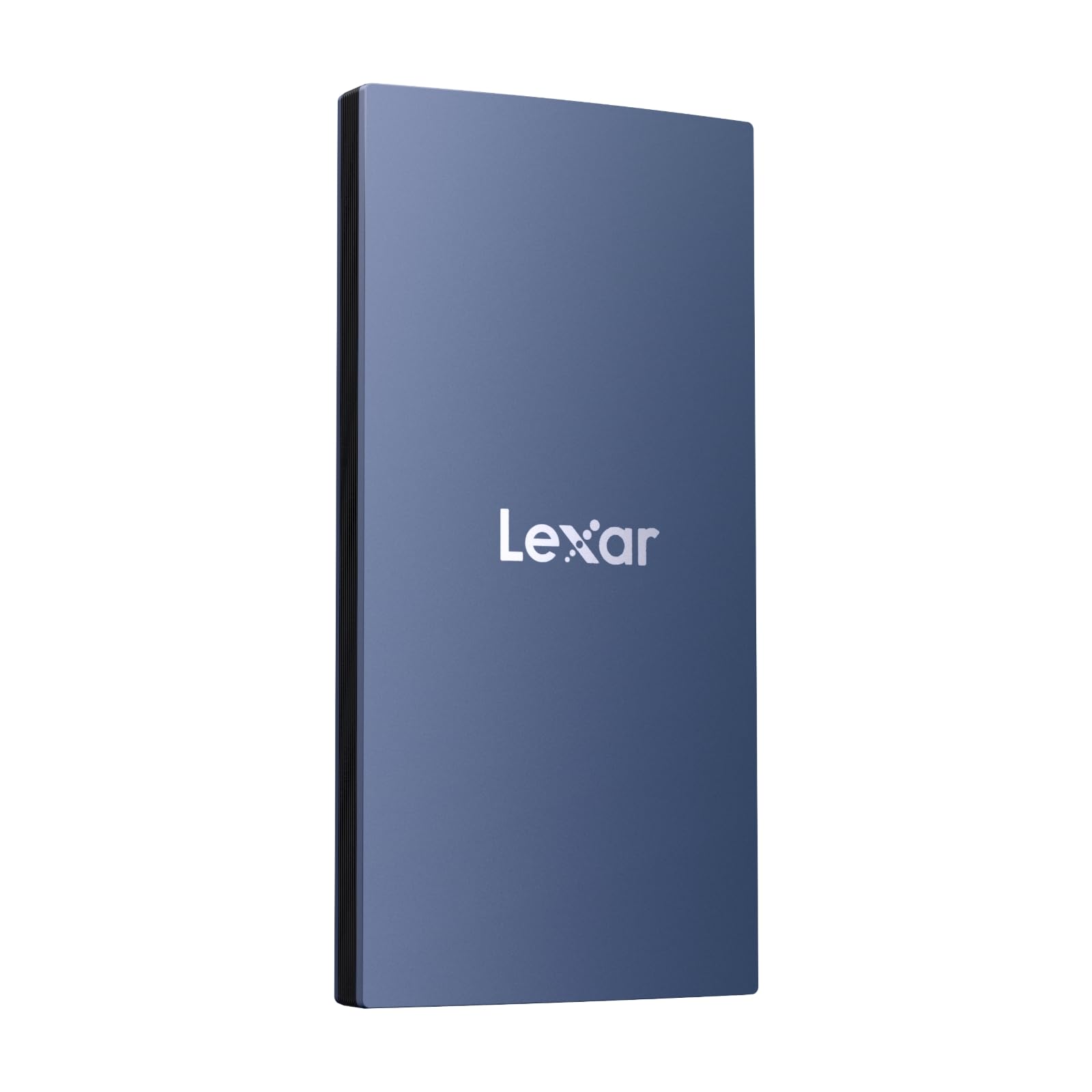
A 42g, 10.5mm-thick 1TB portable SSD that reads at up to 1050MB/s over USB 3.2 Gen 2.
Not everyone needs a network server, and if your goal is simply to move a shooting card’s worth of footage onto a fast drive, this does it without a router in the way. USB 3.2 Gen 2 gives it up to 1050MB/s read and 1000MB/s write, and the 42g body is only 10.5mm thick — small enough to slip into a pocket next to your phone.
Mobile creators are the ones who benefit most: plugging it straight into an iPhone 17 series phone lets you offload clips without bouncing through a laptop. It also works with Android, laptops, cameras and the Xbox X|S, PS4 and PS5. Lexar DataShield 256-bit AES encryption is there for files you would rather keep private. Just check the compatibility note — this version does not support the iPhone 14 or older, and MagSafe is not available.
The speed figure is a best case. On a Mac mini one tester measured around 863MB/s read and 920MB/s write rather than the advertised 1,050MB/s and 1,000MB/s — still fast, just not the label number. If your computer only offers USB 3.0, expect the port to hold you to a fraction of that.
Why it travels well
- 1050MB/s read and 1000MB/s write over USB 3.2 Gen 2
- 42g and 10.5mm thin for pocket carry
- Works with phones, laptops, consoles and cameras
Know before you buy
- Real-world speeds can fall short of the label figure
- iPhone 14 and older are not supported
The right call for: mobile creators and travelers who want fast offloads without a server.
Not suited to: an older iPhone or a PC with only USB 3.0 ports.
9. iDiskk MFi Certified 2TB External Drive

The one-tap way to empty a full iPhone album without ever touching a cloud.
This is the simplest box on the list, and for a lot of people that is exactly the point. You plug it into an iPhone or iPad, open the iDiskk Player app, and one tap backs up your album. Future backups only save newly added files, so you are not duplicating the same photos over and over. There is a built-in 5000mAh battery, so it does not drain your phone while it works, and a 2TB capacity that a family can fill with photos and video for years.
It works across iPhone, iPad, Mac, PC and Android, and the MFi certification (Apple’s own accessory approval) is why the connection is stable on Apple gear. Passwords can lock the whole drive or selected files, and the encryption keeps those files invisible on a computer. It ships as a 2.5-inch mechanical drive running over USB 3.0 at 140MB/s.
The catch is in the name of the game: a mechanical drive in a 2.5-inch shell is a moving-parts design, so treat it with care. One buyer lost a unit after it fell from a desk mid-download, and the data was not recoverable — that fragility is the trade-off for the price per terabyte. It also reads bulky in the hand, and the app has crashed occasionally during long video copies. As owners sum it up, it is “Excellent quality and user friendly, even for seniors …..lol”.
Where it shines: one-tap phone offload for someone who wants their photos on a drive, not in a subscription.
Handle with respect: a dropped mechanical drive can take the data with it, so keep it in a case and off high shelves.
Best for: parents, travelers and non-techie phone owners who want dead-simple backups.
Look elsewhere if: you need a drive that survives knocks — a portable SSD is the tougher choice.
Know the Specs
Bays and RAID
Bay count is how many drives a server can hold, and RAID is how those drives share data. On a two-bay unit, RAID 1 keeps a full copy on each drive so one failure does not lose your library — but you only get one drive’s worth of usable space. Four-bay machines can run RAID 5 or 6 and keep redundancy while using more of the combined capacity, which is why they cost more and grow better.
2.5GbE Networking
A 2.5GbE port (short for 2.5-Gigabit Ethernet) moves data over the network faster than the older Gigabit standard, so large video files copy in less time. The catch is that your router, switch and cables must support it too. Plug a fast NAS into an older Gigabit switch and the link negotiates down to Gigabit speed regardless of what the box can do.
Common Questions
Do these home cloud servers come with hard drives inside?
Is a two-bay NAS enough for a family photo library?
Will I lose all my data if one drive fails?
What does diskless actually mean before I buy?
Can I access my home server when I am away from home?
Do I need a 2.5GbE router to use a 2.5GbE NAS?
Can a home cloud server replace paid cloud storage?
Which is better for Plex, an Intel x86 NAS or an ARM NAS?
Is a portable drive or a NAS better for backing up an iPhone?
How much RAM does a home NAS actually need?
The Bottom Line
For most families the winner is the UGREEN NAS DXP2800 — it has the most complete resume here, pairing an Intel N100 chip, 8GB of RAM and an 80TB ceiling with quiet operation and a friendly OS. It is the one box that can be a photo vault and a Plex server on day one. If you want the simplest possible path to a running vault, the Synology DS223 finishes setup without a manual. And if a whole household shares the box, the four-bay QNAP TS-453E gives everyone room.
The honest nudge: nine machines at this level rarely land without buyers replacing their paid cloud storage, and the ones that do it best are the ones whose chip, RAM and bay count match how their household actually uses storage. Pick the hardware for the job, not the biggest spec sheet, and you will stop paying for someone else’s data center.
How we choose
We do not accept paid placement. Every pick is matched to a real buyer and a real use-case; we do not hands-on test units.
Sources
Specifications: manufacturer listings and product documentation. Review insights: verified customer reviews, as of October 2026. Pricing: not shown on this page (it changes often); check the current price via the retailer link.
As an Amazon Associate, Aappliancez earns from qualifying purchases. This does not affect which products we feature.