Disclosure: Some links in this post are affiliate links. As an Amazon Associate I earn from qualifying purchases, at no extra cost to you. Learn more
Specs are compiled from manufacturer listings and verified buyer reviews and can change over time — please confirm the key details on the product page before buying.
You want a tablet that opens apps without that half-second pause, scrolls smoothly, and keeps a dozen tabs alive — and the good news is you do not have to spend flagship money to get it. The catch most buyers miss is that the model number on the box tells you almost nothing. The chip inside, the amount of real memory, and whether the screen genuinely refreshes at the rate advertised decide everything. This guide walks through eleven tablets, from budget-friendly pickups to premium models, and explains in plain words which ones hold up under gaming, drawing, and split-screen work.
This guide is built by comparing the manufacturers’ published specifications and the patterns across verified customer reviews, so you get each pick’s real strengths and trade-offs instead of marketing spin.
Start with the chip and the honest memory figure, then check the screen, because those three decide whether a tablet feels quick or sluggish two years from now. Below is a clear, spec-checked lineup of the best high performance Android tablet options you can actually buy today.
Top Picks

How To Choose The Best High Performance Android Tablet
Speed on an Android tablet is set by three things working together: the processor, how much real memory sits behind it, and how well the software is tuned. Get those right and everything else — streaming, drawing, note-taking — feels easy. Get them wrong and the tablet stutters on the second app you open.
The processor does more for you than any other single part
The chip is the engine, and it is what keeps split-screen apps from freezing. A MediaTek Dimensity class chip or a Samsung Exynos 1580 handles heavy games and desktop-style modes without dropping frames. Budget chips like the UNISOC T628 are fine for streaming and browsing, but they are honest about their limits in demanding games. When you read a listing, look for the exact chip name rather than a vague “octa-core” label — nearly every tablet is octa-core, so the word alone tells you nothing.
Work out how much of the listed RAM is real
A listing that says “20GB RAM” or “48GB RAM” often means a smaller physical amount plus memory borrowed from storage. That borrowed memory is called virtual RAM, and it helps background apps, but it is not the same as real memory chips. Look for the parenthetical — for example, 8GB physical plus 12GB extended — so you know what is actually inside. More real memory means more apps stay open when you switch back to them.
Check the refresh rate and the brightness together
Refresh rate, measured in Hz, is how many times per second the screen redraws. A 90Hz panel scrolls noticeably smoother than a standard 60Hz one, and a 120Hz panel goes a step further for fast action and drawing. Brightness, measured in nits, is a separate number, and it decides whether you can read the screen outdoors. A bright panel in direct sun is a different experience from a dim one, so weigh both figures rather than the refresh rate alone.
Side-by-Side Comparison
| Model | Best For | Processor | Memory / Storage | Battery | Amazon |
|---|---|---|---|---|---|
| Samsung Galaxy Tab S10 FE 128GB WiFi★ Best Overall | Everyday entertainment and study | Samsung Exynos 1580 | 128GB, microSD to 1TB | 8000 mAh, up to 20 hours | Amazon |
| BNCF Bpad Mini Ultra 8.4″Compact Pick | Compact one-hand carry | MediaTek Dimensity 7300 | 20(8+12)GB, 256GB, to 2TB | 6050 mAh | Amazon |
| TABWEE T50 11″Budget Champion | Family and light-duty use | UNISOC T628 | 24GB RAM, 128GB, to 1TB | 8000 mAh | Amazon |
| TECLAST Artpad Pro 12.7″ | Drawing and big-screen art | G99 | 20GB, 256GB, to 1TB | 10000 mAh, 30W charging | Amazon |
| Lenovo Idea Tab 11″ | College note-taking | MediaTek Dimensity 6300 | 8GB, 256GB, microSD | 7216 mAh, up to 12 hours | Amazon |
| AGM PAD P2 Active | Wet and dusty job sites | MediaTek Helio G99 | 16(8+8)GB, 256GB, to 2TB | 8000 mAh | Amazon |
| ORCATAB WT1 Pro 5G | Field work without outlets | Unisoc T8200 | 32GB-level, 256GB, to 2TB | 20080 mAh, 33W charging | Amazon |
| TABWEE 12.2″ T60 | Laptop-style productivity | Octa-Core | 48GB(12+36), 256GB, to 2TB | 10000 mAh | Amazon |
| Samsung Galaxy Tab S11 128GB | Premium screen and AI tools | MT6991 | 128GB, microSD | 8400 mAh, up to 18 hours | Amazon |
| Samsung Galaxy Tab S9 256GB | Gaming and app ecosystem | Snapdragon 8 Gen 2 | 256GB | 8400 mAh, up to 15 hours | Amazon |
| Samsung Galaxy Tab S10+ 12.4″ | Large-screen professional work | MediaTek Dimensity 9300+ | 512GB, microSD to 1TB | 10090 mAh | Amazon |
Detailed Reviews
1. Samsung Galaxy Tab S10 FE 128GB WiFi Android Tablet
Our pick — 4.5+★ from 1,000+ verified ratings; the strongest balance of quality and price.
An 11-inch 90Hz tablet with an included S Pen and up to 20 hours of battery for study, streaming, and sketching.
This is the pick that balances everything: a 90Hz refresh rate screen for smoother scrolling, an included S Pen for handwriting, and an 8000 mAh battery rated for up to 20 hours of use. The processor is Samsung’s own Exynos 1580, and owners who game report it stays responsive even in heavier titles and in Samsung’s desktop-style DeX mode. Put simply, it is a mid-range tablet that does not feel like a compromise.
What wins people over is the overall build and screen — the sheer number of happy owners keeps it among the most consistently praised tablets in this lineup. The 11-inch panel is described as bright and clear for streaming, browsing, and split-screen work, and the S Pen works smoothly even through a screen protector. Buyers report: “Clear smooth 90Hz screen; S Pen works well even with screen protector, no lag, compatible with S23 Ultra pen; Exynos 1580 responsive even in heavy games and DeX; good battery; 11″ portable; thin design; good speakers with bass; 256GB/12GB R.” The 128GB base model is the version here, and a microSD card adds up to 1TB more for movies and offline files.
The honest trade-off is storage: 128GB fills quickly if you keep a big game library and download shows offline, so budget for a memory card from day one. Water resistance means splashes and rain are not a worry, which matters if the tablet lives in a bag with a water bottle. As a bonus, owners who use a keyboard case find it turns into a light laptop for essays and email.
What earns its keep
- Up to 20 hours of battery life from the 8000 mAh cell means a two-day stretch without a charger is realistic.
- The 90Hz screen reduces the smearing you see on standard panels when you flick through long pages.
- S Pen is included, so note-taking and sketching need no extra purchase.
- microSD expansion up to 1TB keeps offline video practical.
Where it asks something back
- 128GB of built-in storage is modest for a heavy game collection.
- The S Pen tip can feel loose over time, so treat the stylus with care.
Settled verdict: The all-rounder for students and home users who want a big screen, a pen in the box, and battery that outlasts the day.
The one caveat: Buy a microSD card at the same time if you download a lot of video.
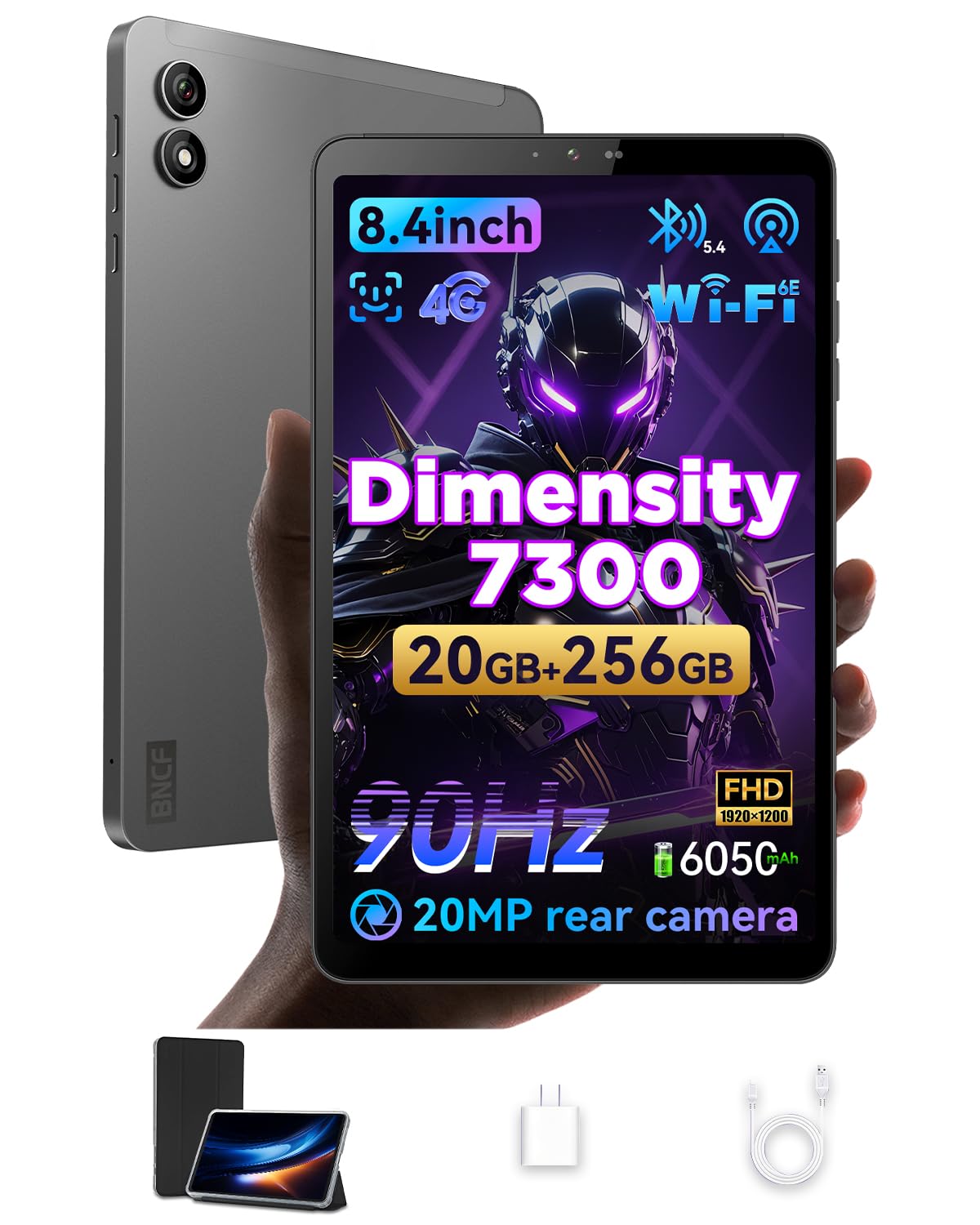
2. BNCF Bpad Mini Ultra 8.4″ Android 15 Tablet
An 8.4-inch slab light enough to hold in one hand for an entire train ride.
The number that defines this pick is 310g — the whole tablet weighs about the same as a thick paperback, so reading one-handed does not tire your wrist. It runs a MediaTek Dimensity 7300 chip with a Mali-G615 MC2 graphics unit, which is genuinely capable for emulation and HD video. In Geekbench 6 it beats the Snapdragon 6 Gen 1 on both CPU and GPU, which you will notice if you care about retro games rather than just web browsing.
It also holds more storage than the Samsung Galaxy Tab S10 FE — 256GB against 128GB, which is twice the room for downloaded games and offline video. The 8.4-inch 1920×1200 screen is listed at 90Hz and 400 nits, and the tablet ships with a protective case in the box. It is the machine for commuters and emulation fans who want small and quick.
Here is the catch, and it is a real one: screen quality is the single most-discussed topic among owners, and the verdict is mixed rather than glowing. Owners mention: “Display text looks sharpened/low-res; advertised 90Hz actually 45Hz (confirmed via Aida64); false Widevine L1 claim—actually L3, SD Netflix only.” Treat the compactness and the chip as the reason to buy, and expect to compromise a little on the panel and on high-definition Netflix.
The pocket-sized case: Small, light, and powered by a genuinely capable Dimensity 7300 — the best fit for readers and emulation players who travel light.
Know before you commit: If you mainly watch streaming in HD or need a perfectly smooth screen, the panel here is the weak link and you should look at the Lenovo Idea Tab above instead.
Worth a look: Commuters, students, and retro-gamers who prize portability over a large canvas.
Give it a miss: Anyone whose main job for the tablet is HD streaming, since the panel and the streaming certification fall short.
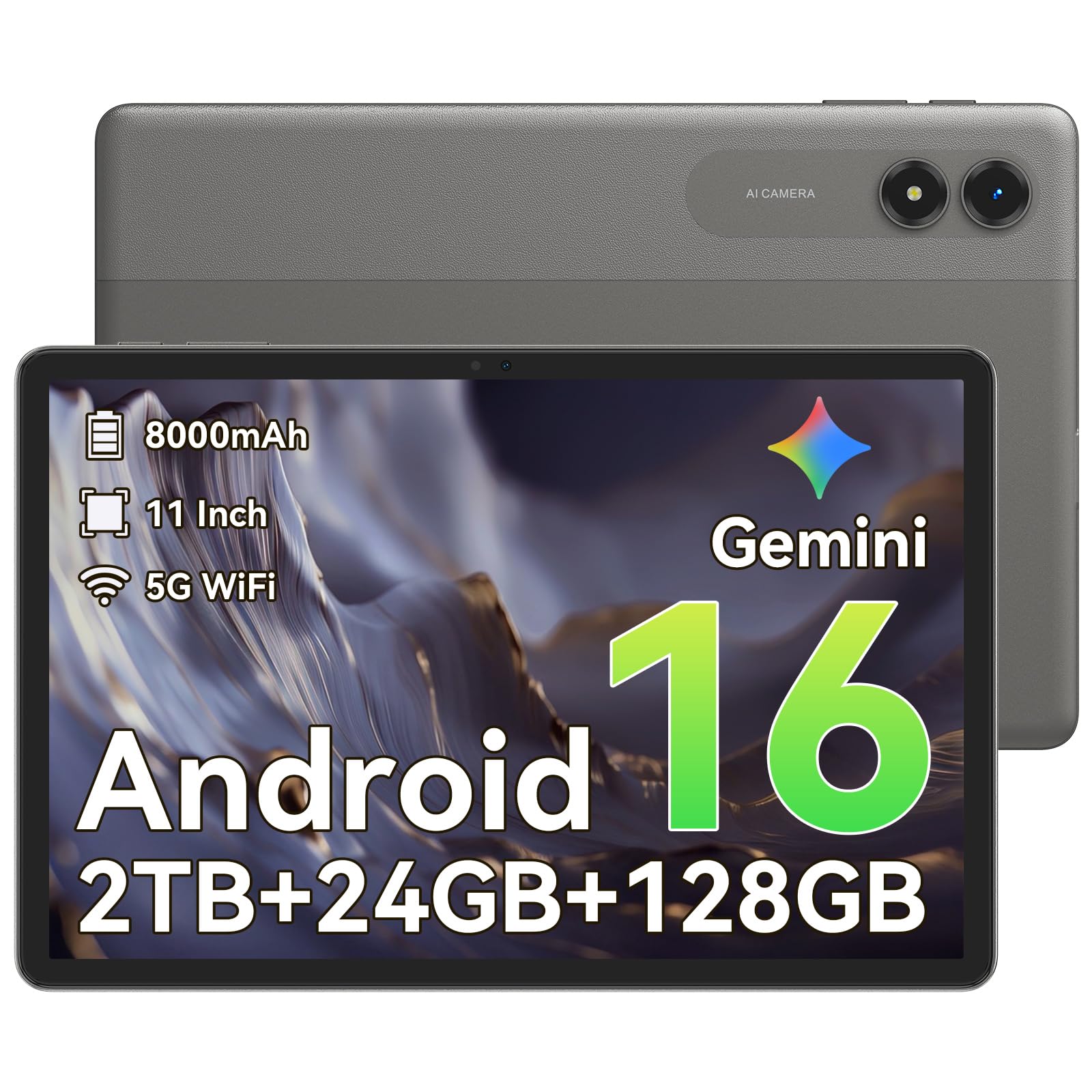
3. TABWEE T50 11″ Android 16 Tablet
An 11-inch 90Hz tablet with an 8000 mAh battery and a 4-year warranty at a budget price.
For a family or a first tablet, this is the smartest buy in the lineup. It pairs an 11-inch IPS display at 90Hz with an 8000 mAh battery, and the listed RAM configuration is 24GB with 128GB of storage that expands up to 1TB by microSD. The processor is a UNISOC T628, which is enough for video, browsing, and light gaming — just do not expect it to keep pace with the Dimensity chips above.
Tablet quality is the thing that keeps winning people over, with value running a close second in owner feedback — families clearly feel they got a real machine rather than a toy. The 90Hz refresh is repeatedly described as smoother than expected at this level, and setup is simple enough that a child can be running Roblox within minutes. A 4-year warranty adds a layer of confidence a lot of budget tablets skip.
One thing to be clear about: the panel resolution is 1280×2000, not a true 2K image, so fine text sometimes looks less crisp than on the Samsung and Lenovo screens. Performance is called mixed in owner feedback — fine for daily use, unremarkable under heavy load. If you need a large-screen tablet for kids or as a second household device, the trade-offs are worth it.
Pick it up for: A first family tablet or a homework machine for younger kids.
Look past it if: You expect desktop-class speed for video editing or large games.
4. TECLAST Artpad Pro 12.7″ Android 15 Tablet

A 12.7-inch drawing canvas that costs far less than a flagship artist slab.
If you sketch, annotate PDFs, or read music, the size is the whole point. This tablet carries a 12.7-inch IPS panel at 2176×1600 resolution with a 16:10 aspect ratio, and Teclast claims it gives about 20% more display area than tablets with the same ratio, thanks to the narrow bezel and TDDI touch tech. A 4096-level pressure-sensitive T-Pen stylus is supported, so line weight responds to how hard you press.
Under the hood is a G99 chip running at up to 2.2GHz, paired with 20GB of memory (8GB physical plus 12GB virtual) and 256GB of storage, expandable to 1TB. The 10,000 mAh battery supports 30W fast charging, which is a healthy combination for long drawing sessions. The battery life figure is where the honest picture gets more mixed — real-world results run from several hours to shorter stints depending on brightness and apps.
What keeps drawing and note-taking owners coming back is the overall device quality and the value you get for the screen size. Support experiences are worth knowing about: the manufacturer honored a one-year warranty on a charger port failure and refunded return shipping, and separately resolved a stylus defect without demanding a full replacement. The quirks are real — one stylus stopped charging at about two months — but they were resolved.
The screen argument: A 2176×1600 panel at 12.7 inches gives you room for a full-width page of notes and a drawing canvas at the same time.
The battery question: Between the 10,000 mAh cell and the 30W charging, expect to plug in most evenings rather than get multi-day battery.
Reach for this if: You want a large drawing and note surface without moving into flagship money.
The price of entry: Stylus and battery reliability are not flagship-grade; keep the receipt and the warranty close.
5. Lenovo Idea Tab 11″ 2.5K IPS Touchscreen

An 11-inch 2.5K tablet with a Tab Pen and folio case in the box for lecture-hall note-taking.
This is the one that fits a backpack and a lecture hall without complaint. A MediaTek Dimensity 6300 chip keeps apps, note-taking, and light games running smoothly, and a 90Hz refresh rate makes scrolling through long readings easier on the eyes. The 11-inch display runs at 2560×1600 resolution, so text in textbooks and PDFs is genuinely sharp rather than coarse.
Lenovo bundles four learning apps — Lenovo AI Note, Squid, Nebo, and MyScript Calculator — with the Tab Pen and folio case, so it arrives ready for classes. YouTube runs for up to 12 hours on a full charge, according to the listing, and the 20W charger refills quickly at lunch. Owners who use it for study describe it as an easy tablet to set up and pair with an Android phone, and the pen feels substantial enough not to lose.
The drawbacks are small but real: no wall adapter is included, some users find the pre-installed apps heavy, and the bundled folio case frustrates a few — thin, wobbly, and with a weak stand angle. Wi-Fi connectivity gets mixed notes when signals are weak. For students, the good screen and included pen outweigh those niggles.
Why students gravitate to it
- A 2.5K 2560×1600 display makes fine print and diagrams easy to read.
- Tab Pen and folio case are included, not a separate purchase.
- Follows a 90Hz refresh rate for smoother scrolling through long readings.
- Light enough to carry between buildings all day.
Small annoyances worth knowing
- The bundled folio case is thin and its stand angle is weak.
- Wall adapter not included in the box.
- Stylus nib replacements are hard to find.
Best match for: Students and remote workers who need sharp text and an included stylus more than raw gaming firepower.
Not the right fit: If you need a rugged tablet or heavy-game performance, look elsewhere.
6. AGM PAD P2 Active Rugged Android 14 Tablet

An IP68/IP69K rugged 11-inch tablet rated for 1.8-meter drops and 360° dust protection.
Water resistance is the reason to buy this one. It carries IP68 and IP69K ratings, meaning it handles submersion and high-pressure spray, plus a stated 1.8-meter drop resistance and 360° dust protection. The 11-inch FHD display runs at 90Hz and 480 nits, which is bright enough for outdoor work in sunlight. An 8000 mAh battery and a Helio G99 chip keep streaming, GPS, and browsing going for a full day.
Owners who take it near water are not shy about the appeal — watching football from a hot tub without worrying about splashes is exactly why this tablet exists. The four stereo speakers make it a decent movie player, the Widevine L1 certification supports HD streaming, and there is a headphone jack alongside the microSD slot. A protective case is included from the start.
The trade-offs: the pack-in case is floppy with a poor kickstand, the IPS panel is not OLED-vivid at 1200×1920 resolution, and heavy games only run well at lower settings. The charging connector has been a recurring complaint, and the GPS has let down some buyers who bought it for marine navigation. None of that changes the fact that it survives conditions a normal tablet cannot.
The real-world win: Splash-proof, dust-proof, and drop-rated — an outdoor and poolside tablet that plain glass-and-glass models cannot match.
Fair warning for boaters: GPS reliability is not a strength here, so navy or coastal navigation is better left to a dedicated plotter.
Perfect for: Workshops, boats, campsites, and wet weather where durability matters more than a magazine-thin body.
Not built for: Someone who wants a smooth gaming machine or reliable chart navigation.
7. ORCATAB WT1 Pro 5G Rugged Tablet
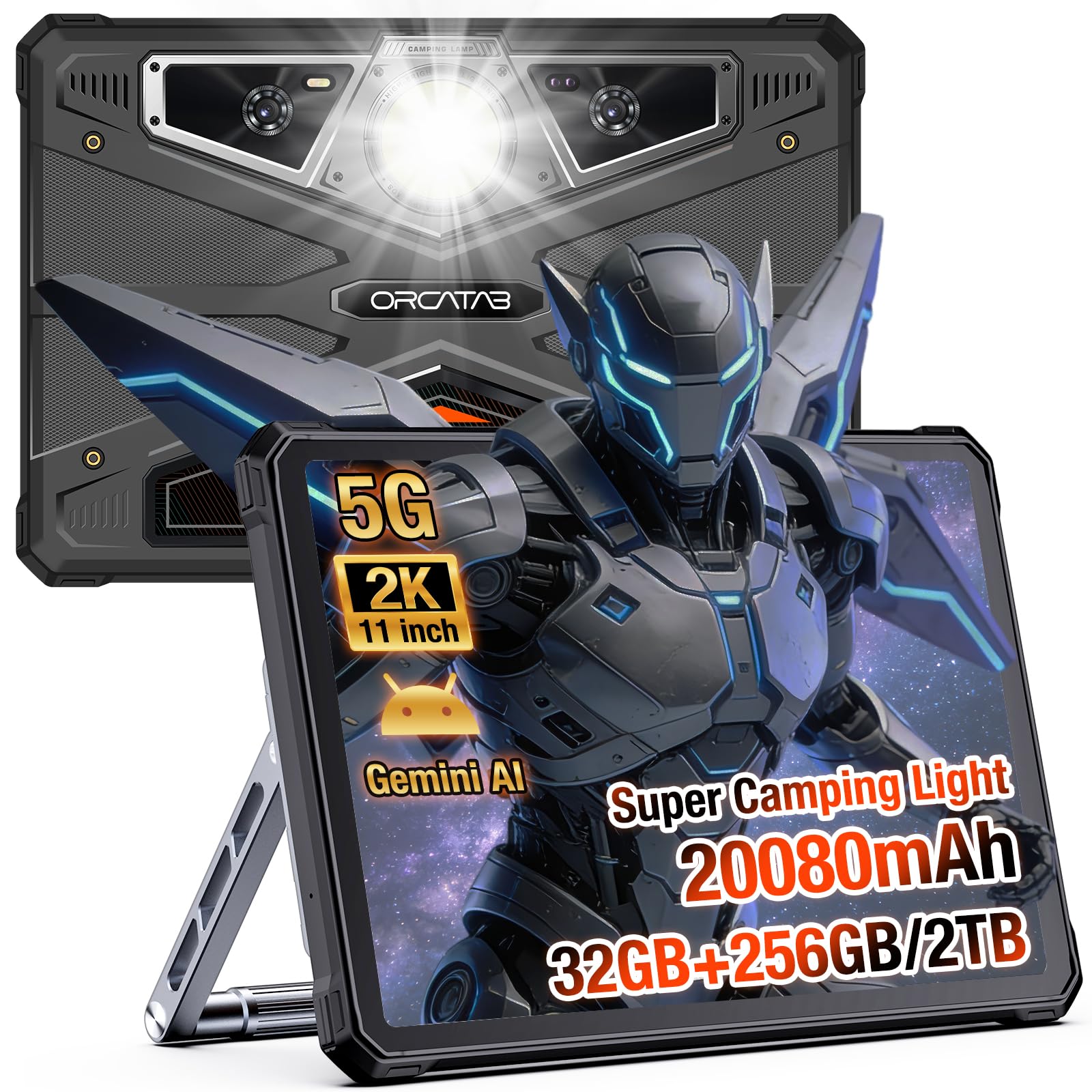
A 20,080 mAh battery, a 380-lumen camping light, and a stated 2,880 hours of standby.
Battery is the punchline of this tablet. The 20,080 mAh cell in the WT1 Pro is the largest in this lineup, and the listing cites up to 2,880 hours of standby along with 33W fast charging. It survives the same 1.5-meter drop rating and IP68/IP69K water protection as the AGM, and it adds MIL-STD-810H certification against dust storms and high-pressure spray. An 11-inch 2K 1200×1920 display at 120Hz with 450 nits makes scrolling through maps or reports feel fluid.
Around the back sit a 64MP main camera, a 20MP night-vision lens, and a 16MP ultrawide, and the tablet offers an underwater mode for splash-prone shooting. There is a 380-lumen built-in light that doubles as a work lamp or SOS beacon, and OTG reverse charging lets you top up a phone or headlamp from the tablet. Dual SIM 5G is supported for T-Mobile, though not for AT&T, Cricket, or Verizon.
The obvious cost of that battery is heft: owners consistently describe it as bulky and heavy, and a few mention that a thick case can stop some USB-C plugs from seating fully. Brightness is a weaker point in direct sun than the marketing suggests, so field workers who need a panel readable at high noon should test one first. For people who need days of power away from an outlet, that is an easy trade.
Where it wins
- 20080 mAh of battery makes multi-day field trips realistic.
- OTG reverse charging turns the tablet into a power bank for other devices.
- A built-in 380-lumen light is genuinely useful for night work.
- 120Hz refresh on an 11-inch 2K screen keeps maps and reports easy to read.
Where it asks for patience
- It is heavy for one-handed use and awkward on a lap.
- Sunlight readability falls short of the listing’s claims.
- No AT&T or Verizon support, so check your carrier first.
Take this one: Off-grid workers, campers, and anyone whose day runs out of outlets before it runs out of tasks.
Leave it on the shelf: If you want a light tablet for the sofa or a phone-plan on Verizon.
8. TABWEE T60 12.2″ Android 16 Tablet with Keyboard
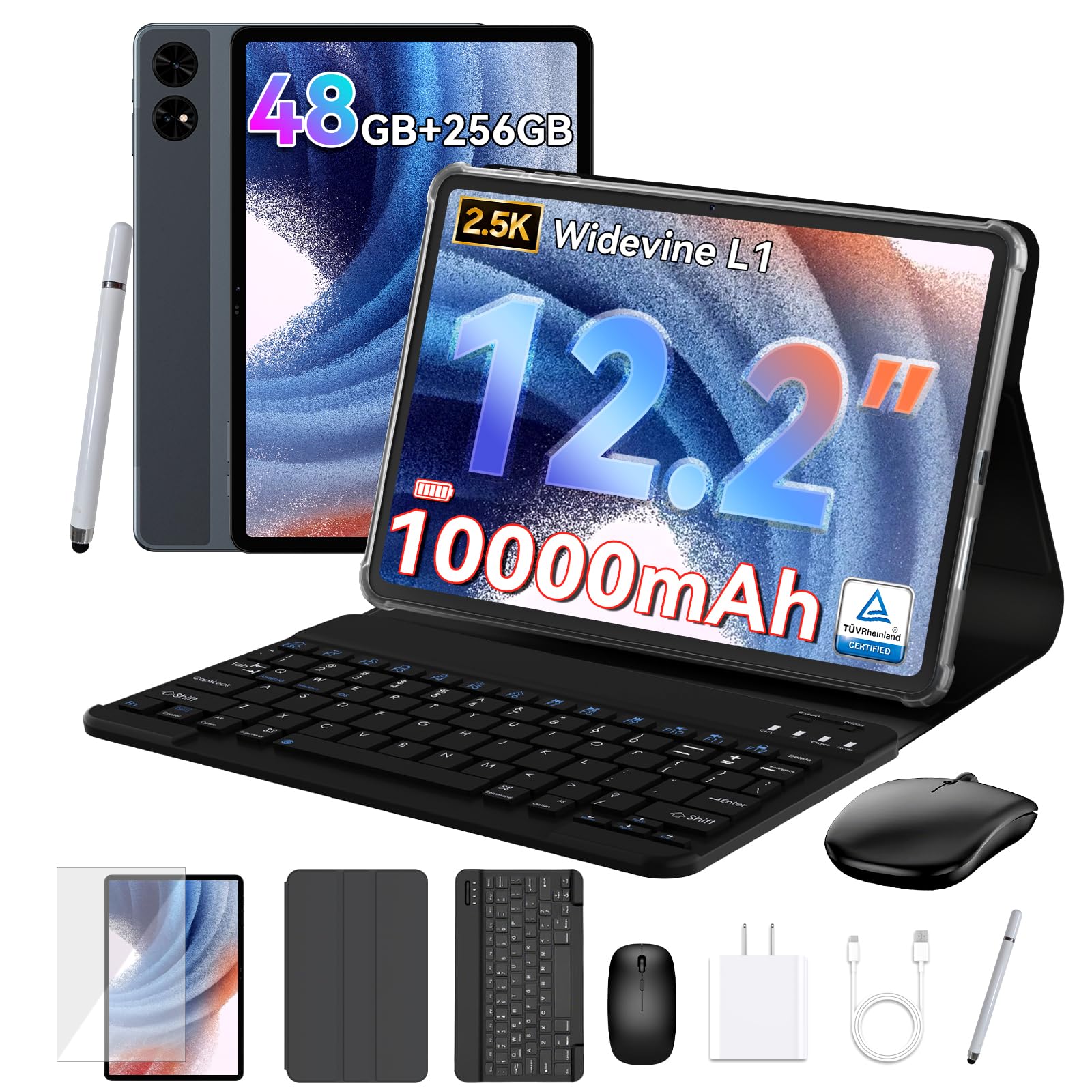
A 12.2-inch 2.5K tablet bundled with a keyboard, mouse, pen, and case for laptop-style work.
This is the bundle pick. The box holds a magnetic keyboard, a mouse, a stylus pen, and a protective case, so the tablet is productivity-ready without buying extras. It runs Android 16 with Gemini AI on board and a 12.2-inch 2.5K CSOT panel covering 99% sRGB — a color-accurate screen for illustration and video review. The memory spec reads 48GB (12GB physical plus 36GB virtual) with 256GB of UFS storage and a 10,000 mAh battery.
The display gets called crisp and bright by owners, and daily work performance feels fast, according to the listing. GPS navigation is included, which is a nice touch for road trips, and the 4-year protection plan (2-year standard plus 2-year extended with registration) is longer than most brands offer.
The reasonable question is whether all that RAM is real. 36GB of it is virtual — borrowed from storage, not separate chips — so the effective multitasking ceiling is lower than the number implies. Some buyers also find the tablet a bit heavy, and Google’s own pre-installed apps are described as annoying. For a student or remote worker who wants an all-in-one without shopping for accessories, it is a strong package.
The bundle logic: Keyboard, mouse, pen, and case in one box removes a whole afternoon of accessory shopping.
Read the RAM carefully: Only 12GB of the advertised 48GB is physical memory, so plan for the real-world amount rather than the headline figure.
Fits like a glove: Students and remote workers who want a laptop-style setup out of one box.
Look twice if: You expect true 48GB memory or a genuinely light 12-inch slab.
9. Samsung Galaxy Tab S11 128GB WiFi Android Tablet

An 11-inch Dynamic AMOLED 2X tablet with an S Pen, 12GB of RAM, and an 8400 mAh battery in a 5.5mm body.
This is the premium pick for people who want the best panel and AI tools without the largest tablet. The 11-inch Dynamic AMOLED 2X display gives deep blacks and rich color, and Vision Booster adjusts brightness to keep text readable in bright rooms. Inside is 12GB of RAM and a MediaTek MT6991 chip, and the listing quotes an 8400 mAh battery with up to 18 hours of life. At 5.5mm thick it slides into a bag easily, and the IP68 rating means splashes and dust are covered.
The included Galaxy Tab S Pen works with Note Assist and Drawing Assist, so handwriting cleanup and sketch-to-mockup work happen on the tablet itself. The 11-inch screen is described as bright and spectacular by owners, and one calls it a capable replacement for a small laptop once you add a keyboard case. The thin-and-light body makes it easy to carry around all day.
The caveat is accessories and a small artistic quirk. Artist feedback points out that the tablet’s wireless components can interfere with the S Pen at one spot on the screen, causing tiny cursor skips in drawing apps — common enough to count as a quirk, not a defect, and easy to work around. Samsung does not sell replacement pen nubs separately, and the official keyboard case is a significant extra. If you want a top-tier screen and phone-style AI, it is a joy to use.
Strongest when: You want a premium AMOLED panel and AI assist in a tablet you can carry with one hand.
Be aware: Plan for a cover and a keyboard case as extra purchases, and expect a small S Pen quirk near the top.
10. Samsung Galaxy Tab S9 11″ 256GB WiFi Tablet

A Snapdragon 8 Gen 2 chip and an 11-inch Dynamic AMOLED 2X panel make this the fastest gaming tablet here.
The chip is the reason this one stands out: the Snapdragon 8 Gen 2 is the most powerful processor in the whole lineup, and it runs heavy games without the stutter you would see on budget hardware. The 11-inch Dynamic AMOLED 2X panel gives strong contrast, and Vision Booster adjusts brightness on the fly. Wi-Fi 7 connectivity keeps streaming and downloads fast, and the included S Pen adds note-taking without a purchase. The 8400 mAh battery is rated at up to 15 hours.
Owners use it for gaming, note-taking, and college engineering work. The screen is described as crisp and vivid, and setup with a Samsung phone is simple. The build is Armor Aluminum with an IP68 rating, so dust and splashes are fine, and quad speakers with Dolby Atmos deliver surprising volume. It remains a serious tablet for someone who wants gaming performance alongside Samsung’s ecosystem.
The charges are small but fair: it is pricier than the FE version, and the box does not include a wall charger. Battery life is called mixed by owners — fine for a full day in most hands, but not the multi-day endurance of the rugged models. Accessories are costly on top. If gaming is your priority and the ecosystem matters, this is the pick.
What stands out
- The Snapdragon 8 Gen 2 is the fastest chip in this lineup, and it handles heavy games without stutter.
- AMOLED contrast gives deep blacks and vivid color for media.
- Wi-Fi 7 connectivity makes streaming and downloads feel instant.
- S Pen included in the box.
A few points before you buy
- No wall charger in the box.
- Battery life is not multi-day like the rugged picks.
- Official Samsung accessories cost extra.
The right call for: Gamers and Samsung users who want the fastest chip and a gorgeous AMOLED screen.
A different fit if: You need multi-day battery without carrying a battery pack.
11. Samsung Galaxy Tab S10+ 12.4″ 512GB Android Tablet

A 12.4-inch 120Hz AMOLED tablet with a Dimensity 9300+ chip, 512GB of storage, and a 10090 mAh battery.
Size and horsepower define this pick. The 12.4-inch screen gives students, artists, and professionals room for a full lecture slide or a wide drawing canvas, and the 120Hz refresh rate makes scrolling through long documents feel fluid. Inside is a MediaTek Dimensity 9300+ paired with 512GB of storage, and owners who use it daily describe the processor as highly responsive for video, reading, and document editing. The 10090 mAh battery covers long sessions in a slim, portable frame.
Graphic designers and illustrators use it for apps like Krita and Clip Studio Paint, where the S Pen draws without noticeable parallax and larger projects run without lag. Note-takers with aging eyes say the larger screen font is a relief, and one artist calls the setup a replacement for a PC. The Galaxy AI features for summarizing and organizing notes are the reason it appeals to busy students.
The fair caveats: it is heavy and big for casual reading on the sofa, and a few owners find the magnetic pen charging area can get warm. For people who need a serious large-screen work surface, those remain small annoyances.
The productivity angle: 12.4 inches of screen and 512GB of storage make it a legitimate laptop stand-in for essays, design work, and note-heavy study.
Its one cost: It is a heavier tablet than the 11-inch models, and that size can feel like overkill when you only want to read in bed.
An easy recommendation for: Artists, students, and professionals who want a big drawing canvas and serious storage.
The size cost: For light reading in a cramped space, the smaller 11-inch tablets are more comfortable.
Know the Specs
Processor and chipset
The processor is the engine of the tablet and decides how smoothly heavy apps, games, and split-screen views run. Names like Dimensity 7300, Helio G99, Exynos 1580, and Snapdragon 8 Gen 2 describe chips at very different performance levels. The higher you go in the hierarchy, the less likely you are to see stutter in demanding titles. Do not judge by the word “octa-core” alone, since almost every tablet in this category uses an octa-core design.
RAM and virtual RAM
RAM is the short-term memory that keeps apps running when you switch between them. Some listings quote a total that includes virtual RAM, which is borrowed from storage to help background apps. Look for the split, such as 8GB physical plus 12GB virtual, so you know what is actually installed. More physical memory helps with multitasking; storage expansion through microSD affects how many movies and files you can keep.
Refresh rate in Hz
Refresh rate is how many times per second the screen repaints an image. A 60Hz panel is standard; 90Hz feels smoother when scrolling; 120Hz is smoother still for fast action and drawing. Higher refresh rates can use more battery, which is why some tablets tune the rate down automatically. A brighter screen in nits also matters for outdoor use, and that figure is separate from refresh rate.
Battery capacity in mAh
mAh (milliamp-hours) is how much energy the battery stores. A 6050 mAh tablet will run out sooner than a 20080 mAh one under the same workload, though brightness, chip, and app behavior also matter. Fast charging in watts tells you how quickly the battery refills, and both numbers should be considered. For a long flight or a workday away from a plug, the capacity figure is the one to watch.
Common Questions
Will a 90Hz Android tablet feel faster than a 60Hz one in everyday use?
Is more RAM always better on an Android tablet?
Can I add a microSD card to these tablets for more storage?
Do these Android tablets support HD streaming on Netflix and Prime Video?
How long does the battery last on a typical Android tablet?
Is a rugged tablet like the AGM or ORCATAB worth it over a regular model?
Can a tablet with a keyboard replace a laptop for work?
Which processor is faster: Snapdragon 8 Gen 2, Dimensity 9300+, or Exynos 1580?
Do these tablets come with a stylus and a case in the box?
Will a larger tablet like the 12.4-inch Galaxy Tab S10+ fit in a normal bag?
The Bottom Line
For most people, the high performance android tablet winner is the Samsung Galaxy Tab S10 FE because it combines a smooth 90Hz 11-inch screen, an included S Pen, and up to 20 hours of battery in one balanced device that handles study, streaming, and sketching without a fuss. If gaming speed is the priority, the Samsung Galaxy Tab S9 leads on raw power with its Snapdragon 8 Gen 2 chip and AMOLED panel. And when the work happens far from a power outlet — a job site, a boat, a campsite — the ORCATAB WT1 Pro is the one to reach for, thanks to its 20080 mAh battery and 380-lumen built-in light.
The Samsung Galaxy Tab S10 FE is the crowd favorite for good reason — it holds a 4.5+ star rating across 1,100+ ratings — and that consistency is the strongest signal in this whole list that it will suit a wide range of everyday buyers.
How we choose
We do not accept paid placement. Every pick is matched to a real buyer and a real use-case; we do not hands-on test units.
Sources
Specifications: manufacturer listings and product documentation. Review insights: verified customer reviews, as of October 2026. Pricing: not shown on this page (it changes often); check the current price via the retailer link.
As an Amazon Associate, Aappliancez earns from qualifying purchases. This does not affect which products we feature.