Disclosure: Some links in this post are affiliate links. As an Amazon Associate I earn from qualifying purchases, at no extra cost to you. Learn more
Specs are compiled from manufacturer listings and verified buyer reviews and can change over time — please confirm the key details on the product page before buying.
If you want the short answer: the Samsung 65-Inch Neo QLED QN70F is the one to buy first, because it balances a genuinely bright Mini LED picture with a price that still leaves room for a soundbar. The rest of this list splits along one line — OLED panels that go pure black and mini-LED panels that punch through daylight. Figure out which of those two rooms you actually live in, and the shortlist collapses fast.
This guide is built by comparing the manufacturers’ published specifications and the patterns across verified customer reviews, so you get each pick’s real strengths and trade-offs instead of marketing spin.
Below you will find the full breakdown of panel types, dimming zones, refresh rates, and which set suits a bright living room versus a dark media cave — everything you need to shortlist high end televisions without getting buried in jargon.
Top Picks



How To Choose The Best High End Televisions
The biggest mistake buyers make at this level is assuming a bigger price tag automatically means a better picture in their specific room. It does not. A premium OLED that looks breathtaking in a dark den can look dim and washed out beside a wall of south-facing windows, while a bright mini-LED set that handles daylight beautifully can show faint halos around bright objects at midnight. Your room decides more than your budget does.
Bright room or dark room — that is the first fork
An OLED panel (organic light-emitting diode) switches each pixel on and off individually, so black is genuinely black and there is no backlight bleeding through. That makes it the pick for a room you can dim. A mini-LED panel uses thousands of tiny LEDs behind the screen in dimming zones — small clusters of backlights that brighten or darken independently. That design pushes far more light toward your eyes, which is what you want when sunlight hits the screen.
What the refresh rate actually buys you
Refresh rate is how many times per second the screen redraws the image, measured in hertz (Hz). A native 144Hz panel redraws 144 times a second, which keeps a fast pan across a football pitch or a quick turn in a shooter from smearing. Paired with VRR (variable refresh rate, which syncs the screen to your console’s output) and ALLM (auto low latency mode, which flips the TV into its fastest setting the moment a console wakes), it is the difference between a smooth game and a stuttery one.
HDR formats and why you want all of them
HDR (high dynamic range) is the layer of data that tells the TV how bright highlights and how deep shadows should go. Dolby Vision, HDR10+, and HLG are the main formats, and a set that supports every one will not leave you guessing which disc or stream will look right. Dolby Vision IQ and HDR10+ Adaptive go a step further and read the light in your room, adjusting the picture automatically as the afternoon turns to evening.
Side-by-Side Comparison
| Model | Best For | Panel Type | Refresh Rate | Screen Size | Amazon |
|---|---|---|---|---|---|
| Samsung 65″ Neo QLED QN70F★ Best Overall | Bright rooms on a sane budget | Neo QLED Mini LED | 144Hz | 65 inches | Amazon |
| Samsung 75″ Neo QLED QN90DBig-Screen Sound | Big-screen movies with built-in Dolby Atmos | Neo QLED Mini LED | 144Hz | 75 inches | Amazon |
| Panasonic Z8 Series 77″ OLEDCinema Purist | Cinema purists who want Technics sound built in | OLED (Master OLED PRO) | 144Hz | 77 inches | Amazon |
| iFFALCON 65″ F75 Frame TV | Wall-art styling at an entry-level price | QLED | 144Hz | 65 inches | Amazon |
| Toshiba 65″ Z670R Mini-LED | Value-focused gamers and sports fans | Mini-LED QLED | 144Hz | 65 inches | Amazon |
| LG OLED48C5PUA 48″ C5 evo | Compact OLED with a protection bundle | OLED evo | 144Hz | 48 inches | Amazon |
| Hisense 75″ S7 CanvasTV | Art-mode wall display in a bright room | Hi-QLED | 144Hz | 75 inches | Amazon |
| LG 65″ OLED evo G5 | Flush wall mount with Brightness Booster Max | OLED evo | Up to 120Hz | 65 inches | Amazon |
| Hisense 85″ U7 Mini-LED | Maximum brightness and gaming speed | Hi-QLED Mini LED | Native 165Hz | 85 inches | Amazon |
| TCL 98″ QM8K | Wall-sized mini-LED with Bang & Olufsen audio | QD-Mini LED | 120Hz-144Hz | 98 inches | Amazon |
| TCL 98″ QM8L | Peak brightness and contrast leadership | SQD-Mini LED | 144Hz | 98 inches | Amazon |
| Sony 77″ BRAVIA XR A95L | Reference-grade QD-OLED processing | QD-OLED | 120Hz | 77 inches | Amazon |
| Sony 83″ BRAVIA XR A80L | Huge OLED with sound from the screen itself | OLED | 120Hz | 83 inches | Amazon |
Detailed Reviews
1. Samsung 65-Inch Class Neo QLED QN70F 4K Mini LED Smart TV
Our pick — 4.0+★ from 550+ verified ratings; the strongest balance of quality and price.
The 65-inch set that proves you do not need flagship money to get Mini LED contrast.
Start with the panel: this is Neo QLED, Samsung’s name for a mini-LED backlight paired with a quantum-dot colour layer. Thousands of tiny LEDs sit behind the screen in precision-controlled clusters, so a black sky stays black while a streetlight in the same frame stays bright. Quantum dots are microscopic crystals that turn blue backlight into pure, saturated colour — so skin tones look human rather than orange. It is the difference between a picture that looks painted and one that looks photographed.
The processing is the real story here. An NQ4 AI Gen2 chip runs what Samsung calls 20 neural networks (layers of math that recognize faces, text, and motion patterns) to sharpen whatever you feed it up to 4K. Feed it a soft 1080p stream from an old show and it rebuilds the edges. Feed it a 4K disc and it mostly stays out of the way. Motion Xcelerator handles 144Hz, and VRR gaming runs up to 4K 144Hz — for a console, that means the frame rate your machine can produce is the frame rate you see, without tearing across the middle of the screen.
What owners love most is simply how good the thing looks once it is up. Bright, crisp, and vivid from the start with a matte finish that tames lamp glare. The catch worth knowing: this panel is bright enough that some owners find the default setting too aggressive in a dark room, and a few report brightness and connectivity quirks that need a settings pass. Budget for a calibration afternoon, not a plug-and-forget evening. As one buyer summed up moving up from a dead five-year-old set: “Replaced dead 5-yr-old Samsung 50″.”
Where it wins
- Mini LED dimming gives real contrast without OLED’s brightness ceiling
- Up to 4K 144Hz VRR — smooth, tear-free console gaming
- 2,700+ free channels built into the platform, including 400+ Samsung TV Plus
- Matte screen handles lamp and window glare in a normal living room
Where it asks patience
- Out-of-box brightness runs hot for dark-room viewing
- The rechargeable remote’s volume control splits opinion
- Older receivers can take a few attempts to handshake over optical
Buy it if: your living room has windows and lamps and you want a bright, crisp 65-inch picture without stretching to flagship money.
Look elsewhere if: you watch in a fully darkened room and crave absolute black — an OLED will beat it there.
2. Samsung QN90D Series 75-Inch Neo QLED 4K Smart TV
A 75-inch mini-LED that wants to replace your soundbar as well as your old TV.
If the QN70F above is the value play, this QN90D is the one for the person who wants the whole cinema in the panel. Object Tracking Sound+ uses speakers arranged around the frame to follow the action — a car crossing left to right sounds like it crosses left to right. Dolby Atmos adds height information to the mix so rain feels like it falls from above. Combined with Real Depth Enhancer Pro, which finds the focal point in each frame and pushes it forward, you get a picture with genuine front-to-back dimension rather than a flat poster.
The 75-inch panel runs on the same NQ4 AI Gen2 processor, with 20 specialized networks driving upscaling, the Smart TV Hub, and the surround mix. Neo Quantum HDR+ pushes contrast and colour into the range directors master for, and HDR Brightness Optimizer adjusts the tone in real time so a dark scene stays readable with the curtains open. Here is the honest comparison buyers keep asking about: this set’s annual energy consumption is 182 kwh against the QN70F’s 317.55 kwh — the newer 65-inch model draws more over a year. Its base also spreads wider, at 16.4 inches versus 12.37 inches, and sits deeper at 12.6 inches versus 11 inches, so measure your console top before you assume either will fit.
Buyers report the built-in audio genuinely surprises them, with several saying they dropped a separate soundbar after living with it. Set it against a wall opposite your light sources and the reflections stay out of the way.
The audio argument: front-array speakers that track on-screen movement do more for a big-room movie night than most entry soundbars, which is why so many buyers skip the extra box entirely.
The glare caveat: that same glossy finish is the one thing to plan around — a window directly behind your sofa will show up in dark scenes.
Reach for this if: you want a 75-inch picture with Dolby Atmos built in and you can control where the light falls in the room.
Think twice if: your seating faces a bright window all afternoon — the glossy panel will fight you.
3. Panasonic Z8 Series (2025) 77-inch OLED 4K Smart Fire TV
A 77-inch Master OLED PRO panel with Technics speakers that make soundbars feel redundant.
Panasonic built this one for the person who watches films, not content. The Master OLED PRO panel uses micro-lens-array technology — a layer of microscopic lenses over the pixels that squeezes more light out of each one — paired with the HCX Pro AI Processor MKII. Every major HDR format is supported (HDR10, HDR10+, Dolby Vision, and HLG), and HDR10+ Adaptive and Dolby Vision IQ both read the light in your room and adjust the picture accordingly. That means one setting works at noon and at midnight without you hunting through menus.
The audio is where it separates from almost everything else on this list. 360 Soundscape Pro tuned by Technics uses an integrated front-array plus upward-firing and side-firing speakers with Dolby Atmos — real height channels bouncing sound off your ceiling. Owners who came from mid-level soundbar setups describe it as a wide, clear upgrade, and several say the built-in system rivals a decent separate bar. For gaming, Game Mode Extreme covers HDMI 2.1, a 144Hz refresh rate, VRR, AMD FreeSync Premium, and NVIDIA G-SYNC, with a Game Control Board for checking settings at a glance.
Now the honest part. This is a heavy set — owners consistently mention needing two or three people to lift it and its stand, and one notes the stand alone adds meaningful weight on top of the panel. It also only carries two HDMI 2.1 ports (one of them eARC), so if you run a PS5 and an Xbox Series X side by side you will want a 2.1 switch. Fire TV as the operating system divides opinion; if you already live in Apple TV or Roku, plug it in and ignore the built-in platform.
Processing you can see: the HCX Pro AI Processor MKII gives older 1080p content — even a Switch or PS4 — a clean, sharp upscale that owners describe as excellent, which matters if most of your library is not 4K.
Two-port reality: two HDMI 2.1 inputs is the spec to check against your console count before ordering.
Made for: the film-first buyer who wants reference-grade processing and does not want to buy a soundbar on top.
Skip the queue if: you need four HDMI 2.1 ports for a multi-console setup, or you want a light set you can hang alone.
4. iFFALCON 65-Inch Class QLED 4K F75 Frame Smart TV
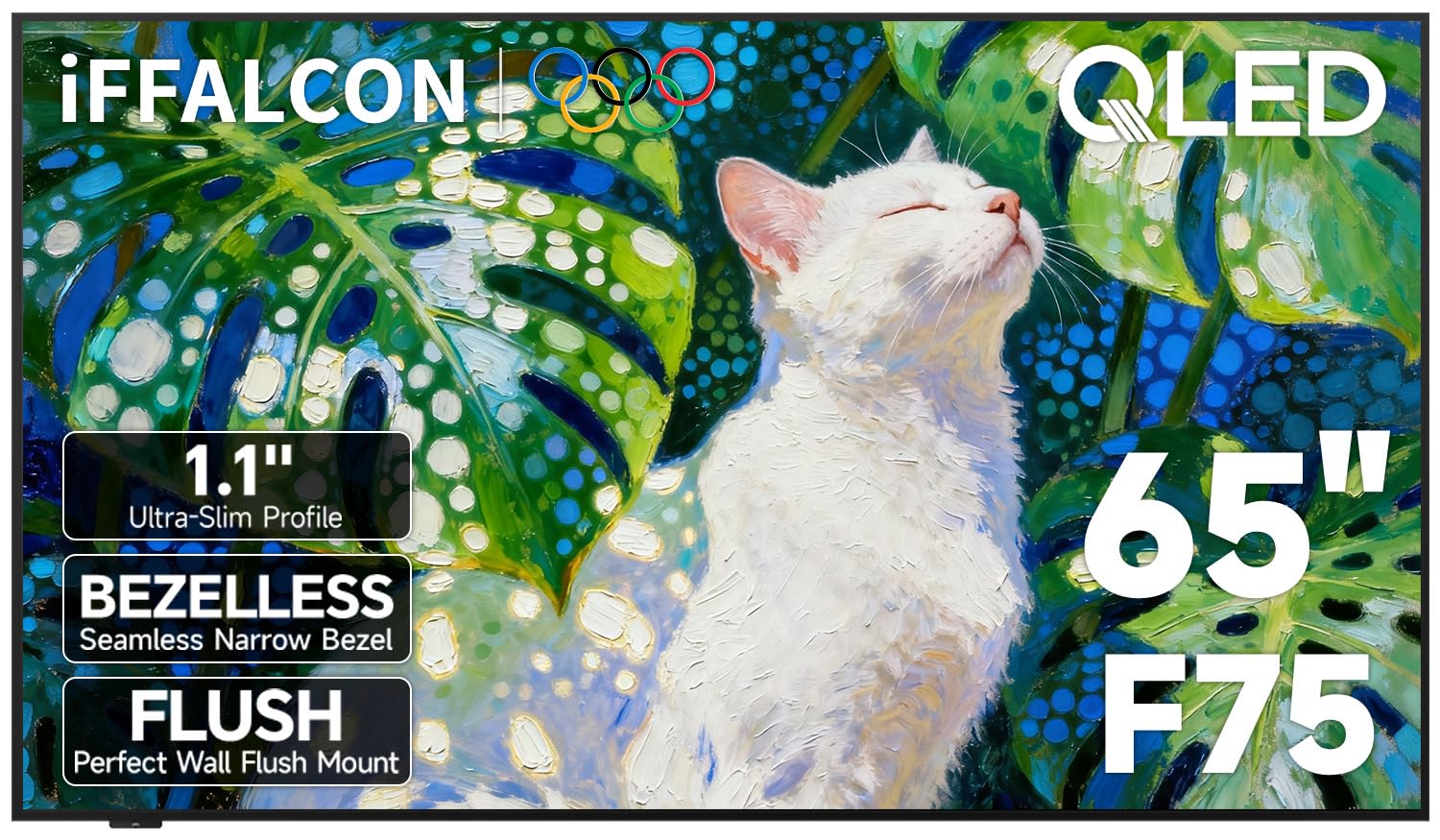
The frame-TV look without the frame-TV bill — if you accept the trade-offs.
This is the budget route to the wall-art aesthetic, and the hardware backs it up on paper. A black metal front frame and an ultra-slim 1.1-inch profile sit nearly flush against the wall using the included mount, with hidden cable management so nothing dangles. Quantum Dot colour covers 93% of the DCI-P3 cinema colour space — a measure of how much of the colour range filmmakers actually grade in — so skin tones and landscapes stay believable rather than oversaturated. Dolby Vision IQ reads your room’s light and adjusts automatically, and 144Hz with MEMC keeps fast sports and action smooth.
Where it earns genuine fans is connective tissue. Four HDMI ports (one with eARC for a soundbar), two USB ports, optical audio out, and — unusually at this level — a composite AV input via 3.5mm adapter so decade-old consoles, DVD players, and camcorders connect without dongles. Plug a USB drive in and it plays your own MP3, WMA, JPEG, PNG, and HEIF files, turning the screen into a personal gallery or a slideshow of holiday photos. Owners describe setup as genuinely simple and the flush hang as easier than expected — though it is a two-person job, and one notes a stand screw stripped during assembly.
Now the caveat that matters most. The picture quality here is the most contested part of the package, and the honest read is that it is a fine everyday panel rather than a reference one. Fast pans in football and soccer draw the most criticism, and a small number of units report display oddities once warmed up. If your priority is a beautiful object on the wall for photo display and casual viewing, this delivers. If you are chasing a cinematic picture above all, spend the difference on an OLED.
What earns it a spot
- 1.1-inch flush wall profile with the mount included
- Composite AV input keeps legacy consoles and camcorders alive
- 93% DCI-P3 colour and Dolby Vision IQ for automatic room adjustment
The honest trade-off
- Fast-action sharpness is the weakest part of the picture
- App installation and navigation take some patience
- A few units report erratic display behaviour after warming up
Best fit: an office lobby or living room where the TV is on display as much as it is watched.
Not for: the buyer whose main event is a fast-moving match at reference sharpness.
5. Toshiba 65″ Class Z670R Series Mini-LED 4K Smart Fire TV
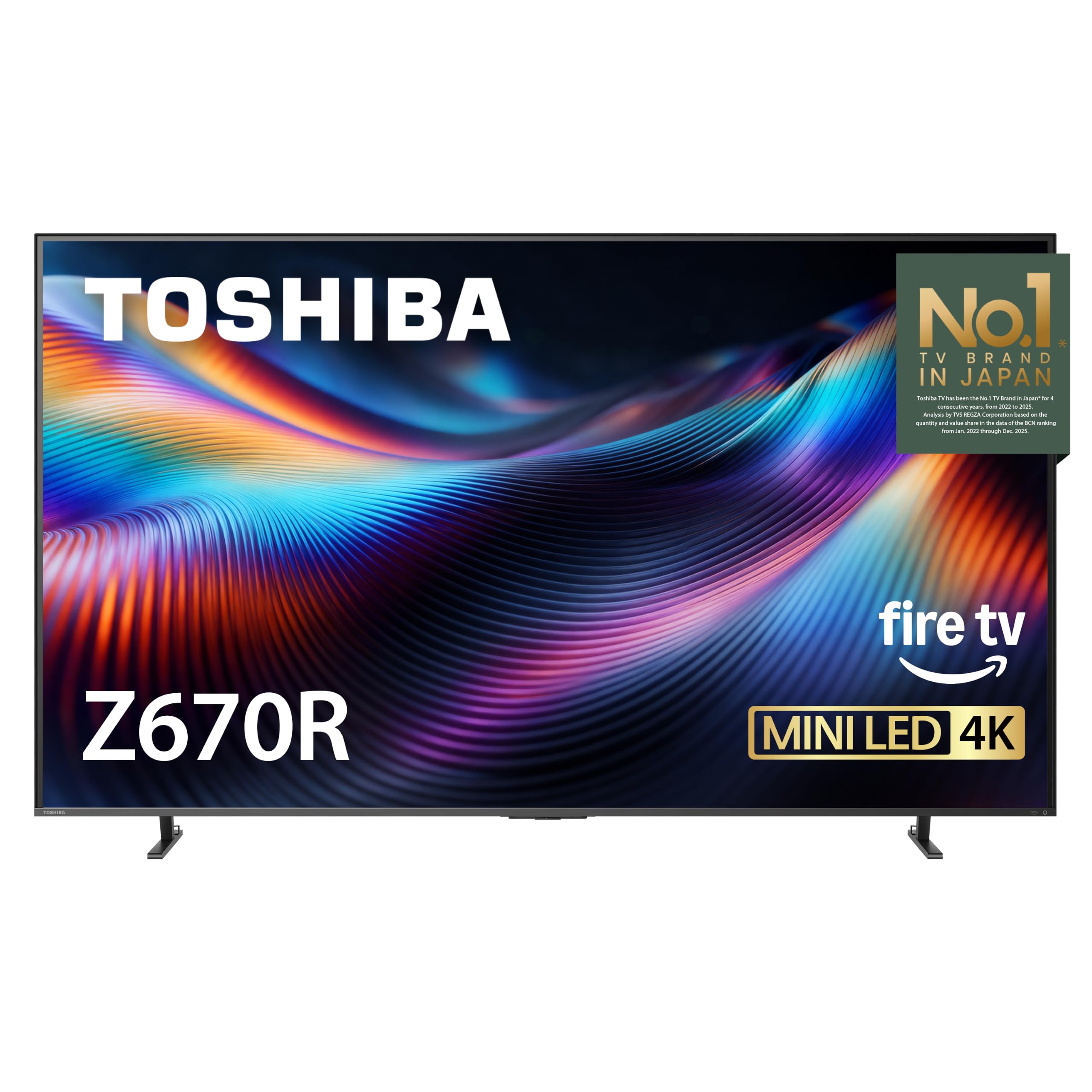
Mini LED brightness, a native 144Hz panel, and a bass woofer at a mid-range price.
Toshiba’s Z670R is the set you buy when you want mini-LED depth and gaming speed without crossing into flagship money. Precision-controlled Mini LEDs work with Full Array Local Dimming — meaning the backlight is split into clusters that darken or brighten independently — to hold deep blacks next to bright highlights in the same frame. The REGZA Engine ZRi Gen3 is Toshiba’s own AI picture and sound processor, tuned by its engineers in Japan, adjusting clarity and contrast scene by scene.
For gaming this punches well above its tier. Native 144Hz refresh means the panel itself redraws 144 times a second — not an interpolated 144 — and it carries AMD FreeSync Premium, VRR at 144Hz, and ALLM for a responsive, tear-free response from next-gen consoles and PC. The Total HDR Solution Pro covers Dolby Vision IQ, HDR10+, HDR10+ Adaptive, and HLG, so whatever format your stream ships in, the set handles it. QLED colour delivers over a billion shades, which keeps gradients — sunsets, dark skies — smooth rather than striped.
The sound is the surprise. REGZA Power Audio Pro with a dedicated bass woofer produces genuinely deep low end for a built-in system, and owners consistently call the speakers loud, clear, and bass-forward enough to skip an immediate soundbar purchase. The recurring complaint is Fire TV’s home screen — it is ad-heavy and cluttered, which is the price of the platform. Most owners simply set it to YouTube or Netflix and never return to the home row. A small number of units arrive with a hazy picture and need a return, which is worth knowing given the otherwise strong track record.
The gaming case: native 144Hz plus FreeSync Premium and ALLM at this price is the sharpest value argument on the entire list for a console-first buyer.
The platform tax: Fire TV’s home screen is the one thing buyers keep grumbling about — set up your favorite apps and you will never see it again.
Pick it for: a PS5 or Xbox Series X setup where frame rate matters and you want bass without a second box.
Pass if: you want a clean, ad-free interface from the start — this one makes you work for it.
6. LG OLED48C5PUA 48″ C5 OLED evo 4K Smart TV Bundle
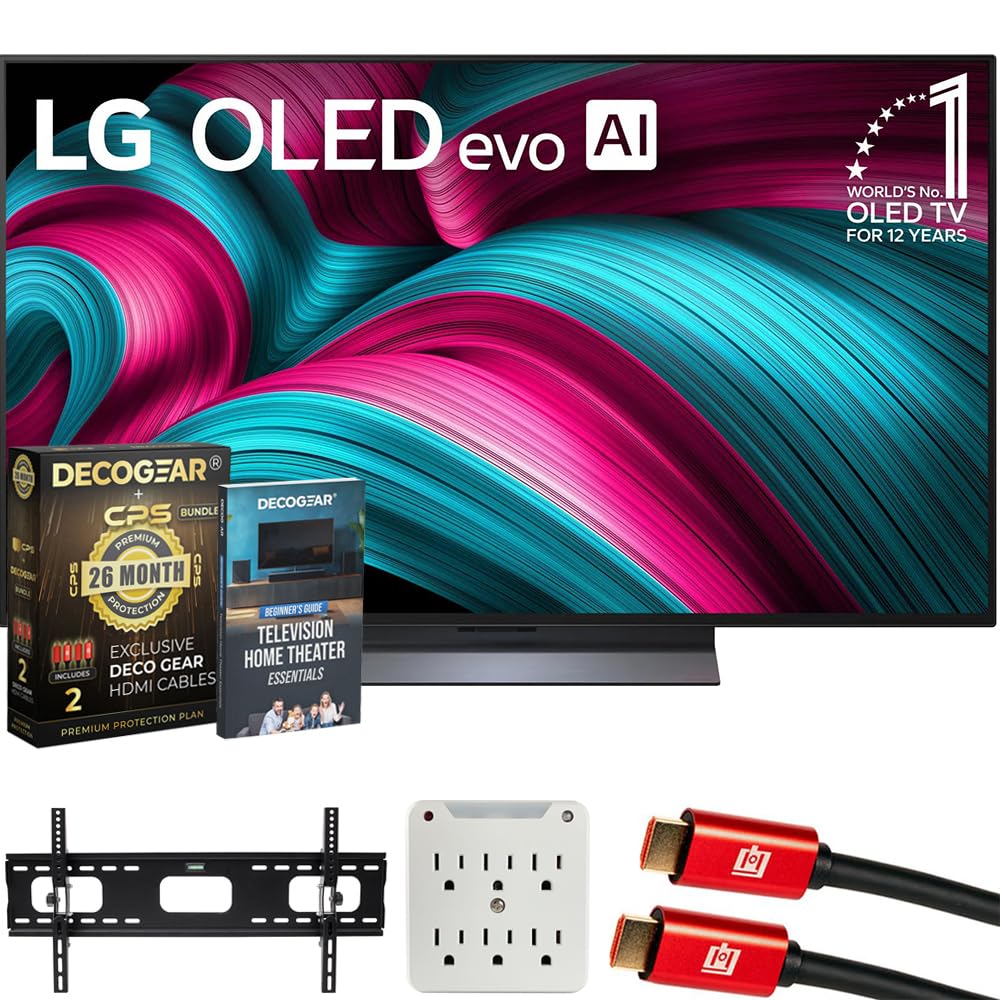
The 48-inch OLED for rooms that can’t take a 77 — and gamers who sit close.
Not every room wants a 75-inch wall. At 48 inches this C5 evo is the compact OLED that makes sense for a bedroom, a study, or a desk-side gaming setup, and it does not cut corners on the panel. Over 8.3 million self-lit pixels switch on and off individually for true-to-life contrast — actual black, not dimmed grey — and the α9 AI Processor Gen7 tune picture and sound based on what you are watching. Filmmaker Mode strips out the smoothing, Perfect Black and Perfect Color handle the extremes, and Dolby Vision plus Dolby Atmos cover the movie formats.
For gaming this is a proper enthusiast panel. Four HDMI 2.1 ports, NVIDIA G-SYNC, AMD FreeSync Premium, and VRR with a 144Hz refresh rate — and the Game Optimizer and Game Dashboard put the controls in one place. Owners describe gaming on it as genuinely beautiful, with one G-Sync user noting the smoother response over an older LG OLED. The bundle is where the value sits: a 26-month CPS protection plan with accidental and burn-in coverage, two 6FT 4K HDMI cables, a wall mount rated for 37 to 100 inch sets, a surge adapter, and a beginner’s home theater guidebook. If you are building a first theater, that is a genuinely useful pile of accessories.
Two things to plan around. First, the stand is the weak point — assembly has taken owners over an hour, the finished stand tips the panel forward slightly, and it wants a second person. Second, this set is heavy for its size and the screen should stay covered with its protective film until it is mounted. A small number of units arrive dead on arrival with a bad board, which the bundled protection plan exists to cover.
The bundle math: mount, cables, surge protection, and a protection plan covering burn-in — for a compact OLED buyer, that is most of the accessory shopping done in one order.
The wobble: the included stand is the recurring frustration; budget for a wall mount if you can, and the problem disappears.
Built for: a bedroom, study, or close-range gaming desk where 48 inches is the right size and OLED black is the goal.
Wrong pick if: you are outfitting a large living room — this one is deliberately the small-screen specialist.
7. Hisense S7 CanvasTV Series 75″ Hi-QLED 4K Smart TV

An art-first 75-incher that hides a 4K TV inside a matte-canvas frame.
The CanvasTV is built around a different question than every other set here: what does the screen look like when it is off? The answer is a matte Hi-Matte display behind a Teak frame, showing one of more than 1,000 complimentary curated artworks with no subscription. Swap collections, rotate pieces, or display your own photos for family carousel duty. The included UltraSlim wall mount sits the panel flush against the wall like a framed print. On the picture side it is Hi-QLED 4K with a 4000:1 contrast ratio, Dolby Vision HDR, and a 144Hz refresh rate for motion.
The anti-glare panel is the reason this earns a place here, not just a design slot. Owners coming from a Samsung Frame describe the matte screen as clearly better in bright light, with no reflections even over a fireplace facing large windows. The 1,000-plus artwork catalogue is a genuine draw — one buyer notes a subscription-free library is a real advantage over rivals. Google TV is more ad-heavy than Samsung’s platform but owners find it more responsive and intuitive, and AirPlay and screen sharing work smoothly.
The trade-offs are real but manageable. The speakers are the weak link — owners recommend adding a soundbar for anything beyond casual viewing. It is heavy at 75 inches and wants a second person for mounting, with the mount design itself drawing mixed feelings. One owner flags a thick twisted power cord that struggles to lie flat in its channel and pushes the set out from the wall; tape it down before you hang. Get past those and it does something very few TVs do — disappear into the room.
The CanvasTV advantage
- Hi-Matte anti-glare panel keeps reflections off in a bright room
- 1,000+ free artworks with no subscription required
- Flush UltraSlim wall mount and Teak frame included
- 144Hz refresh rate with Dolby Vision HDR
The setup reality
- Built-in speakers are the weakest part — plan on a soundbar
- Heavy enough at 75 inches to need a second set of hands
- The power cord can push the TV off the wall if you skip taping it
Ideal owner: someone whose room is designed around the wall and wants the TV to look like decor between movie nights.
Skip if: audio quality is your priority — this one asks for a soundbar.
8. LG 65-Inch OLED evo AI 4K G5 Series Smart TV

LG’s gallery OLED — the 65-inch panel that hangs nearly flush and beats the sun.
The G5 makes its case with two words: Brightness Booster Max. That is LG’s technology for magnifying each individual pixel to raise output across the whole screen — not a global brightness bump, but per-pixel lifting. The result is an OLED certified by UL for Discomfort Glare Free (UGR under 22), so it stays comfortable in a well-lit room. Over 8.3 million self-lit pixels give perfect black and perfect colour, and the α11 AI Processor Gen2 with AI Picture Pro and AI Super Upscaling handles the content you feed it, including AI Director Processing for films.
On a wall, it earns its keep. One Wall Design leaves virtually no gap between the panel and the wall, and the included bracket makes that easy to achieve. Owners describe the result as elegant, with the panel sitting almost like a painting and the mostly metal, roughly inch-deep build feeling premium. For gaming it runs a 0.1ms response time and up to 120Hz, with NVIDIA G-Sync, AMD FreeSync Premium, and VRR all supported across four HDMI 2.1 inputs — enough for a console, a PC, and then some. Dolby Vision and Dolby Atmos cover the film formats, and FILMMAKER MODE removes processing so the picture matches the director’s grade.
The honest trade-offs are specific. There are 31 mentions of the wall mount and 50 of value for money — and the mount conversations split, with some owners reporting the included flush bracket is fiddly and choosing to reuse an existing universal mount instead. The remote is the other recurring friction: the pointer flies around the screen and cannot be permanently disabled, and one owner reports the mute function being merged into volume-down. If you use a universal remote or a streaming stick remote instead, this problem disappears.
The brightness breakthrough: per-pixel magnification is what makes a Brightness Booster Max OLED usable beside windows — the ceiling that used to send buyers to mini-LED has moved.
The remote friction: LG’s motion pointer is the one design choice that regularly frustrates owners — a universal remote is the simple fix.
Perfect for: a wall-mounted living room OLED where flush finish and bright-room performance both matter.
Second-guess it if: you want OLED black in a fully dark theater — a brighter panel is not the same as a darker one.
9. Hisense 85″ U7 Mini-LED ULED 4K Smart Google TV

An 85-inch mini-LED that overwhelms the room with light and speed.
Hisense threw the spec sheet at this one, and it shows. Hi-QLED MiniLED Pro uses thousands of MiniLED backlights for pinpoint control, with up to 3000 local dimming zones and up to 3000 nits of peak brightness. That means the brightest parts of a scene can hit hard while the dark parts stay deep, and bright objects keep crisp edges even in a sunlit room. The anti-reflection layer uses a dual-layer screen treatment — beyond standard single-layer designs — to keep reflections and glare down when windows and lamps are fighting the picture.
For motion and gaming this is the fastest panel on the list. A native 165Hz refresh rate — not interpolated — handles fast sports and shooters without blur or smear, and Game Booster keeps latency low for console and PC play. Hi-View AI Engine Pro analyzes the scene continuously and adjusts colour, contrast, and detail on the fly, while Pantone Validated certification is an industry mark of colour accuracy, not a marketing tag. Dolby Vision IQ and Atmos, HDR10+, and IMAX Enhanced cover the content formats, and a 2.1.2-channel speaker array with Dolby Atmos rounds out the audio.
The recurring owner note is brightness — this set is genuinely bright enough that several people dial the backlight down and still find it plenty. In a bedroom that can feel like overkill; in a big, sunny living room it is exactly the point. The remote takes some learning, and a small handful of owners mention a learning curve with the Google TV interface, but the underlying picture and speed draw consistent praise. For a big room that gets direct sun, this is the set that shrugs it off.
Why it earns the size
- Native 165Hz — the highest refresh rate on this list
- Up to 3000 dimming zones and up to 3000 nits peak brightness
- Dual-layer anti-glare treatment keeps a sunny room readable
- 2.1.2-channel Dolby Atmos audio built in
What to weigh
- Very bright by default — you will want the backlight lowered in a dark room
- The remote has a learning curve
- 85 inches needs real wall space and a mount rated for the weight
Best for: a big sunny living room or a sports-and-gaming room where brightness is the whole battle.
Not the one for: a small, dark bedroom — you would be paying for light you turn down.
10. TCL QM8K Series 98 Inch Mini LED QLED 4K Smart TV
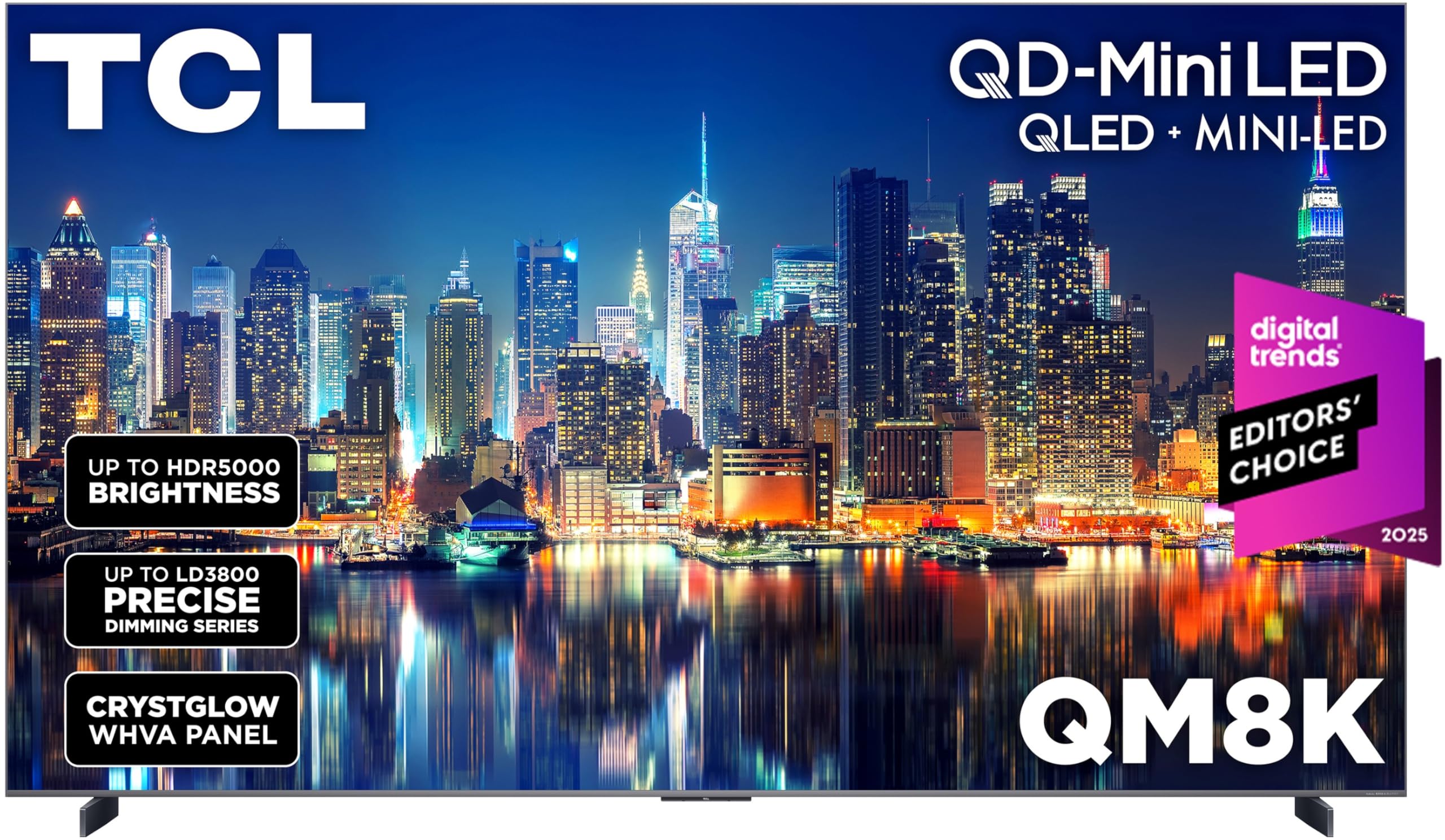
Ninety-eight inches of mini-LED with audio that makes a soundbar optional.
At 98 inches, this is not a TV you buy — it is a wall you dedicate. The QM8K uses QD-Mini LED with TCL’s Halo Control System, a suite that includes a Super High Energy LED Microchip, Condensed Micro Lens, Micro-OD Reduced Optical Distance, a High Contrast HVA Panel, and a Bi-direction 23-bit Backlight Controller. In plain terms: the mini-LEDs are packed closer and controlled with more precision, which is what keeps bright objects from smearing light into the dark areas around them — the “halo” effect that lesser mini-LEDs show. The edge-to-edge ZeroBorder CrystalGlow WHVA panel is also anti-reflective, so the picture stays clean from wider seating angles.
The audio is the standout surprise. Bang & Olufsen tuned built-in speakers that owners describe as clear enough for dialogue and deep enough for real bass — several people say they cancelled or returned a soundbar after hearing it. On the picture side, the anti-reflective screen handles bright rooms well, blacks stay bold and deep, and the Google TV interface is responsive and more intuitive than Samsung’s Tizen, per owners. Game Accelerator 288 pushes VRR up to 288 for a genuinely lag-free gaming response.
Two things to know. First, the set is very bright from the start — owners routinely lower the brightness, blue light, and backlight to cut eye strain, so expect a settings session. Second, a few owners note mild screen tearing in fast action and one flags the built-in Hulu app for audio sync trouble, which a streaming stick solves. Reliability draws a mixed read across the review pages, so the sensible move is to check the warranty terms carefully before you commit to this much glass.
The sound argument: Bang & Olufsen tuning this strong makes a separate audio purchase feel unnecessary — that is real money back toward the screen.
The heat check: it runs bright enough to need a real settings pass, and the reliability conversation is worth readingcarefully before committing to 98 inches.
Buy it for: a dedicated media wall where the 98-inch screen is the centerpiece and built-in audio carries the room.
Look elsewhere if: you want a plug-in-and-forget set or you have limited wall space.
11. TCL 98 Inch QM8L Series SQD-Mini LED QLED 4K Smart Google TV

The 98-inch step up that pushes contrast and brightness to the extreme.
Where the QM8K above dials in its mini-LED, the QM8L turns the dial further. SQD-Mini LED tiers TCL’s Deep Color System onto the Enhanced Halo Control System: a Super High Energy LED Microchip, Super Condensed Micro Lens, Super Micro-OD Reduced Optical Distance, a WHVA 2.0 Ultra Panel, Super Quantum Crystals, Fast Transient Response, and 26-bit Dynamic Dimming. The Ultra Color Filter uses fine 5 nanometer particles — versus standard 60 nanometer particles — for tighter colour accuracy. In real terms, that is a picture with less bleed around bright objects and more honest hues in the shadows.
The contrast and brightness numbers are the headliners. A 7000:1 static contrast ratio means the deadest black and the brightest white in one frame are further apart than nearly anything else at this size, while up to 4000+ discrete dimming zones with up to 6,000 peak nits push highlight detail into the territory where sunlight and firelight glow. The AI suite — AI Color, AI Contrast, AI Clarity, AI Motion, AI Upscaling, and AI Sound — adjusts scene by scene, and Google Gemini interactive AI drives the voice interface. Audio comes from Bang & Olufsen with optional wireless subwoofer and satellite speakers, and TCL Game Pack covers Game Accelerator 288 VRR, Game Bar, and AMD FreeSync Premium Pro.
The honest limit: this set is enormous and heavy, and customers note that they underestimated its size and weight — it overwhelms a standard stand and can sag a mount backward if the bracket is not rated for it. The Google TV operating system also splits opinion, with one buyer returning the set because certain paid streaming apps were not available. Check your app list and your mount rating before you order.
The spec lead: 7000:1 static contrast and up to 6,000 peak nits make this the brightness-and-contrast leader of the 98-inch class.
The app check: verify the Google TV app library covers your paid services before committing to this much screen.
Choose it for: a dedicated theater wall where maximum contrast and brightness are worth the size and weight.
Walk away if: you rely on niche streaming apps or a light-duty wall bracket.
12. Sony 77″ BRAVIA XR A95L Series QD-OLED 4K Ultra HD Google TV

Sony’s QD-OLED flagship — the panel colorists and film fans keep coming back to.
QD-OLED combines a quantum-dot colour layer with an emissive OLED panel, so you get the widest colour palette Sony makes alongside pure OLED black, held at high brightness. On this 77-inch A95L, XR Triluminos Max drives that palette while the Cognitive Processor XR handles the picture intelligently — wide dynamic contrast, detailed blacks, and natural colour that mimics how your eye reads the real world rather than how a demo reel does. Dolby Vision and IMAX Enhanced are both supported, along with Netflix Adaptive Calibrated Mode, so streaming content matches the creator’s intent.
For PlayStation owners this is the tightest integration on the list. HDMI 2.1 delivers 4K at 120Hz with VRR and ALLM, and Auto HDR Tone Mapping and Auto Genre Picture Mode adjust the picture the moment the PS5 wakes up — one sets the HDR curve, the other switches into game mode. Multi View lets you split the screen between two sources, and the Game Menu puts every gaming setting in one interface. Owners coming from other brands call Sony’s motion handling top-tier, with no soap-opera smoothing on films and full picture quality retained in Game Mode.
The value-for-money and reliability conversations on this set are the two things to understand. Sony’s processing commands a premium, and it is among the most expensive sets per inch on this list. A small number of reviewers point out audio failure on the A95L panel family after some months of use, which is the kind of thing the warranty has to handle. Buy it as a long-term flagship with Sony’s track record on processing and upscaling, and know the risk before you commit.
The processing edge: owners cite Sony’s motion handling and 1080p upscaling as the reason to pay the premium — it improves everything you watch, not just 4K discs.
The warranty caution: audio failures appear on some A95L units after a period; confirm the warranty path before purchase.
Made for: the buyer who wants the cleanest possible daytime-to-nighttime picture with Sony’s motion processing and PS5 hooks built in.
Not the first pick if: you want the widest possible value — this is the premium brand premium.
13. Sony 83″ BRAVIA XR A80L Series OLED 4K Ultra HD Google TV

The 83-inch OLED that uses its own screen as the speaker.
Sony’s A80L takes the same Cognitive Processor XR that drives the A95L above and pairs it with a standard OLED panel (not QD-OLED) across a genuinely large 83 inches. XR OLED Contrast Pro and XR Triluminos Pro drive pure black, lifelike brightness, and billions of accurate colours — the fundamentals that OLED has built its reputation on. HDR formats include Dolby Vision and IMAX Enhanced, plus Netflix Adaptive Calibrated Mode. HDMI 2.1 covers 4K/120 with VRR and ALLM, and the PS5-exclusive Auto HDR Tone Mapping and Auto Genre Picture Mode come along as well, along with Game Menu.
The distinctive feature is Acoustic Surface Audio+. Rather than firing speakers from below or behind, the panel itself vibrates to produce sound — so dialogue arrives from the lips that are speaking. Dolby Atmos support adds height, and owners describe the result as rich with clear dialogue landing exactly where the action is. If your priority is a clean room with no soundbar and no visible speaker clutter, this solves it better than almost anything else here. For picture, shoppers say the OLED brightness is strong enough to handle a large window in daylight, with smooth motion and clean shadow detail in dark scenes.
The Android/Google TV software is the recurring complaint. Pop-ups at startup, input switching that takes multiple tries, home-screen clutter, and occasional freezes all show up in owner write-ups — the picture is universally praised and the software is not. The workaround most owners find is to plug in a streaming device and bypass the built-in platform entirely. Do that, and the A80L becomes a pure 83-inch OLED picture at a reasonable cost per inch.
The audio-on-glass trick: the panel vibrates to produce sound, so dialogue comes from the mouth on screen — the clearest built-in dialogue audio on this list.
The software workaround: a streaming stick sidesteps the Google TV clutter entirely, which is what most owners do.
Reach for this: when you want the biggest OLED picture you can get with sound coming from the screen itself.
Not for: buyers who want a polished built-in interface without adding a streaming device.
Know the Specs
Panel type: OLED versus mini-LED
OLED (organic light-emitting diode) lights each pixel independently — over 8.3 million of them on a 4K panel — so black is genuinely off, not dimmed. Mini-LED uses thousands of small LEDs grouped into dimming zones behind the panel, brightening or darkening in clusters. OLED wins on black and per-pixel precision; mini-LED wins on brute brightness for sunlit rooms. Some sets combine quantum dots with either type — QD-OLED for colour on OLED, Hi-QLED or QD-Mini LED for colour on mini-LED — to widen the colour range.
Dimming zones, peak nits, and contrast ratio
Dimming zones are the clusters of backlights that can brighten or darken independently — more zones means finer control and less halo around bright objects. Peak nits is a measure of maximum brightness per area, and higher means highlight detail survives in a bright room. Contrast ratio compares the darkest black to the brightest white the panel can hit together; a higher ratio gives a deeper, more dimensional picture. Anti-reflective coatings (sometimes called anti-glare or Hi-Matte) reduce the window and lamp reflections that otherwise flatten the image.
Refresh rate, VRR, and ALLM for gaming
The refresh rate is how many times per second the panel redraws, in hertz — 144Hz redraws 144 times a second. A “native” rate means the hardware does it without interpolation. VRR (variable refresh rate) syncs the panel to your console’s output frame by frame to prevent tearing, and ALLM (auto low latency mode) drops the TV into its fastest response the moment a console wakes. Together they matter more for smooth gaming than any single number.
HDR formats and video processors
HDR (high dynamic range) tells the panel how bright and dark each part of the picture should go. Dolby Vision, HDR10+, and HLG are the main formats; HDR10+ Adaptive and Dolby Vision IQ add ambient-light sensing, adjusting the picture to your room automatically. Behind all of it sits the video processor — chips like the NQ4 AI Gen2, the α11 AI Processor Gen2, the Cognitive Processor XR, or the REGZA Engine ZRi. These upscale older content to 4K and handle motion, so a strong processor makes everything you watch look cleaner, not just 4K discs.
Common Questions
Should I buy OLED or mini-LED for a bright living room?
Do I need a 144Hz or 165Hz TV if I mostly watch movies?
What does VRR do on a high end television for a PS5 or Xbox?
How many dimming zones do I need on a mini-LED TV?
What is the difference between Dolby Vision IQ and HDR10+ Adaptive?
Will a 98-inch TV fit on a normal TV stand?
Does OLED burn-in still matter on a modern premium TV?
Do I need a soundbar with these high end televisions?
Should I use the built-in smart platform or a streaming stick?
Is a bigger screen always better than a better panel?
The Bottom Line
For most people, the safest high end television is still the Samsung 65-Inch QN70F, because it delivers Mini LED contrast and 144Hz gaming at a price that leaves room for a soundbar. If your room is dark and you want absolute black, the Panasonic Z8 brings reference processing and Technics audio into a single 77-inch panel. And if you are building around a bright wall or a large media room, the Hisense U7 at 85 inches and native 165Hz is the set that shrugs off the sun.
The one nudge worth making: the Samsung QN70F holds a 4.0+ star rating from a large owner base, so if your room has any daylight at all, start there. You can always upgrade to an OLED theater later — but starting with a bright, versatile panel is the lower-risk first move.
How we choose
We do not accept paid placement. Every pick is matched to a real buyer and a real use-case; we do not hands-on test units.
Sources
Specifications: manufacturer listings and product documentation. Review insights: verified customer reviews, as of October 2026. Pricing: not shown on this page (it changes often); check the current price via the retailer link.
As an Amazon Associate, Aappliancez earns from qualifying purchases. This does not affect which products we feature.