Disclosure: Some links in this post are affiliate links. As an Amazon Associate I earn from qualifying purchases, at no extra cost to you. Learn more
Specs are compiled from manufacturer listings and verified buyer reviews and can change over time — please confirm the key details on the product page before buying.
You want the back seat quiet, and you do not want to buy a screen that glitches out on the first long drive. The headrest TV for car you actually want is the one whose mount holds firm over potholes, whose disc slot survives a kid changing movies, and whose power situation matches how you really drive. Below are nine rear-seat screen setups, ranked and explained in plain terms so you can pick the right one in minutes instead of reading spec sheets all evening.
This guide is built by comparing the manufacturers’ published specifications and the patterns across verified customer reviews, so you get each pick’s real strengths and trade-offs instead of marketing spin.
Some screens here play discs and some run apps like a tablet. Knowing which one fits your car matters far more than screen size. I have split them by what they do for you, including the one rear-seat setup that earns the top spot: headrest tv for car picks here are chosen on mounting, playback, and how they behave on a long trip.
Top Picks


How To Choose The Best Headrest TV for Car
The back seat is a harsh place for electronics. Screens get kicked, discs get swapped with sticky hands, and the road shakes everything loose. Before you compare sizes, decide three things: how the unit gets power, how it attaches to your headrest, and what you actually want to play.
Power: rechargeable battery or 12V only
A built-in rechargeable battery keeps the screen playing through a lunch stop or a hotel room, with no 12V socket needed. A 12V-only player must stay plugged into the cigarette lighter or power socket, so it dies the moment the car is off. Neither is wrong, but if you plan to hand a screen to a kid at a restaurant table, a battery-capable unit is the one that keeps working.
Mounting: bracket, strap, or both
A metal bracket screws into the headrest posts and holds the screen rigid. A strap wraps around the seat and is faster to move between vehicles but wobbles more. Several picks here ship with both, so you can choose firm or quick depending on the car and the day. Check that the bracket spacers match your headrest post thickness — a loose fit is what makes screens bounce.
Disc door design: clamshell versus lift-open
A clamshell screen flips open on a hinge at the bottom. That is easier for a child to load a disc, and on rougher roads it avoids the “door open” error that plagues lift-open trays. If you expect the player to be on for hours of highway driving, favor a clamshell or a slot-loading design over a top-lift screen.
Playback: discs, USB cards, HDMI, or full Android
Simple DVD units play discs, USB drives, and SD cards. Android models run apps from Google Play or APKPure, mirror your phone, and stream from a hotspot. The trade-off is that an Android screen looks more like a tablet but depends on WiFi for streaming, while a disc player works with no signal at all — which matters on rural highways and parking garages.
Side-by-Side Comparison
| Model | Best For | Screen / Resolution | Power | Playback | Amazon |
|---|---|---|---|---|---|
| 10.5″ Portable DVD Player★ Best Overall | Dual screens for multi-kid back seats | 2 × 10.5 in, 1080P support | Car charger + AC adapter | DVD / USB / SD / HDMI in | Amazon |
| GOnavidio 12″ Dual Car DVD Players with HDMI InputDual Disc Setup | Two independent disc players | 2 × 12 in, 800×480 | Car charger + AC adapter | DVD / USB / TF / HDMI in | Amazon |
| Yoton 10.5″ Two Car DVD PlayersBattery Value | Budget-friendly battery playback | 2 × 10.5 in, 1024×600 | 5000mAh battery + 12V + AC | DVD / USB / SD / RCA | Amazon |
| DESOBRY 10.5″ Car DVD Player | One-screen setup with rapid disc loading | 10.5 in, 1920×1080 | Car charger + AC adapter | DVD / USB / SD / HDMI in | Amazon |
| WONNIE 12″ Dual Car DVD Players | Big screens with rechargeable battery | 2 × 12 in, LCD | Rechargeable battery + 12V + AC | DVD / USB / SD / AV sync | Amazon |
| 13.3″ Car TV for Back Seat (4K Android) | App streaming on a touch screen | 13.3 in, 1920×1200 IPS | AC adapter (no battery) | Android apps / HDMI / USB / TF | Amazon |
| 14″ Android Car TV Headrest Monitor | Largest picture with tablet-grade Android | 14 in, 2240×1400 IPS touch | AC adapter (no battery) | Android apps / HDMI / USB / TF | Amazon |
| Pyle PLHRDVD108KT | Wireless IR headphones in a truck | 2 × 10.5 in, 1024×600 | Car charger | DVD / USB / SD / AV sync | Amazon |
| 15.6″ Android Car TV Headrest Monitor (Pair) | A pair of full-sized touch screens | 2 × 15.6 in, 1920×1080 IPS | AC adapter (no battery) | Android apps / HDMI in & out / USB / TF | Amazon |
Detailed Reviews
1. 10.5″ Portable DVD Player
Our pick — 4.0+★ from 50+ verified ratings; the strongest balance of quality and price.
Two 10.5-inch screens, both able to play a disc at once — that ends the back-seat movie argument.
This is a two-unit kit, not one player and a dummy screen. Both 10.5-inch units handle their own disc tray, so one child can watch a movie while the other watches something else, or you join them with the included AV cable to mirror the same film across both screens. For parents of two kids, the practical effect is simple: no more negotiation over which movie gets played. The clamshell door also swings open on a bottom hinge so a child can swap a disc without unscrewing the whole headrest mount.
The mounts screw onto the headrest posts and the screens adjust in angle, so a shorter kid in the third row can still see a level picture. Power comes from the included car charger and AC adapter, and the built-in last-memory function picks the film back up after a fuel stop. Big families put this one to work on the longest trips — buyers report a full family run through an 11-hour drive with six grandchildren in the car, clear picture and linked screens throughout.
The catch is power. This kit runs off the car’s 12V socket or the AC adapter, so the screens go dark once the engine is off, which matters if you want to hand a player to a kid at a rest stop. There is also the usual disc-player caveat here: it does not take Blu-ray. A few units have arrived with a screen fault or developed a stubborn “open/close” error weeks in, so buy from a seller that honors a return window and test both screens early.
On capacity, this kit holds the edge over the GOnavidio pick if you want more room around the seats — its footprint measures 15″L x 10″W x 6″H while the GOnavidio sits at 12″L x 12″W x 12″H. The GOnavidio gives you the bigger 12-inch glass; this pair gives you more physical room to route cords and reach a disc tray.
What parents actually get
- Two real disc players — different movies or one mirrored via AV cable
- Clamshell disc door for easy swaps without unmounting
- 1080P HDMI input for phones, Xbox, or a Roku stick
- Last memory resumes playback after stops
Where it asks patience
- No built-in battery — needs 12V or AC power
- No Blu-ray playback
- Bottom speakers send sound downward, so third-row kids may need volume up
- Screens need a gentle hand; the flip door and tray are the fragile point
The fit: Buy this if you regularly carry two kids and want independent movies with the option to link both screens.
Reconsider if: you want a screen that keeps playing when the ignition is off — the battery-equipped picks below do that instead.
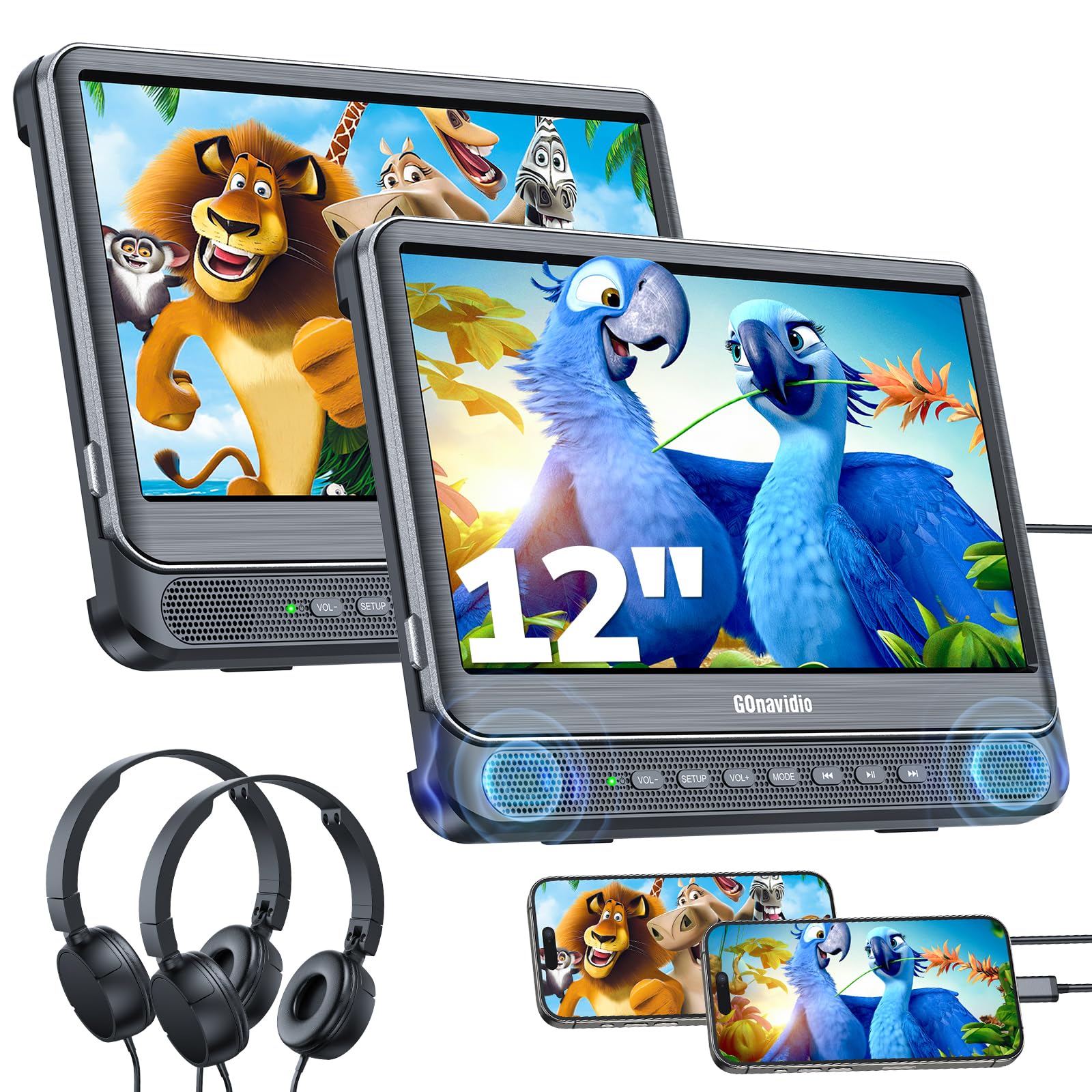
2. GOnavidio 12″ Dual Car DVD Players
Bigger 12-inch glass and two separate disc trays, so nobody has to share a screen or a movie.
GOnavidio’s angle here is size and independence. Each 12-inch screen carries its own disc tray at 800×480 resolution, so both kids can pick a different disc and start at different moments, or you can sync them through the supplied AV cable. Included headphones fit both kids and adults, and the remotes mean the front seat can control the show without reaching back. The headrest straps and brackets slide on and off in a minute, which is the difference between moving the set to Grandma’s car and leaving it in the garage.
Owners who tested the HDMI input found it the standout feature — one ran a phone into the screen with an HDMI-to-USB-C cable and watched most of a 14-hour road trip that way. Disc loading works, and the two-screen link cable handles the same-movie case, though the cable itself stretches visibly between seats, so plan where it runs.
Two honest notes. First, the screens are bigger but the footprint is bulkier than the Arafuna kit at 12″L x 12″W x 12″H. Second, the disc players are the weakest link in this family of products — a couple of units have reported tray errors or a screen shutting off mid-movie, so verify both trays work within the return window. Use the HDMI path as your backup: phones and streaming sticks tend to work where a scratched disc does not.
Sound and picture: Colors are vivid and the picture stays clear on both screens, and the speakers hold up for a back seat without blasting the front row.
The wiring reality: one cable links both screens for shared viewing, and it is long enough to be useful but awkward to hide in a small SUV.
Best for: families who want the biggest disc screens in the mid-tier and rely on the HDMI port for phone content.
Think twice if: a tidy interior matters most — the between-seat link cable shows.
3. Yoton 10.5″ Two Car DVD Players
The budget pick that still packs a 5000mAh battery, so a screen keeps running once the car is off.
Two 10.5-inch LCD screens at 1024×600 resolution, each with a built-in 5000mAh rechargeable battery — that is the headline. A three-hour charge yields roughly five hours of playback — a morning drive plus a restaurant stop with the screen still on. You also get three power routes: the batteries, two AC adapters for home use, and one car charger for the 12V socket. For a family that wants to pull the units off the seat and into the house, that flexibility is the point.
Both brackets and both headrest straps ship in the box, and the clamshell design means a child can change discs without pulling the unit off its mount. Syncing two players through the AV cable puts the same film on both, and the last-memory function resumes from the exact spot after a stop. What wins people over is the value for what you get: two rechargeable players, two brackets, two remotes, all in one bundle. On a road trip with grandchildren, it does the basic job — easy to hook onto the headrest and easy to plug into the cigarette lighter.
The trade-off is the video support, which tops out at 1024×600 and will not touch a 4K or Blu-ray disc. USB cards are capped at 32GB, and MP4 files are not supported. Expect a little fiddling getting a disc started, and note that the plastic screen adjuster is the soft spot — one three-year-old snapped the teeth clean off. Set it up once and leave it be rather than letting a toddler angle the screen.
The honest wobble: a strap-mounted unit can show a little bounce over rough pavement, and the recurring disc-tray error is the thing to watch — if both players misbehave in week one, use the return window.
The upside: five hours on a charge for this price tier is genuinely useful, not a token battery.
Grab this one: if you want rechargeable players on a tight budget and mostly watch DVDs.
Look elsewhere: if your library is MP4 files on a USB stick — this one will not read them.
4. DESOBRY 10.5″ Car DVD Player

A single-screen player whose disc slot sucks the DVD in — no flip lid to jam on a bumpy road.
The design here solves the exact failure most lift-open players hit. Instead of a lid that springs open over a pothole, the DESOBRY pulls the disc into its slot in about three seconds, so the “door open” error never happens. The 10.5-inch screen runs 1920x1080P at 30fps, and a 135-degree adjustable hinge lets a child tilt the picture level to cut glare from the side window. HDMI input accepts 1080P from phones, computers, or a Nintendo Switch, and AV in/out lets you push the screen onto a TV at home.
Because it is a single unit, this is the pick for a car with one back-seat passenger. Install is a screw-tightened bracket, and one parent bought a second unit for a second vehicle after the first impressed them — the remote did the heavy lifting from the front seat. In terms of raw picture, the slot design plus the wide bracket keeps the image stable over rough pavement in a way a floppy strap-mounted screen cannot.
The real limit is power: there is no battery, so it needs the car charger or an AC outlet and will not run free. The headrest mount is bulky and does not fit every vehicle — a Tesla headrest is a known no-go. And because this is a long-selling model with a large review base, most owners are pleased while a small number have had discs fail to read or a remote arrive dead. Test a disc and the remote on day one.
Why parents warm to it: the slot loading is genuinely kid-friendly, the 135-degree screen adjusts, and the included headphones run at a safe volume limit.
One wired cheat: the remote will not reach from the front seat, so the back-seat passenger or a passenger up front runs the controls.
If you have one kid in back: this is the tidy one-screen answer, and the slot-in tray is worth the size.
Avoid if: you need battery playback or drive a Tesla — the mount is not made for that headrest.
5. WONNIE 12″ Dual Car DVD Players

The 12-inch dual set that lets two kids watch two different movies and carries a battery for each screen.
WONNIE puts a rechargeable battery in each 12-inch player, and that changes the trip. Each screen runs up to five hours alone on a charge, dropping to about 2.5 hours when both are linked by AV cable and MODE switch for the same movie. Two mounting brackets and two headrest straps come in the box, and the clamshell shell means discs swap without unmounting. The dual stereo speakers and headphone jack on each unit let one kid go quiet on headphones while the other listens out loud.
Picture quality is what owners single out first — the big 12-inch screens look vivid, and the volume is loud enough for the back without blasting the front row. Setup takes under five minutes with the clips, and the resume function picks the film back up after a stop at the gas station. One owner swapped two tablets for these and preferred them for the car because the screens never walk off with a kid.
Two real limits deserve your attention. First, the battery life is uneven — how long it holds up in daily use varies, and a percentage of units have stopped reading discs or failed to power on within the first year. Second, the viewing angle is narrow from below: a young kid slouched low may not see the picture clearly, so the screens suit older kids and teens better than toddlers. The included 12V cable is also short for a second-row SUV install.
Set against the smaller Yoton pair, this WONNIE set wins on glass size and battery in both units, at a higher tier. If your back seat is two teens and you want dual independent screens with battery freedom, this is the strongest disc-based pair in the list.
What the back seat gets
- Two 12-inch screens with independent playback
- A rechargeable battery in each unit
- Vivid picture and good volume without front-seat bleed
- Two brackets, two straps, two remotes in the box
Set your expectations
- Battery lifespan varies unit to unit
- Screen is hard to see from a low slouch
- 12V cable runs short for some second-row installs
- No Blu-ray or MP4 support
Pick it if: your rear passengers are old enough to hold a viewing angle and you want two big screens with battery backup.
Pass if: you mostly carry toddlers in low car seats — the angle will fight you.
6. 13.3″ Car TV for Back Seat, 4K Android Headrest Monitor
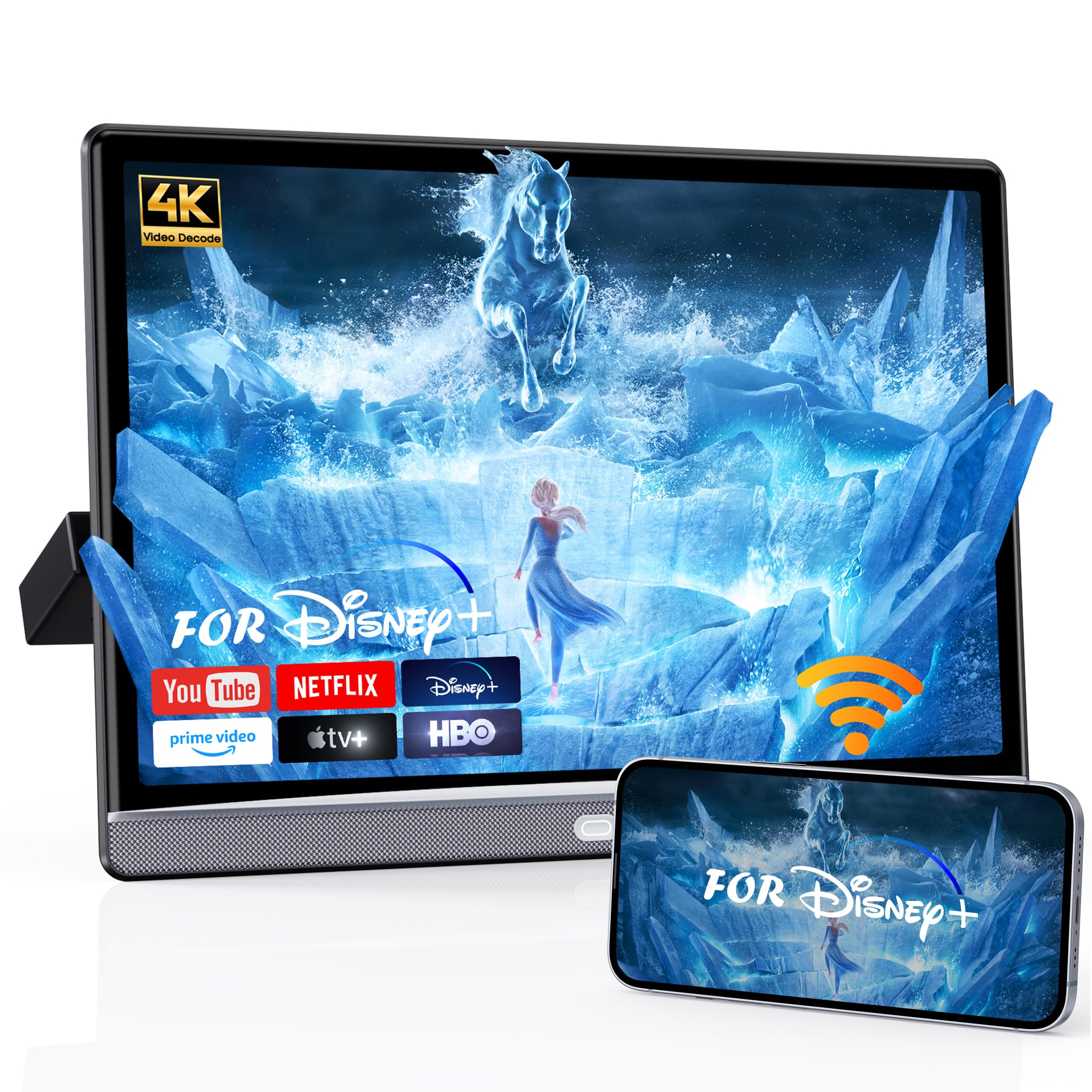
An Android tablet built into a headrest mount — YouTube and Netflix in the car, no disc case in sight.
This is a different animal from a DVD player. A 13.3-inch IPS touchscreen runs 1920×1200 with 4K playback support, and Android 13.0 lets you install apps from Google Play or APKPure, connect to your phone’s hotspot, and stream YouTube, Disney, or Netflix straight to the back seat. 4GB of RAM and 64GB of storage keep app switching smooth and hold downloaded shows for offline stretches. AirPlay and Miracast handle phone mirroring, and the MyCar Link app lets the front seat drive it remotely — which means you can start a movie for a toddler without climbing into the back.
Connectivity is where it pulls away from disc models. HDMI, USB, and TF ports take a game console or a streaming stick, and the HDMI sync feature lets two screens play the same content if you add a second unit. There is dual stereo sound with surround, plus wired and Bluetooth headphone support, and an FM transmitter so the audio can go through your car speakers instead of the built-in ones.
The catch is battery — there is no battery. It runs on an AC adapter, so it needs a 12V or household outlet and will not float free at a restaurant. The universal metal bracket fits 98% of vehicles, and at 2.1 kg the monitor hangs without sagging. Also accept that this is not a disc player at all — if your kids still live on DVDs, the disc picks above are the answer.
What owners enjoy: the touch screen feels tablet-fast, the picture is bright and clear, and the RGB accent lights at the base are a hit with kids.
The frustration to plan for: app mirroring is inconsistent — some phones simply will not push Netflix through it, and a missing remote means a toddler in a car seat cannot reach the controls from where they sit.
Right for you: if your kids are app-first and you have a hotspot in the car, the 4GB/64GB Android 13 setup is the whole point.
Skip if: you need a screen that works with no WiFi and no disc — there is no battery and streaming needs a signal.
7. 14″ Android Car TV Headrest Monitor for Cars
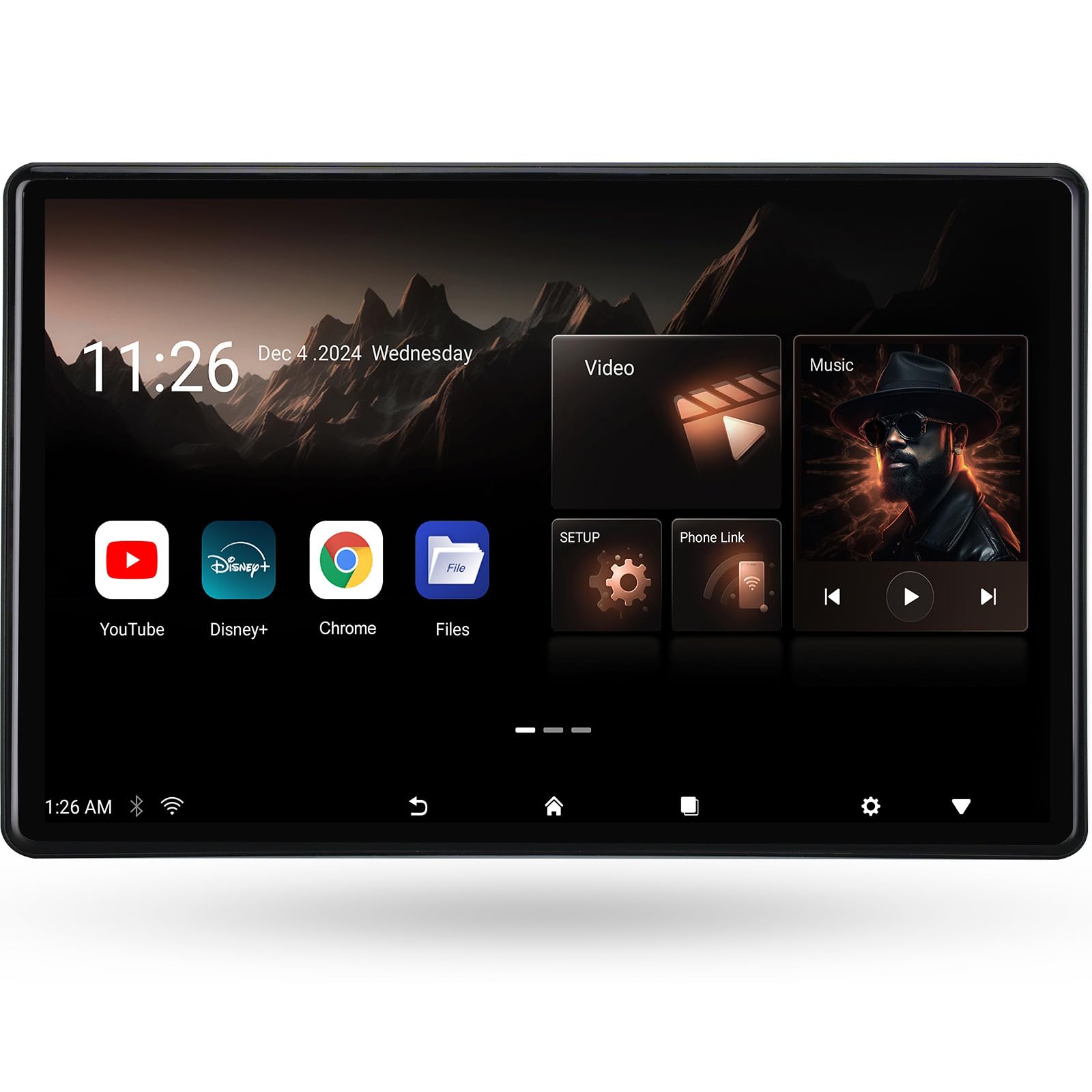
A 14-inch touchscreen at 2240×1400 — the highest resolution per inch in this lineup.
Seventour’s 14-inch panel is where the specs get serious. A 2240×1400 IPS touch screen beats the 1920×1200 on the 13.3-inch WONNIE and the 1920×1080 on the 15.6-inch pair, so text on a streaming app and fine detail in a movie read sharper. Android 13.0 with WiFi 5G and 2.4 GHz handles apps from Google Play or APKPure, and AirPlay, Miracast, plus the MyCar Link app cover phone mirroring and remote control from the front seat. HDMI input and output let you feed it from a PS5 or Fire TV stick, or chain two monitors together for a lossless image across both.
The audio options give it an edge for a shared car. High-quality speakers, wireless Bluetooth headset support, wired headset support, and an FM channel match that sends the monitor’s sound through the car radio instead of a tiny speaker. The metal bracket fits more than 98% of car models, and dual power adapters let you unmount it and run it as an Android tablet indoors.
Two things to know before you buy. First, no battery — it needs an outlet, so it lives in the car or on a wall plug. Second, the MyCar Link app is device-dependent: some newer phones are not yet supported, which is the most common point of frustration with these Android monitors. Check your phone against the app before you set your heart on it. Also expect ads and video playback to be smoother than a cheap tablet but not quite a flagship phone for loading games.
Where it shines: the resolution and the FM-to-car-speaker trick combine well — a 14-inch screen with sound through the car’s own system is a clean setup.
Watch the app: the mirroring app is the weak link; if it does not support your phone, the HDMI cable route is the reliable fallback.
Made for: anyone who wants the crispest picture and will use HDMI or a hotspot rather than discs.
Consider the 13.3″: if you want nearly the same experience at a lower tier and a slightly smaller footprint.
8. Pyle PLHRDVD108KT Headrest Monitors

Two 10.5-inch disc screens with wireless IR headphones — built to survive a hard-riding truck.
Pyle’s pair is the rugged choice. Two 10.5-inch LCD screens at 1024×600 in a 16:9 layout, each with its own top-loading DVD player, mounted on headrest brackets with a quick-release button so you can stow them away from prying eyes. The IR and FM transmitters are the differentiator: wireless headphones pick up the audio with no pairing — just select A or B and match the IR setting — and the FM transmitter can pipe sound onto a car radio channel. Under a stiff, heavy-duty truck on rough roads, the units hold the picture without skipping, which is more than most strap-mounted sets can say.
Each unit plays its own disc or mirrors the other via the included 10-pin connector, and both resume where you left off when the car powers back up. The stereo speakers are loud and decent, the headrest mount holds without straps, and the screen size stays legible from a third row. Wiring and connectors come in the box, and a quick-release makes taking them indoors for safekeeping easy.
The honest friction is the interface. There is no instruction manual for syncing the headphones — you hold the book button to reach the menu — and the remotes are small-button affairs that control both units at once. The IR headphone sound is modest, and you cannot run headphones and IR at the same time. Plan on 8 AAA batteries for two headphones and two remotes, and budget ten minutes to learn the menu before the first trip. Non-Blu-ray, as with every disc model here.
Built to take a beating
- Two independent 10.5-inch disc players
- Wireless IR headphones with no pairing step
- Holds picture over rough roads in a stiff truck
- Quick-release headrest mount for stowing
The learn-it-first list
- No printed headphone-sync instructions
- Small remotes control both units together
- IR headphone sound is modest
- Needs 8 AAA batteries across headphones and remotes
Choose this: if you drive a truck or SUV over rough pavement and want wireless headphones with no pairing dance.
Maybe not: if you expect a clean modern touchscreen — the UI and remotes are older-school.
9. 15.6” Android Car TV Headrest Monitor (Pair)
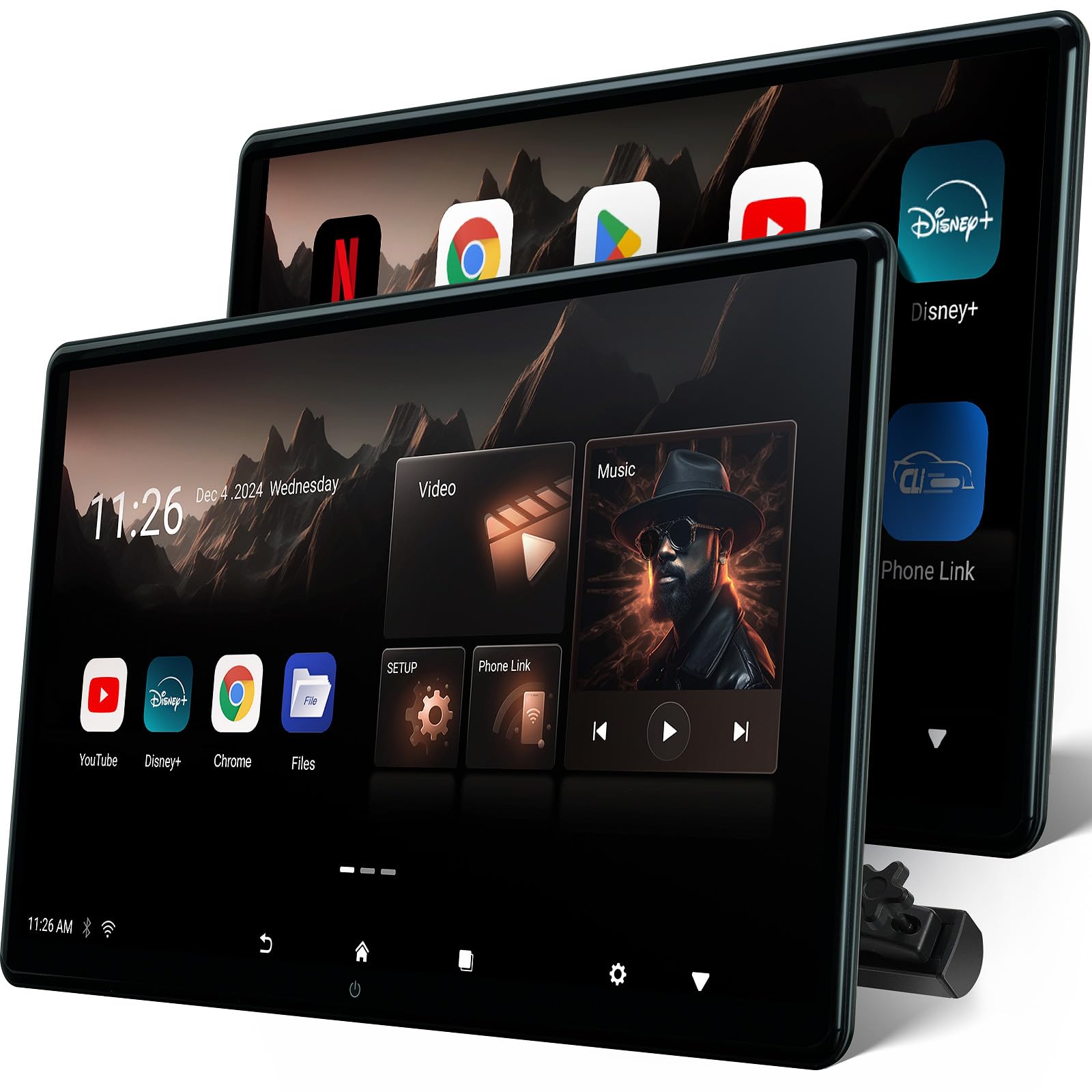
Two 15.6-inch touch screens in one box — the biggest rear-seat picture you can mount up front.
This is the largest option here and the only one that ships as a matched pair of full-size Android screens. Each 15.6-inch IPS panel runs 1920×1080 with 4K decoding, and Android 13.0 with WiFi 5G and 2.4 GHz installs apps from Google Play or APKPure. HDMI input and output let you chain the two monitors for a lossless image or feed one from a console. The metal bracket fits more than 98% of cars, and dual power adapters let both screens run as Android tablets off the vehicle. For a family that wants the same big screen on both seats, this is the straightforward answer.
The HDMI-out feature is the sleeper. One owner skipped phone mirroring entirely because copyright encryption blocks it, and ran a USB-C-to-HDMI cable from an Android phone into the first monitor’s HDMI in, then HDMI out to the second — both screens got the same movie, just with a cord on display. Picture is clear with good color and adjustable LED backlighting, and the touchscreen responds smoothly to a finger.
The catch is power and setup. There is no battery — it needs an AC or 12V feed, and a 12V-to-dual power connector rolls the cable run into one lead. The Wi-Fi connection has to be re-established after each start unless you update the system, and some units arrive needing a firmware push from the seller before Wi-Fi will connect at all. Set it up once at home, connect it, update it, then install it in the car — do not try to do first-run setup in a driveway.
What the kids get: 15.6 inches of clear touchscreen with good color, apps on tap, and a headrest mount that does not interfere with the seat.
The support note: sellers have replaced a failed unit without fuss — keep the order details, because a defective screen is the main thing that goes wrong.
For the family that wants maximum screen: two 15.6-inch Android panels is the widest rear-seat setup in this guide.
One caveat to accept: no battery and Wi-Fi setup patience required — this is a plug-in, update-once, then enjoy kind of purchase.
Know the Specs
Rechargeable battery vs 12V-only
A rechargeable model packs a battery (measured in mAh, milliamp-hours) so it keeps playing after the ignition is off — useful for a lunch stop or a hotel room. A 12V-only unit must stay plugged into the car’s cigarette lighter or power socket. A larger mAh figure generally means longer play, but the screen and settings affect real runtime, so treat claimed hours as a guide rather than a promise. If you want to carry a screen indoors, choose battery-capable; if the screen never leaves the car seat, 12V is fine and simpler.
Resolution and screen size
Resolution is the number of pixels across and down — 1024×600 is the simpler end, 1920×1080 is full HD, and 2240×1400 is sharper still. On a 10-inch screen the difference is visible in text and fine detail; on a 15-inch screen it matters more. Size is a trade-off: a 15.6-inch panel is a big picture, but it also crowds a small SUV’s seat gap. Match the screen to your seat spacing, not just the biggest number.
Clamshell, slot-load, or lift-open disc door
Clamshell screens open on a bottom hinge, slot-load designs pull the disc in, and lift-open trays spring up from the top. Slot-load and clamshell designs cut the chance of the disc door popping open and pausing the movie over a bump. If your kids ride in the car for long stretches, favor those two over a top-lift tray, and check the disc format your player accepts — most here read DVD and CD but not Blu-ray.
AV sync, HDMI input, and mirroring
AV sync uses a cable to show the same movie on two screens. HDMI input lets a phone, game console, or streaming stick send video to the screen. Mirroring uses Wi-Fi or a cable to show your phone’s screen on the headrest monitor — but copyright protection can block some apps, and some phones are simply not supported by the mirroring app. Check both your phone model and the app before relying on mirroring for movie night.
Common Questions
Will these headrest TVs fit my car seat?
Do these players run on battery or only the car charger?
Can both screens play different movies at the same time?
Will a headrest DVD player work with my phone?
What disc formats will these car DVD players read?
How long does a rechargeable headrest screen actually last on a charge?
Is an Android car TV better than a DVD player for kids?
Why does my headrest screen say the disc door is open?
Can I use one set of headphones with both screens?
Will a 15-inch headrest screen be too big for my car?
The Bottom Line
For most back seats, the headrest tv for car that gets the job done is the Arafuna 10.5″ Dual Car DVD Player, because two real disc players, a clamshell door, and an HDMI input cover the movies you own and the phone content you stream. If you want the biggest disc screens with a rechargeable battery in each unit, reach for the WONNIE 12″ Dual Car DVD Players. And when your kids live on apps rather than discs, the 13.3″ Android Car TV turns the back seat into a streaming screen — just bring a hotspot and plan for the adapter. One last nudge for the fence-sitters: the Arafuna kit pairs a dual-screen setup with strong owner satisfaction on portability, which is exactly the quality that keeps a road trip calm.
How we choose
We do not accept paid placement. Every pick is matched to a real buyer and a real use-case; we do not hands-on test units.
Sources
Specifications: manufacturer listings and product documentation. Review insights: verified customer reviews, as of October 2026. Pricing: not shown on this page (it changes often); check the current price via the retailer link.
As an Amazon Associate, Aappliancez earns from qualifying purchases. This does not affect which products we feature.