Disclosure: Some links in this post are affiliate links. As an Amazon Associate I earn from qualifying purchases, at no extra cost to you. Learn more
Specs are compiled from manufacturer listings and verified buyer reviews and can change over time — please confirm the key details on the product page before buying.
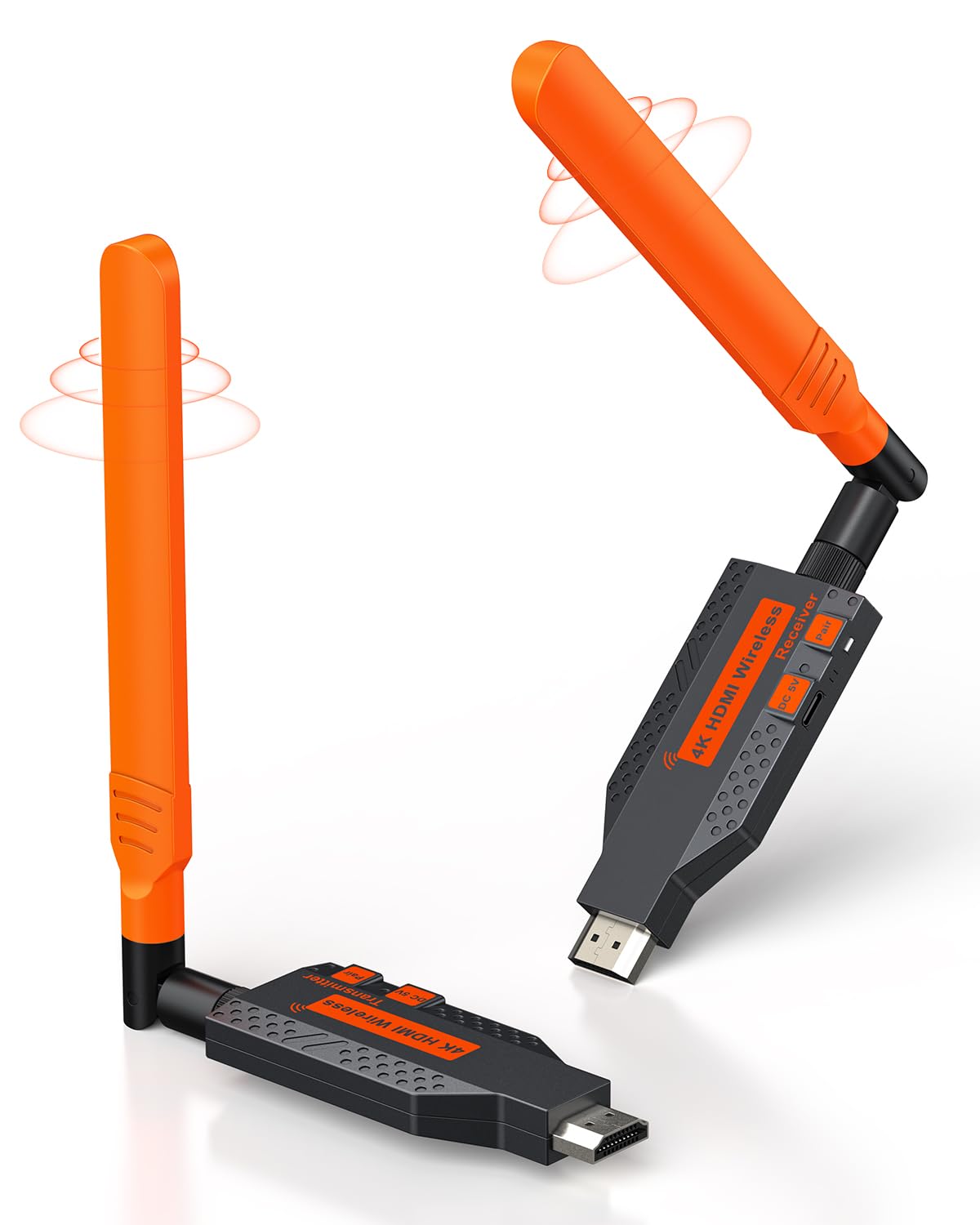
If you want to put a TV on a wall that has no cable running to it, a wireless HDMI transmitter and receiver does it. A transmitter (the box that plugs into your laptop, PC, or camera) sends the picture through the air to a receiver (the box that plugs into your TV or projector). Both boxes pair to each other, so you avoid opening up a wall or dragging a long cable across the floor. The catch most buyers hit is the “through walls” claim. Open-air range and real-world range are two different numbers, and this guide separates them for every pick.
This guide is built by comparing the manufacturers’ published specifications and the patterns across verified customer reviews, so you get each pick’s real strengths and trade-offs instead of marketing spin.
The picks below cover every common setup, from a single laptop-to-TV link to one signal feeding four screens at once, so you can match a kit to your room. Every option here is chosen to work as a Best HDMI Wireless Transmitter and Receiver for normal rooms, not lab conditions.
Top Picks

How To Choose The Best HDMI Wireless Transmitter and Receiver
Start with the question that trips up most buyers: how far the signal actually has to travel in your room. A kit that lists a long open-air distance will often cover a much shorter distance once a wall, a floor, or a full bookshelf sits between the two boxes. Manufacturers usually publish both numbers, so read the second one before you buy.
Open-Air Range vs. Through-Wall Range
Open-air range assumes a clear line of sight with nothing in the way. Through-wall range is the realistic figure for a signal that has to pass through drywall, furniture, or a floor. A kit rated for a long open-air distance may still hold a stable link through a single interior wall, but thick concrete, metal studs, and stacked floors cut that distance hard. If your transmitter and receiver sit in different rooms, plan around the through-wall number, not the headline one.
Latency and Refresh Rate
Latency is the delay between the source picture and what appears on your screen. Kits here quote figures as low as 0.1 seconds, which is fine for a presentation or a movie. For fast-paced gaming, even a small delay is noticeable, so a kit built for smooth 60Hz output is the safer pick if you plan to play. Refresh rate (60Hz means the screen redraws 60 times per second) is separate from resolution, and you want both to line up with what your TV can display.
Decoding, Output, and Device Ports
“4K decode” describes the signal the kit can accept; the receiver still sends 1080P out to your screen on most of these. Check the ports on both ends. Some transmitters use a standard HDMI plug, while others use USB-C, which fits newer laptops without an adapter. A kit that includes adapters for Mini HDMI, Micro HDMI, or USB-C saves you buying them later.
Side-by-Side Comparison
| Model | Best For | Open-Air Range | Output | Latency | Amazon |
|---|---|---|---|---|---|
| Wireless HDMI PRO (Yomais G57)★ Best Overall | One source to multiple TVs | 165FT/50M | 1080P @60Hz | 0.1s | Amazon |
| Coolpie 1TX-1RXLongest Range | Long-range home theater | 350FT/100M | 1080P @60Hz | ~0.1s | Amazon |
| Lemorele Aluminum | Phone monitoring via app | 656FT | 1080P @60Hz | — | Amazon |
| Alxum USB-C 2-in-1 | USB-C laptops and phones | 165FT/50M | 1080P @60Hz | — | Amazon |
| EVATEK Wireless HDMI | Extra-long open-air range | 328FT/100M | 1080P @60Hz | — | Amazon |
| Taiquinix Wireless HDMI | Travel and events | 165FT/50M | 1080P @60Hz | — | Amazon |
| Beyn Wireless HDMI | Privacy button in meetings | — | 1080P | — | Amazon |
Detailed Reviews
1. Yomais G57 Wireless HDMI Transmitter and Two Receiver
Our pick — 4.5+★ from 300+ verified ratings; the strongest balance of quality and price.
Two receivers in the box, so one laptop can fill two screens at once.
The pack arrives with a transmitter and two receivers already paired to each other, plus a USB-C to HDMI adapter in the box. That means a newer laptop with only USB-C ports connects without buying anything extra. Setup is plug-in and wait a few seconds; there is no app, no driver, and no Wi-Fi login. It works across HDMI devices, from laptops and PCs to cameras, game consoles, and set-top boxes.
The range claim splits into two numbers worth knowing. You get 165FT/50M in open space with nothing in the way, and 50FT/15M through walls. That second figure is the one to plan around, and the maker is direct about the limit: avoid thick walls and large obstacles. Both the transmitter and the receivers run on USB 5V1A power, so each box needs its own power feed. If the transmitter draws from your laptop’s USB port, the maker says to keep the laptop plugged in for stable performance.
The other standout is multi-screen reach. A single transmitter supports up to 6 screens: 4 receivers plus 2 phones or tablets, so a meeting room or a restaurant with several TVs can show the same signal everywhere. A free USB-C to HDMI adapter handles newer laptops, and the TUTUPlay app turns an iPhone, iPad, or Android device into an extra display for laptop-to-phone mirroring. The heat-control chip keeps the boxes cool during long sessions, which matters when a device runs for hours.
What earns its spot
- Two receivers included, so two TVs work straight from the box
- Expands to 4 receivers plus 2 mobile screens from one transmitter
- USB-C to HDMI adapter bundled for newer laptops
- 0.1s latency and 60Hz refresh keep presentations and movies smooth
Where it asks for care
- Through-wall range drops to 50FT/15M, so a concrete wall can cut the link
- Every box needs its own USB 5V1A power feed
- Thick walls and large obstacles are called out as problem areas
Best for: anyone feeding two or more screens from one laptop, camera, or console, with a clear path or just one interior wall between rooms.
Plan around this: the 50FT/15M through-wall figure, plus a USB power outlet for each box, because that pairing decides whether it works in your space.
2. Coolpie Wireless HDMI Transmitter and Receiver 1TX-1RX
A metal body and a 350-foot open-air reach for long cable runs you would rather not drill.
If you need to send a signal across a long distance, this kit is the one to consider. The maker says it reaches up to 100 meters (350 feet) in open air, and 50 meters through solid barriers like walls — that is farther than the 165FT/50M open-air figure on the Yomais G57 above, and farther than the 165FT/50M on the Alxum kit. One buyer ran a security-camera monitor from a bedroom to the garage, almost 70 feet plus walls apart.
Inside is a single-band 5.8GHz radio paired with high-gain external antennas, and the latency is put at roughly 0.1 seconds. A full aluminum alloy body handles the heat, with ventilation holes built in, and the maker states the surface stays cool even after 8 hours of continuous use. Setup is genuinely hands-off: power on, connect the transmitter to your computer, connect the receiver to your TV, projector, or monitor, and they pair by themselves. The maker notes a 1-year warranty with a promise of a 24-hour support response.
Functionality is the trait that wins people over more than any other here — it is the single most-flagged positive in the reviews by a wide margin, with ease of use well behind it in second. Buyers call it out as a problem-solver for long HDMI runs. One puts it plainly: “This is better than using the cable. It’s super fast and reliable.” The honest catch is connectivity, which draws a genuinely mixed response — most pair easily, but connection trouble shows up often enough to be the main thing to watch. Resolution is capped at 1080P, so this is a long-reach, not high-resolution, pick.
The distance case: 350FT/100M open-air and 50M through solid barriers make this the fit for a barn, a garage, or a two-room run where cable installation is off the table.
What to weigh: 1080P output means no 4K display on the far end, a power supply is required, and the connection record is mixed rather than flawless.
Reach for this if: the two ends sit far apart, you want a metal-cased unit that runs cool, and 1080P is enough for the screen you own.
Look elsewhere if: your display is 4K and you want the headroom, since output here tops out at 1080P.
3. Lemorele Wireless HDMI Transmitter and Receiver

Turns your phone into a second live screen over the 5GHz band.
What sets this kit apart is the TuTuPlay app. It turns an iOS or Android phone or tablet into a portable live-view screen for whatever your HDMI source is sending — a camera, a laptop, a set-top box. For camera monitoring or previewing a shot away from the camera body, that is a genuinely different way to work. The housing is deep gray aluminum alloy, which handles heat better than plastic, and the hardware pairs itself with no drivers or software to install.
This unit has the longest stated reach in the group — a line-of-sight range up to 656 feet on a single 5GHz band — which beats the 350FT/100M open-air range of the Coolpie 1TX-1RX above. Output is 1080P at 60Hz, and one transmitter can feed up to 4 receivers at once, making a multi-screen setup from a single source easy. When using it as a phone monitor, note the phone only receives the preview — it cannot act as the signal source, so the transmitter still needs a real HDMI source at the other end.
Functionality is the aspect buyers praise most, and it leads the second-place trait, plug-and-play, by a wide margin. In daily use the thing owners note most is that it just works once it is connected, with picture quality called comparable to a wired link. The recurring gripes are heat, which builds up in warm outdoor conditions, and the need for the antennas to sit tight for a solid signal. Two owners, one running a DJ and karaoke rig and one running church production, both reported clear pictures and easy setup. Connection drops do happen for some, and the usual fix is to unplug and replug the transmitter first, then the receivers.
Why it stands out
- 656-foot line-of-sight range, the longest stated here
- TuTuPlay app turns a phone into a live monitor
- One transmitter to 4 receivers for multi-screen sharing
- Aluminum alloy body for heat dissipation
Keep in mind
- Units run warm outdoors, so overhead sun is a factor
- Antennas must be seated tight or signal quality suffers
- Occasional disconnects need a quick unplug to reset
Choose it if: you want a phone-based live monitor for a camera or laptop source and a long line-of-sight run across a hall.
Think twice if: your signal has to cross thick obstacles, since the headline 656 feet is a line-of-sight figure and obstacles cut it down.
4. Alxum USB-C Wireless HDMI Transmitter & Receiver, 2-in-1 Kit
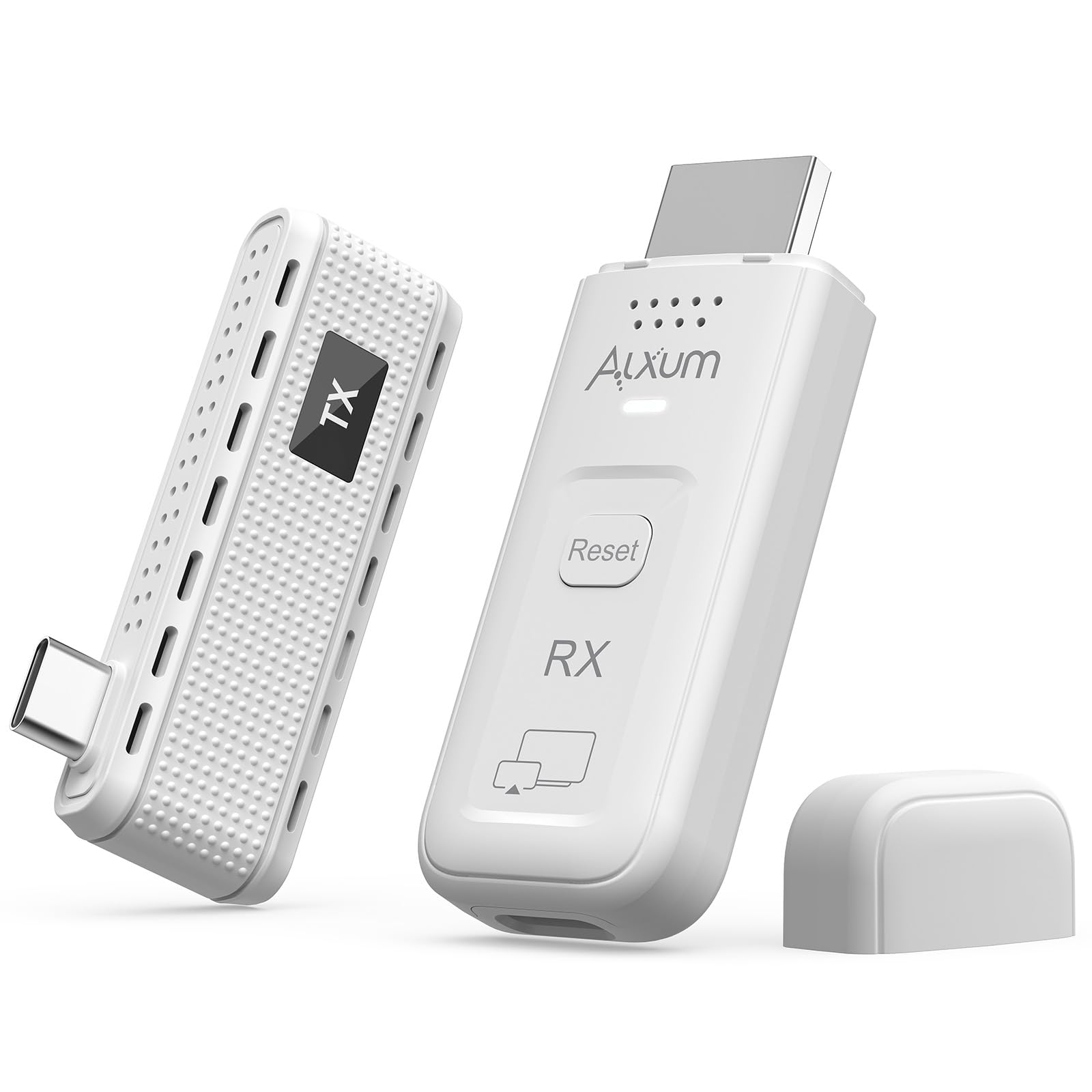
Two kits in one: a dedicated USB-C link, or receiver-only casting from a phone.
This is the one for a modern laptop or phone with a full-function USB-C port that carries video. The transmitter plugs straight into USB-C, so no adapter is needed, and the pairing is instant with no drivers, Wi-Fi, or Bluetooth to set up. It does two jobs. Used as a matched pair, the transmitter and receiver create a dedicated link between a USB-C device and a display. Used as a receiver only, it accepts a cast from any phone or laptop over AirPlay or Miracast — though it does not work with Google Cast, so check your phone’s casting standard first.
Output runs at 1080P and 60Hz over a strong dual-band signal, with a stated range up to 165 feet in open spaces. Two design touches stand out. The transmitter’s USB-C port sits on the side, so it will not block the ports beside it on a slim laptop. And a one-tap privacy button blanks the screen instantly during a sensitive moment, which is a real benefit in a shared meeting room. You can mirror or extend your screen, turning a laptop into a dual-monitor setup without cables.
Reliability is the trait owners discuss most, and it lands mixed rather than clean — plenty report it working exactly as intended, while connection trouble shows up for others. The most reliable way to use this kit is the matched-pair mode, since the receiver-only casting path depends on your phone’s standard and is the softer part of the design. As a USB-C-only option it is narrower than the HDMI-based kits, but for a laptop-heavy workflow that is the point.
Where it wins: a dedicated USB-C transmitter with a side-mounted port, plus a privacy button that blanks the screen in one tap, all in a pocket-sized kit that runs to 165 feet in open space.
The fit note: receiver-only casting needs AirPlay or Miracast and will not work with Google Cast, so check your phone before relying on that mode, and expect the matched-pair setup to be the steadier path.
The right call when: both ends are USB-C or HDMI and you value a clean port layout and a quick privacy blank for meeting rooms.
Not the pick when: you rely on Google Cast, since this kit does not support it.
5. Taiquinix 2026 Wireless HDMI Transmitter and Receiver
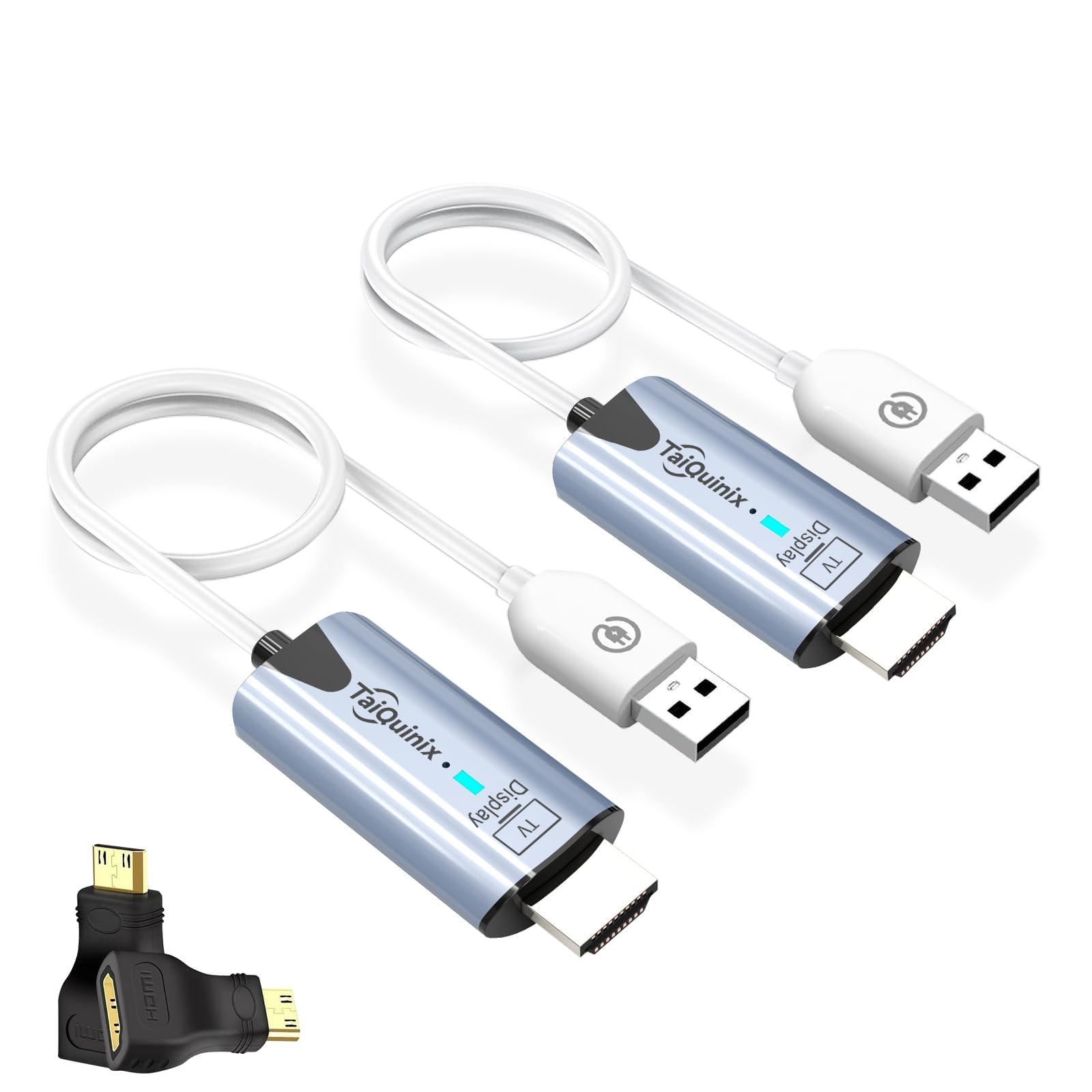
A 47 g per-unit pair that slips into a camera bag and pairs straight from the start.
At 47 g per unit, this pair is light enough to slip into a camera bag or laptop sleeve and forget about until you need it. It is pre-paired and ready to use straight from the box, with no drivers, apps, or network connection required. It carries dual-band 2.4G/5G transmission with a stated range up to 165 feet in open areas and 100 feet indoors, and it supports both mirroring (same picture on both screens) and extending (a second, separate screen). Two adapters, Micro HDMI and Mini HDMI, are included for cameras and older laptops.
The output is 1080P at 60Hz with 4K decoding on the input side, and the built-in chip is tuned for compatibility with a wide range of gear. One buyer whose laptop screen died from leaked ink mirrored it to another display and reported the kit brought the setup back to life. Others use it for classroom teaching and outdoor events by a lake. Quality is the aspect owners praise most, and it stands well clear of ease of setup in second — pairing is reported within about 30 seconds.
Two things to plan for. The transmitter and receiver run warm, and both the maker and owners suggest unplugging them when idle rather than leaving them powered around the clock. And on the connection side, buyers report a sequence to follow rather than a pure instant link — get the order right once and it holds, but it is not entirely hands-free. The port footprint and a short connection sequence are minor, but worth knowing before you buy.
The lightweight argument: a 47 g per-unit pair with 165FT/50M open-air and 100FT/30M indoor range covers most one-room and single-wall jobs without weighing down a bag.
The reality check: units warm up in use, so power them down between sessions, and expect a short pairing sequence rather than an instant link.
Pick it up if: you travel to present, teach, or stream on location and want something that disappears into your bag.
Move on if: you want zero setup at all — this one asks for a quick pairing order before it locks in.
6. EVATEK Wireless HDMI Transmitter and Receiver
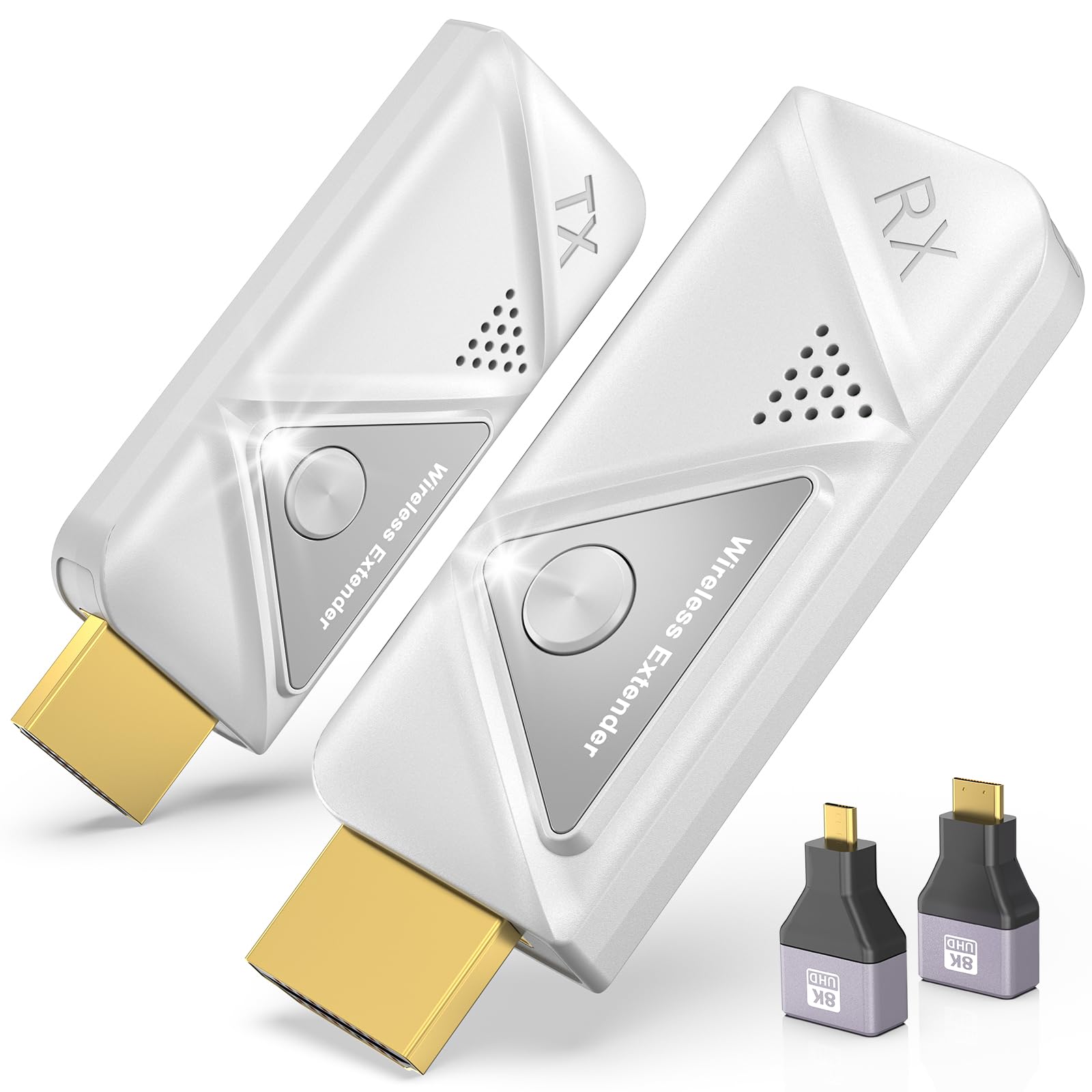
A church-tested link rated to reach across a hall and through the wall behind it.
The EVATEK kit claims the longest listed range of the mid-priced group at 328FT/100M, using a dual-band 2.4G/5G chip for a steadier signal than single-band. It handles 4K decoding with 1080P at 60Hz output, and it comes with two 8K adapters — one Micro HDMI and one Mini HDMI — so a DSLR, a Switch, or an older laptop connects without extra parts. It supports both extended and duplicate modes, meaning you can mirror your screen or use a second display as extra workspace.
At a listed 0.1 lbs, this compact box slips easily into a laptop case for travel. One buyer ran a church camera at the front into an AV capture card at the back and reported no interference from nearby wireless gear after the auto channel selection kicked in once. Another linked a TV and a PC on a cruise ship and liked it enough to hand it to the room steward.
The one caution worth stating plainly: connection behavior is mixed. Some setups lock on with no errors, while others drop more often than they would like. One owner returned it because they wanted a kit that could draw power from HDMI alone rather than needing USB, so check your power plan if that matters. It is a fine pick for someone who wants long reach and included adapters and does not mind the possibility of a little fiddling with the connection.
Why it earns a slot: 328FT/100M range, dual-band anti-interference, and two 8K adapters bundled — a lot of reach and hardware for a mid-tier price.
The caveat: connection stability varies from setup to setup, and it needs USB power for both ends rather than HDMI power alone.
Worth it for: church AV, presentation halls, and long room-to-room runs where the transmitter and receiver may need the extra reach and included adapters.
skip it if: you want a kit that draws power from HDMI alone, because this one wants USB at both ends.
7. Beyn Wireless HDMI Transmitter and Receiver

A meeting-room kit with a privacy button that blanks the screen in one tap.
The Beyn runs dual-band 2.4GHz and 5GHz with automatic channel selection, which keeps a busy room full of other wireless gear from knocking the signal off course. The input is 4K decode with 1080P output, and HDMI 2.0 with DisplayPort 1.0, plus a stated data rate of 14Gbps for carrying video, voice, and data at once. It ships with a USB-C to HDMI 4K adapter, a Micro HDMI 8K adapter, a Mini HDMI 4K adapter, an HDMI cable, and two Type-C cables — enough to hook up a laptop, a camera, or a tablet without a trip to the store.
The design feature that separates it is one-click privacy. A tap disconnects the link and stops the share instantly, so you can blank a shared screen in a meeting without unplugging anything. It offers both mirroring and extended display, so you can clone your laptop or use the second screen as extra workspace. Setup is straightforward by design — no dedicated app and no changes to Bluetooth or Wi-Fi settings on your laptop.
Functionality lands well, and setup stays simple in daily use. What a buyer should know before choosing is the build. The casing draws mixed feedback in the reviews, with some owners describing it as poorly constructed — it is the one soft spot in an otherwise capable kit. Some devices also sit at the edge of the compatibility list, and the manual is minimal, so be prepared to work out a step or two yourself. Treat it as a value-friendly workhorse for meetings rather than a heavy-duty rig.
What it does well: dual-band anti-interference, a one-tap privacy disconnect, and a full adapter kit in the box including Micro HDMI, Mini HDMI, USB-C to HDMI, and Type-C cables.
What to know: the build quality draws mixed notes from owners, so a little care with the casings will pay off.
A smart buy for: meeting rooms, classrooms, and shared presentations where a one-touch privacy blank and a complete adapter set matter most.
Look past it if: you want a metal-bodied kit or heavy-duty construction — the build here draws mixed feedback.
Know the Specs
Open-Air vs Through-Wall Range
Manufacturers quote two numbers and both matter. Open-air range assumes a clear line of sight with nothing between the boxes — the ideal case. Through-wall range is the realistic figure once drywall, furniture, or a floor sits in the way. A kit with a long open-air number, like the 328FT/100M on the EVATEK or the 350FT/100M on the Coolpie, will often cover only a small fraction of that through a thick barrier. Match the through-wall figure to the actual distance between your two boxes.
4K Decode vs 1080P Output
“4K decode” means the kit can accept a 4K signal at the input. It does not mean the screen sees 4K. On the kits here, the receiver sends out 1080P at 60Hz — the output that lands on your TV, projector, or monitor. That is plenty for a movie night or a presentation and keeps the wireless link stable. If you need a true 4K image on the far end, expect to run a cable instead.
Latency and 60Hz Refresh
Latency is the delay between the source picture and the screen, and the lower the figure, the tighter the lip-sync. A kit at roughly 0.1 seconds, like the Yomais G57, hides the gap for movies and talks. Refresh rate tells you how often the screen redraws, and 60Hz covers smooth playback. For fast-twitch gaming, even a small delay is noticeable, so a kit built for smooth 60Hz is the safer call.
Power and Port Setup
Most kits here run the transmitter and receiver off a USB 5V1A feed, meaning each box needs its own power cable, ideally from a USB wall plug rather than a laptop port that can drain. Which port connects where matters too. The transmitter goes into the source — a laptop, PC, camera, or console — and the receiver goes into the display. Some transmitters use HDMI, some use USB-C, and bundling the right adapters in the box can save a separate purchase.
Common Questions
Do these kits work through walls?
Will a 4K decode kit show 4K on my TV?
Can I run one source to multiple TVs at once?
Is the latency low enough for gaming?
Do I need an app, Wi-Fi, or Bluetooth to set one up?
Do both boxes need power?
Which kit is best for a USB-C laptop?
Can I use these kits for a camera or DSLR?
How long can I leave one running?
Why does my connection sometimes drop?
The Bottom Line
For most rooms, the best hdmi wireless transmitter and receiver pick is the Yomais Wireless HDMI PRO (G57), because it ships two receivers, covers 165FT/50M open-air and 50FT/15M through walls, and runs at 0.1s latency on a 60Hz link. It earns the top spot on the strongest owner record of the seven picks. If reach is your whole problem and you can live with 1080P, the Coolpie 1TX-1RX pushes to 350FT/100M. And if you want to monitor a camera from your phone with a 656-foot line-of-sight link, the Lemorele is the one to reach for. Match the through-wall figure to your room and you will land on the right kit the first time.
How we choose
We do not accept paid placement. Every pick is matched to a real buyer and a real use-case; we do not hands-on test units.
Sources
Specifications: manufacturer listings and product documentation. Review insights: verified customer reviews, as of October 2026. Pricing: not shown on this page (it changes often); check the current price via the retailer link.
As an Amazon Associate, Aappliancez earns from qualifying purchases. This does not affect which products we feature.