Disclosure: Some links in this post are affiliate links. As an Amazon Associate I earn from qualifying purchases, at no extra cost to you. Learn more
Specs are compiled from manufacturer listings and verified buyer reviews and can change over time — please confirm the key details on the product page before buying.
A lightning strike a mile away can travel down your HDMI cable and fry the port on your TV, console, or projector — and that tiny socket is often the first thing to go. An HDMI surge protector is a small in-line adapter that sits between your cable and your gear to absorb that sudden voltage spike. Which one should you buy? The Monster 5000W Surge Protector Power Strip is the top pick for protecting a whole outlet area, thanks to its 300-joule rating (a measure of how much energy it can absorb) and six outlets. The compact in-line HDMI adapters below are the right choice when you want to shield a single port directly.
This guide is built by comparing the manufacturers’ published specifications and the patterns across verified customer reviews, so you get each pick’s real strengths and trade-offs instead of marketing spin.
Some devices need a whole outlet strip, and some just need one guarded port. This breakdown separates them clearly so you can pick the right hdmi surge protector for your setup in minutes.
Top Picks

How To Choose The Best HDMI Surge Protection
Two very different products get sold under this label, and mixing them up is the most common mistake. One is a wall outlet extender that guards everything plugged into it. The other is a tiny in-line adapter that clamps onto a single HDMI cable to protect one port. Decide which problem you actually have before you spend anything.
Match the adapter to your cable’s resolution
An in-line HDMI protector passes your video signal through itself, so it has to handle the same bandwidth your cable carries. An HDMI 1.4 adapter tops out at 4K@30Hz — meaning 30 frames per second, the smoother half of the 4K speed range. An HDMI 2.0 unit handles 4K@60Hz, which is 60 frames per second. If your gear runs 4K at 60Hz or 8K, a 1.4-only adapter can cause signal loss or a blank screen, so check the version before you buy.
Understand what a joule rating protects
A joule is a unit of absorbed energy, and the joule rating on a wall strip tells you how much surge energy that device can soak up before it gives out. The Monster strip here carries a 300-joule rating (a measure of surge capacity). In-line HDMI adapters generally do not publish a joule number at all — they work by clamping electrostatic discharge and cable-discharge events at the port instead.
Check the install distance and grounding
In-line protectors are meant to sit close to the device they guard — within about 3ft on the Clever Family Homes unit. Some in-line kits include a separate ground wire that ties the protector to a real earth ground, which matters because a surge needs somewhere to go. Wall-strip models like the Monster plug straight into the outlet and ground through the socket itself.
Side-by-Side Comparison
| Model | Best For | Protection Type | HDMI Spec | Outlets / Ports | Amazon |
|---|---|---|---|---|---|
| Monster 5000W Surge Protector Power Strip★ Best Overall | Whole-outlet protection | 300 joules, ETL certified | — | 6 outlets | Amazon |
| HDMI 1.4 4K UHD Surge Protector (Clever Family Homes)Grounded Pick | Single HDMI port with ground wire | Solid-state silicon-avalanche | HDMI 1.4, 4K@30Hz, 10.2 Gb/s | 1 port | Amazon |
| NEW Surge Protector 4K @ 30Hz (2 Pack) | In-line ESD protection, two ports | ESD / cable-discharge | HDMI 1.4, 4K@30Hz | 2 protectors | Amazon |
| HDMI Surge Protector 4K@60Hz HDMI 2.0 | High-bandwidth 4K@60Hz setups | ESD / surge adapter | HDMI 2.0, 4K@60Hz, 18Gbps | 2 ports | Amazon |
| NEWCARE HDMI Surge Protector (5 Pack) | Protecting many ports at once | ESD / cable-discharge | HDMI 1.4, 4K@30Hz | 5 protectors | Amazon |
Detailed Reviews
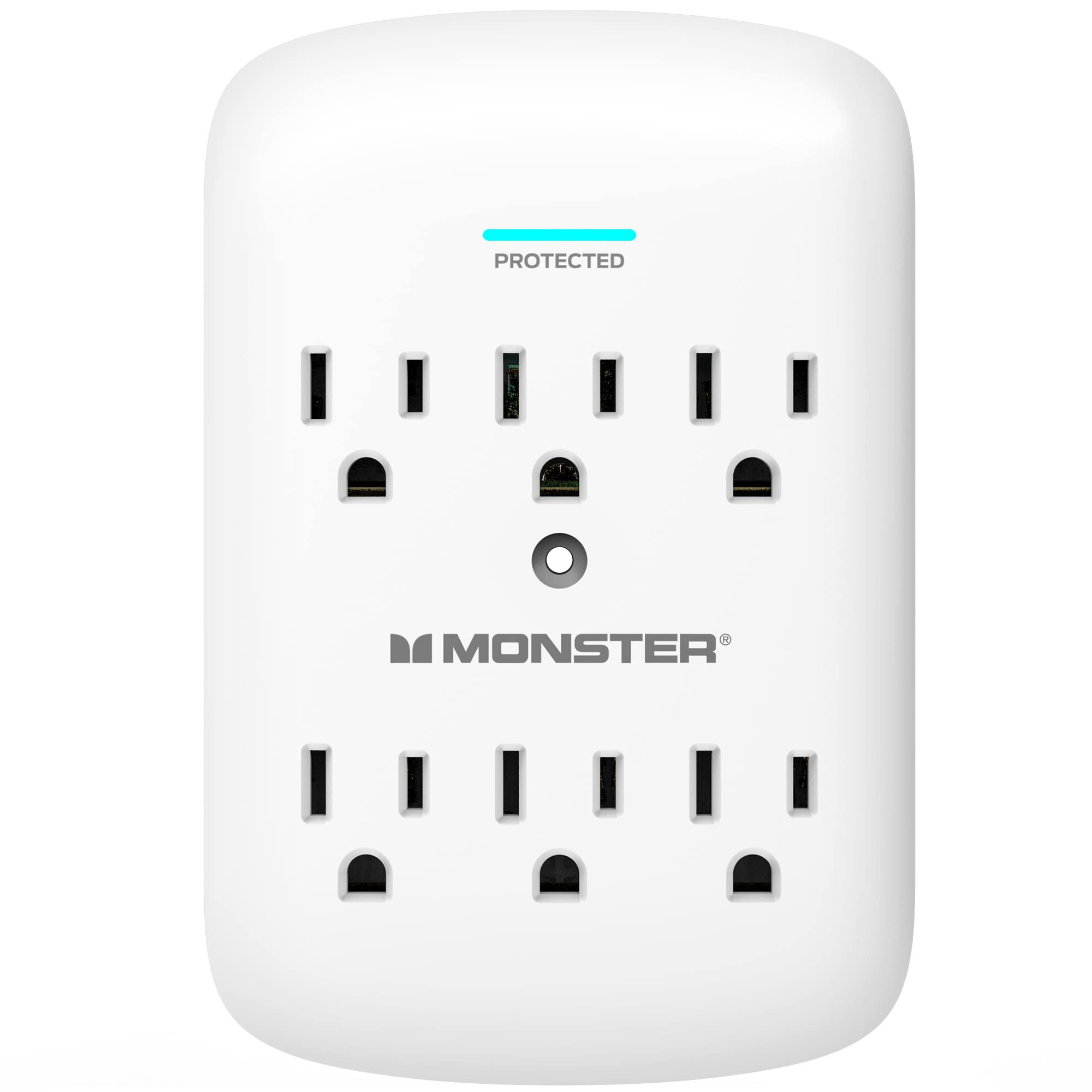
1. Monster 5000W Surge Protector Power Strip
Our pick — 4.5+★ from 650+ verified ratings; the strongest balance of quality and price.
The cord-free wall tap that guards six devices at once without a tangle of cables.
This is the pick for anyone who wants to protect a whole cluster of electronics rather than one HDMI port. It carries a 300-joule surge rating — a measure of how much surge energy it can absorb — and it does that job through Metal Oxide Varistor components, which are the internal parts that clamp excess voltage. It plugs directly into the wall as a low-profile outlet extender, so there is no cord to trip over and no power bar eating up floor space.
The spec that quietly matters most here is the outlet count: six. That is the single biggest difference between this and the in-line adapters further down, which guard one port each. The in-line HDMI 1.4 protector offers a single port where this Monster strip gives you six — a 6.0x gap in what you can plug in. For a home office or a media corner with a TV, a console, and a router all crowding one socket, that spread is the whole point.
What buyers like most is how easy it is to live with. Buyers report it installs cleanly and even comes with hardware to fasten it to the wall socket, so it stays put instead of sagging under the weight of plugged-in cords. One review puts it simply: “Monster is the gold standard for surge protectors.” It is ETL certified (a third-party safety listing), and it has an LED ground indicator that lights up to confirm the socket is properly grounded — your visual check that protection is actually live.
The honest catch is mounting security. The one recurring gripe is that a few owners wish it locked onto the outlet more firmly, so if you are pushing heavy plugs into it, use the included fastening hardware rather than letting it hang. It is a 15A, 120V unit with a Type B three-pin plug, meant for North American wall sockets only.
What sets it ahead
- 300-joule protection and a fire-resistant build using Metal Oxide Varistor components
- Six outlets in a cord-free wall tap that saves counter and floor space
- ETL certified with an LED ground indicator for a live safety check
- Includes hardware to fasten it to the wall socket
Worth knowing
- No HDMI port of its own — it protects the outlet, not a video signal path
- A few owners find it could anchor to the outlet more tightly
- North American Type B three-pin plug only
Grab this one: if you want to protect several devices from one wall socket, from a TV and console to a router and a laptop charger.
Look past it: if your only concern is a single HDMI cable running into one port, where a compact in-line adapter is the tighter fit.
2. HDMI 1.4 4K UHD Surge Protector
For the buyer who wants the protector tied to a real earth ground, not just floating on a cable.
Most in-line HDMI protectors rely on the port alone. This one ships with a separate ground wire — a 2-meter 16 AWG cable plus screws — so you can run the protector to a genuine earth ground. That matters because a surge needs a path away from your gear, and a dedicated ground gives it one. It also includes a 1-foot HDMI high-speed jumper lead with Ethernet, so the kit arrives ready to wire in.
You get smooth 4K video at 30Hz, with a maximum transmission rate of 10.2 Gb/s (gigabits per second — how much data the link moves). It stays active on all TMDS, DDC, HPD, and CEC channels (the communication lines a display and source use to talk to each other), so features like HDMI-CEC — which lets one remote control linked devices — keep working. The build uses solid-state silicon-avalanche technology, a protection method that clamps a spike without a moving part to wear out. It measures just 1.72 by 2.52 by 0.65 inches and weighs 1.41 ounces, small enough to tuck behind a wall-mounted TV.
The clearest limit: this is a 1.4 unit, so 4K@30Hz and 10.2 Gb/s is the ceiling. If your gear runs 4K at 60Hz or 8K, those signals exceed what this adapter supports and can drop out or distort. The maker is upfront about it and accepts returns if it does not suit your setup.
Install note: mount it within about 3ft of the device you are protecting, and it needs no power adaptor. It carries CE (the European equivalent of a UL safety listing), RoHS, and FCC certifications and is made to IEC 61000 standards.
Reach for this if: you want a single HDMI port guarded with an actual ground path and a complete install kit in the box.
skip it if: your display runs above 4K@30Hz, where you need an HDMI 2.0 adapter instead.
3. Surge Protector 4K @ 30Hz (2 Pack)

Two compact plugs that patch into the back of a TV and a monitor with no tools and no fuss.
This two-pack is built for the person who wants to guard more than one HDMI port without buying a larger wall unit. Each protector clamps electrostatic discharge and cable-discharge events, which are the small unseen jolts that can travel down a cable and fry an input. It is compliant with HDMI 1.4 and HDCP, the content-protection standard that streaming services require, so protected video keeps playing. Set-up is plug and play — no power adaptor, no configuration.
It supports 4K at 30Hz as its maximum — the same ceiling as the grounded unit above — and the package splits cleanly into two protectors plus a user manual. If you are weighing quantity, this pair gives you twice the coverage of the single Clever Family Homes adapter. That is a 2.5x spread from 5 units down to 2 when you compare against the five-pack further down the list.
The owner experience is the honest story here. Several owners mention repeated lightning hits through their HDMI ports and credit these plugs with reducing the damage. One detailed account describes a device that stopped passing video after a storm, then worked again once it was removed, cooled, and reconnected — so a unit that takes a strong hit may need a reset. For a defensive part at this size, that is a fair expectation to set.
Where it earns its place
- Two protectors in one pack for covering a TV and a second display
- ESD and cable-discharge protection compliant with HDMI 1.4 and HDCP
- Plug-and-play with no separate power source
- Backed by a 1-year warranty
Set your expectations
- Caps at 4K@30Hz, so it is not built for high-refresh 4K@60Hz gear
- Protection is invisible until a surge actually hits, so you cannot verify it on day one
- An occasional unit may need a removal-and-reset cycle after a strong event
A smart fit for: households with two or more HDMI devices that keep getting hit when storms roll through.
Better to pass: if you run a single 4K@60Hz console or PC, where a higher-bandwidth HDMI 2.0 adapter makes more sense.
4. HDMI Surge Protector 4K@60Hz HDMI 2.0
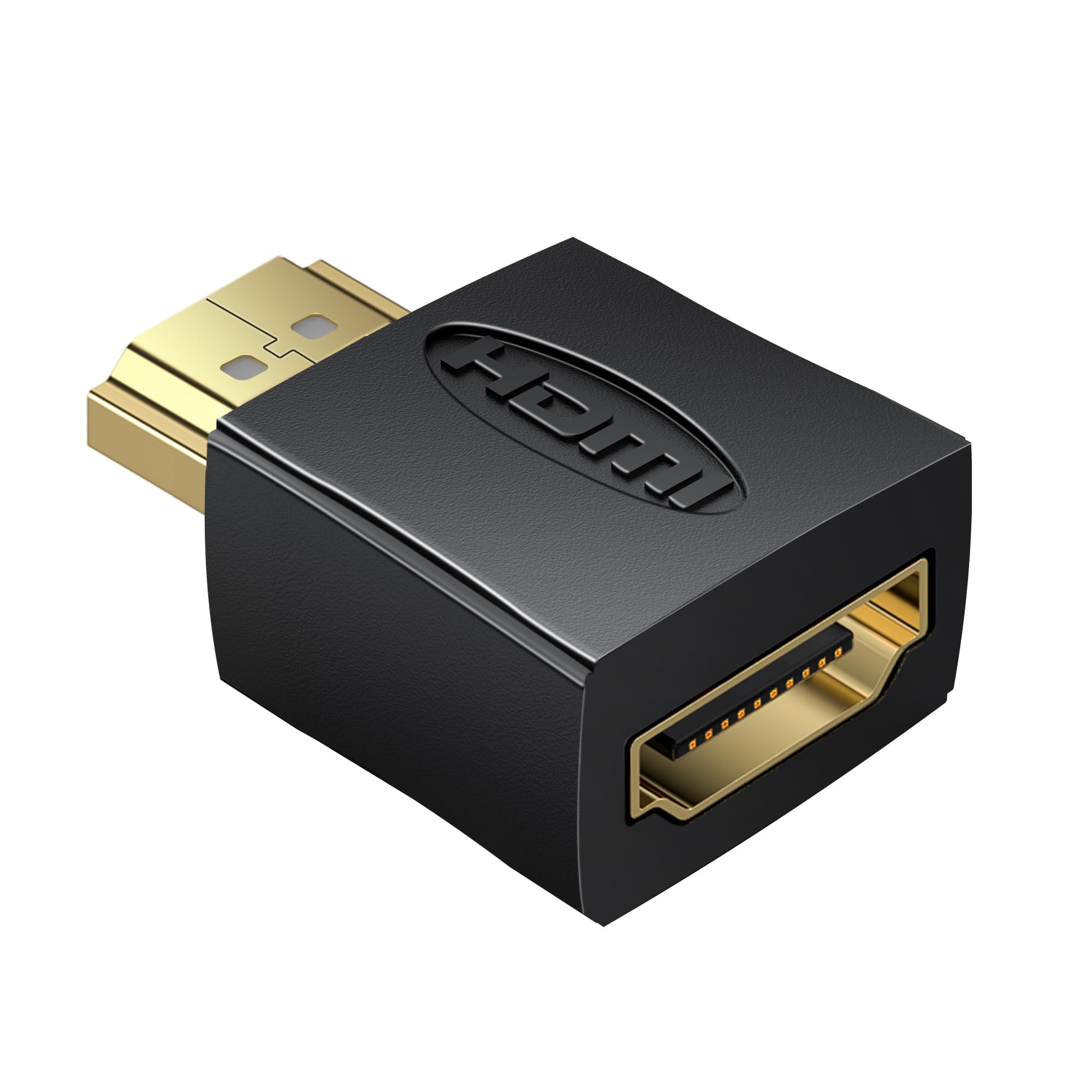
The one to buy when your gear runs 4K at 60Hz and a slower adapter would choke it.
Here is the head-to-head that decides it for most modern setups: this HDMI 2.0 adapter carries up to 18Gbps of bandwidth, while the HDMI 1.4 units above cap at 10.2 Gb/s. That wider pipe is exactly what lets it handle 4K@60Hz, HDR (high dynamic range, the format that widens contrast and color), and 3D content without dropping the signal. If you own a current-gen console, a 4K gaming PC, or a streaming box that outputs 60Hz, this is the version match you want.
It works by sitting between your HDMI cable and your device, guarding the port against voltage spikes. The two-port count means you are getting a pair here, not a single adapter. It is compatible with TVs, projectors, laptops, gaming consoles, and Blu-ray players, and the compact body fits discreetly behind most setups so it does not add clutter to a media center.
As the newest spec in this round-up, it has the shortest track record of the group — the trade-off of buying the higher-bandwidth generation. In return, you get a protector that will not throttle a 4K@60Hz signal chain. It carries a 1-year manufacturer warranty.
Why it leads on bandwidth
- HDMI 2.0 with up to 18Gbps, enough for 4K@60Hz, HDR, and 3D
- Two protectors included for a pair of devices
- Compact, discreet fit for home theater and office displays
- 1-year manufacturer warranty
The fair caution
- Newer spec with a shorter track record than the long-standing HDMI 1.4 units
- Overkill if your display only runs at 4K@30Hz or below
This is your pick: if you have a 4K@60Hz console, gaming PC, or streaming device and want protection that will not throttle the picture.
Think twice: if your setup runs older 1080p or 4K@30Hz gear, where the cheaper 1.4 protectors cover you just as well.
5. NEWCARE HDMI Surge Protector (5 Pack)
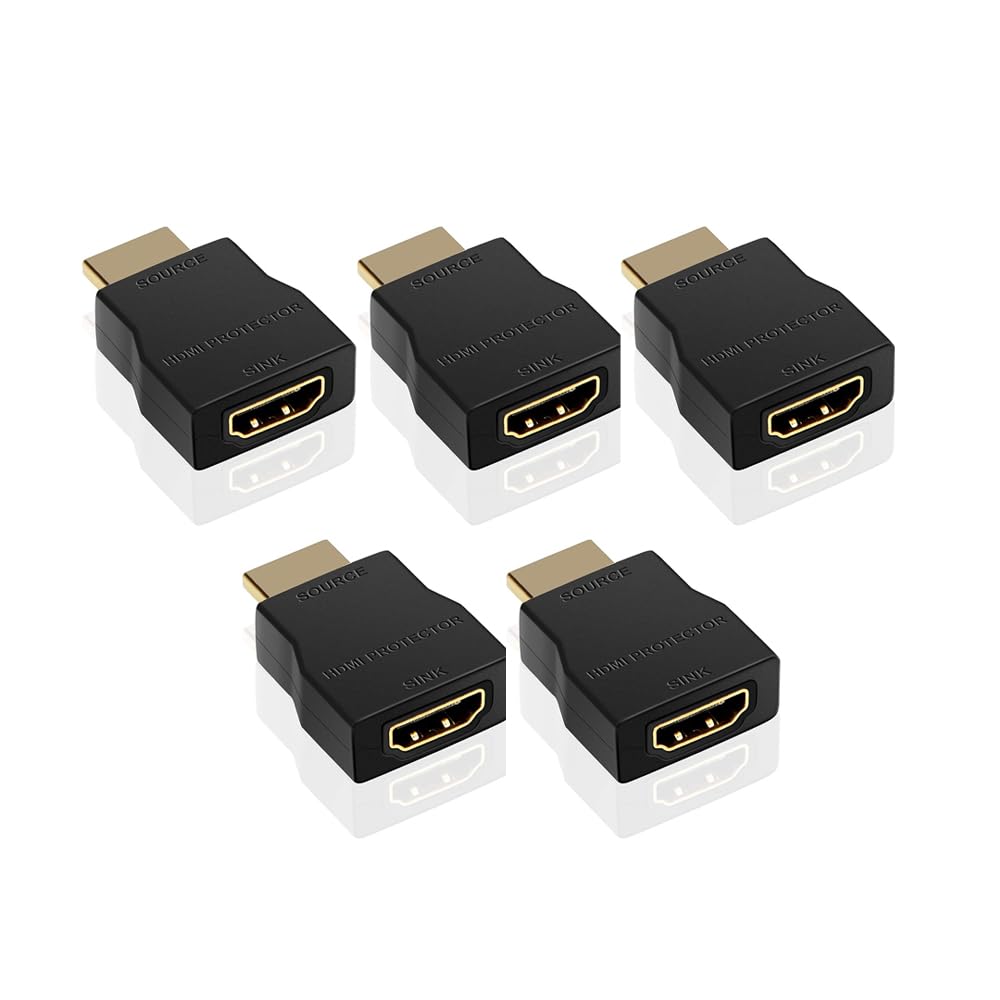
Five identical protectors for the household with a whole rack of HDMI ports to guard.
When you count every HDMI input in a home — the TV, the soundbar, the console, the streaming stick, the monitor in the spare room — the ports add up fast, and this five-pack is built for exactly that math. Each unit clamps electrostatic discharge and cable-discharge events (sudden static or cable sparks) and is compliant with HDMI 1.4 and HDCP (the copy-protection standard for video). The five-pack gives you 5 units against the 2 in the twin pack, so you can cover every port in the house from one buy.
Functionally, each protector mirrors the same design as the rest of the NEWCARE line: portable, with a stated premium-material build for longer lifespan, plug-and-play with no separate power source, and supporting 4K at 30Hz as its maximum resolution. The kit includes a user manual and is backed by a 1-year limited warranty.
It shares the family’s honest ceiling — 4K@30Hz, so 4K@60Hz and 8K setups need the HDMI 2.0 adapter instead. But if your goal is blanket coverage across many older or mid-range devices, buying in this quantity is the cleaner way to do it than five separate single-unit purchases.
The value read: per-port, this is the most coverage you get from any pick here, and the plug-and-play design means a non-technical household member can add one without any setup.
Best for: homes with four or more HDMI devices that all need guarding at once.
Not for you: if you only need to protect one or two ports, where the twin pack is the leaner buy.
Know the Specs
Joule Rating
A joule is a unit of absorbed energy, and the joule rating tells you how much surge energy a wall strip can soak up before it stops protecting. The Monster strip above carries a 300-joule rating. Higher is not automatically better for every setup, but it does tell you how much headroom the device has. In-line HDMI adapters usually skip a joule number entirely and work by clamping discharge events at the port instead.
HDMI Version & Bandwidth
The version number tells you the speed ceiling. HDMI 1.4 supports 4K at 30Hz with a 10.2 Gb/s maximum transmission rate. HDMI 2.0 supports 4K at 60Hz with up to 18Gbps. The faster your gear, the more important the match — pairing a 4K@60Hz console with a 1.4-only adapter can cause signal loss, while a 1.4 adapter is all you need for 1080p or 4K@30Hz displays.
Common Questions
Will an HDMI surge protector work with my 4K TV at 60Hz?
Is an HDMI surge protector the same as a power strip surge protector?
Do I need a ground wire on an HDMI surge protector?
How close to the device should I install an HDMI protector?
Will an HDMI surge protector stop lightning damage to my HDMI ports?
Can I use an HDMI 1.4 surge protector on a gaming console?
Does an HDMI surge protector add lag or reduce picture quality?
How many HDMI surge protectors do I need for a home theater?
Is an HDMI surge protector worth it if my gear is plugged into a surge strip already?
What happens if I use a 1.4 protector on an 8K device?
The Bottom Line
For most households, the winner is the Monster 5000W Surge Protector Power Strip because it guards six devices at once from a single socket with a 300-joule rating and an ETL listing, and it is the crowd favorite at 4.5+ stars across 600+ ratings. If your priority is a single HDMI port with a real ground path, the Clever Family Homes HDMI 1.4 protector is the one to reach for. And for a 4K@60Hz console or gaming PC, the HDMI 2.0 adapter is the version match that will not throttle your picture. Buy the strip for your power, and buy the in-line adapter for the cable that keeps getting hit.
How we choose
We do not accept paid placement. Every pick is matched to a real buyer and a real use-case; we do not hands-on test units.
Sources
Specifications: manufacturer listings and product documentation. Review insights: verified customer reviews, as of October 2026. Pricing: not shown on this page (it changes often); check the current price via the retailer link.
As an Amazon Associate, Aappliancez earns from qualifying purchases. This does not affect which products we feature.