Disclosure: Some links in this post are affiliate links. As an Amazon Associate I earn from qualifying purchases, at no extra cost to you. Learn more
Specs are compiled from manufacturer listings and verified buyer reviews and can change over time — please confirm the key details on the product page before buying.
Plugging a cheap external drive into a Mac for Time Machine looks simple until the morning it tells you the backup is read-only and you have to erase everything to get it working again. The drives below have been chosen for that exact job: staying reformatted as a Mac backup target, running quietly through hours of hourly snapshots, and holding up to being carried around between machines.
This guide is built by comparing the manufacturers’ published specifications and the patterns across verified customer reviews, so you get each pick’s real strengths and trade-offs instead of marketing spin.
The short version is that a plain 2TB drive reformatted to Mac OS Extended (Journaled) covers most people, while anyone with a large photo or video library should step up to 4TB so Time Machine can keep old snapshots instead of deleting them. Here is how each of these drives actually behaves under continuous Mac backup duty, picked for the hdd for time machine job.
Top Picks


How To Choose The Best HDD for Time Machine
Time Machine is Apple’s automatic backup tool, and it writes a new version of anything that changed every hour. That means the drive is not just storing one copy of your files — it is stacking versions on top of each other until the space runs out. Picking the right drive is mostly about three things: the format you set it to, how much room you leave for those old versions, and whether the cable will actually seat properly in your Mac.
Format the drive before your first backup
A new external hard drive almost always ships formatted for Windows. On a Mac you’ll want to open Disk Utility, choose Show All Devices, select the drive and erase it as Mac OS Extended (Journaled) — a format Macs read and write to natively without fuss. Some newer macOS versions will quietly convert the drive to APFS (Apple’s newer file system) the first time Time Machine runs, which is normal behavior and not a fault with the drive.
Size the drive to your library, not to your Mac’s storage
A common mistake is buying a drive the same size as your laptop’s internal storage. Time Machine wants roughly two to three times that headroom so it can keep older snapshots alongside the current ones. If your Mac has 512GB inside, a 2TB drive leaves comfortable space; if you edit video or keep a large photo library, 4TB is the safer floor. A drive that fills up starts discarding the oldest backups to make room for new ones.
Check the cable and the port, because that is what fails
The most common real-world failure in these reviews is not the disk inside — it is the connector. A USB-C MacBook needs either a USB-C drive or a USB-A to USB-C adapter, and a cable that wiggles loose will break a backup mid-write. Look for a drive whose included cable is the length you need and whose port feels firmly seated before you trust it with years of photos. Plugging straight into the Mac rather than through a hub also avoids drives that fail to be recognized.
Side-by-Side Comparison
| Model | Best For | Capacity | Interface Speed | Form Factor | Amazon |
|---|---|---|---|---|---|
| WD 2TB Elements Portable★ Best Overall | Everyday Mac backups | 2 TB | 5 Gbps (USB 3.2 Gen 1) | 3.5-inch | Amazon |
| WD 4TB Elements PortableBest for Big Libraries | Big photo and video libraries | 4 TB | USB 3.2 Gen 1 (5Gbps) | 2.5-inch | Amazon |
| Seagate 2TB Portable | Simplest plug-and-play setup | 2 TB | 1 Gbps | Portable | Amazon |
| ADATA HD710 Pro 2TB | Drive that travels in a bag | 2 TB | 90 Mbps | Portable | Amazon |
| LaCie Mobile Drive 1TB | USB-C Macs with no adapter | 1 TB | 5000 Mbps | Portable | Amazon |
| Toshiba Canvio Flex 2TB | Mac and PC in one drive | 2 TB | 5 Gbps (USB 3.0) | 2.5-inch | Amazon |
| Maxone 1TB Ultra Slim | Tight budgets | 1 TB | 5000 Mbps (up to 5 Gbit/s) | 2.5 inches | Amazon |
Detailed Reviews
1. WD 2TB Elements Portable External Hard Drive
Our pick — 4.5+★ from 165,500+ verified ratings; the strongest balance of quality and price.
A palm-sized 2TB drive that tucks into a bag and runs hourly Time Machine snapshots without fuss.
If you want one drive that just works for Time Machine and never needs a second thought, this is the one to start with. It holds 2 TB — enough for a typical Mac’s files plus the older versions Time Machine keeps alongside them. It connects at 5 Gbps over USB 3.2 Gen 1, the standard USB-A speed that makes a full first backup finish in a reasonable evening rather than overnight.
The feature that earns it the top spot is how little setup it demands. Windows sees it immediately, and on a Mac you erase it once and point Time Machine at it. Owners describe one-time reformatting on a machine with an M-series chip as the only wrinkle — the notes say the drive itself is fine and the read-only lock is Apple’s software being cautious, with a separate volume as the workaround. It is a palm-sized black enclosure, so it tucks behind a monitor or into a laptop sleeve without a second thought.
The honest trade-off is the connector. One Mac-oriented review mentions newer Mac models needing an adapter to attach, and on older machines it will not cooperate through a hub. Plug it directly into the laptop’s own port and it behaves. It is the crowd favorite at 4.5+ stars across 165,000+ owners; the 4TB sibling has fewer ratings and scores slightly lower.
What wins people over
- 2TB of room in a palm-sized aluminum-and-glass shell that stores in a drawer
- 5 Gbps USB 3.2 Gen 1 transfer rate makes the first full backup painless
- Plug-and-play on Windows with no software installation needed
- Reformatting once makes it a clean Time Machine target for years of snapshots
Where it asks you to adapt
- Needs a USB-A to USB-C adapter on newer Macs with only USB-C ports
- Prefers a direct laptop port over a hub, where recognition can stumble
Pick this if: you want the most heavily used Mac backup drive on the shelf and are happy doing one Disk Utility erase.
One real limit: no USB-C cable in the box, so budget for an adapter if your Mac has only USB-C ports.
2. WD 4TB Elements Portable External Hard Drive
4TB — twice the capacity of the 2TB pick — in a 2.5-inch body that tucks behind a TV.
Start with the number that matters: 4 TB versus 2 TB for the drive above. If you keep a photo library, a video project folder, or a large game install, that extra room is what lets Time Machine keep months of older versions instead of tossing the earliest ones. It also shifts to a 2.5-inch form factor, the smaller notebook-class build rather than the 3.5-inch desktop size listed on the 2TB model — easier to tuck away and carry.
What wins people over is straight performance. Owners running it as a Mac backup target report the one-time format step in Disk Utility — Show All Devices, erase, name it, choose Mac OS Extended (Journaled) — takes about a minute, after which it just runs. The same performance carries into day-to-day disk work: video editors say it is quick enough that only the very heaviest jobs feel the mechanical ceiling, and several report using it for years without a glitch.
On longevity, reviewers report two of these drives: one began failing after 8 years, the other is still running. That is a normal mechanical drive lifespan, not a defect, but it is the reason to keep a second copy of anything irreplaceable. The Mac-reformat note holds here too: ignore the Windows label on the box, erase it once, and Time Machine has a clean 4TB target.
Room to grow: 4 TB is the comfortable floor for anyone backing up a Mac with a photo library, because it lets hourly and daily versions stack up without early deletion.
Expect a mechanical ceiling: it is a spinning disk, so a full first backup takes hours — the trade-off for the capacity you get.
Reach for this if: your library or project folder makes 2TB feel tight and you want to stop thinking about capacity.
Look elsewhere if: you are on an all-USB-C Mac and would rather not add an adapter to a drive this size.
3. Seagate 2TB Portable Hard Drive

A 2TB drive with an 18-inch USB 3.0 cable that makes a first Mac backup a one-time Disk Utility format.
The clearest endorsement comes from the person who needed it least complicated: a first-time owner in their seventies describing it as true plug-and-play — no setup, no downloads, just copy, paste, and eject. That is the whole pitch of the Seagate Portable Drive. It holds 2 TB, comes with an 18-inch USB 3.0 cable, and the box says the drive gets recognized on connection without any software installed.
The Mac route is the same one you take on any Windows-labeled drive. Plug it in, open Disk Utility, choose APFS or ExFAT with the GUID scheme, and it is done in about a minute. Music producers who run it as a working-cache drive say it keeps up with large plugin and sample libraries and shows no delay. For a Time Machine target it will sit quietly in the corner doing its hourly work with nothing asked of you.
The honest word of caution is the disk technology. This is a hard disk drive, not a solid-state drive, so writes land at hard-drive speed rather than flash speed — fine for backups, noticeable if you expected something faster. The other thing to plan for is drop resistance: a spinning disk in a portable shell prefers not to be knocked while writing, so treat the cable and the surface gently.
Why the setup is the selling point
- Automatic recognition on connection — no software to install
- 18-inch USB 3.0 cable in the box covers a laptop and a desk setup
- 2TB handles a full Mac library plus hourly versions
- Widely used as a Mac backup target after one quick Disk Utility format
The mechanical reality
- Hard drive write speed, not solid-state speed — slow for large video transfers
- Less shock-tolerant than a flash drive, so don’t expect to toss it in a bag mid-backup
Go here if: you want the least intimidating path to your first working Time Machine backup.
Only caveat: mac users still need that one-time Disk Utility format before Time Machine recognizes it.
4. ADATA HD710 Pro 2TB External Hard Drive
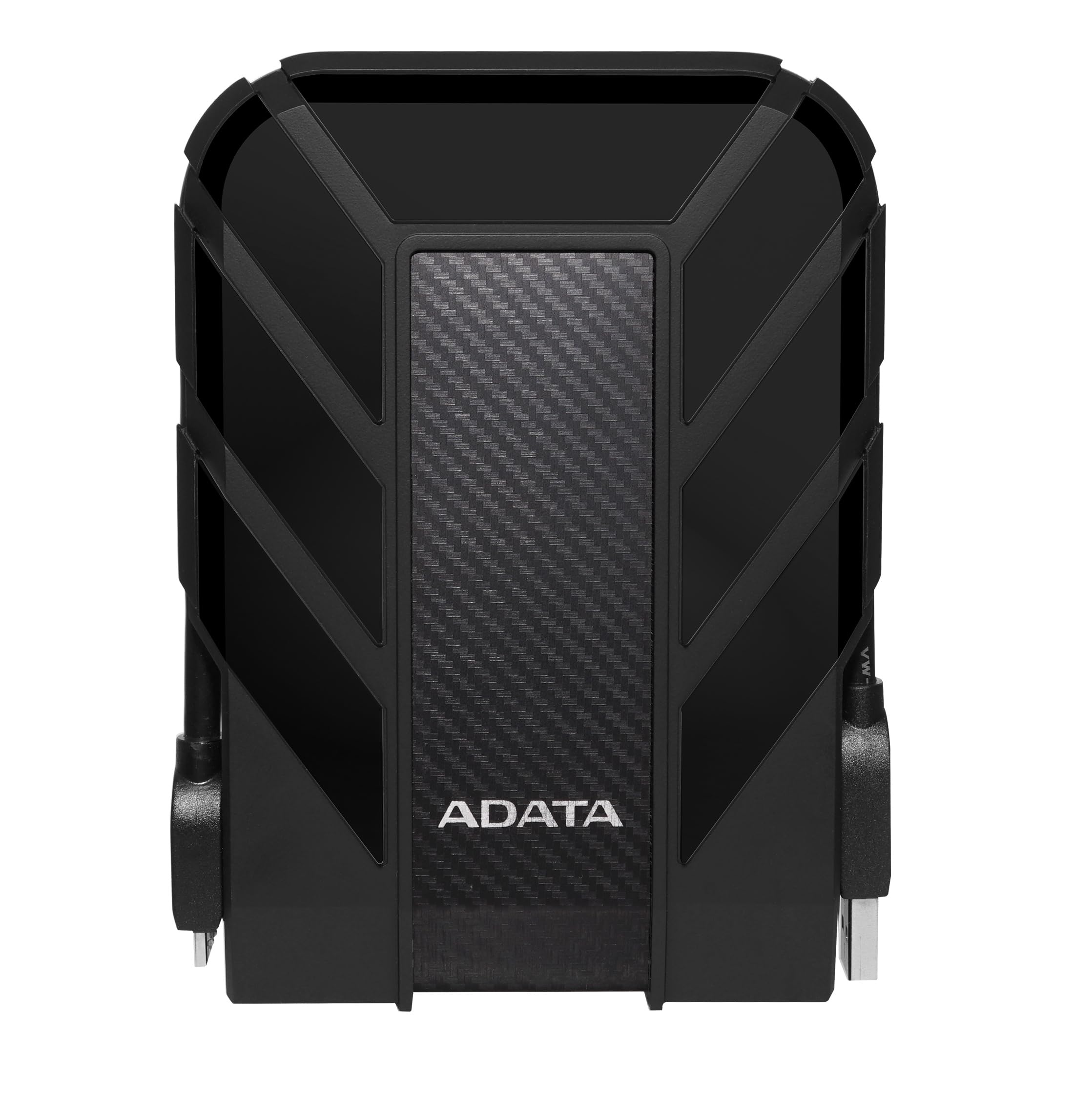
An IP68, MIL-STD-810G shock-rated 2TB for backing up on the move without babying the disk.
The spec that sets this drive apart is a pair of ratings you rarely see on a portable hard drive. It carries an IP68 rating — the enclosure is sealed against both dust and water — plus IP6X dust protection and military-grade shock resistance measured to MIL-STD-810G 516.6. In plain terms, that is a drive designed to survive a drop, a dusty desk, or a damp bag rather than one that lives permanently on a shelf.
Inside, it holds 2 TB with a USB 3.1 interface, and it is a genuinely fast mover for daily use. One buyer moved 606 GB in minutes, faster than other portable drives they had used. The rugged case is the whole point: the notes describe the confidence of carrying it in a bag and moving large files between computers, and the summary even mentions surviving in desert conditions. For a Mac, plug it in, format it once with Disk Utility, and it becomes a durable Time Machine target.
Where it makes you adjust is the connector. It uses an older-style USB port that is fiddly to seat, which is tough if your hands aren’t steady — and since it uses its own cable, losing that cable is a real inconvenience. A few owners eventually find the port loosens with heavy use. Treat the cable with care, plug it in with a deliberate push, and it holds up.
What the ratings buy you: IP68 and military-grade shock resistance mean it tolerates knocks and moisture that would make most portables nervous — the right choice if the drive leaves your desk.
Best for: commuters and photographers who back up on the road and need a drive that shrugs off a drop.
Think twice if: fiddly connectors bother you — the port needs a firm, careful push each time and the cable is a keeper.
5. LaCie Mobile Drive 1TB External Hard Drive

Ships USB-C, works with Mac and iPad without an adapter, and comes with a rescue plan.
If your Mac has only USB-C ports and you would rather not hunt for an adapter, start here. The LaCie Mobile Drive connects over USB-C 3.2 to PC, Mac, and iPad right from the start — the one drive on this list built for the newer MacBook port layout. It also ships with three years of Rescue Data Recovery Services and a three-year limited warranty.
The Mac experience is the point. The setup instructions are clear enough that a self-described non-techie had it integrated into a Mac Mini without problems, and another describes the manual as easy to follow when configuring it for Time Machine — after which, as the notes put it, it sits there quietly doing its job. One household now runs several of these as backup drives for two Macs. The aluminum case is partly made from post-consumer recycled materials, and a one-click or scheduled backup option is available through LaCie Toolkit if you prefer that over Time Machine.
The catch is capacity. It holds 1 TB, half the room of the 4TB Elements pick, so a large photo or video library will start pushing out the oldest Time Machine versions sooner. It is also the smallest pool of owner feedback on this list, so the track record is shorter than the Western Digital and Seagate drives. Buy it for the port and the rescue plan, not for giant libraries.
The one to get if: you’re on a USB-C Mac, want zero adapters, and value the included rescue service.
Check the math first: with 1TB you should keep your Mac’s library modest, or Time Machine will rotate out older backups quickly.
6. Toshiba Canvio Flex 2TB Portable External Hard Drive

One silver drive that talks to a Mac, a PC, a phone, and a tablet.
The Canvio Flex is the connector-flexible option. It is rated for USB-C and USB-A devices — Macs, Windows PCs, smartphones, and tablets — so the same 2TB drive can move between a MacBook and a Windows desktop without a dongle swap. Data runs over USB 3.0 at up to 5 Gbps, and the disk spins at 5400 rpm, the standard laptop-drive speed that is perfectly fine for backups but not a speed demon for editing.
Owners who use it as pure storage are satisfied. It is described as well made and reliable, slower than a solid-state drive but doing exactly the job of a large backup device, and long-term users who own several report never having had an issue. A 5400 rpm disk is ideal for daily storage precisely because it runs cool and quiet, and the shock-resistant design gives it some protection against a knock on the desk.
The one warning worth naming is a Mac compatibility snag: a buyer on a 2025 MacBook Air could not get a backup to run through the Mac side and was told by support the drive was likely incompatible. If your Mac refuses to see it, reformat it in Disk Utility first before assuming the worst. The available storage capacity may also read lower than 2TB once formatted.
Where it fits: a mixed Mac-and-PC household that wants one drive to serve both without hunting for the right cable.
Do this first: erase it in Disk Utility to Mac OS Extended (Journaled) before pointing Time Machine at it, since the out-of-box format may not play nicely with a newer Mac.
Choose it for: the widest device compatibility — Mac, PC, phone, and tablet from a single USB-C or USB-A port.
Know going in: 5400 rpm and a 2TB ceiling mean it’s a backup drive, not a fast working disk.
7. Maxone 1TB Ultra Slim Portable External Hard Drive

The thinnest, cheapest way to get a Time Machine target running today.
At 0.4 inch thick with an all-aluminum anti-scratch shell, this is the slimmest drive here and the easiest to slip into a bag pocket. It holds 1 TB, connects over USB 3.0 for transfers up to 5 Gbit/s, and includes a 19-inch USB cable plus a 3-year manufacturer warranty. For a first Mac backup target, that is a lot of capability for the entry-tier spend.
What wins people over is how well it covers ordinary tasks. File hoarders use it to expand a laptop and store games with no crashes over weeks, and it does fine as cold storage for a small home server. As a Mac backup, though, there is an important catch the notes spell out: on macOS Ventura, the moment you point Time Machine at it, the drive gets converted to a read-only backup format and you cannot easily swap it back to drag-and-drop use without erasing it. Plan to dedicate it to backups, or keep a second drive for everything else.
The realistic caveat is endurance. The reviews split here — plenty of happy long-term users, but also reports of a drive failing within its first year and a port that came loose after a few uses. For a 1TB entry-level drive running a Mac backup, buy it as a stopgap and keep a second copy of anything you cannot lose. Some capacities also read lower than the label once formatted.
Why the slim shell sells itself
- 0.4-inch all-aluminum body is the most pocketable drive on this list
- USB 3.0 at up to 5 Gbit/s keeps ordinary transfers moving quickly
- 3-year manufacturer warranty with free technical support
- 19-inch cable included, so it reaches a laptop on a desk
What to weigh honestly
- 1TB runs out fast once Time Machine keeps hourly versions
- Some buyers report failures within a year — back up your backups
- Dedicate it to Time Machine on newer macOS or it locks to backup-only use
Worth it if: you need a cheap, thin Time Machine target right now and already keep your important files in two places.
Look elsewhere if: you want a drive to last years — that’s what the higher-rated options above are for.
Know the Specs
Format and File System
When you plug a new drive into a Mac, the file system it was built with usually controls whether Time Machine will accept it. A drive preformatted for Windows will often need one erase in Disk Utility — pick Mac OS Extended (Journaled) — before it becomes writable. Some later macOS versions then quietly convert it to APFS, which is Apple’s newer file system; that is normal. The key point is that the format is a choice you make once, and every drive here can be set up for Time Machine with a single reformat.
Capacity and the Space Time Machine Needs
Time Machine writes a new version of anything that changed every hour, so the drive fills faster than a simple copy would. A 1TB drive with a 512GB Mac inside leaves little room for old versions. A 2TB drive gives comfortable headroom, and a 4TB drive is the safer floor for large photo and video libraries. The capacity in the product name is what you actually get — but expect the formatted figure to read a little lower, which is standard across all drives.
Rotational Speed and USB Generation
Rotational speed (the rpm rating, such as 5400 rpm) describes how fast the spinning disk turns and roughly how quickly it moves data. USB generation — USB 3.0, 3.1, or 3.2 Gen 1 — describes the maximum connection speed a drive supports. For Time Machine, which writes small changes on a schedule, even an entry-level hard drive keeps up fine. These numbers matter far more if you plan to edit files directly off the drive rather than back them up.
Durability Ratings and Connectors
Durability ratings like IP68 (sealed against dust and water) and MIL-STD-810G (a military shock test) tell you how much abuse an enclosure can take; a plain shell is fine for a desk, and a rugged one suits a bag. The connector is the part that fails most in practice — a loose port or a lost cable will interrupt a backup mid-write. Check whether the drive uses USB-C or USB-A, and whether your Mac needs an adapter.
Common Questions
Will any of these drives work with Time Machine from the start?
Why does my new drive say read-only after I set up Time Machine?
Do I need a 4TB drive or is 2TB enough for Time Machine?
Does the drive’s rotational speed matter for Mac backups?
Can I use one of these with both a Mac and a Windows PC?
Is a hard disk drive fast enough for Time Machine or should I buy an SSD?
Do these drives need an external power supply?
How often should I replace a drive I use for Mac backups?
What happens to my backups if the drive fills up?
Is a rugged drive worth it for Time Machine?
The Bottom Line
The safest pick for most Macs is the WD 2TB Elements, because 2TB covers a typical library, the 5 Gbps USB 3.2 Gen 1 connection keeps the first full backup painless, and a single Disk Utility erase makes it a clean Time Machine target. If you keep large photo or video files, step up to the WD 4TB Elements for double the room and a smaller 2.5-inch body. For a USB-C Mac with no adapter, the LaCie Mobile Drive connects straight to your port and adds three years of rescue services. And for a drive that heads out the door with you, the ADATA HD710 Pro carries the IP68 and shock ratings that give a portable drive a real chance of surviving a bag, a desk, and everyday life.
How we choose
We do not accept paid placement. Every pick is matched to a real buyer and a real use-case; we do not hands-on test units.
Sources
Specifications: manufacturer listings and product documentation. Review insights: verified customer reviews, as of October 2026. Pricing: not shown on this page (it changes often); check the current price via the retailer link.
As an Amazon Associate, Aappliancez earns from qualifying purchases. This does not affect which products we feature.