Disclosure: Some links in this post are affiliate links. As an Amazon Associate I earn from qualifying purchases, at no extra cost to you. Learn more
Specs are compiled from manufacturer listings and verified buyer reviews and can change over time — please confirm the key details on the product page before buying.
If you play Fortnite, you already know the frustration: you build a ramp, take a fight, and the frames tank right when it matters most. What fixes it is a desktop with a graphics card and processor that hold frame rates steady through build fights and endgame circles. This guide breaks down thirteen real prebuilt systems so you can match a machine to how you actually play.
This guide is built by comparing the manufacturers’ published specifications and the patterns across verified customer reviews, so you get each pick’s real strengths and trade-offs instead of marketing spin.
Below you’ll find what actually moves frame rates, which specs matter for Fortnite’s Build and Zero Build modes, and where each system makes its compromises. Every pick here is a real, currently listed prebuilt, and every number comes straight from the maker’s own spec sheet — so you can pick a Fortnite PC from published specs rather than guesswork.
Top Picks
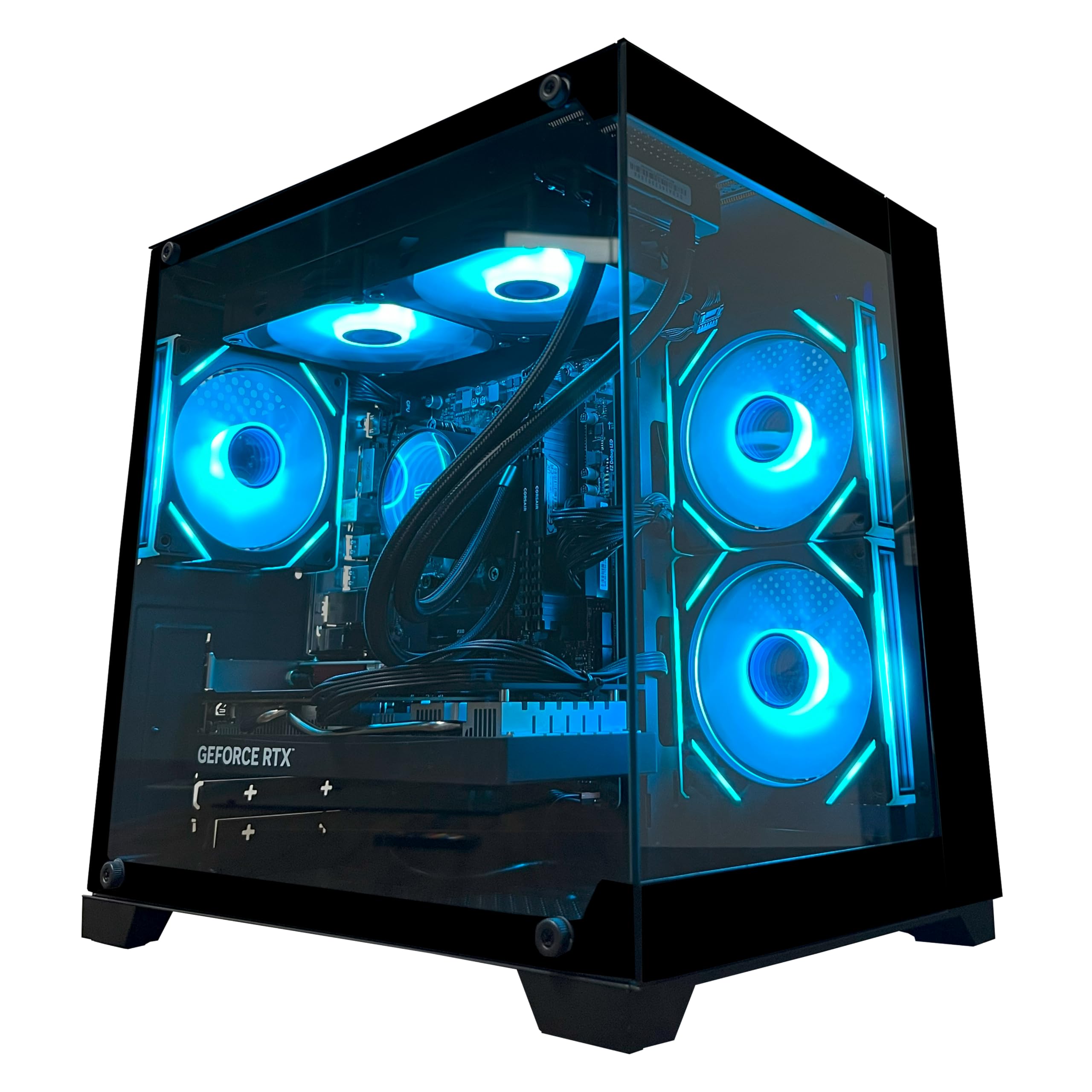


How To Choose The Best Gaming PC for Fortnite
Fortnite rewards a steady frame rate more than a high peak number. A machine that holds 144fps through a busy build fight beats one that spikes in the lobby and drops in the endgame. Three specs decide most of that: your graphics card, your processor, and how much memory the whole system has to work with.
The graphics card is the frame-rate engine
Your graphics card, or GPU, draws every frame you see. More video memory on that card — measured in gigabytes, or GB — lets it hold higher-resolution textures without stuttering. A card with 8GB of video memory is the practical starting point for smooth 1080p Fortnite at high settings, and 12GB gives you headroom for 1440p.
DLSS and frame generation explained
DLSS is a feature that renders your game at a lower internal resolution, then uses AI to upscale it back to a sharp image — so you gain frames without the blurry look of plain upscaling. Frame generation goes further and creates extra frames between the real ones. Several picks below support DLSS 4 with multi frame generation, which is the single biggest frame-rate lever in a modern Nvidia card.
Memory, storage, and the parts that avoid stutter
System memory, or RAM, is where your game, your browser, and Discord all live at once. 16GB is workable for pure gaming; 32GB is the comfort zone if you stream or keep a lot open. Storage matters too — a solid state drive, or SSD, loads the map fast, and a 1TB drive holds Fortnite plus a healthy library without you deleting games every week.
Cooling and power decide long-session stability
A Fortnite session can run for hours, so the case has to keep moving air the whole time. Air coolers and liquid coolers both keep the processor in check; what matters is that the case actually moves air. Check the power supply wattage too, because a stronger graphics card later needs more power than a modest one — buying headroom now saves a rebuild later.
Side-by-Side Comparison
| Model | Best For | GPU & VRAM | CPU Max Speed | Memory | Amazon |
|---|---|---|---|---|---|
| YAWYORE Gaming PC (Ryzen 7 5700X)★ Best Overall | First-time Fortnite builders | RTX 5060, 8GB | 4.6 GHz | 32GB DDR4 | Amazon |
| MSI Aegis R2 AI Gaming DesktopTop Performer | 4K play and AI-ready workloads | RTX 5070 Ti | 5.7 GHz | 32GB DDR5 | Amazon |
| STGAubron Gaming PC Desktop (Core i7)Budget Entry | Tightest entry budget | RTX 3050, 6GB | 3.9 GHz | 16GB | Amazon |
| Q-Box Series Gaming PC (Ryzen 5 5500) | Casual starter builds | RTX 3050, 6GB | 4.2 GHz | 16GB DDR4 | Amazon |
| Thermaltake LCGS Quartz i1460 | Clean white builds | RTX 5060, 8GB | — | 16GB DDR4 | Amazon |
| Skytech Gaming Nebula | Fortnite at 1080p on a budget | RTX 5060, 8GB | 4.7 GHz | 16GB DDR5 | Amazon |
| KOTIN Prebuilt Gaming PC (Ryzen 5 9600X) | 1080p to 1440p competitive play | RTX 5060, 8GB | 5.4 GHz | 16GB DDR5 | Amazon |
| CyberPowerPC Gaming PC (Ryzen 7 8700F) | Reliable high-refresh 1080p | RTX 5060 Ti, 8GB | — | 16GB DDR5 | Amazon |
| Lenovo Legion Tower 5i | Big upgrade room | RTX 5060 Ti, 8GB | 5.3 GHz | 16GB DDR5 | Amazon |
| MSI Codex Z2 Gaming Desktop | 1440p and streaming at once | RTX 5070, 12GB | 5 GHz | 32GB DDR5 | Amazon |
| KOTIN Prebuilt Gaming PC (Ryzen 7 9700X) | 1440p and 4K with a display readout | RTX 5070, 12GB | 5.5 GHz | 32GB DDR5 | Amazon |
| Alienware Aurora Gaming Desktop | Quiet high-refresh play | RTX 5070 | 5.3 GHz | — | Amazon |
| iBUYPOWER Element Gaming PC | Streaming plus Fortnite at once | RTX 5070, 12GB | 5.6 GHz | 32GB DDR5 | Amazon |
Detailed Reviews
1. YAWYORE Gaming PC Ryzen 7 5700X
Our pick — 4.5+★ from 80+ verified ratings; the strongest balance of quality and price.
The first-timer’s Fortnite machine that already plays like a second build.
If you are buying your first proper gaming desktop and Fortnite is the game you care about, this is where the shortlist should start. The AMD Ryzen 7 5700X runs eight cores and sixteen threads at up to 4.6GHz, which is more parallel muscle than Fortnite itself needs — the surplus is what keeps Discord, a browser and the game all humming at once without a stutter.
The graphics side is a GeForce RTX 5060 with 8GB of video memory. That 8GB figure is the one to hold onto: it is the amount of high-resolution texture and frame data the card can hold on hand, and it is what lets you push Fortnite past high settings at 1080p and into 1440p territory with DLSS 4 multi frame generation doing the heavy lifting. Ray tracing and Reflex 2 delay optimization are supported too, so the image quality and the input response both have room to improve as the game does.
Memory is where this build separates itself from cheaper Fortnite boxes. You get 32GB of DDR4 running at 3200MHz, and that total is what lets the system keep a 240fps target while background apps sit open — as owners put it, “All around great speed, 240 plus fps, overall great pc for a first timer.” That same 32GB is a 2.0x gap over the STGAubron pick below, which tops out at 16GB. The 1TB M.2 NVMe drive and 650W 80+ Bronze power supply fill out a package with no obvious weak link for the money.
Why Fortnite players keep it
- 32GB of DDR4 3200MHz memory — double the memory of the STGAubron, so Discord and a browser ride along without frame dips.
- RTX 5060 with 8GB of VRAM supports DLSS 4 multi frame generation and Reflex 2, the two features that most directly lift Fortnite frame rate and input response.
- 1TB M.2 NVMe storage boots Windows and loads the Fortnite map quickly, with the Ryzen 7 5700X’s 8 cores and 16 threads carrying everything else.
- Liquid cooler with ARGB fans and a remote control keeps the 4.6GHz chip in check during long build fights.
What to weigh before you buy
- The memory is DDR4 rather than DDR5, so this is a platform you upgrade within rather than a long-term next-gen base.
- The graphics card brand varies by unit, so two buyers can open the same box and see different coolers on the same GPU.
- You have to pull the shock-absorbing foam out of the case before first boot or the machine will not run right.
Reach for this if: you want a first Fortnite desktop with the memory and the DLSS support to hold a high frame rate for years, without paying flagship money.
Look elsewhere if: you plan to move to DDR5 and a next-gen platform anytime soon, or you want a single, fixed graphics card model rather than one that varies by unit.
2. MSI Aegis R2 AI Gaming Desktop
A 5.7GHz processor paired with an RTX 5070 Ti — overkill for Fortnite, in the best way.
This is the machine for the player who wants Fortnite to stop being the hard part. The Intel Core Ultra 9 285 tops out at 5.7GHz, and against the STGAubron i7’s 3.9GHz that is a 46% higher ceiling — that gap is why this system loads the map, the menus, and the game’s background work with room to spare while you are already in a build fight.
The GeForce RTX 5070 Ti is the headliner. Paired with 32GB of DDR5 and a 2TB M.2 NVMe drive, the memory is a 2.0x gap over the STGAubron’s 16GB, and the storage is double the KOTIN 5060 build’s 1TB — enough space that Fortnite, its friends, and everything else fit without juggling installs. MSI’s own cooling list is four system fans, three front and one rear, plus an RGB CPU air cooler, so the case pushes heat out rather than trapping it.
The honest catch here is connectivity. This is the one pick where the review pages show buyers struggling to get a monitor detected on first setup, and one buyer received a box that was plainly not the system advertised. That is a real pattern in this listing, so treat MSI’s phone and chat support as part of the purchase — buyers report the heat side is fine, with “I have never gone over 75C while not overclocking” as one of the cleaner reports. Buy this one for the performance and the headroom, and go in ready to check your own cables before calling anyone.
Where the value sits: a 5.7GHz Core Ultra 9 285, an RTX 5070 Ti, 32GB DDR5 and 2TB of NVMe, all under one roof with 4K output at 3840×2160 for anyone who plays on a big display.
The thing to budget for: monitor detection and first-boot quirks are the recurring note, and the retail box does not ship with a printed manual — a QR code or a support call is how you solve any startup issue.
Buy it for the horsepower: 5.7GHz and an RTX 5070 Ti leave Fortnite nowhere near the machine’s limits, and the 2TB drive and 4K output mean it doubles as a workstation.
Know before you click: you will want to have MSI’s support line bookmarked, because getting a monitor to display on this desktop is the single issue the review pages keep coming back to.
3. STGAubron Gaming PC Desktop Core I7
The cheapest real gaming tower here — and honest about what it is.
This is the entry-level pick, and the maker names Fortnite specifically in its own game list. The intent is a genuine gaming PC that runs modern titles at 60 frames per second and beyond, with the iGPU left to a second-hand buyer’s imagination. The hardware backing that promise is an Intel Core i7 running up to 3.9GHz, 16GB of memory, a 512GB solid state drive, and an RTX 3050 with 6GB of video memory — 6GB is the smallest VRAM total in this roundup, and the GPU’s own 6GB sits 33% below the RTX 5060’s 8GB, so you’re playing at high settings at 1080p rather than chasing 1440p headroom.
What you do get is a full starter kit: an RGB mouse and keyboard pre-loaded with Windows 11 Home, six RGB fans, Wi-Fi 6, Bluetooth 5.0, and a year of parts and labor plus lifetime tech support. For a first PC, that bundle approach is the point. Owners mention it runs “Resident Evil 4 Remake at 50fps high settings,” which tells you exactly where the ceiling sits — the RTX 3050 handles Fortnite comfortably at 1080p high, but heavy ray tracing is where you back off.
The recurring complaint on this listing is the Wi-Fi, which several buyers describe as weak and replace with a better antenna. It is a cheap fix and the rest of the system carries on fine, but if the desktop is far from your router, plan for a wired connection or an upgraded adapter. There is also a 3840×2160 display output, so the machine will drive a 4K monitor even if games will not run at 4K.
Best for: a first gaming desktop on the tightest budget, where the Fortnite frame rate matters more than chasing 1440p.
skip it if: you want a card with more video memory, a stronger wireless connection from the start, or a platform you can upgrade toward 1440p without swapping the GPU.
4. Q-Box Series Gaming PC

Liquid cooling on a starter chip — nice touches, small install.
Fortnite is named directly in this build’s shortlist of games, and the hardware fits the job: an AMD Ryzen 5 5500 running six cores and twelve threads with a 4.2GHz max boost, an RTX 3050 with 6GB, 16GB of DDR4, and a 500GB solid state drive. The liquid CPU cooler and the AC Wi-Fi are nicer than the price point suggests, and the 650W power supply leaves room for one later GPU upgrade. If you want a first serious gaming desktop without overcommitting, this is a sensible landing spot.
The catch is not the parts — it is the volume. This system has a much thinner review base than the picks around it, so you are leaning more on the spec sheet and the warranty than on a deep track record. The power supply failures on record are the single most-cited gripe, and one buyer received a unit that never turned on at all. If you do buy, note the 1-year warranty and the free lifetime support on the maker’s own site; use both if anything arrives unhappy.
For Fortnite specifically, the numbers add up: 1080p at high settings, decent margins for build fights, and enough headroom for lighter titles like Minecraft and NBA 2K. The 500GB drive is on the small side once you install a few big games, so factor in an extra drive or accept rotating what is installed. Choose it for the balance of price and parts, not for futureproofing.
The honest read: a starter-grade Ryzen 5 5500 and RTX 3050 combination that hits 1080p Fortnite comfortably, wrapped in a liquid-cooled case with a slot open for another drive and a 650W supply with a little expansion room.
What to weigh: the review base is narrow, so parts reliability is less proven than the rest of this list, and the 500GB drive fills up fast if Fortnite is not your only game.
It earns its place as: a first Fortnite tower for the player who wants liquid cooling and a clean setup without paying flagship money.
Move past it if: you need a wide review base to feel confident, or you already know you will outgrow 1080p within the year.
5. Thermaltake LCGS Quartz i1460 Gaming Desktop

A white, glass-panel tower that looks like a full custom build and sets up like one.
If your Fortnite setup is white-and-minimal rather than black-and-red, this was built for you. The Intel Core i5-14400F and the B760 motherboard sit behind a 3mm tempered glass side panel, with 16GB of DDR4 3600MHz RGB memory, a 1TB NVMe M.2 drive, and an RTX 5060 with 8GB of video memory. That GPU/VRAM combination is the same class as the Skytech Nebula below, so the frame-rate ceiling at 1080p is comparable — what differs here is the finish and the parts-freshness of the 14th-gen Intel platform.
The Thermaltake-branded case has a genuine talking point in the full-length PSU cover, which hides the cables and gives the inside a professional look with an ARGB tower air cooler doing the thermal work. Buyers consistently report it runs Battlefield-class titles without issues, and one describes the setup as easy enough to feel like plug-and-play. For Fortnite that translates to 1080p at high settings with plenty of frame headroom and no fuss in the first hour.
Two real caveats. The 14th-gen 14400F pairs only with 16GB of DDR4, so you are capping how far this platform grows — the MSI Codex Z2 below at 32GB DDR5 is the tier above. And the review pages do flag port alignment issues on some units, meaning a few buyers had to nudge the motherboard to line the rear I/O up with the shield. Neither is a dealbreaker; both are reasons to check the ports right after setup.
What this gets right
- 3mm tempered glass panel and a white finish make the front-desk setup look purpose-built, not prebuilt.
- RTX 5060 with 8GB of VRAM is the entry point for DLSS and frame generation in Fortnite.
- 1TB NVMe storage is enough for Fortnite and a handful of large titles before you start curating.
- ARGB tower air cooler and full-length PSU cover keep temps down and cables tidy.
What to know going in
- 16GB of DDR4 is the platform ceiling here, so this is a system you enjoy rather than rebuild.
- Port alignment on the rear I/O has been reported as an issue on a few units.
- Storage options stick to 1TB from the factory; buyers have added a second drive.
Suits you if: you want the Fortnite performance of the RTX 5060 in a tower that would pass for a boutique build sitting on your desk.
Worth skipping if: appearance is a nice-to-have rather than a must, and you would rather put the same money into a 32GB DDR5 platform you can upgrade for years.
6. Skytech Gaming Nebula Gaming PC
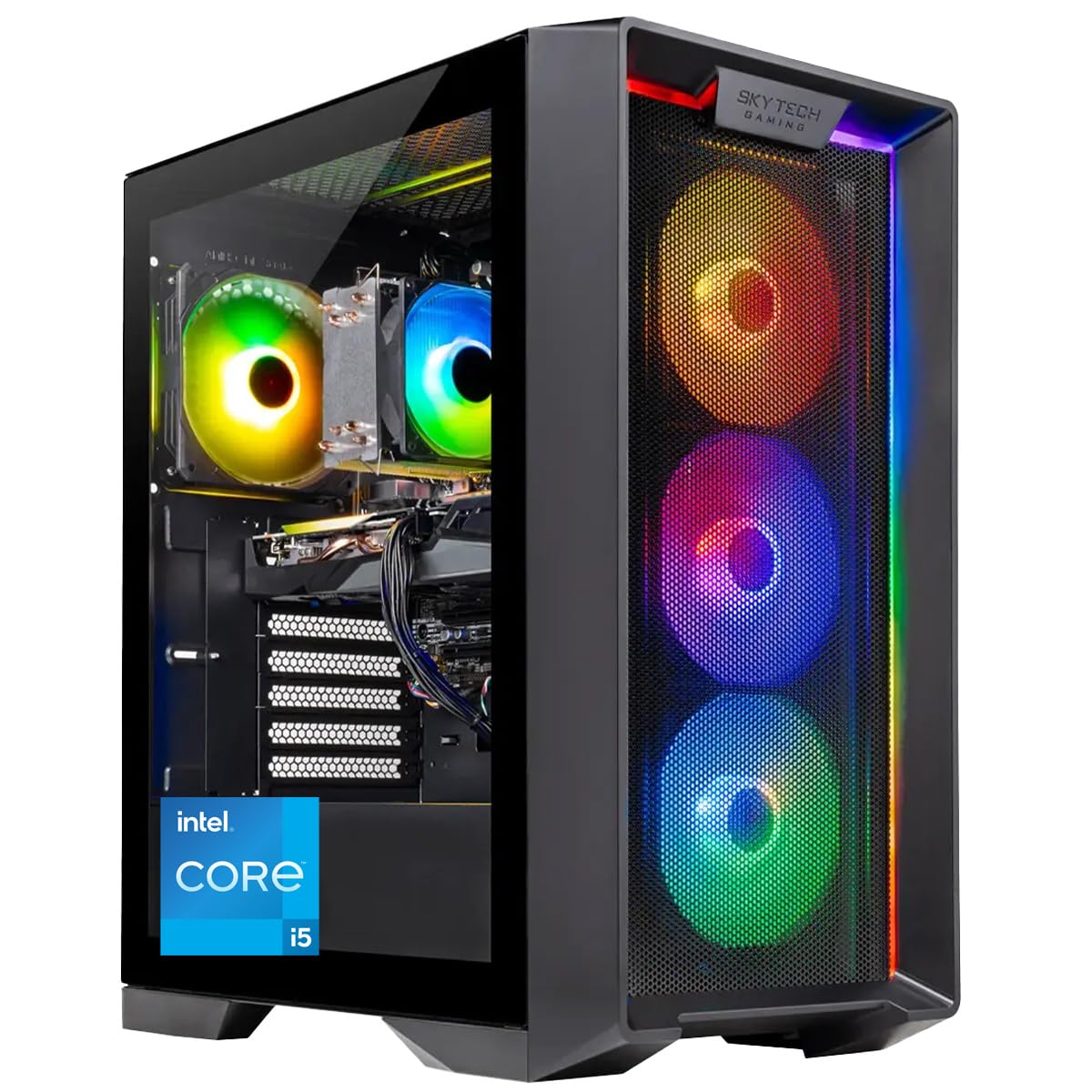
DDR5 speed and a 650W Gold supply — the modern spec sheet under the entry price.
The Nebula is the pick that quietly futureproofs. Where the Thermaltake and the STGAubron use DDR4, this build runs 16GB of DDR5 at 6000MHz, paired with an Intel Core i5-14400F boosting to 4.7GHz and an RTX 5060 with 8GB of video memory. The DDR5 memory is the difference you will notice in load times and background responsiveness; the 4.7GHz turbo is quick enough that Fortnite’s Creative and Zero Build modes feel smooth rather than merely playable.
The maker is explicit about Fortnite: it appears in the advertised list of titles this desktop runs at 1080p Full HD and 60+ FPS. That is honest bandwidth — the RTX 5060’s 8GB of VRAM handles Fortnite’s high-res textures, the 1TB NVMe SSD loads the map quickly, and the 650W Gold-certified supply is the sort of headroom that survives a GPU upgrade later. The case is the Nebula Black Edition with a front mesh panel and ARGB fans, and the air cooler’s job is to keep the i5 in check under long sessions.
Where it lands on price depends on how the sales cycle goes; the system sits in the value range and some buyers write it off on that alone. Historically though, this is one of the more persuasive Fortnite packages in the mix. The handful of documented build-issue reports — misaligned rear USB ports, one unit with damage — sit against a body of reviewers who explicitly say to ignore the negative and note the system works as advertised. Treat the return window as your safety net and read the manual before first boot.
Why it works for Fortnite: 16GB of DDR5 at 6000MHz, a 4.7GHz i5, and an RTX 5060 with 8GB of VRAM — a fresh-generation platform that hits 1080p well above 60 FPS, with a 650W Gold PSU ready for one more upgrade stage.
Small negatives on record: rear I/O port alignment has turned up on a few units, and one buyer received a case with cosmetic damage, both handled by return.
The value line: a Fortnite-first desktop that gets you onto DDR5 and a 650W Gold supply without the flagship price, with the frame-rate ceiling to grow into a better monitor.
Not for you if: you need Fortnite to run at 1440p with settings cranked, or you want a card with more than 8GB of video memory from day one.
7. KOTIN Prebuilt Gaming PC Ryzen 5 9600X
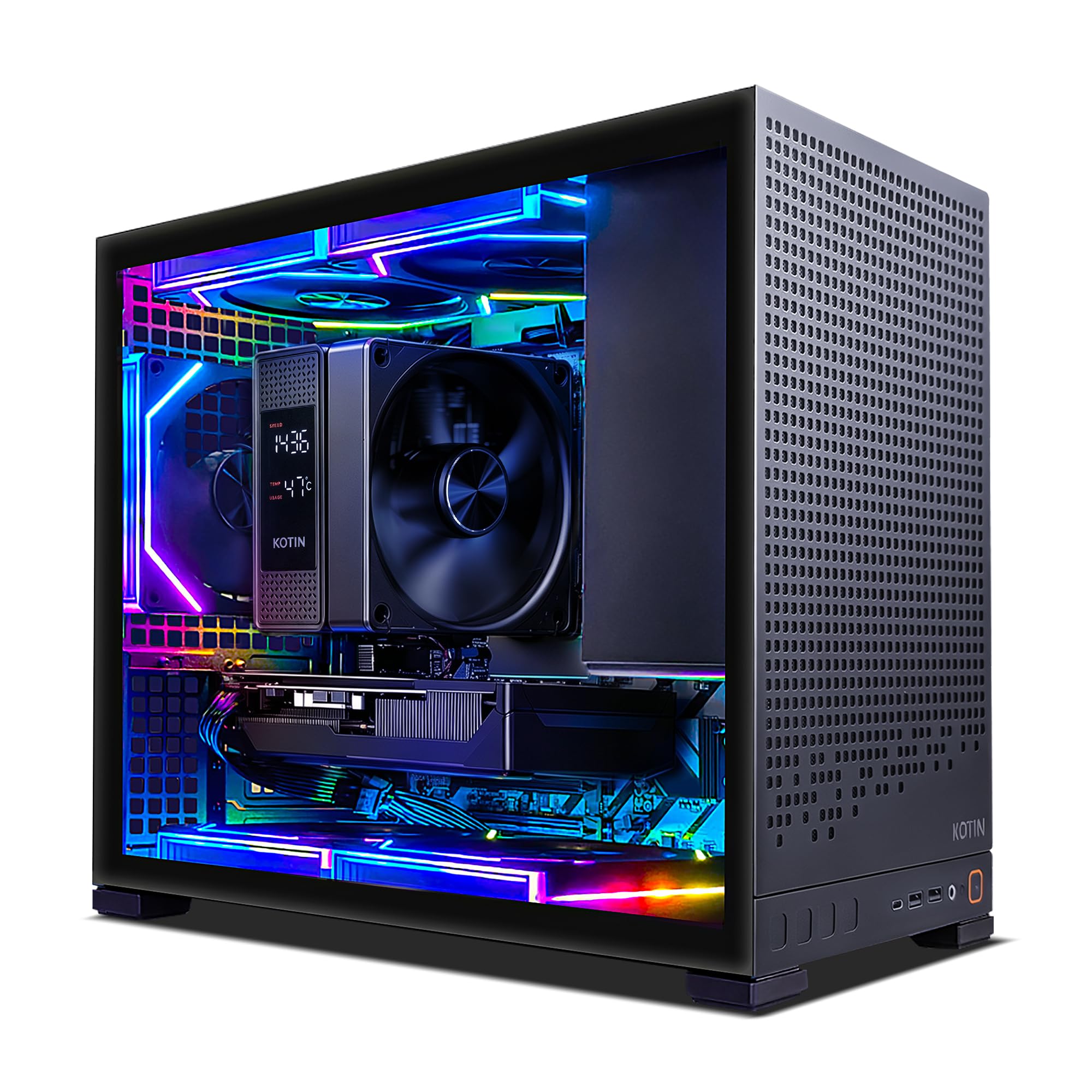
A 5.4GHz Ryzen with WiFi 7 and a digital display cooler — built for the competitive ladder.
For Fortnite players who play ranked — the ones who care about input latency, not just frame rate — the Ryzen 5 9600X at 5.4GHz is the more interesting chip here. It is a current-generation 6-core part, and its single-core speed is the number that drives Fortnite’s high-refresh performance. Paired with an RTX 5060 8GB and a B850M motherboard, this build is aimed squarely at 1080p high-refresh play with a path to 1440p.
Connectivity is top-tier for the tier: WiFi 7, Bluetooth 5.4, USB 3.2 Gen ports and a USB Type-C port, plus a 650W 80 PLUS Gold supply and a 1TB PCIe 4.0 NVMe drive. The case uses five ARGB fans and a digital-display air cooler that shows real-time cooling status — a nice touch when you are chasing frame consistency through a long stream. The maker is explicit that the RTX 5060 lacks the multi-frame generation and ray-tracing features the newer cards carry, so 1440p gaming is real but not the headroom champion. Customers note Fortnite running at 1440p medium with DLSS Performance at around 180 FPS, and 60-100 FPS at 1080p on a 240Hz panel, which is the shape of the performance you should expect rather than chase higher.
The buyer story on this listing is overwhelmingly positive — performance is the aspect getting the most attention from owners, followed by value, and the review pages are full of “great prebuilt” and “handles games perfectly” sentiment. The one item note is that this PC does not ship with the same graphics-card headroom the RTX 5070 builds have, and a handful of reviewers who wanted to move to heavier GPU work have flagged that the card is the limiting piece.
Why the ladder crowd likes it
- Ryzen 5 9600X at 5.4GHz keeps build-fight frame rates high with a single-core speed the game actually uses.
- WiFi 7 and Bluetooth 5.4 make this the cleanest wireless option in the mid tier — no dongles, no adapters.
- 1TB PCIe 4.0 NVMe drive and a B850M board with three M.2 slots, one at PCIe 5.0, so the upgrade path stays open.
- Five ARGB fans and a digital-display air cooler keep the case cool and show status at a glance.
What you give up
- RTX 5060 8GB is the performance ceiling — no upgrade above this card without a fresh GPU purchase.
- 16GB of DDR5 is the standard this generation, but streaming-plus-browser workloads will see less breathing room than a 32GB build.
- Note the maker’s own warning: connect your monitor to the lower, horizontal graphics-card ports, not the upper motherboard ports, or you get no picture.
Step here if: you play Fortnite competitively and want the fastest processor per dollar along with the newest wireless standard.
Look past it if: you stream on the side and want the 32GB memory headroom of the builds above, or you insist on the RTX 5070 class of graphics performance.
8. CyberPowerPC Gaming PC Ryzen 7 8700F

The RTX 5060 Ti build where the buyer history goes longer and deeper than any other in the mid-tier.
If you play Fortnite nightly rather than on weekends, this is the safest bet in the roundup. The system runs an AMD Ryzen 7 8700F with 8 cores, 16GB of DDR5, a 1TB PCIe 4.0 NVMe drive, and an RTX 5060 Ti with 8GB of video memory on a GDDR7 frame. That “Ti” matters: it is the higher tier of the RTX 5060 chips, and owners confirm the frame rates stay locked under GPU-heavy loads with no stutter — the Fortnite symptom you actually care about.
Connectivity is generous for the price: two USB-C 3.2 ports, four USB-A 3.2, two USB 2.0, WiFi 6, Bluetooth 5.3, and 7.1 channel audio. The AMD B850 chipset and the tempered glass side panel with custom RGB give the build a both-sides advantage — you can see inside, and you can upgrade inside. One review lays out exactly why this system is the one to look at: reviewers point out it eats a wide selection of high-end titles at 1080p without breaking a sweat, with the RTX 5060 Ti and 16GB DDR5 handling the graphics load.
The catch is a familiar one for any mass-produced PC — DOA units exist. A minority of buyers have opened the box to a machine that never posts, and support availability on weekends has been called out. What balances that is the return window and the one-year parts and labor warranty plus free lifetime technical support, both standard on this listing. For a Fortnite-focused build where uptime matters, that safety net is what makes the difference.
The pitch in one sentence: the RTX 5060 Ti 8GB and Ryzen 7 8700F make this the most dependable daily-driver Fortnite desktop in the mid tier, with eight cores to carry Discord and background apps and an AM5 socket for a future CPU swap.
The caveat to know: DOA units are rare but real, so open the box with enough time in the return window to run the machine properly before you commit.
Reach for it when: you want Fortnite to be the game you sit down to play every night, and reliability matters more than the last few frames of peak speed.
Walk away if: you cannot hold a return window open long enough to verify the system boots clean, or you want memory expandable to 32GB from the factory.
9. Lenovo Legion Tower 5i

The prebuilt you buy now and rebuild in three years — 128GB of memory headroom says so.
Most prebuilts are a snapshot; the Legion Tower 5i is a starting point. The Intel Core Ultra 7 265F boosts to 5.3GHz, and the RTX 5060 Ti with 8GB of GDDR6 handles Fortnite at 1080p high with room for 1440p. What sets this one apart is the memory spec: 16GB of DDR5 5600MHz, expandable to 128GB. That number tells you Lenovo expects this tower to be upgraded, not replaced — and the toolless side panel makes opening it a one-touch job.
The 3 months of PC Game Pass and EA Play bundled with the system is a genuine value add for the Fortnite player who also wants to explore other titles. Connectivity includes 2.5G Ethernet and WiFi 6E, which means you can play wired to your router and still get a reliable signal if you move the tower to a room where cabling is awkward. The 180W tune air-cooling spec keeps the CPU in the pocket during long sessions. Buyers describe it as “runs smooth” and “will run any game” — for Fortnite’s scale, that confidence is well earned.
The honest limits are worth stating plainly. On the most demanding current titles, the RTX 5060 Ti is not the GPU for maximum settings; shoppers say that medium-high settings are the balance for the newest games, and Fortnite itself sits comfortably above that line. The tower is also physically large, which one reviewer noted directly — check the space under your desk before ordering.
Why the upgrade crowd picks it
- Memory expandable to 128GB of 5600MHz DDR5 — the widest upgrade ceiling of any pick in this list.
- Tool-less side panel makes future GPU or memory swaps a simple open-and-click operation.
- 2.5G Ethernet and WiFi 6E cover both wired and wireless Fortnite setups without compromise.
- Three months of PC Game Pass and EA Play included with the system.
The trade-offs
- RTX 5060 Ti 8GB is not a maximum-settings card for the newest games; medium-high is the honest target.
- 16GB as shipped is the standard, so the 128GB headroom is a promise you pay to open up.
- The tower is physically large, which the review pages flag as something to plan for.
Pick this one if: you want a Fortnite tower that is still worth upgrading three years from now, not one that becomes a hand-me-down when you outgrow it.
Choose differently if: you want the fastest frame rates today rather than a platform to grow into, or you have limited space where the tower will sit.
10. MSI Codex Z2 Gaming Desktop

When Fortnite is the warm-up and streaming is the main event, this is the tower that keeps up with both.
This is what 32GB of DDR5 and an RTX 5070 buy you: zero compromise between playing Fortnite and streaming it at the same time. The AMD Ryzen 7 8700F runs 8 cores and 16 threads up to 5.0GHz, which gives the game and the encoder separate paths to the CPU instead of fighting over the same cores. That combination is the difference between a stream that stutters the moment you enter a build fight and one that runs clean.
The graphics card tier here is the step up from the RTX 5060 builds: an NVIDIA GeForce RTX 5070 with 12GB of video memory on the Blackwell architecture. Twelve gigabytes of VRAM is the mark where Fortnite at 1440p with high textures stops pinching — the Skytech Nebula’s 8GB card is fine at 1080p, but the extra 4GB here means you can run the textures higher and the resolution larger without watching the frame rate slide in the final circles. Wait, to be exact: the Codex Z2’s GPU carries 12GB versus 8GB on the KOTIN 5060 and Skytech Nebula builds, and that difference does the heavy lifting at higher settings.
The cooling story is four fans and an ARGB air cooler, and reviewers confirm the machine stays quiet under load despite the fan count. The 2TB SSD is double most of the picks above and enough for Fortnite plus whatever else you rotate through. The one honest limit is the 650W power supply — it is fine as shipped, but it is the reason a future GPU upgrade would need a bigger PSU at the same time. Owners have flagged that dependency clearly, and it is worth knowing before you plan to drop in a stronger card later.
The strongest case for it: 32GB of DDR5 and a 12GB RTX 5070 running side-by-side with a 5.0GHz 8-core Ryzen 7 — the combination for playing Fortnite on max settings while a stream runs in the background.
What you accept: the 650W PSU is the ceiling if you ever want to move up to a faster GPU, and the 2TB SSD fills up faster than you think once a heavy game library lands.
Match it to: a Fortnite player who streams or records and wants the memory and GPU tier to do both at once without babysitting settings.
Not the pick for: someone who games only, in which case the 32GB DDR5 is more than Fortnite needs and the money is better spent on a 5.5GHz chip.
11. KOTIN Prebuilt Gaming PC RTX 5070

The gaming tower with its own second screen — temperatures, usage, weather, all visible while you play.
There is a display on the front of this PC. An 11.3-inch smart screen shows real-time CPU and GPU temperatures, usage, and even the weather — which sounds like a gimmick until you realize it is the fastest way to see whether your Fortnite session is heating the system harder than usual. Underneath the display sits the serious hardware: an AMD Ryzen 7 9700X at 5.5GHz, an RTX 5070 with 12GB of GDDR7, 32GB of DDR5 6000MHz memory, and a 1TB PCIe 4.0 NVMe drive.
The rest of the spec sheet is what separates this from the RTX 5060 builds above. The 850W 80 Plus Gold power supply means you are not locked into the shipped GPU the way the Codex Z2 owners are with their 650W unit. The 360mm AIO liquid cooler keeps the 5.5GHz processor cool under Fortnite’s sustained load, where an air cooler would work harder. WiFi 7 rounds out the package, and the whole machine arrives fully assembled in the USA with Windows 11 Home installed and a one-year limited warranty with lifetime tech support.
The honest trade-off to flag upfront: this is a premium build, and the review pages do carry a minority of reliability complaints — a handful of buyers have received a unit with memory errors and pre-shipping use in the Windows Update history, both returned within the standard window. That is not the whole picture, but it is worth checking your own unit on arrival. Open the box, run the memory through a quick check, and read the Windows Update log to make sure the system starts its life as new.
Standout features
- 11.3-inch secondary display shows CPU/GPU temperatures and usage in real time — useful when tuning a high-refresh Fortnite setup.
- 850W 80 Plus Gold PSU gives headroom for a future GPU upgrade that the 650W builds in this list cannot match.
- 360mm liquid-cooled Ryzen 7 9700X at 5.5GHz keeps frame consistency high through long sessions.
- 32GB DDR5 6000MHz memory and 1TB NVMe SSD, both at the level where multitasking stops mattering.
Honest limitations
- A minority of units have arrived with memory issues or evidence of pre-purchase use, both of which need the return window.
- The 11.3-inch display is a nice extra rather than a buying reason on its own.
- Note the maker’s warning to connect your monitor to the lower, horizontal graphics-card ports — the upper motherboard port gives no picture.
It belongs on your desk if: you play Fortnite at 1440p or 4K and want a liquid-cooled, 850W-supplied platform that will take a future GPU without a rebuild.
Look at the field if: the second screen is not something you would use, or you want a wider review history behind the model before you commit.
12. Alienware Aurora Gaming Desktop

The name brand tower where the sound of the machine disappears behind the sound of the game.
Alienware’s approach here is to keep the room quiet while you play. The RTX 5070 and Intel Core Ultra 7 265F at 5.3GHz handle Fortnite without strain, and reviewers routinely describe the system as silent in normal use — one reports marathon sessions on Forza at ultra settings with ray tracing without the fans becoming a distraction. If your setup doubles as a home office or shares space with a bedroom, the low noise is the actual feature you are paying the brand premium for. The matte basalt black chassis with customizable AlienFX lighting zones is the second draw.
What this system does not compromise on is the top-end card or the 4K output — the RTX 5070 is the same GPU tier as the MSI Codex Z2 and the two KOTIN builds, and the machine drives displays up to 3840×2160. The differences land in the details: the processor tops out slightly under the KOTIN 9700X’s 5.5GHz, and the memory tier is not the same 32GB the Codex Z2 and iBUYPOWER Element carry.
The catch is worth naming plainly. Port complaints come up on this listing — a few buyers have received a unit without the HDMI ports installed, and one had a partially assembled tower on a holiday order. Dell’s one-year onsite service is the counterweight: if a covered issue cannot be resolved remotely, they send someone to your location. That service is the reason this system is worth considering despite the occasional build slip.
The real buyer it fits: someone who cares about a silent, patient machine that can run Fortnite for hours without fan whine — and who wants brand-backed onsite support if anything goes wrong.
The honest trade: port availability and assembled-completeness on a few units have been inconsistent, so verify the rear ports and the tower build the day it arrives.
This is your pick if: your gaming happens in a shared space where the noise of a fan-heavy tower would be a problem, and you value onsite service over tinkering.
Not for you if: you want the biggest memory and storage totals for the money, or the flexibility to swap the GPU whenever you choose.
13. iBUYPOWER Element Gaming PC Desktop

A Ryzen 9 7900X and RTX 5070 12GB for the player who streams every ranked match.
If your Fortnite sessions run on stream and you want the whole package ready to go, the Element is the most aggressive system in the roundup on paper: an AMD Ryzen 9 7900X boosting to 5.6GHz, paired with an RTX 5070 carrying 12GB of GDDR7 memory, 32GB of DDR5 RGB memory running 4800MHz, and a 1TB NVMe drive. That 5.6GHz ceiling is the highest processor boost in this roundup, and the 12GB of VRAM on the RTX 5070 is the same tier used by the MSI Codex Z2 and KOTIN 9700X builds. The white tempered-glass case with 16-color RGB lighting and free iBuyPower keyboard and mouse completes the package without hidden accessory costs.
Fortnite players specifically have reported this desktop hitting frame rates over 200 FPS — third-party reviews name Fortnite, PUBG, Apex Legends, and Minecraft running simultaneously in the 200+ range. Whether you take that as marketing or as the top end of what the RTX 5070 can do, the point holds: this is a build with plenty of headroom for the game’s high-refresh modes, and the AMD platform carries streaming and multitasking alongside gameplay without strain. The 802.11AC WiFi covers the wireless side, and the 1TB NVMe holds Fortnite alongside the streaming software.
The honest caveats: iBuyPower’s listing runs hot on review volume and there is a mixed reliability thread running through the listing — the occasional PC arrives needing an upgraded power supply or an extra RAM stick to feel settled. Some buyers report the RGB fan cabling disconnected on arrival, and the included keyboard is on the basic side. None of that sinks the system; all of it is worth knowing before you place the order so you can verify on arrival.
Where it wins: a 5.6GHz Ryzen 9 7900X with an RTX 5070 12GB and 32GB of DDR5 RGB memory — the fastest CPU and the same GPU tier as the premium KOTIN and Codex Z2 builds, wrapped in a finished white RGB case.
The details to verify: the included keyboard is basic, and the RGB lighting on some units ships with cables that need reconnecting — check both within the return window.
Built for: the Fortnite streamer who wants the fastest processor, the 12GB RTX 5070 GPU tier, and 32GB of fast DDR5 in one assembled pick with no hidden accessory costs.
Consider elsewhere if: you want a simpler setup and do not need the extra cores a Ryzen 9 carries over a Ryzen 7 or Ryzen 5.
Know the Specs
GPU and VRAM — the frame-rate engine
Your graphics card draws every frame. The gigabytes of video memory on the card — 8GB, 12GB, and up — set the ceiling for texture quality and resolution before the card has to start culling detail. For Fortnite at 1080p high, 8GB is comfortable. At 1440p with high textures, 12GB of VRAM gives you headroom where the 8GB cards start to compress. Look for the card tier as well as the memory: the RTX 5060 Ti sits above the RTX 5060, and the RTX 5070 sits above both.
CPU speed — single-core matters most
Fortnite leans on one or two fast cores more than it does on dozens of slow ones, so the maximum boost speed — the top GHz number on the spec sheet — is the number that usually decides frame rate. Where the CPU also feeds a stream or runs Discord alongside, the extra cores help. Look for a boost speed that clears 4.5GHz and a core count of at least 6 for Fortnite plus a light stream, and prioritize the higher boost speed if gaming is the sole job.
Memory — the multitasking buffer
System memory, or RAM, is where Fortnite, the browser, Discord, and your stream software all live at once. 16GB is the standard and works for pure gaming. 32GB is what lets you keep a stream open, a browser with the map on one tab, and the game running without the machine swapping data to disk mid-fight. The DDR5 vs DDR4 split matters less for Fortnite specifically than the total amount — DDR5 is the newer standard and carries an upgrade path forward.
Storage and power supply
The storage drive sets how fast the map loads and how many games you can keep installed. A 1TB NVMe SSD is the current standard for a Fortnite-first system; 2TB gives you more room before you delete anything. The power supply wattage is your upgrade ceiling — a 650W unit is fine as shipped, but a future graphics card upgrade often needs the 850W class. Choose the power supply spec by how far you plan to upgrade, not by the card installed today.
Common Questions
What is the best graphics card for Fortnite in these prebuilts?
Do I need 32GB of RAM for Fortnite?
Will an RTX 5060 8GB build run Fortnite at 1440p?
What does DLSS 4 do for Fortnite frame rates?
Do these prebuilts ship ready to play Fortnite from the start?
Is an air-cooled build enough for Fortnite or do I need liquid cooling?
How much storage do I need for Fortnite and other games?
Does an RTX 5070 need a bigger power supply than an RTX 5060?
Do I need an Ethernet cable for competitive Fortnite or is WiFi enough?
Can I upgrade these prebuilts later with a better GPU or more memory?
The Bottom Line
After weighing thirteen real prebuilts against what Fortnite actually needs — high single-core processor speed, a current-generation graphics card with enough video memory, and the memory headroom to run Discord and a stream alongside the game — the gaming pc for fortnite that earns the top spot is the YAWYORE Gaming PC with the Ryzen 7 5700X and RTX 5060 8GB, because it combines the two levers that matter most for Fortnite frame rate — DLSS 4 support and a 240-plus FPS ceiling buyers can confirm — with 32GB of memory that puts it a tier above the typical starter box, all without crossing into premium pricing. If you stream, the MSI Codex Z2 with the RTX 5070 12GB and 32GB DDR5 is the cleaner split between game and encoder. And for the player who wants the top-tier GPU tier with the widest upgrade path, the Lenovo Legion Tower 5i gives you the RTX 5060 Ti with memory expandable to 128GB so the machine outlives the game that shipped with it.
How we choose
We do not accept paid placement. Every pick is matched to a real buyer and a real use-case; we do not hands-on test units.
Sources
Specifications: manufacturer listings and product documentation. Review insights: verified customer reviews, as of October 2026. Pricing: not shown on this page (it changes often); check the current price via the retailer link.
As an Amazon Associate, Aappliancez earns from qualifying purchases. This does not affect which products we feature.