Disclosure: Some links in this post are affiliate links. As an Amazon Associate I earn from qualifying purchases, at no extra cost to you. Learn more
Specs are compiled from manufacturer listings and verified buyer reviews and can change over time — please confirm the key details on the product page before buying.
The hard part of a small-room gaming setup is not the console or the monitor — it is finding a desk that holds your gear without swallowing the floor you actually live on. A short, deep, storage-packed desk beats a wide one every time in a bedroom, dorm, or rented nook. Everything below was chosen for exactly that squeeze: footprint first, gear capacity second, gimmicks last.
This guide is built by comparing the manufacturers’ published specifications and the patterns across verified customer reviews, so you get each pick’s real strengths and trade-offs instead of marketing spin.
You will see which desks hold a monitor plus a keyboard tray without wobbling, which ones hide your cables behind a hutch, and which tilt, roll, or rise on a motor. Every pick here is sized for a tight room first, so you can spot the best gaming desks for small spaces without measuring your whole bedroom twice.
Top Picks
How To Choose The Best Gaming Desks for Small Spaces
Start with the wall, not the wishlist. Measure the gap you have, subtract a few inches of breathing room, and only then look at desks. A desk that technically fits but leaves you no chair clearance will feel cramped the day it arrives.
Depth is the number that saves you
A deep main surface is what lets a monitor sit back and a keyboard sit forward without your elbows hanging off the edge. Extra width just eats wall space. So when two desks share a similar width, favour the deeper one and treat every added inch of depth as working room you get to keep.
The Besiost 43″ model, for example, runs its main tabletop almost 22″ deep, which is why owners fit a PC, peripherals, and decor across both the surface and the hutch without stacking anything.
Storage above beats storage beside
In a tight room you have no spare floor, so shelves and pegboards that climb upward are worth more than a side cabinet. A hutch with two shelves and two pegboards lifts controllers, figures, and textbooks off the mouse zone entirely. Drawers, by contrast, are there for documents and small accessories you want out of sight.
Power and lighting change how you actually play
Built-in outlets and USB ports let you plug in your phone, tablet, or monitor without crawling behind the desk for a wall socket. On the lighting side, an LED strip with a remote keeps a dark-hour setup readable without a separate lamp crowding the surface. Treat both as real conveniences, not decoration.
Side-by-Side Comparison
| Model | Best For | Width | Power / Ports | Storage Type | Amazon |
|---|---|---|---|---|---|
| MOTPK 40” Gaming Desk★ Best Overall | Tight corners and teens | 40″ | — | Side shelf + headphone hook | Amazon |
| Besiost Small Gaming DeskMost Versatile | Clutter-free hutch setups | 43″ | 3 AC + 2 USB | Hutch, 2 shelves, 2 pegboards | Amazon |
| Korfile 47 Inch Gaming DeskBest Storage | Two-monitor cable snarls | 47″ | 3 AC + 2 USB | 5 fabric drawers + monitor stand | Amazon |
| Furologee 60″ Gaming Desk | Home office plus gaming | 60″ | 3 AC + 2 USB | 3 drawers + file cabinet + 3 shelves | Amazon |
| Pamray Rolling Gaming Desk | Rooms that rearrange often | — | 4 AC + 2 USB | 2 pegboards, 2 shelves, 2 racks | Amazon |
| Grandder 40 Inch Gaming Desk | Single-monitor minimal rigs | 40″ | 2 sockets + USB + Type-C | Reversible shelves + 1 drawer | Amazon |
| TIQLAB 47 inch Gaming Desk | Full-size battlestations | 47″ | 2 sockets + USB + Type-C | Reversible shelves + 1 drawer | Amazon |
| Aheaplus L Shaped Gaming Desk | Corner spaces | 48.82″ | 3 AC + 2 USB | 4-tier shelves + storage bag | Amazon |
| ErGear Electric Standing Desk | Sit-stand small offices | 40″ | — | 2 drawers + open cubby + riser | Amazon |
Detailed Reviews
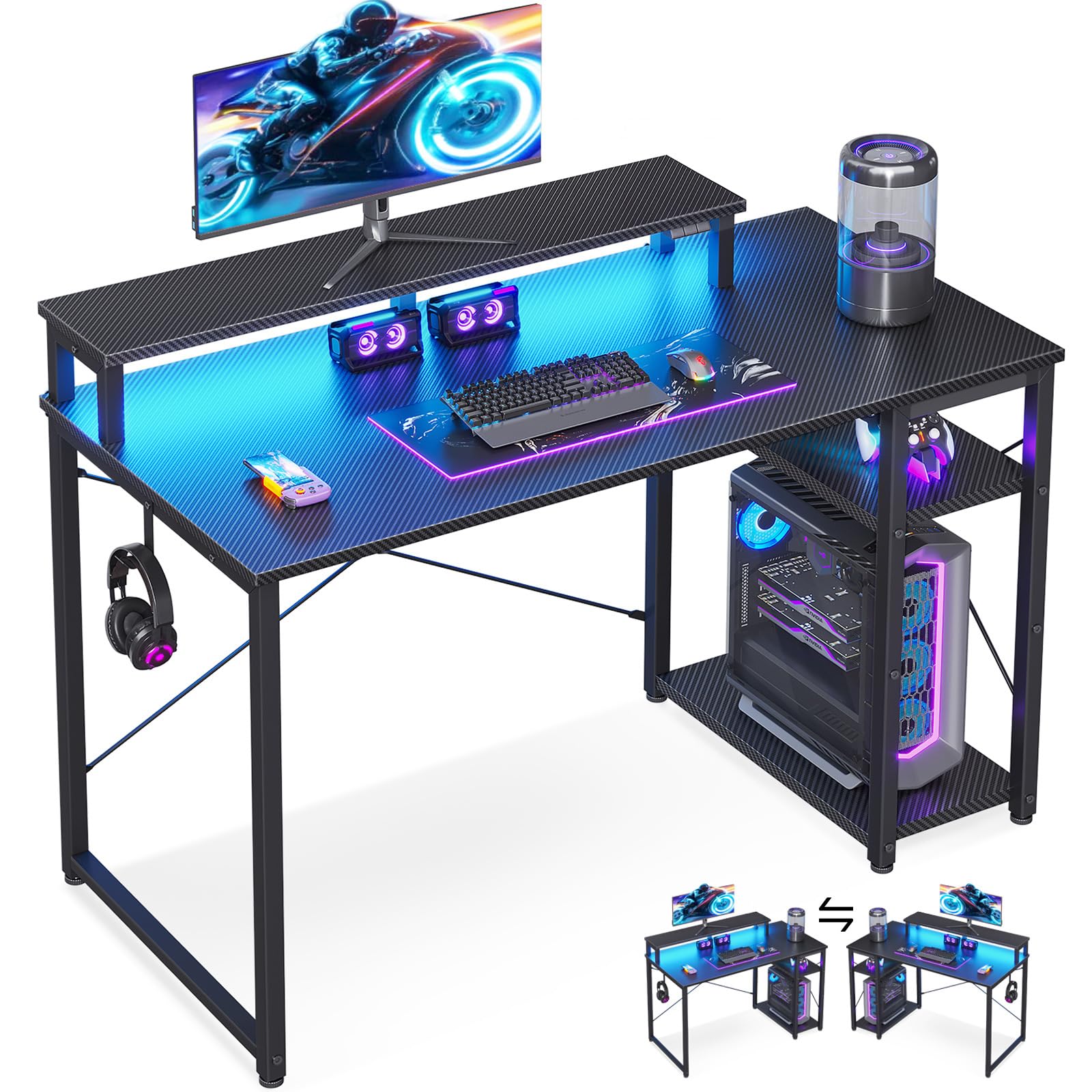
1. MOTPK 40” Gaming Desk
Our pick — 4.5+★ from 750+ verified ratings; the strongest balance of quality and price.
The 40-inch corner desk that flips between work surface and game station.
This is the pick for a teenager’s bedroom or a rented nook where the wall is short and the budget is tighter than the wishlist. It runs a 40″ span, which is the smallest footprint on this list, so it tucks into dorm rooms, home-office corners, and game-room alcoves without dominating the floor. And because the design is reversible, you can set the work side one day and the gaming side the next — one desk covering online classes, remote work, and casual play. That flexibility is why it takes the top spot here.
Your late-night sessions get easier thanks to a 16-color dimmable LED strip (a light strip you can set to 16 colors and dim). It lights the desk surface so you are not squinting at a keyboard, and it means you can skip a lamp that would eat the tiny desktop. A side shelf lifts textbooks, controllers, or a mug off the main surface, which keeps a 40-inch top feeling usable instead of crowded. The fixed monitor stand sits the screen at eye level for long sessions, and a headphone hook is built in. Everything you need to build it comes in the box, and buyers report it goes up quickly — most say they did not even need to study the manual closely.
What wins people over is the build quality for the size, and it holds up over time; owners mention units still sturdy almost nine months after assembly, and one sums it up plainly: “This desk is very sturdy (super easy to assemble), looks great especially with the LED accent lighting. holds a 33” monitor.” That 33″ monitor fit is real proof a small desk can still carry a serious screen. Honest catch: the footprint cuts both ways — several owners say it reads smaller in person than the listing photos suggest, so measure your monitor and chair clearance before you click. It is rated 4.5+ stars across 700+ ratings, which is the strongest score here.
Why It Earns The Top Slot
- Smallest footprint on this list at 40″ wide, made for dorm rooms and bedroom corners
- Reversible build flips between work and gaming modes without a second desk
- 16-color dimmable LED strip lights the surface so you skip a separate lamp
- Side shelf keeps textbooks and controllers off the main desktop
- Includes a headphone hook and every tool needed for one-person assembly
The Honest Trade-Off
- The compact surface reads smaller than the photos suggest — measure your monitor and seating room first
- Design is fixed-height, so there is no sit-stand option here
Reach for this if: you are fitting a real gaming setup into a genuinely small room and want the strongest build for the space.
Look elsewhere if: you need the surface to rise between sitting and standing — the ErGear further down covers that.
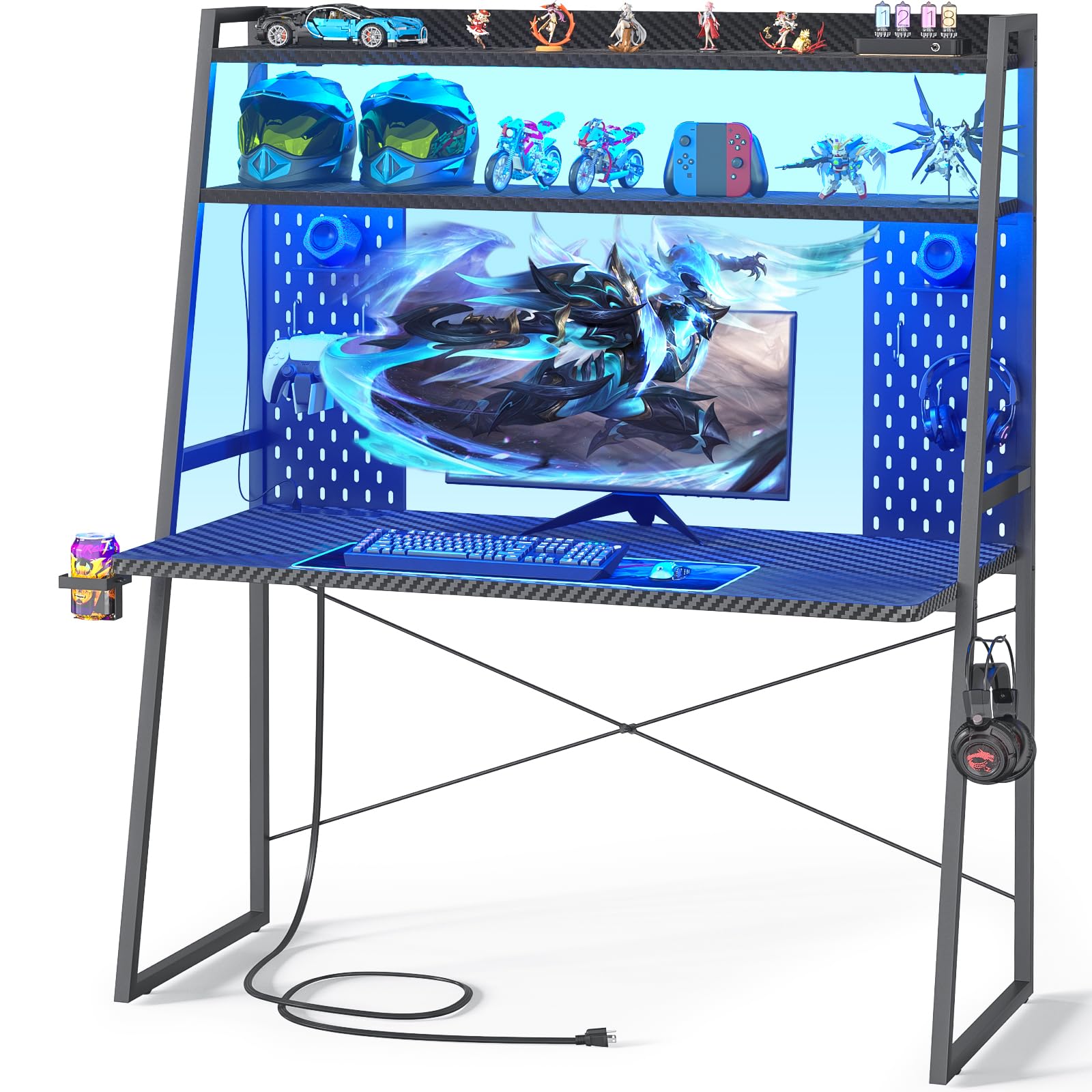
2. Besiost Small Gaming Desk with Hutch and LED Lights, 43″
A hutch-and-pegboard tower that lifts your gear off the mouse zone.
If your problem is not floor space but desk-level clutter, this is the shape to buy. The main tabletop is almost 22″ deep, so a monitor sits back and a keyboard sits forward with room to spare — and the hutch above carries the overflow. Two shelves and two pegboards (with 6 hooks included) give you somewhere to park a PC, peripherals, and figurines instead of stacking them around your monitor. It is how a 43″ desk behaves like a much larger one.
Charging gets simpler because 3 AC outlets (standard wall-style plug sockets) and 2 USB charging ports are built into the desk, so your phone, tablet, or monitor plugs in at the surface instead of a wall socket behind the frame. The LED system offers a static mode for one favourite colour plus 20 dynamic modes when you want the room to move. A cup holder and a side hook round out the small conveniences, and the legroom is generous enough that your knees clear the tabletop.
Assembly is where you should set expectations. The finished desk is sturdy with no wobble, and customers note it going together in about 25 minutes — one notes their husband “did it in like 25 minutes” — but slower builds happen too, and the box arrives with a lot of parts. The recurring gripe is exactly that parts count, plus a LED cable that can run short between the two levels. Pair it with an extension if you plan to light both tiers. It rates 4.5+ stars across 1,000+ ratings.
The storage is the story: almost 22″ of depth plus a two-shelf hutch means a small desk that finally has somewhere to put things.
Set aside build time: the parts count is the trade-off — go slow, and consider pre-sorting the hardware before you start.
Built for: gamers whose gear piles up around the monitor and who want shelves and hooks to absorb it.
Think twice if: you want a five-minute build — this one rewards patience over speed.
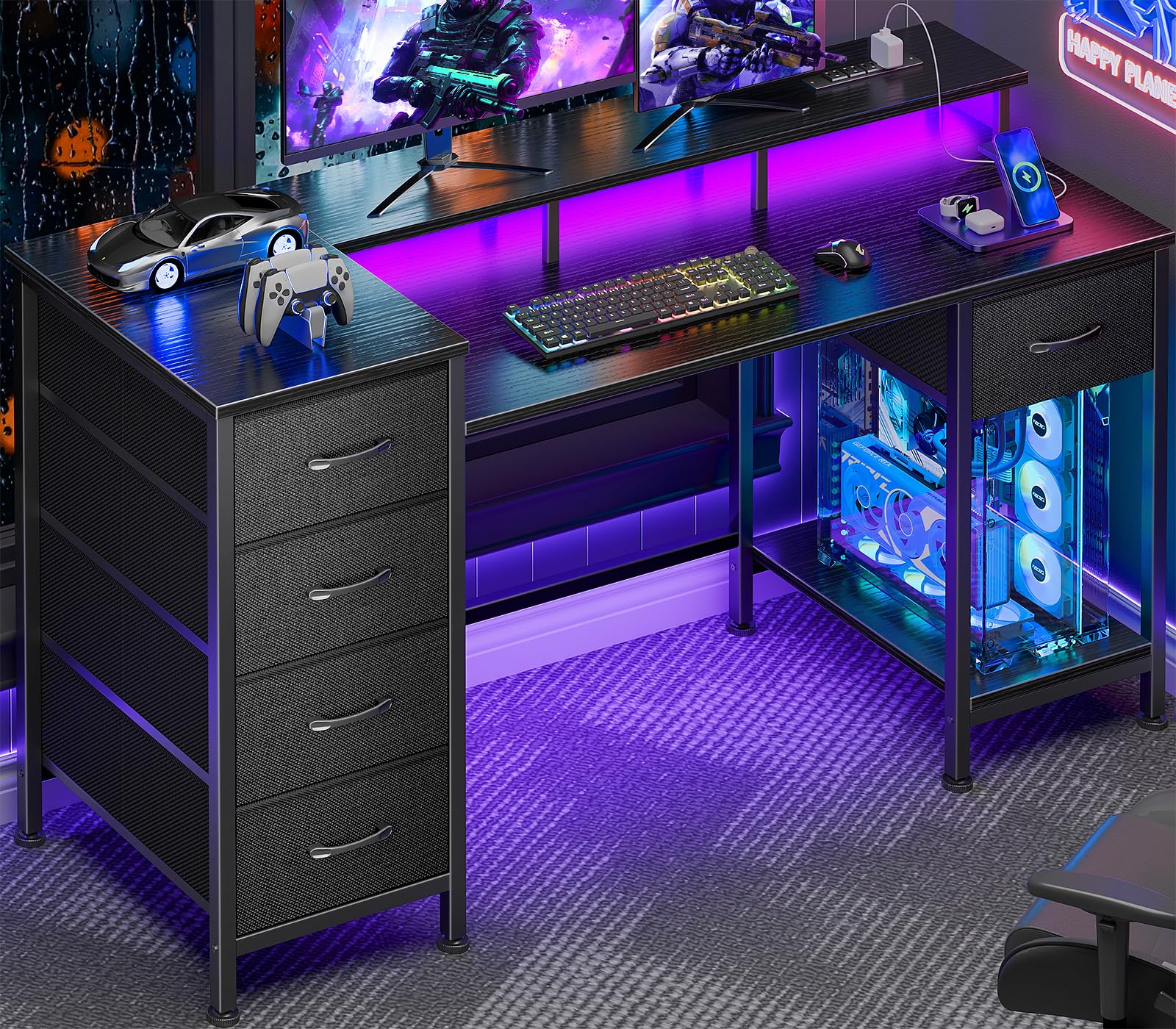
3. Korfile 47 Inch Gaming Computer Desk
Five drawers and a raised monitor shelf on a surface built for two screens.
Here is the desk for the gamer who has nowhere to put the small stuff. Five non-woven fabric drawers swallow documents, cables, and accessories, and you can mount the drawer bank in four positions — left, right, top, or bottom — so it adapts to whichever wall you are working with. A 47″ top gives you the width to run a two-monitor setup, which owners confirm fits comfortably. The all-in-one monitor stand raises your screen to viewing height across the full width, cutting the neck strain of hunching toward a low panel.
Matching the room to your mood takes one tap, because the touch-controlled strip offers 22 customizable RGB effects (RGB means red, green and blue lights that mix into any colour). Power is just as easy: 3 AC outlets plus 2 USB ports sit on the desktop for your monitor, phone, and gear. The frame is powder-coated steel (a baked-on paint finish that resists scratches) with a scratch-resistant top, crossbar support, and adjustable legs, and assembly comes with labelled parts and all the tools in the box.
Owners rate the sturdiness and the value highest, and the size feedback is overwhelmingly positive for small rooms. The two watch-outs are worth naming: the LED strip is the mixed part — most units light correctly, but a minority report strip issues, so test yours the day it arrives. The other is under the desk — a monitor arm clamp will not fit past the shelf, so you are working with the built-in stand rather than your own mount. It rates 4.0+ stars across 300+ ratings.
Count the drawers, not the width: 5 fabric drawers in four possible positions is a lot of hidden storage for a footprint this size.
Best for: two-monitor players who accumulate clutter and want it filed away, not shelved in view.
Skip if: you rely on a clamp-style monitor arm — the shelf blocks that route.
4. Furologee 60″ Gaming Desk
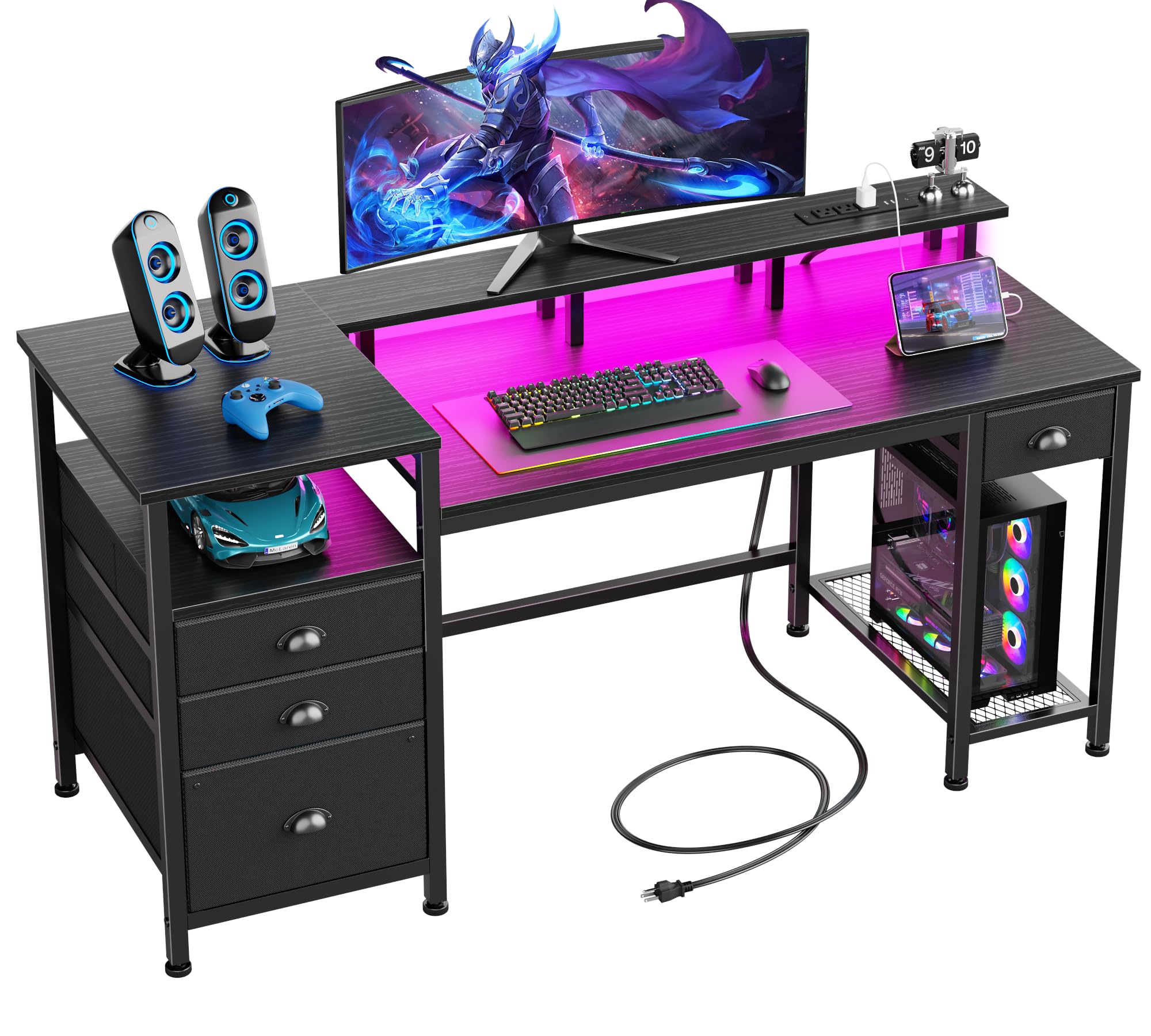
The longest top here — for the one wall you can actually afford to give it.
This is the widest desk on the list at 60″, so it only makes sense if you have one wall long enough to spare. In exchange you get a workstation that doubles as an office: a file cabinet holds letter and A4 files, 3 fabric drawers take the small clutter, and 3 open shelves park a printer or scanner within arm’s reach. The full-size 60″ monitor stand runs the length of the desk and raises your screen to eye level, which is the ergonomic win for anyone logging long hours.
The charging station brings 3 outlets and 2 USB ports to the surface, so your phone, headset, and tablet charge without a wall-hunt. The LED strip offers 20 changeable colors, 22 dynamic modes, 5 brightness levels, and 10 lighting rhythms — enough range to light a dark room for work or flip to a gaming mood. The whole desk is reversible, so the storage side installs left or right to match your habit.
The recurring trade-off is the assembly time. Reviewers point out builds running around three hours, and one needed a 10ft DisplayPort cable because the 6ft one would not reach a second monitor. The fabric drawers are strong enough for binders but they are not hardwood, so keep heavy items out. Overall it is the best home-office-and-gaming crossover in this group. It rates 4.5+ stars across 500+ ratings.
One sentence to keep: if a single long wall is your workspace, the Furologee 60″ gives you a printer shelf, a file cabinet, and room for two screens at once.
This is your desk if: work and play share one machine and you want storage and outlets in the same frame.
Give it a pass if: your room is genuinely tiny — 60″ demands a long wall and a longer cable run.
5. Pamray Small Gaming Desk Rolling Computer Table, Black
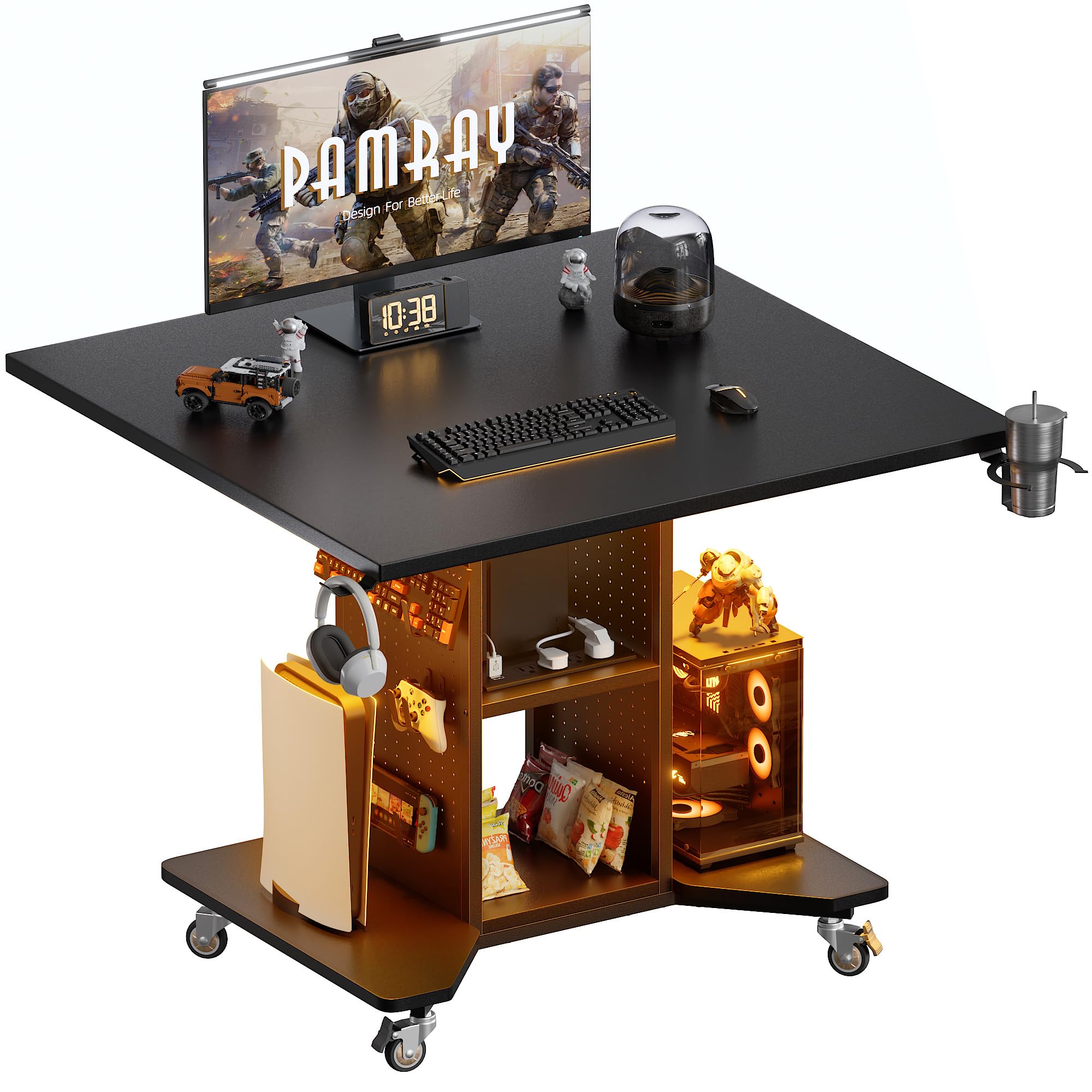
The desk that rolls across the room and parks where you need it.
Every other desk here is planted against a wall — this one moves. Four caster wheels (two lockable and two swivel) let you glide it from bedroom to living room and lock it down when it lands, so it can serve as a gaming desk today and a side table or sewing table tomorrow. For a studio apartment or a kids’ room that gets rearranged often, that mobility solves a problem nothing else on this list touches.
The lighting is unusually deep: a rainbow LED strip with 358 adjustable modes runs off an independent remote, and the lamp beads use thicker filaments for longer-lasting brightness. The charging station is the most generous here too — 4 outlets and 2 USB ports, enough for up to 6 devices at once. Storage comes from 2 side pegboards with 12 hooks in two sizes, 2-tier shelves, and 2 open bottom racks that take speakers or a PC tower. A headphone hook and a cup holder are built in.
Two practical notes. The larger hooks suit controllers and the smaller ones keyboards and headphones, so plan your hang points before you load it up. And since it rolls, a wheeled desk asks for a hard, level floor to feel fully planted — carpet can make it a little livelier. Assembly videos and all tools are provided. It rates 4.5+ stars.
Mobility is the whole point: lockable casters let one desk be a battlestation, a side table, and a kitchen station without buying three pieces.
Plan your hooks: 12 hooks in two sizes across 2 pegboards means controllers and keyboards each have a home.
Made for: renters and small-room gamers who need furniture that moves with them.
Not for you if: you want a permanent wall anchor and dislike any wobble on carpet.
6. Grandder Gaming Desk 40 Inch
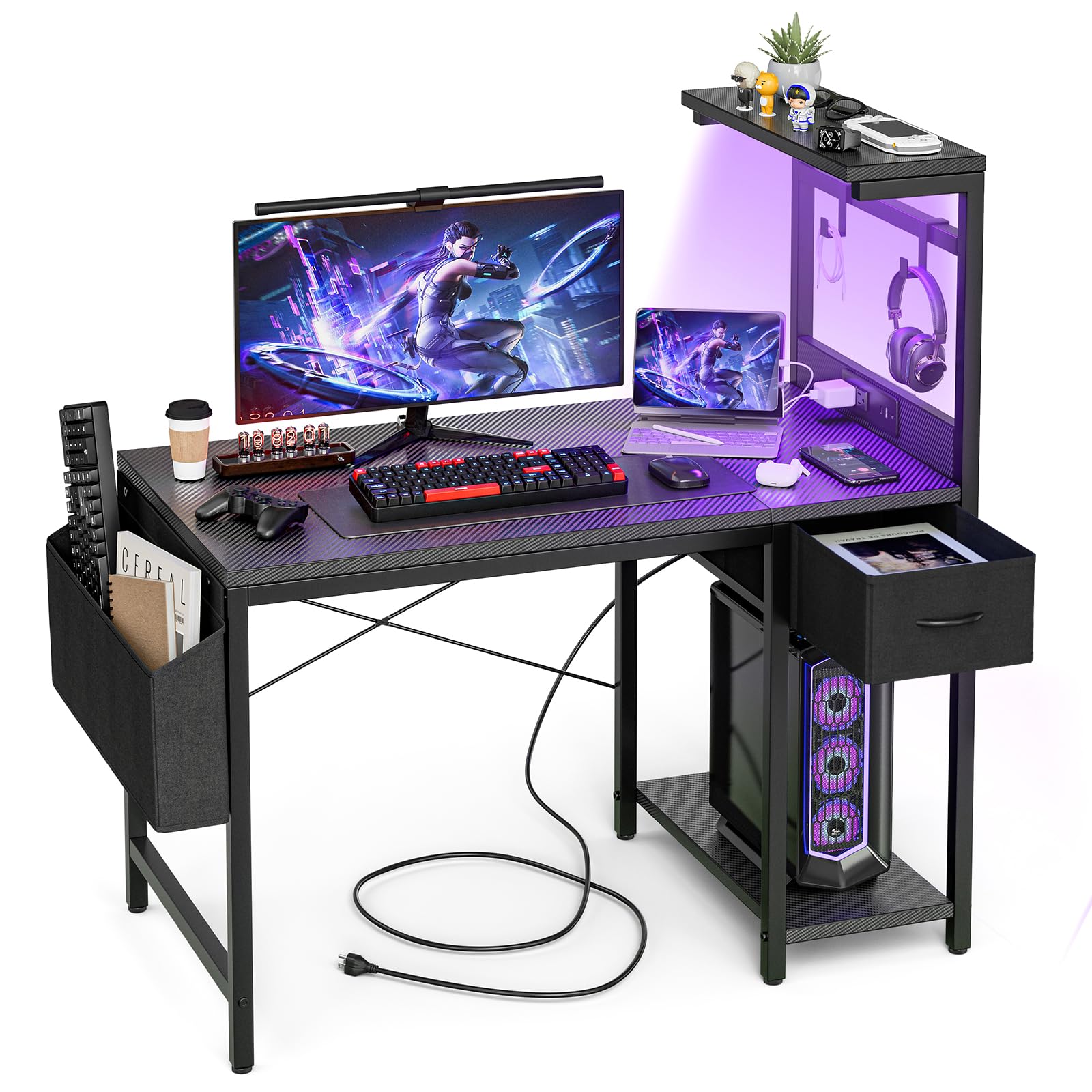
A 40-inch carbon-top desk with a Type-C port and reversible shelving.
For a single-monitor setup in a space that will not take anything larger, this 40″ desk keeps the footprint modest at 19.7″ deep while still giving you a keyboard tray, a cable management tray, a cup holder, and a headphone hook in the box. The shelves and the single drawer can be mounted on either side, so you decide which shoulder the storage sits on. The carbon fiber surface gives the whole thing a dark, modern look that fits a gaming corner.
The charging station stands out from the desks around it: two sockets, a USB port, and a Type-C fast-charging port, so a modern phone or tablet tops up at full speed without a separate brick. The LED strip runs on remote or app control with adjustable brightness, speed, and colour, which lets you dial the room from a work glow to a gaming wash. Slidable iron hooks hang headphones or a hat without drilling. What buyers keep coming back to is the screen fit: one owner reports it is “good size for a single 27” monitor,” which is the realistic ceiling.
The honest caveat is assembly. Plan a slow afternoon — a build can run around four hours, and the included Allen wrench has been known to strip screws, so bring your own screwdriver. Owners also mention the LED strip sagging in the centre until it is taped, and a 7-colour range rather than a full spectrum. The build quality still holds up once it is together. It rates 4.5+ stars.
The port that matters: Type-C fast charging plus two sockets means your phone, tablet, and monitor all plug in at the desk surface.
Choose this when: one good monitor and a tidy carbon-finish corner are all you need, with fast phone charging built in.
Know before you buy: budget a full afternoon for assembly and bring your own screwdriver.
7. TIQLAB Gaming Desk 47 inch
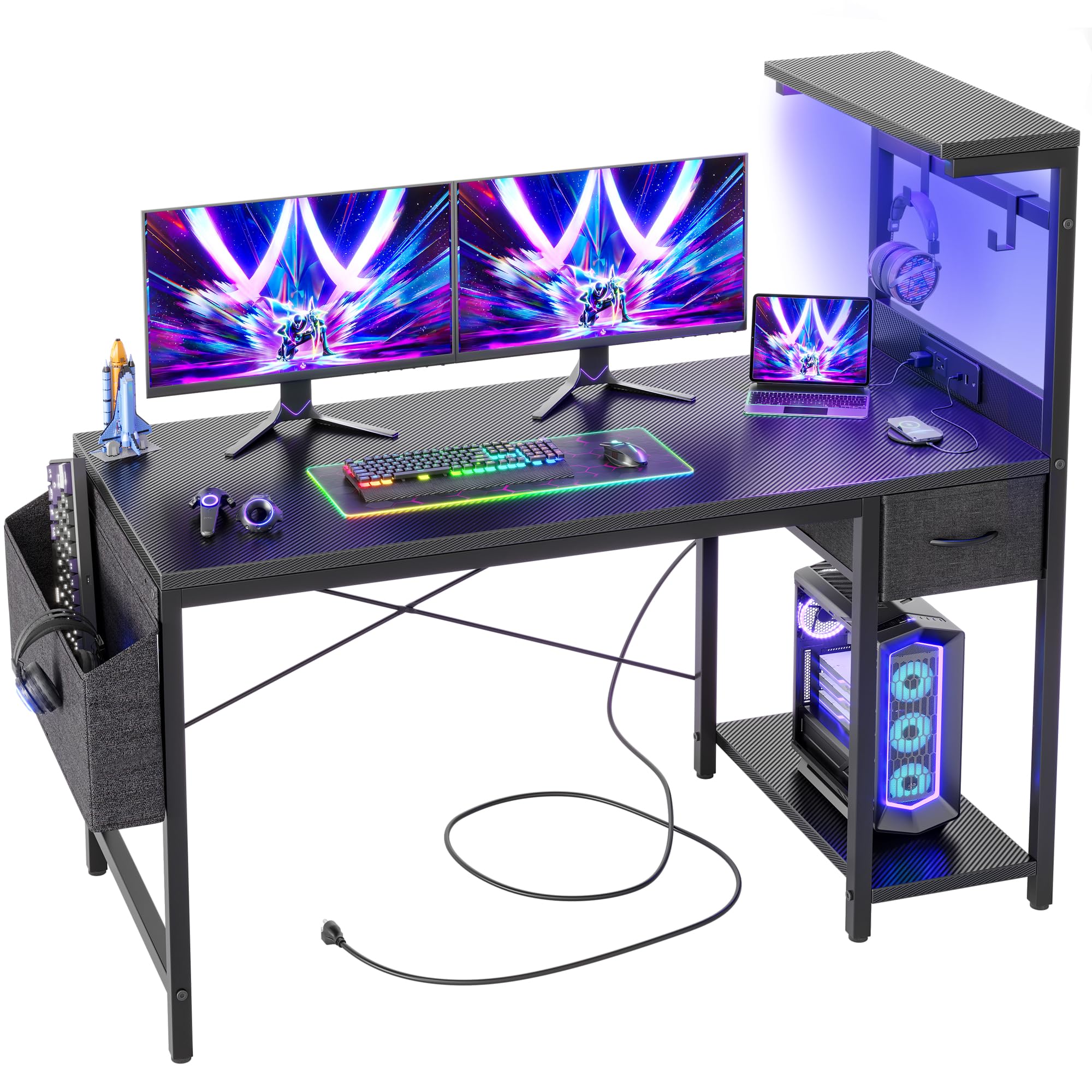
The 47-inch desk that matches the Grandder’s features on a wider top.
Think of this as the Grandder’s bigger sibling: the same reversible shelves, single drawer, slidable iron hooks, and carbon fiber surface, but on a 47″ span that gives your mouse hand more sweep. If you play at a lower sensitivity and need the extra lateral room, that width is the reason to step up. The storage side installs left or right, so the drawer and shelves follow your reach rather than fighting it.
The power outlet brings two sockets, one USB port, and one Type-C fast-charging port, letting you charge a phone or tablet at the desk instead of across the room. The integrated LED strip is remote- and app-controlled for brightness, speed, and colour, so a dark-hour session can be lit to your preference without a separate lamp. The hooks hang headphones or a hat, and the tools and manual are in the box for a single-person build, with support available seven days a week if a part gives trouble.
Two things to weigh honestly. First, fit: some owners feel the delivered surface reads smaller than the listed 39.4″ figure suggests, so confirm the actual top against your monitor and keyboard before ordering. Second, stability divides buyers — the desk sits solidly for most, while a minority find it wobbly and fix it with the included hardware. Assembly comes with all necessary tools and a detailed manual. It rates 4.5+ stars.
The case for the wider top: at 47″, this gives your mouse more travel than the 40″ Grandder while keeping the same reversible shelf-and-drawer setup.
Reach for this if: you want the carbon-finish look and a Type-C port but need more mouse room than a 40-inch top allows.
Check first if: a rock-solid desk is non-negotiable — a small share of owners find the frame wobbles until the hardware is tightened.
8. Aheaplus L Shaped Gaming Desk

An L-shape that turns a wasted corner into a two-monitor command post.
If your room has a dead corner doing nothing, this desk claims it. The L-shape bends 48.82″ wide across a 59.13″ return, and the reversible top hutch mounts left or right, so the arrangement bends to the room instead of the other way around. Four tiers of open shelves, a storage bag, and a headphone hook give you places for daily items without piling them on the surface. The movable monitor stand lifts your screen to eye level to keep your posture upright through long sessions.
The lighting is the showpiece: an LED strip controlled by app with over 60,000 colours, multiple flashing modes, a timing mode, and a music sync mode that pulses to your audio. Power comes from 3 outlets and 2 USB ports, enough for 5 devices at once. The frame is a rugged metal build with high-quality MDF, adjustable leg pads for uneven floors, and an X cross bar to stiffen the whole L.
The honest note is the LED strip adhesive — it sags over time, and owners who care about clean lighting add their own mounting. A minority also report the cross-section bars feeling flimsy, though the desk itself holds up: shoppers say units still sturdy after six months. It fits two 32-inch monitors with room to spare. It rates 4.5+ stars.
Corner math: 48.82″ wide and 59.13″ along the return means a corner setup that fits two 32-inch monitors with room left over.
Fit for: a bedroom corner that currently holds nothing and a gamer who wants shelves and a hutch above the surface.
Plan around: the LED strip needs a firmer mount than the factory adhesive long-term.
9. ErGear Electric Standing Desk
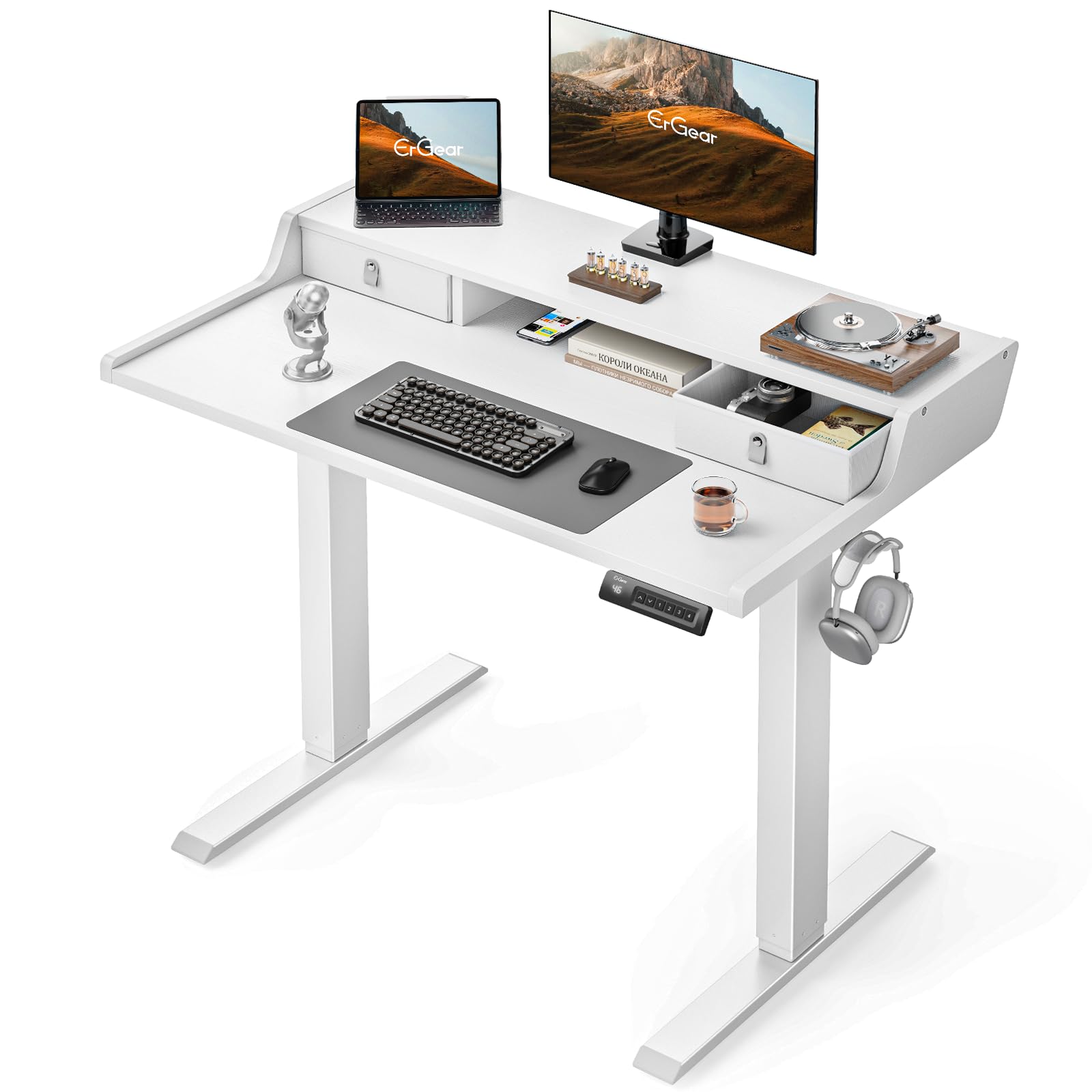
A motorized 40-inch desk that rises from sitting to standing on command.
This is the one pick here that changes your posture, not just your storage. A motor moves the top through a 28″ to 47″ height range, and 4 custom presets let you jump between your favourite sitting and standing positions with one press. The frame is built from automotive-grade cold-rolled steel, and the motor is rated for 50,000 lift cycles and a 176 lb load — enough for monitors, a tower, and gear without strain.
The 40″ by 24″ top is compact enough for a small office but runs a deeper 23.7″ desktop for real workspace. Storage is triple-layered: two drawers for out-of-sight items, an open cubby for your keyboard and mouse, and an integrated monitor riser to lift the screen closer to eye level. Because the rear edge extends 2.95″, it takes a C-clamp monitor mount, or you can place a screen straight onto the riser. Anti-drop edges keep items from sliding during adjustment, and anti-collision detection stops the desk if it meets an obstacle.
What sells it is the motion itself — owners describe the height change as smooth and quiet, with the preset memory hitting an exact position every time. The realistic caveats: the compressed-wood top can chip if you are careless with power tools, and one buyer notes there is no rear cord hole, so cables route through the top opening instead. Assembly takes some time, and some parts are heavy for a solo build. It rates 4.5+ stars.
The feature nothing else here has: a motorized 28″–47″ range with 4 presets turns a cramped desk into a sit-stand station.
Cable routing: there is no rear pass-through hole, so plan to run cords through the top opening.
This one is for: small-office workers and gamers who want to alternate sitting and standing through the day.
Weigh this if: you keep a messy cable jungle — the missing rear port means tidier routing takes planning.
Know the Specs
Desktop width and depth
Width is how much wall the desk claims; depth is how much elbow room you get. A 47″ top with 19.7″ of depth can feel tighter than a 40″ top with a deeper surface, because a monitor needs to sit back while your keyboard sits forward. In a small room, measure the wall gap and the chair clearance first, then let depth decide between two desks of similar width. Remember the surface reads smaller in person than it does in listing photos.
Built-in power and lighting
Outlets and USB ports on the desktop save you from reaching for a wall socket behind the frame — handy when a phone, tablet, or monitor needs charging mid-session. A Type-C port is the one to look for if you charge modern phones and tablets at the desk. LED strips are there to light a dark-hour setup without adding a lamp, and the better ones carry a remote or app for brightness, speed, and colour. Treat lighting as convenience, not clarity, and test the strip the day it arrives.
Storage that climbs, not spreads
Floor space is the scarcest thing in a small room, so shelves, hutches, and pegboards that rise above the desktop are worth more than side cabinets. A hutch with two shelves lifts clutter off the mouse zone; pegboard hooks hang controllers, headphones, and keyboards. Fabric drawers are there for documents and small accessories, and can hold binders, though they are not built for heavy loads. Match the storage style to if you want items hidden or within reach.
Frame stability and adjustment
Steel frames with crossbar support and adjustable leg pads hold steady on uneven floors. If your floor is not level, adjustable feet matter more than frame thickness. On the surface itself, a fixed model sits at one height, while an electric desk moves between sitting and standing positions — a genuine comfort upgrade if you log long hours. Anti-collision detection and anti-drop edges are worth looking for if you choose a motorized model.
Common Questions
How much floor space do I need for a gaming desk in a small room?
Do built-in power outlets work without extra wiring in my room?
Can a 40-inch gaming desk hold a large monitor without wobbling?
What is the difference between a hutch desk and a desk with a pegboard?
Is a rolling gaming desk stable enough for a monitor?
How long does assembly take for a small gaming desk?
Will a clamp-on monitor arm fit these desks?
Do the LED light strips need a separate lamp for dark-room gaming?
Is an electric standing desk worth it in a small home office?
Can a small gaming desk handle a full PC tower and two monitors?
The Bottom Line
For most small-room setups the gaming desks for small spaces winner is the MOTPK 40” Gaming Desk — it packs the strongest build and the tightest 40″ footprint into one reversible frame, and its 4.5+ star showing is the best score in the group. If you want the most storage for a 43″ desk, grab the Besiost and its two-shelf hutch. And if you would rather move than sit all day, the ErGear standing desk is the one to reach for — its motorized range turns a cramped corner into a sit-stand station, and its preset memory is the detail most owners single out.
How we choose
We do not accept paid placement. Every pick is matched to a real buyer and a real use-case; we do not hands-on test units.
Sources
Specifications: manufacturer listings and product documentation. Review insights: verified customer reviews, as of October 2026. Pricing: not shown on this page (it changes often); check the current price via the retailer link.
As an Amazon Associate, Aappliancez earns from qualifying purchases. This does not affect which products we feature.