Disclosure: Some links in this post are affiliate links. As an Amazon Associate I earn from qualifying purchases, at no extra cost to you. Learn more
Specs are compiled from manufacturer listings and verified buyer reviews and can change over time — please confirm the key details on the product page before buying.
If you type on a number pad all day, the keyboard under your hands is either helping you or quietly wearing you down. A full size mechanical board fixes that — if its switches, build, and layout match how you work and play. This guide covers eleven full size mechanical keyboards, from budget wired boards to premium low-profile and gaming models, and matches each to a desk and a hand size.
This guide is built by comparing the manufacturers’ published specifications and the patterns across verified customer reviews, so you get each pick’s real strengths and trade-offs instead of marketing spin.
You want a board with a real number pad, switches that feel right on the first press, and a body that will not slide around during a long spreadsheet session. Those three things separate a good full size mechanical keyboard from one you regret.
Top Picks

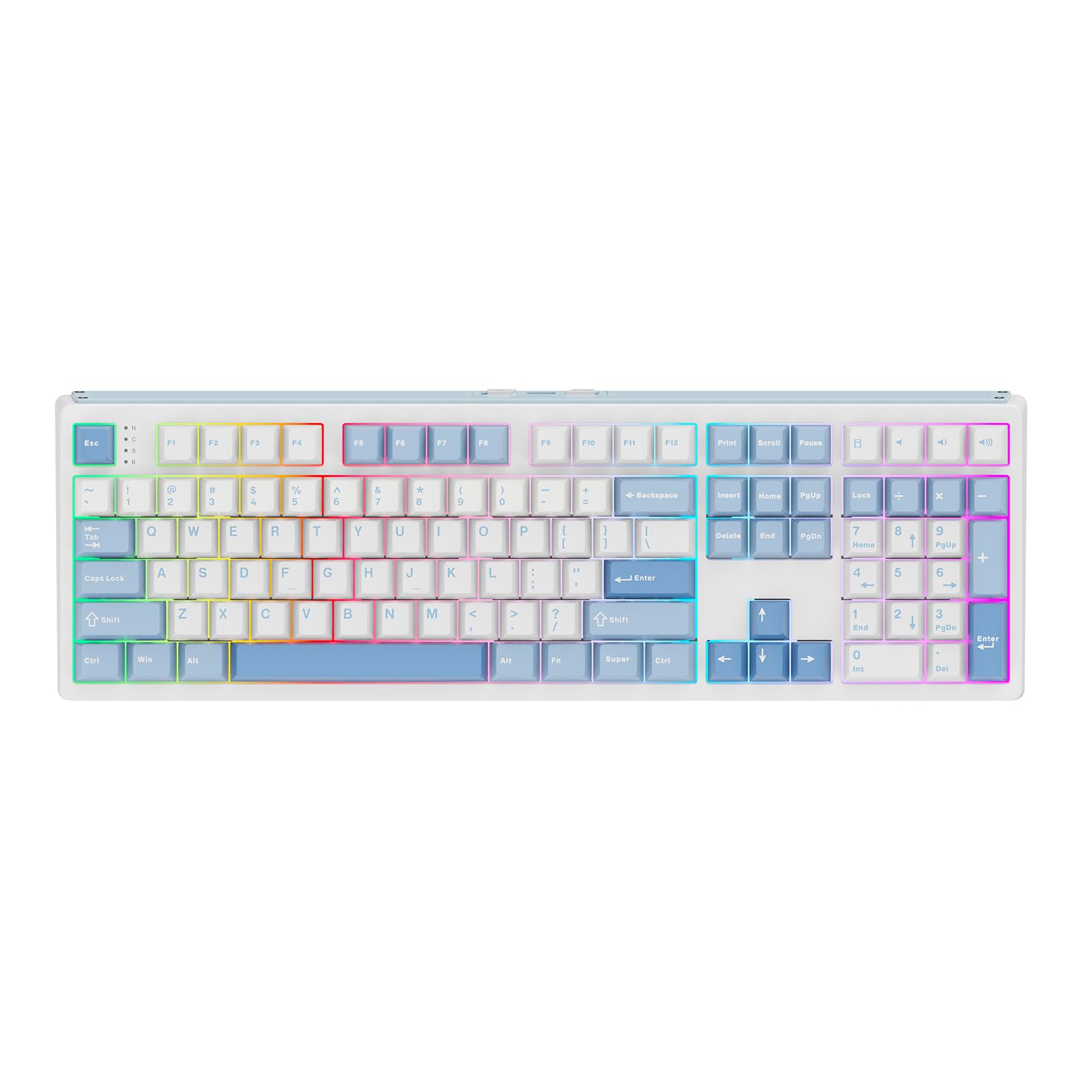
How To Choose The Best Full Size Mechanical Keyboards
A full size mechanical keyboard puts every key you need under your fingers at once — the letter block, the function row, the arrow cluster, and the number pad. Two boards with the same 104 keys can still feel completely different under your fingers. Here is what to weigh when narrowing your shortlist.
Switch type is the first decision you make
Switches are the individual mechanisms under each keycap, and they set the feel and sound of the whole board. Linear switches press down smoothly with no bump, which many people prefer for gaming because the press is quiet and even. Tactile switches give a small bump you can feel partway down, so you know the key has registered. Clicky switches add an audible click on top of that bump — satisfying to some, distracting on a shared office floor to others. A board that lets you swap switches without soldering (called hot-swappable) means you can change your mind later without buying a new keyboard.
Layout, keycaps, and build weight
Every board here is a 100% full size layout, meaning the number pad sits on the right where your accounting or data-entry hand expects it. Keycaps matter too: PBT plastic resists shine and wear better than ABS, which tends to develop a glossy look after months of typing. Case material and overall weight affect stability — a heavier board stays put when you type hard, while a lighter one may drift on a smooth desk without grippy feet. A detachable wrist rest helps if you log long hours, and adjustable tilt lets you set a natural wrist angle.
Connectivity: wired, wireless, and multi-device
Wired USB-C boards never need charging and typically report the lowest input latency, which is why competitive gamers still favor them. Wireless boards add freedom and multi-device switching, letting you jump between a work laptop, a home desktop, and a tablet with a keypress. If you go wireless, check whether the maker requires its own receiver — some use a proprietary dongle rather than standard Bluetooth, which limits which devices it works with. Battery life varies widely, so consider if you want weeks or months between charges.
Side-by-Side Comparison
| Model | Best For | Layout | Connectivity | Hot-Swappable | Amazon |
|---|---|---|---|---|---|
| ASUS ROG Strix Scope II X★ Best Overall | All-day typing and gaming | 100% / 104-key | Wired USB-C | Yes | Amazon |
| Kisnt KN104Best Value | Multi-device office work | 100% / 104-key | USB-C / 2.4GHz / BT5.0 | Yes | Amazon |
| EPOMAKER TH108Biggest Battery | Long wireless sessions | 100% / 108-key | USB-C / 2.4GHz / BT | Yes | Amazon |
| Keychron K10 | Mac and Windows switching | 100% / 104-key | Bluetooth / USB-C | Yes | Amazon |
| AULA F108 | Budget-friendly gaming and typing | 100% / 108-key | USB-C / 2.4GHz / BT5.0 | Yes | Amazon |
| Keychron V6 Max | QMK remapping and macros | 100% / 108-key | 2.4GHz / Bluetooth 5.1 / USB-C | Yes | Amazon |
| Turtle Beach Vulcan II | Gaming with media controls | 100% / 104-key | Wired USB | — | Amazon |
| Glorious GMMK 3 | Tinkerers who customize everything | 100% / 104-key | Wired USB-C | Yes | Amazon |
| Logitech MX Mechanical | Low-profile office typing | 110-key | Bluetooth / USB-C | — | Amazon |
| Cherry KW X ULP | Ultra-thin desk setups | Full size | Bluetooth / 2.4GHz / Wired | — | Amazon |
| SteelSeries Apex Pro Gen 3 | Competitive gaming precision | 100% / 104-key | Wired USB-C | Yes | Amazon |
Detailed Reviews
1. ASUS ROG Strix Scope II X Keyboard
Our pick — 4.5+★ from 300+ verified ratings; the strongest balance of quality and price.
A 100% board that stays planted, sounds controlled, and never asks you to manage a battery.
This is the pick for the buyer who wants one full size keyboard to cover both a workday of typing and an evening of gaming — and wants it to feel solid every single press. The aluminum top plate and doubleshot PBT keycaps (a two-layer plastic that resists wear and shine) give it a 2.1-pound weight that stays put, and the PBT surface means your key legends will not fade after months of daily use. Its USB-C wired connection means you plug in and type, with no charging intervals to think about.
The switches are pre-lubed ROG NX Snow V2 linear — smooth, even presses with no tactile bump — and the board is hot-swappable, so you can pull and replace them without soldering. ASUS also added integrated sound-dampening foam and switch-dampening pads, which absorb the pinging echo some mechanical boards develop. What wins people over most is how quietly and cleanly it types: the top praise across its reviews centers on the typing feel, with the sound profile right behind it. One buyer summed it up this way: “For those of us who aren’t made of money, this keyboard is perfect for quality and budget.”
Three tilt angles and a detachable wrist rest let you dial in a comfortable wrist position, and the F1–F5 hotkeys are pre-mapped for Xbox Game Bar and recording, with a wheel for media and lighting on top. The honest catch: a wired board fixes you to one desk, and the reliability picture is genuinely mixed — a small share of buyers report failures early on, so buy from a seller with an easy return path. If a cable is a dealbreaker for you, the wireless pick below may fit better.
What earns its place at the top
- Aluminum top plate and PBT keycaps — a 2.1-pound board that does not slide during hard typing.
- Pre-lubed linear switches plus sound-dampening foam for a controlled, low-echo sound.
- Hot-swappable, so you can change switches later without soldering.
Where the trade-off sits
- Wired-only — you are tied to one desk, no multi-device switching.
- Reliability is the one mixed signal in the reviews; a small number of early failures reported.
Its natural home: the desk-bound buyer who wants premium feel, gaming hotkeys, and a wrist rest without going wireless.
Look elsewhere if: you need to hop between a laptop and a desktop, since cable-free switching is not part of this design.
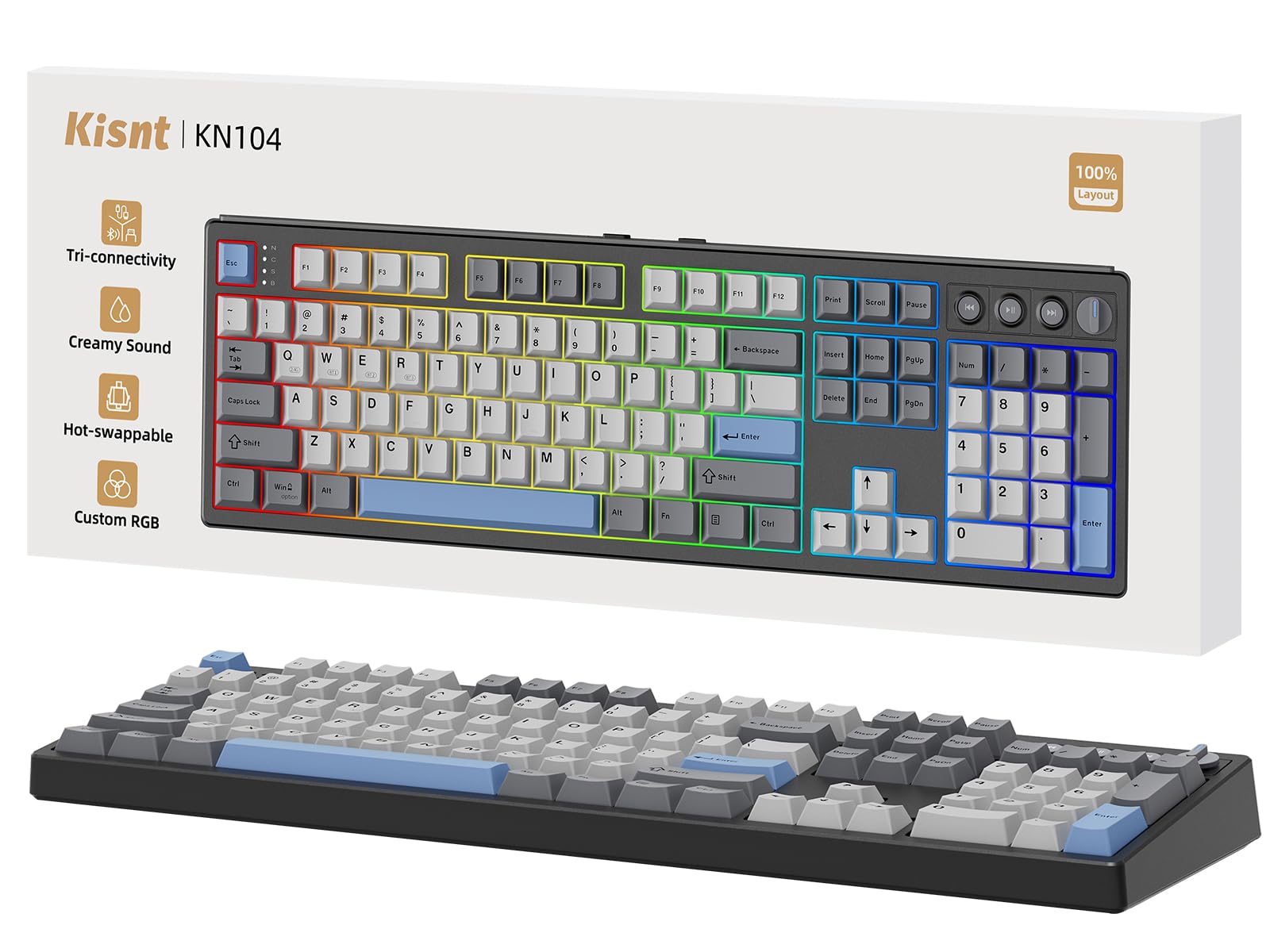
2. Kisnt KN104 Wireless Mechanical Keyboard
Three ways to connect, one knob, and a creamy tone that costs far less than it sounds.
If your workday bounces between a laptop, a desktop, and a tablet, this is where the KN104 earns its keep. It runs USB-C, 2.4GHz wireless, and Bluetooth 5.0 with three channels, and the latency figures are genuinely low — USB at 2ms, 2.4G at 5ms, and Bluetooth at 11ms — so even the wireless feel tracks close to wired for most tasks. A built-in 4000mAh rechargeable battery keeps it running, and you can keep typing on a cable while it charges, so a dead battery never stops your work.
The board itself has a dedicated knob for volume and backlight by default, pre-lubed Bsun linear switches (a 45–50gf actuation, meaning the keypress is light and smooth), and a gasket mount that absorbs vibration for a softer, more cushioned feel. It is hot-swappable for both 3-pin and 5-pin switches, so you can swap the feel later without soldering. What people keep coming back to here is the typing quality — the standout praise is the overall build and keyfeel, and the creamy sound follows close behind, with a smooth, marbly thock rather than a sharp clack. As one buyer put it, the stock switches “beat tested Oil Kings, Rosewoods, MZ Y3s.”
The dedicated number pad and full 104-key layout suit spreadsheets, coding, and heavy data entry, and it switches between Windows and Mac from the keyboard itself. Be aware of two things before you buy: the companion software is Windows-only and has been flagged by some users as problematic, and a handful of owners mention wireless dropouts and no battery-percentage indicator. If you plan to rely entirely on Bluetooth for gaming, test the connection early; those who need one always-on signal may prefer the ASUS wired pick above.
The core appeal: tri-mode connectivity, a real number pad, and a creamy-sounding gasket build at roughly the entry-level tier — a lot of keyboard for the money if you want wireless freedom.
Know before you buy: the software is Windows-only and has drawn complaints, and some users see wireless hiccups and no battery readout.
Made for: the hybrid worker who toggles between devices all day and wants a wireless full size board with a satisfying sound.
Weigh first if: you game only over Bluetooth or need dependable software — wired or a different wireless board may serve you better.
3. EPOMAKER TH108 Full Size Mechanical Keyboard
A 10000mAh battery and a 5-layer cushion turn long wireless sessions into a non-issue.
The headline here is runtime. EPOMAKER fits a 10000mAh battery into the TH108 and rates it for up to 160 hours wire-free — weeks of typing between charges for most people. Combine that with a 5-layer padded gasket mount (sandwich foam, IXPE switch pad, sound-enhancement PET, PORON socket foam, and bottom silicone) and a body over 1.2kg, and you get a board that cushions every bottom-out and refuses to slide around. In 2.4GHz wireless it runs a 1kHz polling rate, and in cable mode it claims 2ms latency for responsive gaming.
The 108 doubleshot PBT keycaps resist fading, and the factory-lubed Creamy Jade switches are hot-swappable across mainstream 5-pin options so you can retune the feel later. The tactile experience is the star: reviewers rave about the creamy, cushioned keyfeel and the sound it produces, with the appearance drawing its own share of praise. If you want custom-build sound and feel without the custom-build price, audition this one. One owner put it plainly — the creamy keys feel smooth and thocky, and the board holds up better than keyboards that cost more.
Know the trade-off: the connectivity and long-term reliability are the genuinely mixed parts. A number of users report random disconnects and, in rarer cases, the board becoming unusable within days. There is also no battery-percentage indicator, so you are watching for the low-battery cue rather than reading a gauge. If you need a rock-solid always-on wireless link, weigh the ASUS wired pick or the SteelSeries below; if your priority is battery life and a creamy sound, the TH108 delivers in a big way.
Why it belongs on the shortlist
- 10000mAh battery rated up to 160 hours wire-free — charge it and forget it.
- 5-layer gasket mount for cushioning and a creamy, cushioned sound.
- 108 PBT keycaps and factory-lubed, hot-swappable 5-pin switches.
The honest caveats
- Connectivity and durability are the mixed areas — some report random disconnects.
- No battery-percentage readout to tell you when a charge is due.
A strong match for: the long-session typist or gamer who hates cables and wants the deepest battery in the group.
Reconsider if: you depend on flawless wireless delivery every minute of the day, since a small share of units develop dropouts.
4. Keychron K10 Mechanical Keyboard
A 104-key board built around Mac shortcuts, with Windows keys in the box as a spare.
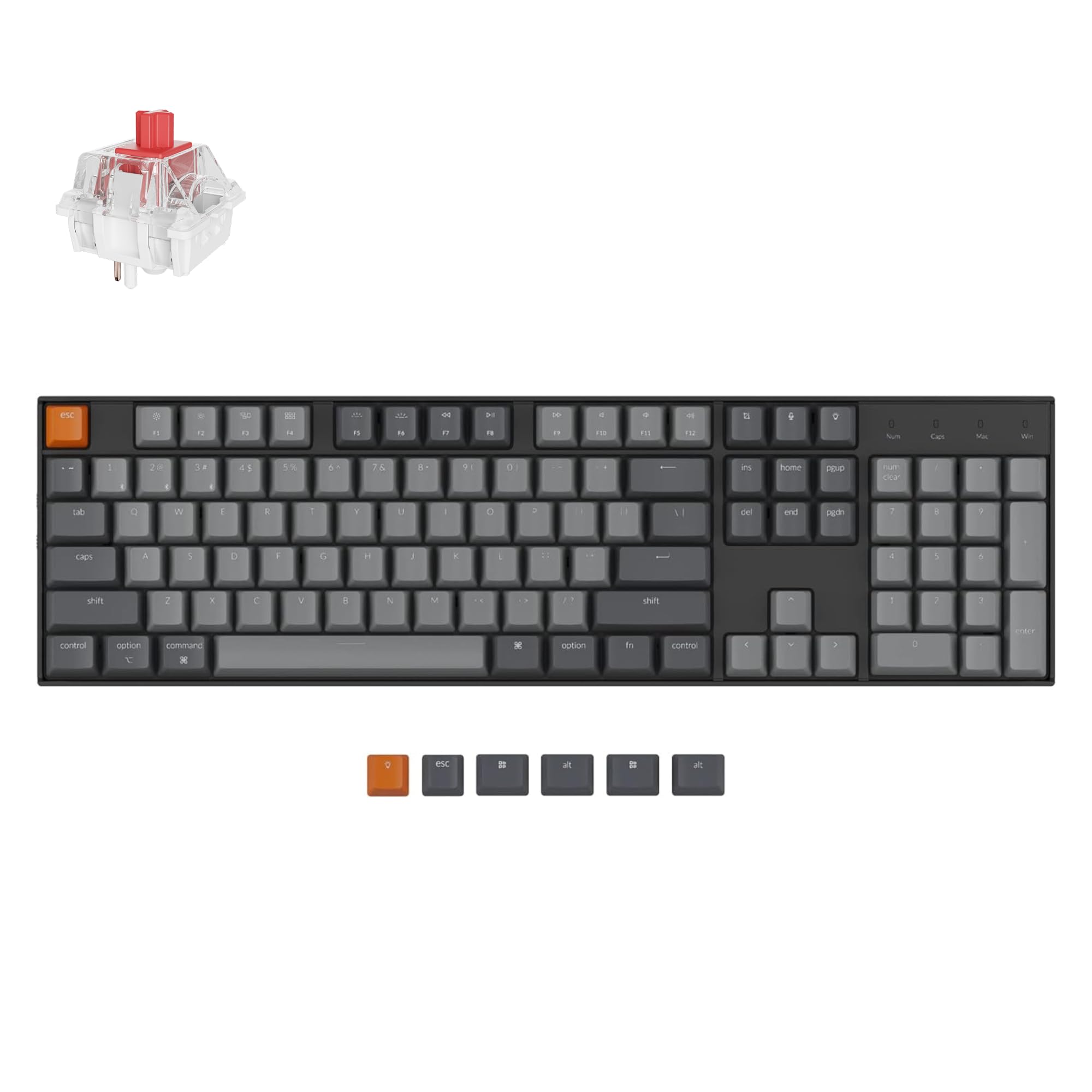
Mac users who have typed on Windows-first keyboards know the annoyance — missing shortcuts, wrong modifiers, no Siri key. The K10 ships with a genuine Mac layout and includes a dedicated Screenshot key, Siri (Cortana) key, and Screen Lock key, plus extra Windows keycaps so it works both ways. It connects to up to three devices over Bluetooth 5.1 and also runs wired over USB-C, giving you a clean desk option when you want it.
The hot-swappable PCB accepts almost any MX-style 3-pin or 5-pin switch, so you are not locked into one feel — pre-installed Keychron Super Red linear switches are rated for up to 50 million keystrokes. A 4000mAh battery powers it for up to 240 hours with the backlight off, and you get two adjustable feet at 6° and 9° for wrist angle plus an inclined frame. The white shuttle backlight is single-color rather than RGB, which keeps it office-appropriate. Owners consistently note the build feels heavier and higher quality than the plastic enclosure suggests, and switching between wired and Bluetooth is genuinely convenient.
The catch is connectivity consistency. Bluetooth drops and pairing battles are recurring in the reviews, with some owners simply giving up and using the cable — and the ABS keycaps, while soft to the touch, show oils quickly. If flawless wireless is your top priority, this is not the safest pick, but for Mac-first multitaskers who are happy to fall back to USB-C, the layout and light-gaming compatibility make it a smart fit.
The daily reality: a real Mac layout with the shortcuts you expect, three-device Bluetooth, and up to 240 hours of battery with the backlight off.
The honest snag: Bluetooth can be temperamental, and the ABS keycaps collect fingerprints — cable mode sidesteps both.
The right buyer: someone on macOS who wants correct native shortcuts, a number pad, and switch flexibility at an entry-level price.
Best avoided if: rock-solid wireless is non-negotiable — this one rewards a cable-friendly desk.
5. AULA F108 Wireless Mechanical Keyboard
The board with the longest list of dedicated fans — creamy sound, side-printed caps, and features that go past its tier.
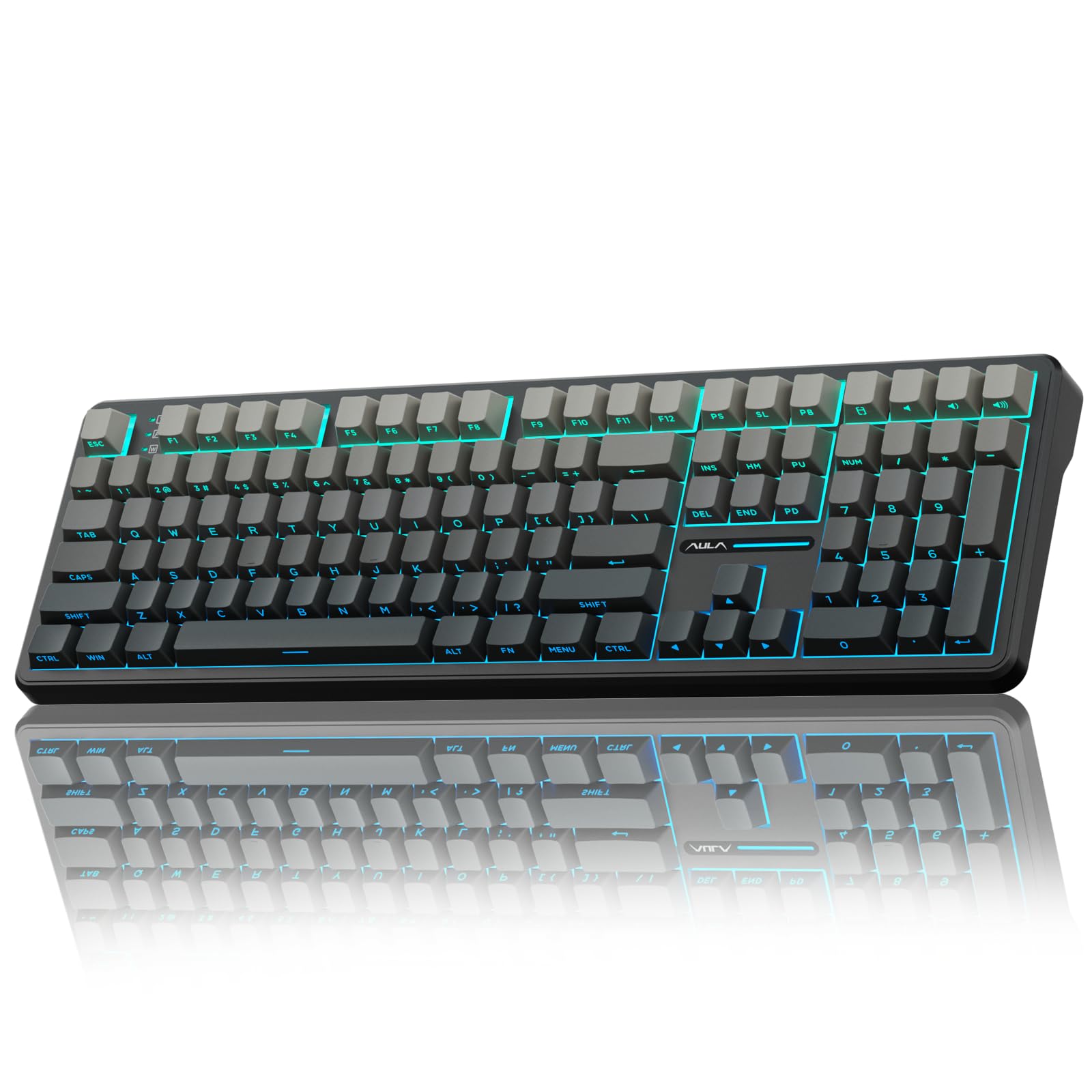
What the F108 nails is breadth. It runs BT5.0, 2.4GHz, and USB-C, saving up to five devices with a 1000Hz polling rate (how often the keyboard reports to your computer per second), so 2.4GHz and wired modes feel highly responsive for competitive play. Add five-layer internal filling, pre-lubricated stabilizers and switches, and south-facing LEDs (set low so the light shines cleanly through the legends) and you have a 108-key board that punches well past its class. The standout praise in its reviews centers on overall typing quality and the creamy sound, and the value it delivers is mentioned almost as often.
The two-shot PBT keycaps are sweat-resistant and fade-proof, the side-printed design keeps the top clean, and the RGB runs to millions of colors with decorative light bars on both sides. Hot-swap support for 3-pin and 5-pin switches lets you change the feel without soldering. Long sessions are comfortable thanks to a two-stage kickstand and a low front height — reviewers recommend a wrist rest if you type for hours, since the keys take a touch more pressure than some lighter boards.
Two honest notes: the software is quirky, with some users reporting reversed on/off values and mismatch labels, and the knob does not control volume by default. A few users also had trouble with the 2.4GHz dongle pairing at first. Those are fiddly setup issues rather than dealbreakers, and the board ships with spare switches and a puller in the box to make the first swap easy.
What stands out in daily use
- Five devices across BT5.0, 2.4GHz, and USB-C with a 1000Hz polling rate.
- Five-layer filling and pre-lubed stabilizers for a creamy sound and smooth feel.
- Side-printed, sweat-resistant PBT caps and 108-key full size layout with numpad.
Small things to watch
- Companion software is inconsistent — some report reversed or mislabeled settings.
- The knob is not volume-assigned by default, and 2.4GHz pairing takes a few tries for some.
Suits you if: you want a feature-rich, creamy-sounding full size board with a lot of device switching and a strong track record among owners.
Think twice if: you want plug-and-play software — the driver takes a bit of patience to sort out.
6. Keychron V6 Max Wireless QMK Mechanical Keyboard

A 108-key board for people who want to remap everything — and pay nothing for the software.
The V6 Max is for the buyer who treats a keyboard like a tool to be configured, not a fixed object. It runs on QMK, the open-source firmware that lets you build custom keymaps for free, and you can remap any key through the Keychron Launcher web app by dragging and dropping across macOS, Windows, or Linux. It runs 2.4GHz wireless and wired at a rapid 1000Hz polling rate, plus Bluetooth 5.1 for up to three devices, so it fits whatever system you are on that day.
Under the hood is a gasket design that flexes gently under pressure, sound-absorbing foam to tame echoes, doubleshot PBT keycaps that resist oil and fading, and south-facing RGB you can adjust in hue, saturation, and brightness. Hot-swap support handles almost any 3-pin or 5-pin switch, and PCB-mounted screw-in stabilizers reduce wobble on the big keys — space bar, shift, enter, and delete. Owners describe the typing as satisfying and quiet, with a slightly creamy tone rather than a sharp clack, and the solid, hefty build wins consistent notice even though the frame is not metal. One reviewer noted the switch they chose has “the exactly level of sound” they prefer.
The friction points are the software tools and long-term reliability. The browser-based Launcher is regarded as unintuitive, firmware updates hang for some users, and south-facing RGB means legend shine-through is limited. A few customers note key issues over months of use, and customer-service responses vary. If you value a polished, hand-holding setup app above customization freedom, the Logitech or Corsair route may suit better — but nothing in this group matches the V6 Max for pure remapping power.
Why tinkerers flock to it: free QMK firmware, drag-and-drop remapping in the browser, 1000Hz wireless, and hot-swappable switches across a gasket-mounted, PBT-capped 108-key layout.
Where it stumbles: the Launcher web app is unintuitive, some users see firmware-update hangs, and a few report key issues over time.
The pick for you if: you love programming macros and keymaps and want a full size board you can configure for free.
Skip if: you want a plug-and-play software experience — the open-source approach trades polish for control.
7. Turtle Beach Vulcan II Keyboard
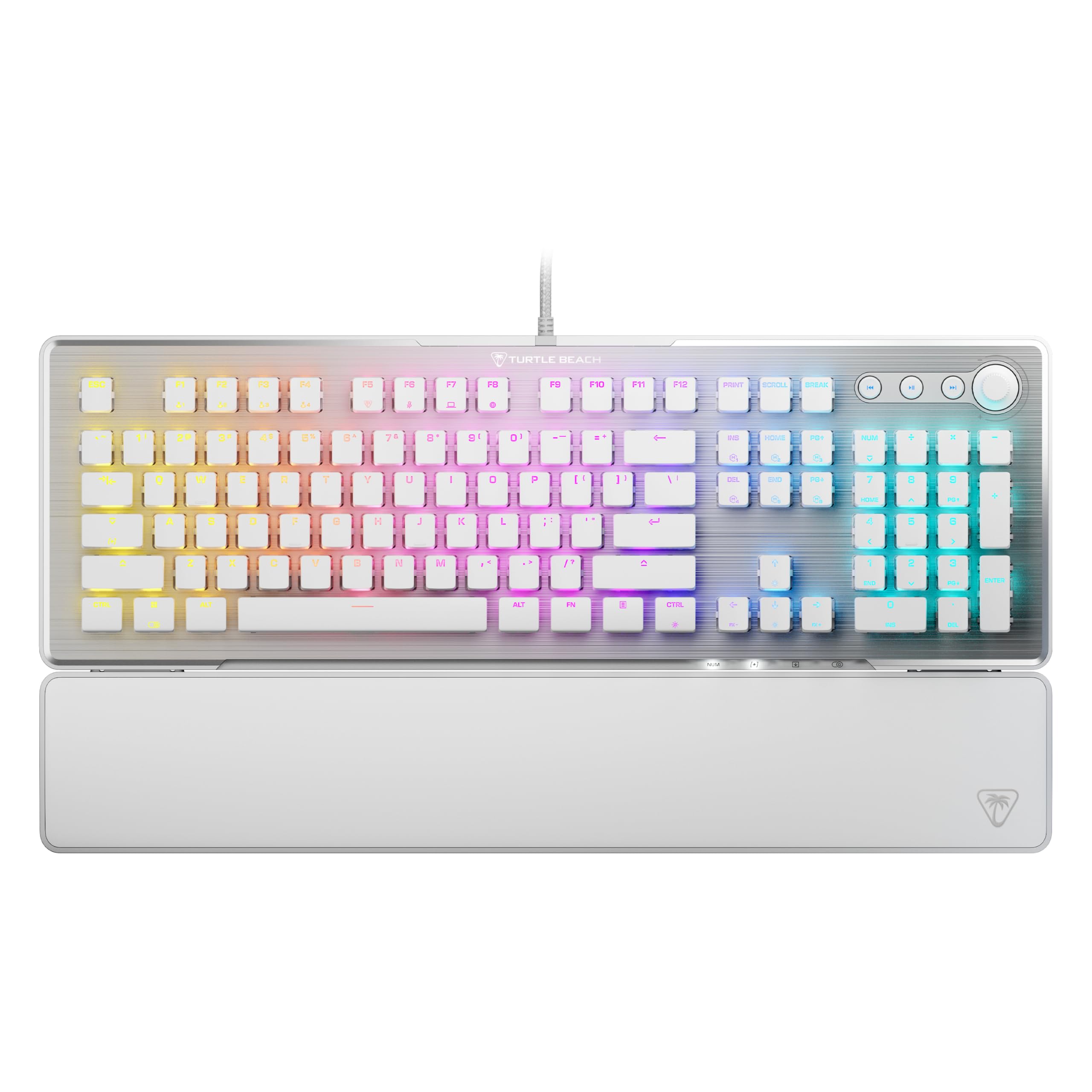
Aluminum-topped and built for quick inputs, with a knob that mutes on a push.
Turtle Beach builds the Vulcan II around the needs of a gamer who wants fast, quiet-feeling inputs. It uses Titan II Red linear switches rated for 100 million keystrokes, pre-lubed stabilizers so the big keys do not rattle, and full n-key rollover with anti-ghosting — which means every key you press registers, even during rapid multi-key commands. The aluminum top plate adds a rigidity that plastic boards lack, and a detachable palm rest helps during long sessions.
Its calling cards are the Easy-Shift[+] layer, which open up a second function for any key, plus dedicated media controls and a push-to-mute volume knob, and on-board storage for up to five user profiles so your setup travels with the board. AIMO lighting produces vibrant RGB effects, and the cross-shaped switch mounts work with many third-party keycaps if you want to swap them. The most reliable signal in the reviews is the keyfeel and general quality — keycaps and keypresses earn high marks — while the typing feel and noise level draw mixed feelings, with some finding it a touch squishy compared to crisper switches.
Fair warning on two fronts. Reliability is genuinely mixed here, with a small number of owners reporting trouble within weeks, and if you want a board with tactile bump or clicky feedback, the linear feel here will not deliver that. If you want a quiet, fast linear gaming board with media controls and accept the reliability risk, it earns a shortlist spot — the ASUS above offers more switch choice.
Its sharper edges: 100-million-keystroke Titan II Red linears, an aluminum top plate, Easy-Shift[+] dual functions, and a push-to-mute knob with five profile slots.
Where it wobbles: reliability draws mixed reports, and the linears are softer than some users expect.
A fit for: gamers who want aluminum-solid build, fast linear switches, and a media knob without going wireless.
Not for you if: you need tactile or clicky feedback, or want a longer-term reliability record — the model here is newer.
8. Glorious Gaming GMMK 3 Custom Mechanical Gaming Keyboard

Nine points of modularity turn one full size board into an ongoing project you can reshape.
Most keyboards are finished products; the GMMK 3 is a starting point. Glorious built in nine points of modularity, letting you swap the plate, gaskets, keycaps, and switches to tailor its look, sound, and feel over time. The Modular Gasket System uses building-block-style gaskets so you can set a firmer or more flexible typing feel on a whim, and the aluminum switch plate gives firmness with a neutral sound. Hot-swappable switches mean the “what if I change my mind” question has a cheap answer.
Its 104-key layout spreads out with a proper numpad, and the programmable knob handles volume by default with press-to-mute and custom actions in Glorious CORE software. Doubleshot keycaps resist shine so your RGB shows through permanently. Owners describe the build as solid and well-made, and Fox switches earn high marks for a snappy click feel. One user called it “a rebuildable platform” they love coming into — the customization alone was worth it.
There is a real snag for some: the bottoming-out sound is louder than the switches suggest, and the software is widely called out as blocking customization rather than enabling it. A handful of owners also found the punctuation key legends placed differently from what they were used to. Buy it for the modular platform, not the software — the ASUS is the more forgiving pick if you want less tinkering.
Why customization fans pick it up
- Nine modular points and a building-block gasket system you can reshape.
- Aluminum switch plate with hot-swap support and doubleshot keycaps.
- Programmable knob with press-to-mute and custom actions.
What to expect
- Louder bottoming-out sound than the switches imply.
- Software draws frequent criticism for limiting customization.
Built for: the buyer who wants a keyboard project — swapping parts, tuning the feel, and evolving the board over time.
Probably not for: someone who just wants to unbox and type, given the software friction.
9. Logitech MX Mechanical Keyboard

Full mechanical feedback in a slim body built for a corner office, not a gaming den.
If a tall, deep mechanical board makes your wrists ache by mid-afternoon, this is the profile to consider. The MX Mechanical keeps the tactile click of mechanical switches but drops them low, so your wrists sit closer to a natural position. It charges over USB-C and runs up to 15 days per charge, or up to 10 months with the backlight off — an enormous gap that tells you smart illumination is the main power draw. Keys light up the moment your hands approach and adjust to the room, so they are there when you need them and off when you do not.
It pairs with up to three devices over Bluetooth Low Energy or the included Logi Bolt receiver, and works across Windows, macOS, ChromeOS, and Linux, with Flow cross-computer control in Logi Options+. Owners single out the tactile keys and their crisp, satisfying clicks, and battery life draws consistent praise even with the backlight on high. As one happy buyer put it, the clicking sound is “so satisfying” they cannot think of a better word — and the slimness helps them hit their typing stride.
Two honest cautions. The Bolt receiver is not compatible with older Logitech Unifying receivers, so if you have other Logitech peripheral dongles around, this will not share them. And the backlight auto-dims rather than staying lit, which some users find annoying when they want steady illumination for a long evening of work. If you want a slim wireless board with genuine mechanical feedback and are happy with a dongle of its own, this is a strong fit.
The case for it: low-profile mechanical switches for wrist comfort, a smart proximity backlight, and battery rated up to 10 months with lighting off.
The friction: Bolt receiver is not compatible with older Logitech Unifying dongles, and the backlight dims automatically.
Right for you if: you want mechanical feedback in a slim body with long battery and easy multi-device switching.
Consider an alternative if: you already run a Logitech Unifying setup or need the backlight to stay fully on all the time.
10. Cherry KW X ULP Ultra Low Profile Mechanical Keyboard
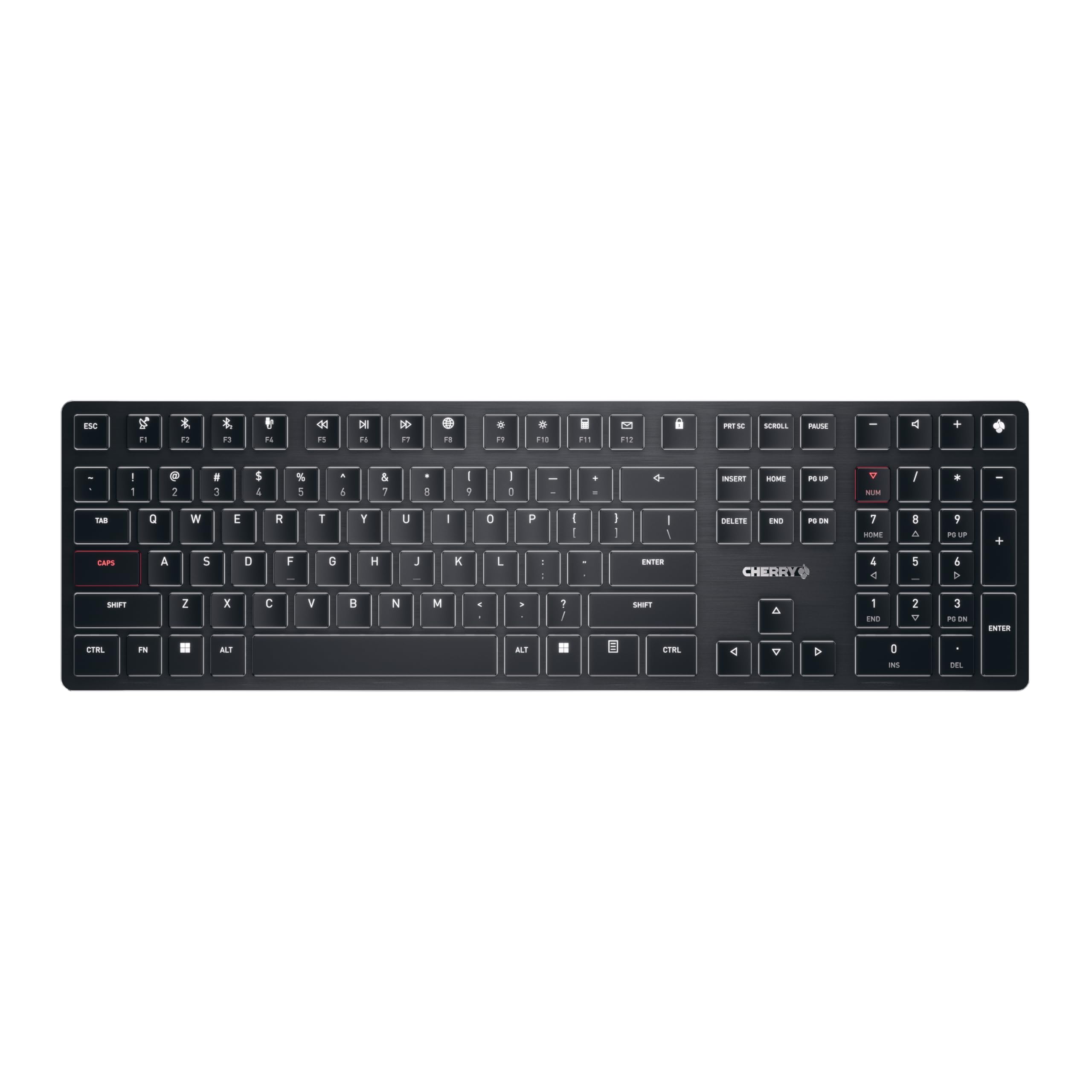
A mechanical board as thin as a laptop deck, for desks where every millimeter counts.
Cherry has spent decades making switches, and this board puts that pedigree into a body nearly as slim as a plain membrane keyboard — yet still mechanical. The MX Ultra Low Profile switches are made exclusively in Germany and rated for up to 50 million keystrokes, and they deliver precise, consistent presses with virtually no travel above the deck. If your setup is a monitor arm, a low-profile mouse, and a clean desktop, this is the full size board that matches that aesthetic instead of fighting it.
It connects to up to four devices across two Bluetooth 5.2 channels, one 2.4GHz channel (each with AES-128 encryption), and a wired cable mode — cover for a work laptop, a personal machine, and a tablet all at once. Illumination is white with colored status and special-key LEDs, plus an RGB LED in the Cherry key that shows charge level, so you never really have to guess. The detachable USB-A to USB-C cable both charges and powers wired mode, and you can charge it while you keep typing. Owners note the low-profile design takes up minimal desk space, with the tasteful backlighting and premium build getting good notice.
The trade-off to think through is switch personality. Ultra low profile switches feel shallower than a full-travel mechanical switch — if you love the deep, chunky press of a standard board, that tactile depth simply is not there. It is also a specialist tool, not a budget option. But if thin-and-refined is exactly what you want from a full size board, this is the most accomplished version of that idea in the group.
Why a thin-desk buyer wants it
- Ultra low profile MX switches rated for up to 50 million keystrokes.
- Four-device connectivity across two Bluetooth 5.2 channels, one 2.4GHz, and wired.
- Tasteful backlighting with an RGB Cherry-key charge indicator.
What you give up
- Shallow key travel — less of the deep mechanical press some users love.
- Specialist pricing territory with no hot-swap flexibility.
Worth it for: the clean-desk professional who wants full size keys, mechanical precision, and a body thin enough to disappear into the setup.
Pass it over if: you want deep-travel, customizable switches and the tactile drama of a standard mechanical board.
11. SteelSeries Apex Pro Gen 3 OmniPoint 3.0 HyperMagnetic Switches
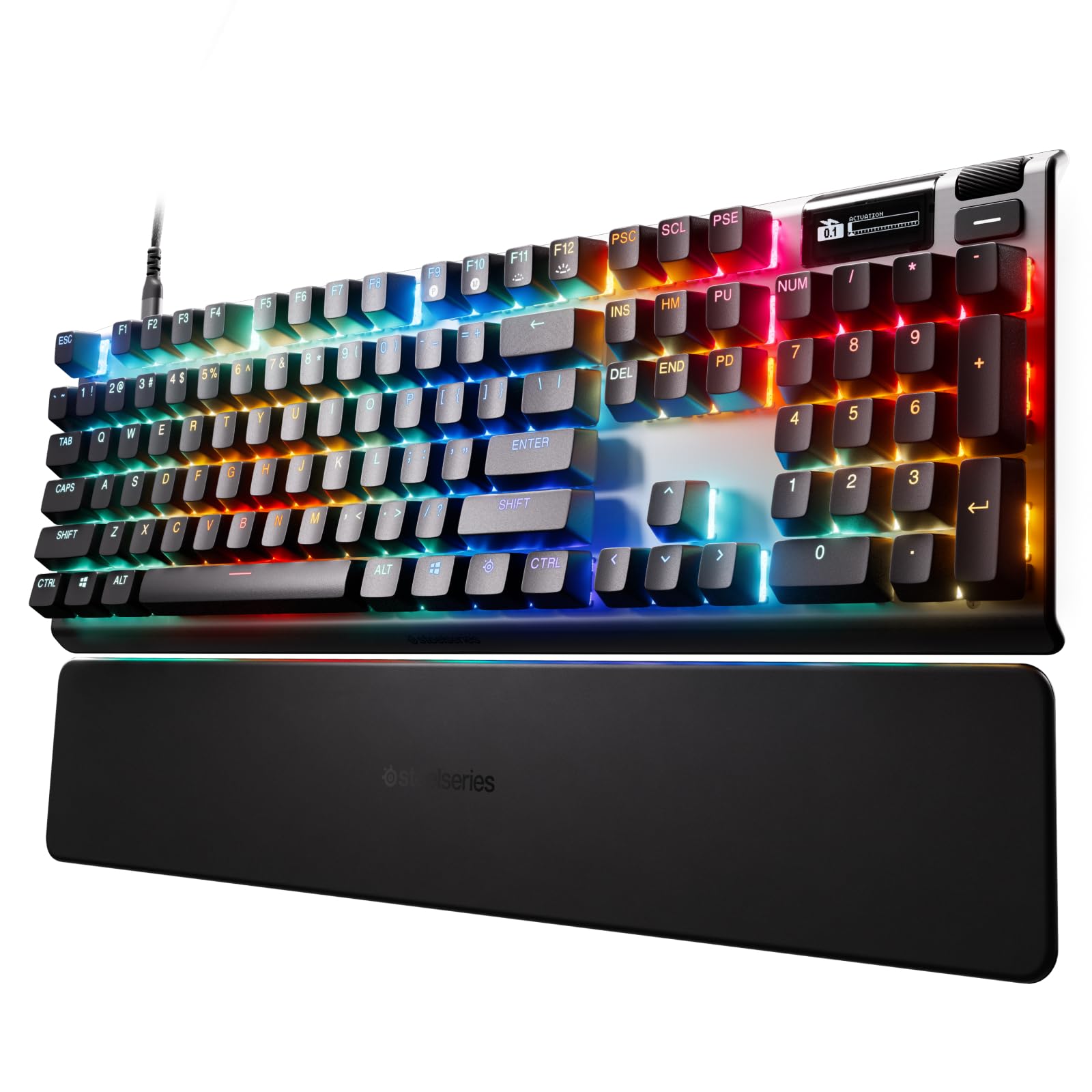
Hall Effect switches you tune by the millimeter, for players who want every millisecond back.
This is the keyboard for someone who treats input speed as a competitive edge. Rather than a fixed mechanical switch, the Apex Pro Gen 3 uses OmniPoint 3.0 Hall Effect switches, which sense your press magnetically and offer 40 levels of adjustable actuation — meaning you can decide exactly how far a key needs to travel before it registers. SteelSeries also layers on Rapid Trigger and Rapid Tap for faster re-presses, Protection Mode to reduce accidental neighbouring inputs, and GG QuickSet game-ready presets so you can dial in a profile for your favorite title in a few clicks.
The build is alloy steel, and the board includes a detachable magnetic wrist rest, an OLED smart display for settings without leaving your game, and dynamic RGB that reacts to your presses and syncs with other SteelSeries gear. Hot-swappable switches mean you can swap the alphanumeric keys, and the adjustable actuation gets a lot of praise alongside the tactile feel and quiet operation. Owners also love the OLED customization — you can set profiles for gaming, office, and streaming in seconds and see the layout shift on-screen.
The mixed notes here are honest and worth weighing. Value-for-money and functionality are the areas where opinions split, with some finding the feature set worth the premium tier and others wanting more for the spend. Arrow keys are soldered four-pin switches rather than hot-swappable, so repair on those is trickier, and a few owners ran into issues after a year. If you want to chase milliseconds and love tuning every key, this is worth auditioning.
The winning traits: 40 levels of adjustable actuation, Rapid Trigger and Rapid Tap for faster inputs, an OLED smart display, and dynamic RGB that syncs with SteelSeries gear.
The fine print: value and functionality draw mixed opinions, and arrow keys are soldered rather than hot-swappable.
Its target owner: the competitive gamer who wants to control exactly how far each key travels and see settings change on an OLED display.
Best left alone by: the value-focused typist who sticks to one key feel and never opens a configuration app.
Know the Specs
Switch Actuation and the Feel Under Your Fingers
Actuation is how far a key must press down before the keyboard registers the input, and it is the setting that shapes whether a board feels quick or deliberate. Most mechanical switches have a fixed point partway down the travel — a light linear switch like the Bsun 45–50gf in the Kisnt KN104 presses with little effort and no bump, while a tactile or clicky switch adds a bump or a click of feedback. Some boards let you change this: Hall Effect switches in the SteelSeries Apex Pro Gen 3 offer 40 levels of adjustable actuation, so you set how far a press travels before registering. If you type all day, a smooth linear switch is usually the easier ride; if you want confirmation of every press, a tactile bump helps.
Connectivity, Latency, and Battery Life
Latency is the small delay between a keypress and your device reacting, measured in milliseconds — smaller number, faster response. Wired USB-C generally wins here and never needs charging, which is why the ASUS ROG Strix Scope II X and SteelSeries Apex Pro Gen 3 are wired designs. Wired-but-free wireless boards trade the cable for a charge schedule, and the difference between models is huge: the Keychron K10 rates up to 240 hours with the backlight off, while the Logitech MX Mechanical rates up to 10 months with the backlight off. Paid wireless boards also differ in connection type — a proprietary receiver like Logitech’s Bolt tends to be more stable for gaming than Bluetooth, and matters because it will not work with older Logitech dongles.
Common Questions
Will a full size mechanical keyboard work with my Mac?
How long does the battery actually last on a wireless full size board?
What does hot-swappable mean and do I need it?
Is a gasket mount keyboard better for typing all day?
Do I need a wired keyboard for competitive gaming?
How do I choose between linear, tactile, and clicky switches?
Will third party keycaps and switches fit these keyboards?
Is a PBT keycap set worth it over ABS?
Can I use a full size mechanical keyboard on a tablet or gaming console?
How much desk space does a 100 percent keyboard take up?
The Bottom Line
For most people, the best full size mechanical keyboards winner is the ASUS ROG Strix Scope II X because it pairs a weighty aluminum-and-PBT build with pre-lubed linear switches, sound-dampening foam, three tilt angles, and a detachable wrist rest, all in a plug-and-play wired design. If wired tethering is a dealbreaker, the Kisnt KN104 gives you tri-mode switching across three devices with a creamy gasket feel and a 4000mAh battery. And for anyone who wants the deepest cushion and the biggest battery here, the EPOMAKER TH108 is the one to reach for. On the honest note: if you prize flawless wireless above all else, the ASUS wired pick will not disappoint you, while the enthusiast-tinkerer path runs through the Keychron V6 Max and Glorious GMMK 3.
How we choose
We do not accept paid placement. Every pick is matched to a real buyer and a real use-case; we do not hands-on test units.
Sources
Specifications: manufacturer listings and product documentation. Review insights: verified customer reviews, as of October 2026. Pricing: not shown on this page (it changes often); check the current price via the retailer link.
As an Amazon Associate, Aappliancez earns from qualifying purchases. This does not affect which products we feature.