Disclosure: Some links in this post are affiliate links. As an Amazon Associate I earn from qualifying purchases, at no extra cost to you. Learn more
Specs are compiled from manufacturer listings and verified buyer reviews and can change over time — please confirm the key details on the product page before buying.
A foldable touchscreen laptop lives or dies on two things no spec sheet lists: how the hinge holds up after a thousand flips, and whether the touch layer keeps pace with your finger. Get both right and one aluminum slab becomes a laptop, a tablet, a drawing board and a tent-mode screen. Get either wrong and you own an expensive machine you stop folding within a month. This guide covers twelve machines that fold, flip and tent, and says plainly which is worth full price, which only on sale, and which only for one specific need.
This guide is built by comparing the manufacturers’ published specifications and the patterns across verified customer reviews, so you get each pick’s real strengths and trade-offs instead of marketing spin.
Every pick below gets judged on the same handful of things a foldable actually has to do well: hinge stiffness, touch response, weight in the hand and honest battery hours. Read on for the foldable touch screen laptop that matches how you actually work.
Top Picks


How To Choose The Best Foldable Touch Screen Laptop
Before you compare model numbers, get clear on how you will actually use the thing. A 2-in-1 that spends 90 percent of its life open on a desk needs different priorities than one that gets folded into tablet mode on a train every morning. The four points below are the ones that change the buying decision most.
Screen size decides the fold
A 13 or 14 inch screen folds into a genuinely comfortable tablet you can hold one-handed for a while. A 16 inch screen does not — it becomes a couch-and-knee tablet or a tent-mode second display. That is the honest trade: bigger panels give you more usable canvas in laptop mode, and more awkward weight the moment you flip them. If you plan to sketch while standing, stay small. If you plan to use tent mode as a second monitor beside your desk, go large.
Refresh rate and panel type, in plain words
Refresh rate is how many times per second the screen redraws itself, measured in hertz. A 120Hz panel redraws twice as often as a 60Hz one, which makes your finger drag feel glued to the glass instead of trailing behind it. Panel type matters just as much: an IPS screen (a common LCD type known for wide viewing angles) holds its colour when you tilt it, while an OLED panel (organic light-emitting diode, where each pixel makes its own light) tends to give deeper blacks. Both are fine — just know which one you are buying.
RAM and storage numbers that actually matter
8GB of RAM is workable for browsing, video calls and documents. 16GB is the comfortable middle for real multitasking with browser tabs, a spreadsheet and a chat app all open. 32GB is what you want if you run local AI tools, edit video, or simply want the machine to still feel quick several years from now. For storage, 256GB fills up faster than most people expect once Windows and a few photo libraries land on it; 512GB on up is the safer long-term floor.
Weight and battery, honestly framed
Every convertible carries a penalty for the hinge and the touch layer, so the lightest models are the ones that made deliberate sacrifices elsewhere. A machine with a high-capacity battery tends to be the same machine that feels heavier in tablet mode. Decide which one you will resent more: a laptop that dies at lunchtime, or one that makes your wrist ache in tablet mode. Buyers who flip constantly tend to forgive the weight; buyers who mostly type tend to forgive the battery.
Side-by-Side Comparison
| Model | Best For | Screen | RAM / Storage | Max CPU Speed | Amazon |
|---|---|---|---|---|---|
| Lenovo Yoga 7i 2-in-1 16″★ Best Overall | All-round home and college work | 16″ 1920 x 1200 IPS touch | — / 1TB SSD | 4.8 GHz | Amazon |
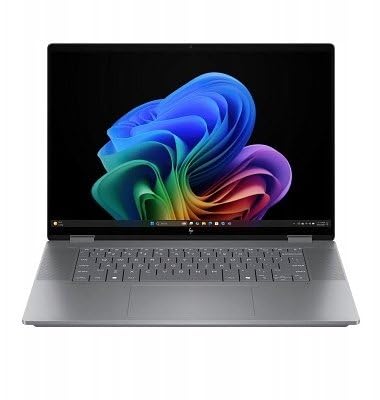
| HP OmniBook X Flip 16″Top Performer | Artists and note-takers on a budget | 16″ 1920 x 1200 IPS touch, 120Hz | 16GB / 512GB SSD | 4.8 GHz | Amazon |
| Flagship Lenovo Premium Flex 14Best for Travel | Developers and designers | 14″ FHD IPS touch | 16GB / 1TB SSD | — | Amazon |
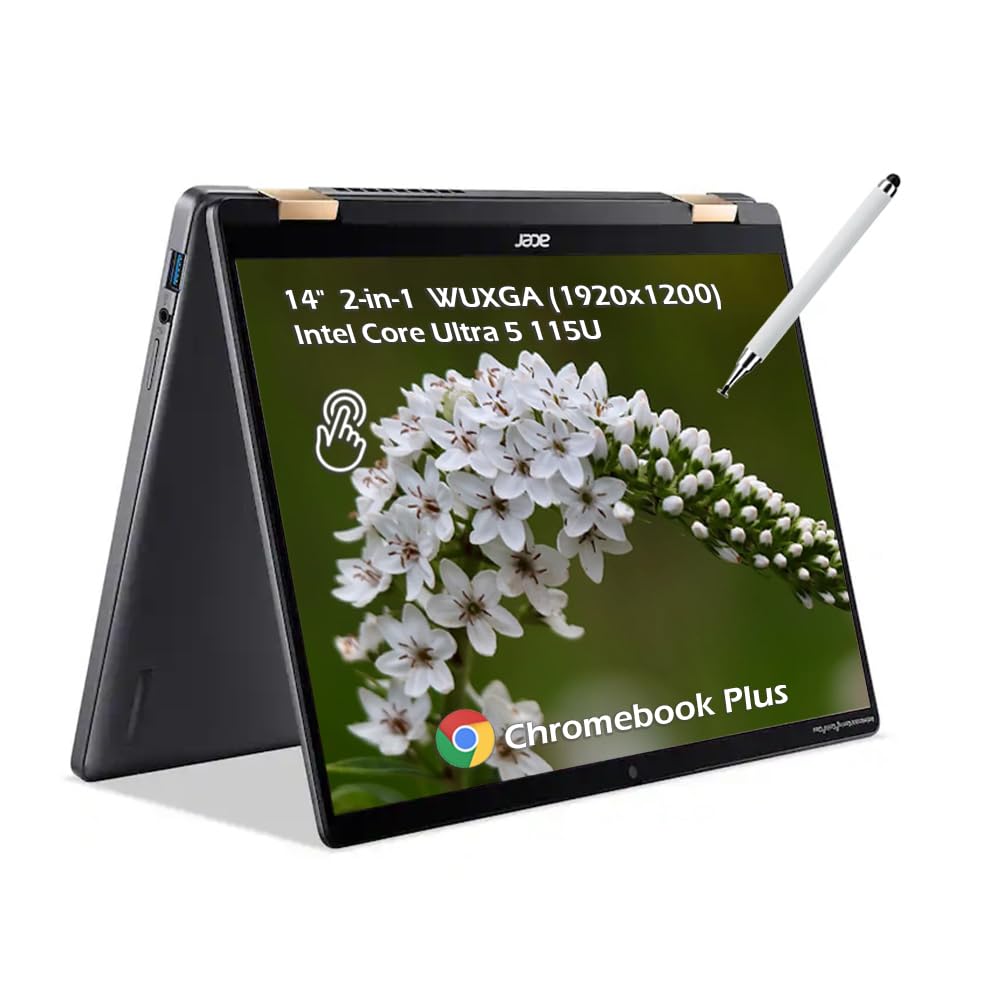
| Acer Chromebook Plus Spin 714 | Light, cloud-first daily use | 14″ 1920 x 1200 IPS touch, 340 nits | 8GB / 256GB SSD | 4.2 GHz | Amazon |
| Dell 16 DC16251 | Work and study on a big canvas | 16″ 2K touch, 16:10 | 16GB / 1TB SSD | 5.4 GHz | Amazon |
| Microsoft Surface Pro 13″ | Tablet-first sketching and travel | 13″ touch | 16GB / 512GB | — | Amazon |
| MSI Summit E13 Flip Evo | Pen-first drawing and note-taking | 13″ IPS-Level touch | 16GB / 512GB NVMe SSD | 4.8 GHz | Amazon |
| Samsung Galaxy Book5 Pro 360 | Creative work with a stylus | 16″ 2880 x 1800 AMOLED touch, 120Hz | 32GB / 1TB | 4.8 GHz | Amazon |
| HP OmniBook 7 Flip 16″ | Professional multitasking | 16″ 1920 x 1200 IPS touch, 400 nits | 32GB / 1TB SSD | 4.8 GHz | Amazon |
| ASUS Zenbook Duo | Dual-screen productivity | Dual 14″ 2880 x 1800 OLED touch, 120Hz | 32GB / 1TB SSD | 5.4 GHz | Amazon |
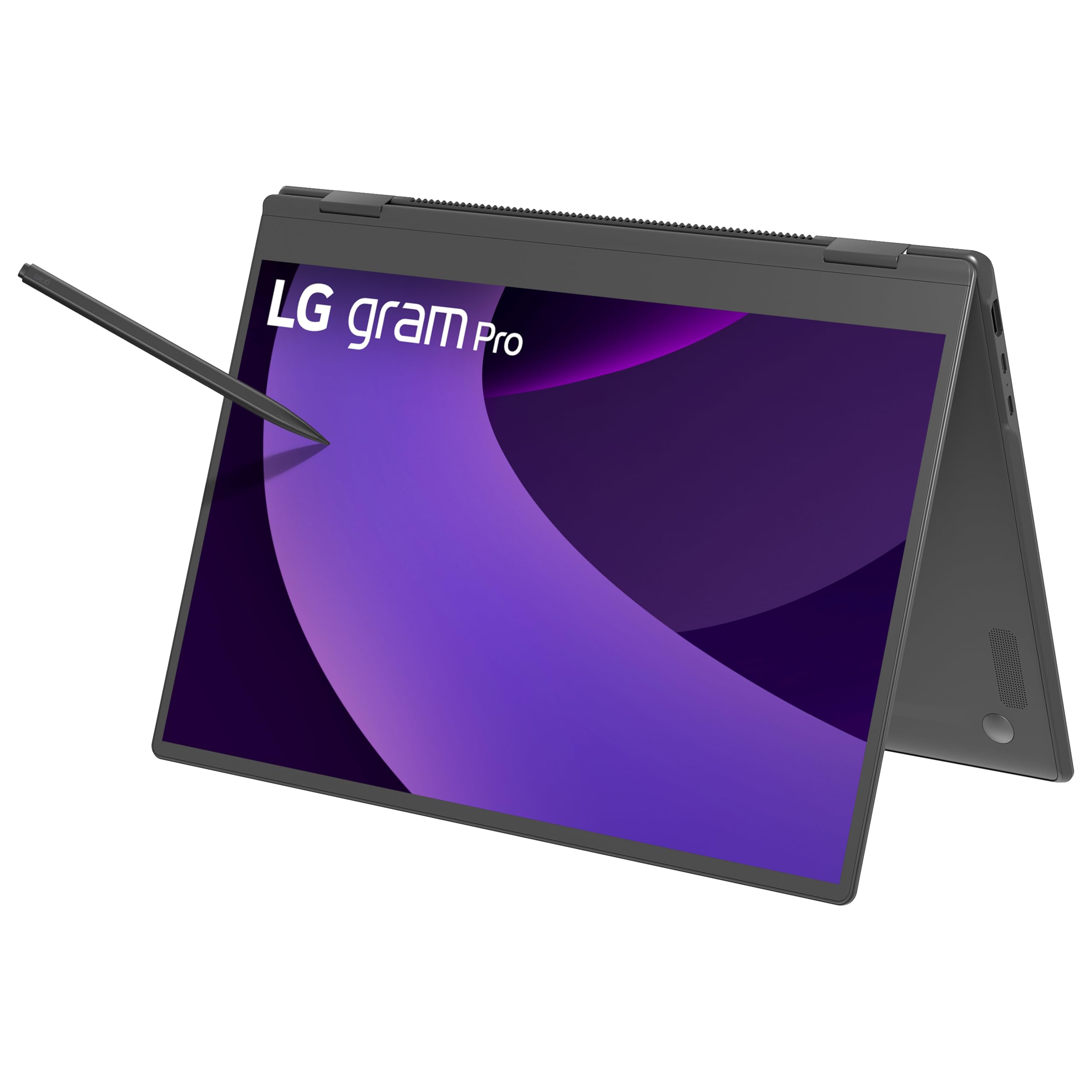
| LG gram Pro 2in1 16″ | Maximum portability | 16″ touchscreen | 32GB / 2TB SSD | 5.1 GHz | Amazon |
| Lenovo IdeaPad Flex 5 14″ | Light everyday basics | 14″ touch | 4GB / 128GB SSD | 4.1 GHz | Amazon |
Detailed Reviews
1. Lenovo Yoga 7i 2-in-1 Laptop
Our pick — 4.5+★ from 200+ verified ratings; the strongest balance of quality and price.
The 16-inch folder that turns into a third monitor without complaint
If you want one machine that types like a laptop, streams in tent mode on a kitchen counter, and serves as a genuine third screen next to two desk monitors, this is the one to start with. Lenovo built it for people who keep a lot of things open at once — real estate paperwork, a lecture recording, a browser full of tabs — and a 12-core Intel Core Ultra 7 155U processor that hits 4.8 GHz gives it the headroom for all of that at once. Owners overwhelmingly point to performance as the thing that keeps them happy, and it is not hard to see why.
The 16-inch screen runs at 1920 x 1200, so text stays sharp at normal viewing distance and the 16:10 shape gives you taller pages than an old widescreen panel. IPS technology means the picture holds up when you tilt the screen toward someone else in tent mode. The 360-degree hinge swaps between laptop, tablet, tent and stand, and Lenovo Transition automatically reflows apps to fill the screen as you change position — a small thing that saves you fiddling every single time you fold it.
Ports are generous for a convertible: two USB Type-A, two Type-C, one HDMI, a microSD card reader and a headphone/mic combo. Wi-Fi 6E keeps latency low in crowded networks, and there is a full Gigabit LAN port if you want a wired connection for gaming or big transfers. A fingerprint reader handles sign-in. Be realistic about tablet mode though — this is a large machine, and the common review gripe is simply that it feels heavy once you take the keyboard out of the equation. The speakers are also modest, and owners suggest Dolby Atmos paired with external speakers if audio matters to you. As one buyer sums it up: “Bought for my daughter for college. She loves it. Fair price.”
What buyers keep coming back to
- Twelve cores of Intel Core Ultra 7 155U processing, boosting to 4.8 GHz, so heavy multitasking never stalls
- Four usable modes off one 360-degree hinge, with apps that auto-resize as you flip
- Full-size port set including Gigabit LAN — rare on a convertible
- 1TB of drive space paired with OneDrive, which owners running two external monitors say powers everything flawlessly
Sized honestly
- It is a 16-inch machine, and it feels it in tablet mode — buyers consistently flag the weight
- Built-in speakers are thin, so plan on headphones or external audio for anything serious
Buy it if: you want a big, fast folder that lives on a desk and occasionally becomes a tablet or tent-mounted screen.
Think twice if: you fold into handheld tablet mode often — the 16-inch frame gets heavy fast.
2. HP OmniBook X Flip 16″ 2-in-1 Touch Laptop
A 120Hz touch panel and a battery claim that actually survives a college day
The thing that separates this HP from most of the field is the screen refresh rate. It runs at 120Hz — that is 120 redraws per second, twice the smoothness of a standard 60Hz panel — so dragging a stylus across it feels attached to your hand rather than lagging behind it. Artists in particular keep landing on this machine, and the screen quality is among the most-praised things about it. The panel itself is a 16-inch WUXGA 1920 x 1200 IPS touchscreen at 400 nits with 178-degree viewing angles, so it stays readable from an angle and holds colour when you flip it into stand mode.
Under the hood it runs an AMD Ryzen AI 5 340 with a 50 TOPS NPU — that is a neural processing unit, a dedicated chip that handles AI tasks locally so they run faster and drain less power. HP rates battery life at up to 21 hours, and one college buyer reported the screen still showing a charge deep into a full day of classes. There is a 5MP IR camera with HDR and AI noise reduction, plus Poly Studio audio tuning, which matters more than usual on a machine you will flip into tent mode for video calls.
Memory is 16GB of LPDDR5x-7500, paired with a 512GB PCIe Gen4 solid state drive. Compare that to the Lenovo IdeaPad Flex 5 lower down this list, which carries only 4GB of RAM and a 128GB drive — the HP holds a substantially larger share of the storage and memory headroom for a machine you plan to keep for years. The honest caveats: several buyers describe it as somewhat heavy in tablet mode, and a couple found the very first setup session sluggish while Windows updates churned in the background. One user also wished they could switch Copilot off entirely, which is worth knowing if the AI angle is not your thing.
The screen is the pitch: a 16-inch 2K touch panel at 120Hz with 400 nits and 178-degree viewing angles — smooth enough that stylus work stops feeling approximate.
One thing to expect: setup day can be sluggish while updates install, and the 16-inch frame carries real weight in hand.
Choose it if you draw, annotate, or take handwritten notes, and you want the smoothest touch response in this price range without giving up a big screen. Look elsewhere if you mostly type and want the lightest possible tablet.
3. Lenovo Premium Flex 14 Convertible Laptop
The developer’s folder — eight cores, a roomy drive, and it still opens instantly
Full-stack developers and graphic designers keep landing on this one, and the reason is simple: an 8-core AMD Ryzen 7 5700U with 16GB of RAM and a 1TB SSD is a genuinely serious amount of machine for a 14-inch convertible. A freelancer running it for two and a half years reported the storage still not full, the CPU still strong, and no lag even on cloud gaming services. Someone cutting huge Illustrator and Photoshop files called it super fast, able to run several programs at once without complaint. The 14-inch FHD IPS touchscreen takes a stylus, works with Bamboo Ink, and the backlit keyboard and fingerprint reader round out the day-to-day.
Battery life is rated at 7 hours, which is the honest middle ground for a machine with this much processing in it. Quiet operation and cool running are two things owners call out repeatedly, and both matter if you are working in a coffee shop or a shared office. The ports include HDMI and USB-C, so external monitors hook up without adapters.
Now the caveats, because this laptop has opinions. The RAM runs at higher latency than you might expect — buyers describe the benchmark numbers as being on the slow side, which you will notice more in heavy multitasking than in everyday browsing. The USB-C ports do not carry video out, so a monitor has to plug into the HDMI port directly. And the touch layer is a mixed bag: some owners love it, while one noted the palm rejection is not reliable enough to rest your hand on the screen while writing. The bottom bezel is also chunky, which eats into the usable screen area.
Where the value sits: 8-core Ryzen 7 5700U, 16GB RAM and a 1TB SSD in a 14-inch convertible — that combination is what keeps developers happy for years, not months.
Where it gets fiddly: USB-C will not drive a monitor, palm rejection is unreliable for handwriting, and the advertised 7-hour battery is a ceiling, not a floor.
Reach for it if you compile code, edit images, or run several heavy apps at once and want a portable 14-inch canvas. Look at the Yoga 7i above instead if you want a bigger screen and don’t need the dev-level storage.
4. Acer Chromebook Plus Spin 714 2-in-1 Laptop
Chrome OS simplicity wrapped in an aluminum convertible shell with the pen in the box
Not everyone needs Windows. If your entire working life lives in a browser — email, Google Docs, video calls, streaming — this Acer does the foldable job without the complexity. The 14-inch WUXGA screen runs at 1920 x 1200 with a 16:10 aspect ratio and 340 nits of brightness, on an IPS panel that keeps its colour from the side. The aluminum chassis feels reassuringly solid, and the 360-degree hinge means you get tablet, tent and stand modes like everything else here.
Inside sits an Intel Core Ultra 5 115U running up to 4.2 GHz with 8 cores and 10 threads, backed by 8GB of LPDDR5 memory and a 256GB PCIe NVMe SSD. Connectivity is where this machine punches above its weight: two Thunderbolt 4 USB-C ports, a USB 3.2 Gen 1 Type-A port, HDMI 2.0, and a headphone/mic combo jack. Wi-Fi 6E and Bluetooth 5.3 keep the wireless side current — and on that note, this machine’s Bluetooth 5.3 sits ahead of the Lenovo IdeaPad Flex 5 further down this list, which runs Bluetooth 5. Thunderbolt 4 also means you can drive external displays and fast storage off a single cable.
An Acer stylus ships in the box, which saves you buying one separately — a real convenience if handwriting notes or marking up documents is part of your day. The honest limitation is the software ecosystem: Chrome OS will not run desktop Windows applications, so anything like full Microsoft Office offline, or specialist Windows-only software, is off the table. Storage at 256GB is also the tighter end for a machine you will keep for years.
The reasons to pick it
- Aluminum chassis with a 360-degree hinge — solid build for a Chromebook
- Two Thunderbolt 4 ports plus HDMI 2.0, so docking is genuinely easy
- Stylus included in the box rather than a separate purchase
- Wi-Fi 6E and Bluetooth 5.3 keep the wireless side current
The reasons not to
- Chrome OS cannot run desktop Windows applications — check your software first
- 256GB of storage and 8GB of RAM are modest for a long-term machine
The fit: browser-first users who want a well-built foldable, a bundled stylus and zero Windows maintenance.
The mismatch: anyone who needs offline desktop Office or Windows-only specialist software.
5. Dell 16 Laptop DC16251

A big, easy-on-the-eyes 2K canvas built for eight-hour workdays
Long workdays punish your eyes, and Dell has clearly designed this one with that in mind. The 16-inch panel runs at 2K resolution on a 16:10 aspect ratio, giving you noticeably more vertical room for spreadsheets and documents than a standard widescreen. ComfortView Plus cuts down blue light emissions while keeping colours true, which is the difference between a screen you can stare at till five o’clock and one you keep turning away from. A property manager running Excel and a stack of other programs called the screen beautiful and the machine far more powerful than the job needed.
The processor is an Intel Core 7 150U reaching up to 5.4 GHz, paired with 16GB of DDR5 memory and a 1TB SSD. That is a fast ceiling — the highest maximum clock speed on this list — and it means everyday work feels instant. A fingerprint reader handles sign-in, Bluetooth 5.3 keeps peripherals current, and the 65-watt adapter in the box is a standard USB-C style charger you can share with other devices.
Two things worth knowing before you commit. The keyboard layout is unusual enough that some buyers report they would pick a different configuration next time, so try to see one in person if typing comfort is a priority. There is also a recurring piece of advice from owners: choose the Pro version of Windows rather than Home if you want real control over system settings, because Home locks away options people end up wanting. One buyer’s blunt summing-up: happy with the purchase, no problems in the first week, and it works great with Office and a security app installed.
Why it earns the display badge: a 16-inch 2K panel on a 16:10 ratio with ComfortView Plus blue-light reduction — more usable height and less eye strain across a full working day.
What to plan around: the keyboard layout takes adjusting to, and Windows 11 Home limits the settings you can change.
This is the one for desk-bound professionals who stare at a screen all day and want the highest clock speed here without extra bulk. skip it if you plan to flip into tablet mode regularly — a 16-inch non-rotating 2-in-1 is a desk machine first.
6. Microsoft Surface Pro 2-in-1 Laptop/Tablet

The kickstand-and-keyboard formula that made 2-in-1 a real category
Here is the crucial difference between this and every other pick on the list: the keyboard comes off completely. The Surface Pro is a tablet with a folding kickstand first, and a laptop second. That means you can hold it as a slate for sketching or reading, then snap on the keyboard and work at a desk. If your priority is a machine that feels natural in your hands, this design is still the reference point, and owners consistently point to portability and everyday versatility as the reasons it earns its place in a bag.
A Snapdragon X Plus 10-core processor with a dedicated neural processing unit powers Copilot+ AI features locally. Memory is 16GB with 512GB of storage. Battery life is rated at 14 hours, and fast charging runs at 65W through either the Surface Connect port or USB-C. The 13-inch touchscreen is compact enough to be a real hand-held tablet, and the screen image draws positive comments. Face recognition via the front camera handles sign-in without hunting for a fingerprint pad.
Two practical points. The keyboard is sold separately, so budget for that as part of the purchase rather than assuming it is in the box — that is worth factoring into how you compare it against a folding convertible like the Yoga 7i. And 13 inches means a smaller working canvas than the 16-inch machines here; great for a train tray table, tight for a three-column spreadsheet. Bluetooth 5.4 is the newest on this list, and both front and rear cameras plus 5G cellular options make it unusually flexible for remote work.
What sets the shape apart
- Fully detachable keyboard plus kickstand — a true tablet that becomes a laptop
- 14 hours of rated battery with 65W fast charging over Surface Connect or USB-C
- Snapdragon X Plus 10-core CPU with on-device AI processing
- Face recognition login and 5G capability for working away from Wi-Fi
Worth weighing up
- The keyboard is a separate purchase, not part of the package
- A 13-inch canvas is tight for dense spreadsheets or side-by-side windows
Choose this shape if: you want a tablet you hold in one hand that occasionally becomes a laptop — sketching, annotating, reading, light typing.
Keep shopping if: you want a full-width keyboard and a large screen permanently attached.
7. MSI Summit E13 Flip Evo Professional Laptop

A 120Hz pen machine in a sleeve-and-stylus bundle — read the fine print first
Start with the standout: this 13-inch convertible runs a 120Hz screen, which is unusually smooth for a pen-first laptop and makes sketching feel direct rather than delayed. It ships with a pen and a sleeve in the box, so it is genuinely ready to draw the moment it arrives. The aluminum chassis is ultra-thin, there is a 180-degree hinge for sharing your screen across a table, and the 11th-generation Intel Core i7-1185G7 with Iris Xe graphics keeps performance lively for its size. It takes Wi-Fi 6E for crowded networks, and TPM hardware security stores your passwords and encryption keys.
On paper this looks like a compact professional machine: 16GB of RAM, a 512GB NVMe SSD, and two M.2 slots for future storage expansion. Buyers who chose it over a Lenovo Yoga and an ASUS ZenBook OLED specifically cited the bright, high-contrast 120Hz panel and the compact 13-inch footprint. It handles Adobe applications and works with both the included pen and a Surface pen.
This is where honesty matters, and it is the one pick on this list where the caveats need real weight. The recurring theme in owner feedback is battery behaviour: one long-term user described the machine shutting down at 80 percent charge within the first six months, and another reported the battery stopping at 92 percent. Fan noise shows up repeatedly, and the machine runs warm under load. A separate pattern involves units arriving in worse condition than advertised, with one buyer describing overheating within the first fifteen minutes of startup. The bundled Windows version has also caught buyers out — some received Windows 10 Home when they expected Pro. Treat this as a pen-first specialist buy from a reputable source, and confirm the exact configuration before you commit.
What makes it appealing: a 120Hz 13-inch touch panel, an included pen and sleeve, a 180-degree hinge, Wi-Fi 6E and TPM security — a genuinely compact drawing machine.
What you must verify: battery reliability is the consistent reported weak point, fan noise is audible, and the shipped Windows edition has varied.
Worth it for pen-first users who want a small, fast 120Hz sketchbook and will buy from a seller with a clear return path. Otherwise the Yoga 7i or the HP OmniBook X Flip will serve you with far less battery anxiety.
8. Samsung 16″ Galaxy Book5 Pro 360 Copilot+ PC

The sharpest panel in this group, carved thin and paired with an S Pen
Resolution is the headline: this 16-inch screen runs at 2880 x 1800 — 3K class — on an AMOLED panel at 120Hz, which you can read as nearly twice the pixel count of a standard 1920 x 1200 display. Text and fine detail look almost printed. Vision Booster adaptive brightness and anti-reflective Corning Gorilla Glass with DX keep it readable in bright rooms, and the touchpad uses subdivided palm rejection to cut down accidental clicks while you type. It is also genuinely thin and light for a 16-inch: carved from CNC aluminum at 12.7mm thick and 3.72 lbs.
A 15th-generation Intel Core Ultra 7 258V boosts to 4.8 GHz with an Intel Arc GPU and an NPU rated up to 47 TOPS for local AI work. You get 32GB of RAM and a 1TB drive, which is the configuration one long-term owner strongly recommends keeping — after three weeks of use they watched Samsung and Windows background apps consume roughly 16GB on their own, so the larger memory model is the one that stays comfortable years down the line. An S Pen is included with enhanced tilt sensitivity for drawing. As owners put it, the machine is a sharp-looking, fast-feeling laptop that opens ready to work instead of making you wait.
The reason to pause is durability. Screen stability is the one clearly negative theme in owner feedback, with multiple buyers reporting cracks appearing within the first few months of ownership, sometimes without visible impact damage, and warranty disputes following. That is a genuine concern for a machine this thin, and it means a protective sleeve or case is not optional. Battery life is the other mixed signal — some owners find it excellent, others report only three hours or less under heavy load. If both of those are deal-shapers for you, look at the Yoga 7i above instead.
What wins people over: a 2880 x 1800 AMOLED touchscreen at 120Hz, 32GB of RAM and 1TB of storage in a 12.7mm CNC aluminum body — that is a lot of screen quality for the size.
The one real worry: reports of screen cracks appearing within the first few months make a protective case a practical necessity, not an accessory.
Buy it if you want the best display here and will look after it carefully. pass on it if a laptop needs to survive being tossed into a bag without a case.
9. HP OmniBook 7 Flip 16″ 2-in-1 Laptop

Thirty-two gigabytes and a pen in the box — built for people who never close a tab
Consultants, engineers and analysts who run a dozen applications at once will feel the difference here first. An Intel Core Ultra 7 258V paired with 32GB of DDR5 memory and a 1TB PCIe SSD gives you the kind of headroom that stops you thinking about closing anything. The processor carries a dedicated 47 TOPS NPU for on-device AI work, and the Intel Arc 140V graphics can borrow up to 16GB of system memory, which is enough to run local image-generation tools and handle video encoding without stuttering. HP rates battery life at up to 10 hours with fast charging.
The screen is a 16-inch WUXGA 1920 x 1200 IPS touch panel at 400 nits with micro-edge bezels. Ports are unusually generous for a convertible: Thunderbolt 4, USB-C, USB-A and HDMI 2.1, and you can drive three external monitors directly without a docking station. Wi-Fi 7 and Bluetooth 5.4 are the newest wireless standards in this roundup, and a 5MP IR camera with temporal noise reduction handles video calls plus face-recognition login. A backlit keyboard helps in low light. An HP USB-C rechargeable MPP2.0 stylus with 4096 levels of pressure sensitivity is included, which makes it a real drawing and annotation tool from the start.
Two notes before you buy. The unit is a brand-new machine that has been resealed to upgrade the SSD, so the SSD carries a separate three-year warranty from the reseller while HP covers the remaining components for a year — that is worth reading carefully so you know who to contact if something fails. The other theme worth knowing is a mixed reliability signal in owner feedback, with some reports of units failing to power on. Buy from a seller with a clear return window and you remove most of that risk.
Where it earns its keep
- 32GB DDR5 and a 1TB PCIe SSD — enough to run heavy multitasking without managing memory
- Drives up to three external monitors straight from HDMI 2.1 and Thunderbolt 4, no dock needed
- Wi-Fi 7 and Bluetooth 5.4 are the newest standards in this group
- MPP2.0 stylus with 4096 pressure levels included in the box
Before you click buy
- The SSD upgrade means a split warranty — three years from the reseller, one year from HP on the rest
- Some owner reports describe units that would not power on, so buy with a clear return option
Made for: professionals who run local AI tools, edit video and keep a dozen programs open — the 32GB and triple-monitor support carry that load.
Only if: you are comfortable buying a resealed unit with a split warranty from a third-party seller.
10. ASUS Zenbook Duo Laptop

Two stacked OLED panels and a keyboard you can pick up and move
This is the laptop for people who have two monitors at their desk and cannot work without them. Instead of folding one screen, the Zenbook Duo gives you two 14-inch Lumina OLED touch panels stacked vertically, each running at 2880 x 1800 with a 120Hz refresh rate, 500-nit HDR peak brightness and Pantone-validated 100% DCI-P3 colour accuracy. You switch between modes — Dual Screen for maximum workspace, Desktop Mode, Sharing Mode for showing someone else, and Laptop Mode when you snap it back into a single slab. The detachable keyboard clips on magnetically and is backlit. The whole thing weighs 3.64 lbs and measures 0.57 inches thin, and the included sleeve doubles as a stand.
A Core Ultra 9 285H with Intel Arc graphics and an AI Boost NPU sits at the heart of it, backed by 32GB of LPDDR5x memory and a 1TB SSD. Battery spec is a 75Wh cell rated for up to 16 hours of video playback in Laptop mode and 9 hours in Dual Screen mode — the honest reading being that running both panels costs you roughly half the runtime. It meets US MIL-STD 810H durability testing, so the hinge and chassis are built to take real punishment. Ports include two Thunderbolt 4, USB 3.2 Gen 1 Type-A, HDMI 2.1 and a combo audio jack, plus Wi-Fi 7 and Bluetooth 5.4, and there is an ASUS Pen 2.0 in the box.
Owners regularly say they cannot go back to a single screen. Options traders run charts across both panels, and copywriters keep research open onthe lower display while writing on the upper one. The trade-offs are consistent: the battery drains noticeably faster with both screens lit, the fans get loud under sustained load (a quiet mode helps), and 3.64 lbs carries real heft in a bag. One upgrade buyer from an older Zenbook Duo called the flexibility unbeatable and the 3K OLED panels perfect, and wished only for Windows 11 Pro.
Why it changes how you work
- Two 14-inch 2880 x 1800 OLED touch panels at 120Hz, 500-nit HDR peak brightness and 100% DCI-P3 colour
- Detachable backlit Bluetooth keyboard plus a sleeve that doubles as a stand
- 32GB LPDDR5x and a 1TB SSD behind a Core Ultra 9 285H
- US MIL-STD 810H tested, with two Thunderbolt 4 ports and Wi-Fi 7
What the second screen costs you
- Running both panels roughly halves the rated runtime — 9 hours in Dual Screen mode against 16 in Laptop mode
- At 3.64 lbs with audible fans under load, this is not a featherweight travel machine
Built for: multi-window workers — traders, editors, developers — who need two displays wherever they open the laptop.
Not for: anyone who mostly wants a light single-screen folder for commuting.
11. LG gram Pro 2in1 16-inch Lightweight Touchscreen Laptop
A 16-inch folding laptop that weighs less than most 14-inch rivals
Portability is the entire reason this machine exists. LG rates the gram Pro 2-in-1 at 3.08 lbs — lighter than several smaller convertibles on this list — while still giving you a 16-inch touchscreen that flips through 360 degrees into tablet, tent and stand modes. Owners who travel constantly single out the weight and the hardware quality as the reasons they keep reaching for it. Paired with a 77Wh high-capacity battery rated at up to 19 hours of video playback, it is designed for a full day away from a wall socket, and an internal dual cooling system keeps the thin chassis from overheating under load.
Processing comes from an Intel Core Ultra 7 255H reaching up to 5.1 GHz, alongside 32GB of RAM and a 2TB SSD — the largest storage figure anywhere in this roundup. AI work runs through a hybrid setup, splitting tasks between an on-device assistant for local jobs like smart file searches and system adjustments, and a cloud assistant for generative writing and analysis. An included stylus with 4096 levels of pressure sensitivity handles drawing and note-taking, and the high refresh rate screen keeps pen strokes smooth and lag-free. Face recognition handles sign-in, and LG gram Link connects the machine to up to 10 devices across Android and iOS for file sharing and screen mirroring.
The honest catch is reliability feedback. A pattern in owner reviews describes palm rejection not working properly, which is a real annoyance if you rest your hand on the screen while writing. Treat that as the thing to test early during your return window. Otherwise, this is a machine for people whose top priority is carrying less — and the 2TB of storage means you will not be juggling external drives for a long time.
What justifies the price of admission: 3.08 lbs in a 16-inch 2-in-1 with a 77Wh battery rated up to 19 hours and 2TB of SSD — that combination is hard to find anywhere else.
Test it early: palm rejection is the recurring complaint, so put the stylus and your writing hand through their paces during the return window.
Go for it if you fly or commute weekly and want a big screen without the usual weight penalty. The Yoga 7i above is the better all-rounder if you mostly work at a desk.
12. Lenovo IdeaPad Flex 5 14ITL05 14″ Touch Laptop

The no-frills folder that gets the basics right at the lowest entry point here
If your needs are genuinely modest, this is the cheapest sensible way into a 14-inch touchscreen convertible. It runs an Intel Core i3-1115G4 at 3.00 GHz across two cores with UHD graphics, paired with 4GB of DDR4 memory and a 128GB solid state drive. It has been configured for everyday use and it is best judged that way — web browsing, email, documents, video calls. One owner’s take says it plainly: it does everything they need in a small, light package, and the size and weight were the deciding factors after their previous laptop died.
Bluetooth 5 and Wi-Fi are onboard, there is a single M.2 slot for adding storage later, and the audio runs through integrated stereo speakers with Dolby Audio support. The 14-inch screen is the classic convertible size — comfortable in tablet mode but still big enough to work on. Students are the natural fit here, and the portability is the part buyers like most.
Be clear-eyed about the numbers, though. Windows itself will consume a good chunk of 4GB of RAM, so having a browser, a video call and a document open together is where this machine starts to feel stretched. The 128GB drive fills up quickly once Windows takes its share. Even more to the point, reliability is the mixed signal in owner feedback: many report it working well, while some describe units that stopped holding a charge within months. That is not unique to this model at this tier, but it is the reason to buy from a seller with an easy return path. For comparison, the HP OmniBook X Flip up at number two offers a far larger drive — 512GB against 128GB — and sixteen times the memory, which is the honest scale of the gap between an entry machine and a mid-range one.
Why it earns a place
- The lowest entry point into a 14-inch touchscreen 2-in-1 on this list
- Light and compact — owners consistently call out the size and weight as the win
- An open M.2 slot lets you add storage later
- Dolby Audio integrated stereo speakers and Bluetooth 5 onboard
Where it will strain
- 4GB of RAM and a 128GB drive are tight for more than basic everyday use
- Reliability feedback is mixed, so buy with a straightforward return option
Right for: students or light users who browse, write and video-call — and want a touchscreen convertible for the least money.
Wrong for: anyone who keeps many tabs and apps open, or needs real storage headroom.
Know the Specs
Refresh rate and why it matters on a foldable
Refresh rate is how many times per second the panel redraws, measured in hertz. A 60Hz screen redraws 60 times a second; a 120Hz screen redraws 120 times. On a normal laptop the difference is subtle. On a touchscreen you drag a finger across all day, it is very noticeable — the cursor or pen stroke keeps up with your hand instead of trailing it. That is why the panels here that list 120Hz tend to be the ones buyers describe as smooth to sketch or annotate on, while standard 60Hz panels feel perfectly fine for typing and browsing.
IPS, OLED and AMOLED in plain words
IPS is a type of LCD known for holding its colour when you view it from an angle, which suits a hinge that flips the screen toward other people in tent or stand mode. OLED and AMOLED are panels where each pixel produces its own light, so blacks look truly black rather than greyish, and colours tend to look richer. OLED panels are also often thinner, which helps a folding chassis stay slim. Both panel types are perfectly usable — the practical question is whether you do colour-sensitive creative work or simply want a bright, legible screen for everyday tasks.
NPU and TOPS without the jargon
An NPU is a neural processing unit — a dedicated chip that runs AI tasks on the machine itself rather than sending them to a server. TOPS stands for trillions of operations per second, and it is simply a measure of how much of that AI work the chip can handle. A higher TOPS figure means local tasks like image generation, live captioning or photo search run faster and drain less battery. If you never touch AI features, this spec will not change your life, but it does mean the machine has headroom as more software adds on-device intelligence.
RAM, SSD and battery figures explained
RAM is your short-term workspace — everything currently open lives there, and when it runs out the machine slows to a crawl. SSD is long-term storage, where files and programs sit permanently. Battery figures like 14 hours or 19 hours are manufacturer ratings for video playback under ideal conditions, which real use rarely matches; treat them as a comparison yardstick between machines rather than a promise. Weight matters just as much on a convertible, because a heavy laptop is one you stop folding into tablet mode.
Common Questions
What is the difference between a 2-in-1 with a 360-degree hinge and a detachable tablet laptop?
Does a higher refresh rate actually help on a touchscreen laptop?
How much RAM do I need for a foldable touchscreen laptop to last several years?
Is OLED worth it over a standard IPS touchscreen on a convertible?
Why does a foldable touchscreen laptop weigh more than a regular laptop of the same size?
Can I use a third-party stylus on these touchscreen laptops?
Do foldable touchscreen laptops overheat in tablet mode?
Is Chrome OS a good choice for a foldable touchscreen laptop?
How long should a foldable touchscreen laptop last?
Should I choose a 13 inch or a 16 inch folding touchscreen laptop?
The Bottom Line
For most people, the foldable touch screen laptop worth buying is the Lenovo Yoga 7i 2-in-1, because it balances a fast 12-core Intel Core Ultra 7 155U processor, a big 16-inch 1920 x 1200 IPS touchscreen, 1TB of storage and a full port set — including Gigabit LAN — without asking you to compromise on any one of them. It is the pick with the fewest compromises.
If drawing and note-taking come first, the HP OmniBook X Flip 16″ is the one to reach for: its 120Hz touch panel is the smoothest in this roundup, and its rated 21-hour battery means a full college day away from a charger is realistic. Artists and stylus users will feel that refresh rate every time they draw.
And for anyone who needs two screens wherever they open a laptop, the ASUS Zenbook Duo is the one to reach for — twin 14-inch 2880 x 1800 OLED touch panels and a detachable keyboard turn any table into a two-monitor workspace.
One last honest note: if a big screen and light weight both matter most, the LG gram Pro 2-in-1 is worth a serious look, and if you want a genuinely rare find, the Zenbook Duo is the dual-screen machine owners mention they cannot go back from.
How we choose
We do not accept paid placement. Every pick is matched to a real buyer and a real use-case; we do not hands-on test units.
Sources
Specifications: manufacturer listings and product documentation. Review insights: verified customer reviews, as of October 2026. Pricing: not shown on this page (it changes often); check the current price via the retailer link.
As an Amazon Associate, Aappliancez earns from qualifying purchases. This does not affect which products we feature.