Disclosure: Some links in this post are affiliate links. As an Amazon Associate I earn from qualifying purchases, at no extra cost to you. Learn more
Specs are compiled from manufacturer listings and verified buyer reviews and can change over time — please confirm the key details on the product page before buying.
Most people buying a flash drive for a Mac get burned by the same thing: they plug it in and nothing happens. Either the drive was never formatted in a way macOS can read, or it’s a USB-A stick trying to meet a USB-C-only MacBook with no adapter in sight. So before you buy anything, know the one rule that saves all the grief — match the connector to your Mac first, then pick your storage size.
This guide is built by comparing the manufacturers’ published specifications and the patterns across verified customer reviews, so you get each pick’s real strengths and trade-offs instead of marketing spin.
You’ll see the actual read speeds, the port types, and the formatting quirks that trip up real Mac owners. By the end you’ll know exactly which drive drops into your MacBook, iMac, or iPad without a single workaround — the shortest path to the best flash drive for Mac.
Top Picks

How To Choose The Best Flash Drive for Mac
The two things that decide whether a drive actually works on your Mac are the connector and the file format. Get those right and almost any decent drive will serve you; get either wrong and you’ll spend your evening hunting for adapters and reformatting.
Match the plug to your Mac’s ports
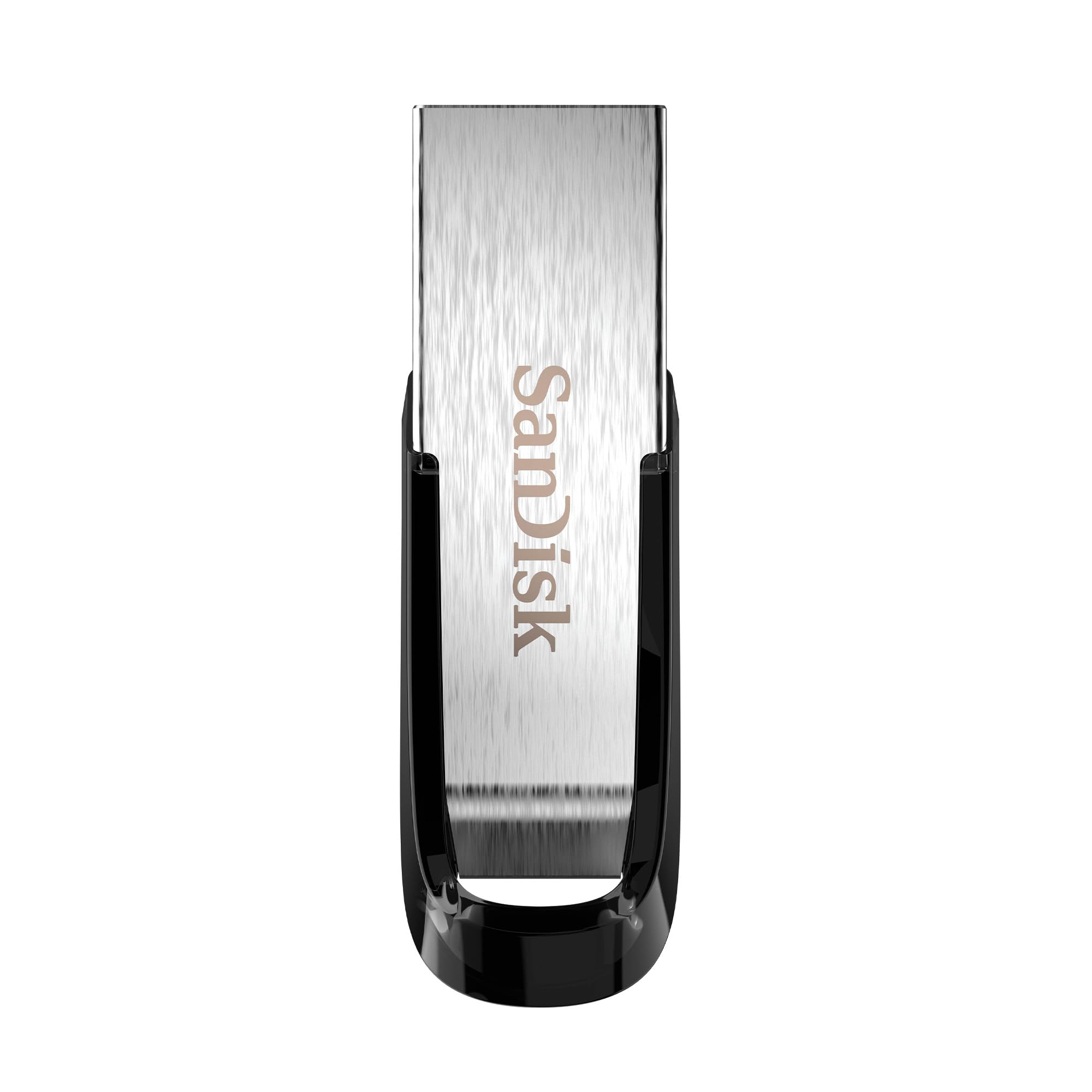
Newer MacBooks, the iPad, and many current machines give you USB-C ports only. A USB-C drive like the Lexar D40E or the Samsung Type-C slides straight in. A USB-A drive such as the SanDisk Ultra Flair needs an adapter or a hub on those machines — but plugs directly into an older iMac or a MacBook Pro with classic USB ports.
Read the speed number, not the label
Read speed is how fast the drive hands data back to your Mac, measured in MB/s (megabytes per second). A drive rated up to 400MB/s clears a big file noticeably quicker than one rated up to 130MB/s. If you regularly move 4K video or huge photo libraries, the faster number earns its keep.
Get the file format right
A drive that ships as exFAT reads and writes on both macOS and Windows without a reformat, which is why most dual-port drives arrive that way. Some drives ship in FAT32, which caps single files at around 4.5GB — a problem if you’re copying a long video. Formatting to exFAT or a Mac disk format in Disk Utility solves it.
Side-by-Side Comparison
| Model | Best For | Connector | Rated Read Speed | Capacity | Amazon |
|---|---|---|---|---|---|
| WD 2TB Elements Portable★ Best Overall | Big Mac backups | USB-A (USB 3.2 Gen 1) | Up to 5Gbps interface | 2 TB | Amazon |
| SanDisk 128GB Ultra FlairBest Value | Everyday Mac + PC file swaps | USB-A (USB 3.0) | Up to 150MB/s | 128 GB | Amazon |
| Lexar D40E 128GB Dual | Mac + Android phone sharing | USB-A USB-C | Up to 100MB/s | 128 GB | Amazon |
| Samsung Type-C 128GB | Fast USB-C-only Mac work | USB-C (USB 3.2 Gen 1) | Up to 400MB/s | 128 GB | Amazon |
| SSK 128GB Dual USB C+A | Fast dual-port transfers | USB-A USB-C (USB 3.2 Gen 2) | Up to 550MB/s | 128 GB | Amazon |
| SanDisk 256GB Ultra | Maximum wallet-sized storage | USB-A (USB 3.2 Gen 1) | Up to 130MB/s | 256 GB | Amazon |
| Amazon Basics 128GB Dual | Simple Mac + phone transfers | USB-A USB-C (USB 3.2 Gen 1) | Not listed | 128 GB | Amazon |
Detailed Reviews
1. WD 2TB Elements Portable External Hard Drive
Our pick — 4.5+★ from 165,500+ verified ratings; the strongest balance of quality and price.
The drive that turns a cramped MacBook into a 2TB archive — no software, no fuss.
If your Mac is gasping for space, this is the pick that ends the panic. It holds 2TB (terabytes — 2,000 gigabytes of storage), so an entire photo library, a video project, and years of documents can live on one palm-sized drive. It connects over USB-A (the classic rectangular USB plug) and runs USB 3.2 Gen 1, the standard that moves data at up to 5 gigabits per second — quick enough that copying a batch of large files doesn’t turn into an overnight job.
The setup genuinely is plug-and-play, as the name promises. Buyers report it working on a 2022 MacBook Pro with the M1 Pro chip with no drivers to install. One caveat Mac owners need to know: macOS wants to reformat it before use as a Time Machine backup, and Monterey can auto-convert it to APFS (Apple’s own disk format) on that first backup. That locks the drive to backups only. The workaround is clean — set up a separate volume for everyday files so the rest of the drive stays open.
What earns the hardware its place is simply how much it holds for a device this small. It weighs next to nothing, fits in a jacket pocket, and the aluminum-and-glass enclosure feels sturdier than a bare plastic shell. It holds a 4.5+ star rating from a very large pool of Amazon reviewers, and the tone of the feedback is steady reliability rather than flash. If you need raw room more than you need pocket-sized portability, this is the one to beat.
Why Mac owners gravitate to it
- 2TB on a drive you can palm — huge headroom for backups and media
- No WD software to install; it shows up and works on modern Macs
- USB 3.2 Gen 1 gives fast transfers for large files
- Aluminum-and-glass enclosure reads as dependable, not flimsy
What to prep before you rely on it
- Mac Time Machine reformatting can tie the whole drive to backups — use a second volume
- It’s USB-A, so a USB-C-only MacBook needs an adapter or hub
- It’s a spinning mechanical drive, not a pocket thumb drive — bulkier than a stick
Built for: anyone who needs serious storage on a Mac and can live with a USB-A adapter.
Think twice if: your workflow is grab-and-go thumb-drive swaps — a stick is easier.
2. SANDISK 128GB Ultra Flair
A 128GB metal stick that reads up to 150MB/s and shrugs off keychain life.
Here’s the number that matters for daily use: read speed up to 150MB/s. That’s how fast the drive hands files back to your Mac, and it’s why moving a batch of photos feels near-instant instead of like watching paint dry. It’s USB-A, so on a USB-C-only MacBook you’ll want an adapter — but slot it into an older iMac or a classic-USB MacBook Pro and it’s ready the moment it clicks in. Its 4.5+ star rating rests on one of the largest reviewer pools in this category, which tells you the design has been battle-tested by a lot of people.
The metal casing is the quiet hero. Owners put this drive through drops, backpack tumbles, and keyring duty, and it keeps going — it’s built to survive being carried, not coddled. Buyers also lean on the built-in password protection for private files, and it’s plug-and-play on Windows and Mac both. The honest trade-off is heat: under a long transfer the metal body warms up. That’s normal for a metal-sleeved drive shedding the energy of a big copy, not a fault, and it settles once the transfer finishes.
Speed is the occasional soft spot for a few folks — some report slower writes than they hoped — so if your priority is the fastest possible write you’d look up the list instead. For everyday documents, photos, and backups with a little password protection thrown in, this drive simply works. It’s the value pick you hand a student or stash in a laptop bag and forget about until you need it.
Where it earns its keep: 128GB of room plus up to 150MB/s reads, wrapped in a metal shell that survives being carried every day.
The one trade-off: it’s USB-A, so USB-C-only MacBooks need an adapter — otherwise it’s the easy everyday pick.
Grab this if: you want a tough, fast-enough 128GB stick for documents and photos without overthinking it.
Look elsewhere if: your Mac has no USB-A port and you’d rather not carry an adapter.
3. Lexar D40E 128GB Dual USB 3.2 Gen 1

Two connectors, one slim stick — it hops from Mac to Android phone without a cap to lose.
What sets this apart is right there on the ends: a USB-A on one side and a USB-C on the other, on a 360° swivel body so you flip to whichever your device needs. That means it drops into your Mac by USB-C and into a desk PC or older iMac by USB-A without any adapter in the middle. Copy speeds run up to 100MB/s, plenty for documents, scanned pages, and everyday file shuffling. It weighs 26g and slips into a pocket, and the metal enclosure handles a travel bag without complaint.
Security is where it earns the “versatile” tag. A built-in software tool secured with 256-bit AES encryption (a strong, widely used lock on your files) lets you keep private documents private and flip to normal unencrypted mode for shareable stuff. The swivel design means you never deal with a lost cap, and owners repeatedly call out the build quality — it’s the aspect the feedback praises most. It’s a favorite for moving files between a Mac and an Android phone or tablet, and it ships with a 3-year limited warranty.
Two practical snags worth knowing before you buy. First, it can come formatted in a way that rejects single files over around 4.5GB — a long video will bounce until you reformat to exFAT in Disk Utility. Second, the USB-C connector can be too short to reach through a thick phone case, so you may pop the case off for phone transfers. Neither is a dealbreaker, just prep worth doing. For a one-drive bridge between a Mac and a phone, nothing here is easier to live with.
The dual-port advantage
- USB-A and USB-C on one swivel body — no adapter, no lost cap
- 256-bit AES encryption for private files when you want it
- Backed by a Lexar 3-year limited warranty
- Compact 26g metal build that travels clean
Small things to sort first
- May ship in a format that blocks files larger than ~4.5GB — reformat to exFAT
- USB-C stub can be too short for thick phone cases
- Up to 100MB/s is modest next to the fastest drives here
Best if: you constantly move files between a Mac and an Android phone and want one drive for both.
Check first: reformat to exFAT and confirm your phone case leaves room for the USB-C plug.
4. Samsung Type-C USB Flash Drive 128GB

A USB-C stick rated to move a 4GB file in 11 seconds — built for USB-C-only MacBooks.
Read speed is the headline, and it’s a big one: up to 400MB/s, a marked step above the SanDisk Ultra Flair’s up-to-150MB/s and the Lexar’s up-to-100MB/s. In plain terms, a 4GB video copies in about 11 seconds at its rated 400MB/s read speed — the kind of jump that matters when you’re offloading a card full of footage. It’s a USB-C drive through and through, so it slots straight into a modern MacBook or iPad with no adapter, and it’s backward compatible with USB 3.0 and 2.0 ports as well. It holds a 4.5+ star rating from a large pool of Amazon reviewers.
The durability claims are unusually specific for a thumb drive. The body is rated waterproof, shock-proof, magnet-proof, temperature-proof, and X-ray-proof, and Samsung backs it with a 5-year limited warranty. That’s a longer warranty than the Lexar’s 3-year cover, which matters if you want a drive you keep in a pocket for years. Owners praise the speed above all — it’s the aspect the feedback highlights most — and note it frees up phone and tablet storage in a hurry, which is exactly what a USB-C-only Mac household needs for shuttling projects around.
Two honest limits. It’s tiny — genuinely pocket-small — so it’s easy to misplace, and the removable cap can go missing too (both ends have lanyard loops for a strap). And the connector can fail to reach through a thick phone case, so you may need to pop the case or grab an extender. Neither takes away from the speed, but a buyer who swaps between phone and Mac a lot should plan for it. For pure USB-C speed on a Mac, this is the one.
The speed story: up to 400MB/s reads means a 4GB file moves in about 11 seconds — the fastest USB-C stick here for offloading video.
Plan for this: it’s pocket-tiny with a separate cap and a short connector, so a lanyard and a case-free phone port go a long way.
Pick this when: your Mac is USB-C-only and you want the fastest copy speed here with a 5-year warranty behind it.
Consider a hub instead if: you also need to read old USB-A cards and sticks at the same time.
5. SSK 128GB USB C Flash Thumb Drive
The speed leader — rated to 550MB/s reads, with both ends you need built in.
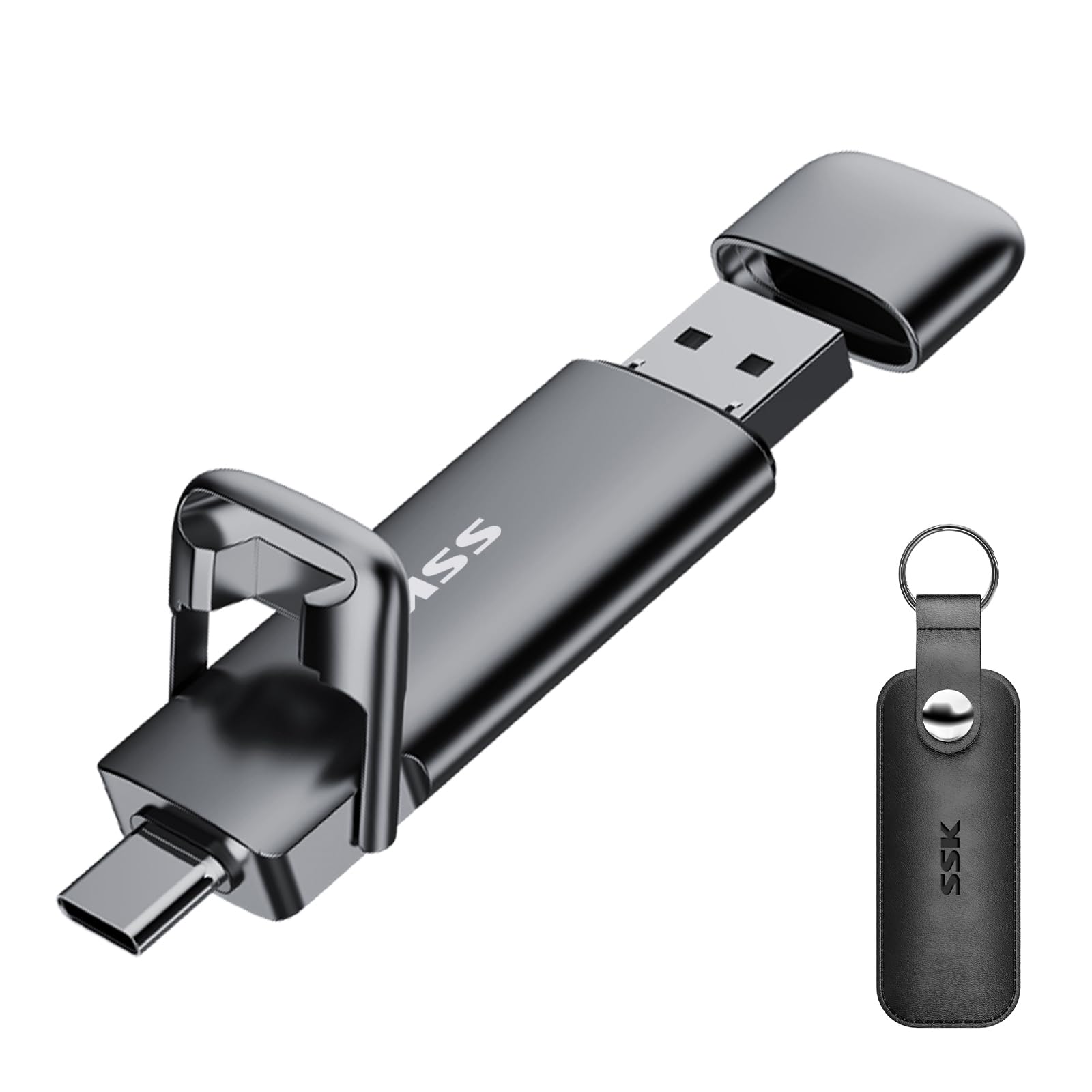
On paper this is the quickest drive on the list: up to 550MB/s read and 500MB/s write, which the maker frames as ten times faster than a standard USB 3.0 stick. That’s the number to lean on if you push big high-resolution photos and video between a Mac and other machines all day. It runs USB 3.2 Gen 2 (the faster tier of that standard), and it gives you a USB-C and a USB-A connector in one body, so a USB-C-only MacBook and an older desktop are both covered without a dongle. It ships formatted exFAT, so it’s readable on macOS and Windows the moment it arrives.
The zinc alloy shell is built to take a beating and to shed heat, with a double-headed protective cover guarding both plugs. It’s a genuinely cross-platform drive too — Windows, Linux, and Mac OS all read it. Owners consistently point to speed as what wins them over, and the build feels heavier and more substantial than a plastic stick. Note this is USB-C and USB-A only — it does not work with a Lightning port, so an older Lightning iPhone needs a different plan.
The honest catch is heat. Under sustained load the metal body climbs noticeably warm — owners flag it repeatedly — though the alloy design is meant to dissipate it rather than trap it. A removable USB-A cover can go missing, and there’s no activity LED to tell you it’s working. None of that dims the appeal for someone who wants maximum throughput across both connector types. If speed is your deciding factor and you want USB-C plus USB-A in one go, this is the drive.
What it leads on: up to 550MB/s reads and 500MB/s writes, with USB-C and USB-A both on board and exFAT formatting from the start.
Be ready for: the zinc alloy body runs warm during long transfers, and the removable USB-A cover can be lost.
This is your drive if: you want the highest rated speed here plus both connectors for Macs, PCs, and phones.
skip it if: you’re copying from a Lightning-port device — it doesn’t support Lightning.
6. SANDISK 256GB Ultra USB-A Flash Drive

Double the room of the 128GB sticks — 256GB in a drive with a pop-out plug and no cap to lose.
When 128GB starts to feel cramped, this doubles your headroom in the same wallet-sized stick. It reads at up to 130MB/s and is backward compatible with USB 2.0 ports, so it plays nice with older machines as well as current ones. It’s USB-A, so a USB-C-only MacBook needs an adapter — but on an iMac or a classic-USB MacBook Pro it plugs straight in. Owners lean on it heavily for the storage, which is the trait they praise most, and the retractable connector means the plug tucks away with no separate cap to keep track of.
Secure encryption and password protection are built in, and it earns its keep for big file transfers between a Windows PC and a Mac — the kind of back-and-forth that clogs up a laptop’s own drive. It holds a 4.5+ star rating from a very large pool of Amazon reviewers. The retractable shell is also a small quality-of-life win: no fiddling with a cap, no losing it in a bag.
Worth sizing your expectations: the handy capacity and simple design are what sell it, and speed is rated lower than the fastest drives up top — perfectly fine for documents and photos, but not the pick if you offload 4K footage daily. A drive this small also asks to be tested early; the advice that holds for every USB stick is to copy everything important twice and confirm the first transfer before you trust a new drive with the only copy. Buy it for the room, not for outright pace.
Where the value lands
- 256GB of storage in a wallet-sized stick — twice the room of the 128GB picks
- Retractable plug means no cap to lose
- Built-in encryption and password protection
- Works with older USB 2.0 ports too
Where it gives ground
- USB-A only — a USB-C-only Mac needs an adapter
- Up to 130MB/s reads is slower than the USB-C speed leaders
- Not the pick for heavy daily video offloading
Ideal when: you want maximum storage in a simple USB-A stick for documents, photos, and PC-to-Mac file moves.
Reach for a USB-C drive instead if: your Mac is USB-C-only or you need the fastest possible copies.
7. Amazon Basics 128GB USB-C and USB-A Dual Port
The straightforward dual-port stick that just works — USB-C on a Mac, USB-A on a PC.
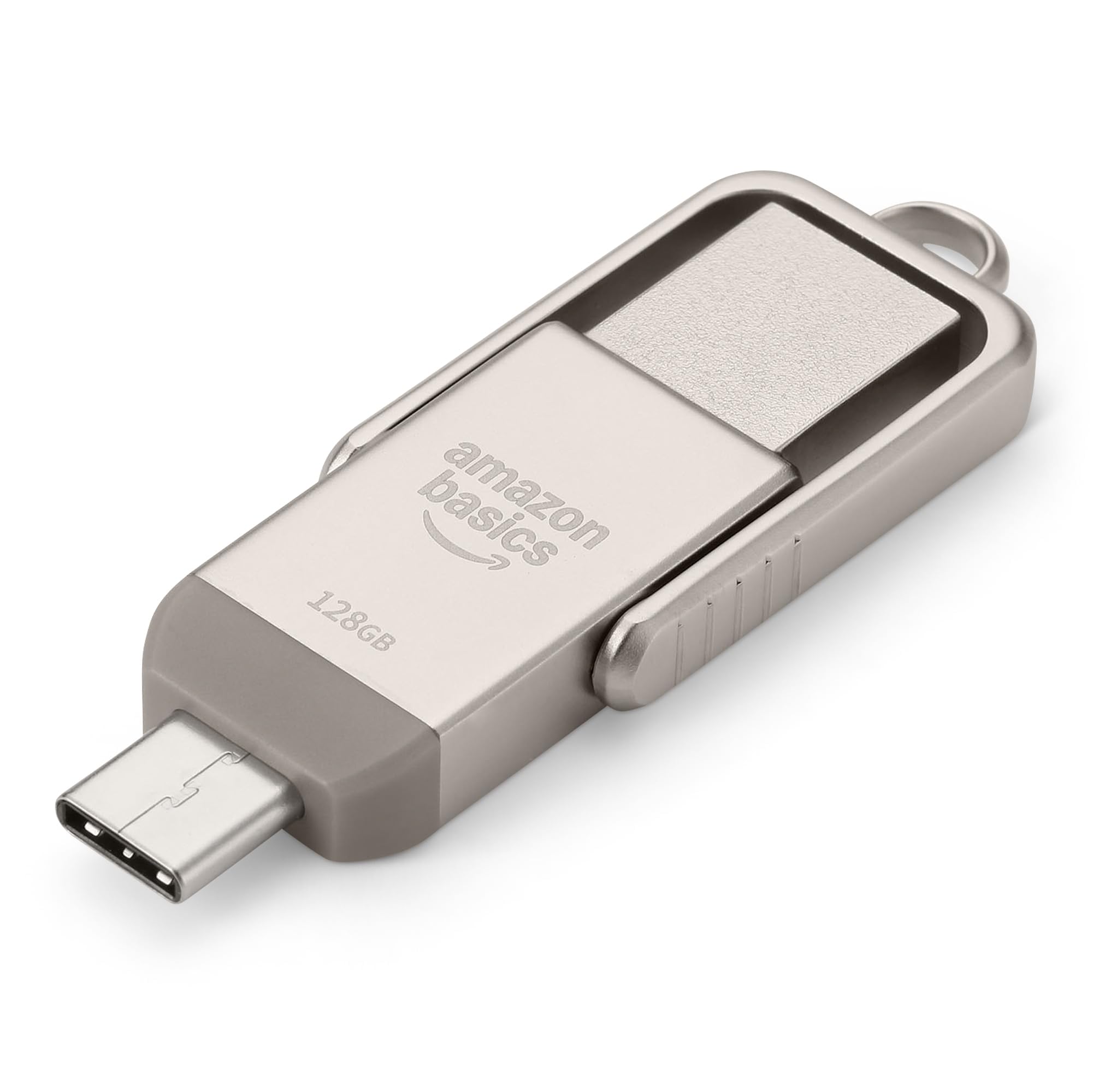
If you want the simplest possible answer, this is it. A USB-C connector for your Mac and a USB-A connector for a PC or an older machine, in one 128GB stick with a rotating metal body and a hanging hole for a keyring. It’s rated for 128GB nominal capacity, with at least 115GB of usable space once the operating system does its accounting. It ships in exFAT, which is the format that reads on both macOS and Windows right away — no reformat needed for everyday use, and lower power draw while it sits connected.
Amazon’s own listing is refreshingly plain about speed: read and write rates depend on the device, the file size, and the file type, so there’s no single headline number to chase here. In real handling it moves data briskly — one owner moved roughly 40GB of files in under five minutes. What owners appreciate is simply that it functions as promised, which is the trait they praise most, backed by a 4.5+ star rating from a solid pool of Amazon reviewers. The metal exterior with the rotating open/close design feels sturdier than its budget position suggests.
The one thing to keep straight is compatibility. It works with phones and tablets that have USB-C, and it deliberately doesn’t support a Lightning port — so an older Lightning iPhone is out of scope. It also warms up under a long write, which is normal for a metal-sleeved drive. For a Mac owner who wants one dependable dual-port drive to move files between a laptop and whichever desktop or phone is nearby, this keeps it simple. No hunting for adapters, no spinning up software, no drama.
What it gets right: a USB-C and a USB-A end, exFAT formatting that reads on Mac and Windows immediately, and a metal rotating body — all in one no-fuss stick.
The limit to note: it doesn’t support Lightning ports, so it’s built for USB-C and USB-A devices only.
Good match for: Mac owners who want one dual-port drive for grabbing files off a phone or desktop without adapters.
Not the one if: you need a Lightning connection or a headline read-speed figure to compare.
Know the Specs
USB-C vs USB-A connectors
A USB-C plug is the small oval one that goes in either way up; USB-A is the classic wide rectangular plug. Modern MacBooks and iPads are USB-C, while older iMacs and MacBook Pros use USB-A. A dual-port drive carries both, so it fits either machine without an adapter.
Read speed in MB/s
Read speed (megabytes per second) is how fast the drive sends files back to your Mac. A drive rated to 400MB/s hands back a large file more quickly than one rated to 130MB/s. The listed figure is typically the best case, so real transfers can run slower depending on your Mac and the file type.
exFAT vs FAT32 formatting
exFAT reads and writes on both macOS and Windows and has no small file-size ceiling, so most dual-port drives ship that way. FAT32 works widely too but caps a single file at around 4.5GB — a snag for long video. You can reformat a drive to exFAT any time in Disk Utility.
Capacity and usable space
Capacity is the total storage on the drive, shown in gigabytes or terabytes. The space your Mac reports will be a little lower than the label because of how drives and operating systems count it — a 128GB drive shows roughly 115GB or more of usable room, which is normal, not a fault.
Common Questions
Will a USB-A flash drive work on a USB-C-only MacBook?
Do I need to format a flash drive before using it on a Mac?
What is the fastest flash drive for a Mac on this list?
Can a flash drive work on both a Mac and a Windows PC?
Why does my new flash drive show less space than the label says?
Will a USB-C flash drive connect through a phone or tablet case?
Can I use a flash drive as a Time Machine backup on macOS?
Is a hard drive better than a thumb drive for Mac backups?
Why does my flash drive get warm during transfers?
Does a Lightning port work with USB-C flash drives?
The Bottom Line
The flash drive for mac winner for most people is the WD 2TB Elements — it holds a mountain of backups and media, and it holds a 4.5+ star rating from 165,000+ Amazon reviewers, so you’re leaning on the crowd rather than a guess. If raw USB-C speed is what you’re after, the SSK dual USB C+A leads at up to 550MB/s with both connectors built in. And for carrying one drive between a Mac and an Android phone, the Lexar D40E gets you there with USB-C and USB-A on one swivel body. Match the connector to your Mac first, and any of these will serve you for years.
How we choose
We do not accept paid placement. Every pick is matched to a real buyer and a real use-case; we do not hands-on test units.
Sources
Specifications: manufacturer listings and product documentation. Review insights: verified customer reviews, as of October 2026. Pricing: not shown on this page (it changes often); check the current price via the retailer link.
As an Amazon Associate, Aappliancez earns from qualifying purchases. This does not affect which products we feature.