Disclosure: Some links in this post are affiliate links. As an Amazon Associate I earn from qualifying purchases, at no extra cost to you. Learn more
Specs are compiled from manufacturer listings and verified buyer reviews and can change over time — please confirm the key details on the product page before buying.
Your house has fast internet. Your barn, shop, or pasture gate does not — and that is the whole problem. A farm WiFi extender solves it by carrying your existing connection across open ground to a second building, usually without burying a single cable. Pick the type by the job: a point-to-point bridge links two buildings, while an outdoor access point blankets a yard, barnyard, or row of cabins in signal.
This guide is built by comparing the manufacturers’ published specifications and the patterns across verified customer reviews, so you get each pick’s real strengths and trade-offs instead of marketing spin.
Below you will find the honest differences between seven outdoor units — which ones need line of sight, which ones survive Michigan winters, and which ones hand you a plug-and-play link. Every pick here is a genuine outdoor-rated option, and this breakdown of the farm wifi extender market covers range, weather sealing, and setup reality.
Top Picks

How To Choose The Best Farm WiFi Extender
Start by naming the job. Do you need to link two specific buildings — house to barn, house to shop — or do you need WiFi floating over an open area where phones and cameras roam? A bridge does the first job cheaply and reliably. An access point does the second. Buying a bridge when you needed an access point — or the reverse — is the most common mistake on a rural property.
Bridge or access point: pick the job first
A point-to-point bridge is a matched pair. One unit points at the other across open ground and passes your internet down the line, so both ends need a clear view of each other. An outdoor access point broadcasts WiFi to devices around it, which is what you want for a barnyard full of phones, cameras, and smart switches.
Line of sight is the real range limit
Manufacturer range figures assume a clean, unobstructed view between units. Trees, metal roofs, and hills eat that distance fast. Aim high, above the tree line if you can, and mount on a pole or eave rather than a wall corner. Several of the long-range units here are rated for multiple kilometers, but treat those as best-case numbers in open air.
Weather sealing and power over Ethernet
Your outdoor unit sits in rain, dust, and sun, so check the enclosure rating before you buy. IP65 (a weatherproofing grade) blocks dust and water jets; IP67 goes further and survives brief immersion. PoE (power over Ethernet, which sends electricity up the same network cable that carries data) means you never run a separate power line to a distant pole. That saves running a separate power line when the barn is hundreds of feet from an outlet.
Side-by-Side Comparison
| Model | Best For | Type | Max Speed | Weather Rating | Amazon |
|---|---|---|---|---|---|
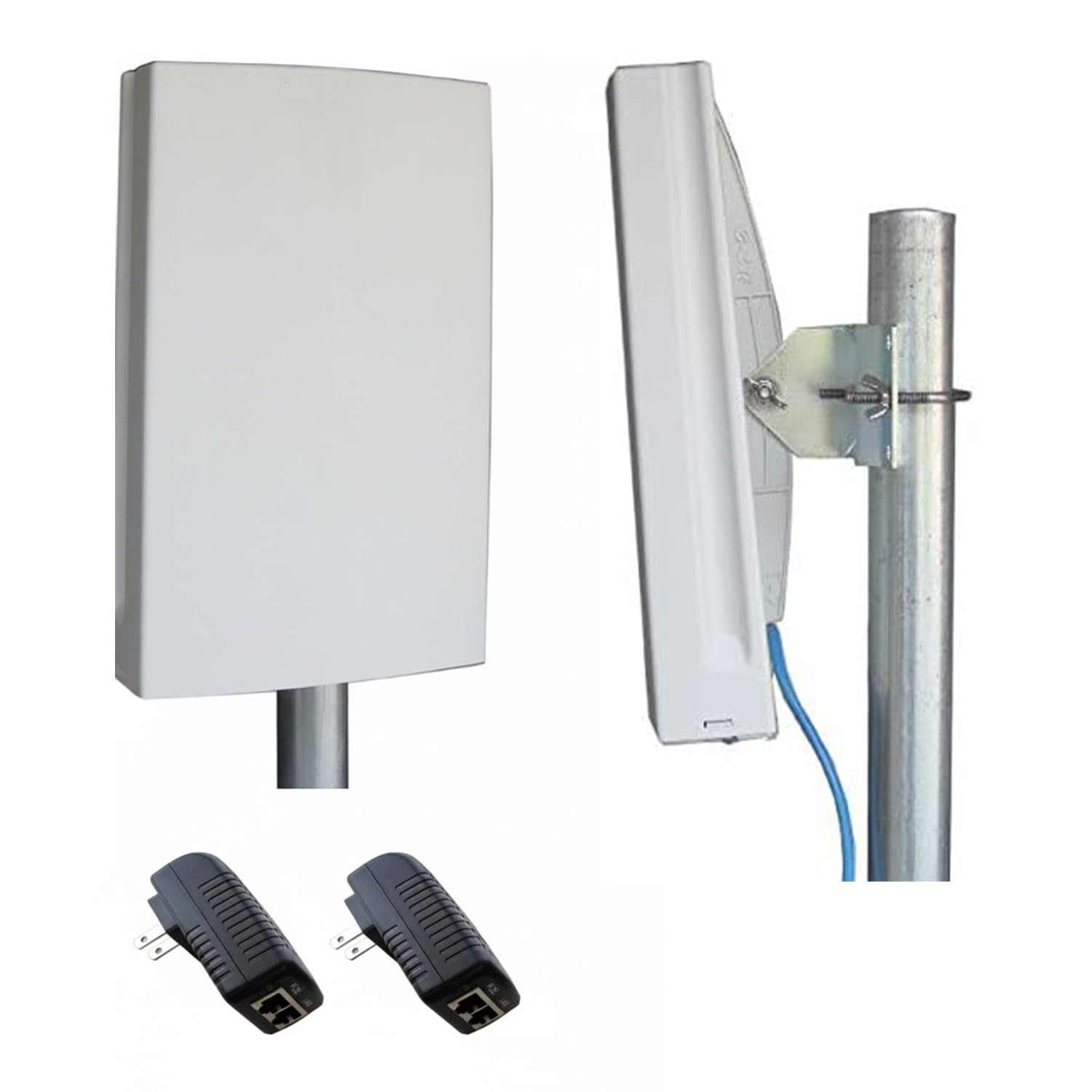
| EZ-Bridge-Lite EZBR-0214+★ Best Overall | Plug-and-play building link | Point-to-Point Bridge | Up to 100 Mb/sec | Outdoor, weather-built | Amazon |
| TP-Link CPE710Longest Reach | Extreme long-distance links | Outdoor CPE (5GHz) | 867 Mbps | IP65 | Amazon |
| Cudy AC1200 AP1300 Outdoor | Mesh coverage across a property | Outdoor Access Point | 1200 Mbps | IP65 | Amazon |
| Omada EAP610-Outdoor | Whole-farmyard WiFi with app control | Outdoor Access Point (Wi-Fi 6) | 1800 Mbps | Outdoor, weatherproof | Amazon |
| AdaLov CPE660 | Starlink to outbuilding on a budget | Point-to-Point Bridge (5.8GHz) | 300 Mbps | IP65 | Amazon |
| WAVLINK AX1800 Outdoor | Blanketing a big yard or RV park | Outdoor Access Point / Repeater (Wi-Fi 6) | 1800 Mbps | IP67 | Amazon |
| Ubiquiti LOCO5AC Bundle | Long-haul pre-paired bridge | Point-to-Point Bridge (5GHz) | 450+ Mbps | Outdoor, weather-rated | Amazon |
Detailed Reviews
1. EZ-Bridge-Lite EZBR-0214+
Our pick — 4.5+★ from 650+ verified ratings; the strongest balance of quality and price.
The farmer’s favorite for one simple reason: it works the first time you plug it in.
This is the pick for the person who wants internet in the barn this weekend, not next month. The EZBR-0214+ is a matched point-to-point bridge running a 250mW radio in the 2.4GHz band, and it delivers real-world throughput up to 100 Mb/sec. That is more than enough for security cameras, a couple of streaming TVs, and a laptop doing video calls at the same time.
What wins people over is simple brute reliability: it comes pre-built to just work as a pair, and the two things owners talk about most are whether it functions and how painless it is to get going. A pasture-to-shed install at roughly 900 feet — bridge A in the attic, B on the shed, roughly aimed — pulled 90MB down and 25MB up on a Starlink 150/25 line. Another link to a barn workshop 500+ feet out handled a Roku TV and Zoom simultaneously with no speed loss, and it has come through Michigan winters. A third install replaced a weak Yagi setup to a barn 700 feet away and took about an hour and a half on existing 1.25-inch pipes.
The honest catch is hardware, not performance: the kit does not include the four CAT5 cables or the PoE injectors you need, so add those to your list. The bottom cover is also fiddly — the jack sits offset from the hole, which forces a tight 90-degree bend on the cable, and the plastic tabs are the fragile part. Budget a little patience at mounting time and none at all afterward.
What earns it first place
- Pre-built pair talks to itself with no configuration marathon
- Rated for networks up to 3 miles apart with good line of sight
- Proven in 700ft and 900ft farm installs with full house bandwidth
- Built for scorching sun and heavy rain, not just a covered porch
Where you will need to plan
- CAT5 cables and PoE injectors are sold separately
- Cable-entry cover is cramped and the tabs are thin
- Occasional link drop clears with a simple power cycle
Reach for this if: you want a dependable house-to-barn or house-to-shop link and you would rather not fiddle with firmware at all.
Set expectations on: the running gear — pick up the four CAT5 cables and PoE injectors before install day so you are not making a hardware run mid-mount.
2. TP-Link CPE710, Long Range Gigabit Outdoor 5GHz AC867
Point this 23 dBi beam at a rooftop three kilometers out and it can still hold the line.
For a gap measured in kilometers, the CPE710 is the tool that earns its spot. It pairs a 23 dBi directional antenna (a tightly focused dish-style antenna that aims signal one way instead of spraying it around) with 256 QAM (a modulation scheme that packs more data into each signal) and 80 MHz bandwidth to reach up to 867 Mbps. That beats the 1200 Mbps rating on the Cudy AC1200 only on paper, because the Cudy figure is a dual-band combined number while this is a single focused 5GHz link. The narrow beam is the real point: it holds strength over far more ground than a spread-out radio can. Buyers report eight-kilometer roof-to-roof links with strong signal sending around 800 Mbps without complaint.
Out on the property this unit holds up. On a full 360MB line it delivered the full rate to a workshop 350 feet away. A third client 450 feet out through trees and a foil roof still pulled 135 Mbps, where the old gear managed 4-5 Mbps. If your rural line tops out near 100 Mbps, you get every bit of that speed pushed across the gap. The IP65 housing adds 15kV ESD (electrostatic discharge) and 6kV lightning protection, so it is built for exposed poles.
Reliability is what holds this unit’s reputation together — it is the trait owners come back to again and again — but setup is where the split opinions live. Some installs go smoothly; others stall on tiny firmware text in Pharos Control on Windows 11 or on instructions that miss a step. It also needs two units to make a link, and it is a big housing, so plan your mount before it arrives.
The line-of-sight payoff: with a clear view, this unit is rated for up to 30 kilometers of coverage — the kind of spec you buy when your outbuilding is across a field, not across a driveway.
The setup tax: give yourself a quiet afternoon and a laptop, and do a firmware check before you climb the ladder. Trees anywhere in the path will cut into that speed.
Who it beats the rest for: anyone linking two distant structures where the gap is measured in kilometers and a clear sightline exists.
Look elsewhere if: you want zero-configuration simplicity or you are only crossing a couple hundred feet — the beam here is overkill and the setup steeper than you need.
3. Cudy AC1200 AP1300 Outdoor

Built to cover a whole farmyard under one smooth WiFi name — cameras, phones, and all.
If your problem is a yard full of devices that keep dropping, this access point is the answer rather than a bridge. It runs AC1200 dual-band Wi-Fi 5, splitting into 867 Mbps on the cleaner 5GHz band and 300 Mbps on the long-reaching 2.4GHz band, with MU-MIMO and beamforming to steer signal at each device. Cudy Mesh with both wireless and wired backhaul lets several units act as one network, so gadgets hop to the strongest signal as you walk the property, and it holds up to 100+ concurrent clients.
The farm-camera story is where this one shines. Replacing older access points, a Cudy install serving IP cameras up to 200 yards away through trees cleared up the intermittent comm loss two cameras had been fighting. In a crowded neighborhood — 50+ nearby networks — it still managed around 480Mbps indoors, and comparing it to pricier gear, the small aluminum body punches well above its class. Sailboat owners have run it as a repeater with no signal drops across two months.
The recurring headache is power, not signal — expect the odd unexplained power-cycle, and an occasional unit simply quits down the line. On features, this is a simple-network tool: no DFS, no 160MHz, and no WPA3, so if you need those, look up the range. The setup wizard is friendly and the graphical interface is clean, which makes it a good first outdoor access point for a lot of owners.
Why properties standardize on it
- smooth mesh handoff keeps WiFi calls and texts alive while you roam
- Two bands split between speed and reach, plus beamforming
- Runs on either included passive PoE or standard 802.3at/af
- No cloud account required to get it working
The limitations worth knowing
- No DFS, 160MHz, or WPA3 on this model
- Guest network and VLAN support are thin despite the firmware claims
- An occasional unit has been known to stop powering on
Pick it for: an all-Cudy wireless mesh that covers garden, parking area, and outbuildings under one network name.
Pass on it if: your network plan needs WPA3 or deep VLAN segmentation — this one is built for clean and simple.
4. Omada AX1800 EAP610-Outdoor

Newer Wi-Fi 6 radios and app control — the tidy way to blanket a working farmyard.
This is the access point for a farm that wants modern radios and remote management in one box. It uses Wi-Fi 6 (the newer WiFi standard) with 1024-QAM and Long OFDM Symbol to push dual-band speeds up to 1800 Mbps. It also slots into the Omada software-defined network, so you can run it standalone or manage the whole property from a phone or the cloud. That remote view matters when the unit is on a barn and you are nowhere near it.
The range reports read like farm life. One owner beams internet from a unit on the house and one on the shed and now has coverage across the entire farmyard, with a ring of smart switches that never drop unless the internet itself goes down. Another extends WiFi from the house to a separate shop about 50 feet out plus 50 feet deeper inside, streaming music and video without a hiccup. Trees and walls are not a dealbreaker here: signal reaching through both to a garage and backyard has stayed stable.
Set it up with the Omada app and the weatherproof build takes the seasons. Two things to plan around: the connection exits the bottom of the housing, where weather and animals can reach it, so protect the cable. And on a rural install where signal gets intermittent, a unit can lose its link and stay down until someone physically reconnects it — a long drive if the property is remote. Give it a covered mounting spot and steady power and it behaves.
Where the extra speed lands: the jump to Wi-Fi 6 hardware here — 1800 Mbps against the 1200 Mbps on the Cudy — matters most when many devices share the air at once. Busy yards with dozens of cameras and phones feel it first.
The one thing to protect: that bottom-exit port is the weak point on an outdoor pole. Seal it, angle it down, and keep critters off the cable run.
Best fit for: the owner who wants one app to see and steer every access point across the property, with Wi-Fi 6 speed behind it.
Think twice if: the unit will sit on a remote pole with nobody nearby — the occasional un-recovered dropout can turn into a maintenance trip.
5. AdaLov CPE660

Two bridges arrive pre-paired — aim them at each other and your outbuilding is online.
This is the value play for getting Starlink or a rural router out to a workshop without trenching. The CPE660 ships as a matched pair of 5.8GHz bridges with integrated 14 dBi directional antennas, rated to bridge two buildings up to 3KM apart with a clear line of sight, at speeds up to 300 Mbps. You get two 100Mbps Ethernet ports per unit, and the kit includes both PoE adapters, pole mounts, and cable ties, so the hard parts are aimed and wired rather than bought separately.
Setup is what buyers keep bringing up, and for good reason — it comes pre-programmed in WDS bridge mode (a mode that links two WiFi networks wirelessly), so the whole job can be plug-and-play. One low-tech install 500 feet to a guest house went up solo and handled a couple of Roku streams and WiFi calling at around 45 Mbps. Another extended WiFi to a nearby building when ordinary indoor extenders had already failed. Even a camera run across 5 acres at roughly 800 feet — trees blocking the sightline, PoE shaving usable distance to about 500 feet — held full bars on sunny days and only a bar less in rain, with steady 100Mb throughput.
There is one rule you cannot skip: never plug a PoE switch into the 24V-only port, because higher voltage can burn the unit. The other honest gaps are the thin instructions and the alignment patience — a few degrees off and the link will not lock, so bring a second pair of hands up the ladder. It also ships slowly, so order ahead of install day.
What makes the value case
- Ships as a matched pair with PoE adapters and mounts in the box
- Pre-set WDS mode means most links go up without a config screen
- 14 dBi directional antennas on a focused 5.8GHz link
- Works with Starlink dish setups for rural properties
Where to slow down
- 24V-only port is easy to overload if you wire PoE wrong
- Precise aiming matters — a few degrees off and it stalls
- Instruction sheet is skimpy; expect to puzzle it out
The smart buy for: a Starlink household linking out to a shop, cabin, or camera pole who wants the whole kit in one box.
The one caveat to respect: that voltage rule on the 24V port and the careful aiming — get both right and the link is rock steady.
6. WAVLINK AX1800

Four fiberglass antennas and a sealed IP67 shell for open ground that sees real weather.
To cover an RV park, a vineyard, or a big open yard rather than one building, this is the unit that reaches. It packs four high-gain 8dBi omni-directional fiberglass antennas (antennas that spread signal in every direction) to blanket a 200-300m radius in line-of-sight conditions. It is spec’d for up to 256 devices at Wi-Fi 6 speeds up to 1800 Mbps — 1201 Mbps on the 5GHz side and 574 Mbps on 2.4GHz. It is also Starlink-compatible through a Starlink Ethernet adapter, which is what a lot of rural buyers reach for it to do.
The fieldwork shows the reach. One install pushed WiFi to rental cabins 125 feet out from a Starlink setup. Another went 600+ feet to a barn and garden, and at 400+ feet it pulled 330 Mbps down and 150 Mbps up on a 1 Gig connection. A third, run as a wireless access point, reached about 200 yards through a cabin wall and trees and stretched camera coverage from roughly 40-50 yards to 350+ yards. Set it up on a pole 20 feet high with a clear view and the range is the whole story.
The IP67 casing — the toughest sealing in this group, good through -20°C to 50°C plus 6kV lightning and 15kV static protection — keeps it alive in rain, heat, and snow. The catch is that signal is only as good as its sightline: drop a tree or a wall in the way and bandwidth falls off even at short range. The app is a bit clunky, so use the web interface for setup. And note the PoE adapter itself is not waterproof — keep that part indoors.
Why the extra sealing matters: going to IP67 over the IP65 units here is the difference between surviving rain and surviving a splash up on a pole through a full winter.
Keep the path clear: direct line of sight is the spec to design around — mount high, avoid trees, and expect the reach to shrink the moment the view is blocked.
Ideal for: a ranch, RV park, or vineyard that wants one sealed unit spraying WiFi across a wide outdoor area.
Watch for: the non-waterproof PoE adapter needs an indoor home, and thick obstructions will cost you range.
7. Ubiquiti LOCO5AC Bundle of 2
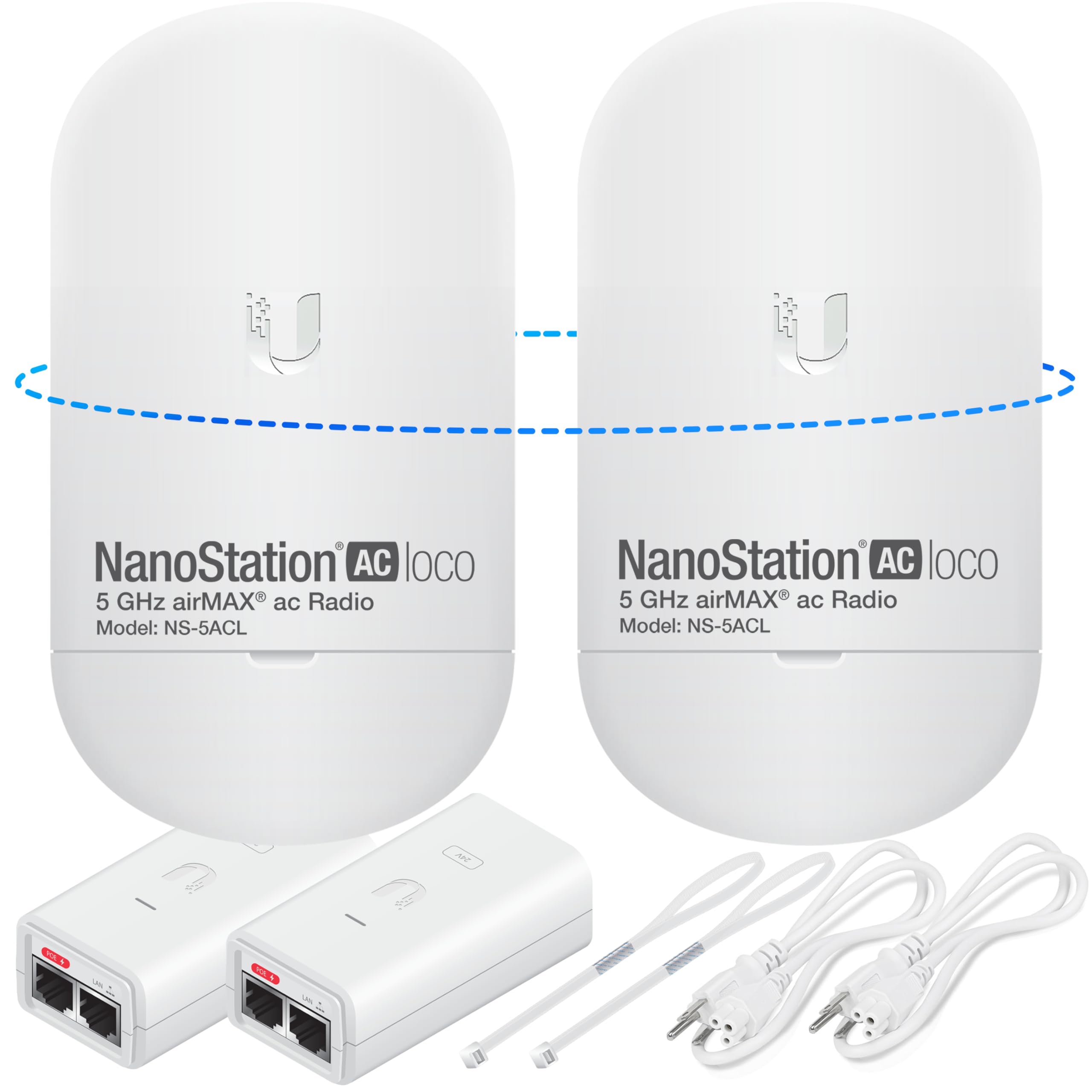
A pre-programmed pair that links barn to house like an invisible Ethernet cable.
This bundle takes the guesswork out of pairing. It is two Ubiquiti NanoStation Loco 5 AC units, pre-programmed to talk to each other as a point-to-point bridge, along with two PoE injectors, power cords, and straps. The radios work in 5GHz and deliver over 450 Mbps throughput, with strong noise immunity so a crowded band does not drag the link down. It is aimed at connecting buildings over long distances, and the bundle is rated for 10+km link ranges in good conditions.
The install stories land well. A house-to-outbuilding link about 350 feet out hit around 100 Mbps and solved coverage there, with the whole project finished over a weekend. Owners stringing service down to a barn call it point, plug, and play once wired and mounted — and it holds speed to outbuildings without a drop. Test the two units a few feet apart first so they lock, then haul them up the poles.
The honest gap is documentation, not hardware. The instructions draw the most complaints of anything here — some owners call them worthless — so plan to figure the pair out yourself or lean on a setup video. A rare install has fought bandwidth and stability issues, which can happen on any wireless link with an obstruction in the path. Mounts are not included in a straightforward way, so grab brackets before the ladder comes out, and the cable routing and drilling end up being the longest part of the job.
Why it earns a spot
- Pre-configured pair cuts the pairing step out entirely
- Over 450 Mbps throughput with strong noise immunity
- Rated for 10+km links in clear conditions
- Included PoE injectors and straps cover the basics
What to prep for
- Instructions are thin and get skipped in favor of videos
- Mounting brackets are not part of the easy path
- A rare link fights stability if something blocks the path
Suits you if: you want a pre-paired 5GHz bridge and are comfortable sorting out your own mounts and cable runs.
Honest heads-up: ignore the box instructions and watch a setup walkthrough instead — that is where most of the friction disappears.
Know the Specs
Range and line of sight
Manufacturer range figures assume a clean, unobstructed view between units. Trees, metal roofs, and hills cut that distance fast. On a working farm, aim above the tree line and mount on a pole or eave — that placement often matters more than the number on the box.
Weather ratings (IP65 vs IP67)
An IP rating tells you how well an outdoor enclosure keeps out dust and water. IP65 blocks dust and water jets; IP67 survives brief immersion. Both belong on an exposed pole; pick IP67 if the unit sits fully unsheltered in heavy weather.
Power over Ethernet (PoE)
PoE sends power up the same network cable that carries data, so you never run a separate power line to a distant pole. It saves the cost and digging of a separate power run. Watch the voltage — some ports are 24V-only, and feeding them higher voltage can damage the unit.
Bridge versus access point
A bridge links two specific buildings with a matched pair. An access point broadcasts WiFi to devices around it. Match the unit to the job: a bridge for a building-to-building link, an access point for roaming phones and cameras across a yard.
Common Questions
Will a farm WiFi extender reach my barn 700 feet from the house?
Do I need two units to make a point-to-point link?
Will trees between the two buildings kill my signal?
What does IP65 or IP67 mean for a farm install?
Can I power an outdoor bridge without a power outlet at the pole?
Will a farm WiFi extender work with Starlink?
Is an access point better than a bridge for a farmyard?
How long do outdoor WiFi units typically last in harsh weather?
Why do some installs lose speed compared to my wired connection?
Do I need to aim the units precisely for a solid link?
The Bottom Line
For most farms, the farm wifi extender to buy first is the EZ-Bridge-Lite EZBR-0214+, because it turns a house-to-barn job into a plug-and-play weekend project with proven links at 700 and 900 feet. If your gap is measured in kilometers, the TP-Link CPE710 fires a 23 dBi beam far across open ground. And if you need WiFi floating over a wide farmyard rather than a bridge between two walls, the WAVLINK AX1800 with its IP67 shell and four 8dBi antennas is the pick that reaches farthest in the open.
How we choose
We do not accept paid placement. Every pick is matched to a real buyer and a real use-case; we do not hands-on test units.
Sources
Specifications: manufacturer listings and product documentation. Review insights: verified customer reviews, as of October 2026. Pricing: not shown on this page (it changes often); check the current price via the retailer link.
As an Amazon Associate, Aappliancez earns from qualifying purchases. This does not affect which products we feature.