Disclosure: Some links in this post are affiliate links. As an Amazon Associate I earn from qualifying purchases, at no extra cost to you. Learn more
Specs are compiled from manufacturer listings and verified buyer reviews and can change over time — please confirm the key details on the product page before buying.
The fastest fix for a full Android phone is a USB-C flash drive or microSD card that moves photos and videos off the handset. That is the short answer. The longer answer is that not every drive speaks Android’s language cleanly. Some need an app, some need OTG enabled in settings, and some simply will not load without the right cable or adapter. This guide separates drives that mount on Android without fuss from ones that need an app, a setting change, or a different cable.
This guide is built by comparing the manufacturers’ published specifications and the patterns across verified customer reviews, so you get each pick’s real strengths and trade-offs instead of marketing spin.
You will see the difference between a microSD card that slots into a tray and a drive that hangs off the side of your phone. Each pick below is matched to a specific Android job: 4K video, large photo libraries, or work files moved between devices. The shortlist of the external storage for android phone covers every budget and every port type.
Top Picks


How To Choose The Best External Storage for Android Phone
The first decision is not capacity — it is how you want to connect. A microSD card disappears inside a slot and never hangs off your phone. A USB-C flash drive plugs into the charging port and can move between your phone, laptop, and tablet. A microSD card suits a phone with a card tray; a USB-C drive suits anyone moving files between devices. Pick the wrong one and you will be pulling the drive out to reseat it, or hunting for an adapter, every time you transfer.
Check OTG support before anything else
Many Android phones need OTG enabled before they will read a USB drive. OTG stands for On-The-Go, and it is the setting that lets your phone act as a host for an external device. Some phones switch it on automatically when you plug in. Others hide it in settings. If your phone does not support OTG at all, a USB-C flash drive will not mount, no matter how good it is. Check this before you buy.
Decide between microSD and USB-C
A microSD card lives inside the phone and stays out of the way. It is the tidier option if your handset has a card tray. A USB-C drive is more flexible because it moves files between devices without a computer. The trade-off is that it sticks out of your port and can block with a case. If you transfer files to a laptop often, a USB-C drive with a USB-A end saves you carrying an adapter.
Read speed matters more than write speed for most users
Read speed is how fast the drive sends data to your phone. Write speed is how fast it takes data in. When you are offloading photos from your phone to the drive, write speed matters. When you are copying files back, read speed matters. Numbers like 150MB/s or 400MB/s are read figures. Lower write speeds are common and normal, so do not expect the two to match.
Side-by-Side Comparison
| Model | Best For | Capacity | Interface | Read Speed | Amazon |
|---|---|---|---|---|---|
| SanDisk 256GB Ultra microSD Card★ Best Overall | Big photo libraries inside the phone | 256GB | microSDXC | Up to 150MB/s | Amazon |
| SanDisk 128GB Ultra Dual DriveBest Everyday Pick | Moving files between phone and laptop | 128GB | USB-C & USB-A | Up to 150MB/s | Amazon |
| EATOP 256GB Dual Interface Flash Drive | Mixed iPhone and Android households | 256GB | USB-C, Lightning, USB-A | Up to 30MB/s | Amazon |
| SSK 128GB Portable SSD | Large video transfers on the move | 128GB | USB-C & USB-A | Up to 550MB/s | Amazon |
| Samsung Type-C USB Flash Drive 128GB | Fast everyday phone-to-drive moves | 128GB | USB-C | Up to 400MB/s | Amazon |
| Amazon Basics microSDXC 64GB (2-pack) | Cars, cameras, and dashcam duty | 64GB each | microSDXC | Up to 100MB/s | Amazon |
| Lexar ES3 1TB Portable SSD | Heavy video creators and full libraries | 1TB | USB 3.2 Gen 2 | Up to 1050MB/s | Amazon |
Detailed Reviews
1. SanDisk 256GB Ultra microSD Card + Adapter
Our pick — 4.5+★ from 274,000+ verified ratings; the strongest balance of quality and price.
The card that slides into your phone tray and never dangles off your port.
If your Android handset still has a microSD slot, this is the cleanest answer to a storage warning. A microSD card is a sliver of flash memory that sits inside the phone, so nothing sticks out and nothing gets knocked loose in your pocket. The 256GB version gives you room for thousands of photos and hours of video without touching your internal storage. It is the crowd favorite here by a wide margin — 4.5+ stars across 270,000+ ratings — and that volume tells you something about how predictable it is.
The speed figure is up to 150MB/s read, which is how fast files travel off the card when you back them up to a computer. A1-rated performance is the app-loading tier, so apps you move onto the card launch without a long wait. That matters on Android, where background app data quietly eats the space you thought was free. SanDisk also pairs it with its Memory Zone app, which lets you view, access, and back up your phone’s files from one screen rather than hunting through folders.
What wins people over is dependability: the card mounts the moment you slot it in, formats without errors, and holds data as advertised. The durability claims are broad: the card is listed as drop proof, water proof, temperature proof, magnetic proof, and X-ray proof, so a drop in the sink is not the end of it. The honest catch is that a 256GB card fills up faster than you think if you shoot 4K video, and the speed rating is for reads, not writes. Buyers report plenty of satisfaction, and a separate write-speed gap is the one recurring note to keep in mind.
Where this card delivers
- Tucked inside the phone, so nothing dangles from your port.
- 256GB of space with no app required to use it.
- 150MB/s read speed keeps backups moving briskly.
- Listed as water, drop, temperature, magnet, and X-ray proof.
- 10-year limited warranty backs it up.
The trade-offs to weigh
- Needs a working microSD slot on your phone.
- Read speed rating does not tell you the write speed.
- 4K shooters can fill 256GB quickly.
Reach for it if: your Android phone has a card tray and you want storage that disappears inside the handset.
Think twice if: you have no microSD slot — a USB-C drive is your route.
2. SanDisk 128GB Ultra Dual Drive, USB-C & USB-A
Two connectors on one sliver of a drive, so your phone and laptop share a doorway.
A drive with both USB-C and USB-A connectors means you can plug into your phone, then turn around and plug into a laptop without hunting for an adapter. The retractable design hides both ends when not in use, which protects the contacts from pocket lint. This is the practical choice for anyone who moves files between devices regularly rather than leaving storage parked inside the handset. Read speed is listed at up to 150MB/s over USB 3.1 — a solid figure for moving photos, video, and documents in a reasonable window.
What makes this one worth betting on is the resilience. There is a matter-of-fact story that keeps cropping up in the review pages: drives that go through a full washer and dryer cycle and still read their data afterward. Owners put it plainly: “I’ve owned this USB drive for over two years now and recently felt compelled to write a review.” That durability is a real-world benefit, not a spec-sheet promise. The Memory Zone app handles backups on Android, and OTG support is the only requirement on the phone side.
The catch sits in the connector. The USB-C end is small and has a reputation for wiggling and eventually jamming over years of use, needing a gentle realignment. It also runs warm in USB-C mode during long transfers. Neither is a reason to avoid it — the data integrity and dual-plug convenience carry the day — but treat the slider gently and you will get much more out of it. It handles 128GB where the EATOP drive above carries 256GB, so it holds half the data, according to the listed capacity for each.
Why it earns its spot: The dual connector and the washer-survival stories make this the drive for people who move files constantly. At 9.07 g it disappears in a pocket, and the retractable slider keeps both plugs clean.
One thing to know: The USB-C end can loosen over time and needs gentle handling. It also gets warm in extended sessions, so give it air during long transfers.
Pick this one when: you want one small drive that talks to your Android phone and your laptop without adapters.
Look elsewhere if: you need maximum capacity in a single purchase.
3. EATOP 256GB Dual Interface Flash Drive
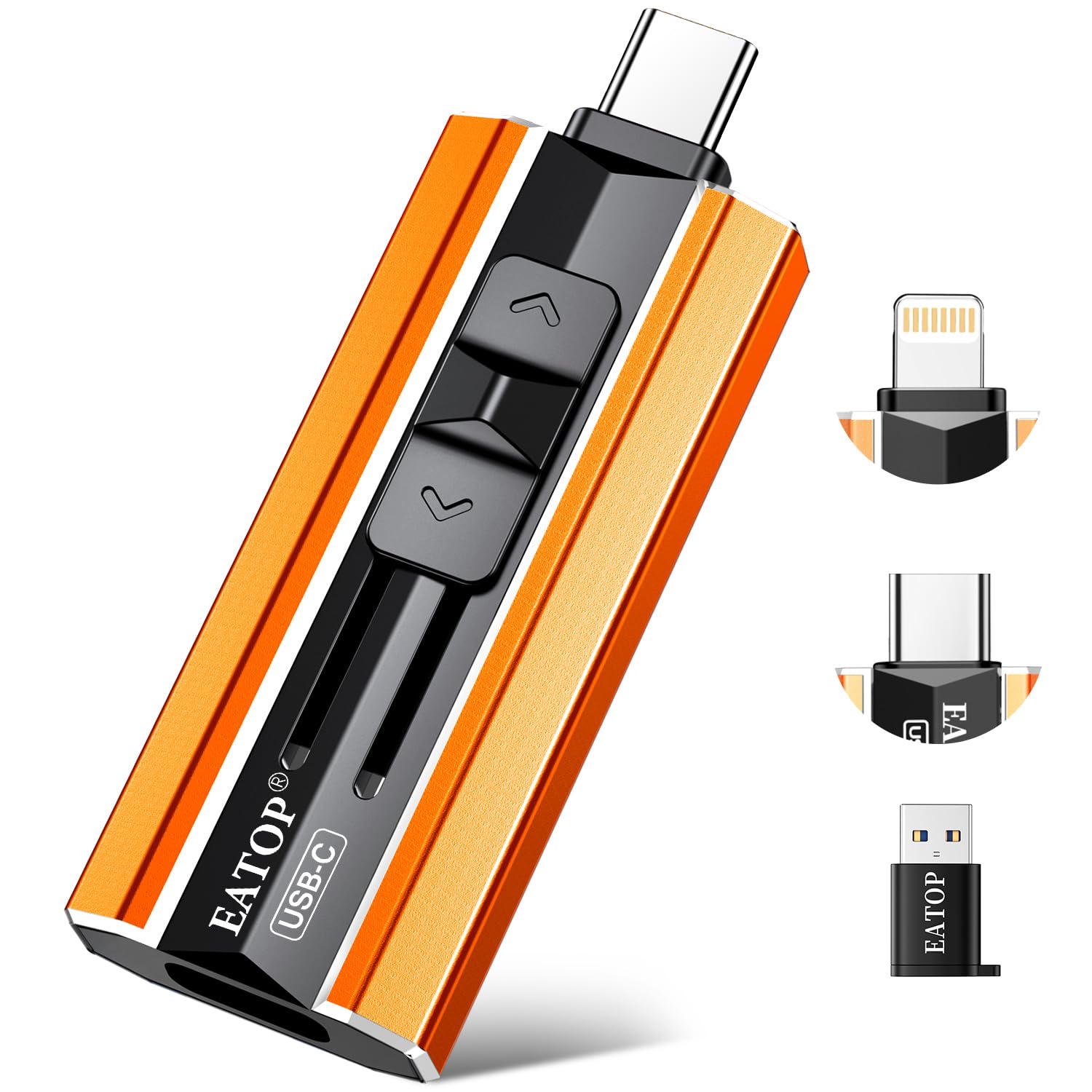
Three connectors and no app, for households split between Android and iPhone.
This drive covers USB-C, Lightning, and USB-A with a small adapter, which makes it the least fussy choice if your desk has both an Android phone and an iPad on it. The promise of “no app required” is real on the iPhone side, where you work through the Files app rather than a third-party download. On Android, the only requirement is OTG support, which most modern phones have. The storage capacity is 256GB, which is double what the SanDisk Dual Drive above offers — a meaningful gap if you shoot a lot of 4K video and high-resolution photos.
What wins people over is how much it carries for its size. It weighs 3.4 g and measures 1.6″ deep, so it sits in a pocket without a bulge. The review pages keep coming back to the same theme: a tiny piece of hardware that holds a lot of photos and videos and spares you the cloud-fee conversation. The included mini instruction booklet is a small touch that helps first-time users figure out where the drive shows up in the File Manager.
The catch is speed. The listed read speed is up to 30MB/s with a lower write speed, which is far below the 150MB/s of the SanDisk Dual Drive and a fraction of what the Samsung drive below manages. That is the trade-off for the triple-connector flexibility and the higher capacity. A colored case that can slide off and a phone case that blocks the plug are the two practical annoyances to plan around. Most buyers find it works fine; the ones who struggle are usually on a phone without OTG enabled or with a thick case still attached.
The practical appeal: Triple-connector versatility with 256GB of capacity in a 3.4 g package. If you need to move files between an Android phone, an iPhone, an iPad, and a laptop, one of those connectors fits every one.
The honest limit: 30MB/s read speed means large video files take patience. That is a fair trade for capacity and universal connections, but it is a trade.
Right choice for: mixed-device households where one drive has to serve Android, iPhone, and a computer.
Not the one if: you want the fastest possible transfers on large files.
4. SSK 128GB Portable SSD
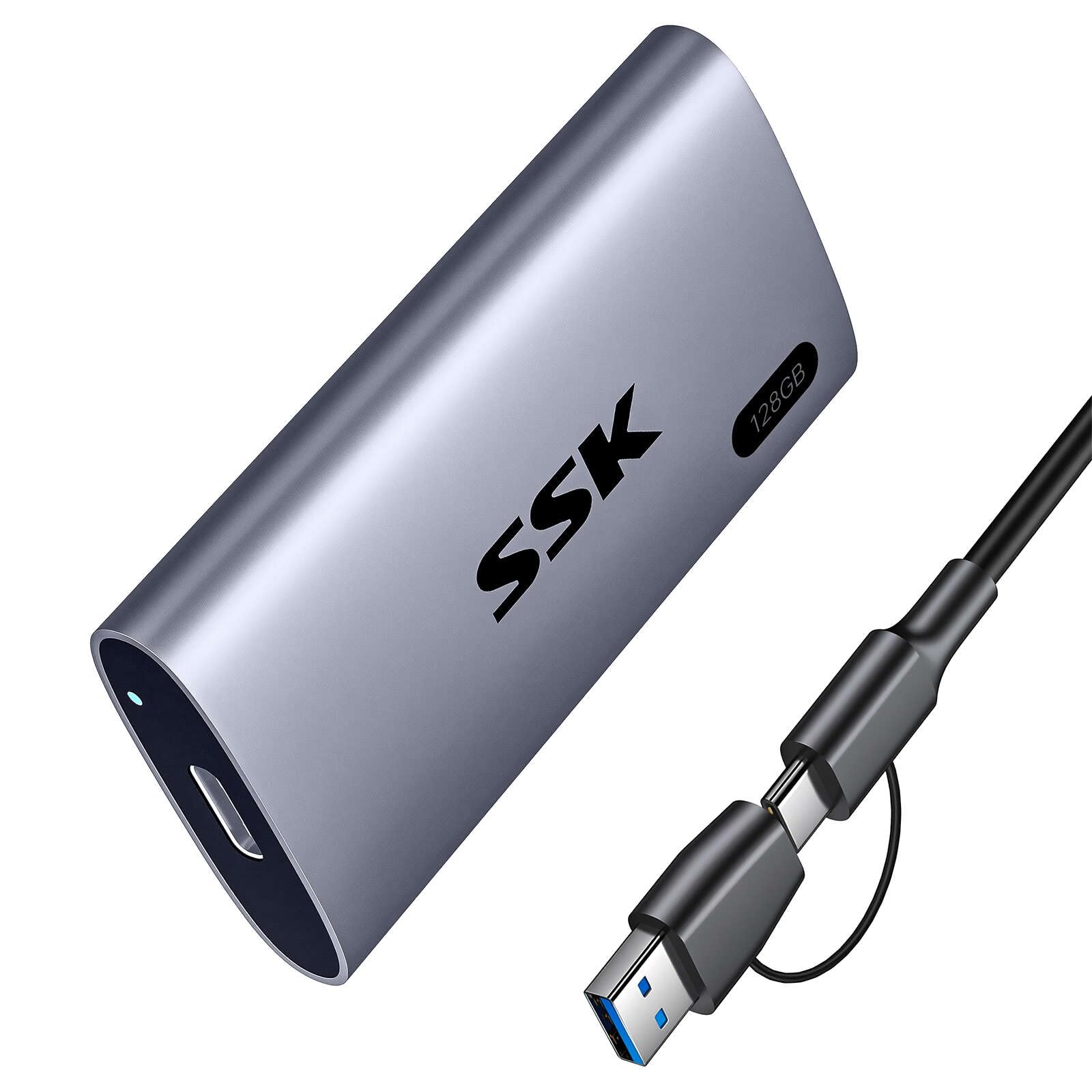
Solid-state storage that moves big video files without making you wait.
A portable SSD is a different beast from a flash drive. Inside is solid-state memory — the same kind of storage your phone uses — wrapped in an aluminum enclosure. The SSK drive is rated up to 550MB/s over its 6Gbps connection, which is roughly 3.7 times the 150MB/s of the SanDisk Dual Drive above. That speed is the reason to pay a bit more: a 50GB transfer finishes in a few minutes rather than stretching into a coffee break.
The size angle is the other draw. It is a 2.5-inch form factor drive that owners describe as smaller than expected and easy to slip into a bag. Both a USB-C cable and a USB-A adapter are in the box, so you can plug into an Android phone, a camera, a laptop, or a tablet without a separate purchase. The S.M.A.R.T. monitoring gives you a health readout on the drive, and TRIM support keeps write speeds consistent over time instead of slowing down as it fills.
The honest catch: this one has a compatibility asterisk. Some iPhone users hit an “accessory requires too much power” message and had to run an Apple adapter with external power to make it work. On Android, the drive is designed for OTG and generally works, but it needs to be unmounted properly before you pull the cable. Heat is the other recurring note — it can run warm during long transfers, so give it space. Owners mention that it stays manageable, not alarming.
The speed story: 550MB/s reads with SLC caching — the drive holds a fast cache in part of its capacity so transfers do not stall partway. That is the reason large video projects move without a hiccup.
The compatibility caveat: iPhone sideloading has been hit-or-miss for some buyers, showing an accessory power warning. Android via OTG is the smoother path.
Worth grabbing for: anyone who moves large video libraries and wants SSD speed in a pocket-sized aluminum body.
Choose another if: your main target is an iPhone and you do not want to deal with adapters.
5. Samsung Type-C USB Flash Drive 128GB

A thumb drive with USB-C muscle, built for phones and cars alike.
Of all the flash drives on this list, the Samsung Type-C moves the needle hardest on speed. Up to 400MB/s reads means it can claim a 4GB file in 11 seconds, per Samsung’s quoted figure — about 2.7 times the 150MB/s of the SanDisk Dual Drive. For anyone who wants a pocket drive that keeps up, this is the one. The reversible USB-C plug slides in without checking orientation, which makes a genuine difference when you have one hand free.
The real-world reviews back it up. Owners describe sustaining roughly 75–80MB/s on 100GB+ video transfers where older USB-C drives managed around 21–22MB/s — a difference that turns an unusable wait into a routine. It runs just warm during those sessions, not hot, and reads back around 365MB/s on Windows according to one detailed test. For car audio this one earns its keep too: the 400MB/s reads let a car head unit scan a large music library quickly, and 128GB holds a full catalog that the old 128GB USB-A drive could not in practice.
The catch is physical. The drive is small — very small — and the cap is just as small, so a wrist strap through both is the practical fix. The plastic body is also too wide for some always-on phone cases with a USB-C cutout, so a case-clad phone may need an extender. On very large reads it can overheat and disconnect after around 75–80GB, and cooling then retrying works. It is a strong pick; just know those two limits before you buy.
Standout strengths
- Up to 400MB/s read speed for fast file moves.
- 128GB capacity with reversible USB-C that fits without checking orientation.
- Listed as waterproof, shock-proof, magnet-proof, temperature-proof, and X-ray-proof.
- Backed by a 5-year limited warranty.
Honest limitations
- Tiny body and cap, easy to lose without a strap.
- May not fit through a thick phone case’s USB-C cutout.
- Very large reads can trigger heat and a disconnect.
Buy this if: you want the fastest flash drive on the list and can live with its small size.
Skip this if: your phone stays in an armored case that blocks the port.
6. Amazon Basics microSDXC 64GB (2-pack)
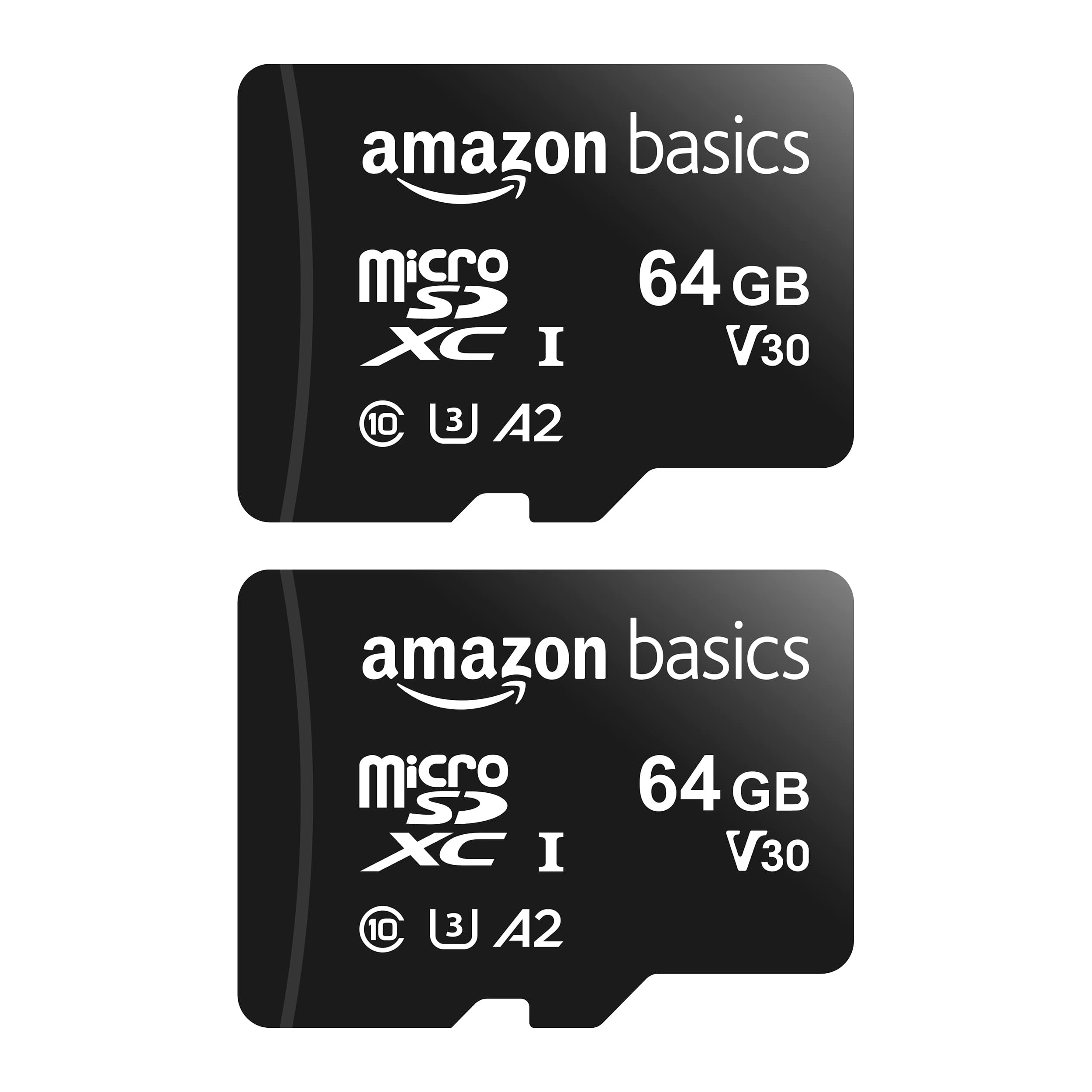
Two small cards for the gear that eats storage fastest.
Two 64GB microSD cards in one pack, each rated U3 and A2 with read speeds up to 100MB/s. That combination means smooth app loading and reliable 4K recording, which is why these cards keep ending up in dashcams, security cameras, and Nintendo Switch consoles. The 100MB/s read speed is well below the 150MB/s of the SanDisk microSD above, so this is a step down in raw speed — but for a camera that only writes short bursts, the difference rarely shows. The included full-size adapter lets you drop the card into a DSLR or a card reader without a separate purchase.
The ruggedness claims are concrete: shock-resistant, IPX6 water-resistant (IPX6 is a splash-and-jet rating), and rated for −10°C to +80°C. That temperature range matters if the card lives in a car that bakes in summer sun or a dashcam that sits on a windshield year-round. It is also listed as resistant to X-rays and magnetic fields.
What wins people over is the price-to-capacity trade for non-critical storage. A single card may not be the fastest, and the label-to-usable-capacity gap is a reality on any flash card, but for two cards that hold security footage and camera rolls without complaint, the value math lands. Support is the one loose end: if a card arrives and is not recognized, the helper flow is thin. Buyers who lean on these as daily phone storage may want a single higher-capacity card instead; the pair format is really built for multi-device homes and camera rigs.
Where the value lives: U3 and A2 certification plus the included full-size adapter, times two cards, at budget pricing. For dashcams and Switch use, that is the practical package.
Where it stumbles: 100MB/s reads lag the faster microSD cards, and the support path for a dead card is not the smoothest. Not a problem most buyers hit, but worth knowing.
Grab it for: dashcams, security cams, and consoles that need a pair of reliable cards on a budget.
Pass if: your phone is the main destination and you want one big card at higher speed.
7. Lexar ES3 1TB Portable SSD

A terabyte in a package that rivals a stick of gum in your pocket.
The Lexar ES3 is not a comparison shopper’s pickup — it is the drive you buy when 128GB and 256GB no longer fit the way you shoot. One terabyte of solid-state storage at up to 1050MB/s reads and up to 1000MB/s writes makes it the fastest drive here by a large margin. That is 1.9 times the 550MB/s of the SSK portable SSD above. For anyone creating video on an Android phone, the speed and capacity together eliminate the “move some files off to make room” chore entirely.
The physical package is remarkable for the class. It weighs 42g and measures 10.5mm thick, which is why owners describe it as fitting in a pocket with room to spare. It ships with a Type-C cable for plug-and-play and supports Android phones via USB-C. Lexar’s DataShield 256-bit AES encryption is included if you carry sensitive files. A broad compatibility list covers Android, iPhone 17 series, cameras, Xbox X|S, and PS5 — the one gap is iPhone 14 and older models, which the spec explicitly does not support.
The honest caveat is heat under professional workloads. The drive runs warm on long reads and writes, and if you push it continuously on a film set it can slow down. For phone backups, laptop transfers, and general use it holds up fine. Buyers who push it hard professionally sometimes report transfer speeds below the advertised peak in their own setups, which is common when the host port is not USB 3.2 Gen 2. Match it to a fast port and it behaves.
Where it dominates: 1TB of capacity at up to 1050MB/s reads and 1000MB/s writes, in a 42g body 10.5mm thin. For mobile video creators, this replaces the whole backup dance.
The pro-use warning: sustained heavy workloads generate heat and can drop the pace. Match it to a genuinely fast USB-C port and keep it ventilated when the transfers get long.
The right call when: you are a mobile video creator or heavy shooter who needs capacity and speed in one small drive.
Not the one if: your phone is an iPhone 14 or older — Lexar lists that as unsupported.
Know the Specs
Read Speed vs Write Speed
Read speed is how fast data travels off the drive and into your phone or computer. Write speed is how fast data moves the other way. Most spec sheets list only the read figure — the higher headline number — so a “150MB/s” or “400MB/s” label tells you what to expect when you are copying files back to a device, not when you are offloading. If your workflow is mostly moving photos off your phone, the write speed is the number that actually matters, and it is usually lower than the read figure.
OTG and USB-C Compatibility
OTG stands for On-The-Go, and it is the phone feature that lets your handset act as a host for a plugged-in drive. Not every Android phone has it enabled by default, and a handful of older phones do not support it at all. Before buying a USB-C flash drive, confirm your phone has OTG support. Also check your case: a thick protective shell can block the drive from seating fully in the port, leading to a “not recognized” error that is not the drive’s fault.
A1 and A2 App Performance Ratings
A1 and A2 are application-performance classes for microSD cards. They rate how well the card handles small random reads and writes — the kind of traffic apps generate. A2 is the higher tier, so an A2 card tends to move apps and their data faster than an A1 card. If you plan to store apps on the card rather than just photos, this rating matters more than the big sequential read number.
Form Factor: microSD vs USB Drive vs Portable SSD
MicroSD cards sit inside the phone and leave nothing sticking out, but they need a card slot. USB drives plug into the port and move between devices with no card tray. Portable SSDs pack solid-state memory in a larger shell for the highest capacities and speeds. Choose microSD for in-phone storage, a USB drive for cross-device moves, and a portable SSD for the largest video files.
Common Questions
Will a USB-C flash drive work with my Android phone?
Do I need an app to use external storage on Android?
Is a microSD card or a USB-C flash drive better for Android?
Why does my flash drive not show up in the phone’s file manager?
Can I record 4K video straight to external storage on Android?
How long will an external drive last?
Does read speed really matter for moving photos?
Can I use these drives with both Android and Windows?
Is a portable SSD worth it over a flash drive for Android?
Why does my 128GB drive show less space than advertised?
The Bottom Line
For most Android users, the external storage for android phone winner is the SanDisk 256GB Ultra microSD Card because it slots inside the phone and never dangles, it carries 256GB, and it is the highest-rated pick here at 4.5+ stars across 270,000+ ratings. If you want a drive that moves between phone and laptop without an adapter, the SanDisk 128GB Ultra Dual Drive is the one to reach for. And for heavy video creators who need speed and a full terabyte, the Lexar ES3 is the pick that eliminates the storage-shuffle entirely.
How we choose
We do not accept paid placement. Every pick is matched to a real buyer and a real use-case; we do not hands-on test units.
Sources
Specifications: manufacturer listings and product documentation. Review insights: verified customer reviews, as of October 2026. Pricing: not shown on this page (it changes often); check the current price via the retailer link.
As an Amazon Associate, Aappliancez earns from qualifying purchases. This does not affect which products we feature.