Disclosure: Some links in this post are affiliate links. As an Amazon Associate I earn from qualifying purchases, at no extra cost to you. Learn more
Specs are compiled from manufacturer listings and verified buyer reviews and can change over time — please confirm the key details on the product page before buying.
Apple stopped putting disc drives in Macs years ago — which is fine until a doctor hands you a CD of scans, a client mails a DVD, or you find a box of old albums you want in iTunes. An external drive solves that in seconds, but only if it plays nice with macOS. The catch most shoppers miss: on a Mac the physical eject button usually does nothing, and the disc icon only appears on your desktop after the disc reads successfully. Pick the wrong setup and you will think the drive is broken when nothing is wrong.
This guide is built by comparing the manufacturers’ published specifications and the patterns across verified customer reviews, so you get each pick’s real strengths and trade-offs instead of marketing spin.
Nearly every model here handles the same core job, so the real split depends on connector type, Mac setup quirks, and if you want extra USB ports built in. This breakdown of the external cd drive for mac covers speeds, eject behavior, and compatibility so you buy once.
Top Picks

How To Choose The Best External CD Drive for Mac
On a Mac, the drive itself is rarely the hard part — the setup is. Get the connector and the eject routine right and almost any decent drive works fine. Get them wrong and you will waste an evening wondering why a brand-new device seems dead.
Connector type comes first
Most modern MacBooks only have USB-C ports (the small oval plug). Some drives ship with a built-in dual cable — USB Type-A (the older rectangular plug) on one end and Type-C on the other — so they work from the start with either shape. If a drive is USB-A only, you will need a USB-A to USB-C adapter to use it on a newer Mac, which adds a small step to every session.
The eject button won’t work like you expect
This trips up nearly every first-time buyer. Because of macOS restrictions, the physical eject button on the drive usually stops working once the system has recognized a disc. You have to right-click the disc icon on your desktop and select “Eject,” or use “File” then “Eject” from the top menu. That is normal behavior, not a fault.
Read and write speeds worth knowing
Speed ratings tell you how fast discs move data. A drive rated at 8X DVD and 24X CD reads and burns at a steady pace — enough to rip a whole shelf of albums into iTunes in one sitting rather than a single disc. Faster ratings help, but the burning software you pick — VLC, for example — often shapes real-world results as much as the hardware does.
Side-by-Side Comparison
| Model | Best For | Connectors | Max Read/Write Speed | Extra Ports | Amazon |
|---|---|---|---|---|---|
| ROOFULL ECD829-Y with Case★ Best Overall | Most Mac owners | USB 3.0 Type-A & Type-C | DVD 8X / CD 24X | None | Amazon |
| Amicool Ultra-Slim BurnerMost Portable | Travel and MacBook Air | USB 3.0 Type-A & Type-C | DVD 8X / CD 24X | None | Amazon |
| ASUS SDRW-08D2S-U | Secure disc burning | USB | DVD 8X | None | Amazon |
| Unitek USB-C 3.0 Drive | Card transfers plus discs | USB 3.0 Type-A & Type-C | DVD 8X / CD 24X | 2 USB, 1 USB-C, SD slot | Amazon |
| ROOFULL 8-in-1 with Hub | Discs plus a port hub | USB 3.0 Type-A & Type-C | DVD 8X / CD 24X | 4 USB, 2 card slots | Amazon |
| BPAKDU Portable Burner | Ports on a lower budget | USB 3.0 Type-A & Type-C | DVD 8X / CD 24X | 4 USB, 1 Type-C, 2 card slots | Amazon |
| HP F2B56AA Slim Drive | Brand-name familiarity | USB | DVD 8X / CD 24X | None | Amazon |
Detailed Reviews
1. ROOFULL External CD DVD Drive
Our pick — 4.0+★ from 21,500+ verified ratings; the strongest balance of quality and price.
The most-reviewed drive here, with a built-in USB-A and Type-C cable that plugs into any Mac without an adapter.
It earns the top spot on 4.0+ stars across 21,000+ owners. It ships with a built-in 2-in-1 USB 3.0 and Type-C cable tucked into a groove underneath, so it plugs straight into an older MacBook or a modern Type-C model with no adapter hunting. Data moves at up to 5 Gbps (gigabits per second, a measure of how fast data travels), with maximum read and write speeds of DVD 8X and CD 24X — enough to play a movie or burn a stack of blank discs at a steady clip.
What wins people over is the build quality, and the automated read of owner feedback backs the everyday feel. It lands as simple as an internal drive once a disc is in — buyers report being “Ready in 5 seconds; ripped 4 CDs to iTunes without issues.” The padded carrying case is the other quiet favorite, a real sleeve that keeps dust and scratches off a drive that lives in a bag. The metal-and-plastic enclosure measures 5.5 by 5.5 by 0.71 inches, so it slides into a laptop sleeve without bulging.
Here is the honest catch with any Mac setup. Because of macOS restrictions the tray button will not eject a disc once the system has read it — you right-click the desktop icon and pick “Eject.” And if no disc icon appears, you head into Finder, then Settings, then General, and make sure “External disks” is checked. Neither is a fault, but both catch first-timers off guard.
What earns its keep
- Dual USB 3.0 and Type-C cable built in, so it fits old and new Macs with no adapter
- Reads and writes at DVD 8X and CD 24X with strong error correction
- Padded carrying case keeps dust and scratches off between uses
Where it asks patience
- The physical eject button is disabled by macOS once a disc is recognized
- A disc icon only appears on your desktop after the disc reads successfully
- On desktop PCs you may need the rear USB port for steady power
Grab this one if: you want the lowest-risk plug-and-play drive for a MacBook, iMac, or mixed Mac-and-Windows household.
Think twice if: you need extra USB or SD ports on the same device — this one is a straight disc drive with no hub built in.
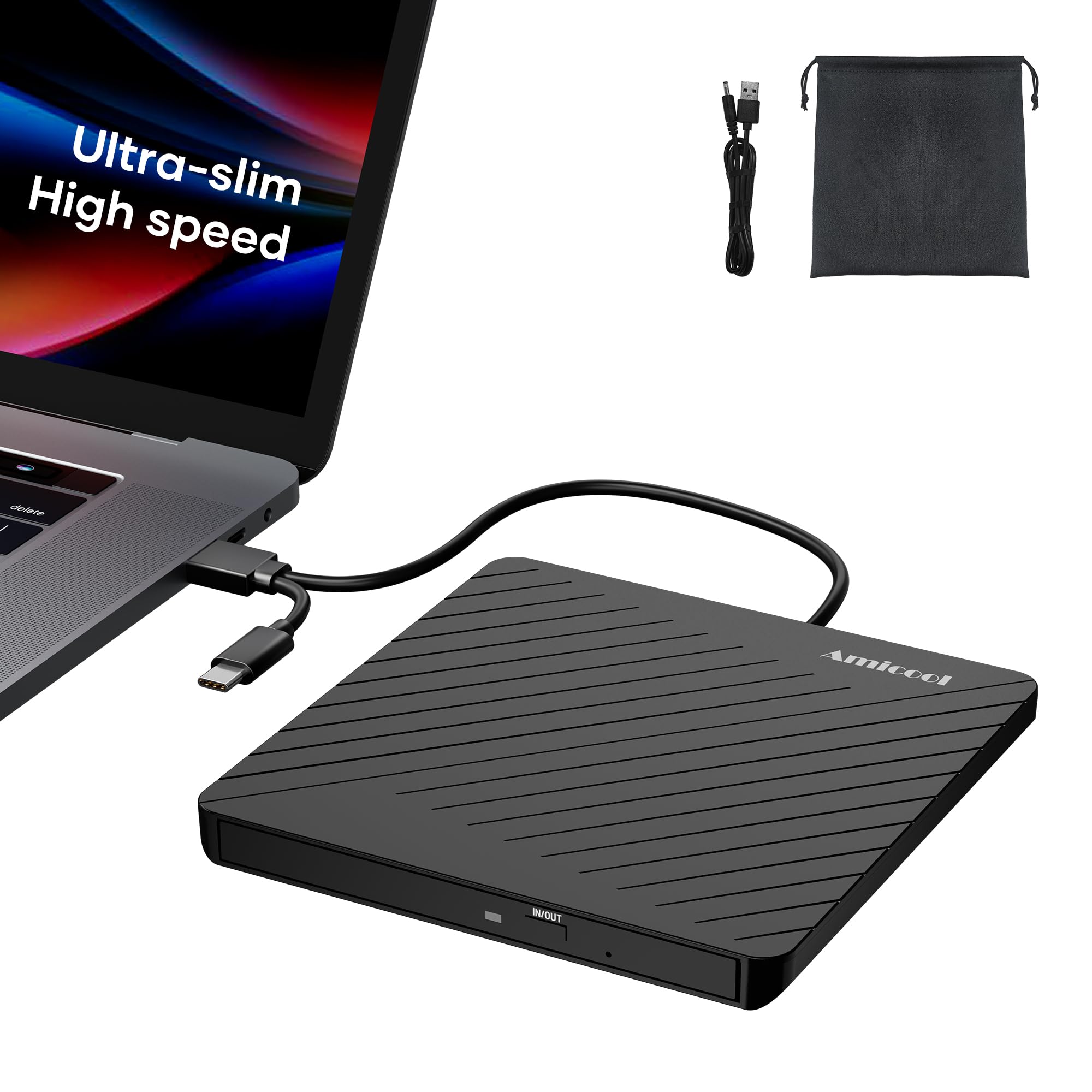
2. Amicool External USB-C USB 3.0 CD/DVD Drive
At 7.35 ounces, the lightest drive here — slim enough to disappear into a MacBook Air sleeve.
At 7.35 ounces, this is the lightest drive on the list — lighter in the hand than the 9-ounce BPAKDU and the 10.56-ounce HP F2B56AA. It is built ultra-slim, so it disappears into a laptop sleeve rather than anchoring your bag. The double-ended USB cord tucks into a groove on the bottom for tangle-free storage. It moves data at up to 5 gigabits per second (a measure of data speed), with max speeds of 24X on CD and 8X on DVD.
What keeps owners loyal is that it behaves like a built-in drive on a Mac — a claim the review history backs up. Owners mention it “Works perfectly with my Macbook Air 2022! Super easy to use and I was able to burn a cd with zero hassle.” One user captures the endurance angle plainly: “Have used almost daily for several years and still functions just fine.” It reads CD-ROM, CD-R, CD-RW, plus DVD-ROM and DVD-R/RW, along with VCD and SVCD discs, so a mixed media box is no problem.
The trade-off to know before you buy: there is no Blu-ray support here. It reads and burns standard CDs and DVDs only, so if you have a high-definition disc collection in mind, look elsewhere. It also ships with a dedicated charging port and a separate power cord to solve the weak USB power on ultra-thin laptops — that is a genuine plus, but it means an extra cable in the bag if your Mac runs low.
The portability math: at 7.35 ounces and a slim profile, this is a drive you carry without noticing — the exact opposite of the chunky desktop units that live on a shelf.
When it earns its place: the included manual emergency eject hole (paperclip compatible) means a stuck disc never traps you, and the soft storage pouch keeps the drive and cable together on the road.
Reach for this if: you carry a MacBook Air or a slim laptop and want a featherweight drive that lives in your sleeve.
Look elsewhere if: you plan to play Blu-ray discs — this one is standard CD and DVD only.
3. Asus Storage SDRW-08D2S-U/BLK/G/AS Slim DVDRW
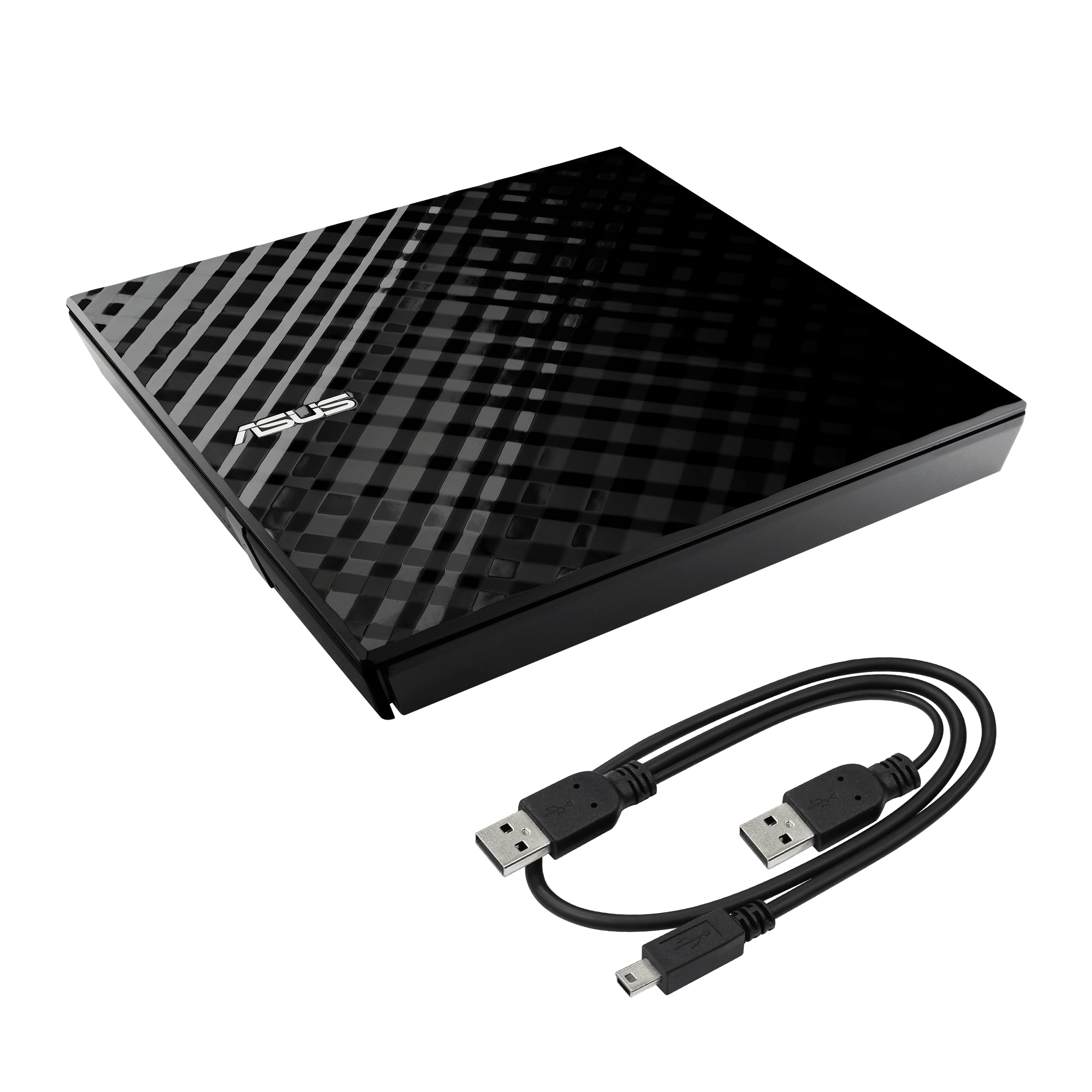
The only drive here that password-locks the discs you burn, with a three-step drag-and-burn routine.
No other drive on this list lets you password-lock the disc you just burned. Disc Encryption adds double security with password-controlled and hidden-file functionality, so a burned disc can be locked down rather than left readable by anyone who finds it. It works with Windows and Mac OS, and covers the standard 8x DVD write speed (8x means the drive spins the disc at a set multiple of the base playback rate).
The day-to-day feel is what keeps its owners happy. Customers find it easy to use with no special software or driver installation, and the design draws its own compliments — the diamond-cut look makes it look less like a plastic brick than it is. It is also light, so it does not add unwanted weight to a bag on the way to the office.
One thing to plan for: the drive ships with the disc encryption and drag-and-burn features, but the listed item does not include the stand, so if you want it propped upright on a desk you will need to source that separately. It also leans on the same macOS eject routine as every other drive here — the button is a no-go once the system has the disc, so right-click and “Eject” becomes your move.
Where it beats the pack: password-controlled, hidden-file disc encryption is a genuine standout for anyone burning backups or private media.
Set expectations honestly: the drag-and-burn interface finishes a disc in three simple steps, but it is a burning tool, not a hub — no extra USB or card ports here.
Best for: a Mac user who burns discs they need to protect, and wants a burner that looks sharp sitting on the desk.
skip it if: you need extra ports or the stand in the box — neither comes standard with this model.
4. Unitek External CD DVD Drive
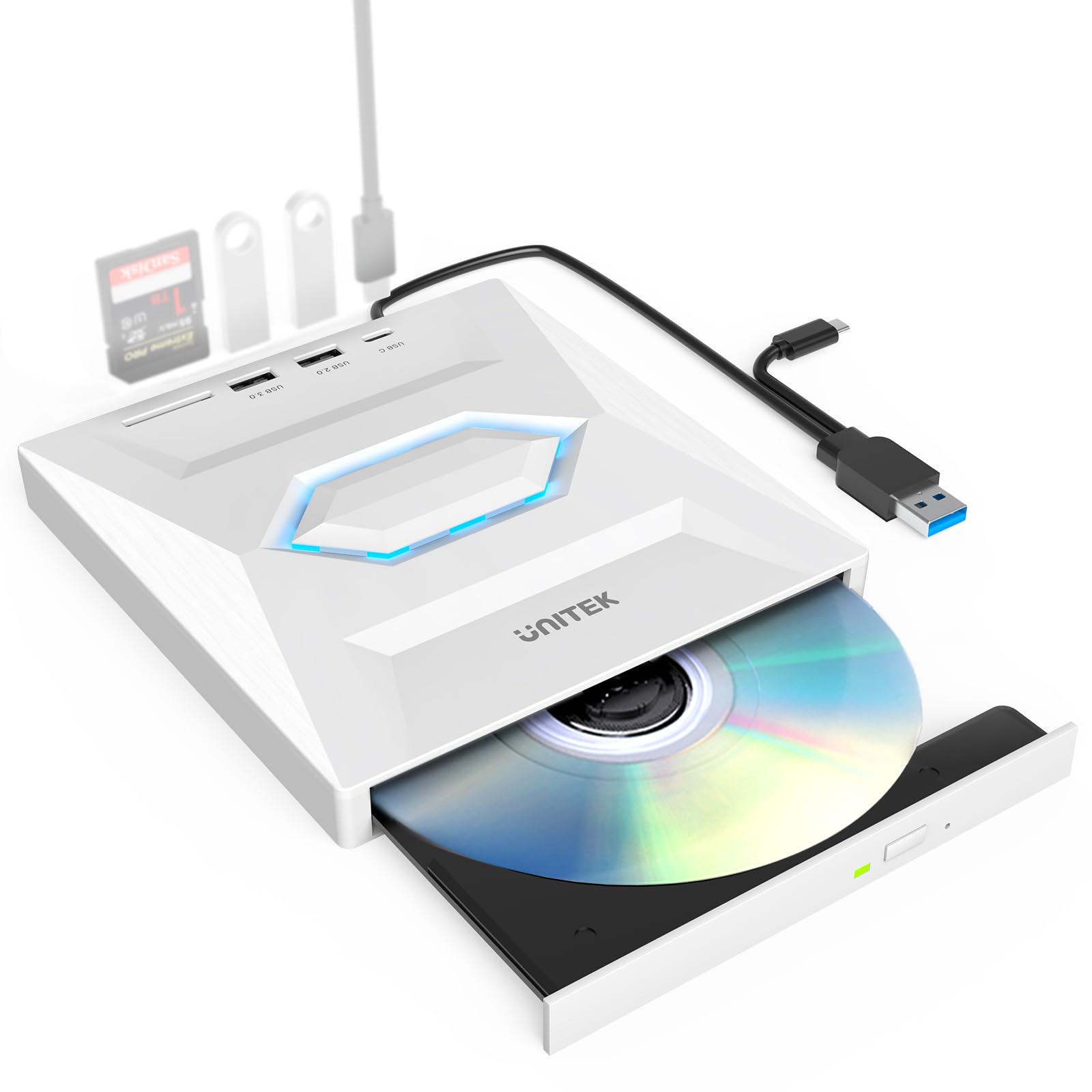
The only drive here with an SD card slot, plus a USB 3.0 port, USB 2.0 port, and USB-C 2.0 port.
This is the only drive here that adds an SD card slot — the easiest way to pull photos off a camera card without a separate reader. It reads and burns CDs and DVDs, and it also works as a USB hub with 1 USB 3.0 port, 1 USB 2.0 port, 1 USB-C 2.0 port, and an SD card slot. That is four extra connections fewer than the ROOFULL 8-in-1, which adds four USB ports and two card slots. Data moves at up to 5 gigabits per second, with max 8x DVDR and 24x CD read/write speeds.
The plug-and-play side is where this one is happiest, and that is the part owners talk about most. It ships with an included USB-A and USB-C cable that stores in the base, so it connects to a MacBook, iMac, or laptop without extra setup — no software install needed to get the driver detected. It supports reading and writing CD and DVD formats including DVD-RAM, VCD, and SVCD, and works across Mac OS and Windows.
The honest note here is performance variance. Customers note mixed results on reliability — some find it works great, others hit a unit that does not. That spread is normal for a multi-function device, but it is worth buying from a seller with an easy return path so you can swap a dud if you draw one. Stick with it for the port flexibility and card transfers rather than expecting it to be the fastest burner on the shelf.
Worth the desk space
- Adds a USB 3.0 port, USB 2.0 port, USB-C 2.0 port, and an SD slot to a Mac short on connections
- Built-in USB-A and USB-C cable stores in the base, no adapter needed
- Card slot pulls photos straight off a camera card onto your Mac
Buy with eyes open
- Performance reviews swing both ways, so returns are worth keeping in reach
- It is a hub and a drive, so it does more but is not the smallest option here
- The card reader is an SD slot, not a multi-format reader
This is your pick if: you want the optical drive to double as extra USB ports and a card reader for your Mac.
Less ideal if: you only ever read the occasional disc and would rather keep things simple and slim.
5. ROOFULL External CD DVD Drive with 4 USB Port

Adds six ports to a Mac — 1 USB 3.0, 3 USB 2.0, an SD slot, and a Micro-SD slot — alongside CD and DVD burning.
If your Mac is short on ports, this one adds six: 1 USB 3.0 port, 3 USB 2.0 ports, an SD card slot, and a Micro-SD card slot. It reads and writes CDs and DVDs, functions as a burner, writer, rewriter, and ripper, and adds an integrated 6-in-1 hub alongside those connections. Data moves at up to 5 Gbps with max 8X DVD and 24X CD read/write speeds.
What the owner feedback keeps circling back to is quality build and how little thought it demands. It carries the same steady reputation as the base ROOFULL drive, with ease of use and Mac-plus-Windows compatibility as recurring themes. It works with Windows 11 down to XP, Linux, and all macOS versions, and pairs with Apple gear including MacBook Pro, Air, iMac, Mac Mini, and Mac Studio. The included extra power cord connects to a USB adapter or power bank for computers with low power output, which helps on a slim Mac that struggles to feed a disc drive.
The catch is the same one that follows any drive with a hub attached — it is doing more, so it is a little chunkier than a barebones reader. On a Mac you also face the familiar routine: the eject button is disabled after the system reads a disc, and the disc icon only shows up on the desktop once a disc reads successfully. Set that expectation and it behaves exactly as advertised.
What you’re really buying: four USB ports and two card slots on top of full CD and DVD read, burn, and rip — a true docking-station replacement for a port-starved Mac.
The Mac note to keep handy: the extra power cord solves low-output USB ports on slim laptops, so keep it in the case for when your MacBook plays coy.
Made for you if: you want one device that burns discs and instantly adds USB and card-reader ports to your Mac.
Overkill if: you only occasionally play a movie disc and would rather not carry a hub-sized unit.
6. BPAKDU External CD/DVD Drive for Laptop with Carrying Case

Packs 4 USB-A ports, 1 Type-C port, and 2 TF/SD card slots at the lowest hub-equipped price here.
For the money, this packs the widest port count on the list: 4 USB-A ports, 1 Type-C port, and 2 TF/SD card slots. It reads, burns, rewrites, and rips CDs and DVDs, and it also acts as a port hub. It weighs 9 ounces and ships with an embedded cable design so you are not hunting for a missing lead. It handles max 8x DVDR read and max 24x CD write/read speeds over USB 3.0.
What it is praised for most is straightforward functionality — it does the job it claims. It works with all versions of Apple Mac computers, including the M1 and M2 chips (Apple’s own silicon processors, in place of Intel chips), and across Windows 11 down to XP and Linux. The slip-resistant rubber pad keeps it from sliding around on the desk mid-burn, and it includes a carrying case so it travels safely.
One real-world gripe worth hearing: the hardwired USB cable is short and not removable, which can force an awkward placement if your Mac’s ports are tucked away. There is a separate USB port that might accept your own cable, though at least one user left that untested. The drive also leans on the same Mac eject rule as the rest — right-click the desktop icon and choose “Eject” rather than tapping the button.
Punching above its tier
- Four USB-A ports, a Type-C port, and two card slots built in for a port-lean Mac
- 9-ounce body with an embedded cable and a slip-resistant base
- Works with Apple M1 and M2 Macs plus Windows and Linux
The fine print
- The hardwired USB cable is short and cannot be swapped out
- Value and compatibility feedback runs mixed, so expectations should be realistic
- It is a hub and a drive, so it is not the most minimal option on the list
Go here if: you want a burner plus a fistful of USB and card ports on a tighter budget.
Steer away if: a long, swappable cable matters to you — this one is fixed and short.
7. HP External Portable Slim Design CD/DVD RW

An HP-branded slim drive that works across Mac OS X and Windows 11 down to XP.
When you want the HP logo on your desk, this is the drive that matches. It works across Mac OS X and Windows 11 down to XP and is a slim external unit weighing 10.56 ounces — heavier in the hand than the 7.35-ounce Amicool. Write and read speeds cover DVD-RW at 6X maximum and CD-RW at 24X maximum, with DVD-ROM reads up to 8X maximum — plenty for ripping a music collection into digital files.
The part that keeps people satisfied is compatibility across machines — it is the aspect that draws the most positive feedback. It works right from the start and needs no fuss, whether you are loading a CD collection onto a Mac or a desktop. One buyer captures the marathon use case: “I’m in the process of ripping my large CD collection (400-500 CD’s) over to WAV files on my MAC… my HP drive has done the whole thing.” That is a heavy, sustained load handled without drama.
The caution is that quality and value opinions split. It is a plastic-bodied drive, and a reviewer who moved to a Linux system found it largely useless there — that operating system is outside what this model officially targets. Stick to Mac and Windows and it behaves as a dependable, brand-name disc drive. Expect the same macOS eject routine as the others: right-click the disc icon and select “Eject” once the system has the disc.
The honest read on value: you are trading a higher tier price for the reassurance of a household name and broad OS compatibility rather than cutting-edge speed.
Where it fits: a Mac-and-Windows household that wants one familiar drive to move music and data discs without a learning curve.
For you if: you value a recognizable brand and wide Mac-plus-Windows compatibility over extra features.
Not your match if: you run Linux or want built-in USB ports — neither is part of this model.
Know the Specs
Read and Write Speed Ratings (8X DVD / 24X CD)
Those X numbers tell you how fast the drive spins a disc to move data. A rating of 8X on DVD and 24X on CD is the working standard across the drives here — fast enough to play a movie without stutter or rip a shelf of albums in one sitting. The rating matters most when you burn or rip in volume; for the occasional disc, even the slower drives feel instant.
Data Transfer Rate (USB 3.0 at 5 Gbps)
The transfer rate is the pipe between the drive and your Mac. A USB 3.0 drive moves data at up to 5 Gbps (gigabits per second), which clears the stream of a playing DVD or a CD rip with room to spare. Lower-rated drives move data more slowly, but for reading a disc the difference rarely shows up in everyday use — it mostly affects big bulk transfers.
Connector Type (USB-A vs USB-C)
This is the spec that decides whether the drive plugs in with no fuss. USB-A is the older rectangular plug, and USB-C is the smaller oval one on modern MacBooks. Drives with a built-in dual cable — USB-A on one end, Type-C on the other — slot straight into any Mac without an adapter, which saves a step every time you sit down to use it.
The macOS Eject and Desktop Icon Quirk
Two behavior notes apply to nearly every external drive on a Mac. First, once the system recognizes a disc, the physical eject button stops working — you right-click the desktop disc icon and pick “Eject” instead. Second, the disc icon only appears on your desktop after a disc reads successfully, so an empty drive shows nothing, which is normal. Both are macOS restrictions, not device faults.
Common Questions
Will an external CD drive work with a newer Mac running M1 or M2 chips?
Why won’t the eject button work on my Mac?
Why doesn’t the disc icon show up on my desktop?
Can I burn and rip discs, or do I need a separate drive for each?
Do I need to install a driver before the drive works?
Will these drives read Blu-ray discs?
Why does my drive need an extra power cable on some laptops?
Can I use these drives as a USB hub to add ports to my Mac?
Are these drives compatible with Chromebooks, tablets, or TVs?
What disc formats can these drives read and write?
The Bottom Line
For most Mac owners, the external cd drive for mac winner is the ROOFULL ECD829-Y with Case because it pairs a built-in USB-A and Type-C cable with proven build quality and a padded case, so it works on any Mac without an adapter. If you want the optical drive to double as extra USB ports and a card reader, grab the ROOFULL 8-in-1 with Hub. And for a featherweight drive that rides along in a laptop sleeve, the Amicool Ultra-Slim is the one to reach for. Any of the seven will play and burn your discs — the right pick just depends on if you want extra ports in the same shell.
How we choose
We do not accept paid placement. Every pick is matched to a real buyer and a real use-case; we do not hands-on test units.
Sources
Specifications: manufacturer listings and product documentation. Review insights: verified customer reviews, as of October 2026. Pricing: not shown on this page (it changes often); check the current price via the retailer link.
As an Amazon Associate, Aappliancez earns from qualifying purchases. This does not affect which products we feature.