Disclosure: Some links in this post are affiliate links. As an Amazon Associate I earn from qualifying purchases, at no extra cost to you. Learn more
Specs are compiled from manufacturer listings and verified buyer reviews and can change over time — please confirm the key details on the product page before buying.
Most drives sold as “4K Blu-ray” cannot play a 4K disc from the start without a firmware change — and that single detail decides whether you waste an evening or not. The short version: the ASUS SBW-06D5H-U is the safest all-rounder for reading and burning standard Blu-ray, DVD and CD discs, while the Produplicator LG BP60NB10 is the one to chase if Ultra HD ripping is your actual goal. Everything below explains which drive fits your discs, your ports, and your patience level.
This guide is built by comparing the manufacturers’ published specifications and the patterns across verified customer reviews, so you get each pick’s real strengths and trade-offs instead of marketing spin.
The catch with this category is that a disc drive is only half the story — playback software, region codes and firmware decide the rest. That is why the picks below separate cleanly into burners, hubs, players and portables for the external 4k blu-ray drive for pc.
Top Picks


How To Choose The Best External 4K Blu-Ray Drive for PC
You are not really shopping for a box with a tray. You are shopping for a combination of disc support, port layout, and whether the thing will actually be recognized by your machine. Get those three right and the drive stops being something you think about.
Check the disc types before anything else
A drive that reads standard Blu-ray is not automatically a drive that reads Ultra HD Blu-ray. Some listings carry “4K” in the title while the description quietly says the drive does not play 4K discs. Read the compatibility note line by line — that is where the honest answer sits.
Decide if you need a burner or a reader
If you only want to watch discs or rip them to a file, read speed matters more than write speed. If you plan to archive footage onto discs, look at write speeds for CD-R at 24X, DVD-R at 8X and BD up to 6X — those ratings tell you how long a burn session will take.
Match the connector to your actual ports
A USB-C plug on the drive end is not the same as a USB-C port on the drive body. Some units ship with a short micro-B cable that limits where you can place the drive. Count your free USB-A and USB-C ports before you buy, and note whether the drive needs its own power adapter.
Firmware and software are part of the purchase
Several drives here need a firmware flash to open up 4K playback, and most ship without playback software. Budget time for installing VLC, CyberLink or a similar player, and be ready to set a Blu-ray region code the first time you insert a movie disc.
Side-by-Side Comparison
| Model | Best For | Data Transfer Rate | Cache Memory | Form Factor | Amazon |
|---|---|---|---|---|---|
| ASUS SBW-06D5H-U BDXL External Ultra Slim★ Best Overall | Everyday disc reading and burning | 1 Gbps | 1000 MB | Ultra Slim | Amazon |
| BUNUD External Blu Ray CD DVD DriveBest Value | Laptops short on USB ports | 5 Gbps | 2 MB | Slim, Portable | Amazon |
| Yaeonku Versatile External Blu Ray DriveMost Versatile | HDMI and Ethernet in one dock | 40 Gbps | 2 MB | Portable | Amazon |
| Wbacon 7 in 1 External 4K Blu Ray Drive | Traveling with a laptop | 5 Gbps | 2 MB | Portable | Amazon |
| Wbacon External 4K Blu Ray Drive for PC | Tinkerers willing to flash firmware | 5 Gbps | 2 MB | External Optical Drive | Amazon |
| Mthstec Multifunction Desktop Blu Ray Drive | Desktop setups with spare hard drives | 5 Gbps | 2 MB | Slim and Portable | Amazon |
| GOnavidio 17.6″ Portable Blu Ray DVD Player | Watching discs away from a computer | — | — | Portable Player | Amazon |
| Panasonic DP-UB154P-K 4K Blu Ray Player | Home theater playback on a TV | — | — | Set-Top Player | Amazon |
| Produplicator LG BP60NB10 | Large archival and BDXL burning | 6X media speed | — | Slim Portable | Amazon |
Detailed Reviews
1. ASUS SBW-06D5H-U Blu-ray Burner
Our pick — 4.0+★ from 650+ verified ratings; the strongest balance of quality and price.
The slim burner that eats scratched discs for breakfast and asks nothing of your USB ports.
The headline spec is the 1000 MB cache, a buffer that holds data before it is written to disc. That is the largest cache on this list by a wide margin, and it is why this ASUS drive reads a scuffed disc that makes cheaper units stutter. Set it next to the BUNUD drive’s 2 MB cache and the gap is enormous.
It runs on USB 3.1 Gen 1 with a detachable cable, which sounds small until you have lived with a hardwired 6-inch lead. That detachable cable lets you swap in a longer one so the drive sits where you want it, not wherever the cable’s length forces it. It reads and writes CD, DVD and BD media, connects to desktops and notebooks, and tolerates a maximum temperature range of 5 to 45 °C — normal room conditions, in plain terms.
What wins people over is how completely it commits to the job. One buyer who had already burned through two bargain drives put it bluntly: “I went through 2 cheap optical drives befor geting this one, and it is night and day difference.” Watching five full seasons of a show with no skips is the kind of endurance a lot of slim drives cannot manage.
The catch is real but narrow. The glossy top picks up fingerprints and the topside scuffs easily, so treat it as a desk fixture rather than something thrown loose in a bag. And buyers report the occasional unit that starts struggling to read Blu-rays after about four months — rare against the overall record, but worth knowing before you commit.
Where this drive earns its keep
- 1000 MB cache memory buffers playback and reads through scuffed discs the cheaper drives choke on
- Detachable cable means you can run a longer lead instead of living with a stubby fixed cord
- Reads even scratched discs cleanly, per consistent owner experience
- Plug-and-play with no driver install needed on modern systems
What to plan around
- Gloss finish shows fingerprints and the topside scratches easily
- The body port is USB micro-B Superspeed, so the supplied cable is short
- No playback software bundled — you will want VLC or similar
- Region code defaults to B and must be set to A for US discs
Reach for this if: you want one dependable burner for Blu-ray, DVD and CD duty and you would rather buy once than cycle through cheap replacements.
Plan around: the micro-B body port — budget for a longer cable if your tower is under the desk.
2. BUNUD External Blu Ray CD DVD Drive, USB 3.0 Type C
A disc drive that doubles as a port rescue kit for a laptop with two free USB slots.
This is a 5-in-1 unit, meaning it also carries 2 USB ports plus an SD and a TF card slot for moving photos and video files between cards and your computer. If your laptop is down to one free port, that extra capacity matters more than raw disc speed. Data moves at 5 Gbps over USB 3.0 Type-C, and both a USB and a Type-C cable come in the box.
The honest limit sits in one line of the listing: it does not play 4K Ultra HD discs. Standard Blu-ray, DVD and CD all work, with CD-R burning at 24X and DVD-R at 8X. For ripping a CD collection with a tool like Exact Audio Copy, that is plenty. Owners consistently describe the setup as plug-and-play, with the drive detected as soon as it is connected.
Compatibility is where opinions split. It works reliably with Windows 11 machines, but Mac OS 14.6.1 is a reported weak spot — so check your macOS version first. The tray is also described as flimsy and the drive runs somewhat loud, both fair trade-offs at this tier. Owners mention one more wrinkle worth knowing: LightScribe labeling failed on a fresh Windows 11 system due to driver incompatibility, though it worked fine on an older Windows 8.1 desktop.
Why the port count sells it: two USB passthroughs plus SD and TF slots turn a drive-only purchase into a small docking station, and embedded cable storage means you will not lose the leads.
The real ceiling: no 4K UHD disc support and a reported Mac OS 14.6.1 gap — fine for Windows disc ripping, wrong tool if Ultra HD is the mission.
The buyer this fits: a Windows laptop owner who needs to rip discs and plug in a mouse and a card reader without hunting for a dongle.
Keep looking if: your library includes 4K Ultra HD discs or you are running the newest macOS build.
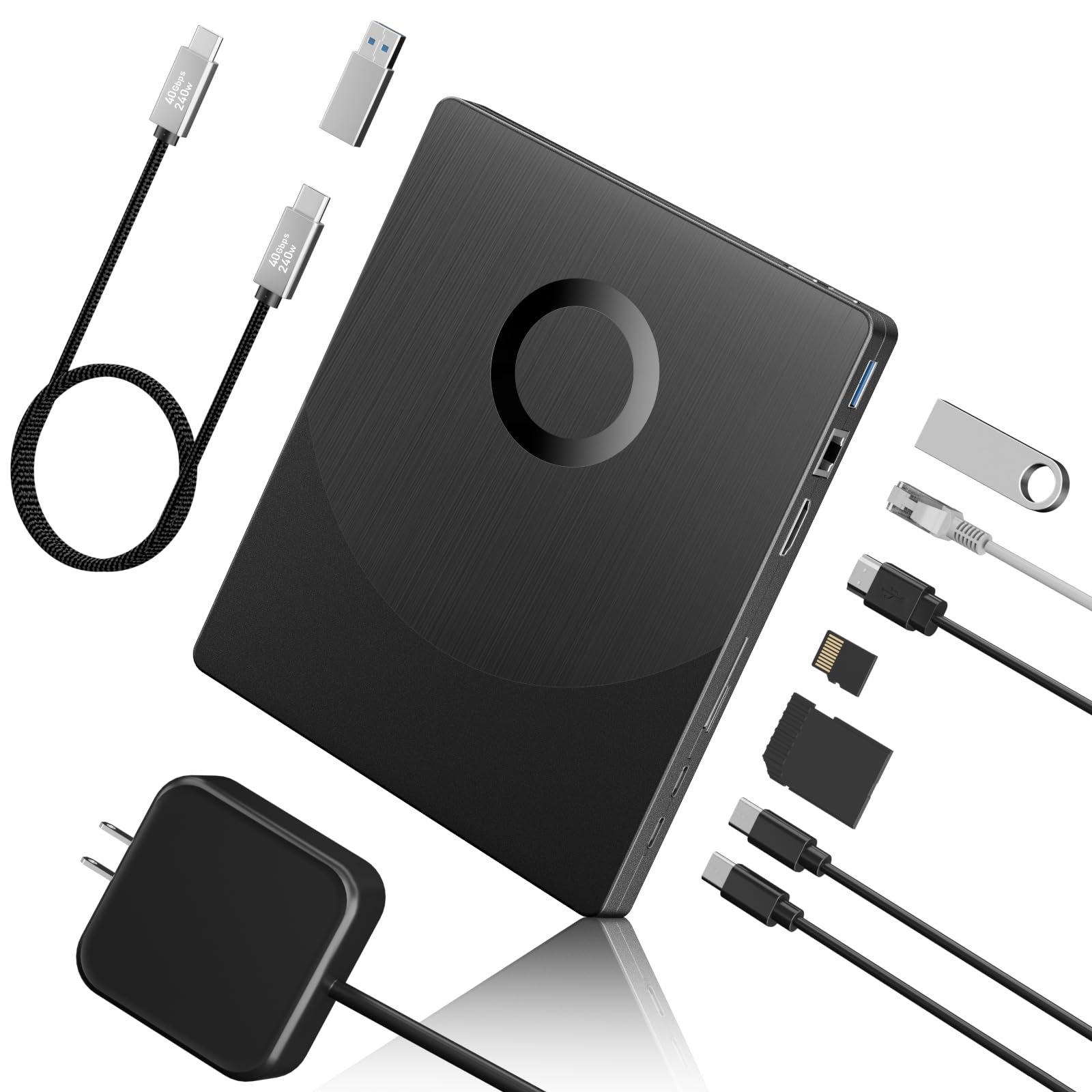
3. Yaeonku Versatile External Blu Ray Drive with HDMI/LAN
A disc burner, an HDMI output and a wired network jack sharing one housing.
Start with the headline figure, because it is startling: this drive claims 40 Gbps data transfer against the ASUS drive’s 1 Gbps, and 100 GB of storage capacity against the ASUS drive’s 10 GB. Those numbers describe a device built for large BD disc work, including 100G BD disc reading and writing with read speeds up to 6x for Blu-ray, 8x for DVD and 24x for CD.
Then there is the port stack — 1 SD slot, 1 TF slot, 2 Type-C ports, 1 USB 3.0 port, an HDMI interface and a 1000M Ethernet port. The HDMI output can drive a second monitor, and the LAN jack puts a machine on a wired local network for resource sharing. That makes it a genuine dock replacement for a laptop missing both ports. It works with Windows XP through 11 and Mac OS, but not with tablets, TVs, projectors, phones or cars.
Two caveats deserve space. It does not support 4K discs, so the “Blu-ray” label here stops short of Ultra HD. And reliability is the split point — a working unit hums along, but customers note a unit that worked once and then never appeared in the drive list again. Treat it as a feature-rich convenience drive, not a long-term archive workhorse. Note also that it needs the included 65W power adapter.
The unusual part: an HDMI out that doubles as a second display feed and a 1000M Ethernet jack make this the only drive here that replaces a dock outright.
Where it stops: no 4K disc support, and reliability is a genuine coin flip across owner experience — keep the return window handy.
Worth it when: you want disc burning plus a wired network and video output from a single brick on your desk.
Think twice if: 4K discs are the reason you are shopping, or you need one drive to last a decade.
4. Wbacon 7 in 1 External 4K Blu Ray Drive for Laptop

Built-in cable channels that keep both the USB and Type-C leads attached to the drive.
Anyone who has lost a proprietary optical drive cable knows the pain this design solves. Two concealed wire grooves store the USB 3.0 and Type-C leads inside the body, so the drive travels as one unit without you hunting for a cord in a bag. The shell is ABS plastic, the form factor is portable, and data flows at 5 Gbps over USB 3.0.
It reads your old discs fast: CDs up to 24x, DVDs up to 8x and Blu-ray (BD) up to 6x. It also burns 8.5GB, 4.7GB and 700MB discs plus 3D discs, so you can back up a whole season onto one disc. For moving files, you get 1 SD slot, 1 TF slot (a microSD card slot), 2 Type-C ports, 1 USB 2.0 port and 1 USB 3.0 port — though only one of the SD or TF cards can be read at a time.
Here is the part that decides it for you: 4K is in the product name, but reviewers point out it does not play 4K UHD discs, and that is the most common frustration in the reviews. It is worth being blunt about that — the 4K claim does not hold up in owner experience. It also runs loud while seeking and needs a powered USB port, since a webcam reportedly failed on an unpowered hub. The built-in cable is short, which helps in a cramped bag and hurts on a deep desk.
Why it travels well
- Concealed grooves store both USB 3.0 and Type-C cables inside the body
- Reads CD up to 24x, DVD up to 8x, BD up to 6x with 3D disc support
- Seven functions including two card slots and three USB ports
- Compact ABS housing slips into a laptop bag
Where the listing oversells
- Shoppers say it does not play 4K UHD discs despite the name
- Operation noise is loud and it needs a powered USB port
- Only one of the SD or TF slots can be used at a time
- Only 80+ ratings behind this one, so the track record is thinner
The right call for: a commuter or student who wants a disc drive that never loses its cable and doubles as a card reader.
Hard limit to accept: if the disc in your hand says Ultra HD, this is not the drive that will play it.
5. Wbacon External 4K Blu Ray Drive
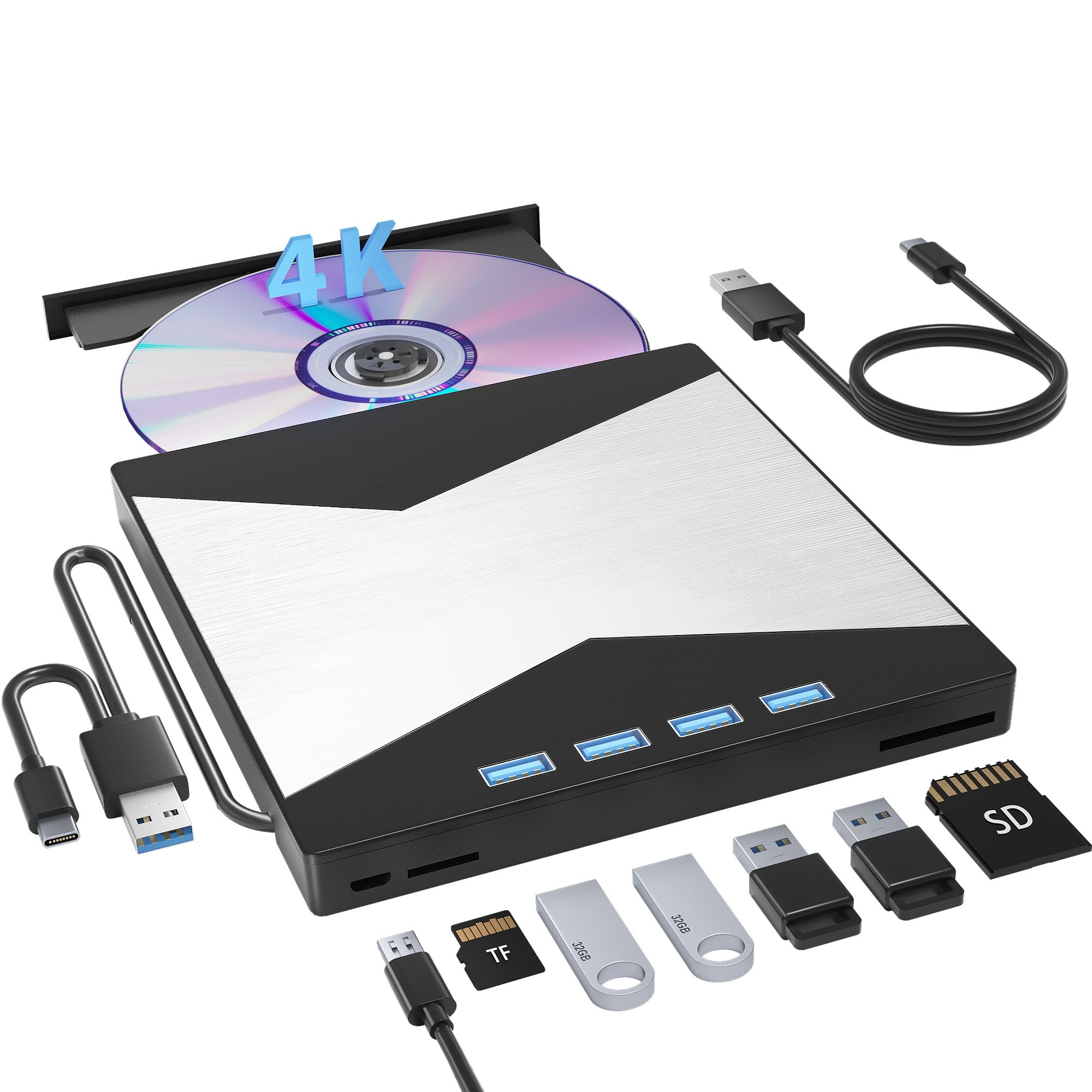
The drive that becomes a genuinely capable 4K ripper — after you flash it yourself.
Speed-wise it mirrors its sibling: USB 3.0 at 5 Gbps, DVD reading up to 8x, CD up to 24x and BD read and burn up to 6x. Where it diverges is the hub stack — 1 USB 3.0 port, 3 USB 2.0 ports, 1 TF slot and 1 SD slot, enough to run a mouse, keyboard and a cooler off the same brick. A non-slip rubber pad keeps it planted on a desk, and the built-in data cable keeps the setup tidy.
The 4K story is genuinely complicated, and that is the whole point of this pick. Units ship with different internal drives, and some arrive locked. Owners who flashed firmware reported ripping 4K UHD discs in roughly ten minutes and reading 90+GB discs without trouble. Owners who did not flash them reported the opposite — no recognition of 4K discs at all, and a few called the listing misleading. Both experiences are real, and they hinge on the same firmware step.
If you enjoy that kind of project, the payoff is a drive that handles modern Blu-ray features and upscales older discs. If you want to plug in and press play, this one will frustrate you. It also needs adequate power — a webcam dropped out on an unpowered hub — and the operation noise is noticeable.
For the patient: firmware flashing open up real 4K UHD reading and recording, and the 7-in-1 hub means it carries its weight even on days you are not using discs.
For the impatient: from the start, 4K playback is unreliable and several buyers found none at all — this is a project drive, not a plug-and-play one.
Buy it if: you are comfortable downloading firmware and following flash instructions, and you want the extra USB and card ports.
Pass if: you expect a 4K disc to play the first time you insert it.
6. Mthstec Desktop Blu Ray Drive

A disc burner with a hard drive bay bolted on top, for people building a media library.
The feature nobody else on this list has: a hard drive enclosure built into the top that takes both 3.5-inch and 2.5-inch SATA I, II and III drives. If you are pulling a spare drive out of an old PC and want it readable without buying a separate enclosure, this saves you a whole second purchase. Read speeds are stated as 16x for Blu-ray, 16x for DVD and 40x for CD, driven by its own power supply rather than sipping from your USB port.
Add a 2-port USB 3.0 hub running at 5 Gbps, where each port can act as a standard port, a load-in line or a charger connection. That makes it a small desktop station rather than a travel accessory. It works with Windows XP through 11 and MacOS, and the package includes the power adapter, a USB-A to B cable, a Type-C adapter and a manual.
Two honest notes. The build feels solid and heavy-duty, which owners who push it hard appreciate. But writing Blu-ray and 4K Blu-ray discs is a reported weak spot — some units ship with an older internal optical drive that cannot be flashed, so DVD-to-MKV work goes fine while Blu-ray burning stalls. Read speed also drew mixed remarks against the advertised figures.
What makes it different: dropping a bare 3.5-inch or 2.5-inch SATA drive into the top bay turns this into a file-transfer station as well as a disc burner.
What to watch: Blu-ray writing is inconsistent across units, and the internal optical drive is not always flashable — great for DVD ripping, uncertain for BD burning.
Fits the desk of: someone consolidating old hard drives and DVD collections into one media server.
Not for you if: burning Blu-ray discs is the primary job — that is the reported weak spot.
7. GOnavidio 17.6″ Portable Blu Ray DVD Player
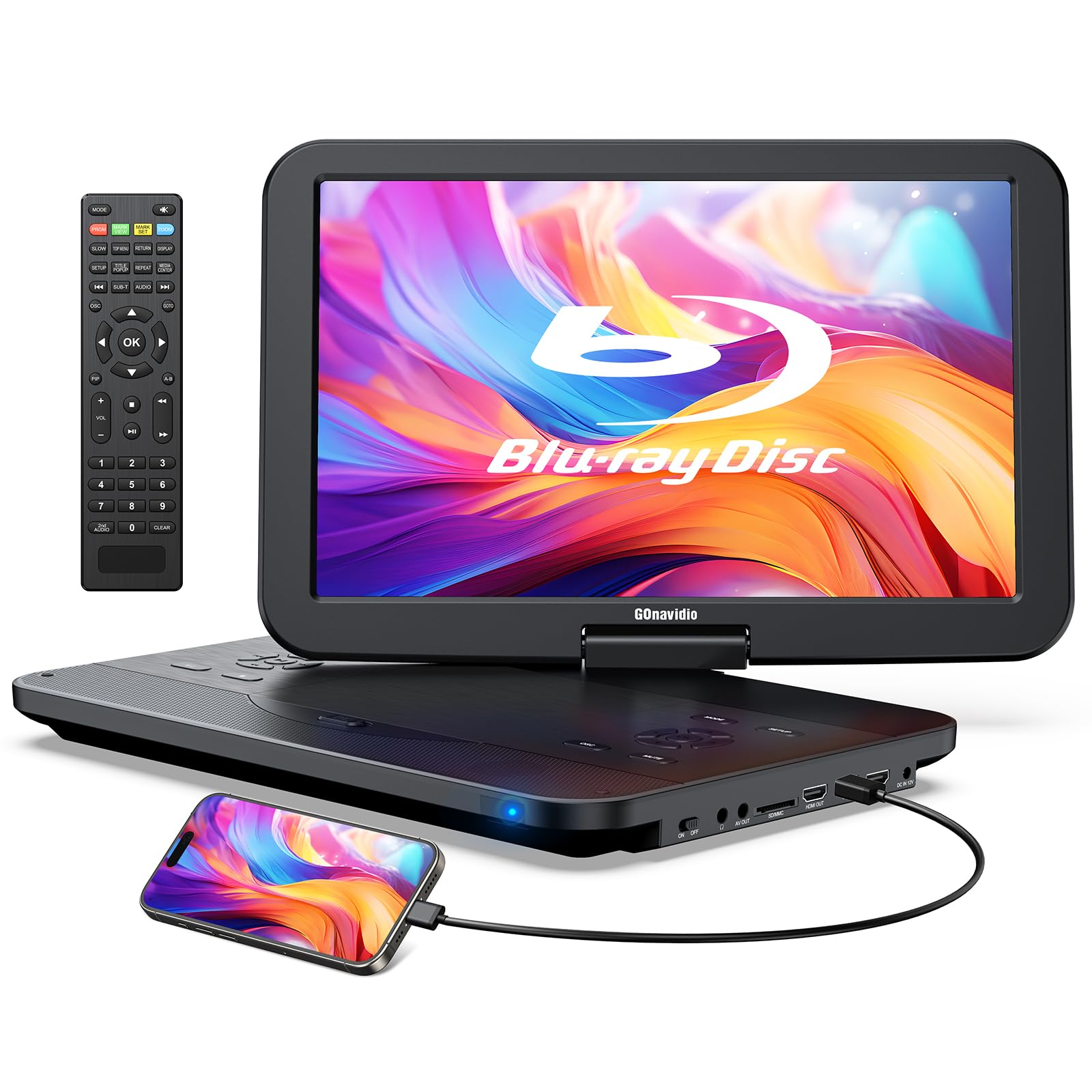
A screen, a battery and a disc tray in one — it plays Blu-ray without a computer at all.
This one breaks the pattern of the whole list, because it is not a drive you attach to a PC. It is a self-contained player with a 1920*1080 screen, a built-in 4000mAh rechargeable battery, and both car and wall chargers in the box. That battery means a disc plays on a road trip, in a backyard, or during a power cut without any outlet in sight.
Disc support is broad: BD, BD-R, BD-RE, DVD-R/RW, DVD+R/RW, CD, CD-R, CD±RW, SVCD, VCD and more, with Blu-ray locked to Region A and DVDs playing across all regions. There is also an HDMI input and output for feeding a TV or phone, plus USB and SD card readers for MP4, MKV, AVI and similar files. Format handling covers a long list from MP4 and MOV to RMVB and VOB.
What wins people over is the sheer usability of the big screen and the simple controls. It has been bought for a bed-bound family member with tremors, for power-outage prep, and for travel — a range that speaks to how approachable it is. The trade-offs are physical: the sound system is described as lacking and the drive is loud in operation. At 3.24 kg it is not a lap-friendly featherweight. Build quality also splits opinion, which is normal at this price tier.
What makes it useful
- 1920*1080 screen and 4000mAh battery mean disc playback with no computer or outlet
- Car and wall chargers plus HDMI in/out cover home and travel setups
- Plays Blu-ray, DVD, CD and file formats from USB and SD cards
- Large screen and straightforward controls suit less tech-comfortable users
Adjustments you’ll make
- Sound quality is the weak link — headphones or external speakers help
- Disc spinning is loud enough to notice in a quiet room
- 3.24 kg is substantial for carrying around
- Blu-ray playback is Region A only
Pick this when: the disc needs to play somewhere a laptop is not welcome — a bedside, a car, a cabin with no power.
Accept the trade: you are buying a screen and a battery, so expect audible drive noise and weak built-in speakers.
8. Panasonic DP-UB154P-K 4K Ultra HD Blu Ray Player

The dedicated deck for a television, not a laptop — three HDR formats and studio-grade audio.
Where the Wbacon drives are computer accessories, this is a home theater component. It handles three high dynamic range formats — HDR10+, HDR10 and Hybrid Log-Gamma — which is the spec that makes bright highlights pop and dark scenes stay readable on a 4K television. High-precision chroma processing adds texture and depth to the picture. It also outputs Hi-Res studio master audio to a sound system through HDMI or USB 2.0.
Setup is genuinely easy: plug in, select a language, insert a disc. It plays DVD, Blu-ray and 4K UHD, and upscales older discs to 4K, which is why owners compare it favorably to using a game console for disc duty. One useful tip from the review pages — the player ships with a slow start, and switching on “Quick Startup” in the system settings fixes that. Several buyers also traced black screens and green tints to a weak HDMI cable, not the player, and a properly rated cable cleared it up.
The trade-offs are firm. There is no Wi-Fi, so firmware updates and DRM checks require a wired Ethernet connection. Region is A only. The unit itself has just an eject and a power button, so a lost remote leaves you stuck. And while most report clean 4K playback, some buyers hit trouble with specific 4K UHD discs — check your player’s firmware before blaming the disc.
Why it earns its place: three HDR formats plus Hi-Res audio output at 2.6 pounds make it a compact, serious deck for a 4K television.
The catch: no Wi-Fi means a cable run for updates, and there are no on-unit controls beyond eject and power.
Choose this if: you have a 4K TV, a sound system and a network cable within reach of the shelf.
Look elsewhere if: you need wireless updates or you want to rip discs to a computer — this player reads discs, it does not feed a PC.
9. Produplicator LG BP60NB10 Blu-ray Burner

A burner bundled with a 100GB M-DISC, built for long-term storage rather than quick playback.
Two things separate this from every other drive here. First, it ships with one 100GB M-DISC BDXL — a triple-layer disc rated for long-term storage with a hard coat that resists scratches and fingerprints. Second, it bundles CyberLink Media Suite and a USB cable, so you are not chasing software separately. It records onto BDXL, BD-R/RE, DVD-R/-RW/+R/+RW, DVD-RAM and CD-R/RW discs at a 6X media speed.
LG’s own touches help in daily use. Silent Play adjusts playback speed based on the type of disc to keep the drive quiet, and Jamless Play skips past damaged sections so a scratched movie keeps running rather than freezing. For a slim portable unit, those are the details that make a difference on movie night.
The 4K ambition needs a realistic frame. Owners successfully back up 4K Blu-rays, but several note it took a firmware update first, and not everyone gets there — some could not rip 4K UHD discs at all while standard Blu-rays worked fine. Burning a home video to a 50GB Blu-ray disc also proved difficult for one buyer, who pinned it on Windows 10 blocking the write. This is the thinnest track record on the list too, which is worth weighing.
The bundle does real work: the included 100GB M-DISC and CyberLink software mean archival storage and playback tooling arrive in the box together.
Set your expectation: 4K UHD ripping depends on a firmware update and does not land for every buyer — standard Blu-ray is the reliable half.
For the archivist: someone who wants BDXL media and burning software in one purchase and is comfortable updating firmware.
Skip if: reliable 4K ripping on day one is non-negotiable — several buyers never got there on this unit.
Know the Specs
Data Transfer Rate (Gbps)
This is how fast data moves between the drive and your computer, measured in gigabits per second. A higher figure helps when you are pulling a large disc image off a BDXL disc, where a 40 Gbps interface on the Yaeonku drive moves data far quicker than the 1 Gbps ASUS unit. For simply watching a movie, even the lower rate keeps up comfortably — the disc spins far slower than that.
Cache Memory (MB)
Cache is a buffer that holds data briefly before it is written to or read from the disc. A larger buffer helps smooth playback on imperfect discs; the ASUS drive’s 1000 MB dwarfs the 2 MB fitted to the BUNUD and Wbacon drives. In practice, a bigger cache means fewer stutters when a disc has scratches or fingerprints on it.
BDXL and M-DISC Discs
BDXL is a Blu-ray format that stacks more layers to reach 100GB on a single disc, and M-DISC is a disc treated with a hard coat that resists scratches and fingerprints for long-term storage. The Produplicator bundle includes one 100GB M-DISC. If your goal is archiving footage that must survive years on a shelf, that combination matters more than read speed.
Region Codes
Blu-ray discs carry region locks — Region A covers the Americas, and a drive set to Region B cannot play a Region A disc. The ASUS drive defaults to Region B from the start and needs switching to A for US discs. Note that a player’s region can usually only be changed a limited number of times, so set it once and leave it.
Common Questions
Will an external Blu-ray drive play 4K UHD discs straight from the start?
Do I need to install software to watch Blu-ray movies on a PC?
Why does my drive refuse to play a Blu-ray disc from another country?
What is the difference between BDXL and a standard Blu-ray disc?
Can an external Blu-ray drive work with a MacBook?
Do these drives need a separate power adapter?
How fast does an external drive burn a Blu-ray disc?
Is a portable player better than a drive for watching movies?
Can I rip a DVD collection with the cheapest drive here?
Will these drives work with a Samsung or Surface tablet?
The Bottom Line
For most people, the external 4k blu-ray drive for pc winner is the ASUS SBW-06D5H-U. Its 1000 MB cache (a memory buffer that smooths out playback) and detachable cable make it the most forgiving everyday burner here — it reads scratched discs, plays without stutter, and asks nothing of your ports. If you need 4K UHD ripping and enjoy a firmware project, the Wbacon External 4K Blu Ray Drive for PC rewards the effort. And for archiving footage onto 100GB BDXL media (extra-large Blu-ray discs) with software included, the Produplicator LG BP60NB10 is the one to reach for.
The honest nudge: if you are only ever going to watch a Blu-ray on a television, buy the Panasonic DP-UB154P-K instead of a PC drive. It does one job properly, and it does it on the screen you already own.
How we choose
We do not accept paid placement. Every pick is matched to a real buyer and a real use-case; we do not hands-on test units.
Sources
Specifications: manufacturer listings and product documentation. Review insights: verified customer reviews, as of October 2026. Pricing: not shown on this page (it changes often); check the current price via the retailer link.
As an Amazon Associate, Aappliancez earns from qualifying purchases. This does not affect which products we feature.