Disclosure: Some links in this post are affiliate links. As an Amazon Associate I earn from qualifying purchases, at no extra cost to you. Learn more
Specs are compiled from manufacturer listings and verified buyer reviews and can change over time — please confirm the key details on the product page before buying.
You want glasses that put a screen in front of your eyes, take calls without earbuds, or answer a question without pulling out your phone. The catch is that “smart glasses” now covers three very different machines — camera glasses, open-ear audio glasses, and virtual-screen headsets. Pick the wrong kind and you will be disappointed by features you never needed. This guide sorts all nine by what they actually do, so you can match one to your day instead of guessing.
This guide is built by comparing the manufacturers’ published specifications and the patterns across verified customer reviews, so you get each pick’s real strengths and trade-offs instead of marketing spin.
Some models clip a 12 MP camera to your temple while others project a 201-inch cinema across your living room, and knowing which camp you fall into is the whole decision. Below you will find the best electronic smart glasses sorted by what they genuinely do well.
Top Picks
How To Choose The Best Electronic Smart Glasses
Start with one question: what do you want the glasses to do while your hands are busy? Everything else follows from that answer.
Decide which of the three families you need
Camera glasses capture photos and video from your eye line. Audio glasses play music and take calls through open-ear speakers so your ears stay uncovered. Virtual-screen glasses (sometimes called AR or XR glasses) project a large display in front of you and usually pass through your surroundings. Each family does its own job well and the other two badly, so choosing the family first saves you from buying features you will never touch.
Battery hours versus battery inside the frame
Camera and audio glasses carry their own battery, so the number that matters is hours of typical use per charge and what the case adds. Virtual-screen glasses often carry no battery at all — they draw power from the phone, laptop, or handheld they are plugged into, which keeps them light but drains your host device. Check which setup matches how you already carry power.
Fit is a real spec, not a vibe
Look for nose pads in multiple sizes, adjustable temples, and — for virtual screens — a stated IPD range. IPD is the distance between your pupils, and a screen built for the wrong spacing is the usual cause of eye strain and soft edges. Frames listed with arm length and bridge width in millimeters tell you far more than a marketing photo does.
Side-by-Side Comparison
| Model | Best For | Display / Camera | Battery | Connectivity | Amazon |
|---|---|---|---|---|---|
| Meta Oakley HSTN AI Glasses★ Best Overall | All-day camera and audio wear | 12 MP camera, 3K video | Up to 8 hrs + 48 hrs case | Bluetooth | Amazon |
| GetD AI GlassesTravel Companion | Travel translation and calls | No display | 115 mAh per side, 11 hrs music | Bluetooth 5.4 | Amazon |
| Ai Smart Glasses with CameraBudget Recorder | Budget first-person video | 8 MP, 1080P video | 290 mAh, up to 7 hrs audio | Bluetooth 5.4 + WiFi | Amazon |
| Lucyd Armor Safety Glasses | Job sites that ban earbuds | No display, no camera | — | Bluetooth | Amazon |
| RayNeo Air 4 Pro | Movies and gaming in bed or on flights | 201″ HDR10, 120Hz | None — powers from device | USB-C | Amazon |
| XREAL 1S | Anchored screen anywhere | 500″ virtual, 120Hz | None — powers from device | USB-C DP | Amazon |
| Meta Ray-Ban Skyler | Style-first daily AI glasses | Camera, AI voices | About 8 hrs | Bluetooth, WiFi | Amazon |
| VITURE Luma Pro | Sharpest picture for gamers and DeX | 152″ 1200p, 1000 nits | None — powers from device | USB-C | Amazon |
| XREAL One Pro | Long work sessions in one place | 171″ OLED, 57° FOV | None — powers from device | USB-C | Amazon |
Detailed Reviews
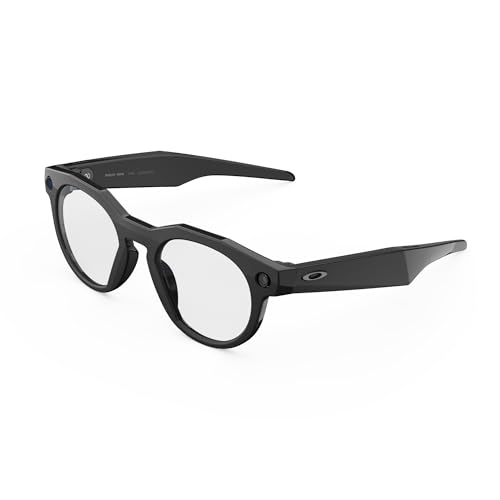
1. Meta Oakley, HSTN AI Glasses
Our pick — 4.0+★ from 200+ verified ratings; the strongest balance of quality and price.
A 12 MP camera on a 53.15 g frame that stays useful from morning to last light.
This is the pair to buy if you want one device that shoots, plays, and answers questions without ever leaving your face. The 12 MP camera out-resolves the 8 MP Ai Smart Glasses by 50%, so photos hold more detail. Its 100° FOV (field of view — how wide a scene the lens takes in) means your shot looks like what you saw, not a cropped tunnel. Say “Hey Meta” and it records 3K Ultra HD clips up to 3 min per session.
Endurance is the reason it takes first place. A full charge covers up to 8 hours of typical use, and the charging case holds another 48 hours of top-ups, so the glasses can ride in a bag for days without hunting for a cable. One charge covers a workout, a commute, and an evening of calls, and daily wearers report roughly a third of the battery left at day’s end.
The frame itself leans sporty: half-frame resin, round shape, 14.2 cm arms and a 21 mm bridge, with lens choices that include Prizm, Prizm Polarized, Clear and Transitions. There is a weight cost. At 53.15 g the glasses sit noticeably on the nose after a few hours, and the fit runs snug for wider faces — the trade for a secure hold during movement. Water is the other line to respect: a light drizzle that reaches the speaker area can take the electronics out, so treat these as fair-weather gear.
Where It Pulls Ahead
- 12 MP stills and 3K clips up to 3 min per session, all triggered by voice
- Up to 8 hrs of use plus 48 hrs in the charging case
- Open-ear audio and Bluetooth calls with nothing in your ears
- Works as a prescription frame with custom lenses installed
What To Weigh First
- 53.15 g feels heavy on the nose over a long day
- Snug fit on wider faces
- Moisture near the speaker area is a genuine risk
- Lens upgrades add to an already premium purchase
Buy this one if: you want the most complete everyday pair — camera, calls, music and Meta AI in a single frame — and can live with a snug, weighty fit.
Sit it out if: you spend hours in the rain or need a loose fit on a broad head.
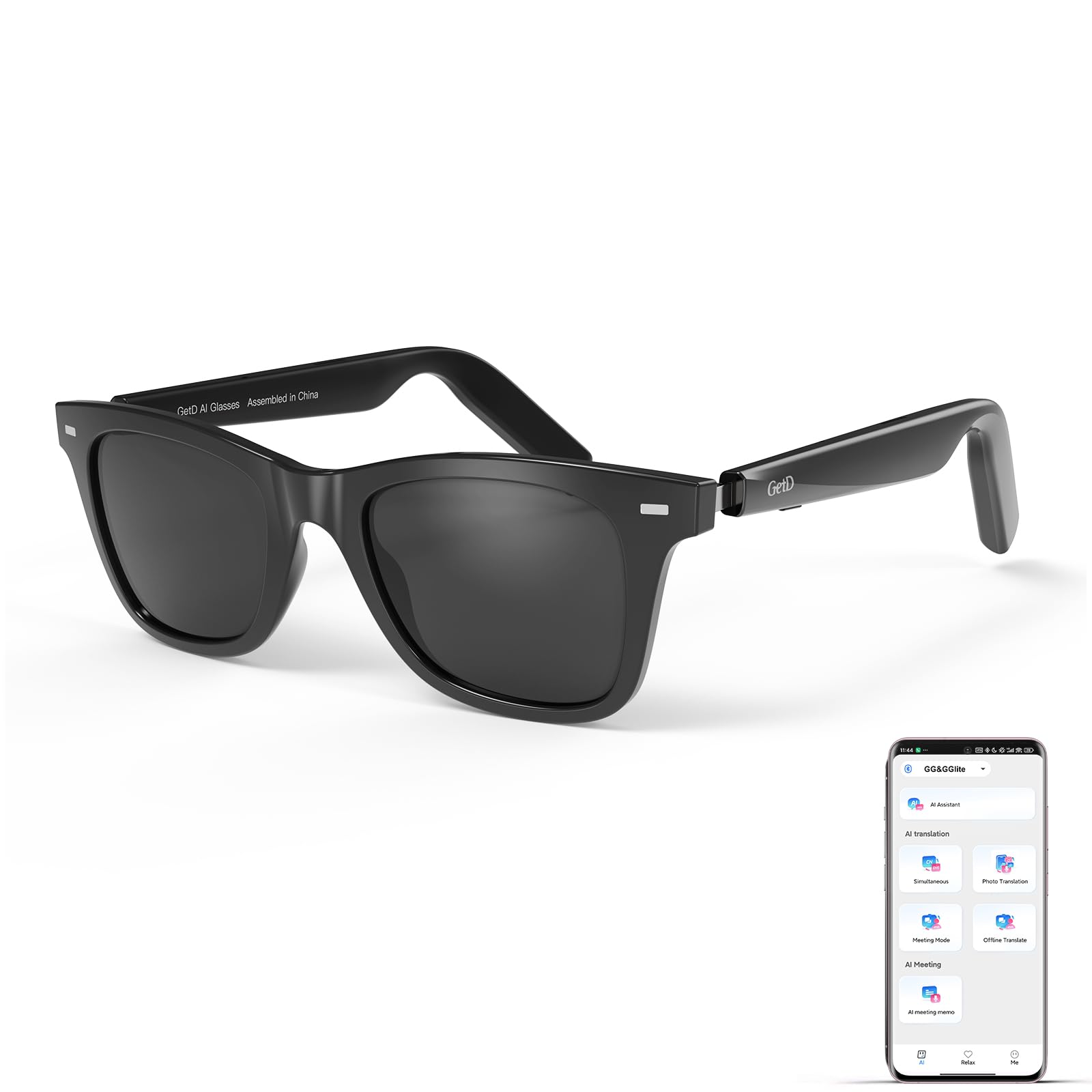
2. GetD AI Glasses, Smart Glasses Powered by ChatGPT
The pair that turns a menu in another language into a spoken answer.
Translation is the headline: 145 languages bi-directional and simultaneous, across more than 170 countries. You look at a sign or a menu, and the glasses feed the answer into your ears through open-ear speakers. It also records voice memos into text, which makes it a decent meeting-notetaking tool when your hands are full.
What actually wins people over is the overall build and feel — quality is the most-praised trait by a wide margin — with translation close behind. The frame is TR90 (a flexible, light plastic), the lenses are polarized with 100% UV protection, and the whole thing looks like normal sunglasses rather than a gadget. Pairing with iPhone is quick and the glasses reconnect on their own, which matters when you pull them out on a moving train.
The catch is honesty about the AI. The assistant is a ChatGPT app running through the GetD app — it works, but it is not a bespoke system, and a handful of buyers never got the setup to behave. Battery is the quiet strength: two 115 mAh cells give 11 hours of listening or 9 hours of calls at 50% volume, 15 days of standby, and a 10-minute charge buys an hour of use. IP54 means it shrugs off splashes, not a dunking.
Sound and privacy play: audio stays clear at half volume and call noise cancelling does its job, though at a loud setting people nearby can hear what you hear.
Fit note: the frame suits larger heads well but slides on oily skin — a set of temple hooks fixes it.
the balance: frequent flyers and drivers who want live translation and hands-free calls in a frame that passes as ordinary sunglasses. If you mainly want a private cinema for flights, skip this and look at the RayNeo Air 4 Pro below.
Less ideal if: you expect a custom-built AI assistant or need a secure grip on slick skin.
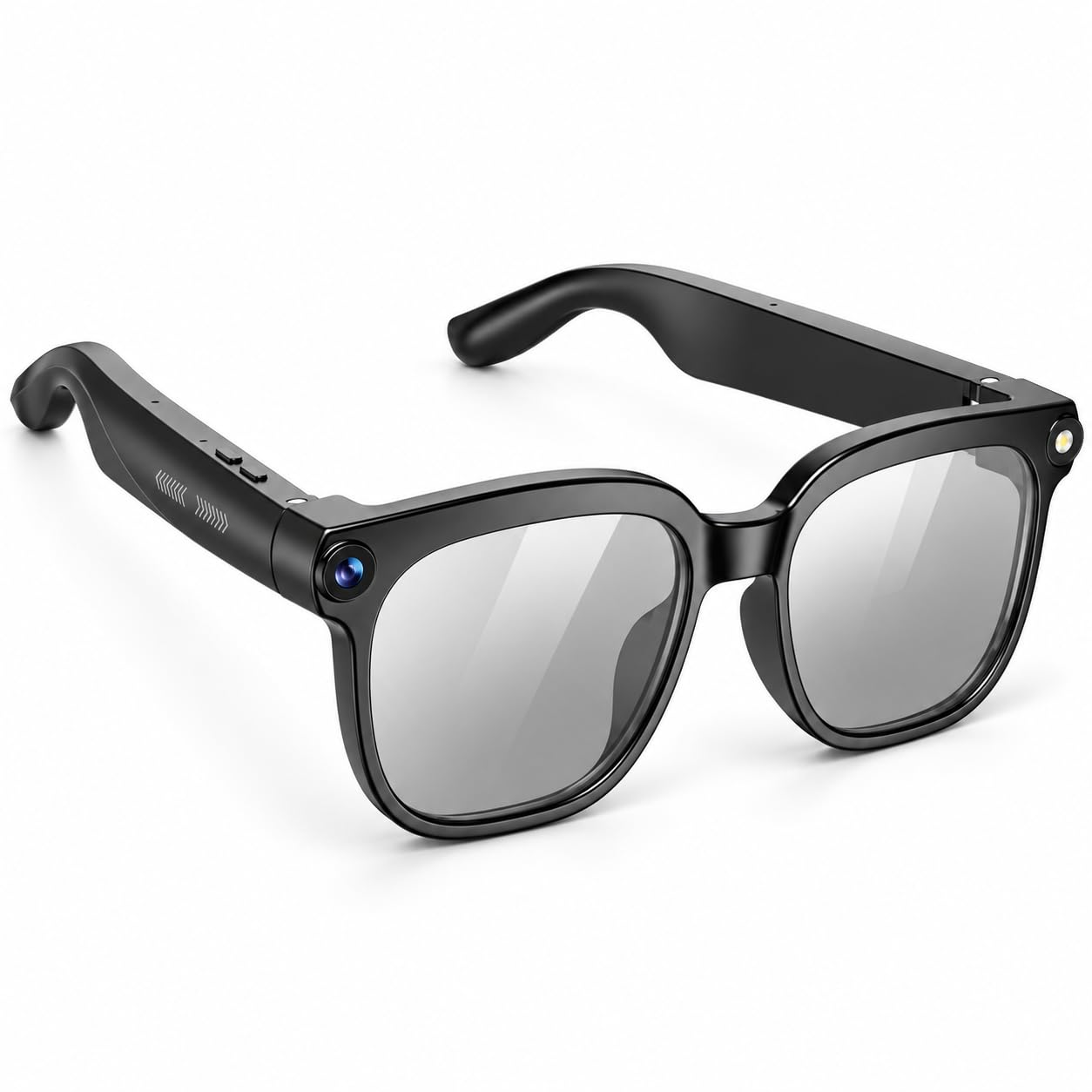
3. Ai Smart Glasses with Camera and Bluetooth
First-person video for the price of a decent dinner out, with all the compromises that implies.
If you want to try recording from your own eyes without committing to a flagship pair, this is the entry point. The 8 MP camera shoots 1080P HD video with anti-shake, multi-frame noise reduction and HDR processing, and one touch starts a clip — handy on a bike, on a trail, or walking through a market. The 290 mAh battery is rated for up to 7 hours of audio playback and around 1 hour of video recording.
Where it stands out is usability: the app is straightforward enough that most people are recording within minutes. Where it asks you to compromise is everything else. Quality, sound, battery life and image quality all land in mixed territory in the review pages, which is what you would expect at this end of the market. Bluetooth 5.4 and WiFi sync move clips to your phone automatically, though WiFi-only transfer is the step that trips up some users.
The other thing to check is your face. The frame is described by more than one buyer as oversized — wide enough to dominate a narrower head. If you want discreet, this is not it; if you want a cheap way to test whether camera glasses fit your life at all, it does that job without much risk.
The Case For It
- 8 MP camera with 1080P HD video and anti-shake
- Open-ear Hi-Fi audio with ENC (noise-cancelling) mics for calls
- Color-changing lenses tint automatically between indoors and sun
- Bluetooth 5.4 and WiFi sync, no cable needed to move clips
What You Give Up
- Battery is rated around 1 hour of video recording
- Frame runs large on narrower faces
- WiFi-only transfer is the usual failure point
- Build and sound land in mixed territory
Worth a look if: you want budget first-person video and auto-tinting lenses in one beginner-friendly pair.
Look elsewhere if: you have a smaller face or need dependable hours of recording per charge.
4. Lucyd Armor Smart Safety Glasses
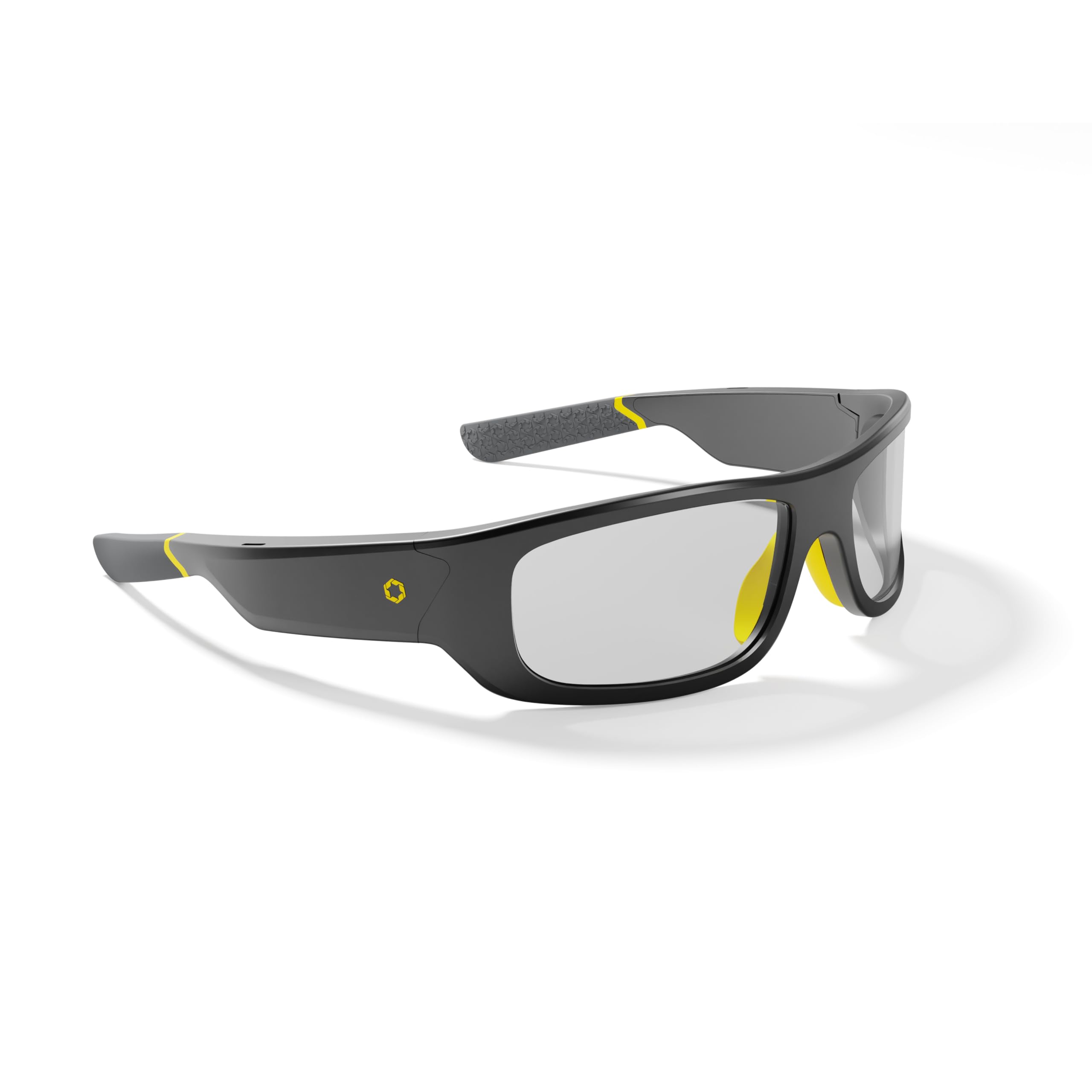
The only pair here built for a site where earbuds are banned and impact protection is mandatory.
ANSI Z87.1 is the eye-protection standard the American National Standards Institute sets for impact-rated eyewear, and these are the only glasses on this list carrying it. The TR90 frame holds up to real work, light-adaptive lenses go clear indoors and dark in sun without you touching them, and open-ear speakers let you take a call while still hearing a forklift behind you. That combination is why quality is the trait people praise most, with versatility a clear second.
What owners of these glasses describe is a tool, not a toy. Guys who live in safety glasses all day report they stay put without a lanyard, transition cleanly walking in and out of a building, and keep the conversation private enough that a coworker two feet away cannot hear your call. You can also query ChatGPT hands-free, which sounds frivolous until you are on a ladder and need a spec. Buyers report the TR90 frames hold up on job sites, though the open-ear speakers get lost in loud traffic.
The honest limit is volume. Open-ear sound struggles against engine bays, and the speaker gets rough at full tilt. Several buyers raised their output with a volume-booster app or a hat and earmuffs around the ears. Longevity is inconsistent: some units have failed after four months of occasional use. The lenses are not scratch resistant, so store them in a case.
Why crews like them: hands-free calls and music plus a lens that handles indoor-to-outdoor without swapping safety glasses — a genuine two-for-one on a job site.
The volume reality: treat these as quiet-environment audio. In a loud shop, budget on a booster app or an ear-covering setup.
Built for: tradespeople, machinists, and anyone whose workplace mandates impact-rated eye protection and forbids earbuds.
Not built for: anyone who needs loud audio in a noisy bay or a lens they can knock around without care.
5. RayNeo Air 4 Pro AR/XR Glasses

A 201-inch screen that lives in your bag and never asks for a wall.
If your goal is watching rather than capturing, the Air 4 Pro is the movie machine of the group. It projects a 201-inch virtual screen with HDR10 (a high-dynamic-range format that keeps bright highlights and deep blacks distinct) across a 120Hz refresh rate, so motion stays smooth on a PS5, Steam Deck, Switch 2 or a phone. The Vision 4000 chip upscales ordinary SDR content to HDR in real time, which means older shows look richer too.
Four Bang & Olufsen speakers deliver 360° spatial sound with an open-ear design, and the optional Sound Tube (sold separately) pipes audio straight into your ears when you want more punch. There is no battery inside, which keeps the weight down and removes charging from your routine — the trade is that it draws power from whatever it is plugged into. Setup is USB-C, no app required, on iPhone 15 and up, Android, MacBook, iPad and Steam Deck.
Picture quality is what people rave about, with picture quality alone drawing the second-highest praise, and the field of view is the sticking point. At 46° some wearers find the image feels like looking through a window rather than sitting in a theater. The fixed IPD (pupil spacing) around 63 mm also causes strain for wider-set eyes, and there is no anchoring — the screen follows your head, so it is not a work monitor.
Best use case in one line: a 16-hour flight or a bed with a partner who wants the light off — private cinema, zero setup.
Fit warning: check your IPD with an optician before ordering if your eyes sit wide apart; the fixed spacing will not bend to you.
Perfect pairing: travelers and gamers who want the biggest screen in the smallest bag with high-refresh motion.
Wrong pick if: you want a stable screen for spreadsheets or your eyes sit outside the usual pupil spacing.
6. XREAL 1S AR Glasses

The virtual screen that stays pinned in space when you turn your head.
3DoF — three degrees of freedom — is the feature that changes everything here. Instead of a screen glued to your face, the X1 chip keeps it steady in front of you as you glance away and back, which is the difference between watching and enduring. The virtual display scales up to 500 inches with a 120Hz refresh rate in 3DoF mode and a 90Hz global refresh to cut flicker, so fast action stays smooth. The 52° FOV gives you more peripheral picture than the RayNeo Air 4 Pro above, so the image wraps wider around your view.
The AR-specific X1 chip claims 3ms motion-to-photon latency at 120Hz, so the picture tracks your head almost instantly and fast movement does not smear. It also powers on-glass controls for brightness, color temperature, tint, distance and 2D/3D modes. REAL 3D converts anything you watch into a depth version with one switch, capped at 30fps with 90–100ms latency.
Eye comfort is certified: TÜV Rheinland low blue light and flicker-free viewing, plus a 59.5–70.5 mm IPD range covering roughly 95% of users. The recurring complaints are drift in anchor mode during long gaming sessions and warmth near the forehead. Text clarity is good enough to read, but 52° of field of view still means a box in front of you rather than a wall of screen.
Strengths That Show Up Daily
- Native 3DoF keeps the screen fixed as you move
- 120Hz refresh in 3DoF mode with 90Hz global to kill flicker
- IPD range of 59.5–70.5 mm covers about 95% of users
- REAL 3D turns any content three-dimensional with one switch
The Costs You Should Know
- Anchor mode drifts over long sessions
- Frame warms near the forehead during extended use
- No diopter adjustment — prescription inserts required
- 52° FOV limits how rich the picture feels
Pick this for: commute productivity, handheld gaming, and movies where a screen that stays put matters more than raw size.
Choose another if: you need perfect spatial anchoring for competitive play or wear a strong prescription and want no extra lenses.
7. Meta Ray-Ban (Gen 2), Skyler AI Glasses
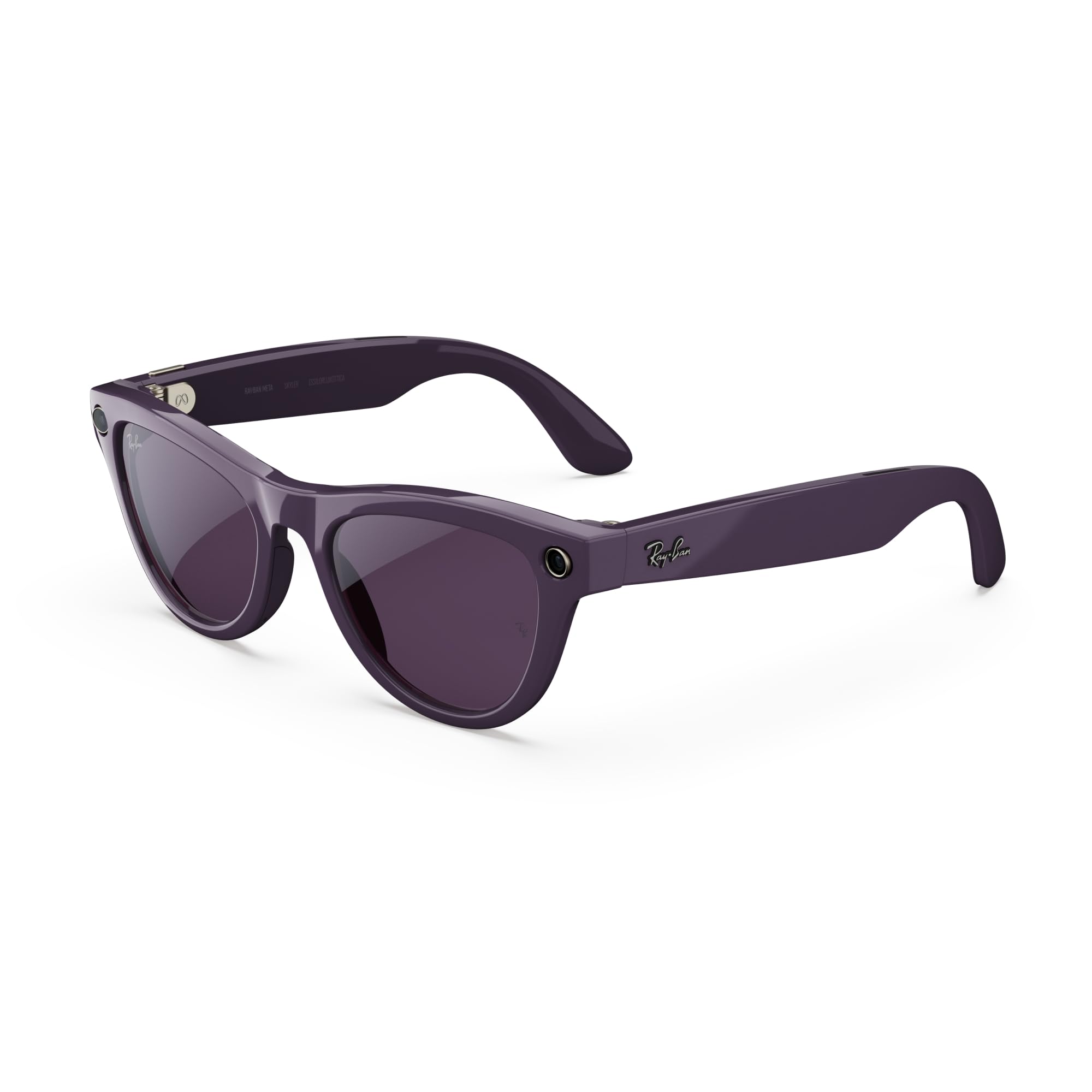
The pair you wear because it looks like a Ray-Ban, not because it looks like tech.
This is the second generation of Ray-Ban Meta, and the upgrades are specific: a longer battery life and a higher quality camera than the first run. The 8-hour battery figure lines up with what daily wearers report, and the slim Skyler fit is designed to sit comfortably from morning through night. Meta AI handles questions, music control, hands-free calls and real-time conversation translation without you reaching for a phone.
Where it earns its place is in how little it feels like a gadget. Owners describe wearing them far more than expected, mostly for the convenience of asking a quick question or grabbing a photo without breaking stride. Auto capture mode records 10-second clips of whatever is happening, and Wi-Fi auto-import moves photos to your phone without a cable. The one thing buyers keep circling back to is cost — a premium purchase that a few find hard to justify against a plain pair of sunglasses.
Two quirks to know. Auto capture is stopped by voice command, which lands in the audio of the clip you are recording. And the transition lenses do not darken as deeply as regular sunglasses outdoors, and barely at all behind a car windshield. Neither is a dealbreaker; both are the kind of thing you notice in week two rather than week one.
What makes it easy to live with: a light, slim frame you can wear all day and a camera that is there when you need it and invisible when you do not.
What to budget for: this is the priciest audio-and-camera pair here, and the lens tint will not replace your darkest sunglasses.
Reach for this if: you want a stylish daily pair with Meta AI, hands-free calls, and a camera that disappears into the frame.
Think twice if: you need maximum lens darkening outdoors or want the fullest feature set for the outlay.
8. VITURE Luma Pro XR/AR Glasses

A 152-inch 1200p picture bright enough to survive a sunny patio.
Picture sharpness is the whole argument for the Luma Pro. The 1200p resolution on a 152-inch virtual screen gives text and detail a crisp edge, and 1000 nits of brightness means you can actually see it under bright lights or daylight — a problem for dimmer headset displays. A 120Hz refresh rate and DeltaE under 2 (a measure of color accuracy, where lower means colors match reality more closely) keep motion smooth and tint true.
The comfort engineering is serious too. It comes in two sizes to match different IPD ranges (Regular at 68.0±6.0 mm and Large at 68.0±6.0 mm), with a magnetic nose pad, tilt-adjustable temples and flexible arms. Built-in myopia adjustment up to -4.0D lets you dial focus directly on the glasses without prescription inserts, which is a real advantage over the XREAL 1S, which needs custom lenses. HARMAN-tuned audio and an electrochromic film (a lens coating that darkens at a tap) round out the daily experience.
The trade is software. Without apps, the Luma Pro lacks native head-tracking modes, so the image can jitter during head movement and some wearers get a shaky, slightly unmoored feeling. Multi-screen workspace features live in the SpaceWalker app, and a few Mac users ran into audio static and lag. The magnetic cable also protrudes enough that lying down can disconnect it.
Where It Wins
- 1200p on a 152-inch screen with 1000 nits of brightness
- Built-in myopia adjustment up to -4.0D, no inserts needed
- 120Hz refresh and DeltaE under 2 color accuracy
- Two IPD sizes plus magnetic nose pad and tilt temples
Where It Falls Short
- No built-in 3DoF — head tracking needs the app
- Image can jitter without stabilization
- Magnetic cable can disconnect if you lie down
- Software features split across apps
Made for: gamers and Samsung DeX users who want the sharpest, brightest virtual picture and can work around the app-based tracking.
Skip the edge cases: frequent Mac users and anyone who wants anchoring to work without software.
9. XREAL One Pro AR Glasses

A 171-inch OLED screen with the widest field of view in this lineup.
Start with the number that decides whether a virtual screen feels like a screen: 57° FOV. That is the most expansive view here — wider than the 52° on the XREAL 1S and well beyond the 46° on the RayNeo Air 4 Pro. The virtual image starts at 171 inches, built on Sony 0.55-inch Micro-OLED panels with a 120Hz refresh rate, and it holds up to 700 nits of brightness with electrochromic dimming you can adjust with one tap.
Fit is where the One Pro separates itself. Two sizes, M (57–66 mm IPD) and L (66–75 mm IPD), cover over 95% of users, with three-stage adjustable arms, zero-pressure nose pads in three sizes, and a spring hinge that holds without pinching. The X1 chip matches the 1S at 3ms motion-to-photon latency and 120Hz, and the optional XREAL Eye adds 6DoF anchoring so the screen stays put as you walk. REAL 3D is here too, converting games, movies and photos into a depth version on a switch.
Now the honest part. 700 nits is bright, but multiple owners find it too strong indoors at full blast and dim the display two to four clicks. The picture shifts in brightness when you move your head, and chromatic aberration shows at the edges of the view. It runs warm after three or more hours, and the narrow effective clarity outside the center means text work takes concentration. It is also the most expensive pair in the lineup, so the trade-offs deserve weight.
The real draw: 57° of OLED immersion with the fit options to make it comfortable — this is the pair for long movie and gaming sessions in one spot.
The fine print: less of a mobile monitor for spreadsheet marathons, more a private theater; get a nose pad dialed in and keep brightness sane indoors.
Best fit for: home and hotel entertainment where the widest view and OLED black levels matter more than portability.
Look elsewhere if: you fly weekly and need the lightest possible travel pair, or you want text work to feel easy.
Know the Specs
Camera and Video Resolution
Camera glasses list a megapixel count for stills and a video resolution like 1080P HD or 3K. Higher megapixels mean more detail to crop; video resolution decides how much you can enlarge a clip before it looks soft. Both matter less than what you do with the footage. Check the FOV too — a wider field of view keeps a scene looking natural, not tunnel-like. The Meta Oakley leads this group at 12 MP with 100° FOV, while the Ai Smart Glasses run 8 MP with 1080P HD video.
Refresh Rate, FOV and IPD
For virtual-screen glasses, three specs decide how comfortable the picture feels. Refresh rate in hertz (how many times per second the image redraws) determines motion smoothness — 120Hz is smooth, 90Hz is acceptable for slow content. Field of view in degrees is how wide the virtual image spreads across your vision, so a higher number feels more rich. IPD, the distance between your pupils, must match the glasses or you get strain and blur — this is why adjustable or multi-size frames matter for long sessions. If you plan to watch a full movie, check the IPD range before you buy.
Common Questions
Can smart glasses work with my prescription lenses?
What is the difference between 3DoF and 6DoF on AR glasses?
Do I need a WiFi connection to use AR glasses?
How many hours of battery do these glasses actually last?
Are these glasses safe to wear all day?
Can I use camera smart glasses without touching my phone?
Will these AR glasses work with my Steam Deck or PS5?
Which type is better for travel: camera glasses or a virtual screen?
Do the open-ear speakers let other people hear my call?
What is the main limitation of AR glasses as a work display?
The Bottom Line
For most people, the smart-glasses winner is the Meta Oakley HSTN because it is the only pair on this list that shoots 12 MP stills, records 3K clips, plays music, takes calls and runs Meta AI without asking you to choose one job. It holds the top spot despite the GetD AI Glasses having been out longer and carrying more owner history — the depth of everyday use here is what earns it. If translation on the move is what you actually need, the GetD AI Glasses at 145 languages and 11 hours of listening makes a clear case. And if you want a cinema in your carry-on rather than a camera on your face, reach for the RayNeo Air 4 Pro with its 201-inch HDR10 screen. The Meta Oakley HSTN is the best smart glasses for everyday capture, while the RayNeo Air 4 Pro is the best for private viewing.
The simplest honest advice: decide if you want to capture your day or watch something during it. Buy the best in that one camp, and you will use the glasses every day instead of leaving them in a drawer. If you need both, start with the Meta Oakley HSTN and add the RayNeo Air 4 Pro later for flights.
How we choose
We do not accept paid placement. Every pick is matched to a real buyer and a real use-case; we do not hands-on test units.
Sources
Specifications: manufacturer listings and product documentation. Review insights: verified customer reviews, as of October 2026. Pricing: not shown on this page (it changes often); check the current price via the retailer link.
As an Amazon Associate, Aappliancez earns from qualifying purchases. This does not affect which products we feature.