Disclosure: Some links in this post are affiliate links. As an Amazon Associate I earn from qualifying purchases, at no extra cost to you. Learn more
Specs are compiled from manufacturer listings and verified buyer reviews and can change over time — please confirm the key details on the product page before buying.
If your library is bigger than the built-in storage on most e-readers, you already know the frustration: you start deleting books to make room. The nine devices below are the ones that either ship with a memory card slot or let you pile on storage through Android, and each one handles that differently. The Kobo Clara BW is the safest all-rounder for most people, while the Meebook M8 and BOOX Go Color 7 Gen II are the ones to study closely if a microSD card slot is a hard requirement.
This guide is built by comparing the manufacturers’ published specifications and the patterns across verified customer reviews, so you get each pick’s real strengths and trade-offs instead of marketing spin.
Some readers want a waterproof screen for the bath, some want a color panel for comics, and some simply want to slot in a card and forget about storage limits forever. Here is how each E-Reader With SD Card Slot actually behaves once it is in your bag.
Top Picks


How To Choose The Best E-Reader With SD Card Slot
The card slot is the headline, but it is rarely the whole story. A device can accept a 128GB card and still frustrate you if the screen is dim or the software fights you every time you sideload a file. Work through these four points before you commit.
Confirm the slot type before you buy
Not every “expandable” reader uses the same card. The PocketBook Verse takes a memory card up to 128GB, and the Meebook M8 lists a microSD card slot alongside a 1TB TF slot expansion claim — TF is simply another name for microSD, so treat those as the same physical slot. The BOOX Go Color 7 Gen II also lists a microSD card slot in its port rundown. Devices like the Kobo Clara BW and Kobo Libra Colour have no card slot at all, so buy those only if built-in storage is enough.
Weigh screen technology against your reading material
A black-and-white E Ink Carta panel gives the crispest text and the brightest page. Color Kaleido 3 panels add covers, comics and highlighted notes, but the base layer sits darker, so you lean on the front light more often. If you read novels in bed, monochrome usually wins. If you read comics or mark up PDFs, color earns its keep.
Check how files actually get onto the device
Drag-and-drop over USB is the simplest route and several picks here support it. Android-based readers add cloud drives, email delivery and app stores, which is great for flexibility but means more setup. Calibre users should note that direct library transfer does not always work cleanly on Android readers, and a card you format inside the device is usually the most reliable way to move a big collection over.
Side-by-Side Comparison
| Model | Best For | Screen | Storage | Card Slot | Amazon |
|---|---|---|---|---|---|
| Kobo Clara BW★ Best Overall | Everyday reading | 6″ glare-free E Ink Carta 1300 HD | 16 GB | — | Amazon |
| Meebook M8Card Slot Champion | Big library on a card | 7.8″ E Ink, 300 PPI | 64 GB | microSD / TF up to 1TB | Amazon |
| PocketBook VerseBattery Titan | Month-long battery | 6″ E-Ink Carta HD touchscreen | 8 GB | Memory card up to 128GB | Amazon |
| Neo 64GB | Built-in space, no card | 6″ E Ink, 300 ppi | 64 GB | — | Amazon |
| PocketBook Verse Pro Color | Color plus audio | 6″ E Ink Kaleido 3 color | 16 GB | — | Amazon |
| Bigme B6 Color | Pocketable color | 6″ color E-paper | 64 GB | — | Amazon |
| Kobo Libra Colour | Color and note-taking | 7″ Color E Ink Kaleido 3 | 32 GB | — | Amazon |
| VIWOODS AiPaper Reader | Pocket commuting | 6.13″ Carta 1300 | 128 GB | — | Amazon |
| BOOX Go Color 7 Gen II | Apps and expandable memory | 7″ Kaleido 3, 4096 colors | 64 GB | microSD card slot | Amazon |
Detailed Reviews
1. Kobo Clara BW
Our pick — 4.5+★ from 650+ verified ratings; the strongest balance of quality and price.
The simplest reader here, and the one most people should actually buy first.
The Clara BW skips the card slot entirely and bets that 16GB is plenty. That is enough for Kobo’s own figure of up to 12,000 eBooks or 75 audiobooks, so unless you are hauling a PDF archive, the memory card question never comes up. It is also the lightest thing on this list at 6.14 ounces, which matters when you hold a book up for an hour with one hand.
What wins people over is the screen. The 6-inch E Ink Carta 1300 HD panel stays glare-free in direct sunlight, and ComfortLight PRO lets you shift brightness, colour temperature and blue light so the page does not keep you awake. Kobo rates the battery at 2 weeks, and as buyers report, “Battery lasts days at 2-3% brightness.” The IPX8 rating — that is a waterproof score meaning it survives up to 60 minutes in up to 2 metres of water — means a bath-time slip is not a death sentence.
The honest trade-off is ecosystem, not hardware. Amazon’s own Kindle store is off the table, so if your library lives in Kindle, this is not your device. Library borrowing through Libby and OverDrive works well, sideloading EPUB, PDF and MOBI works, and the Body is made with recycled and ocean-bound plastic. A rare owner sees occasional freezes that clear with a hard reset — treat it as a fit note, not a recall.
What earns its place
- 6.14 oz body that sits comfortably in one hand for long sessions
- IPX8 waterproofing for up to 60 minutes in 2 metres of water
- ComfortLight PRO adjusts brightness, colour temperature and blue light
- 16GB holds up to 12,000 eBooks or 75 Kobo Audiobooks
Where it stops short
- No memory card slot — you live inside 16GB forever
- No access to the Amazon Kindle bookstore
- A few units need an occasional hard reset
Buy this if: you read novels, borrow from the library, and want the lightest, most weatherproof reader in the bunch.
Think twice if: your collection is already in Kindle, or you need a card slot for a huge file library.
2. Meebook M8
If the card slot is the reason you are here, this is the device that takes it furthest.
The M8 pairs a 7.8-inch E Ink Carta screen at 300 PPI — that is 300 pixels per inch, the measure of how sharp text looks — with a microSD card slot and a 1TB TF expansion claim. That combination is the point: you can carry a card-based library alongside the 64GB of built-in space and never think about deleting a book again. Android 14 and the Play Store mean Kindle, Kobo and Libby apps all live on the same screen.
Reading is where it holds up best. The 3200mAh battery and a warm/cool front light make long sittings comfortable, and owners mention that Android 14 with the Play Store “allows easy launcher replacement,” with a third-party reader setup stretching to roughly 25 hours of screen time per charge. The 265g body — around 9.3 ounces — is light enough for one-handed reading on a commute.
The catch is polish. The user interface is the mixed part of the experience: setting it up takes time, and ghosting shows up during scrolling until a refresh clears it. A couple of owners have had the screen fail after taking a case off to clean, so a sturdy cover is worth buying on day one. If you want out-of-the-box simplicity, look at the Clara BW instead; if you want a card-fed Android reader, this is the strongest argument for one.
Card slot done right: microSD plus a 1TB TF claim is the most expansion on this list, and it runs the reading apps most people already use.
Setup is the tax: the interface needs patience, and a screen that lasts means handling it with care.
Reach for this if: you have a card full of EPUBs and want an Android reader that opens them all.
Look elsewhere if: you want a reader you never have to configure or coddle.
3. PocketBook Verse
A reader you charge about once a month and forget about the rest of the time.
Start with the number that matters: the Verse is rated for up to 1 month of battery life on a full charge. Owners back that up with real mileage — one reports the battery still sitting at 44% after four months and 1,115 pages. Wi-Fi off stretches it further. That is the trade-off against the Clara BW, which Kobo rates at 2 weeks.
Storage is where this one earns its card slot. There is 8GB built in and a memory card slot that takes up to 128GB, so a formatted card turns it into a shelf for a very large Calibre library. One long-time owner moved a 5,000-plus EPUB and PDF library onto a 128GB card formatted on the device and called it no problem. The 6-inch E-Ink Carta touchscreen supports 25 formats including EPUB, FB2, DJVU, PDF, CBR and CBZ, so comics and documents open without converting anything.
The honest notes are software-side. Highlighting is fiddly and unreliable for some readers, the clock has been known to drift even with Wi-Fi on, and the power button is a long-press rather than a dedicated switch. At 182g the body is light enough for bedtime reading, and the mechanical page buttons plus touchscreen make one-hand holding easy. It is a library-first reader, not a tinkerer’s tablet.
Library-first design: 8GB plus a 128GB card slot and 25 supported formats is a lot of freedom for a reader this simple.
Fiddly edges: highlighting and the clock are the two things that cost it stars, not the screen or the battery.
Best for: readers who want a card slot and hate charging — a month between charges is the whole pitch.
Skip the fuss if: you rely heavily on in-book highlighting, which is the weakest part of the package.
4. Neo 64GB eBook Reader
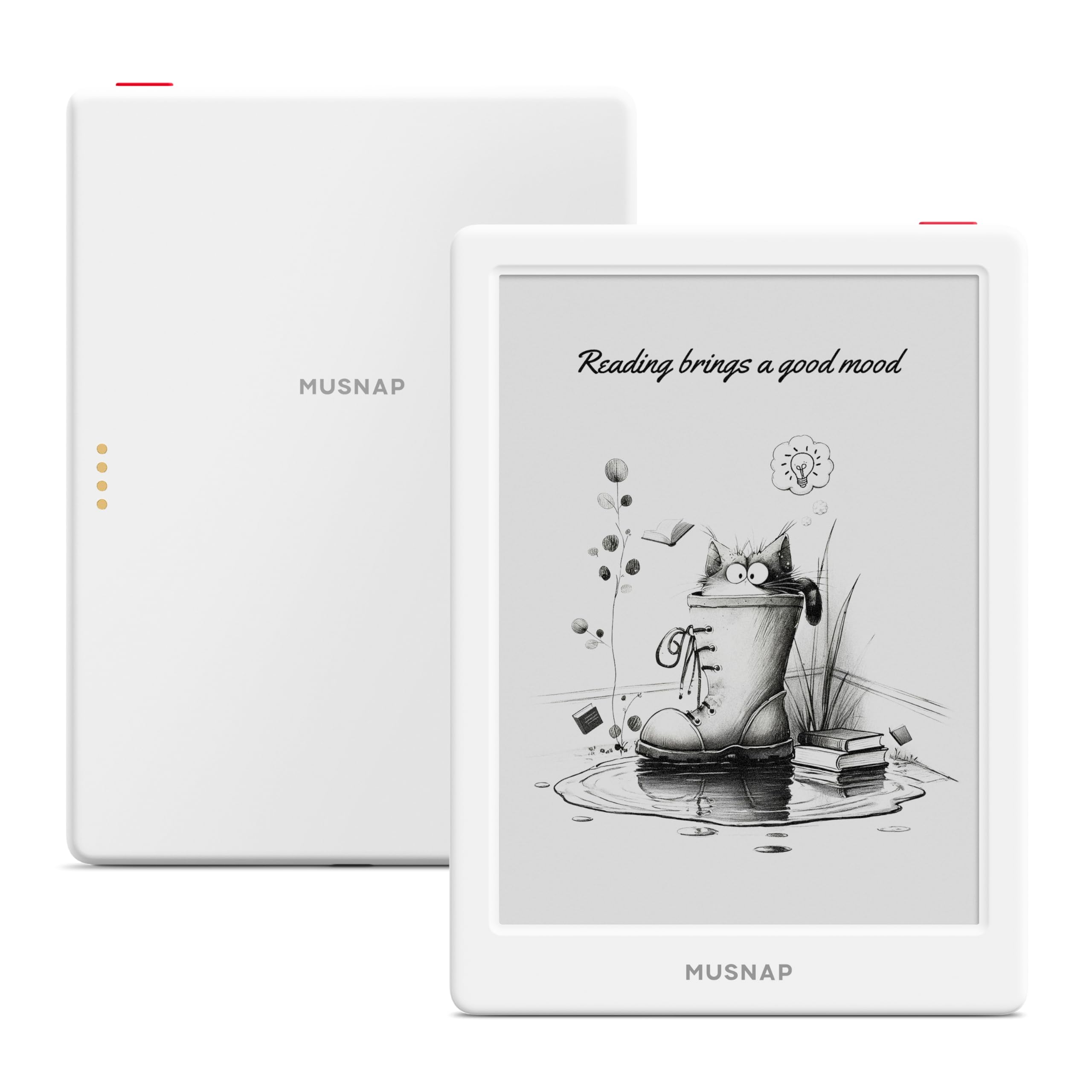
Sixty-four gigabytes straight from the start, no card needed — if the software holds together.
This is the no-card-slot answer to the storage question: a quad-core 2.0GHz processor with 2GB of RAM and 64GB of storage. The 6-inch E Ink panel runs at 300 ppi with adjustable brightness and colour temperature, which is sharp enough for comics, manga and magazines. Android and third-party apps mean you can add the reading app you already use, and there is a Bluetooth, Wi-Fi and USB trio for getting files across.
Buyers find the size and usability the most appealing parts — the 5.86-inch-wide body slips into a back pocket with a case and holds a 500-plus book library with room left. Format support is broad: EPUB, PDF, MOBI, AZW3, DOC and DOCX, plus JPG, PNG, MP3 and FLAC. A microSD slot is not listed, so 64GB is your ceiling.
The thing to weigh is reliability. Setup asks a little of you, Google Play is hidden inside the settings menu, and some customers note the device freezing on a blank screen after a reboot with no recovery path. It also needs an OpenMTP-style transfer tool for direct file moves on some computers, and direct Calibre transfers have been known to error out. Buy it for the storage, but buy it knowing the software is the risk, not the hardware.
Storage without a card: 64GB and 2GB of RAM is generous for a 6-inch reader, and the 300 ppi panel keeps text crisp.
The wobbly bit: no card slot and a software stack that has left some units stuck, so a return window matters here.
Matches you well if: you want big built-in storage and Android app freedom without shopping for a card.
Not the safest bet if: you want a device you never have to troubleshoot.
5. PocketBook Verse Pro Color

A 6-inch color page that also reads your books aloud.
The Verse Pro Color puts a 6-inch E Ink Kaleido 3 panel on a body that weighs 349 g and is IPX8 water-protected — up to 60 minutes in up to 2 metres of water, the same kind of protection the Clara BW carries. Bluetooth 5.4 and Text-to-Speech let you listen to audiobooks or have any text file read aloud. There is no card slot here, so the 16GB is what you get.
The hardware is what wins people over. The build is thin, pocketable and stylish enough that owners describe it as a solid replacement for a Kobo Libra, with clicky page buttons on the bottom bezel and landscape mode for right-handed reading. Color adds real value on maps and photos, and the SMARTlight lets you warm or cool the front light to taste. It also works without an account: no Wi-Fi registration needed, and drag-and-drop over USB handles DRM-free books.
Where it gets aggravating is the software. Touch response hangs, swipes sometimes land in the wrong place, an auto-shutdown after 10 minutes breaks cover-wake, and cloud sync has been unreliable for some. The color layer also sits darker than a black-and-white Carta screen, so you will run the front light more often. Install KOReader and the experience tightens up considerably — but this is a reader for someone willing to tinker.
Reasons it stands out
- IPX8 waterproofing plus Bluetooth 5.4 and Text-to-Speech in one slim body
- Kaleido 3 color for covers, maps and photos
- Works with no account needed and basic USB drag-and-drop
What you are accepting
- No memory card slot; 16GB is the limit
- Software needs KOReader or similar to feel polished
- Color screen reads darker than a mono Carta panel
Good match for: readers who want color, audiobooks and waterproofing in a pocketable body and do not mind setting up software.
Wrong turn if: you need a card slot or you want a polished interface the day it arrives.
6. Bigme B6 Color
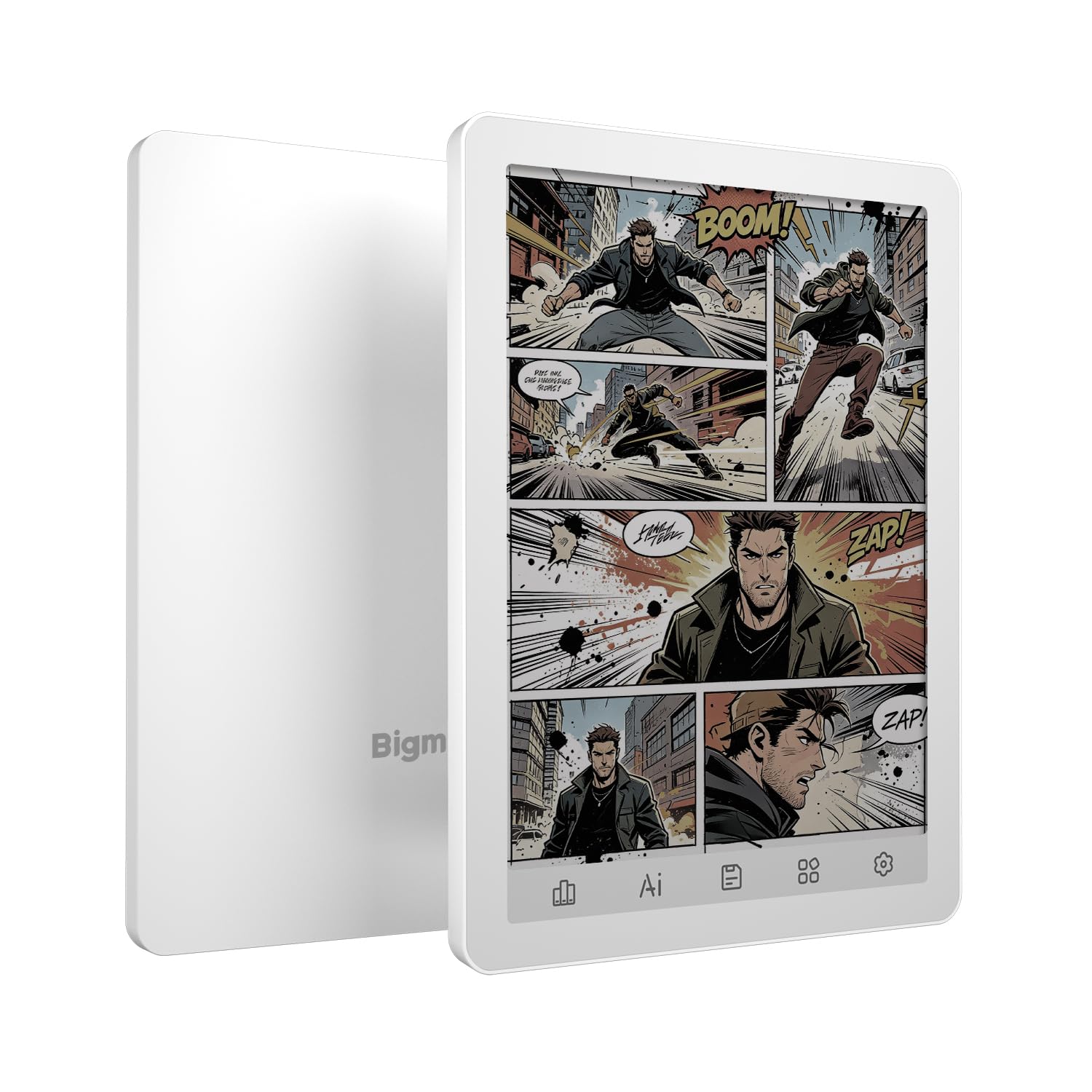
A genuinely pocketable color reader — at 170 g it disappears into a jacket pocket.
The B6 runs a 6-inch color E-paper display with Android 14, 64GB of storage and 2GB of RAM, and it weighs 170 g. That size and weight combination is the draw: it is smaller than most readers here, and owners who expected a bigger device still came away satisfied. A protective case is included in the box.
It is versatile in a way the closed readers are not. Multiple reading apps and formats work, Bluetooth and Wi-Fi are on board, and a Bluetooth page-turner paired without trouble. Manga, news apps and web browsing all function on the color screen, and the battery can stretch to 2-3 weeks at 1-2 hours a night when you keep the light low. There is no microSD slot listed, so 64GB is the ceiling.
Set expectations on speed and screen clarity. E Ink is slower than a phone, ghosting shows up on scrolls until a refresh clears it, and the color layer is less vibrant than a tablet. The backlight drains battery faster when you lean on it, and the warm/cool adjustment needs two sliders fiddled with to reach neutral white. A screen that glitched with no drop is the rare worst case — a case and careful handling go a long way.
Small and versatile: 170 g, Android 14 and 64GB make this the most pocket-friendly color reader in the group.
Expect E Ink pacing: slower than a phone, ghosting on scrolls, and light-on reading drains the battery faster.
Suits you if: you want color covers and manga in something that fits a coat pocket.
Not for you if: you expect tablet speed or the blackest, crispest text.
7. Kobo Libra Colour

The big-screen color Kobo that doubles as a notebook, and the most complete reader here.
Seven inches of Color E Ink Kaleido 3 with 32GB of storage, IPX8 waterproofing and 4 weeks of rated battery life. That is the hardware pitch, and it is the most polished version of it in this list. The 7-inch panel is big enough for comics and PDFs, while the 32GB holds up to 24,000 eBooks or 150 Kobo Audiobooks. Kobo Stylus 2 compatibility — sold separately — turns it into a notebook for color markups and highlights.
What owners keep coming back to is the whole package working together: page-turn buttons, left/right screen rotation and full font and margin control. It reads well in sunlight, feels light at 7.05 ounces, and handles Google Drive, OverDrive and Dropbox. Coming from a Kindle, the switch is mostly painless, and library borrowing through OverDrive is built in.
Here is the budget-defining caveat for this article: there is no SD slot. One owner listed it plainly alongside no NAS and no headphone jack. If a card slot is non-negotiable, the Meebook M8 or BOOX Go Color 7 Gen II are your picks instead. The other quirk is Bluetooth, which needs Wi-Fi on to work and drains battery fast, so a wireless page-turner is not a free upgrade. For everyone else, this is the strongest reader on the page.
Where it leads the pack
- 7″ Kaleido 3 color screen with page-turn buttons and rotation
- IPX8 waterproofing and 4 weeks of rated battery life
- 32GB holds up to 24,000 eBooks or 150 Kobo Audiobooks
The honest limitations
- No SD card slot and no headphone jack
- Bluetooth needs Wi-Fi on, which drains the battery
- Stylus sold separately for note-taking
Pick this one for: the best all-round color reading and note-taking experience, as long as built-in storage is enough.
Look past it if: a microSD slot is a hard requirement.
8. VIWOODS AiPaper Reader

Phone-sized, 138 grams, and preloaded with the reading apps you already subscribe to.
At 138 g and 6.7mm thick, this is the lightest reader in the group by a wide margin. The 6.13-inch Carta 1300 display runs at 300 PPI — sharp, glare-free and paper-like — and 128GB of storage means a card slot is simply unnecessary. A card tray eject tool ships in the box, which hints at the 4G connectivity option rather than extra storage.
What people love about it is the app freedom. Kindle, Libby and Kobo come preloaded, so your library follows you without converting anything. The Android base runs fast enough, the case is included, and one-handed reading on a train is exactly what the size is built for. The 20 levels of adjustable cool light handle dim rooms, though there is no warm light option to soften the glow at night.
The AI button is the divisive part. Long-press for voice input or short-press for text queries, and a screenshot Q&A feature will analyze whatever is on screen. Some owners find it useful; others find the placement awkward and switch it off. Battery life is the recurring gripe — expect days, not weeks, if you lean on brightness. At this price, weigh it against the Clara BW, which is heavier but lasts far longer between charges.
Built for a commute: 138 g and 128GB make this the easiest reader to carry and fill, and preloaded apps mean zero setup friction.
Charge it often: battery is the weak spot, and the cool-only light is a step behind the warm-light competition.
Fits you if: you want a phone-sized reader with every app already installed and storage you never fill.
Pass if: you need warm night lighting or a battery that runs for weeks.
9. BOOX Tablet Go Color 7 Gen II

A microSD slot, an octa-core chip and a 7-inch color page — the tinkerer’s pick of the bunch.
This is the other device that directly answers the card-slot brief. The port list includes a microSD card slot alongside USB-C, a built-in speaker and microphone, and page-turn buttons. The 7-inch Kaleido 3 panel shows 4096 colors with a 1680 x 1264 resolution split into a sharper black-and-white mode and a softer color mode. Android 13, 4GB of RAM and 64GB of storage, plus Wi-Fi and BT 5.1, complete the setup.
Owners describe it as an Android e-reader rather than a tablet — good for Kindle, Play Books, Libby and news apps, poor for video and games. The front light with CTM gives you warm and cold control, and the G-sensor handles auto rotation. Battery with aggressive power-saving settings stretches toward a weekly charge. It is a solid Kindle alternative that also pulls in Nook, Hoopla and AO3 fanfiction through the browser.
The awkward parts are real. There is no included stylus despite the InkSense support, wake-from-sleep is slow, ghosting needs manual or scheduled refresh, and night mode is on the weak side. Waterproofing is not part of the spec. For a card-slot reader that runs Android apps, though, the combination is hard to match — just budget for a stylus and a case.
The strongest case for it
- microSD card slot for expanding past the 64GB built in
- 7″ Kaleido 3 color screen with page-turn buttons and auto rotation
- Android 13 with Google Play for Kindle, Nook, Libby and Hoopla
Where it costs you
- Stylus sold separately and not included in the box
- Not waterproof, and ghosting needs manual refresh
- Slow wake from sleep and a learning curve for setup
Your tool if: you want a card slot, Android apps and a color screen in one device and enjoy fine-tuning settings.
Wrong pick if: you want bath-time waterproofing or a stylus in the box.
Know the Specs
Memory card slot vs built-in storage
A microSD or TF card slot lets you add storage without swapping the device, and the two are the same physical format. The PocketBook Verse accepts a card up to 128GB, while the Meebook M8 and BOOX Go Color 7 Gen II both list a microSD slot. Built-in storage like 64GB on the Neo or 128GB on the VIWOODS AiPaper removes the need for a card but caps how far you can grow.
Screen resolution and PPI
PPI means pixels per inch, and higher is sharper text. The Meebook M8, Neo and VIWOODS AiPaper all list 300 PPI, which keeps small type clean. Color Kaleido 3 panels split resolution between black-and-white and color layers, which is why they read softer and darker than a pure black-and-white Carta screen.
Front light and colour temperature
A front light shines across the page rather than into your eyes. Warm and cool adjustment lets you shift the tone, which matters for late-night reading. ComfortLight PRO on the Clara BW adjusts brightness, colour temperature and blue light; the VIWOODS AiPaper offers 20 levels of cool light only, with no warm option.
Waterproofing and battery ratings
IPX8 is a water-resistance score, and on the Kobo Clara BW, Kobo Libra Colour and PocketBook Verse Pro Color it means protection for up to 60 minutes in up to 2 metres of water. Battery claims differ widely: Kobo rates the Clara BW at 2 weeks and the Libra Colour at 4 weeks, while PocketBook rates the Verse at up to 1 month.
Common Questions
Which e-readers here actually have a memory card slot?
Is a TF card the same as a microSD card?
Can I read Kindle books on these devices?
Does a color E Ink screen make text harder to read?
How long does the battery really last between charges?
Can I take these readers in the bath or to the beach?
How do I sideload my own EPUB files onto a card-slot reader?
Do I need a stylus for note-taking?
Why do some readers feel slower than a phone?
Which reader is best for borrowing library books?
The Bottom Line
For most readers, the e-reader with sd card slot question has two answers depending on how strictly you need that slot. If you want the most reliable everyday reader with waterproofing and a bright 6-inch Carta screen, the Kobo Clara BW is the one to buy — the crowd favorite at 4.5+ stars across 600+ ratings, and still the simplest choice in this lineup.
If a microSD slot is genuinely your reason for shopping, grab the Meebook M8 for its 1TB TF expansion and Android 14 app support. And if you want a card slot plus a color screen and note-taking tools, the BOOX Go Color 7 Gen II is the most flexible option on the page.
One last nudge: the Kobo Libra Colour is the most complete reader here for color and note-taking, and it has the higher score of the two Kobo models, but it has no card slot — so if storage freedom matters more than polish, start with the Meebook M8 instead.
How we choose
We do not accept paid placement. Every pick is matched to a real buyer and a real use-case; we do not hands-on test units.
Sources
Specifications: manufacturer listings and product documentation. Review insights: verified customer reviews, as of October 2026. Pricing: not shown on this page (it changes often); check the current price via the retailer link.
As an Amazon Associate, Aappliancez earns from qualifying purchases. This does not affect which products we feature.