Disclosure: Some links in this post are affiliate links. As an Amazon Associate I earn from qualifying purchases, at no extra cost to you. Learn more
Specs are compiled from manufacturer listings and verified buyer reviews and can change over time — please confirm the key details on the product page before buying.
If you want the shortest answer: buy the Kindle Paperwhite if you mostly read novels, and buy a color model only if comics, PDFs, or note-taking are part of your day. The single biggest mistake people make in this category is paying extra for a color screen when they only read text — color E Ink looks softer and dimmer than the black-and-white kind, so it is money spent on a feature you will not look at.
This guide is built by comparing the manufacturers’ published specifications and the patterns across verified customer reviews, so you get each pick’s real strengths and trade-offs instead of marketing spin.
Below you will find the specs that actually change how a reader feels in your hand, from screen size and storage to waterproofing and stylus support. Every pick here is a real, current model with its honest trade-off spelled out, so you can choose the right E-Ink Reader in one pass.
Top Picks


How To Choose The Best E-Ink Reader
An e-reader is not a tablet, and the moment you accept that, the shopping gets simple. You are buying a screen that reflects light like paper instead of firing light into your eyes, and everything else — size, storage, waterproofing — is a detail you tune to your own habits.
Screen size decides what you can read comfortably
A 6-inch display is the pocket-and-purse size, and it is the one most people should start with for novels. A 7-inch screen gives you a little more text per page and still fits a coat pocket. A 10.3-inch panel is the size that shows a full PDF page or a comic spread without pinching and zooming, but it turns the device into something you carry in a bag rather than a pocket.
Black-and-white versus color E Ink
Black-and-white Carta screens give you the sharpest text and the brightest white background. Color E Ink adds a filter layer over that same panel, so covers, comics, and highlighted notes show up in color — but the background turns grayer and the contrast drops. If you read novels, plain Carta wins. If you annotate PDFs or read graphic novels, the color layer earns its keep.
Waterproofing and where you read
An IPX8 rating means the device is built to survive being submerged in water, and it is the difference between reading in the bath without a second thought and holding the thing over the dry edge of the tub. Several picks here carry it; the ones that do not are best kept away from splashes.
Side-by-Side Comparison
| Model | Best For | Screen | Storage | Battery | Amazon |
|---|---|---|---|---|---|
| Kindle Paperwhite 16GB★ Best Overall | Most readers | 7″ glare-free | 16 GB | Up to 12 weeks | Amazon |
| PocketBook VerseBest for File Freedom | File-format freedom | 6″ E-Ink Carta HD | 8 GB + card slot | Up to 1 month | Amazon |
| Kindle 16GBPocket Pick | Pocket portability | 6″ glare-free | 16 GB | Up to 6 weeks | Amazon |
| PocketBook Verse Pro Color | Color on a budget | 6″ Kaleido 3 color | 16 GB | — | Amazon |
| Kindle Paperwhite Signature Edition | Auto-light and wireless charging | 7″ glare-free | 32 GB | Up to 12 weeks | Amazon |
| Kobo Libra Colour | Color plus page buttons | 7″ Kaleido 3 color | 32 GB | 4 weeks | Amazon |
| BOOX Go Color 7 Gen II | Android app freedom | 7″ Kaleido 3, 300 ppi B/W | 64 GB + card slot | — | Amazon |
| PocketBook InkPad Color 3 | Large-screen color comics | 7.8″ color E-paper | 32 GB | Up to 1 month | Amazon |
| Kobo Elipsa 2E | Big-page PDFs and notes | 10.3″ Carta 1200 | 32 GB | Up to weeks | Amazon |
Detailed Reviews
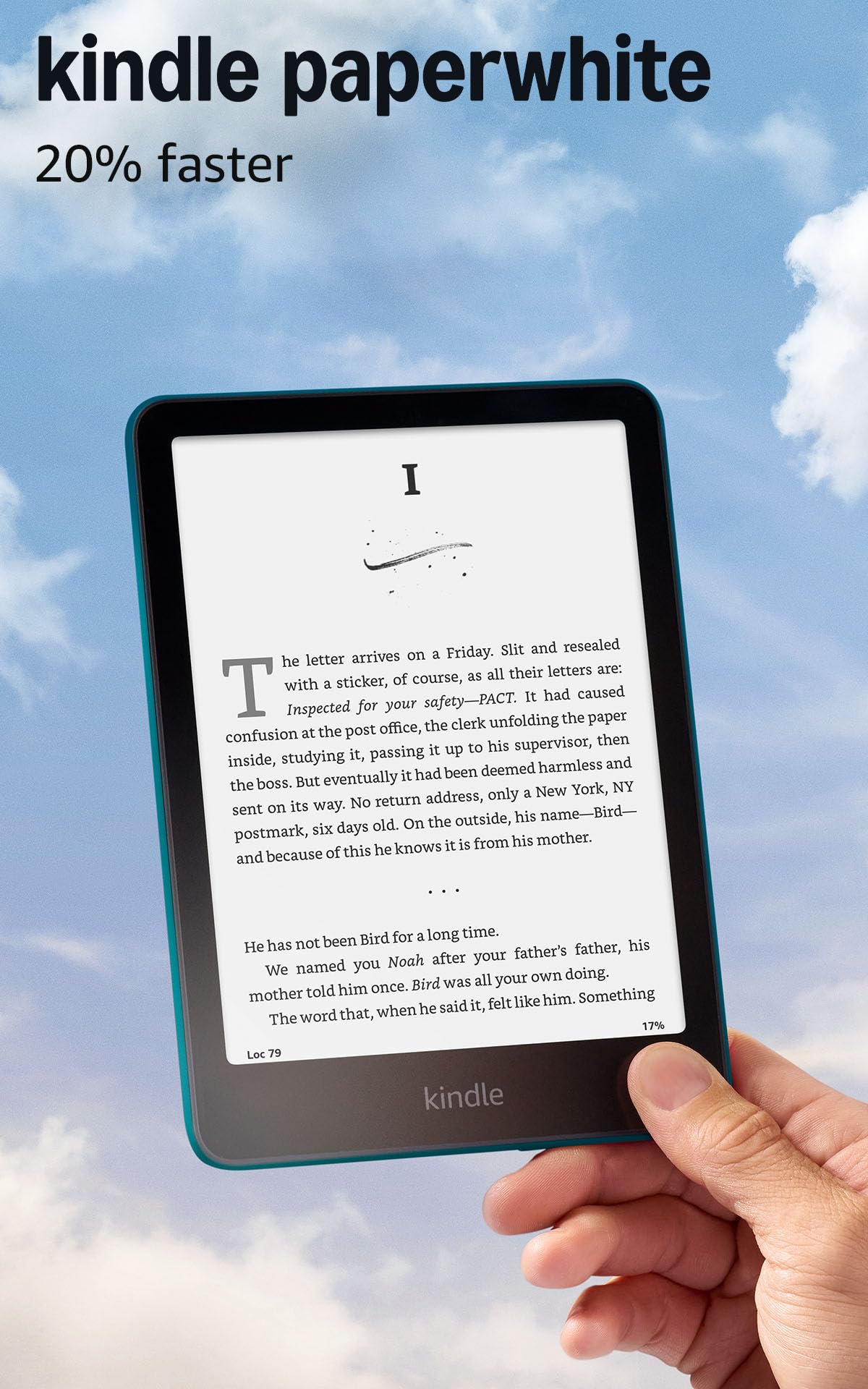
1. Amazon Kindle Paperwhite 16GB (2024 model)
Our pick — 4.5+★ from 23,500+ verified ratings; the strongest balance of quality and price.
The 7-inch screen that made the dedicated e-reader worth carrying again.
The number that decides this pick is 7 inches — the diagonal of the glare-free display, which gives you roughly a paperback’s worth of text per page while still slipping into a coat pocket. Amazon pairs that panel with up to 12 weeks of battery from a single USB-C charge, so a two-week holiday does not require you to pack the cable. That is twice the 6-week figure the standard Kindle quotes, which matters if you read every night and hate hunting for an outlet.
Owners praise how it disappears in the hand — light enough for a long one-handed stretch, with a white-to-amber light that keeps late chapters off the whole bedroom. Parents reading one-handed during night feeds single out the amber light for not waking a sleeping partner. As owners put it, the battery “lasts 3–4 weeks casual use,” which lines up with the marathon reading the spec sheet promises.
The honest catch is the shopping ecosystem: you are inside Amazon’s store, and apps like Libby are not installable, so library borrows have to be sent over from your phone. It is also ad-supported on the lock screen unless you pay to remove them. Neither hurts the reading, but it does shape where your books come from.
What earns the top spot
- 7-inch glare-free screen reads clearly in direct sun
- Up to 12 weeks per charge via USB-C
- Waterproof enough for the bath or poolside
- Adjustable white-to-amber light for night reading
Where it holds you back
- Lock-screen ads unless you pay to remove them
- No app support, so library loans come via your phone
- Occasional page-turn lag under heavy use
Reach for this if: you read novels most nights and want the best all-round mix of screen, battery, and waterproofing.
Look elsewhere if: your library lives in Libby or you need to annotate PDFs — a Kobo or BOOX handles those better.
2. PocketBook Verse E-Reader
No account, no store, no conversion — just drop your own books in and read.
Most people in this category get locked into one bookstore without noticing. The Verse is built the other way: it opens EPUB, FB2, DOC, DJVU, PDF, JPEG, CBR, and CBZ — 25 formats in total — so you never sit converting files before a trip. It also has a memory card slot that takes up to 128GB, which is the feature no Kindle in this list offers at any size.
The screen is a 6-inch E-Ink Carta HD touch panel, and the body weighs 182 g, so it sits in a hand like a slim paperback. A full charge is quoted at up to a month of reading, and the battery claim holds up in practice — readers report roughly 600 pages turned with more than 50% still showing. The SMARTlight lets you shift brightness and color temperature together, and the mechanical buttons under the screen mean you can turn pages without touching the glass.
The trade-off is speed. Boot takes around 15–20 seconds before a book opens, and scrolling through the library is sluggish next to a Kindle. Cloud sync has its grumpy moments too. None of it disrupts actual reading, but if a snappy interface is what keeps you picking the device up, this one asks for patience.
The format argument: if your library is a folder of EPUBs and PDFs rather than a store account, this reader removes every obstacle between you and the first page.
Temper the pace: menus and boots are slow, so treat it as a book, not a device — open it once, read for an hour, close it.
Suits the DRM-free collector: a memory card slot and 25 supported formats make it the most flexible budget reader on this list.
Not for you if: you want instant app-like responsiveness — the slow library scroll will test you.
3. Amazon Kindle 16GB (2024 model)
The one that vanishes into a coat pocket and still holds thousands of books.
If you want the reader you forget you are carrying, this is the shape to look at. The 6-inch display keeps the whole device small enough to slip into a pocket or a small purse, and at 16 GB of storage it takes thousands of books without you ever managing space. The front light is quoted as now 25% brighter at its max setting than before, and dark mode lets you flip the text light-on-dark for night reading.
Battery here is quoted at up to 6 weeks per charge, half the 12 weeks the Paperwhite above claims. That is still weeks of nightly reading, and the smaller body means a lighter hold when you read one-handed in bed. Size is the most-praised feature in this model’s reviews, with owners singling out how well the 6-inch body fits small hands and pockets. The soft Matcha color option draws its own following.
What you give up is the bigger 7-inch screen and the waterproofing — this model does not carry an IPX8 rating, so keep it off the wet edge of the bath. Budget e-readers also tend to ghost a little, meaning a faint shadow of the last page lingers after a fast flip. It fades on its own, but it is there.
Why it fits a first-timer: the small footprint and simple interface make it an easy entry point into dedicated reading, and the price tier is the friendliest of the Kindles here.
Go with it if: portability outweighs every other spec and you read mostly in bed or on the move.
Think twice if: you read in the bath — there is no waterproof rating here, and a splash is the end of the session.
4. PocketBook Verse Pro Color

Color covers and Bluetooth audio squeezed into a 6-inch pocket frame.
This is the smallest color reader here, and that is its whole pitch. The 6-inch Kaleido 3 panel shows covers, maps, and highlighted notes in color, and the body is thin enough to behave like a paperback in one hand. It carries an IPX8 waterproofing rating, which means it survives a dunk in up to 2 meters of water for 60 minutes — the practical version of reading in the bath without flinching.
Audio is the other reason to pick it over a plain Kindle. Bluetooth 5.4 pairs headphones, and Text-to-Speech reads any supported text file aloud, so a long commute turns a book into a listen. The SMARTlight lets you warm up the color tone at night. Owners rate the build and the Kaleido 3 color layer above the software, which draws the complaints.
The catch is the software. The touch layer hangs now and then, sleep drains the battery faster than it should, and the color filter makes the page softer and dimmer than a black-and-white Carta screen, so you will lean on the front light more. It rewards someone willing to tinker with settings and third-party reading apps; it frustrates someone who just wants a page to turn the instant they tap.
For the tinkerer who reads color: sideloading over USB works without any account, and the customization runs deep.
Know what you are trading: color costs contrast — the same page looks grayer here than on a Carta screen, which is a quirk of the technology, not a fault.
Pick it for: a pocketable color reader you can side-load books onto and pair with headphones for audio.
Skip it for: an experience where every tap lands immediately — the touch layer and sleep drain ask for patience.
5. Amazon Kindle Paperwhite Signature Edition 32GB (2024 model)
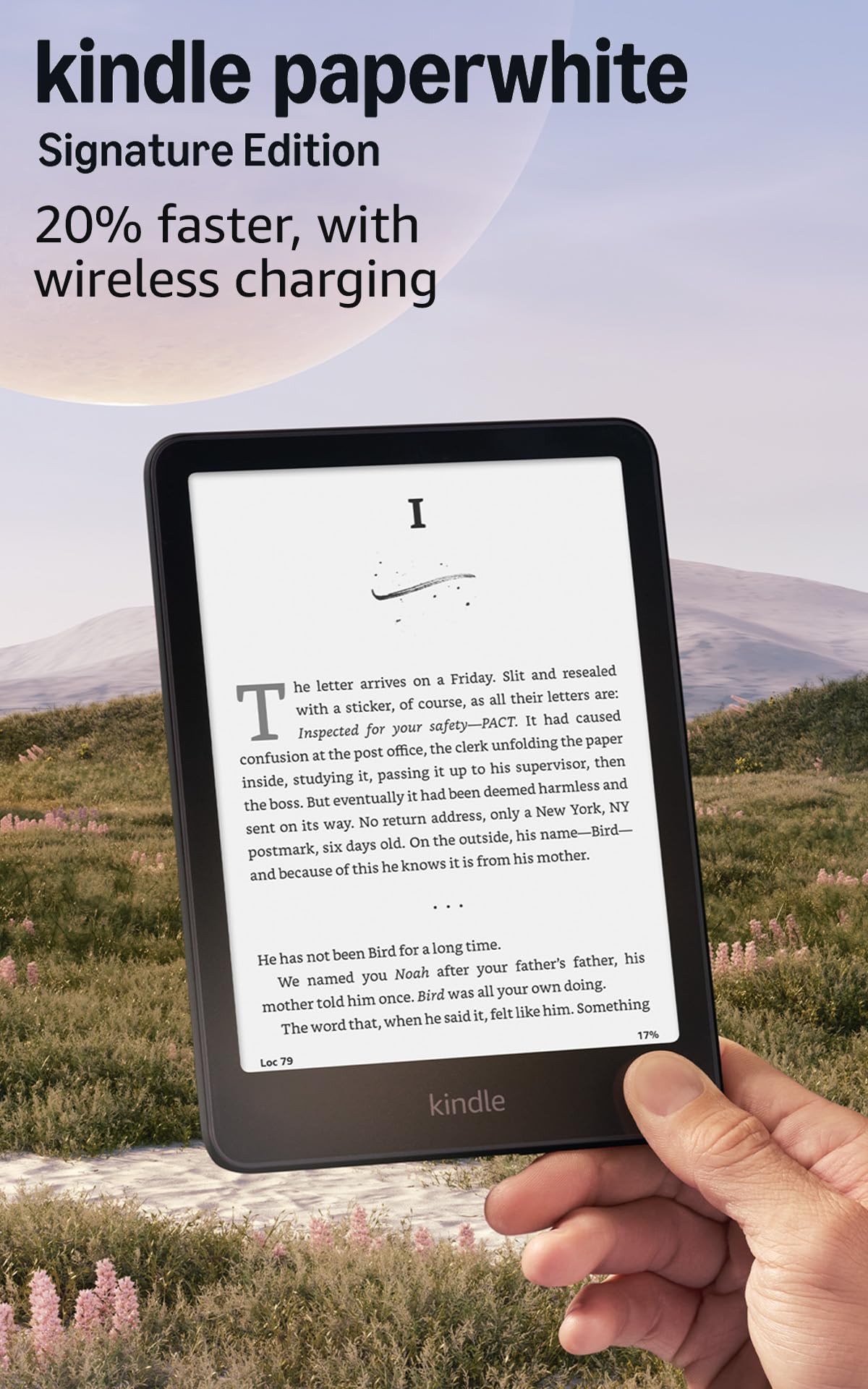
The Paperwhite with the front light that adjusts itself and a charging dock that skips the cable.
Two things push this above the standard Paperwhite: an auto-adjusting front light that reads the room and dims or warms itself, and a wireless charging option that drops onto a dock instead of a cord. You also get 32 GB of storage, double the 16 GB of the base Paperwhite, which matters if you keep audiobooks or a large image-heavy library. The 7-inch panel carries over, now with 25% faster page turns and a higher contrast ratio.
Battery is quoted at up to 12 weeks on a USB-C charge, and turning off the radios stretches it further — one reader reported the battery still around 60% since late July with airplane mode on. The screen is glare-free and readable in direct sun, and the auto light means you do not fiddle with brightness as the sun sets. Owners credit the daily reading feel: the auto light warms and cools on its own, and the faster page turns make it a device you reach for without thinking.
The one honest note is that the interface still takes a beat to navigate, and at this tier you are paying extra for wireless charging and the auto light rather than a bigger page. It is not a tablet either — no notifications, no social feeds, which is exactly the point.
Why it climbs past the base Paperwhite
- 32 GB stores your whole library plus audiobooks
- Auto-adjusting light tracks the room for you
- Up to 12 weeks per USB-C charge, or use a wireless dock
- Waterproof and glare-free for outdoor reading
The fine print
- Same 7-inch screen you can get on a cheaper Kindle
- No speakers, so audio runs through your phone app
- Navigation menus take a moment to respond
Worth it for: the reader who wants to set the light once and forget about it, with storage that never fills.
Pay less if: wireless charging and auto light do not tempt you — the base Paperwhite gives the same screen for less.
6. Kobo Libra Colour eReader

Color covers, physical page buttons, and a screen that turns for left or right-hand reading.
The 7-inch Kaleido 3 display brings book covers, comics, and colored highlights to life, and unlike the Kindle models here it adds physical page-turn buttons and a screen that rotates left or right so you can hold it in whichever hand is free. It is rated IPX8 waterproof, so it is built for the bath and the pool deck. Storage is 32 GB, enough for up to 24,000 eBooks or about 150 Kobo audiobooks, and the battery is quoted at 4 weeks.
There is a note-taking side here the Kindles do not match: with the Kobo Stylus 2 (sold separately) you can annotate and highlight in color, which turns it into a rough journal as well as a reader. Library borrowing is built in through OverDrive, and Pocket pulls saved news articles in over Wi-Fi. Owners praise the combination of physical page buttons, the color layer, and built-in OverDrive library borrowing.
The color trade-off is real: the background is grayer than a black-and-white screen, and the brightness takes some adjusting to feel comfortable. Bluetooth also needs Wi-Fi switched on to run, which saps battery if you leave it live. Think of it as a color reader for someone who wants buttons and library access, not a text-only purist.
The library angle: OverDrive built in means borrowed eBooks land on the device without a trip through your phone.
Set expectations on color: the Kaleido layer dulls the white background, so text looks softer than on a Carta Kindle — bright light settings fix most of it.
Best fit for: readers who love physical buttons, borrow from the library, and want a splash of color on covers and notes.
Less ideal if: you want maximum text contrast and never touch a stylus — a black-and-white Kindle is sharper.
7. BOOX Tablet Go Color 7 Gen II

A full Android tablet under an E Ink glass — the reader that runs any reading app you own.
This is the pick for someone who refuses to be tied to one store. It runs Android 13 on an octa-core chip with 4 GB of RAM and 64 GB of ROM, so you can install the Kindle app, Google Play Books, Libby, and news apps side by side. The 7-inch Kaleido 3 panel shows 4096 colors and resolves 1680 x 1264, with 300 ppi in black-and-white and 150 ppi in color — sharp enough for text, softer for pictures. A microSD slot, a headphone jack via USB-C, and a built-in speaker add the parts a plain reader skips.
Owners praise the paper-like screen with warm, white, or no front light, plus customizable page-turn buttons, rotation, and tap zones. You can annotate PDFs and take notes with an active stylus, though the InkSense stylus is not included in the box. It also adds a 2,300 mAh battery and a G-sensor for auto-rotation.
The honest limit is that it is not a tablet for video or games — the refresh rate is slow and the chip is low-power, so colors look muted and scrolling is not smooth. Wake-from-sleep is slow, and the screen is not waterproof at this tier. Treat it as a multi-app reader, not a replacement for an iPad.
Made for app-hoppers: if you read across Kindle, Libby, and PDFs in one day, this is the only pick that runs them all.
Know the catch: it is not waterproof and not a video tablet — the color E Ink refresh is deliberately slow.
8. PocketBook InkPad Color 3

The large-format color screen for comics and magazines — with audio and waterproofing built in.
Where the 6-inch readers feel like paperbacks, this one is a slightly oversized 7.8-inch color E Ink panel. It carries 32 GB of storage for your library plus a slot for expansion, an IPX8 water-resistant build, and a battery quoted at up to a month per charge. The built-in speaker and Bluetooth pair with headphones, and Text-to-Speech reads supported files aloud in multiple languages.
This is the model for someone who reads comics and magazines rather than plain novels. The larger screen fits a full spread better than any 6-inch panel in this list, and the color layer makes covers and illustrated pages look truer, though never LCD-vivid. Readers who sideload with Calibre describe it as easy to manage, and front buttons plus configurable tap areas mean you can turn pages without aiming at glass.
Two honest notes. The page turn and menu responsiveness is slower than the Kindle rivals here, so expect a deliberate pace. And the 7.8-inch size sits in a slightly awkward middle — too large to slip into a pocket for novels, too small to show a full comic page without occasional zooming. If that balance fits your reading, it holds up well; if not, it will feel like a compromise.
The comics reader: the combination of 7.8-inch color, IPX8, and a month of battery makes it the most travel-ready illustrated-book reader here.
A deliberate device: software and refresh run slower than the Kindle ecosystem, so it suits a patient reader over a snappy tapper.
Made for: comic and magazine readers who want color on a bigger page, with audio and splash protection built in.
Not the sharpest choice if: you read plain novels and want the fastest page turns — this one trades speed for screen size.
9. Kobo Elipsa 2E

A full PDF page in the palm of your hand, plus a stylus to mark it up.
The 10.3-inch E Ink Carta 1200 touchscreen is the biggest panel in this whole list, and it changes what you can read: a full PDF page or a document fits without zooming or scrolling. ComfortLight PRO adjusts brightness and color temperature, so the page stays glare-free in sun or at night. Storage is 32 GB — up to 24,000 eBooks — and the battery is quoted in weeks rather than days. The Kobo Stylus 2 is bundled in the box, and it charges its own battery.
Marking up documents is the point. You can write directly on eBooks and PDFs, highlight in the margins, and keep your annotations visible even when you change the font size. Owners who write heavily rate the build quality and light weight, and the note toolbox handles business-style documents well. The large screen also suits anyone who reads textbooks or two-column papers on a device.
Two honest caveats. The writing and page changes can lag a beat behind rivals, and the interface takes learning, so expect a deliberate pace rather than a snappy one. It is also the priciest pick here, with the screen surface warranting care; a screen protector is worth the extra. If your reading is mostly single-page novels, the big panel is more device than you need.
What the big screen buys you
- 10.3-inch Carta 1200 screen shows full PDF pages without zoom
- Kobo Stylus 2 included for marking up and note-taking
- 32 GB holds up to 24,000 eBooks
- ComfortLight PRO adjusts both brightness and color temperature
The trade-offs
- Writing and page changes run slower than rivals
- Feels oversized for plain single-page novels
- Largest screen here means the highest premium of the bunch
Best for: students, note-takers, and PDF readers who need a full page and a stylus in one device.
Overkill if: you read plain novels and never write in the margins — a 7-inch reader is lighter and sharper.
Know the Specs
Screen size in inches
The diagonal measurement of the display. A 6-inch panel fits a coat pocket and reads like a paperback; a 7-inch panel carries more text per page; a 10.3-inch panel shows a full PDF without zooming. The bigger the screen, the less pocketable the reader becomes, so pick the size that matches how you carry it.
Carta versus Kaleido color
Carta is the black-and-white E Ink used for sharp text on a bright background. Kaleido adds a color filter on top, which shows covers and comics in color but makes the page background grayer and the contrast softer. Neither is defective — it is the cost of color on an electronic ink screen.
Storage in GB
Storage is measured in gigabytes, and the numbers here run 8 GB with expansion up to 128 GB, 16 GB, 32 GB, and 64 GB. Books are small files; comics, PDFs, and audiobooks are not. If you read text only, 8 GB is a lot of books. If you keep illustrated pages or audio, buy the larger tier.
IPX8 waterproofing
IPX8 is a water-resistance rating that means the device is built to survive being submerged. The Kobo Libra Colour, for example, is quoted at up to 60 minutes in up to 2 meters of water. It is the difference between reading in the bath and reading next to it, and not every reader here carries the rating.
Battery in weeks and months
Reader battery is usually quoted in weeks or months rather than hours, because the screen only draws power when the page changes. Quoted figures here run from 6 weeks to 12 weeks and up to a month, though your own use with front light and Wi-Fi will shift the number. It is still weeks between charges.
Page-turn buttons and stylus support
Buttons let you turn pages without touching the glass, and some readers rotate the screen for left or right-hand use. Stylus support turns an e-reader into a notebook for marking up PDFs. The Kobo Elipsa 2E bundles its stylus; the BOOX Go Color 7 Gen II supports one but does not include it.
Common Questions
Is a color E Ink reader worth it over black-and-white?
Can I read library books on these readers?
Do I need a stylus to take notes on an e-reader?
Will my e-reader survive the bath or the pool?
How much storage do I actually need for eBooks?
Can these readers open my own EPUB files?
Does a bigger screen make PDFs easier to read?
Why does the page flash black when it refreshes?
Do i need Wi-Fi or an account to read?
Can I listen to audiobooks on an e-reader?
The Bottom Line
For most people, the best e-ink reader is the Kindle Paperwhite because its 7-inch glare-free screen, up to 12 weeks of battery, and waterproof build cover the way most of us actually read — a chapter in bed, a few pages on a train, the odd long bath. It is the version of the category that gets out of the way and just turns pages.
If your library is a folder of EPUBs you refuse to convert, the PocketBook Verse is the one to reach for, with 25 formats and a card slot that stretches storage to 128 GB. And if comics, color, and a stylus are the reason you want an e-reader at all, the Kobo Libra Colour gives you color covers and physical page buttons with library borrowing built in.
Do not overthink the tier. The base Paperwhite gives you the same 7-inch screen the Signature Edition carries, so if auto light and wireless charging do not call to you, save the difference and put it toward books.
How we choose
We do not accept paid placement. Every pick is matched to a real buyer and a real use-case; we do not hands-on test units.
Sources
Specifications: manufacturer listings and product documentation. Review insights: verified customer reviews, as of October 2026. Pricing: not shown on this page (it changes often); check the current price via the retailer link.
As an Amazon Associate, Aappliancez earns from qualifying purchases. This does not affect which products we feature.