Disclosure: Some links in this post are affiliate links. As an Amazon Associate I earn from qualifying purchases, at no extra cost to you. Learn more
Specs are compiled from manufacturer listings and verified buyer reviews and can change over time — please confirm the key details on the product page before buying.
You want a frame that hangs on the wall like a printed photograph and never glows in a dark bedroom. An e-ink picture frame does that. The ones worth buying balance a paper-like screen against software that does not fight you. The catch: color e-paper is still young. Colors are flatter than a backlit screen. Some frames here lean on Wi-Fi apps, while others need a laptop and a little patience. This guide separates the genuinely usable frames from the ones that only make sense for a tinkerer.
This guide is built by comparing the manufacturers’ published specifications and the patterns across verified customer reviews, so you get each pick’s real strengths and trade-offs instead of marketing spin.
Some shoppers want a gift-ready frame that grandparents can run in one minute, while others want the calm, no-glare look of a true electronic ink panel. Below you will find the e-ink picture frame picks that actually earn their spot.
Top Picks


How To Choose The Best E-Ink Picture Frame
Picture frames are not a spec race, and e-ink frames are the clearest example of that. The screen only changes when you tell it to, so the numbers that matter most are about the panel and the software behind it. How sharp are the dots? How many colors can the panel mix? Is the app friendly enough that your family will actually use it? Get those right and the frame disappears into your home. Get them wrong and it becomes a gadget that sits in a drawer.
Start With How The Screen Is Lit
The biggest fork in the road is whether the display makes its own light. An e-ink frame does not — it reflects the light already in the room, the same way a printed page does. That means no glow at night, no glare across the glass, and almost zero power draw while the image sits still. A backlit digital frame glows constantly and needs a cord running to a wall outlet. If you want the frame on a bedside table or in a hallway without an outlet nearby, e-ink is the only choice that works without visible wiring.
Check The Resolution Against The Screen Size
Resolution is the count of pixels (the tiny dots that build an image) across the panel, and on e-ink it is more forgiving than on a phone because of the paper-like texture. A 15.6-inch panel driven by 1920×1080 pixels stays sharp because the dots are small relative to the size of the screen. A small 7.3-inch panel at 800×480 pixels packs fewer dots into a smaller area, so fine detail gets grainy. Buyers who want to view family photos of faces and scenery should favor the larger, denser panels and stand further back from the smaller ones.
Decide How Photos Get Onto The Frame
There are three common routes. Wi-Fi and an app lets a relative in another city send a photo in seconds — that is the whole point for most families. A USB drive or SD card works with no network at all, which is a lifesaver in a home with no reliable Wi-Fi. And a full manual route — converting images on a computer and loading them one at a time — is the price you pay for the most customizable frames. Match the route to the least technical person who will use the frame, because they are the one who has to keep it running.
Side-by-Side Comparison
| Model | Best For | Display Size | Resolution | Power Source | Amazon |
|---|---|---|---|---|---|
| Aura Digital HD Picture Frame (12″ – Aspen White Mat)★ Best Overall | Best all-round gift with one-minute setup | 10.1 inches | 1080p | Corded Electric | Amazon |
| Aura Digital HD Picture Frame (10″ – Black Stone)Best for Sharing | Family sharing on a compact frame | 10.1 inches | WXGA | Corded Electric | Amazon |
| Frameo 15.6″ Digital Picture Frame WiFiBig Screen Value | Big-screen sharing on a friendly budget | 15.6 inches | 1080p | Corded Electric | Amazon |
| Waveshare 7.3inch ACeP 7-Color E-Paper | Makers who want true e-paper color | 7.3 inches | 800 x 480 | Battery Powered | Amazon |
| 64GB Frameo 15.6″ Digital Picture Frame WiFi | Large library without cloud limits | 15.6 inches | 1920×1080 | Corded Electric | Amazon |
| Aura Digital HD Picture Frame (10″ – Carver Black) | Premium gift-ready presentation | 10.1 inches | WXGA | Corded Electric | Amazon |
| ARZOPA Metal Digital Picture Frame 14 Inch | Decor-first cloud sharing | 14 inches | FHD 1920*1200P | Corded Electric | Amazon |
| SMARTWIZ+ Art E Ink Art Frame | Wireless art display on a desk | 7.3 inches | 800×480 | Battery Powered | Amazon |
| SwitchBot AI Art Frame 13.3” | Cord-free wall art in a bright room | 13.3 inches | — | 2000mAh rechargeable battery | Amazon |
Detailed Reviews
1. Aura Digital HD Picture Frame (12″ – Aspen White Mat)
Our pick — 4.5+★ from 13,500+ verified ratings; the strongest balance of quality and price.
The frame that made everyone in the family stop asking how it works.
If the person you are buying for wants zero fuss, this is the one to start with. Setup takes about a minute — you connect to Wi-Fi and add photos, and that is genuinely the whole job — which is why the crowd favorite status here is earned: 4.5+ stars across 13,000+ owners. The display is a 10.1-inch 1080p panel, meaning it packs 1080 lines of pixels top to bottom, so faces and scenery land sharp rather than fuzzy. It is also a touchscreen, so you can scroll and adjust without hunting for the app.
Storage is where Aura separates itself. There is no subscription fee, and the free Aura app lets you add unlimited photos and videos through the app, email, text, iCloud, or Google Photos. Anyone you invite can send pictures from anywhere, and kids and grandchildren can push new shots straight to grandma’s frame from their own phones. The frame also handles iOS Live Photos, clips up to 30 seconds of video with sound, and mirroring from a Windows PC. Portrait pairing, adjustable slideshow speed, and automatic on/off round out the everyday features, and the HD panel adjusts itself to the lighting in the room so it stays comfortable to look at.
The honest trade-offs are well known on the review pages. The frame is landscape-only, so vertical photos cannot stand upright, and the power cord means you cannot wall-mount it. Bulk uploads can be awkward — email attachments are limited and there is no drag-and-drop web page — so moving an old photo library over takes some patience. The stand is solid cast aluminum and zinc, but slotting the frame into it takes a firm hand. On top of that, a few long-term owners have had the frame go blank after a couple of years, and the fix usually arrives through the company’s responsive support rather than a swap at the store.
What makes it the safe pick
- One-minute Wi-Fi setup that non-technical relatives can finish alone.
- 10.1-inch 1080p display calibrated for color and tuned to the room’s light.
- No subscription — unlimited photos and videos through the free app, email, text, iCloud, or Google Photos.
- Invited family members can send photos and videos from anywhere.
Where it makes you compromise
- Landscape orientation only — vertical shots cannot be displayed upright.
- Corded power rules out wall mounting.
- Bulk library imports are clumsy: email caps attachments and there is no drag-and-drop web uploader.
- Requires Aura’s cloud to keep working; offline storage is not offered.
Buy it for: the parent, grandparent, or partner who wants a beautiful frame running smoothly by tonight.
Think twice if: you need a cord-free wall hanging or you want to load thousands of old photos in one pass.
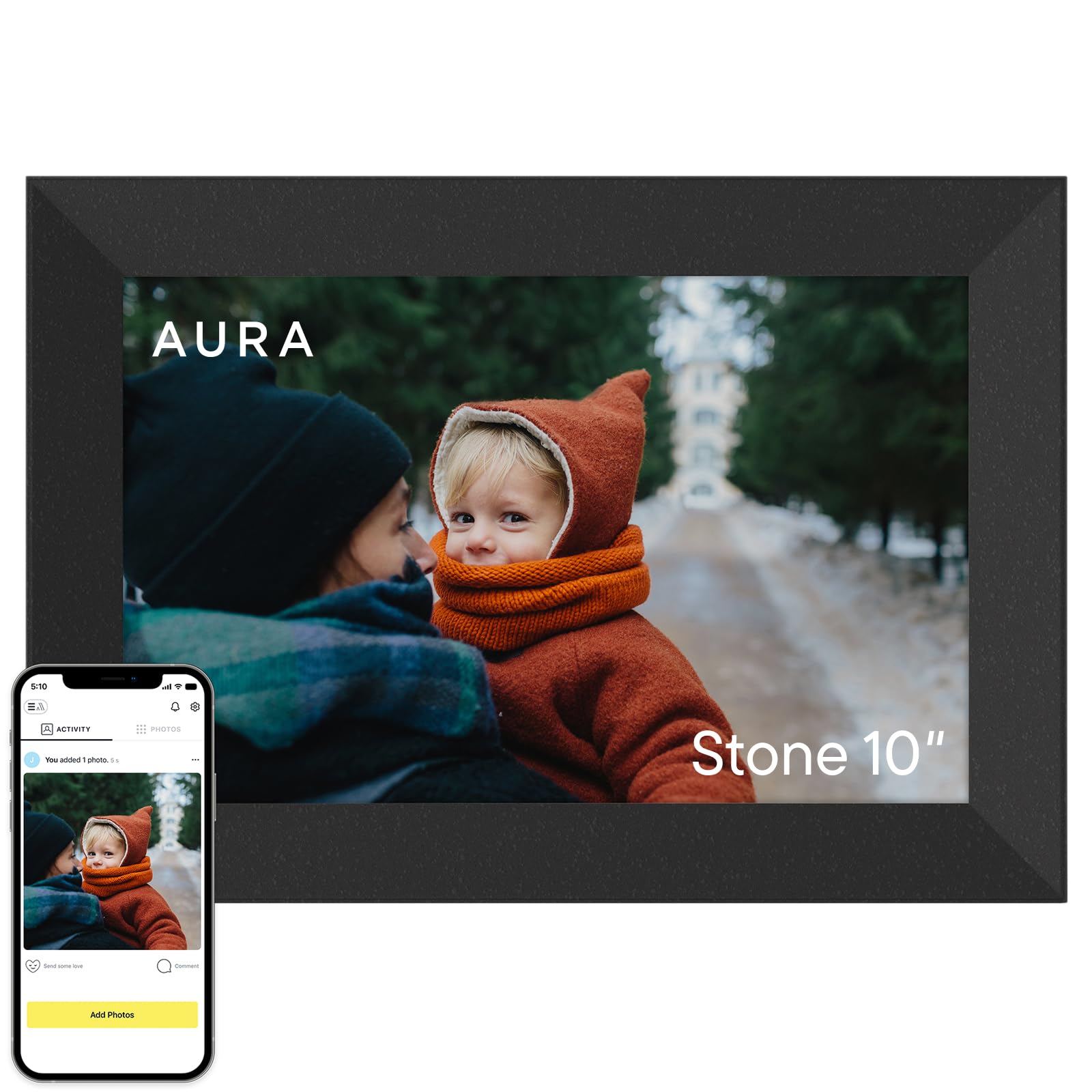
2. Aura Digital HD Picture Frame (10″ – Black Stone)
Same app, same software, dressed in a matte black finish that disappears into a dark shelf.
You get the same free app, the same unlimited storage, and the same one-minute setup as the 12-inch Aura above, but in a 10″ – Black Stone finish with a 10.1-inch WXGA display. WXGA (a screen resolution with fewer dots than 1080p) is a step below 1080p in dot count. That is the trade you make for the compact black housing: still sharp from normal viewing distance, not quite as fine up close. If you already love the Aura app, you will feel right at home the moment the box is open.
What owners rave about most is the same as its sibling — the setup ease and the sharing. Invites go out through the app, family members upload from their own phones or by text and email, and the frame pulls new pictures automatically. Smart features scale with the panel: portrait pairing, adjustable slideshow speed, and automatic on/off are all present, and the frame plays iOS Live Photos plus video up to 30 seconds with sound. A 5×7 living-room frame prints out with the same feel, which is why this size works well for a desk, kitchen counter, or bedside table.
Its limits are familiar. Landscape only, no wall mounting because of the power cord, and library imports that make you work a little — email caps attachments and there is no bulk drag-and-drop page. A handful of long-term owners have seen Aura frames go quiet after a few years and needed the support team to ship a replacement power adapter. That said, the everyday experience is smooth enough that buyers who started with one frame often come back for another as a gift.
The compelling angle: The Aura app and unlimited free storage are the selling point, not the panel size.
Worth knowing: The WXGA display is the one real step down from the 12-inch model, so if you will be standing close, pay attention to the sharper 1080p version instead.
Reach for this if: you want Aura’s app and build in a smaller footprint that suits a nightstand or a kitchen counter.
Look elsewhere if: the higher dot count of a 1080p panel matters more to you than the black housing.
3. Frameo 15.6″ Digital Picture Frame WiFi (Flyruit)
A 15.6-inch panel that turns a hallway into a gallery without asking for much.
Size is the headline here, and it is a big one. This frame carries a 15.6-inch 1920×1080 IPS touchscreen — IPS is the panel type that keeps colors from washing out when you view it from the side — and that dwarfs the 10.1-inch Aspen Aura above. A 15-inch screen is large enough to show two or three photos at once and still read a face from across a room, which is why it makes such a striking wall feature. There is a corded power source, so plan on an outlet nearby, but the frame is wall-mountable as well as able to sit on a tabletop. Inside, 32GB of built-in storage holds up to 10,000+ photos at roughly 3MB each.
The Frameo app makes sending a photo fast, and that is why it is used across a lot of frames. Family members install it, connect to the frame, and push pictures and videos from anywhere — no extra hardware. The frame only works with a 2.4GHz Wi-Fi network (a slower band that travels farther than 5GHz), so if your router broadcasts only a 5GHz band, you will need to adjust it. No Wi-Fi at all is also covered: drop in a full-sized SD card or USB drive (FAT32 format, a common file system for memory cards), or connect a USB-C cable to a computer, and the frame can still show JPG, JPEG, BMP, PNG images and MP4 videos. Greeting cards and emoji reactions add a little personality on top.
What most owners highlight is how quick setup is — a clear, no-drama process — followed by picture quality. Bigger-than-expected is a phrase that comes up a lot, along with the family-gift angle. The one flag worth watching is durability: most frames run without issue, but a small number of buyers report the frame quitting after about a month. Otherwise the value story stands up well against smaller, pricier frames that do less.
The number that carries it: 15.6 inches at 1920×1080 with 32GB built in — that is the reach of a large canvas with enough room for 10,000+ photos.
The trade: 2.4GHz Wi-Fi only and a corded power supply narrow where it can go, and roughly one in a large crowd has reported an early failure.
Pick this one for: the family room or hallway where the screen size is the star and the Frameo app keeps everyone connected.
Not the right fit if: you need battery power for a shelf far from an outlet, or your router is 5GHz-only.
4. Waveshare 7.3inch ACeP 7-Color E-Paper

A genuine seven-color electronic paper panel for the buyer who wants to build, not just display.
This one is different from everything else on the list, and buyers should know it going in. The Waveshare frame uses ACeP (Advanced Color ePaper) technology — a 7-color electronic ink panel that only draws power when the image refreshes, so idle running uses essentially nothing. The display is 7.3 inches at 800×480 resolution, set in a real solid wood frame, and it comes with an open-source toolkit that lets a tinkerer change what the frame does. The catch is the audience: this is a project frame, not a one-minute greeting-card frame, and the 3.0+ star average across 70+ ratings reflects that split.
Setup is where the mixed reception lives. The frame does not include batteries, and it needs a specific size — owners point out the connector is a 1.25mm JST type (a tiny two-pin power plug), and the onboard RTC chip (a real-time clock that schedules refreshes) takes a separate CR1220 coin cell (a small watch-style battery). The manual is aimed at someone comfortable reading datasheets. Photos must be converted to BMP files (a basic image format) before loading, the stock firmware stores about 100 images, and the frame communicates over USB rather than Wi-Fi, so there is no remote sending. On the flip side, once it is dialed in, the paper-like look is genuinely striking. Because there is no backlight and no glow, the image sits there like a printed illustration, and the frame runs about a year between charges on a good battery.
Buyer feedback is a clean split: the builders love the offline, no-IoT purity, while the plug-and-play crowd hits a wall. The muted colors are real — 7-color e-paper renders stylized images beautifully and realistic photographs less so — and the frame refreshes the image in about 30 seconds. This is exactly the frame you choose when you want color e-paper and are willing to do the work; it is not the one anyone else in the family will run on their own.
Straight up: ACeP seven-color e-paper, a solid wood frame, USB loading, and open-source firmware — all for the price of a few evenings at the keyboard.
The real cost: You buy the batteries separately in the right connector type, convert every image to BMP, and accept colors that look stylized rather than photographic.
Built for: the maker, Raspberry Pi hobbyist, or software engineer who wants a real color e-paper frame with zero Wi-Fi and zero subscription.
Wrong choice for: anyone who expects to unbox it, connect a phone, and start sending photos that evening.
5. 64GB Frameo 15.6″ Digital Picture Frame WiFi (BIGASUO)

The same 15.6-inch canvas as the Flyruit — with double the room for your photos.
The single number that separates this frame from the Flyruit 15.6-inch above is storage. Here you get 64GB built in, enough for 100,000+ photos, versus 32GB in the Flyruit. That is a meaningful upgrade if you plan to upload a whole family archive and never delete anything. The display is otherwise identical in spirit: a 15.6-inch 1920×1080 IPS touchscreen with wide viewing angles, wall-mountable or tabletop, corded power. The frame is finished in black and white and runs on the same Frameo app as millions of other frames worldwide.
Sharing is the reason most buyers pick this frame. Family members install the app, scan a QR code, and send photos and videos straight from their phones. The frame handles 15-second clips alongside stills — a favourite for grandparents who want to see a moment move. The 15.6-inch panel also shows images at a comfortable size for tables or a wall. Owners mention that the app’s simplicity is what keeps the frame in daily use, especially when multiple households are sharing photos back and forth.
There is one compatibility quirk to know before you buy. The frame accepts SD cards and USB drives for direct imports, but the manufacturer warns that the FAT32 format is required and that 64GB or 128GB cards are not reliably recognised — stick with a 32GB card or USB drive for the cleanest experience. A small number of buyers have run into Wi-Fi pairing snags, which is why connectivity shows up as mixed in owner feedback even as the rest of the frame scores strongly.
What’s winning people over
- 64GB built in — enough for 100,000+ photos without ever cleaning house.
- 15.6-inch 1920×1080 IPS touchscreen with wide viewing angles.
- Wall-mountable or tabletop; Frameo app for instant sending from phones.
- Handles short videos up to 15 seconds alongside photos.
The gripe worth knowing
- SD and USB imports officially work with FAT32 and 32GB drivers; larger cards are not reliable.
- A small share of buyers hit Wi-Fi pairing snags.
- Requires the Frameo app ecosystem to open up the best experience.
Choose this if: you want the biggest 15.6-inch panel plus enough built-in capacity to never worry about space again.
Skip if: the Flyruit’s 32GB already covers your library and you’d rather save the difference elsewhere.
6. Aura Digital HD Picture Frame (10″ – Carver Black)

The Carver finish dresses the same Aura platform in its most gift-ready form.
Buyers who want the Aura experience but with a warm, wood-accented presentation should look at the Carver Black. It carries the identical 10.1-inch WXGA panel, the same free unlimited photo and video storage, and the same one-minute Wi-Fi setup as the other Auras. The Carver black housing is the differentiator: this is the version that reads as furniture rather than tech when it sits on a shelf. If you are gifting it, the frame arrives in premium packaging with the option to preload photos, videos, and a personal message so the recipient opens a working gift.
The Aura ecosystem is the reason owners keep this frame running for years. Photos come in through the free app, email, text, iCloud, or Google Photos, and invited friends and family can send from anywhere. Live Photos and video up to 30 seconds with sound work natively, and mirroring from a Windows PC is supported. Smart features — portrait pairing, adjustable slideshow speed, automatic on/off — round out the day-to-day experience. The panel adjusts to a room’s lighting on its own so the picture stays comfortable in the evening.
If you have read the other Aura entries above, you already know the honest shortcomings: landscape only, corded power (so no wall hanging), and a library import flow that gets tedious when moving hundreds of old photos over. The reliability stories from long-term owners match the other Auras — most run fine for years, a small minority need support’s help, and support tends to respond quickly when called. For a pure gift, none of that usually matters because the first impression on opening day is the one that sticks.
Why this one over the others: The Carver housing treats this like a design object, not a device. That matters when the frame will live in a living room next to an actual picture frame.
The honest caveat: You are paying for the finish and the gift experience here, not for a better screen — the WXGA panel is the same as the Black Stone version.
Suits you if: the frame needs to earn a spot next to real art and the recipient should open it as a wrapped gift already populated with memories.
Look past it if: you want sharper pixels — the WXGA panel gives up some fine detail against a 1080p screen.
7. ARZOPA Metal Digital Picture Frame 14 Inch
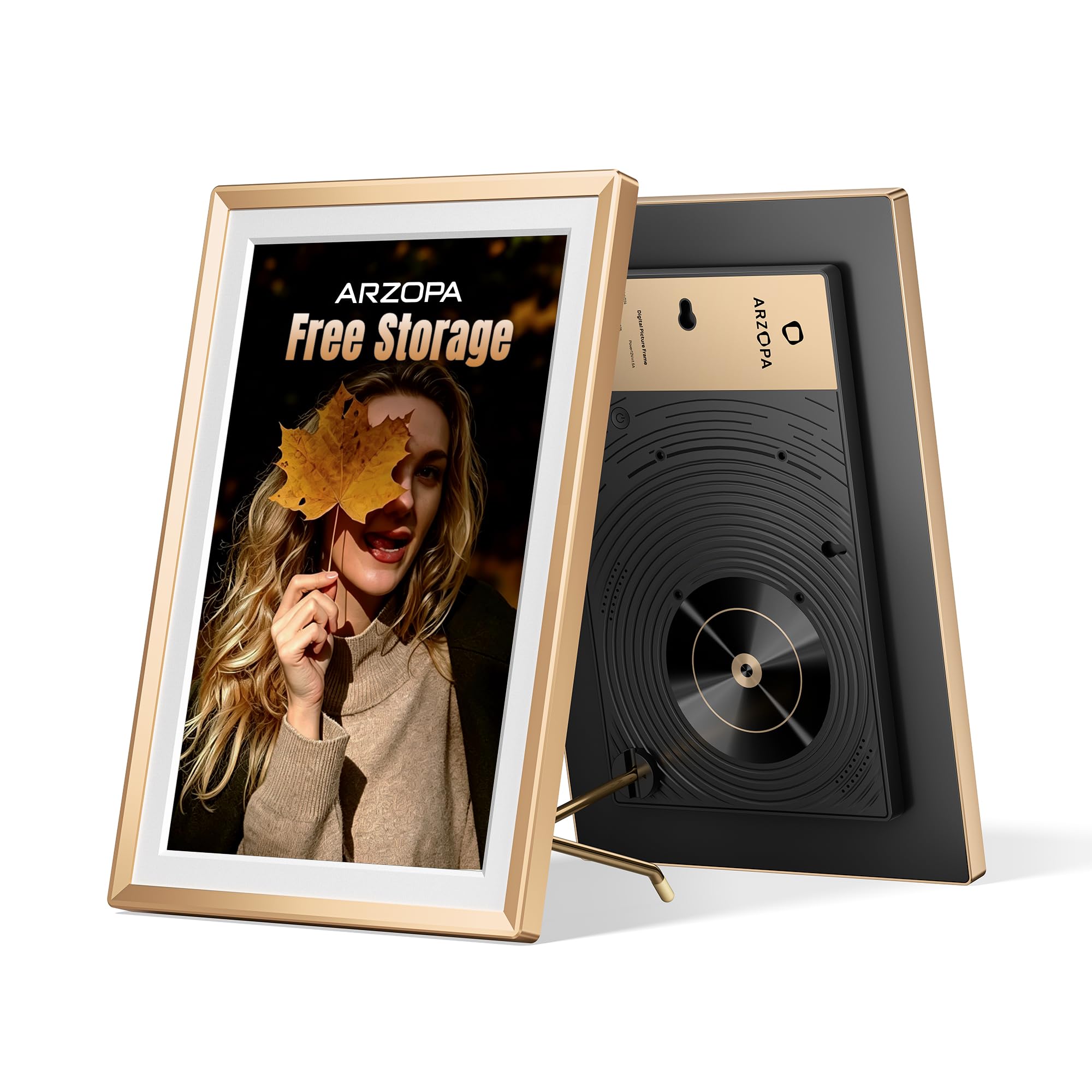
A metal-body frame whose rear panel went to design awards before it ever reached your shelf.
This ARZOPA looks different from a plastic frame because of its construction. The body is metal with a glossy champagne-gold finish, the back panel is a retro design that picked up a Silver Award at the MUSE Design Awards in the United States, and the whole thing reads as decor first. The screen is 14 inches with an FHD 1920×1200 anti-glare panel — anti-glare meaning it cuts down reflections, which matters in a room with windows — and it is a touchscreen, so changing orientation or settings is a tap, not a trip through a menu.
Sharing is handled through the Arzopa app, and the storage angle is unusually generous: 100% free unlimited cloud storage with no subscription, backed by AWS Amazon Cloud. You can upload directly from your phone, invite family members to send pictures and videos, and it runs over Wi-Fi or USB. There is a Custom Gift Mode, so you can preload photos, videos, and a greeting card before the frame ever arrives at the recipient’s door — a real advantage when the gift is being shipped across the country. The panel also displays date, time, weather, and location, and it supports wall mounting and SD card expansion. The design language is what wins most reviewers over, with uploads and gifting close behind.
Compared to the Aura frames above, this one trades the black-or-aspen minimalism for a warmer accent finish, and buyers who prefer gold to black have said so in reviews. The panel is also noticeably finer than the 800×480 e-paper versions at 1920×1200, so detailed photos hold up well in a hallway. One small note from owners: videos play with sound, which can startle a quiet room if the frame is on a work desk. Otherwise the experience is smooth and the design is the differentiator.
The standout spec: FHD 1920×1200 anti-glare on a 14-inch metal frame — this is a screen meant to sit out in daylight and still look clean.
A quick honest beat: The champagne-gold finish is a style choice, not a universal favourite. If you wanted black, this is not the frame for you.
Best for: design-led buyers who want a frame that belongs on a gallery wall or an office desk and who want free cloud storage without a subscription.
Not quite right if: you need battery power or you want a frame that hides in a black-and-white interior.
8. SMARTWIZ+ Art E Ink Art Frame with Spectra6 Color Display
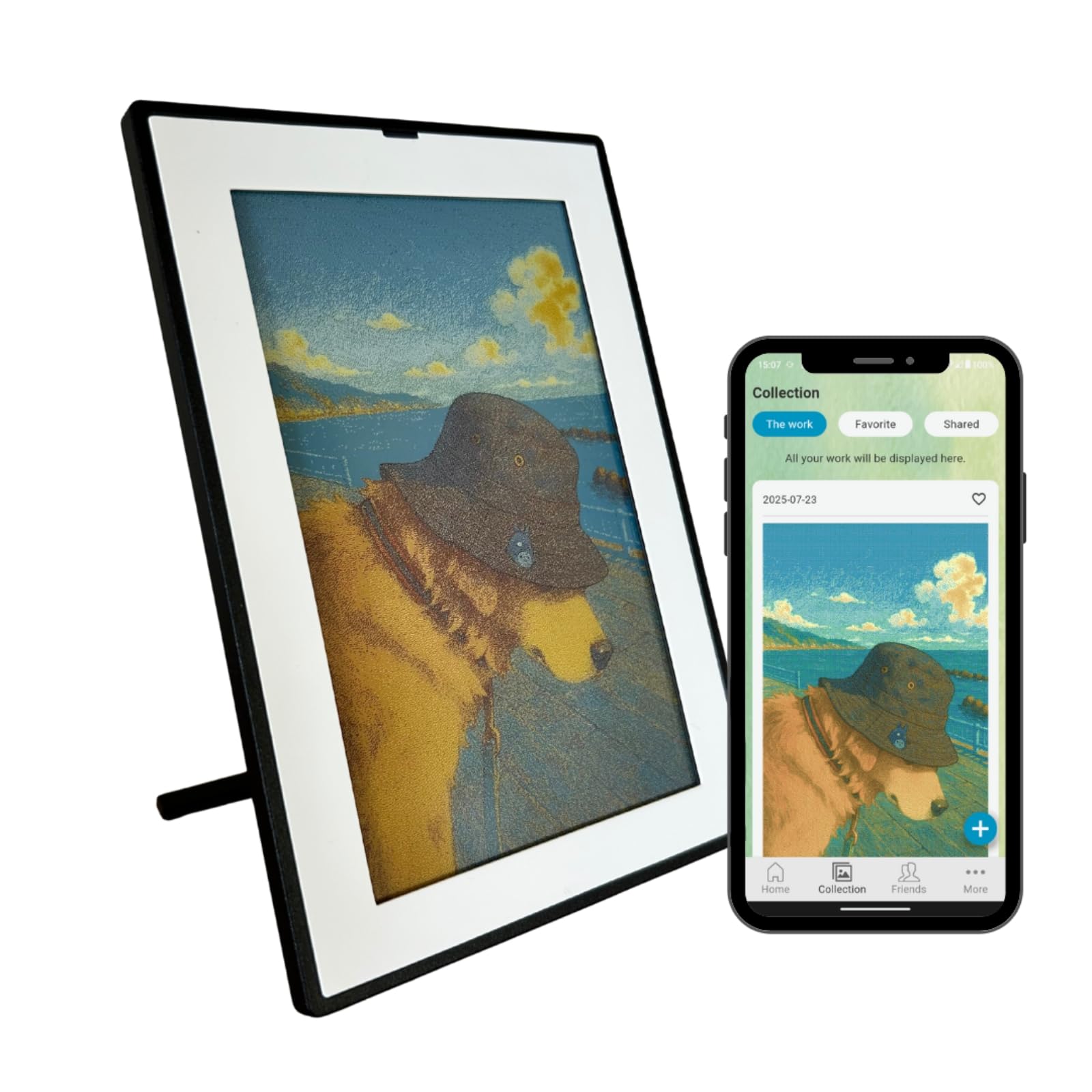
A genuinely wireless color e-ink frame — built for art, not for photo gallery slideshows.
The SMARTWIZ+ is the only frame here that is both battery powered and equipped with a full-color E Ink panel. That combination is the pitch: no cord, paper-like texture, and it can sit on a bare desk with nothing running to the wall. The display is 7.3 inches at 800×480 and the aspect ratio is 5:3 — close to a book page’s proportions — which suits the “display art” concept better than a wide family-photo layout. The plastic frame keeps the weight down, and the frame has a detachable stand plus a wall-mount option.
Setup carries a real warning here. The frame needs a dedicated 2.4GHz Wi-Fi network to configure, and if you are using a mesh system like NETGEAR Orbi — or a router that merges 2.4GHz and 5GHz into one name — the first attempt can fail. The fix is easy enough: run setup once on your phone’s Wi-Fi hotspot, then reconnect to the home network afterwards. Uploads take 30 seconds to two minutes per image with some screen glitching along the way, and the app is used for both sending photos and generating AI-inspired artwork from prompts. Because e-ink draws power only when the picture changes, plenty of customers note the battery lasting weeks on a charge.
Where buyers split is what the frame is good for. It shows one image at a time with no slideshow, which suits art, a rotating quote, or a single photograph you love — not a living gallery of family shots. Bright illustrations look lovely; darker images look dull and muddy, because there is no backlight and no illumination of any kind. Skin tones can read off. From a short distance the surface looks like paper rather than a screen, and that is the moment this frame makes sense. From arm’s length, the low pixel density shows through, which is why the manufacturer recommends viewing from across the room.
What works beautifully
- Full-color E Ink with no light emission — nothing glows in a dark bedroom.
- Battery powered with weeks of life since power is only needed when the picture changes.
- Spreads art or one special photo; detachable stand plus wall mount.
- Can generate AI-inspired artwork from prompts in the app.
What you’re taking on
- No slideshow — the frame displays one image at a time.
- Dedicated 2.4GHz Wi-Fi is required, and mesh or merged-band networks may need a workaround.
- Uploads take 30 seconds to two minutes and can glitch during transfer.
- Colors are inherently muted; dark photos look dull.
Ideal for: someone who wants a single, non-illuminating art piece on a desk or wall and does not need a slideshow or a video feature.
Avoid if: you want to cycle a big album of family photos — this frame does one image, and colors won’t match a phone screen.
9. SwitchBot AI Art Frame 13.3”

A large black-aluminum e-ink canvas that hangs with no cord at all — for the buyer who wants artwork, not a photo stream.
The SwitchBot frame is the biggest electronic ink option here at 13.3 inches, and it is built to be seen on a wall rather than sat on a nightstand. A 2000mAh rechargeable battery is rated for up to two years at one refresh per week, and because e-ink holds its image even after the battery is depleted, the picture stays visible until you decide to change it. The frame hangs or stands, has no wires to run in normal use, and pairs with Alexa for voice control plus the SwitchBot app for scheduling. Images go to the frame over Wi-Fi, with Bluetooth intended mainly for the initial pairing step.
The frame runs two modes. First, it acts as a display for your family photos. Second, and this is where it is designed to be used, it generates AI artwork from prompts — the AI art feature requires a paid subscription, and the artwork is displayed on a 6-color electronic ink canvas. It holds up to 10 images locally, and you can schedule artwork to change by time of day, holiday, or special event. The frame handles standard photos too if you would rather it did not require a subscription at all. Just be aware that e-ink colors and contrast are naturally more muted and that the pixel structure is coarser than a backlit screen — the maker recommends viewing from about one metre or more.
Owner feedback has been split. What wins the most praise is the build quality — the black aluminum frame is handsome, and the non-backlit surface genuinely looks like a print rather than a screen when viewed from a normal distance. Photographs, however, run flat compared to a real print or a traditional digital frame, and darker images lose their detail. If you change the image frequently, battery life drops quickly (a 15-minute refresh setting will drain it in about a week). Bright, vibrant, high-contrast artwork is where this frame shines; dimly lit rooms will mute even the best images, and you cannot edit brightness after upload.
What this frame really is: a cord-free 13.3-inch e-ink canvas with a 2000mAh battery rated up to two years at one refresh per week — designed for art, framed as a statement.
The honest catch: Photos look flat on e-ink, and the AI artwork feature needs a paid subscription. If photos are your priority, consider a backlit frame instead.
The right owner: someone who wants a large, cord-free art display that changes on a schedule in a room with natural light.
Not the right owner: a household that wants to cycle family photographs every day — photos just do not look their best here.
Know the Specs
Electronic Ink vs Backlit LCD
An electronic ink panel holds its picture the way a printed photograph does — it needs power only at the moment the image changes. Everything in between is zero. This is why battery-powered frames like the SwitchBot hold a picture for weeks or longer, and why they never glow at night. A backlit LCD frame draws power continuously to light its screen, which makes it brighter and more vivid but also means it usually has to be plugged in. The trade is simple: want a cord-free, paper-like look — pick e-ink; want bright, colorful photos in any lighting — pick backlit.
Resolution, Pixels Per Inch, And Color Depth
Resolution is the count of pixels — the tiny dots that build the image — across the screen. Splitting that pixel count by screen size gives you pixel density, which is what actually decides whether a photo looks crisp or grainy. That is why a 15.6-inch 1920×1080 panel and a 7.3-inch 800×480 panel feel so different in use: the dots on the smaller panel are spaced further apart, so fine detail softens. Color depth matters too. A 7-color or 6-color e-ink panel is not trying to reproduce the thousands of shades of a backlit screen, and once you accept that, the paper-like look makes sense. Best practice: view e-ink from a distance and view LCD up close.
Common Questions
What makes an E-Ink Picture Frame different from a regular digital photo frame?
Do e-ink picture frames need a Wi-Fi connection to work?
How long does the battery last on a wireless e-ink frame?
Why do colors look muted on a color E-Ink Picture Frame?
Can I preload photos onto a frame before gifting it?
Will an E-Ink Picture Frame work with mesh Wi-Fi like Orbi or Eero?
Can I wall mount a corded digital frame?
How many photos can the built-in storage hold?
Do I need to pay a monthly subscription to use these frames?
Are these frames easy for elderly parents and grandparents to use?
What should I do if my e-ink frame shows only one photo and no slideshow?
The Bottom Line
For the majority of shoppers, the e-ink picture frame winner is the Aura Digital HD Picture Frame (12″ – Aspen White Mat) because it nails the balance every buyer actually wants: one-minute setup, unlimited free photo and video storage, and a 10.1-inch 1080p display that looks the part on any shelf — and its 4.5+ star standing across 13,000+ owners is not accidental. If screen size is the priority, grab the 64GB Frameo 15.6″ Digital Picture Frame for its 1920×1080 IPS panel and 64GB of built-in room. And for genuine color electronic ink without a cord, the SwitchBot AI Art Frame 13.3” is the one to reach for — as long as you understand that e-ink colors are quieter than a phone screen and the frame is designed for art, not slideshows.
If your goal is a gift that grandparents can run on their own, Aura and Frameo cover that ground best. If your goal is a cool, no-glare wall piece and you enjoy a bit of tinkering, the Waveshare, SMARTWIZ+, and SwitchBot e-ink frames are the three to weigh. Every frame here earns its spot; the choice depends on how technical you want setup to feel and how much you tolerate paper-print color instead of a backlit screen.
How we choose
We do not accept paid placement. Every pick is matched to a real buyer and a real use-case; we do not hands-on test units.
Sources
Specifications: manufacturer listings and product documentation. Review insights: verified customer reviews, as of October 2026. Pricing: not shown on this page (it changes often); check the current price via the retailer link.
As an Amazon Associate, Aappliancez earns from qualifying purchases. This does not affect which products we feature.