Disclosure: Some links in this post are affiliate links. As an Amazon Associate I earn from qualifying purchases, at no extra cost to you. Learn more
Specs are compiled from manufacturer listings and verified buyer reviews and can change over time — please confirm the key details on the product page before buying.
If you want one answer: the Amazon Kindle Paperwhite is the e-ink device most people should buy, because it pairs a 7-inch glare-free screen with up to 12 weeks of battery life and no distracting apps. Everything below helps you pick the right one if your needs sit outside that lane — color comics, handwriting, or a bigger page for PDFs.
This guide is built by comparing the manufacturers’ published specifications and the patterns across verified customer reviews, so you get each pick’s real strengths and trade-offs instead of marketing spin.
An e-ink screen (a display made of tiny capsules that hold ink particles in place) draws power only when the page changes, which is why these devices run for weeks. The picks below cover every reading style, and the full breakdown of the best e-ink device options starts with the specs that actually change how a page feels in your hand.
Top Picks



How To Choose The Best E-Ink Device
Most first-time buyers assume an e-ink device is a cheap tablet; it is a single-purpose reading screen. It is not. A tablet lights every pixel all the time and begs for your attention; an e-ink reader holds a static image with almost no power draw and deliberately refuses notifications. Pick by screen size and file formats, not by how many apps a spec sheet lists.
Screen size decides what you can actually read
A 6-inch screen (measured diagonally, corner to corner) suits novels and one-handed commuting. A 7-inch panel gives noticeably more words per page without becoming a two-hand device. A 10.3-inch screen is the point where a full PDF page fits without pinch-zooming — the difference between reading a textbook and fighting it.
Color e-ink versus black-and-white e-ink
Color layers such as Kaleido 3 add a filter over the black-and-white panel, so comic covers and highlighted text gain shade while raw contrast drops slightly. That contrast drop is how Kaleido 3 works, not a defect. If you read mostly text, a plain Carta panel gives the darkest, sharpest letters.
Waterproofing and battery claims
An IPX8 rating (a water-resistance grade meaning the device survives full submersion) is what lets you read in the bath without a plastic bag. Battery figures quoted in weeks assume airplane mode and short daily sessions, so treat them as a ceiling rather than a promise.
Side-by-Side Comparison
| Model | Best For | Screen | Storage | Weight | Amazon |
|---|---|---|---|---|---|
| Amazon Kindle Paperwhite 16GB (2024)★ Best Overall | Everyday novel reading | 7″ glare-free | 16 GB | — | Amazon |
| PocketBook Verse Pro ColorBest Color Pick | Color comics in a small bag | 6″ Kaleido 3 color | 16 GB | 349 g | Amazon |
| PocketBook Verse ProBest for Open Formats | Button lovers who sideload | 6″ Carta HD | 16 GB | 186 g | Amazon |
| TCL NXTPAPER 11 Gen 2 | Reading plus Android apps | 11″ 2K matte LCD | 128 GB | 1.1 lbs | Amazon |
| Kindle Paperwhite Signature Edition 32GB | Marathon readers who skip the charger | 7″ glare-free | 32 GB | — | Amazon |
| Kobo Libra Colour | Color reading with page buttons | 7″ Kaleido 3 color | 32 GB | 7.05 oz | Amazon |
| BOOX Tablet Go Color 7 Gen II | Android app freedom | 7″ Kaleido 3 color | 64 GB | 195 g | Amazon |
| Kobo Elipsa 2E | Big-screen PDFs and notes | 10.3″ Carta 1200 | 32 GB | 13.62 oz | Amazon |
| reMarkable Paper Pro Move | Pocket handwriting capture | 7.3″ Canvas Color | — | 248.4 g | Amazon |
Detailed Reviews
1. Amazon Kindle Paperwhite 16GB (2024 model)
Our pick — 4.5+★ from 23,500+ verified ratings; the strongest balance of quality and price.
The reader that turned print loyalists into nightly e-ink users.
The number that explains why most people should start here is the 7-inch paperwhite screen — bigger than the 6-inch PocketBook Verse Pro Color, so a page holds more words without you pinching to zoom. That glare-free panel stays readable in direct sunlight, and the adjustable light shifts from white to amber so a late chapter does not blast your eyes at 1 a.m.
Battery is the other headline. A single USB-C charge is rated for up to 12 weeks, and the lived pattern is that you simply forget where the cable went — buyers report a charge lasting 3–4 weeks of casual reading, which is exactly what you want from a device that lives on your nightstand. There is no social media here and no notifications, and that absence is the feature.
What wins people over is how it feels in one hand — light enough for a whole chapter one-thumbed while a baby naps, with a screen that reads like paper rather than glass. It is also waterproof, so the bath and the pool are fair game. The honest limit: page turns are responsive but the interface can hitch for a beat now and then, and there is no app store, so a Libby loan has to be sent over from your phone rather than borrowed on the device.
What earns its keep
- 7-inch glare-free screen with white-to-amber light for day and night reading
- Up to 12 weeks per USB-C charge — real owners stretch a charge for weeks
- Waterproof body for poolside and bathtub sessions
- 16 GB holds a serious library, and books land on it in under a minute
Where it pushes back
- No app store, so library loans arrive from your phone, not the device
- Occasional interface lag between page turns
Buy this one if: you read novels nightly and want the screen, battery and price balance that suits the widest range of people.
Think twice if: you need built-in library borrowing or Android apps — the Verse Pro and BOOX cover those instead.
2. PocketBook Verse Pro Color
A pocketable color reader that skips the store account entirely.
This is the pick for the reader who wants color covers and comics in a 6-inch body that slides into a jacket pocket — and who refuses to be locked into one bookstore. Files come in over a plain USB-C drag-and-drop, and it opens EPUB, MOBI and PDF without a converter in sight. The Kaleido 3 layer adds shade to maps, photos and highlighted passages, which is the whole reason to choose it over a plain black-and-white panel.
The hardware is where it earns its fans. It feels thin and solid, the page buttons are crisp and clicky, and rotating into landscape flips the controls for right-handed reading. Bluetooth 5.4 and text-to-speech mean it can read a file aloud or feed a pair of wireless headphones, and IPX8 waterproofing covers full submersion.
The catch is speed, and it is the one thing you should weigh honestly. The software can hang on a touch or a swipe, menus lag, and as owners mention, it can be “extremely slow; opens wrong items after 5-10s waits, laggy menus and navigation.” Contrast also runs softer than a black-and-white screen, so you will lean on the backlight indoors. If you are comfortable tinkering — dropping in KOReader is the common fix — it rewards the effort; if you want a device that just responds, this is not it.
Color where it counts: covers, comics and highlighted notes gain real shade on a 6-inch screen you genuinely pocket.
The honest caveat: the interface is the weak link, not the hardware — budget patience or a custom reader app.
Reach for this if: you sideload your own files, want color on a small screen, and do not mind tuning the software to your taste.
Look elsewhere if: you expect smooth touch response straight from the start.
3. PocketBook Verse Pro
Buttons, open formats and a body light enough to forget you packed.
Start with the weight: 186 g makes this the lightest full-size reader on this list, and at 6 inches it is sized for one-hand reading on a train seat. Add physical page-turn buttons beside the touchscreen and you get the combination people who migrated from older devices keep asking for — tap or click, whichever your grip prefers.
Format support is the real differentiator. It reads 25 formats, including EPUB, FB2, PDF, DOC and DJVU, plus comic files CBR and CBZ, and Adobe DRM means public-library titles load without conversion. Storage is 16 GB, and the internal space barely fills after an entire library transfer. The Carta HD screen is sharp and glare-free, SMARTlight shifts brightness and color tone automatically through the day, and Dark Mode flips the background for low-light sessions.
Where it separates from the color version above is endurance and clarity — a plain Carta panel gives darker, crisper letters than a Kaleido layer, and the battery is rated for 30 days per charge. The honest friction is the library workflow: borrowers who rely entirely on Libby without their own file collection find that path slow and clunky, even though a loaded book reads beautifully. A rare unit has leaked after pool use, so treat submersion as a bonus rather than a routine.
The format argument: 25 file types and DRM support mean your existing library comes along without a conversion step.
What to know: the Libby-only route is the weaker path — this reader is happiest with sideloaded files.
Best fit for: readers with their own EPUB or PDF collection who want buttons and a featherweight body.
Not the one for: someone who only ever borrows through the library app and wants zero setup.
4. TCL NXTPAPER 11 Gen 2 Android Tablet

A full Android tablet that dims its own glare for readers.
This is not an e-ink panel, and it does not pretend to be. It is an 11-inch 2K LCD with a matte, anti-glare coating and a paper-like mode, so you get full-color Android apps and video alongside a reading experience that is easier on the eyes than a glossy tablet. The Ink Paper mode narrows the display toward black-and-white for long reading sessions; Color Paper mode softens saturation for comics and drawing.
The practicality is what sells it. An 8000mAh battery runs through a full day of study or streaming, 18W PD charging tops it back up, and it can even reverse-charge your phone. The 4096-pressure-level T-PEN stylus (a pen that registers how hard you press) handles notes and sketching, and 128 GB of storage expands up to 1TB by card.
Know what you are buying: the reading modes are a filter over an LCD, not a true e-ink panel, so battery still drains while the screen is on — expect about 8 hours, not weeks. The flip case swallows the stylus if you rely on its magnet, and the touchscreen can misbehave while charging. Treat it as an Android tablet with a matte, anti-glare screen, and the 8-hour battery makes sense.
Why it earns a slot
- Genuine anti-glare matte finish cuts reflections on an 11-inch 2K screen
- 8000mAh battery with 18W charging and reverse charging for your phone
- Full Android with Play Store access, Google apps and a pressure-sensitive stylus
What to weigh
- LCD means hours not weeks — the battery is rated around 8 hours
- Stylus slips out of its magnetic slot in the included case
Pick it when: you want one device for textbooks, video, notes and reading, and color matters.
Skip the swap if: you want the multi-week battery and zero-glare calm only true e-ink gives.
5. Amazon Kindle Paperwhite Signature Edition 32GB (2024 model)
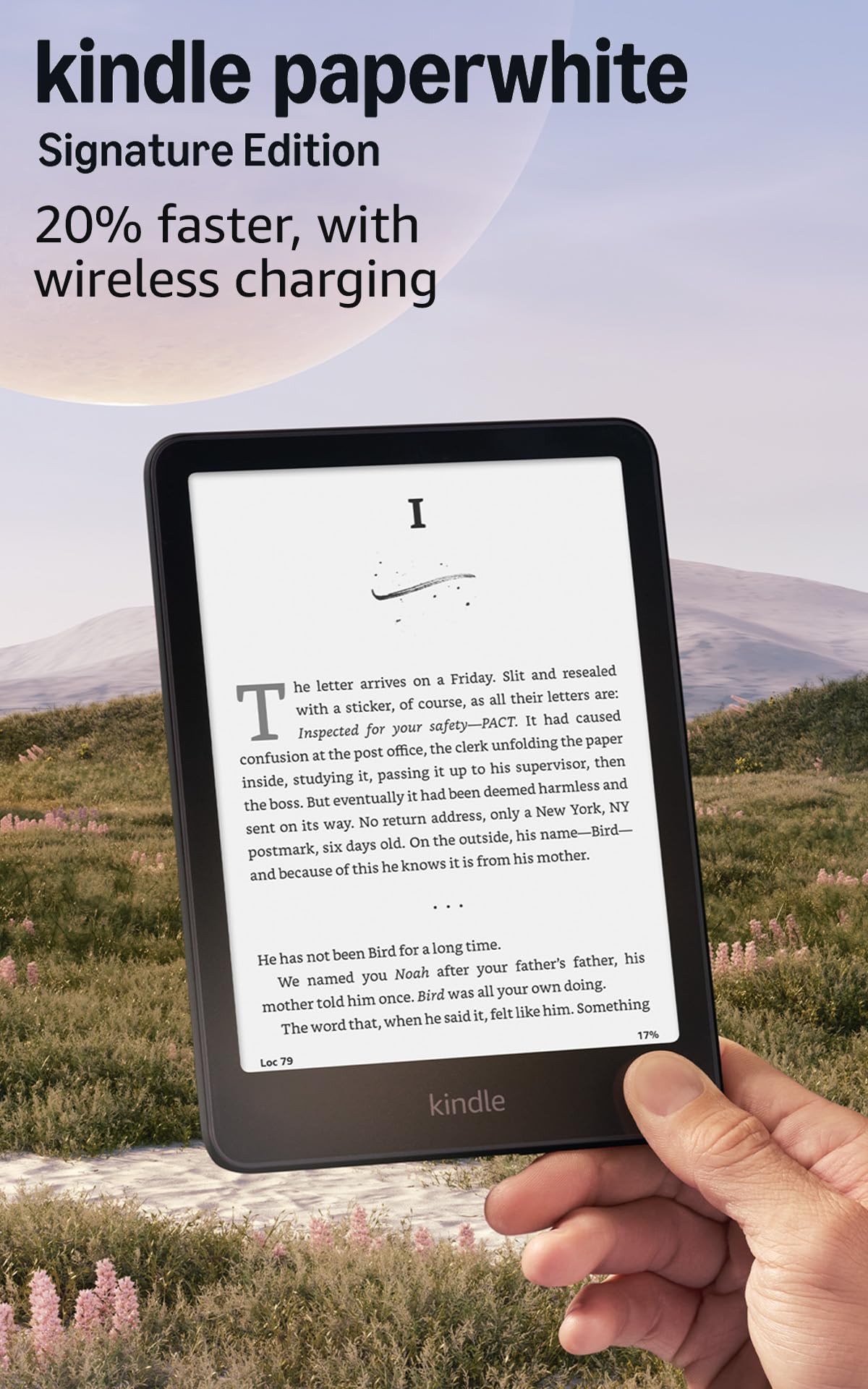
The Paperwhite for people who never want to touch a charging cable.
Take the standard Paperwhite, double the storage to 32 GB, and hand the screen its own light sensor — that is the Signature Edition in one line. The auto-adjusting front light reads the room and sets brightness for you, so moving from a bright kitchen to a dark bedroom needs no fiddling. The 7-inch panel also gets 25% faster page turns than the previous generation, according to Amazon, and page-turn speed is exactly the spec you feel on every single page.
Then there is the charging. The battery is rated up to 12 weeks, and the Signature adds wireless charging on a dock — the convenience is real when you drop it on the nightstand rather than hunt for the USB-C cable. Owners run it in airplane mode and still see 60% after charging once since late July, and 32 GB holds an entire library of ebooks with room to spare.
What it does not add is a bigger screen or a pen, so if you already own a current Paperwhite, this is a storage-and-convenience upgrade rather than a leap. The value question is fair: the standard model gets you the same display and battery, and you pay for the extras. For a first e-reader you will keep for years, the extra room and the wireless dock are the parts you stop noticing and start relying on.
The daily win: the auto-adjusting light and wireless charging turn two small chores into nothing at all.
The fair question: if you skip wireless charging and do not need 32 GB, the standard Paperwhite covers the same reading.
Choose it if: you want the Paperwhite experience with more room and a drop-and-go charger on your nightstand.
Save the upgrade if: you charge once a month anyway and keep a modest library.
6. Kobo Libra Colour eReader

Color covers, real page buttons and no store account required.
A 7-inch Kaleido 3 color screen is the centerpiece here — book covers, comics and illustrations carry shade instead of gray, and the page-turn buttons on the side let you read without lifting a thumb. Rotate the device and the layout flips for either hand, so lefties are not second-class readers. The 32 GB of storage carries up to 24,000 ebooks or 150 Kobo audiobooks.
Its strength is openness. It reads a long list of formats, including EPUB, EPUB3, MOBI, PDF, CBZ and CBR, and it connects to OverDrive for library borrowing and Pocket for saved articles. Bluetooth handles audiobooks. At 7.05 ounces with a recycled-and-ocean-bound-plastic body, it is light enough to hold one-handed through a long chapter, and the battery is rated for up to 4 weeks.
The nuance to know is contrast. Color e-ink runs a little softer than plain black-and-white, so expect to nudge brightness up indoors, and one persistent quirk is that Bluetooth needs Wi-Fi on to work — which nibbles the battery faster than the weeks-long rating suggests. The Kobo store also runs narrower than Kindle Unlimited for some genres. None of that spoils the reading; it just tells you to choose it for color and buttons, not for an endless subscription catalog.
What buyers prize: the button-plus-color combination — a page-turn feel that touchscreens cannot copy, wrapped around a screen that shows covers properly.
Worth planning around: the Bluetooth-needs-Wi-Fi quirk and the softer color contrast indoors.
Perfect if: you want color, page buttons, waterproofing and library downloads in one device.
Look past it if: you read exclusively text and want the sharpest possible black-and-white letters.
7. BOOX Tablet Go Color 7 Gen II

One e-ink reader to hold every app, store and library card.
If you have bounced between Kindle, Nook and Libby because no single device carried all three, this is the answer. It runs Android 13 with Google Play, so the Kindle app, Play Books, library apps and news readers all live on one 7-inch Kaleido 3 screen — and 64 GB of ROM plus a microSD slot means you are not juggling storage. An octa-core chip and 4 GB of RAM keep it from feeling sluggish the way locked-down readers can.
The reading hardware is thoughtful. Page-turn buttons sit on the body, a G-sensor rotates the screen automatically, and the front light tunes both warm and cold tone. For PDFs, the annotation and zoom tooling is the kind of thing that makes a scanned document usable. It also takes an active InkSense stylus for notes, though the pen is sold separately.
Set expectations on two fronts. This is a reader, not a tablet — the color layer is muted and video or games will disappoint, so treat it as a reading device that happens to have apps. Battery is a 2,300mAh cell, notably smaller than the other readers here, so heavy app use drains it faster; light readers still stretch a week or more. The screen is also not waterproof and sits among glass panels that want careful handling.
The freedom angle: Android 13 plus Google Play ends the store lock-in that defines most e-readers.
The trade-off: a 2,300mAh battery and no waterproofing mean you charge more and protect it more.
It suits you if: you spread reading across multiple apps and want e-ink calm over LCD glare.
It does not if: you want a single-charge month or take your reader into the bath.
8. Kobo Elipsa 2E

A 10.3-inch page for people whose reading is full of PDFs.
Screen size is the reason this exists. A 10.3-inch Carta 1200 panel fits a full PDF page or a textbook spread without zooming, which is the difference between studying and squinting — and it is a big step up from the 7-inch class for academic reading. ComfortLight PRO adjusts brightness and color temperature so late-night reading runs warmer, and the glare-free surface keeps letters crisp.
Bundled with it is the rechargeable Kobo Stylus 2, and the note-taking is where it earns extra ground. You can write directly on eBooks and PDFs, highlight and underline, and Kobo’s markup holds your annotations even when you change font size — so your margin notes stay attached to the right sentence. Storage is 32 GB, enough for up to 24,000 ebooks, and the built-in browser downloads public-domain EPUBs directly.
The honest trade-off is responsiveness. Note-taking can lag behind the fastest e-ink notebooks, and page turns occasionally freeze for a second before catching up, which heavy readers notice. There is also no page-turn button, so a big screen means reaching across it. Choose it for the size and the pen, and accept that the occasional hitch comes with a 10-inch e-ink panel.
Where it shines
- 10.3-inch screen makes full-page PDFs and textbooks genuinely readable
- Stylus 2 included, with markup that survives font changes
- 32 GB holds up to 24,000 ebooks, plus a browser for direct downloads
Where it stumbles
- Writing and page turns can lag on complex notebook work
- No physical page-turn buttons on a large screen
The right call when: your reading is PDFs, coursework and margin notes, and screen real estate beats pocketability.
Stay with a 7-inch if: you mostly read novels and want one-hand comfort.
9. reMarkable Paper Pro Move with Marker Plus

A digital notebook the size of a paperback, built for pen first.
This one is a writing tablet before it is a reader. The 7.3-inch Canvas Color display is tuned to feel and sound like paper under the included Marker Plus, and the whole thing weighs 248.4 g — small enough to drop in a jacket pocket, so an idea never has to wait for a notebook. It ships with six spare Marker tips because it expects heavy handwriting use.
Organization is the real draw. You get nine pen types at three thicknesses and nine colors, folders and tags to file everything, and handwriting search once you subscribe to Connect. Notes sync to the cloud and appear in the mobile and desktop apps, and handwritten text converts to typed text for sharing. For meeting-heavy days, that turns a stack of pads into one searchable, portable place.
Two things to weigh before committing. The full experience leans on the Connect subscription, which some owners find frustrating at the price; and colors run muted, so blue and black can blur together on screen. A few also report battery drain when the stylus sits magnetically on the side. Read this as a distraction-free handwriting tablet that also opens ebooks — not a color e-reader first.
The pen feel: handwriting on paper-like glass with 9 pen types and 9 colors is the entire reason to pick it.
Know the cost of entry: search and templates lean on the Connect subscription, and the color palette stays muted.
Made for: meeting-takers and note-jotters who want a paper notebook in a pocketable, synced shell.
Not for you if: color comics and vivid covers are the goal — this is a writing device.
Know the Specs
Screen size and resolution
Screen size is measured diagonally, and it sets how much text fits without zooming — a 6-inch panel suits novels, a 10.3-inch one fits a PDF page whole. Resolution matters less than you think at book-reading distances; on a 7-inch Kaleido 3 panel, BOOX quotes 300 ppi for black-and-white and 150 ppi for color, so text stays sharp while color runs softer. Choose screen size first, then decide if you need color or the sharper Carta contrast.
Battery rated in weeks versus hours
E-ink panels draw power only on a page change, which is why some readers claim up to 12 weeks per charge while an LCD-based tablet with an 8000mAh battery runs roughly 8 hours. Those week figures assume airplane mode and light daily use. If you stream audiobooks over Bluetooth or browse the web, expect the real number to land closer to days.
Waterproofing grades
An IPX8 rating means the device survives submersion in fresh water — commonly stated as up to 2 meters for up to 60 minutes. That covers the bath and a splash at the pool. It does not mean salt water, drops or long soaks are safe, so rinse a dropped unit gently and dry the port before charging.
Storage and file formats
16 GB holds a large library of ebooks, while 32 GB or 64 GB makes space for PDFs, audiobooks and comics. Format support is the quieter spec: a reader that opens EPUB, MOBI, PDF, CBZ and CBR keeps your whole collection usable, whereas a locked format list forces converters. Check the supported format list before you commit to a reader.
Common Questions
Will an e-ink reader work in bright sunlight?
Is color e-ink worth it over black-and-white?
Can I keep reading in the bath with these devices?
How long does a charge really last on an e-reader?
Do I need a special apps store to add my own books?
Can I take handwritten notes on an e-ink screen?
Is a 6-inch screen too small for PDFs?
Will these devices distract me with notifications?
How many books fit in 16 GB of storage?
Can I borrow library books directly on the device?
The Bottom Line
The strongest all-round pick here remains the Amazon Kindle Paperwhite — a 7-inch glare-free screen, up to 12 weeks of battery and no app distractions cover the widest slice of readers. If color covers and page buttons are your fix, the Kobo Libra Colour earns the step up. And when the reading is coursework, PDFs and margin notes, the Kobo Elipsa 2E is the one to reach for.
One last nudge: choose by screen size and by how you get books, not by the longest battery figure. The reader you actually charge, carry and use beats the one with the longest battery claim.
How we choose
We do not accept paid placement. Every pick is matched to a real buyer and a real use-case; we do not hands-on test units.
Sources
Specifications: manufacturer listings and product documentation. Review insights: verified customer reviews, as of October 2026. Pricing: not shown on this page (it changes often); check the current price via the retailer link.
As an Amazon Associate, Aappliancez earns from qualifying purchases. This does not affect which products we feature.